
Photo & Video
Browse photo and video IPA listings for cameras, editors, recording tools, streaming apps, and creator workflows.

SNOW Corporation
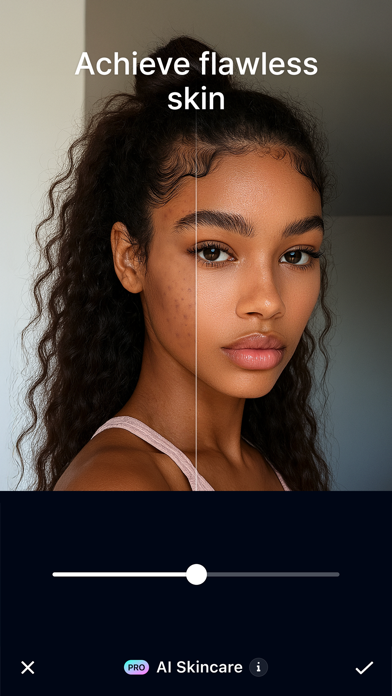
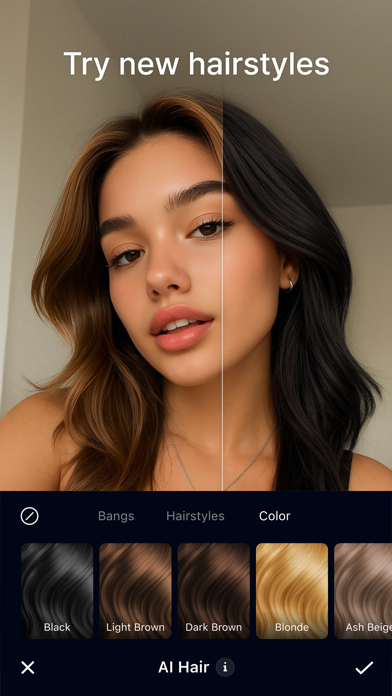
Master your selfie game with GlowUp, the ultimate AI-powered photo editor designed to bring out your natural beauty with flawless, effortless edits. Whether you want subtle retouching or a full makeup transformation, GlowUp puts the power of professional beauty tools right at your fingertips. [Retouch Selfies] - Airbrush skin with AI-powered retouch tools - Smooth wrinkles and even out skin tone - Whiten teeth with a simple swipe - Highlight or soften your best features [Exclusive Makeup Looks] - Choose from natural to bold styles - Explore dozens of color choices - Customize makeup to perfectly fit your face [AI-Powered Tools] - Instantly transform your hair color and style - Remove unwanted objects or backgrounds seamlessly - Enhance photo quality with AI resolution boost GLOWUP PRO - You can subscribe to get unlimited access to all premium content and features. - Subscriptions are billed monthly or annually at the rate of the selected plan. - Your App Store account will be charged once the purchase is confirmed. Subscriptions will automatically renew 24 hours before the end of the current subscription period. - Automatic renewal can be disabled in the App Store at any time. - Prices are based on U.S. dollars and may differ in other countries, and is subject to change without notice. Terms of Use: https://terms.snow.me/GlowUp/TermsOfUse Privacy Policy: https://terms.snow.me/GlowUp/PrivacyPolicy Face Technology by SenseTime

Ubiquiti Labs, LLC
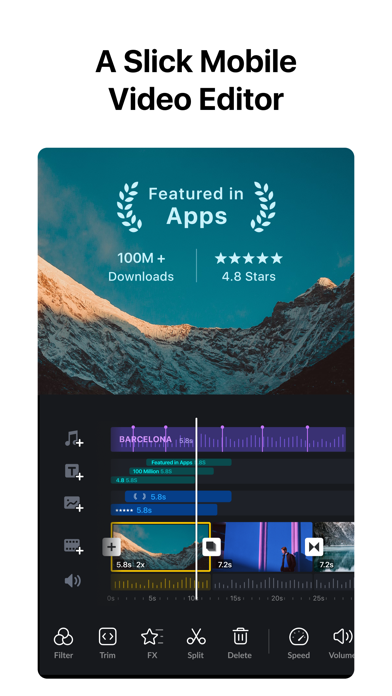
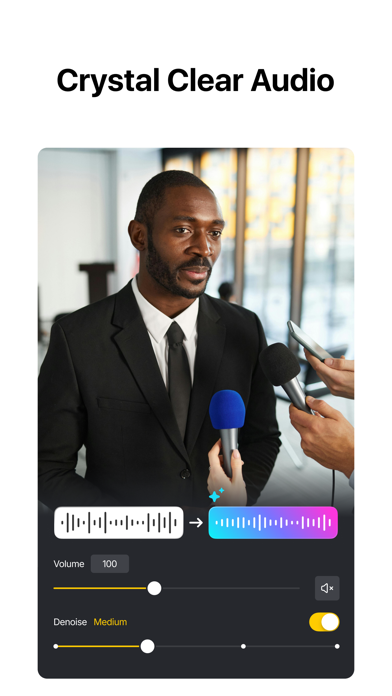
VN is a free, easy-to-use video editing app with no watermark. Its intuitive interface requires no prior experience, yet offers powerful tools for both beginners and professionals to create high-quality videos. Intuitive Multi-Track Editor • Precise Editing: Frame-accurate timeline (0.05s) with easy zoom, trimming, and keyframe control • Easy Management: Swipe to delete clips, drag to reorder • Multi-layer Timeline: Add PIP videos, photos, stickers, and text with keyframe animation • Non-destructive Editing: Save drafts anytime with undo/redo support Music & Audio Tools • Beat Editing: Add markers to sync clips with music • Voice-over: Record high-quality audio directly in the app Effects & Filters • Speed Curve: Advanced speed control like Premiere Pro with presets • Transitions & Effects: Smooth automatic transitions and diverse visual effects • Filters & LUTs: Import LUTs and apply cinematic filters • Video Cutout: One-tap background removal with AI detection Advanced Features • Keyframe Animation: 19 built-in effects with customizable curves • Reverse, Zoom & Freeze Frame: Add creative motion and highlights • Templates: Create and share video/music templates • Auto Captions & TTS: Convert audio to subtitles or generate AI voiceovers Flexible Materials • Easy Import: Add media via AirDrop, Wi-Fi, WhatsApp, Telegram, or Zip • Asset Library: Access stickers, fonts, and more Text Tools • Templates & Fonts: Wide selection for different styles • Customization: Adjust color, size, spacing, and more Create & Share • Cross-Platform: Transfer projects via AirDrop or iCloud • Secure Mode: Protect drafts with passwords and expiration dates • HDR Editing: Support Dolby Vision HDR (iPhone 12+) • Custom Export: Up to 4K resolution and 60 FPS Discord: https://discord.gg/eGFB2BW4uM YouTube: @vnvideoeditor Email: [email protected] Terms: https://www.ui.com/legal/termsofservice Privacy: https://www.ui.com/legal/privacypolicy Website: www.vlognow.me


Bergen Co.
Transform your iPhone and iPad into a sophisticated editing suite with Darkroom, the highly acclaimed photo and video editor designed to empower both amateur photographers and professional creators. With desktop-quality tools at your fingertips, Darkroom competes with industry giants such as Adobe Lightroom and Photoshop, delivering unparalleled editing experiences right on your mobile device. Award-Winning App Recognitions: Winner of the Apple Design Award in 2020 Apple’s Editor’s Choice since 2018 Best New App Winner in 2015 Why Choose Darkroom? Advanced AI-Powered Editing: Leverage cutting-edge AI tools for precise, depth-based edits and intelligent object detection. Enhance specific elements like skies, skin tones, and landscapes with unmatched accuracy. Versatile Editing Capabilities: From high-resolution video playback and professional 8K color grading to batch photo editing, Darkroom addresses all your creative needs with efficiency. Its comprehensive toolset includes support for RAW and ProRAW files, making it perfect for high-quality photo projects. Professional Tools for Every Creator: All-Inclusive Format Support: Whether managing RAW files or crafting the perfect JPEG, Darkroom provides powerful editing tools that ensure top-tier output for all photo formats. Tailored for iPhone Photographers: With iPhone-specific enhancements, Darkroom stands out as the premier editing tool for mobile photographers, offering intuitive interfaces and seamless integration with iOS features. Praise from Experts: "I can't say enough good things about Darkroom. It's fast, beautiful, powerful, and easy to understand and explore. And the team behind it keep improving the app on a regular basis." - John Gruber, Daringfireball "Darkroom is one of the best apps around, offering extensive support for RAW and ProRAW photos and capabilities to batch edit photos with ease." – The Verge "Its iPhone-specific features make Darkroom the leading editing app for iPhone photographers." – The Sweet Setup Seamless Organization and Sharing: Organize your photos and videos with Darkroom's advanced management tools. Create stunning collages, manage hashtags effortlessly, and share your creations with ease. Streamline your workflow and keep your collections meticulously organized, whether for personal enjoyment or professional display. Join Our Community and Enhance Your Creative Skills: Become a Darkroom member to access exclusive features and regular updates that keep your tools cutting-edge. Our community is a hub for sharing tips, inspiration, and creative techniques. Get Started with Darkroom Today: Download Darkroom and elevate your photo and video editing to professional levels. With ongoing enhancements and a focus on user-friendly design, Darkroom is dedicated to enriching your creative journey. Subscription and Membership Details: Manage your Darkroom+ membership in the iTunes & App Store settings. Remember, subscriptions automatically renew unless cancelled at least 24 hours before the end of the current period. Terms and Conditions: https://darkroom.co/legal/terms.html Privacy Policy: https://darkroom.co/legal/privacy-policy.html


VIDEOSHOW PTE. LTD.
VideoShow - AI Video Editor & AI Video Generator helps you create stunning videos effortlessly. Transform your favorite moments into beautiful videos with photos, music, stickers, filters, and AI effects—making every memory unforgettable. Key Features: AI Video Generator: Turn photos or text into amazing AI-powered videos. Generate from photo to video, image to video, or text to video instantly. Create stylish story clips or viral effects with ease. AI Text to Video Editing: Reimagine any short video with AI using a text prompt or reference image. Add or remove objects, transform backgrounds, weather, lighting, or style, and use AI green screen cutout and relighting to create a newly reimagined video with natural motion and effortless editing. AI Video Editing: Choose your content and let AI automatically add effects, filters, transitions, and subtitles—crafting cinematic videos with visuals, voiceovers, and captions in one tap. AI Text to Image: Turn your words into stunning AI-generated images. Describe your idea, and convert your creation into a photo with one tap. AI Image Edit: Reimagine any photo with AI using simple text prompts. Replace content, transform styles, rewrite specific areas, or upload a reference image to guide the look and feel of your edit. Trending AI Effects: Explore viral templates like AI Anime, AI Dance, and more! Create unique, eye-catching AI videos that stand out on TikTok, Instagram, and Facebook. Now upgraded with HappyHorse 1.0 & Seedance 2.0 for Text-to-Video & Image-to-Video — Generate higher-quality AI videos from text or photo with smoother motion, stronger visual storytelling, and more cinematic results. Smart Video Editing: Merge, crop, split, reverse, copy, or rotate clips easily. Adjust video speed, zoom in/out, or blur backgrounds to focus attention. Creative Elements: Enjoy 30+ filters, fun stickers, dynamic transitions, GIFs, and stylish text options. Access the best content center with themes, effects, stickers, emojis, and sound FX. AI Cutout Tools: Instantly remove video or image backgrounds with AI-powered Video Cutout & Image Cutout, simplify editing and create professional-quality results. Compress & Optimize: Reduce video size in seconds without losing quality. Export in 720P/1080P/4K HD—fast, clear, and smooth. AI Music Generator: Transform text into unique music tracks with AI. Generate original melodies from your words for vlogs, short films, or storytelling. AI Photo Enhancer: Bring photos to life with AI-powered upscaling and detail enhancement. AI Colorizer: Turn old black & white photos into colorful, vibrant images using intelligent color restoration. AI Object Removal: Perfect your videos or photos by removing unwanted objects instantly with precision AI. AI Voice Changer: Change your voice to cute, mature, robotic, or funny tones—add personality and fun to your videos. Music & Sound: Choose from hundreds of background tracks or import your own music to match your vibe. VideoShow makes editing and AI generation easy, fun, and powerful—all in one app. Whether you want to edit, enhance, or create videos from text or photos, VideoShow turns imagination into stunning reality! [VideoShow VIP Membership Service] Unlock all premium features. Payment is charged to your iTunes account and renews automatically unless canceled 24 hours before the current period ends. Manage or cancel anytime in iTunes settings. Privacy Policy: https://d10nkoc3mu17gd.cloudfront.net/privacy/VideoShow_Privacy_Policy_ios_en.html Terms of Use: https://d10nkoc3mu17gd.cloudfront.net/privacy/videoshow_user_agreement_ios_en.html
Bending Spoons Apps ApS
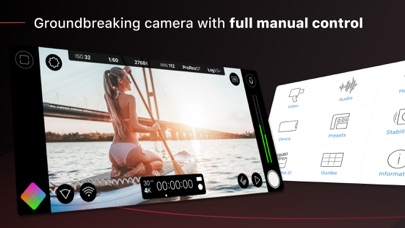
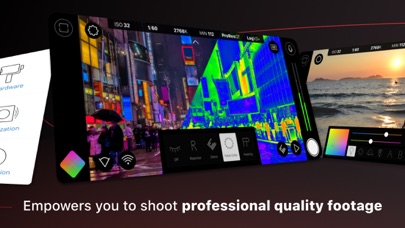
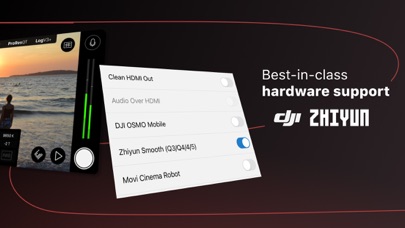
Filmic Pro v7 transforms your mobile device into a professional cinema camera, allowing you to capture the highest video quality possible on a smartphone or tablet, with the most intuitive capture experience — ever. A multi-time iOS Video Camera App of the Year, Filmic Pro has been used in more high profile video projects by award winning filmmakers than any other app: • Stupid Love - Lady Gaga • Tangerine - Sean Baker • Unsane & High Flying Bird - Steven Soderbergh • Snow Steam Iron - Zack Snyder Redesigned from the ground up, Filmic Pro v7 provides filmmakers, newscasters, teachers, vloggers, and social media content creators with the most powerful and intuitive camera experience available, with a full suite of advanced yet easy to use features. | — V7 New Features — | • Dedicated Focus/Exposure Mode selector, comprising three intuitive focus and exposure modes. • Redesigned Manual Sliders for improved focus and exposure control: — New Exposure/Zoom Slider provides discrete control over LV; ISO; shutter speed; and zoom. — Improved pull points for automated rack focus and zoom moves. • Quick Action Modals (QAMs) put key functionality at your fingertips front and center in the main interface, eliminating the need to dive into settings. • Action Slider can be revealed to provide a real-time readout and control over key capture settings including ISO, shutter speed, white balance, and gamma curve. Tap a value to interact with its associated QAM for unrivaled control. • Custom Function (Fn) Button now allows you to map one of dozens of available custom functions to the main UI, so your most used feature is only ever a tap away. • Enhanced pro audio capabilities with support for 16/24-bit audio. — — Headline Features — — • ProRes Capture (Proxy; LT; 422; 422 HQ; 4444)* • iPad Pro M2 exclusive: ProRes 4444 XQ • Log gamma curves* • Realtime Film Looks for cinematic results without the need for grading* • Live Analytic suite including Zebras, False Color, Focus Peaking* • Support for DolbyVision HDR, 10-bit SDR, and 8-bit HEVC/H264* • Clean HDMI Out transforms your device into a pro level web cam • Frame.io Camera to Cloud (C2C) support* • Advanced Audio Controls for manual input gain, 16/24-bit audio; uncompressed PCM • CMS for industry standard clip naming conventions. — Foundation Features — • Manual control over every capture parameter • Apple Watch support for remote start/stop + video preview • Vertical and landscape support • Sync audio frame rates of 24/25/30/48/50/60 fps* • High speed frame rates of 60/120/240fps* • Slow and fast motion FX • Time lapse • Histogram & waveform • Downsample to lower resolutions • Capture presets synced to the cloud • Image stabilization (standard/cinematic)* • Support for Filmic Remote. Control an iOS device running Filmic Pro with a second device running Remote. • 8 aspect ratios including Widescreen (16:9); Ultra Panavision (2.76:1); Square (1:1). • 4 encoding options for H264/HEVC to balance quality and file size • 3rd Party Hardware Support — 1.33x and 1.55x anamorphic desqueeze — 35mm lens adapters — Horizontal flip • Supported Gimbals — Zhiyun Q3/4 + Smooth 4-5 — DJI OSMO Mobile 1-5 • Advanced Audio Features: — Pro audio formats; headphone monitoring; manual gain * Features are hardware or configuration specific. For more information visit our website. SUBSCRIPTION INFO • Subscription length: weekly, yearly • Payment will be charged as soon as you confirm your purchase • Your subscription will renew automatically, unless you turn off auto-renew at least 24 hours before the end of the current period • When canceling a subscription, your subscription will stay active until the end of the period. Auto-renewal will be disabled, but the current subscription will not be refunded. • Any unused portion of a free trial period, if offered, will be forfeited when purchasing a subscription. Terms of Service: https://support.bendingspoons.com/tos.html?app=436577167

Ben McCarthy
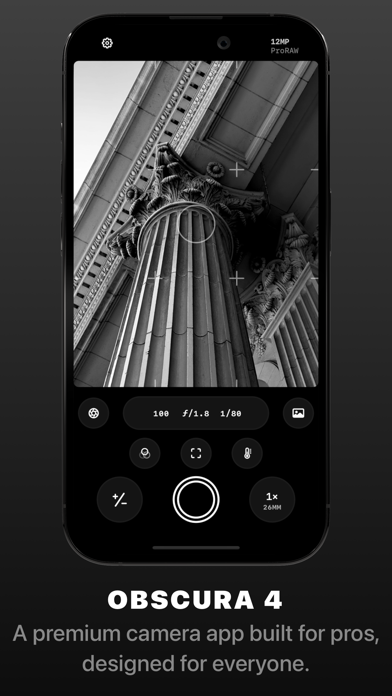
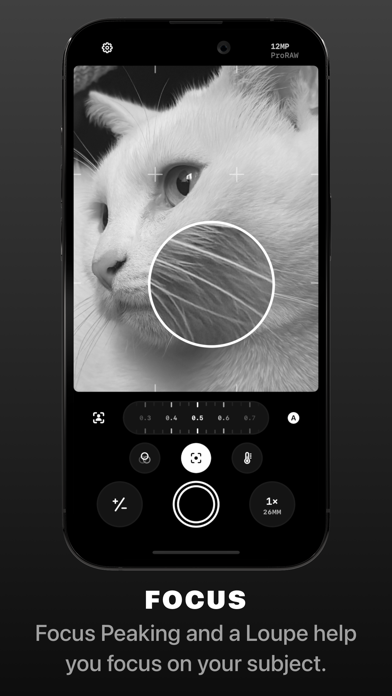
Obscura 4 is a camera app packed full of features to help you take incredible photos. Obscura pairs a stunning design with intuitive controls that make taking photos a delight. — Over its 10 years on the App Store, Obscura has been much numerous times around the world, including as Editors’ Choice and App of the Day. — Design Obscura squeezes a bunch of powerful features into simple controls anyone can master. The interface balances aesthetics, ergonomics, and intuitiveness. You won’t want to use anything else. Controls can be reached with one thumb, and gestures and haptics combine to create a tactile experience that lets you stay focused on your subject. — Capture Modes & Formats Obscura captures photos, videos, Live Photos, and portraits. Photos can captured in RAW, ProRAW, HEIC, and JPEG (on supported devices, see http://obscura.camera/compatibility). Capture images in multiple different aspect ratios, or filters live in camera for a wide variety of styles. — Camera Settings Obscura gives you control over exposure, focus, white balance, ISO, shutter speed, and flash, with intuitive controls that make you feel in control of your device’s camera. — View Options Obscura lets you display a grid, a spirit level, a histogram, focus peaking, a focus loupe, and exposure clipping highlights to help you understand every detail of what you’re shooting. — Photo Library Obscura has its own interface for browsing, rating, editing, and sharing images, but it’s fully integrated with your system photo library, so images captured with Obscura are available everywhere. — Obscura Ultra Obscura is free to use, with an annual subscription for premium features. See http://obscura.camera/ultra for full details. — I hope you love using Obscura as much as I’ve loved designing and building it. If you do, please consider subscribing to Ultra, leaving a review, or just sharing with a friend. All the best, Ben ———— Privacy Policy: http://obscura.camera/privacy Terms of use: http://obscura.camera/terms

梓杰 张
OldRoll is a film analog camera app mimicking the most realistic experience of using an actual disposable or a film camera. We have curated for you a wide array of classic vintage cameras loved by photographers and shutterbugs throughout the decades: from Instant camera, Fisheye to Super 8mm video cam - each reproduced to its finest details including the color, hue, grain, texture - and sometimes a few light leaks here and there for you to explore. Download OldRoll and it’s just one shot away from 90s! #Excellent Analog Cameras • The Classic M camera is inspired by the Leica M6, which has classic film tones. • INS P polaroid filter and aesthetic photo frames is designed for you and your best friends. • The 503CW is a classic slr camera. • TOY F is a disposable camera from David and Emma specially created for you. Its warm color is suitable for shooting gourmet food. Take our pocket camera to get instant free prints! • The color of ROL 3.5 lens is rich and classic. It uses lomo vintage style filter, gets you back to the old paris. • 120 V brings you the charm of retro film. • Inspired by kodak portra 400 filter. TOY K has a special old grain filter. • Quatre camera is coming soon, it will bring you the best film story photo collage, helps you create photos grids with ease. • We will also provide half-frame camera, fish eye camera, Kira camera with sparkle glitter effect and shining stars and double-exposure cameras, as well as random photo frames soon or later, to let you feel the charm of retro cameras #Outstanding features • It’s a aesthetic photo editor and a video editor, you can edit or retouch the photo. • Photos with square film frame and retro glitch effect are convenient to share to Instagram • Post office function allows you to send photos straightly to recipient’s home screen. Come and share every moment with your friends. • Post your ins style photos with stunning film presets to social media platform such as Instagram, Facebook, Tik Tok, Twitter and Youtube etc. • Flash helps you create d3d blockbusters in low-light situations • Custom fun date stamp watermark, you can also freely modify the timestamp on the photo. • Flip the lens to take a retro photo and experience the art of selfie! • Most trendy effects: vhs, grain, cinema, film3d, prequel and sequel feeling, light leaks, 1888 or 1998 style and many more. • Retro texture & rare vision different from digital cameras. • The photo shooting timer free your hands to pose. • Excellent photo mirror effect allow you to rotate and flip the photos. • Photo collage camera with indie kid effect and glitter here for you. We will also bring you 8mm, 16mm, 35mm video shooting, camcorder, glitch and 3d photos camera soon or later, let’s look forward to the video filters and effects for vcr live and photo! Come on! Become a super video star! This will be your most chic camera in your iphone! *Subscription Info: Subscribe for unlimited access to all features and content offered for purchase within the app. Subscription options: $2.99 per month, $9.99 per year Payment will be charged to iTunes Account at confirmation of purchase. Subscription automatically renews unless auto-renew is turned off at least 24 hours before the end of the current period. Account will be charged for renewal within 24-hours prior to the end of the current period, and identify the cost of the renewal. Subscriptions may be managed by the user and auto renewal may be turned off by going to the user's Account Settings after purchase. Any unused portion of a free trial period, if offered, will be forfeited when the user purchases a subscription to that publication, where applicable. Pricing in other countries may vary and actual charges may be converted to your local currency depending on the country of residence. Privacy policy: http://www.careyourhrtsoftware.com/privacypolicy.pdf Terms of use: http://www.careyourhrtsoftware.com/termsofuse.pdf


Adobe Inc.
PHOTO EDITING MADE FUN AND EASY FOR EVERYONE Tap into your creativity on the go with Photoshop Express—the fun, fast, and easy picture and video editor. Discover seamless one-touch photo transformations and simple video editing—used by millions of creative individuals. Photoshop Express delivers a wide and diverse selection of features and aesthetics at your fingertips. Create stand out photo collage images, and fix and enhance your share-worthy moments for stunning social content. Unlock unlimited possibilities with Photoshop Express Premium! PHOTOSHOP EXPRESS FEATURES PHOTO ENHANCER - Select from an array of photo editing tools and presets - Apply red eye corrector, dehazing, and aesthetic filters - Crop photo dimensions and fix crooked or distorted camera angles - Erase background noise and smooth over imperfections with a few simple swipes - Retouch photos with just a tap, and fix portraits and selfies in seconds - Create an amazing photo collage with ready-to-use grid layouts VIDEO EDITOR - Trim clips, adjust speed, recolor, resize, and rotate for high resolution video exports right from your phone - Add multiple videos from your camera roll to combine into one video - Access thousands of music tracks to get the perfect mood for your edit PERSONALIZED IMAGE DESIGN - Add text to your photos from a wide array of fonts and layouts - Use our image editor to add personalized touches to your photos - Create a photo design with camera filters, stamps, custom watermarks, and more UPLOAD & SHARE PHOTOS EASILY - Upload images from multiple source formats (including RAW and TIFF) - Use our photo editing app as a social and Instagram editor for photos - Share and export to all your favorite social media channels including Instagram, TikTok, Snapchat, Facebook, Line, and Telegram, to inspire others PREMIUM Upgrade to Photoshop Express Premium to access extra, exclusive features and more precise editing controls. Photoshop Express is the photo and video editor app for users of all experience levels. Create and fix fun, shareable memes, personalized pic collages, and stickers. Adobe Terms of Use: Your use of this application is governed by the Adobe General Terms of Use http://www.adobe.com/go/terms_linkfree_en and the Adobe Privacy Policy http://www.adobe.com/go/privacy_policy_linkfree_en Do not sell or share my personal information www.adobe.com/go/ca-rights-linkfree


VK LLC
VK unites tens of millions of people by offering unlimited features for communication, dating, entertainment, business and sharing news from anywhere around the world. On the app, you can listen to music, watch videos and clips, keep track of your health, play games, and shop. Stay in touch with friends and family. In the messenger, you can chat in group chats and private messages with both friends on VK and people from your phone’s contacts. Bring together an unlimited number of people in video calls, all for free with no time limits. VK has social media solutions for a wide variety everyday situations: - Discover everything one of the largest social networks in the world has to offer. Meet new friends and join online communities. Stay close with faraway friends using the messenger and VK Calls. - Listen to the music you love and easily find your new favorite songs thanks to personalized recommendations. - Watch and create VK Clips, short vertical videos covering a wide range of themes. - Enjoy live streams, share pictures, play games, and read interesting news in thematic feeds. - Learn something new in podcasts and upload your own. - Keep track of your health and stay in shape. Use VK Health to compete with your friends and see who can walk the most. Your steps are counted thanks to Apple Health. So take a nice long walk, and try to get to the top of the leaderboard! Terms of Service: vk.com/terms Privacy Policy: vk.com/privacy

Lyrebird Studio
If you want to get old, change gender or edit your hair, hairstyle, beard with fun filters then FaceLab AI Photo, AI Video Generator is just for you! FaceLab photo editor proudly presents best free age changer & gender swap app! Face app is powered by AI technology for best experience & accurate face aging. It is so much fun to oldify yourself with easy-to-use amazing old face filters. FaceLab perfectly predicts future for you. FaceLab is awesome to create hilarious memes & photo collages with trending ai filters such as AI baby dance video, polaroid AI effects, birthday photo shoot, AI luxury styles, Korean Baseball stadium fan camera trend, professional business headshots & more! AI FACE AGING EFFECT FaceLab offers epic photo filters to oldify you! Make me old feature by face app turns you into a cute old man or an elderly woman just in seconds. First, choose a pretty pic from your photo lab or take a selfie with a FaceLab selfie camera. GENDER CHANGER Face editor provides a marvelous gender swap filter so you can look like an opposite-sex just in seconds! It is hilarious to see yourself as a man or a woman. Switch to a beautiful lady with long hair or a man with a cool beard just in seconds! Face swap filter & all other photo effects are powered by AI to take your pics art experience to next level. FACE MORPH FEATURE Morph your face with great face filters. It’s very easy to cartoonify yourself & create your memoji or animoji. Put yourself into a renaissance painting with a realistic painting art filter. Cartoon yourself easily! You are going to feel like you’re in a cartoon filter with fun toon me features! FACE FILTER TO GET YOUNG Throw back to 18 anytime to get rid of your wrinkles & to have smooth skin. A young age filter makes you look fresh & flawless. MAKEOVER & BEAUTY APP Beauty & makeup time! Let FaceLab give you a perfect makeover. You can easily create a cool style with makeup filter & glasses filter with this beauty app. AI HAIRSTYLE CHANGER and AI BEARD PHOTO EDITOR with FACE SHAPE ANALYZER If your beard or mustache is not growing, fascinating cool no beard filter, beardless filter & beard remover in FaceLab hairapp, hairstyle app is for you. We also have nice AI hairstyle try on men filters like buzzcut filter, bald filter, long hair filter app, blonde hair color changer, and AI haircut filters for you! Try different hairstyles for your face with face shape detector & enjoy face shape guide hairstyle and color changing app w/ AI hair style color changer! Try buzz cut filter, curly hair cut filter, bangs filter with AI haircut simulator! CHANGE HAIR COLOR with HAIR DYE FILTER FaceLab hairstyle makeover app is cool hair editor for men hair style changer! This facial hair changer editor is fun w/ bald head app, face shape haircut AI hair cut simulator features! FaceLab photo creator is best neural face editing app powered by AI, which comes up with an age changer and many old face filters. You can get old and change gender anytime with an aging filter! FaceLab PRO: You can subscribe to have an ad-free experience and to get access to all the fun filters, filters updates, and all amazing features within FaceLab. Subscriptions are auto-renewable and are billed monthly or annually at the rate selected depending on the subscription plan. Subscription automatically renews unless auto-renew is turned off at least 24-hours before the end of the current period. Account will be charged for renewal within 24-hours prior to the end of the current period. Payment will be charged to iTunes Account at confirmation of purchase. Subscriptions can be managed, and auto-renewal can be turned off in Account Settings in iTunes after the purchase. Any unused portion of a free trial period, if offered, will be forfeited when the user purchases a subscription to that publication, where applicable. - Terms of Use: https://lyrebirdstudio.net/terms.htm - Privacy Policy: https://lyrebirdstudio.net/privacy_policy.htm

MWM
Create stunning photos and videos effortlessly with Edith! Get the aesthetic content you crave, all in one powerful app. We're excited to be your partner in creating content that stands out. Edith gives you the latest on-trend editing tools right at your fingertips. Why You'll Love It: • 300+ Aesthetic Presets: Achieve film, moody, bright, retro, and vintage vibes with ease. Export and use them anywhere! • Unique Textures & Overlays: Add depth and visual interest to make your content pop. • Borders: Give your photos an aesthetic touch with a variety of border options. • Stylish Typography: Elevate your stories and edits with a curated collection of aesthetic fonts and designer text presets. • Batch Editing: Edit up to 10 photos at once with the same settings. • Pro Adjustments: Tweak your photos with professional tools like Dim and Grain for a moody film look. Follow us on Instagram and TikTok: @get.edith Use the hashtag #editwithedith to be featured Ready to create amazing content? Download Edith now! Terms of Use: https://nappslab.com/pb-terms-of-use.html Privacy Policy: https://nappslab.com/pb-privacy-policy.html EULA: https://www.apple.com/legal/internet-services/itunes/dev/stdeula/
Mosaic S.r.l.
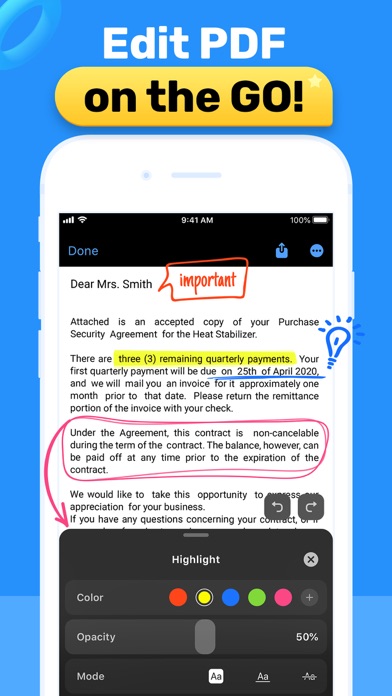
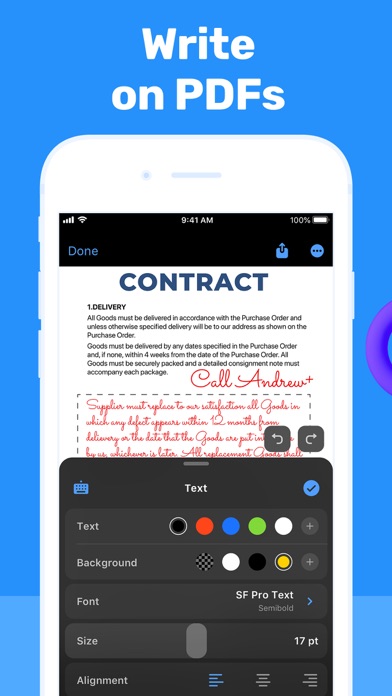
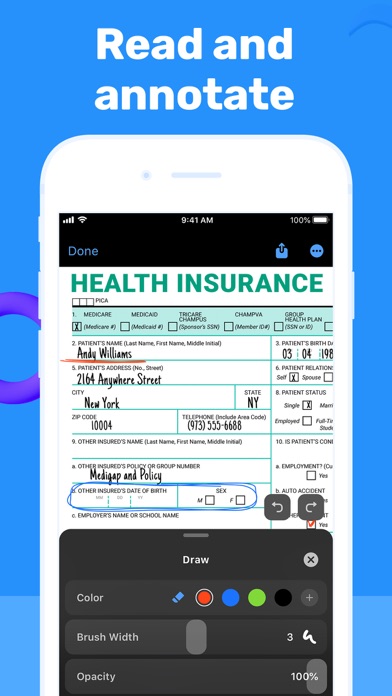
Looking for a convenient and easy-to-use PDF editor? View and edit PDF files on the go with PDF Hero! The app works on iPhone and iPad. PDF Hero helps you take control of your papers and run your business in the ever-changing digital world. Create and read PDFs, then annotate, edit, fill and sign forms, or share files. Manage paperwork hassle-free from anywhere – the office, remotely, or from home. There’s no need for printed copies when you can access and edit the docs you need, on the go – all in an app. Stay one step ahead when it comes to document management. CREATE & VIEW - Create PDFs from scratch. - Open and view any PDF file. - Zoom in and out while reading. - Search to find the necessary information using text search. - Read PDFs easier with Read Mode by creating bookmarks and navigating conveniently. EDIT & ANNOTATE - Edit text in your PDF files, fix typos, and correct paragraphs. - Add comments and annotations using text notes. - Write on PDFs with your finger or stylus. - Fill PDF forms. - Highlight key ideas and add shapes. - Insert images, crop, resize, or change the angle if necessary. MANAGE & STORE - Import files from your device or online storage services like iCloud and Dropbox. - Delete pages from a multi-page PDF document. - Share PDF files with or without annotations for further reading and commenting. - Print files right from your device. Level up with Premium features! PRO EDITING - Convert images and documents to PDF files. - Sign docs right on the screen of your device. - Add stamps to PDF documents. - Transform PDF files into editable text with OCR (Optical Character Recognition) technology. PRO MANAGEMENT - Compress PDFs and share them as ZIP files. - Manage PDF pages: add pages, rotate, and reorder them. - Share selected pages of a multi-page PDF file. - Merge two or more PDF pages into a single document. - Password-protect sensitive data. *To digitize printed copies and transform them into editable PDF scans, try our Scan Hero app! Subscription payments will be charged to your App Store account at confirmation of your purchase. Subscriptions will automatically renew and you will be charged unless auto-renew is turned off or unless you cancel at least 24 hours prior to the end of the current subscription or trial period. Any unused portion of a free trial period will be forfeited when you purchase a premium subscription during the free trial period. The cost of renewal depends on the Subscription Plan you choose. Subscriptions and auto-renewal may be managed by going to Account Settings after purchase or by contacting Customer Support. Privacy Policy: https://support.bendingspoons.com/privacy.html?app=1512973255 Terms of Service: https://support.bendingspoons.com/tos.html?app=1512973255 Got questions or suggestions? Please don’t hesitate to email us at [email protected]

Readdle Technologies Limited
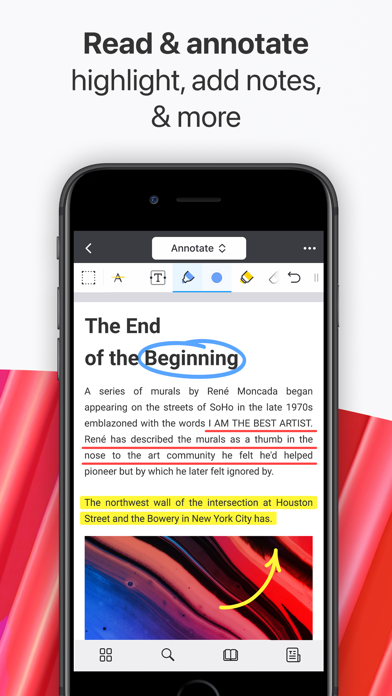
Unlock your potential with a fast and easy PDF Expert app with all the features you need in a well-designed and intuitive user interface. BEST FOR iPHONE, iPAD, MAC & VISION PRO Read PDF files easily, highlight and annotate PDFs, fill out forms, convert any file to PDF, merge several files into one, add notes, summarize and navigate PDF documents in seconds with AI-powered tools. Unlock unlimited possibilities with PDF Expert Premium features and work across all your Apple devices, effortlessly letting you complete any PDF task on the go. “PDF Expert is one of my must-have iPad apps and a desktop-class PDF reader.” – MacStories “The best app for managing, editing, and reading PDFs on your iPad.” – The Sweet Setup ▶ WITH PDF EXPERT, YOU CAN: READ PDFs WITH JOY • Pick Day, Night, or Sepia mode and enjoy reading anytime, anywhere. • Enjoy both vertical and horizontal scrolling. • Export PDF files from email, web, or any app that supports the Apple system-wide Share menu • Use Text to Speech to hear the selected text read out loud HIGHLIGHT AND ANNOTATE PDFs • Mark important info in books using colors, text, or stickers • Add stamps such as Approved, Confidential, etc. • Record your voice and add it to the doc FILL OUT FORMS • Fill out PDF forms using interactive text fields, checkboxes, and radio buttons • All the major form formats support, including acro forms and static XFA forms ***PREMIUM FEATURES *** EDIT PDFs DOCS EASILY • Edit or modify existing text directly in a PDF – just as you would in a Word document • Add links: link any part of the text or image to a different page or website • Add outlines to big PDFs to simplify navigation for hundreds of pages • Easily add, replace, and resize images in your PDFs SUMMARIZE AND ANALYZE HUGE PDFs WITH PDF COPILOT – YOUR SMART AI ASSISTANT • List Main Points – instantly scan and highlight key takeaways from any PDF • Summarize – get concise summaries of entire PDFs, or annotations • Ask Anything – find specific details with AI-powered answers and references • Explain – no more Googling! Get instant, contextual explanations of words or phrases MERGE AND COMBINE PDFs • Merge and combine multiple PDF files into one • Add, delete, and rearrange pages with a thumbnail preview • Rotate and reorder pages in PDFs EDIT SCANNED DOCUMENTS • Access the scanned PDFs that you’ve created using PDF Expert • Open your scans to fill out, sign, comment, and share CONVERT FROM AND TO PDF • Convert PDFs to Word, Excel, PPT, JPG/PNG, TXT, and vice versa • Converts any file in seconds SIGN DOCUMENTS • Use e-signatures to sign contracts on the go • Create custom stamps or import one from the images PROTECT YOUR FILES • Restrict access to PDF Expert with a password • Permanently blackout or erase sensitive information like credit card numbers • Secure and Safe trusted brand software COMPRESS PDFs • Compress large PDF files to save space on your device • Merge several files into one and compress it to reduce the file size CONSTRUCTION TOOLS • Scale and measure drawings using our Measure tab • Polygon and polyline shapes • Redline tools COLLABORATE ON THE GO PDF Expert provides the best platform for paperless collaboration between team members. Annotate and add notes in project materials, fill and sign contracts and invoices, and exchange files via email or cloud on the go. OTHER AMAZING FEATURES: • Fully customizable toolbar • Create a Link (drag and add a landing page or a Web) • Presentation Mode • Print and Share ONE ACCOUNT FOR ALL YOUR APPLE DEVICES Now, you don’t need to purchase Mac and iPhone & iPad versions separately. PDF Expert introduces a single Premium subscription for all your Apple devices. Read more about our terms and conditions here: https://pdfexpert.com/privacy https://pdfexpert.com/terms Don’t hesitate to reach out to us at http://readdle.com/contact
Digital Tools Ltd
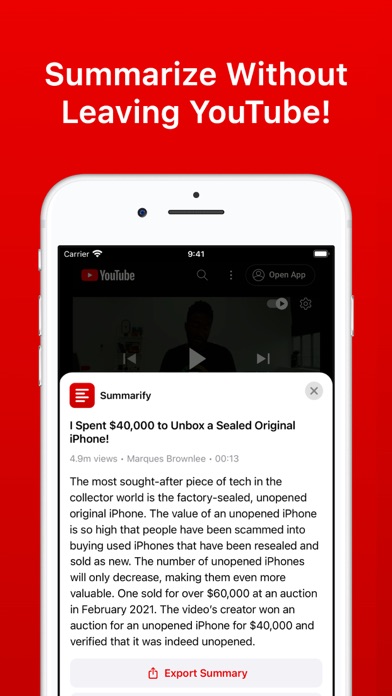
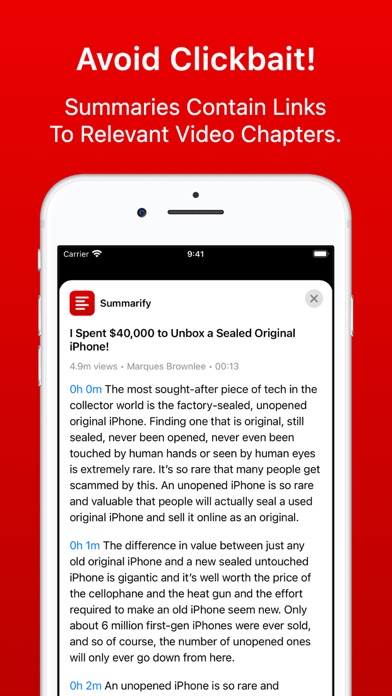
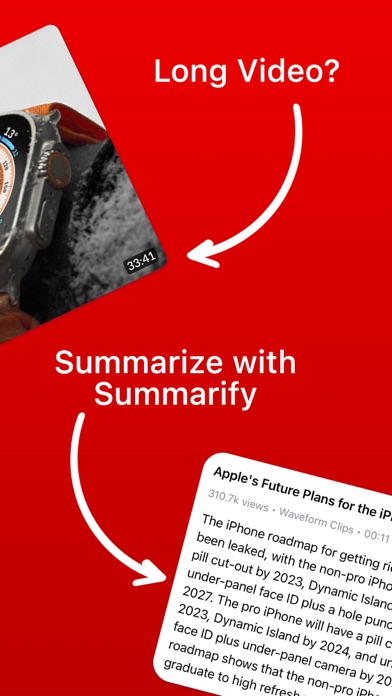
Introducing Summarify - the ultimate video summarization app powered by cutting-edge AI technology. Save time and effortlessly grasp the key insights from YouTube videos with our powerful summarization capabilities. Powered by AI Chat, Summarify ensures accuracy, coherence, and convenience in every summary. Now with over 15 different summary styles you can quickly summarize videos using simple summaries to data extraction, then export to PDF or markdown Summarify has never been more powerful! Key Features: - AI-Powered Summaries: Leverage the advanced language understanding of AI to generate concise and comprehensive summaries of YouTube videos. - Ask Questions: Chat with and ask questions about YouTube videos. - Video Searching: Search YouTube Videos for key moments then tap to play or see in transcript. - Chapter Summaries: Summarize chapters with a tap. - Custom Selections: Select custom parts of videos to summarize. - Multiple Summary Styles: Customize your summaries to fit your preferences with simple, bullet points, or detailed formats. Tailor the summaries to your specific needs. - Timestamps with Links: Seamlessly navigate through videos with precision. Each summary includes timestamps linked directly to the corresponding moments in the video, enabling effortless exploration and retrieval of specific information. - Export in Multiple Formats: Enjoy the flexibility of exporting your video summaries in PDF, Markdown (MD), or plain text (TXT) formats. Choose the format that best suits your requirements for sharing, editing, or reference. - Save and Sync: All summaries are saved for later and synced with iCloud for access everywhere. - Share: Share your summaries with friends and family and get free bonus summaries as well! - Chrome Extension: Use Summarify from anywhere! Experience the future of video summarization with Summarify. Enhance your productivity, stay informed, and unlock knowledge like never before. Say goodbye to lengthy videos and hello to efficient content consumption. Try Summarify today and embark on a streamlined journey of video summarization powered by Advanced AI. Note: Summarify requires an internet connection to summarize YouTube videos and videos to have transcripts/captions available. Summarify is a free download and offers a limited number of free summaries on install and each week, if you would like unlimited summaries you can choose to subscribe to a monthly or yearly unlimited subscription. Summarify has monthly and yearly subscription options available that unlock additional features. Subscriptions can be canceled at any time at least 24 hours before the next billing cycle. Privacy policy: https://summarify.app/privacy Terms of use: https://summarify.app/terms

Andres Piza Buckmann
Need to fix GPS location, capture date, or privacy-sensitive metadata before sharing a photo? Metadata Editor makes it fast and simple on iPhone and iPad. Metadata Editor supports editing RAW photo metadata directly, with support for DNG, CR2, CR3, ARW, NEF, RAF, RW2, and ORF, plus XMP template import for faster professional workflows. FEATURES View - Browse photos from Photos Library and Files - Inspect EXIF, IPTC, GPS, TIFF, PNG, and other supported metadata - See camera model, lens, ISO, aperture, shutter speed, and more - Check locations on an interactive map - Review album photos and file-based photos in one app Edit - Edit metadata from both Photos and Files - Add, change, copy, or remove GPS location - Adjust date, time, and time zone - Batch edit multiple photos at once - Edit RAW photo metadata, including DNG, CR2, CR3, ARW, NEF, RAF, RW2, and ORF - Edit EXIF, IPTC, TIFF, PNG, and other supported metadata - Import XMP templates and save your own IPTC templates - Limited video metadata editing support For professionals - Manage copyright, creator, caption, description, and keywords - Prepare files for agencies, editorial workflows, and stock submissions - Keep originals or create edited copies - Apply consistent metadata across large shoots faster Protect your privacy - Remove GPS location before sharing - Strip metadata from a photo - Replace location data with a different place when needed WHO IS METADATA EDITOR FOR? - Photographers who want clean, complete metadata in their library - Professionals editing in the field before sending files to clients or agencies - Photojournalists working with IPTC-based workflows - Privacy-conscious users who want safer sharing - Film and analog photographers adding metadata after capture EDITABLE METADATA Edit 50+ metadata fields, including GPS coordinates, EXIF camera settings, IPTC keywords, TIFF image details, and PNG metadata. Note: The app is free to download and use, but some features may require premium access. CONTACT If you need help or have any questions about the app, contact us at www.andrespiza.com or from Settings inside the app. We are happy to help. UNLIMITED ACCESS AND SUBSCRIPTION TERMS Your Metadata Editor unlimited access subscription will automatically renew unless auto-renew is turned off at least 24 hours before the end of the current period. You can go, on your iPhone, to Settings > Apple Account > Subscriptions to manage your subscription and turn auto-renew off. Your Apple Account will be charged when the purchase is confirmed. Terms and Conditions: https://www.andrespiza.com/apps/metadata-editor/terms-of-use/ Privacy Policy: https://www.andrespiza.com/apps/metadata-editor/privacy-policy/
SNOW Corporation
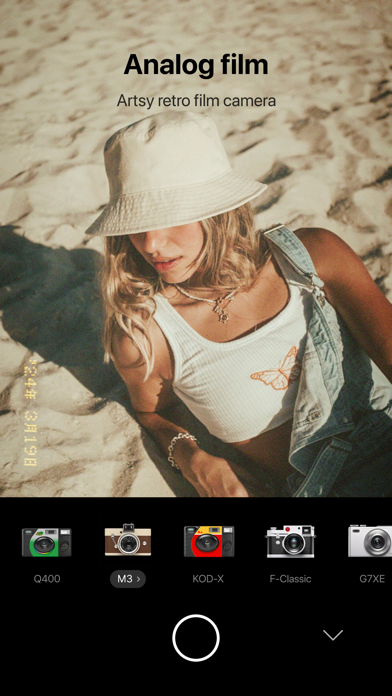
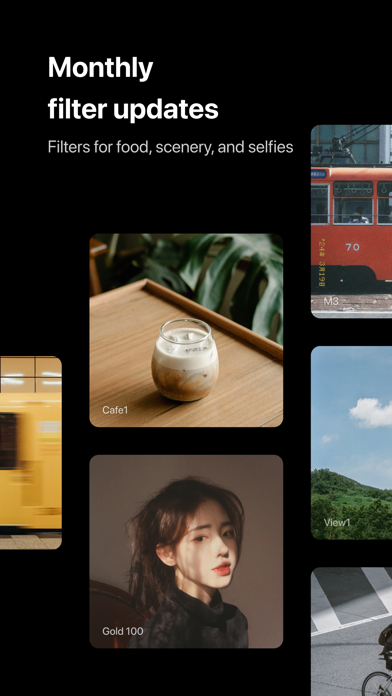
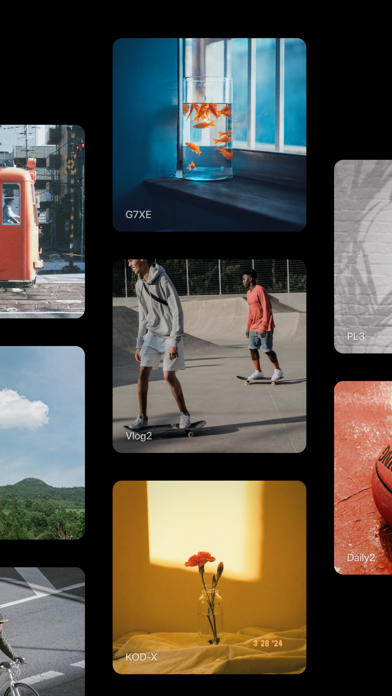
Live life according to your tastes. The Foodie camera app is the essential companion for the modern sociable foodie. Discover a fun and fast way to spice up the perfect memory of a perfect meal. + Over 30 professional quality live filters Including the Yum, Positano, Tropical, Picnic, Sweet, Fresh, BBQ, Romantic, Crispy, and Chewy filter series. + Easy and accurate smart guide feature for taking top-down photos of food Capture the perfect atmosphere and mood when taking food photos from above. + Season videos with tasteful live filters Shoot vivid videos of your dining adventures. + Edit bland scenes into delectable masterpieces Use diverse filters and detailed edits to give your photos everything from adorable charm to film camera warmth. + A timer for capturing the perfect moment Perfect for taking selfies you'll cherish for life. + Mute option Enable the option when taking selfies or photos of food in quiet restaurants. + Share photos to social networks Easily share to Instagram, LINE, Facebook, KakaoTalk, WeChat, VSCO, Weibo, and more! + Affiliated apps In addition to Foodie, try SODA and B612 and SNOW for your other camera needs. • Terms of use: https://terms.snow.me/FOODIE/terms • Terms of Use for Paid Products and Services: https://terms.snow.me/FOODIE/paidservice • Privacy policy: https://terms.snow.me/FOODIE/privacy


Mosaic S.r.l.
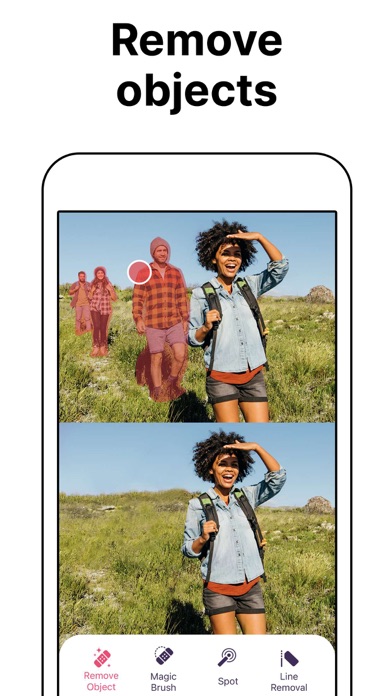
Want professional-grade photo editing at your fingertips? There’s no training needed! Pixomatic will help you elevate your images and create captivating compositions with a full range of photo-editing features. Explore endless options through available tools like: background and objects removal, clipping out shapes, сropping, text, filters, photo merging, adding logos or watermarks, and more. You’ll be able to remix and reimagine your pics like the professionals with our digital photo editing app. Explore endless options through available tools like: - REMOVE BACKGROUND - Clip out objects of any shape – no matter the complexity. Try the revolutionary Magic Cut tool. It identifies objects in your photos and automatically separates them from their backgrounds. Curly hair? No problem! - ERASE OBJECTS - Say goodbye to photo distractions! Use the Heal Tool to remove unwanted objects from photo backgrounds–even photobombers! Customize stock images with instant watermark removal, or use the magic object eraser for instant, AI-powered object selection and removal. - BLUR BACKGROUND - Wish you could shift the perspective of your photos? Create focused image effects for your pics with our Blur Background tool, or get creative with blur effects using our manual blur wand on faces and other photo objects. - FILTERS AND EFFECTS - Set the mood! Have different looks for different social networks? Choose from 100+ filters and 300+ effects for the look and feel you want. - CUSTOMIZABLE TEMPLATES - Make the most of customizable photo templates available in 1000s of themes. Whether you want to create an artsy collage, a new profile pic, or hilarious meme, you can choose from tons of different photo templates for any occasion. Simply add your photo to a selected template, and save! - PHOTO BLENDER - Want the best parts of multiple photos? Merge them! Using multiple layers, you can play with colors, textures, and opacity. The simplest edits can change the style or shift the mood. The only rule here is to have fun and enjoy the creative process. - FACE TUNE - Show your best face: Smooth skin, white teeth, and no red eyes. Selfies and portraits will show the real you – only slightly improved. - TEXT - Classic or modern? Your choice! Choose from a vast collection of fonts for all occasions to convey the message you desire. - ADJUST TOOL - A perfectionist’s paradise: Add finishing touches manually to get the exact contrast, exposure, shades, and color depth that you want. - VARIETY OF FORMATS - Work with both JPEG and PNG formats. Mix them if necessary to create custom works of photo art. - SHARING TO INSTA, FACEBOOK, TWITTER, ETC.- Share directly to your favorite social media platforms. Your following will no-doubt notice your cool, modern content – whether it’s for personal or professional purposes. Be on trend. Be different. And always be creative. Become a Premium member to unlock all of the features. * Subscription payments will be charged to your App Store account at confirmation of your purchase. Subscriptions will automatically renew and you will be charged unless auto-renew is turned off or unless you cancel at least 24 hours prior to the end of the current subscription or trial period. Any unused portion of a free trial period will be forfeited when you purchase a premium subscription during the free trial period. The cost of renewal depends on the Subscription Plan you choose. Subscriptions and auto-renewal may be managed by going to Account Settings after purchase or by contacting Customer Support. Privacy Policy: https://support.bendingspoons.com/privacy.html?app=1332651082 Terms of Service: https://support.bendingspoons.com/tos?app=1332651082 Contact us: [email protected]


NEOCORTEXT, INC.
REFACE: AI FACE SWAP STUDIO & PHOTO GENERATOR Make scroll‑stopping content in seconds with the most advanced face swap app. Turn selfies into hilarious ai face swap videos, craft on‑trend AI avatars, AI figures, create future baby images, preview new hairstyles and haircuts, or edit photos with funny filters. Everything you need to have fun and make content that goes viral. CREATE VIRAL PHOTO SWAPS • Tap and Swap into anyone: put your face into trending videos, movie stills, or character art — just pick a picture from our collection and go. • Turn photos into aı face swap videos with viral AI filters. • AI Singing — make your photo sing, animate faces with your favorite songs and lipsync. • Swap into new looks and hairstyles with Rehair Salon. • Gender swaps & face morphing — experiment with playful transformations and smooth morphs to craft hilarious or surprising edits. AI HAIRSTYLE • Hairstyle try on — preview short, long, bob, and curly looks in seconds with the AI Editor. • AI hairstyle previews — realistic renders that match your face, lighting, and texture. • Hair color changer — preview natural shades, bold fashion colors, and grey tones. • Haircut try on & haircut filter — test fades, bobs, and trending cuts. • Men’s haircut collection — curated short and long styles. • Change hair & save looks — compare side‑by‑side, export to show your stylist, or apply a finishing hair filter. AI PHOTO GENERATOR • Tap once to transform — Viking, warrior, scream‑queen, or showstopper; dozens of AI filters to create hilarious, show‑stopping edits. • AI figure creator — Turn any photo into a 3D figure in seconds. • AI avatar generator & filters — make any picture pop with looks inspired by movies, cartoons or vintage celebrity styles. • Seasonal & conceptual packs — Christmas, Halloween, weddings, birthdays, yearbooks, vacations, and more — themed effects for every occasion. • AI baby generator — blend parent photos to preview how your future baby might look. • Pet Filters Collection — see your pet scream down a rollercoaster or rock a full‑denim look with super‑realistic, funny face filters. • Professional headshots — create studio‑ready headshots and stylized portraits for portfolios, and profiles. ADVANCED AI PHOTO FEATURES • Animate your pictures — bring them to life with AI‑powered animations that make them sing. • Fine‑tune every detail — change hair color and hairstyle, enhance facial features with our AI photo editor. • Creative effects — try age changes, gender swaps, human‑to‑pet swaps, and more to make truly unique content. • Rehair Salon integration — swap into total new looks and styles. --- Subscription Details: • Payment will be charged to your iTunes Account upon confirmation of purchase. • Subscriptions automatically renew unless auto-renew is turned off at least 24 hours before the end of the current period. • Manage your subscriptions and turn off auto-renewal in your Account Settings after purchase. PREMIUM FEATURES (requires subscription or in-app purchase) • AI Avatars: Craft custom AI avatars in different styles. • AI Photo Generator: Create captivating AI photos & videos using your face. • Baby Generator: Generate future baby photos. • Remove Ads: Enjoy an ad-free experience. • AI Editor: Modify hairstyle and hair color. • AI Hairstyles: let AI suggests the best hairstyle for you based on your photo. --- In case of any questions, issues or collaboration requests, contact us at [email protected] Terms and Conditions: https://reface.ai/terms Privacy Policy: https://reface.ai/privacy

AI APPS SRL
Network Scanner is a simple utility app that helps you explore your surroundings in fun and informative ways. With a combination of Wi-Fi, Bluetooth, magnetic field, and camera filter tools, you can better understand the environment around you and feel more confident wherever you are. What it does: - Wi-Fi & Bluetooth Device Finder – Scan nearby connections to see what devices are around you. - Magnetometer Sensor – Detect changes in magnetic fields using your phone's built-in sensor. - Infrared Camera Filters – Apply unique filters (green, red, blue, and monochrome) to discover what your camera sees in different visual layers. - Simple & Accessible – Easy-to-use tools, no technical knowledge required. Why Use Network Scanner? - Explore Your Environment – See what's connected, what's nearby, and how signals behave. - Stay Curious – Use filters and sensors to view the world in a new way. - Peace of Mind – Feel more aware of your surroundings when traveling or at home. Try Network Scanner today and take control of your privacy. Upgrade to Premium to enjoy an ad-free experience, Unlimited scanning, Advanced Device Identification Subscription: Payment will be charged to iTunes Account at confirmation of purchase. Subscription with a free trial period will automatically renew to a paid subscription. Subscription automatically renews unless auto-renew is turned off at least 24 hours before the end of the current period. Account will be charged for renewal within 24 hours prior to the end of the current period at the rate of the selected plan. Subscriptions and auto-renewal may be managed by going to Account Settings after purchase. You can cancel your subscription or free trial in the iTunes settings at least 24-hours before the end of the free trial period. The cancellation will take effect the day after the last day of the current subscription period and you will be downgraded to the free service. Subscription options: Week Price: $ 3.99 Lifetime: $ 59.99 Privacy policy: https://aiapps.com.co/privacy-policy/ Terms of use: https://aiapps.com.co/terms/ Contact: [email protected]

Adobe Inc.
Adobe Express is the quick and easy app to create on-brand content that helps your business stand out and make an impact. Whether you're a beginner or a seasoned creator, Adobe Express empowers you and your team to make high-quality marketing and business materials while maintaining brand consistency. VIDEO MADE EASY Looking for the best free video editor? Adobe Express makes video editing simple. Use customizable templates, upload clips from your camera roll, trim and combine footage, add text, music, transitions, and sound effects. Automatically add captions, reframe for social channels, and remove background noise -- all in one place. PHOTO EDITING FOR EVERYONE Adobe Express is the best free photo editor for beginners, offering intuitive tools to enhance your images. Use AI to add or remove objects, apply Photoshop-powered filters, and instantly generate stunning photo art with our AI photo generator. BYE-BYE BACKGROUNDS Need the best app to remove photo backgrounds? Adobe Express makes it effortless. With Quick Actions, remove backgrounds from photos or videos in seconds, convert images to GIFs, and resize content with a single tap. QR CODE GENERATION MADE SIMPLE Create stylish, branded QR codes with ease. Adobe Express is your best QR code generator online, offering customizable styles and colors to match your brand. STAYING ON BRAND MADE EASY With brand kits, keep your fonts, colors, and logos ready to drop into any design. Apply your brand across all your content with a tap. Maintain a cohesive look with Generate Similar and refine designs. EDIT PDFs QUICKLY Update content, swap images, refine layouts, or add your brand’s colors, fonts, and visuals, all in just a few clicks. You can even convert files to PDF or export PDFs to share with your team or audience instantly. QUICK ACTION TOOLS · Trim & resize designs for any channel · Crop photos & convert image files · Convert to GIF from images & videos · Animate a character with your voice · Import PDF Some features are not currently supported on all devices, but good things are coming. Support for more devices is rolling out over time. QUESTIONS? Your feedback and engagement will help us make Adobe Express better for everyone. Join our Discord community [https://discord.gg/adobeexpress] to share your thoughts, connect with the community and get involved with creative challenges Visit Uservoice [https://adobeexpress.uservoice.com/forums/951181-adobe-express] to request new features Let us know about any bugs or issues you encounter in our Adobe Community Forum [https://community.adobe.com/t5/adobe-express/ct-p/ct-adobe-express] PREMIUM MEMBERSHIP Your Adobe Express Premium membership unlocks access to Premium features: · Over 200M royalty-free Adobe Stock photos, videos, music tracks, design elements and fonts · 250 generative credits to generate images, videos, templates and more · Remove Video Background, One-click Resize for multiple channels, brand kits and more Use your Adobe Express Premium plan across your desktop browser and mobile phone. Also includes Adobe Photoshop Express on mobile. Please refer to our full terms of service for more details. [http://www.adobe.com/go/terms_linkfree_en] Terms and conditions: Your use of this Adobe application is governed by the Adobe General Terms of Use http://www.adobe.com/go/terms_linkfree_en, and Adobe Privacy Policy http://www.adobe.com/go/privacy_policy_linkfree_en and any successor versions thereto. Do not sell or share my personal information: www.adobe.com/go/ca-rights-linkfree All trademarks are the property of their respective owners.

SCALEUP YAZILIM HIZMETLERI
Turn your old, blurry photos into high resolution using the most advanced AI photo enhancer with just one tap! PhotoApp uses state-of-the-art Artificial Intelligence to unblur, restore, and enhance any photo you want. More than 200 million photos have been enhanced using PhotoApp’s photo enhancer. Recognized as one of the most popular and beloved image enhancer apps worldwide, it can instantly transform photos that are 10 or even 20 years old into HD-quality images, as if they were captured with the latest phone, with incredible eye detail and flawless skin texture. With this advanced photo enhancer, you can easily enhance photo quality, unblur & sharpen images, restore old photos to crystal-clear HD, and explore stylish polaroid filters. -------- Key Features-------- 【 Enhance Photo Quality 】 Many people ask, 'How can I enhance photo quality?' With PhotoApp's AI Photo Enhancer feature it’s easy. You can enhance photo quality and clarity with just one click. You can even increase the image quality of recently taken photos to transform them into HD with better photo resolution. 【 Fix Blurry Photos 】 Many people ask, 'How to make a picture less blurry?’ With PhotoApp's blurry photo fixer feature it’s easy & fast. You can transform your portrait, selfie, or group picture into HD—it’s incredible with face details! Sharpen and unblur out of focus pictures. Fix blurry photos with just one tap! Unblur any blurry photo to make photos clear. It's your go-to app for blurry photos. 【 Super-Realistic AI Photos 】 You can effortlessly create ultra-realistic photos of yourself that look like they were taken by a pro photographer. It takes just a few minutes to generate countless stunning portraits. The AI quickly learns from your real photos and turns them into breathtaking pictures. You’ll have a wide range of options to choose from, so you can pick the perfect photo for any situation. 【 Improve photo resolution 】 Increase any photos' resolution by 200%, 500% or even over 1000% to stunning HD quality. Upscale your pictures into HD photos. 【 Colorize and Restore Old Pictures 】 Add color to any photo with just one tap. Colorize your old black & white family photos, making them feel new again. With the image and photo restoration feature, you can first enhance your old photos to improve picture quality and then colorize them to restore your old photo. 【 Remove Objects 】 Remove any unwanted object or unexpected photobombers from your photos in seconds with magical touches. -------- Other Features-------- - Remove Background from Images and Photos - Animate photos - Turn photos into cartoon effect We put constant work into the AI model to bring continuous improvements and new features to make your experience satisfying! Keep an eye out for our latest updates. Similar to popular tools like Remini, Pixelup and Topaz, our AI Photo Enhancer is backed by the latest artificial intelligence to transform your low-resolution photos into high resolution images. PhotoApp constantly refines the AI model, aiming to provide superior results through continuous improvements and new features, ensuring a satisfying user experience. We value your feedback! If you have suggestions or feedback to make PhotoApp better, we'd love to hear from you. Don't hesitate to contact us at [email protected] UNLIMITED ACCESS TO ALL FEATURES - You can subscribe for unlimited access to all app’s features. - Subscriptions are billed automatically at the rate depending on the selected subscription plan. By using the app, you confirm that you acknowledge and accept our Privacy Policy and Terms of Service: Privacy Policy: https://photoapp.org/privacy Terms of service: https://photoapp.org/terms
Lens Distortions, LLC
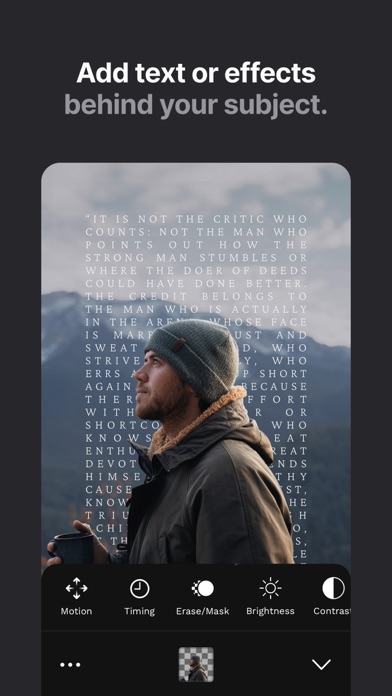
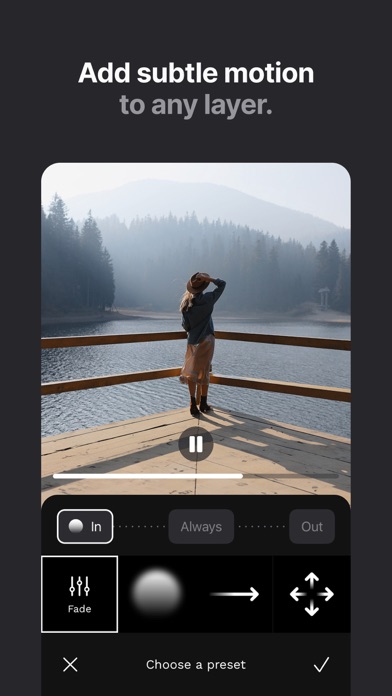
A layer-based editor for creating cinematic content. Add cinematic color grades and typography to your photos and videos. Harness the power of beautiful light, natural elements, and elegant overlays to create truly vivid images. Fine-tune the details of every element… our layer-based approach to editing unlocks a whole new world of possibilities. KEY FEATURES • Color Layers - add multiple layers of color, each with their own powerful adjustments • Typography Presets - add text to achieve a classy key art look in your photos and videos • Light Volume™ - add dynamic light rays and atmospheric textures to your images • Before/After - elegantly showcase your edits with before/after videos • Adjustment Layers - create custom gradients, masks, and tone adjustments • Erase/Mask tool - paint out part of an effect with the swipe of a finger • Photo Effects - expand your creative options with more than 400 premium overlays Join LD+ to unlock more layers, the full suite of color and photo effects, plus premium features like TIFF photo export, the Erase/Mask tool, and automatic Portrait mode layers. Lens Distortions® effects are hiding in plain sight in the work of today’s most influential creators. Discover what makes LD the best-kept secret among pros and get access to the exact tools they use to create world-class visuals. -- LD+ is a subscription offered on an annual basis. This subscription auto-renews at the end of the billing period unless canceled 24-hours in advance. The subscription payment is charged to your iTunes account at confirmation of purchase. You may manage your subscription and turn off auto-renewal by going to your Settings after purchase. Terms of Use: https://www.lensdistortions.com/terms-of-service Privacy Policy: https://www.lensdistortions.com/privacy-policy
InstantBits Inc
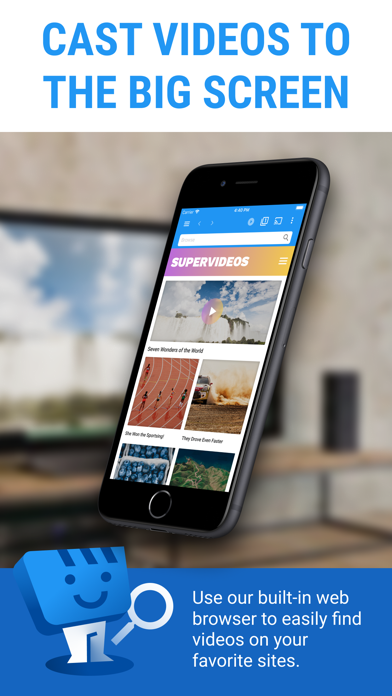
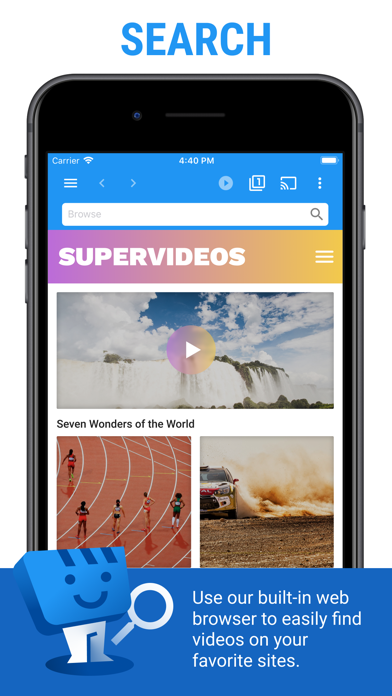
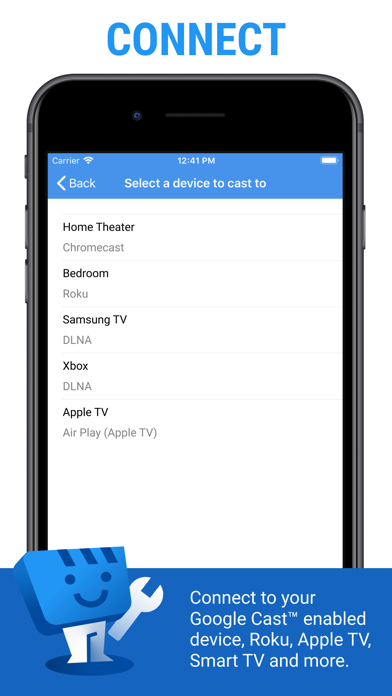
Web Video Caster® allows you to watch on your TV videos from your favorite websites including movies, TV shows, live streams of news, sports. SUPPORTED STREAMING DEVICES Web Video Caster® supports the most popular streaming devices, allowing your TV to stream videos directly from the web. • Google Cast (Chromecast, Android TV, Chromecast built-in) • DLNA devices like Xbox, Samsung TVs, LG TVs, etc. • Roku, Roku stick and Roku TVs • Apple TV 4 • Fire TV and Fire TV stick • PlayStation 4 - by using its web browser • Most web browsers by visiting http://cast2tv.app (PS4, Smart TVs, other consoles and set top boxes) *If you experience a compatibility issues, contact us and include the brand and model number. SUPPORTED MEDIA • HLS live streams in M3U8 format (Chromecast, most DLNA devices lack support for it) • Authenticated videos including movies and TV shows • MP4 videos • Live news and sports • Any HTML5 videos* *Your streaming device must be capable of decoding the video you are playing. Web Video Caster doesn't perform any video/audio decoding or transcoding. HOW IT WORKS Web Video Cast™ is a browser, which allows you to stream videos of movies, TV shows, and other media from the internet to a streaming device or smart tv. Web Video Caster grabs the video URL inside the web page, sends it to the streaming device (i.e. Chromecast or DLNA device), and then plays the video directly from the content provider. This ultimately saves your mobile device’s battery. It also detects subtitles on the web page. Web Video Cast™ does not host these videos. This is not a mirroring app. GET STARTED Follow these simple step-by-step instructions to start streaming: 1. Find a video online that you want to watch. 2. Make sure this video can play on mobile browsers without Flash. 3. Connect to your streaming device. 4. Play the video as you normally would. Or, click the play button on the toolbar. PREMIUM FEATURES** • No in-app advertising • Most visited sites • Bookmarks • Set homepage **This functionality does not apply universally to all streaming devices. LIMITATIONS & DISCLOSURES As with all apps, there are some limitations we are aware of and want you to know about up front. • We are in no way associated with any web media providers and we do not have control over the content they provide. • Web Video Caster does not support nor play Flash or FLV videos. • The app does not support tab casting, like the Chromecast extension for the PC web browser. • We cannot do anything to fix issues that arise on the server side (media content provider) such as failure to play or buffering, which is especially common during heavy load times and weekends. SHARE YOUR FEEDBACK We are committed to open communication with our users. Please contact us first with any questions or support issues before leaving a review. We will respond and address your concern promptly. Contact us through our website http://www.webvideocaster.com/contactForm

ipaomtk.com
ipaomtk.com | Introduction to RookTV RookTV IPA is a feature-rich video playback application designed specifically for iOS users who want to enjoy mov