
Photo & Video
Browse photo and video IPA listings for cameras, editors, recording tools, streaming apps, and creator workflows.

Guy Cassidy
Pearla is a professional camera app built for photographers and filmmakers who need complete control and high-quality results. This version introduces Pearla III — a significant update that brings a new interface, improved color management, and a rebuilt architecture designed for reliability, flexibility, and performance. Pearla supports advanced workflows with manual controls, custom film emulation, and professional capture formats. It separates photo and video settings, supports external drives and HDMI output, and gives you direct access to files through a built-in media manager. Pearla's film emulation engine enables detailed tonal control and custom recipes designed to replicate the look and feel of classic film stocks. For those working with Log capture, Pearla offers expanded support for popular Log profiles, waveform monitoring, and new tone mapping controls. Whether you're shooting for a client, documenting everyday life, or building a personal archive, Pearla is designed to support a focused, intentional creative process. Subscription pricing and terms: A subscription is required to use Pearla. Pearla offers an auto-renewing yearly subscription to provide you with unlimited access to all features while you maintain an active subscription. Pearla requires an iPhone device running iOS 18 or later.

Life on Film
Turn your everyday photos into stunning, vintage-style videos with Life on Film! Create aesthetic, film-like videos using photos from your camera roll or capture new moments with our built-in vintage camera. Key Features: • Vintage Filters: Apply retro, film-inspired filters that transform your photos into timeless visuals. • Aesthetic Video Templates: Choose from a variety of customizable templates to quickly create professional-looking, aesthetic videos. • Film Camera: Take authentic, film-like photos directly from the app with realistic vintage effects. • Seamless Editing: Easily adjust transitions, music, and effects to perfect your video creation. • Custom Soundtracks: Add music to your videos to enhance the mood and vibe. Capture your memories with a nostalgic touch and share them with your friends. Privacy Policy: https://different-cheque-2fd.notion.site/Life-on-Film-Privacy-Policy-10d98c7979ea802bb277ca960a3b2618 Terms of Use: https://www.apple.com/legal/internet-services/itunes/dev/stdeula/


iLovePDF
Read, convert, annotate and sign PDF in just a few seconds with this handy document scanner and editor. Boost your productivity with every tool you need to work on the go. PHONE SCANNER • iPhone and iPad Scanner: Snap a photo of anything and save it to PDF. Multipage PDF option available. • Text recognition (OCR):Turn any scanned text or image into PDF with high accuracy. PDF CONVERTER • JPG to PDF: Take a picture of a document and save it to PDF. • MS Office Converter: Convert office documents to PDF files. Turn your PDF files into editable Office formats such as Word, Excel, Powerpoint. • Extract images from PDF: Extract images from your PDF document with high quality. Convert your own images to single or multiple PDF files. PDF EDITOR • Annotate PDF: Simply highlight the relevant text in your PDF. Add notes and annotations to PDF document, leave comments, draw or insert images to PDF. Choose your format of annotation. • Fill and sign forms: Quickly fill out a PDF form typing text and e-sign it using your finger. • PDF Reader: View, edit and modify PDF files stored in the Cloud or on your device whenever you need. OPTIMIZE, ORGANIZE AND PROTECT DOCUMENTS • Compress PDF: Reduce the filesize of your document while keeping visual quality. • Merge PDF: Combine multiple documents into a single PDF file. • Split PDF: Split PDF pages or extract pages to multiple PDF documents with high quality. • Rotate PDF: Rotate specific PDF pages and adjust their fit within your document. • PDF Protection: Remove or add PDF passwords. • Add page numbers to PDF: Customize your PDF files. Choose position, typography, and size of your page numbers. • Watermark PDF: Choose an image or a text and add it to your PDF document. Select position, transparency or typography for the best result. Connect to your Google Drive and Dropbox account to select and share documents from the Cloud. Upgrade to Premium and enjoy all the benefits with this all-in-one versatile PDF editor. iLovePDF Premium is available for purchase via an auto-renewable subscription as follows: • Annual or Monthly subscription available. • Payment will be charged to your iTunes account. • Account will be charged for renewal within 24-hours prior to the end of the current period. • Subscriptions may be managed and discontinued by the user. Account Settings after purchase: • No cancellation of the current subscription is allowed during an active subscription period. • Any unused portion of a free trial period, if offered, will be forfeited when the user purchases a subscription. Terms of use: https://www.ilovepdf.com/help/terms Privacy Policy: https://www.ilovepdf.com/help/privacy
PixelPunk Inc.
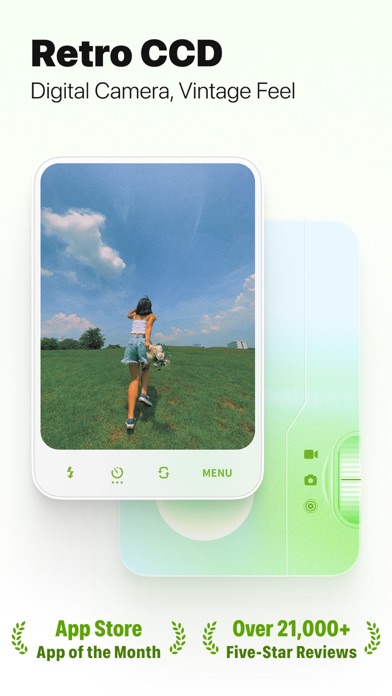
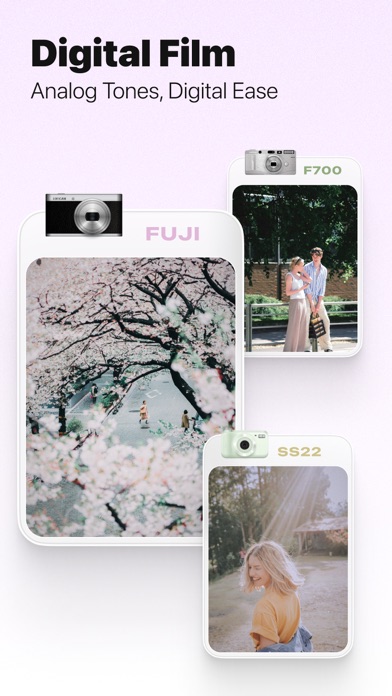
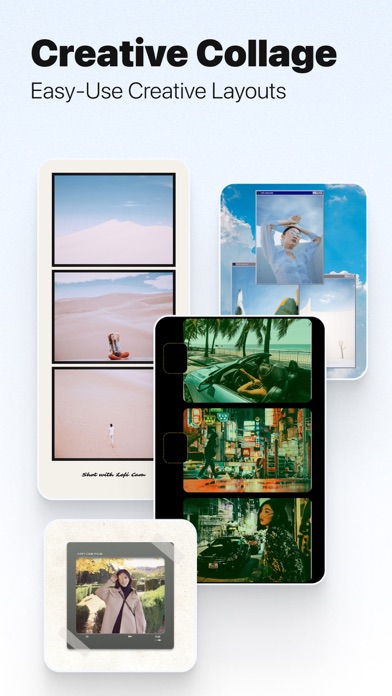
LoFi Cam: A Retro Camera App that recreates the distinctive feel of CCD digital cameras. ⊙ Explore Retro Digital Cameras Inspired by CCD digital cameras and classic film aesthetics, LoFi Cam presents a distinctive color style. Our unique effects and interfaces are crafted to enhance your photo and video experiences. - T10: With its high contrast color tuning and retro operating system, the T10 brings the essence of classic CCD cameras to your daily photography and landscape shots. - FUJI: Capturing the essence of Fujifilm's Classic Chrome, this setting offers rich colors and strong contrasts, perfect for a variety of scenes. - L80: A nod to the Y2K smartphone era, the L80 stands out for portrait and street photography with its characteristic high noise and exposure. - F700: Drawing inspiration from Fuji NC filters, it simulates the nostalgic film style, ideal for portraits and outdoor scenes. - SS22: A fresh and natural look with low contrast, ideal for both portraits and landscapes, embracing the essence of spring and summer. - GR D: Inspired by the Ricoh GR DIGITAL series, this B&W camera features high contrast and noise, adjustable for everyday street photography. Moreover, numerous cameras await discovery, offering unique captures with every shutter click. ⊙ Creative Collage Templates Unleash your creativity with our ever-expanding selection of easy-to-use templates. ⊙ Just the right amount of special features for unlimited creativity Harness the full potential of your creativity with our suite of special features, including exposure adjustments, vignette effects, temperature control, noise, and blur, complemented by flash options, a countdown timer, and smooth zoom capabilities. ⊙ Easy-to-use importing and editing Beyond capturing new moments, LoFi Cam allows you to import and refine past photos, videos, and Live Photos, enhancing your memories. ⊙ Customizable save effects Personalize your memories with a variety of save styles for photos, videos, and Live Photos, complete with customizable date and time stamps. ⊙ Occasional new camera updates Anticipate the unveiling of new cameras and features, as we're continuously expanding our collection. Enjoy the fun of LoFi Cam. --- Unlimited Access Subscription - You can subscribe for unlimited access to all features and content offered for purchase within LoFi Cam. - Subscriptions are billed annually on the subscription plan. - Payment will be charged to your iTunes account at confirmation of purchase. Subscription will automatically renews unless auto-renewal is turned off at least 24 hours before the end of the current period. Your account will be charged for renewal within 24-hours prior to the end of the current period, and identify the cost of the renewal. You can managed or turn off auto-renewal in your Apple ID Account Settings after purchase. Any unused portion of the free trial period will be forfeited after purchases a subscription.Free trial opportunities are available only once per user for the first subscription. - Terms of use: www.pixelpunk.cn/terms-of-use-lofi-cam-en - Privacy policy: www.pixelpunk.cn/privacy-policy-lofi-cam-en
Polarrcan Software Inc
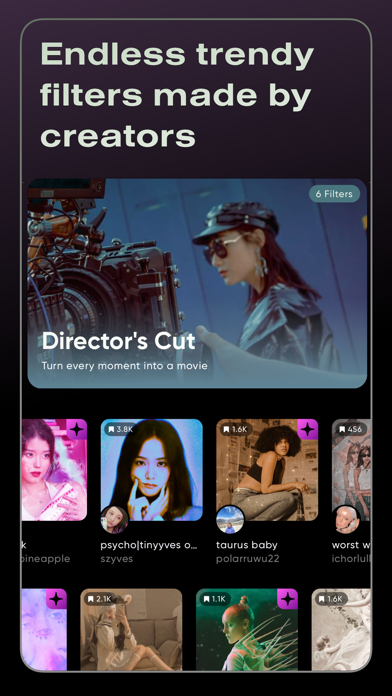
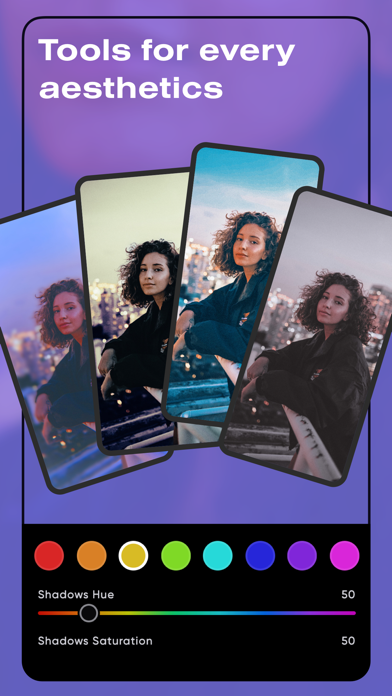
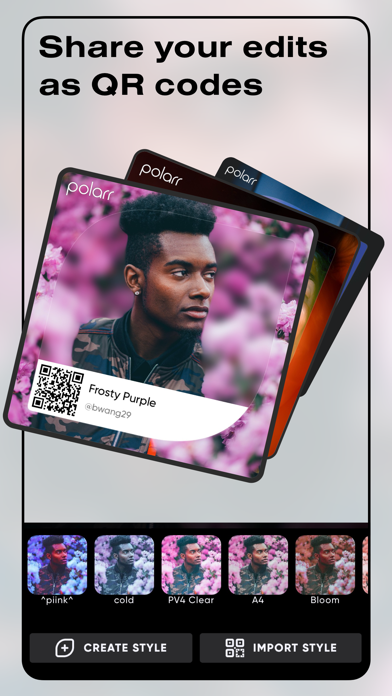
Elevate your aesthetics with Polarr, with dozens of advanced AI enabled tools, and millions of Polarr filters made by Polarr Creators around the world. Tools: • Retouch AI: Face HD, Skin, Liquify, Facial Features Editing • Selective AI objects: Sky, Person, Background, etc • Selective masks: Brush, Radial, Gradient, Color, Luminance • Overlays: Gradient, Duotone, Weather, Backdrop, etc • Global adjustments: Light, Color, HSL, Toning, Effects, Fringing, Details, Curves, Vignette, Grain, LUT Filters: • Search and discover trendy, new Polarr filters • Create and share your own Polarr filters • Scan or produce Polarr filters as QR codes • Synchronize all your Polarr filters with a Polarr account =============================== Polarr Subscription Options: =============================== Polarr Lite: $1.99 per month , $11.99 per year Polarr Studio: $3.99 per month, or $23.99 per year Pricing in other countries may vary, and charges may be converted to your local currency depending on the country you live in. When you start your Polarr subscription with a free trial, once the trial is over, you’ll be charged a subscription fee. Subscriptions are billed monthly or annually at the rate selected depending on the subscription plan. Monthly or yearly subscriptions unlock the same features in Polarr. Pricing in other countries may vary, and charges may be converted to your local currency depending on the country you live in. Subscriptions auto-renew at the cost of the chosen package, unless canceled 24-hours in advance before the end of the current period. The subscription fee is charged to your iTunes account at confirmation of purchase. You may manage your subscription and turn off auto-renewal by going to your Account Settings after purchase. Any unused portion of a free trial period will be forfeited when the user purchases a subscription during free trial. Terms of Use: https://www.polarr.com/policy/termsofservice_v3_en.html Privacy Policy: https://www.polarr.com/policy/privacy_v3_en.html

Bonnie Curtis
Make your photos and videos look like you have a creative team. You don't. You have Colourtone. Clean, vintage, film-inspired, or full analog chaos. Filters, grain, glow, and pro tools that make your camera roll look premium in seconds. No Lightroom learning curve required. NEW: Spring Break filter. 90s camcorder warmth, VHS scan lines, and blown-out highlights for photo and video. FILTERS THAT ACTUALLY LOOK LIKE FILM Not "vintage" in a fake sepia way. Real film energy, built for modern creators. - Hundreds of aesthetic filters inspired by analog film, cinematic tones, and digital camera looks - Warm, soft, clean, bold, nostalgic, cinematic, and everything in between - New filter collections added regularly PHOTO + VIDEO EDITOR IN ONE Colourtone works on photo and video, so your feed stays cohesive across everything you post. - Edit iPhone photos and videos with the same filters and tools - Save your favourite looks for instant consistency - Batch edit when you have 20 photos and zero patience GRAIN, TEXTURE + OVERLAYS Dial in the details that make an edit feel finished. - Film grain and texture for an authentic analog feel - Light leaks, dust, date stamps, and creative overlays - Blend modes and layering for custom looks that still feel effortless BLOOM x HALATION The glow you normally only get from real analog film. - Smooth highlight rolloff and soft skin bloom - Natural glow that lands where it should - Film-like nostalgia rebuilt for 2026 PRO TOOLS WITHOUT THE HEADACHE Full control, simple workflow. - Exposure, contrast, warmth, and colour - HSL, curves, split tone, vibrance, and more - Precision controls designed to feel fast on iPhone MADE FOR CREATORS WHO CARE ABOUT THE DETAILS Built for influencers, photographers, small brands, and anyone who wants their edits to look intentional. Perfect for selfies, portraits, travel, lifestyle content, brand shoots, reels, and everyday photos that deserve better. - Film filters that work on video too - Batch editing for speed and consistency - Effects and overlays that elevate without overdoing it - Looks that feel curated, not over-edited Edit fast. Look premium. Go from "fine" to "what app is this?" in a few taps.
俐 马
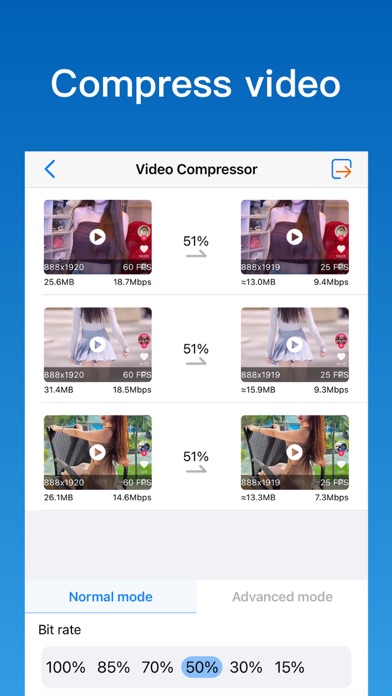
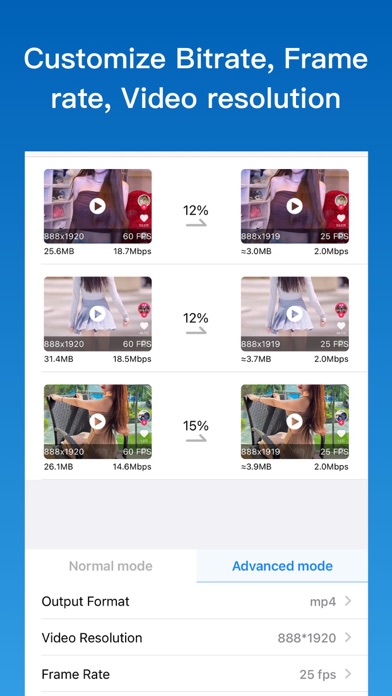
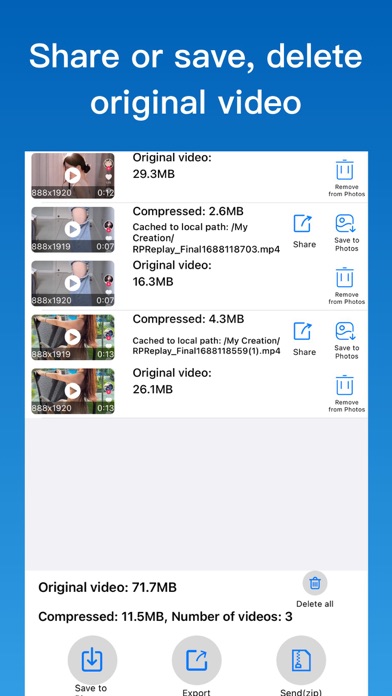
Video compressor can compress video to save disk space. Shrink your videos to free up space. - Set compression ratio, Compress video easily. - Advanced Mode: Customize resolution, bitrate, frame rate. - Reduce video file size with minimal loss of quality. - Compress videos in batches, compress multiple videos in one step. - Split the video into multiple short videos for easy sending and sharing. - Easily clean up album videos to free up storage space. - Compress photos, Trim Video, Crop Video Contact us:[email protected]


Pixl Concerto Technology Limited
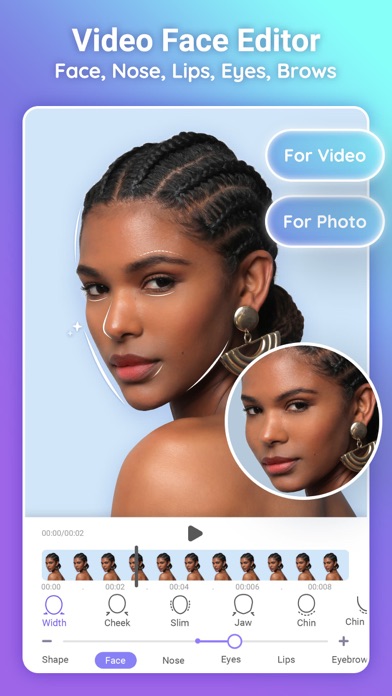
PrettyUp is your all-in-one face & body editor for photos and videos! Whether it's a selfie, vlog, or live photo, easily retouch and enhance your natural beauty. We have powerful edits like face reshape, smooth skin, tons of stunning filters, tools like quality enhancer, object remover. Say goodbye to awkward angles and camera distortion—shoot, edit, and share flawlessly! Body Editor & Creative Reshaping • Body Tune: Effortlessly adjust and customize your shape. Highlight your favorite features and achieve your desired proportions with smooth, natural-looking results. • Background Protect: Our smart AI keeps your surroundings looking natural and intact while you edit, preventing any visual distortion. • Proportion Adjustments: Easily fine-tune perspectives to create an elegant and balanced look in your full-body shots. • AI Pose Changer: Unsure how to pose or feeling stiff in front of the camera? Instantly adjust or swap your posture in photos to match trending influencer poses for an effortlessly look. • Detail Enhancer: Add subtle, artistic definitions to your photos and videos, such as highlighting natural curves or toned lines. Face Retouch & Natural Glow • Refine Contours: Lets you refine facial features and brighten selfie videos instantly. Enlarge eyes or slim face, adjust eyebrow shapes or customize details for your natural look with magic. • Retouch Face: Slim cheeks and sculpt jawlines naturally using face-slimming & facelift function. • Blemish Fixer: Fix all your facial imperfections. Erase wrinkle, remove acne & eyebags to get a better realistic look with smooth skin. • Teeth Editor & Lips Plumper: Brighten your smile with white teeth and enhance your pout for a confident look. • Makeup Editor: Freely edit your makeup—add lipstick, eyeshadow, and eyelashes... • Hair Color Explorer: Try on new looks freely! From blonde to trendy colors, find the perfect shade that suits your style. Retro digital camera & Ambient Lighting • Vibe Mode: Skip the studio. Turn on Vibe Mode for a virtual photobooth with heavy grain and soft glow to make you the main character. • DSLR Mode: Turn your phone into a vintage digital cam. Get the rich nostalgia and raw textures of F300EXR, XT5, and G12 instantly. • Ambient Lighting: Tap to switch between aesthetic blue, moody purple, or warm tones. Snap flawless, high-vibe shots in any low-light scene. Other Advanced & Creative Tools • Unlock premium features like HD Quality Enhancer, Object Remover, AI Try-On, Flash and 3D relight to take your edits to the next level. Ready to shine? Experience the powerful face and body editor to share on Instagram or Tiktok. We only help you highlight your authentic beauty, not change it. Life may be messy, but memories don't have to be. Beauty has no standard—everybody is beautiful, just as it is—remember, you were born beautiful. Subscription: -Payment charged to your iTunes Account upon purchase. -Subscriptions auto-renew monthly or yearly unless turned off 24 hours before period ends. -Manage subscriptions and disable auto-renewal in Account Settings. No cancellations during active period. -Unused free trial time is forfeited upon subscription. Privacy Policy: https://www.floatcamellia.com/privacy.html Terms of Use: https://www.floatcamellia.com/agreement.html

Comapps LLC
Meet Photica — a powerful AI tool designed for realistic portrait animation, trending video effects, and instant AI transformations right on your smartphone. What you can make? | AI LIVE PHOTOS | Breathe life into old family photographs. Our AI analyzes your images to add realistic movements, facial expressions, and gestures. Seeing a smile or a look for the first time in years is an emotional experience that feels like magic. | OLD RESTORE | Give your heritage a second life. Upload any old or blurry photograph, and our AI will first enhance its quality to HD clarity, then add realistic motion. Restore the details and see your ancestors move as if they were filmed yesterday. | DANCE EFFECT | Transform any old photo into a trendy dance. Upload a portrait and choose one of the many dance effects. Turn into the King of Pop, or just do a funny dance. Animate yourself, your friends, your kids and your pets. | SPIRIT EFFECT | Create unique, touching experiences with loved ones or pets who are no longer with us. This delicate AI effect helps you feel a connection that transcends time and space. | AI PHOTOSHOOTS | Stop spending money on expensive studios. Simply upload a photo and get a professional-quality portrait. Perfect for LinkedIn, social media profiles, or personal archives. | MUSCLES MORPH | A fun and viral animation that turns anyone into a muscular athlete. Watch the transformation happen in seconds — great for pranks and unique social media content. | RETRO DOLL | Ever wanted to be a collectible? Create your own digital doll in a classic toy box. A trendy, stylized look that’s perfect for sharing with friends. | AI GIANT MODE | Feel the scale! Use this effect to turn yourself into a giant in the middle of an urban jungle. A high-impact visual that is sure to grab attention in any feed. | AI POLAROID & RETRO | Give your modern shots a classic soul. Instantly apply vintage aesthetics and instant-photo frames to create that nostalgic, timeless feel. Why Photica? • Emotional Impact: Give a second life to your family archives. • Trend-Ready: New AI effects and styles added regularly. • Multi-Project Support: Manage and save multiple creations simultaneously. • Ease of Use: Follow simple in-app instructions for studio-quality results. Subscription Information: To access all features and unlock the full potential of AI content creation, an active Photica subscription is required. • Your iTunes account will be charged upon confirmation of purchase. • Subscriptions renew automatically unless canceled at least 24 hours before the end of the current period. • Manage or cancel your subscription at any time in your Account Settings. • Any unused portion of a free trial will be forfeited once a subscription is activated. Support & Legal: Questions or suggestions? Contact us at: [email protected] Privacy Policy: https://comapps.co/terms.html Terms of Use: https://comapps.co/privacy.html


Cardinal Blue
PicCollage - the app that lets you create anything to celebrate everything! With PicCollage, you can turn your photos and videos into memories you want to save and share. Whether you’re looking to flex your creativity with a freestyle collage, stitch together a photo dump of your adventures, or create a quick card for a birthday. PicCollage is the perfect app for the job. Plus, you can even add videos to your collages and create video collages and slideshows that will make your friends and family say, “OMG, where’d you get that?” It's easy, fun, and completely free. Start right now and create your first collage or card! PicCollage at a glance - Create collages, cards and much more - Edit photos and videos easily - filter, cutout, retouch - Use ready-to-use layouts, grids & animated templates - Personalize with fonts, stickers and doodles - Get VIP access for unlimited creativity Try PicCollage now! Our free starter pack is full of new stickers to help you edit photos and videos, create collages and design cards instantly. CREATE COLLAGES, DESIGN CARDS AND MORE You can let your creativity run wild! Whether you want to make a freestyle collage, create a picture collection, or design a card for a birthday, PicCollage offers you the perfect solution! EDIT VIDEOS AND PHOTOS - CUT, FILTER, RETOUCH You can personalize any creations to make your photo and video fit perfectly into your collages with features like cutouts, doodles and animations, and even add videos to your collages to create stunning video collages and slideshows. Enhance your creations by adding pages and save them as a video or slideshow. USE TEMPLATES OR CREATE FREESTYLE You can use a grid, or animated template to create unique cards for any occasion. Add frames around your photos and spice up your collage with fun animations. Our new AI-powered highlight detection keeps the focus of the photo front and center. Of course, you can also design in freestyle mode. REMOVE BACKGROUNDS WITH AI With our cutout tool, you can easily remove the background from a photo to isolate people and pets! But our cutout tool isn’t just a background eraser, it also has fun designs that let you cut photos into stars, hearts, squares and more. We’re always updating this feature to give you the sharpest finish possible. CHOOSE FROM A VARIETY OF FONTS Add more fun to your collage with text! We offer a variety of fonts for you to choose from, from handwritten to formal. If you want something special, explore our curved text editor to effortlessly display your text in a rounded arc, circle, around your photos, or in other creative ways. AI-powered font pairing in our speedy suggested layouts mode will take your designs to the next level. ADD BACKGROUNDS AND STICKERS Thanks to our worldwide collaboration with famous artists and illustrators, PicCollage offers you thousands of exclusive backgrounds and stickers. Add a background to your photos and collages and embellish everything with trendy stickers! PERSONALIZE WITH DOODLES To add a personal touch to your collage, card or slideshow, you can create your own drawings and doodles. This is the perfect way to add the finishing touch to your creation. USE TEMPLATES FOR YOUR INSTAGRAM STORY Whenever you're on Insta and want to create impressive posts, try our templates. Create an Instagram story or reel and share it directly with your followers! PICCOLLAGE VIP PicCollage VIP is a subscription that offers advanced features and removes watermarks and ads. With the 7-day trial version, you can test it for free! As a VIP, you get access to thousands of stickers and backgrounds, as well as exclusive fonts and layouts. Get the PicCollage photo and video editor and let your memories shine! PicCollage(TM) and “Pic Collage” are trademarks of Cardinal Blue Software. Terms of Service: http://cardinalblue.com/tos Privacy Policy: https://cardinalblue.com/privacy Terms of Use: https://www.apple.com/legal/internet-services/itunes/dev/stdeula/


Alan Cushway
Remove Backgrounds & Objects Instantly – No Watermark, High-Res, Free! Join over 10 million creators using Magic Eraser to transform their photos with the power of AI! Instantly remove backgrounds or unwanted objects, fine-tune with smart editing tools, and save in high-resolution PNG or JPG—all without a watermark. Whether you're a small business owner, online seller, or just love beautiful images, this is the most user-friendly background remover on the App Store. It’s perfect for Instagram, Shopify, Pinterest, Etsy, and more. Why You’ll Love It: One-Tap Background/Object Removal AI-Powered Precision Editing Save in High Resolution – PNG or JPG No Watermarks – Even on the Free Version! Extra Features Available at an Affordable Price Create Stunning Visuals For: Product listings (Etsy, eBay, Poshmark, Depop) Branded content & stories (Instagram, Pinterest) Marketing materials (Shopify, Amazon, Facebook) Powerful Editing Features Include: Custom Brushes – Choose from triangle, circle, square with offset adjustment Collages – Combine multiple cutouts into one perfect post Background Options – White, solid color, gradient, or custom images from Pixabay & Unsplash Realistic Shadows – Adjustable color, blur, 3D shadows for depth Outlines – Make your cutouts pop with stylish outlines Canvas Presets – Instagram, Shopify, Pinterest, LinkedIn, and more Full Image Editor – Tweak brightness, contrast, vibrance, saturation, highlights, and more BONUS: It can even remove watermarks like magic :) Download Magic Eraser today and take your images—and your brand—to the next level. Here's what some of our users had to say: ***** AWESOME! by Camryn mcknight on 01/26/2016 - Version: 1.3.0 If you are looking for an app that can help with thumbnails or YouTube banners, you have picked the right one! This app is completely amazing to cut out my backgrounds and easy to use. I give this a 5 out of 5! Best App On The Market by Steve92292 Don't know how I would function without this app. Im a marketer who uses this app on a daily some times over photoshop. Let That Sink In. Big thank you to the developers I recommend it to everyone by Chbird Use this app every single day, and I love it. The precision of the tool and the ability to rotate, mask, invert, etc. make it a breeze for creating amazingness. I'd give it 10 stars if I could. My friends always ask how I do custom photo edits so quickly...I tell them about Magic Eraser. LOVE. Unbelievably Good! by Watt fry Seriously one of the best back ground eraser apps there is. And I've tried them all. Best ever app by Warriorkit101 No tricks, no buying, all instant! Perfect for minecraft! Thank you! Great app. Created a few business logos and some pretty amazing shirts! ***** So, what are you waiting for? Download for free! SUBSCRIPTION You can subscribe for unlimited access to all features, including: All brush shapes, and No more Ads - You'll be able to use all features for the duration of your subscription - Payment will be charged to your iTunes Account at confirmation of purchase - The subscription renews automatically unless auto-renewal is turned off for at least 24-hours before the end of the current period - The account will be charged for renewal within 24-hours prior to the end of the current period at the cost of the chosen package - Subscriptions may be managed by the user and auto-renewal may be turned off by going to the user's Account Settings after purchase - Any unused portion of a free trial period, if offered, will be forfeited when the user purchases a subscription Terms of use: http://cushwayapps.com/app-privacy/magiceraser/terms.html Privacy policy: http://cushwayapps.com/app-privacy/magiceraser/privacy.html Have you found a bug, got a suggestion, or want a new feature? Email us at: [email protected]

Cocologics
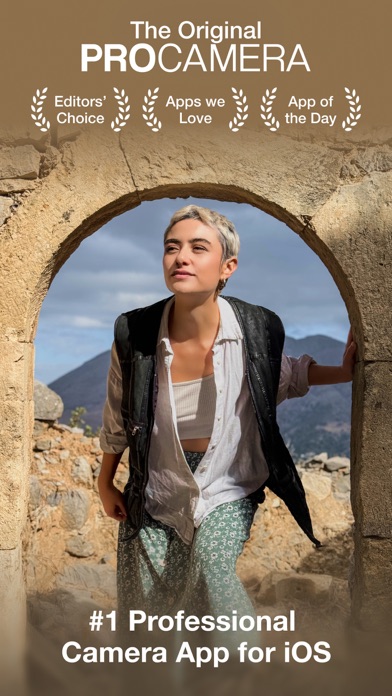
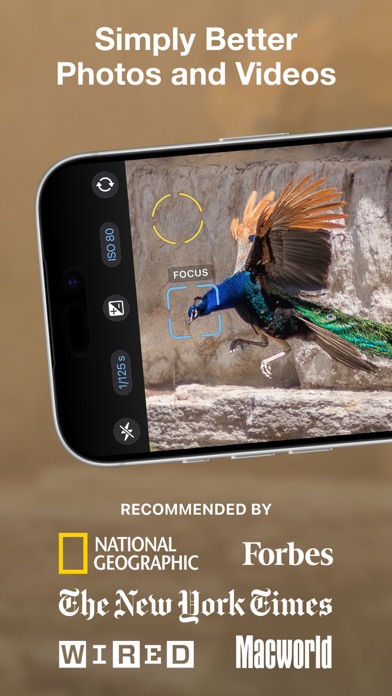
Upgrade your photography – start your free 7-day trial today! THE ORIGINAL: ProCamera is the ultimate photo and video app for enthusiasts, creatives, and professionals. Experience the power of a DSLR camera with ProCamera's innovative features and seamless integration with your iOS photo library. ProCamera perfectly blends simplicity with sophistication: Choose from easy point-and-shoot mode, semi-automatic mode or dive into full manual controls with just a tap. Effortlessly capture stunning images and film like a pro with advanced features and support for external lenses and microphones. The powerful editing suite allows you to elevate your images with a wide range of tools for complete creative control. Know everything about your captures with our pro-level EXIF/metadata viewer. Enjoy custom sharing options to easily remove geo-tags for increased privacy or downsize photos and videos to save data. Trusted since 2009 and continuously refined through years of innovation, ProCamera is loved worldwide: Featured by Apple, numerous prestigious awards and more than 40k 5-star reviews! ––– KEY FEATURES FOR UNRIVALED CONTROL ––– Independent focus & exposure control Auto, Semi-Auto, full Manual mode Manual focus & focus peaking Exposure compensation with zebra stripes Portrait mode with depth preview RAW, ProRAW, TIFF, JPG & HEIF Optical & digital zoom (up to 24x) Manual white balance (incl. gray card calibration) Support for all lenses (ultra wide, wide, tele, LiDAR) 48 MP photos (iPhone 14 Pro and up) Configurable capture quality Lock screen camera Support for Camera Control Button (iPhone 16 and up) Custom launch settings Selftimer & ProTimer intervalometer Selfie mode with display flash Image stabilization on/off EXIF & metadata viewer Live Histogram Aspect Ratios (4:3, 5:4, 3:2, 1:1, 16:9, 2:1, 2.4:1, 3:1, golden ratio) Adjustable LED light Rapid Fire photo series Apple Watch Remote Trigger Powerful gallery with iCloud integration Support for iOS albums Mirroring options Anti-Shake 3D Tiltmeter Photo Compass Code Scanner (QR, Barcode,…) Date stamp & copyright field Volume button & full screen trigger Lightbox (optional internal save location for easy file sharing) ––– ADDITIONAL VIDEO FEATURES ––– Video resolution options (4K, 1080, 720, 480 VGA) Frame rates (24, 25, 30, 48, 50, 60, 96, 100, 120, 192, 200, 240 fps) Codecs (H.264, H.265 HEVC, ProRes, ProRes RAW) Log profile High bitrate recording Record to external USB-C drive Connect bluetooth, lightning, USB microphones Stereo audio & Audiometer Disk space indicator Still photo capture while filming ––– PHOTO EDITING ––– ProRAW/RAW Editing Depth editing (Bokeh, simulated aperture) EDR and ISO HDR 100+ photo filters Wide range of pro tools Save & export options (resize, convert to jpeg, remove geotag) Automatic Perspective Correction (APC) ––– INCLUDED PREMIUM FEATURES ––– Get access to premium features such as Auto Perspective Correction with Live Preview for professional-looking photos free of perspective distortion, custom camera presets (Exposure, WB, Focus) for a fast and consistent workflow, anamorphic lens support, (RAW) exposure bracketing, safeguarded Private Lightbox folder, and specialty photo filter sets. After the free trial, ProCamera is available as a subscription. Terms & Conditions: procameraterms.cocologics.com


Luni
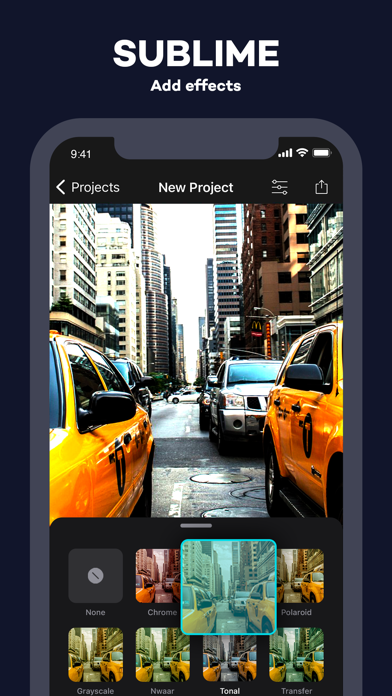
Video Editor is the most powerful movie & slideshow editor application on iPhone. Create and edit any video or images, add music, texts, and stickers and export it to your iOS devices or your favorite social networks. Whether you are in a waiting room, on public transport or comfortably at home, Video Editor is the reference application on the AppStore to create your video project. It is very frequently used to make and share videos on Tik Tok, YouTube, Instagram or Facebook. - CREATE your project from several videos or pictures. - ADJUST your videos (format, cut, speed, volume). - INSERT transitions effects to make your creation smoother - ADD music or voices. - INCORPORATE transitions effects, filters, emoticons and texts from a huge library. - RECORD your creations and share it around you. "Perfect, creating video montages has become a real pleasure for my Instagram posts " "Allows you to combine your holiday memories into one video, my loved ones loved it." "The stickers / emoticons are too beautiful, the filters too, I validate totally" Subscription: - You can subscribe to this app to get access to unlimited content, projects, and no ads - Subscription options are: 1-month with 3-day trial, 1-year, 1-quarter Privacy policy : https://www.iubenda.com/privacy-policy/59258418 EULA : https://www.iubenda.com/terms-and-conditions/44220384
Lightricks Ltd.
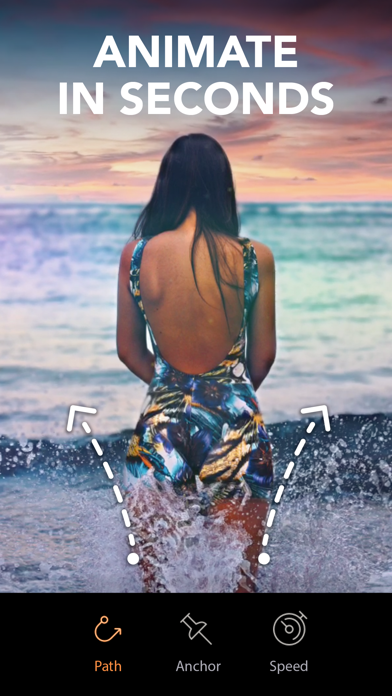
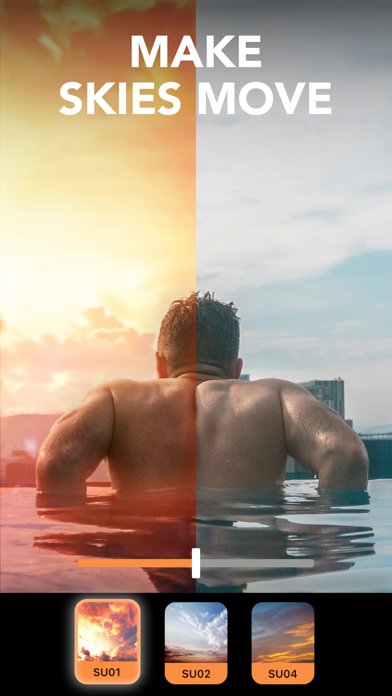
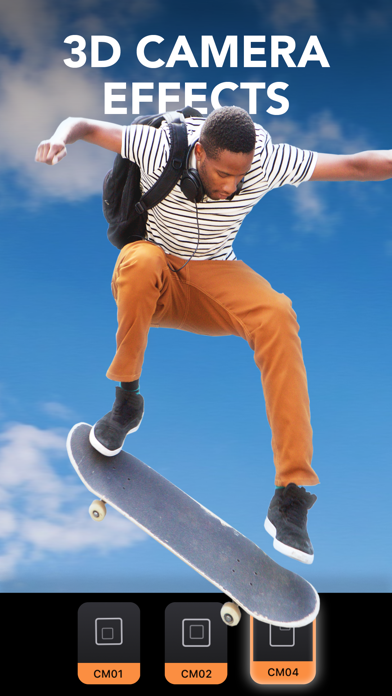
Create moving photos for a unique type of photo art! Animate your photos & magically bring them to life with Motionleap. The newest addition to the award-winning Enlight Creativity Suite of apps, brought to you by Lightricks, takes photo editing to the next level. Motionleap brings life to images through animation, creating moving pictures that will wow anyone from your friends to Instagram followers. Animate one element or several, drawing attention to parts of your photo that YOU want to come alive. With the same ease of use brought to you in the rest of the Enlight Creativity Suite, including Photofox, Lightleap, and Videoleap (Apple’s App of the Year), Motionleap allows you to easily edit photos with powerful, precise, and easy to use animation tools. In just a few taps animate, add elements & overlays, adjust the speed and watch your image come to life. As a result you’ll get incredible videos that boomerang back and forth or flow like a GIF. Need inspiration? Follow #Motionleap, then tag your own creations and we’ll feature the best ones! Get excited about the power of Motionleap features: ANIMATED PHOTOS MADE EASY - Animate a photo with a few taps and swipes - Arrows will show motion direction - Place anchor points to hold parts of image in place - Freeze sections of photos with a Freeze brush AI POWERED WATER ANIMATION - NEW automated water animation - Effortless water movement with a single tap FANTASTIC SKY REPLACEMENT TECHNOLOGY - Replace bland Skies with colorful sunsets or animated clouds - Wide variety of automated Skies resembling timelapse HYPNOTIC GEOMETRIC MOTION - Geometric photo animation tool creates spinning towers and umbrellas - Move your favorite historical landmarks in a never before seen way - Add patterned movement to iconic buildings VIDEO EFFECTS & OVERLAYS IN A PHOTO EDITOR - Control movement & animation including speed, direction, and style - Mimic cinematic movement with Camera FX - Camera effects & movements include Tilt, Zoom, and ‘Dolly’ effects - Add fun Overlays to bring movement, mood, & emotion to still photos - Distort perspective & style with effects MOVING ELEMENTS IN STILL PHOTOS - Grab attention with a moving element - candle flickers, coffee steam, or a butterfly - A new kind of animation between photos, videos, and GIFs - Add a cinemagraph effect with a moving element in a still photo INFINITE ARTISTIC POSSIBILITY - Animate any photo element: hair, waves, clouds & clothing - Push your imagination with Motionleap high-end & easy animation tools - Create moving masterpieces that serve your social media presence, business, or personal brand HIGH END PHOTO EDITOR - Intuitive UI means anyone can animate & create professional results - Animate with freeform drawn paths for intuitive, freehand-style in unlimited areas - Export to social media in multiple formats - Export as incredible Live Wallpaper - Unlimited projects & Adjustments Terms of use: https://static.lightricks.com/legal/terms-of-use.pdf Privacy policy: https://static.lightricks.com/legal/privacy-policy.pdf
Rustam Achilov
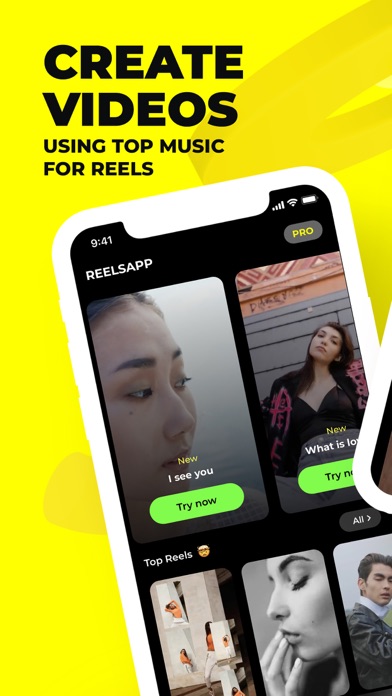
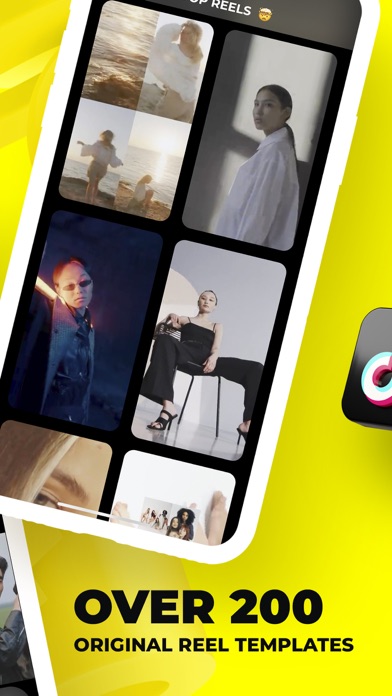
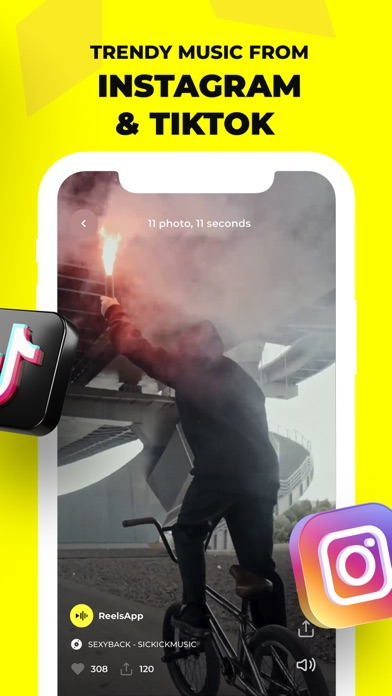
Create colorful and memorable videos that will attract attention and go viral with ReelsApp! ReelsApp is an intuitive app that allows every user to create high-quality videos in just a few minutes. With ReelsApp, you can easily turn your ideas into engaging videos that are perfect for Instagram, TikTok and other platforms. With Reelsapp, creating videos is a quick and easy process. You don't need to be a professional video editor or have special skills. Just follow these steps: 1. Choose a category. 2. Choose a template. 3. Add your photos and videos. 4. Save the video. For even more impressive videos, use AI templates. Become a PRO and earn bonus tokens with every subscription purchase and renewal. Learn more about tokens in the Privacy Policy. ReelsApp PROs: AUTO-SELECT MUSIC AND TRANSITIONS Don't waste your time selecting music and editing transitions — ReelsApp will do it for you! Ready-made trending templates allow you to focus on the creative process rather than the technical details. Try all the features of the app absolutely free! LARGE SELECTION OF TEMPLATES ReelsApp offers more than 700 templates for creating videos. 30 of them are available absolutely free. DRAFTS You can create drafts and continue editing them at any time. This allows you to work on your videos at your own pace and come back to them later. FAVORITES This feature allows you to mark your favorite templates for quick access in the future. This makes it easy to find and use your favorite styles when creating new videos. SHARE YOUR VIDEO ON SOCIAL MEDIA Create a unique video and share it on your social networks! Get loads of likes and comments from your friends and followers. Reelsapp makes the publishing process simple and easy so you can focus on creating content. SUBSCRIBE For those who want unlimited access to all ReelsApp collections, a PRO subscription is available. A subscription for the specified period provides access to the app without ads and access to all Reels collections, except for AI templates. These types of templates require tokens, which are issued when you purchase or renew your subscription, and can be purchased separately. Note that the subscription automatically renews unless auto-renewal is turned off 24 hours before the end of the current period. You can manage your subscription settings at any time. With ReelsApp, creating videos is easier and more fun than ever. Start your journey to creating vibrant content today! Terms of Use: https://reelsapp.uz/terms_of_use.html Privacy Policy: https://reelsapp.uz/privacy_policy.html


James Grote
Add the magic of shimmering water reflections to your photos to create amazing art! Infinite Reflect is the most advanced reflection and surface tool for all of your photo and artistic images. Access a huge collection of various reflective surfaces across of your Apple devices: iPhone/iPad/Mac. Features - Over 200 reflection types and overlays - Atmospheric overlays such as fog and rain - Incredible realism - Easy to use Universal App for all Apple devices. https://www.brainfevermedia.com/privacypolicy.html https://www.brainfevermedia.com/terms.html
Fonts ApS
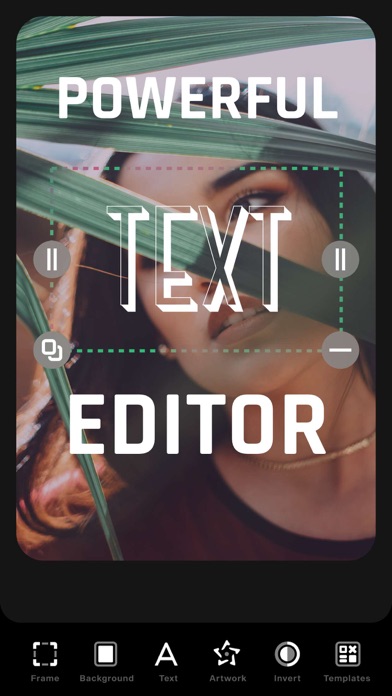
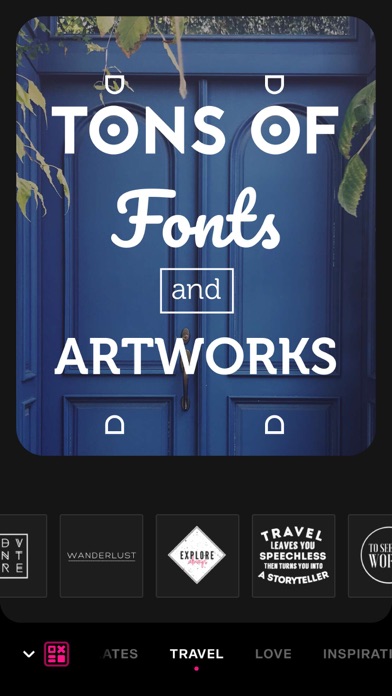
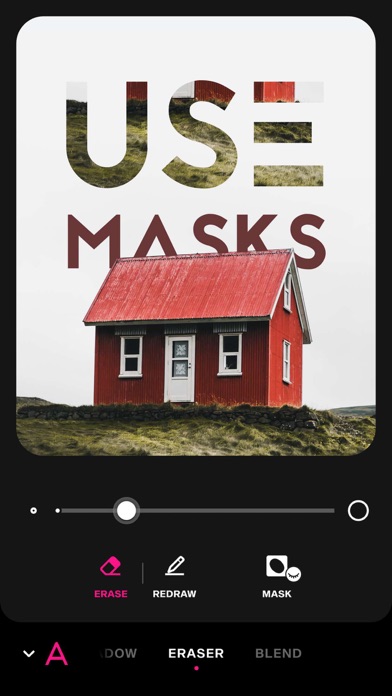
Font Candy puts you in the creator's chair and allows you to produce custom designs in seconds. Add quotes, artwork, filters, colors, and even layer multiple images! You choose from a curated collection of fonts or add your own to overlay beautiful text on your photos. Get creative and add intricate designs using shapes, symbols, or emojis. Whether you are looking to create some amazing artwork, celebrate a special occasion, make the next #trending meme, or design a custom iPhone case Font Candy is for you! Font Candy offers the following powerful text editing tools: • Over 45 artistic, hand-picked fonts. • Powerful text editing capabilities including text curving, opacity controls, and shadow. • Add multiple captions and manipulate each one separately to make your edits truly unique. • Built-in custom Artwork and Quotes we’ve designed for you. • Colors and filters you can apply over the background image or the text. • The ability to design and order custom iPhone cases, Posters, T-shirts, Magnets and more! • Save your designs and watermarks to the app to edit photos in seconds. • Fun animations you can add to your text. • Scale and Crop options with preloaded sizing for different social media platforms. • Share your work with friends on social media. SUBSCRIPTION INFO: Subscribe to take advantage of the features described above. • Subscription length: weekly • Your payment will be charged to your iTunes Account as soon as you confirm your purchase. • You can manage your subscriptions and turn off auto-renewal from your Account Settings after the purchase. • Your subscription will renew automatically, unless you turn off auto-renew at least 24 hours before the end of the current period. • The cost of renewal will be charged to your account in the 24 hours prior to the end of the current period. • When canceling a subscription, your subscription will stay active until the end of the period. Auto-renewal will be disabled, but the current subscription will not be refunded. • Any unused portion of a free trial period, if offered, will be forfeited when purchasing a subscription. Terms of service: https://support.bendingspoons.com/tos?app=661971496 Privacy policy: https://bendingspoons.com/privacy.html?app=661971496 Have a feature request you would like to see in a future version of the app? Do not hesitate to contact us at [email protected] Disclaimer: You will be required to sign up for an auto-renewable In-App Purchase before you are able to access the app.
pixel force private limited
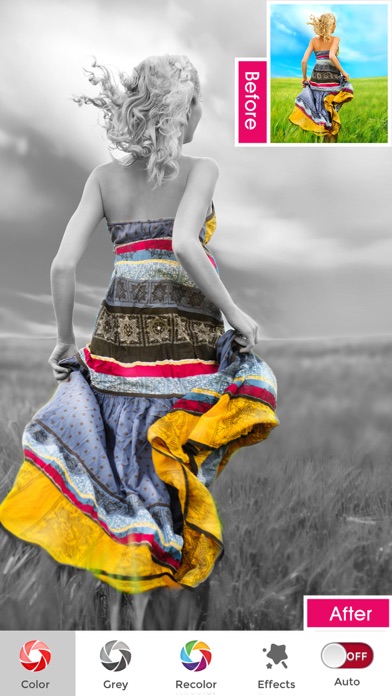
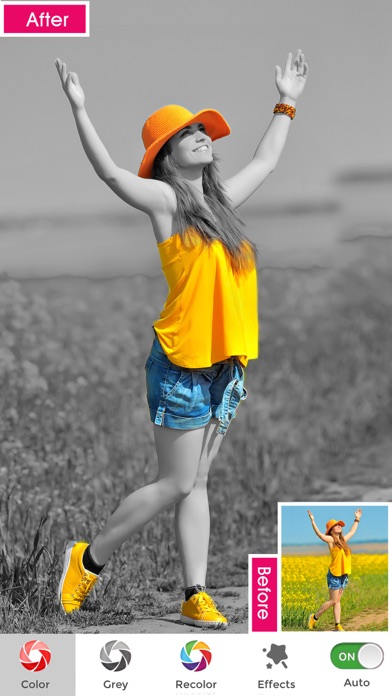
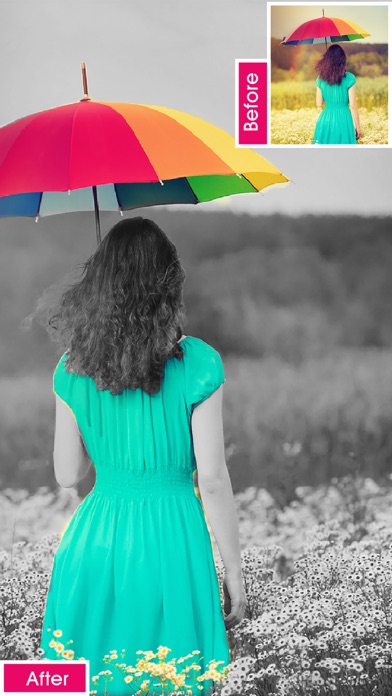
Photo splash , is a free application that lets users to make very nice photos with selective colorization effects popularly known as Photo Splash. Features: 1. Gesture detection, pinch - you can zoom the image to do detailed splash work pan - you can freely move the image across the screen 2. Advance AI(Artificial Intelligence) Technology detects the person and auto apply the different Splash styles,which can be used in one click. 3. Both gray to color and color to gray support 4. email, alubm, facebbook, twitter, clipboard and global wall support 5. No need to pay for, its absolutely free application 6. Has 5000+ creative collages. 7. Has 5000+ Social Templates. 8.Preview window support, helps you in finding what is happening behind your finger RESTORE: You can restore your paid in app purchases without paying again. Follow these steps 1. Open the app 2. Click on Top Right to open the Premium window 3. Click on RESTORE to re-activate your in app purchases again 4. DONE Photo Splash Premium Subscription ========================== 1. Auto Splash tool with AI technology which shows 40+ splash styles to apply in 1 second. 2. Get unlimited access to 5000+ premium collages and Social templates 3. Get unlimited access to all premium filters and tools 4. Recolor tool, Stickers and Fonts 5. Get rid of ads and watermark 6.Can create Free Style Cards 7.Can do Photo editing and apply many movie effects like smoke,Styles like Beard, Hairstyles etc • Subscriptions may be managed by the user and auto-renewal may be turned off by going to the user's Account Settings after purchase • Any unused portion of a free trial period, if offered, will be forfeited when the user purchases a subscription to that publication, where applicable Subscription plans: 1. USD $20.99/6 Months 2. USD $6.99/Month 3. USD $30.99/Year with 3Days Free Trial 4. USD $2.99/week Subscriptions automatically renew unless they are turned off at least 24 hours before the end of the current period in account settings. Renewals are charged within 24-hours preceding the end of the current period. Payment is charged to iTunes Account at confirmation of purchase. Subscriptions are managed by the user. Terms of Service: http://206.189.130.170/ps_tc.html Privacy: http://206.189.130.170/ps_privacy.html
PINAR KOCAK
ClipIt makes video editing simple, fun, and powerful for everyone. Whether you want to add music to your clips, create a slideshow from photos, make funny memes, or boost video quality with AI, ClipIt gives you everything in one easy app. Easy to use, yet packed with premium tools, it’s the fastest way to turn your ideas into amazing videos. Awesome Features: Video Editor • Enhance your photos and videos with AI-powered tools: AI Upscale, Remove Noise, Motion Blur, and Increase Frame Rate. Requires iOS 26 or later. • Auto reels are generated by AI in seconds – instantly ready to share. • All processing, including AI enhancements, happens on your device — your privacy is protected. • Auto captions & translations. • Flip photo or video. • Crop photo or video. • Use volume control and fading options for your videos. • Trim video. • iCloud Projects. • Flicker removal with video deflicker. • Cut / Delete middle part of a video. • Adjust video speed up to 40X change. • Use creative transitions like morph transition and 3d transitions for your edits. • Add overlays from overlay library with various blending options. • Remove background from photo and video. • Super slow motion effect up to 20X speed change. • Adjust pixels with color correction effects. • Use motion effects and glitches for magical slideshow videos. • Adjust curved speed video velocity. • Use body vision foreground effects for impressive videos. • Best slow motion video editor on mobile ! • Use Smart Video Motion Blur feature to blur videos by motion. Music, Sound effects & Voice-overs • Add background musics & sound effects to video. • Over 250+ background musics & 100+ sound effects. • Add extracted sounds from your videos. • Add your iTunes musics. • Add voice-overs to your slide show video. • Easy to sync sound and video, with timeline features. • Auto fade your background music with a single tap! Text & Emoji • Add text on video and photo with impressive text attributes. • Add emoji on video and photo. • Use awesome in and out animations for your cap texts. Easily Share / Save Your Video • Share right to YouTube, Instagram, TikTok, Facebook, WhatsApp, Mail, CapCut, Messages, and more. • Save videos to your camera roll. • Create right video for your needs with customizable output resolution and quality. Privacy Policy: https://www.clipit.is/privacy-policy.html Terms of Use: https://www.clipit.is/terms-of-use.html


Osawa Shunsuke
With this app, you can easily compress your videos to increase the free storage space on your device. You can compare the videos before and after compression, delete the videos before compression, save and share the videos after compression. You can set the dimension and bitrate for compression. You can compare the pre- and post-compression videos on a single screen, so you can check the video's quality before deleting it without any worries. Audio can also be turned off. Thumbnails in the video list display file size, resolution, playback time, file format, codec, and bit rate, so you can find the desired video efficiently. File formats can be converted to MOV and MP4. Codecs can be converted to H.264 and HEVC (H.265). And with the Pro version, you can also use the following features - Sort the videos by duration, width and height. -> Easier to find larger videos! - Simultaneous playback of pre- and post-compression videos -> Easy to compare videos! It is also possible to retain the location, date and time, and camera information of the video before compression in the compressed video.


Osawa Shunsuke
This application allows you to easily combine videos. Let's combine the memories of events and trips you have taken a lot of pictures of into one video. You can also combine videos for a specified number of seconds at a time. Videos can be easily rearranged by dragging. You can choose from a variety of output video sizes, including 16:9 portrait, square, and 3:4 landscape.

IRONTECH LIMITED
EASY-TO-USE & SMART WITH EVERY SELFIE! Stands out among the popular apps for refining photos and features hundreds of intuitive tools. Facelab knows how to hide your flaws and play up your beauty. It’s your go-to set of powerful tools for any edits! Authenticity is key. Make your features stand out and enhance selfies with ai auto-beautification. Edit selfies for professional-looking portraits with a versatile Facelab editor. Touch up photos with single-touch retouch feature effortlessly while keeping your authentic charm. Find your best hairstyle look — virtual try-ons made easy. Essential hairstyle booth apps for real-time previews, apps for airbrushing images — perfect for both beginners and experts. Our app takes the hassle out of editing. Dare, prepare, make an edit! Top-choice beard changing apps with ai technology. Apps for slimming waist, arms and belly. FACE SHAPE – Sculpt and reshape your face. – Bring out your cheekbones. – Refine your jawline. – Edit your forehead. EYES, NOSE & LIPS – Remove eyebags and dark circles. – Change your eye color. – Adjust the shape and thickness of your eyebrows. – Tweak the size and shape of your nose. – Make your lips bigger and fuller. – Whiten your teeth. BODY – Reshape any part of your body. – Slim your waist, arms and legs. – Pump up your glutes. – Add muscles. SKIN – Even out your skin tone and texture. – Remove pimples, spots, acne marks and scars. – Get rid of unwanted wrinkles and laugh lines. – Reduce oily shine and make your skin matte. MAKEUP – Foundation and contour palettes. – Eyeliners, shadows and lashes for a drop-dead gaze. – All popular lipstick shades available: red, pink, burgundy, peach, etc. – Breathe life into pale skin with blush. AI BEAUTY & AUTO LOOKS – Get full makeup with just one tap. – Dozens of styles and combinations. – From light and natural to vibrant and creative. – Male looks available. HAIR – Change your hair color. – All shades of black, brown, red and blonde. – Vibrant and bold colors. – Female and male hairstyles. – Beards and moustaches. AI REMOVAL – Erase anything: from large objects and people to pimples and spots. – Remove and replace the background of any photo. FILTERS & ADJUSTMENTS – 200+ filters for any mood. – Special skin filters. – Crop and uncrop your photos. – One-tap auto-adjustment of the whole photo. CLOTHES – Try on different outfits. – Recolor and uncolor your clothes. – Get rid of lint and fluff. Share your amazing looks with the world #facelabit ———PLEASE NOTE——— Due to the processing power and tech specs of older iPhone models, some editing experience may result in lagging and crashes. Have any questions or suggestions? Want to share your impressions? Feel free to contact us at [email protected] Get Facelab Premium! -4 subscription options: weekly (7-day free trial -> $4.99 USD/week), monthly ($7.99 USD/month), annual (7-day free trial -> $35.99 USD), one-time purchase ($69.99 USD). -Payment will be charged to iTunes Account at confirmation of purchase. -Subscription automatically renews unless auto-renew is turned off at least 24-hours before the end of the current period. -Account will be charged for renewal within 24-hours prior to the end of the current period. “Free trial” > $4.99/week, or renewal equals the initial subscription chosen and its current price unless a special price is offered. -You can cancel a free trial, manage your subscription and turn off the auto-renewal anytime through your Account Settings. This must be done 24 hours before the end of a free trial or subscription period to avoid being charged. -The guide to canceling your subscription: https://support.apple.com/en-us/HT202039 -Privacy Policy: https://irontech.mobi/facelab/ios/privacy -Terms of Use: https://irontech.mobi/facelab/ios/terms -As soon as you purchase a subscription, any unused part or time-span of a free trial period will be forfeited.

Yu Abe
Transform your low-quality photos into stunning high-resolution images with this revolutionary photo enhancement app. Experience the power of image quality improvement, upscaling, resolution boost, and denoising with ease. Key Features: * Photo Enhancement: Convert low-quality images into stunning HD photos with improved clarity and detail. * Image Upscaling: Enlarge your photos while preserving quality, for a clear and sharp image. * Photo Resolution Boost: Increase the resolution of your photos for a crisp and detailed appearance. * Denoising: Remove unwanted noise from your images, producing a clean and clear result. * Image Restoration: Breathe new life into old or damaged photos with our advanced restoration tools. Even smartphone snapshots and old digital photos can look like they were taken with a professional camera with this app. In just a few simple steps, you can relive your most cherished memories in beautiful high quality. Download this photo enhancement app now and start transforming your photo album into a stunning gallery of high-resolution images!

Newkline Co., Ltd.
SoundNote offers AI-powered transcription features that easily generate meeting minutes, class notes, interview summaries, and paragraph summaries. It allows you to quickly capture important information, save time, and enhance work efficiency. The AI-driven transcription and summarization features significantly reduce work time and provide a smarter, more productive work environment. Supporting MP3, WAV, and M4A formats, SoundNote is a high-quality voice recorder with speech-to-text conversion and AI noise reduction capabilities. It's the perfect solution for anyone needing to manage voice memos, including business professionals, reporters, tutors, audio experts, sound engineers, and students. With excellent playback control and audio editing features, SoundNote makes it easy to edit and modify recorded files for greater efficiency. It supports Apple Watch and is available on both iPhone and iPad. ■ Main Features · AI-powered meeting minutes, lecture notes, interview summaries, and general summarization · AI noise reduction · Speech-to-text transcription · Live Activities (Dynamic Island), Now Playing · Direct recording in MP3, WAV, and M4A formats · High-quality audio recording · Unlimited recording time · Background recording · Wave display for recording status · Various audio quality options (11,025KHz, 22,050KHz, 44,100KHz, 48,000KHz) · Mono/stereo recording · Playable on various media · Resume recording after phone call pause (up to 3 minutes) · Add descriptions to recordings · Easy and fast to use · Display file size · Safe stop for low battery or storage space · Bluetooth support · Music library import function · File sorting · Voice-to-text transcription ■ AI-powered · Meeting minutes, lecture notes, interview summaries, and general summarization · Noise reduction · Speech-to-text transcription ■ Powerful File Sharing & Management · Transfer files via iTunes, Email, AirDrop, or Wi-Fi · File sharing with other apps (“Open in”) ■ Folder Management · Create, edit, delete, and organize folders efficiently ■ Playback Control · Repeat, slow, or fast play; adjust playback speed (0.1x ~ Play) ■ Trim & Cut Audio · Trim and cut recordings as needed (MP3, WAV, M4A formats) ■ Audio Visualization · Visualize recordings to identify sections easily ■ Sound Tags · Add tags to specific locations for instant playback ■ File Combination · Combine multiple audio files into one, creating a custom sequence ■ PREMIUM Subscription · Payment will be charged to your Apple ID upon confirmation. Subscriptions automatically renew unless canceled at least 24 hours before the end of the current period. Renewal charges occur within 24 hours of the period's end. You can manage or cancel your subscription anytime through your App Store account settings. Subscription Options: · Monthly Subscription: Auto-renew with 3-day free trial, unlocks all features / AD-Free · Yearly Subscription: Auto-renew with 3-day free trial, unlocks all features / AD-Free Privacy Policy: https://newkline.com/apps/avrx/privacy_en.html Terms of Service: https://newkline.com/apps/avrx/terms.html