
Photo & Video
Browse photo and video IPA listings for cameras, editors, recording tools, streaming apps, and creator workflows.
spiri2
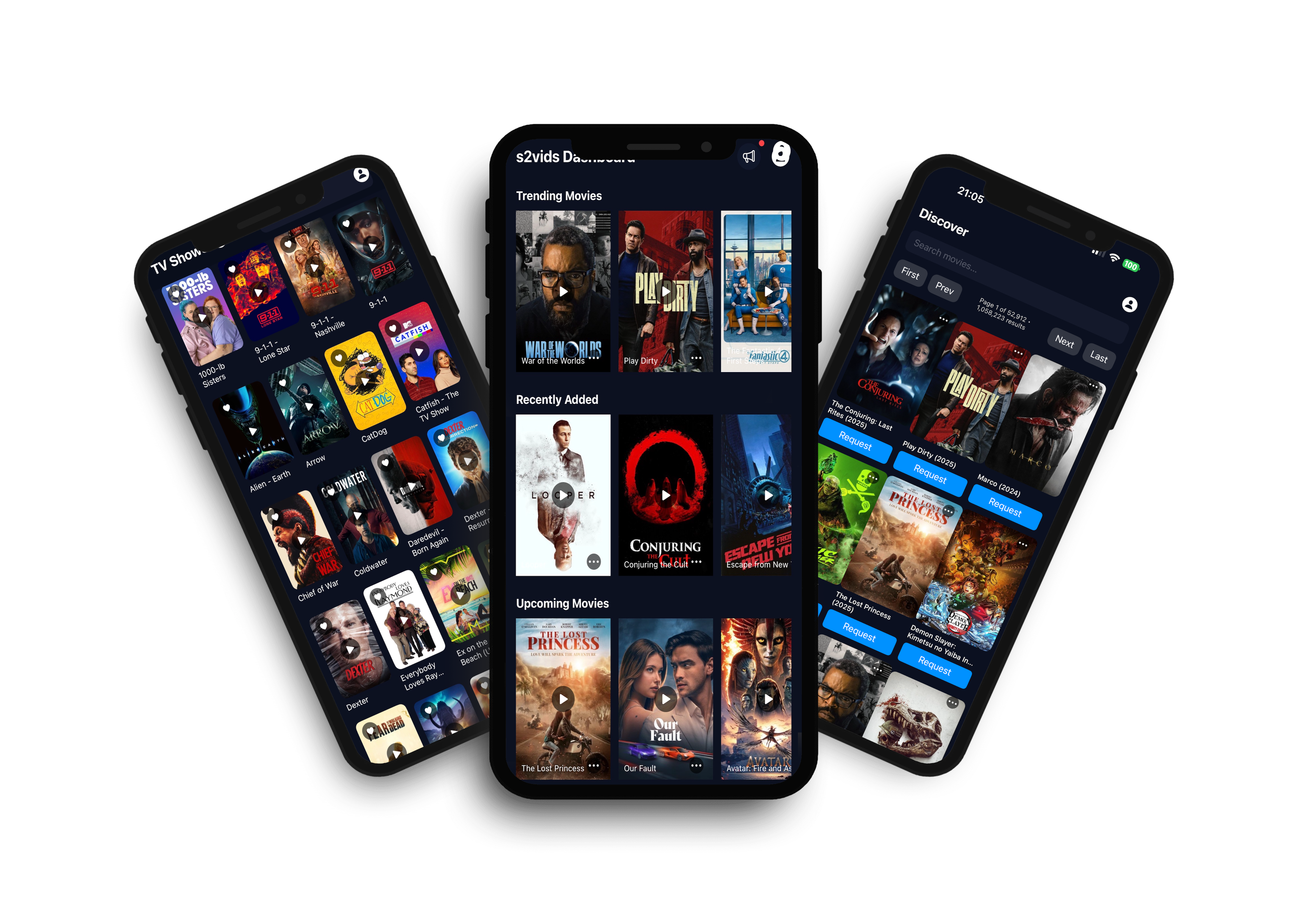
s2vids is a subscription-based streaming service offering a vast library of movies and Tv Shows, all accessible on internet-connected devices like smart TVs, phones, and tablets. Watch as much content as you want, request virtually any movie, Tv Show including Anime, and PPV titles, and can download titles for offline viewing. Signup Code: YS48WTY7

UTILITECH LTD
Turn ordinary photos into eye-catching masterpieces — instantly. Photo Editor is your all-in-one tool for enhancing, transforming, and stylizing any image with the power of AI — no editing skills required. Perfect for casual users, creatives, content creators, or anyone who wants to make their photos stand out — fast. Key features: ◆ AI Photo Enhancer Improve clarity, fix lighting, and upscale image quality instantly. Bring old, pixelated, or low-light photos back to life with one tap. ◆ Transform Photos into Art Upload a photo and let AI reinterpret it using creative visual styles inspired by iconic aesthetics, animation, or art movements. Choose your favorite and see your image transformed in seconds. ◆ Remove Backgrounds Instantly Cut out subjects from any photo with pixel-perfect precision. Use it for profile pics, product images, or to place your subject in a brand-new setting. ◆ Apply AI-Powered Filters Discover a wide range of unique filters — from dreamy, fantasy-like effects to sleek modern styles. Powered by AI, each filter gives your image a totally new look. ◆ Colorize Black & White Images Give your vintage or grayscale photos new life by adding realistic, AI-generated colors. Ideal for restoring memories or experimenting with artistic effects. No more complex tools or steep learning curves. Just upload a photo and let AI do the magic. Photo editor app is available for free download and offers the option for convenient auto-renewal of unlimited usage subscriptions. To unlock access to all the features mentioned above, a subscription to the premium content within the app is required. Subscribing grants you full access to the app's functionalities. Please note that subscriptions are automatically renewed unless you disable auto-renewal at least 24 hours before the current subscription period ends. The renewal fee for your subscription will be charged within 24 hours prior to the end of the current subscription period. Download Photo Editor today and start transforming your photos like never before. Terms of use: https://tou.editphoto.dev Privacy policy: https://pp.editphoto.dev


Minutes AI
Minutes AI automatically does your meeting notes and transcriptions with AI. Minutes records audio and provides word for word transcripts with speakers labels. Then, it gives you formatted notes, summaries, and the ability to search for key terms/topics. You can ask questions like “What stats did Laura reference on her slide?.” Minutes takes care of your notes so you can stay focused on what’s important. It's build with privacy in mind, meaning Minutes will never sell or provide third-party access to your data. Minutes is great for: - Taking meeting notes automatically, and easily sharing with your coworkers - Recording and transcribing interviews, lectures, podcasts, videos, YouTube videos, webinars, keynotes - Providing live captioning to the deaf and managers with a quiet microphone Record & Transcribe Live - Start recording with one click - Specify keywords (uncommon words, terms, acronyms, names, etc.) for Minutes AI to listen for - Specify transcription and summary languages (eg transcribe in Spanish, take notes in English) - Get a highly accurate live transcription with labeled speakers - See a list of key points to review later - Ask questions and chat with the recording using AI AI Notes Formatting - Automatic punctuation, capitalization, and line breaks - Search for important words from the audio - Edit the text to fix any mistakes Terms of Use: https://legal.myminutes.ai/terms-of-use Privacy Policy: https://legal.myminutes.ai/privacy-policy

Cloudbit d.o.o.
Run JavaScript and TypeScript on Node.js anywhere—100% Offline. The most powerful mobile IDE for JS and TS. Features a built-in compiler, console, and DOM WebView. No server, no internet, no limits. Whether you are a professional developer, a student, or a hobbyist, JavaScript CodePad will help you practice and improve your coding skills anytime, anywhere. Built in tsc compiler transpiles your TypeScript code to JavaScript offline. Use the WebView mode to access the built-in Web Browser Window and DOM interface. Combine HTML, CSS, and JavaScript and learn building Web apps. Organise your code into modules and run multiple JS files using Node.js as a runtime (Internet connection required). You can run, execute, and evaluate JS code and programs from this app. Lightweight app with full JavaScript syntax highlighting, code completion and editor actions like undo, redo, comment lines, and indent selection to enhance your developer productivity. Enhanced productivity with live JS and TS code analysis as you type. Catch errors before you run the code. Built-in AI Assistant, whenever you get an error in your code, AI can suggest how to resolve it. AI Assistant can also refactor your code, clean it up, check it for bugs, write comments and documentation strings or just explain it. Blazing fast, all single script and Web View code is ran directly on the embedded node.js runtime or built in Web browser. Enhance your programming and JavaScript skills by solving built-in coding problems. Learn JavaScript with the MDN tutorial. Become a JavaScript coding master. Learn TypeScript with the official TypeScript handbook. Test your JavaScript and TypeScript knowledge, the app will tell you if you are writing valid JavaScript. With JavaScript CodePad, you can: - Write and execute JavaScript code with syntax highlighting and auto-indentation. - Run and compile TypeScript code and scripts - Test and debug your code with the built-in console and error messages. - Share and load your code snippets for later use - Customised keyboard with special keys and shortcuts for JavaScript and TypeScript - Code completion - Code formatting - Code linting - Solve built-in coding challenges - Access JavaScript and TypeScript tutorial and library reference from the app - Learn new concepts and techniques - Write HTML, CSS and JS code and run it in a built-in WebView - Run multiple JS files Download it today and unleash your creativity with the most popular programming language in the world. Note that certain features like Code completion, WebView mode and project mode require paid Developer upgrade.


Adobe Inc.
Photoshop on mobile is an image editor app with a wide selection of free photo editing tools. Whether you are just getting started or already know Photoshop, it's easier than ever to transform a single photo or blend multiple images into a cohesive design. What can Photoshop on mobile do? - Add new objects with AI - Blur or remove backgrounds - Replace backgrounds and remove unwanted objects - Retouch, refine, and perfect your images with targeted adjustments - Combine multiple images to create high-quality compositions - Make collages, album cover art, perfect your passion projects, and develop unique digital art How to remove or replace backgrounds with Photoshop? - Select the backgrounds with the Tap Select tool. - Remove backgrounds or replace them with another image, create AI-generated backgrounds with Generative Fill, or select from our large library of Adobe Stock images, textures, filters, and patterns. - Adjust the background, brightness, effects, or vibrancy to bring your creations to life. How to remove unwanted objects or distractions from photos with Photoshop? - To remove an unwanted object from photos is simple with our photo editor: - Brush out blemishes, spots, or small imperfections in seconds using the Spot Healing Brush. - Remove objects from your images with Generative Fill image assistant. How to personalize a photo, image or design with Photoshop? - You can personalize your photos, images, or designs with Photoshop in multiple ways: - Create stunning visual images that are uniquely yours by blending photos, graphics, text, utilizing effects, and more. - Combine unique elements from your own photos with a selection of free Adobe Stock images, to create elevated images. - Retouch photos as you like, by selecting an object or person with the Tap Select tool. - Remove objects in your image or control how they come together with layers. - Easily add and remove content from your photos using simple text prompts with Generative Fill. Ideate, create new assets, and jumpstart your creativity using Generate Image. - Photoshop mobile allows you to adjust the color of anything, like your shirt, pants or shoes, using adjustment layers. Use the Tap Select and other selection tools to edit the brightness or vibrancy for a pop of color to your images. What premium features does Photoshop on mobile have? - Upgrade to the Photoshop Mobile and Web plan for enhanced control and precision, with access to iPhone, iPad, and web. - Easily remove entire objects just by brushing over it, and have the background filled in automatically with the Remove Tool. - Seamlessly fill selected portions of an image with content sampled from other parts of the image with Content Aware Fill. - Quickly and precisely select people and objects like plants, cars, and more with enhanced precision using Object Select. - 100 generative credits to add, expand, design or remove objects and people from your images. - Ideate, create new assets, and expand your creativity using the latest features like Generate Image. - Change unique layer interactions to control transparency, color effects, filters, and add style to your images with Advanced Blend Modes. - Quickly and easily select an object or area of your image based on similar colors and tones with the Magic Wand Tool, and retouch photos further with precise adjustments. - Export in additional file formats (PSD, TIFF, JPG, PNG) and export options for print quality and compression. Facial retouch feature processes data on the device only. No data is stored, processed or retained by Adobe or third parties. TERMS & CONDITIONS: Your use of this application is governed by the Adobe General Terms of Use http://www.adobe.com/go/terms_linkfree_en and the Adobe Privacy Policy http://www.adobe.com/go/privacy_policy_linkfree_en Do not sell or share my personal information: www.adobe.com/go/ca-rights-linkfree

Archery Inc.
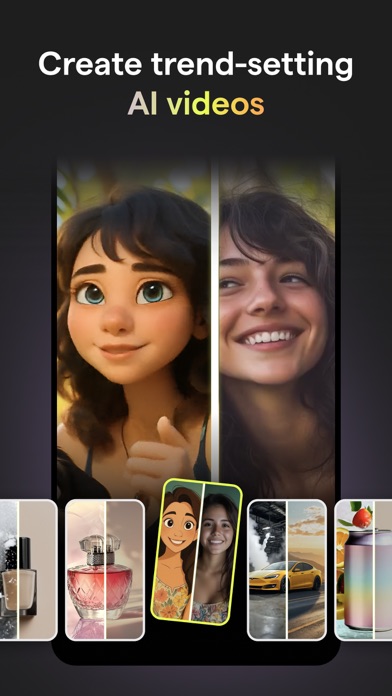
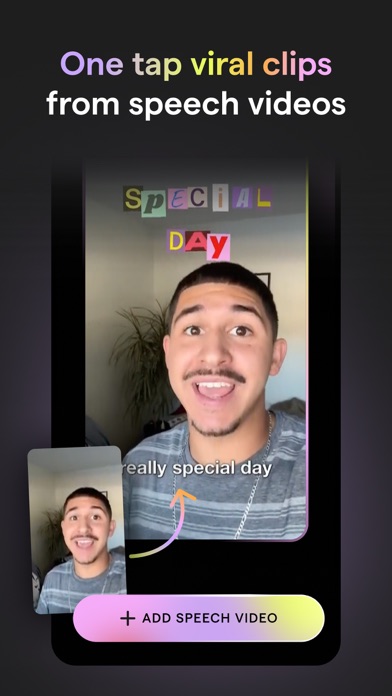
Creating trending social content has never been simpler. Mojo is an app designed to help you make amazing video content for Instagram and TikTok and more. Mojo is made in Paris and has already been downloaded by over 40 million people worldwide. To use Mojo, simply download the app and start exploring one of our 1,200+ unique templates. After selecting the template you’d like to edit, choose from a number of our editing features to create the perfect video. You can then easily resize and share your content to any social platform with the touch of a button. While editing, you can choose from a number of our top features like adding auto-captions, text effects, filters, and creating a grid. You can also select one of our trending templates which is already paired perfectly with a trending sound from Instagram and TikTok! Mojo is an inclusive app made for everyone. Whether you’re a creator, small business owner, photographer, or a first-time social user - there will be something for you! Take a look at our top features and why our users love them: Trending sounds templates - Choose from our unique trending sounds templates that connect directly to trending sounds on Instagram and TikTok - Get inspired in our trending sounds collection and create videos with already identified trends Auto captions - Add auto-captions to maximize your views - Select from a variety of auto-caption styles to stand out on social - Translate your captions into a different language than the one you’re speaking - Remove unwanted silences and filler words automatically Text effects - Easily add aesthetic text effects to your videos - Select from a variety of styles like modern, retro, speech bubbles, and calls to action All-in-one video editor - Edit all of your videos on one platform - Trim your clips, add transitions, music, text, and animated elements on Mojo Background removal - Remove the background from any image in one tap - The perfect tool for business owners to showcase their products Brand kit - Upload your brand fonts, colors, and logos to the brand kit tool - Easily stay on brand while creating your content on Mojo AI templates - Transform your content with one of our AI templates by selecting a photo and watching our AI tools illustrate it into a work of art - Select any photo from your camera roll and watch Mojo turn it into a meme Royalty free music - Choose from our royalty-free tracks that can be used for commercial purposes - Upload your own music and add it to any of our templates Transitions - Seamlessly add transitions to your videos to elevate visual appeal - Elevate professionalism with a variety of available transitions like zoom in, fisheye, ripped paper, camera slides in different directions, and so many more - Apply your transitions to your whole video in just one tap Share across all social platforms - Share to Instagram, TikTok, YouTube, and other social platforms in just one tap - Mojo easily resizes your content depending on the platform you’re sharing to Edit the animations of all elements - Animate any element of your video and capture your viewer’s attention Animated stickers and graphics - Incorporate animated stickers and graphics into your videos Terms of Use: https://www.mojo-app.com/terms-of-use If you subscribe via Apple, your payment will be charged to the App Store Account at confirmation of purchase. Subscription automatically renews unless auto-renew is turned off at least 24 hours before the end of the current period. Account will be charged for renewal within 24 hours prior to the end of the current period at the rate of the selected plan. Subscriptions and auto-renewal may be managed by going to Account Settings on your iPhone after purchase. We're always open to feedback, email us yours at [email protected]. From Paris with love, The Mojo Team


Video Lite, Inc.
Video Lite is an all-in-one browser for video websites that lets you: • Experience a seamless, native app experience • Chromecast on iOS • Picture-in-picture mode • Dark mode • Sleep timer and more Terms of service: https://videolite.app/eula.txt
Frontier Design Group
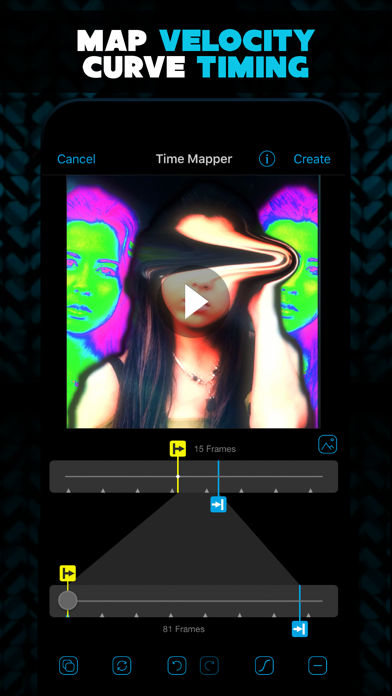
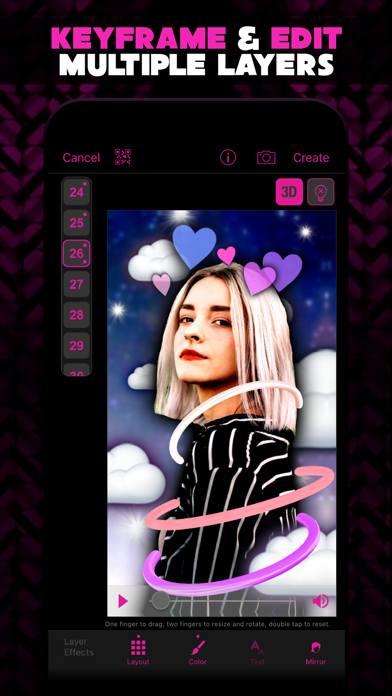
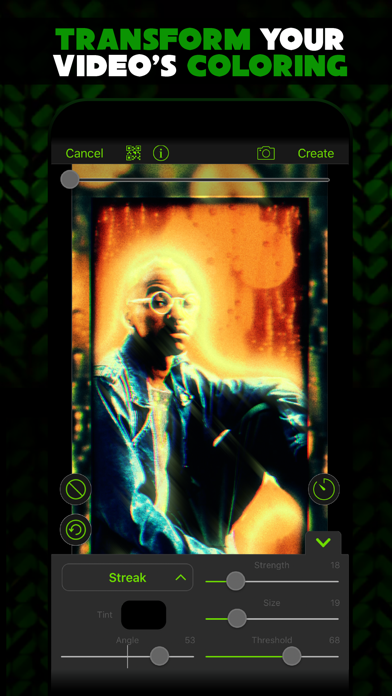
Video Star is your #1 video editing app — there’s no other app like it! Create incredible fan edits and amazing lip-sync music videos with Video Star. There's thousands of effects to color, animate, enhance, warp, combine, and re-time clips ... creating pure magic from photos and videos. Video Star includes TONS of free features or get an All Access Pass to unlock everything, including your mad editing skills! We update Video Star regularly with new effects and features. Be sure to join our daily #VideoStarApp community challenges on Instagram and TikTok! Video Star Pro Subscription - A Pro subscription provides unlimited access to ALL current and future Power Packs in Video Star - Payment will be charged to iTunes Account at confirmation of purchase, taxes may also be included in some areas - Subscription automatically renews unless auto-renew is turned off at least 24-hours before the end of the current period - Subscriptions may be managed by the user and auto-renewal may be turned off by going to the user's Account Settings after purchase - You can read our privacy policy at: videostarapp.com/privacy.html - You can read our terms of service at: videostarapp.com/terms.html


Slava Plisko
Take an extra digital zoom performance for your camera. Photos and Videos on a larger scale. At the Concert Hall or at the Football Stadium, xZoom.app will not be superfluous. Meet the new horizons with xZoom.app FREE FEATURES • Extended digital Zoom In for Photo and Video • Photo, 4K, FullHD, HD • JPEG, HEIC, TIFF, Raw and ProRAW • Extended video formats • Extended Video stabilization modes • Pro Active color space mamagment • Video Frame Rate control • Dolby Vision support • "Flashlight" for Photo mode ADVANCED FEATURES ISO, AWB, SS, Manual Lens Focus are available in PRO mode (only for Physical cameras). • F - Manual Focus, sets the Lens Position to get the perfect camera focus • SS - Shutter Speed, camera exposure time • ISO - Sensitivity, camere sensor sensitivity to light • AWB - White Balance Use the full potential of your camera to get amazing photos and videos. PRO MODE ACTIVATION Subscription: • Weekly plan • Monthly plan • Annual plan Purchase: • "Lifetime" Pro The "Weekly" plan has 3 day free trial period. You could activate it and use it until the trial period ends free. To cancel the activated plan, please, follow to iPhone Settings -> Your Apple Id -> Subscription Management You could cancel it anytime free, before the trial period ends. If you do not cancel it during the free trial period the price for "Weekly" plan will be charged automatically. PLEASE NOTE • Subscriptions are renewable • Hybrid Zoom is effective if you have the Telephoto camera • The 189× is a maximum zoom factor. • The digital zoom is accomplished by cropping an image down to an area with the same aspect ratio as the original, and scaling the image up to the dimensions of the original. • The more zoom factor you have the less quality you get. Find the compromise zoom value for you. • The 48 MP Wide camera sensor gives you the better zoom result. • The maximum digital zoom value may be different for the each video format. Supported Codecs: • ProRes, HEVC, MPEG, HEIC, JPEG Supported Devices: • iPhone 7 and newer Supported iOS version: • iOS 15 and newer Terms of Service - https://xzoom.app/terms Privacy Policy - https://xzoom.app/privacy Support: [email protected]

Hangzhou Onedium Technology Co., Ltd.
HiiiWidget 2.0 is here with powerful new customization options to make your widgets uniquely yours! 【All-New Custom Backgrounds】 Experience true transparency—no screenshots required. Enjoy smooth, authentic transparent widgets that blend seamlessly into your home screen. Plus, choose from stylish effects like blur, vibrant colors, dynamic gradients, textures, and your own photos. 【Endless Font & Color Choices】 With over 40 stunning fonts, adjustable sizes, alignments, and limitless color customization, create widgets that perfectly match your style. 【Easy & Flexible Configuration】 Quickly design your ideal widgets with intuitive and simple controls. Personalize effortlessly to reflect your personality. 【Widget Types & Features】 • Pixel Kitty: A cute, pixel-style cat widget that brings charm and joy to your home screen. • Time: Classic Style, Flip Style, Stacked Style, Greeting Style. • Calendar: Pure calendar, combined with time, or event display. • Text: Daily quotes or personalized messages with fully customizable fonts and colors. • Countdown: Enhanced font options and backgrounds for your important dates. • Photo: New customization for Kitty Frame and Landscape Vinyl styles. • Data: View battery status, network connectivity, CPU, and disk usage right on your home screen. • Animation: Bring your home screen to life with exclusive animated widgets. 【Continuous Updates】 Expect more exciting widget styles and features regularly added to HiiiWidget. Make your home screen truly unique—download HiiiWidget now! - Subscription payments will be charged to your iTunes account at confirmation of your purchase. - Subscriptions will automatically renew and payment will be charged to your iTunes account unless auto-renew is turned off at least 24 hours prior to the end of the current Privacy Policy: https://hcninsaf3hn8.feishu.cn/wiki/HUPmwczVwiU0zMkkYqmcdJD2nTc Terms Of Use: https://hcninsaf3hn8.feishu.cn/wiki/Xr3iw5O29ib5iOkuMQ4cVHE5ndb
Mosaic S.r.l.
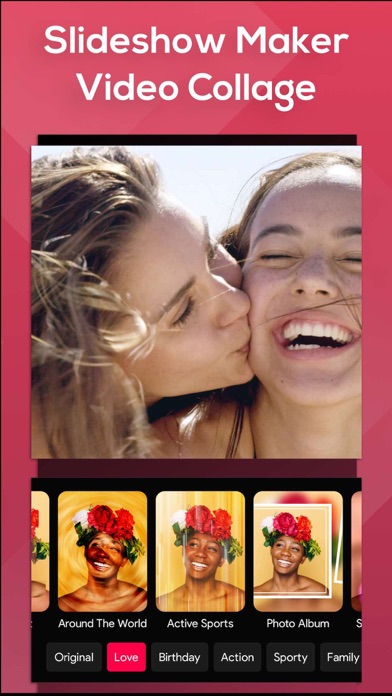
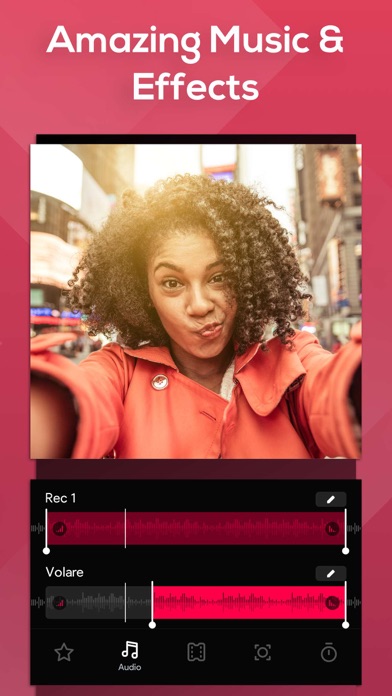
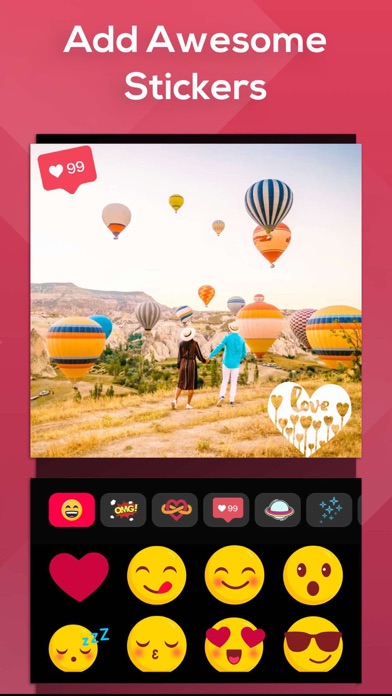
Create slideshows with SlideShow Movie Maker using your photos & videos from your camera roll and add on top of that your own music! Make your own slideshow in just a few taps choosing from a great mood collection - from adventure to vintage, birthday or family, find your own style! Add photo, video, and music to your movie creation and share it with friends and family. Creating a slideshow with SlideShow Movie Maker is quick: 1) Pick your photos and videos 2) Select moods, filters, and transitions 3) Choose your favorite music from our gallery or your own songs and recordings 4) Select the slideshow's length, ratio, and trim videos 5) Finalize your slideshow with text & stickers 6) Save it to your camera roll and share it on Facebook, Instagram or Youtube SUBSCRIPTION INFO: Subscribe to take advantage of the features described above. •Subscription length: Weekly •Your payment will be charged to your iTunes Account as soon as you confirm your purchase. •You can manage your subscriptions and turn off auto-renewal from your Account Settings after the purchase. •Your subscription will renew automatically, unless you turn off auto-renew at least 24 hours before the end of the current period. •The cost of renewal will be charged to your account in the 24 hours prior to the end of the current period. •When canceling a subscription, your subscription will stay active until the end of the period. Auto-renewal will be disabled, but the current subscription will not be refunded. •Any unused portion of a free trial period, if offered, will be forfeited when purchasing a subscription. Terms of service: https://support.bendingspoons.com/tos?app=552341639 Privacy policy: https://bendingspoons.com/privacy.html?app=924826256 Have a feature request you would like to see in a future version of the app? Do not hesitate to contact us at [email protected] Disclaimer: You will be required to sign up for an auto-renewable In-App Purchase before you are able to access the app. Have fun!

Alfred Systems Inc.
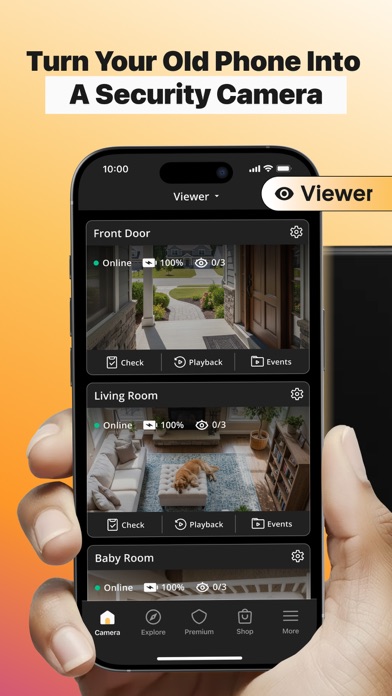
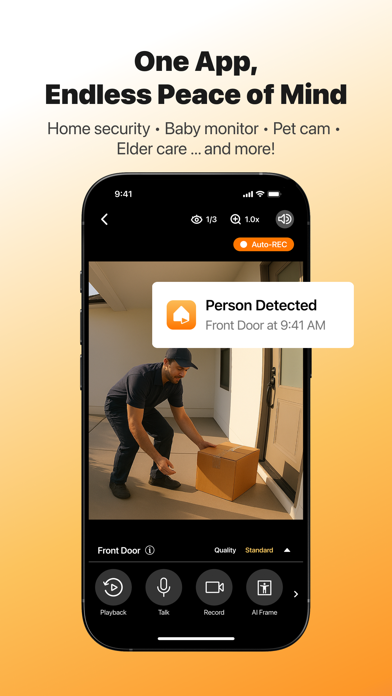
We are the world’s most popular and top-rated security camera app for iOS & Android phones, with over 90 million families around the world choosing AlfredCamera to turn their old phones into powerful home security cameras, baby monitors, pet cams, and more. AlfredCamera is an all-in-one home security camera app providing more features than a expensive CCTV security camera system. It's live cam with instant intruder alert is perfect as a security camera, baby monitor, nanny cam, pet monitor, dog monitor, and more. AlfredCamera is well-recognized as: “One of the Best App Options for Setting up Your Phone as a Security Camera” - CNET (Feb 2023) “Home Protection is Achieved at Low Cost and Without Many Complications” - Infobae (June 2021) FEATURES Whether you’re looking for a surveillance camera app or webcam app to keep an eye on your belongings, a baby camera app to look after your newborn, a pet cam app or dog camera app to entertain your lovely pets, the AlfredCamera home security camera app is the perfect solution for your smart home. 24/7 LIVE STREAM: Watch high-quality live video from anywhere with Alfred's live camera stream. SMART INTRUDER ALERT: Get instant alerts when movement is detected LOW-LIGHT FILTER: Enhanced visibility at night for your nanny cam, pet monitor. WALKIE-TALKIE: Deter thieves, interact with visitors or pets, and soothe babies. 360 CAMERA: Cover a larger area with both lenses. ZOOM, SCHEDULE, SOUND DETECTION, REMINDER, TRUST CIRCLE, SIREN, and more... Works smoothly via WiFi, 3G, and LTE. SUPER EASY TO SET UP AlfredCamera is the easiest-to-install surveillance camera system with professional-grade features that allows you to DIY your own home security camera, pet cam, baby cam or nanny cam in few minutes: STEP 1: Install Alfred Camera App on two devices, your old phone becomes the camera, your current device is the viewer STEP 2: Scan a QR code to pair them. STEP 3: Cross-platform support: Android & iOS devices work together effortlessly ANYTIME, ANYWHERE Unlike traditional CCTV cameras or home surveillance cameras, AlfredCamera app is a portable CCTV camera, place it anywhere for extra security. It works great as a nanny cam, baby camera, or dog monitor while traveling, renting an Airbnb, or simply checking in during work hours. SIMPLE SECURITY AT YOUR FINGERTIPS With a crystal clear live camera stream, instant alerts and events recorded, Alfred will help you to always know what’s happening and keep evidences in any incident. Monitor pets when you're away with a reliable dog camera or pet cam Check on elderly family with real-time remote video access Sound alerts and night vision on your pet cam, baby camera, or dog camera Protect your home with smart motion-triggered alerts Create a smart CCTV system, your own pet cam, baby camera, or dog camera using just two phones and the Alfred app. SMART, CONVENIENT, ECO-CONSCIOUS First time choosing a CCTV camera app or home security system? The best home surveillance camera app you can ever find: reliable, versatile, and easy to use. Everyone is taking advantage of their old smartphones by turning them into video players, GPS navigators, or fitness devices. So why not use yours as a pet monitor, dog monitor, baby monitor, nanny cam, webcam, or IP cam? Alfred Premium offers a subscription service that will be charged to your account. The account will be automatically charged for renewal. You can manage your subscription and auto-renewal by going to Account Settings. Want to learn more about how to monitor your home? Please visit our official website https://reurl.cc/jvKWrM Some features of this app require Device Administrator permission.


KineMaster Corporation
[ AI Tools for Your Next Video ] Complex videos can be made quickly with these AI features. • AI Auto Captions: Add subtitles instantly from video or audio • AI Text-to-Speech: Create spoken audio from text with one tap • AI Voice: Make your audio unique when you apply AI Voices • AI Music Match: Get song recommendations fast • AI Magic Removal: Cut out the background around people and faces • AI Noise Removal: Zap distracting sounds in your video or audio • AI Vocal Separator: Split a song into its vocals and music • AI Tracking: Make your text and stickers follow moving objects • AI Upscaling: Boost the size of low-resolution media • AI Style: Add artistic effects to your videos and images [ Professional Video Editing for Everyone ] KineMaster makes advanced tools easy to use. • Keyframe Animation: Adjust the size, position, and rotation of every layer • Chroma Key (Green Screen): Remove backgrounds and combine videos like the pros • Speed Control: Reverse, slow down, or turn your videos into time-lapse masterpieces [ Jumpstart Your Creativity ] Pick a template, replace its photos and videos, and you’re done! • Thousands of Templates: Build your own from pre-made video projects • Mix: Save your video project as a template to share with KineMaster editors everywhere • KineCloud: Back up personal projects to the cloud to continue editing on another day or another device [ Make Your Video Stand Out with Assets ] The KineMaster Asset Store has tens of thousands of resources to make your next video amazing! Effects, stickers, to music and fonts, transitions, and VFX: everything is ready to use. • Effects & Transitions: Enhance your videos with amazing visuals • Stickers & Clip Graphics: Add graphic animations and design elements • Music & SFX: Make a video that sounds as good as it looks • Stock Videos & Images: Get pre-made green screen effects, free stock footage, and tons of video backgrounds • Variety of Fonts: Apply design-ready stylish fonts • Color Filters: Choose from a huge variety of color filters for the perfect look [ High-Quality Output or Optimized Video: You Decide ] Save your edited videos in high resolution or dial the quality to make them load fast on social media. Incredible 4K 60 FPS: Produce videos in 4K and 60 frames per second Optimized for Social Media Sharing: Save videos that are ready to upload to YouTube, TikTok, Instagram, and more Transparent Background Support: Make videos ready for compositing for use with other videos [ The Best Tools for Fast, Precise Editing ] KineMaster is loaded with tools that make editing fun and easy. • Offers both portrait and landscape editing, the best of both worlds • Lots of layers: Add and stack photos, videos, and GIFs to all play at once • Multiple Undo (and Redo): Revert or reapply your editing history • Magnetic Guides: Align elements to guides and snap layers in place on the timeline • Full-Screen Previews: See your edits full screen before saving KineMaster & Asset Store Terms of Service: https://resource.kinemaster.com/document/tos.html Contact: [email protected]

Phlow, Inc.
Here's everything you get when you subscribe today (we think it's a steal): * PHLOWSYNC™: A world first! Never before have you been able to go from capture to professionally colored photo straight to Photos App in full RAW non-destructively. No more exporting or duplicate files. Just shoot photos with Phlow and edit them as you normally would. All changes sync back to that file in Photos App. * PRO (RAW) CAMERA: No Fusion. No Jpgs (unless you want them)… The heart of Phlow is our raw camera. Shoot stunning images in PhlowRAW (our proprietary raw imaging process) with your favorite presets and film emulations in real time. Whether you're looking for a vintage effect, polaroid style vibe, or subtle film effect, we have you covered. * INTERVAL CAMERA (SELF TIMER): Solo content creators rejoice! Our beautiful interval camera allows you to take up to 30 photos in your desired interval timing (a photo every 2, 3, 5, 10 seconds etc). * UNRIVALED PRO PHOTO & VIDEO FILTERS AND PRESETS (SETS): Quality over everything. We've perfected the art of color grading to make your life easier. Simple, stunning, and mistakable for film. Natural pro-level color grading including film filters, photo grain, and film effects. * LIVE PRESET VIDEO COLOR GRADING: Shoot live videos with your favorite video filter effects and color in real time! A huge time saver for those who want to just shoot and post. Great for longer form content, selfie videos, YouTube makeup tutorial style videos and anything else you don't want to manually edit. * SEAMLESS CAMERA ROLL INTEGRATION: Editing photos and editing videos from anywhere on your device through our seamless camera roll integration. * 4K VIDEO EDITING (COLOR GRADING): Beautiful color grading over your 4K footage, with the ability to scrub and trim your video while you edit. * BLUR TOOL, BLOOM TOOL, GRAIN TOOL (MORE COMING SOON!): The perfect effects for that dream glow and film aesthetic. * STACK+ "TAP TO ADD" EFFECTS: STACK+ quick add-ons are a simple way to quickly layer effects on top of your edit. Add authentic Film Curves and effects for real film effects, one click color toning color enhancers, fades and more. * HDR VIDEO COLOR GRADING: HDR is here to stay but that doesn't mean those videos can't be colored to your liking. Your HDR content can now look just as good as your standard video color grades. * PRO TOOLS: Tools that just work well. Pro level exposure tool, HSL for targeting specific colors, copy/paste, and many more to come in future updates. * PROFESSIONAL LEVEL EXPORT QUALITY: Forget fuzzy uploads. High quality exports are here and they separate your content from the crowd. Stunning exports that will stand out on instagram, TikTok, and all other social platforms. * PHLOW CAMERA WIDGET: Quick draw access to the Phlow camera! One tap of our widget opens the camera so that you never miss the moment Join the Phlow family today! We're excited to see you on the inside. What others are saying: "This app is one of the most incredible things I've come across! The raw camera has absolutely blown me away!!! It shoots so dang good and my husband also hasn't stopped raving about it. I just got home from a Europe trip and I was able to get some amazing pictures throughout the beautiful places we visited with Phlow!" Auto renewable subscription information: Start your Phlow subscription with a 7 day free trial on our annual plan. Once your trial ends, you will be charged for the annual subscription. Your Phlow subscription will automatically renew, unless auto renew is turned off at least 24 hours before the end of the current period. You can turn off your subscription anytime from your phone settings. The seven day trial only applies to the annual subscription. Read our terms: https://phlowapp.com/pages/terms Read our privacy policy: https://phlowapp.com/pages/privacy-policy [email protected] www.phlowapp.com www.instagram.com/phlowapp

Martynas Ramonas
Ever wanted to watch more than one Live at the same time? With GREC, you can follow multiple streams simultaneously. With GREC, it’s super simple! GREC is designed to make watching and following live videos effortless. Use GREC to easily watch multiple live streams from different profiles at once! GREC - KEY FEATURES ------------------------------ • Get notified instantly when a profile you follow goes live. • Track unlimited number of profiles. • Enjoy watching in full HD quality. • Watch multiple live streams at the same time. • Enjoy 5GB of free cloud space for your stream library, with upgrades up to 2TB/5TB. • Built-in HD video player - watch lives in highest resolution. • Add and Manage multiple accounts. • Bookmark your favorite streams to the favorites list. Start with our free Basic plan and upgrade to Premium anytime to unlock more features. GREC offers a 3-day free trial for the Premium plan. Don't miss your chance! Thank you for choosing GREC: Live Video Watcher – The #1 Must-Have App for Live Stream Lovers! If you need help or have suggestions for the new features, please reach us via email [email protected] Information about the auto-renewable nature of the Premium Subscription: - Subscription periods are 1 week / 1 month /12 months. Every 1 week / 1 month / 12 months your subscription renews. - 1 week subscription price is $3.99. / 1 month is $6.99. / 1 year price is $44.99. - Storage subscription period is 1 month. Every 1 month your subscription renews. - Storage 2TB 1 month subscription price is $9.99. - Storage 5TB 1 month subscription price is $19.99. - Payment will be charged to iTunes Account at confirmation of purchase. - Subscription automatically renews unless auto-renew is turned off at least 24-hours before the end of the current period. - Account will be charged for renewal within 24-hours prior to the end of the current period. - You can cancel your subscription via this URL: https://support.apple.com/us-en/HT202039 Privacy Policy: https://www.grecrecorder.com/privacy-policy Term of Use: https://www.grecrecorder.com/terms-of-use By using our service, you agree to take full responsibility for any intellectual property violations that may result from unauthorized use or distribution of videos. We assume no liability for such violations. It is your responsibility to obtain permission from the host before sharing or using any video content.


MPGames
Uplens is the ultimate mobile photo and video editor, powered by AI and designed to help you take perfect selfies and create stunning visuals in just a few taps. With our advanced retouching tools and a full range of professional-grade editing features, Uplens gives you everything you need to make your photos and videos look their best. Use the Magic AI Retouch function to get flawless skin and natural color correction. Our vintage presets give your visuals a unique, nostalgic vibe, and with our easy-to-use editing tools, you can customize each preset to create your own signature style. In addition to our powerful retouching tools, video editing features, and vintage presets, Uplens also offers a full suite of professional-grade editing tools, including contrast, saturation, noise, and more. Whether you're a professional photographer or just want to take your Instagram profile to the next level, Uplens is the perfect tool for all your photo and video editing needs. Subscriptions: The purchase will be charged to your iTunes account. An account will be charged for renewal within 24-hours prior to the end of the current period, and identify the cost of the renewal. You may manage your subscription and turn off auto-renewal by going to your Account Settings after purchase. Cancel the auto-renewing subscription from there at any time. Terms of Use: https://uplens.app/terms Privacy Policy: https://uplens.app/privacy


Visual Supply Company
Welcome to VSCO — your complete photography platform solution for unmatched photo filters, AI photo editing, video editing, portfolio sites, client workflows, and community. VSCO is where photographers turn pro. Get access to a premium AI photo editor that provides precision and quality. From editing with our photo presets that match your style to delivering stunning client photo galleries, the VSCO photo and video editing app is a seamless way to run your photography business in one place. Download the VSCO app today. VSCO APP FEATURES: 200+ PHOTO PRESETS AND FILTERS - Use professional-grade photo filters and editing tools such as Crop and Fade to effortlessly showcase your style. - Try photo filters that reflect vintage film looks inspired by Kodak, Fuji, Agfa, and others with Film X presets. - Save and recreate your favorite photo filters and edits with Recipes and join VSCO Membership to access VSCO’s complete library of 200+ photo presets. EDIT 100 PHOTOS AT ONCE - Create the perfect edit and paste it on up to 100 photos. - Easily apply photo presets, film effects, and adjustments like exposure, contrast, and white balance to keep your aesthetic consistent. - See every change happen in real time, then export when you're done. ADVANCED PHOTO EDITOR WITH AI LAB - Experience intelligent AI photo editing designed to enhance without overpowering. - Use advanced photo editing tools: HSL, Dodge & Burn, Split Tone, and Grain. - Remove distractions, upscale, repair, and refine photos with AI prompts. Included with VSCO Pro membership with unlimited edits. VIDEO EDITING WITHOUT COMPROMISE - Featuring trim, crop, speed control, slo-mo, and color grading all in one place. - Use the same premium VSCO photo presets and advanced photo editor tools for video. - Easily create short video GIFs with VSCO. REFINE MOMENTS WITH COLLAGE MAKER - Make photo and video editing collages in seconds. - Create new compositions with photos, text, and customizable shapes using pre-set collage templates or start with a blank canvas. - Montage video editing. Easily edit and combine video scenes. VSCO SPACES - Spaces are collaborative environments that provide a safe space for creators to workshop ideas, share inspiration, and connect. - Create and join community galleries to build relationships to move your work forward. PROFESSIONAL PROFILE - Create a professional profile that showcases your unique skills. - Post photos and videos, organize your work into Albums, and tell stories with Blogs. - Add your experience and let others know that you're open to collaborating and professional work. INSPIRED BY COMMUNITY - Join a community that opens the door to your creativity. - Start discussions on posts, repost inspiring photos, and make direct connections with messaging. - Curate a feed that captures your unique interests and showcases photographers you follow from around the world. Explore even more features on desktop at http://vsco.co MEMBERSHIP TRIAL AND SUBSCRIPTION TERMS Start your VSCO membership with a free 7-day trial. Once the trial is over, you’ll be charged an annual subscription fee. Your VSCO membership will automatically renew unless auto-renew is turned off at least 24 hours before the end of the current period. You can go to your Settings > iTunes Account & App Store > Apple ID > Subscriptions to manage your membership and turn auto-renew off. Your iTunes Account will be charged when the purchase is confirmed. Read more about our terms and conditions here — http://vsco.co/about/terms_of_use Read more about our privacy policy here — http://vsco.co/about/privacy_policy

Popixels Ltd.
Create Stunning Social Media Content with Temply Temply is the ultimate video editing app for creating short-form content, perfectly designed for social media platforms. Whether you're a content creator, business owner, marketing professional, or personal user, Temply offers a comprehensive toolkit to bring your vision to life. Why you'll love using Temply: A smarter way to make videos with AI Creator: • Pick your photos and clips, add a prompt, or choose from pre-made business prompt ideas, then fine tune it with template filters for style, audience, or purpose. In seconds, you'll have a beautifully crafted, effective video with music, designed to boost your brand’s performance. Templates that Inspire: • 600+ Templates: Choose from a diverse range of templates tailored for Reels, TikTok, Stories, and more. • AI-Powered "Created For You": Instantly generate engaging, trendy videos using your personal media. • Beat-Synced Templates: Effortlessly create videos synchronized to music beats. Tools to Enhance Your Content: • Royalty-Free Music: Access 600+ soundtracks for social media and commercial use. • Fonts & Text Tools: Customize with 100+ fonts, shadows, strokes, and color picking. • Stickers & Filters: Use 800+ trendy stickers and 50+ filters to elevate your content. • Transitions & Effects: Add dynamic transitions and effects for professional-quality results. User-Friendly Interface: • Quick Learning Curve: Ideal for newcomers in the world of social media content creation. • 4K Export: Ensure high-quality video output for all your projects. • Direct Sharing: Share your creations directly to social media platforms. Features for Your Brand: • Personalization: Import your brand’s logo, fonts, and colors to maintain brand consistency. • Commercial Templates: Utilize templates designed specifically for business promotions. All-In-One Editing Capabilities: • Trim & Mix: Easily edit music and video clips. • Slow Motion & Speed Up: Adjust the speed of your media. • AI Background Remover: Quickly remove backgrounds from your videos. • Live Photos to Videos: Transform live photos into stunning videos. • Stock Footage Library: Access unlimited stock footage for your projects. • Multi-Language Auto Captions: Automatically generate captions in multiple languages. Subscribe now to enjoy all the features described above. • You can manage your subscriptions and turn off auto-renewal from your Account Settings after the purchase or later on and at least 24 hours before the renewal date otherwise your subscriptions will renew automatically. • The cost of renewal will be charged to your account in the 24 hours prior to the end of the current period. • When canceling a subscription, your subscription will stay active until the end of the period. Auto-renewal will be disabled, but the current subscription will not be refunded. Have a question? Need any assistance? Do not hesitate to contact us at [email protected] Privacy Policy: https://www.templyvideo.com/privacy-policy Terms of Use: https://www.templyvideo.com/terms-of-use

Glitche Ltd.
Glitché is the app behind Travis Scott’s Birds in the Trap Sing McKnight album cover, Yeat’s Still Countin music video, and visuals for Louis Vuitton and Vetements. Used by culture-shaping creators worldwide. Featured by Apple: Best of the Year, App of the Day, App Culture, and more. Create iconic photos and videos with glitch effects, analog artifacts, and AI-powered tools. SIGNATURE EFFECTS • 40+ real-time filters for digital glitches, datamosh glitches, analog artifacts, and more • From AI-era visuals to Y2K aesthetics • Full control during recording and editing The Webby Awards — Experimental & Innovation “Eye-catching, stunning filters” Apple “Travis Scott and Gorillaz used this app for their album covers” Hypebeast “It’s free to download compared to £300 per hour for a post-production suite” Nick Knight “The app that I love. It adds some flavor to your photos” Kylie Jenner “One of the best apps for creative people” The Huffington Post Download now. Start creating.


荣 马
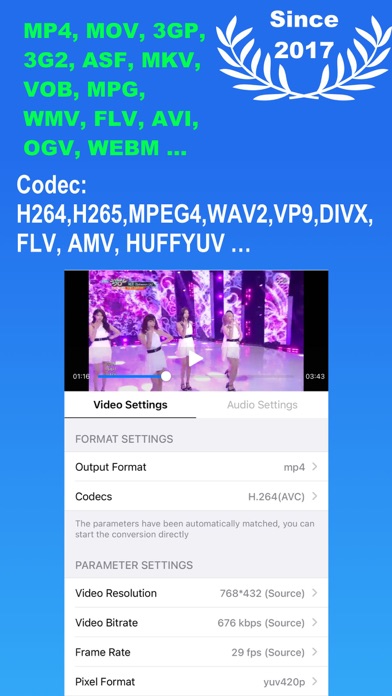
Media Converter – Video Converter, Convert all your videos, audios, images, GIFs, and PDFs. Convert video & audio & picture encoding, compress video, extract audio and create custom ringtones with music. All-in-one solution combining file format converter, audio extractor, media editor, ringtone maker and Video Player. ◆ Video Converter & Video transcoder - Convert videos between all popular formats: MP4, MOV, 3GP, 3G2, ASF, MKV, VOB, MPEG, WMV, FLV, AVI, OGV, WEBM, MPG.. - Video Encoders: H.264(AVC), H.265(HEVC), MPEG-2,MPEG-4, H.263+, AV1, WMV2, VP8, VP9,THEORA, XVID, DIVX and others. ◆ Audio Converter & Ringtone Maker - Extract audio from recorded videos, output format: MP3, M4A, OGG, WAV, FLAC, WMA, AIFF, CAF, ADX, AC3, AAC, M4R, M4A, OPUS. - Audio Encoders : AAC, MP3, MP2, AMR, Opus, SWF, WMAV2, WMAV1, Vorbis, SPEEX, DCA, EAC3, FLAC, PCM_S16LE, PCM_S16BE. - Edit metadata (title, artist, album, cover artwork). - Make ringtone: Extract audio from videos and trim to create personalized ringtones. ◆ Image & PDF Converter - Convert images to/from JPG(JPEG), PNG, HEIC, WEBP, and more. - Turn images into PDFs or extract pages from PDF to images. - Video to GIF: Convert any video clip into a high-quality animated GIF for sharing or messaging. ◆ Video Player - Play any video or music file smoothly with built-in player. - Supports playlists, offline playback, and all major formats. ◆ Compressor & More Tools - Compress video files without losing quality. - Adjust resolution, frame rate, and bitrate to save storage. - Trim Modes: Trim Both Ends, Trim the Middle. - Video Eraser: Remove unwanted objects from the video. - Change Video aspect ratio: Resize video with blur, crop, or padding. - Change Speed: Speed up or slow down the video or audio. - Merge or cut videos and audios. - More Tools: Crop video size, flip or rotate video. - Archive Extractor: Open and manage ZIP, RAR, 7Z, and other archive file formats. ◆ File Management & Transfer - Batch import, Wi-Fi transfer, and file sharing between phone and computer. - Import recorded videos from your device gallery. - Backup to iCloud Drive for safe storage. == Upgrade to Pro == Lifetime Pro: One-time purchase with permanent access. Subscription: - Annual auto-renewable subscription, automatic renewal upon expiration. - After the purchase of the subscription item is confirmed, the subscription fee will be credited to your iTunes account. The subscription will automatically renew unless the automatic renewal feature is turned off at least 24 hours before the end of the current time period. The account will be charged for renewal within 24 hours before the end of the current period.Subscriptions may be managed by the user and auto-renewal may be turned off by going to the user's Account Settings after purchase. Privacy Policy:https://mediaconvertserver.web.app/privacypolicy.html Terms of Use:https://mediaconvertserver.web.app/terms.html Contact us: [email protected]
Bending Spoons Apps ApS
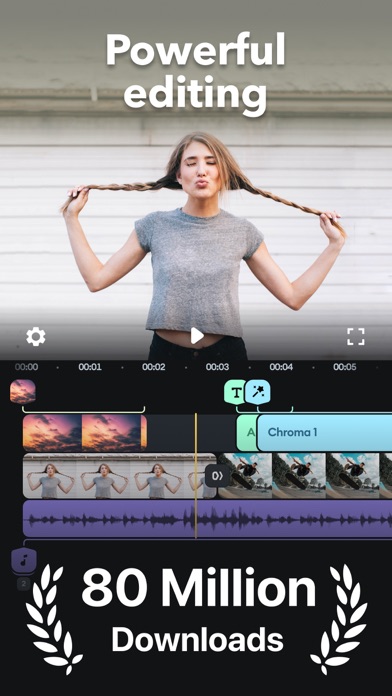
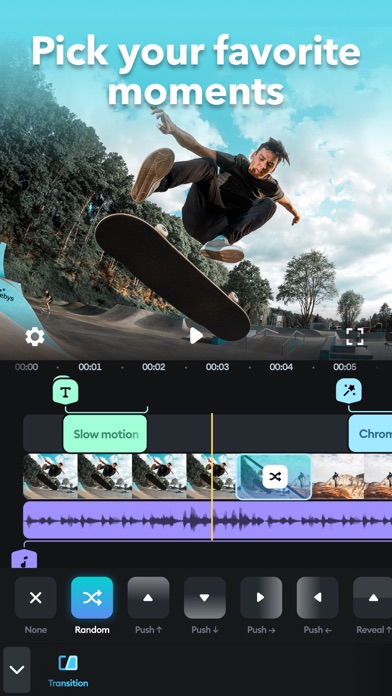
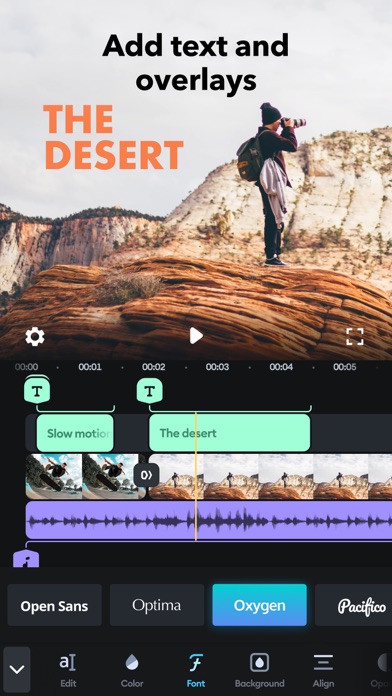
Simple yet powerful, Splice makes it easy to create fully customized, professional-looking videos on your iPhone or iPad. Imagine the performance of a desktop editor, optimized for your mobile device. Just tap to trim clips, add slow motion effects, and overlay multiple clips to create beautiful videos you’ll love to share. It’s never been easier to edit like a pro on the go. POWERFUL EDITING TOOLS MADE SIMPLE + Trim, cut, and crop your photos and video clips. + Refine your clips by adjusting exposure, contrast, saturation, and more. + Adjust playback speed for fast or slow motion, now also with speed ramping. + Overlay photos or videos and apply masks to create incredible effects. + Remove background with Chroma Key. + Animate your clips with the Ken Burns effect. + Apply filters and adjust background colors, orientation, and more. + Add amazing effects: glitch, chroma, vintage, and lots more. + Choose your transition style and control the speed between transitions. + Add title slides, text overlays, and a custom outro. + Bring your photos to life and create slideshows with pan and zoom effects. CUSTOMIZE THE PERFECT SOUNDTRACK + Choose songs from 6,000+ royalty-free tracks from Artlist and Shutterstock libraries. + Trim and mix multiple audio tracks with precision. + Use a song from your own iTunes collection (subject to iTunes terms). + Add narration or custom sound effects with the built-in voice recorder. EASILY SHARE + SAVE YOUR VIDEO + Share right to YouTube, Instagram, TikTok, Facebook, Mail, Messages, and more. + Save videos to your camera roll. SUBSCRIPTION INFO: Subscribe to take advantage of the features described above. • Subscription length: weekly, monthly, yearly • Your payment will be charged to your iTunes Account as soon as you confirm your purchase. • You can manage your subscriptions and turn off auto-renewal from your Account Settings after the purchase. • Your subscription will renew automatically, unless you turn off auto-renew at least 24 hours before the end of the current period. • The cost of renewal will be charged to your account in the 24 hours prior to the end of the current period. • When canceling a subscription, your subscription will stay active until the end of the period. Auto-renewal will be disabled, but the current subscription will not be refunded. • Any unused portion of a free trial period, if offered, will be forfeited when purchasing a subscription.


亚玲 查
ProCCD is an analog digital film camera application & carousel collage maker. We have reproduced the classic appearance of digital cameras and vintage film & digital camera-inspired retro filter effects. We also create Instagram carousel posts, stories, photo & video collage templates. #40+ Vintage Film Camera, Digital Camera & VHS Camcorder 2000S & 2014: A tribute to old button phone, featuring 2000s lofi style that adds a Y2K aesthetic to everyday moments. INST E & INST W: Instant cameras that simulate Polaroid filters along with stunning photo papers. Booth: A vintage photo booth in your pocket that supports single shots and four-shot sequences. DCR & MG330: Retro VHS camcorders that transport you back to the year 1980. F100: Inspired by the classic negative film filter, the camera edits using RAW files with zero sharpening. BIGSHOT: An instant camera with vintage pack film, restoring the pulling and peeling process. ZR1500: A disposable camera ideal for capturing everyday moments and landscapes. Z50 & A620: Digital camera filters with a dreamy glow effect. New vintage cameras are added continuously! #Seamless Carousel & Photo Collage Maker for Instagram & Tiktok - Create swipeable, panoramic carousel posts, layouts and collages to elevate your Instagram feed. - Add video, live photos and images to the collage. - Explore a wide array of photo collage templates for Instagram Stories, Posts and Reels—from Polaroid and scrapbook styles to minimalist layouts. - Access 600+ hand-picked stickers and frames, plus 100+ exclusive fonts to personalize your content. - Easy design tools: remove backgrounds, apply film filters, and use a freeform canvas to combine 30+ photos in one post—break free from traditional layouts. #Aesthetic Photo Editor & Video Editor - Supports importing photos & video for editing with oldroll camera filters. - Effects & Overlays: Vintage photo effects & video effects including glitter, fish eye, light leak, VCR frame, etc. - Collages & Templates: 100+ templates & layouts to make it easy to create Instagram stories. - Powerful Editing Tools: Adjust exposure, saturation, film grain, vignette, blur, glow, dispersion and white balance to get a film look. - Beauty Editor: Beauty function is available for capturing & editing. - Crop & geometry: Rotate, crop, and resize your files. - Supports batch editing. - Supports conversion between video and live photos. #Profesional Pro Camera: - Preview effects in real-time through the viewfinder; what you see is what you get. - Adjustable ISO, shutter speed, exposure, white balance, and more. - Flash and self-timer functionalities. - Multiple aspect ratios and configurable resolution options. - Support for all lens types (ultra-wide, wide, telephoto). - Various date stamps available. Stay tuned for more advanced features and new camera releases coming soon! *Subscription Info: Subscribe for unlimited access to all features and content offered for purchase within the app. Payment will be charged to iTunes Account at confirmation of purchase. Subscription automatically renews unless auto-renew is turned off at least 24 hours before the end of the current period. Account will be charged for renewal within 24-hours prior to the end of the current period, and identify the cost of the renewal. Subscriptions may be managed by the user and auto-renewal may be turned off by going to the user's Account Settings after purchase. Any unused portion of a free trial period, if offered, will be forfeited when the user purchases a subscription to that publication, where applicable. Pricing in other countries may vary and actual charges may be converted to your local currency depending on the country of residence. Privacy Policy:http://www.connectmessengerapps.com/privacypolicy_proccd.pdf Term of Use:http://www.connectmessengerapps.com/termsofuse_proccd.pdf

Popixels Ltd.
Vixer is a video editing app that stands out for its simplicity and user-friendly interface, making it ideal for both beginners and seasoned creators. Tailored for crafting short-form content for social media, Vixer gives you a powerful set of tools. Create impactful content for your social media platforms and enhance your business presence with Vixer. Editing wizard at your service: • Easy editing: Trim, crop, split, merge, rotate, and more with intuitive tools. Speed up or slow down sections for the perfect pace. • Visual improvements: Use dynamic transitions, trendy filters and color adjustments, aesthetic text, and sophisticated frame overlays to augment your visual story. • Creative freedom: Add unlimited royalty-free music, voice-over, and everything else creative from our creative elements set to your video project. • Automated magic: Turn live photos into videos, or just let Vixer's 'AI for You' feature bring your camera roll to life with fascinating, shareable content. • Social-ready: Share your edited videos quickly on all social platforms - TikTok, Instagram, YouTube, and more. Vixer makes sure your creations are going to be perfectly formatted for each specific platform. Customize your audio: • Flawless soundtrack: Select the right soundtrack from the variety of royalty-free music or even import your own to have a project that meets your style. • Precision mixing of music, volume adjustments, sound effects, fine-tuning, and balancing to perfection will give the right blend that feels right to your video. Save and share in a breeze: • Export options: Save your videos up to 4K in resolution for sharp, high-quality playback. • One-tap sharing: Share instantly with your friends, family, and followers across several social media networks. Subscribe now to enjoy all the features described above. • You can manage your subscriptions and turn off auto-renewal from your Account Settings after the purchase or later on and at least 24 hours before the renewal date otherwise your subscriptions will renew automatically. • The cost of renewal will be charged to your account in the 24 hours prior to the end of the current period. • When canceling a subscription, your subscription will stay active until the end of the period. Auto-renewal will be disabled, but the current subscription will not be refunded. Have a question? Need any assistance? Do not hesitate to contact us at [email protected] Privacy Policy: https://www.vixerapp.com/privacy-policy Terms of Use: https://www.vixerapp.com/terms-of-use


Xiamen Suijisenlin Technology Co., Ltd.
Pro Camera is an app integrating professional photography, professional video recording, photo editing and video editing. It integrates powerful computational photography technology to give full play to your camera potential. -- Camera Mode -- - Photo - Video - Dual Camera - Triple-Camera Split Screen - Depth of Field - Burst Mode - Macro - Live Photo - Slow Shutter - Time-lapse - Slow Motion - Spatial Video - Multiple Exposure - Sports Burst Mode - Bracketing Exposure - Process Zero - Soft Focus - Starburst - Tilt-Shift - Fisheye - 3D Lighting - 100MP - BrightFlash - Mirror - 3D Night Vision - VHS - Film - Smile - 3D GIF -- Main Functions Of The Camera -- -Manual control (focus, shutter, ISO, white balance) -Independent control lock (focus, exposure, white balance) -White balance control (custom, daylight, shadow, cloudy, tungsten lamp, fluorescent lamp, flashlight) -150 + real-time high-performance preset (Single Photo, Video, Time-Lapse, 3D image) -Multi lens support (wide-angle, telephoto, ultra wide-angle, front lens, dual lens, true depth lens) -Many aspect ratios -2-10x digital zoom -Grid -Light level histogram -Level -EV indication -Support horizontal and vertical screen -Volume key for take photo/record video -Flashlight -FN parameter (9 groups of manual parameters) --Main Functions Of Photography -- -Capture 48MP pixel photo with HEIF, JPEG,TIFF,ProRAW (iPhone 14 Pro and later) -Capture quality options -Image formats: HEIF, JPEG, TIFF, RAW, RAW + JPEG, ProRAW (iPhone 12 Pro and later), ProRAW + JPEG (iPhone 12 pro and later) -Exposure Bracketing (support HEIF, RAW, TIFF) -Up to 60 seconds slow shutter -Burst function -Smart smile photography -Slow shutter sensitivity adjustment -Depth of field / portrait mode supports focusing change of finished photos, and supports analog aperture control (f/1.2-f/16) and a variety of out of focus effects -3D mode supports MOV and GIF format export -Add location information tag for photos -Mirror front camera -3s, 5s, 10s Timer -Photo EXIF metadata viewing support (aperture, shutter, ISO, lens, etc.) -- Main Functions Of Video -- -4K MAX (4032x3024) (24fps, 25FPS, 30fps) -4K (24-60fps) -1080P (24-240fps) -720P (24-240fps) -480P (24-240fps) -Normal/Cinema level stabilization -Video flashlight -- Photo / Video Editing -- -150 + professional presets -150 + overlays -Image clipping, rotation, flipping, etc. -Photo frames -Basic image adjustment (support RAW image) -Advanced image tools (HSL etc.) -Chromatism -Blend -Grain -Analog Film -Depth of field -3D photo Privacy Policy:http://www.sjslai.com/privacypolicy.html Terms of Use:http://www.sjslai.com/termsofservices.html —About Data Collection— 1. The app will not collect any user information, not to mention the user's facial information. Users can also use the app offline. 2. We do not collect user information and facial information, so there is no purpose to collect user information and facial information. 3. Users can select their own photos to add filter and other effects, or record video in real time. Photos and videos will not be uploaded, stored remotely, or shared with third parties. 4. The [data collection] part of our privacy policy. There are also explanations for data collection.