
Photo & Video
Browse photo and video IPA listings for cameras, editors, recording tools, streaming apps, and creator workflows.

Luong Hoang
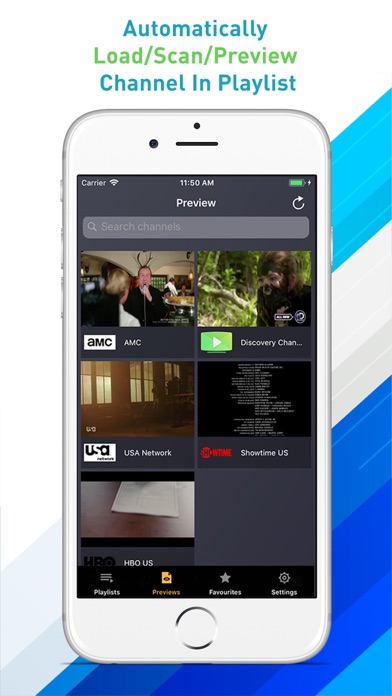
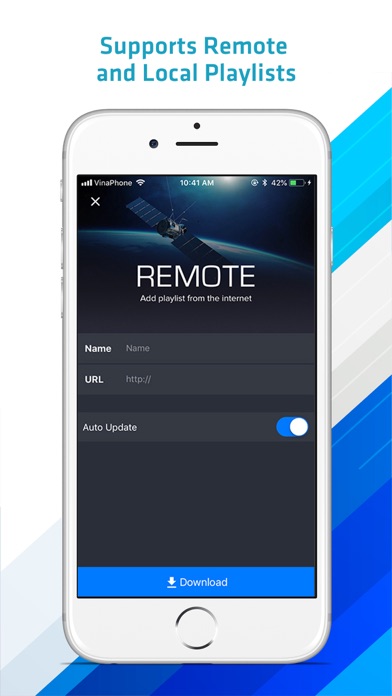
IPTV Player Pro is a smart IPTV client for your smartphone. Features: - Load local and remote m3u,xspf,jspf playlist on the Internet. - EXCLUSIVE FEATURE: Automatically scan, load and preview channel in playlist. - Cast any video to TV screen via AirPlay or ChromeCast. - Built-in high quality video engine. No need external player to work. - Create, edit, and share your playlist with friends. - Synchronized playlist channel with your account to use on multiple devices. - Built-in WiFi Transfer: sync video/playlist with your computer via web browser. - Built-in DVR. - Parental lock. - Stream to Samsung, LG, Roku or any TV with AirPlay enabled. *Note: This application does not contain any TV channel, please contact your IPTV provider for TV playlists. All pictures and logos are used for illustration purpose only. All rights belong to their respective owners.

ipaomtk.com
ipaomtk.com | Neon Aesthetic Video Effects IPA are the latest trend in video effects and have quickly become popular among video production enthusiast


Linerock Investments LTD
Get your photos to a new, awesome level. Add realistic effects and stylish filters in a tap. Join the ever-growing Photo Lab community of over 230 million fans: “Downloading that app was the best decision I have ever made on this phone. Get this app for hours of nonstop fun and editing!!” (WolverZorro) “I never write reviews, but I had to for this! This app is pretty amazing. It's easy to use. The quality is really great!” (Gelato) “This is totally awesome! I have a fan-page on Instagram and it works for edits! I love it sooo much and think everyone who likes to do edits should have it! It is definitely worth downloading!!!” (lovergurl) “I was going to write this earlier but I had to pause while I deleted all the other apps that only pretended to do what this does.” (Ahj60) Photo Lab contains over 1000 awesome effects for your photos including: * AI-driven art style transfer (over 100 styles); * background replacement, powered by AI figure segmentation; * makeover options (eyes or hair color change, makeup and more); * realistic photomontages; * stylish photo filters; * beautiful frames; * fun face montages; * holiday e-card templates; * creative artistic effects; * collages for multiple photos. You will love the neat interface and how easily effects are created. No need for adjusting: just choose an effect or a frame, then select a photo from Camera Roll (or take a new photo with your device’s camera), and ta-da!.. you get a unique photo montage or collage! The app also has a built-in photo editor with every basic tool you may need: crop, rotate, adjust colors, lighting, and sharpness, and even touch-up. What's more, you can easily combine effects with each other, creating your own effects and styles and sharing them with your friends. Photo Lab includes: - Photo montages with automatic face detection. Become an astronaut, a tiger, a or a nun with a single tap! - Photorealistic effects. Put your photo into an ancient book or on a screen of a virtual iPhone. - Photo-to-art effects. Turn your photo into a masterpiece. Choose your favorite technique and instantly imitate it: pen, pencil, or charcoal sketch, pastel or crayons drawing, watercolor or oil painting. - Awesome photo filters. Jigsaw puzzle, neon glow, fire, Matrix digital rain, HDR, fractal, and more. - Personalized greeting cards for every holiday. Make your own online photo cards to congratulate those you love on Birthday, Wedding, Christmas, Valentine’s Day, Easter, Halloween, Thanksgiving and St. Patrick’s Day. - Headwear. Try on a King's crown, Elf hat, St.Patrick's Day hat or the most popular Santa hat! Most of the effects let you add your own text onto the picture with text style tailored to each template. Finally, you can save your creation to Camera Roll, share it easily to Twitter, Facebook, Instagram or send it as a message (WhatsApp, Viber or WeChat) to your friends. =========================== Photo Lab VIP subscription options: =========================== $7.99 per week (with 3-day trial) $99.99 per year At the end of 3-day trial period an auto-renewable subscription will be activated at the price of $7.99 per week. Your Photo Lab VIP subscription will automatically renew 24-hours prior to the end of each term (week or year correspondingly) and your card will be charged through your iTunes account. You can turn off auto-renewal at any time in your iTunes account settings, but refunds will not be provided for any unused period of the term. An unused portion of free trial period will also be forfeited once any of the subscription options is purchased. Photo Lab Terms of Use: http://pho.to/terms/ Photo Lab Privacy Policy: http://pho.to/policy/


ADVA Soft GmbH
Your pocket app for removing unwanted stuff from photos on the go. It gives your photos a clean look while saving you valuable time. An accidental object, even though it may look tiny and harmless, can completely ruin the entire composition of a photo and make it worthless. However, it’s not a pain if you have your favorite TouchRetouch at hand. At ADVA Soft, we're always innovating. Our latest updates, including the Erase AI feature, the background eraser and changer, and features like Meshes and AI edge-aware object removal, were designed with your feedback in mind. ADVANTAGES: No quality and EXIF data loss Professional AI photo edits with ease NOTE: The automatic object removal algorithm works best on uniform backgrounds. WHAT MAGIC CAN YOU DO WITH TOUCHRETOUCH? Erase AI-Powered Object Removal: Automatically detect and remove background objects like street signs, trash cans, and stop lights with Erase AI Effortlessly remove wires, power lines, and other linear objects Eliminate foreground meshes for a cleaner background Remove background people and shadows Naturally erase pimples, acne, glare, tattoos, skin blemishes, and wrinkles Clean up travel photos Remove text from Instagram and Snapchat posts Restore old photos Background Removal & Replacement: Erase backgrounds and replace them with your own or stock photos Use the background editor to achieve a transparent background Blur backgrounds SINGLE-TOUCH AI RETOUCH The app works great for quick retouches. Make minor imperfections disappear just by marking them. It takes seconds for the app to remove small details that ruin your photos . If the task is to erase a line from your pic, mark only a section of the line or just tap it to remove it completely; no need to be precise — the app will find the line! In the manual retouch mode, all lines have control points, thus giving you more control and flexibility over adjusting curved segments. OBJECT REMOVAL LIKE MAGIC The app declutters your images in a matter of seconds . That could be people or other background details you may need to erase. Use automatic content removal with the Brush tool or, when the result is not that perfect, manual retouching with the Clone Stamp tool to repair a photo. AUTOMATIC MESH DETECTION AND REMOVAL If you think that "getting past the mesh netting" is quite a challenging task, you probably haven’t tried using TouchRetouch yet. The app offers a way to deal with the problem in two simple steps. Select the tool from the main menu and tap the Go button to have a mesh removed just like magic. The algorithm does the whole detection and selection work between these two steps; no action is required on your part. HELPFUL TUTORIALS Explore in-app tutorials to master TouchRetouch quickly. Little effort and experience are needed to become a pro in using TouchRetouch. The interface and layout are clear and intuitive enough to make you feel comfortable the very first time you use it. Download TouchRetouch now to harness photo magic from your pocket. TouchRetouch is brought to you by ADVA Soft — a team of like-minded professionals and enthusiastic innovators committed to designing intelligent yet simple apps that create magic in your photos and save you time. Visit our website at www.adva-soft.com to learn more about the company and the apps it develops. For any assistance with TouchRetouch, contact ADVA Soft Support at [email protected]. We welcome all your inquiries, comments, and suggestions about the app. Love TouchRetouch? Would you like to join our huge community of beta testers already involved in helping us make our products better? Let us know by sending your feedback to [email protected]. Terms of Use: https://www.apple.com/legal/internet-services/itunes/dev/stdeula/ Privacy Policy: https://adva-soft.com/privacy-policy-tr.html
BrainCake Inc.
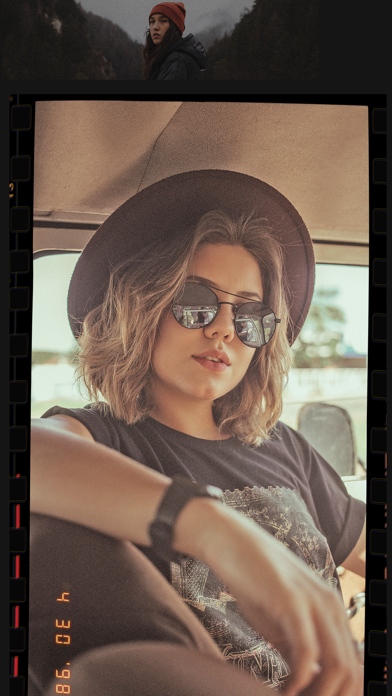
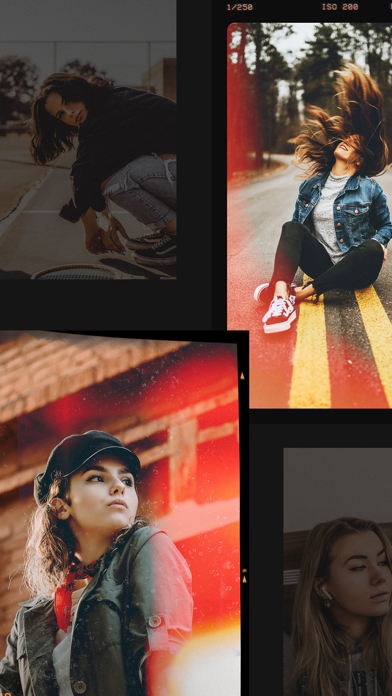
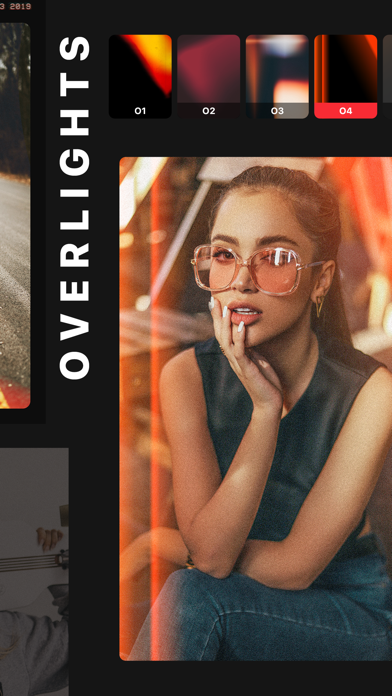
You’ve seen them all over social media - faux film photos with random light leaks, and a grainy vintage look. If you want give your photos that authentic retro effect, all you have to do is download Retrocam. With Retrocam, you can imitate analog photography of the 80’s effortlessly. Load your photo into the app, choose a filter, apply light leaks, scratches or dust textures and you’re done! With Retrocam’s vintage filters are carefully crafted to recreate the retro feel in the most realistic manner and will make even the most mundane photo will look artistic and well-composed. Reproduce the style of classic cameras and vintage film by tinkering with highlights, shadows, tints, fade, saturation, and vignette, coupled with light leaks for a retro feel. Retrocam is designed to do what only film can do in just a few taps. Simple, but powerful. Easily convert your photos into masterpieces and share them on social media. Download Retrocam now and bring the artistic flair of film to your pictures. We currently offer one auto-renewing subscription option: Retrocam Pro : 3 days of free trial followed by $19.99 per year. By subscribing you get access to the Glitch tool and unlock all the light leaks, textures and filters. Users who are not subscribed will get only 10 elements from each category. Payment will be charged to iTunes Account at confirmation of purchase. Your subscription will automatically renews unless auto-renew is turned off at least 24-hours before the end of the current period. Your account will be charged for renewal within 24-hours prior to the end of the current period. Subscriptions may be managed and auto-renewal may be turned off by going to the Account Settings after purchase. No cancellation of the current subscription is allowed during active subscription period. Any unused portion of a free trial period, if offered, will be forfeited when the user purchases a subscription to that publication, where applicable For Terms and Conditions and privacy terms, please check: http://retrocamapp.com/terms.html http://retrocamapp.com/privacy.html


Andor Communications Private Limited
StoryZ Photo motion : Create visual stories from still images. Make your pictures move and come to life. Create animated Double Exposure Effect with combination of static imagery and overlay video. Storyz is a unique app to create and share photo motion art. Bring your photographs to life with user-friendly and simple tools. A Photo animation suite equally suitable for beginners as well as experts. Be a part of a leading photography community and get a chance to gain inspiration from other artists. Storyz offers: Text to Video AI: Experience AI-automated, instant video generation from text inputs featuring a motion-rich scene and subject. Image to Video AI: Elevate your still imagery with dynamic animations! Upload a static image and enter a text prompt for the AI to create precise motion. Sketch to Image AI: Evolve your rough sketches into AI-generated images. Upload sketches or draw on canvas to make them come to life flawlessly. Image to Image AI: Transition an existing image into a new composition. Guide through text, allowing the AI to craft the desired, fresh image. Text to Image AI: Translate your imagined image, PNG stickers, or art ideas into digital existence using simple textual descriptions. Ripple: Make your pictures move and come to life and make amazing digital arts! Using StoryZ app tools make still images into animated visuals using motion effect on pictures. Ripple can animate still images to create amazing animated photographs or digital arts. Convert a still picture to amazing video by adding direction pointers. Motion: Blend still images with video to get amazing animation effects. Create your video stories blending overlay video on still image. You can make an Animated Video from out of a still image and merging a video. It can turn your photo into animated GIF and Animated Double Exposure. Merge still image with video overlay to create amazing cinemagraphs. Merge photo with overlay video, video motion to create amazing visual effects like cinemagraph, double exposed gifs or magical moving portraits. Events: One of a kind event corner offers weekly challenges to keep you on your feet. Seek recognition in the StoryZ community! Featured: Selected entry is featured daily on the home page. Bring out the hidden artist! High Definition: Create, save and share videos up to 4K resolution. Drafts: Save multiple drafts in Ripple for future use. Music: Set your animation apart by adding music of your choice. Video Overlay Effects: Video overlay effects on multiple layers of videos are supported. Create Cinemagraph using Video Motion effect and apply overlay effects. Choose amazing video effects and overlay video from the Asset Store. Apply stunning video overlay effects and filters in motion and stills.. STORYZ PREMIUM SUBSCRIPTION : - You can subscribe StoryZ premium subscription for unlimited access to all features within StoryZ app. - Subscriptions are billed weekly, monthly & annually at the rate selected depending on the subscription plan. - Subscriptions auto-renew at the cost of the chosen package, unless cancelled 24-hours in advance prior to the end of the current period. - The subscription fee is charged to your iTunes account at confirmation of purchase. - You may manage your subscription and turn off auto-renewal by going to your Account Settings after purchase. - As Per Apple policy, no cancellation of the current subscription is allowed during active subscription period. - Once purchased, refunds will not be provided for any unused portion of the term. - Any unused portion of a free trial period, if offered, will be forfeited when the user purchases a subscription to that publication, where applicable. - Terms of use: https://www.storyzapp.com/terms_and_condition.html - Privacy policy: https://www.storyzapp.com/privacy_policy.html
立亚 林
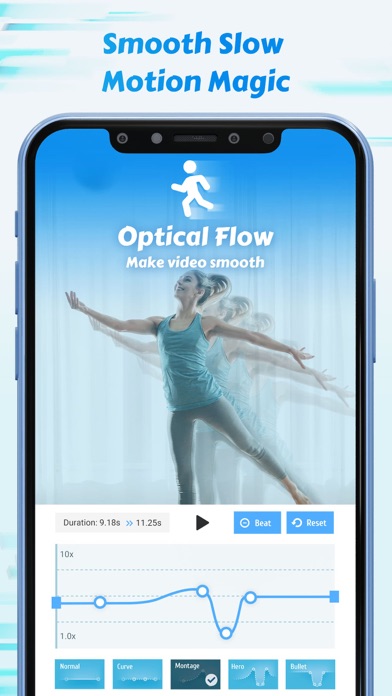
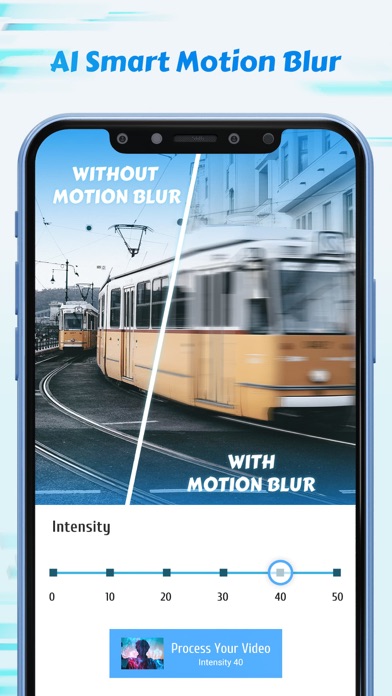
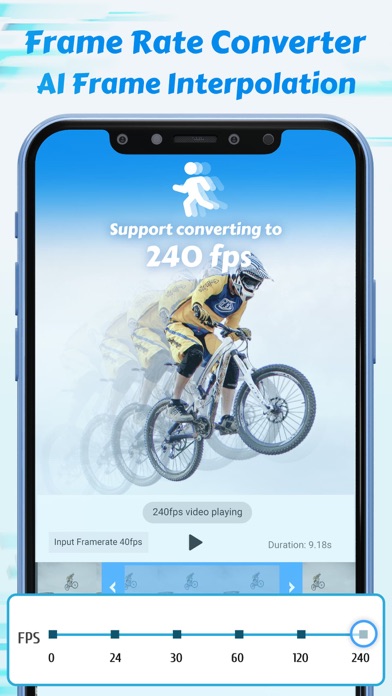
Make smooth slow motion video with deep-learning frame interpolation model. Add motion blur to make rsmb effect or simply make videos smoother. Use AI-driven quality enhancer to enhance the quality of both pictures and videos. Using advanced image processing algorithm, Time Cut is a powerful and professional video editor that is dedicated to change the frame rate or the speed of a video. Unique de-duplication technique for ultimate smooth slomo video. We also offer a wide range of carefully designed slowmo effects that make fast and easy velocity edits. #Smooth Slow Motion Including three frame interpolation approaches - Optical Flow, RIFE deep-learning model, frame blending, our video speed adjustment feature allows you to make any flexible velocity edits to your video, including customized speed curve and a variety of common speed change presets. For example, you can speed it up and then slow it down, and the video will always stay smooth even after being slowed down like trending tiktok velomingo edits. #Motion Blur and More Lens Blur FX Two modes of motion blur to make rsmb/vsmb edits, and many more other blur option like BCC lens blur and directional blur etc. #Frame Rate Converter Convert videos to any frame rate you need. In addition to increasing the frame rate of normal videos to 60/120/240 fps, it can also convert high frame rate videos into cinematic 24fps videos and the most commonly used 30fps videos of smaller size to share. #Quality Enhancer Wanna good-quality video to take the edits to the next level? We offer AI-driven quality enhancer to enhance the quality of both pictures and videos. #Highlight Moments and More Fx There're all kinds of slow motion effects available in our app to help you make the most creative and stunning edits in an easy way regardless of your editing skills. Trending high quality coloring preset (unsharp masking) to help your videos look super professional. Download Time Cut and play with time! ---------------------------------------------- Subscription option: $1.99 per week, $5.99 per year, $7.99 for forever VIP. Subscribe for unlimited access to all features and content offered for purchase within the app. Payment will be charged to iTunes Account at confirmation of purchase. Subscription automatically renews unless auto-renew is turned off at least 24-hours before the end of the current period. Account will be charged for renewal within 24-hours prior to the end of the current period, and identify the cost of the renewal. Subscriptions may be managed by the user and auto-renewal may be turned off by going to the user's Account Settings after purchase. Any unused portion of a free trial period, if offered, will be forfeited when the user purchases a subscription to that publication, where applicable. Pricing in other countries may vary and actual charges may be converted to your local currency depending on the country of residence. Privacy policy: https://www.floatcamellia.com/privacy.html Terms of use: https://www.floatcamellia.com/agreement.html
Francis Bonnin
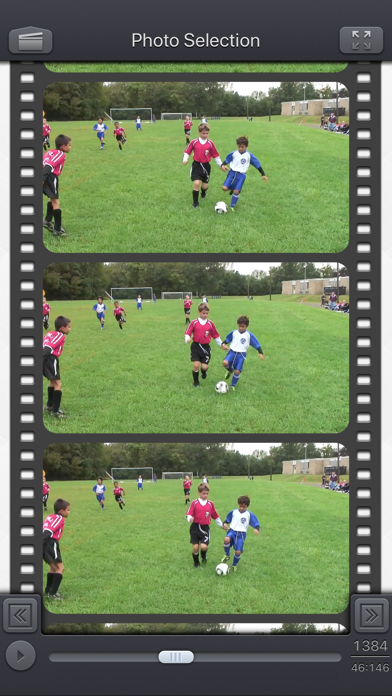
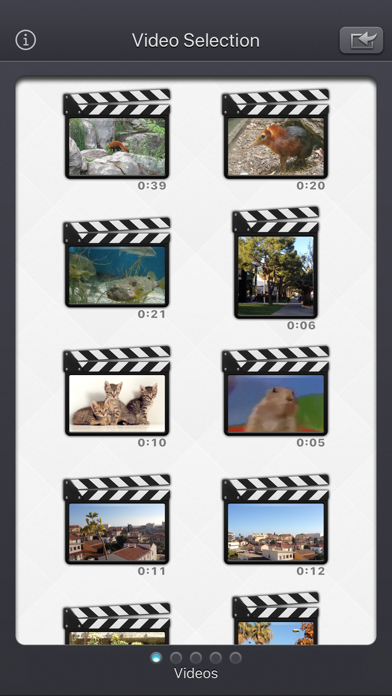
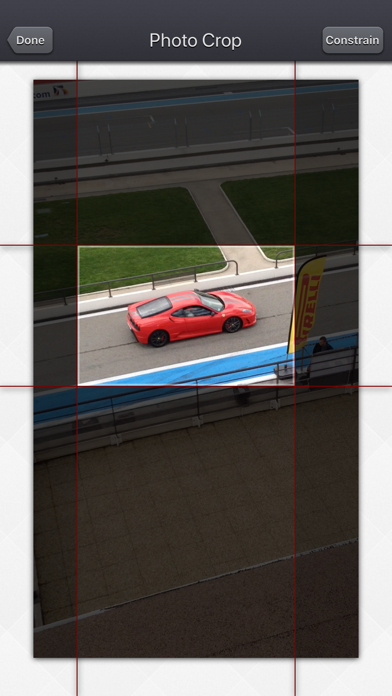
Video 2 Photo - HD allows you to export one or more high quality photos from your videos (and Live Photos / Bursts) in a quick, fun and original way. Why would you do that? • Sometimes you hesitate between taking a photo or a video. Take a video! thanks to 'Video 2 Photo' you can now extract from your video as many images as you like! • Taking 'The' good picture of an object, animal or person that moves is almost impossible. With 'Video 2 Photo' this becomes feasible. • You have inadvertently recorded a video when you wanted to take a picture. With 'Video 2 Photo' you can finally recover photos from this video. • Taking a picture of yourself is always difficult. With 'Video 2 Photo' you can choose exactly the right image that suits you best. • You need a precise tool to export multiple consecutive photos and use them with another application. • Choose a representative picture of your best videos and put it as wallpaper or print it in order to have it always with you. • Have fun watching your favorite movies frame by frame and find the little detail that you had never seen before. The Input video can be imported from your device in several ways. The modified version (if there is one) or the original version of the video are both available. The camera can be used directly to record a video if needed. You can also connect your device to your computer in order to drag and drop specific videos (Files feature). An animated and original interface allows you to precisely select a picture from all the ones contained in the video. It is also possible to view the video (possibly in full screen) and to directly target a specific time. Once the image is selected, you will be able to view it (possibly in full screen), to eventually crop it (keeping the most interesting part of it) and to export it (to PNG, JPEG or HEIC files) in different ways: • archive it in the camera roll of your iDevice • send it by email • retrieve it via iTunes file sharing (or the File app) • copy it (and thus paste it into other applications) • print it • open it directly in another application supporting image import. • and even send it as a tweet or to facebook ! HD Images exported using Video 2 Photo have the highest possible resolution and quality. Their resolution being the exact same one than the videos they are extracted from (a 1920 x 1080 video will produce 1920 x 1080 images) On newer devices, 4K video at 60 frames per second gives you great possibilities for beautiful photos! HDR video can also create HDR images that are colorful and vibrant when viewed in the Photo app, for example. An exclusive batch export feature allows you to export multiple images from a source video at the same time. If needed, some power user settings, located in the settings application, allows to change some parameters like the output file format (png/jpeg/heic), the associated meta-data, and some behaviors of the application. This application can run, on your iPhone and your iPad, as a standalone application, or as an Action Extension (from the compatible applications like the Photo app). Portrait and Landscape orientations are supported in all screens. Dark mode of iOS13 is supported. You will find the original and intuitive user interface, common to all our videos applications. These applications have been featured many times by Apple and various websites.

Hangzhou Xiaoying Innovation Technology Co., Ltd.
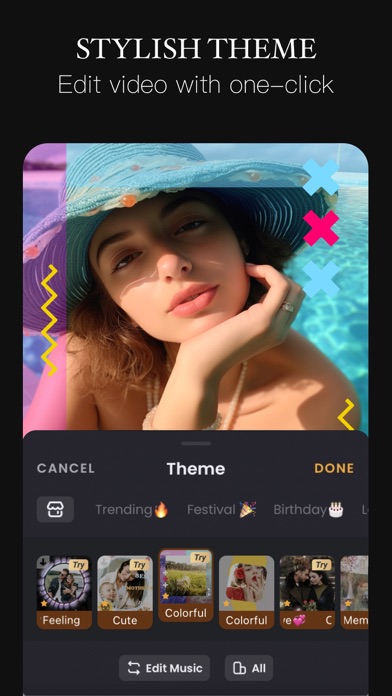
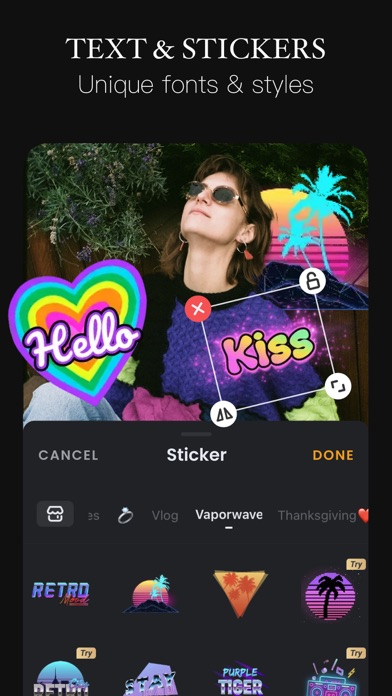
VivaVideo is your all-in-one AI-powered video editor & reels maker, featuring AI Video Generation, Text to Video, Image to Video, Reel Templates, Background Remover, and AI Auto Cut! Let VivaVideo turn your ideas into viral‑ready Reels, clips, and stunning videos – create content for TikTok, Instagram Reels, and YouTube Shorts and become the next social media star! [AI Video Editor & AI Features] - Generate Text‑to‑Video: turn prompts into shot‑to‑shot videos with scenes, motion, and music—powered by large multimodal, GPT‑style models (image 2–class). Great for avatar live shopping, product demos, and fast storyboard/shot lists. - Generate Image‑to‑Video: animate photos into cinematic clips—powered by leading image‑to‑video models (e.g., “image 2” and “banana 2”). Ideal for skincare/food reels, product spins, and promo intros. - Generate AI Templates for Reels: one‑tap trending edits for TikTok/Instagram Reels/YouTube Shorts with auto beat‑sync, captions, and aspect ratios. - Enhance with AI Enhancer (HD Restore): clean noise, sharpen details, and upscale low‑light or old footage—crisp results fast. - Add Auto Captions: accurate, editable subtitles with translation—on‑brand styles for Reels, Shorts, and TikTok. - AI Auto Cutout: instant background removal—swap scenes or create green‑screen effects without manual masking. - AI Color Match: one‑tap color balance across clips for a consistent, pro look. [Video Editing] - 0.1 - 10x video speed change. - Crop, merge and rotate the video area. - Add music, sound effects & voice-overs. - Keyframe editing. Add custom keyframe animations. - PIP: add multiple layers of video, photos, stickers, effects, text, etc. - Stylish filters, effects and smooth transitions. - Easily add photos to make cool-short music video slideshow. [Add Music] - Generate AI Music: turn your ideas into your own unique song. - Import music through iTunes, recording & videos. - Explore more music rhythm changes in 'Audio Separation' and 'Audio Variable Speed'. [Stickers & Texts] - Explore our endless library of editing materials, with fresh texts and stickers updated for every holiday and occasion. - GIF text styles and themed stickers to match any vibe or celebration. [Filters & Effects] - Professional video effects such as Glitch effect, Transition effects etc. - Add movie style video filters to video. - Amazing video editing effects: VHS effects, FX effects. Cool video editing app & PRO video editor with effects & filters. [Keyframe] - All tracks such as main track, picture-in-picture, etc., support keyframe transformation of screen drag, rotation, transparency and other operations. [Save & Share] - Support GIF export: popular effects and styles, come and have fun! - Support 4K Ultra HD saving. #VivaVideo Subscription: - You can subscribe for unlimited access to all features and content offered for purchase within VivaVideo. - Subscriptions are billed monthly or annually at the rate selected depending on the subscription plan. - Payments will be charged to iTunes Account at the point of purchase confirmation. Subscriptions automatically renew unless auto-renew is turned off at least 24-hours before the end of the current period. Your account will be charged for renewal within 24-hours prior to the end of the current period, and you will be charged according to your payment plan selection. Subscriptions may be managed by the user and auto-renewal may be turned off by going to the user's Account Settings after purchase. Any unused portion of a free trial period will be annulled when the user purchases a subscription to that publication. Terms of Service: https://rc.veresource.com/web/vivaVideo/TermsPrivacy.html Privacy: https://rc.veresource.com/web/h5template/9b808c1d-df92-4dea-8488-0bcb41c7aca7-language=en/dist/index.html Email: [email protected] Acknowledgements: FUGUE Music https://icons8.com/music/


俐 马
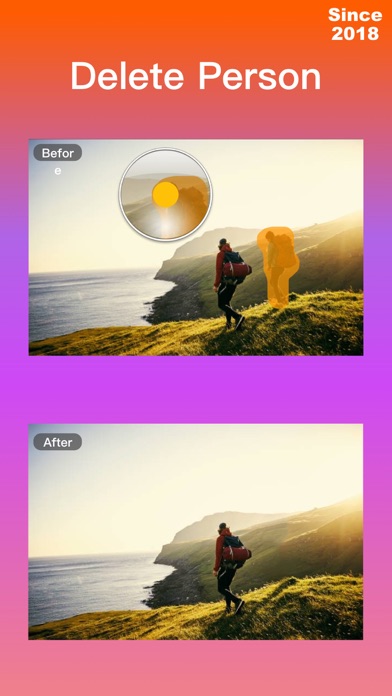
iRetouch, Edit videos and photos,Crop videos and photos. Clear debris and unwanted people,objects in the photo. - Remove passers-by and unwanted items from photos. - Repair photos and provide a variety of filters. - Provides various effects: Spotlight,Adjust Hue,Highlight,Gloom,Blur,Focus. - Provides various text labels, emoticons, and stickers. - Edit video, crop, cut, erase unwanted parts. - Add stickers, emoticons, and text to videos. 【In-App Purchase】: Permanent professional version: - One-time purchase, valid forever, can be resumed at any time. Annual professional version: - Annual auto-renewable subscription,automatic renewal upon expiration. - After the purchase of the subscription item is confirmed, the subscription fee will be credited to your iTunes account. The subscription will automatically renew unless the automatic renewal feature is turned off at least 24 hours before the end of the current time period. The account will be charged for renewal within 24 hours before the end of the current period.Subscriptions may be managed by the user and auto-renewal may be turned off by going to the user's Account Settings after purchase. Privacy Policy:https://ivideorecorder.web.app/privacypolicy.html Terms of Use:https://ivideorecorder.web.app/terms.html Contact us: [email protected]
Pixl Concerto Technology Limited
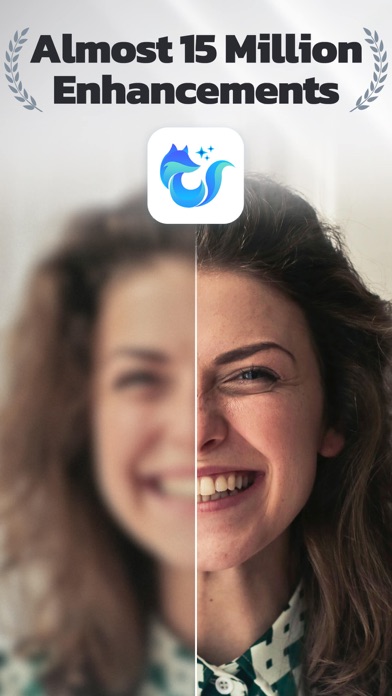
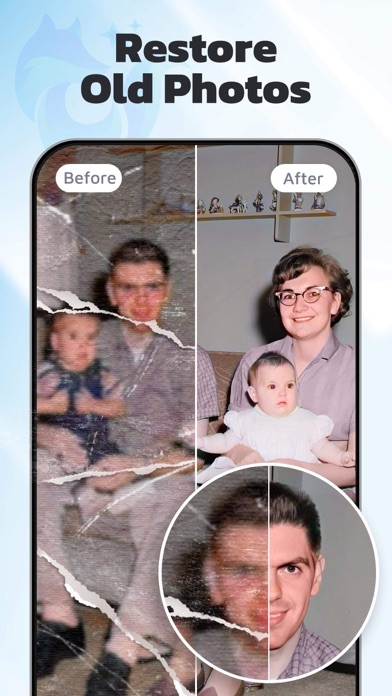
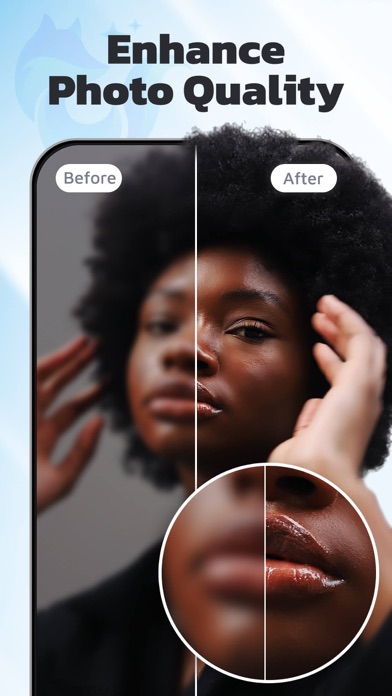
Repair your pixelated, blurred or damaged photos or videos and make your memories no longer blurred! EnhanceFox is the best real-time photo enhancement application to clear picture that is blurry and enhance to high resolution. We take full advantage of advanced AI generation technology to help you easily repair blurred photos to make them clear. In addition, EnhanceFox is also an AI-powered colorizer, which can colorize your black and white photos to make them look better. Last but not least, EnhanceFox is a video enhancer to better quality that can enhance and fix blurry video to HD. Download and enjoy the convenience of cutting-edge AI technology for your life! Amazing features: • Repair blurred photos to improve photo clarity and make portrait photos better. • Deblur your photos with AI smart deblur modes. • Enhance video quality to better resolution. • Convert FPS: You can make your videos smoother. • Enhance photo that turns photos into cartoon effect. • AI photo smoother that improving the smoothness of photo. • Restore realistic colors for your black and white photo • Descratch photos, remove scratches from photos. • Animate photos, add eye and mouth movements to make photos talk or sing. Animate face with interesting action. Come and make your face animation. • The best face animator to animate faces, create amazing talking pictures! • AI photo editor for portraits and photo retouching to give you a flawless face • Retouch selfies in one tap to remove blemishes and smooth out skins • One-click to color photos, add filters and automatically correct photos • Enhance old photos in memory to HD • Enhance photos taken with your old camera or mobile phone to make them the same as taken by the latest camera or mobile phone • AI recognition to blur the background, highlight the high-definition image of the character • Rescue compressed, damaged or yellowed old photos • Animate old photos free with algorithms of AI (Artificial Intelligence). • Retouch photo by marking any unwanted content and have it removed from photos with one touch • Video restoration to remini video and make video clearer Not only make photos clearer, but we have also added a new function-video enhancer. You can select a blurry or low-resolution portrait or internet video, and we can enhance video resolution to better quality. EnhanceFox is not only an AI photo enhancer but also an AI video enhancer. • Support photo scanning to convert your photos into digital photos for free. • Storing the scanned photos in the album. Then you can Enhance photos, Colorize B&W photos and Animate photos. Want to get rsmb and time cut’s motion blur and slow motion effect? Come to try our new feature: Convert FPS! By using Optical flow method to convert velocity, you can also make your video smoother! Subscription option: $4.99 per month, $18.99 per half-year, $22.99 per year. Subscribe for unlimited access to all features and content offered for purchase within the app. Payment will be charged to iTunes Account at confirmation of purchase. Subscription automatically renews unless auto-renew is turned off at least 24-hours before the end of the current period. Account will be charged for renewal within 24-hours prior to the end of the current period, and identify the cost of the renewal. Subscriptions may be managed by the user and auto-renewal may be turned off by going to the user's Account Settings after purchase. Any unused portion of a free trial period, if offered, will be forfeited when the user purchases a subscription to that publication, where applicable. Pricing in other countries may vary and actual charges may be converted to your local currency depending on the country of residence. Privacy Policy: https://www.risingcabbage.com/privacy.html Terms of Use: https://www.risingcabbage.com/agreement.html If you need our help with any questions, please send us an email at [email protected]. We will contact you as soon as possible.

ipaomtk.com
ipaomtk.com | Play Diary IPA is a Stream-changing app for iOS users who are passionate about HD movies and series. This innovative application h
Hangzhou Xiaoying Innovation Technology Co., Ltd.
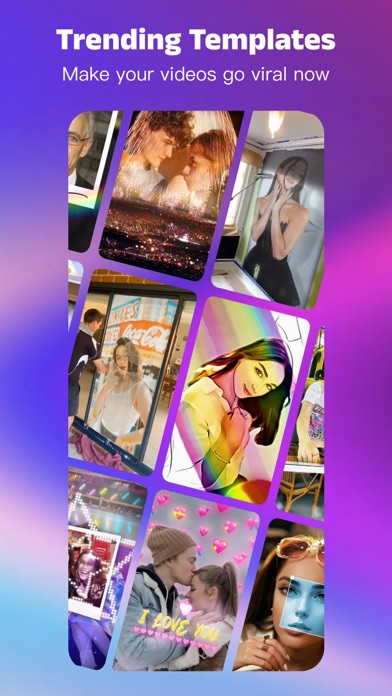
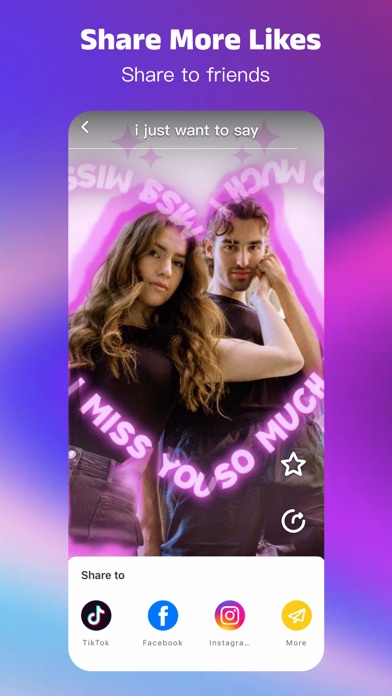
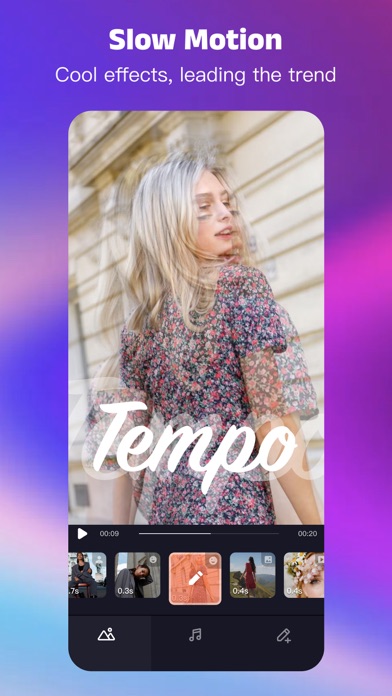
Tempo is the free music video editor with effects, also the best video maker app with songs. As a free music video maker, Tempo has a lot of popular themes/special subtitles available for editing, and a wide variety of music to choose from. For social media bloggers, use Tempo to make cool videos to share on YouTube Shorts, TikTok, Instagram to let more followers see your videos. With Tempo, you can easily add music to videos, edit videos with music and pic, make lyrical videos with song. Download Tempo APP to create and edit videos with music and photo for Instagram! 1. Special Features • Hundreds of high-quality filters to meet users’ different requirements; • Special transition effects make your video unique; • Multiple shots supported, and switch filters freely as you wish; • Stylish face stickers; • Wide Screen mode; • Share your creative photos/videos on Facebook, Youtube Shorts, Instagram 2. Music Video Maker and Effects Tempo offers the best editing tools for you to quick cut/trim/crop/merge/reverse/rotate video clips and add music easily, or make video from pics and songs. Tempo offers lots of free music to make your video fun and popular. In addition, You can cut video in parts, merge images from your gallery. Best music video editor with effects: edit video with music & pic for Instagram! 3. Video Editing App Tempo offers short video editing tools to satisfy your extra needs, you can import your videos & clips, so the video can perfectly match with the background music. And there’re variety of text styles and fonts for you to choose from in this video maker. 4. AI Art Generator AI technology in Tempo will quickly generate digital works of art in seconds. Tempo provides a wide range of art style themes for you to choose from, taking you to enjoy a tour of the ACG world! 5. Add Music to Video Tempo is also a photo video maker with varieties of background music, so you can always find the one that fits your need when making a photo video. You can also add music to video, combine videos with music, edit videos with music and photos. 6. Save Video Tempo provides 720P/1080P HD export with no quality loss. This easy-to-use clip maker helps you make videos from pics and songs within a few steps, turn your photos & video clips into cool videos with music and transitions! 7. Share Video Easily edit video with music and share them to Facebook, YouTube Shorts, Instagram! # Tempo PRO We will release a new filter/effect/face sticker every week. With a Tempo PRO membership, you can use them all unlimitedly. Meanwhile, we will provide membership-only functions. # ABOUT SUBSCRIPTION Subscription service conditions: - You can subscribe for unlimited access to all features and content offered for purchase within Tempo. - Subscriptions are billed monthly or annually at the rate selected depending on the subscription plan. - Payment will be charged to your iTunes Account at confirmation of purchase. - Your subscription automatically renews unless auto-renew is turned off at least 24-hours before the end of the current period. - Your account will be charged for renewal within 24-hours prior to the end of the current period . - You can manage your subscription and switch off the auto-renewal by accessing your Account Settings after purchase . - You cannot cancel the current subscription during the active subscription period. - Any unused portion of a free trial period, if offered, will be forfeited if you purchase a subscription to that publication. - All personal data is handled under the terms and conditions of Tempo’s privacy policy. More details can be found here: Term of Use: http://tempo-rc.vdresource.com/web/h5template/90d9236d-3d05-4d01-9586-82fe4c5e64b3-language=en/dist/index.html Privacy Policy: http://tempo-rc.vdresource.com/web/h5template/b79b207a-718e-4b70-9a82-09c89e982c10-language=en/dist/index.html

sagarkothari88
The build which was also submitted to the Apple for TestFlight review

Yattee
Alternative YouTube frontent for iOS, tvOS and macOS built with Invidious and Piped. Features: - Native user interface built with SwiftUI - Multiple i

Majd Alfhaily
Cercube not only gives you the features that are missing from YouTube, but it also gives you full control over the app.
Stei App, ltda
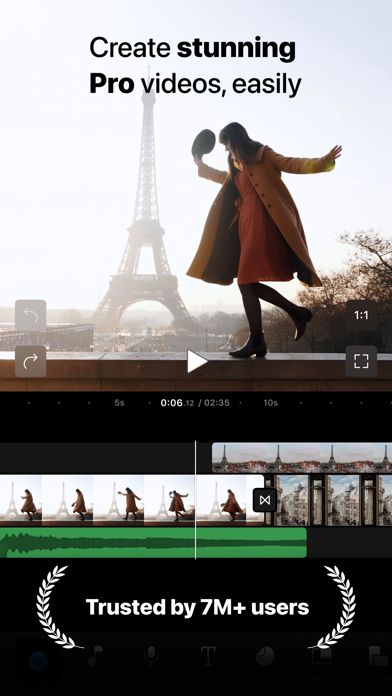
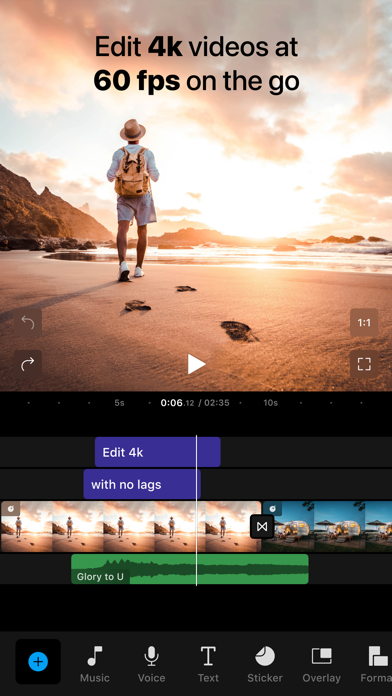
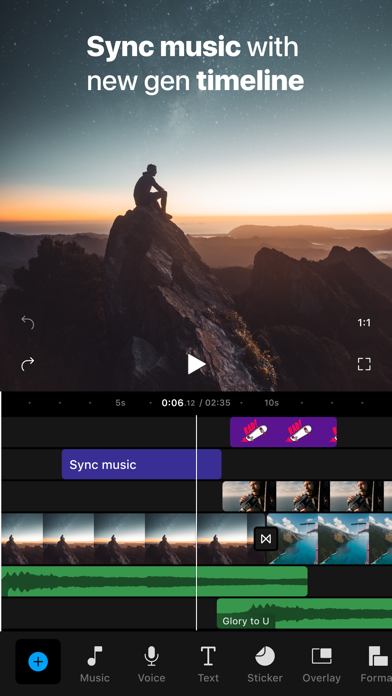
UNLOCK THE AWESOME POWER OF VIDEO 7M+ users from 100+ countries trust Filmr for their video creation needs. With Filmr, you can create high-quality, aesthetic videos that engage better, deliver more leads and save time. You don’t need any experience in video editing to use Filmr’s super intuitive interface. Use your phone to create ads, social posts, reels, stop motions, slideshows, and tutorials like a pro. ONE APP TO SHOOT, EDIT & SHARE SHOOT: Never miss the right moment to shoot your clips. - Shoot anywhere with the 4K 60 fps camera inbuilt with our video editor. - Shoot with front & back camera simultaneously (iPhone XR and above and iPad Pro; iOS 13 and above) - Augmented reality to play with fun characters (iPhone XR and above and iPad Pro; iOS 13 and above) - A video editor that allows you to make a boomerang & shoot in slow or fast motion EDIT: Simply add & trim all your clips, add your favourite music or choose one from our vast music library, add some text, and level up with effects, transitions, overlays and much more! - Easily import, crop, resize, scale & trim all your clips in the app - Speed up or slow down your clips using our video editor - Add music for every mood from our vast music library, or add your own voiceover or music - Add text, choose from 150+ stickers and filters inside our video editing app - Level up with animations, cinematic transitions and a lot more features in our video editor SHARE: share across all social media platforms from one place. - Export in different resolutions and frame speeds from our video editor - Share directly to Instagram, TikTok, YouTube, Facebook, WhatsApp from the editing app - Go viral and never miss a trend by sharing at the right time from our video editing app TRY IT FOR FREE! SUBSCRIBE FOR MORE… Enjoy a free trial on your Yearly PRO Membership. Get Pro subscription to remove watermark and get access to premium filters, animations, music, advanced colour grading and more on our video editing app. Once the trial is over, you’ll be charged a fee for the subscription you choose. Weekly and yearly plans are available on our video editor - choose what works best for you. Your PRO membership will automatically renew unless auto-renew is turned off at least 24 hours before the end of the current period. You can go to your Settings > iTunes Account & App Store > Apple ID > Subscriptions to manage your membership on the video editor and turn auto-renew off. Your iTunes Account will be charged when the purchase is confirmed on our video editor. QUERIES & SUPPORT: [email protected] Terms of Use: https://invideo.io/terms-and-conditions/ Privacy Policy: https://invideo.io/privacy-policy/ Please contact us if you have any issues, queries or suggestions.


Grailr LLC
CARROT Weather is a crazy-powerful (and privacy-conscious) weather app that delivers hilariously twisted forecasts. ** Winner of Apple's App of the Year, Apple Design Award, and App Store Editors' Choice. Featured by The New York Times, Good Morning America, CNN, Wired, & more! ** Overflowing With Personality Choose one of five personalities for CARROT, from the straitlaced “professional” to the profanity-laden “overkill.” You’ll actually be looking forward to a torrential downpour just to see what your weather robot has in store for you! Accurate & Detailed CARROT’s super accurate weather data gives you lightning-quick access to your current, hourly, and daily forecasts. And the easy-to-read details screens are just dripping with with meteorological goodness. Privacy First Your personal information, including your location data, will never be sold to third parties. More Than A Weather App Complete activities to strengthen your relationship with the homicidal A.I. Follow clues to track down 150+ secret locations. Unlock 80+ achievements. Film your own TV-news-style weather report videos. Or use Augmented Reality Mode to bring CARROT right into your living room. Join Premium Club to unlock: - More weather data sources, including The Weather Channel, AccuWeather, and Apple Weather - Notifications, including precipitation, weather alerts, and lightning strikes (where available) - Lock & Home Screen widgets - Live Activities - Apple Watch complications and background updates - Weather maps with next-hour radar, individual radar stations, and many different layers (where available) - Customization of the entire user interface - CarPlay app - And so much more! Don’t make CARROT angry. Download her now! --- CARROT Weather uses auto-renewing subscriptions. Premium provides additional features like weather data sources, notifications, customization, widgets, and Apple Watch complications. Premium Ultra includes all the features of Premium, plus rain, lightning, and storm cell notifications (where available), a CarPlay app, super-res radar, a weather maps widget, multi-model forecasts, and quick data source switching. Premium Family includes all the features of Premium Ultra, with the added benefit of being shareable with up to five family members via Apple’s Family Sharing service. Payment will be charged to your Apple ID account at the confirmation of purchase. The subscription automatically renews unless it is canceled at least 24 hours before the end of the current period. Your account will be charged for renewal within 24 hours prior to the end of the current period. You can manage and cancel your subscriptions by going to your App Store account settings after purchase. Cancellation of the current active subscription period is not allowed. Terms of Use: http://support.meetcarrot.com/weather/terms.html Privacy Policy: http://support.meetcarrot.com/weather/privacypolicy.html

Karbin-Store

Adobe Inc.
Adobe Premiere mobile brings you effortless video editing with total control. Meet the fast, free, and focused AI video editor that's powerful enough for any idea, yet simple enough for anyone to use. Enjoy a video editor without ads or watermarks for quick and seamless content creation. Get unmatched speed on a precise multi-track timeline, and studio-quality audio with crystal clear voice recordings. Create stand out video edits to share on TikTok, YouTube Shorts, Instagram Reels, and Facebook, and level up your content with AI video editing tools. Kickstart your project with images, sound effects, stickers, and videos from Adobe’s massive library of free creative assets, or create your own with our AI video generator. Get inspired with exclusive templates for YouTube Shorts, record voiceovers, and speed up your editing with auto captions. Capture the moment and create trends with the Adobe Premiere all-in-one video editor. ADOBE PREMIERE VIDEO EDITOR FEATURES: LIGHTNING-FAST VIDEO EDITING TIMELINE • Frame-Accurate Edits: Trim, split, crop, or merge clips in seconds. • Auto Captions: Generate captions instantly with AI speech-to-text. • Smooth Speed Effects: speed up, slow down, reverse or freeze key moments. • Unique Color Presets: Apply Lightroom presets and fine tune to fit your aesthetic. • Instant AI Background Removal: Cut out subjects in a tap. Create overlays and title effects. EDIT VIDEOS WITH PRECISION CONTROL • Video Editor with Unlimited Tracks: Overlay clips and organize your timeline with no limits to your creativity. • Post to Any Platform: Resize videos to fit any aspect ratio and share anywhere easily. • Advanced Clip Controls: Flip, fit, fill, or extract audio from video clips. • Keyframes: Animate elements with total control. • Video Effects & Transitions: edit videos with trending effects like glitch, blur, wipe and more. GENERATIVE AI VIDEO EDITING TOOLS • Text to Image AI Video Generator: Generate videos and images using Firefly AI and top third-party AI models from Google, ChatGPT, and more. • AI Background Expansion: Extend, enhance, or replace backgrounds instantly. • AI Enhance Speech: Create studio quality voiceovers with AI. • Generate Sound Effects: Use your voice to create unique sounds. EXPLORE VIDEO TEMPLATES • Get going with quality images, sounds, and videos from the Adobe library. • Exclusive YouTube Shorts Templates: Get inspired with our library of free video templates to create the perfect post. • Video Filters: add cinematic film filters or adjust video brightness, contrast, and more to match your aesthetic. • Edit Videos with Music: Select from free and royalty free tracks. • Fonts for Any Style: Match your creative vision with free Adobe Fonts. SPEED AND PERFORMANCE • Get a video editor built natively on iOS for fast and smooth video editing. • Import assets from your device or favorite cloud storage provider. • Focus on video editing without pop-up ads or watermarks. • Export videos in 4k for free. • Respects Creator Content Ownership: Adobe never trains on user content. FREE TO DOWNLOAD AND USE • Everything you need to edit videos is available for free. Only pay when you need Firefly generative AI credits. TERMS & CONDITIONS: Your use of this application is governed by the Adobe General Terms of Use http://www.adobe.com/go/terms_linkfree_en and the Adobe Privacy Policy http://www.adobe.com/go/privacy_policy_linkfree_en. Do not sell or share my personal information: www.adobe.com/go/ca-rights-linkfree

Video editor & maker app
Ereasy: Transform any photo with AI precision! From background removal and editing and object eraser to creative effects, blur tools, and instant sharing. Every feature is built to bring your photos to life and unleash your creativity! ◐ KEY FEATURES: * One-tap Background Remover Erase backgrounds instantly with advanced AI technology that delivers sharp edges and pixel-perfect precision in a single tap. Ereasy’s automatic remover cuts out subjects with unmatched accuracy, saving you time while keeping every detail intact. * AI Background Generator Create stunning backgrounds with our generative AI technology. Simply describe the image you want, and Ereasy will automatically generate a set of AI backgrounds tailored to your needs. * Instant Background Changer & 400+ Templates: Choose from solid colors, gradient blends, and over 400 creative backgrounds across multiple themes. Fresh seasonal and festive designs are added regularly. With one tap, watch your background transform and your subject blend naturally into a new, vibrant scene. * Smooth manual replacement Take control with Ereasy’s precision manual editing tools. Zoom in and out for pixel-level accuracy and use our touch-sensitive brush to easily erase or restore specific areas. Tackle complex patterns and edges effortlessly for a clean, professional finish. * Object & People Remover Remove unwanted objects from your photos with precision and speed. Whether it's a person in the background or imperfections like blemishes, our advanced object eraser makes them disappear as if they were never there. * Background & Photo Blur Create professional-looking photos by softening your background for a natural bokeh effect. Adjust the intensity of the blur to highlight your subject and add depth to portraits or objects. Use Manual Blur to selectively blur faces, hide sensitive data, or mask personal information such as credit card numbers or ID details. * Photo Enhancer Bring clarity to your low-quality or blurry photos in one tap. Ereasy’s AI engine automatically sharpens details, balances lighting, and restores definition to out-of-focus or low-light images. Turn old, pixelated, or dim pictures into crisp, high-resolution photos. * Add Text & Stickers Add personalized captions, quotes, or decorative elements to create stunning photo collages. Combine layers of text, stickers and photos to bring your ideas to life. Choose from multiple fonts, colors, and a wide range of fun, seasonal, and artistic stickers to make every creation unique. * PNG & JPG Converter Export your photos in multiple formats, including JPEG and PNG, each offering different resolution and quality options to match your needs. From lighter files for quick sharing to high-quality exports with transparency for professional results, every image is perfectly optimized for your device. ◐ Who is Ereasy for? For online sellers who want products that stand out. For creators building a strong personal brand. For social media pros who want more engagement. For anyone who loves clean, professional visuals. ◐ Why Choose Ereasy: AI-powered editing that saves you time and delivers pro results. One app for everything: background editing, object removal, blurs, text, stickers, and more. Creative freedom with custom backgrounds and design tools. Easy to use, no design skills needed, just tap and transform. High-quality exports ready for web, social, or e-commerce. Instant sharing to your favorite platforms in just one click. ◐ CONTACT: For app support and more information, reach out at: [email protected] Terms of Use: https://ereasy.app/terms-of-use Privacy Policy: https://ereasy.app/privacy-policy Download Ereasy and see how easy photo editing can be! Add fun or stylish backgrounds, remove distractions, blur faces, and create unique, share-worthy images!

Karbin-Store
ئەپلیکەیشنێک بۆ دەستکاریکردنی وێنە بە تایبەتمەندی بەهێزەوە کە بە زیرەکی دەستکرد پشتگیری دەکرێت

Karbin-Store

SerenaKit
This app is TrollStore-only. An OSLog UI for iOS & iPadOS devices, Antoine allows you to view System Logs in real time, with the ability to filter logs by process, message, type, etc, as well additional stream options Last updated: 09-19-2023 Status: ✅