
Photo & Video
Browse photo and video IPA listings for cameras, editors, recording tools, streaming apps, and creator workflows.

Float Tech, LLC
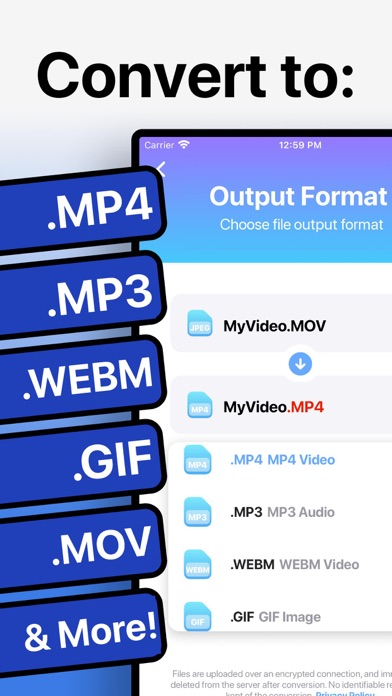
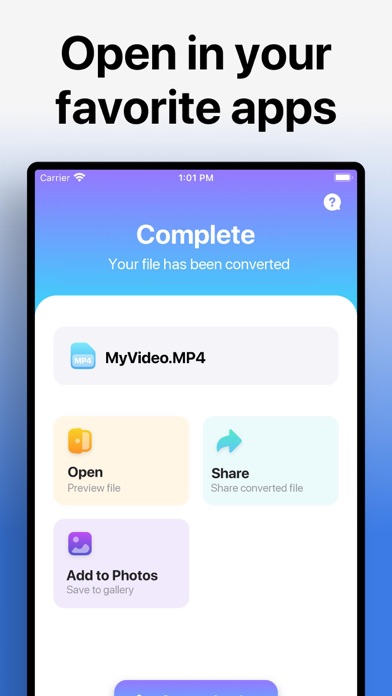
Quickly convert your videos to nearly any video or audio format! 1. Select your input file 2. Choose your output format ( MP4, MP3, AVI, M4A etc. ) 3. Convert! It will only take a few seconds. 4. Save your file, or open it in your favorite app! Here are the video and audio output formats you can choose from: MP4, MP3, WEBM, GIF, MOV, WMV, 3G2, AAC, AVI, FLAC, FLV, M4A, MKV, WAV, MPG You can convert from dozens of input formats, here are some of the most popular formats we support converting from: MOV, MP4, WEBM, M4A, AVI, TS, MTF, GIF, WMV, MP3, MKV MPG, 3GP and many more! Save, Share or View your converted videos in your favorite apps immediately. You can even browse your previously converted files with our in-app file browser. After conversion, you can immediately AirDrop your files right to your Mac or another device. Conversions usually take less than 15 seconds! Conversion is done on a secure cloud server, which makes conversion easier, faster and much more battery-friendly. You must have an internet connection to use this app. Files are immediately deleted from the server after conversion. While the files are immediately deleted after conversion or cancellation, you should be aware that by using this app, you agree that your files will be sent over to internet from the app to the conversion server. We've also recently added support for local conversions for many popular conversion types. These conversions don't require a server, and are usually done almost instantly! We are continuing to add support for more local conversions with each update. This app includes an optional auto-renewable subscription (Premium Pass): Premium Pass beings with a free trial period, then an auto-renewable monthly subscription when trial ends. Payment will be charged to your Apple account at confirmation of purchase and will automatically renew (at the duration/price selected) unless auto-renew is turned off at least 24 hrs before the end of the current period. Account will be charged for renewal within 24-hours prior to the end of the current period. Current subscription may not be cancelled during the active subscription period; however, you can manage your subscription and/or turn off auto-renewal by visiting your Apple Account Settings after purchase. Any unused portion of the free initial period will be forfeited when you purchase a subscription. Privacy Policy: https://float.support/the-video-converter/privacy Terms of Use: https://float.support/the-video-converter/terms

AnimeNow Team
Features: • Ad Free • No logins • Custom video playback • Airplay 2 Support • Picture in Picture playback support • Download & play episodes offline


Symaro, LLC
EveryCord (formerly iRec): Your All-in-One Screen Recording Solution Born as iRec during the early days of iOS 7, EveryCord has evolved into a comprehensive screen recording powerhouse. It’s not just about capturing what's on your screen; it's about redefining how you engage with digital moments, be they gaming sessions, calls, or fleeting Snapchats. Unparalleled Screen Recording: EveryCord makes screen recording on iOS devices seamless. Whether you're chronicling a detailed tutorial, capturing an unexpected moment on Snapchat, or documenting a video call, EveryCord ensures that every pixel is recorded in pristine clarity. Gaming Chronicles: Dive into your favorite games and let EveryCord handle the recording. Relive your epic gameplays, critical victories, and heart-wrenching defeats, all in high definition. Whether you're battling foes, constructing empires, or solving intricate puzzles, EveryCord is your silent scribe. Live Broadcasting: Amplify your voice and share real-time experiences with your audience. Livestream to platforms like YouTube and Twitch directly from your device, bridging the gap between you and your followers without missing a beat. Call Capturing: Never let important details from calls slip away. With EveryCord, you can record both audio and video calls, ensuring that every sentiment, instruction, or cherished memory is safely stored. Snapchat and Social Media: In the ever-ephemeral world of Snapchat, moments come and go in a blink. EveryCord grants you the ability to record these snippets, so they're yours to revisit whenever you wish. Emerging as a groundbreaking solution for iOS screen recording, EveryCord (previously iRec) has continually expanded its features to cater to a diverse set of needs. It's not just an app; it's a commitment to capturing moments as they unfold, in all their digital glory.

ipaomtk.com
ipaomtk.com | Rivot Box IPA modern day and age, the good life has been taken to mean a life of ease and comfort. That’s why Rivot Box APK, an innovati

ipaomtk.com
ipaomtk.com | Ciné Mate Movies & Cinema IPA is a delightful movie theater located in the heart of the city. It brings a fresh cinematic experience to

ipaomtk.com
ipaomtk.com | Popcorn IPA is one of the most beloved and popular snacks around the world. Whether it’s at the movie theater, Popcorn APK at home whi
Jajijujejo Inc.
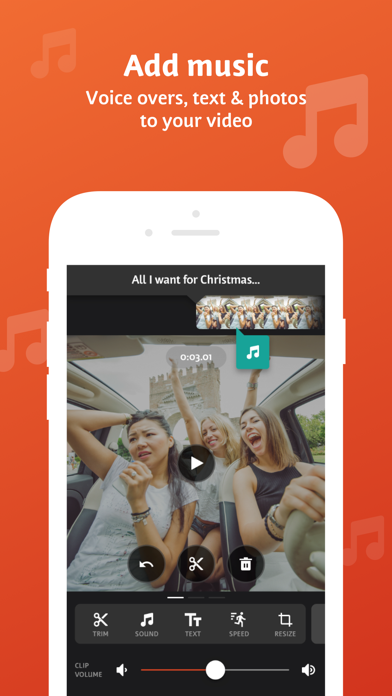
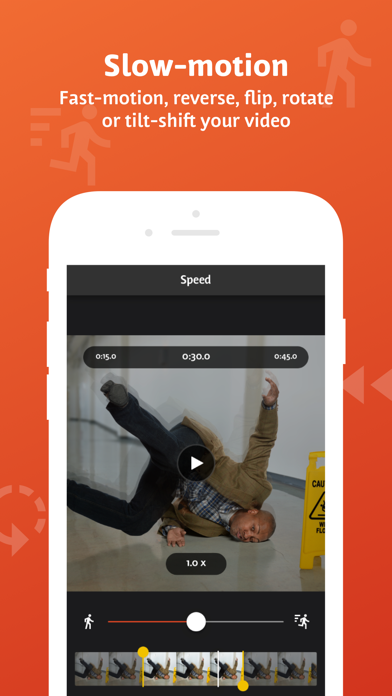
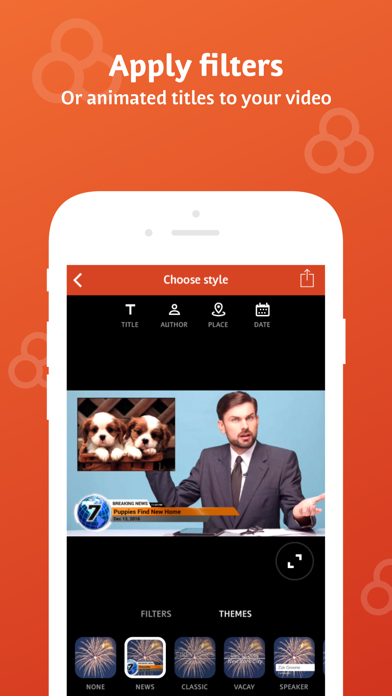
Videoshop is a FREE and easy video editor with fast editing tools, filters and many other effects for personalizing your videos. FEATURES 1. Trim: Cut out any unwanted moments. You can also split your videos into multiple clips. 2. Music: Add from your iPod library or Buy Clips from the Videomall. 3. Sound effects: Choose from audience noises, ambience, laughter, etc. 4. Slow motion (or fast motion): Adjust video or audio speed to slow or fast. 5. Adjust Display: Change Brightness, Contrast, Saturation, etc. 6. Merger: Combine multiple clips into one. 7. Text: Type your own text with color and various fonts. 8. Voice overs: Record your own voice over the video. 9. Animated titles: Introduce your videos with animated titles. 10. Filters: Select from several filters to enhance your videos. 11. Transitions: Choose from many transitions to animate between video clips. 12. Photos: Create slideshows easily. 13. Stop Motion: Create claymation videos with stop motion recording. 14. Resize: Rescale your video within the video frame. 15. Reverse: Playback videos in reverse. 16. Copy: Create duplicate video clips. 17. Tilt Shift: Add depth to your videos. 18. Rotate: Rotate your videos in 90 degree angles. 19. Undo: Undo any slippery editing mistakes. 20. Stickers: Pin stickers to your videos for added fun! 21. Impose: Add video over video for layered effect! Picture in picture! Pip! 22. Ken Burns: Add movement and focus to your photos and videos 23. Freeze: Screen capture any moment in the video 24. Distort: Apply illusionary effects to your video 25. Lip Sync: Sing and dub to your favorite songs. Lip sync for your life! 26. Flip: Flip and rotate your videos for legibility. 27. Share directly to Snapchat, Instagram, Facebook, YouTube, Vimeo, Dropbox, Whatsapp or by E-mail. 28. Snippets: Bite-sized video clips to expression emotions 29. Chroma: Green screen features and fun backgrounds for your selfies! Note: Videoshop is compatible with iPhone and iPad videos only. Using videos from other platforms may cause instability or crashes. Also, adding an enormous amount of content and effects may overwork your phone's processing power so be modest! Publishers and Business Development can reach us at [email protected] Marketing and Advertising can reach us at [email protected] Unlimited Access Subscription -You can subscribe for unlimited access to all features and content offered for purchase within Videoshop. -Subscriptions are billed monthly or annually at the rate selected depending on the subscription plan. Alternatively, a one time payment plan is available (this is not a subscription). -Payment will be charged to iTunes Account at confirmation of purchase. -Subscription automatically renews unless auto-renew is turned off at least 24-hours before the end of the current period -Account will be charged for renewal within 24-hours prior to the end of the current period, and cost depends on your chosen package. -Subscriptions may be managed by the user and auto-renewal may be turned off by going to the user's Account Settings after purchase. -Any unused portion of a free trial period, if offered, will be forfeited when the user purchases a subscription to that publication, where applicable -Terms of use: https://videoshop.net/terms-of-use -Privacy policy: https://videoshop.net/privacy-policy -Apple Terms: https://www.apple.com/legal/internet-services/itunes/dev/stdeula/

ipaomtk.com
ipaomtk.com | Private Photo Album Vault IPA is an innovative app designed to provide individuals with a secure way to store and share their digital pi
Lux Optics Incorporated
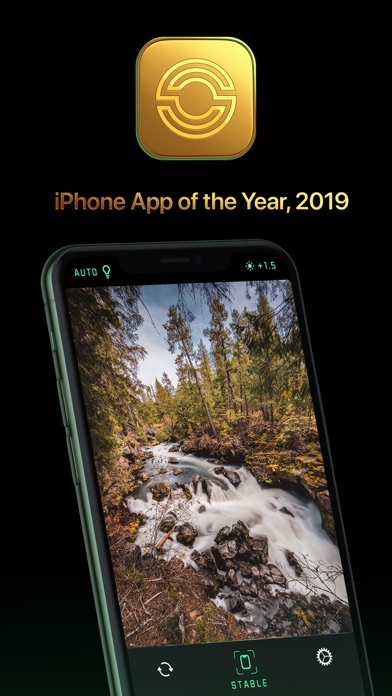
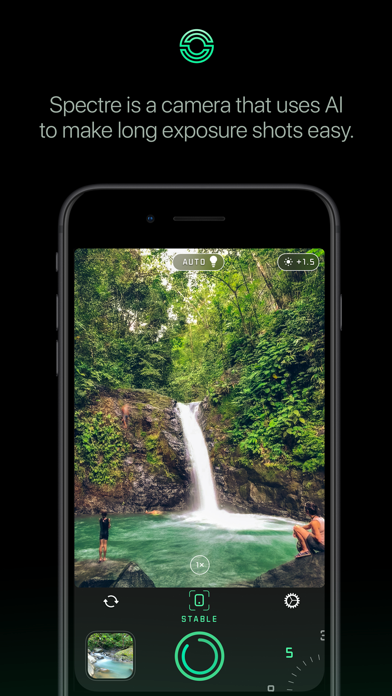
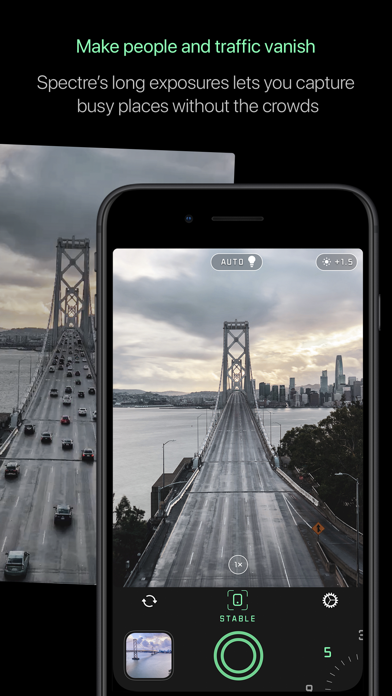
Apple iPhone App of the Year, 2019 Introducing Spectre, from the makers of Halide, one of the top camera apps in the App Store. Spectre uses AI to help you make amazing long exposure photographs. Spectre can remove crowds, turn city streets into rivers of light, make waterfalls look like paintings, and much more. Until now, it was difficult to take long exposures: from keeping the camera steady to guessing the amount of light you need. Spectre takes care of all of that! WHAT YOU CAN DO • MAKE CROWDS DISAPPEAR: Spectre helps take photos of crowded, touristy places. Simply set a medium or long duration and take a shot to erase the crowd from a location. Capture the those special moments like you remember them. • RIVERS OF LIGHT: At night, AI scene detection automatically switches modes to draw beautiful light trails, for stunning nighttime city photography or light painting. • GORGEOUS WATER: Capture waterfalls, ocean waves, fountains and more with beautiful ghostly water. LIVE PHOTOS AND VIDEO Spectre’s intelligent computational shutter takes hundreds of shots over the span of a few seconds, and saves them in an accompanying live photo. That means you can pick a different frame as your photo, apply live-photo effects, and even use the long exposure as a live-wallpaper! ENDLESS SMARTS Spectre is a packed with powerful technology from by the team that brought you Halide. From machine learning-based scene detection to computer vision aided image stabilization, Spectre is jammed full of impressive technologies to get the best possible image. DESIGNED FOR HUMANS Spectre is meticulously designed. Its dark UI is gentle on the eyes when you shoot at night. Gorgeous glowing highlights infuse it with a unique style. Custom typefaces and iconography combined with unique, smooth controls make it as tactile and delightful as an actual physical camera. Like its sister app Halide, the app is easily usable with one hand, even on the largest iPhones. HIGH-TECH SHOWCASE Build with the latest tech, Spectre isn't just a long exposure camera — it’s the cutting edge technology showcase of one of the App Store’s foremost camera apps, Halide. Here’s just a few of the latest technologies that we use in Spectre: - DCI-P3 Wide Color Pipeline - Live Photos - Metal Graphics Acceleration - Tripod Detection - Siri & Shortcuts - AI Stabilization - Machine Learning & CoreML - Computer Vision COMPATIBILITY: Spectre’s smart Automatic Scene Detection requires iOS 12. AI-based stabilization features are available on iPhone 6S and later.* For the best experience, we recommend iPhone 8 or later. On iPhone 6, Spectre captures in lower resolution. ABOUT US We’re Ben and Sebastiaan, two friends living in the San Francisco Bay Area that love building fantastic apps for photography. We hope you love Spectre! We’d love your feedback to make it even better or any reports of bugs you run into. You can always contact us directly via email: [email protected], on our Twitter: @halidecamera or Instagram: @halideapp Don’t forget to share your amazing results by tagging them with #SpectreShot so we can share them on our growing social media accounts!

Luma Touch LLC
LumaFusion: The Ultimate Storytelling Experience for Video Editing Welcome to the App Store’s “App of the Year” for 2021 and the recipient of the Editors’ Choice Award! The gold standard for storytellers worldwide. Offering a fluid, intuitive, touch-screen editing experience. PROFESSIONAL EDITING MADE EASY • Six video/audio or graphic tracks: Create multiple layer edits with smooth handling of 4K ProRes and HDR media. • Six Additional audio tracks: Build your soundscape. • The ultimate Timeline: Fluent editing using the world’s most flexible track-based AND magnetic timeline. • Loads of transitions: Keep your story moving. • External Monitor Preview: View on a big screen. • Markers, tags and notes: Stay organized. • Voiceover: Record VO while playing your movie. LAYERED EFFECTS AND COLOR CORRECTION • Green screen, luma, and chroma keys: For creative compositing. • Lock & Load Video Stabilizer: Steady your footage. • Powerful color correction: Create your own look. • Video Waveform, vector and histogram scopes. • LUTs: Import and apply multiple .cube or .3dl LUTs. • Unlimited keyframes: Animate effects with precision. • Customizable text and effect presets: Save and share your favorite animations and looks. • Grids and Guides: Precisely align elements with Title-Safe, Action-Safe and horizon line. ADVANCED AUDIO CONTROL • Graphic EQ, Parametric EQ and Voice Isolation: Fine-tune audio. • Keyframe audio levels, panning, and EQ: Craft seamless mixes. • Stereo and Dual-mono audio support: For interviews with multiple mics on one clip. • Audio Ducking: Balance your music and dialogue. • Third-party audio plugins: Enhance your sound. CREATIVE TITLES AND MULTILAYER TEXT • Multilayer titles: Combine shapes, images, and text into your graphic. • Customizable fonts, colors, borders, and shadows: Design eye-catching titles. • Import custom fonts: Strengthen your brand. • Save and share title presets: Perfect for collaboration. PROJECT FLEXIBILITY AND MEDIA LIBRARY • Aspect ratios for all uses: From widescreen cinema to social media. • Frame rates from 18fps to 240fps: Flexibility for any workflow. • Edit from Photos, Frame.io, and directly from USB-C drives: Access your content anywhere. • Import media from cloud storage: Wherever you store it. SHARE YOUR MASTERPIECES • Control resolution, quality, and format: • Share movies to social media, local storage or cloud storage. • Edit on multiple devices: Seamlessly transfer projects. ENHANCED FEATURES (purchase individually, or get them ALL as part of the Creator Pass subscription - see below) • Speed Ramping and Enhanced Keyframing - Create speed ramps, Bézier curves, and easing with this one-of-a-kind, easy to use feature. • XML Export: Send your project to Final Cut Pro for Mac • Multicam Studio: Synchronize 6 cameras or audio and tap to switch angles CREATOR PASS SUBSCRIPTION • Get full access to Storyblocks for LumaFusion: Millions of High-quality royalty-free music, SFX, and videos, PLUS get ALL the Enhanced Features above. EXCEPTIONAL FREE SUPPORT • Online tutorials: www.youtube.com/@LumaTouch • Reference Guide: luma-touch.com/lumafusion-reference-guide • Support: luma-touch.com/support


Le Giang Nam
Add a stunning cinematic effect to your videos with Blur Video. With our app's advanced blur technology, you can easily blur your videos without compromising on the quality. Whether you're looking to hide personal details, create a dreamy effect or just to add some artistic touch to your videos, our app's innovative features ensure that the blurring process is both effective and seamless. Blur Video enables you to conceal confidential data such as credit card details, addresses or documents within your videos, ensure vital information is shielded from prying eyes without compromising the overall content of your videos. Blur Video gives you the power to customize the blurring effect to match your creative style. Experiment with different intensity levels and explore various blur shapes to achieve your desired aesthetic. Let your imagination run wild, knowing that your privacy remains intact while your creative vision shines. Features: - Advanced blur technology that ensures a high-quality video output. - Automatically detect and blur background. - Track object and apply blurry effect. - Blur face like a PRO. - Provide unique blur effects to make the video more prominent. - Provide multiple shapes to blur videos. - Customizable blur level and focus area. - Effective and easy-to-use tools for creating stunning and cinematic videos. - Buil-in sharing functionality for easy sharing on social media. This is the perfect app for you to add a creative and artistic touch to your videos. With our app's advanced blur technology, easy-to-use features and user-friendly interface, you'll have all the tools you need to create stunning videos that capture the attention of your audience. Control your video privacy, from blurring faces to protecting sensitive information, Blur Video is your go-to solution for ensuring your privacy remains intact. Discover a whole new level of security and peace of mind as you wield the power to blur, hide and safeguard your videos like never before. Blur Video Pro: • You can subscribe for unlimited access to all features within the app and remove ads. All personal data is protected in accordance with the Terms of Use and Privacy Policy: https://rockybrain.com/terms/ https://rockybrain.com/policy/

ipaomtk.com
ipaomtk.com | Byte IPA download for iOS is a convenient way for iPhone and iPad users to enjoy the popular video sharing app. With Byte, users can rec

ipaomtk.com
ipaomtk.com | Welcome to the world of Cinemana IPA (MOD Unlocked) – a revolutionary movie streaming app designed exclusively for iOS users. If you

Trang Nguyen Sy
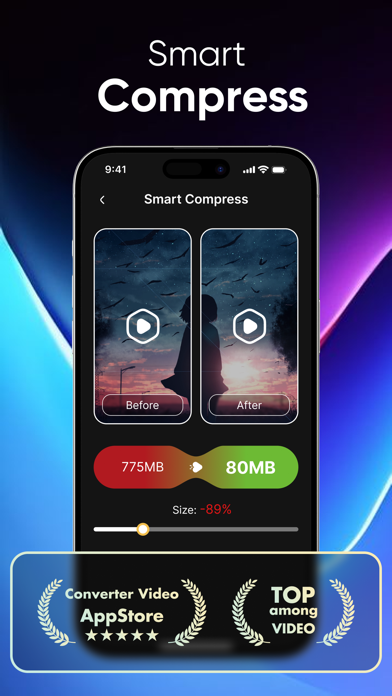
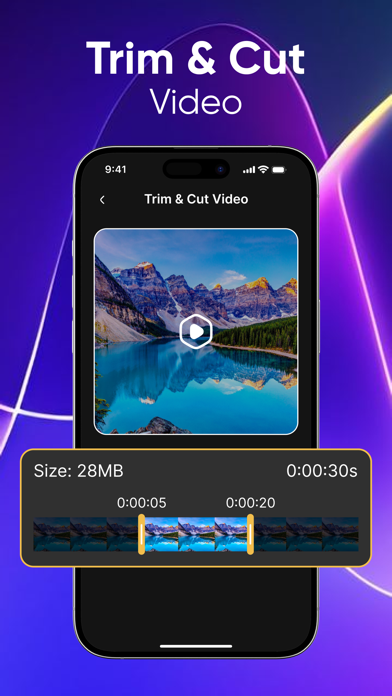
Free Up Space on Your iPhone with Smart Video Compression - Photos and videos can quickly take up to 90% of your iPhone storage. If you’re running out of space, it’s time to compress your videos and resize large files without sacrificing quality. - Video Compressor Pro is a powerful yet easy-to-use video compressor and file compressor that helps you create extra space storage on your iPhone. Using advanced compression technology inspired by tools like HandBrake, it can compress a 300MB video down to 30MB while maintaining Full HD resolution. * Powerful Video Compress & Convert Tool Video Compressor Pro supports video compress, conversion, and resizing for almost all popular video formats. You can choose from ready-made presets or customize everything — from video resolution, bitrate, compression speed, to output file size. Want to change resolution, resize video, or preview the compressed size before saving? This app gives you full control. * Key Features: - Fast video compress with high efficiency - Preview compressed size before saving - Compress videos in high / normal / low quality - Video resize with multiple resolutions - Change resolution without noticeable quality loss - Cut & trim videos to any length - Convert trimmed videos without re-encoding quality loss - Audio extractor: convert video to MP3 easily - Supports almost all formats: MP4, MOV, AVI, MKV, and more - Shrink files and share instantly - Free up storage and gain free space for iPhone * Video to MP3 & Audio Extraction: Need audio only? The built-in video to MP3 converter lets you extract music, voice, or sound effects from videos quickly and cleanly. * One App, Multiple Solutions: Whether you need a video compressor, file compressor, video resize tool, or audio extractor, Video Compressor Pro helps you save storage, manage media efficiently, and keep your iPhone running smoothly. SUBSCRIPTION: You can subscribe for unlimited access to all feature. - The subscription is $2.99 per week with 3 day free trial, auto-renewable, cancel anytime - The subscription is $2.99 per monthly with 3 day free trial, auto-renewable, cancel anytime - The subscription is $9.99 per 6 monthly with 3 day free trial, auto-renewable, cancel anytime - The subscription is $4.99 per month with 3 day free trial, auto-renewable, cancel anytime - The subscription is $9.99 per month with 3 day free trial, auto-renewable, cancel anytime - The subscription is $14.99 per month with 3 day free trial, auto-renewable, cancel anytime - The subscription is $19.99 per year with 3 day free trial, auto-renewable, cancel anytime Subscription with a free trial period will automatically renew to a paid subscription unless auto-renewal is turned off. The payment will be charged to iTunes Account at confirmation of purchase. You can cancel your subscription of free trial anytime by cancelling your subscription at least 24-hours before the end of the current period. Your account will be charged for renewal within 24-hours prior to the end of the current period. Subscription can be managed or cancel by the user by going to the user's Account Settings after purchase. Please note: any unused portion of the free trial period will be forfeited when you purchase a premium subscription during the free trial period. Terms & Conditions: https://drive.google.com/file/d/1C6yC_m9dMWh_FSEiUlzMNmWpwn1kkKet/view

GENOVA Softworks
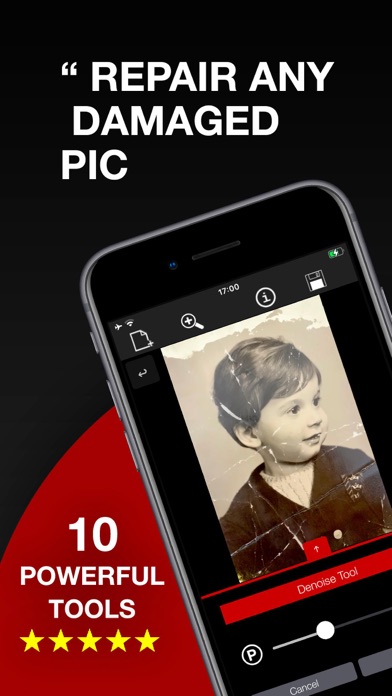
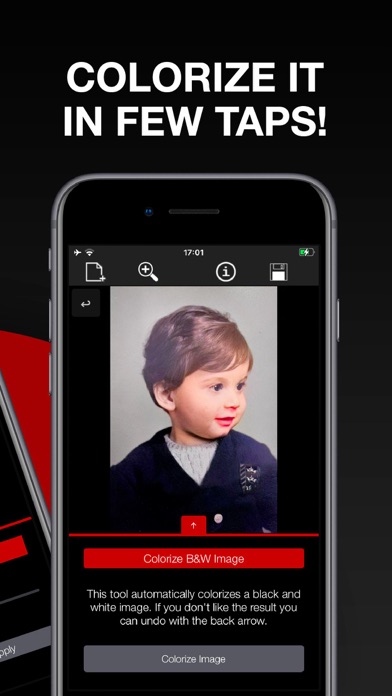
Repair any kind of damage in your photos: scratches, rips, cuts, stains. Rebuild missing parts with the Replicator tool. Erase any unwanted object or text. This app is the ultimate professional tool, packed with advanced powerful algorithms, able to bring your damaged photos back to their original condition. The way it works is really simple: For a quick fix just set the image you want to fix and, automatically, the app will do it for you. Otherwise If you are an user who wants even better results and precision you can follow the entire process manually. 10 PROFESSIONAL TOOLS ABLE TO: - Colorize black and white photos; - Increase quality and faces resolution; - Remove cuts and rips from photos; - Rebuild missing parts; - Remove scratches, marks and stains; - Repair old photos which got damaged over time; - Remove imperfections from any image; - Hide text or objects from any image; - Smoothen areas and create a depth of field effect; - Dehaze foggy and faded images; PACKED WITH: - Simple and intuitive interface; - High precision mode (A magnifier shows you where you are editing); - Advanced AI Machine Learning algorithms; EASY TO USE: The app provides several in-app tutorials to help you learn how to use it correctly. YOU WILL NOT NEED ANYTHING ELSE! This app packs all the tools needed to fix your damaged photos from any kind of degradation! Please be aware that this is a professional tool, follow the in-app explanation in order to learn how to use it correctly. The app requires a subscription in order to use some premium tools. For more information you can send an email to [email protected] or visit www.genovasoftworks.com. Terms and Privacy Policy available at https://www.genovasoftworks.com/terms.php.
Yosuke Seki
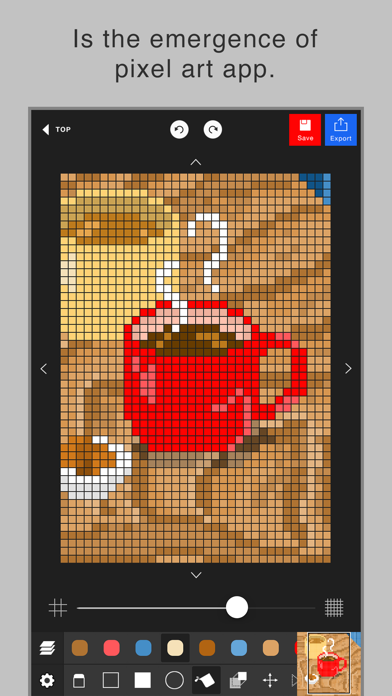
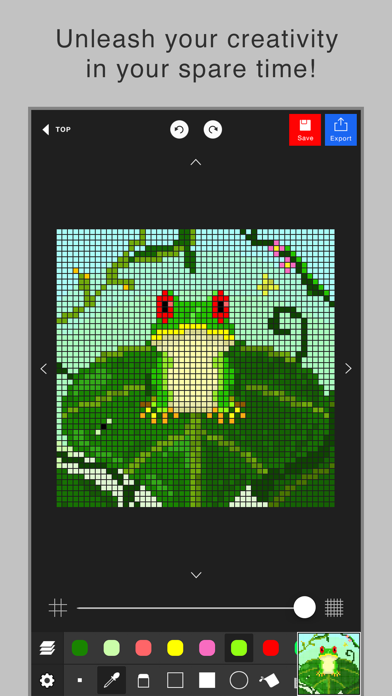
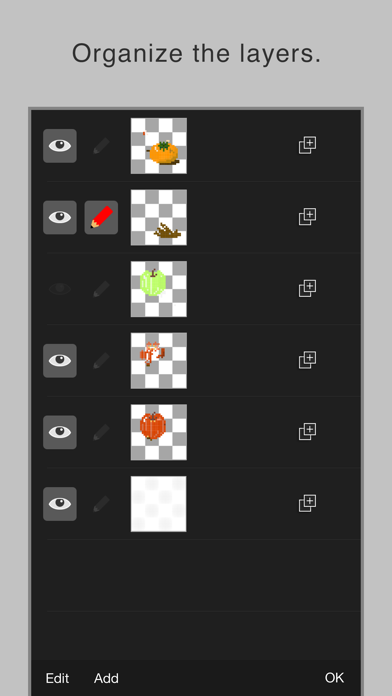
BE CREATIVE in your spare time!! This app enables you to make a pixel art easily. Although the operation is simple, it has layer editing, color making and other professional tools. Wanna make your original work during your spare time or before going to bed? To prevent a crash, creating a new project needs more than 300MB free space of your device. Sorry for the inconvenience. The app’s main functions are below. - Layer editing You can add, delete and copy layers. You can also choose the layer display or non-display and change the order of layers. - Various tools The app has basic tools to paint. (Pen, Syringe, blotting out, rectangle, circle, transfer... etc) - Animated GIF export Each layer is going to be one frame. - Undo, Redo You can cancel the line you draw. - Color making You can make your favorite color easily. It is also able to choose a color you would like to change to transparent. You can save 20 colors in maximum by a work. - Zoom-in, Zoom-out You can paint details by the Zoom-in, Zoom-out function. - Saving several works You can save several project files of your favorite works, so you can edit you work other day. - Setting canvas size You can set any canvas size from 5*5〜120*120. - Setting the dot size of exportation You can choose the dot size of exportation. The work will be saved as a png file in you r camera roll. - Rotate function You can rotate a work horizontally and vertically. - Selection area You can edit, transfer and copy only the area you selected. - Loading a picture for trace You can load a picture in forefront or back. You can set a rate of transparency, a position and a rate of magnification. - Conversion function of a picture to pixel art. It is able to convert a picture in camera roll to pixel art. After conversion, the pixel art will be loaded in new layer, so you can edit it.
Beijing Xiaoxiong Bowang Technology Co., Ltd.
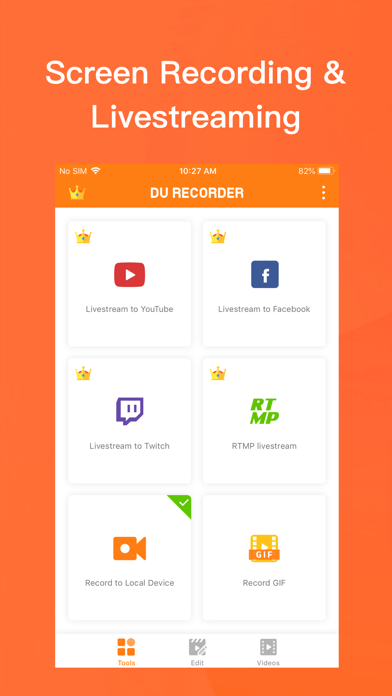
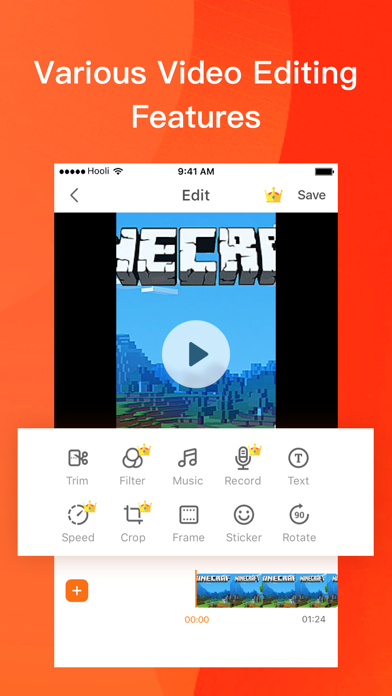
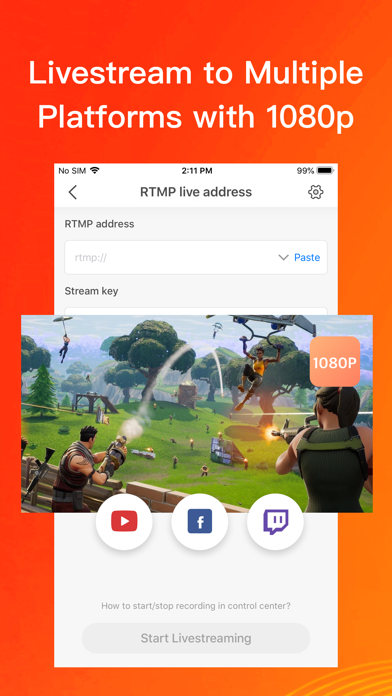
DU Recorder is a reliable, and easy-to-use stream creator and screen recorder. With DU Recorder , you can livestream your screen to YouTube, Facebook and Twitch and record screen videos. DU Recorder makes it easy to livestream and record content from your screen, like games, live shows, sports, and more. Advantages: - Support audio recording - Livestream your screen to different platforms - High-quality screen recording - Powerful video editing features Features: Livestream to YouTube, Facebook and Twitch Add the screen recording feature to your control center. Simply log in to your YouTube, Facebook and Twitch account, choose the settings as you want, and start livestreaming to YouTube, Facebook and Twitch via the screen recording feature! These handy options give you a better livestreaming experience: - Support simultaneous recording of microphone and internal audio - High-quality livestreaming, with various resolution options - Set your livestream to public, unlisted, or private to protect privacy - Supports RTMP address - A variety of live tools: Custom watermark, live themes, live pause settings and more - Supports Replaykit, for livestreaming directly from Replaykit-compatible games Screen Recording Add the screen recording feature to your control center, tap the Record button, and choose DU Recorder to record your screen and save videos to your device. DU Recorder provides stable and fluid screen recording. With this screen recording feature, you can easily record popular mobile game videos, video calls with family and friends, and even popular live shows! Video Editing You can easily perform the following video editing operations with the screen recorder: - Trim video/Remove the middle part of the video - Add music, choose from a huge variety of music - Add text, custom video subtitles - Add frames and stickers, also support adding local images and custom watermark to your videos - Change speed, adjust video speed of different sections - Voice recording, help you make a commentary video - Filters, add a variety of filter effects to your video - Crop video, crop videos to any ratio you want - Merge multiple videos and choose from various transition effects - Video to GIF, convert video formats to GIF - Supports facecam, you can record reaction videos with the facecam feature DU Recorder Premium - Join now and enjoy all the features! - Included features:Remove watermark, Custom watermark, Custom pause picture, Speed, Crop, RTMP broadcast, VIP feedback channel and more wonderful content. - When you purchase DU Recorder Premium, you will use all paid features and materials. - DU Recorder Premium is billed monthly or annually at the rate corresponding to the selected plan. - Payment will be charged to your iTunes account at confirmation of purchase. - According to the Apple Store policy, your subscription will be automatically renewed after the free trial ends. - Subscriptions will automatically renew unless auto-renew is turned off at least 24 hours before the end of current period. - Your account will be charged according to your plan for renewal within 24 hours prior to the end of the current period. You can manage or turn off auto-renew in your Apple ID account settings at any time after purchase. - Privacy policy: http://durecorder.do-global.com/privacy/privacyPolicy.html - Terms of use: http://durecorder.do-global.com/privacy/UserAgreement.html If you have any comments or suggestions about DU Recorder, please contact us at [email protected]. Your feedback is appreciated! Follow us on Facebook: https://www.facebook.com/DURecorderOfficial Subscribe to our YouTube channel: https://www.youtube.com/channel/UCtvNkr4kV3GAEHAFqe5UocQ

ipaomtk.com
ipaomtk.com | Facie AI Photo Artist Mod IPA (Premium Unlocked) is a powerful photo-editing software package built on advanced artificial intelligence

ipaomtk.com
ipaomtk.com | The Video File Manager IPA is an excellent tool for iOS users who are looking to effectively manage and organize their video files. This


Onelight Apps CY Ltd
Get free trendy presets for Lightroom by FLTR! Try perfect photo & video filters, customize iOS app icons & highlights for Instagram. In collaboration with professional photographers and famous bloggers, we collected only top presets that allow you to edit & filter favorite shots, videos, plan your social media posts and take your content to the next level! FLTR FEATURES LIGHTROOM PRESETS Choose from 1000+ presets (80+ packs) and make edits on-the-go! These presets will look good on every photo you take - people, portraits, selfie, urban, nature, fashion, food and many more. PHOTO & VIDEO FILTERS Make trendy content with unique filters and share it on Instagram with just one tap! APP ICONS Personalize your iPhone Home Screen and enjoy a new look! FLTR includes various packs that suit your style! INSTAGRAM HIGHLIGHTS COVERS Add more creativity to your profile. Show your pop stories in the best way and set your brand apart! FLTR is an opportunity to choose a preset which suits any of your photos and helps to create awesome pics for FREE! FLTR PRO Premium subscription allows you to get: • Access to all presets • Remove ads • Get new weekly preset Choose from different purchase options: • 1 month subscription • 12 month subscription • Lifetime access Payment will be charged to your Apple ID account at the time of purchase confirmation. Subscription renews automatically unless it is canceled at least 24 hours before the end of the current period. Your account will be charged for renewal within 24 hours prior to the end of the current period. You can manage and cancel your subscriptions by going to your account settings on the App Store after purchase. Privacy Policy: https://onelightapps.io/privacy-policy Terms of Use: https://onelightapps.io/terms-of-use


Bhavinaben Prajapati
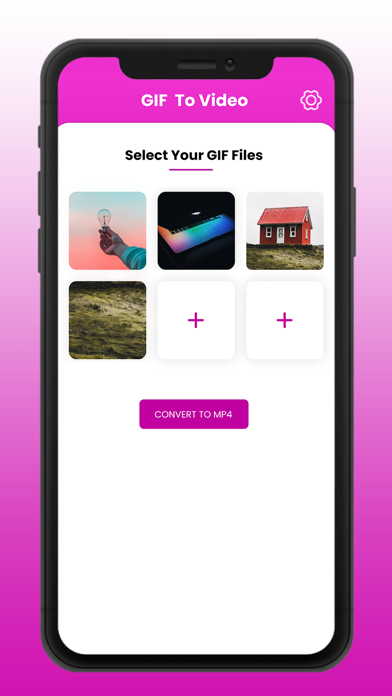
Turn Your Favorite GIFs into Videos Instantly! GIF to Video is the easiest, fastest, and 100% free way to convert your favorite GIFs into shareable video files. Want to post a hilarious GIF to Instagram or WhatsApp but facing compatibility issues? We’ve got you covered. Convert your files in seconds and share them seamlessly across all your favorite social networks, including Facebook, Instagram, WhatsApp, and Gmail. How it Works in 3 Simple Steps: Select: Choose any GIF from your phone's gallery. Convert: Tap the convert option to instantly transform it into a video. Save & Share: Tap "Save" to keep it in your gallery, or share it directly with your friends! Don't let format limits hold you back. Download GIF to Video today and start sharing the fun! Subscription pricing and terms: GIF to Video offers an auto-renewing yearly subscription to provide you premium services. Payment will be charged to the credit card connected to your iTunes Account when you confirm the initial subscription purchase. Subscriptions automatically renew unless auto-renew is turned off at least 24-hours before the end of the current subscription period. Your account will be charged for renewal within 24-hours prior to the end of the current period, and the cost of the renewal will be identified. You may manage your subscription and auto-renewal may be turned off by going to your Account Settings after the purchase. Any unused portion of a free trial period, if offered, will be forfeited when you purchase a subscription, where applicable. Privacy Policy & Terms of Service : https://mdtechnolabs.com/privacy-policy/
Good.iWare, Inc.
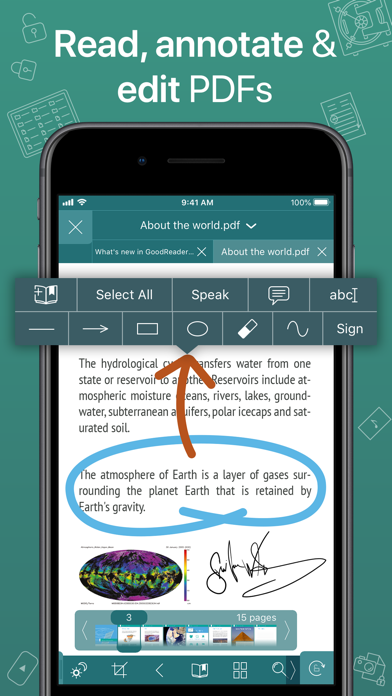
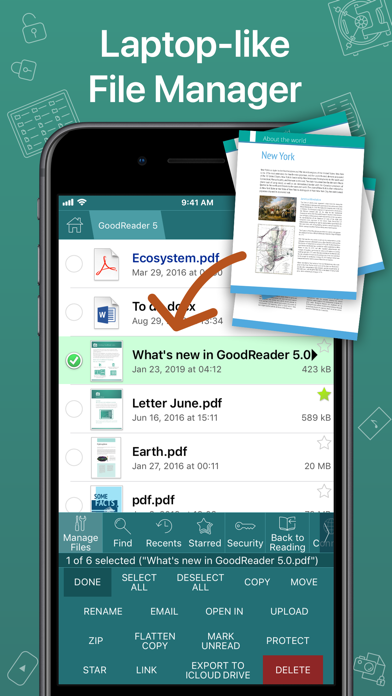
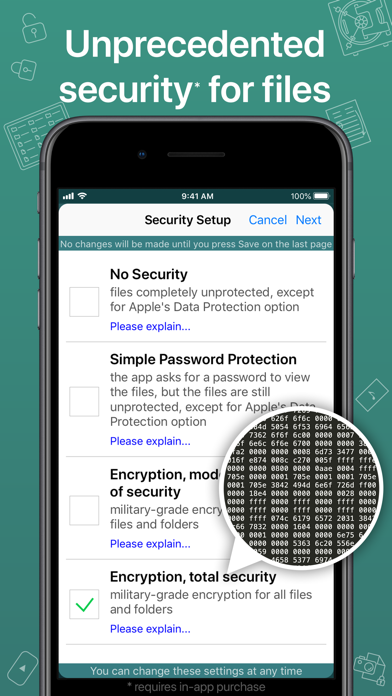
First released in 2009, GoodReader® is truly a veteran of the App Store. In the modern app business, it's not easy to stay relevant that long. We're proud to say that after 13 years and counting, we've been delivering wonderful updates with extraordinary new features. And we're going to keep doing that! GoodReader is a perfect combination of document-reading and file-managing capabilities. It's your one-stop shop for all your document needs on your iOS device. Use the app once, and you'll be hooked. Soon you'll be wondering how you ever managed to work without it. -= File Reading =- PDF, TXT, MS Office, iWork, HTML, pictures, music & audio-books, videos. This is what you can view in GoodReader, plus you can also annotate PDF files and edit TXT files. -= PDF Reading and Annotating =- PDF files is where GoodReader truly shines. Reading experience is so superior, it's hard to describe. To rephrase one of our customers' review, "try it, and you'll see." While you're at it, give our PDF Reflow feature a try. You'll be surprised how much better PDF reading goes when you don't have to scroll left/right all the time, for every single line of text. Annotating PDFs is another star feature of our app. Adding notes and drawings, highlighting text, and then sharing your annotated files or annotation summaries will be your main productivity and collaboration asset. -= File Management =- While reading files is a big part of GoodReader, it's not all it can do. It can also serve as a central hub for all your files, even those that can't be opened by GoodReader itself. It's like bringing your personal computer experience to your mobile device — easily managing huge collections of files and folders will make you forget you don't have your laptop around. -= Connecting =- Dropbox, OneDrive, Google Drive, Box.com, WebDAV, SMB, AFP, FTP, SFTP — these are all accessible from inside GoodReader. Download, upload, and sync (*) individual files or huge folder collections. -= Security =- With GoodReader, your data security steps up to the level previously only dreamt of. With Pro Pack® (*), our new set of professional-level super-features, you'll get AES-256, a military-grade encryption, for all your data, at a price of a cup of coffee! And it's completely independent from the built-in Apple's Data Protection, so even if a hacker steals and unlocks your device, your data will still be protected by another strong layer of security, our own. -= Split-Screen =- This wonderful feature allows you to split (*) an iPad screen in half, to read two files side-by-side. And even two different parts of the same file! (*): This feature requires a subscription to Pro Pack®, sold separately from inside the app as an in-app purchase.

ipaomtk.com
ipaomtk.com | HiTV IPA Asian Drama & HD Videos Premium is an exciting new platform for enjoying the best of Asian Drama, Video, and Films. The app giv
Dynasty Apps LLC
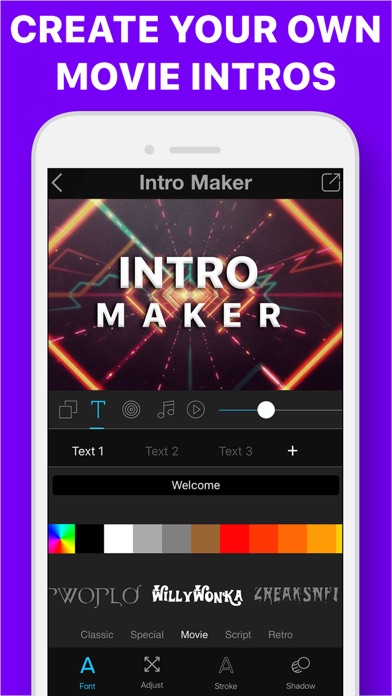
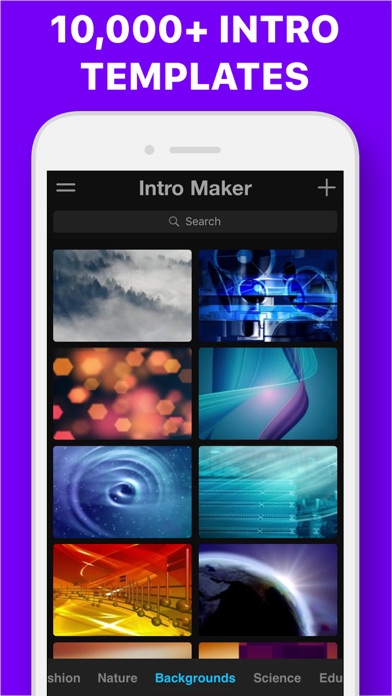
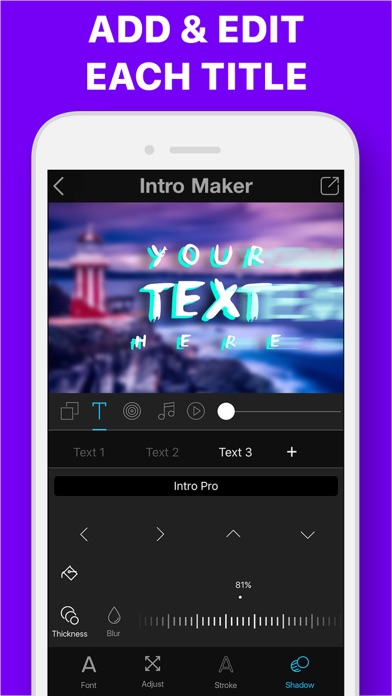
Perfect for creators who want to make high-quality Intros/Openers FAST! We pre-made and customized hundreds of templates in all types of categories like: inspirational and motivational, social media, sports, video games, background music, and more! You can use images or videos, changing text, fonts, music even add your own voiceovers. Email us for any support, we are always listening and actually reply. Thank you so much for your love! UNLIMITED ACCESS SUBSCRIPTION • You can subscribe for unlimited access to all features and content offered for purchases within Intro + • Subscriptions are billed monthly, weekly or annually at the rate selected depending on the subscription plan • Payment will be charged to your iTunes Account at confirmation of purchase • Subscription automatically renews at the cost of the chosen package unless auto-renew is turned off at least 24-hours before the end of the current period • Account will be charged for renewal within 24-hours prior to the end of the current period, and identify the cost of the renewal • Subscriptions may be managed by the user and auto-renewal may be turned off by going to the user's Account Settings after purchase • If eligible for free trial and you subscribe before your free trial ends, the rest of your free trial period will be forfeited as soon as your purchase is confirmed. Subscriptions will start immediately after free trial ends unless cancelled at least 24 hours prior to the end of the trial period. Terms: https://drive.google.com/file/d/1RxJ736poWM6_nSDAZdkTd59F_zbA20zh/view Privacy Policy: https://drive.google.com/file/d/1pZMtVGPGI8seW8JShrbE3FLMRwm9Lzv6/view Have trouble or just want to send us some feedback, email us for any support. We are aways listening and actually reply. Thank you so much for your love!