
Photo & Video
Browse photo and video IPA listings for cameras, editors, recording tools, streaming apps, and creator workflows.

Bytedance Pte. Ltd
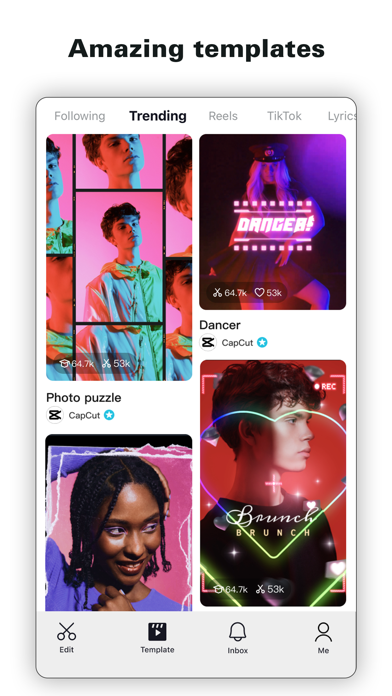
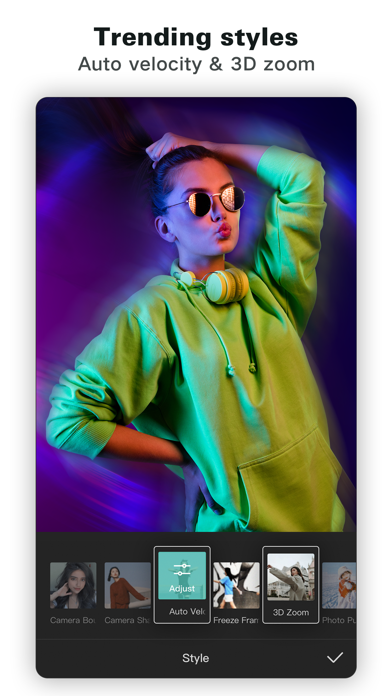
CapCut offers easy-to-use video editing functions, in-APP fonts and effects, advanced features such as keyframe animation, smooth slow-motion, chroma key, and stabilization, to help you capture and snip moments. Create fancy videos with other unique features: auto captions, text-to-speech, motion tracking, and background removal. Show your personality and go viral on TikTok, YouTube, Instagram, WhatsApp, and Facebook! FEATURES Basic video editing • Trim and shorten clips and split or merge videos. • Adjust video speed from 0.1x to 100x, and apply speed curves to clips. • Animate video clips with incredible zoom in/out effects. • Highlight the best moments with the freeze feature. • Explore transition options with awesome effects on and between clips. Advanced video editor • Keyframe video animation is available for all settings. • Edit videos to create smooth slow-motion with the optical flow feature and speed curve tool. • Use the chroma key to remove specific colors from videos. • Easy to arrange and preview clips on multi-track timeline. • The stabilizing feature keeps video footage steady. Intelligent features • Auto captions: automate speech recognition and subtitles in videos. • Text-to-speech: apply text-to-speech in multiple languages and voices. • Background removal: automatically remove backgrounds. Text & Stickers • Add text to videos with different fonts and styles, choose unique text templates. Fonts can be imported locally. • Subtitles can be added to the timeline of video tracks and can be moved and adjusted in one step. Trending Effects & Filters • Match video content with diverse filters that are updated weekly with the latest trends. • Edit videos with hundreds of trending effects, including Glitch, Blur, 3D, etc. • Add movie-style video filters or adjust video brightness, contrast, etc. Music & Sound Effects • Add millions of music clips and sound effects to videos. • Extract audio, clips, and recordings from videos. Easy to Share • Custom video export resolution, HD video editor supports 4K 60fps exports and smart HDR. • Adjust the format and share with your friends on social media platforms. CapCut is an all-in-one video editor and video maker application with everything you need to create stunning, high-quality videos. Beginners can get started with CapCut in a matter of seconds, while advanced users can enjoy all the functions they need to edit videos. Terms of Service — https://www.capcut.com/clause/terms-of-service Privacy Policy — https://www.capcut.net/clause/privacy Contact Us Any questions about CapCut? Please contact us at [email protected]. Facebook: https://www.facebook.com/capcutapp Instagram: https://www.instagram.com/capcutapp YouTube: https://www.youtube.com/capcutofficial TikTok: https://www.tiktok.com/@capcut

Karbin-Store


DEV47APPS
FEATURES - Chat using "DroidCam Webcam" on your computer, including sound and picture (more below). - Direct OBS Studio integration with the DroidCam OBS plugin (see below). - Unlimited free usage at standard definition (640x480). - Up to 1080p Full-HD video as a PC Webcam, and up to 4K UHD as an OBS Camera. - Both WiFi and USB connections supported*. - HW assisted coding and multiple video format options. - Simple, efficient, and trusted by millions of users worldwide. PC WEBCAM – droidcam.app Get the DroidCam PC Client to use your phone as a webcam. The client is available for Windows & Linux systems, and works with Zoom, Skype, Discord, and most other programs. → Go to droidcam.app on your computer to download and install the DroidCam Client, and to learn more about usage. OBS CAMERA – droidcam.app/obs Use DroidCam directly in OBS Studio by getting the DroidCam OBS plugin, no need for a separate client! The DroidCam OBS plugin is available for Windows, Mac and Linux (Flatpak) systems, and seamlessly integrates your phone into your setup. → Go to droidcam.app/obs on your computer to download, install, and learn more about usage. Bonus: You can use the 'OBS Virtual Camera' for Zoom/Skype/Discord integration, still no need for extra client software! SIMPLE & EFFICIENT DroidCam is designed with simplicity and efficiency in mind. What you see is what you get. The app is free to use at standard definition with no time limits. You can try HD video, but will need to purchase the pro upgrade to remove watermarks. PRO FEATURES The pro upgrade includes more than just HD video. Use Ultrawide and Telephoto lenses on iPhone 11+, adjust camera remotely from the computer, remove advertising, and more. Check the in-app Upgrade and Settings pages for more. With optimized power usage and low-latency video transfer, DroidCam can replace webcams and capture cards saving you $100s. Use it for remote work, remote learning, teaching, and content creation. --- *USB connection may require additional setup. Consult droidcam.app/help for setup information. Pro Upgrade price may vary by region. Payment will be charged to your iTunes Account at confirmation of purchase. Subscription option automatically renews unless auto-renew is turned off at least 24-hours before the end of the current period. Your account will be charged for renewal within 24-hours prior to the end of the current period. You can manage or turn off auto-renew in your Account settings at any time after purchase. Terms & Privacy: https://www.dev47apps.com/droidcam-terms-privacy.html


Karbin-Store
وێنە کەسییەکانت ڕێکبخە بۆ ناسنامە و باکگراوندەکەی بسڕەوە ✅ بۆ کڕین دەست بدە لە buy دواتر cancel هەڵبژێرە ✅
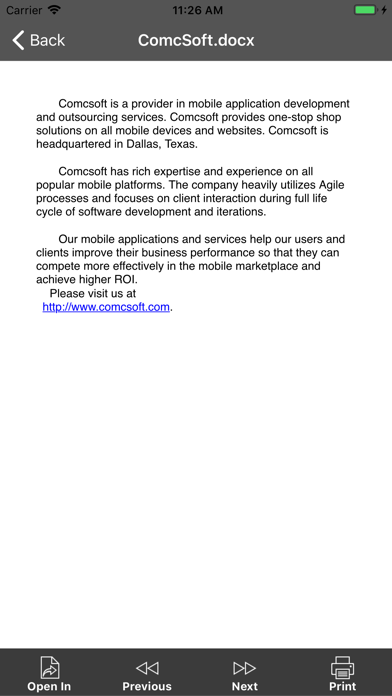
ComcSoft Corporation
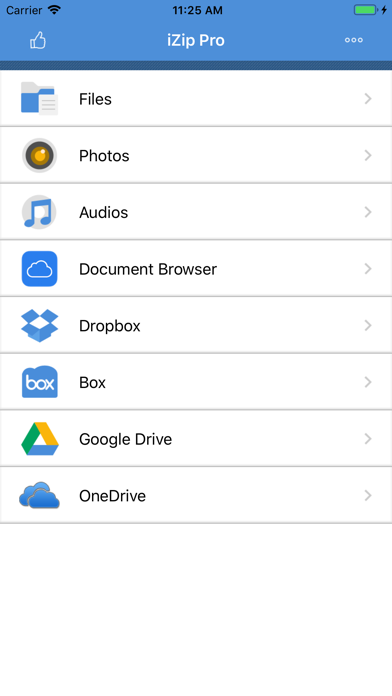
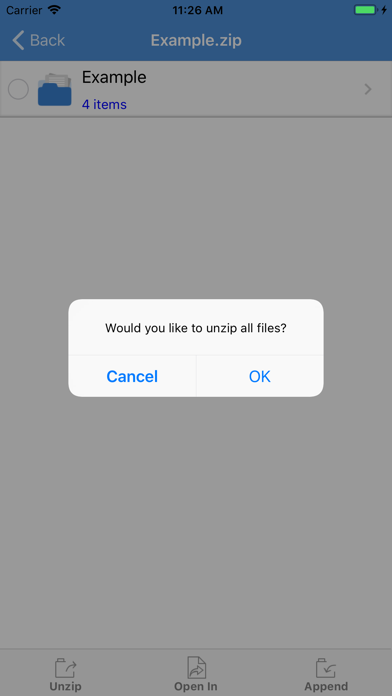
No. 1 App for ZIP/RAR file management on iPhone/iPad! Most secure and fast Zip utility for business and professional users. iZip is a ZIP file management tool on iPhone and iPad. iZip has the following features: - Unzip files from ZIP format, including password protected and AES encrypted ZIP files. - Unzip many compressed files, including: RAR, 7Z, ZIPX, TAR, GZIP, BZIP, TGZ, TBZ, ISO, DEB, CAB, JAR, RPM, CBS, and more. - Compress files into ZIP file. - Compress photos and videos from Photo Album. - Compress files with a password or AES encryption. - Open and view many document types: DOC, Excel, PPT, PDF, TXT, RTF, Pages, JPG, GIF, PNG, audios and videos. - Open files directly from iCloud, Dropbox, Box, One Drive, and Google Drive. - Upload/download files to/from Dropbox, Box, One Drive, and Google Drive. - Support Files app. Open files from iCloudDrive, other cloud drives, and third party Apps in Document Browser. Save files to iCloudDrive, other cloud drives and third party Apps. - Append files to a ZIP file. - Support multiple ways of sharing files, including: Email, Message, Airdrop, Open in another App. - Save photos to Photo Album. - Support HEIC to JPG conversion. Support different image sizes. - Print documents. - Download/upload files through iTunes. - Support Face ID and Touch ID. With its simple interfaces, iZip provides the easiest way to manage ZIP files on iPhone and iPad. If you have any questions, please visit: http://www.comcsoft.com/Portfolio/our_apps/iZip/iZip_overview.php

Karbin-Store


Insula Technology Inc.
Welcome to Minipaper, the simply yet powerful wallpaper customization app! With Minipaper, you can create stunning minimalistic wallpapers for your phone in just seconds, without any design skills. Here are some of the app's key features: Easy customization: Minipaper is incredibly user-friendly. Just choose a style you like and adjust the settings to create a wallpaper that's uniquely yours. Multiple styles: Whether you prefer gradients, Arch shapes, Iridescent light, Minipaper has you covered. And we're always adding new styles to keep things fresh. Perfect fit: Don't worry about resizing your wallpaper to fit your phone screen. Minipaper automatically adjusts the size to ensure a perfect fit every time. Save and share: Once you've created your perfect wallpaper, you can save it to your device and set it as your background. Get Minipaper today and start creating beautiful, personalized wallpapers for your phone! Terms of Use: https://www.apple.com/legal/internet-services/itunes/dev/stdeula/

polo
Watch any movie shows for free Steps: To watch movies and TV series without ads when you log in, use the number 2222.

Karbin-Store

Karbin-Store

Karbin-Store

Karbin-Store
ئەو ئەپڵیکەیشنە بۆ دانانی تەم و کاڵکردنی بەشەکانی ئەو وێنانەی کە دیاری دەکەیت


Karbin-Store

Karbin-Store

Karbin-Store

Maple Media Apps, LLC
Transform your camera roll into stunning collages with Pic Stitch—the ultimate collage maker that easily stitches photos together for iPhone & iPad. With over 400 collage layouts, 25 filter packs, more than 30 border packs and robust photo & video editing tools, Pic Stitch offers a simple design with a powerful collage editor. Create a before-and-after sequence, combine multiple photos and videos into one beautifully framed collage, or produce a photographic series with music. Then share your masterpiece with friends & family on your favorite social media networks including Facebook, Twitter and Instagram. Pic Stitch is a must-have app for anyone looking to level-up their photography game, whether you're a social media influencer, blogger, content creator, or just looking to make unique collages to share with friends. Create professional-looking collages and make your photos pop with the same powerful tools and templates used by top photographers in the industry. If you have ever wondered how social media influencers combine several images into one glamorous frame, this is the secret tool they all use to make their content a masterpiece! * One of the Top 7 photo apps & Top 100 apps of ALL TIME according to Mashable * Overview: – Explore iOS Home Screen Widget Wallpapers featuring your most recent collages – Discover recent social media Trending Layouts – Browse 375+ different layouts – Explore 25 filter packs to enhance your photos – Design with 30+ border packs & customize layouts – Works with photos and videos – 15 different photo aspect ratios optimized for sharing (i.e. 9x16 format for social stories) – Customize photo borders – Easy to use UI – Amazing photo FX filters – Pan, rotate, flip, mirror and zoom – Share to Facebook, Twitter, Instagram and more – Save to your photo album – High resolution export Photo Editing Features: – Quick Enhance: hi-definition, scenery, food, portrait, night – Filter Packs: food, style, radiant, romance, noir, soleil, toy camera, wonderland, pop art, mystic, nostalgia, subtle, tital, wanderlust, jetset, spring, summer, beach, layer pro, cabin pro, grunge, brushes, visual fx, eeeeeats – Effects: exposure, brightness, contrast, structure, warmth, saturation, fade, highlights, shadows, vignette, sharpen – Stickers: decorate your photo collage with your favorite stickers powered by Giphy – Text Editor: insert text overlays and select your choice of font styles, colors, backgrounds, shadows and more – Drawing Editor: add your own touch to each photo by selecting a drawing tool of your choice – Meme Editor: turn your photo collage into a meme with a simple template that adds text where it matters most – Watermark Editor: add your own brand logos or create custom watermarks with text, date and time stamps – Frame Editor: white, black, vertical, horizontal, banners, bars – Overlay Editor: circles, pentagons, squares, rectangles, diamonds, grid lines – Rotate & Reflect: left, right, horizontal, vertical – Portrait Editors: blemish, blur, whiten, redeye, splash, sharpen, focus – Crop Tool: 1x1, 1x2, 2x1, 4x6, 6x4, 3x4, 4x3, 5x7, 7x5, 8x10, 10x8, 9x16, 16x9 View our Terms of Service at: https://maplemedia.io/terms-of-service/ View our Privacy Policy at: https://maplemedia.io/privacy/ Your feedback helps us make the app better! If you have comments or suggestions please email us at [email protected] * Mashable Mentions * http://mashable.com/2015/12/13/best-iphone-photo-apps-of-all-time http://mashable.com/2015/12/08/100-best-iphone-apps

Karbin-Store

Katerina Akhlebinina
* Safe Lock - Private Photo Vault: The Ultimate Photo Hiding App and Gallery Lock * Looking for a reliable solution to protect your personal photos and videos? Safe Lock - Private Photo Vault, the most secure and private app in the App Store. With features like PIN-code, Touch ID, Face ID, DotLock, numeric, or alphabetic passwords, this app ensures your hidden photo album remains locked and inaccessible to prying eyes. Safe Lock - Private Photo Vault offers a secret folders where you can securely store your private photos, videos and notes. Capture new pictures using the built-in hidden camera within the app and instantly add them to your locked photo album. We do not have access to your secrets, photos and videos are saved only on your device. Discover of Safe Lock - Private Photo Vault: /Protect Your Memories/: Safeguard your private photo and video memories with our secret folders. /Secure Important Photos, Videos/: Keep copies of essential documents, such as driving license, passports, ID, and bank cards, protected from unauthorized access. /Plan Surprises and Gifts/: Use the app to plan surprises and keep gift ideas securely tucked away. Store and organize essential notes with ease, knowing they are kept safe within Safe Lock - Private Photo Vault. Key App Features: /Multiple Lock Options/: Choose from a range of secure locks including PIN-code, DotLock, Numeric, Alphabetic, Passcode, Touch ID, and Face ID to ensure privacy for your hidden photo vault. /Innovative Locking Methods/: Take advantage of unique gestures like shaking or flipping to instantly lock your photos and hide app. /Hidden Photo Camera/: Capture photos discreetly within the app using the secret camera with a zoom option, allowing you to add exclusive content to your hidden photo vault. /Easy Data Management/: Transfer files through WiFi or easily export/import from popular Cloud platforms like Dropbox, Google Drive, Yandex.Disk, iCloud, and Box. /Slideshow and Sharing/: Showcase your secret photos and videos with a stunning slideshow and easily export or import them to/from your Photo Roll, Email, or any Cloud platform. /Anti-Theft Measures/: Receive break-in reports with photos, empowering you to take swift action if any unauthorized access attempts occur. /Additional Features/: Benefit from GIF and PDF support, customize your app icon, jot down secret notes, enjoy dark mode support, and use the fake password feature that opens a fake gallery for added security. Download Safe Lock - Private Photo Vault today and experience the peace of mind that comes with keeping your personal photos and videos secure. Your memories deserve the utmost protection. +++++++++++++++++++++++++++++++++++++++++++++++++++++++ /Premium Subscription/ Premium subscription unlocks all features to manage your personal content within Safe Lock. Also app includes number of cool features such as seven different patterns of locks, Touch ID, immediate lock button, extra security features for the internal albums, on the go photo camera and etc. Payment will be charged to iTunes Account at confirmation of purchase. Subscriptions automatically renew unless auto-renew is turned off at least 24-hours before the end of the current period. Account will be charged for renewal within 24-hours prior to the end of the current period, and identify the cost of the renewal. Subscriptions may be managed by the user and auto-renewal may be turned off by going to the user's Account Settings after purchase. No cancellation of the current subscription is allowed during active subscription period. By using application, you are agreeing to our Privacy Policy and Terms of Use: ToS: http://appslabmobile.com/tos_safelock.html Privacy: http://appslabmobile.com/privacypolicy_safelock.html

Karbin-Store
بەرنامەیەلی تایبەت بە پاراستن و شاردنەوەی وێنە و ڤیذۆکانت لە ناو موبایلەکەت

The Grizzly Labs
Genius Scan is a document scanner app in your pocket. Quickly scan your paper documents on the go and export them as multi-page PDF files. *** Apple App of the Week *** 20+ million users *** 1000s of small businesses *** Place any document in front of your device’s camera: our scanner app automatically recognizes the paper against the background, crops it, and cleans up the result. You obtain a crisp, legible scan. Batch scanning lets you scan dozens of pages in a matter of seconds. Powerful tools help you organize, share, or archive your documents. “Next time you plan to hit the road, don’t forget to download Genius Scan to make life easier for yourself and your accounting department.” - AppPicker.com “Camera apps aren’t designed for close-up text scanning, but Genius Scan is.” - The Guardian == KEY FEATURES == Smart Scanning: - Document detection & background removal - Distortion correction - Shadow removal and defect cleanup - Filters (black & white, whiteboard, photo) - Batch scanning PDF Creation & Editing: - Document merging & splitting - Multiple page PDF creation - Photos and PDF import Security & Privacy: - On-device document processing + Face ID locking + PDF password encryption Document Organization: - Document tagging - Metadata and content search + Smart document renaming (custom templates, …) + Backup and multi-device sync with Genius Cloud (separate subscription) Export: - Email + Box, Dropbox, Evernote, Expensify, Google Drive, iCloud Drive, OneDrive, OneNote, FTP, SugarSync, WebDAV. + Any WebDAV compatible service such as Citrix ShareFile, NextCloud, ownCloud, Synology, Yandex. + Automatic background auto-export OCR (Text Recognition): + Text extraction + Searchable PDF creation + Business card scanning & contact creation The features denoted with [+] are available as part of a premium plan. == ABOUT US == It’s in the heart of Paris, France that The Grizzly Labs develops Genius Scan. We take pride in crafting apps that help millions of users throughout the world and hold ourselves to the highest standards in terms of quality and privacy. Get in touch with us @thegrizzlylabs if you have any questions. == PRICING & LEGAL == Genius Scan is free to use for as long as you want. Should you choose to, you can subscribe to the Genius Scan Plus plan for more features. You can subscribe to Genius Cloud for backup & synchronization. In that case, Genius Scan’s store displays the duration and price of each subscription, updated at the time of purchase. Payment will be charged to iTunes account when the order is confirmed. Subscriptions automatically renew unless auto-renew is turned off no later than 24 hours before the end of the current period. Manage subscriptions, disable auto-renewal in the iTunes account settings. Download the best free mobile scanner and scan your documents in a snap. https://www.thegrizzlylabs.com/genius-scan/cloud/terms

Karbin-Store
No description available from this source. Use App Store search to learn more about this app.

stadiomax
StadioMax — live TV and video on demand in Spanish. TV en vivo y video bajo demanda en español: fútbol y deportes en vivo, películas y series. App oficial para suscriptores: requiere una cuenta activada por un distribuidor autorizado — instala, abre la app e ingresa tu código de activación. Para iPhone y iPad (iOS 26 o superior), con AirPlay y Picture-in-Picture.