
Photo & Video
Browse photo and video IPA listings for cameras, editors, recording tools, streaming apps, and creator workflows.


Guangzhou Hongxiao Network Technology Co.,Ltd.
FIMO captures the beauty and magic of old school vintage images right through your viewfinder. Dust and scratches, retro colors, flickering, light leaks, even frame shakes, all can be instantly added with a single tap off the finger. With FIMO, you’ll make photographs that look and sound like real film rolls pulled out of storage 30 years ago. — CLASSIC CAMERA Digital photography has never looked so analog. FIMO provides beautifully rendered skeuomorphic P&S cameras that transform your experience as you swipe through lenses, flashes, and simply rewind films. — SELECTIVE 35MM FILM SUITE Including over 8 signature presets which replicating the look of old-school camera films. * Diary 400 *Romantic 400 *BlackTea 50 *Portra 400 * Aesthetic 400 * PAN 100 * EK 80 * LM Color 100 * Business 400 * HK 200 * Yummy 100 * X-Red 50 * EPR 64 *Joey 100T *Tokyo 500 *Morandi 200 *KDchrome 64 *Natura 1600 *Portra 160NC *DE 200 *X-Mas 25T *New Year 2020 *Super HR 100 *Tri-X 400 *TS-E 50 [Fimo Pro Subscription] - With an Fimo Pro subscription, you have access to all features and paid editing materials. Watermark and advertisements will be removed automatically. - Payment will be charged to iTunes Account at confirmation of purchase. - Subscription automatically renews unless auto-renew is turned off at least 24-hours before the end of the current period. - Account will be charged for renewal within 24-hours prior to the end of the current period, and identify the cost of the renewal. - Subscriptions may be managed by the user and auto-renewal may be turned off by going to the user's Account Settings after purchase. - Any unused portion of a free trial period, if offered, will be forfeited when the user purchases a subscription to that publication, where applicable. [Terms of Use] https://fimo.app/user-agreement-en.html [Privacy Policy] https://fimo.app/privacy-policy-en.html You’re most welcome to share your story with us. If you have any questions or suggestions, please contact us as. Weibo:FIMO官方

ipaomtk.com
ipaomtk.com | The Flicstools Movies Show Video iOS app is a powerful and versatile application that allows you to enjoy a wide range of movies and vid


Code Organa
Automatically brighten your photos and videos where they need it most. With a single slider, Brightly adaptively brightens your photos instantly to bring out hidden details while maintaining a pleasing balance between light and dark without overexposing already lit areas. Brightly also brightens videos while applying lighting changes smoothly over time. Fine-tune your results with a full suite of professional grade adjustments, and take your editing to the next level with must-have professional features like RAW photos and 4K video. Magic Bar When taking a photo, there are many lighting challenges often out of one's control: low or uneven lighting, inadequate exposure, backlit subjects, some subjects are shadowed and others are not. Because its image processing algorithm is aware of the dark and light areas of a photo and how they interact, Brightly can handle these challenges where traditional photo editing apps fall short. Not only are the dark areas brightened, but their detail and contrast are enhanced. Already lit areas are not overexposed and blend seamlessly with the dark areas. The result is a pleasant, natural looking image. All those computations are combined into just one slider: the Magic Bar. It's simple, fast and intuitive. Quickly make lighting corrections to your photos and videos in a single tap, saving you time and requiring far less editing than other photo apps. Video and Live Photos Unlike other low light photo apps, Brightly works on videos, including 4K, Slo-mo and Time-lapse videos, as well as Live Photos. Algorithms specific to video dynamically brighten your video and smooth the changes over time to keep them looking great regardless of changing lighting conditions. RAW and Wide Color Photos Brightly reads RAW, Apple ProRAW and Wide color photos and processes these photos at a high precision, making it suitable for professional workflows. Results can be saved as JPEG and lossless PNG and TIFF. Adjustments Brightly has over a dozen adjustments to fine-tune the Magic Bar results. Some you'd expect from a photo app: cropping, exposure, contrast, saturation, vibrance, warmth, shadows, highlights, blacks, whites, vignette, sharpen and noise reduction. Others are designed specifically for Brightly. Brilliance provides an additional boost to brightness when it's needed without overexposing. Structure improves local detail, but more so in darker areas than in lighter. White balance is a two part control calibrated to remove indoor or outdoor color casts. Surface blur instantly smooths out large areas while preserving edges. Capture More Other low light photo apps require long exposure times and/or multiple exposures of the scene and a steady hand or camera in a fixed position. Objects that move during an exposure introduce blur, and videos aren't possible. Additionally, those apps cannot improve photos already in your album. This is where Brightly excels. Whether it's a photo or video, Brightly lets you be spontaneous and capture the moment, giving you the freedom to adjust the lighting later. This also allows you to breathe new life into photos and videos in your album that were once thought unusable. Brightly’s computational photography engine combines the science of computer vision, how the eye sees light, color and contrast, with the art of photography to restore photos harmoniously. Brightly makes a perfect addition to any professional photographer’s toolbox. Made for iOS Brightly is designed for iOS with deep integration, including drag and drop and Dark Mode. Brightly seamlessly integrates with the Photos app with the Photo Editing extension and the Share extension, and you can quickly launch it from other apps or with the Today widget, making editing easy and convenient. To find out more, visit us at www.codeorgana.com.
Le Giang Nam
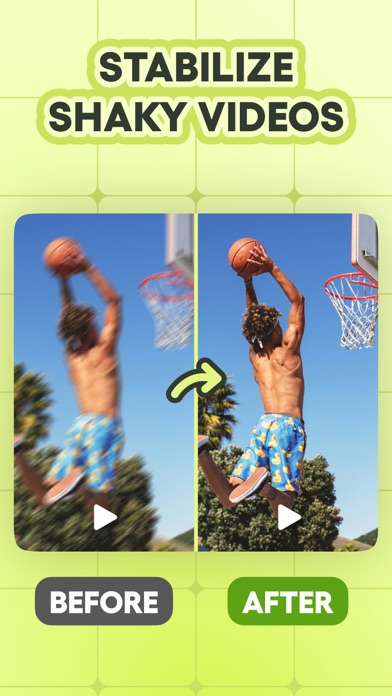
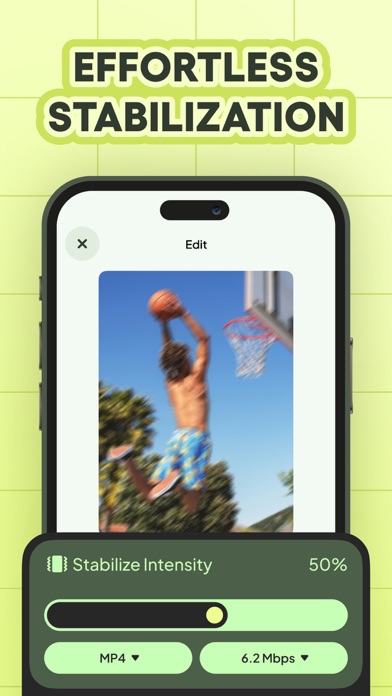
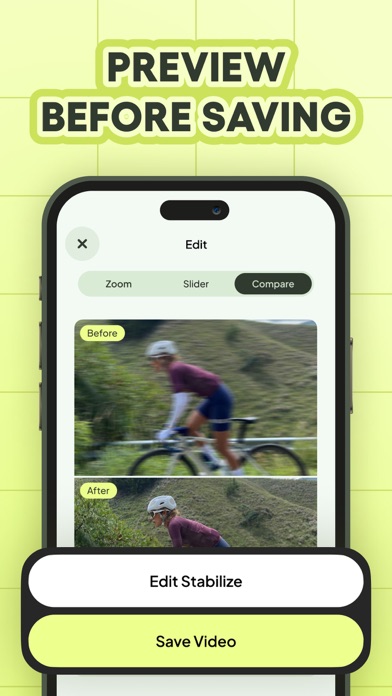
Video Stabilizer can make your video look smooth and stabilized. If you usually records video while running or moving, the video can get very shaky and this app can fix just that! How It Works - Advanced Stabilization Technology: Our app utilizes cutting-edge algorithms to analyze and stabilize your videos frame by frame, ensuring a steady and polished result - Easy-to-Use Interface: Just simply import your video, and within a few seconds, you'll witness the magic as your video transforms into a smooth masterpiece. - Customizable Settings: Tailor the stabilization process to your preferences with adjustable settings for intensity and correction, giving you full control over the final outcome - Real-Time Preview: Preview the stabilized footage in real-time, allowing you to make instant adjustments and perfect your video before sharing it with the world. With Video Stabilizer, not only you get the advanced stabilization tool, but you also get a comprehensive solution designed to elevate your video content to new level. Whether you're a seasoned videographer or just capturing everyday moments, our app empowers you to create professional-looking videos effortlessly. Don't let shaky footage hold you back any longer. Download Video Stabilizer today and experience the difference for yourself. Join the ranks of content creators, vloggers, and enthusiasts who trust Video Stabilizer to deliver smooth, stable videos that leave a lasting impression. Say hello to flawless footage and goodbye to shaky regrets – it's time to unleash your creativity with Video Stabilizer.

ipaomtk.com
ipaomtk.com | photography enthusiasts! In this comprehensive article, we’ll delve into the world of TADAA Camera Focus And Depth IPA MOD iOS, a powerf
Lightricks Ltd.
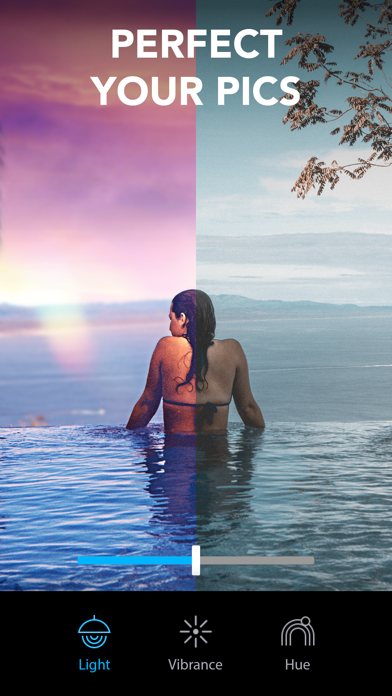
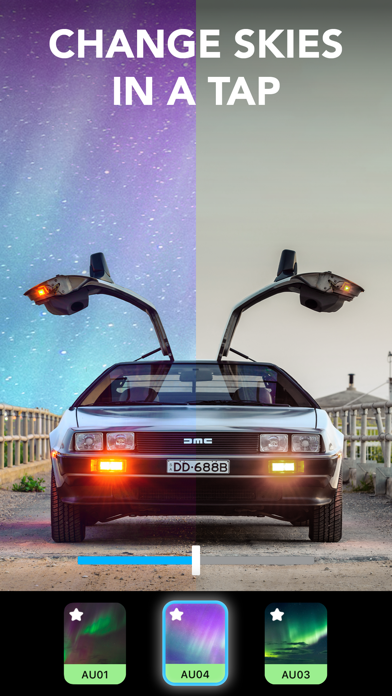
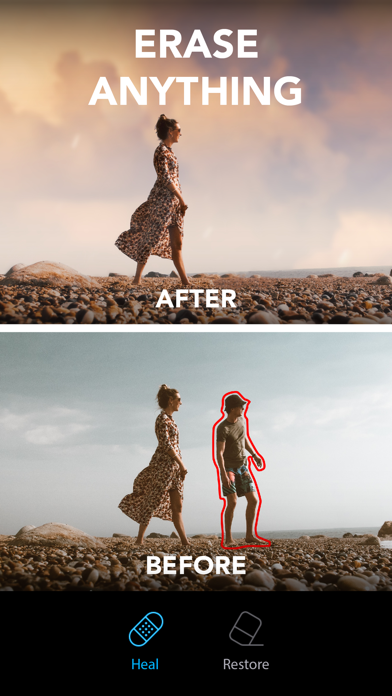
Finally, you can take the photo you actually meant to take! Lightleap (formerly Quickshot) is a photo editor that proves you no longer need to be a professional photographer to take amazing photos. Let’s face it - your photos don't always come out the way you expected. You pull out your phone to capture something awesome, but the photo you take just doesn't do the scene justice. The background is too blurry, the lighting is just all wrong, or maybe the scenery needs a retouch – something only an experienced editor can do, right? The Lightleap app is here to change that! With this editor app, you can capture the beauty and magic you see with your own eyes – or enhance it. You become the editor with filters, effects, and retouch tools at your fingertips. There’s no need to spend hours pulling your hair out as you learn how to use professional editor software. The Lightleap image editor app takes moments to retouch your photos into eye-catching images with professional vibes, using stunning pre-set filters and effects. With unique, easy-to-use features like background Sky, Heal, Effects, Filters and Looks, every photo you take from now on will be picture perfect. If you’ve dreamed of taking Instagram-worthy images to inspire the world, this is your chance. Brought to you by Lightricks, the award-winning app developer, Lightleap photo editor app is part of the Enlight Creativity Suite, including Pixaloop, Videoleap and Photofox. We help you harness your creativity in every photo. App user favourite features from Lightleap include: Sky Replace the background in your photos with a brand-new sky! - With one tap, you can change the background with a new sky. - Select from 60+ high-quality sky backgrounds. - Choose from sunny, dusk, sunset, storm, and even fantasy skies! Heal Remove unwanted people, background smudges, and easily retouch your image with the heal function, like a true editor. - Select and erase items in the forefront and background of your image. - Smooth over bumps and quickly correct photo mistakes. - Undo retouches with a single tap to restore your image! Filters No photo is complete without one of Lightleap's gorgeous filters - one of our top features. - Find filters by theme, whether you’re looking for warm, black and white, urban, fade and many other filters. - Easily adjust the intensity of your filters over your image. - Achieve the effects you desire in moments! Looks Change the vibe of your photo like a true editor in one tap. - Choose a predefined look as filters for your image. - Create a signature style for your Instagram feed with our designer editor looks. - Give your images a golden hour glow, or set the mood with dusk, black and white, shadows and fantasy looks. Effects Add tons of special effects to retouch dull areas and bring your background to life. - Overlay shadow effects, sparkles, lens flares and more to enhance your photo. - Change the weather effects and add seasonal themes. - Access our extremely popular mood elements and adjust the magic level of your photo effects! Adjust The full collection of essential editor tools is at your fingertips. - Every minor retouch adjustment can be made, including light and contrast to temperature, tint and hue editors. - Crop your photo, retouch, and edit all within the app. - Sharpen, adjust the depth, structure, and grain as a professional photography editor! With Lightleap, you become a photo editor in moments. Fix and retouch your photos with filters and effects to truly capture the magic of the moment you experienced. Download the app to discover how you can become a pro photo editor! - Terms of use: https://static.lightricks.com/legal/terms-of-use.pdf - Privacy policy: https://static.lightricks.com/legal/privacy-policy.pdf

PERFECT MOBILE CORP.
YouCam Perfect is the ultimate AI photo editor and beauty camera, helping you take great pictures, with over 800 MILLION downloads and counting! Download YouCam Perfect for a comprehensive suite of photo editing tools and beauty camera features, including AI agent, quality enhancer, background remover, collage maker, photo retouch and more. *TOP FEATURE* AI Agent: Next Generation Photo & Video Editor • Text-to-Image & Image-to-Image: Simply enter a prompt to instantly edit, enhance and create photos using our AI photo generator. • Text-to-Video & Image-to-Video: Type a prompt to convert your creative ideas, sketches, or photos into fully animated videos. • Video to Video: Edit videos, transform styles and enhance visuals using simple text prompts — just describe the changes you want. (New) AI Template: Find Social Trending Templates Here • Access all social trending templates to create scroll-stopping photos and videos, perfect for content creators or anyone looking to make eye-catching posts. AI Group Photo: Create Pair Shots in Seconds • Upload solo or two photos and let AI naturally merge them into one realistic group image. • Choose ready-made templates for couples, best friends, or pets — plus special holiday themes with this photo editing tool. AI Image-to-Image & AI Text-to-Image • Generate images instantly from text and transform photos with one tap using advanced AI models like GPT-Image-2, Nano Banana Pro, Seedream 4.0 and Imagen 4 Gen to unlock versatile AI photo editing effects. AI Image-to-Video • AI Animation: Turn images into dynamic short clips, powered by top AI video generation models including Wan AI, Seedance, Kling AI, Google Veo, and more. Powerful Photo Editing Tools • AI Photo Enhance: Enhances photo quality by sharpening details, improving clarity, and boosting overall resolution. • AI Photo Lighting: Instantly adjust lighting, brightness & contrast, and shadows to create natural results. • AI Object Remover: Instantly erase unwanted objects or people from photos with precision and ease. • AI Background Remover: Cut out subjects, remove backgrounds, and save images as PNGs for transparent editing. • AI Photo Repair: Revive faded, blurry, or old memories into vibrant, high-quality images. • AI Face Swap: Swap faces between photos for natural results, ideal for fun edits, group photos, or trying different looks. AI Body Editor • Body Reshape: Refine your body shape and adjust key areas like arms, belly, shoulders, legs, and hips for a more balanced, natural-looking silhouette. • AI Chest: Automatically detect and adjust chest size with realistic results. • Height Tool: Adjust height and improve body proportions easily. AI Selfie Editor & Photo Retouch • AI Facelift: Lift and firm facial features for a more youthful look. Automatically detects and adjusts cheek, eyes, mouth, and forehead lines for precise facial contouring. • Face App: Slim your face, adjust jawlines, or reshape your nose for a perfectly balanced look. • Photo Retouch: Smooth skin, remove blemishes, and refine facial features easily. Collage Maker with 100+ Templates • Build Collage Easily: Choose from hundreds of customizable collage templates, grids, and frames—or design a freestyle collage to match your unique style. • Personalize Your Collage: Add text and stickers doodles to make every collage truly yours. ************************************* Download YouCam Perfect and follow us to get more photo editing inspiration today! • Instagram: https://instagram.com/youcamperfect.official • TikTok :https://www.tiktok.com/@youcamapps.official • Terms of Use: https://www.beautycircle.com/info/terms-of-service.action • Standard Apple Terms of Use (EULA): https://www.apple.com/legal/internet-services/itunes/dev/stdeula/ • Privacy Policy: https://www.beautycircle.com/info/privacy.action
Dayworks.
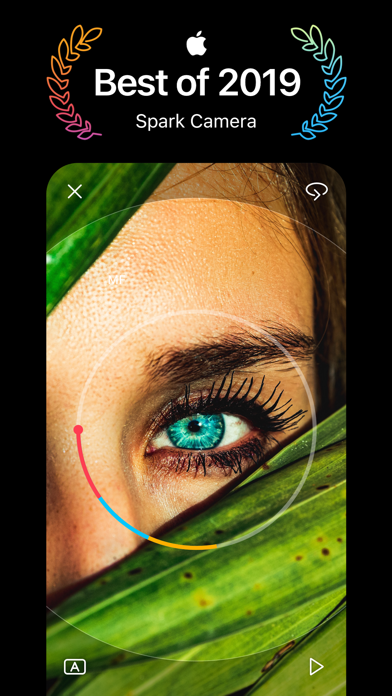
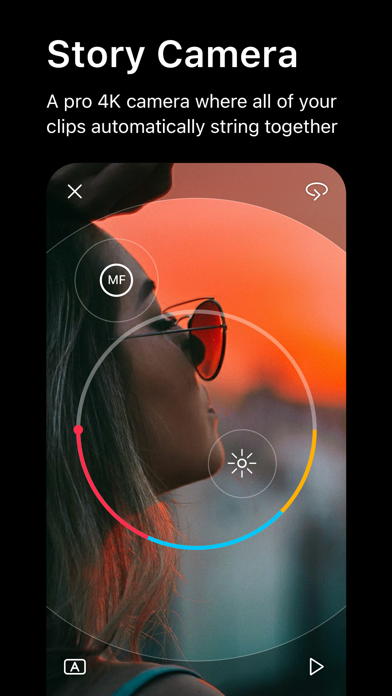
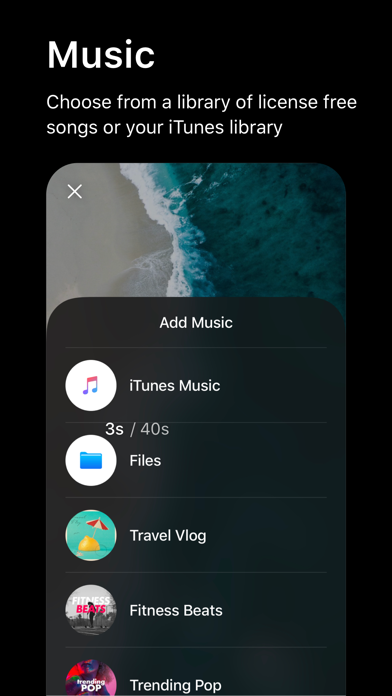
** Best of 2019 ** –– Apple “The camera of choice for countless influencers and brands” –– Apple “Gorgeous App for Making Movies on Your iPhone” –– Wired Spark Camera is an award-winning camcorder for your iPhone. Over 1 million creators on Instagram and YouTube use Spark for it’s simplicity and speed in creating vlog-like videos. Everyone from big organizations like TED, to Instagram influencers, to small businesses use Spark to make videos that stand out. And we also have everyday people use Spark as their camcorder to record weddings, vacations, parties and more. Unlike other video editors, Spark Camera is all about the camera. You shoot all of your clips in the app and when you’re done, your video is already edited together. From there you can add one of 30 beautiful filters and any song from our popular license free music library. Features: + Simply press and hold to capture as many moments as you’d like in 1080p HD and 4K. + Easily access advanced camera controls for FPS and stabilization. + Choose from over 20 stunning filters by simply sliding left and right. Adjust the intensity by sliding up and down. + Add music from your iTunes library or our hand-picked music library to give your video the perfect mood + Narrate your videos with one-touch voice overs. + Trim, reorder, and delete clips from your video with a beautiful and simple interface + Adjust speed and volume on every clip for complete creative control. + Share your Spark with your friends on Instagram Stories, TikTok, IGTV, Snapchat, iMessage, or anywhere else. Spark Camera gives everyone the ability to create beautiful video memories. Have questions, problems, or feedback? Reach out to us at [email protected] The Spark Pro Membership Experience Spark Pro is a $2.99/mo or $29.99 USD/year subscription that provides access to tools that give you even more editing control such as our beautiful pro filters, an ever-growing music library and voice over, stabilization, transitions and more, updated monthly. Subscription auto-renews at the end of each term (month or year depending on subscription), unless cancelled 24-hours in advance. The subscription fee is charged to your iTunes account at confirmation of purchase. You may manage your subscription and turn off auto-renewal by going to your Settings after purchase. No cancellation of the current subscription is allowed during active period. Payment will be charged to iTunes Account at confirmation of purchase. Account will be charged for renewal within 24-hours prior to the end of the current period, and identify the cost of the renewal. Any unused portion of a free trial period, if offered, will be forfeited when the user purchases a subscription to that publication, where applicable. Terms and conditions: http://www.day.works/spark/terms.html Privacy policy: http://www.day.works/spark/privacy.html
Yooshr Ltd
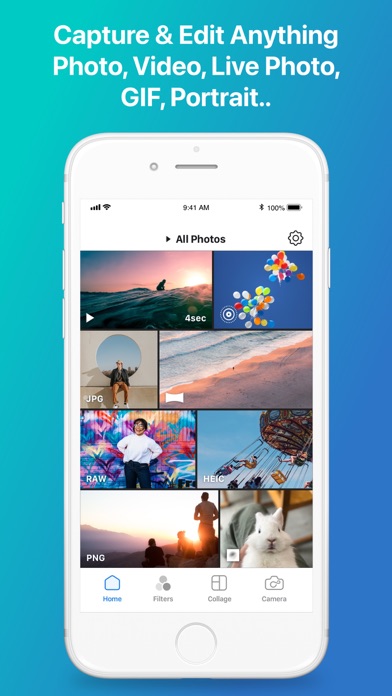
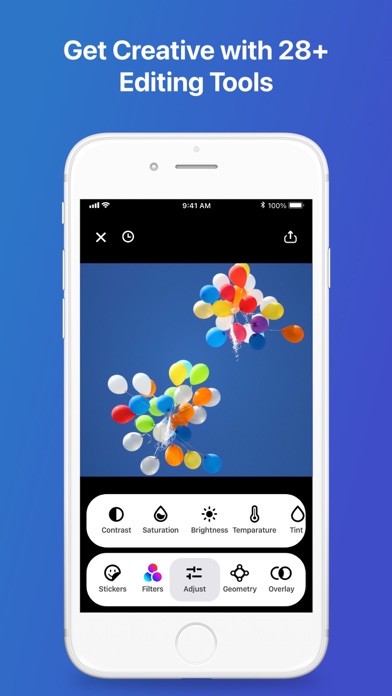
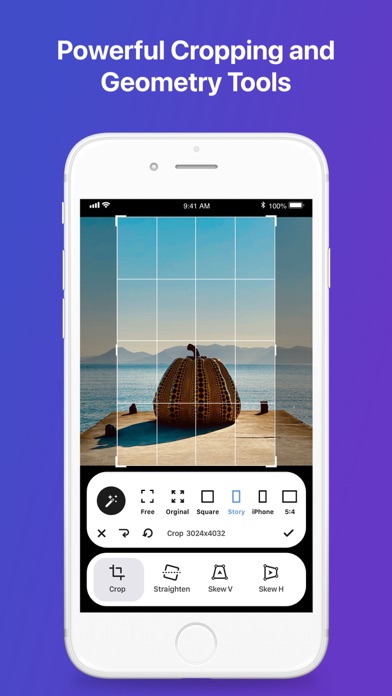
Looking for a mindblowing alternative to the usual photo filters apps? Are you ready to step up and enhance your pictures? Now you can with Infltr, the only photo editing app with infinite filters! Download the most advanced photo editor: it's available for all your devices, including iPhone, iPad and even Mac. Infltr is easy to use on one side and offers professional features on the other, making it the ideal app for both beginners and advanced users. Get wild with pics, videos, Live Photos, animated GIFs and Portrait Mode: edit and make them perfect with the unlimited filters of Infltr. Infltr is the only app that allows you to change filters by simply dragging your finger on the screen: just drag it in any direction and the filter will magically change. By downloading Infltr you will have access to: • more than 7 million filter possibilities as you can design your own filters to enhance any pic; • 28 amazing editing tools: apply filters and effects to retouch your photos to perfection; • dedicated video tools: trim, volume, speed-up, slow-mo, add music; • a Widget to discover new filters on a daily basis; • the best sharing features: share your masterpiece on Snapchat, Instagram, TikTok, WhatsApp, GIPHY and many others. Achieve the most amazing results with a simple swipe: edit pics, videos, Live Photos, animated GIFs and Portrait photos with tools that enable you to crop and flip images. Make powerful edits such as perspective, straighten, rotate, sharpen, saturation, contrast, brightness, vignette, temperature, tint, hue, selective HSL, double exposure, highlights, shadows, highlights tint, shadow tint, fade, grain, color shift, color overlay, and exposure. Enhance the quality of your creations: aim high with Infltr! Curious to read a couple of reviews about us? Let us show you what Tapsmart and Stuff.tv have to say: • ”Infltr strongly encourages experimentation, and getting a good result feels slightly magical” • ”Infltr is short of vowels but has plenty of tools and literally millions of filters” If you aim to take your photos and videos to next level, with Infltr you can: • Retain the HD resolution of your panorama photos and those taken with a DSLR camera; • Edit both the background and the foreground of your pics independently; • Connect to Dropbox to edit your photos online. Dreaming about making all your pics look professional? Infltr is the app for you. Try it out and drop us a line at [email protected] and let us know what you think! We do value your feedbacks. Privacy Policy: www.infltr.com/privacy Terms of Use: www.infltr.com/terms
Yevhen Tretiakov
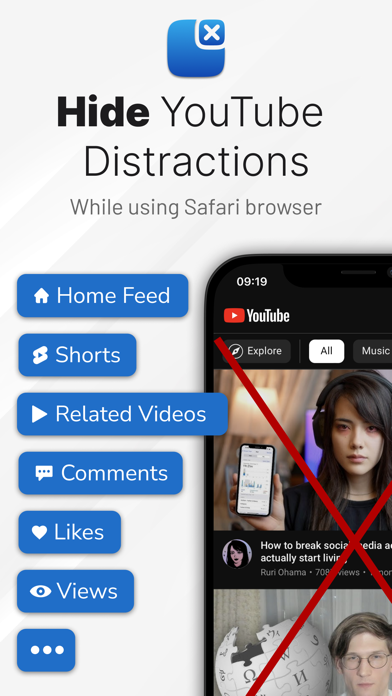
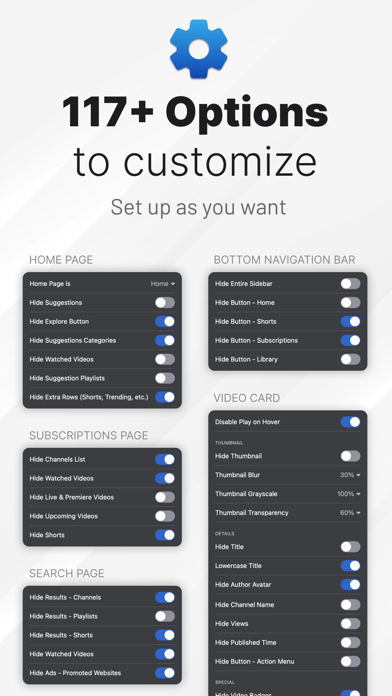
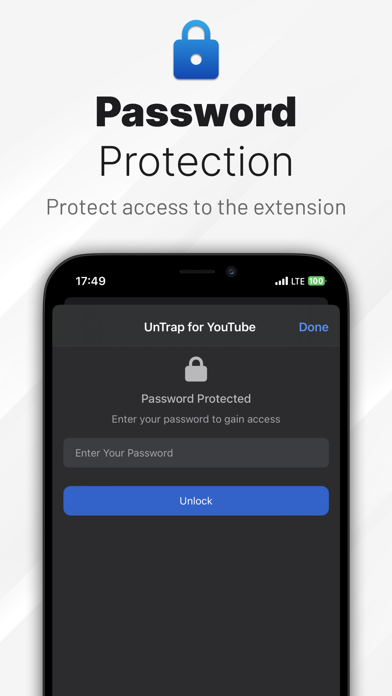
Transform YouTube website into a clean and productive space. Access 250+ powerful features including AI video summaries, layout customization, content filters, automation, and focus tools. ◆ Enhance Your YouTube Experience - Hide Shorts, comments, related, and suggested videos - Grayscale, blur, or hide thumbnails - Auto-redirect the YouTube homepage to a custom page - Remove notifications, buttons, sidebars, and trending tabs - Auto-enable Theater or Full Screen mode - Hide ad banners and auto-skip video promotions - Block videos, channels, or comments using keywords, channel IDs, or regex ◆ AI Video Summaries - Instant Video Summary: Get a clear overview of any YouTube video in just 5 seconds - Key Insights Extraction: Understand the main points without watching the entire video - Timestamped Navigation: Jump directly to the most important moments - Multilingual Support: Summarize and translate in over 40 languages - Top Comments Overview: Instantly see the most insightful viewer opinions - Enhanced Transcript Generator: Get transcripts that outperform YouTube’s auto-captions in clarity and accuracy ◆ Productivity Tools - Password-Protected Settings: Keep your preferences secure - Temporary Focus Mode: Block distractions with a single click - Scheduled Focus Sessions: Automate distraction-free time blocks - Opening Delays: Add a pause before accessing YouTube or launching the extension - Custom Hotkeys: Instantly trigger features with keyboard shortcuts ◆ Available On - Safari: https://apps.apple.com/us/app/id1637438059 - Chrome, Opera, Brave: https://chromewebstore.google.com/detail/untrap-for-youtube/enboaomnljigfhfjfoalacienlhjlfil - Firefox: https://addons.mozilla.org/firefox/addon/untrap-for-youtube/ - Edge: https://microsoftedge.microsoft.com/addons/detail/untrap-for-youtube/ngnefladcohhmmibccafkdbcijjoppdoT ◆ Works with YouTube website on desktop, mobile, and embedded videos. Important: UnTrap is only available as a browser extension and is not compatible with the YouTube app. Terms Of Use: https://untrap.app/tos/


Sajed Nahian
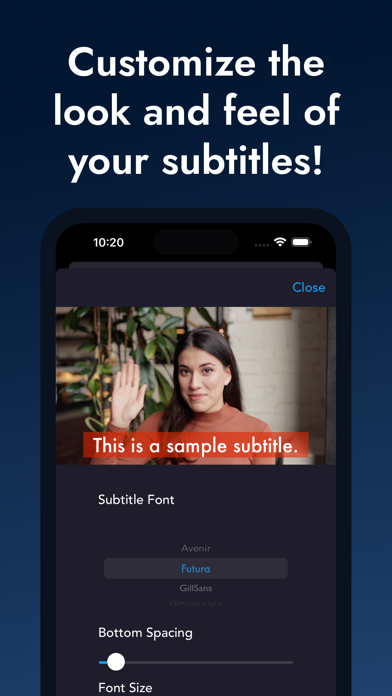
Most of your viewers will see your videos on mute. That is why is it important to add subtitles or captions to your videos. Doing this manually however is painstakingly slow. Our app will take your video and automatically generate the subtitles for the video. In addition, we can translate your video to many different languages to grow your audience in other countries.
婷 刘
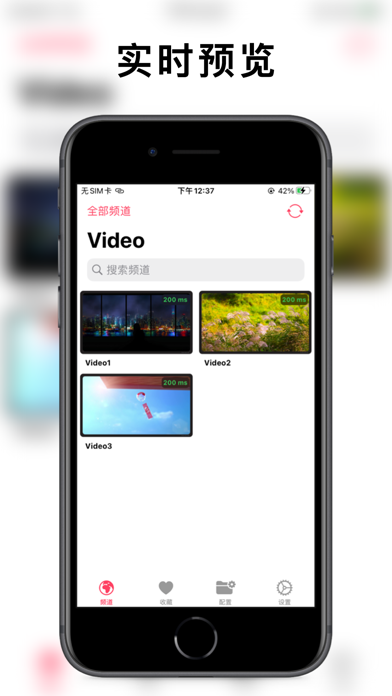
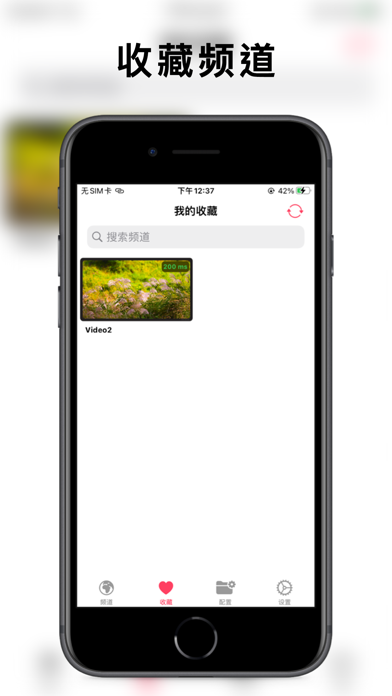
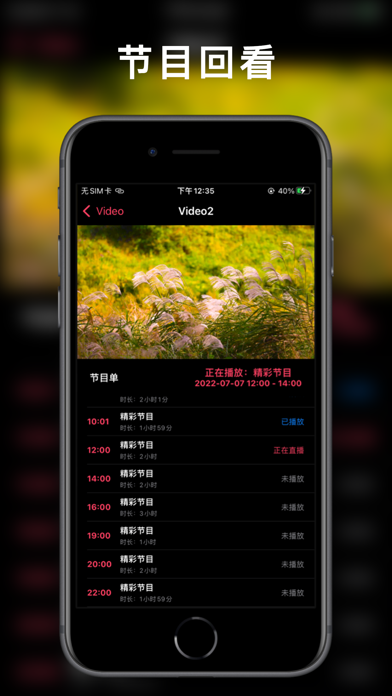
APTV,一款可实时预览的高颜值全平台 IPTV M3U播放器,是一个可播放可回看的多功能播放器。 跨平台支持: iOS, tvOS, macOS, watchOS, visionOS 核心功能: 1. 播放能力 • 支持HLS, HTTP, RTMP等流媒体协议 • H.264/H.265硬件解码 • 4K/HDR/HLG支持 • 画中画 • AirPlay/DLNA投屏 2. IPTV特性 • M3U播放列表 • EPG电子节目指南 • 频道管理(分类、收藏、历史) • 多源配置 3. 数据存储 • 本地数据持久化 • iCloud云端同步 Email:[email protected] Github:Kimentanm/aptv


Zoomerang, Inc.
Zoomerang is a powerful yet easy-to-use template-based video creator and editor app. With this all-in-one video creation studio, you can create and share original and trending videos on all short-form video platforms by making it as simple as a few taps. Join the Zoomerang community of over 35 million users around the world and stay tuned to the social media trends due to the unique and creative content of the platform. Features: TEMPLATES - Shoot trendy and short-form platform-relevant videos with step-by-step tutorials - Follow hashtags to easily find viral-style video templates featuring famous songs for any category - Join our community of 200,000 template creators and participate in extraordinary challenges - Send us your favorite challenge from TikTok, and we will make its template to simplify the shooting - Stay tuned to the emerging social media trends by following featured templates GEN AI STUDIO - Deform: Animate videos to life. - Restyle: Revamp video aesthetics. - Look AI: Craft polished portrait photos perfect for social media. - Text to Image AI: Turn textual prompts into stunning visuals. - Generative Fill: Edit photos seamlessly with prompts. - Expand AI: Broaden the horizons of your photos and videos. VIDEO EDITOR - Create and edit videos as a pro with the easy-to-use yet powerful video editor tool - Add text on videos with 30+ custom fonts - Edit your text with exclusive features: animations, colorful shadows, borders, and more! - Split, reverse, and transform your video to enjoy the art of composition - Search from millions of stickers, gifs, and emojis and add them to your videos - Import background music to your videos from your phone or extensive library of Itunes - No music available? Choose the type of music you want (genre, mood, etc.) and let the app generate songs for you TOOLS - Make your video entertaining and astonishing using our Stickers feature - Beautify yourself with the Face Beautification tool to look amazing in every video you make - List your favorite colors and let Change Color effect do the magic - Remove the background with just a few taps - Create trendy video collages with your favorite visuals - Use Face Zoom effect to let the camera zooming of your face EFFECTS & FILTERS - Bring your creativity to life with 300+ aesthetic effects - Choose from various amazing AI effects: Copies, Ai Vins, Special, Liquis - Unleash your inner artist with filters such as Aesthetic, Retro, Style, B&M and more! SOCIAL MEDIA - Easily save and share your truly working videos on TikTok, Instagram, Snapchat, Likee, and YouTube, and go viral! - Stay tuned to the emerging social media trends due to the unique and creative content of the platform VIDEO RECORDER - Shoot part by part and apply live effects/filters to your video while recording to make it more eye-catching Download Zoomerang now and go viral on all social media platforms with the trendy videos you will create via your all-in-one video creation studio! There is some information about the auto-renew nature of the Premium Subscription: The following are the subscription periods: Base Yearly plan: $29.99/year Advanced Yearly plan: $239.00/year Monthly plan: $39.99/month - Payment will be charged to the iTunes Account at confirmation of purchase. - Subscription automatically renews unless auto-renew is turned off at least 24 hours before the end of the current period. - The account will be charged for renewal within 24 hours prior to the end of the current period, and identify the cons of the renewal. - Subscriptions may be managed by the user, and auto-renewal may be turned off by going to the user's Account Settings at the iTunes store after purchase. Privacy Policy: https://bit.ly/zoomerangprivacypolicy Terms: https://zoomerang.app/privacy LICENSED APPLICATION END USER LICENSE AGREEMENT: https://zoomerang.app/privacy Please send your questions and feedback to [email protected]


Solution Cat Limited
Are you tired of cropping your pics on INSTAGRAM? Post full size photos and videos to Instagram and other social sites without cropping! No Crop & Square Fit For Instagram is highly customised pics editing app featuring Move, rotate, scale, flip and edit your photos and videos with ease. Best Photo & Video editor for INSTAGRAM Use Unique filters, effects, borders, frames, stickers and text to make your photos & videos more popular and special. Features: ..................... ◉ Post full size photo and video on Instagram ◉ Rotate, flip and resize ◉ Blur BG: All Possible blur effects. Gaussian blur, Motion Blur,Pointillise Blur, Zoom Blur, Hexagonal Blur, Crystallise Blur, Black & White Blur and many more. ◉ Backgrounds: Huge collection of Pattern, Color and Gradient Color Backgrounds. ◉ Filters: 200+ Awesome Effects and Filters. ◉ Frames: Collection of stunning frames. ◉ Overlay: Add Video and Image overlay ◉ Creative Borders: Give your pic or video a border to make it stand out. You can keep it simple with a square, or experiment with heart, circle, many pointed stars and more. Your friends will be amazed! ◉ Text: Quickly add text to your photos and videos with over 50 professional fonts. ◉ Sticker: Express your emotion with cute stickers and emojis. ◉ Music: 50+ Background musics for your video. Make your video live. ◉ Editing Tools: Edit your photos as you like. ◉ Share: Share your creation at Instagram, Facebook, Twitter, email and more. Premium Subscription: …………………………….. As a member of NoCrop & Square For Instagram Premium, you will enjoy unlimited access to our exclusive set of Pro-Level Features with no limits! Length of subscription: ◉ Monthly subscription ◉ 3 days free trail, after that yearly subscription No Commitment. Cancel Anytime You can restore your paid in app purchases without paying again and access all No Crop premium features. Follow these steps 1. Open the app 2. Click on Bottom Left to open the Settings 3. Click on ‘Restore’ to re-activate your in app purchases again 4. DONE For more details see Subscription Terms of Use : https://sites.google.com/view/nocropsubscription/home We’d love to hear from YOU! Drop us a line about No Crop & Square Fit For Instagram - Email: [email protected] Facebook: https://www.facebook.com/solution.cat Instagram: www.instagram.com/solutioncatltd Crop icon created by Freepik - Flaticon


Spark Dynamic
Introducing an amazing Cosplay AI Baby Generator- Future Face Maker, future baby face generator and baby maker app, fun kid generator! This cool baby predictor app and future baby generator helps you to find out if you wonder about your future child maker! If you wonder your future child generator then this cool Cosplay AI Baby Generator - Face Maker and baby prediction app is here for you! It has all the amazing features like future baby face generator, perky ai ps2 filter, cartoon photo editor, ai couple photo generator app, ps2 ai filter and ai face generator app! You can also see the future of your real baby by just uploading a photo of them with babygenerator! Create an image to video, make a baby ac with remini baby ai generator ps2 ai filter, ai costume generator app and cool future baby predictor and future ai kid generator to see what your baby will look like! Try an amazing cool app AI future baby face generator, AI child generator to see future kids what will my baby look like with cool perky ai face generator my future baby filter and tiny faces dbai baby generator pro! Create a ps2 character with ai baby generator face maker with my future baby maker and fun ai couple photo generator with ai photo generator baby prediction app! Generate hidden face morph, create my future baby if you want to see what will my baby look like with remini baby ai generator and babygenerator! Use the cool Baby Generator App, ai baby face generator and baby prediction app to see what would our baby look like & cool ai babymaker kid generator and baby ac ai child generator you can see the future! Create me in the future and ai ps2 character easily by using a future baby prediction app to see what your baby will look like! Get ready for an amazing retro camera retro filter with ai mirror cartoon photo editor, ai photo generator baby ac and cool future baby ai generator to see how will my baby look! Get latex dressed up with a costume generator app, become your favorite movie character, try ps2 ai filter app and cool costume, become a pokemon character with an amazing kid face generator! Anime yourself now; try me in the future baby filter and babygenerator to create magic avatars by using a unique baby generator face maker, cool future baby generator to see what will my baby look like! If you wonder your future kids face, you are in the right place! Try amazing future baby generator and see what your baby will look like! With ai couple photo generator app, future baby face generator and photolab cartoon photo editor, you can easily create amazing superlook ai hair change app. Try to cartoon yourself with cool caricature maker! Create future self with future babymaker photo ai portraits with remini baby ai generator & ai image editor! cartoon yourself with ai hair change and the wonderful child maker app! Choose a variety styles of photo anime, cool app ai baby face generator app, bride filter, app ai baby predictor to see how will my baby look! Just think about what character you want to be, upload a selfie, guess the face me and anime yourself with a cool professional headshot photos app and ai cartoon maker. You can be any sims character creator you can think of! Take maternity photoshoots, change hair styles with trendy hair style apps, become a game character and hit your office style with different linkedin photos! Choose the profession that suits you! Travel back in time with a cool retro filter vintage camera, cool old money styles! You can create your aging video, see what would you look like when you are old, and you can see your future boy or girl just uploading your photos! Take maternity shoots with and see how would you look like when you are pregnant! See your wonderful dream wedding with an amazing wedding dress and your lovely partner with amazing wedding photo filters! - Terms of Use: https://sparkdyn.com/terms.htm - Privacy Policy: https://sparkdyn.com/privacy_policy.htm
Shenzhen Tushi Technology Co.,Ltd
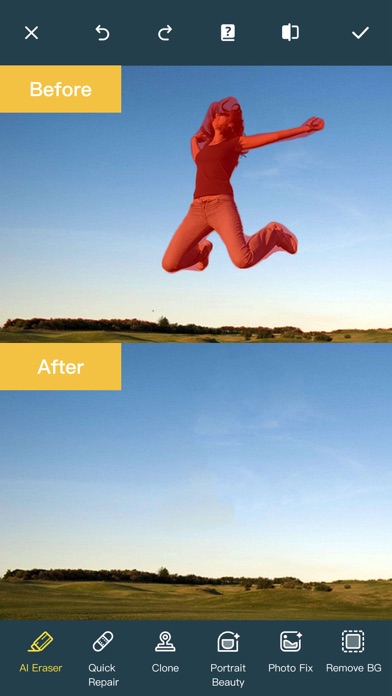
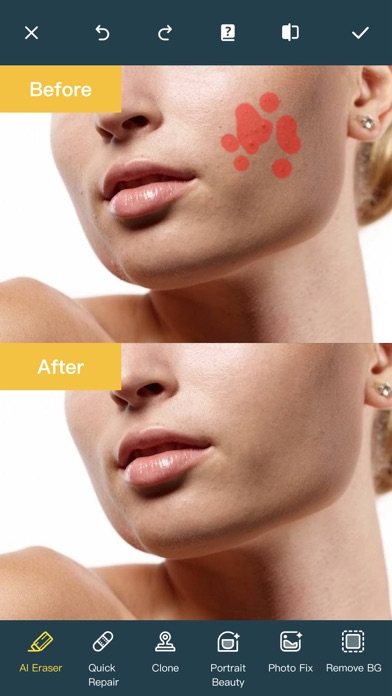
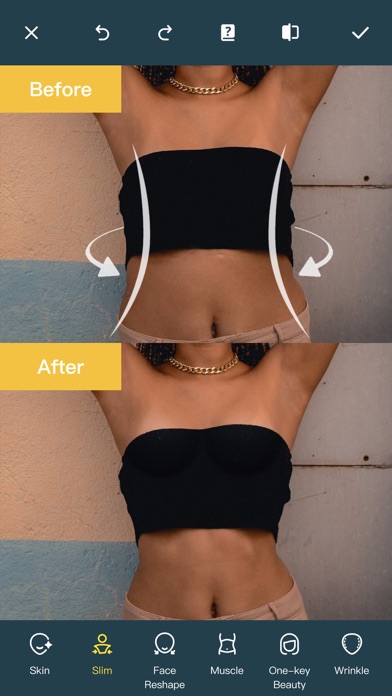
Ever wanted to remove unwanted people, unsightly pimples from a photo/video? Now you can. Photo Retouch can make people, blemish disappear as if they were never there. Very simple to use. Simply paint the items, and touch run erase. Make fun pictures/videos, remove unwanted people, remove unsightly pimples, clean up the perfect shot. Even more features: *Powerful AI Photo Editor, add text, filters and effects to photos. *Face Options: V-Face,Narrow Face,Little Face,Thin Face,Forehead,Chin,Cheekbones,Mandible Bone. *Eye Options: Big Eye, Eye Opening, Eye Distance,Eye Angle,Brilliant. *Nose Options: Long Nose,Thin Nose,Thin Philtrum. *Mouth Options: Shape, Smile,Beautiful Teeth. *Skin Options: Blur, Whitening, Sharpen, Rosy, Dark Circles, Nasolabial. *Eliminate Acne, Wrinkle Killer, Thin Whiten Face. *Hundreds of new image filters. *Makeup Editing: Dozens of editable makeup for you to choose. *Beautify Body:Turn your snaps into a model portfolio in a few minutes. *Live Photo Editing: Beautify Live Photos instantly. *AI Expansion: smartly fills in scenes for one-click expansion. *AI Hairstyle Changer: AI-powered hairstyle transformation, freely change your look. *AI Drawing: turns text or images into images and create artistic pictures with AI. *AI Background Remover: Precise cutouts with smart recognition, quickly change backgrounds. *Collage: Change layouts, switch backgrounds, seamlessly splice, and collage images to capture life's moments. *Hairstyle and Hair Color: Change hairstyles and hair color, enhancing your beauty from the top down. *Old Photo Restoration: Add more color to your old photos. *Clarity repair: Turn blurry photos into high-definition in seconds, improving image quality. *Image Fill Color: Fill color to your old photos automatically. *Face Blur: Blur the faces in the video Easily. *Track Blur: Remove/blur the moving people/blemish in the video. *Powerful AI Editing: AI Face Restoration, AI Facial coloring restoration, AI Retouch custom prompt editing, AI Nail Design, AI Hairstyle, AI Photo Generator. *Cloud Storage: Backup your editing result via cloud center. Premium Package Subscription - You can subscribe for large cloud storage space & premium features - Payment will be charged to iTunes Account at confirmation of purchase - You will be able to use large cloud storage space & premium features for the duration of the subscription - Subscription automatically renews for the same price and duration period as the original "one week"/"one month"/"one year" package unless auto-renew is turned off at least 24-hours before the end of the current period - Account will be charged for renewal within 24-hours prior to the end of the current period at the cost of the chosen package (weekly, monthly or yearly package) - Subscriptions may be managed by the user and auto-renewal may be turned off by going to the user's iTunes Account Settings after purchase - No cancellation of the current subscription is allowed during active subscription period - You may cancel a subscription during its free trial period via the subscription setting through your iTunes account. This must be done 24 hours before the end of the subscription period to avoid being charged. Please visit http://support.apple.com/kb/ht4098 for more information - You may turn off the auto-renewal of your subscription via your iTunes Account Settings. However, you are not able to cancel the current subscription during its active period - Any unused portion of a free trial period, if offered, will be forfeited when the user purchases a subscription to that publication, where applicable Links to our Terms of Service and Privacy Policy can be found below Privacy Policy:https://privacy.tushikeji.com/app/privacy?name=photoretouch&os=ios&language=en&channelNo=1 Terms of Use: https://privacy.tushikeji.com/app/userAgreement?name=photoretouch&os=ios&language=en&channelNo=1


Hangzhou Banyeshan Technology Co., Ltd.
For effortlessly achieving stunning photo quality and memorable restoration, PicsBeauty is your ultimate go-to solution. PicsBeauty assists in elevating resolution, enhancing photo quality with precision, and masterfully retouching portraits, helping you rediscover the beauty in every memory. * High Resolution Transformation Elevate your photo resolution with our advanced tools. Experience the magic of high-definition as you transform your memories into stunning visuals. * Enhance Photo Quality with Precision Struggle with blurry pictures no more! Our comprehensive suite of enhancement tools allows you to unblur photo, make pictures clear, unblur photos, fix photo blur, fix blurry photo, and enhance photo quality with ease. From subtle adjustments to significant corrections, make your pictures clear and photo clarity unparalleled. Whether it's a single tap to un blur or a detailed fix for a blurry photo,. * Masterful Portrait Enhancements Elevate your portraits to perfection. Enhance faces in your photos to appear natural, smooth, and elastic, effortlessly removing scars, freckles, acne, and other imperfections. * Old Photo Restoration Cherish the memories without the wear and tear. Our Old Photo Restore feature breathes new life into your cherished moments. Fix photos from yesteryears with our intuitive tools, restoring them to their former glory or even better. * One Time Payment, Lifetime Use We offer a straightforward and convenient operation mode, promising no ads, no in-app purchases, just a one-time payment for lifetime use. * Ai Privacy Mode We offer an AI local processing mode for photos, eliminating the need to upload photos to the server, allowing AI calculations to be done on the phone. Terms of Use: http://bubuyanyu.github.io/PhotoOfClarity/protocol/privacy-policy.html Privacy Policy: https://bubuyanyu.github.io/PhotoOfClarity/protocol/terms-of-service.html

ipaomtk.com
ipaomtk.com | BiliBili HD Anime Videos IPA MOD iOS, I’m always on the lookout for the best platforms to stream my favorite shows. That’s why I was thr
ipaomtk.com
ipaomtk.com | AI Photo Generator Collart AI IPA MOD iOS one of the most exciting developments in recent years is the advent of AI-powered photo genera


Pixelcut Inc.
70+ million creators trust Pixelcut, the AI photo and video editor for background removal, Magic Eraser, image upscaling, AI image generation, AI video generation, and more. Make photos and videos stand out in seconds. WHAT YOU GET - Background Remover - Remove backgrounds from photos or videos instantly. Works on products, portraits, and hair, then replaces them with a color or AI-generated scene. - Image Upscaler - Turn low-res, old, or blurry photos into sharp HD images without losing quality. - AI Image & Video Generator - Create images and videos from text prompts using advanced AI models. - Batch Editor - Edit up to 100 photos at once. Remove backgrounds, change colors, and resize in one tap. - Magic Eraser - Remove objects, people, text, or watermarks with clean, natural results. - AI Actors - Showcase products on photorealistic AI models and create AI ads, AI UGC videos, and lifestyle imagery without a studio. - Ghost Mannequin - Remove mannequins from clothing photos for the clean floating apparel look used by fashion brands. - Virtual Try-On - Place any garment on AI-generated models instantly. - AI Backgrounds - Put products on marble, at the beach, or in any scene you can imagine. - Image Expander & Generative Fill - Extend photos with AI and add more sky, background, or scene naturally. - Blur Background - Add DSLR-style portrait bokeh straight from your iPhone. - AI Shadows - Add realistic shadows for studio-quality product photos. - Recolor - Change the color of anything in a photo instantly. - Templates - Thousands of designs for social posts, product listings, thumbnails, and more. Perfect for e-commerce sellers on Etsy, Amazon, and Shopify, fashion brands, apparel sellers, real estate agents, interior designers, social media creators, influencers, and anyone who wants professional photos without the learning curve. Download Pixelcut and make your photos and videos stand out. Questions or feedback: [email protected]. Pixelcut Pro is a subscription that gives you tools to sell more and grow your business. It includes unlimited background removals, access to the best AI tools, and the web Pro plan at https://www.pixelcut.ai. Subscription auto-renews at the end of each term unless canceled 24 hours in advance. The subscription fee is charged to your Apple account at confirmation of purchase. After purchase, you can manage your subscription and turn off auto-renewal in Settings. No cancellation of the current active period is allowed. Your account will be charged for renewal within 24 hours before the current period ends, and the renewal cost will be shown. Any unused portion of a free trial, if offered, will be forfeited when you purchase a subscription, where applicable. Terms and conditions: https://www.pixelcut.ai/terms Privacy policy: https://www.pixelcut.ai/privacy
Beijing Lingguang Zaixian Information Technology Limited
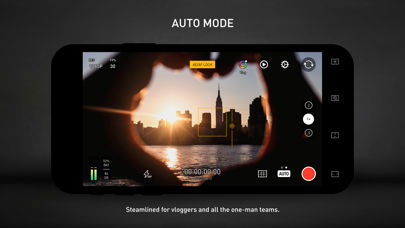
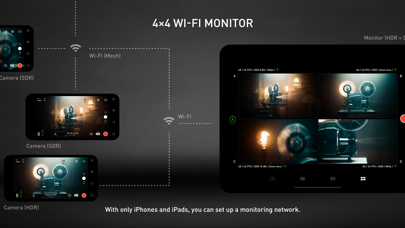
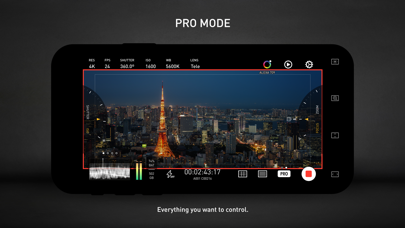
Protake brings the filmmaking experience of professional cinema cameras to your mobile devices. No matter you're a daily vlogger, a commercial director, or a well-established filmmaker, you will benefit from Protake's features, including: # [NEW] WI-FI VIDEO TRANSMISSION · In the landscape orientation of AUTO and PRO modes, you can start the brand new Wi-Fi Video Transmission system. · You can transmit the video from 1 "camera" to 4 "monitors" (yes, we're talking about iPhones and iPads). · You can watch up to 4 "cameras" on 1 "monitor". · You can wirelessly start and stop the recording of all "cameras". · You can even monitor HDR and SDR video streams on the same screen. · It's a ground-breaking end-to-end mobile recording and monitoring experience. · It's brought to you by Protake. # MODES · AUTO mode: a mode optimized for vloggers and YouTubers, you can use it single-handedly. · PRO mode: a mode designed for professional filmmakers. All the camera information and control settings are well aligned on the screen. · DUAL mode: recording video with two cameras working at the same time. Recorded in one file as Picture in Picture or two files. · PORTRAIT mode: with iPhone Pro and iPad Pro's LiDAR sensor and the devices' powerful processors, you can record "portrait mode video" with real-time blurred background. # COLOR · LOG: it's not only a genuine LOG gamma curve -- we strictly matched your mobile device's color to the industrial standard - ALEXA Log C. · Cinematic Looks: we provided a dozen of cinematic looks for filmmakers -- the styles are categorized into Neutral Styles, Film Emulation (classic Kodak and Fuji cinema film), Movie Inspired (blockbusters and indie masterpieces), and ALEXA Looks. # ASSISTANTS · Monitoring tools: Waveform, Parade, Histogram, RGB Histogram, Audio Meter. · Composition assistants: Aspect Ratios, Safe Area, Thirds, Crosshairs, and 3-axis Horizon Indicators. · Exposure assistants: Zebra Strips,False Color, Exposure Compensation, Auto Exposure. · Focus assistants: Focus Peaking and Auto Focus. · Recording: Record Beeper, Record Flash, Volume Key Record. · Zooming and Focusing: A-B Point. # DATA · Frame Rate Normalization: Mobile devices don't have perfect frame rate control, therefore, it's easy to get non-standard variable frame rate. Protake solves this problem fundamentally and makes strictly constant FPS of 24, 25, 30, 60, 120, etc. · File-naming: All the video files saved by Protake use the standard naming system: Camera Unit + Reel Number + Clip Count + Date + Suffix. It's something like "A001C00203_200412_IR8J.MOV"... Sounds familiar? · Metadata: Everything including device model, ISO, shutter angel, white balance, lens, connected accessories, location, are all well recorded in the file's metadata. · Time code: We provided both options for you -- Free Run and Record Run. It's compatible with your cinema cameras. # Protake+ · With a Protake+ membership, you can use all the features, including: Pro mode, LOG gamma curve, Protake Cinematic Looks, all the assistant tools, data management, 3rd-party accessories. · Protake+ provides 1-year membership for you to purchase; · Payment will be charged to your iTunes Account at confirmation of purchase; · Your subscription automatically renews unless auto-renew is turned off at least 24-hours before the end of the current period; · Your account will be charged for renewal within 24-hours prior to the end of the current period; · The renewal price for 1-year membership is USD 19.99. · You can manage your subscription and switch off the auto-renewal by accessing your Account Settings after purchase; · All personal data is handled under the terms and conditions of Protake’s privacy policy. More details can be found here: https://terms.alicdn.com/legal-agreement/terms/platform_service/20220621172324148/20220621172324148.html https://terms.alicdn.com/legal-agreement/terms/privacy/20220704104156634/20220704104156634.html
KIM KYUNG MIN
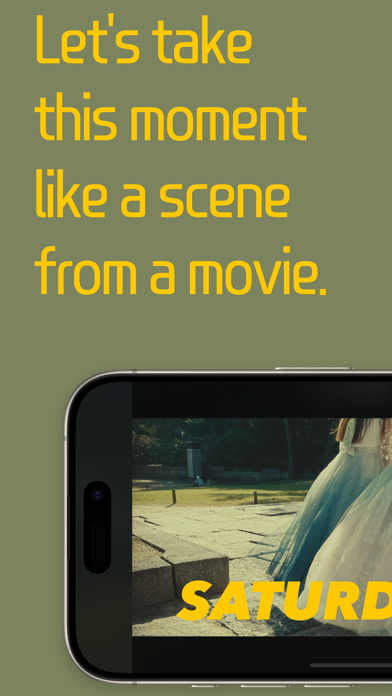
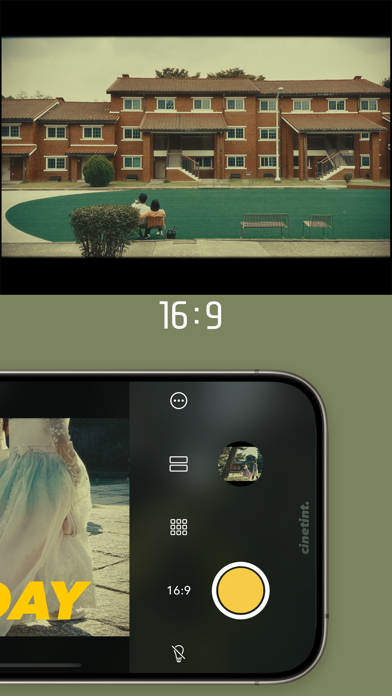
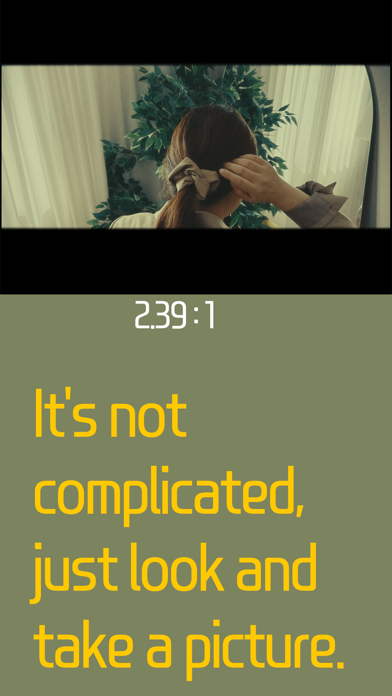
Hello :) I'm a developer who loves movies and photography. I wanted to create an app with the thought 'taking pictures like a scene from a movie' So after creating the effects used in the movie, I added letter for a little fun and made colors with a cinematic mood. And we combined all of these things to create a Cinetint. Capture this moment like a scene from a movie using the cinematic mood camera Cinetint. • Using 35mm focal length lens. • 16:9 & 2.39:1 aspect ratio with top and bottom black letterboxing. • Photo grid feature included. • Day stamp feature included. Instagram @cinetint

StoryPath Apps Ltd
Create professional reels in seconds with beat-synchronized templates. Unreels automatically matches your photos and videos to trending music, producing studio-quality content that stands out. Perfect for creators, businesses, and social media professionals. Whether you're a blogger, small business owner, or social media marketing professional, Unreels will help you to elevate your video content to new heights. With hundreds pre-made video templates featuring modern music and fonts, you can draw inspiration and create reels that stand out just in a few taps. All you need to do is add your photos or videos to the template of your choice, apply an aesthetic font, and your Reel is ready to be shared and to get thousands of likes. Unreels offers the following features: Hundreds pre-made video templates for your reels A selection of free templates and fonts Millions of stock images Trendy music and sounds Unique fonts Smooth Full HD animation and 60 fps video export You don't need a user account to get started with Unreels. Simply download our app and start creating the best reels for your social media audience! Subscription: Unreels offers auto-renewing monthly and annual subscription options. Alternatively, a one-time payment is available for package purchases (this is not a subscription). Payment will be charged to your iTunes Account at confirmation of purchase. Your subscription will automatically renew at least 24 hours before the end of each term, and your credit card will be charged through your iTunes account. Your account will be charged for renewal within 24 hours prior to the end of the current period and will identify the cost of the renewal. You may cancel automatic renewal and manage your subscription by selecting "Manage App Subscriptions" in your iTunes Account settings and choosing the subscription you want to modify. The cancellation will take effect the day after the last day of the current subscription period, and you will be downgraded to the free service. Terms of Use: https://unreels.app/eula Privacy Policy: https://unreels.app/privacy-policy Contact Form: https://unreels.app/contactus We are glad to hear your ideas and feedback! Write to us at [email protected] or contact us via Instagram - @unreels.app

MARCELA VEGA
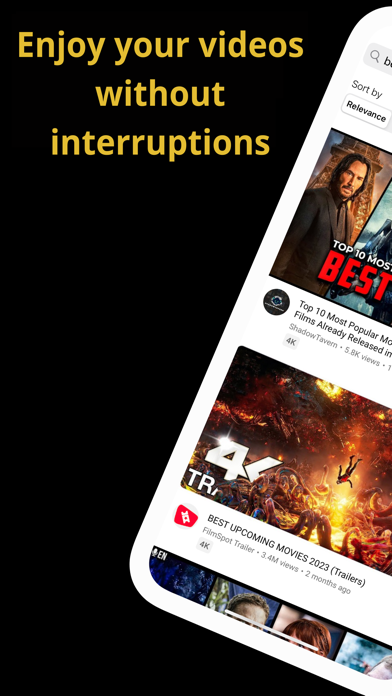
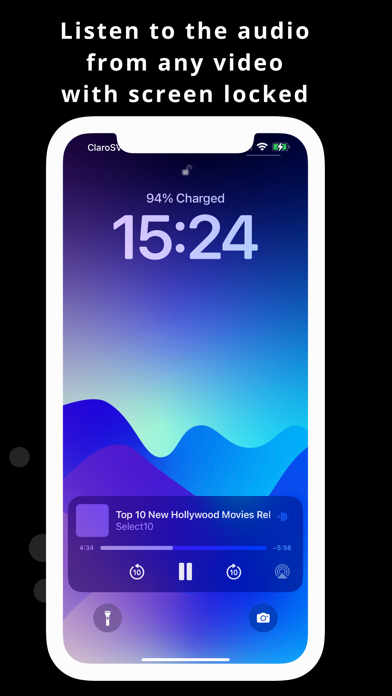
Are you tired of interruptions caused by ads on your YouTube videos? The new YouTube video browser, YouTube PlayNav, will block all intrusive ads that appear while you watch your videos, so you can enjoy your favorite content smoothly and without interruptions. In addition, our app offers features you’ll love: • Picture-in-Picture Playback: Watch YouTube videos while using other apps. • Audio-Only Mode: Listen to any YouTube video with your iPhone screen locked. • Automatic Shutdown: Set a sleep timer. (Premium) • Loop Mode: Automatically repeat your favorite videos. (Premium) • Playlist Playback: Play your favorite video or music playlists. (Premium) It also includes essential features like speed adjustment (enhanced), related videos, AirPlay, a search engine with suggested search terms (new), and much more to enhance your video-watching experience. » HOW TO USE PLAYNAV PICTURE-IN-PICTURE PLAYBACK (PIP) (Premium) Watch YouTube videos while using any other app. Once activated, the player will shrink on your screen, allowing you to move or hide it with a double tap. » How to activate it: 1. While a video is playing, tap the PIP icon in the top-left corner (two small screen icons). 2. While the video is playing, swipe up from the bottom of your iPhone screen, and the player will appear on your screen. AUDIO-ONLY MODE Listen to the audio of your favorite YouTube videos with your iPhone screen locked. Use it while exercising, walking, or before bed. Combine it with the automatic shutdown feature to relax while listening to your favorite videos! » How to activate it: 1. Enable Picture-in-Picture playback. 2. Then, lock your iPhone, and the audio will continue playing. AUTOMATIC SHUTDOWN Time for bed? Find your favorite video or playlist on YouTube, set the sleep timer, and let your favorite audio accompany you as you fall asleep. » How to activate it: 1. Tap the sleep (moon) icon in the player. 2. Select the desired time for automatic shutdown. 3. You can combine it with Audio-Only Mode. LOOP MODE (REPEAT VIDEO) Want your video to repeat? Use Loop Mode to play your video as many times as you like. You can also combine it with Audio-Only Mode. » How to activate it: 1. Tap the Loop icon. Your video will continue repeating until you turn it off. PLAYLISTS Do you love watching videos from playlists? We’ve got you covered. To use them, just activate the "Playlists" content filter, search for the playlist you want in our new search engine with suggestions, tap it, and it will start playing one after another! – TRY PLAYNAV NOW! – Enjoy all basic features for free and unlock Premium with a one-time payment. Minimum requirements: • iOS 15 or later. • 3G connection or higher. » Related keywords: YouTube, YouTube Music, YouTube Vanced, ad blocker, no subscription, skip YouTube ads, ad-free music, block pop-ups, AdBlock for YouTube, block pop-up ads, ad-free content, premium ad blocker, AdBlock Plus, remove ads, YouTube without ads. Need help? Visit: playnav.vidiom.app or contact us at [email protected] Terms of Service: playnav.vidiom.app/terms-of-service Privacy Policy: playnav.vidiom.app/privacy-policy