
Photo & Video
Browse photo and video IPA listings for cameras, editors, recording tools, streaming apps, and creator workflows.


Leap Health
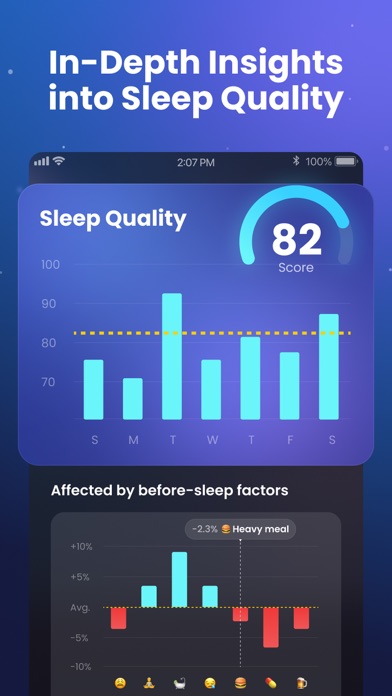
Do you know how you sleep every night? SLEEP TRACKER is your intelligent sleep assistant, now available for FREE download. Our app combines a precise sleep recorder and sleep-talking tracker with a rich library of meditation sessions, immersive sleep stories, and soothing sounds, including white noise. By seamlessly syncing sleep watch data through Apple Health, SLEEP TRACKER provides deep insights into your sleep patterns and cycles. You can finally check your snoring or dream talk, use our smart alarm clock to wake up refreshed, and monitor your daily sleep score to track your journey toward a healthier life. 7 Things You Can Do With SLEEP TRACKER: √ Learn your sleep depth and cycles √ Explore your weekly & monthly sleep trends √ Record and listen to your snore or dream talks √ Relax yourself with sleep sounds, white noise, meditation √ Wake you up gently by smart alarm clock √ Log down your sleep notes & wake-up mood √ Sync data to Apple Health Top Reasons That You Should Download SLEEP TRACKER: √ Feel excessively tired during the day while could not find reasons? √ Suffer from insomnia and wish to stop sleeping with a racing mind? √ Hope to be no longer groggy and function at your best in the morning? √ Wish to know when you fell asleep and when you are pulled out of deep sleep? √ Struggle to find a replacement for expensive sleep tracking devices? √ Curious about your snoring, dream whispering or other voice during sleeping? Who’s Using SLEEP TRACKER: √ Working people under stress √ Busy mom/dad √ Overburdened students √ Troubled sleepers √ Frequent snorers √ Sleep quality optimizers √ Mindfulness pursuers SLEEP TRACKER will make all your wishes above come true and bring you a more productive life you deserve. Well-designed Features: View sleep cycles records How is your nightly sleep quality? Viewing daily, weekly and monthly sleep reports, you can track your sleep at ease. No need to put your phone under the pillow. Placing your device nearby would suffice. Listen to night voices Are you curious about if you snore or talk in dreams at night? Get your nighttime voice recordings here. You can also share those funny recordings with your friends. Aid Sleep with Relaxing Sounds & Music Relax and fall asleep faster with our rich sleep music library. Explore our 200+ high-quality white noise and misic, from rain, ocean waves, fan sounds, to piano melodies. Find Peace with Meditation & Sleep Stories Quiet your mind with guided meditations and immersive sleep stories. Designed to relieve stress and anxiety, and help you drift off effortlessly for better sleep. Customize smart alarm Getting sleepy after waking up? Customize your smart alarm to be gently wakened up at the light sleep phase and choose various alarm ringtones to feel refreshed and energized. Write down sleep notes & wake-up mood Have you noticed that some before bedtime habits can lead to insomnia or make the wake-up mood worse? Start logging your sleep notes and choosing your wake-up mood to help you catch those red flags. Download SLEEP TRACKER today to end all of your sleep troubles. Feel its power to ease you into sleep and refresh you from waking. Sleep better, live better. Subscription Terms and Details - Get unlimited access to all features for USD $19.99/year. - The payment will be charged to your iTunes account at confirmation of purchase. - The subscription automatically renews unless auto-renew is turned off at least 24 hours before the end of the current period. - Subscription may be managed and auto-renewal may be turned off by going to Account Settings after purchase. - The account will be charged for renewal within 24 hours prior to the end of the current period. - Any unused portion of a free trial period will be forfeited when the user purchases a subscription to that publication. Privacy Policy: https://sleep.leaphealth.fitness/privacypolicy.html Terms of Use: https://sleep.leaphealth.fitness/terms.html
Cascode Labs Pty Ltd
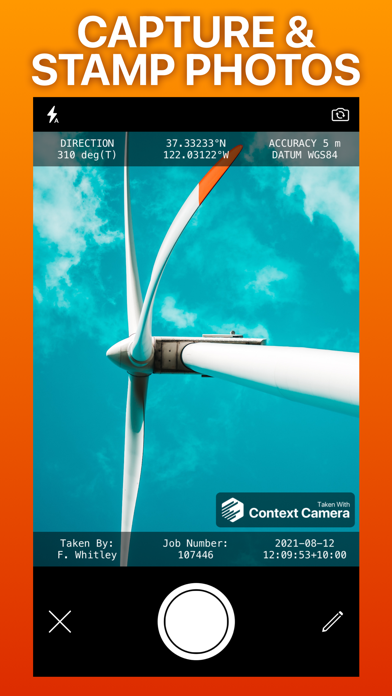
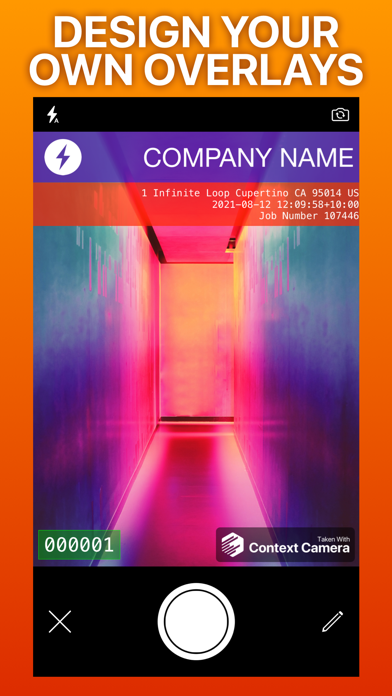
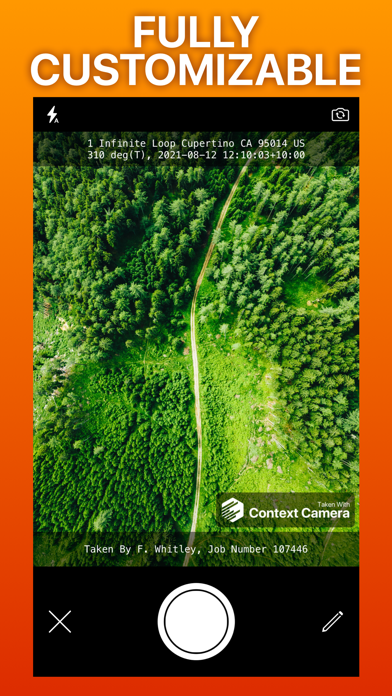
Capture more useful photos by stamping them with flexible information overlays. Trusted by professionals in construction, insurance, safety, inspection and emergency response. No in-app purchases or subscriptions. Key features - Choose from a selection of built-in information overlays, or create your own. - Overlays can show information including location, direction, user comments, date/time, and address, with support for a wide variety of formats and units. Custom overlays also let you add logos and watermarks for a professional touch. - Take photos using the built-in camera which supports zoom, focus and exposure controls. Your chosen information overlay is drawn on the camera preview to show you exactly what your photos will look like. - Store photos inside the app to keep them separate and annotate them, or automatically export them to your photo library, iCloud or Microsoft OneDrive. - Flexible photo export options including custom filenames and exporting multiple photos as zip files. Not supported - Importing photos taken by other apps. - Multiple device sync - photos stored inside the app are stored locally on your device. App Store Privacy Information Note Because you can optionally link cloud storage services to Context Camera, we are required to disclose the considerable data collected by these services in the privacy section of our App Store listing. If you do not link cloud storage services to the app minimal data is collected. See our privacy policy for details. Please email [email protected] with any questions.

ipaomtk.com
ipaomtk.com | iface AI Video Face Swap IPA In today’s digital age, technology has revolutionized the way we interact with media. One such groundbreaki
James Grote
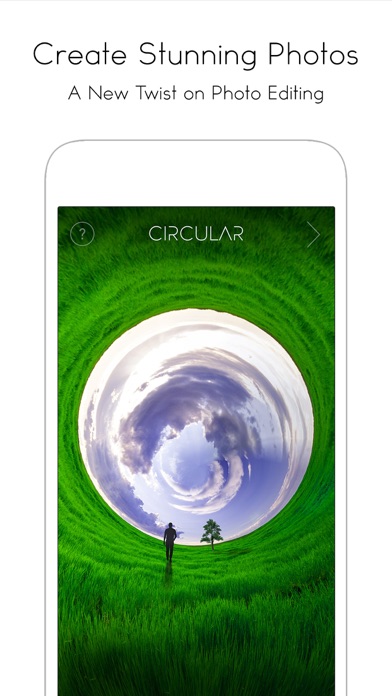
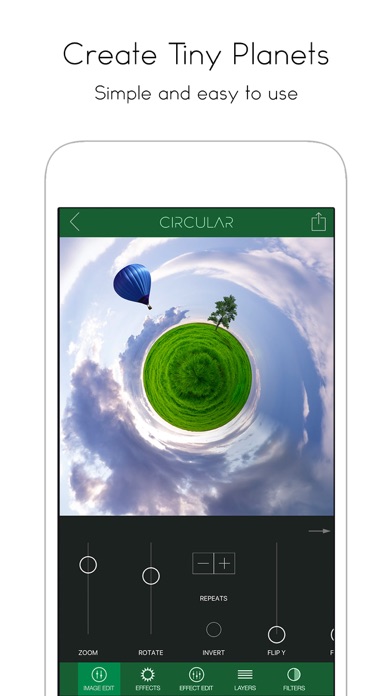
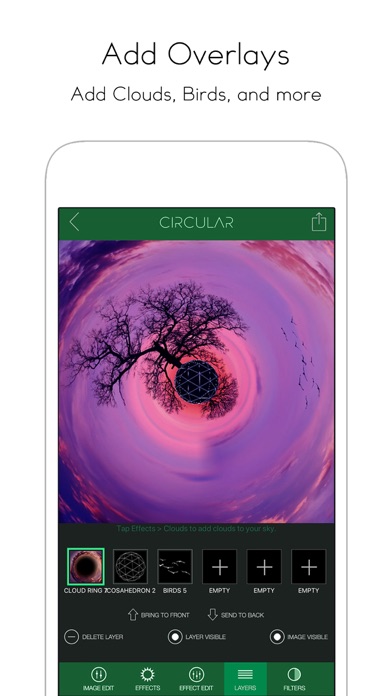
Now supports 360 degree photos! - A new twist on photo editing. Turn your photos into amazing circular images with Circular+. Circular+ is a fun app with powerful new features never seen before in this type of app. You can easily zoom in and out of your circular image to get it just right. Once you're happy with your image, add professional effects such as lens flares and sky objects like the sun, moon, planets, and birds. REVIEWS "My favorite iPhone app for this purpose is Circular+" - Joanna Stern, Wall Street Journal "I've tried them all and Circular is by far the best "tiny planet" app. You get more controls and fun effects like lens flares and moons. Having a blast with this app!" - Customer Review "I tried different Tiny planet apps, but this is really the best. Love that I can put different things inside the picture ... Thanks for the great work." - Customer Review This app does so much more than just turn your image into a tiny planet. It has all kinds of effects you can add and you have a lot of control over how it twists your image. - Customer Review VIDEO: http://vimeo.com/brainfevermedia/circular Another really cool feature is a collection of "center" objects. These include spheres, planets, and geometric shapes to place at the center of your image circle. This turns your image into a mini world. FEATURES - Super fast and responsive editing - Adjust image zoom, rotation, invert-mode, and repeats - Professional effects: lens flares, sky objects, and centers. The lens flares are the same as the pro desktop app, LensFlare Studio - Filters and Lens Textures - Fun sample images to get your started Tag your photos with #CircularApp for a chance to be featured!


PeiYi Chen
Ever wanted to remove the boring things from a video? Now you can. Video Retouch can make object disappear quickly. Very simple to use. Simply paint the object area you want removed, and touch go button. Make fun video and share to your social network now. Membership subscription - You can subscribe for all premium features. - Payment will be charged to iTunes Account at confirmation of purchase - You will be able to color all available images for the duration of the subscription - Subscription automatically renews for the same price and duration period as the original "half year" package unless auto-renew is turned off at least 24-hours before the end of the current period - Account will be charged for renewal within 24-hours prior to the end of the current period at the cost of the chosen package (Semiannually package) - Subscriptions may be managed by the user and auto-renewal may be turned off by going to the user's iTunes Account Settings after purchase - No cancellation of the current subscription is allowed during active subscription period - You may cancel a subscription during its free trial period via the subscription setting through your iTunes account. This must be done 24 hours before the end of the subscription period to avoid being charged. Please visit http://support.apple.com/kb/ht4098 for more information - You may turn off the auto-renewal of your subscription via your iTunes Account Settings. However, you are not able to cancel the current subscription during its active period - Any unused portion of a free trial period, if offered, will be forfeited when the user purchases a subscription to that publication, where applicable Privacy Policy - https://www.jianshu.com/p/2a5e00634e6e Terms of use - https://www.jianshu.com/p/499c567ed121
Sixbytes PLT
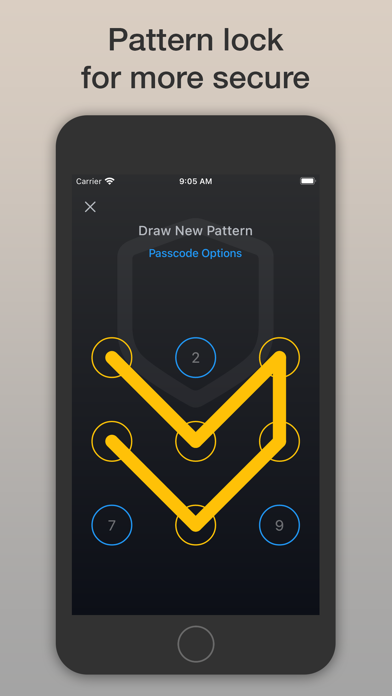
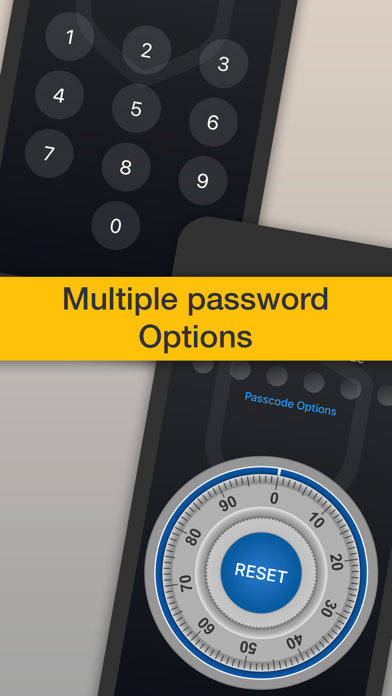
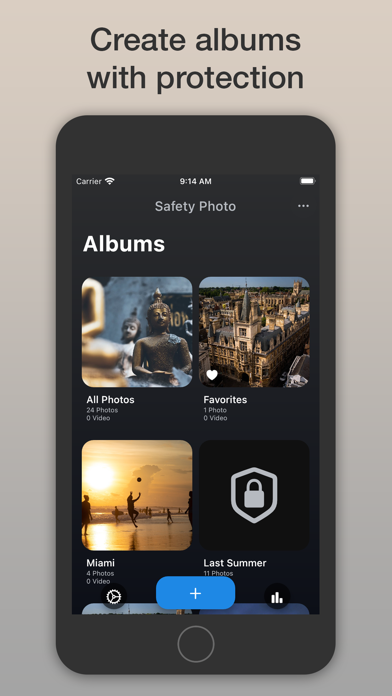
Safety Photo+Video — Zero-Knowledge Private Vault Your private photos and videos deserve absolute privacy. Safety Photo+Video is a secure vault built with zero-knowledge encryption, meaning only you can access your data — not us, not the cloud, not anyone else. Protect your most sensitive memories from prying eyes, accidental exposure, and unauthorized access, while enjoying seamless encrypted sync across your devices. Why Choose Safety Photo+Video? Have you ever handed your phone to someone and felt uneasy about your gallery? Or worried that cloud services or apps might scan, analyze, or reuse your private photos? With Safety Photo+Video, your media is protected by end-to-end, zero-knowledge encryption. Your encryption keys are generated and stored only on your device, ensuring that your photos and videos remain completely private — even when backed up to the cloud. We can’t see your data. We don’t analyze it. We don’t use it for AI. Advanced Privacy & Security: • Biometric Protection — Unlock with Face ID or Touch ID • Custom Passcodes — PIN, combination lock, or pattern lock • Decoy Password — Show fake content while your real vault stays hidden • Lock Individual Albums — Separate passcodes for extra protection • Intruder Alert (AI-powered) — Automatically capture intruder attempts Zero-Knowledge Encrypted Cloud Sync: • End-to-End Encryption — Your data is encrypted before leaving your device • Zero-Knowledge Architecture — Only you hold the decryption keys • Private Cloud Backup — Restore your media securely across devices • No Data Mining — Your photos are never used for AI or machine learning Full Control of Your Media: • Capture Inside the App — Photos and videos never touch your camera roll • Private Local Processing — All processing stays on your device • Organized Albums — Easily manage and categorize your media • Secure PC Sync — Upload and download via web browser • Bluetooth Sharing — Share securely with nearby Safety Photo+Video users Why Safety Photo+Video Is Different? Most apps claim privacy — we architect for it. Safety Photo+Video is built with a zero-knowledge security model, meaning: • Your files are encrypted before upload • Encryption keys never leave your device • Even our servers cannot access your content Your private memories stay private — by design. Whether you’re protecting personal moments, confidential files, or sensitive videos, Safety Photo+Video gives you complete ownership and peace of mind. Take Back Control of Your Privacy. Download Safety Photo+Video today and experience true zero-knowledge privacy for your photos and videos. Connect with Us: Website: https://safetyphoto.app X (Twitter): https://twitter.com/SixbytesApp Facebook: https://www.facebook.com/sixbytesapp Learn More: • Terms of Service: https://safetyphoto.app/legal/terms • Privacy Policy: https://safetyphoto.app/legal/privacy
NEXVIO INC.
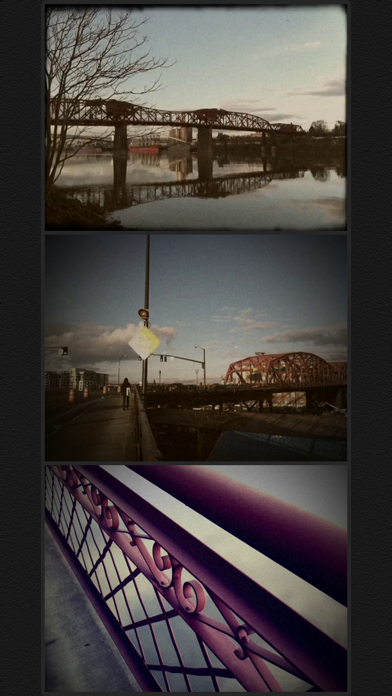
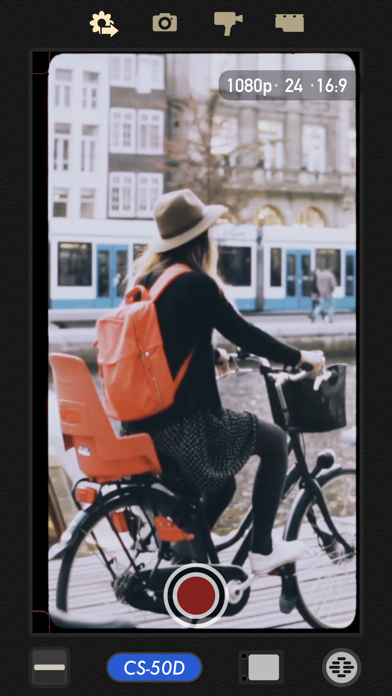
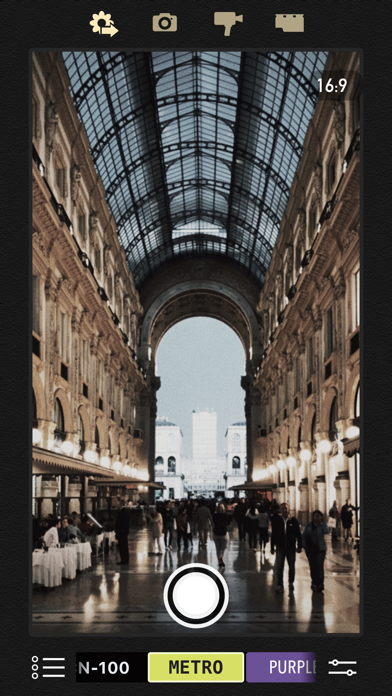
8mm is so realistic it was even used to film scenes in the Oscar-winning documentary Searching for Sugar Man! We have established the de facto standard of real-time retro film emulation. It was featured by Apple in App of the Day, App of the Week, In the Director's Chair, App Store Essentials, etc. 8mm Vintage Camera captures the beauty and magic of old-school vintage movies right through your viewfinder. Dust and scratches, retro colors, flickering, light leaks, and even frame shake, all can be instantly added with a single tap of the finger. SHOOT BOTH PHOTOS AND VIDEOS WITH SOPHISTICATED LIVE EFFECTS • Combine effects of film color, halation, dust & scratch, film grain, and softening to create authentic old-school movies • Adjust the strength of the effects to achieve your own unique visual style • 10 Lenses (frame) effects: Projector, Vignetting, Light Leak, Color Fringing, Super 8, Screen, 16mm, Tube, color negatives of Super 8 and 16mm • 21 Retro & Aged Films: 1920, Noir, 60s, 70s, Sakura, XPro, Siena, Pela, Indigo, Tuscan, Two-Color, 2-Strip, 3X, and monochromes • Additional 21 filters that emulate real historical films and expired films - available with the 8mm Pro subscription • Jitter Button to imitate real 8mm projectors frame shakes • Sound Switch to add projector sound for extra authenticity or mute the video for a silent movie effect. • Up to 4K 30fps with original unfiltered video recording on newer devices A COMPACT EDITOR FOR MOVIE CREATION - Apply film and frame effects to clips - Trim video, pan & zoom photo - Add a soundtrack from your music library - Choose from 5 unique themes with matching titles, transitions 8MM PRO SUBSCRIPTION - You can subscribe or make a one-time purchase for unlimited access to all current filters and future updates - Start your subscription with a free 7-day trial. Once the trial is over, you’ll be charged an annual subscription fee - Your subscription will automatically renew unless auto-renew is turned off at least 24 hours before the end of the current period. You can go to your Settings > Apple ID > Subscriptions to turn auto-renew off


英瑜 许
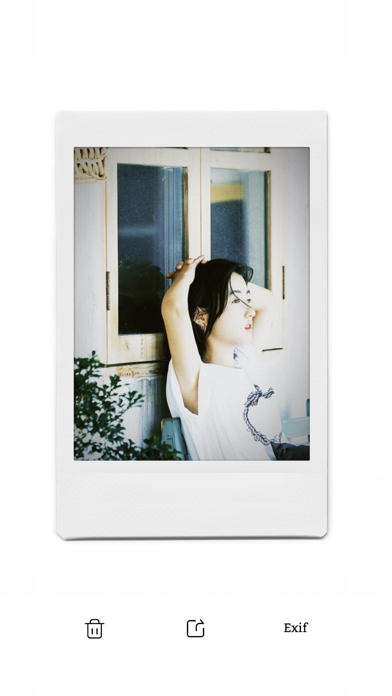
42 types of instant · CCD · film cameras. With just one click, instantly restore the authentic shooting experience, and you can even see the grain of the photo when zooming in! The initial inspiration for TOK CAM came from instant imaging cameras, which do not require film processing and development. Later on, we added many elements of film to provide users with a better experience. TOK CAM Main Features, besides basic camera and film simulation, it includes four major feature categories: 1. Creative Shooting Modes: Double Exposure, Half Frame, Tilt Shift, Spin Focus, Long Exposure 2. Lens Effects: Grain Lens, Low Light Lens, Light Leak, Vintage Prism, Veteran Texture, Sparkle Lens, Fisheye 3. Border Styles: Square, Wide, Airmail, Film Border, Vintage Date Stamp, Time & Location Watermark 4. Beauty Retouch: Big Eyes, Face Slimming, Skin Smoothing, Natural & Sweet Mode, one-click switchable 5. Edit after capture, experience high‑end iPhone performance In addition, TOK CAM is continuously developing new shooting capabilities, so stay tuned! Our TOK CAM Series Cameras *INS Q * FXN *XT-50 *INS C *INS 7+ *FNC *INS W *INS F *GR3 *Classic X *Z30 *Polar Go *503CW *H35 *N2 *iPhone DUAL *KD elite *TE-2 *SN Darkr *R.foucs *TOK Y *Ti Ghost Our TOK CAM Series Films *Beauty 400 *Clear 100 *Ektar 120 *Instax 120 *TE-S 70 *Mono 400 *LOMO 800 *UItra 64 *Nice2cu *Natural 400 *BWchrome 64 *Foodie 80 *Shirley 200 *EKR 500 *Skye 320 *MAS 25t *HK 23t *TV 400 *Super SE 400 *Crush 64 TOK CAM Camera - Your instant and vintage film camera is a portable camera application designed with a unique style, replicating the tactile feel of the camera, vibration feedback, photo paper, film borders, and time, restoring a comfortable camera shooting experience. When you share photos on social networks, you can use the #TOKCAM tag. Our editors will periodically select wonderful photos to include in our collection! #TOKCAM #CCD #film About TOK CAM PRO Subscription - The fee will be charged to your iTunes account upon confirmation - Your subscription will automatically update unless you turn off automatic updates at least 24 hours before the end of the usage period - Your account will be charged again within 24 hours before the end of use - You can go to the "Apple ID" in the system settings to manage subscriptions and turn off automatic updates Terms of Use: https://tok-cam.web.app/termsOfUse.html Privacy policy: https://tok-cam.web.app/privacyAgree.html

RAY INFORMATICS YAZILIM TEKNOLOJI MEDYA DANISMANLIK VE EGITIM TICARET LIMITED SIRKETI
Nightcam is a perfect manual camera app for shooting the gorgeous day and night photos on any iPhone. Nightcam not only presents a good algorithm for night photography but also provides one of the best user experiences. We basically try to think about all the demands a user wants while trying to catch the best scenes of travel plans or any other good memories. DOWNLOADED BY OVER 1M+ USERS ************************************ "Everyone I do like this camera it really does a good job even on auto all night" by Darlene .Smith "This app gives off the perfect amount of long exposure to get a nicely lit photo, even on my iPhone XR the photos look as if they were short on an 11 or more. I love how natural the colours stay too." by fjsjvnevokavjslve "I like this app! I can finally have night mode in my phone for a minimal size app, not space consuming.. Please continue doing upgrades" by CHRYS0808 "Unbelievably great!! You can say goodbye to all the noise in the night shots." niloofar.k ************************************ TWO MODES, LIMITLESS POSSIBILITIES Nightcam offers two distinct approaches to photography. Its Automatic Mode instantly analyzes the scene, setting the optimal parameters for exceptional day and night shots—perfect for capturing fleeting moments. On the other hand, Manual Mode unlocks advanced controls, enabling you to refine exposure duration, ISO, and white balance. Combined with powerful tools like focus peaking, histograms, grids, and a stability visualizer, you have all you need to frame professional-grade compositions. SPECIALIZED NIGHT MODES FOR EVERY SCENE This latest update introduces dedicated night modes, each crafted for specific low-light conditions: Northern Lights Mode: Capture breathtaking auroras with clarity and depth. Moon Mode: Highlight lunar details and subtle lunar glow. Night Auto: Let the app handle the settings for stress-free night shooting. Night HDR: Enhance contrast, detail, and depth in challenging low-light scenarios. Night RAW: Preserve every detail in uncompressed form for ultimate editing flexibility. Stars Mode: Turn starry skies into dazzling constellations of light. Long Exposure (up to 30s): Create dramatic light trails and capture scenes impossible to see with the naked eye. ADAPTIVE TOOLS FOR PERFECT COMPOSITIONS Nightcam integrates intuitive features to ensure every shot meets your vision: Focus Peaking & Focus Loupe: Fine-tune manual focus effortlessly. Adaptive Exposure: Seamlessly balance brightness and detail. Grid & Level Tool: Achieve perfect symmetry and alignment. Tripod Mode: Stabilize your device for sharp, blur-free images. Wide Angle Support: Expand your field of view for sweeping nightscapes. Night AI Enhancer: Improve clarity in dim conditions, even post-capture. Built-in Metadata Viewer: Review technical details to refine your technique. POWERFUL COMPUTATIONAL PHOTOGRAPHY Under the hood, Nightcam employs advanced algorithms and countless experiments to enhance low-light performance. The result is vivid, noise-free images that reflect the true atmosphere of the scene—allowing your memories and creative visions to shine. ADDITIONAL FEATURES AI-based low-light image enhancement High-quality image capture options Self-timer, torch, geotagging for situational convenience Real-time histogram and preview analysis RAW mode with advanced controls Intelligent post-processing for true-to-life colors and contrast With Nightcam, every scene—from a bustling city at dusk to a serene, starry sky—becomes a masterpiece waiting to be captured. Nightcam Pro Subscription Access all features of Nightcam with Nightcam Pro. Subscriptions are billed monthly or annually at the rate selected depending on the subscription plan. - Terms of use: https://www.rayinformatics.com/terms - Privacy policy: https://www.rayinformatics.com/privacy CONTACT - Visit rayinformatics.com/contact for support and feedback.

Apps And Stuff LLC
Blend is for making unusual collages, blending photos and videos together in easiest way. Select pictures or videos and create eye-catching photo/video story and save it or share it on various social networking websites. You can mix multiple images at the same time. You can enhance beauty of photo and video using various editing tools. Show your creativity to world and look more beautiful and stunning. Subscription Plans Details: - Weekly Subscription: $1.99 per week - Full feature available through an auto-renewing subscription. - Renewal: subscription automatically renews unless auto-renew is turned off at least 24 hours before end of the current period. - Payment will be charged to iTunes Account at confirmation of purchase - Subscription automatically renews unless auto-renew is turned off at least 24-hours before the end of the current period - Account will be charged for renewal within 24-hours prior to the end of the current period, and identify the cost of the renewal - Subscriptions may be managed by the user and auto-renewal may be turned off by going to the user's Account Settings after purchase - Any unused portion of a free trial period, if offered, will be forfeited when the user purchases a subscription to that publication, where applicable - No cancellation of the current subscription is allowed during the active subscription period. Subscriptions will be charged to your credit card through your iTunes account. Your subscription will automatically renew unless cancelled at least 24 hours before the end of your current subscription, and you can cancel a subscription during the active period. You can manage your subscription at any time, either by viewing your account in iTunes from your Mac or PC, or Account Settings on your device after purchase. Terms: https://appsandstuffllc.wordpress.com/terms-of-use/ Privacy Policy: https://appsandstuffllc.wordpress.com/privacy-policy/
Winroad Holdings Limited
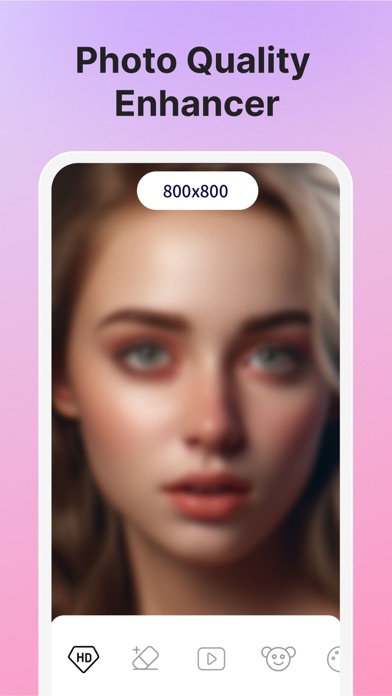
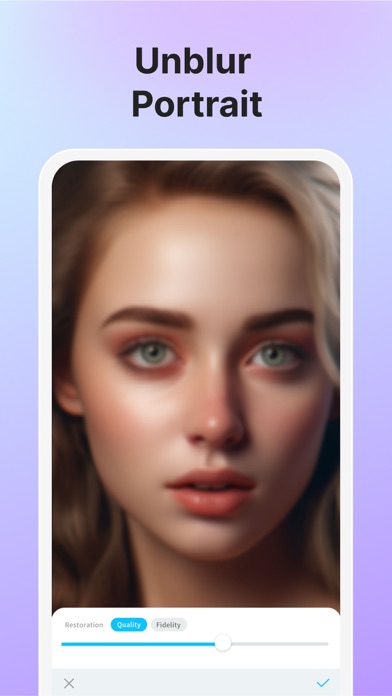
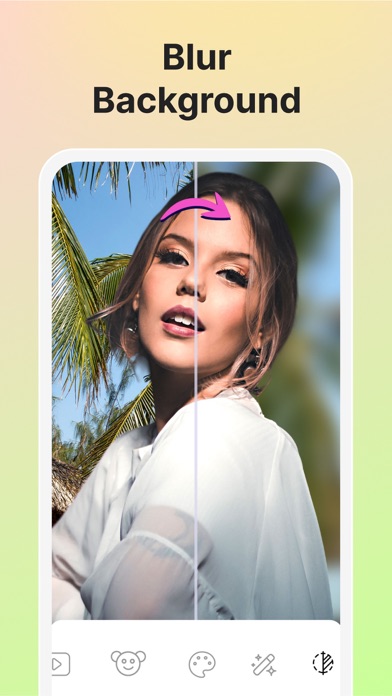
Welcome to Vivid (formerly Vividit)! *Years past, memories fade. Highlight every vivid moment from today. *The Best memories with the Blurriest photo? Let’s bring it to crystal clarity! *Enjoy your family memories brought back to life by the animer. *Surprise your friends with gorgeous clear HD highlights every time. *Delight your parents by revamping their vintage photo albums. Vivid offers incredible movie-grade AI technology which can automatically enhance photo quality into high-definitionin for you even when zoomed in, with editing features including photo enhancer, magic eraser, color correction, cartoon selfie, portrait animer, black and white photo colorizer, background blur, etc. Download and enjoy the convenience of cutting-edge AI technology for everyday life! Amazing features: - Photo Enhancer/Sharpener&Upscaler Enlarge and enhance your blurry photos to make them sharper, crisper, and cleaner. Retouch and deblur face. Enhance the hair, eye, lips and skin. Get gorgeous, clear HD portraits with best AI face enhancement technique. Fix old, pixelated, blurry, noisy, grainy, pixelated, damaged, low-resolution and low-quality photos instantly. - Magic Eraser/Retouch Remove anything unwanted. Passersby, trash cans, wires, clutter, obstructions, all the things you don't like can be removed with a simple touch. Magic Cut & Fill with stunning results as if things never existed before. - Light Fixer/Color Correction Achieving fantastic color correction, balance the colors in the image. Get proper photo exposure including highlights and shadows and a varying degree of contrast in between. Through contrast correction, Vivid can illuminate the subject and create natural contrast in the subject, extracting details in shadows and highlights. - Cartoon Selfie Turn your portrait into cartoon selfie automatically using the magic of Artificial Intelligence. Cartoonify photos to generate aesthetic avatar. Upload a portrait of yourself now to cartoonize yourself in one tap. - Portrait Animer Portrait Animer allows you to animate photos including portraits, figures, sketches, paintings, cartoons, and statues. Turn photo into moving video and bring portrait to life. - Black&White Photo Colorizer With AI Photo Colorizer, you can colorize old pictures of families, historical figures, ancestors, classic movie screenshots etc. Reimagine the past by coloring pictures of ancestors and historical figures. Restore old images with stunning colors. - Background Blur/Lens Blur Create stunning portrait mode photos with background blur like DSLR camera. Change depth field and create surreal effects. - Moments&Memories Similar photos detected in the timeline will be automatically created as moment boomerang videos / GIFs. Let memories play like a melody everyday. More stunning features on the way! Take or upload your photos. Let's enhance and animate your blurred photos! Subscribe to Vivid PRO for UNLIMITED access to all features in HD, no ads & watermarks. - You can subscribe for unlimited access to all features within Vivid. - Subscriptions are billed monthly or annually at the rate selected depending on the subscription plan. Alternatively a one-time payment plan is available (this is not a subscription). - Subscriptions auto-renew at the cost of the chosen package, unless cancelled 24-hours in advance prior to the end of the current period. The subscription fee is charged to your iTunes account at confirmation of purchase. You may manage your subscription and turn off auto-renewal by going to your Account Settings after purchase. Per Apple policy, no cancellation of the current subscription is allowed during the active subscription period. Once purchased, refunds will not be provided for any unused portion of the term. Privacy Policy & Terms of Service: • Privacy Policy: https://www.cutout.pro/privacy • Terms of Service: https://www.cutout.pro/terms If you need assistance, please send us an email at [email protected]

Haibin Jiao
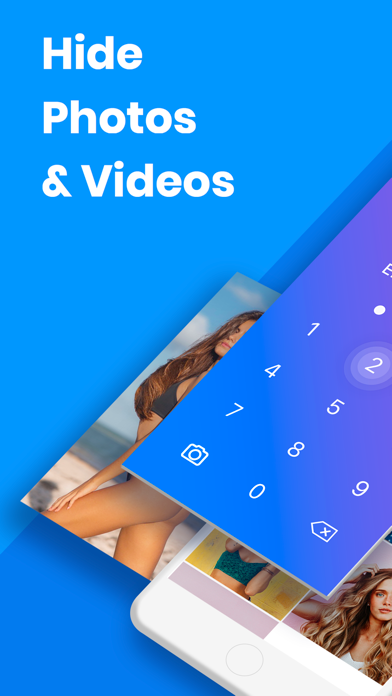
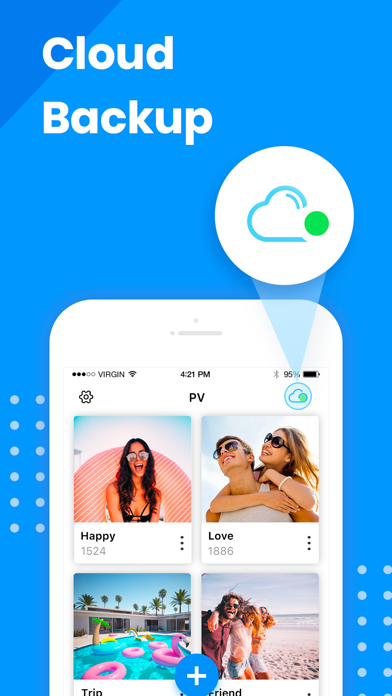
Lock your photos and videos with password protection. Download PV to join millions of users to protect your private photos and videos safely! You deserve it! PV protects your private photos and videos by passcode protect, fingerprint touch ID and data encryption. It's easy to use and safe for storing your private photos, and it provides cloud storage service in-app. ========================== Basic Features - Hide private photos and videos into app with encrypted data transfer - Free unlimited storage - Automatically delete photos from public library after hiding private photos - Password and Face ID protection - Fake password protection - Slideshow - Set customized album cover - Trash folder to store deleted photos temporarily - All-in-one photo editor - Customize the app icon - Nearby Drop: transfer photos between the phones - Tags, notes and search - Emergency Switch: jump to other apps when the phone is facing down. - Support audio files. ========================== Advanced Features: - Ad Free: Get rid of all ads! - Cloud Sync: privilege of Super members. - Third party cloud backup (privilege of Pro members). - Wi-Fi Transfer: Make your app device and PC connected in the same network, and batch transfer your photos and videos. ========================== Contact Us • Email: [email protected] , we are glad to hear from you! ========================== FAQ Please read below FAQ document if you need help, it summarizes the most popular questions from customers: https://www.photovault.cn/pv/faq_en.html ========================== Notice Must-Read!!! Q: What if you forgot your passcode? A: Please go to App Setting > Set Recovery Email to set an email address, this email will be used when you forget password next time. Q: I deleted the app/lost my phone/restored factory defaults, can I get back my photos? A: All the photos/videos stored in this app are stored in your local device′s storage. If you delete this app, iOS will delete all the data inside this app. It means if you never backup the data in the app, the photos/videos will be gone. ========================== PV Super Membership Subscription - With a PV Super Membership subscription, you have access to all features and paid cloud backup(PV provides the interface to transfer data between this app and third-party public cloud apps such as Dropbox, Google Drive, Box, One Drive), Wi-Fi transfer, Fake Password, etc. Advertisements will be removed automatically. - PV Pro Unlimited subscription is billed monthly or annually at the rate corresponding to the selected plan. In addition, a one-time payment will be offered if needed, which is not one of the subscription plan. - Payment will be charged to iTunes Account at confirmation of purchase. - Subscription automatically renews unless auto-renew is turned off at least 24-hours before the end of the current period. - Account will be charged for renewal within 24-hours prior to the end of the current period, and identify the cost of the renewal. - Subscriptions may be managed by the user and auto-renewal may be turned off by going to the user's Account Settings after purchase. To cancel your subscription, you can go to your iPhone/iPad/iPod's Settings> [your name] > iTunes & App Store, tap your Apple ID, tap View Apple ID, tap Subscriptions, click on 'Cancel Subsciption' for the app. - Any unused portion of a free trial period, if offered, will be forfeited when the user purchases a subscription to that publication, where applicable. Music: https://www.bensound.com - Terms of use https://www.photovault.cn/pv/terms.html - Privacy Policy https://www.photovault.cn/pv/privacy.html Music: https://www.bensound.com


SHANTANU PTE. LTD.
YouCut as an AI [Video Editor] & [Video Maker] for YouTube and other social media, features a unique timeline design that makes video editing easier and more efficient. Easy to edit videos with music, AI effects, captions, emoji, text to speech, etc. [Easy & No Watermark] Edit videos like a pro. Whether you want to make photo videos or share moments with friends, YouCut is the best video editing app with all features you need. Features: [Powerful Video Editor and Movie Maker] YouCut as one of top AI video editor apps, provide you with AI Trim, AI Captions, AI Enhance, AI Cutout, etc. You can zoom in/out timeline for precisely editing. No banner ads. [AI Video Editor] AI Video Enhance - Restore blurry videos and photos to HD. Auto Captions - Generate accurate captions for social media. [Video Speed Control] Fast/slow motion video (Adjust video speed from 0.2× to 100×), Edit video and adjust speed with video filters and effects. [Photo Slideshow Maker] Music video editor with photos, professional video combiner, merge photos to create slideshow. Make video collage easily with Picture-in-Picture (PIP), keyframe. Combine videos with photos, add custom photo cover, auto captions for video, edit videos with music like a pro. [No Watermark] As music video editor and full screen video maker for YouTube, YouCut never add Watermark to your video. There is no banner ads on the screen, unlike other video editing apps. [Add Music to Video] It is a pro TikTok editor and YouTube intro maker that meets all your needs. 1. 100+ music and built-in sound effects. 2. Edit videos with your music. 3. Extract music from video. [Video Filters & AI Effects] Add movie style video filters and AI effects to video. Best Movie maker to enhance quality without watermark. [Video Color Adjust] Adjust video brightness, contrast, saturation, etc. Custom video filters and effects. Best movie cutter and AI captions generator for videos. [Change Video Background] 1. Change background color of your video, blur background. 2. Remove background with AI in a tap. [Keyframe] Add motion to clips by keyframe. [Video Compressor] 1. HD video maker & TikTok editor. 2. YouCut - AI video editor and video maker support resolution up to 4K. [Share Video] Directly share video to YouTube, Instagram, TikTok…to get hundreds of 'likes'! Captions AI with 99+ languages, Photo Slideshow, Add music, materials, AI video, Apply transition effects, Apply FX video filters, Rotate video, Share to YouTube... Fast/Slow motion video editor without losing video quality! If you have any question about YouCut (AI video editor, video cutter & video enhancer, photo slideshow maker), please email us at: [email protected] For more tutorials, subscribe us on YouTube @YouCutApp [YouCut Pro Unlimited Subscription] - With an YouCut Pro Unlimited subscription, you have access to all features and paid editing materials. - YouCut Pro Unlimited subscription is billed monthly or annually at the rate corresponding to the selected plan. - Payment will be charged to iTunes Account at confirmation of purchase. - Subscription automatically renews unless auto-renew is turned off at least 24-hours before the end of the current period. - Account will be charged for renewal within 24-hours prior to the end of the current period, and identify the cost of the renewal. - Subscriptions may be managed by the user and auto renewal may be turned off by going to the user's Account Settings after purchase. - Any unused portion of a free trial period, if offered, will be forfeited when the user purchases a subscription to that publication, where applicable. [Terms of Use] https://inshot.cc/terms/terms_youcut.pdf [Privacy Policy] https://inshot.cc/terms/privacy_youcut.pdf [Disclaimer] YouCut is not affiliated, associated, sponsored, endorsed by, or in any way officially connected with YouTube, Instagram, TikTok, Facebook.
多智 吴
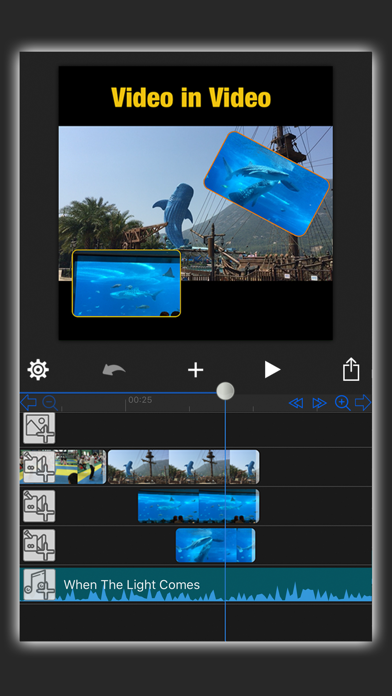
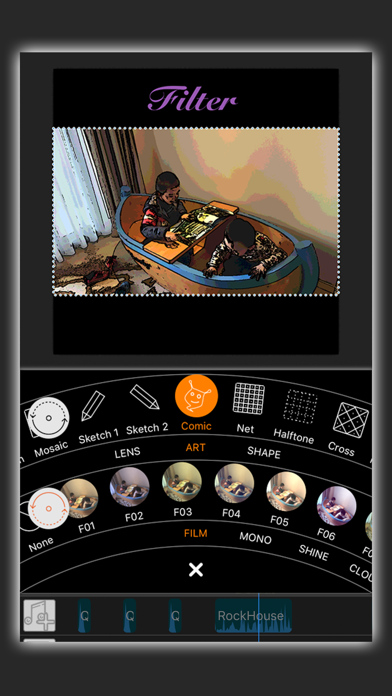
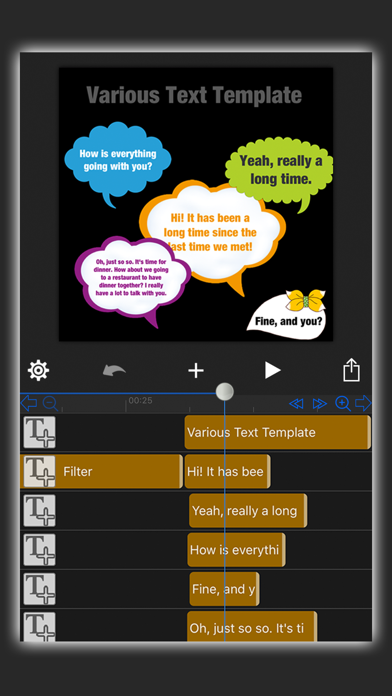
Pay once, use forever! You are free to use and upgrade the App in your whole life once you pay for the download once. Do you want to share your exciting and memorable moments with someone? Do you want to make your own movie? Do you want to be a director, a producer, a starring actor? In MovieSpirit, these characters can all be done by you alone! With MovieSpirit, you can combine various media materials, such as videos, photos, music, text, recording and finger graffiti, and according to your creativity, edit them together and add various special effects (scene switching effects, Text animation, Filter effects, video Intro, masks and so on) to create your own movie. Main functions: - Crop, split, merge, cut, transform, flip and scale media clips - Overlay multi-layers video (Picture-in-picture effect), no limit to the number of videos or pictures - Professional Video Ratio, Scalable Timeline (frame by frame), Unlimited Track Layers - Add masks (Line mask, Rectangle mask, Circle mask, Text mask and Path mask options) to hide or show parts of the video - Video matting, remove video background - Cutout Tool (Custom Shape Tools such as Pen Tool, Lasso Tool, Smudge Tool and Text Tool can be used for image matting) - Replace background for green/blue screen video, chroma key compositing - up to 50 special effects options, such as Blur, Snow, Rain, Bubble, Flower, Earthquake, Mirror, Fireworks, Smoke, Vortex, flame, Starry Sky and so on - Gradual Opaque - Fast-Forward, Slow-Motion and reverse video (1/12 Slow to 16-fold Speed) - Text-to-Voice function (dozens of language options) - 360 Degrees rotating video - Multiple Image Blending modes - Various fonts, text templates, text colors, vertical text, emojis, shadows, text strokes, alignment etc., supports downloading new fonts from Internet or icloud - Built-in free music and sound effects in various styles, adding music from your computer or from iTunes, and extracting audio from videos - Voice recording - Draw graffiti with your finger directly on the film, variety of auxiliary drawing shape tools that can be freely selected such as straight line, curve, arrow, circle, square, triangle, star, heart, colorful text and so on - Simple automatic tracking function - Add movable mosaic - Custom Background Color, such as solid color, gradient color and extract color from picture - Dozens of Animation effects - Adjustable Brightness, Contrast, Saturation, Exposure, White Balance, Gamma - Create your own GIF animation - Private Custom Intro titles (sold separately) - Up to 80 filter effects (sketch, comics, fisheye, magnifiers, glass, background blur, rotation blur, vortex, various color filter and so on - Up to 60 scene switching effects - dozens of appearance shapes can be set for video/picture such as circle, heart, diamond, star, various irregular shapes and even customize unique shapes - Can turn the video/photo into black and white, highlight the part that needs to be highlighted (Color Splash) - Free to deform video/photo into irregular shapes - Add motion points to video/photo/text to make them move, zoom, rotate and move together to create a variety of gorgeous effects, such as fade-in and fade-out effect and up to 100 multiple phantom effect - Real-time preview, high resolution video output (HD) - Import multimedia material directly from your computer via Wi-Fi: videos, photos, music and GIF animations - Save and share videos directly to social networks such as Facebook, Instagram, Twitter, iCloud, WeChat, Mailbox and so on - Helpful video tutorials We're looking forward to any feedback and comments on MovieSpirit, and if you have any query or problem, please feel free to contact us via email [email protected] We are committed to your long-term satisfaction. Thanks!


Fadel.io OU
Add accurate automatic subtitles to your videos in seconds. Want your users watching on mute to engage with your videos? Then you definitely need to add closed captions, or else you'll be missing out on engagement on Instagram, TikTok and other social platforms. FEATURES • Ultra-accurate automatic subtitles: the accuracy beats any similar app with 100+ languages supported. • Unlimited video duration. • Custom text font, style and animations. • AI Eye Contact • Video Teleprompter • Background noise removal • Add your own brand's logo or watermark. • Translation to any supported language. • Preview your design on Instagram and Tiktok before exporting. • Custom video backgrounds. • Save videos in 4K on your device. • Use your own custom fonts. • Export transcription (Text, SRT and VTT supported). The best way to contact us: [email protected] Our EULA can be found here: https://www.fadel.io/apps/terms.html

SHANTANU PTE. LTD.
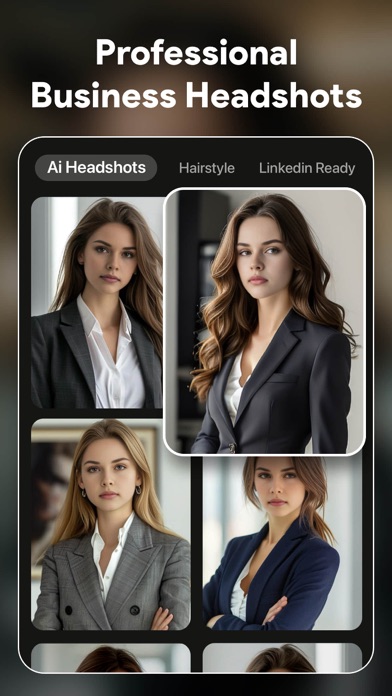
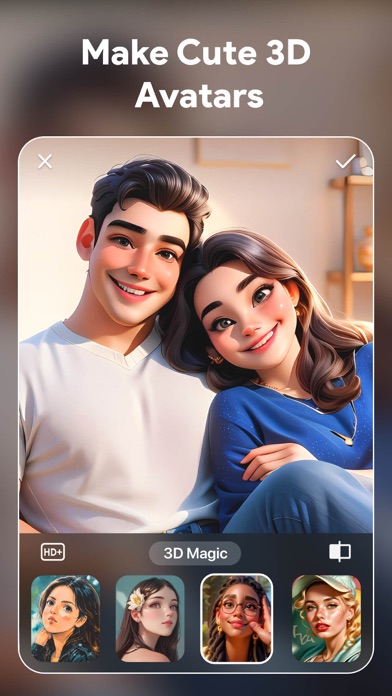
ToonTap 2025 is a powerful cartoon photo editor and ai photo generator to cartoon yourself in one tap with professional toon arts. A collection of anime, cartoon and AI effects for photos allows you to make AI photos and toon-me pictures. With this AI art generator, converting your selfie into a popular AI character, AI drawing, anime, or a 3D photo Disney princess would be easier. Dye your hair with our hair color changer or get trendy hairstyles with the most popular virtual hair salon. Elevate your LinkedIn presence with AI professional headshot generator and make you stand out with resume business photos. Create AI studio photo, try ai suits & styles to make realistic photos. Powered by stunning AI, you can turn photos into HD photo quality. Challenge yourself by using the faceapp face editor with aging filter, baby me, smile filter & face swap effects for fabulous pics art. With just one tap, you will get aesthetic artwork! AI Art Generator ◆ AI Polaroid snapshot ◆ Trendy AI filters and AI figure generator ◆ Realistic AI image generator and anime art ◆ Draw ai painting with pop clay filter ◆ Cosplay into anime character AI and movie roles ◆ Stylish AI filters for stunning portrait ◆ Create AI professional headshots ◆ Generate future baby face ◆ Powerful AI aging video making ◆ Make cute avatars and pet love pics ◆ Get social looks with AI dating profile AI Art & AI Image Generator Turn your photo into a AI portrait with an AI 90s yearbook and realistic AI filters. Try on a queen style, LinkedIn portraits, AI outfits, wedding photo, old money, pregnant, movie character role play, ai mirror, and pet love pics. Make your AI virtual self from a vintage look, travel photo, handsome suits to a wedding shot or a studio-quality style. Discover stunning social media templates for sharing on Instagram and other platforms. AI Anime & Avatar maker With this anime photo editor, toon yourself in seconds like a pro. Choose one of your sweet selfie from the photo gallery and apply tons of caricature effects & avatar templates for a stunning cartoon and anime avatar maker. Easily Swap face into a lovely animation film character. Make Me Old -All-in-one face editor app offers an awesome aging app filter. Make me old and see your future self in your 70s or 80s with the help of the time machine. -Go through your life from childhood, youth period to aged face with age time machine. -Experience your face changer with young to old face filters and aging booth -Generate future baby face with baby maker face generator. AI Hair Salon & Beard Photo Editor -Experience hairstyle try on and hair color changer without going out -Try the ai haircut filter & virtual hair style with bangs and hair filters -Explore stylish hairstyle, dying hair and haircut with our hair app -Try virtual bald app & bald head app with the bald filter for men -Use the mustache beard filter & beardless filters to show your charm with various facial hair styles Basic Photo Editing Tools -Crop: Easily rotate and crop your photos to fit any situation. -Adjust: Adjust the photo light like contrast, warmth, and highlights to make eye-catching edits. Terms of Use: https://inshot.cc/website/ToonTap/ios/terms_of_use.html Privacy and Policy: https://inshot.cc/website/ToonTap/ios/policy.html Once you have used this professional cartoon photo editor, no other photo editing apps in cartoon style can be compared. Toontap your photos into animation and create ai images and AI art. Toon me, toon yourself in a tap.

ipaomtk.com
ipaomtk.com | VCUS Video Vlog Editor IPA has become an essential part of creating engaging content in today’s digital landscape. With the increasi

ipaomtk.com
ipaomtk.com | Vmake AI Photo Video Editor IPA In today’s digital era, photo and video editing has become an essential part of our lives. Whether it’


Arthur Eduardo Skaetta Alvarez Desenvolvimento de Software LTDA.
Introducing Screen Recorder – your all-in-one solution for seamless screen recording on your iPhone! Whether you're a content creator, educator, gamer, or simply looking to capture precious moments, our app empowers you to effortlessly record, personalize, and share your screen recordings like never before. Key Features: High-Quality Screen Recording: Capture every detail with crystal-clear video and audio quality. Record tutorials, gameplay, app demos, and more with ease. Microphone Overlay: Add a professional touch by recording your voice alongside the screen recording. Perfect for narrations, explanations, and commentary. Face Camera Overlay: Enhance your recordings by including a live face camera overlay. Share your reactions, expressions, and insights in real-time. Instant Sharing: Share your creations easily with one touch. Privacy: Screen Recorder works offline and your recording data processed on device and is never stored or shared with any service or third party. Universal Compatibility: Screen Recorder Pro works seamlessly across all your iOS devices, ensuring you can capture content whenever inspiration strikes. Unleash your creativity and capture the world in your hands with Screen Recorder. Download now and experience the ultimate recording tool that empowers you to create, share, and inspire with every tap. Download Screen Recorder today and revolutionize the way you record and share your screen experiences!


CATEATER, LLC
Join 25 million creators making stop motion animation with ease. Stop Motion Studio is the Apple-featured app for creating stunning stop motion films. Enjoy powerful creative tools with no ads, no tracking, and no subscriptions. Stop Motion Studio is the easiest and most powerful stop motion animation maker for iPhone and iPad. Create beautiful animated films with LEGO, clay, drawings, or everyday objects — no experience required. Whether you’re a beginner or a seasoned animator, Stop Motion Studio gives you everything you need to turn your ideas into motion. Loved by Millions Worldwide * Over 25 million creators and counting * Rated 4.7 stars with more than 65,000 reviews * Featured in Apple’s “Life on iPad” TV commercial “Stop Motion Studio makes it easy to create your own stop-motion movies.” – The Washington Post “Brings out the LEGO moviemaking geek in all of us.” – TechNewsWorld Create and Edit with Precision * Onion skinning and animation guides for perfect alignment * Interactive timeline and frame-by-frame editing * Copy, paste, cut, and insert frames with ease * Rotoscoping: draw over videos for unique effects * Built-in drawing tools, text cards, and speech bubbles * Erase unwanted objects and add facial expressions or layers * Merge frames to simulate motion blur or speed effects Capture Every Frame * Full manual camera controls: focus, exposure, ISO, and white balance * Timelapse capture mode for automatic shooting * Use your Apple Watch or another device as a remote camera Add Sound and Style * Record voiceovers and narration directly in the app * Add sound effects, background music, or import from your library * Use filters, fades, and transitions for cinematic results * Green screen effects let you place characters anywhere Share Your Masterpiece * Export your films in 4K or 1080p HD * Share directly to YouTube, TikTok, or save as a GIF or iMessage sticker * Transfer projects via AirDrop, iCloud, or Dropbox * Start on iPhone and finish on Mac — your work stays in sync Learn and Improve * Step-by-step tutorials and creative tips included * Built-in manual for quick guidance and inspiration Yours to Create No ads. No tracking. No subscriptions. Your data stays private and your creativity stays yours. Download Stop Motion Studio today. Join millions of creators and bring your imagination to life — one frame at a time.

ipaomtk.com
ipaomtk.com | Vood Cinema IPA is a fantastic application designed for iOS users seeking unlimited access to a wide range of movies and TV shows. With
ipaomtk.com
ipaomtk.com | The MegaFlix IPA is a fantastic application for iOS users who love watching movies. MegaFlix This modified version of the popular stream


波 余
Now, you can DRAW movies, AND you can draw ON movies! Cute CUT’s powerful, easy-to-use editing features put YOU in control, allowing you to make the highest quality movies, DIFFERENT from anything you’ve seen! Do you want to create your own unique movie? Cute CUT’s robust and intuitive feature set will have you doing so in no time, drawing gorgeous, one-of-a-kind movies and so much more! Besides providing the utilities of a common video editor, Cute CUT brings to the table exceptionally advanced, Hollywood-style editing functionality! We’re continually working to enrich and strengthen Cute CUT’s top-tier functionality, and its refreshingly simple, unique presence in today’s digital market. Are you with us? Join more than one million others who’ve dared to discover the delightful difference that’s Cute CUT! =================================================================== Key Features: - User-Friendly UI. Just drag and drop; you can arrange your media segments easily. Sleek, bookshelf-style organizer showcases your movies. UI supports both portrait and landscape modes. - Make DIFFERENT movies, make movies DIFFERENT! Supports SIMULTANEOUS Adding of UP TO SIX different types of media into movie projects: Video, Photo (both from Album or Camera), as well as SELF-DRAW, Text, Music, and Voice. - Supports various Resolutions and Aspect Ratios, including HD (16:9, 19.5:9 and 21:9), SD (4:3 and 5:4), SQUARE (1:1) and even Portrait Mode! Creating a PIP (Picture-In-Picture) movie is EASY: Merely place one movie atop another; Cute CUT even supports independent Resizing of each and every video segment! - Draw directly on movie. 30+ drawing tools. - 3 Advanced Brushes for pro effects: Texture, Linear Gradient, Radial Gradient, gradients editable. - Highly customizable transitions. - 20+ Pre-Defined Transitions. - Transparency, Border, Corner, Shadow, Transform, and Sound Volume ... ALL Customizable! - Share Your Movie. Export to Camera Roll. Send to YouTube/Facebook. Send via e-mail. - Multiple Tutorials, and even Full Video Walkthroughs available, easily accessible. =================================================================== Cute CUT is available BOTH on iPhone and iPad. Homepage: https://cutecut2.mobivio.com Feedback and Support: [email protected]
Mariia Abolnik
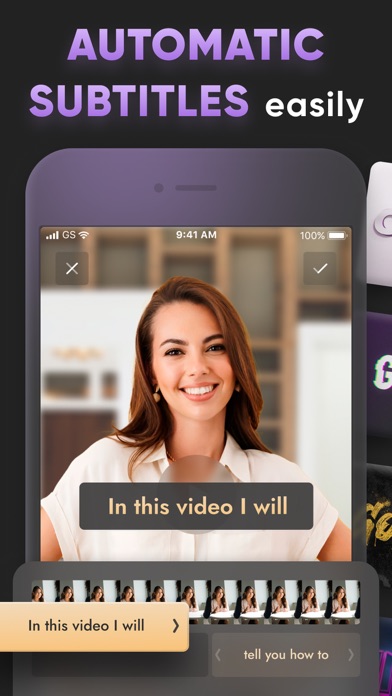
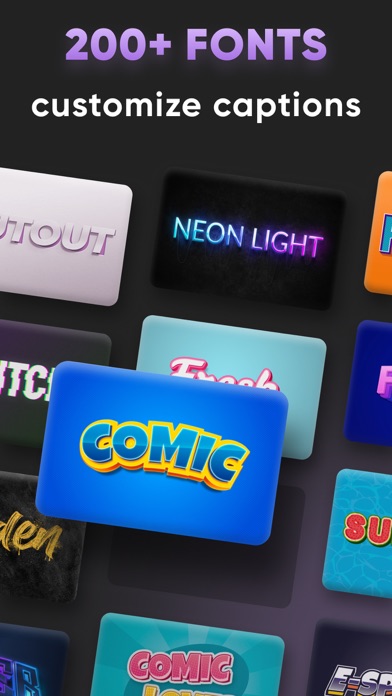
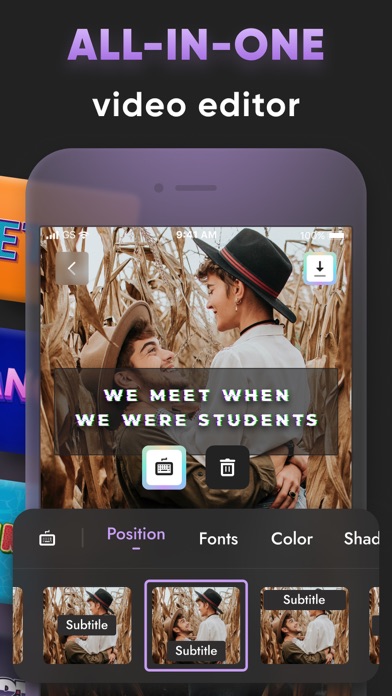
Now you can create automatically captions in a few seconds. With the AI-powered app you get accurate subtitles in just 2 taps. Try Subtitles: Captions for Video right now! Application features: - Auto CC - Choose text style from normal to 3D - Change text position and size - Add stickers - Edit videos - Complete your videos with your logo - Remove background - Add music And much more Try it right now! Privacy policy: https://subtitles.plus/privacy.html Terms of use: https://subtitles.plus/terms.html