
Photo & Video
Browse photo and video IPA listings for cameras, editors, recording tools, streaming apps, and creator workflows.

Jack Morris
Tone Studio: The All In One App For Creators Tone Studio is your go-to app for creating beautifully curated photo and video content with ease. Whether you’re posting to Instagram, building a brand, or just refining your personal aesthetic, Tone Studio gives you the tools to create standout content. What you can do: Film Camera Filters Get the look of analog film with 6 custom film cameras and 14 unique film stock filters. 130 Professional Presets Choose from over 130 carefully designed filters—think film-inspired, vintage, minimal, moody, black & white, and much more! Instagram Feed Planner Use the built-in feed planner to preview your Instagram grid, manage multiple accounts, and design your layout before you post. Seamlessly switch between our editing studio and feed planner to adjust content inside the planner in seconds. Templates Photo and video templates ready to go in story and post format! Choose between our variety of categories such as Classic, Photo Booth, Creative, Camera Roll, and more. Layered Effects & Frames Add overlays like dust, light leaks, and timestamps. Use vintage-style frames to give your content the artistic film look. Typography Tools Add modern, stylish text with easy-to-use templates and a curated selection of fonts. Detailed Adjustments Fine-tune every edit with tools for HSL, blur, grain, shadows, and many other pro-level settings. Subscriptions Silver Plan: $3.99/month or $19.99/year Gold Plan: $5.99/month or $39.99/year Subscriptions auto-renew unless turned off in your iTunes settings at least 24 hours before the end of the billing period. Contact Us Questions or feedback? Contact us at [email protected] or www.instagram.com/tonestudio Your Tone subscription will automatically renew 24 hours before the end of the current period. You will be charged through your iTunes account. You can turn off your subscription at any time from your iTunes account settings. You will not receive refunds for the unused portion of your term. Read our terms of use at: http://tonestudio.app/terms/ Read our privacy policy at: http://tonestudio.app/privacy/

ipaomtk.com
ipaomtk.com | Unleash your creative potential with AI Video Art Creator Livensa IPA, the cutting-edge AI-powered video art creator that is revolutioni

Softnoesis
We have added feature which allow user to download your own video/songs/mp3 from Google Drive, Dropbox, and OneDrive. AI powered auto caption video with support 100+ languages. The awesome player which helps you play item on nano screen and background mode as well. Edit your video using several tools like filters, trimming, adding caption & sticker, convert to mp3 and many more. Create the best video to share on Facebook, Instagram, Inshots, Youtube, likee app, Dubsmash, etc. Downloader|Saver: - Allow importing video and songs from Google Drive, Dropbox, and Onedrive - Wifi sharing also allows from computer to iPhone - Repost video from Instagram, Facebook, LinkedIn, TikTok AI powered Auto Caption Video: - Upload your own video - Choose your needs caption style - It will upload to server and generate karaoke style captioned video - It support all world major languages in auto caption. Playlist: - Create any number of playlist - Add any number of items of each playlist - Play any selected song - Allow playing by the shuffle - Drag the video or song to any position Awesome music player: - Can play both video, m4a, and mp3 songs - Nano player - Seek music to any time - Next and previous track play - Play music in the background mode and on the lock screen as well Video editor tools: - Apply different video filters - Trim video - Add sticker - Add caption - Reverse video - Merge video - Remove audio from video - Convert to Audio M4A File Manager: - Create your own subfolders - Add video from any third-party application like Whatsapp, Telegram, etc. - Rename, Delete, Share and Save files For unlocking all features and content, Premium membership offers an auto-renewable subscription. 3 months Premium: subscription renewal time period is 3 month Yearly Premium: subscription renewal time period is one year Lifetime Premium: This is a one-time charge and never need to pay again. Content provided during subscription period: - No folder or file download limitation - No advertisement - All video editing tool allowed to use End of trial and subscription renewal: * Payment will be charged to iTunes Account at confirmation of purchase * The price will be differed from country to country according to the Price Matrix. * Subscription automatically renews unless auto-renew is turned off at least 24-hours before the end of the current period. * Account will be charged for renewal within 24-hours prior to the end of the current period, and identify the cost of the renewal. * Subscriptions may be managed through https://support.apple.com/en-us/HT202039 by the user and auto-renewal may be turned off through the above link after purchase. * Any unused portion of a free trial period, if offered, will be forfeited when the user purchases a subscription to that publication, where applicable. Terms of Service & Privacy Policy (EULA): https://softnoesis.com/apps/videocopy/terms_privacy_policy.php For any query, drop mail us on [email protected]

Hangzhou Onedium Technology Co., Ltd.
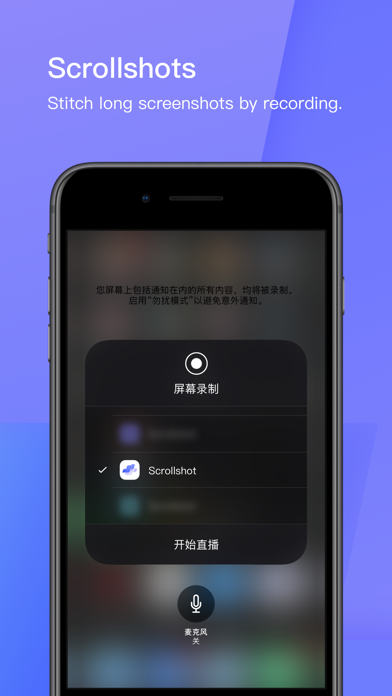
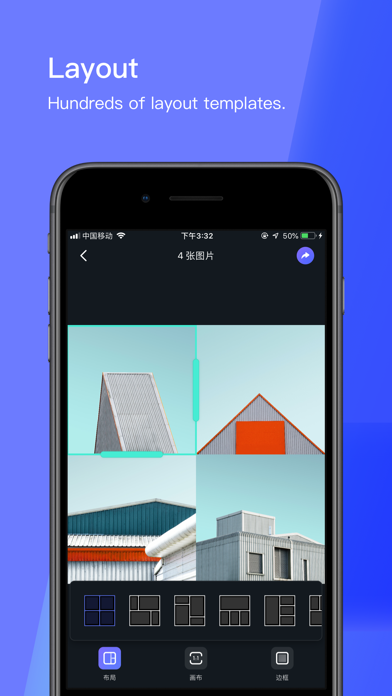
Stiiitch stitches automatically. Users could export high-definition screenshots by just one click. Stiiitch features ultra-fast, ultra- effective high-definition long screenshots. Main features and highlights ———————————————————— ⓵ Ultra-fast Stitching Automatically stitches and recognizes screenshots in the Photos. When you just finished a single screenshot, or when there are consecutive screenshots in your Photos, Stiiitch will automatically recognize and stitch. Stiiitch can be used in chat history, WeChat, QQ, SMS text; save and share of WeChat subscriptions, long articles in Apps, bills, checklists. In addition, for WeChat chat history stitching, Stiiitch can achieve ultra-fast automatic stitching even if your chat background is a custom image . ———————————————————— ⓶ Scrollshot Use the screen recording to make long screenshots and stitch them together efficiently and quickly No need to take multiple manual screenshots, you can take long screenshots in one recording. ———————————————————— ⓷ Layout Support for hundreds of layout templates ———————————————————— ⓸ Normal stitching Easy and pragmatic Includes horizontal and vertical stitching. Traveling memory, party or reunion memory could all be stitched. ———————————————————— ⓹ Subtitles Stitching An artifact for the TV series fans. When seeing your favorite story lines, you will have an impulse to write down them! Our subtitles stitching, especially tailored for this, makes it easier for you to express your feelings through drama. ———————————————————— ⓺ Markup Adding stickers to photos. After stitching, you may want to cover some private information by markup. ———————————————————— ⑦ Website screenshots Provides screenshots widget for websites. Within any browsers, click ‘Share’ and icon of stitching website screenshot widget, you can screenshot the whole page by just one tap. ———————————————————— ⑧ Mockup Add a device mockup for the screenshot We simulate the effect of the screenshots with a device mockup, various options of model and color for you, which adds a sense of ritual for your screenshots. Contact us: If you ever encounter any questions or have any comments or suggestions, please do not hesitate to contact us. We value every feedback. E-mail: [email protected]

Douglas Alves
Upflix is the ultimate smart companion for streaming subscribers. If you are a subscriber to Netflix, Disney+, Prime Video, Max, or Hulu, Upflix helps you stop wasting time searching and start watching what matters. PLEASE NOTE: UPFLIX IS AN INFORMATIONAL GUIDE, NOT A STREAMING SERVICE. WE DO NOT STREAM OR HOST MOVIES. Stop the "infinite scroll" and let our intelligence find your next favorite title. - SMARTER DECISIONS WITH APPLE INTELLIGENCE: Don't guess if a movie is good. Powered by Apple Intelligence, Upflix analyzes and summarizes thousands of critic and user reviews into a single "Smart Verdict." Know in seconds if a title is worth your time. - WHERE TO FIND (NO GUESSWORK): Instantly discover which legal platform has the movie or show you’re looking for. We track availability across Netflix, Disney+, Prime Video, Max, Hulu, AppleTV+, Paramount+, and Crunchyroll. Not sure on which platform your favorite movie or series is available? Our tool allows you to save time and find where to watch your favorite content. • Did you know that "Lord of The Rings" is available on Netflix, Hulu, and Max? • And that HBO's "Ballers" is on Netflix? • Oh, did you hear that Netflix removed "My Neighbor Totoro"? - UNIFIED SEARCH ENGINE: Search all your streaming services in one single hit. More than 50.000 movies and TV shows are available with trailers, descriptions, cast, reviews, ratings and more. - PRO EPISODE TRACKER: Never miss a release. Follow your favorite series and receive real-time notifications the moment a new episode or season drops on your specific streaming service. - UNIFIED WATCHLIST: Keep your cinema life organized. Create a single, powerful watchlist that combines titles from all your different subscriptions into one unified place. - EXPERT RATINGS: Access accurate, up-to-date scores from IMDb, Rotten Tomatoes, and TMDB. Filter the best-rated content and skip the "fillers." - ROULETTE DUO: Can’t decide what to watch with your partner? Use Roulette Duo to swipe Tinder-style through your combined watchlists until you get a "Match!" - WHAT UPFLIX DOES NOT DO: • It is NOT a streaming player or a "Free Movie" app. • It does NOT provide access to content without a legal subscription. • It does NOT host or transmit any video files. Upflix is the brain behind your TV, helping you manage and enjoy your legal subscriptions more efficiently. Supported platforms: Netflix, Max, Disney+, Amazon Prime Video, Hulu, AppleTV+, Paramount+, and Crunchyroll. All film-related metadata, including actor/director names, synopses, and trailers, is supplied by The Movie Database (TMDB). Upflix uses the TMDB API but is not endorsed or certified by TMDB. Terms of Use (EULA): https://www.apple.com/legal/internet-services/itunes/dev/stdeula/

ipaomtk.com
ipaomtk.com | Flixstools Movies Show Note IPA MOD is a comprehensive app that seamlessly integrates with your digital movie library, allowing you to e
Erdem Erciyas
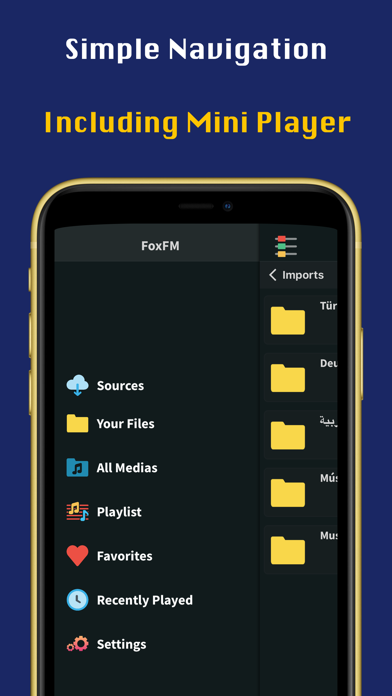
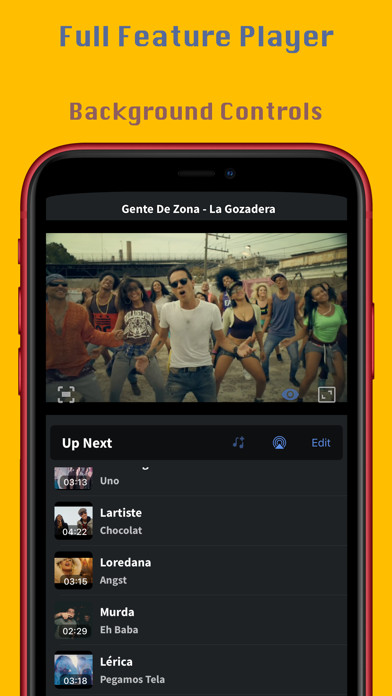
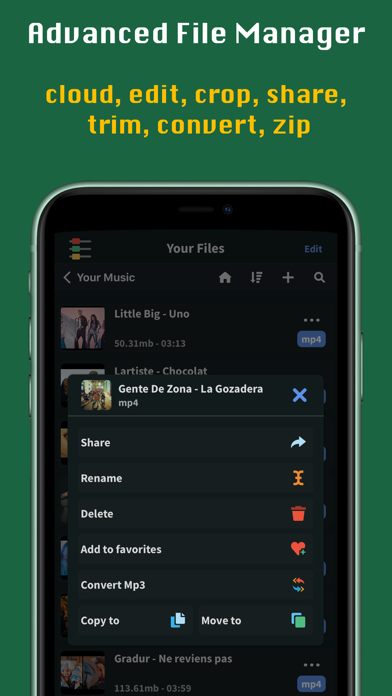
FoxFM is giving you freedom to download your files from cloud services like Dropbox, Google Drive and OneDrive. You can view, manage your files and unexract archive files and extract as an archive your files. Also you can play your media files on the background and convert your videos to audio or to ringtone. It has very simple file manager and playlist manager which unlimited and always you to manage easily. It natively supports Mp4, Mp3, Numbers, Pages, Pdf, Doc, Docx, Xls, Xlsx, Ppt, Pptx, Zip, Jpg, Png etc. You can share your files between other apps and also send as an email or share through social media apps. It allows you to import photos and videos from your CamRol and also export your files to CamRol. You can protect your files with Passcode. Premium access: With Premium access you get unlimited access to all the features FoxFM has in stock. The app contains the following subscription options: • Payment will be charged to iTunes Account at confirmation of purchase • Subscription automatically renews unless auto-renew is turned off at least 24-hours before the end of the current period • Account will be charged for renewal within 24-hours prior to the end of the current period, and identify the cost of the renewal • Subscriptions may be managed by the user and auto-renewal may be turned off by going to the user's Account Settings after purchase • Any unused portion of a free trial period, if offered, will be forfeited when the user purchases a subscription to that publication, where applicable Privacy & Policy https://foxfm.app/privacy-policy/ Terms of Use https://foxfm.app/terms-of-use/


Amit Verma
Calendar Widget is the app you need for customising your home screen with beautiful calendar. Choose from stunning preset widget designs, or you can make your own. Choose a picture you want and decorate your home screen prettily with Calendar Widget. Get Aesthetic Look to your Home Screen. It's a free app. • Standby Widget. • LockScreen Widget, iOS 17 • Transparent widget. • Create Beautiful Calendar Widget • Multiple calendar options • Multiple widget with large variety of presets • Set Unlimited widgets • Supports all size of widgets • Apple Watch App • No ads Get your widget up and running in no time. Just Select and its done. Now Install the Calendar Widget App and enjoy !!!


Apple
Photomator is the most powerful photo editing app ever designed for a mobile device. It includes an extensive collection of cutting-edge color adjustments, automatic selections powered by AI, support for over 750 RAW image formats, a magical Repair tool for removing unwanted objects, and many more powerful features, letting you enjoy pro photo editing anyplace, anytime. Everything you need to make your photos look incredible • Edit photos using a wide collection of powerful, nondestructive color adjustments • Quickly make precise subject, sky, and background selections in photos using AI, add gradient masks, and easily make selections using a brush • Effortlessly remove unwanted objects using an incredible object removal tool • Crop, straighten, rotate, and adjust the perspective of photos with an easy-to-use Crop tool • Instantly increase the resolution of photos using AI • Remove camera noise and image compression artifacts with the powerful Denoise feature • Magically remove color banding and increase color depth in photos with the AI-powered Smart Deband feature • Make your photos stand out with photographer-designed presets for landscape, black and white, and other photography styles • Easily copy and paste edits between photos or batch edit even hundreds of photographs at a time • Open and edit over 750 RAW image formats, including Apple ProRAW and compressed Fujifilm RAWs • Follow all the changes you make in the beautiful live histogram Tools powered by AI • Select the subject, sky, or background in a photo with just a tap • Improve the quality of photos by reducing camera noise with the AI-powered Denoise feature, intelligently upscale photos with Super Resolution, or magically remove color banding and increase color depth using Smart Deband • Automatically enhance shots using a machine learning algorithm trained on 20 million pro photos, or fine-tune individual adjustments, like White Balance, Selective Color, or Color Balance with a single tap • Intelligently crop photos using the AI-powered auto-cropping • Copy the look of any photo to another using the incredible Match Colors feature State-of-the-art color adjustments • Enjoy powerful tools for effortlessly adjusting the temperature, tint, exposure, contrast, brightness, hue, saturation, and vibrance in your photos • Recover incredible amounts of detail in the highlights and shadows of photos • Magically enhance fine details and structure in photos using powerful Clarity and Texture adjustments, or adjust textures in the highlights, midtones, and shadows separately • Selectively edit individual color ranges with Selective Color, or improve the balance of colors in the shadows, midtones, and highlights with Color Balance • Adjust lighting and colors with full precision using Levels and Curves adjustments • Mix the balance of the red, green, and blue color channels to create intense color effects in your images • Replace any color with any other using the Replace Color adjustment • Create beautiful black and whites even from your color photos • Use a range of additional adjustments, like Sharpen, Fade, Grain, Color Monochrome, Sepia, and Invert to make your photos stand out • Instantly change the look of photos with LUTs or export custom LUTs to use in other apps Compatibility • Automatically sync every change back to your Photos or Files browser • With the support for iCloud Drive, enjoy seamless edit syncing across Mac, iPhone, and iPad • Photomator is built from the ground up for iPhone and iPad with a native design that blends seamlessly with the sleek and modern look of iOS and iPadOS 18 • Photomator uses powerful Apple technologies like Metal, Core ML, and Core Image to deliver staggeringly fast performance, even when editing large RAW photos or batch editing multiple images at a time • Privacy policy: https://www.apple.com/legal/privacy/en-ww/
Deepak Sharma
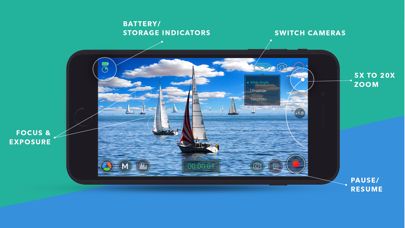
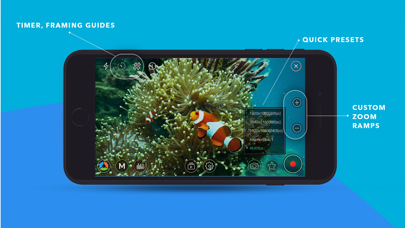
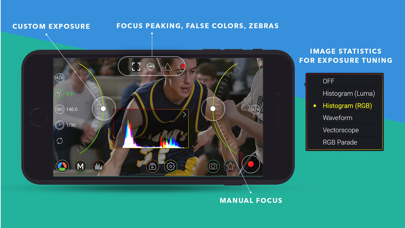
MoviePro is a professional video recording app that unlocks advanced camera capabilities on iPhone and iPad. Designed for beginners and professionals alike, MoviePro delivers precise control over video, audio, and color — far beyond the standard Camera app. With support for high-end codecs, manual controls, live monitoring tools, and external accessories, MoviePro turns your device into a production-ready camera. Capture With Precision • Wide range of video resolutions, from 4K to low-resolution formats • Extensive aspect-ratio support, including cinematic and anamorphic ratios • Frame rates from 240 fps down to 1 fps • Adjustable bitrate and compression levels Supported Codecs • HEVC and H.264 • ProRes 4444, ProRes 422, HQ, LT, and Proxy* Advanced Color Support • Rec.709, P3, BT.2020, and Apple Log* • Log recording on supported iPhone Pro models • Dolby Vision HDR* Professional Camera Controls • Manual focus, exposure, and white balance • Separate focus and exposure reticles • Focus pull support • Up to 20× zoom with adjustable zoom speed Stabilization & Camera Features • Extended cinematic video stabilization modes • MultiCam recording with multiple layout options* • Center Stage support on compatible iPads • Portrait Effect with front camera** Advanced Audio Recording • Built-in, external, and Bluetooth microphone support • AirPods support • Stereo audio recording • Mic gain control for external microphones • Live audio monitoring • Real-time audio meters Live Monitoring & Assist Tools • Histogram, Waveform, and Vectorscope • Focus peaking • Zebras, False Colors, and clipping indicators Output, Storage & Workflow • Record directly to Camera Roll • Record to the Files app or external storage • Clean HDMI / AirPlay output • Upload directly to YouTube or Dropbox • AirDrop via Files app • iTunes File Sharing Power Features • Custom recording presets • Battery saver mode for long sessions • Configurable recording duration Designed for Production Use • Lock interface orientation • Hide controls with or without reticles • Composition guides • Countdown timer Accessory Support • Clean HDMI / AirPlay output • Popular gimbals • Moondog Labs anamorphic lenses • 35mm image flip support Metadata • Location tagging • Copyright information embedded in video files Remote Control & Apple Watch MoviePro Remote • Free companion app • Control MoviePro from another iPhone or iPad • Change camera settings and start or stop recording remotely Apple Watch • Companion app installs automatically • Start and stop recording from Apple Watch • Live video preview on your wrist Support [email protected] @movieproapp on Twitter * Features depend on device capabilities ** Portrait Effect can be enabled from Control Center Terms of Service https://www.apple.com/legal/internet-services/itunes/dev/stdeula/ Credit Attribution YouTube graphic icon by Icons8 (https://icons8.com)

康行 Nagasima
iMoonCameraPro is a camera app to shoot the moon easily. # How to use the moon mode 1. Select brightness. 2. Select zoom magnification. 3. Adjust focus manually. or Touch the moon (in case iPhone with telephoto lens) If it doesn't work, adjust focus manually. 4. Tap the shutter button. # How to use the moon + scene mode 1. Put iPhone on a tripod 2. Adjust moon brightness. 3. Tap the shutter button. 4. Adjust scene brightness. 5. Tap the OK button. 6. Wait a few seconds for the end of the shot. # How to use the lunar eclipse mode 1. Put iPhone on a tripod because a lunar eclipse is much darker than the full moon. 2. Adjust focus before eclipse begin. 3. Take a photo of a lunar eclipse. # 3 app modes Easy mode : Adjust exposure by brightness slider only. Manual mode : Adjust exposure by ISO & Shutter speed sliders. High-quality mode: The basic operation is the same as easy mode, but this mode prioritizes image quality. However, it may not function properly depending on the iOS version. # For good photos If the shutter speed is slow, fix iPhone on a tripod or something.
芷安 林
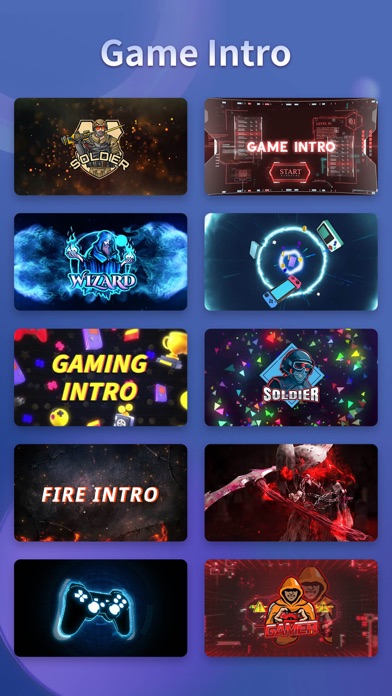
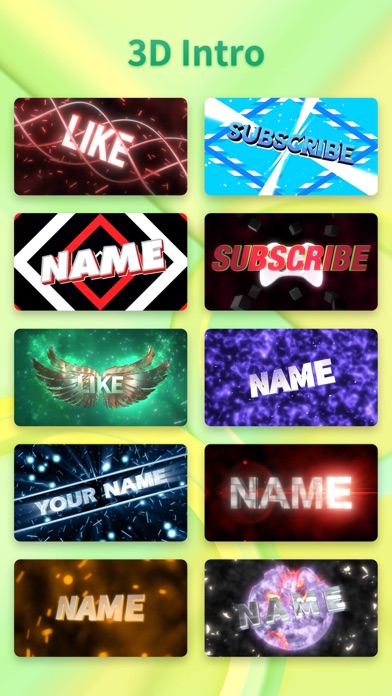
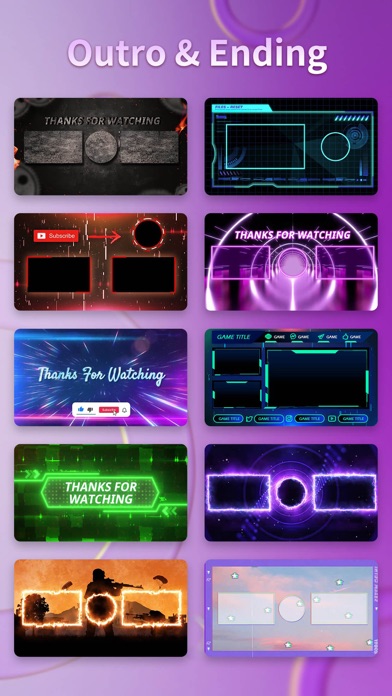
* The best app to make cool intros for your Youtube and iMovie videos. * 50+ well-designed templates available for choice and keep on updating more. * Add texts, stickers, music the way you like. Poor at After Effect and other complex software? Then don’t hesitate to download this Intro Maker! Using this tool, you can easily create beautiful intros for your videos. Features: - 1000+ well-designed templates for choice. - Continous template updates for new trends and festivals. - 120+ fonts available for choice. - 150+ fx stickers available for choice. - 200+ music and sound effects. - Save and re-edit your project. - Real time editing and preview. - One button to save and share your masterpieces. The app keeps updating new templates and stickers, so don't hesitate to download Intro Maker! Subscription Info: VIP Services: By upgrading to VIP, you can unlock all VIP resources, including: - all VIP templates - all VIP music - all VIP sounds - all VIP fonts - all VIP stickers - remove watermark or ads Price: - 1 Month Subcription: $3.99 - 1 Year Subscription: $8.99 - One Time Purchase: $13.99 Payment will be charged to your iTunes account at confirmation of purchase. Subscriptions will automatically renew unless auto-renew is turned off at least 24 hour before the end of the current period. Account will be charged for renewal within 24-hours prior to the end of the current period, and identify the cost of the renewal. Your account will be accordance with your plan, within 24 hours prior to the end of the current period. You can manage or turn-off auto-renew in your Apple ID account settings any time after purchase. Terms of Use: http://www.dancenapphelp.com/termsofuse.pdf Privacy Policy http://www.dancenapphelp.com/privacypolicy.pdf

Prisma labs, inc.
Make every photo share-worthy. Lensa helps you look your best, remove distractions, and add stunning effects so your posts always stand out. Simple, fast, and fun—perfect for social media and everyday memories. Lensa AI: Your Photos, Your Story Every photo tells a story—Lensa helps you make it unforgettable. Whether it’s a selfie, a family snapshot, or a travel memory, Lensa makes your pictures look their best while keeping them true to life. With just a few taps, smooth out imperfections, brighten dull lighting, or add a touch of artistry. Create scroll-stopping edits that feel effortless and natural, perfect for sharing with friends or on social media. What you’ll love: - Look your best in selfies and portraits without the “over-edited” look - Erase unwanted objects and distractions so the focus stays on you - Transform any photo or video with beautiful filters and color tones - Create one-of-a-kind avatars that express your personality in fun, artistic styles - Enjoy editing that feels simple, quick, and fun—no skills required - Turn everyday moments into highlights worth sharing. With Lensa, your photos don’t just look better—they feel like you at your best. Privacy Policy - https://legal.lensa.app/privacy-policy Terms of Use - https://legal.lensa.app/terms-of-use


Aliaksei Yarmalovich
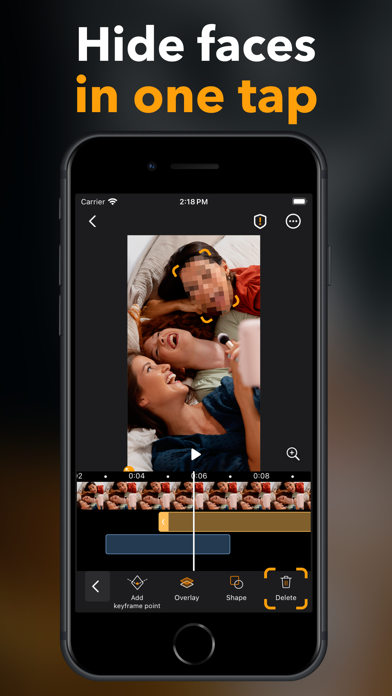
Pix App is a smart media editor that supports both photos and videos, utilizing AI-powered, machine learning-developed core functions. The user experience is designed for simple, automatic operations, ensuring ease of use. Privacy is a priority with Pix App, as all media processing occurs on the device itself, guaranteeing your privacy. You no longer need a computer or professional software to anonymize videos. Key features of Pix App include: - Face detection - Moving object tracking - Human body detection - Key frame tracking - Smart object detection on photos Pix offers flexible overlay options and emphasizes a privacy-first approach, with all processing happening locally. Your media is never uploaded to the cloud or stored in the app. EULA: https://www.apple.com/legal/internet-services/itunes/dev/stdeula/
RTD
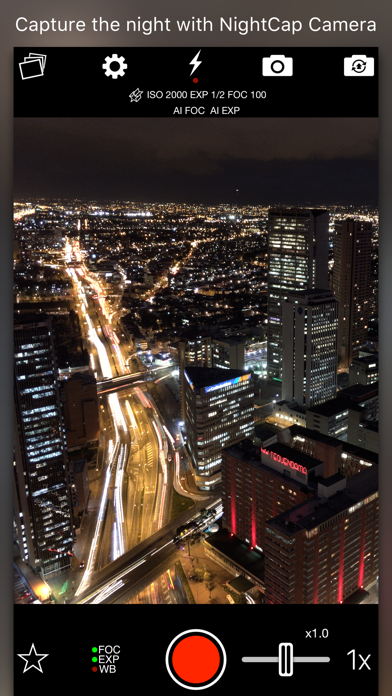
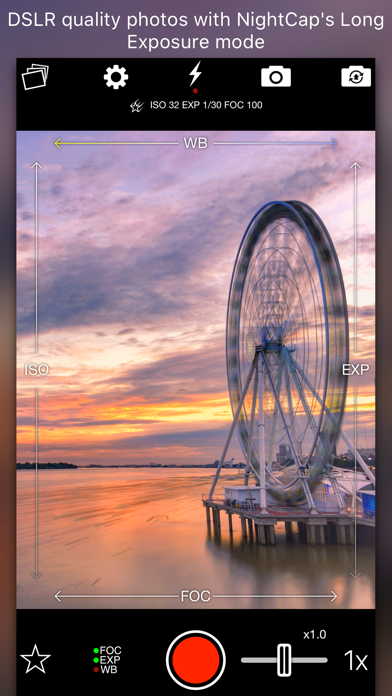
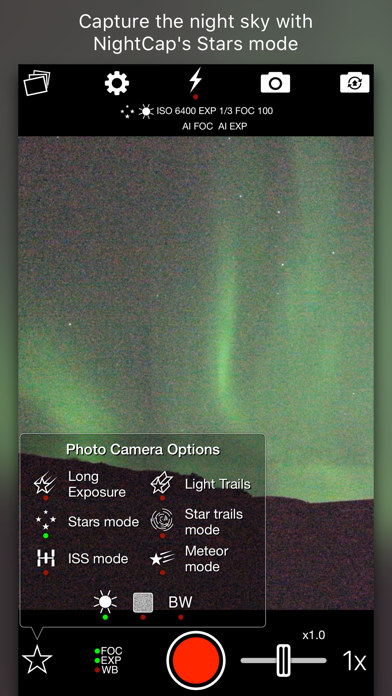
NightCap Camera is a powerful app that takes amazing low light and night photos, videos and 4K time lapse. Long exposure produces beautiful photos in low light and unique Astronomy modes capture the stars, Northern Lights (Aurora) and more! Do you find your photos and videos dark and grainy in low light? NightCap will help by unlocking the full potential of your iPhone or iPad's camera. AI camera control makes it easy by automatically setting optimum focus and exposure for a brighter, clearer shot. All you need to do is hold steady and tap the shutter. If you prefer manual control then instant gesture based adjustment is always available, and special camera modes give you DSLR like results. You can even shoot photos, videos and time lapse in black and white if you want to. Try Long Exposure mode for amazing motion blur effects and reduced image noise in low light. NightCap has an ISO Boost feature that allows 4x higher ISO than any other app, producing much brighter low light photos with low noise in Long Exposure mode! Light Trails mode preserves moving lights - ideal for moving traffic at night, fireworks or light painting. These modes are stunning when combined with HD or 4K time lapse! There are 4 dedicated astrophotography camera modes. Stars Mode is ideal for a starry sky or Northern / Southern Lights (Aurora), or leave your device capturing in Star Trails Mode and watch the stars paint circles in the sky! There are also modes for easy photography of the International Space Station (ISS) and meteors (shooting stars). Visit nightcapcamera.com for tutorials. Features: • Video recording with special Night Mode and full manual control. • Time lapse recording with adjustable speed, long exposure and light trails support and up to 4K resolution on iPhone 6s or newer or 1080p HD on older devices. • Aidie, a fully automatic AI camera operator chooses the optimum camera settings for you automatically, meaning brighter, clearer photos in low light with less risk of blurring the shot. All you need to do is hold steady and tap the shutter. • AI enhanced focusing in very low light for fast, reliable focus. • Automatic camera modes for Meteors (shooting stars), ISS (International Space Station), stars and star trails make these difficult tasks easy. • Innovative manual camera controls designed for photographers: intuitive gesture-based control of exposure, ISO, focus and even white balance. Simply swipe to adjust. • Long Exposure mode: Capture detailed, noise-free low light shots. • Light Trails mode: Perfect for light painting and even astronomy: photograph star trails with unlimited exposure time! • ISO Boost allows up to 4x higher ISO than any other app. • Light Boost instantly boosts brightness while preserving image detail. • Noise Reduction Mode helps reduce image noise. • 8x Zoom control (camera-style for easy, smooth zoom). • Full Apple Watch support with live preview and control of the main app features.


RNI
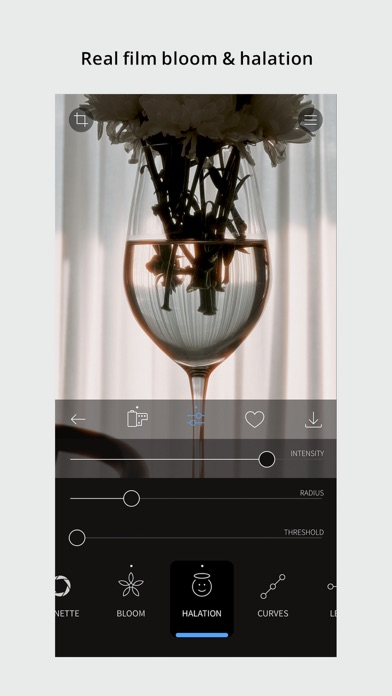
Get real film look while shooting digital. At RNI we always wanted to transfer the true character of analogue film to digital medium. So we did by digitising our library of analog slides and negatives, building their profiles and packaging those profiles into a lightweight and easy to use mobile app. RNI Films is a great mobile companion for those who appreciate the beauty of analogue photography. And this little app enables creators to bring the artistic flair of film into their mobile workflow. Many professional photographers find our film profiles to be more sophisticated and true to real film than rivals. That's because we work really hard to recreate every subtle aspect of real film, with great attention to general accuracy, colour separation, skin tones and grain texture. RNI's film-simulating expertise is proven by time and appreciated by photographers from all over the globe. Our desktop and mobile solutions have been praised in a number of independent online reviews, so don't hesitate to search for RNI Films online to find out more about our products, philosophy and approach. REAL FILM FILTERS The RNI Films' filters are born from real film stocks and split into categories that include negative, slide, instant, black & white and vintage. The app comes with a generous introductory package of free film filters. Also additional filter packages can be added via in-app purchase. REAL FILM GRAIN Authentic film grain powered by our custom engine—accurately simulating grain structure, colour, and resolution behaviour. REAL FILM BLOOM & HALATION Recreate the optical effects of real film. Bloom adds a soft glow to highlights, while halation produces a warm, subtle halo around bright areas. Both are modelled to behave naturally, just like in real film photography. ADJUSTMENT TOOLS Use RNI image adjustment tools to make sure your images perfectly meet your creative vision. You can crop and rotate, alter the brightness, contrast, and colour, enhance shadows and highlights, add vignette and real film grain, and much more. RAW EDITOR RNI Films can open and edit RAW files from your mobile or third-party camera*. Some minor image artefacts may be seen while editing RAW in the app's viewport which uses draft mode. Those artefacts won't be there on export. Generally, the quality of the output of this little app is comparable with professional desktop software. * Your third-party camera RAW format needs to be supported by iOS. Please refer to your iOS version documentation for more details. VIDEO GRADING (beta) RNI Films can colour-grade your videos. All its film filters and many editing tools now support video. More video-focused tools and features will be added later. At the moment video grading is in beta. So if you spot any bugs or issues—please let us know at [email protected] SHARING Share your photos to your social networks directly from the app. Supported networks include Instagram, Facebook and Twitter. IN-APP WORKFLOW The RNI Films app is simple, intuitive and straightforward to use. It’s designed with high efficiency in mind, from opening a photo to sharing the result. No clutter, no extra taps to ‘hide/unhide that panel’, no unnecessary confirmation steps – everything is streamlined and simple for your convenience. #RNI and #RNIFilms Tag your photos with #RNI and #RNIFilms for a chance to get featured in RNI’s official newsletter, blog and Instagram @reallyniceimages. To find out more about RNI products please visit reallyniceimages.com Terms of Use: https://www.apple.com/legal/internet-services/itunes/dev/stdeula/


Chung Hui Huang
Safari Extension Open In Youtube, Twitch, Twitter, TikTok, Instagram, Spotify, Dcard, Discord, Facebook, Bilibili and Reddit

Ting Tze Chuen
Fliptastic Pro — no watermarks, extra transitions unlocked, and ready to create. Fliptastic Pro is the premium version of the #1 photo slideshow creator. Turn your photos into stunning, professional videos for TikTok, Instagram Reels, YouTube, and more. PRO PERKS • No watermark on any video, ever • Extra cinematic transitions unlocked — Crossfade, Flip, Ken Burns, Zoom, Blur, Bounce, and more AI AUTO-CREATE Let our smart AI pick your best photos and arrange them into a perfect slideshow automatically. It analyzes quality, faces, composition, and lighting — so every video looks incredible. MADE FOR EVERY PLATFORM Export in the perfect format for any social platform: • 9:16 for TikTok & Instagram Reels • 16:9 for YouTube • 1:1 Square for posts • 8:10 for Instagram BUILT-IN MUSIC LIBRARY Choose from 26 curated theme songs that perfectly complement your slideshow. Your videos will sound as good as they look. PHOTO EDITOR & FILTERS Fine-tune every photo with 13 stunning filters, crop, rotate, and adjust brightness, contrast, and saturation — all without leaving the app. BEAUTIFUL TEXT SLIDES Add titles and captions with handpicked decorative fonts like Billabong, Pacifico, and Permanent Marker. Perfect for intros, outros, and storytelling. THEMED EFFECT PACKS Take your videos to the next level with optional special effects: • Love Pack — Hearts, romantic frames & music • Starry Pack — Sparkling star effects • Galaxy Pack — Premium cinematic transitions • Lunar Pack — Festive effects for celebrations OPTIONAL PREMIUM SUBSCRIPTION Unlock everything — all 40+ transitions, 25+ theme songs, every effect pack, and all future content with a single subscription. STOCK PHOTOS BUILT IN Browse thousands of beautiful stock images from Pexels right inside the app. MORE FEATURES YOU'LL LOVE • Save unlimited projects and edit anytime • Drag & drop photo arrangement • Per-slide duration control • Multiple image fit modes (Fit, Fill, Blur Fill) • Live Activities & Dynamic Island progress tracking • Undo/redo support • Share directly to Instagram, Facebook & YouTube Fliptastic Pro — create without limits. Subscription Terms: - Fliptastic Premium is available as a monthly or yearly auto-renewable subscription - Payment is charged to your Apple ID account at confirmation of purchase - Subscription automatically renews unless cancelled at least 24 hours before the end of the current period - Your account will be charged for renewal within 24 hours prior to the end of the current period - You can manage and cancel subscriptions in your Apple ID account settings - Privacy Policy: https://fliptastic.amdcopper.workers.dev/privacy-policy - Terms of Use (EULA): https://www.apple.com/legal/internet-services/itunes/dev/stdeula/

ipaomtk.com
ipaomtk.com | Affinity Photo IPPA MOD iOS empowers photographers, graphic designers, and creative enthusiasts to elevate their visual creations on the


Photomyne LTD
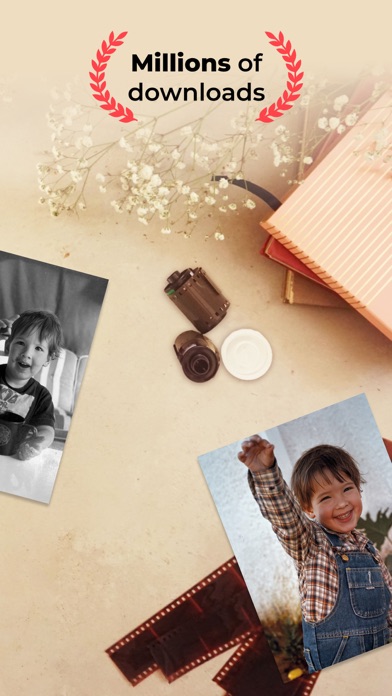
Photomyne is the fastest and easiest way to turn photos, slides, negatives and other family keepsakes into a digital library spanning generations and share them with others. Download it today to see the magic of this powerful scanning app, built with cutting edge AI technology. This free app offers a taste of what Photomyne has to offer. Use it for basic photo scanning to see if it suits your needs (before deciding whether to upgrade to the paid plan). SIMPLY HOLD & CAPTURE – THE SCANNER WILL DO THE REST - Scan multiple physical photographs in a single shot - Scan more than just photos too - film negatives, slides, documents, notes, kids' art, recipes, scrapbooks, and more - Scan an entire photo album in minutes - The photo scanner auto-detects picture boundaries, auto-rotates sideways pics, crops, restores colors and saves them into a digital album EDIT AND CURATE YOUR COLLECTION OF MEMORIES - Add details to albums and photos (locations, dates, and names) - Name people in photos - Scan the back of a photo - Add audio recording - Apply color filters & colorize B&W photos - Sharpen blurry faces in photos GO EVEN FURTHER WITH AI-POWERED MAGIC In addition to the core features, Photomyne hosts hand-picked external AI tools from other trusted platforms to restore and enhance your memories even more. These optional features include powerful AI enhancements like photo damage repair, subtle motion animations, and more. These aren’t included in the paid plan but are offered at a special price, so you can enjoy even more photo-enhancing magic, all in one place. USE SCANNED PHOTOS TO MAKE SPECIAL EVENTS TRULY UNFORGETTABLE - Add a dose of nostalgia to reunions - Honor memorials with photo memories - Celebrate anniversaries with old photos - Add an element of surprise to birthdays OPTIONAL IN-APP UPGRADE For unlimited use, consider purchasing an optional paid plan (in-app purchase). Here are the premium features you get with a paid plan: - Scan, save & share to the max - Unlimited scanning, sharing, and saving to your device or computer in print quality - Access anytime, anywhere - Unlimited photo backup, access on other devices, and online - Unlimited enhancements - Enjoy unrestricted photo design effects and creations such as B&W photo colorization and more The app offers an optional paid plan via monthly/yearly auto-renewing subscriptions**, as well as a One-Time plan, which is paid for by a single upfront payment. These offer unlimited access to the premium mentioned above. **Payment will be charged to your App Store account at confirmation of purchase. Your subscription will automatically renew itself unless auto-renewal is turned off at least 24 hours before the end of the current period. Your account will be charged for renewal within 24 hours prior to the end of the current period. You can manage your subscriptions and turn off auto-renewal in the App Store under Account Settings. If offered, if you choose to use our free trial, any unused portion of the free trial period will be forfeited when you purchase a subscription to that publication, where applicable. Got any questions? Email us to: [email protected] Privacy Policy: https://photomyne.com/privacy-policy Terms of Use: https://photomyne.com/terms-of-use

ipaomtk.com
ipaomtk.com | the Video Color Editor IPA MOD iOS app has emerged as a powerful tool for enhancing your video content. Whether you’re a professional vi

ipaomtk.com
ipaomtk.com | the My Movies IPA MOD iOS app is the perfect companion for you. Developed by a team of passionate movie buffs, this powerful app puts th


Slidebox LLC
Organize & Clean Up Your Photos with Slidebox – The Ultimate Photo Cleaner & Album Organizer! Slidebox makes managing your photos quick, easy, and satisfying. Say goodbye to clutter and hello to a neatly organized library with just a swipe! Whether you're looking to delete photos, organize albums, or compare duplicate photos, Slidebox is your go-to photo guru for fast and effortless photo cleanup. Key Features to Declutter and Organize Your Photos: - Delete Photos: Easily remove unwanted pics with a simple swipe, freeing up storage instantly. - Album Organizer: Sort photos into albums with a single tap to keep your memories organized. - Compare Similar Photos: Swipe between duplicate photos to decide which ones to keep. - Favorite Moments: Mark your best photos as favorites for quick access. - Undo Actions: Quickly reverse any action, so organizing your photos is stress-free. Slidebox works directly with your Photos App, so any changes you make will sync seamlessly across your iPhone and iCloud. No hassle, no confusion – just a smooth, organized photo library. If your camera roll needs a cleanup, Slidebox is the photo cleaner and album organizer you've been waiting for! With simple swipes and quick gestures, you can take control of your photo storage, remove duplicates, and finally enjoy an organized gallery. Download Slidebox now and experience how easy deleting, sorting, and storing photos can be. In-App Purchases Slidebox offers in-app purchases for users needing additional storage and features, including 10,000+ photos and album cloud storage. All charges are made through your iTunes account, with pricing varying by plan and country. The total price will be clearly displayed before you complete your purchase. Slidebox subscriptions renew automatically, either monthly or annually, depending on your plan. Monthly subscriptions are priced at $4.99 USD, while annual subscriptions cost $49.99 USD (prices may vary outside the U.S.). To avoid renewal, turn off auto-renew at least 24 hours before the end of your current subscription period in your iTunes Account Settings. Slidebox does not offer free trials for these subscriptions. If you prefer a one-time purchase option, you can unlock the full version of Slidebox permanently, which includes all future features and supports ongoing app development. Contact: [email protected] Terms of Use: http://slidebox.co/terms.html Privacy Policy: http://slidebox.co/privacy.html
知刚 刘
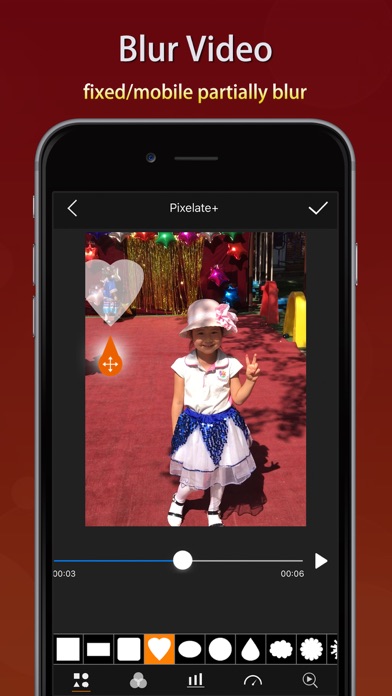
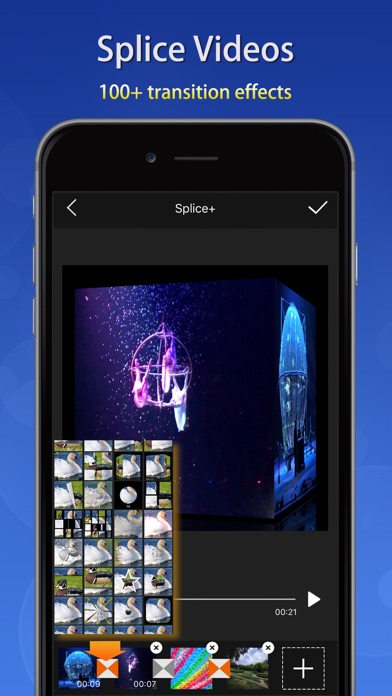
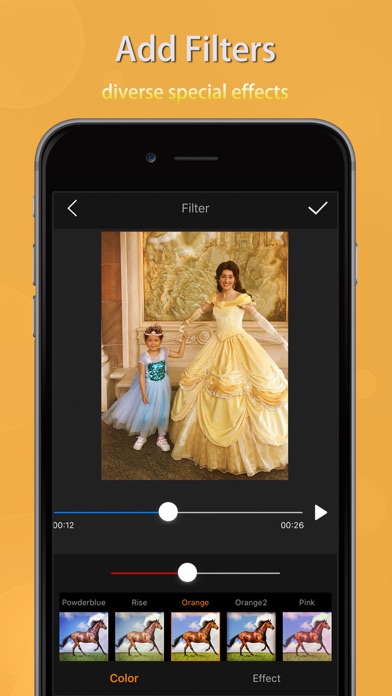
Videdit has more than 30 features: Info, Trim, Crop, Blend, Erase, Chromakey, Mosaic, Splice, Particle, BlingBling, Filter, Text, Sticker, Paint, Tuner, Dub, Speed, Reverse, Zoom, Rotate, Compress, Gif, Collage, Magnifier, Distortion, Reflection ... With Videdit, you can edit your videos in a lot of ways and make them more awesome and different. === SIMPLE AND EASY TO USE === Choose the video from Photo, Select a way of editing, handle it and save or share it. === RICH FEATURES === + View, modify or delete some EXIF and properties of the video file + Trim unwanted parts of the video + Crop the video into any size + Splice videos and images with 100+ transition animation effects + Mosaic a part of the video statically or dynamically: select the shape and type, adjust the blur intensity and speed of moving, drag the handler and move to blur the selected part of the video; can invert the blurred area + Add some text into the video with rich text effects + Adjust the color and effect of the video with dozens of filters + Take a picture from the video + Tuner by which to adjust the pitch and volume of the sound within the video, distort the sound, and add reverb to the sound make the sound have some special effects + Dub for the video and support to adjust the volume + Add special audios into the video with over 200 sound effects + Adjust the playback speed of the video + Replay a selected segment of the video and flexibly set count of loop and the the speed of playing + Let the video playback in reverse order + Zoom in or out the video + Rotate or flip the video and support 3D rotation at any angle + Compress the video by resolution, bit rate and frame rate + Convert the video into GIF + Create a picture-in-picture video + Add borders to video with rich border material + Add static or dynamic stickers to videos and can adjust the size, position, duration, speed, color and so on; can flip it; can choose an image as a static sticker or GIF as a dynamic sticker + Support collage of videos with rich background textures + Paint on the video: select color and width of brush, draw, undo, redo, erase + BlingBling for the video and make them full of brilliance: automatically detect highlights, add spot and star streaks and flexibly adjust their quantity, rotating speed and strength + Add particle effects for the videos: over 100 particle effects templates and rich particle texture images, flexible adjustment of various parameters of particle emission. Use your imagination to add surprises to your videos. + Add magnifier for video: flexibility to select the area to be enlarged and adjust the magnification and display position of the magnifier + Distort video: provide a variety of distortion types and flexibly adjust twist radius, force and center position + Reflect video: provide a variety of reflection filters and flexibly adjust the boundary and center position of reflection + Blend videos: provide 20+ classic blend modes: darken, multiply, color burn, linear burn, lighten, color dodge, linear dodge, overlay, soft light, hard light, average, difference, exclusion and so on; flexibly adjust the opacity, size and position of the foreground; exchange the foreground and the background; make the blended area into a variety of shapes + Erase video: you can flexibly select the erased area (eg. the watermark) by drawing directly on the video to erase the content on the fixed area, and the effect is better for the erased area with simple background color + Chromakey video: chromakey by which a block of a particular color (often blue or green) in a video image can be replaced by another color ... === QUICK RESPONSE === + Real-time preview + Quickly generated + Support 1080P HD output === SAVE AND SHARE === + May save videos to your camera roll + Easily share videos with friends If you have any questions or suggestions, please feel free to contact at: [email protected]. Thanks for using Videdit.