
Photo & Video
Browse photo and video IPA listings for cameras, editors, recording tools, streaming apps, and creator workflows.


Mobisoft Labs
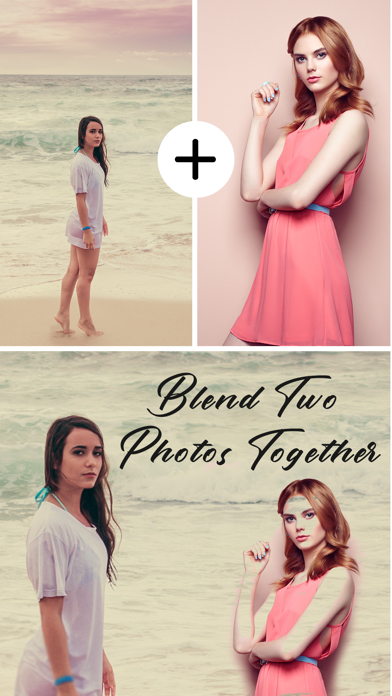
This app provides the functionality to create an artistic & beautiful blender effect of your photo. it is an easy-to-use application having 15+ blend styles. You can blend two or three photos together. Photo blender lets you create an amazing poster of your photo by blending them into one. How to use: - Select two photos in case of “Blend Photo” & two or three photos in case of “Collage” from the photo gallery. - Adjust transparency of your photos to make them look more creative and beautiful and stunning. - Other features like contrast, brightness, saturation, highlight etc can also be applied. - Each photo can be edited individually with the use of effects, filters , rotation, color and more. - Apply photo filters to each of the image in the collage. - Add Stickers to your individual photos in the collage as well. - Easily save and share your creativity with your family & friends via Facebook, Instagram, WhatsApp etc. - Supports move and pinch gestures. - Adjust Blend Level and photo overlaying. SUBSCRIPTION: You can subscribe to premium features, choosing from the following plans: – 1 week – 12 months – Lifetime (One Time Purchase) The subscription automatically renews unless auto-renewal is turned off at least 24 hours before the end of the current period. Payment will be charged to your iTunes account at confirmation of purchase. Account will be charged for renewal within 24 hours of the end of the current period, and the cost of the renewal will be provided. Subscriptions may be managed by the user. Auto-renewal may be turned off by going to the user’s Account Settings after purchase. No cancellation of the current subscription is allowed during active subscription period. Any unused portion of a free trial period, if offered, will be forfeited when the user purchases a subscription to that publication. TERMS OF USE: https://mobisoftlabsprivacypolicy.wordpress.com/2019/12/16/terms-of-use/ PRIVACY POLICY: https://mobisoftlabsprivacypolicy.wordpress.com/2018/11/14/privacy-policy/ Enjoy & have fun !.

Mobisoft Labs
Simple and creative app where you can blend your merge photos or videos with different blend modes. How to use: Photo: - Add background and foreground from photo gallery. - Choose the best blend mode (simple blend, splash blend, grey blend, blur blend) for you photo. - Adjust contrast, brightness, saturation etc in your photo. - Apply amazing filter effects. - Color splash: make your photo unique by adding splash. - Save & share. Video: - Add background and foreground from gallery. - Choose the best blend mode (simple blend, dean blend, classic blend, blur blend) for you video. - Merge two video - Save & share. Enjoy & have fun! SUBSCRIPTION: You can subscribe to premium features, choosing from the following plans: – 1 Month – 12 months The subscription automatically renews unless auto-renewal is turned off at least 24 hours before the end of the current period. Payment will be charged to your iTunes account at confirmation of purchase. Account will be charged for renewal within 24 hours of the end of the current period, and the cost of the renewal will be provided. Subscriptions may be managed by the user. Auto-renewal may be turned off by going to the user’s Account Settings after purchase. No cancellation of the current subscription is allowed during active subscription period. Any unused portion of a free trial period, if offered, will be forfeited when the user purchases a subscription to that publication. TERMS OF USE: https://mobisoftlabsprivacypolicy.wordpress.com/2019/12/16/terms-of-use/ PRIVACY POLICY: https://mobisoftlabsprivacypolicy.wordpress.com/2018/11/14/privacy-policy/
ipaomtk.com
ipaomtk.com | Vidz – AI Video Generator IPA MOD is an innovative AI-powered video generation platform that is revolutionizing the way you create and p

LLC Sport Star Management
Turn any long video into perfect Stories, Reels & TikTok clips - automatically. • Used by content creators worldwide to split, caption, and publish faster. • SPLIT & CUT Import any video - CutStory cuts it into 15-second (or any length) clips and saves them in chronological order, ready to post. • TELEPROMPTER Record confidently with built-in teleprompter. Perfect for talking-head videos, vlogs, and tutorials. • AI CAPTIONS Auto-generate subtitles in one tap. Increase reach - 85% of videos are watched without sound. • MULTICAM MODE Record with multiple cameras simultaneously. Customize the second video window with shapes, frames, and colors. • MUSIC & TEMPLATES Add music, stickers, text, and choose from dozens of templates. Export without compression - all video formats supported. • POST OLD VIDEOS Share videos filmed more than 24 hours ago directly to Instagram Stories. --------------------------------------------- CutStory Pro: Unlock all features and remove watermarks. Terms of Use: http://highglossy.com/legal/cutstory/terms-of-use/en Privacy Policy: http://highglossy.com/legal/cutstory/privacy-policy/en Follow us: @CutStoryApp
Nixes
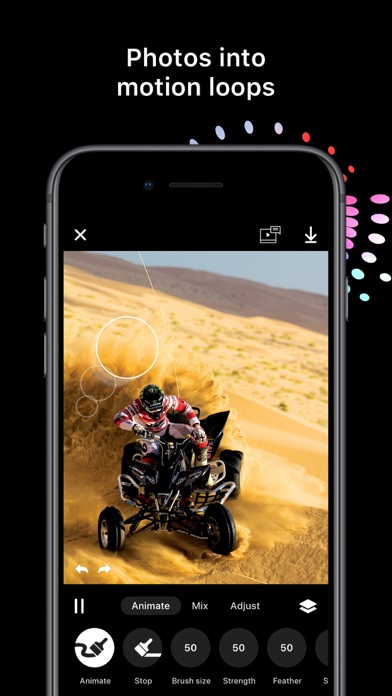
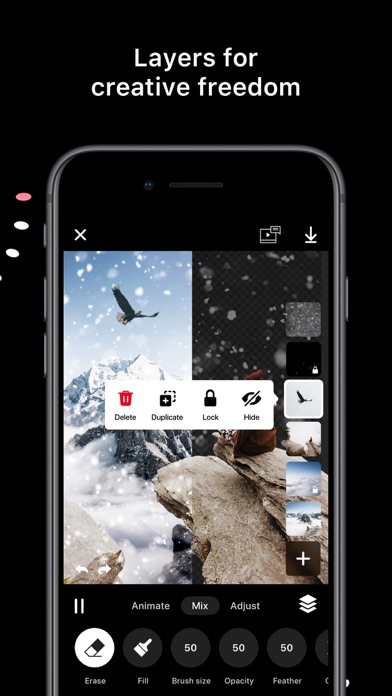
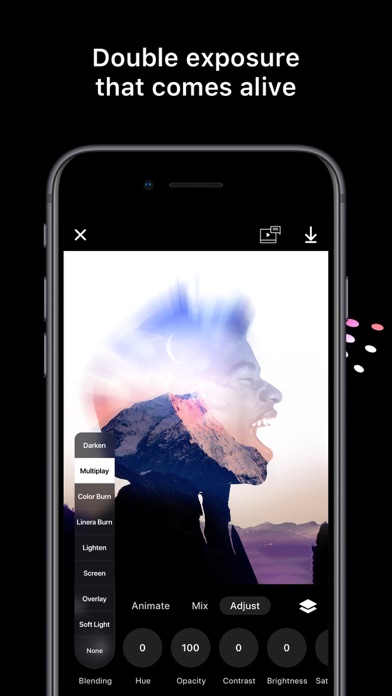
The easiest way to bring photos to life by animating, combining and blending unlimited layers. ————————————— IMAGINATION IS THE LIMIT ————————————— То create motion in an image just paint the area you want in the direction you want it to move. To stop an animation just paint over it with the stop brush. It’s that simple. No anchors, no points, no arrows. Add layers from your photos or use the integrated Unsplash and Pixabay browsers. Turn every layer into an animated special effect with blending and masking. To tune the appearance to your liking you can adjust contrast, saturation, brightness and hue for each layer. Export your animation as a seamless loop up to 20 seconds video or as a live wallpaper. At your disposal are predefined templates for Facebook and Instagram stories and posts. The app contains premium features. You can test all of them for free as much as you want, but you won't be able to export your creation. -------------------------- FEATURES -------------------------- Projects * Auto-save all animations in editable projects Animate * Animation and stop brush * Brush size, strength and feather * Animation speed Mix (p) * Erase or fill brush * Brush size, opacity and feather Adjust (p) * Blending * Hue * Opacity * Contrast * Brightness * Saturation Layers (p) * Layers limit depends on the device * Transparent PNG support * Hide/show * Rearrange * Lock * Duplicate * Import from Photos, Unsplash or Pixabay Undo/Redo * Unlimited undo and redo operations Export * 5, 10, 15, 20 seconds video * Live wallpaper (p) Templates * Instagram post and story * Facebook cover, profile video and story * Snapchat story * Twitter * iPhone wallpaper (p) - Premium features part of Disflow Pro. You can test all premium features as much as you want but you won't be able to export your creation. Video overlay effects coming soon to Disflow Pro! Have any questions? Contact us! nixes.io/disflow/ instagram: @disflowapp Terms of use: https://nixes.io/disflow/termsofuse/ Privacy policy: https://nixes.io/disflow/privacy/ UNLEASH YOUR INNER ARTIST – DOWNLOAD DISFLOW!

ZipoApps
Introducing the Smart Gallery Photo Viewer and Gallery Video Viewer – your gateway to an unlimited world of captivating memories. Imagine effortlessly showcasing your cherished photos and videos to friends and beyond, all with a touch of elegance and security. Embrace the magic of the Gallery for Photos & Video app, your ultimate haven for preserving and admiring visuals. Unlike any other, this app brings your images and videos together under one virtual roof. With a touch of your fingers, organize, enhance, and share your digital treasures with flair. Unveil the secret to guarding your memories with the Gallery Lock feature. Encrypt your images and videos, allowing you to keep your personal collection hidden from prying eyes. It's your very own digital vault. Experience the HD Gallery – a place where your snapshots come to life, beautifully framed in albums. Be the curator of your own world, selecting the best shots and storing them in enigmatic envelopes, ready to be revealed at your command. Step into the realm of the Gallery Explorer, where your photographs are no longer scattered across devices but are instead woven into artistic albums that tell your unique story. Dive into the slick gallery view, seamlessly navigating through your memories with grace. But that's not all. Picture this: a Gallery 3D that dances to the rhythm of your preferences. Organize your cherished photos, arrange them based on your whims, and instantly access them with just a tap. Features abound in this Gallery Symphony: - Craft mesmerizing photo albums that adapt to your device's orientation. - Capture candid moments with a selfie camera designed for photo albums. - Effortlessly exclude and restore folders at your command. - Immerse yourself in an endless slideshow of HD Gallery for photos, with animations that mesmerize. - Seamlessly move, copy, and paste files, all with a swift multi-select. - Elevate your photos with Beauty Camera Effects, turning ordinary moments into masterpieces. - Let your personality shine by customizing the theme color – your Gallery, your rules. - No need to settle – switch colors and themes as you please. - Your photos and videos in their full glory, supported across all popular formats. - Dive deep into your visuals with intuitive zoom gestures. - And don't forget the Video Player with Gallery apps: Embrace a unified video experience with support for all formats. Bask in the glory of the finest video player for your galleries. Seamlessly manage and enjoy all your videos, without a hitch. Immerse yourself in the world of beautifully designed HD video playback. Photos, your way: Explore a limitless video grid, each frame more mesmerizing than the last. Zoom, crop, and enhance with picture filters to reveal unseen details. Personalize your photos by renaming and editing to perfection. Effortlessly share your visual stories on social media, a tap away. Order and sort your memories as you desire, to relive them your way. Present your photos in an appearance that exudes professionalism. Safety first with the Gallery Lock: ---------- Gallery terms of service 1 week Gallery+ from 4.99$ per week (prices may vary slightly depending on the region). 1 month Gallery + from 19.99$ per month (prices may vary slightly depending on the region) You can find all in-app purchases on this app store page below under “In-app purchases”. Subscriptions are automatically renewed unless they have been switched off at least 24 hours before the subscription period expires. Your account will be charged within 24 hours of payment. You can manage your subscriptions in the iOS settings and switch the automatic renewal on or off. A subscription that is already running cannot be canceled within the term that has already started. Privacy Policy: https://zipoapps.com/galleryvaultios/privacy Terms: https://zipoapps.com/galleryvaultios/terms/
锦文 游
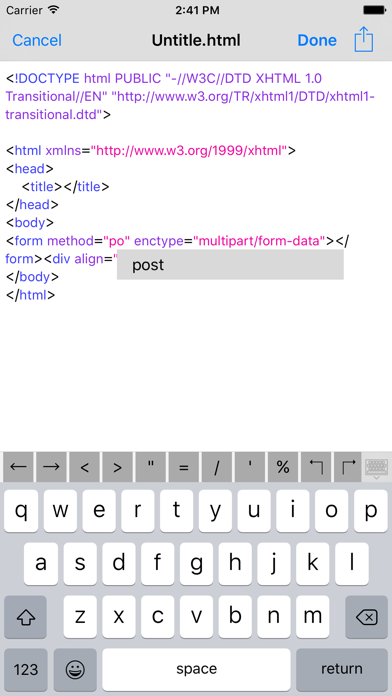
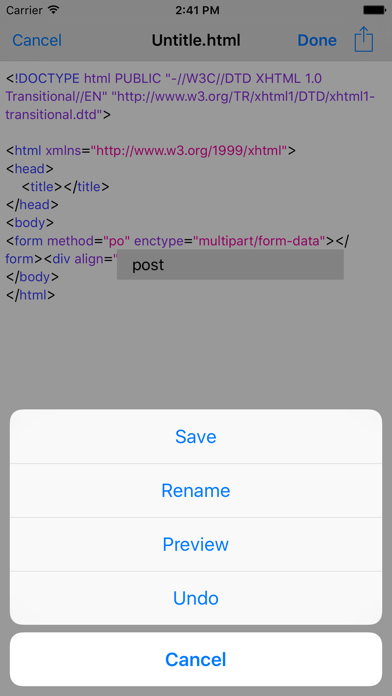
HTML Editor is a simple and practical the HTML source code editor. Software features: * Support for HTML code coloring. * Support for HTML code intelligence sensing. * Support for HTML code auto-completion. * Support HTML file preview function. * Support redo and undo. * Automatically backup files when editing a text file. **** Facilitate and efficient manage files * Sorting by file name、create time and file type * View, copy, move, delete, rename, email, zip Compression and unzip files/folders * Extract all files from a compressed .zip file * Glide deleting function * Select all and DeSelect all * Transferring files by wifi and itunes file sharing * Email multiple files, folder Supported * Photo import Supported * Landscape mode supported * iPad-compatible
ZipoApps
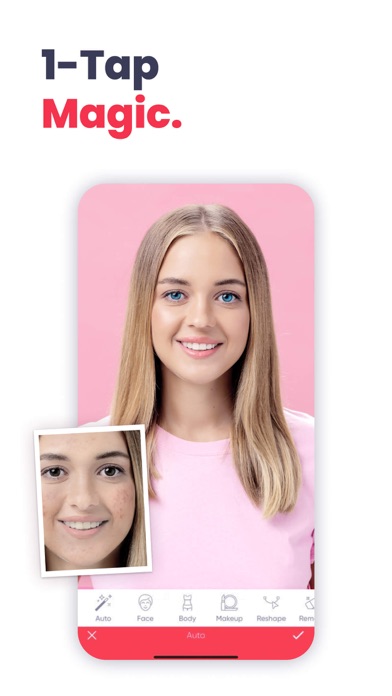
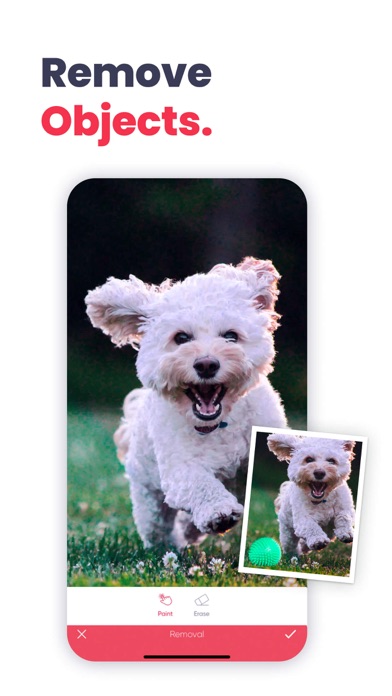
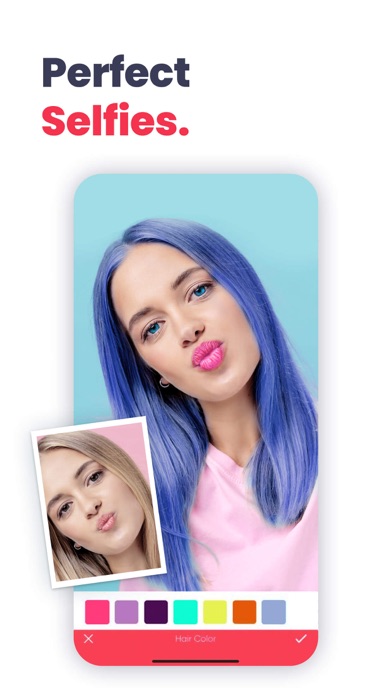
Anylight is a photo editing app with satisfying, rich features. You'll find almost all the necessary photo editing features in the app. While Anylight provides you with dozens of retouch and makeup features, you'll also find lots of features regarding general-purpose photo editing, too. We believe you'll love Anylight, and it'll be one of your essential apps on your iOS device. Here are our features: - Auto (For auto-tuning your photo) - Background Change / Blur - Face Retouch - Skin - Face Width - Face Chin - Lip Scale - Nose Scale - Eye Scale - Eye-Bag Remover - Eye-Shine - Eyebrow Reshaper - Eyebrow Darkening - Eyebrow Scale - Whiten Teeth - Face Shadow Tuning - Face Highlight Tuning - Mood Changer - Face Makeup - Contour - Lip Color - Eye Color / Contact Lens - Foundation / Skin Color - Eyelashes - Eyeliner - Eye Shadow - Eyebrow Changer - Object Remover - Relight - Reshape - Body - Height - Skin Color Painting - Hair Color - Blemish - Filters - Brushes - Glitter - Text - Dispersion - Black and White Brush - Matte for decreasing shining areas of the face - Smoothing Face - Sharpen - Colors - Color Perfection tool - Blur - Transform While you can try all features in the app, some features can only be applied when you start a subscription plan. You'll see a premium badge above the premium feature icons. Details About Subscriptions - You can have unlimited access to all features by starting a subscription package. - You can export your edited photos in HD quality. - You can subscribe for unlimited access to all features and content offered for purchase within Fixtouch. - Subscriptions are billed monthly or annually at the rate selected, depending on the subscription plan. - Subscriptions auto-renew at the cost of the chosen package, unless cancelled 24-hours in advance prior to the end of the current period. The subscription fee is charged to your iTunes account at the time of purchase confirmation. You can manage your subscription and turn off auto-renewal in your Account Settings after purchase. Once purchased, refunds will not be provided for any unused portion of the term. -Any unused portion of a free trial period, if offered, will be forfeited when the user purchases a subscription to that publication, where applicable - Terms of Use: https://zipoapps.com/anylightios/terms - Privacy Policy: https://zipoapps.com/anylightios/privacy
Dynamic App Design LLC
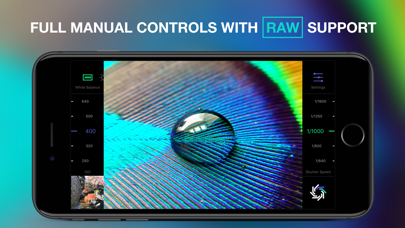
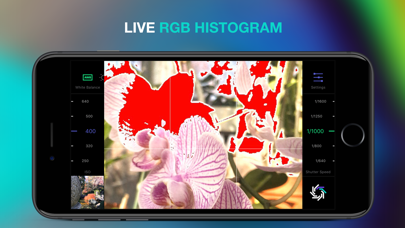
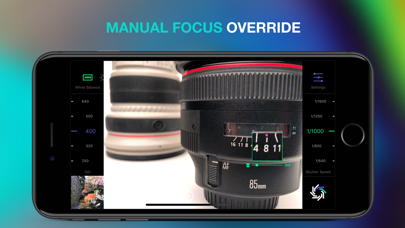
RAW+ is a minimalist camera for purists and professionals and puts total creative control back into your hands with a streamlined, manual-first interface. Shoot in RAW, JPG or both simultaneously. RAW+ is ALWAYS manual exposure- shutter and ISO controls are always on screen and easily accessible via huge sliders(The aperture is fixed on the iPhone and thus not adjustable- but you knew that already). Manual focus override any time as well as custom white balance settings. Professional Imaging Pipeline- TrueRAW: Shoot pure, unadulterated RAW data with zero post-processing. ProRAW: Leverage Apple’s fusion pipeline and high-dynamic-range enhancements. 48MP Support: Toggle maximum resolution for ProRAW on supported sensors and lenses. Manual Focus Override: Take control of your focal plane at any moment. Custom White Balance: Choose from 8 presets or set a specific Kelvin value. Essential Tools- RGB Histogram: Monitor your color channels in real-time. Clipping Warnings: Live highlights and shadow overlays to prevent lost detail. Composition Aids: Integrated Grid and Level overlays for perfect framing. Format Flexibility: Support for RAW, ProRAW, and high-quality JPG. Compatibility- RAW Support: iPhone SE, 6s, and newer devices. ProRAW Support: iPhone 12 Pro, 12 Pro Max, and all subsequent Pro models. Terms of Service: dynamicappdesign.com/tos
APP FLIGHT LLP
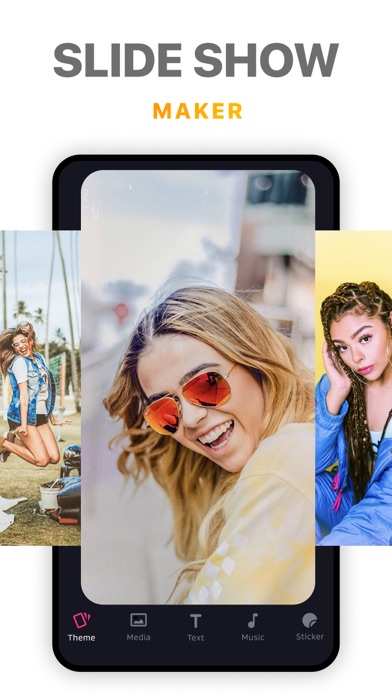
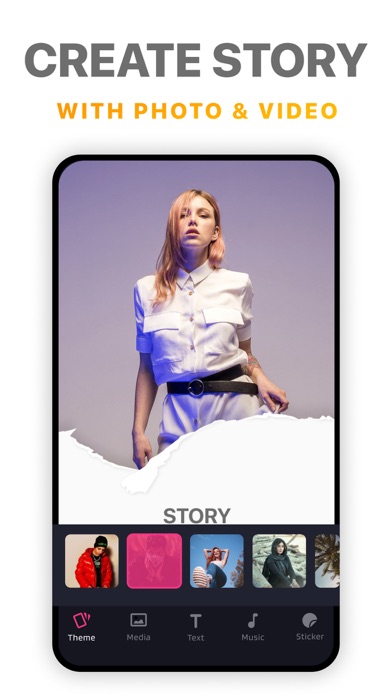
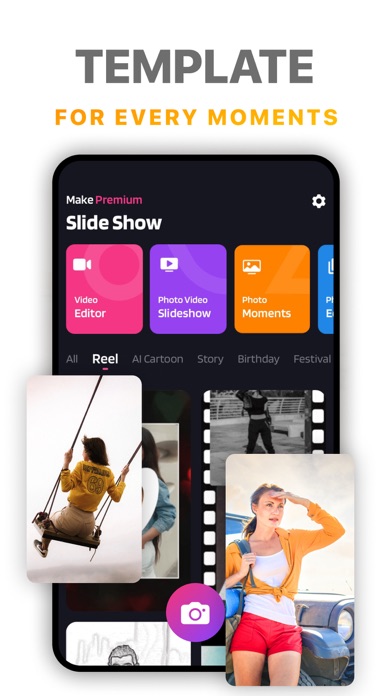
- Amazing Slideshow Maker - Photos Video Editor - Moments - Camera Filters - Video Music Templates Bored with basic slideshow maker and video editors? Movie Lab provides you awesome video editing features with FX Effects, Shapes, Stickers and cinematic photo slideshow with adding music on it. Movie Lab tools : - Video FILTERS Choose from 30 carefully selected filters (and growing!) Add as many filters as you like to a single Video. - FX Effects Make your videos stand out with 20+ custom made light effects, light leaks, bokeh, gradients & lens flare. - SHAPES Choose from over 50+ unique Shapes, with the ability to give them a Blur Effect change Color & Transparency - FRAMES Apply some of our frames beautiful frames, 20 to choose from. - STICKERS 100+ awesome stickers, realistic hairstyles, pirates accessories and so much more - TYPOGRAPHY Add clever captions to your videos with a killer selections of handpicked fonts (many more coming soon!) - VIGNETTE Make moody Sin City style edits, fade edges you can even change the color. Movie Lab is a powerful 1-CLICK video effects studio for your Vine, Instagram videos. Just one click to add beautifully crafted effects to your videos. Creating a slideshow : 1) Pick your photos 2) Add FX and Effects and your own music 3) Select the slideshow's length, filters or add text on it. 4) Share on Facebook, Instagram, and Other social apps. Get the app FREE now... and look forward to 30+ new animations and video enhancements feature like autumn season leaves, falling snow, and other lens flares! ~ Premium SUBSCRIPTION details ~ Unlock ALL music effects, soundtracks, transitions and unlimited saves with the Premium Version. When subscribing, enjoy 3 days of free trial. • 1 weekly subscriptions is 3-day free trial then just $3.99 per week Please, know that: - Subscriptions are automatically renewed unless auto-renew is turned off at least 24-hours prior to the end of the current subscription period. - Payment will be charged to your iTunes Account when your purchase is confirmed. - Renewal will be charged to your account within 24-hours prior to the end of the subscription current period. - Subscriptions may be managed and auto-renewal may be turned off in the user's Account Settings after purchase. - No current subscription can be canceled during its active subscription period. - Where applicable, purchase of subscription will result in a forfeit by the user of any unused portion of the free trial period, if offered. Terms of Use: https://apps.appflight.app/SlideMakerYellowIcon/terms.html Privacy Policy: https://apps.appflight.app/SlideMakerYellowIcon/privacy.html

HITPAW CO.,LIMITED
AI Marvels is an advanced, powerful, all-in-one AI photo editor and video generation tool. With dozens of creative templates, you can transform your photos into anime characters, action figures, sketches, and other trending AI styles with just one tap. Our exclusive "Image-to-Video" feature allows you to turn a single picture into the trendiest videos of the moment. Simply upload your photo, enter your idea or choose a ready-made template, and generate stunning, trending AI videos in seconds. AI Marvels also offers a full suite of intelligent AI tools to unleash your creativity, and we update the latest AI features weekly to ensure you always stay ahead of social media trends. ***Create Viral AI Videos — Instantly & Effortlessly*** *Trending AI Videos: Create the hottest AI videos inspired by today’s viral trends — from fun Sora-style clips to Hollywood-level visual effects and other ultra-realistic AI video styles. With just one tap, you can generate stunning, trend-ready AI videos effortlessly. *Banana Pro: An upgraded Magic Brush experience. Edit images with natural language—no tapping or brushing required—powered by Nano Banana AI. *Live Photo: Powered by cutting-edge image-to-video technology, bring your still photos to life with natural motion, emotion, and detail. *AI Dance: Turn any photo — people or pets — into a dancing character with one tap. Our constantly updated algorithms and trending dance styles keep your videos fresh and ahead of social media trends. ***AI Style — Transform Your Photos into Trending Aesthetics*** *Action Figure Maker: Create hyper-realistic action figures powered by Nano Banana technology — from Barbie-style dolls to the viral 3D figurine look. *Polaroid Portraits: Upload photos of yourself, family, pets, idols, or virtual characters to instantly generate beautifully styled Polaroid shots. *Anime & Cartoon Filters: Turn any selfie into a digital character with anime, Ghibli, sketch, comic, and cartoon-avatar styles — all in one tap. *Seasonal Photo Trends: Explore viral photo styles like winter-themed AI Snow, Christmas portraits, and other trending templates updated throughout the year. ***AI Tools — Enhance, Repair & Customize with One Tap*** *Magic Brush: Edit, replace, or add elements in specific areas of your photo. *Enhance: Restore old or damaged photos to HD quality. *Remove Object: Erase unwanted people and objects from photos. *AI Dress-Up: Virtually try on any outfit in your photos. *Descratch: Fix scratches, sharpen details, and colorize old photos. *Transition Video: Create smooth transitions between two photos. *Beauty Tools: Beautify your face and reshape your body with one tap. ***Why AI Marvels? — Smart, Fast, and Always Up-to-Date*** AI Marvels by HitPaw is an all-in-one creative studio designed to be the only tool you’ll ever need for professional-quality photo and video creation, retouching, and restoration. With new templates, filters, and AI features added every week, you’ll always stay ahead of the latest social media trends. Privacy Policy: https://www.hitpaw.com/privacy-policy.html Terms of Use: https://www.hitpaw.com/company/hitpaw-photo-enhancer-app-terms-of-service.html Get started to improve image quality with HitPaw‘s AI Marvels now! If you have any suggestions or concerns, feel free to let us know at [email protected].

ipaomtk.com
ipaomtk.com | Webcaster • Web Video Streamer IPA is a powerful and versatile app that allows you to seamlessly stream videos, live events, and other m


Actowise LLC
YubePiP plays YouTube videos Picture in Picture. It enables background audio-only playback. It also allows you to play two videos at the same time, one in full screen and another in PiP. You can open 3 instances of the YouTube web app and browse the video separately. • Play YouTube videos picture in picture • Play the videos in the background with your screen locked. • A set of powerful PiP Tools • [Pro] YouTube ad blocker


Practizma
For musicians, dancers, actors, athletes, speakers and all performers. Use it to practice or share highlights. Just use it every day and become a true master. Clip, replay, save, and edit what already happened - shoot the past! Share highlights on Insta & TikTok. Never miss a moment. Clipza was created for performers to hone their craft and share their talents. The camera allows you to record what has already happened with one gesture. Presets 15,30,60,90 seconds. No need to record lengthy sessions. Just open the camera and let it run...then tap to capture the last 15 (or 30, 60, 90) seconds like you would while video-gaming. Or swipe to instantly replay if you are practicing and want to see how you did. Here is how it works for swipe instant video replay: DO YOUR THING * Swipe left anywhere on the screen and it instantly plays you the last clip * Have your aha moment * Keep practicing, uninterrupted * Repeat process Here is how it works for tap video capture: DO YOUR THING * tap the screen after a great moment * Keep going, all your moments will be saved as separate short clips * tap and save some more, anytime you want to capture something * Share by exporting files if you dare FREE FEATURES: Capture & save with one tap (limit of 15) Instant replay with swipe (limit of 15) Clip lengths of 15, 30, 60 or 90 seconds Export to any other app (with watermark) Rear and front facing (mirrored) camera Mark favorites Set autosave or auto-delete for instant replays Vertical and landscape capture Change video resolution ONE TIME UPGRADE IN APP PURCHASE AVAILABLE TO UNLOCK UNLIMITED USE. CLIPZA PREMIUM FEATURES: * Unlock unlimited swipes and taps * Trim videos * Trim and save as new * Export & share (without watermark) Use the Clipza instant replay to master your obsession, such as: Music Dance Exercise Public speaking Physical therapy Surgery practice Theater Use the tap and capture function to catch the best moments in: Sports games Music and theater rehearsals Hanging with friends & family Kids’ milestones Teachable moments

AppLiks Sp. z O.O.
AR Drawing - Draw with Augmented Reality. Learn, Create & Share Your Art Unleash your creativity with AR Drawing - the ultimate app for learning to draw, practicing new techniques, and bringing your ideas to life with the power of augmented reality. Whether you're a beginner or a seasoned artist, AR Drawing makes art more fun, intuitive, and inspiring than ever. Key Features: - Augmented Reality Drawing Project images onto real surfaces using your phone’s camera. Trace outlines with ease - perfect for learning proportions, improving accuracy, and turning any surface into your canvas. - Tripod Drawing Mode Prefer a steady setup? Use tripod mode for traditional drawing sessions with enhanced stability. Great for working on detailed art with precision. - Huge Drawing Library Explore thousands of ready-to-draw images - from animals, anime, and nature to portraits, mandalas, fantasy, and more. • All difficulty levels: easy, medium, and advanced • New content added regularly • Upload your own photos or sketches to draw over them! - Step-by-Step Drawing Lessons Improve your skills with guided drawing tutorials. Perfect for beginners learning the basics or artists practicing more advanced techniques. - Global Drawing Gallery & Community Join a supportive and creative community: • Share your artwork in a public feed • Like and get likes from other users • Create a personal account and showcase your best drawings (optional) • Explore art from people around the world and get inspired! - Personal Drawing Journal Save your artworks in your private gallery. Track your progress and revisit your favorite creations anytime. - Built for Artists of All Ages Whether you're sketching for fun, learning to draw step by step, or building a serious skillset - AR Drawing adapts to your level and passion. Works great for: • Hobby artists • Kids & teens learning to draw • Art teachers and students • Tattoo designers & illustrators • Anyone who wants to express themselves through art Download AR Drawing now and join thousands of artists discovering a smarter way to draw. Learn, trace, create - with just your phone. You can purchase an auto-renewable subscription to get full access. Your subscription will be charged to your iTunes account at confirmation of purchase. The subscription automatically renews for the same price and the duration period depends on the selected plan (weekly, monthly, yearly) unless canceled at least 24 hours before the end of the current period. You can turn off the auto-renewal feature at any time by changing your account settings. Please choose from our standard subscription options below: 1-week subscription from $4.99; 1-month subscription from $12.99; 12-month subscription from $29.99. Prices may change depending on your country. Privacy Policy: https://appliks.com/privacy-policy Terms of Use: https://appliks.com/terms-of-use
Alan Cushway
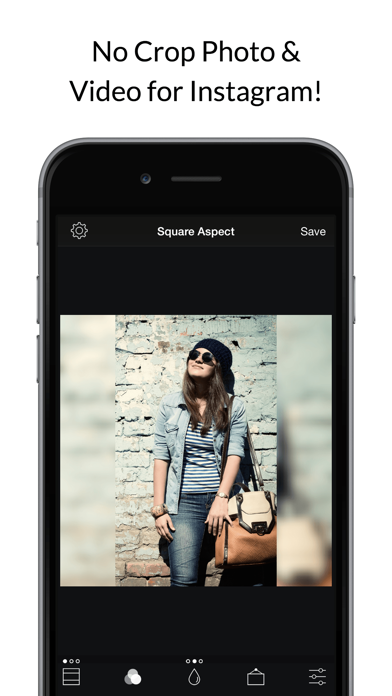
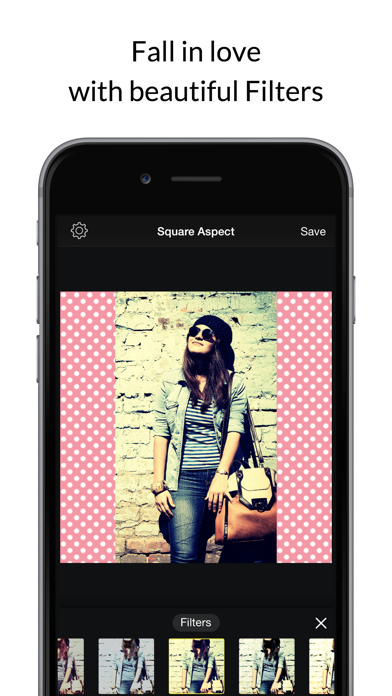
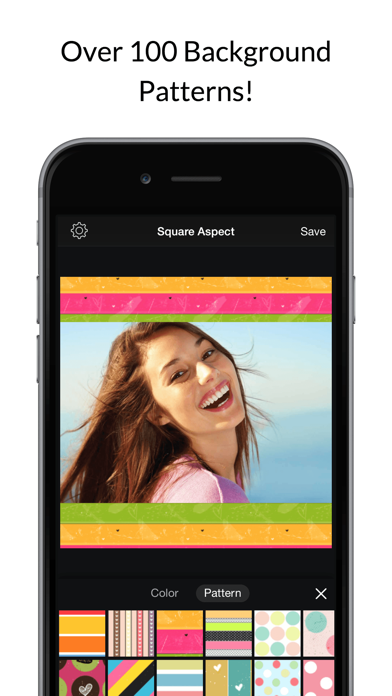
Post full size photos and videos to Instagram without cropping! Move, rotate, scale and flip your photos and videos with ease for social media. Apply professional filters and make your media stand out with stickers and text. Use various elements to add flair to your creation with borders, frames, blurred backgrounds, shapes, rounded edges, shadow, patterns and solid color. Various sizes available for a variety of social media including Facebook and Instagram posts and stories. Save to camera roll or share to social media - Instagram, email, Twitter, Whatsapp, Facebook and other apps. Export with high resolution, print quality output. • POST NON SQUARE -The full image will be automatically fitted to the canvas size/aspect ratio you select • FILTERS over 30 free filters • COLORED OR PATTERN BACKGROUNDS - Thousands of colors and 40 free pattern backgrounds • TEXT CAPTIONS - Add beautiful text to your photos with many fonts and styles • STICKERS • SAVE TO CAMERA ROLL, FACEBOOK, TWITTER, EMAIL, CLIPBOARD etc Review By BrittanyMarie22291 2022/11/04 Version 1.49.0 Absolutely Love! Necessity! I have been using this app forever, I use it to not only to shrink down my photos so they don’t get cut off but also to add photos together…I do this all for my online store and it is a life changer!! I’ve gotten new phones in the past and being so many copy cats and apps that are so similar especially specifically the icon, I’ve struggled finding this EXACT ONE and every time ended up being a HUGE REMINDER as to why I absolutely adore this one SPECIFICALLY!!! The others just don’t have ALL the features I’m looking for! Sure they may have one or 2 but they just don’t complete the job! Eventually I’ll find this one again, thank goodness! As I'm reminded how awesome this app is and how well it works for my personal posts as well as my online store posts! Everything I need in one place!! PREMIUM You can subscribe to PREMIUM for unlimited access to premium content, including: Unlocking all Stickers & Overlays, Over 50 Pro Patterns, Pro Fonts, Custom Photo Backgrounds, No Ads, and much more. - The subscription is per month with a 3 day free trial - You'll be able to use unlimited features for the duration of your subscription - Payment will be charged to your iTunes Account at confirmation of purchase - The subscription renews automatically unless auto-renewal is turned off for at least 24-hours before the end of the current period - The account will be charged for renewal within 24-hours prior to the end of the current period at the cost of the chosen package - Subscriptions may be managed by the user and auto-renewal may be turned off by going to the user's Account Settings after purchase - Any unused portion of a free trial period, if offered, will be forfeited when the user purchases a subscription Terms of use: http://cushwayapps.com/app-privacy/squarefit/terms.html Privacy policy: http://cushwayapps.com/app-privacy/squarefit/privacy.html Have you found a bug, got a suggestion, or want a new feature? Email us at: [email protected]
ipaomtk.com
ipaomtk.com | At its core Genesis AI IPA Video Generator is a powerful artificial intelligence-driven platform that harnesses the latest advancements

ipaomtk.com
ipaomtk.com | Any Video Saver IPA MOD is an iOS application that allows you to download videos from a wide range of online platforms, including YouTub
Ngo Ngoc Chien
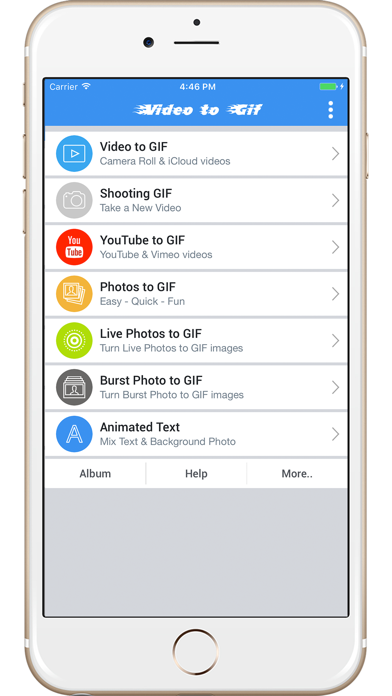
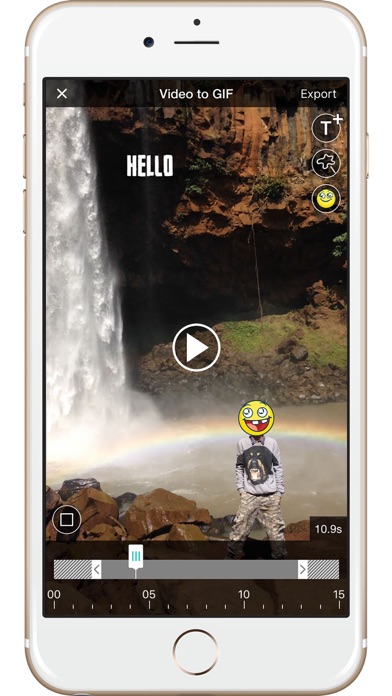
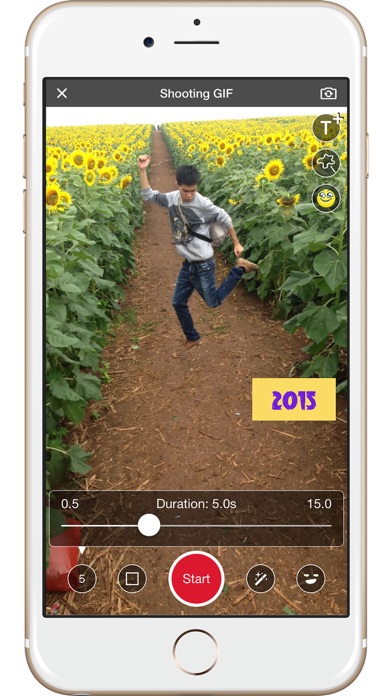
Welcome to Video to Gif. ** FREE and NO WATERMARK ** Easily and quickly export to GIFs ** Features: - Video to GIF : convert local and iCloud videos to GIFs - Shooting GIF : take a new Video and convert to GIF - YouTube Videos to GIF : enter your YouTube video URL or any online video URL ending in .mp4 -> we will convert the video to GIF and you can share with friends - Photos to GIF : you can select from 15 Photo effect templates and easily, quickly export to GIF - Live Photo to GIF : turn Live Photos into GIFs - Burst Photos to GIF - Animated Text : creates GIF from custom text with provided animation templates - Album : share the GIF image with friends via iMessages, Facebook, Twitter, Instagram, Email, Dropbox... - Get GIF URL and use anywhere - Save GIF as Video - Edit: reverse, rotate, change the quality of GIF image ** Please continue to send us feedback. We are listening! - Email: [email protected] - Facebook: https://www.facebook.com/videotogif/

Anthony Durbin
Remove objects, people or text from photos easily with this ai retouch app. Erase backgrounds of a photo and save as transparent with just one tap. Fix your blemishes also with advanced one-tap-retouch feature. Change your outfit with our advanced ai clothes changer feature instantly. Features Remove Object: Tap or brush away tourists, wires, or stains. Quick Mode erases with AI; Brush & Lasso gives pixel-perfect control. AI Outfit Changer: Try-on new dresses with our outfit generator. Clone Stamp: Sample any clean patch and paint over distractions. Edge-aware blending matches texture, light, and perspective. AI Retouch: One swipe zaps blemishes, smooths skin, sharpens eyes, adds a natural glow, and whitens teeth while preserving pores. Replace Background: Auto-cut subjects and drop them onto built-in scenes, your own images, or transparent PNGs for pro-grade product shots. Background Blur: Pop subjects with DSLR-style depth—Gaussian, Motion, Bokeh, Hexagon, Disc, and more—and adjust focus and strength in real time. Photo Overlay & Double Exposure: Layer textures, designer frames, or a second image, then fine-tune opacity and blend modes for instant magazine vibes. Stylish Portrait: Soft-focus backgrounds, polish facial details, and apply studio color toning for a cover-ready finish. Sky Changer: Auto-detect the horizon and swap gray skies for golden sunsets, auroras, or storm clouds with perfect color matching and crisp edges. Photo Blending: AI isolates your subject and fuses it with artistic overlays; refine with manual brush and eraser for cinematic double exposures. Dripping Portrait: Melt edges into flowing paint drips; pick preset shapes or draw your own, then adjust length, direction, and gradients. Spiral Effects: Wrap subjects in neon coils, glitter ribbons, or dotted trails. Tweak thickness, color, and rotation for instant 3-D pop. Unlimited undo/redo, high-resolution exports, and before/after previews keep every experiment safe and speedy—so you can perfect anything from quick selfies to polished product shots without ever losing a pixel of quality. This app includes advertisement. To enjoy ad free experience and using all premium contents, we are offering a Premium subscription package. Retouch Premium Subscription information • Subscription Length: Weekly, Monthly. • Your payment will be charged to your iTunes Account as soon as you confirm your purchase. • You can manage your subscriptions and turn off auto-renewal from your Account Settings after the purchase. • Your subscription will renew automatically unless you turn off auto-renew at least 24 hours before the end of the current period. • The cost of renewal will be charged to your account 24 hours before the end of the current period. • When canceling a subscription, your subscription will stay active until the end of the period. Auto-renewal will be disabled, but the current subscription will not be refunded. • Any unused portion of a free trial period, if offered, will be forfeited when purchasing a subscription. Privacy policy: https://sites.google.com/view/anthonydurbins/privacy Terms of service: https://sites.google.com/view/anthonydurbins/terms Contact for support, reporting bug or improvement suggestions email: [email protected] You may also contact our support team through the app’s settings screen.


TENADA Corp.
Tenada: The Ultimate AI, Logo & Design Studio Tenada is an all-in-one creative graphic design studio that seamlessly blends advanced AI generation with professional logo creation tools. From hyperrealistic AI transformations to dynamic 3D typography, manage your entire creative workflow in one powerful app. [TRENDING] AI Photo & Visual Design Combine cutting-edge AI technology with your personal design style to create high-quality visual assets. • AI Face Transformation: Generate professional portraits or cinematic characters with stunning AI-driven realism. • AI Figure & Avatar Maker: Transform photos into 3D cartoon characters or cute chibi-style designs instantly. • Magic AI Studio: Create professional studio headshots and turn them into artistic runway models using our generative AI engine. • Generative AI Design: Create new photos with AI and complete your own unique design with powerful 3D editing tools. Professional Logo Maker & 3D Text Art Build a unique brand identity. Tenada’s logo tools offer unrivaled depth and customization for any design project. • Signature Logo Creation: Craft unique brand logos using metallic textures, neon glow, and premium effects. • Advanced Typography: Shape text into donut, circle, or wave shapes to create expressive logo-style designs. • True 3D Space Control: Arrange your logo and graphic elements in real 3D space with adjustable depth and shadows. • Custom Font Integration: Use free fonts or add your own to create a professional logo in seconds. Dynamic Animation & Motion Design Bring your design to life with easy-to-use motion tools. • VFX & Motion Effects: Enhance AI visuals and logo work with 300+ effects like particles and light leaks. • Text Animation: Animate typography to create eye-catching Reels and social media content. • Pro Editing Tools: Use background cutout and chroma key for a seamless workflow. Versatile Design Templates: Posters, Collages & More • Marketing & Social: High-impact templates for posters, flyers, and business intros. • Artistic Collages: Unique layouts with book cover styles, gallery frames, and polaroid aesthetics. • Profile & Branding: Design social profiles, YouTube thumbnails, and digital business cards with ease. Subscriptions automatically renew unless canceled at least 24 hours before the current period ends. Payment will be charged to your Apple ID account at confirmation of purchase, and you can manage your subscription anytime in account settings. Terms of Service: https://tenada-app-public.s3.us-east-1.amazonaws.com/TermAndPolicy/TENADA_Terms6.0.htm Privacy Policy: https://tenada-app-public.s3.us-east-1.amazonaws.com/TermAndPolicy/Privacy+Policy+of+Tenada6.0.htm Support: [email protected]


Bluepulse INC.
Create AI videos, AI images, and auto captions in one app. Zeemo helps you go from idea to ready-to-post content with text to video, image to video templates, powerful AI image generation, and accurate subtitles. NEW: AI Video Generator with Templates Turn a photo or a short text prompt into scroll-stopping AI videos. Powered by advanced video models including Seedance 2.0 and HappyHorse 1.0, Zeemo helps you create viral-style videos with motion, mood, and style. Pick a trending video template, choose a look, and generate ready-to-share short-form content in minutes. NEW: AI Image Generator Create eye-catching visuals from a prompt or reference photo with advanced image models like GPT Image and Nano Banana. Generate portraits, product visuals, story scenes, thumbnails, social posts, and more in seconds. Why creators choose Zeemo • AI video generation from text or images • AI image generation for covers, scenes, and story visuals • Template-driven creation for viral-ready short videos • Auto captions and video subtitles in just a few taps • AI speaker detection for multi-person videos • Multi-language subtitle translation for global reach • Dynamic caption styles inspired by trending social formats • 4K export support and videos up to 5 hours • Credit-based AI generation with flexible subscription access What you can do with Zeemo • AI Video Generator Create AI videos from a text idea, script, or image. Choose a style, generate scenes, edit details, and export without a complicated workflow. Great for explainers, reels, shorts, story videos, and faceless content. • AI Image Generator Generate visuals for thumbnails, storyboards, characters, backgrounds, and social posts. Build a stronger look for your videos without leaving the app. • Image to Video and Text to Video Upload an image or enter a prompt, then turn it into a video with motion, style, captions, and music. Use templates to create polished social videos in less time. • Auto Captions and Video Subtitles Add accurate captions automatically, batch edit text, customize fonts and styles, highlight keywords, and make your videos easier to watch on mute. • AI Speaker Labels Identify different speakers in the same video so conversations, interviews, podcasts, and reaction videos are easier to follow. • Subtitle Translation Translate subtitles for multilingual publishing and repurpose the same content for more markets and audiences. Creator Tools • Dynamic subtitle templates • Music and audio tools • Emoji, GIF, and sticker support • Video trimming and basic editing • Keyword highlight effects • Long-video support up to 5 hours • High-quality export up to 4K Zeemo is built for creators, marketers, educators, and businesses who want faster content production with less manual editing. ABOUT SUBSCRIPTION - We charge for AI generation and automatic captions by deducting credits from your account. - Subscribe for Pro access to all features. - Subscription renews automatically unless auto-renew is turned off at least 24 hours before the end of the current period. - Auto-renewal may be turned off in your Account Settings after purchase. Terms Of Use: https://zeemo.ai/app/user-service.html Contact Us Questions? Contact [email protected]


Instasize Inc.
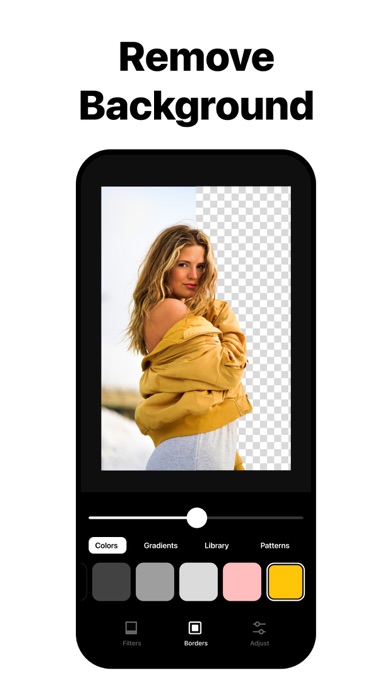
With over 100 million creators, InstaSize is the complete photo editor + crop made just for you. Easily edit and resize photos or videos with premium photo filters, presets, cropping, and color editing tools. Quickly combine images to make a fun, one-of-a-kind photo collage layout. Resize and crop your photo or video to fit perfectly on any social platform including Instagram, Snapchat, Pinterest, Twitter and more. MAGIC FILL™ • Easily Expand and uncrop your image to fit any aspect. • Use cutting-edge AI to intelligently generate pixels, ensuring extensions blend seamlessly with the existing image, maintaining quality and integrity. • Perfect for eliminating white borders and fitting images into any aspect ratio, making it ideal for social media, web design, and all forms of digital content creation. OBJECT REMOVAL • Effortlessly remove unwanted objects from your photos with precision, letting your images look clean and professional. FREE PHOTO EDITOR • Instantly make your photos look better with our free photo filters and presets. • Enhance your image with powerful photo editing tools including contrast, exposure, saturation, grain, and clarity RESIZE & CROP • Quickly resize photos and crop videos for social networks including Instagram, TikTok, Twitter, Pinterest, and more. • Crop pictures to the perfect format every time — the ultimate image cropper tool. BACKGROUND REMOVAL • Instantly transform your photos with our powerful background removal tool. • Effortlessly isolate your subject for a clean, professional look. • Perfect for product images, profile photos, or creative edits BATCH EDIT • Revolutionize your image processing with our robust batch editing tool. • Quickly process and edit multiple images simultaneously. Applying changes such as resizing, presets and adjustments across all your photos. • Maintain consistent high-quality results across all images, ensuring your resized photos maintain clarity and quality FREE VIDEO EDITOR • Quickly create and edit videos with our easy-to-use video editor. • Edit your videos with our premium video filters and effects. • Crop and export video for any format size including Instagram Stories, TikTok, and Snapchat. FILTERS & PRESETS • Over 130 filters for photos and videos makes it easy to add your favorite presets on any image. • From natural look filters to retro aesthetic presets, there is always the perfect filter for your photo or video. COLLAGE MAKER • Easily combine multiple photos with our easy to use free photo collage maker app. • Choose your favorite photo collage template from hundreds of different possible layouts. • Try different frames and backgrounds to give your photo collage a unique touch. PREMIUM Unleash your creativity with InstaSize Premium! Transform your photos effortlessly with our exclusive tools: • Magic Fill: Easily Expand and uncrop your image to fit any aspect. • Object Removal: Say goodbye to unwanted distractions with just a tap. • Background Remover: Instantly isolate your subject for a clean, professional look. • 130+ Premium Filters: From retro vibes to natural aesthetics, get the perfect filter for every mood. — Instasize Premium will automatically renew unless auto-renew is turned off at least 24 hours before the end of the current period. Payment will be charged to your iTunes Account at confirmation of purchase. You may manage your subscription and turn off auto-renewal by going to your Account Settings after purchase. Terms of use: http://instasize.com/terms Privacy Policy: http://instasize.com/privacy

Cloudbit d.o.o.
Code Runner is the ultimate app for coding enthusiasts, programmers and developers. Whether you want to learn a new programming language, practice your developer skills, or work on your programming projects, Code Runner has you covered. Code Runner is a versatile coding editor and compiler on your mobile device. This customizable editor has full programming code syntax highlighting. Code completion and editor actions like undo, redo, comment lines, and indent selection enhance your developer productivity. Built-in AI Assistant can refactor your code and check it for bugs. With this app, you can compile and execute code in more than 30 supported programming languages. Connect to GitHub and checkout, edit, run, and commit files from your repositories. Whether it's C, C++, Python, JavaScript, Swift, Java, or any of our supported programming languages, our powerful compiler ensures smooth execution and instant coding feedback. You can use this app to: Write and edit code with full programming syntax highlighting Compile the code Execute the code Get AI help with errors Refactor your code with AI Assistant Connect to GitHub Edit code and commit files to your GitHub repositories Run the code with a single tap and see the output instantly Test your coding ideas with various input and output options Share your coding work with others Elevate your coding skills This is a perfect app for coding on the go. Whether you want to test a coding idea, debug a problem, or showcase your programming work, this is the app for you. Connect to GitHub and turn this app into your cloud based IDE and compiler that supports more than 30 programming languages. Download it today and unleash your coding creativity! Complete list of supported programming languages: Assembly Bash Basic C C# C++ Clojure COBOL Common Lisp D Elixir Erlang F# Fortran Go Groovy Haskell Java JavaScript Kotlin Lua OCaml Octave Objective-C PHP Pascal Perl Prolog Python R Ruby Rust SQL Scala Swift TypeScript