
Photo & Video
Browse photo and video IPA listings for cameras, editors, recording tools, streaming apps, and creator workflows.

JixiPix Software
Make a Black and White Photo with Light Contrast Grit and Form --- MacWorld’s pick for the App Gems of the Year Award --- Everyone knows it doesn't get better than classic Black & White - it's the artistic soul of photography. Referencing one of our favorite Ansel Adams quotes: "Great Black & White photos aren't taken - they're made". Using Dramatic Black & White you can make your own black and white photographs, ones where light and contrast, grit and form come together to tell a story; ones where stone and sky, water and light transcend the material world and ascend to the Photographers’ Gallery. With Dramatic Black & White there are no mistakes you can't fix, no limits to your vision, no stopping until you're finished, nothing to hold you back from truly 'making your photos' and making them - Oh.My.Gosh. good! JixiPix's Dramatic Black & White app starts by leaving color in the rear view mirror, and enables you to make expert adjustments with easy-to-use, fully customizable controls to contrast and light, texture and shape. Before your eyes, watch your photo transform into the dramatic looks of the past and cutting-edge styles of the present. PHOTOGRAPHY STYLE • Black & White – Classic • Infrared Photo – Modern • Dramatic Black & White – High Definition FEATURES A one-of-a-kind ellipse spotlight tool will allow you to set up a light source on a subject in your composition. Fully customizable controls allow expert adjustments to contrast, light, texture and shape; and adjustments to spotlight size intensity. INCLUDES Spotlight, Black and White Filters, Grain and Vignette UNIVERSAL FEATURES All JixiPix Apps come with: Superior Customer Service, Support for High-Resolution Images & Output, Undo/Redo, Randomize Button, Quick Presets and the ability to create Custom Presets, Cropping with the ability to specify aspect ratio, Quick Preview, Email, Print, and the ability to post directly to Facebook, Instagram, Twitter, and Tumblr. We also have an online art gallery and invite our user’s to display their artistic creations on it: http://www.flickr.com/groups/jixipixcreations/ *************** “JixiPix turns any photo into a masterpiece. All that is required of you is the appreciation — we’ll take care of the rest! ” JixiPix.com “Creative Tools for Creative People” Photography | Artistic | Graphic Apps MAC • iPad • iPhone
AXSAR Ltd
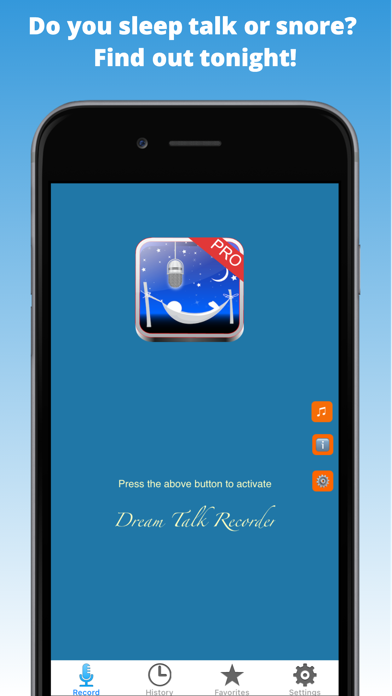
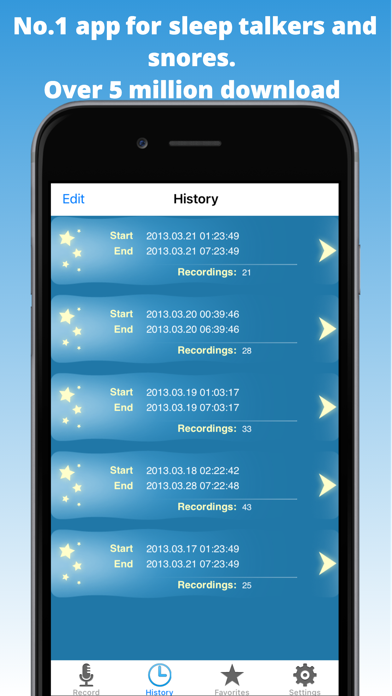
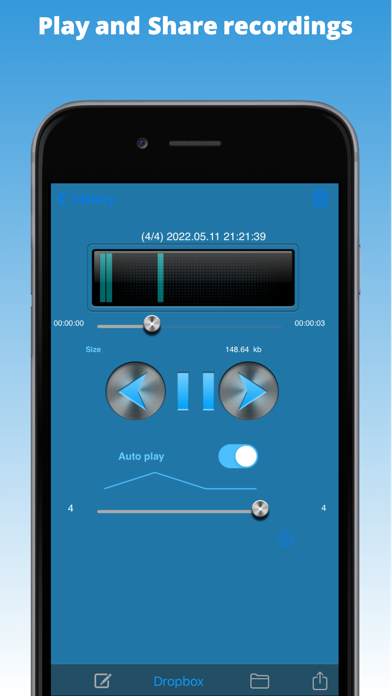
Over 5 million people have used Dream Talk Recorder to record their sleep talks and snores at night! Do you talk or snore in your sleep? Find out tonight! About 5% of the world adult population talks in their dreams. Do you know if you, your kids or someone you know talk in their dreams? Do you know what happens in the darkest hours of the night? Do you know how many times your kids wake up at night? Find out today! Dream Talk Recorder for iPhone intelligently records your talks while you, your partner or your kids are talking or snoring in dreams. Our superior technology records only when you are talking or snoring in your dreams. Touch a button in Dream Talk Recorder before going to sleep and in the morning you will be surprised and delighted to hear everything that you or your partner said at night. Also now you don't have to argue with your partner if he/she snores at night. You will have a solid proof and can play it at the breakfast table :). What do our customers say? -------------------------- ***** If your bed partner (is) someone that talks, mumbles, laughs, farts, etc. while sleeping you will get a hoot out of this app! ~Abenator - USA ***** Thought it was really good. not stopped laughing ~Rose Reynolds - UK ***** Absolut cool.... was es so gibt. Letzte Nacht probiert , geht 100% ~mmsmms - Germany **** Very funny and also useful for finding out what time your partner fell into bed after the pub...amazing ~Eve Mabbutt - UK Benefits -------- - Records your dream talks - Keeps a complete history with start/stop time and number of recordings - Copy funny dream talks to favorites - Listen to the recordings and see the voice visualizations. - Delete all recordings from the last night with the swipe of a finger. - Share your favorite dream talks via email & Facebook/Twitter with your friends and on DreamTalkRecorder.net with the rest of the world. You can also share the "Latest" dream talks of others on Facebook. Just tap on the row to share it with friends. - Set activation delay to start recording after a certain delay e.g., 30 minutes after you have went to bed. - Listen to relaxing sounds or white noise before recording starts - Auto stops recording after configurable hours e.g., 6 hours - Set recording sensitivity level to let the app automatically filter noise. We recommend to keep it at "Medium" level. Benefits (Pro version) ------------------ - Unlimited recording hours - Completely ad free - Dropbox integration so your recordings are automatically uploaded to Dropbox under folder /Apps/Dream Talk Recorder Pro/. You can also manually save recordings to Dropbox. To play recordings on Windows, please use QuickTime media player from Apple. - Share your personal favorite recordings with the World Start your every morning with a laugh by listening to your hilarious, funny and some times scary dream talks from the previous night! Note ---- Leave the app running on the screen to be able to record your dream talks and keep the device connected to a power source. Please keep the microphone side towards your bed. To use it with older versions of iPod without a built in microphone, please connect an external microphone with iPod. Dream Talk Recorder on Facebook : http://www.facebook.com/DreamTalkRecorder on Twitter: https://twitter.com/DreamTalkRec ** iOS 7+ users, please make sure that access to Microphone is ON for this app. Please check Settings>Privacy>Microphone. Otherwise, the app wouldn't be able to record.


Tatsuya Tobioka
Edhita is a open source text editor for iOS. # Features * Manage directories and files * View files in built-in browser * Download files by HTTPS * Input symbols by accessory view * Send files to another apps * Preview markdown The source code is available on GitHub. https://github.com/tnantoka/edhita
Shivang Mishra
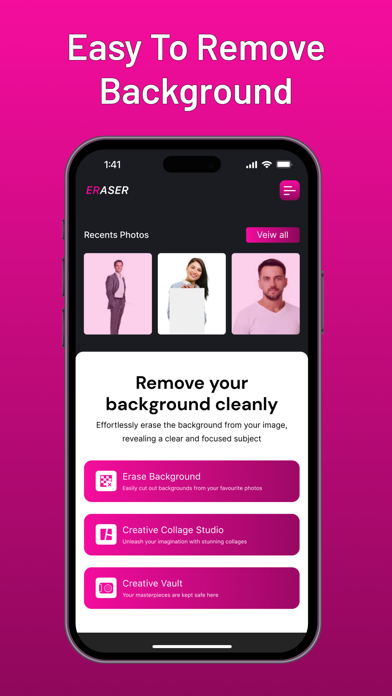
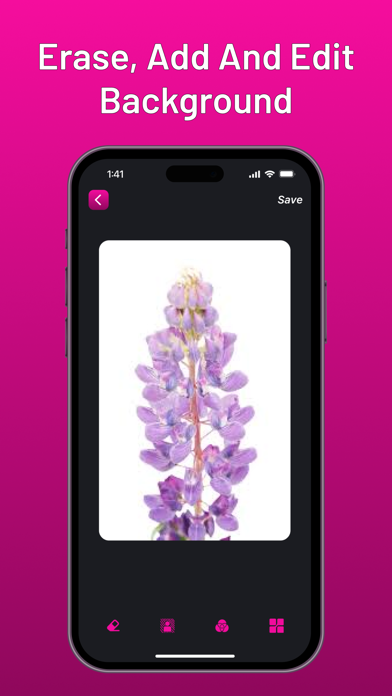
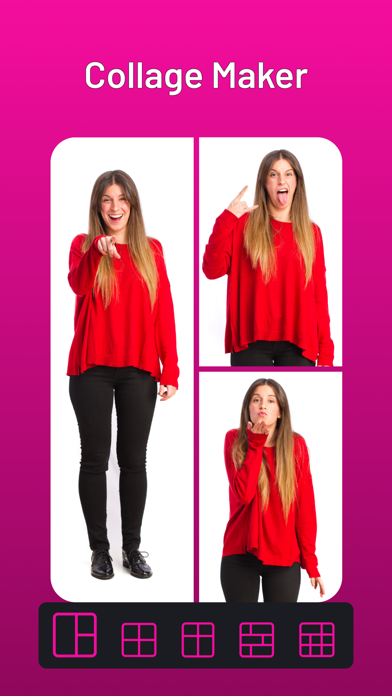
Transform Your Photos Effortlessly with Erase – The Ultimate Tool for Stunning Images and Creative Collages Welcome to Erase, the ultimate photo editing and collage-making app designed to help you create stunning images and artistic collages effortlessly. Whether you're a professional photographer or an avid picture-taker, Erase offers a suite of powerful yet easy-to-use features that make photo editing a breeze. Key Features: Background Eraser: Smart Erase: Automatically detect and remove backgrounds with precision using advanced AI technology. Perfect for creating high-resolution images and enhancing your photo editing experience. Manual Erase: Fine-tune details with our user-friendly manual eraser tool for more control over your edits. Ideal for professional photo tools and easy photo editing. Background Replacement: Swap out backgrounds to create fun and creative effects that stand out, perfect for social media photos and creative collages. Edge Refinement: Ensure clean, smooth edges for a professional look with our edge refinement tool, making your photos look polished and professional. Collage Maker: Custom Layouts: Choose from a variety of customizable templates to create your perfect collage, great for a photo collage creator. Photo Grid: Easily arrange multiple photos with drag-and-drop simplicity for a seamless collage creation experience, enhancing your image editing skills. Stickers & Text: Personalize your collages with a wide selection of stickers, fonts, and effects to make your creations unique and eye-catching. Filters & Effects: Enhance your photos with a variety of filters and artistic effects to add a professional touch, making your picture editor powerful and versatile. Additional Features: High-Resolution Export: Save your creations in high resolution, perfect for printing or sharing on social media. Intuitive Interface: Designed with ease of use in mind, suitable for all ages and skill levels. Share Instantly: Share your edited photos and collages directly to social media platforms like Instagram, Facebook, Twitter, and more, ensuring instant photo sharing. Why Choose Erase? Erase combines powerful photo editing tools with a simple, intuitive interface. Whether you’re looking to remove unwanted backgrounds, enhance your photos, or create beautiful collages, our app has everything you need to bring your creative vision to life. Perfect for social media enthusiasts, bloggers, influencers, and anyone who loves to capture and share moments. With Erase, you get a comprehensive Photo Editor that excels in Background Removal and Collage Making. Our advanced AI Background Eraser ensures precision and efficiency. Customize your images with a variety of Image Filters and Photo Effects, creating Creative Collages that stand out on Social Media Photos. Whether you need High-Resolution Images for printing or Easy Photo Editing on the go, Erase has you covered. Use Professional Photo Tools to refine your images and enjoy Instant Photo Sharing with friends and followers. Erase is the perfect Photo Collage Creator and Picture Editor for all your image editing needs. Download Now and Start Creating! Unleash your creativity with Erase. Download today and turn your photos into masterpieces! Whether you need a quick background remover, a powerful photo editor, or a creative collage maker, Erase is your go-to app for all your photo editing needs. Elevate your photo editing game with Erase. Download now and start transforming your photos into stunning visuals!

ipaomtk.com
ipaomtk.com | Face Swap Studio Two Faces IPA MOD (Unlocked) iOS is an innovative photo editing application designed for iOS devices that allows users
VisTech.Projects LLC
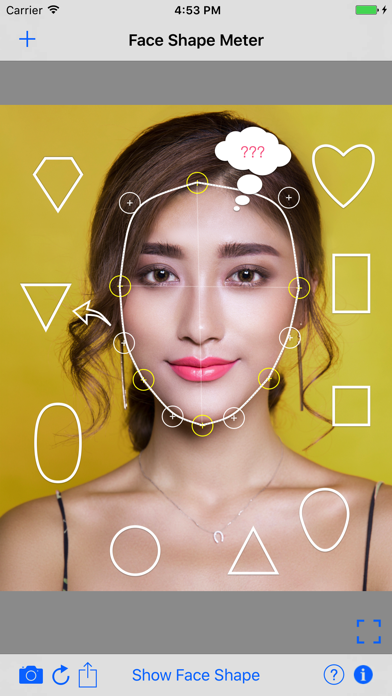
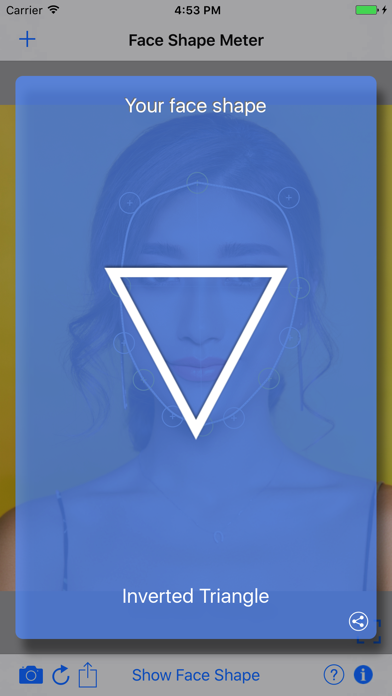
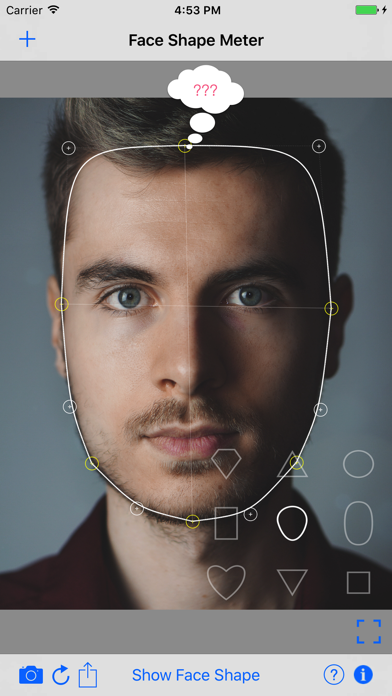
Have you ever had a question "What is my face shape?". Here is the answer. FACE SHAPE METER is a simple and easy to use tool for identifying your face shape from your picture. Knowing your face shape can be useful in many different areas. It can be used for makeup and contouring, for finding “the right” haircut/hairstyle or shape of sunglasses that fit you well, or even for a wig or hat that suits you best. More info about the app: http://goo.gl/uooH28 Video Demo: https://youtu.be/Etcooc1ski8 To find out your face shape 3 simple steps needed: 1. take or upload a picture 2. outline your face with a contour as shown on screenshots 3. press the button and see your face shape result Tips for the best result: - use a picture with a neutral facial expression, where your head is directed straight to the camera. Turning your head might affect the final result. - make sure your hairline is visible.


Outerspacious Software LLC
Gun Movie FX - Create Hollywood-Style Action Scenes! Transform your videos into high-octane action movies with Gun Movie FX, the ultimate effects app for filmmakers and video editors. Whether you're a pro or just getting started, this easy-to-use app lets you add professional-grade effects with just a few taps. Featuring over 70 high-quality effects, you can create stunning, realistic action scenes straight from your phone or tablet. Quickly position muzzle flashes, smoke bursts, sniper scopes, and more with our intuitive effects editor. Choose from a wide variety of action-packed effects, including first-person shooter flashes, night vision, blood splatter, lasers, bullet hits, flying shells, and dynamic movie sound effects. Enhance your realism with the Tracker Camera feature, which automatically performs motion tracking to seamlessly integrate effects into your scene. Take full control of your effects with advanced image adjustments, including key-framing, opacity, hue, and saturation for precision editing. Key Features: • Over 70 Hollywood-quality visual and sound effects • Easy-to-use effects editor for quick positioning • Motion tracking with the new Tracker Camera for ultimate realism • Sniper scopes, blood sprays, bullet hits, lasers, night vision, and more • Advanced editing tools: key-framing, opacity, hue, saturation, etc. • Perfect for stop motion films and action-packed scenes • High-quality results comparable to expensive industry software Turn your phone or tablet into a powerful video editing tool with Gun Movie FX and start creating blockbuster action scenes today! See what this app can do by visiting our YouTube channel! https://www.youtube.com/channel/UCC6BlrBFnuF_N3TZJm5Wuyw Check out the Gun Movie FX website at: http://www.gunmoviefx.com/ Gun Movie FX offers an optional subscription to unlock all effects. See details about our subscriptions below. Payment will be charged to your iTunes Account at confirmation of purchase. Subscription automatically renews unless auto-renew is turned off at least 24-hours before the end of the current period. Account will be charged for renewal within 24-hours prior to the end of the current period for $4.99 for weekly or $9.99 for monthly. Subscriptions may be managed by the user and auto-renewal may be turned off by going to Account Settings after purchase. Any unused portion of a free trial period, if offered, will be forfeited when the user purchases a subscription . For more information, see our Privacy Policy at https://www.outerspacious.com/privacy/ and Terms of Use at https://www.outerspacious.com/terms/


Lux Optics Incorporated
Halide unleashes your iPhone’s camera. Disable iPhone processing for natural photos, apply powerful film situations, access manual controls, and more. Halide has over 24,000 5-star ratings and is an App Store Editors’ Choice and Apple Design Award winner. Halide’s Looks are built into the camera itself, changing how your photo is captured and processed - not just a color filter applied after the fact. These are the best photos you can get out of an iPhone. Start with Process Zero for natural, film-like results, without any AI or computational photography. Explore our rich set of creative Looks developed with Hollywood colorist Cullen Kelly, and powered by sophisticated film simulation. For nine years, Halide has set the standard for professional iPhone camera control. Nail your manual focus with Focus Peaking and the Focus Loupe. Compose your shots with intention using sophisticated framing guides, from a basic grid and rule of thirds, to the golden ratio and rabatment of the rectangle. Get perfect macro shots with Halide's dedicated Macro Mode. Hate editing? Halide gives you amazing results straight out of the camera. But when you need to fine-tune, Photo Lab makes it fast and intuitive. Try dramatically different Looks, adjust framing and exposure, experiment with film simulation, or rescue details in highlights and shadows with Tone Fusion. You can even import and load RAWs from other apps, such as Apple’s own camera app, or standalone cameras by Canon, Nikon, Sony, Leica, Fujifilm, and Hasselblad. Specific formats are listed below. *Halide is a paid app. Try it free for 7 days with an annual membership, or buy it outright with a one-time purchase — no subscription required.* Features: - Shoot without Apple’s computational photography for stronger contrast and more natural results. - Photographic Looks developed in collaboration with esteemed Hollywood colorist Cullen Kelly. - Rescue details in shadows and highlights with a Tone Fusion slider inspired by darkroom dodging and burning. - Try any Look on existing ProRAW files - including photos shot in Apple’s camera app. - Become a better photographer by signing up for our 10-day tutorial directly from the app. - Full manual exposure controls including shutter speed, ISO and white balance. - Technical Readout to view all details of your iPhone camera hardware. - Also runs on iPad, for an amazing Photo Lab experience. RAW File Support: - DNG (iPhone, Leica) - CR2 (Canon) - CR3 (Canon) - NEF (Nikon) - RAF (Fujifilm) - ARW (Sony) - FFF (Hasselblad) Terms of Use can be found here: https://halide.cam/terms Privacy: https://www.lux.camera/privacy/

minical Inc.
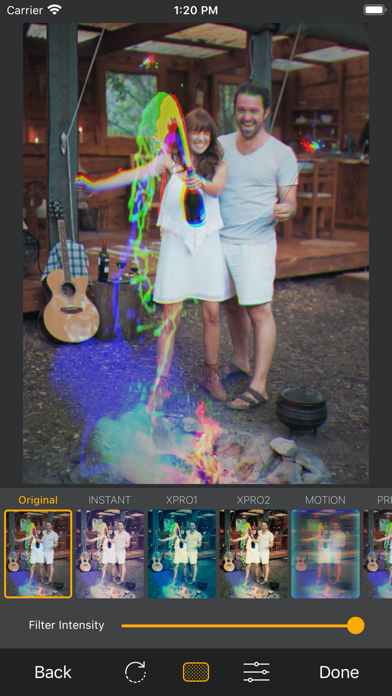
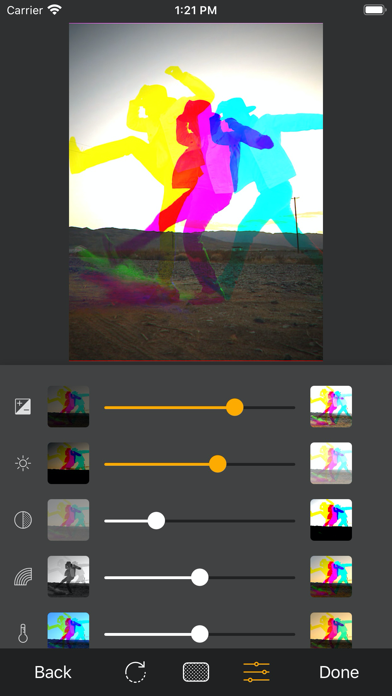
◆Congratulations! Over 260,000 downloads!◆ ◆1st place in the AppStore photo category in 12 countries!◆ HarrisCamera for iPhone is a camera app that creates a “Harris Shutter Effect” (also known as a “Tri-filter Effect”) photo on your iPhone. "Great effect using Harris shutter technique" - QUICK APP REVIEW "HarrisCamera is a unique photo app. It’s the only app I know of in the App Store to recreate the Harris shutter effect, a classic analog photo effect achieved by taking multiple exposures through several colored filters. Since the last update, the app saves in full resolution. It’s a good app." - Life in LoFi "HarrisCamera is a popular app for iPhone photography and it has just been updated with a new design and optimization for the iPhone 5. " - The App Whisperer "If you like getting unique images of this sort I’d highly recommend this app. " - iOS photo apps "If you don't have a photo-editing program, or you're just feeling lazy, there's an iPhone app called HarrisCamera that can recreate the Harris shutter effect for you." - WonderHowTo "For some reason, I'm really attracted to it. Maybe it's the wild color? Or maybe it's the nostalgia of the old 3D comic book look? " - Imagine This ● Overlap 3 photos into 1 ・Just take a picture three times using three different color filters. ・You can shoot beautifully without moving the camera as much as possible. ・Use a tripod or put your iPhone on and shoot! ● Share photos ・Instagram ・Twitter ・Facebook Other various applications can be linked. Be sure to attach a hashtag (#HarrisCamera) and share it! ● Function details ・Shooting with the highest image quality of your device (equivalent to the standard camera application) ・Load images from Photo library ・Flash shooting ・Grid display ・Image stabilization ・Ultra-wide-angle camera shooting (supported devices only) ・Telephoto camera shooting (supported devices only) ・Switch dark mode ・16 preset photo filters ・Adjustment tools for basic photo correction ● Preset photo filters ・INSTANT ・XPRO1 ・XPRO2 ・MOTION ・PRISM-1 ・PRISM-2 ・PRISM-3 ・DOUBLE-1 ・DOUBLE-2 ・DOUBLE-3 ・CHROME ・B&W ・TOYCAM ・SOFT ・DYNAMIC ● Adjustment tool ・Exposure ・Brightness ・Contrast ・Vividness ・Color temperature ・Highlight ・Shadow ・Vignetting (Vignette) ・Sharp We use icons by icons8(https://icons8.com/).
Maxim Gapchenko
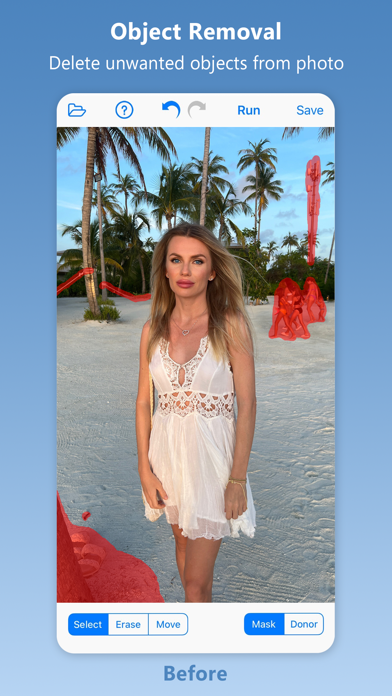
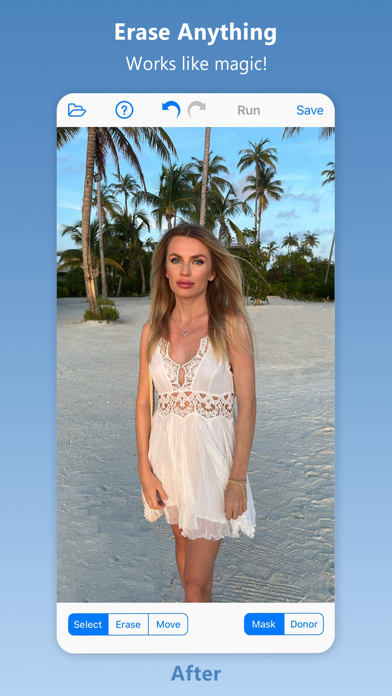
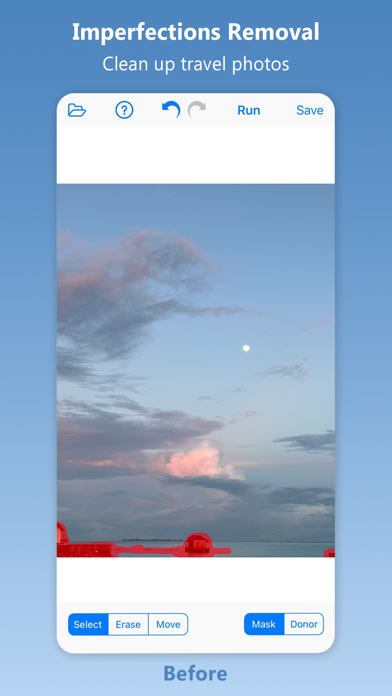
Inpaint - Magically Remove Objects From Your Photos! Top Reasons to use Inpaint *Remove unwanted objects *Repair old photos *Remove watermarks *Delete unwanted people from photo *Erasing wires and power lines *Digital Facial retouching *Remove date stamps *Erase wrinkles and skin blemishes *Remove tourists from travel photos *Remove text or logo from images *Easy to get use & started *Completely non-technical Inpaint photo restoration software reconstructs the selected image area from the pixels near the area boundary. Remove undesirable objects from your images, such as logos, watermarks, power lines, people, text or any other undesired artefacts. There's no need to manually go through messing around with your old clone tool any more! Now you can use Inpaint to easily remove all those unexpected objects that end up spoiling an otherwise really great photograph. Aside from the information we truly want to see on our photographs, there are also many not so crucial for composition if not worse. These are camera date stamps, watermarks placed by various websites, and other objects we don't want to be on a picture. After all, if you gonna hang a photo on a wall, you want it to look eye-catching not due to various visual wreckage on it. So remove it with Inpaint! With simple and efficient tools you are able to remove any unwanted elements totally effortlessly. PRICING Inpaint requires a subscription: Annual for $19.99/year or Monthly for $2.99/month. Without a subscription, Inpaint runs in trial mode, where users can process images and view the results on screen. In the trial mode, the save option is disabled. LEGAL The purchase will be charged to your iTunes account. An account will be charged for renewal within 24-hours prior to the end of the current period, and identify the cost of the renewal. Manage your subscription from User Settings in iTunes after purchase. Cancel the auto-renewing subscription from there at any time. Any unused portion of a free trial period, if offered, will be forfeited when the user purchases a subscription to that publication, where applicable. Terms of Use: https://theInpaint.com/terms-of-use Privacy Policy: https://theinpaint.com/privacy-policy


Shivang Mishra
iRecorder iRecorder is a powerful, free tool that lets you record your screen and customize your recordings with ease. Record anything on your iPhone or iPad, from games and tutorials to educational lectures and training videos, and edit them to perfection with just a few taps on your screen. Whether you're a gamer, educator, or content creator, iRecorder provides all the features you need without any subscription fees. Features -: Record Start Recording with a Tap: Begin recording your screen effortlessly with a single tap. Record Anything, Anytime: Capture apps, games, video tutorials, and more whenever you want. Save Directly to Gallery: Store your recordings in your device's gallery for easy access. Share/Export Videos: Share or export your videos to other apps via email, AirDrop, and more. Face Cam Add Your Reactions: Use Face Cam to include your reactions in your recordings. Personalize Reactions: Customize your reactions with different shapes and positions. React to Existing Videos: Add your reactions to videos already available on your device. Audio Commentary Exciting Commentary: Enhance your videos with fun and engaging audio commentary. Edit Your Video Add Subtitles: Include subtitles to make your videos more informative and accessible. Video Filters: Apply various filters to give your videos a unique look. Add Stickers/Emoji: Make your videos more entertaining with stickers and emojis. Video Trimmer: Trim your videos to keep only the best parts. Playback Speed Adjustment: Adjust the playback speed to create slow-motion or time-lapse effects. Why Choose iRecorder? Unlimited Flexibility and Maneuverability: iRecorder offers you the freedom to record and edit videos without any limitations. No Subscription Required: Enjoy all features for free, without any hidden fees or subscriptions. Ideal for All Users: Perfect for gamers, educators, content creators, and anyone who needs to record and edit videos on their iPhone or iPad. Seamless Integration: iRecorder integrates smoothly with your device, providing a user-friendly experience. How to Use iRecorder Start Recording: Open iRecorder and tap the record button to start capturing your screen. Add Reactions and Commentary: Use Face Cam to add your reactions and record audio commentary to enhance your videos. Edit Your Videos: Access the editing features to add subtitles, filters, stickers, and more. Trim your videos and adjust playback speed as needed. Save and Share: Save your edited videos to your gallery and share them with friends, family, or your audience via email, AirDrop, or social media. Download iRecorder Now! iRecorder is your go-to tool for recording and editing videos, games, educational tutorials, and more. With unlimited flexibility and no subscription fees, iRecorder gives your talent the wings to fly and make a mark in the digital world. Download iRecorder now and start creating amazing videos on your iPhone or iPad!


Skyground Media, Inc.
Ever wish your iPhone or iPad could do more with shortcuts? Meet Jellycuts: your pocket-sized script wizard, making automation magical and fun. It's concise and intuitive—think of it as coding without the headaches. Switching from Shortcuts to Jellycuts is like upgrading from a tricycle to a Tesla. With functions, macros, and magic actions, Jellycuts leaves the standard Shortcuts app in the dust. Access iOS features like files, calendars, reminders, contacts, photos, and location without the hassle of app store reviews or arbitrary gatekeepers. Auto-complete as you type with Jelly Language, which is lean, mean, and free from JavaScript’s quirks. It’s like giving your phone a PhD in awesome. Seamlessly integrate actions from a variety of apps including Toolbox Pro, Actions, Scriptable, Data Jar, a-shell, a-shell mini, Apollo, Carrot Weather, Drafts, Focused Work, GizmoPack, LinkBin, Budget, An Otter RSS, Progress, Recurrence, Rubyist, The Wallpaper App, and WidgetPack. Need inspiration? Dive into our growing script gallery on our website. Here are a few tricks you can teach Jellycuts: - Wind Down: Dim your screen, turn off notifications, and prepare for bedtime serenity. - Live Photos to GIFs: Transform your live photos into fun, eye-popping GIFs. - Date and Time Formatting: Master date and time in your shortcuts. - Photo Management: Automate the chaos of managing photos and screenshots. - Extract EXIF Data: Pull detailed data from your photos. - QR Code Generator: Create a simple QR code in just 3 lines of code. - RoutineHub & UpdateKit: Keep your shortcuts updated seamlessly. - GET Requests: Retrieve user lists in JSON format with a GET request. - POST Requests: Easily create and send POST requests. Why Jellycuts is Your New Best Friend: - Work Anywhere: Sync scripts across devices with iCloud Drive. Your scripts, everywhere you go. - Unleash Limitless Possibilities: Access hidden actions not available in the Shortcuts app. - Supercharge Your Workflow: Enhance shortcuts with functions and macros for efficiency. - Effortless Transitions: Export Jellycuts into Shortcuts and import existing ones back. - Powerful Tools: Use the JSON Dictionary Builder and Icon Creator for easy shortcut creation. - Quick Learning Curve: Comprehensive documentation. - Work Anytime: Dark mode for comfortable coding in any lighting. Editor Features That Make Coding Fun: - Clarity: Syntax highlighting. - Customization: Over 60 editor themes, including dark mode. Because coding in the dark is cool. - Speed: Auto-completion for fast coding. - Troubleshooting: Built-in debug console. Terms of use: https://www.apple.com/legal/internet-services/itunes/dev/stdeula/


Virtual GS
A multi-photo widget perfect to display your memories wherever you go. • add photos or drag & drop from other apps! • slideshow for multiple photos with adjustable time interval • multiple color filters for matching photos with wallpaper! • new photo filters - including poster and comic effect! • add title text with adjustable font and perspective effect • 3 photo sizes (4 on iPad) on home screen
Bryan Hall
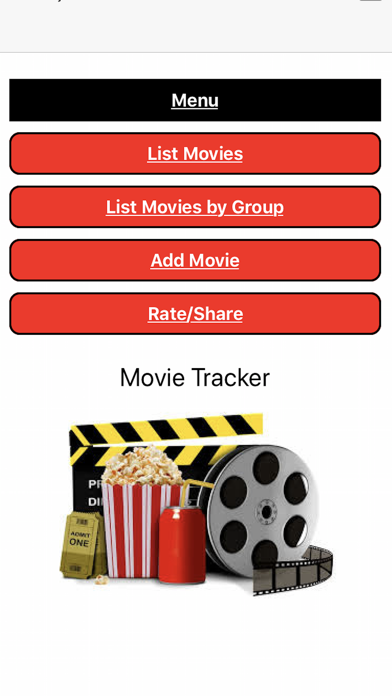
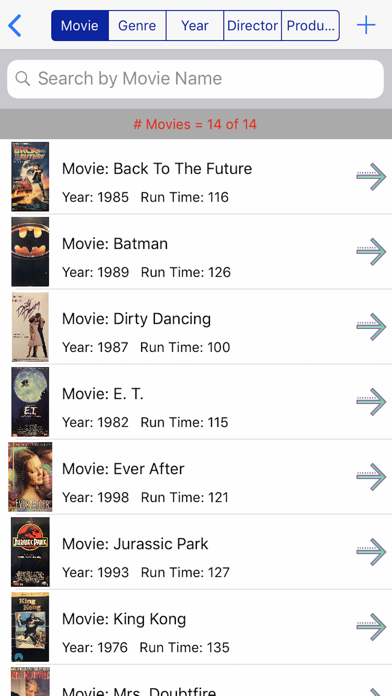
Do you have a large movie collection and struggle to keep track of which movies you own? The Movie Tracker app for iPhone and iPad is the solution you need. With our app, you can easily keep track of all your movies and sort and search them in a variety of ways. Our app allows you to sort and search your movie list by name, genre, year, director, and producer. This makes it easy to find a specific movie or filter your collection by your preferred categories. In addition to sorting and searching, our app also allows you to group your movies by genre, actor, actress, director, and producer. This makes it easier to find similar movies and explore the work of your favorite actors, actresses, and directors. Take a look at our app's screenshots to see how easy it is to keep track of your movie collection and explore your favorite genres, actors, and directors. We value your feedback and suggestions for improving our app. Please feel free to contact us via email with any comments, bug reports, or feature requests. We are committed to providing the best user experience and appreciate your input.

CHENGDU MIAOZHI TECHNOLOGY CO., LTD.
MyTracks is an app that helps you keep track of your location using GPS data. It's perfect for various activities like hiking, running, walking, biking, and more. This app uses advanced technology to provide precise measurements and calculations. Here's what you can do with MyTracks: - Track your route: Whether you're hiking, running, or cycling, MyTracks can record your path and show it on a map. - Save favorite locations: If there are specific places you want to remember, you can mark them as favorites in the app. - Import and export data: MyTracks allows you to import and export data in various formats such as CSV, GPX, KML, and KMZ. - Improve accuracy: You can take static GPS observations to get more accurate waypoints for your tracks. - Easy navigation: The app provides a waypoint guide on the compass, making it easy for you to navigate to specific locations. - Customizable waypoints: You can add waypoints manually or import them from your favorite locations. You can even add vectors with angle and distance. - Coordinate conversion: MyTracks allows you to convert between four different coordinate formats (Decimal, DMS, MGRS, UTM) at any time. - Additional features: The app displays glide ratio during recording, offers compass options in degrees or mils, supports MGRS Grid overlay on the map, and allows you to create routes to follow before starting your track. - Detailed records: You can view your tracks on a map and replay the route. The app provides detailed statistics about your track and displays the saved waypoints associated with each track. You can also change the color of your tracks for easier identification. Please note that using GPS continuously in the background can drain your device's battery quickly. If you have any feedback or questions, please feel free to contact us at [email protected]
Nico Schroeder
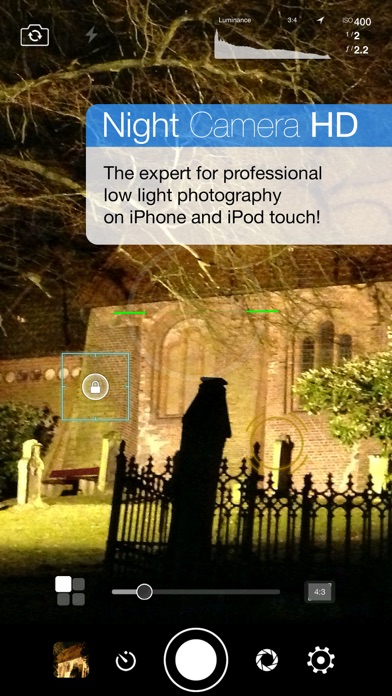
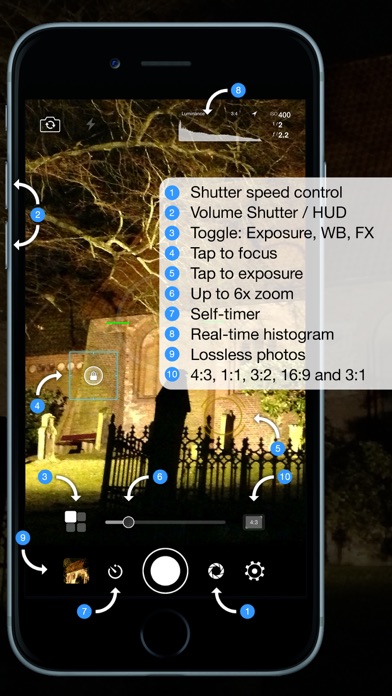
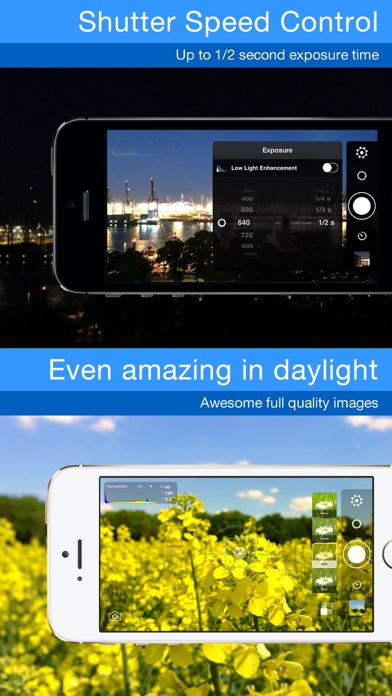
Night Camera HD - the expert for professional nighttime shots on iPhone, iPad and iPod touch. AppAdvice 4.5/5 stars review: "Night Camera HD is a tool that every inclined mobile photographer should have." Thanks to the manual setting options for light exposure up to 1 second *, separate residual light- and ISO enhancement, Night Camera HD is perfect for taking pictures in a dark, insufficiently lit environment. Even during daylight, your pictures are clearer, with less interference, due to the extended exposure times. Take high-resolution photos in PNG format without visual loss. Forget about the loss of quality experienced with other cameras apps caused by image compression artifacts. Regardless whether you take night-, scenery- or other photographs, the picture quality you are able to achieve with Night Camera HD will surprise you. You can easy tap to focus and tap to exposure at the same time. After selecting the desired setting, you can easily lock it to prevent changes despite movement. Only here you can get luminance, luminosity and RGB histograms in real time to recognize over- and underexposure in time. The self-timer, which is imperative for nighttime shots, enables you to take un-blurred pictures. With the aid of the volume buttons you can take pictures with volume up (+) and fade the HUD-elements in- and out with volume down (-). Of course you can also block the white balance separately and edit it if necessary. Standard image formats (4:3, 3:2, 1:1, 16:9 and 3:1) can be edited live. The full-screen mode is activated for narrow image formats, enabling maximum display use. This feature can also be deactivated. The histogram adapts to all image formats. The up to 6x digital live zoom can be edited in the settings to enable a greater precision level during targeted zooming. Of course diverse alignment grids (e.g. Rule of Thirds, Golden Spirals and Golden Triangle) as well as a virtual horizon are available as overlays. Various real-time color filters complete this app. The most important functions: - Shutter speed control - Up to 1 second * exposure time - Manual ISO setting - Manual focus - Residual light enhancement - Real-time luminance histogram - Real-time luminosity histogram - Real-time RGB histogram - Self-timer - Volume Up (+) Photo Capture - Volume Down (-) HUD Hide - 6x digital live zoom - Tap to focus - Tap to exposure - White balance-lock - Manual white balance - Manual exposure adjustment - Various alignment grids - Virtual horizon - Aspect ratios: 4:3, 3:2, 1:1, 16:9 and 3:1 - Full-screen mode - Eco mode - Diverse color filters in real-time - Take HD photos - Landscape and portrait mode - Supports front and back camera - Supports LED-continuous light - Supports EXIF-data - Supports sharing via Facebook, Twitter *) Only on supported devices ---------- Please note that a minimum amount of light is still required. For delayed exposure times the preview is also delayed accordingly. We recommend stabilizing the device or a steady hand for taking optimal pictures with long light exposure times. ---------- Follow @NightCameraHD on Twitter and don’t forget to tag your photographs with #NightCameraHD. "Night Camera HD" is available on Facebook as well. We are looking forward to requests, suggestions and above all, Likes. Of course an iPad Version is available as well. Just search for "Night Camera HD" in the iPad App Store. Follow us: http://twitter.com/NightCameraHD Like us: http://www.facebook.com/NightCameraHD Visit us: http://www.clidoapps.com
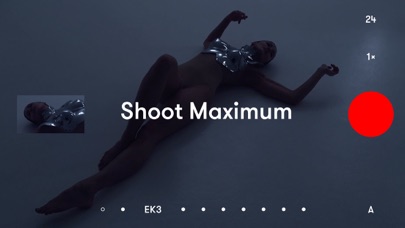
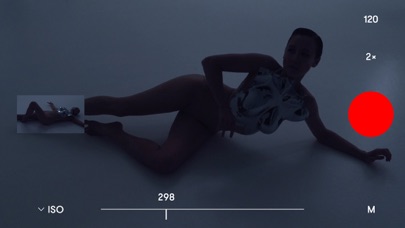
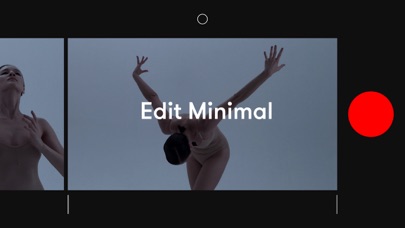
Image Mechanics
Record. It’s already a film. Press record and stay with the moment. The work disappears. The moment stays. RECORD Each moment becomes part of one film. No setup. No modes. Nothing pulling you away from what matters. LOOK Choose a look to shape the moment. See it as you record. PLAY Press play. Your film is already there. From first moment to last — one film. SHAPE Refine if you want. Or leave it as it happened. Trim, reorder, or remove moments. No panels. No timelines. Just the film. FINISH Add music if it feels right. Moments flow together as one. — THE ESSENTIALS • A simple camera • Moments join as you record • Manual controls when you want them • Choose a look as you record • Trim or reorder moments • Remove a moment with a flick • Smooth transitions and sound across your film • Add music from your library • Save to your Photos Best of 2019 — Apple Keep life as it happens.

Alex Sieroshtan
Take back control of your photography. Optika combines a streamlined, intuitive interface with pro-grade manual tools, designed specifically to bypass the over-processed look of modern smartphones. Featuring Natural (NTR) Mode, Optika allows you to capture life as it actually looks – delivering realistic colors and textures with minimal post-processing for a truly authentic aesthetic. Total Manual Mastery - Manual Focus: Includes Focus Peaking and Loupe for razor-sharp accuracy. - Shutter Speed & ISO: Command your exposure for motion blur or low-light clarity. - White Balance: Custom presets and Kelvin adjustment for perfect tones. - True Lens Switching: Unlike the default camera app, Optika stays on the lens you choose. No more unexpected switching to the main lens in low light—just pure optical performance. - Exposure Compensation (EV): Quickly dial in your brightness on the fly. Features for Every Workflow - Advanced Formats: Shoot in JPEG, HEIC, RAW, and ProRAW. - Focus & Exposure Separation: Tap to set focus and exposure points independently. - Live Analytics: Monitor your shot with luminance and RGB Histograms. - Composition Tools: Stay level and centered with built-in grids and horizon levels. - Seamless Integration: Quick-access Lock Screen/Home Screen widgets and full Camera Control support. - Privacy First: Your data and photos stay yours. No tracking, no hidden uploads. And all of this in just ≈6MB. *Note: On non-Pro devices, Natural Mode results may vary from Pro models due to system limitations. Terms of Use: https://www.apple.com/legal/internet-services/itunes/dev/stdeula/

Skyjos Co., Ltd.
Photo Manager Pro provides a complete solution for your photos and videos. Organize photos, videos and RAWs into folders, sub-folders. Set password on the app and folders. Add description and star rating on your photos. Transfer photos among iPhone, iPad, computer and cloud storages. * Organize Photos and Videos: Create, copy, move, rename, delete photos, videos, folders and sub folders. Set password, cover on folder. Sort photos by dates, names, types. Reorder photos by drag and drop. Manage your photos by drag and drop. Copy photos between apps by drag and drop (iPad only). Add star rating, description and keywords on photo. Search photos by filename, description and keywords. Compare photos (available on iPad only) Photo Editing: crop, filters, light & color adjustment Slideshow photos and videos AirPlay photos and videos on Apple TV. Output photos and videos to TV via HDMI cable. Secure app or folders with password Light and dark theme Supports trash bin * Photo Transfer: Transfer photos between nearby iOS devices. Transfer photos between computer and iPhone/iPad through the built-in FTP server or HTTP server. Support iTunes File Sharing Copy photos among iPhone/iPad and cloud storages. * Supported Formats: JPG, PNG, GIF, HEIC CR2, CRW, NEF, NRW, ARW, RAW, DNG MOV, MP4 * Supported Cloud Storages: Dropbox OneDrive Box * Supported External Storages: SD Card USD Drive ===== CONTACT US ===== Email: [email protected] Twitter: @SkyjosApps Facebook: @SkyjosApps

Photomyne LTD
Meet the ultimate solution for preserving your old photos. Photomyne is the fastest and easiest way to turn photos, slides, negatives, and other family keepsakes into a digital library spanning generations and share them with others. Download it today to see the magic of this powerful scanning app, built with cutting-edge AI technology. This paid app version offers the full utility power of Photomyne on one iOS device. You will need to purchase a Photomyne Membership (in-app purchase) to access your photos on other devices and online and to back up your photos. SIMPLY HOLD & CAPTURE - SCANNER WILL DO THE REST * Scan multiple analog photographs in a single shot - finish an entire album in minutes. * Scan more than just photos too - film negatives, slides, documents, notes, kids' art, recipes, scrapbooks, and more. * Capture scans by tapping a button or by simply saying 'Go' (if voice control is enabled). * The photo scanner auto-detects picture boundaries, auto-rotates sideways pics, crops, restores colors, and saves them into a digital album. EDIT AND CURATE YOUR COLLECTION OF MEMORIES - Add details to albums and photos (locations, dates, and names) - Scan the back of a photo - Add audio recording - Apply color filters & colorize B&W photos - Sharpen blurry portraits GO EVEN FURTHER WITH AI-POWERED MAGIC In addition to the core features, Photomyne hosts hand-picked external AI tools from other trusted platforms to restore and enhance your memories even more. These optional features include powerful AI enhancements like photo damage repair, subtle motion animations, and more. These aren’t included in the paid plan but are offered at a special price, so you can enjoy even more photo-enhancing magic, all in one place. SAVE & SHARE YOUR REDISCOVERED MEMORIES - Save photos to your mobile device or computer in the best quality (print quality) - Share as many photos as you want via a web link - Enjoy unlimited colorization of Black-and-White (monochromatic) photos - Create gifts with your scanned photos such as photo collages USE SCANNED PHOTOS TO MAKE SPECIAL EVENTS TRULY UNFORGETTABLE: - Add a dose of nostalgia to reunions - Honor memorials with photo memories - Celebrate anniversaries with old photos - Add an element of surprise to birthdays OPTIONAL IN-APP UPGRADE: To access your photos on other devices and online and to backup, consider purchasing an optional paid plan (in-app purchase). Here are the features you get with a paid plan (Photomyne Membership): 1. Access your photos on other devices and online 2. Unlimited photo backup The app offers an optional paid plan via monthly/yearly auto-renewing subscriptions**, as well as a One-Time plan which is paid for by a single upfront payment. These offer unlimited access to the premium mentioned above. **Payment will be charged to your App Store account at confirmation of purchase. Your subscription will automatically renew itself unless auto-renewal is turned off at least 24 hours before the end of the current period. Your account will be charged for renewal within 24 hours prior to the end of the current period. You can manage your subscriptions and turn off auto-renewal by going to your Account Settings in the App Store. If offered, if you choose to use our free trial, any unused portion of the free trial period will be forfeited when you purchase a subscription to that publication, where applicable. Got any questions? We’d love to connect: [email protected] Privacy Policy: https://photomyne.com/privacy-policy Terms of Use: https://photomyne.com/terms-of-use

Cosmosent
Photosets is a Unique & Innovative combo "Camera + Video Maker" app. It supports both 8-bit & 10-bit Burst Photo Capture. It includes both 8-bit & 10-bit Video Makers. Captured 8-bit photos are stored inside "the Core" of the app, each set in their own folder, & accessible via the Vertical Scrollview on the app's Home view. Captured 10-bit photos are stored in your Photosets/RGB3x folder, accessible via app's Main Menu (accessible via the app's Home view). At the core of Photosets is a High-Perf, High-Resolution Timing Burst Photo Capture Engine, that supports both 8-bit 420 & 10-bit 422 capture, paired with a custom filesystem for captured 8-bit photos. --- ● Tech Specs: ● 8-bit 420 Capture: ● Up-to "60" 12 Mpx photos/set (30 fps) ● Up-to "60" 4K photos/set (up-to 120 fps) ● Up-to "75" 8 Mpx photos/set (30 fps) ● Two output format options, Lossy JPEG & Lossy HEIC. ● Concurrent Audio capture is supported with 8-bit capture; the data is used ONLY by the app's 8-bit Video Maker when crafting 8-bit Videos. --- ● 10-bit 422 Capture (on select devices): ● Up-to "20" 4K photos/set (up-to 120 fps) ● One output format option, Lossless LZ4 in RGB3x. --- ● App Navigation ● Home-to-Camera #1: Swipe to the Left ● Home-to-Camera #2: Tap the Camera Button ● Camera-to-Home: Swipe to the Right ● Home-to-Editor: Tap the Image Button in the Vertical ScrollView (center box) ● The Vertical ScrollView is presented ONLY if there are ONE OR MORE photo sets stored in the app, & is scrollable whenever there are TWO OR MORE photo sets stored in the app. ● Editor-to-Home: 1-2 Swipes to the Right ● In the Editor, the number of swipes depends-upon whether you're in the 1st View of the Editor, OR the 2nd; if in the 2nd View, two Swipes to the Right are needed to transition back to Home; the first one will transition you back to the 1st View, the second one back to Home. ● Home-to-Video Maker: Tap the Compose Button ● Video Maker-to-Home: Tap ANY of the Dismiss OR Home Buttons --- Please note that Photosets uses (& has always used) the Apple Camera Framework that does NOT generate sound during Capture.

Active Development Limited
Turn your photos and videos into stunning collages and grids with PicFrame — the free photo collage maker loved by creators. Create beautiful layouts, digital scrapbooks, and before-after comparisons in seconds. With over 100 adjustable templates and the ability to design your own custom frames and layouts, your photos will always look their best. Whether you're scrapbooking memories, crafting a photo book, printing layouts, or designing grid posts for Instagram and TikTok, PicFrame makes every collage simple, fun, and professional-looking. Why Creators Love PicFrame • 100+ fully adjustable layouts — or design your own custom frames • Combine up to 16 photos or videos in one collage • Make before-after comparisons or side-by-side photo grids • Full creative control — resize, rotate, zoom, and mirror each element • Add text labels with custom fonts, colors, outlines, and tape effects • Draw directly on your design using touch or Apple Pencil • Apply filters, shadows, rounded corners, and borders • Use shapes like circles, hearts, and hexagons • Add stickers and comic-style details • Include music in video collages • Choose any aspect ratio (square, 16:9, 4:5, and more) • Advanced print layout preview for perfect results • High-resolution exports and easy sharing to social apps • Drag & drop photos on iPad for fast editing • Works seamlessly on iPhone and iPad, with Dark and Light Mode Perfect For → Photo collages, video grids & digital scrapbooks → Instagram, TikTok, and Threads posts → DIY crafts & creative projects → Before/after photo comparisons → Comics, photo stories, and cards → Print layouts, grids, and picture frames Loved by Creators • 9/10 in Wired App Guide • Trusted by creators, families, and photographers worldwide Download PicFrame — the free photo collage editor that makes your pictures and videos stand out! Terms of use: https://activedevelopment.co.nz/terms-conditions/
Supagarn Pattananuchart
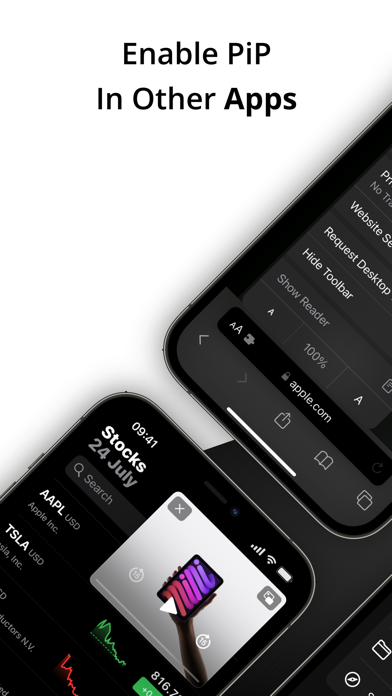
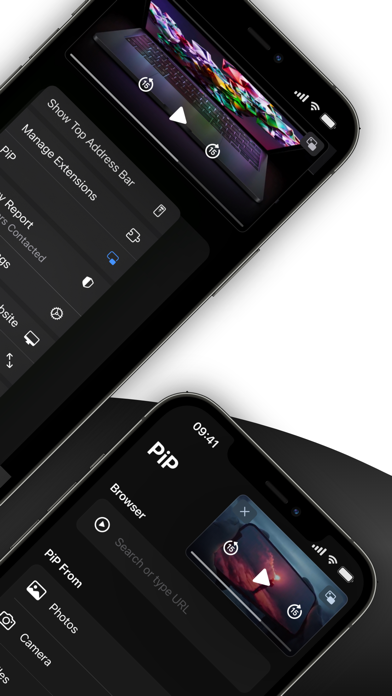
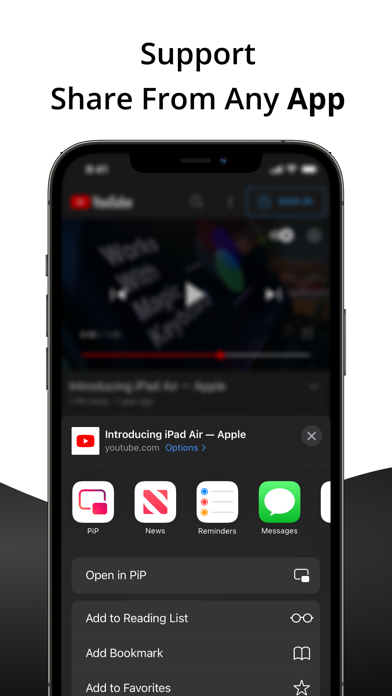
PiP - Picture in Picture allows you to play videos in picture-in-picture from the Youtube or Safari application. Key Features: • Background Playback Keep your videos and music playing in the background while you multitask with other apps. • Safari Extension Effortlessly activate Picture-in-Picture mode right from your Safari browser. • Share Videos Seamlessly share YouTube or video links to play directly in PiP mode. • Multi-Media PiP Experience Picture-in-Picture for images and videos from your Photos, Camera, and Files app in a convenient floating window. • PDF PiP Open PDFs in a floating PiP window so you can read documents while working in other apps. • Text PiP Display text in PiP mode for quick reading, note reference, or multitasking. • PiP Browser Browse the web and watch videos simultaneously with our built-in browser and dedicated PiP button. Try PiP today and redefine how you enjoy videos and multimedia content on your iOS device! Terms of Use: https://www.apple.com/legal/internet-services/itunes/dev/stdeula/ Privacy Policy: https://supagarn-pa.com/PiP/privacy-policy
Francis Bonnin
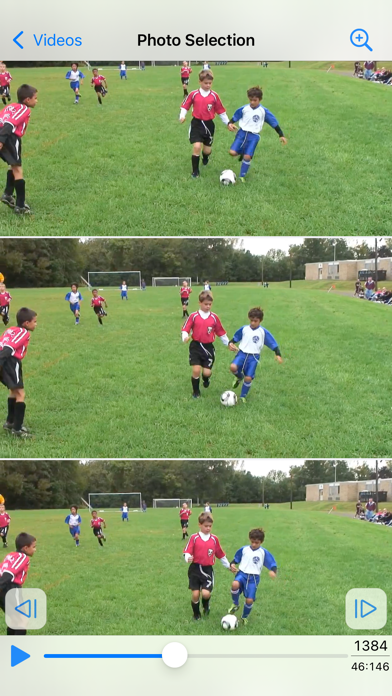
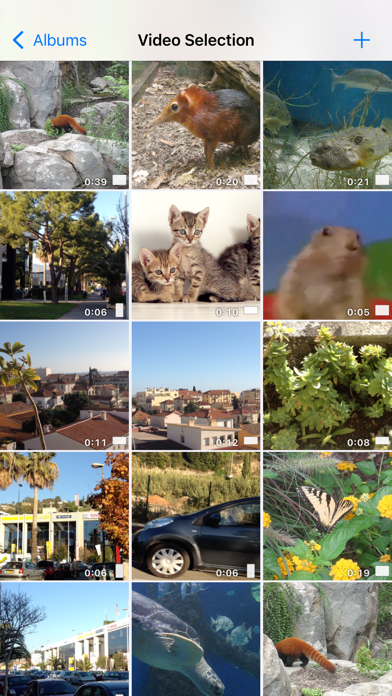
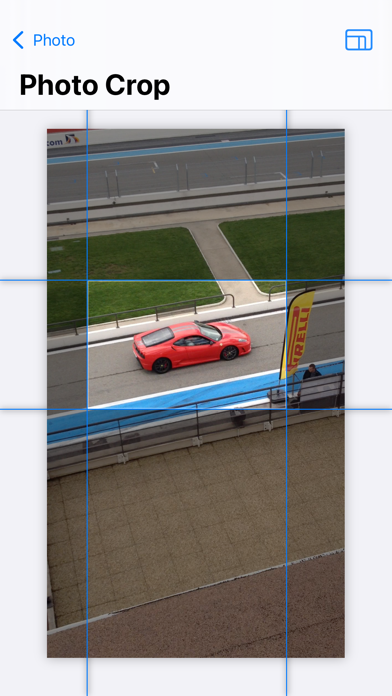
Introducing PureClip Photo – Your Ultimate Video-to-Photo Extraction Tool Unveil the stunning moments captured within your recorded videos or new clips by effortlessly extracting high-quality photos. Did you know that each video holds a trove of high-resolution snapshots, waiting to be discovered and loved? Experience the magic of reliving your videos frame by frame with this intuitive and delightful application. Unearth the hidden gems that went unnoticed in the dynamic scenes and freeze them in time forever. An easy to use application does not mean basic, and the app contains a lot of great features such as : • Select the videos from your default video folder, your favorites, your live photos, your bursts, your recent videos. • Preview the video during selection (with information like date, size, duration, GPS location). • Alternatively, use the photo extension to use the app directly in the Photo app. • Quick action icon shortcut to quickly open the most recent video. • Find the frame using a scrollable list, or navigate in the video with a fullscreen and zoomable video view. • Images are saved in a format that matches the format of the source video (or explicitly as a png, heic, jpeg file if needed). • On newer devices (and iOS17), open for example a 4K HDR video at 60 fps and create beautiful 4K HDR images with lots of photos to choose from. • Images can be saved in the Photo app, in the Files app, or exported in different ways. • GPS and date information is saved in the exported image. • Ability to batch export multiple photos at once if needed. • Ability to crop the image before export (with custom or predefined aspect ratios) • Light and dark theme support, accessibility font size support.