
Photo & Video
Browse photo and video IPA listings for cameras, editors, recording tools, streaming apps, and creator workflows.

Karbin-Store

Karbin-Store
ئەو ئەپڵیکەیشنە بۆ دانانی تەم و کاڵکردنی بەشەکانی ئەو وێنانەی کە دیاری دەکەیت

Karbin-Store

Karbin-Store
No description available from this source. Use App Store search to learn more about this app.

Karbin-Store
ئەپلیکەیشن بۆ گەڕان بە ماڵپەڕەکاندا بەبێ ڕیکلام ✅ بۆ دابەزاندنی کلیپەکانی یوتیوب و ئیشپێکردنی کلیپەکانی یوتیوب لە باکگراوند ✅

ipaomtk.com
ipaomtk.com | The realm of photography has drastically evolved with the advent of smartphones, and iOS devices are at the forefront of this evolut


Arthur Eduardo Skaetta Alvarez Desenvolvimento de Software LTDA.
Looking for a fast and convenient way to create professional ID photos for documents? With ID Photo Maker's state-of-the-art AI models, you can easily auto-frame and crop any picture to the perfect dimensions for your document. The custom background feature allows you to remove backgrounds with just one touch and choose custom colors for your ID photo. ID Photo Maker offers multiple export options, so you can easily save your ID photo as a digital image file or print it at the perfect size. And best of all, there's no need to visit a photo studio - you can create your ID photos right from your device! Download ID Photo Maker today and start creating professional ID photos in seconds!
Toshihiko Tambo
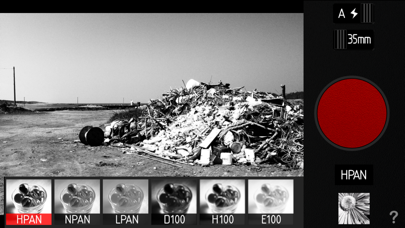
Doesn't support iPads. Developed in collaboration with Glyn Evans [the founder of iPhoneography], Provoke Camera was inspired by Japanese photographers of the late 1960’s like Daido Moriyama, Takuma Nakahira and Yutaka Takanashi. Simple, elegant and easy to use, Provoke Camera does just one thing, produce black and white images with that gritty, grainy, blurry look reminiscent of the “Provoke” era of photography, and in two great formats; square format 126 and 35mm format 135. Provoke Camera features 9 great black and white and 4 color live view effects, in 2 great film formats, 126 [1:1] and 135 [3:2]: 1. HPAN High Contrast 2. NPAN Normal 3. LPAN Low Contrast 4. X800 More High Contrast with more noise. 5. I800 IR like filter. 6. Z800 +2EV with more noise. 7. D100 Darken with Blur (4Pixel) 8. H100 High Contrast with Blur(4Pixel) 9. E100 +1.5EV with Blur(4Pixel) 10. Nofilter 11. 100 Old Color 12. 100U Vivid and Sharp 13. 160N Soft In addition to capturing beautiful, gritty, grainy, contrasty black and white images, Provoke Camera will also allow you to import photos from your camera roll and apply any one of its “Provoke” effects. And Support TIFF Uncompress image file. Also support Photo Extension with iOS8 later. You can use Provoke Filter in Photos App.
Shmonster LLC
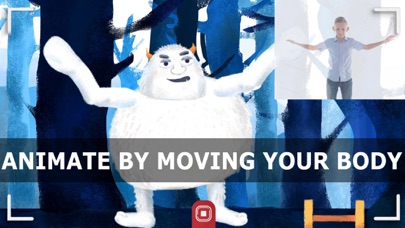
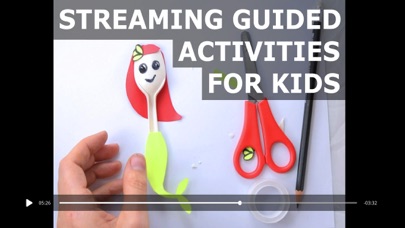
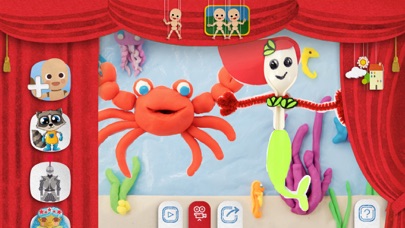
PuppetMaster: Animate. Literally. Anything. This animation app lets you instantly bring to life anything you want, just by acting things out in front of the camera or touching the screen. Your voice is recorded as well. The result is your own animated video you can save and share! The app even has fun guided activities that kids can follow along and do, making arts and crafts and then animating them. Features include: * Real-time animation - you animate in the moment, while you talk, and your puppet comes to life in front of your eyes. * Motion capture - intuitively animate characters just by moving your body in front of the device camera. Use front or back camera. (Best results are usually with back camera of newer devices.) * Multi-touch - animate by touching and dragging the puppet and its body parts on the screen, even using both hands or working together with a friend. * Animate one or two puppets - you can have one puppet on its own, or two puppets where both can move and you can control which one is talking at any time. * Create your own puppets - bring to life your physical artwork, your favorite toys, a person or animal, random stuff like your snacks arranged as a character, really anything you like! * Create your own backgrounds - use a painting you made, a diorama, some interesting place, or anything else you want as your background. * Choose from our designs - the app comes with a bunch of cool puppets and backgrounds already in it, in a cute hand drawn style that you can mix and match with your own creations. * Export and share videos with audio - save a video of your puppet show, complete with the audio of your performance, locally and also to social media, cloud storage, or any other typical sharing method. * In-app streaming tutorials and activities - guiding kids through using the app for visual storytelling, and teaching them how to create various physical art pieces and animate them. On our website and social media you'll find more project ideas, educational support, and lesson plans for teachers and homeschooling parents. PuppetMaster was named one of the Best Apps for Teaching and Learning by the American Association of School Librarians. It's a great open ended creative activity for children, supports ISTE standards, and is a great way to integrate the arts into any academic subject for a more engaging class. (Teachers say they prefer it to stop motion animation because it's so much easier and faster.) See our privacy and terms here: https://www.shmonster.com/privacyterms/


汝泉 张
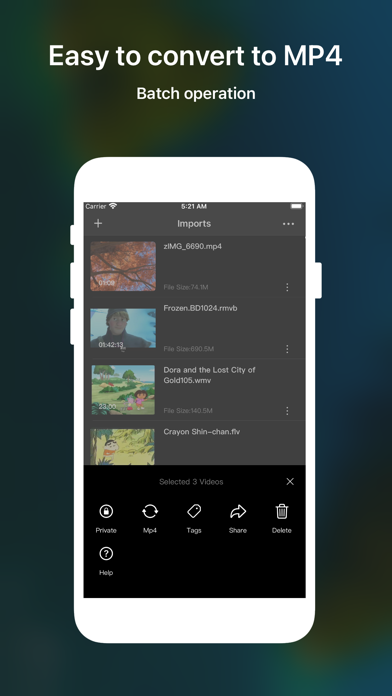
No ads, No IAP. Wi-Fi Sharing/Convert/Play/Download/Decrypt video on iOS 9.0+ - Video player • Almost all video formats (movpkg, rmvb, avi, mkv, mp4, flv, wmv, 3gp, mov, vob, dvd, swf, rm, ts, etc.) • Convert video to mp4 file with one command .then you maybe want to export to Photos.app • Adapt iOS 11 Files App • PiP • Background playback - IPTV • m3u • txt • url - Browser • Support Wi-Fi Sharing, play or share or download videos of another device • Favorites, History, Desktop Site • Playback speed control:0.5x~2.0x • Add setting item on settings:auto clear cookie when launch app,default value is yes. • Scan a QR code - User Scripts: JavaScript script • Create New • Open User Scripts Folder • Open with Files • Share from other APP • Install from browser - Safari extension(iOS 15) • Play rate:0.25~16 • Skip to end • Picture In Picture - URL scheme • Play some video zoeplay:// • Import some video zoeimport:// - Widgets • Last Play • Device Info: Battery, Memory, Cpu, Storage - Imports • Import videos with Link, Wi-Fi,AirDrop(iOS11+), iTunes, iCloud • Support system share extension - Cast video to TV with DLNA • Vod video • Live video • HTTP Live Streaming (HLS) video - Wi-Fi Sharing • Transfer and access and play videos from other devices over Wifi. Direct play video (mp4/m3u8) without download, please use browser of ZOE app • Auto create a QR code for the wifi url • Port 8080/8900/9100 - M3U8 Settings • Add zoe.m3u8 and zoe.ts to \"Import\". Test the video player or Wi-Fi Sharing • Add zoe_aes_128.m3u8 and zoe_aes_128.ts to \"Import\". The zoe_aes_128.ts is encrypted with AES-128,the key is zoe0123456789abc • Debug Mode, you can import up to 50 ts files for one m3u8 • Import Speed Fast:Auto decrypt videos and merge into one ts file Medium:Import m3u8 file as movpkg file Slow:Import m3u8 file as mp4,It may take a long time. - Private videos • Unlock with Pattern • Unlock with Biometrics - Library video • Direct play video of Photo.app ,needn’t import to app • Manager videos with albums of system • Support iOS 14 - Share video • Share videos to TikTok、Slack and so on - Tag Manager • Assign tags to videos • Filter videos with tags • Delete or order tags

PERFECT MOBILE CORP.
YouCam AI Pro brings together the world's most advanced AI models in a single app. Instantly create realistic or viral AI photos and AI videos in any style. Whether you need an AI photo for social media or professional UGC content, YouCam AI Pro delivers studio-quality results in seconds. ► ACCESS ALL TOP AI VIDEO & IMAGE MODELS Why subscribe to multiple apps when you can access the industry’s leading engines in one place: • AI Video Models: Kling 3.0, Google Veo 3.1, YouCam Motion, Vidu Q2 Pro, Seedance 2.0 Pro, Hailuo 02, Wan and PixVerse 6. • AI Image Models: YouCam Image Edit, GPT-Images 2.0, Nano Banana Pro, Flux.2 Pro, Imagen 4 Gen, and Seedream 5. ► ADVANCED AI VIDEO GENERATOR Create mind-blowing AI videos from text, images, or existing clips, all with YouCam AI video generator. • Text-to-Video & Image-to-Video: Bring still images or words to life with motion & emotion. Transform your ideas into jaw-dropping AI videos. • Multiple Photos to Video: Remix multiple images into 1 smooth, cohesive AI video in minutes. • AI Talking Photo: Turn a single photo into a realistic talking video! Bring your custom scripts to life with AI voices featuring 16 languages, adjustable speaking tones, and rich emotional expressions. • Character Animator: Give your photos moves! Apply trending dance choreo or custom motions from any reference video straight onto your character images. • Video Change: Swap outfits, switch backgrounds, or completely overhaul scenes using simple text prompts or pre-set styles. • AI Video Templates: Stay ahead of the trends. Instantly generate viral-ready animated clips using professionally crafted templates. • Supported Models: Kling 3.0, Google Veo 3.1, YouCam Motion, Vidu Q2 Pro, Seedance 2.0 Pro, Hailuo 02, Wan and PixVerse 6. ► NEXT-GEN AI PHOTO GENERATOR Generate hyper-realistic AI photo & AI art with just words.YouCam AI Pro integrates the most sophisticated AI models to deliver unrivaled clarity and aesthetic control. • Text-to-Image: From realistic portraits to 3D cartoons, our AI image generator translates complex prompts into high-fidelity visuals. • Image-to-Image: Use existing photos as structural blueprints to reimagine visuals in any style. • Supported Models: YouCam Image Edit, GPT-Images 2.0, Nano Banana Pro, Flux.2 Pro, Imagen 4 Gen, and Seedream 5. ► AI PRODUCT VIDEO GENERATOR FOR AI VIDEO ADS The ultimate tool for creators and brands. Use creator-driven templates to turn products into viral AI Videos that dominate social media traffic. • AI Product Video Generation: Transform a single product photo into high-converting video ads. Create product videos for anything from beauty and fashion to food and electronics. • AI Avatar Video Generator: The most realistic AI talking avatar, featuring natural lip movements and expressive facial animations with 80+ languages. • Pro Templates: Access 30+ business templates for beauty, food, fashion, tech, and product marketing. ► SMART AI EDITING TOOLS • AI Remove: Erase background clutter, strangers, or watermarks to keep the focus entirely on you. • AI Background: Swap, remove, or generate entirely new backdrops using simple text prompts or ready-to-use, aesthetic templates. • AI Expand: Extend images to fix awkward framing, save zoomed-in images, or turn vertical shots horizontal without losing quality. • AI Replace: Circle an object, type a new idea, and let AI replace it with photorealistic accuracy. • AI Professional Photo: Generate professional LinkedIn headshots or fun digital twins. AI Girl/AI Boyfriend/AI Girlfriend: Custom digital companion visuals. Perfect Corp’s Terms of Use: https://www.beautycircle.com/info/terms-of-service.action Privacy Policy: https://www.beautycircle.com/info/privacy.action

北北 宋
This beautifully crafted little app reduces sharpening—and it has so many other features too!!! Hope you’ll like it. • Unsharp After downloading, photos are unsharpened by default, and Live Photos don’t change color when they settle into a still frame. • Zero Processing Switch to Zero Processing mode and the result feels like it wasn’t shot on a phone—more like an old camera. This isn’t a simulation: it truly turns off all processing and saves the most original photo possible. • New Filters These filters emulate CCD and film looks. There’s also a brand-new filter, Little Touch—blending countless tiny color tweaks to make everything feel a bit happier, while staying extremely natural. It doesn’t look “filtered” at all. • New Video You can now choose many more video settings, including five color modes and more resolutions (on newer phones). For example, shooting in 4:3 is great for selfie vlogs because the view is wider. There’s also brand-new Unsharp video. • More Pro Manual controls, Bayer RAW, custom filters, and more! • And lots more Soft light, custom buttons, and so much more!

ipaomtk.com
ipaomtk.com | The Python AI Code Editor IPA v2.9 for iOS is an innovative tool designed to empower developers and coding enthusiasts with the flexibil

YTLitePlus
Important: not working on SideStore/AltStore YouTube with the YouTubeLitePlus Tweak Status: ✅🔥

PB Studios OU
Ever lost a treasured photo, a memory so precious you believed it was gone forever? Welcome to a world where such nightmares are no more – introducing ‘Photo Recovery’. Whether you’re a professional photographer or an amateur enthusiast, this app changes the game, transforming your relationship with your digital memories. Doesn’t it feel terrible to lose a significant photo or video due to a mere finger slip? With Photo Recovery, such mishaps are quickly recovered. Our app, with over 8 million satisfied users globally, ensures your precious photos and videos are never truly lost. Our innovative technology swiftly recovers recently deleted photos and videos, making the irreplaceable, replaceable. But that’s not all. The thrill of Photo Recovery goes beyond just recovering deleted content; it’s your ultimate tool for organizing and cleaning up your digital library. Duplicate photos and videos cluttering your gallery? Photo Recovery acts as a powerful duplicate cleaner, identifying and eliminating duplicates or similar files with surgical precision. Clean up your storage with one tap and instantly free up space! A more organized, clutter-free gallery is now just a step away. Got large videos taking up too much space? Use our Video Compress feature to reduce file size without compromising quality. Save space while keeping every detail sharp and clear. Feeling overwhelmed by thousands of unnecessary emails? With our Email Cleaner, you can delete spam, social, promotional emails, and even empty your trash—all in one tap. Take control of your inbox like never before. Accidentally deleted an important email? Our new Recover Deleted Emails feature helps you retrieve recently deleted emails and move them back to your inbox, labeled “Recovered” and marked as unread. Want to elevate your photos with minimal effort? With AI Photo Retouch, simply type what you’d like changed, and our advanced AI edits your photo accordingly. It’s like having a professional editor in your pocket. In this age of oversharing, your privacy is essential. With our secure photo vault, you decide what the world sees. Hide and lock your sensitive photos and videos behind a secure password, keeping them private and protected. Worried about iCloud? We’ve got you covered. Photo Recovery allows you to recover deleted photos and videos from iCloud, giving you peace of mind. The app also helps you manage your iCloud storage by identifying and removing unnecessary files, keeping it optimized and organized. Feeling overwhelmed by too many photos? Our clean-up features make it simple. With the swipe-to-clean function, you can swipe left to keep photos or swipe right to delete them. This makes deleting unwanted photos quick and easy, ensuring that only your best memories stay in your gallery. Explore our powerful search engine to find photos and videos in your iCloud or gallery within seconds. Whether it’s a photo you deleted last week or a video lost in the depths of your gallery, Photo Recovery brings it back to you. Craving more? Try Photo Recovery Premium. Get early access to new features, enjoy an ad-free experience, and benefit from our advanced clean-up tools, such as the duplicate cleaner, large video sorter, video compressor, and email recovery. Premium ensures that your photos, videos, and emails are always recovered, cleaned up, and organized. Don’t just live in the moment – recover, clean up, organize, and secure your photos, videos, and emails with Photo Recovery: Phone I Cloud. Download today and start a journey of no regrets, where each memory is a treasure kept safe. With Photo Recovery, your memories aren’t just stored – they’re celebrated. Privacy Policy: https://thepbstudios.co/privacy/ EULA: https://www.apple.com/legal/internet-services/itunes/dev/stdeula/

TIGI SOFTWARE & Bas vT
Explore files and folders with list view or grid view. View/edit files with powerful viewers, includes: media player, plist editor, hex editor, text editor Status: ✅
TIGI SOFTWARE
Explore files and folders with list view or grid view. View/edit files with powerful viewers, includes: media player, plist editor, hex editor, text editor Status: ✅🔵


Giang Le
Transform your photos into masterpieces with AiRetouch, your ultimate photo editing tool. Dive into an intuitive editing experience powered by cutting-edge AI, crafted to meet your every retouching need: OBJECTS ERASER From pesky photobombers to unsightly trash cans, make them disappear seamlessly. PEOPLE REMOVER Want a solo shot? Eliminate crowds or unwanted persons in just a click. BLEMISH REMOVAL Achieve flawless skin and bid adieu to pimples, scars, and blemishes. BACKGROUND EDITOR Tailor the backdrop of your images to perfection. Blur the background for a professional depth-of-field effect, change background colors to complement your subject, or apply gradient colors for a dynamic and artistic touch. TEETH WHITENER Flash that pearly white smile in every photo, effortlessly. RED EYE CORRECTOR Bring out the natural beauty of your eyes, without the red glare. FILTERS FOR PICTURES Elevate your photos with a curated set of stunning filters for every mood. SKIN SMOOTHER Get a radiant, silky-smooth complexion in moments. Perfect for close-ups and portraits. Redefine photo editing with AiRetouch. Whether you're a professional photographer or just looking to enhance everyday shots, AiRetouch is the only tool you'll need. Experience the future of photo editing. Download now and retouch to perfection. Pro Membership Subscription: - You can subscribe to retouch without limits. - Subscription auto-renew at the end of the current period, unless canceled 24-hours in advance before the end of the current period. The subscription fee is charged to your iTunes account at confirmation of purchase. You may manage your subscription and turn off auto-renewal by going to your Account Settings after purchase. Per Apple policy, no cancellation of the current subscription is allowed during the active subscription period. Once purchased, refunds will not be provided for any unused portion of the term. Privacy policy: https://re-solution.tech/privacy-policy.html Terms of service: https://re-solution.tech/terms-of-use.html
Harald Meyer
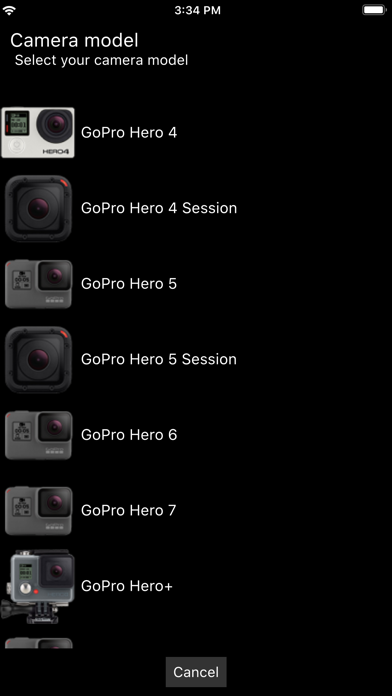
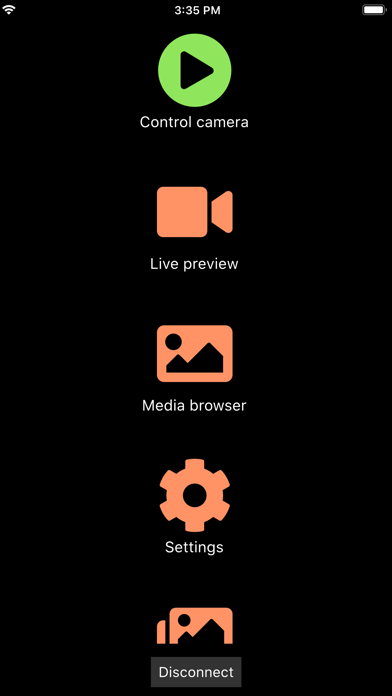
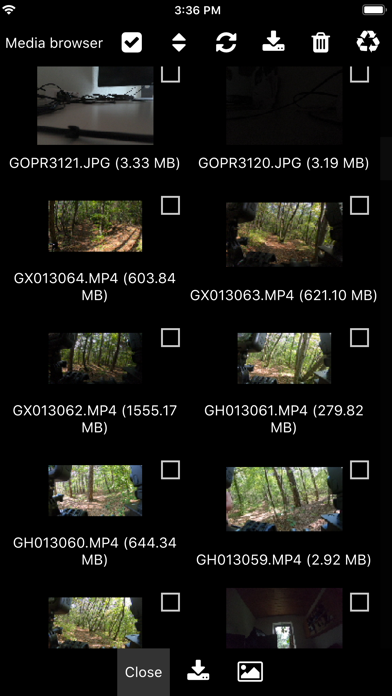
The Camera Remote for GoPro Hero cameras allows you to control GoPro cameras over Wifi. Demo video: https://youtu.be/n8Js7kFnSs8 ## ## Features ## - Supports: GoPro Hero 4, 5, 6, 7, Hero Session, Hero 5 Session cameras. - Auto connect to the camera Wifi network (no fiddling around in the iOS Wifi settings is required anymore). - Exposure series tool: Capture exposure series, e.g. for HDR, by defining night/day mode, exposure compensation, shutter time, ISO limits, and white balance for each image. - Scripting tool: Create your own scripts via a drag and drop interface (NO coding is required!). - Change camera settings (resolution, protune, frame rate, shutter time, exposure compensation, white balance, GPS, volume, audio, microphone, etc.). - Live video and audio preview. - Download media (photos, videos, RAW) over Wifi. - Manage multiple cameras (Note: it is not possible to control multiple cameras at the same time because each GoPro creates its own Wifi network!). ## ## Disclaimer ## - The app is intended for controlling 3rd party hardware GoPro Hero cameras. - The free version demonstrates the app's features. The full version can be activated with an one time in-app-purchase which activates all features. - We are not affiliate with GoPro Inc.
LateNite Apps
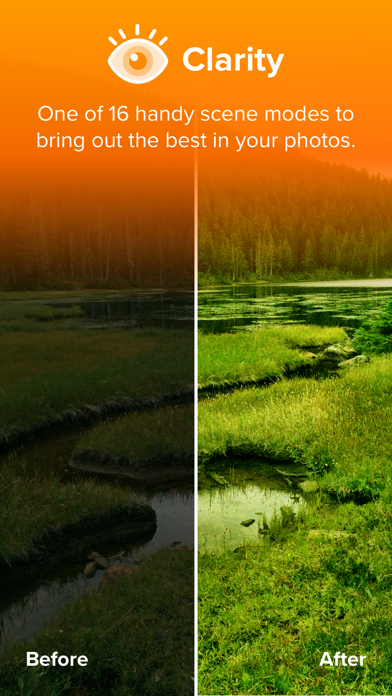
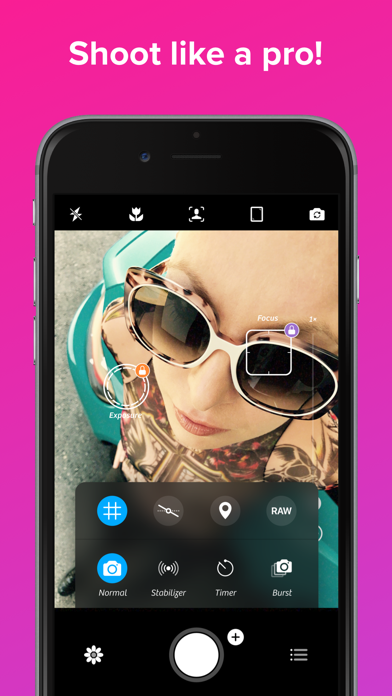
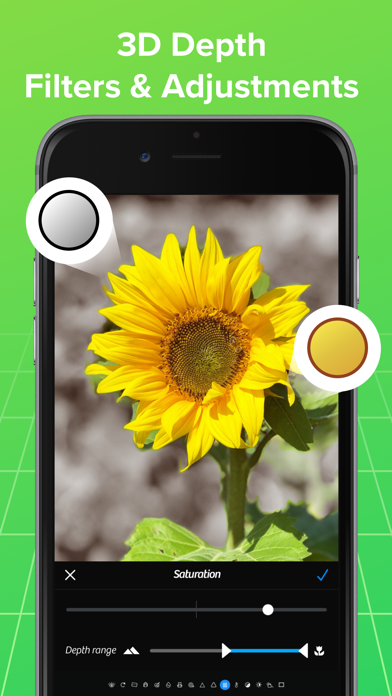
Hey you! Yeah you! Shouldn't you be looking for Photon instead? Our newest app has been rebuilt from the ground app to support the next 10 years (or 20, who knows?) of mobile photography. Check it out at http://photon.cam “The Clarity filter is iPhone photography’s secret sauce—it adds pro-camera crispness to almost any shot.” — Kevin Sintumuang, The Wall Street Journal “If the iPhone’s standard camera is like a digital point-and-shoot, the Camera+ app is like a high-quality SLR lens.” — TIME: 50 Best iPhone Apps 2011 “improves on almost every aspect of the built-in camera app” — Charlie Sorrel, Wired Winner: Best Visual Design, Best Photography App — Best App Ever Awards It’s all about one thing... great photos! Whether you’re a seasoned photographer or someone who’s barely touched a camera, Camera+ will make you love taking photos. Touch Exposure & Focus Set exposure separately from focus. You can now easily control how light or dark your shots come out. Shooting Modes Use the Stabilizer to steady your iPhone and get the sharpest photos you can. There are countless uses for the Timer including taking the highest-quailty self-portraits. Capture all the action by using Burst to take rapid streams of shots. Digital Zoom Up to 6× zoom with advanced digital processing provides you with quality that simply blows away the competition. Front Flash How many times have you wanted to take a pic of yourself in a dark room but couldn’t. Well, now you can! Horizon Level Use the Horizon Level to eliminate taking crooked shots. Clarity Clarity is one of the biggest breakthroughs to happen to image processing in a long time. Clarity analyzes your photos and makes several intelligent adjustments that magically bring out details and breathe life into dull photos. With Clarity, you’ll stop throwing out bad photos… you’ll be amazed to see what it can do to photos that you’d typically consider unusable, like shots that came out too dark. Scene Modes Most modern digital cameras all have scene modes to help you get the best photos for your particular situation. With Camera+, you get to choose from several scene modes including Food, Sunset, Night, Portrait, Beach, and many more. Effects Professional photographer, Lisa Bettany created a slew of stunningly beautiful effects. Make your photos shimmer with “HDR”… get down and dirty with “Grunge”… fill your pics with emotion and despair with “So Emo”. And this is just the tip of the iceberg… there are dozens of 1-touch effects for you to experiment with. Lightbox All the pics you take in Camera+ go in the innovative Lightbox where you can quickly and easily skim through them and get rid of bad shots. You save only the photos you’re satisfied with so that your camera roll stays neat and clean. Sharing Whether you want to show your results to your friends and family or the whole world, Camera+ has got you covered. Proudly share your photos on Facebook, Twitter, and Flickr. Or go the more personal route and email or message them from right within the app. iCloud Lightbox sync Automatically sync your Camera+ photos between all of your devices. Shoot all day on your iPhone… and then edit at night on your iPad. Crops If you didn’t line-up your shot perfectly when you took it, you can easily fix that with Camera+. And when you want to get a bit creative, we setup a bunch of popular crop sizes for you. With a single tap, you can make your pics square, 4×6, 8×10, and more. Borders With Camera+ you get several great border designs, from simple black and white borders to more gritty designs, you’ll be able to add wonderful finishing touches. Captions Have some fun with your photos by putting captions on them. It’s a great way to really personalize your favorite shots.

Oxagile LLC
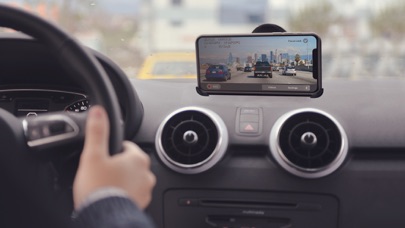
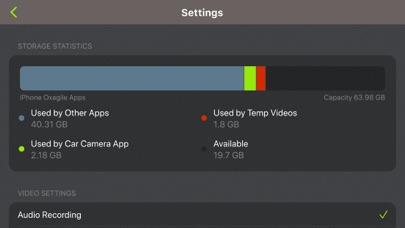
Turn your iPhone or iPod touch into a full featured Car DVR recorder at a fraction of the cost of the standalone device. Whenever you commute to work, go on a road trip or race on a race track, car camera is your ideal companion. Record HD definition videos while driving with embedded data about time, location and speed. Export recorded videos to use as an evidence in case of ticket or accident or just to share with your friends if you caught something interesting on tape. Car camera is the only app in App Store that is capable of recording high quality HD driving videos with data overlay. Features: Record videos with resolutions 640х480, 1280х720, 1920х1080, 4K and up to 60 FPS Embed data overlay into videos: current time, speed, coordinates, heading Record audio Metric and English units Continuous loop recording. Older videos are overridden by newer ones to preserve space on the device Store recorded videos within the application Video Playback within the application or with AirPlay enabled devices Export Videos to the gallery Privacy Policy: http://appannex.com/privacy-policy/ Terms of Use: https://www.apple.com/legal/internet-services/itunes/dev/stdeula/


Natalya Petrenko
Chromatica is a fusion of power and simplicity in one superior photography app. With premium tools and an intuitive UI, Chromatica is the best choice for amateur and professional mobile photographers. Intuitive UI ============= Chromatica has a simple, yet very effective UI. The most important information is always in front of your eyes, and this allows you to avoid surprises like an unexpected flash fire, timer delay or the wrong output photo format. Stop being distracted by the uncertainty of the settings, concentrate on your capture! ISO/Shutter priority modes ============= Chromatica is among a few photography apps that support advanced exposure modes like ISO and Shutter priority. These modes are indispensable during dynamic photography when there is no time for adjusting manual exposure. Histogram and clipping warnings ============= The histogram is a great tool to estimate your exposure. It can show you if the photo has under-exposed or over-exposed areas. Clipping warnings, on the other hand, can show you exactly where those under and over-exposed areas in your photo are. Object tracking ============= Tracking mode in Chromatica uses the power of vision framework. Long press on the object you want to track and let Chromatica do the rest. Depending on the object you have selected (face or generic object), the app will choose the most appropriate method to perform tracking. Visual feedback allows you to quickly detect if tracking is active. Depth capture ============= On dual-camera devices, Chromatica can capture depth information alongside the color photo. If the photo has depth information, in the preview window, two additional buttons appear (depth and portrait) that allow you to inspect the depth of the image and apply it to simulate an aperture. Features: - Intuitive user interface - Focus peaking while using manual focus - Clipping warnings highlighting over- and under-exposed areas - Full manual controls including shutter speed, ISO and white balance - ISO and shutter priority modes - Separable focus and exposure points - Digital zoom up to 10x - Live detailed luminance histogram - Supported RAW, ProRAW* HEIC or JPG formats (on enabled devices) - Optically stabilized RAW and ProRAW photos on iPhone models with OIS - Support for depth capture on dual-camera iPhones - Preview with a quick built-in EXIF and depth viewers - Object tracking mode - Adjustable simulated aperture for photos with depth information - External lens selector (Olloclip), that adding the external lens name to the lens model EXIF tag
d-id.com
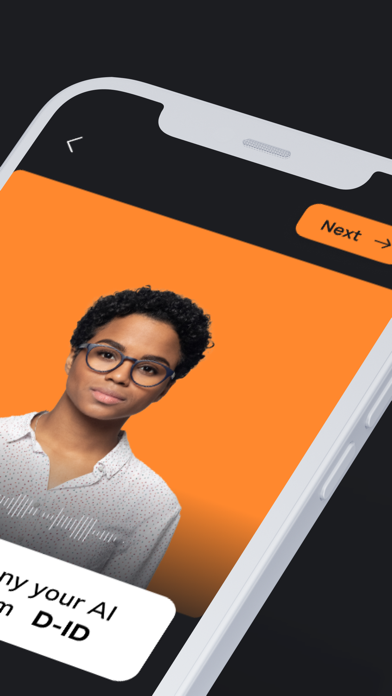
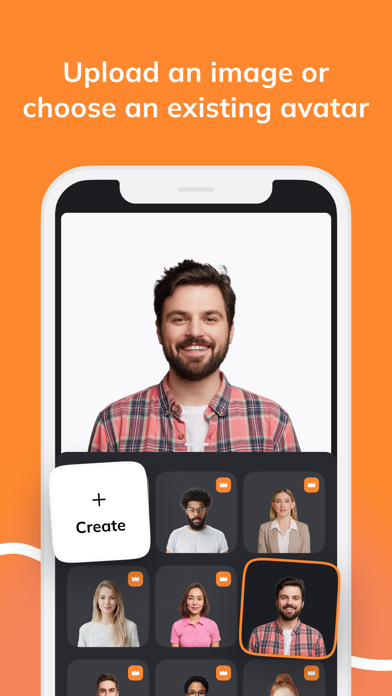
D-ID’s Creative Reality™ studio AI video generator mobile app lets you create AI videos of digital people from a single image quickly, and easily from your phone. With endless creativity, the power of D-ID’s flagship AI video generator desktop studio is now in your hands. Create captivating videos featuring talking avatars, as your AI videos spring to life in seconds. Whether capturing a moment of inspiration or working on a project, quickly and simply generate AI videos featuring digital people—all from your mobile device. It’s the ultimate tool for creating engaging, personalized content, wherever you are. All it takes is an idea, and here, you harness the full might of the AI video generator to create a one-of-a-kind video, complete with a customized avatar. The app's versatility is a game-changer for those on the move, offering a seamless experience that transforms your surroundings into a dynamic canvas for creation. With the power of AI at your fingertips, the app empowers you to generate stunning AI videos anytime, anywhere. Whether you’re at a bustling café or riding the train to work, the AI video generator’s capabilities remain boundless. The fusion of user-friendly design and sophisticated AI technology makes this tool an invaluable asset for professionals, enthusiasts, and anyone seeking to explore the extraordinary possibilities at the intersection of creativity and AI. Innovate, inspire, and captivate—it all begins with the touch of your screen. Using the AI video generator, turn still images into speaking digital people in seconds with the D-ID Creative Reality™ studio mobile app. * Choose a digital person: Tailor your avatars with a face that matches your vision. Choose an existing photorealistic or illustrated face from the built-in library or upload an image of your own from your photo roll and use D-ID’s AI video generator to bring it to life. * Speak any Language: Connect with a global audience by creating a video of your digital person speaking in 120 languages. * Create Anywhere You Go: With D-ID’s AI video generator, the power of Text-to-video animation is now in the palm of your hand. * AI Video Magic: Your creative companion transforms text and images into videos with talking avatars. * Instant Animation: AI brings your avatars to life with videos, making them shine with charisma and charm. * Personalize Speech: Customize your AI avatar's voice effortlessly. Upload voice recordings, or use text-to-speech to determine what you want your digital person to say. Empower Your Creative Journey: * Effortless Creation: With a single click, you'll have an MP4 AI video ready. Turn your avatars into stars, craft talking collectibles, integrate them into interactive games, enhance presentations, or infuse your chatbot with an unforgettable user experience. Unleash your imagination through an intuitive AI video generator to breathe life into your ideas. Whether you’re a content creator, a marketing enthusiast, or exploring your own digital expression using AI, the Creative Reality™ studio is your gateway to limitless creativity. From storytelling to marketing campaigns, this AI video generator amplifies your ability to engage and resonate with audiences on a whole new level. Craft compelling narratives, revolutionize social media content, or simply have fun generating dynamic, lifelike video personas for personal use—your creativity sets the only boundary. Explore your creative potential with the Creative Reality™ studio AI video generator. Download it today and take your content to new heights.

Rhia Bucklin
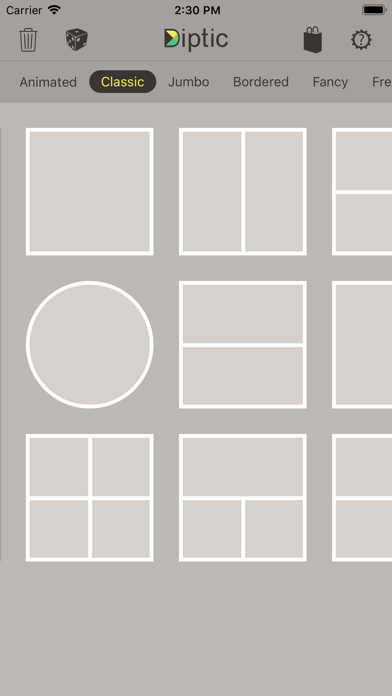
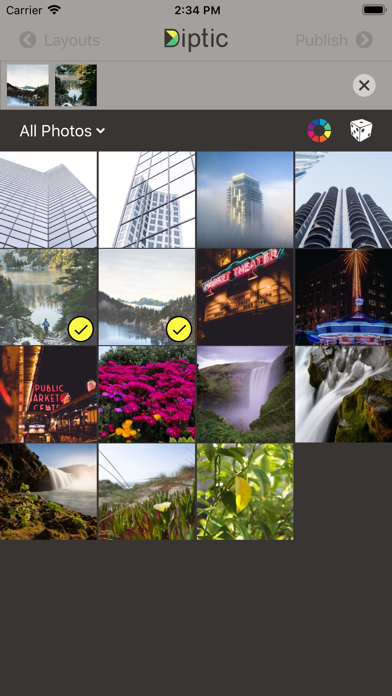
Diptic, a former App Store App of the Week, helps you create and share beautiful photo and video collages. See for yourself why millions of people have downloaded this app! "A simple, elegant way to use pictures to tell your story." – Macworld DIPTIC 101 • Create collages with photos and videos • Super Customizable — Tons of layouts to choose from plus tons of ways to enhance each one. Save your own customized layouts for re-use • Add text captions, filters, colored borders, textured borders & more LAYOUTS AND BORDERS • Choose from 194+ layouts (additional layouts are available as in-app purchases) • Combine up to nine photos and/or videos in each layout • Customize your layouts to better fit your video or images by sliding interior frame lines or moving joints along the line • Create rectangular Diptics (great for printing) with Expandable Layouts (in-app purchase) • Round the inner and outer borders, as well as modify thickness and color, and apply textures to videos and images IMAGE ADJUSTMENTS • Choose from 14 filters, as well as adjust brightness, contrast, hue and color saturation • Pan, rotate, mirror, flip, and zoom individual photos TEXT CAPTIONS • Personalize your Diptic photo and video creations with a text caption • Adjust the font, style, color and size of the text VIDEO ADJUSTMENTS • Add music to any video collage and adjust audio start and stop time • Pick any song from your Music library • Customize video start and stop time IMPORT/EXPORT OPTIONS • Create Diptics with photos or videos from your library, Instagram, Dropbox, Facebook or Flickr, or take a photo on the spot with the camera • Save Diptics for safe keeping or share them with friends. You can send via email, or share by uploading directly to Instagram, Facebook, Twitter, Tumblr or any app that accepts JPGs and/or video files • High-resolution export for pixel-perfect images • Import multiple photos and videos at once and swap media between frames • Add music from your music library to any of your videos Let’s connect! Twitter: @dipticapp Instagram: @dipticapp Facebook: facebook.com/dipticapp Flickr: flickr.com/groups/diptic Please reach out to us at [email protected] if you have any suggestions for the new video features or anything else you’d like to see... we’d love to hear from you!