
Photo & Video
Browse photo and video IPA listings for cameras, editors, recording tools, streaming apps, and creator workflows.


SmashMelon LLC
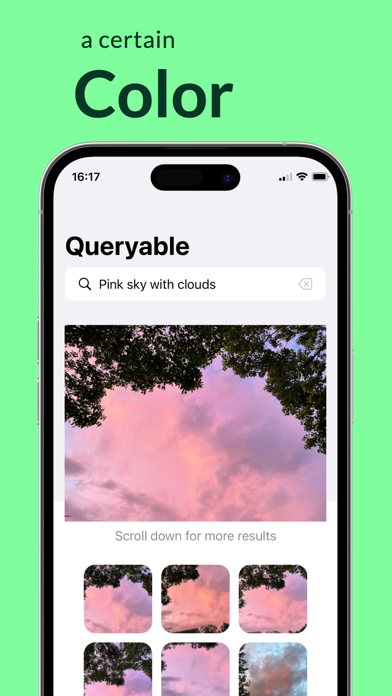
A product that has reached #1 on the front page of Hacker News and topped the paid tools chart across all European countries, while ranking #2 in the US on the same day. Queryable: An open-source, offline photo album search tool unlike anything you've ever seen. With Queryable, you can search your photos using detailed and natural descriptions such as "two people by the sea," "a blonde woman holding a glass of red wine," "a girl in red on the lawn," or even emotional moments like "We fell in love." Unlike traditional photo apps that rely on simple tags, Queryable understands complex and lengthy descriptions. It's completely open-source, works entirely offline, and requires no network connection, ensuring your photo album's privacy is fully protected. Pay once and use it forever. No network connection is needed after downloading, guaranteeing your privacy remains safeguarded. FAQ: 1. What languages does Queryable support? Queryable supports English, French, German, Spanish, and Italian, though the English version delivers significantly better results. 2. How is my photo privacy protected? Queryable works completely offline. You can even disable the app's network permissions if you have privacy concerns. 3. How do I use it? After downloading, you'll need to build an index for your photos, which takes a few minutes depending on your photo collection and device. On an iPhone 12 mini, it processes about 2,000 photos per minute, and this indexing is only required once. Once indexing is complete, you can quickly search and get results. When you add new photos to your collection, you can easily update the index. Contact: - Email: [email protected] - Twitter: @immazzystar - GitHub: https://github.com/mazzzystar/Queryable Preview page created with https://screenshots.pro/.
Gentlemen Coders
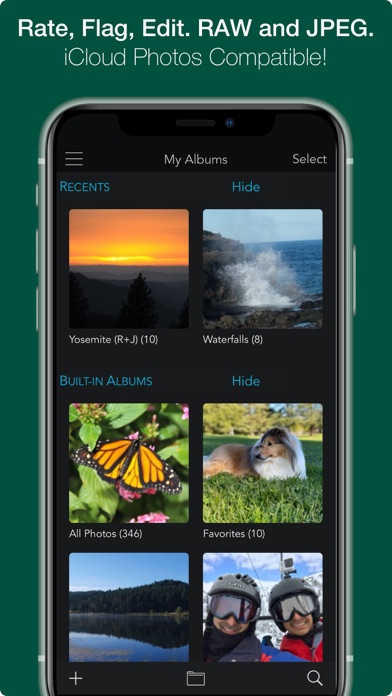
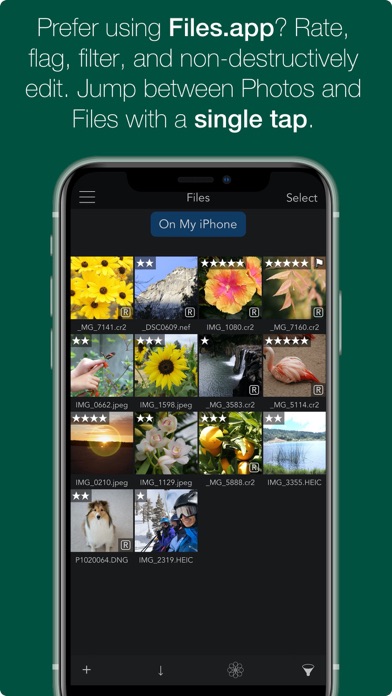
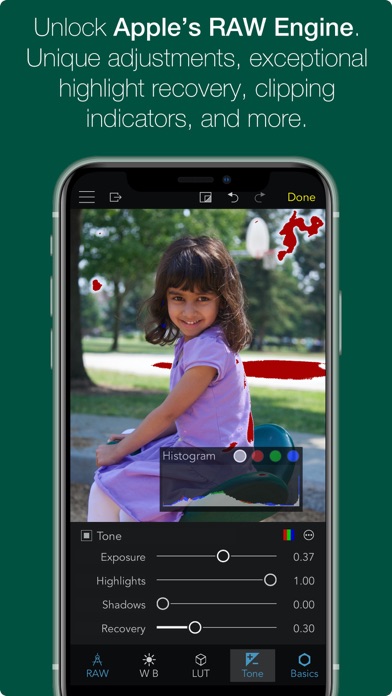
OVERVIEW — ADVANCED RAW: Unlock the power of Apple's RAW engine with easy-to-use controls. Develop images with the same outstanding RAW processing in Apple’s Aperture professional photo app. Unique adjustments let you improve your images in ways that can't be done in any other app. — ORGANIZE: RAW Power is a complete photo app to organize and manage your photo library. Fully compatible with iCloud Photo Library, so all changes are synced. Every image and every change is available to every app on your iPhone or iPad. — RATE & FILTER: Filter albums by file type, rating, flag, and edit state. Ratings and Flags sync over iCloud Photo Library! — FILES.APP: Store images in the Photos library or Files.app. Use our new Share extension to import from other apps directly into RAW Power’s Files container. Same non-destructive editing, rating, and filtering features! (iCloud syncing is not supported). — NOT JUST RAWs: RAW Power is great with JPEGs, with many tools missing from the Photos app. Plus an innovative Depth Effect for photos shot on iPhones with a dual camera system. — EDIT CROSS-PLATFORM: Edit on iOS and continue on the Mac (or vice-versa) using RAW Power 3 for macOS. — BATCH PROCESSING: Apply presets, paste adjustments, and export multiple images. Export to the photo library or to Files.app. Using iOS 16 or later? You may be interested in Nitro Photo. It includes masking, XMP support, synchronized Pan and Zoom and many other features. Search for 'Nitro Photo' on the App Store. ORGANIZATION AND DISPLAY — Zoom up to 800% for extremely precise adjustments. — Create and rename albums, delete images from albums and the library, and move images into albums. Full access to your folder hierarchy. — Display file name, exposure information, flash status, and location with a map. REAL-TIME EDITING — Full non-destructive editing. All changes stored in the iOS Photo Library and iCloud Photo Library, so you can edit on one device and continue on another, without loss of quality. Even between Mac and iOS! — Optimized for small screens. Choose which adjustments to show by default and in what order — Unparalleled highlight recovery with Boost and Recovery sliders. Real-time control of Apple's RAW engine, including Noise Reduction, Black Point, Gamut Mapping and more — Auto Enhance, Auto White Balance, Auto Levels and Auto Curves. Apply them to multiple images at once! — Apply presets, and Copy / Paste Adjustments to one image or many — Histogram with Clipping Indicators and Hot Pixels Overlay — LUTs (Look up tables) with built-in looks and film simulations. Add your own! — Crop and Straighten, Rotate and Flip, White Balance with sampler and auto — Highlights, Shadows, Vibrancy, Local Contrast and incredible Lighten and Darken sliders — Curves and Levels. Curves has Linear and Lab modes, and samplers — Depth Effect to enhance photos shot with the dual camera system — Chromatic Aberration to correct lens artifacts, Perspective, Black & White, Vignette with a controllable center point — All sliders are real-time and GPU accelerated — High-precision, deep color imaging engine — Export JPEG, PNG, and TIFFs (8- and 16-bit) to Files.app or Photos.app COMPATIBILITY — Compatible with hundreds of cameras, including iPhone RAW images. (EXTENDED SUPPORT REQUIRES iOS 14. Full List at https://www.gentlemencoders.com/extended-raw/index.html) RAW support is downloaded in the background by Apple. Your device must be on WiFi and plugged in to get updates. — Great with JPEGs, TIFFs, PNGs, and most DNGs — Video Tutorials (https://www.youtube.com/channel/UC7l78rOzFxaHG-e5AT-MGWQ) RAW POWER for MAC RAW Power is also available on the Mac App Store as a Photos Extension and standalone app with Photos Library support. Rated 4.5 stars worldwide! ABOUT GENTLEMEN CODERS Gentlemen Coders was founded by a former Senior Director of Engineering at Apple. For more information, visit www.gentlemencoders.com.
桐明 陈
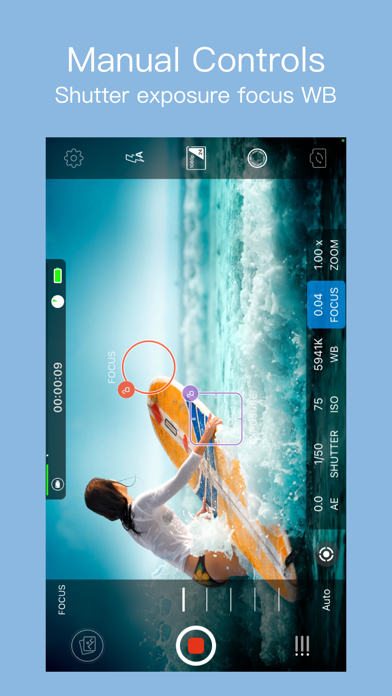
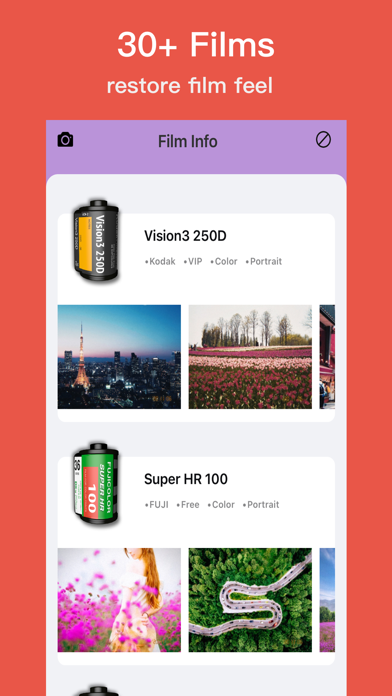
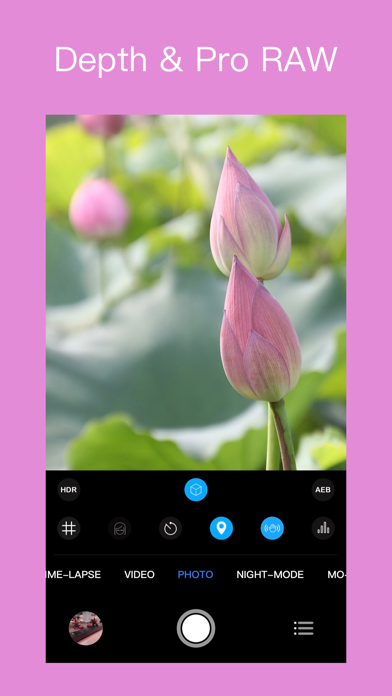
RCam Pro is a professional video recording and photo shooting application designed for iOS devices. It provides professional tools including focus peaking, false color, Histogram and support for PRORAW / RAW shooting --DNG export photos. It gives you audio metering, custom resolutions, and framerates. To build eight kinds of professional model, and its manual mode has extremely fast response speed, allowing you to control the shooting parameters freely. Support shoot log / fat video Support free switch wide camera, ultra wide camera, telephoto camera Camera eight modes: 1. Slow motion --- Support 24fps , 30fps , 48fps , 50fps , 60fps different frame rates 2. Time-lapse ---- Support 24~60 different frame rate settings, adjust the shutter interval and set the automatic shooting time 3. Video --- Support 1080P, 3k, 4K video shooting, 24~60 different frame rate settings, 5 kinds of picture quality adjustment, up to 100 Mb/s encoding rate, self-timer, beauty filter 4. Photo -- Support PRORAW, RAW, HDR, AEB ,self-timer, beauty filter , and aspect ratio (4:3 / 3:2 / 16:9 / 1:1) 5. Night mode-- Supports 1s, 2s, 4s and other slow shutter speed settings 6. Motion Blur - Easily generate personalized special effects photos such as water fog effects 7. Light painting -- support sensitivity adjustment 8. Light field - easy to take pictures first, focus, every detail is retained Camera function: • Focus peaking and expanded focus for manual focus assist • False Color exposure assist • Manual exposure and focus control - select individual focus and exposure, drag to adjust • Full Manual control: exposure, shutter speed, focus, zoom, ISO • Focus, exposure, and white balance (WB) lock • Support horizontal and vertical shooting • Support for freely settable delay photography • Anti-shake - Active video anti-shake eliminates sloshing during shooting • Support HEVC and H.264 video encoding • Support JPEG、HEIF and RAW format photos • Support RAW、HDR、AEB • Support for setting aspect ratio of photo: 1:1 / 4:3 / 3:2 / 16:9 • Support multiple resolution settings for video: 720P, 1080P, 1440P, 3k, 4k • Support Video frame rate : 24fps , 25fps , 30fps , 48fps , 50fps , 60fps • Mobile space and mobile phone battery display • Slow motion video mode, 6 playback speeds (60 fps / 50 fps / 48fps / 30fps / 25fps / 24fps) • 6x digital zoom • Volume meter (level average / peak) • Location • Snap to the grid • Support for front/rear cameras • Flash settings (Auto / On / Off) SHOOTING ASSISTANTS: - Focus peaking and Expanded focus helps for focus - False color helps for exposed Video sharing: • Copy videos to your computer using iTunes file sharing • Support for exporting videos to mobile photo albums • AirDrop contact us:[email protected]
LateNiteSoft S.L.
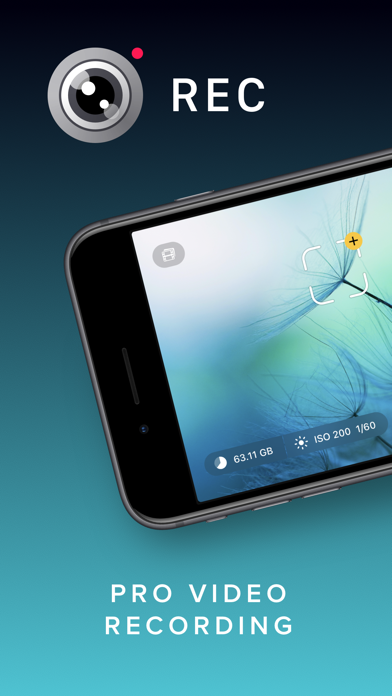
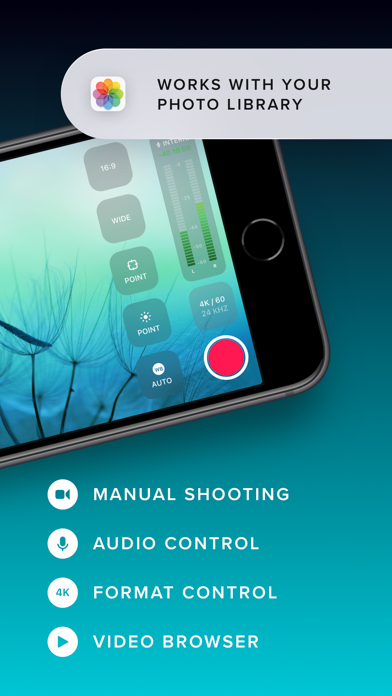
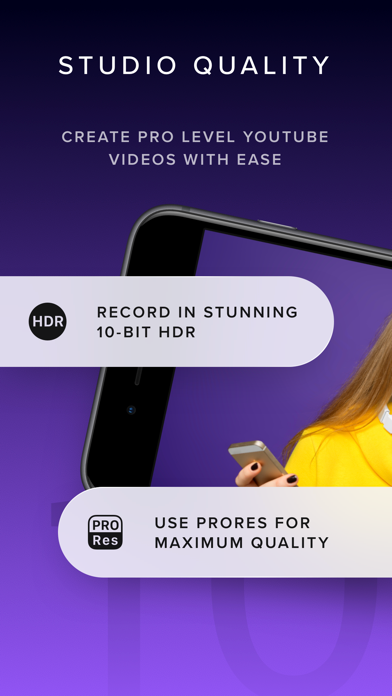
Elevate your video capturing with REC! Tailored for creators, it provides extensive video and audio options for professional-quality production effortlessly. Choose from a range of camera settings, stabilization options, resolutions, frame rates, and more to capture the perfect video every time. And with intuitive controls and an easy-to-read heads-up display, you can adjust focus, exposure, and more with just a tap. Plus, with REC's timecode feature, you can easily synchronize footage from multiple devices for seamless, multi-angle videos. Choose from "Time of Day" timecode or use Bluetooth sync with Tentacle Sync devices for precise, one-frame resolution synchronization. And with seamless management options, including preview, watch, and send directly to your photo library or favorite editing app, you can create and share professional-quality videos with ease. Here's a quick summary of REC's plethora of video options: - Camera: Front, Telephoto, Wide, Ultra-Wide (As available on your device.) - Camera Stabilization (As available by device and camera selection.) - Resolution: Open Gate, 4K, 1080p, 720p (As available by device.) - FPS: 240, 120, 60, 50, 48, 30, 29.97, 25, 24, 23.98 (As available by device and camera selection.) - Bit Rate: Normal, High, Max - Dynamic Range: 8 Bit, 10 Bit, 10 Bit HDR (As available by device and other selections.) - Format: HEVC, H.264, ProRes 422 HQ, ProRes RAW HQ (As available by device and other selections.) - Lock Exposure and White Balance when recording begins. - Apple Log and Apple Log 2 support when recording in ProRes. - External storage support for iPhone 15 to 17 Pro using USB-C, Audio Here's a quick summary of REC's extensive audio options: - Microphone: Front, Back, Bottom, External (As available on your device.) - Microphone Gain control - Microphone Polar Pattern control: Choose omni, subcardioid, cardioid or stereo pickup depending on what best fits your usage. (As available by device and microphone.) - Sample Rate: 24Khz, 44.1Khz, 48Khz - Format: AAC, PCM Lot of options! But REC gives you simplicity along with flexibility, you'll never be able to select a combination that doesn't work with your device. Captivating Controls REC's floating buttons put pro level controls at your fingertips, and keeps them out of the way while you're focusing on what's important, shooting your video! A single tap brings up any of the control menus where you can adjust the white balance, shutter speed, ISO, EV, and focus manually. Or, use our intuitive touch controls to specify precisely where in your frame focus on and expose to. Quickly swap between the Wide, Ultra-Wide, Telephoto, or Front cameras and different formats with a flick of your finger, and your selection is always available at a glance. Optionally overlay a grid, and zoom in or out to help you frame the perfect shot every time. Terrific Timecodes REC provides two Timecode methods. The first one is "Time of Day", which simply records your device's clock information alongside the video. In order for it to work, just make sure all your devices are set to the same time. For really accurate and extremely simple synchronization, REC also provides Bluetooth sync using Tentacle Sync devices. Using Tentacle Timecode, REC is able to synchronize your iPhone footage with high accuracy. You can find more about the Tentacle Sync solutions at https://tentaclesync.com. Marvelous Management REC saves all of your videos seamlessly to the built-in manager that lets you quickly and easily preview your creations. Watch your shots at different speeds, and preview them without sound if you're trying to find the right shot to share in a sensitive environment. Sending a video to your photo library or favorite editor is just a tap away. Or if you'd prefer, send videos directly to the Photo Library and enjoy its seamless integration with any app that supports video. Terms of use: https://www.apple.com/legal/internet-services/itunes/dev/stdeula/

Cheol Kim
RECO is Video Camcorder that combines digital camera and film sensitivity. - Real-time 4K video filter Apply 35mm film filter to your video - Pause function with real time effect - Take a video while listening to music Music does not stop while filming. Try filming a music video cover dance video Air pods / Bluetooth speaker ■ 4K / FULL HD Video Record ■ Pause/Re-record function while shooting ■ Real-time transition effect when pause & resume ■ PRO : Date Print On Video (Real Time) ■ 35mm film filters from Kodak, Fuji, Agfa ■ Does not stop playing music while recording ■ High Definition Video Live Filter main function : - Realtime filter video (35mm film filter) - Digital zoom 4x (up to 4x magnification) - Fuji, Kodak, Agfa 36mm film filter (black and white filter) - Self mode - EXIF data storage (including position data) - Timer and flash function - Grid mode view Terms of Use : https://han.gl/A3qyv Privacy Policy : https://han.gl/N13tv


Reeflex GmbH
Reeflex is the most advanced photography app on the App Store built for enthusiasts, creatives, and professionals! It brings advanced DSLR-style controls to your iPhone in a clean, intuitive interface. Recognized as “App of the Day” and featured in “Apps We Love” by the App Store team, Reeflex gives you everything you need to elevate your photography in one app. — Professional Tools for Everyone — Reeflex combines classic still photography and advanced Slow Shutter modes for long exposure, together with full manual control over focus, exposure, shutter speed, ISO, and white balance. Monitor exposure with live histograms and zebra stripes. Fine-tune focus with focus peaking and focus loupe. With a simple two-finger gesture, independently place focus and exposure reticles anywhere in the scene. Shoot with Zero Shutter Lag, powered by an optimized capture pipeline that delivers one of the fastest capture experiences on the App Store. Reeflex supports HEIF, JPG, and RAW on all iPhone models, plus Apple ProRAW* and 48MP*** on compatible devices. — Slow Shutter Mode — Reeflex offers powerful long exposure tools leveraging the iPhone Smart-HDR for incredible dynamic range. Use Motion Blur or Light Trails to smooth moving water and clouds, make crowds disappear, or transform roads and night skies into flowing streaks of light. Long exposure on iPhone has never been easier. — Focus & Exposure Bracketing — Capture multiple frames across different focus points for edge-to-edge sharpness, or bracket exposures to preserve detail in highlights and shadows — ready for perfect blends and full creative control. — Burst Mode & Burst On Tap — Capture every moment with Burst Mode. Press and hold the shutter for rapid sequences with a real-time shot counter, or enable Burst on Tap for instant bursts with zero delay. Customize shot count, focus lock, and burst grouping. — Honorable Mentions — Reeflex has been recognized by the App Store team as “App of the Day” and featured in “Apps We Love". Praised within the photography community as one of the best manual camera apps available on iPhone. Reeflex has also been featured across leading photography platforms and publications, including PetaPixel, Fstoppers, Mobiography, and other specialized media. — MAIN FEATURES — • Full manual controls (ISO, shutter speed, exposure, focus, white balance) • Focus Bracketing for edge-to-edge sharpness • Exposure Bracketing for extended dynamic range • Burst Mode & Burst On Tap • Zero Shutter Lag capture • Live histograms & zebra stripes • Focus Peaking & Loupe (Magnifier) • AF/AE reticles • Camera selection • Gyroscopic tiltmeter & ext digital zoom • JPG, HEIF, TIFF, ProRAW* and RAW** formats • 12MP and 48MP capture support*** • Enhanced gallery with RAW+JPG tags and burst/bracket grouping • Advanced metadata view with GPS location • Accessibility support for color-blind users • Tutorials (in settings) — SLOW SHUTTER MODES — • Motion Blur — smooth water, flowing clouds, dynamic movement • Light Trails — transform traffic and stars into streams of light • Capture durations from 0.5 seconds up to 2 hours and Bulb (unlimited) • Live Preview — watch your image build in real time — REMARKS — *ProRAW is supported on iPhone 12 Pro and newer. **RAW format is limited to 12MP and requires iPhone 6s or newer. On iPhone 11 and earlier, RAW is not supported on the Ultra Wide camera. ***48MP is supported on the: • Main Wide camera of iPhone 14 Pro & newer • Ultra Wide camera of iPhone 16 Pro & newer • Telephoto camera of iPhone 17 Pro & newer — CONNECT — • Need help or want to share feedback? [email protected] • Tutorial: https://reeflexstore.com/pages/pro-camera-2 • FAQ: https://reeflexstore.com/pages/faq-reeflex-pro-camera • Follow @ReeflexCamera and tag #ShotWithReeflex — ADMIN — Terms of Use (EULA): https://www.apple.com/legal/internet-services/itunes/dev/stdeula/ Privacy Policy: https://reeflexstore.com/pages/privacy-policy

ipaomtk.com
ipaomtk.com | Refashion AI Photo Face Swap IPA v1.1.1 is a cutting-edge mobile application that harnesses the power of artificial intelligence to tran
Simon B. Støvring
A plain text editor with syntax highlighting, line numbers, search and replace, page guide, and much more. It's like TextEdit but more powerful and optimised for iPhone and iPad. Runestone is made by a single person with a love for text editors and a vision of building the most lightweight text editor for iPhone and iPad that still has the core features for editing code. Features: - Syntax highlighting of many languages including HTML, JavaScript, JSON, Markdown, Swift, Python, PHP, YAML, and many more. - Select one of the twelve standard themes including popular themes like Tomorrow, Dracula, Solarized, and One Dark Pro. - Innovative find and replace for searching and modifying text while still viewing your file. - Choose font and font size, including support for custom fonts imported using another third-party app. - Show the line and column the cursor is located on. - Uses the standard document browser for an experience similar to the Files app. - Quickly navigate to a specific line. - Automatically close opening brackets and quotes. - Multiple windows on the iPad. - Format code using Prettier.js. Supported languages include CSS,HTML, JavaScript, JSON, PHP and more. - Choose text encoding between popular encodings like UTF-8, UTF-16, ISO Latin 1, and many more. - Enable or disable autocorrection, autocapitalization, and smart punctuation. - Set default file extension of new files. - Open files in Runestone from the Share Sheet. - Print documents. Premium features: - Choose between eight app icons. - Show line numbers. - Highlight the selected line. - Increase line height and letter spacing. - Disable line wrapping to allow horizontal scrolling. - Show tabs, spaces, and line breaks using a selected symbol. - Enable page guide at a specific column to easily tell when lines are getting too long. - Add vertical and horizontal overscroll. - Remember the selected language per file. - Save file extensions and filenames that should always be treated as plain text files. - Enable soft tabs and choose the width of the tab character. - Specify whether pressing the tab key should insert a tab or indent the line. - Adjust the scaling of Markdown headings and disable highlighting of code blocks in Markdown. Runestone was built on the open-source framework with the same name. Find more information on the Runestone framework at github.com/simonbs/runestone
s-joys Co., Ltd.
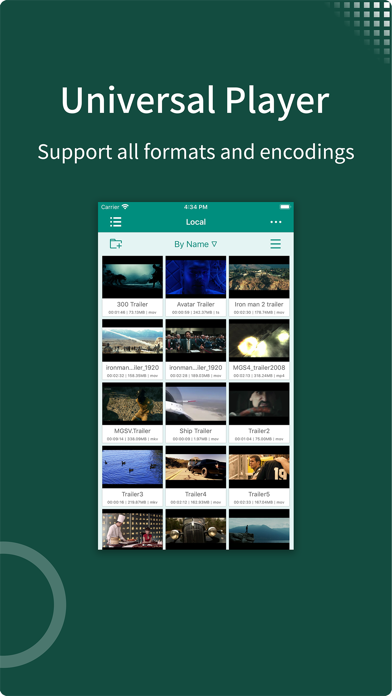
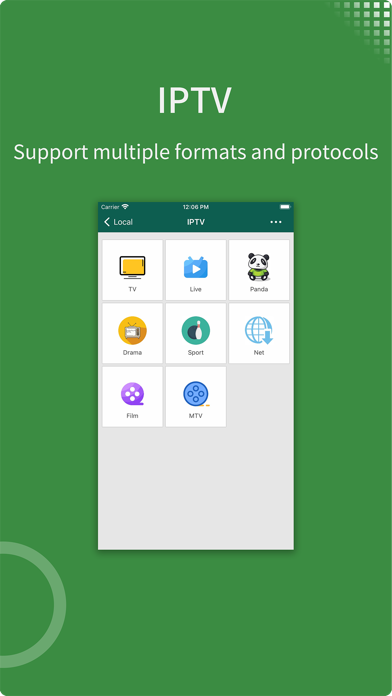
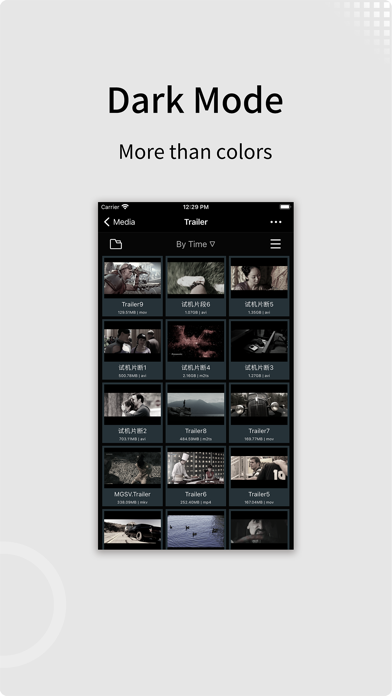
- zFuse can play all video formats and encodings, allowing you to play video files on your mobile device without the need to convert to MP4. - zFuse supports ASS/SSA/SUP effect subtitles, enabling you to experience full subtitle effects just like on your PC/Mac. - zFuse features powerful networking technologies that allow you to play media from your PC or NAS directly, without occupying any space on your limited device storage and without needing to download anything. - zFuse also allows you to easily download files or directories directly from your PC or NAS, making it the perfect companion for your trips. - zFuse supports a variety of gestures - simply move your fingers to adjust playback position, font size, volume, and brightness. - zFuse carefully protects your privacy with folder encryption, so you no longer need to worry about privacy issues. - zFuse's detailed features include: * SMB/CIFS playback and discovery (easily play media files from your PC). * Download media files or directories from SAMBA/DLNA/WebDAV/FTP directly. * UPnP/DLNA playback and discovery. * Emby and Jellyfin media server support. * AirPlay playback. * Picture-in-Picture mode support. * iPad split-screen multitasking support. * Hardware acceleration. * HDR Tone Mapping support on non-HDR displays. * Subtitle effects support. * 0.5x-3.0x playback speed control. * 0.5x-5.0x screen zoom. * Media preview while seeking. * Built-in audio enhancement. * Multi-soundtrack selection. * Embedded/external subtitle track selection. * Subtitle synchronization. * Audio synchronization. * External subtitle font selection support. * Playlist file preview before playback. * Blu-ray directory playback. * Real-time playlist management and editing. * Screen mirroring. * File Management: - Delete, move, rename, create folders. - Wi-Fi file transfer support without USB cable connection. - Streaming media playlist creation support. - File decompression support: 7z, zip, rar, tar, bz, bz2, etc. * Gesture Controls: - Horizontal drag: adjust playback position. - Vertical drag on left side: adjust volume. - Vertical drag on right side: adjust brightness. - Pinch to zoom: adjust screen size. - Double-tap: play/pause. - Two-finger double-tap: change video aspect ratio. * External Keyboard Support: - Space: pause/play. - Left Arrow: backward seek. - Right Arrow: forward seek. - Esc: exit playback. - S: change playback speed. - B: play previous. - N: play next. - Z: change screen scale. * Supported Video Formats: MP4, MOV, MKV, AVI, WMV, FLV, RMVB, ASF, OGV, Blu-ray ISO and more. * Supported Audio Formats: MP3, WAV, WMA, FLAC, APE and more. * Supported Subtitle Formats: SRT, SSA, ASS, SUP, VTT. * Supported Image Formats: JPG, PNG, BMP, TIFF, GIF, HEIC and more. * Supported eBook Formats: EPUB, TXT, PDF. * Code Editor Supported Languages: JSON, HTML, XML, C/C++, Lua, Java, Objective-C, Swift, Python, JavaScript. * Supported Document Formats: Word, Excel, PowerPoint, Numbers, Keynote, Pages, RTF, CSV.


Shenzhen Yuzhuo Technology Co., Ltd.
SubCat: Real-Time Video Subtitle Translation Player Introduction: Welcome to SubCat - an innovative video player that will change the way you watch videos! SubCat integrates cutting-edge artificial intelligence technology to provide instant video subtitle translation, whether for local videos or streaming media, allowing you to easily enjoy content in various languages. Key Features: Real-Time Subtitle Translation: The core feature of SubCat. We use advanced AI models to realize real-time audio recognition and subtitle translation during video playback. Get accurate and smooth subtitle translation directly during video playback, without the need for pre-extracted subtitles. Multilingual Support: SubCat supports multiple languages. You can choose to translate subtitles into your familiar language, eliminating language barriers and enjoying global content. Play Local and Network Videos: SubCat can play videos stored on your device and directly stream videos from network links. Whether it's online courses, foreign movies, or international news, SubCat lets you enjoy an unlimited video experience. Low Error Rate: Our AI model has been trained with extensive data to ensure the accuracy and reliability of subtitle translation, significantly reducing errors and providing a higher quality subtitle experience. Simple and User-Friendly Interface: Our user interface is straightforward and intuitive, easy for both tech novices and experienced users to use. Perfect for: Multilingual learners International news followers Foreign movie enthusiasts Creators of overseas video content SubCat aims to provide you with a seamless, convenient video watching experience, immersing you in a world of borderless knowledge and culture anytime, anywhere. Download SubCat now to start your smart viewing journey! Contact Us: Have any questions or suggestions about SubCat? We look forward to your feedback. Please contact us through the feedback function within the app or our official email address. Your opinions are crucial to us and help us continually improve and provide better services. Thank you for choosing SubCat, and may your viewing experience reach new heights! [SubCat Automatic Renewal Subscription Description] 1. Subscription Services: a) Standard Version Continuous Weekly Card (one week), Standard Version Continuous Annual Card (12 months). During the subscription period, enjoy ad-free experience and online subtitle translation. b) Professional Version Continuous Weekly Card (one week). During the subscription period, enjoy ad-free experience, online subtitle translation, and 5 hours of video transcription, translation, and subtitle export per week. c) Professional Pro Version Continuous Weekly Card (one week). During the subscription period, enjoy ad-free experience, online subtitle translation, and 40 hours of video transcription, translation, and subtitle export per week. 2. Subscription Prices: a) Standard Version Continuous Weekly Card: $1.99/week, Standard Version Continuous Annual Card: $69.99/year b) Professional Version Continuous Weekly Card: $4.99/week c) Professional Pro Version Continuous Weekly Card: $14.99/week 3. Payment: Once the user confirms the purchase and makes the payment, it will be recorded in the iTunes account. 4. Renewal: The Apple iTunes account will charge the user within 24 hours before the expiration date. If the payment is successful, the subscription period will be extended by one subscription cycle. 5. Cancellation: If you need to cancel the subscription, please manually turn off the auto-renewal function in the iTunes/Apple ID settings management at least 24 hours before the current subscription period expires. --Privacy Policy: https://sdaigc.com/as/23 --Terms of Use: https://sdaigc.com/as/30
颖 钟
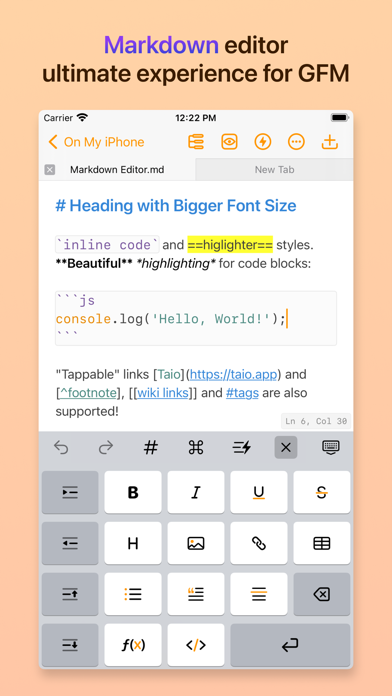
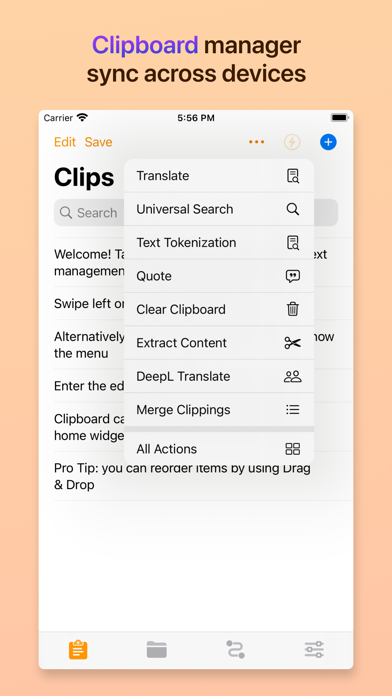
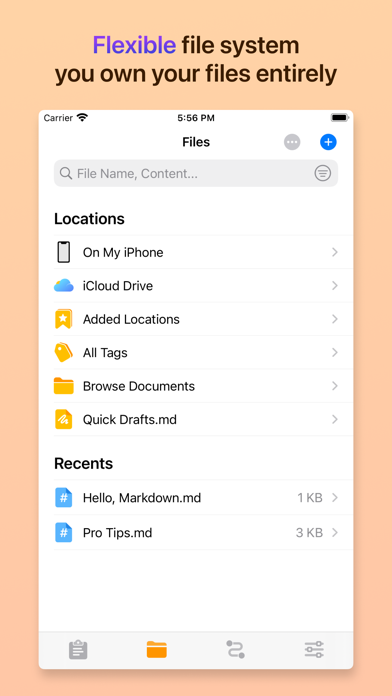
> Trusted by more than 200K users. > Featured as "Be the First to Try These Apps" and "Hot This Week" by Apple. > Featured by well-known media like iMore and MacStories. # Taio A modern app for text processing on iPhone, iPad, and Mac, provides seamless experience for clipboard, markdown editing and text workflows. Taio supports Universal Purchase, pay once to use on iPhone, iPad and Mac devices. ## Main Features ### Clipboard Taio takes clipboard data as one of the input sources, you can capture it quickly for *temporary* use. Saved records can be synchronized across your iOS devices using iCloud, we also provide beautiful home screen widgets for better experience. ### Editor Taio provides a full-fledged **Markdown** editor, it supports `CommonMark` and `GitHub Flavored` standards. Instead of telling you everything, we would like to highlight some great stuff here: - Full text search, in-document search - Built-in image uploading - Focus mode - Multi-Tab editing - Multiple color themes - Toolbar for beginners - Outline view - Math formulas and diagrams - Tags, wikilinks and backlinks - Export to multiple formats - Dynamic text in snippets - Open file system that can be accessed by other apps - Syntax highlighting for common programming languages There are more interesting features we cannot cover here, please try it out! ### Actions Text actions in Taio is a powerful mechanism to provide extensibility for both **clipboard** and **editor**, it works the same as the `Shortcuts` app. You can build your own workflows using several action blocks, with support for variables and control flows. Furthermore, if the built-in actions don't meet your needs, you can even write action blocks using **JavaScript**. The JavaScript engine in Taio is powered by JSBox, it provides tons of API bindings to interact with iOS. ## Customer Support Feel free to reach us out if you have any suggestions or ideas. - Website: https://taio.app - Email: [email protected] - Twitter: @TaioApp Privacy policy: https://docs.taio.app/#/privacy Terms of service: https://docs.taio.app/#/terms Thank you so much for reading this, we hope you enjoy using our app!


Dimitri Staufer
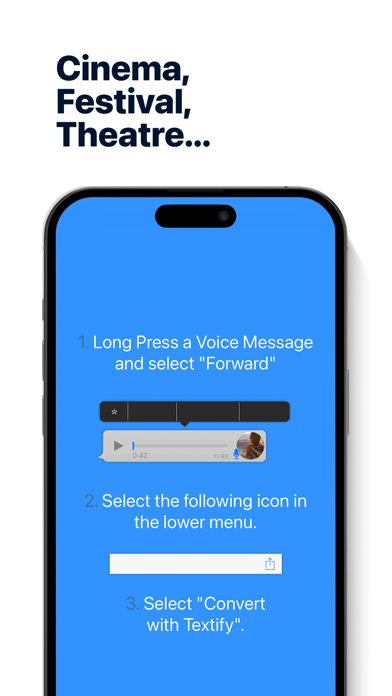
Don't want to play that voice message out loud? Need to quickly know what's said in a video message? Textify transforms your voice and video messages into text effortlessly. ++ Compatible with Major Messaging Platforms ++ • WhatsApp • Telegram • Threema • LINE Messenger • Signal • And many more! ** Featured by idownloadblog.com: "Surprisingly powerful. You will not be disappointed." ** ++ Why Choose Textify? ++ • Unparalleled Accuracy: Get transcriptions that understand dialects and accents. • Blazing Speed: Transcribe 5 minutes of speech in under 20 seconds*. • AI-Powered Summaries: Need a quick rundown? Textify+ provides intelligent summaries of your voice messages. • Multi-Functional: Not just voice messages, transform video messages into text too. • Smart Scans: Scan transcriptions for phone numbers, calendar events, and more. ++ Multi-Language Support ++ From English and German to Korean and Vietnamese, Textify supports 50+ languages. == Give it a try and start textifying! == == Disclaimer == This is a Third Party Application which is in no way endorsed or affiliated by WhatsApp Inc., Threema GmbH, Telegram Messenger LLP, Apple, or the Line Corporation. WhatsApp, Threema, Telegram, iMessage, LINE, and the used screenshots are trademarks of WhatsApp Inc., Threema GmbH, Telegram Messenger LLP, Apple, and the Line Corporation. The use of this app is at your own risk, and I am in no way responsible for any consequential, incidental, indirect, special, or punitive damages whatsoever. I further take no responsibility for damages caused by misunderstandings due to incorrect voice recognition. Standard Apple Terms of Use (EULA): https://www.apple.com/legal/internet-services/itunes/dev/stdeula/

Pavel Ilin
Explore the world through historical photos pinned on a map. Discover old pictures, compare past and present, and uncover the history of places around you. Time Portal is your personal time machine with over 1,000,000 historical photos from across the globe. Discover how the world looked in the past — from 1825 to today — through authentic vintage images of cities, streets, and landmarks. SEE HOW PLACES HAVE CHANGED – FROM THEN TO NOW • Search by location – Enter any city, street, or address and uncover rare old photos of that exact spot. • Filter by year – Explore specific time periods like the Victorian era, WWII, or the 1960s. • Compare past and present – Use your camera to capture a modern photo and view it side-by-side with historical images. • Explore rare archival content – Access authentic street view history from global archives, libraries, and collections. • Discover hidden stories – From New York and Paris to small towns and villages, find unique historical perspectives from anywhere in the world. PERFECT FOR: • History lovers and researchers • Travelers and explorers • Photographers and creatives • Educators and students • Anyone curious about the past Time Portal is the easiest way to search old photos by location, see what your street looked like decades ago, and compare then and now — all in one beautiful app. Download Time Portal and rediscover the world through historical photography. Terms of use: https://firebasestorage.googleapis.com/v0/b/time-portal-b25fb.appspot.com/o/EULA.pdf?alt=media&token=6ed4e497-66b9-4376-8c44-cfed9c76e2fd Privacy Policy: https://firebasestorage.googleapis.com/v0/b/time-portal-b25fb.appspot.com/o/PrivacyPolicy.pdf?alt=media&token=741f6450-4c65-466a-ab15-178576e6a295


利志 侯
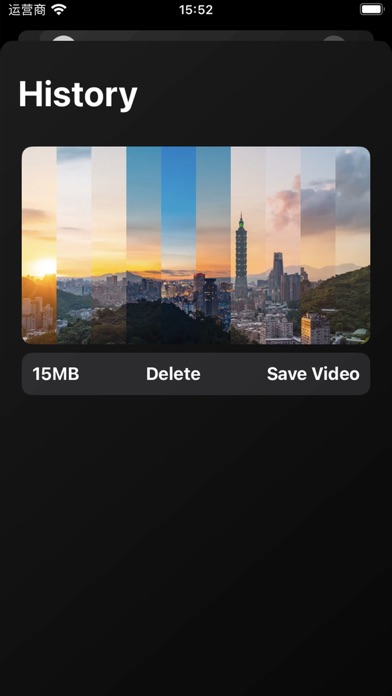
Generate time sliced images and videos by selecting time-lapse photography videos that have been shot 1. Multiple slice styles can be freely switched 2. Slide modification of slice quantity, supporting up to 90 tracks 3. Real time preview of sliced images, click to generate sliced videos, supporting a maximum resolution of 2k 4. Generate video images and save them to the album 5. View local video history records

Code Organa
Transform your world into a live cartoon. Selected by Apple for iTunes Rewind Hot Trends In Apps and as an App Store Essential. "An amazing piece of technology." - Terry White, www.bestappsite.com "Best toon app out there, and totally worth the price!" - Robin Rhys, AppAdvice Daily ToonCamera is an amazing video and photography app that turns your world into a live cartoon. Apply real-time cartoon and art effects to your camera feed, record video, snap photos, and convert existing video and photos from your albums to create instant works of art. Save your creations and share them with friends through email, Facebook, Twitter, Flickr, Tumblr, Instagram, and YouTube, all from within ToonCamera. Features: • Choose from multiple cartoon, pencil, stipple, and ink effects • Customize your effects with unique line art styles • Take photos and record videos with a real-time preview of the effects • Convert existing photos and videos from your albums • Save your creations and share them with friends through email, Facebook, Twitter, Flickr, Tumblr, Instagram, and YouTube • Create canvas prints, posters, and more See a video of ToonCamera: http://youtube.com/watch?v=Mo7OAQGDGsQ Find out more about ToonCamera and our other apps at www.codeorgana.com and follow us on Twitter @codeorgana.
立瑗 胡
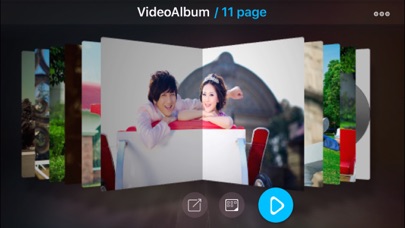
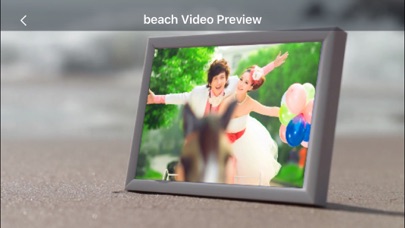
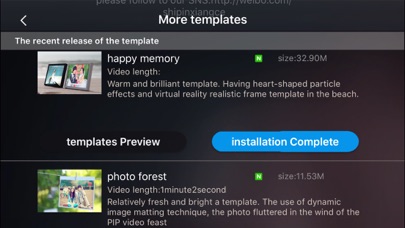
movieStudio is a powerful video MV production software. The internal integration of a variety of professional studio video template, it is simple and easy to use, just a few steps can create a beautiful and cool video, which reduces the threshold of video production. Mp4 video produced by it can be exported to mobile phones, computers (computer can view clearer), a key to share to facebook and other social platforms. It is the most perfect video app at present. 【Features】 1. Unique interface display form, it can make a phot album by gathering a certain type of photos in life, which including audio, video and photos. 2. Video templates provide more than 1,000 kinds of pictures to show special effects, which can be able to make the video more perfect. 3. Video includes the mainstream 3d effects, with a shocking visual experience and visual impact. 4. Video can be exported to the album film, and easy to save the video to the mac and pc computer . 5. The produced video can support 720p, 1080p HD resolution, which can play on high-definition television and projector under no pressure. 6. It is a perfect artifact intergrated both grandview (landscaping video) and Mito (beautifying pictures)

The Clash Soft
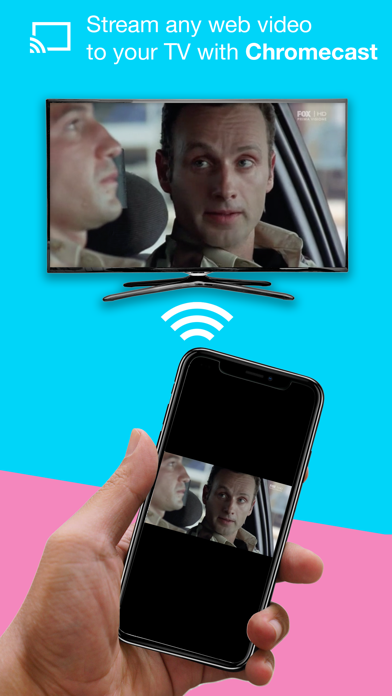
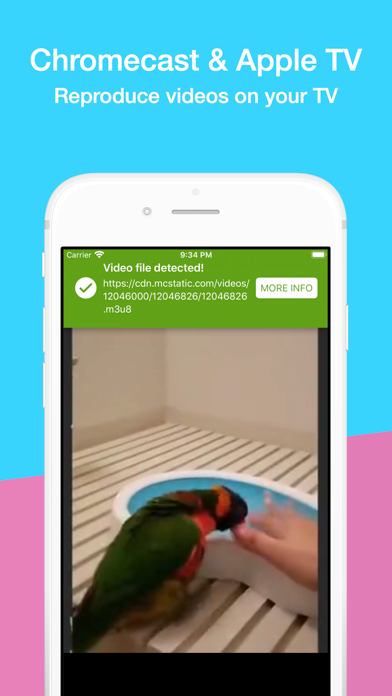
The definitive app for playing videos online from your favorite web sites! (not included YouTube) With Video Web you will be able to: - PLAY ONLINE VIDEOS from the web. - Play videos on your APPLE TV and on your CHROMECAST! - Now you can browse on the web without any ad. - Use our powered TAB BROWSER. - Video Web works with the most important video formats like: MP4, AVI, MOV, FLV (flash), MPG, M3U8 (playlist files), MKV, M4V, MP3 (audio)… - Now it works with M3U8 streaming video format! - Save your FAVORITE SITES to access them at any time. - Manage your history data (private mode also available). - Really simple and intuitive MODERN DESIGN. - Video Web is an UNIVERSAL app (it works great on iPhone, iPad and iPod Touch). - And many more!! PLEASE NOTE: Video Web is not related with any video web service. Using Video Web to play copyrighted videos is not allowed unless you own them, and it's under your own responsibility. ** If you have any suggestion of find any bug, please contact us at: [email protected] or via our website: www.theclashsoft.com THANK YOU!! ** More incredible features are coming! Please stay tuned at: http://www.twitter.com/theclashsoft :)


Nanjing Oumi Software Development Co., Ltd.
Looking for a feature-packed and efficient media player to manage, organize, and play different types of video content? Enter VidHub! As the newest and most popular media player, VidHub serves up more than just the ability to play all types of video formats. With extensive media library management and network sharing functionalities, VidHub promises stable and speedy video playback for an exceptional user experience. Some of the key features that VidHub offers include: - Support iOS, Mac, Apple TV platform, data synchronization through iCloud - Support for a comprehensive range of video formats, including .mkv、.avi、.mp4、.mov、.rmvb、.wmv, and more - High-quality video playback for HD, 4K, HDR, and various other resolutions - The ability to enable and disable subtitles, with support for embedded and external subtitle formats such as SRT, SSA, and SUB - Network sharing capabilities, with support for SMB/CIFS, WebDav, and other protocols, as well as access to cloud-based video files from Dropbox, Google Drive, OneDrive, and Baidu Netdisk, Aliyun disk, 139 drive, 115 netdisk, enabling easy access to video files on remote servers and cloud storage services. - Support downloading and deleting cloud files - Support renaming cloud files, support add character, replace character, regular expression renaming method. - Support direct-link to Emby, Jellyfin, Plex media server. - Built-in media library management tools, with an intuitive interface for displaying videos and customizable sorting options by type, date, rating, and more. All in all, VidHub offers a fully-featured and outstanding media player experience, delivering the smoothest and highest-quality viewing experience for all types of video content, with all the customizations and features one could desire. Note: The metadata and artwork are sourced from TMDB, a movie and TV show database that is maintained by the community. Privacy Policy and Terms of Use https://okaapps.com/privacy_vidhub https://okaapps.com/terms_vidhub

Skyjos Co., Ltd.
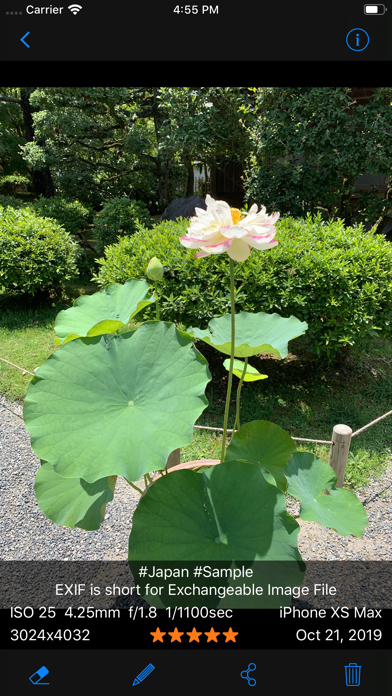
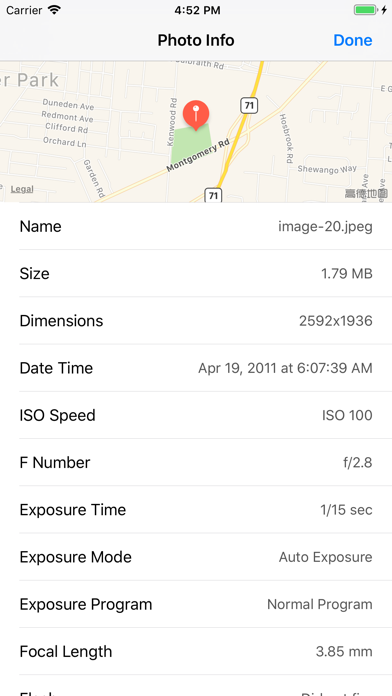
ViewExif is a powerful metadata tool for your photos. With the help of ViewExif, you can not only view metadata of photos, but also edit and remove metadata in photo. Besides, it has an app extension, so you can view metadata right in Photos app. Being able to read exif tags can be of great importance not only for beginners, but also for other photographers who want to find out what settings and tools were used to create a particular photograph. For those people who want to protect privacy, this app is useful for you as well. When you send photos via email or share on social network, your personal information (geo location, taken date etc) is shared as well. If you upset to share those information, ViewExif is able to remove it before sharing. Features: * Display EXIF tags: Dimensions, Taken Date, ISO Speed, F Number, Exposure Time, Focal Length and more. * Display IPTC tags: Star Ratings, Keywords, Description etc. * Display geo location on map. * Add star ratings, keywords and description on photo * Remove metadata from photo * Supported image formats (JPG, PNG, TIFF, HEIC) and RAW formats (CR2, NEF, DNG). * Share photo w/o metadata on Twitter, Facebook, email. * App extension for Photos app and 3rd-party apps such as Dropbox, FileExplorer etc. * Dark Mode ===== CONTACT US ===== Email: [email protected] Twitter: @SkyjosApps


Edouard Barbier
Creatipi, formerly known as YT Tracker, is built for creators who want to grow their YouTube channel with confidence. Whether you're tracking your monetization goals, fine-tuning your content strategy, or looking for inspiration, Creatipi gives you the tools to stay on track and improve your videos. ### Features - Monetization Tracker – Keep an eye on your progress toward YouTube’s 1,000-subscriber and 4,000-hour watch time requirements. - Revenue Tracker: Once monetized, the app helps you track your revenue and share insights on your performance. - Monthly Reports: Follow your progress with nice charts filed with helpful insights - Home Screen Widgets: Keep track of your audience in Home Screen Widgets - AI Video Titles Generator: Get high-performing title suggestions powered by our custom AI model trained on thousands successful YouTube videos. - Audience Retention Insights: See exactly where viewers stop watching and learn how to keep them engaged. - Competitor Tracking: Track other creators, learn how often they post and what works for them. - Custom Sharing Cards: Share your YouTube journey with beautifully designed templates. - Content Creation Tools: Generate high-quality visuals to promote your videos on social media. - Custom Challenges: Set personal goals and track your progress on YouTube. - Video Tags and SEO Research: Analyze trending tags, research competitors, and improve your discoverability. - Multi-Channel Support: Manage multiple YouTube channels in one place. - YouTuber Stories: Read and learn from other successful YouTubers, get inspired by their stories and apply their tips for growth. - Dark Mode: A sleek experience for creators who prefer a darker theme. ### More features on the Way Since 2018, Creatipi is built by me, Ed, a content creator who understands the challenges of growing a channel. I’m constantly working on new tools to make content creation easier and more rewarding. Have an idea for a new feature? Let’s have a chat. ### Here’s how to get in touch. Instagram/X: @edouard_iosdev Email: [email protected] If you find the app helpful, a quick review goes a long way in supporting its development. I read all of them. ________ Privacy Policy & Terms: https://www.creatipi.com/terms-conditions/ ________


Shanghai Benqumark Network Tech Co., Ltd.
—————— WutaCamera Major Refresh! —————— Loved by 200+ million users – better for portraits, more brilliant for life moments~ Everything in one place: photo capture, editing, beauty enhancement, AI portraits, and trending AI features! WutaCamera – Always picture-perfect! —— Upgraded Photo Creation Experience! —— [AI Features] The freshest, most stylish, and fun AI features! Instantly turn real people into 3D figurines, create your custom avatar... Make your photos not just viewable but playable! [Natural Beauty Enhancement] So natural it looks innate – radiant skin, a defined jawline, all effortlessly achieved! Zero artificial痕迹, every shot delivers high-definition, true-to-life beauty~ [Ultra HD Filters] Hundreds of stylistic filters to choose from: vintage film, clear Japanese style, Korean dewy glow, natural original… Switch seamlessly between trendy vibes, capturing magical atmospheres in any scene! Even bare-faced, you can easily achieve a healthy glow. Layer on the atmosphere filters for a buff – every casual snap becomes a masterpiece~ [LivePush] HD quality restoration, precise facial feature adjustments, customizable makeup… Turns your phone into a computer webcam in seconds. Stay high-def for meetings, live streams, and online classes – beauty enhancement never drops, keeping you at your best anytime! [Retouching] A lifesaver for failed photos! Reduce double chin, subtly adjust features, refine skin texture – detailed yet natural. Easily rescue selfies ruined by the original camera and achieve premium, textured beauty photos~ [AI Portraits] 500+ popular styles, with new templates weekly – unlock portrait freedom effortlessly! Korean ambiance, retro CCD, cozy at-home vibes, dreamy scenes, neo-Chinese aesthetics, ins magazine style, urban travel shots, traditional Chinese charm… Generate atmospheric scenes of all kinds with one tap! No need to book a photographer or endless editing – endless fun! [AI Pets] Dedicated masterpiece mode for pets! Whether it’s an adorable cat or an energetic dog, AI helps them pose for poster-level photos. Heartwarming and eye-catching – easily dominate your social feed! [AI ID Photos] No need to visit a photo studio for ID photos! AI automatically generates professional profile photos – stylish and premium photos. Perfect for resumes, social avatars, and business needs – all with one tap! [LIVE Photo] Beauty in motion! Every casual snap becomes a lively Live photo with built-in beauty and makeup effects – your beauty no longer static! For daily sharing, shoot and post directly to moments – atmosphere instantly maximized! [Automatic Membership Renewal Service Statement] Renewal: "Monthly/Quarterly/Yearly Auto-Renewal" products are auto-renewing subscriptions. Upon purchase confirmation, fees will be charged to your iTunes account. Subscriptions automatically renew unless auto-renewal is turned off at least 24 hours before the current subscription period ends. Within 24 hours before your subscription period ends, Apple will automatically charge your iTunes account, and upon successful payment, the membership validity will extend by one cycle. Cancel Renewal: To cancel auto-renewal, manually go to your iPhone "Settings," tap "Apple ID," enter the "Subscriptions" page, and select WutaCamera Membership to cancel. [Wuta Camera User Agreement & Privacy Policy] User Agreement: https://www.wuta-cam.com/doc/terms_of_use_en.html Privacy Policy: https://www.wuta-cam.com/doc/privacy_policy_en_v240504.html Membership Agreement: https://www.wuta-cam.com/doc/vip_protocol_en.html [Contact Us] For any questions or suggestions, please contact us promptly! User QQ Group: 217257736 Weibo: 无他相机 WeChat Customer Service: Wuta-App Business cooperation: [email protected]
Tinrocket, LLC
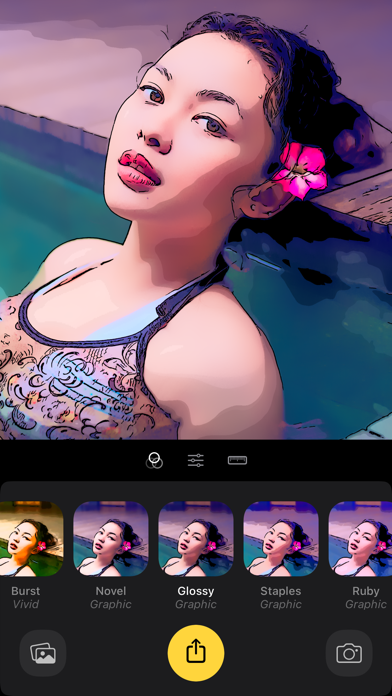
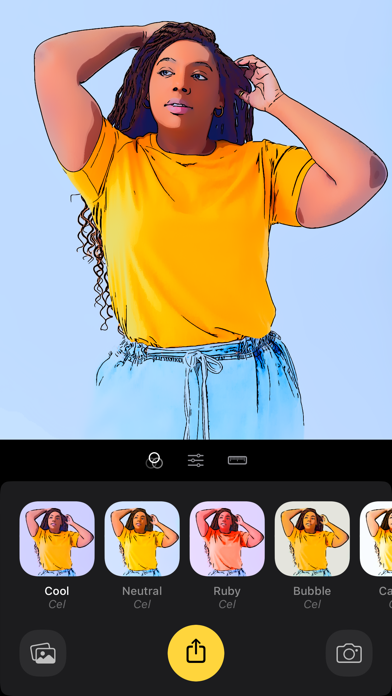
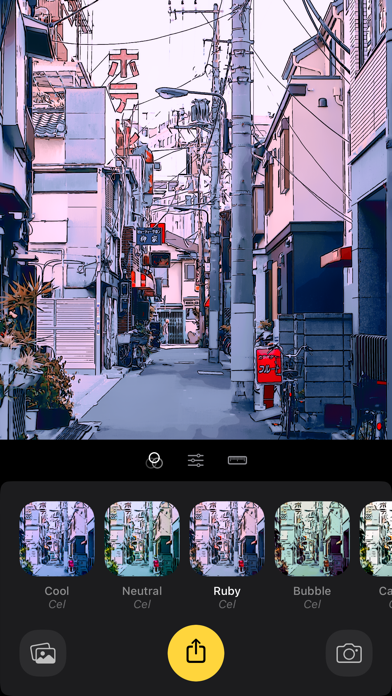
Capture your imagination with Cinemin! Experience the vibrant world of animation, vividly presented with real-time effects. FEATURES: • Live camera mode to capture photos and videos • Universal: One app works on iPhone, iPad, and Silicon Macs • Preset styles • Photo & video clip editor • Export video at 1080p, 3K, 4K • Cinema Mode” — immersive full-screen live viewer • Save unfiltered photos and videos for editing later • Simple, spontaneous, and fun to use • No generative AI* • From Tinrocket, creator of Waterlogue (App Store Best of 2014), This by Tinrocket (App Store Best of 2016), and Olli (App Store Best of 2017) ABOUT TINROCKET: • Tinrocket is an “indie” app development company devoted to making creative experiences possible for everyone. • We are self-funded! Your support keeps us in business, enabling us to maintain and continually enhance our existing apps while devoting resources to developing innovative new ones. • We’re here to help: If you have a question or need assistance, you can always email us at [email protected] • If you like Cinemin, please consider leaving an App Store review or rating. Every review counts and helps indie developers like ourselves. • Follow @Tinrocket on Instagram or Tinrocket on Facebook for the latest! NOTES: *Tinrocket’s commitment to respect the art community is tangible in the heart of Cinemin. Unlike other applications that use online artwork to train “Generative AI,” often without artists’ permission, Cinemin takes another approach: We built Cinemin the hard way—by first learning to see like an artist. No artists’ work was used to “train” Cinemin into producing its stunning output. Screenshots show higher-resolution output from Cinemin Unlimited. Privacy Policy: https://www.tinrocket.com/privacy Terms of Use: https://www.tinrocket.com/terms

Marco D'Amelio
The original top-rated Discreet Camera app for capturing photos and recording videos without drawing attention. Thanks to our Black Screen and Custom Screen modes, you can shoot without lighting up your surroundings or interrupting the moment. Packed with powerful features—autofocus, image stabilization, burst mode, 4K video, Apple Watch control, and fully customizable commands—Discreet helps you capture sharp, well-composed shots even in challenging lighting. Never miss a moment: launch the camera instantly with the Lock Screen widget for quick access when timing matters. Whether you’re capturing a special memory without drawing attention or you simply prefer a more private, low-profile camera experience, Discreet is built for you. Perfect for concerts, live events, capturing evidences, street photography, and any situation where you don’t want a bright screen to disturb others, Discreet lets you capture photos and videos more subtly. Keep your photos and recordings private with a built-in gallery to store photos and videos safely. Your files are not uploaded to the cloud or to any server. Discover a better, more discreet way to capture the moments that matter. Disclaimer: This app is not intended to violate the privacy of others. This is not a spy hidden camera . Please be aware of the laws in your area concerning using discreet image capturing devices and applications in your area. The developer of this application will not be held liable for the actions of any users. Always follow any applicable laws, rules, etc., regarding the use of imaging devices.

Emanuele Floris
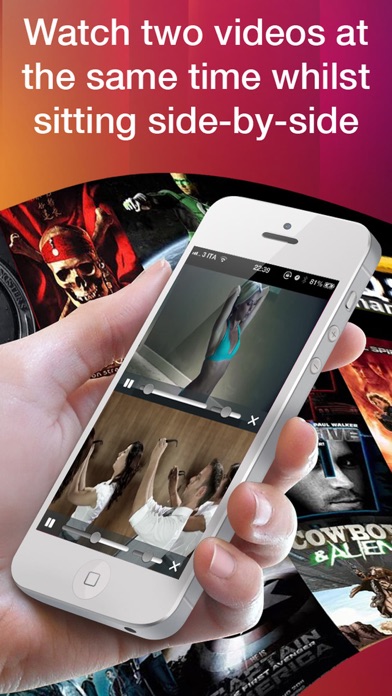
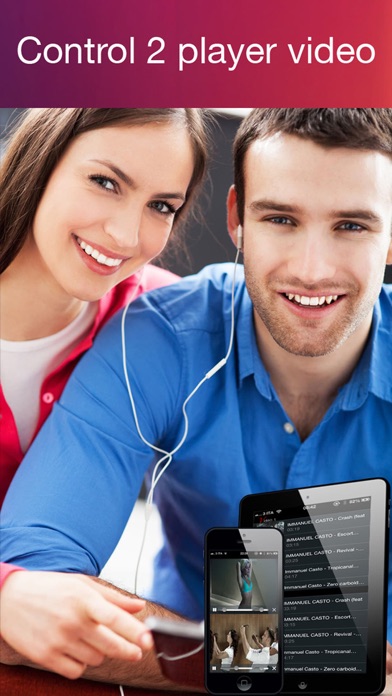
Watch two different films at the same time with your friends or with your girlfriend. On the train, bus or plane??? Watching a film and your girlfriend wants to watch something else? With this app, it is no longer a problem. Give her a set of headphones and you can both watch the film you want. Get ahead with your iphone ipad or ipod touch!!!