
Photo & Video
Browse photo and video IPA listings for cameras, editors, recording tools, streaming apps, and creator workflows.

@binnichtaktivsipas
from @binnichtaktivsipas | -------------------------- Adobe Premiere Rush:Edit Video Tap on buy premium then cancel minimum OS version 14.0 AppStore link | Donate | Get your own signing cert

Duc Lai
Time Travel with 1998 Cam - Vintage Camera and Relive the Magic of '90s Photography Remember the thrill of picking up your developed photos, only to find they've captured moments in time with a charm that today's digital perfection can't replicate? With 1998 Cam - Vintage Camera, relive that magic with every shot. Experience the nostalgia of '90s photography with 1998 Cam, where every photo you take captures not just moments, but memories with the authentic charm of vintage film. Join over 50 million users in rediscovering the art of photography. Whether you're a professional photographer or just love taking selfies, 1998 Cam offers the best vintage photo editor with advanced features like real-time editing, cinematic video effects, and more. ◆ Why Choose 1998 Cam? ◆ ‣ Very easy to use. ‣ Transform your photos with 100+ filters including film, vintage, black & white, cinematic, and more, complete with light leaks, dust, and the grainy texture of the film. ‣ Experience instant photo development with our real-time filter preview, making every shot a surprise. ‣ Capture life's moments with a twist of nostalgia, where your photos don't just show what happened; they tell a story, your story, with the authentic feel of the '90s. ◆ Key Features ◆ ‣ Retro Filters & Real-Time Editing: Apply filters like light leaks, dust, and grain in real-time for an authentic vintage look. ‣ Vintage Video Effects: Add a cinematic touch to your videos with retro effects. ‣ Powerful Editor: Tweak brightness, contrast, sharpness, grain, and more even after taking the photo. ‣ No Watermark: Share photos free of any branding or watermarks directly to Instagram, TikTok, or any platform. ◆ What Users Are Saying ◆ ‣ “1998 Cam is by far the best vintage camera app. The filters are amazing, and I love that there are no watermarks on the photos.” ‣ “Perfect for retro lovers! It makes my Instagram feed look awesome with those grainy, old-school effects.” ‣ “I’ve been using this app for years, and the '90s filters never get old. It’s my go-to photo editor!” Join millions in rediscovering the art of photography. ► Download 1998 Cam now and start creating your vintage masterpiece! Follow us on Instagram: @app1998cam or hashtag #1998cam ◆ Subscription Details ◆ 1998 Cam is free to use, but accessing Pro features—including all premium filters and effects—requires a paid subscription. Please review the subscription details below: ‣ Pro Features: Available through a paid subscription, offering advanced tools and filters. ‣ Automatic Renewal: Your subscription auto-renews unless canceled. ‣ Manage Your Subscription: Easily disable auto-renewal or manage settings in your Apple ID account. ◆ All Features ◆ ‣ 100+ filters: film, vintage, retro, black & white, cinematic, fx, portrait, pro, mood, landscape, color boost ‣ Instant preview ‣ Realistic 3D effect ‣ Classic date time stamp ‣ Film dust, grainy filters, random light leak filters ‣ Portrait and landscape modes ‣ Self-timer ‣ Edit and add a filter or effect after taking a picture in the photo editor ‣ Change filters, effects, and their intensity in real-time when capturing photos and videos ‣ Advanced cut/crop feature: crop, skew, straighten the image ‣ Advanced Photo and video editor able to change all image and video properties: brightness, contrast, saturation, vibrancy, exposure, fade, warmth, tone, sharpness, grain ‣ Autosave photos to the gallery ‣ Import photos and videos from the gallery ‣ No watermark Terms and Conditions https://1998cam.com/term Privacy Policy https://1998cam.com/privacy EULA: https://www.apple.com/legal/internet-services/itunes/dev/stdeula/


Arthur Eduardo Skaetta Alvarez Desenvolvimento de Software LTDA.
Duet Camera is a powerful tool for creating side by side videos using both of your device's cameras at the same time or combining two existing videos! - Unleash your multi-cam system: Record videos using the back and front camera's at the same time* and create the perfect Duet or export both videos separately! - Combine videos into duets: Select 2 videos from your camera roll and create the perfect Duet for sharing on your social networks! *This feature is exclusive to devices with A12 processor or later: iPhone XR, iPhone XS, iPhone XS Max, iPhone 11 Pro, iPhone 11 Pro Max, new iPhone SE, iPad PRo 2018 and iPad Pro 2020.

Koi Apps
FaceAi: The Ultimate AI Video Face Swap & Motion Control Transform your videos with cutting-edge technology that lets you put your face in any video with just one tap. FaceAi delivers the most realistic experience, blending your features seamlessly into any scene for results that look incredibly natural. ▶ Pro-Grade Face Swap & Character Swap Experience the next level of personalization. Our powerful AI engine allows for instant face swap and character swap transformations. Whether you want to step into the shoes of a movie star, a historical figure, or a gaming icon, our AI analyzes facial structure and lighting to ensure every frame is flawless. ▶ Realistic Body Swap & Motion Control Go beyond just faces. With our advanced body swap features, you can place yourself into high-energy dance clips, action sequences, or sports highlights. Thanks to integrated motion control technology, the AI tracks movements perfectly, keeping the replacement smooth, stable, and undetectable, even in high-speed videos. ▶ Create Viral Content in Seconds Upload any video and start creating. Replace yourself with celebrities or friends to make stunning transformations for social media. ▶ Key Features: AI Video Face Swap: Seamlessly blend faces into any video source. Body Swap: Transform your entire physique within the scene. Motion Control: Smooth tracking that follows every move naturally. Character Swap: Become anyone from your favorite movies or shows. Fast Processing: Get your AI-generated videos in seconds. No Skills Required: Just choose, swap, and share. Achieve cinematic character swap results for social media. Use motion control to sync your expressions with the original footage. High-resolution character swap outputs for professional-grade content. ▶ Fast, Fun, and Creative Stop using complicated tools. With FaceAi, you can put your face in any video and let the AI handle the heavy lifting. Whether it's for a laugh or a professional-looking edit, explore the future of video transformation today. About FaceAi’s Premium Subscription: The subscription covers FaceAi's premium usage. FaceAi subscription period alternatives are 1 week and 1 year. Based on your plan, your FaceAi subscription renews every 1 week or 1 year. Payment will be charged to your iTunes Account only upon your confirmation. FaceAi subscription automatically renews unless auto-renew is turned off. Manage your subscription: https://support.apple.com/en-us/HT202039 Privacy Policy: https://faceswapd.com/privacy Terms of Use: https://faceswapd.com/terms


Tiny Leo Co., Ltd
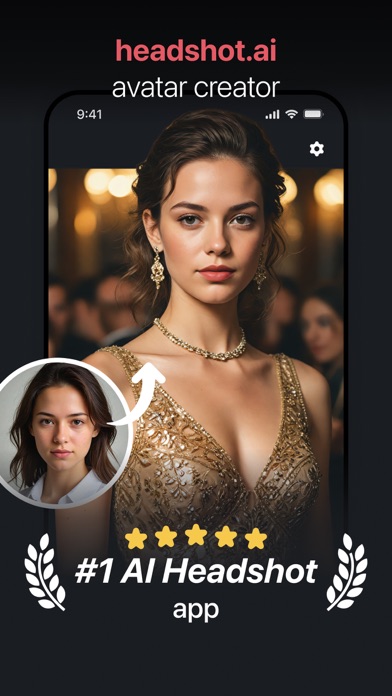
AI Headshot & Photo Generator: Your Pocket-Sized AI Photo Studio Generate Professional Headshots, Try New Outfits, Change Hairstyles & Hair Colors, Swap Backgrounds, and More—in Seconds! Are you tired of feeling like you’re just one fantastic photo away from the perfect CV or dating app profile? Look no further! AI Headshot & Photo Generator, powered by AI, is here to transform your selfies into stunning, professional-quality headshots effortlessly. Why Choose AI Headshot & Photo Generator? Whether you’re a workspace professional aiming for that perfect LinkedIn profile, a connection seeker wanting to shine on dating apps, or anyone in between looking to elevate their digital image, AI Headshot & Photo Generator is the app for you. We harness the power of advanced AI to deliver studio-quality headshots without the need for a professional photographer. Key Features: ►Photorealistic Portraits: Get a perfect shot in a totally new style with our AI-powered image-to-image technology. Submit one photo and receive an impressive, upgraded version. ►Virtual Outfit Changes: Instantly update your look with a variety of outfit options. Perfect for every occasion without the need for a wardrobe change. ►Hair Style & Color Changing: Experiment with brand-new hairstyles or transform your look with different hair colors. From natural shades to bold trends, discover what fits you best. ►Background Changer: Teleport your photo to any scene with our AI background generator. Perfect for matching your professional and creative aspirations. ►Style Catalog: Explore our Discover page, showcasing a wide-ranging and carefully curated selection of photo transformations. New styles are added regularly. ►Intuitive Editing UI: Achieve crisp photo quality effortlessly with our user-friendly interface. Apply any style to your picture in mere taps for a sophisticated result. Experience the Convenience: AI Headshot & Photo Generator is more than just a pro photo studio in your pocket; it’s a gateway to your best digital self. Save the time and money you’d spend on booking studios and photographers. With AI Headshot & Photo Generator, every photo is a step towards perfection. Get Started Today: Download AI Headshot & Photo Generator now and discover how easy it is to create stunning headshots with AI. Elevate your profile with just a tap! Privacy Policy: https://sites.google.com/tinyleo.com/privacy-policy/ Terms of Use: https://sites.google.com/tinyleo.com/terms-of-use Contact Us: https://sites.google.com/tinyleo.com/contact-us
Beijing Perfect Frame Technology Co., Ltd.
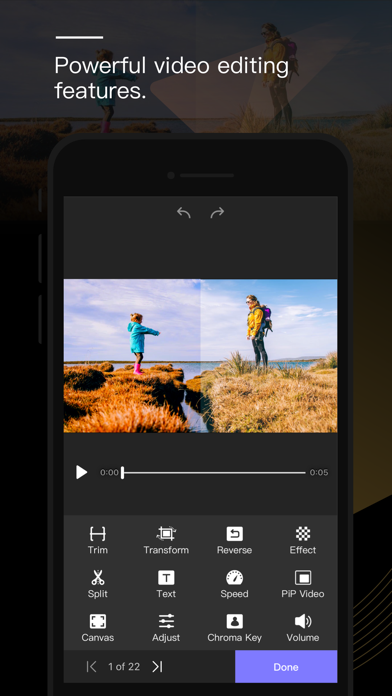
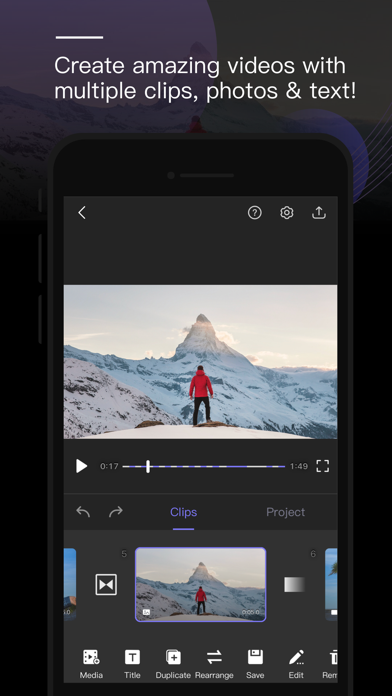
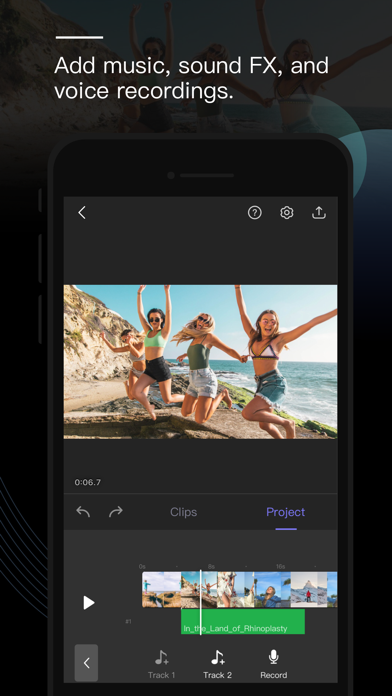
Perfect Video is a really EASY TO USE and Full featured video/slideshow editing app. It lets you quickly Trim, Merge, Split, Reverse, Rotate, Mirror, Flip and Crop clips, add Subtitles, add Mosaic, add Watermark, Photos, and Text, pick Transitions, add Music and Recordings, and export your video clips. [PREMIUM FEATURES] 1. Keyframe animations: Various editing operations can add key points. 2. Picture in Picture Video. 3. Split Screen: Playing two videos side-by-side. 4. Chroma Key (Green/Blue Screen): Replace the video solid background with a video or photo. 5. Mosaic Video: Pixelate or blur or Highlighted a part in the video. 6. Video Color: Adjust the video color (Brightness, Contrast, Saturation, Hue,…) in a real-time manner. 7). Photo Motion: Set Ken Burns effect for photos. [OHTER FEATURES & HOW TO USE] 1) Importing Videos or Photos: Add multiple videos or photos to a project instantly. 2) Multiple canvas ratios: Video original size, 1:1, 4:5, 16:9, 9:16, 4:3, 3:4, 19.5:9, 9:19.5, 3:2, 2:3, 2:1, 1:2, 2.39:1 . 3) Canvas background setting: Set the color or make background blur, or add a custom picture. 4) Combine: Merge multiple videos, photos or text into one video clip. 5) Split: With this feature, you can remove the middle part of the video, speed up/down part of the video. 6) Video to picture: Extract still images from video via Split feature. 7) Trim: Cut out any unwanted moments. 8) Slow Motion: Slow down or speed up video (0.25x-6x). 9) Crop & Mirror & Flip & Rotate and Angle adjustment . 10) Reverse: Reverse video playback. 11) Duplicate: Duplicate projects or create duplicates of video clips. 12) Animated Subtitles: Add animated text or images to videos. 13) Watermark: Display your own logo on video. 14) Volume: Mute the video or increase the video volume (0-500%). 15) Music: Add multiple songs to a project. You can also choose a specific part of a song to include in your project by trimming it. 16) Sound Effects: Choose from many pre-defined sound effects. 17) Transitions: Select from a host of pre-defined video clip transitions. 18) Video Fade In/Out: Configure the fade-in and fade-out options in the Settings screen for the first and last shots. 19) Compress Video: Reduce video file size dramatically without reducing video resolution. 20) Save Storage Space: Perfect Video only saves the video location so imported videos don’t take up valuable storage space (just DON'T DELETE the original video you're editing). 21) High Resolution: Support for several formats, including 1920x1080HD, and support for up to 4K resolution on iPhone 6s, iPhone 6s Plus, iPad Air 2, iPad Pro and later. 22) Share: Save your video to your Camera Roll or share it on Instagram, Facebook, YouTube or via email. 23) Instant Actions: All actions are performed in an instant manner. No need to wait any more! If you have a question or suggestion, please contact us. We’ll get right back to you. Thanks! Email: [email protected]

Clean Pics LLC
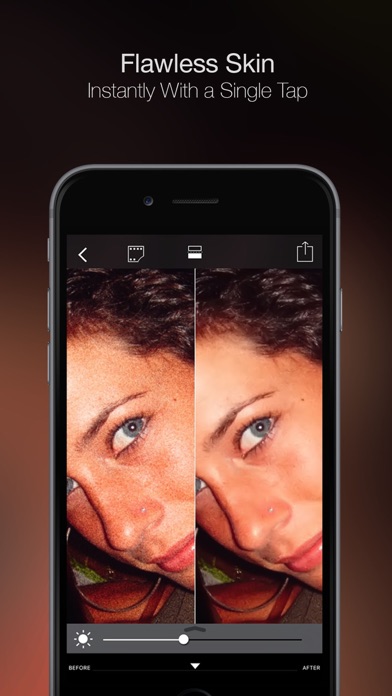
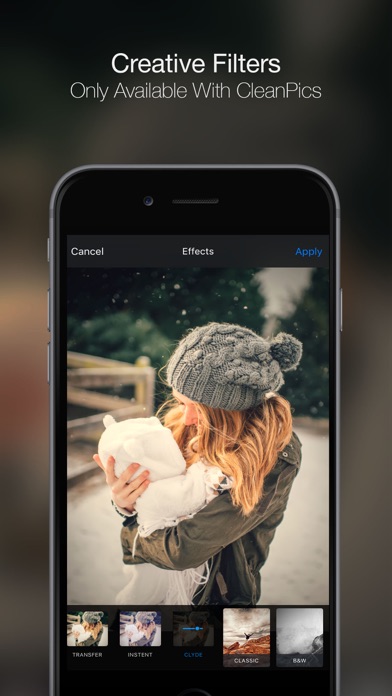
CleanPics is the secret to the perfect selfie! CleanPics lets you be the best version of yourself in every photo. Use CleanPics photo improvement tool for better selfies and pictures. What does CleanPics do: • Fully automatic noise reduction • Fully automatic selfie retouch • Fully automatic skin makeup • Great “before and after” comparison • 4k ultra HD support • Save & share on social networks CleanPics is built to make your every shot perfect. No need to spend a lot of time and money on expensive software. CleanPics will clean up and improve your photo in just seconds. It is the most simple and fast way to perfect and share photos. Download the app and start sharing perfect selfies in just seconds. Contact us for questions and comments! [email protected]


Ratha Sou
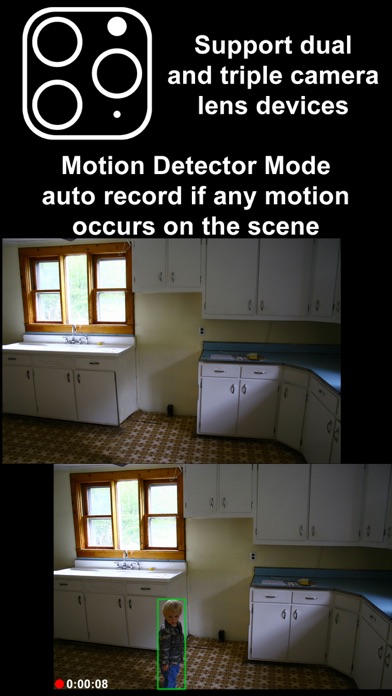
Want to secretly capture photos and videos without anyone notices, here is the app that you need: SP Camera. With SP Camera, you can record video, or take pictures without being seen while the device shows one of fake backgrounds. Simulate that you are browsing the web, a blog or leave the device on a table showing a still image or a time clock while recording. Automatically record and save video if any motion occurs on the scene with Motion Detector Sensor. With built-in Photo Timer, this app automatically captures photos every few seconds without touching the capture button again. Save your photos and videos in the password protected private folder. Moreover, you can hide all the UI control buttons to simulate a real spy experience. MODE * Photo: automatically capture photo without tap any buttons with Photo Timer up to 48MP * Video: record video and capture still photo at the same time (snap 8MP photo while recording 4K video) * Motion Detector: automatically record only if any motion occurs on the scene * Slow Motion: support high frame rate or slow motion video recording on both front and rear camera * Timelapse: record video in fast motion action up to 32x * Horizontal: always record video in landscape even the device is held in portrait orientation * Double Cameras: simultaneously record video with two different camera lens CAMERA • Manual camera control with focus, exposure, ISO, and white balance adjustment • Ability for photo capturing & video recording at the same time for all video modes • Save more storage with changeable video recording resolution between QVGA 240p, VGA 480p, HD 720p, FullHD 1080p or 4K 2160p • Ability to zoom in & zoom out up to 10x • Support dual and triple rear camera lens devices • Automatically boost low light photo & video visibility and quality • Limitable video recording duration and numbers of Photo Timer photos • Cinematic video stabilization support for shake-free video recording • Tap on camera view area to focus and adjust exposure • Adjustable auto or manual focus and exposure • Ability to record silent video (without sound) • Support volume buttons actions for photo capturing and video recording • Save photo and video in passcode protected private app folder or save to camera roll • Ability to add date and time stamp when capturing photo or recording motion detector video • Choose different styles of Double Cameras mode recording including Picture-in-Picture, Split View, and Dual Files INTERFACE • Automatic Mode: auto perform record action and other actions when app launch • Easy Mode: easily tap any area to take photo and double tap to start/stop video recording • Screen is completely black simulate the device is turned off • No camera flash or on-screen flash is appeared • Fake other people that you're on other activities by using fake backgrounds • Alternative image slideshow or animated clock or reactive web browsing fake backgrounds • Ability to your own image fake backgrounds • Dimmed screen with zero brightness in black background • Adjustable the visibilty of the UI transparency • Movable and resizable camera preview • Clarify the actions correctly with Text, Voice, and Haptic Feedback PASSCODE • No one can stop your recording by secure the recording and lock UI buttons with passcode • Advanced passcode system can lock app startup, lock camera UI buttons, or lock gallery viewing • Hide App Folder private photos and videos with failed passcode input GALLERY • Built-in gallery for viewing photos and videos and easy sharing • Recover deleted photos and videos within 7 days with Trash Folder REMOTE • Wireless Apple Watch Remote supported for recording control NOTES: • Built-in Gallery Viewer unable to play slow-mo video in slow motion action. • Double Cameras mode required iPhone or iPad with A12 or A12X chipset or later. • 48MP photos capturing required iPhone 14 Pro series or iPhone 15 series or later. • 4K 120fps recording required iPhone 16 Pro series or later.

Full Time Enterprise, SL
Unveiling the future of photography and creativity, AI Boost takes personalized photo editing to the next level! Experience state-of-the-art AI technology combined with unparalleled customization. Whether you're a content creator, artist, or simply someone who enjoys having fun with photos, AI Boost has something exciting in store for you. Key Features: * AI Avatars: Craft stunning AI Avatars that mirror your essence. Seamlessly blend your face into imaginative realms or photorealistic art pieces using just a text prompt. * AI Photo: Professional photo shoots, business headshots and simply stunning realistic photos can now be created in minutes! * AI Fashion: With a virtual fitting room you can pick up a new style and see how a certain outfit will look on you. * AI Boody: Make your body slimmer or pumped up, athletic or very skinny, lush, expressive - whatever you dream of. * AI Retouch: Add makeup or remove it completely from your lucky photos to complete the masterpiece. * Text-to-Art: Define your vision with words, and let AI Boost transform your text into striking images. Add your face to it and dive into a world where reality meets fantasy. * Photo Enhancements: Restore blurred memories or upscale those low-res snaps. AI Boost's enhancement tools make your photos clearer and sharper, reminiscent of professional high-definition shots. * Personalized Stickers: Add a pinch of personal flair to your conversations. Create dynamic stickers with your face and export them to any popular messenger in a jiffy! * Meme Generator: Be the star of your memes! Create share-worthy memes featuring your face for that extra touch of hilarity. * AI Art Studio: Unleash your inner artist. Generate art in unique styles, from classic to contemporary. Whether it's Van Gogh or Vaporwave, AI Boost has got you covered. * Wardrobe Wizard: Reimagine your photos with a new attire. Change clothes in photos like a breeze, giving your images a fresh look every time. * Anime Makeover: Enter the world of anime by transforming your photos into mesmerizing anime versions of yourself. Live the manga dream! * Tattoo Try-On: Contemplating a tattoo? Try hyper-realistic tattoos on your photos first. Mix, match, and position them perfectly before making it permanent. * Visual Effects On Demand: Describe your desired effect, and watch AI Boost work its magic. Whether it's a vintage look, a futuristic glow, or an ethereal aura, your wish is our command. Unfold New Dimensions of Creativity! Powered by sophisticated AI algorithms and brimming with endless customization possibilities, AI Boost is not just an app; it's a revolution. Dive into an ocean of creativity, where every wave is crafted by you, with a touch of AI magic. Join the AI Boost community today, and redefine the way the world sees you. --- Privacy Policy: https://www.fulltimeenterprise.com/privacy-policy-apps.html Terms of Use: https://www.fulltimeenterprise.com/Service_Terms.html

Vitalij Schaefer
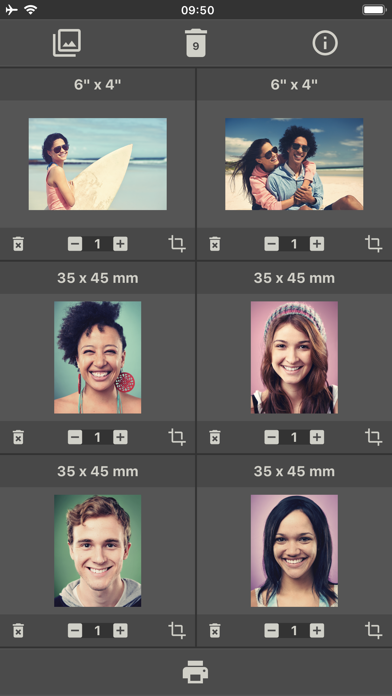
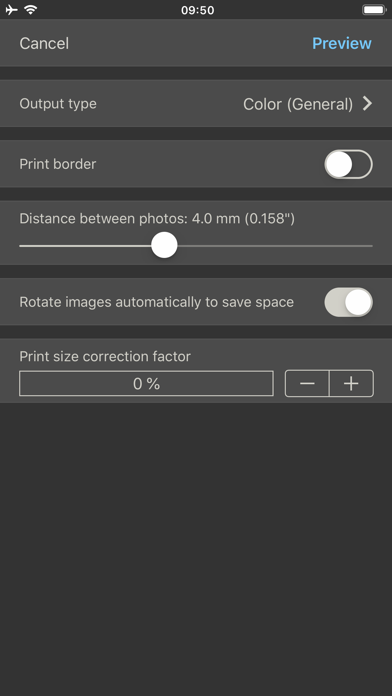
With this app, you can print multiple photos the size you want together on one page. 1. Select the photos you want to print. 2. Set the desired print size for each image (in mm, cm, or inches). 3. Tap the printer icon to open the print settings. 4. Adjust the desired print settings. 5. Tap "Preview" in the top right to open the print preview. 6. Start the printing process from the preview. The app takes care of the rest and places the images space-savingly and efficiently on the printing paper. If not all pictures fit on one sheet, several pages will be printed. When defining the print size, the current image can be cropped and edited with a powerful image editor. In the free version, printing is limited to four images. This limitation can be removed as well as advertising via in-app purchases.

@blatants
from @blatants | ---------------- 📱 Photify AI: AI Photo Generator 🆔 Bundle ID: com.apps.PhotifyAI 📊 Version: 2.4.5 👨💻 Developer: Ex-human, Inc 🏷 Category: Photo & Video 🔧 Minimum iOS: 15.0 💎 Modifier: Subscription + iAP Patched 📝 Note: Video credits cannot be bought. You can buy more photo credits! Just click buy and then cancel. 🔄 Tweaked by @blatants Ko-Fi ☕️ | Crypto 👾 | IPAs 📥

跃欢 王
● Supported Video Modes: ・360° Panoramic Video (Stereo) ・180° VR Video (Stereo) ・360° 3D Panoramic Video (Top-Bottom and Side-by-Side Split Screen) ・2D to 3D Video Conversion (Flythrough) ・3D Video (Top-Bottom and Side-by-Side Split Screen) ・3D Video Scene Modes (Cinema, Living Room, Outdoor) ● Supported Video Formats: ・m4a, m4v, wmv, 3gp, mp4, mov, avi, mkv, mpeg, mpg, flv, rmvb, vob, etc. ● VR Video Control Methods: ・Head Motion Control ・Gamepad Control ・Single Button Control ・Gyroscope Control ・Gesture Control ・Field of View Control ・Quick Center Reset ● VR Device Adaptation: ・Interpupillary Distance (IPD) Adjustment ・Visual Center Adjustment ・Overall Zoom ・Aspect Ratio Adjustment ・Fisheye Curvature Adjustment ● Supports Online Video Playback: Using the built-in rPlayer web browser, you can convert online videos to VR mode for viewing. ※ DRM-protected videos cannot be played. ※ ● Local Video Playback Sources: ・Videos from Photos Album ・Videos within Native Apps ・Network Videos ・Local Videos ● Supported Video Transfer Methods: ・Wi-Fi Transfer ・iTunes Transfer ・SMB Shared Service Download ・URL Playback ● Other Features: ・Hardware Decoding ・Password Unlock ・Ultra HD Video Playback ・Segment Loop Playback ・Standby Mode ・Variable Speed Playback ・Playlists E-mail: [email protected] Unlimited Access Membership Subscription ・You can use all features in rPlayer without restrictions. ・Subscriptions are billed monthly, yearly, or as a one-time payment, with specific costs based on the selected plan. Using rPlayer indicates your agreement to our Privacy Policy: https://wangyuehuan-git.github.io/rPlayerPrivacyPolicy/index.html This application uses Apple's standard Terms of Service. To view the full license agreement, please visit: https://www.apple.com/legal/internet-services/itunes/dev/stdeula/


根清 宋
Immersive video and live viewing without ads. Enjoy background playback, bilingual subtitles, AI real-time captions, and AI voice reading — all completely free with no monthly subscription. Tube X lets you watch any YouTube video or livestream ad-free. AI-generated real-time and bilingual subtitles are included at no cost. SPECIAL FEATURES: 1. Immersive Viewing Experience A TikTok-style full-screen player with no ads, no distractions. Swipe to explore recommended videos. 2. Background playback & PiP Keep playing even when your screen is locked, you switch apps, or return to the home screen. PiP is also supported. 3. AI bilingual subtitles AI generates real-time subtitles for videos and livestreams, shown in two languages. 4. Bookmark without login Save your favorite videos, channels, and playlists locally without creating an account. Your data stays on your device — no privacy concerns. 5. Auto translation All visible content is auto-translated and shown in both the original and your chosen language, including video descriptions, subtitles, and even comments. 6. Multiple homepages Use “Spaces” to customize different homepages based on your needs, such as learning, entertainment, or movies. Each space offers a tailored content feed powered by recommendation engine. 7. Advanced search • Bilingual Search: Search in your native language and specify a target language. For example, search for “Zelensky” to find “Зеленський (ім’я)”. • Unified Results: Get results across videos, livestreams, channels, and playlists. • Smart Link Playback: Paste any YouTube video link or watch URL to play it directly in Tube X. BASIC FEATURES: 1. Supports over 80 languages 2. Full-screen HD playback 3. Adjustable playback speed 4. Discover related videos 5. Long-press to fast forward 6. AI voice reads translated subtitles aloud Tube X is 100% free to use — no monthly subscriptions, no hidden fees. Related keywords: youtube, youtobe,youtube youtube music,youtube vanced,youtube ad blocker,no subscription, skip youtube ads, music without ad, music no ads, no ads, app youtube, youtube adblocker, without ads,without ads, block popups, ads remover, pop up blocker, ad-block,blocking ads, adblock for youtube,content blocker,ad blockers, ad blocking, ad blocker, been choice, adblocker, ad-blocker, ad block plus, adblock pro, ad free, block ads, adblock browser, Adblock, ad blocker plus, skip youtube, ads, youtube singing, sin anuncios, music without ad, free you tube red, youtube adblocker, ad skip, block ad, free youtube, video-ads, adblocker youtube, abblocker, stop ads, short video, drama, short drama, ad-free player If you have any questions or suggestions, feel free to contact us at: Email: [email protected] website: https://tubex.app
Zane Inc.
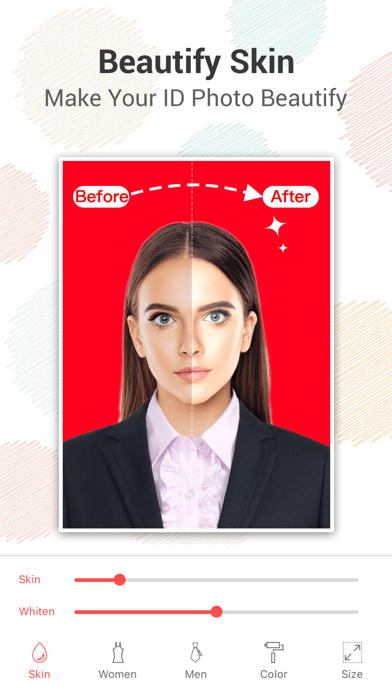
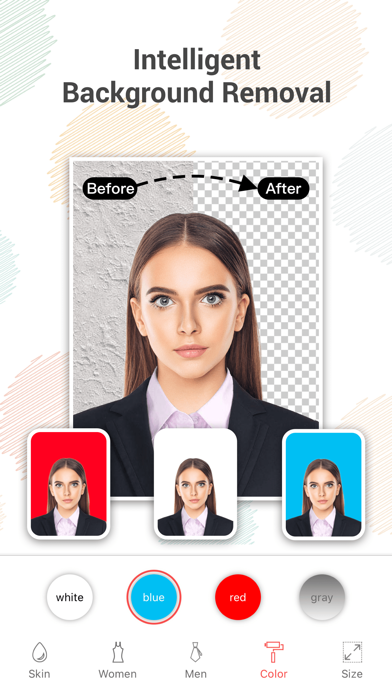
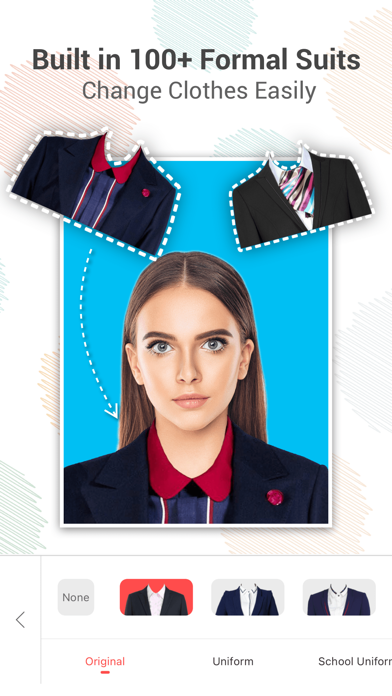
IDPhoto app is a professional automatic intelligent ID camera, which supports portrait automatic drawing, automatic beautifying, background color replacement, size selection, and the most beautiful ID photo will be generated instantly Functional features: - Ultra-high definition ID photo negative saved - Fully automated intelligent image matting - A large number of men and women dress casual match - Modify photo background with one click (support red background, blue background, white background, etc.) - Support whitening and beautifying - Support ID card photos, visa photos, 1 inch photos, 2 inch photos and other sizes Hey, work ID photo, baby ID photo, student ID photo, passport ID photo, social security card ID photo, etc., here you are a professional designer, make it at home! Passport photo maker-id photo could offer you sizes for ID photo,Driving License,student card photo,Passport photo, VISA photo and License of all countries of the world including the USA, Spain, Germany, France, India, Italy, Korea, and Brazil. All the basic features that are needed include diffferent size(2x2inch、1x1inch、35x45 mm and all other universal size) to satify your need.The photo editor contains standard printing paper sizes for free,you could use it to print and save your time. Following country photo(id photo) sizes are supported (include Passport photo or Visa photo Or License Or Citizenship or student ID photo or driving license and other id photo type): United Kingdom UAE USA EU China Japan Taiwan Hong Kong Argentina Belgium Brazil Czech Republic Germany Denmark Estonia Spain France Greece Israel Italy Kenya Cambodia Korean Lithuania Mauritius Malaysia Netherlands Norway Tunisian Ukraine Zimbabwe Vietnam Switzerland Albania Thailand Sweden Mexico Indonesia Jamaica Pakistani Somalia Singapore Andorra Nigerian Uruguayan Canadian Philippine Turkmenistan Kyrgyz and other 200+ countrys's passport photo or visa or other id photo. Anyway,you could find your passport photo or visa photo or license or other id photo here and quickly create them. ===== Upgrade to Subscription ===== 1) With "Upgrade", you can subscribe for getting the following services: a)Save IDPhoto b)Remove the page sticker ads 2) You'll be able to access all available drawing templates and receive regular updates for the duration of your subscription. 3) The subscriptions are ¥9.00 weekly, ¥28.00 monthly and ¥248.00 annually or equal to the same price tier that "Apple's App Store Matrix" determines in other currencies. 4) Payment will be charged to iTunes Account at confirmation of purchase 5) Subscription automatically renews for the same price and duration period as the original "one week"/"one month"/"one year" package unless auto-renew is turned off at least 24-hours before the end of the current period 6) Account will be charged for renewal within 24-hours prior to the end of the current period at the cost of the chosen package (weekly, monthly,yearly package) 7) Subscriptions may be managed by the user and auto-renewal may be turned off by going to the user's iTunes Account Settings after purchase. 8) No cancellation of the current subscription is allowed during active subscription period 9) You may cancel a subscription during its free trial period via the subscription setting through your iTunes account. This must be done 24 hours before the end of the subscription period to avoid being charged. For more details,Please visit http://support.apple.com/kb/ht4098 for more information 10) You may turn off the auto-renewal of your subscription via your iTunes Account Settings. However, you are not able to cancel the current subscription during its active period 11) Any unused portion of a free-trial period, will be forfeited when the user purchases a subscription ===== Terms of Use and Privacy Policy Terms of Use: http://www.fastlove.top/apps/idphoto/statement/terms_en.html Privacy Policy: http://www.fastlove.top/apps/idphoto/statement/privacy_en.html
Appcano LLC
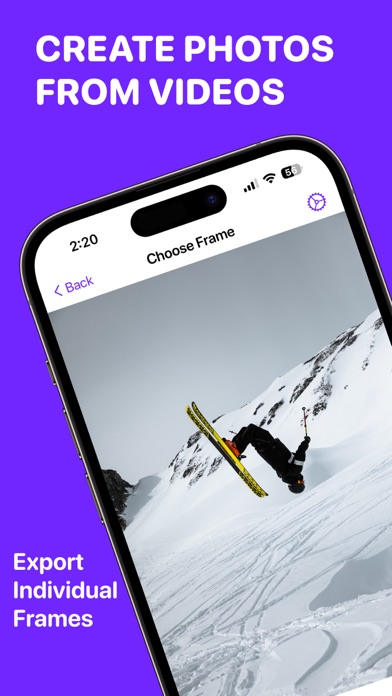
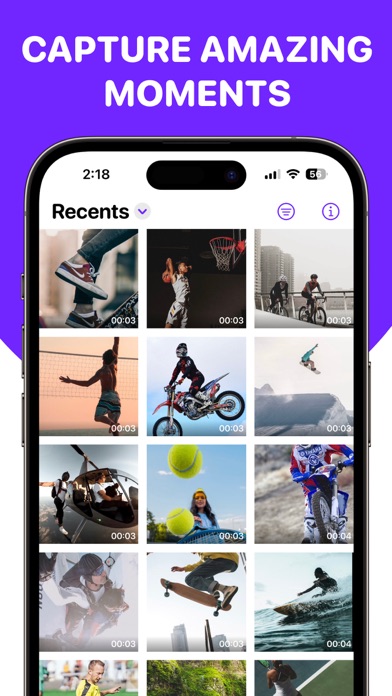
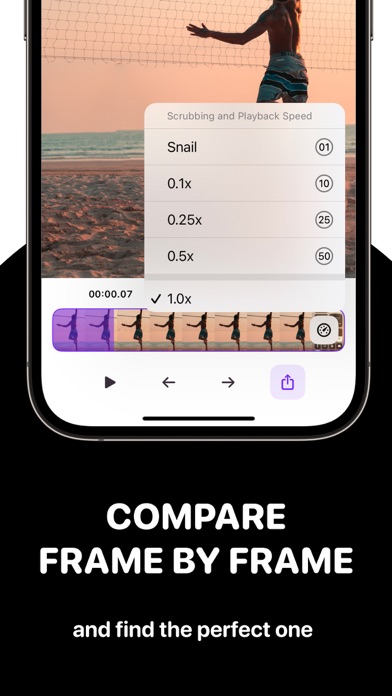
Frame Grabber is the easiest app to export HD video frames to pictures. Save your favorite moments from any of your videos: - Grab your cutest pose from a selfie video - Analyze your gym form - Create video thumbnails for social media - Print a photo album from your 4K holiday videos - Or just share the perfect moment with your friends Frame Grabber's users use it for all kinds of cool things from dancing to scuba diving to bird watching. Frames are exported in best quality and original resolution whether it be HD or 4K. Say goodbye to screenshotting your videos. To access all features, content, and functionality you can subscribe to an annual auto-renewable subscription. This is a recurring transaction that will be charged to your iTunes Account at confirmation of purchase and will automatically renew unless you cancel it at least 24 hours before the end of your subscription. Renewals will be charged the same cost within 24 hours prior to the end of the current period. You can manage your subscriptions and auto-renewal can be turned off by going to your iTunes Account Settings after purchase. Privacy Policy: https://appcano.io/privacy Terms of Use: https://appcano.io/terms


TMEDILAB SOFTWARE JOINT STOCK COMPANY
If you are need a tool that can help you record what you want on your phone screen, so this screen recorder application is truly an optimal choice to meet those needs. This application is one of the best screen video recorder applications on the app store today. With beautiful simple interface and advanced features such as : full HD screen recorder with audio , edit video, facecam, create gif, ... It will definitely bring you many great experiences. Especially, It’s is completely free! Main functions : * HD Screen recorder: - Can choose where to save the file: on the album / my files - Unlimited recorder time. - Screen recorder with sound : allow turning on / off the mic during screen video recorder. - A variety of screen resolutions, high quality : 240p, 360p, 480p, 720p, 1080p. - Video quality :1Mbps, 1.5Mbps, 2Mbps, …,8Mbps. - FPS index: 15FPS, 20FPS, 25FPS, 30FPS. * Edit video : - Useful manipulations and easy to use: cut, delete, edit videos. - Users can cancel this operation while application is saving editing file. * File: - Allows uploading files to iCloud, Google Drive, Dropbox, YouTube. - Easy to share with friends. * Facecam: - Screen recorder with facecam : allow users add their face to facecam by front camera. - Quality of facecam files is clear, not jerky. - Can choose range of the video you want to facecam. - Frame size ratio to facecam is diverse. - Automatically save to files when facecam is finish. * Create GIF - Can choose range of the video you want to create gif. - Fast gif create time. - Gifs are created give smooth images and automatically save to the files. This is really an extremely useful screen recorder application and easy to use. We believe that it will help you a lot in your work and relax. Download the screen video recorder right now to your phone to experience all the best screen video recorder features and more. It will definitely make you satisfied! If you love this HD screen recorder, please share it with your friends. Above all, we are excited and hope to receive your suggestions and ideas to help us perfect and develop this screen recorder application in the next versions . Any feedback please send to [email protected]


Guangzhou Mengdong Information Technology Co., Ltd.
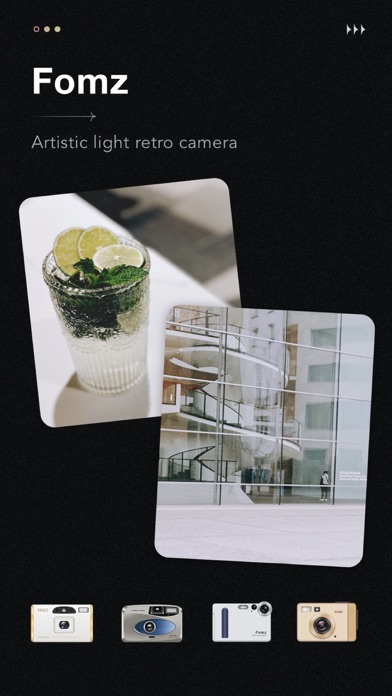
Fomz: Artistic Light Retro Camera Redefine "retro" with "trend" Every camera has its own color Each design has its own style Every photo has its own story Fomz is a camera app that incorporates trendy elements into retro film. Each camera theme retains the unique texture of film cameras, but also gives it more meaning and scenes, so that no matter what occasion in your life, there is always a Fomz Film that can fit it. ● Artistic film theme Just as every camera has a story behind it, every Fomz camera theme will also have its own characteristics and meanings. Different shooting interfaces will bring you a different mood every time you shoot. ● Classic film filter A selection of classic film filters, each theme is matched with different film grains, time watermarks, light leakage effects, film photo paper and other imaging effects according to the style, so that you will be full of surprises every time you take pictures; ● Document our story Remember when you were a kid, your parents would write a story about the photo on the back of the photo you developed? Sometimes it's a "small diary", sometimes it's a sentence, sometimes it's just a special date... These are all treasured records about that moment in the photo. Fomz deliberately kept this "old tradition", as long as the back of the photo was turned upside down, he could write a written record about the photo. "We record frequently because life is worth it." Text and photos are the most convenient and direct way to record life I hope that Fomz can go through the romance of the world with you and taste the bitters and sweets of life If you have any comments or suggestions during use Welcome to send us feedback in the APP Or please contact [email protected] Fomz is still improving and improving, bringing you more surprises Thanks for every love and support ================================= Instructions for Subscription Members Subscription options: ·Monthly Auto-renew Pro - 4.8 RMB/month ·Yearly Auto-renew Pro - 28 RMB/year About updating subscription content: This price is only applicable to users in mainland China. Prices may vary in other countries and actual charges will be converted to local currency based on your country of residence. Payment: After confirmation of purchase and payment, benefits will be charged to your iTunes account and will automatically renew through your iTunes account. Renewal/Auto-renewal: Apple iTunes account will be deducted within 24 hours before expiration, and the subscription cycle will be extended by one subscription cycle after the deduction is successful. Cancellation of renewal: If you need to cancel the renewal, please manually turn off the automatic renewal function in the iTunes/AppleID settings management 24 hours before the current subscription period expires. For more details on Privacy Policy, Terms of Use and Membership Agreement, see the link: User Terms: https://fomz.imendon.com/en-user-protocol.html Privacy Policy: https://fomz.imendon.com/en-privacy-policy.html Membership Agreement: https://fomz.imendon.com/en-beforepurchasemustknow.html


Jonathan Bui
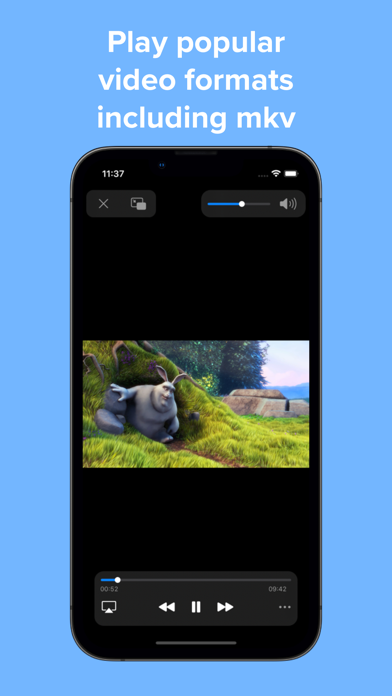
Play a variety of videos with powerful features such as Picture-in-Picture all wrapped in an easy-to-use interface. FEATURES Versatile media support Play a variety of popular media codecs such as H264, H265, AV1, VP8, and VP9 and file formats such as AVI, MP4, WEBM, MKV. 4K and HDR playback is also supported. Home Page Easily add videos to the home page with no importing or copying required. Or open directly from the Files app. Interface Watch videos in a player with an interface that looks native to iOS. When you need it advanced options are just a tap away. Gestures Control playback position, brightness, and volume with a swipe of your finger. Picture-in-picture Continue watching even while multitasking with Picture-in-Picture. Adjust the size of subtitles automatically to make it easier to read. Subtitles Full subtitle rendering is supported even in Picture-in-Picture. Add external subtitle files to your videos. Customize subtitle options like font, size, and color. And easily search for and download subtitles from OpenSubtitles without leaving your video. Advanced features Play video on your television with AirPlay. Adjust audio to your liking with a 10-band audio equalizer. Change playback speed. Repeat the same section of video with A-B Loop. Copy text from your video when paused with Live Text on supported devices. UPGRADE TO PRO Subscribe to Pro monthly or yearly or purchase a lifetime upgrade to unlock all the following features: UI enhancements Change to a minimal player interface, and show chapter markers in the progress bar. Recents Access all your recently played videos at the top of the home page. Playlists Create and edit playlists, and enable shuffle and repeat playback options. Download videos Download your favorite videos directly to watch offline later. Even download subtitles when available. Servers and cloud services Stream videos directly from supported cloud services such as Dropbox, Google Drive, OneDrive, and Box. Stream videos directly from your local servers using SMB, Emby, and Jellyfin. Screenshots and GIFs Take screenshots in full resolution and save them to your photo library. Create and edit GIFs up to 15 seconds in length. Passcode lock Protect your videos from prying eyes with a passcode lock, and use Touch ID or Face ID to unlock. Chromecast Cast videos up to 1080P to the big screen with Chromecast. Support indie development Help support future updates! ================================================ Information about Video Player Pro subscriptions: Monthly and yearly subscriptions are available. Payment will be charged to your iTunes account upon confirmation of purchase. Your subscription will automatically renew unless auto-renew is turned off at least 24 hours before the end of the subscription period. Terms of use: https://www.apple.com/legal/internet-services/itunes/dev/stdeula/ Privacy policy: https://jonbui.com/privacy.html

KRNL SRL
Restore Your Memories with SHARP AI – The Ultimate AI Photo Editor and Enhancer App Turn back the clock on your old, blurry, or damaged photos with SHARP AI! Whether a faded childhood memory or a pixelated selfie, our state-of-the-art AI technology transforms any image into a stunning, enhanced, restored high-resolution masterpiece in just one tap. Why SHARP AI is a Must-Have Reshoot Your Photos: Fix a weak look using your favorite selfie. Easily boost your portrait photos by switching your face to a better facial expression with our advanced AI! Enhance your photos with a single tap! Improve image resolution smartly with AI enhancer for sharper, detailed photos in a click. Magically add elements to photos: Effortlessly remove or add elements to your photos with smart fill precision for seamless AI edits. Exciting Features SHARP AI is constantly evolving, and new features are on the horizon! Get ready to experience even more ways to fix, restore, and enhance your cherished photos. - Enhance Overall Photo Quality: Instantly upgrade any low-resolution or pixelated photo into a crystal-clear image. - Perfect Selfies and Portraits: Achieve flawless facial details and smoother skin textures on all your pictures. - Erase Objects and Repair Damage: Restore old or damaged photos by removing imperfections and objects. - Expanded Horizons: Go beyond your photo’s edges with AI technology for a seamless, high-quality visual enhancement. - Digitize Physical Prints: Scan your favorite printed photos and enhance them digitally for safekeeping. - Witness Stunning Before & After Comparisons: See the incredible difference our AI makes, side by side. - Customizable AI Enhancements: Control your results with an option to activate or deactivate AI facial enhancements. Your memories deserve to shine, and SHARP AI is here to make it happen. Simple and Flexible Subscription Plans Choose a plan that works for you: Weekly Plan: Perfect for short-term projects or quick fixes. Yearly Plan: Ideal for long-term use and the best value for photo enthusiasts. Hassle-Free Payment and Cancellation Cancel Anytime: Manage your subscription directly through your account settings. Seamless Auto-Renewal: Subscriptions automatically renew at the end of the billing period, unless canceled 24 hours before. Transparent Charges: Subscription fees are charged to your iTunes account upon confirmation of purchase. No Refunds for Unused Periods: Free trials are forfeited upon purchasing a subscription. We Value Your Feedback We’re always striving to improve! Have suggestions or questions? Contact us at [email protected]. Read Our Policies Terms & Conditions: https://bit.ly/2PWcXgi Privacy Policy: https://www.iubenda.com/privacy-policy/8126812 Download SHARP AI now and experience the magic of photo restoration and enhancement like never before!

Hipstamatic, LLC
Hipstamatic is a world-class photography app and Apple’s original App of the Year! Shoot beautiful authentic photography and become part of the world’s most creative community, exclusively on iPhone. • Apple’s very first App of the Year • The original photo filter app • The inventor of square filtered mobile photos • Plus, all of the features below :-) — CLASSIC CAMERA Digital photography has never looked so analog. Shooting Classic provides beautifully rendered skeuomorphic cameras that transform your experience as you swipe through lenses, flashes, and films. ■ Use Multiple Exposure to shoot multiple images in one shot and get amazing artistic results ■ — PRO CAMERA For the mobile photographer looking for a minimal capture interface with maximum control, shooting Pro gives you ultimate creative control. ■ Manually control focus, white balance, exposure, shutter speed, ISO, and aspect ratio ■ — DARKROOM EDITING SUITE A full editing suite including over 20 professional adjustment tools and 12 signature presets. • Classic Lens, Film, and Flash • Crop • Straighten & Rotate • Skew • Exposure • Clarity • Definition • Exposure • Clarity • Definition • Highlights • Shadows • Vibrancy • Fade • Curves (RGB + Red + Green + Blue) • Temperature • Tint • Depth of field • Texture • Grain • Vignette • Before & After view by holding down image in edit view • Undo & Redo by swiping left and right ■ Choose the overall mood of your image with Hipstamatic's signature Lenses, Films, and Flashes, then fine tune with extensive editing tools ■ — FAVORITE PRESETS Create your own Favorite Presets and even share your signature look with others. If you are looking for inspiration hit the shuffle button and explore a world of serendipitous beauty. • 12 World-class presets • Customize and edit presets • Save new presets • Presets are synchronized across your devices with iCloud • Share any favorite preset with other photographers ■ Define your signature looks, then quickly apply them to your photos with Copy/Paste support ■ — NATIVE WORKFLOW Hipstamatic is fully synchronized with your photo library. Tap on any photo to instantly edit it, and see and organize your photos in either Hipstamatic or Apple Photos. • Runs natively on iPhone and iPad • No need to import, just tap and edit • Quickly Favorite or Delete photos • Always full resolution • Save as Separate Files (default) and keep your originals untouched • Save as non-destructive Versions and streamline your photos with the original safely embedded within the Hipstamatic version (works best with iCloud Photo Library) • Browse folders created in the Photos app • Fully synchronized with Photos app and iCloud Photo Library • View detailed metadata • View shared image details across social networks (likes, comments, etc.) • Capture and edit in RAW format ■ Shoot on iPhone and edit on iPad with fully native support and synchronized Favorite Presets via iCloud ■ — HipstaMart™ Shop Browse amazing filter packs available for purchase via the In-App store created by the world’s most talented photo makers. Collaborations from top fashion and street photographers to famous artists like Salvador Dali with new packs available monthly. PrintLab™ Get real physical prints delivered straight to your door. We built this service in 2010 because no service would print square photos, and today PrintLab is still the best square format printing service in the world. Shipping to over 200 countries! • Print Prints (4”, 7”, 10”) • 30” Gallery Prints • Aluminum Prints (10” or 20”) • Birch Wood Prints (10” or 20”) — LET'S MAKE BEAUTIFUL PHOTOS TOGETHER Help us make Hipstamatic the best app ever. Send your thoughts & comments to [email protected] or message us anywhere @Hipstamatic Thanks and welcome to the HipstaFamily!


Upscale Media Pvt. Ltd
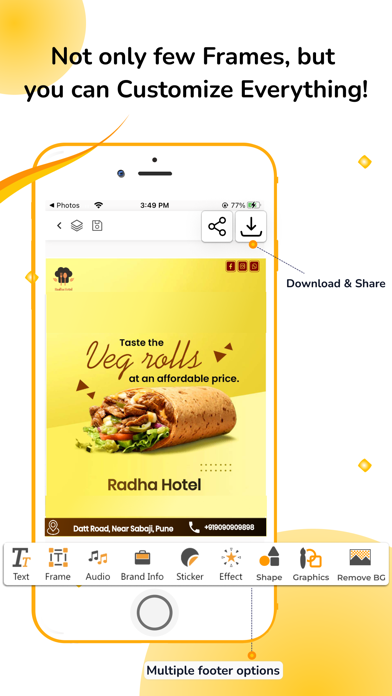
An Automatic Social Media Branding Solution, This enables you to generate and share the best of your business or personal custom branded social media posters, banners, videos for festivals, national & international days, trending events, business ads with your customers, team, audience, and network in a few clicks. Create Festival, Days, Trending Events, And Even Your Business Advertise Posters, Banners, Creatives, and Videos For Your Brand In Single Click. Follow these steps to Boost your Brand with automatic posters, banners & a video maker adbanao app : Step 1: Search Adbanao in the App store Step 2: Download and install the Adbanao app Step 3: Register by uploading the Logo and all your required Brand details Step 4: Your Brand is all set to Grow with the boost. Step 5: Choose desired to advertise design content. Step 6: Share it with your network and audience on various platforms. Content Categories : You can create advertising designs for the below categories, -Festivals

ipaomtk.com
ipaomtk.com | AI Photo Enhancer・Magus IPA, In an age where images are pivotal in storytelling and communication, having tools that enhance visua
AppInnovations
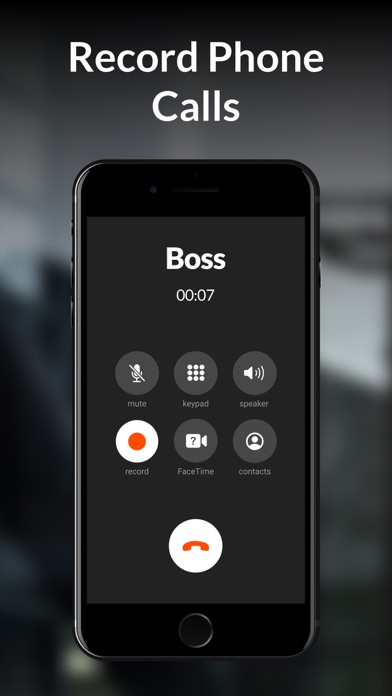
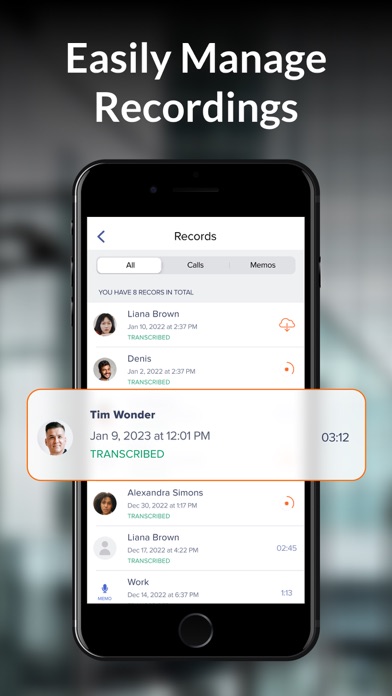
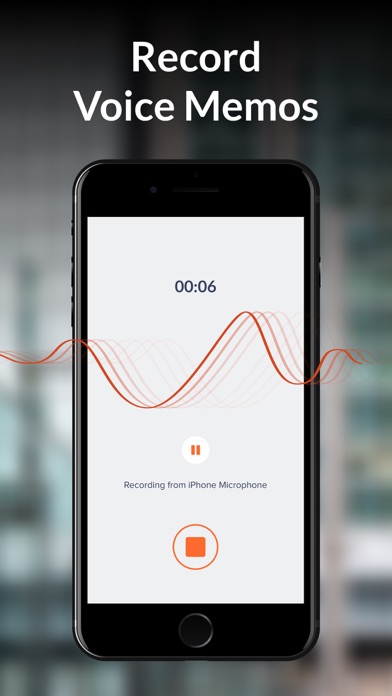
Record outgoing & incoming calls just in a few taps and access recordings anywhere, anytime! Try a free trial with all the features available. No more lies! Great for business! Here are the main features of our call-recording app: • Record incoming/outgoing calls in one tap • Save and access the records • Play and share your recordings • Enjoy the one-tap interface • Record as many conversations as you need • Contact our awesome customer service regarding any issues Save Your Time & Effort Record phone calls in one tap and use them later with iCall. Our phone call recording app will be extremely useful for business people, teachers and anyone who wants to save important information. Easy-to-Use How to record phone calls on your phone? Open our app, press the ‘Record’ button and carry on the conversation as usual. After the call ends, you can access the recording, replay it, direct to another app etc. Catch the Moment You can record both outgoing and incoming calls with iCall for later usage. Save important business agreements and genius ideas that pop up during a conversation. Record sweet moments with your loved ones to enjoy them later. Download now and see how iCall will transform your communication! Call Recorder iCall uses your carrier’s conference call feature to record conversations. Pro Upgrade Features: • Recording incoming calls • Recording outgoing calls • Unlimited duration of calls • ‘Share-and-manage your calls’ feature The following subscription plans are available (price may vary depending on location): – 1-week subscription with a 3-day trial version – 1-month subscription – Annual subscription Information about subscription auto-renewal: • Subscription automatically renews unless the auto-renew is turned off at least 24 hours before the end of the current period. • The user can manage subscriptions and turn auto-renewal off by going to the user’s Account Settings after purchase. • Any unused portion of a free trial period will be forfeited when the user purchases a subscription. • Payment will be charged to iTunes Account at confirmation of purchase. • The account will be charged for renewal within 24 hours prior to the end of the current period, and the cost of the renewal will be identified. By using Call Recorder iCall, you are agreeing to our Privacy Policy, Terms of Use: https://appinnovations.net/privacy-policy/ https://appinnovations.net/terms-of-use/

ipaomtk.com
ipaomtk.com | DreamFace IPA, an innovative AI video generator tailored for iOS users, poised to transform the way we visualize and share our narra