
Utilities
Find utility IPA listings for file management, VPNs, signing helpers, browsers, keyboard tools, backups, DNS, and system-focused apps.

晓飞 李
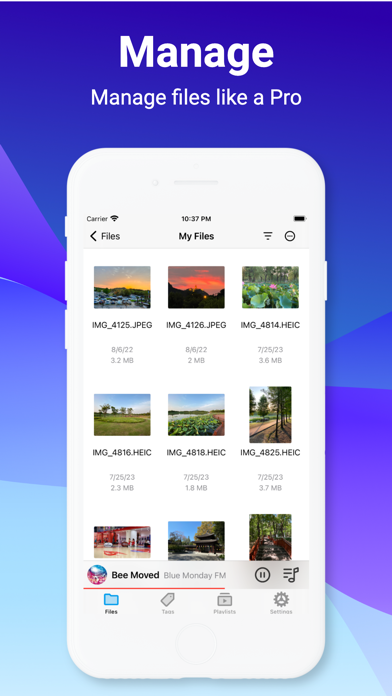
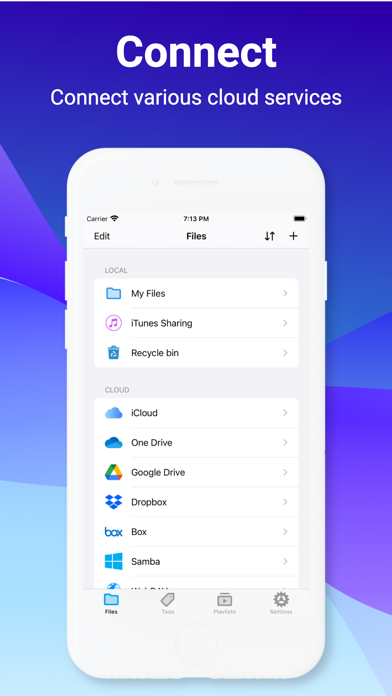
A better way to manage files on iOS device. It helps user accessing the most popular cloud services and old fashion NAS/WebDAV/FTP/SFTP servers, viewing PDF, Office documents and playing most of audio/video formats without convert hassles. Millions use File Hub every day to manage their files. KEY FEATURES: ■ File Manager • Supports local storage and Recycle bin. • Supports iCloud, OneDrive, Google drive, Dropbox, Box cloud services. • Supports FTP, SFTP, WebDAV & Windows Samba servvers. • Support for file collection and tagging. • More than 40+ file types support. • Multiple view modes support. • Sort files by "Name", "Date", "Size", "Kind" fields. • Unarchive ZIP, RAR, 7-zip, CBZ, CBR, TAR, BZ2, GZ files. • Network Task Manager supports uploading and downloading of files and directories. • Built-in wireless file transfer, easily exchange files between iOS devices and computer. • Editing photo and MP3 ID3 tags. ■ Viewer • Image Viewer • Text Editor • PDF Reader • Music Player • Video Player • Office Documents Viewer ■ Others • Light/Dark themes. • Password authentication. • Much more... Note: If you subscribe via Apple, payment will be charged to App Store Account at confirmation of purchase. Subscription automatically renews unless auto-renew is turned off at least 24 hours before the end of the current period. Account will be charged for renewal within 24 hours prior to the end of the current period at the rate of the selected plan. Subscriptions and auto-renewal may be managed by going to Account Settings after purchase. Terms of Service — https://www.apple.com/legal/internet-services/itunes/dev/stdeula/ Privacy Policy — https://imoreapps.github.io/filehub/privacy.html

Kristian Sepp
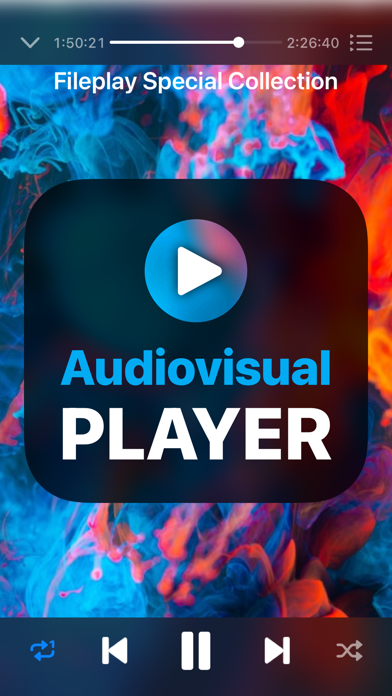
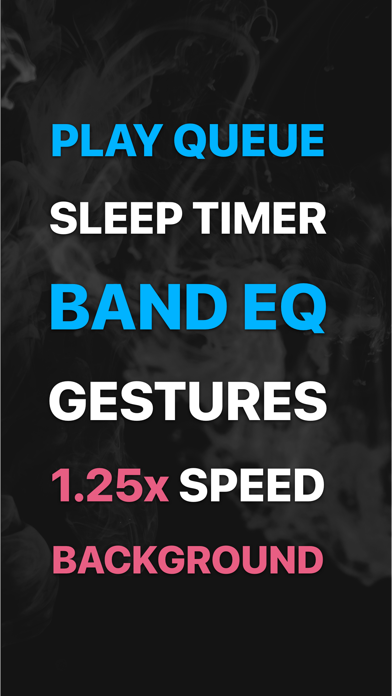
Fileplay brings a full-featured multimedia player for files on your device. Top picks: ▸ Play files from your device, iCloud and dozen of file providers* ▸ Adjust playback speed ▸ Add to queue multiple files ▸ Background Picture in Picture mode ▸ Bass booster ▸ Optimized for low battery use *Supported by File Provider extension
Tue Nguyen Minh
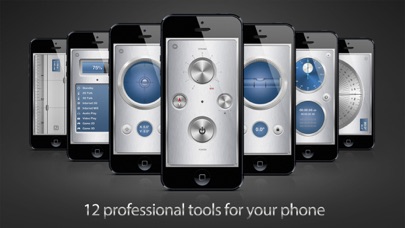
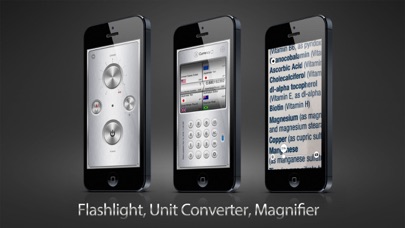
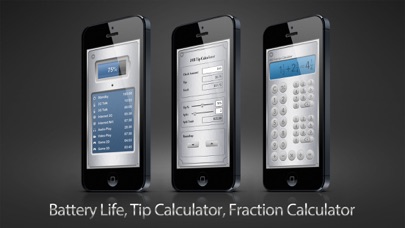
iMetalBox is the most elegant and handy toolkit ever created for your iPhone. Get 12 professional tools for the price of one! -------------------------------- User reviews: • "Nicely done ! Clever design and a must have for all. " - Dr5000 • "Pretty much any useful utility you'll need." - kfduv • "Versatile, functional, and easy to use." - MuzikGawd • "I love how the flashlight can be turned on as the first thing and that the light can be dimmed." - Reitveld • "This is my go to device for flashlight, stopwatch, levels, and it even has a built-in ruler." - grailpuffin • "Best compact app ever. It is very useful apps for daily use" - tinymoon -------------------------------- • Flashlight The brightest, fastest and most advanced flashlight for iPhone. It contains a compass and the brightness is adjustable. • Magnifier Transforms your phone into a magnifying glass with light. It will help you to read small text when you forgot your glasses. • Unit Converter Elegant and powerful unit converter with 16 categories. It can convert most currencies in the world. The exchange rate is updated frequently. • Tip Calculator Offer quick and easy way to calculate tips and split the bill among friends. Cash rounding is included for convenient. • Fraction Calculator Helps you to solve fraction maths quickly and easily. For example feet and inch calculator. • Stopwatch Great for timing sport events and contest. It has a hybrid design that combine both mechanic and digital stopwatch. Accurate to 1/100 second. Records can be copied to the clipboard. • Spirit level Use this tool to measure angles of any object. You can use this tool for picture alignment and home decoration. • Surface level Measure the slope of any flat surface such as pool table and table tops. • Ruler Support both inches and centimeters. It contains sliders to help measure small objects. • Protractor Measure angles from 0 to 180 degrees. Support degree and radian mode. • Battery Info Displays remaining time for various type of tasks such as surfing the internet or playing games. • Features: - A mini compass is included with the flashlight - Flashlight brightness is adjustable (iOS6 and later) - Authentic looking mechanical stopwatch - Calibrate and lock buttons for levels - Ruler with sliders for precise measurement
ComcSoft Corporation
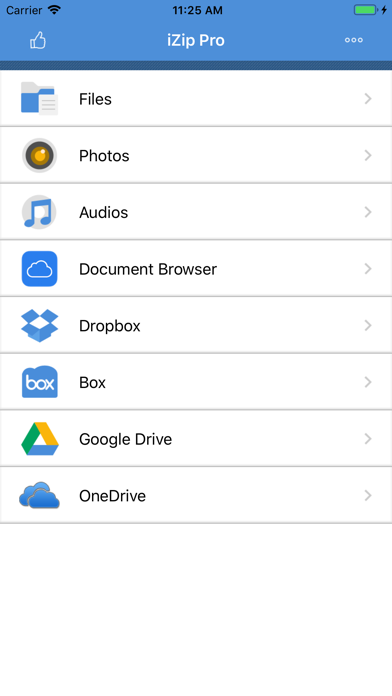
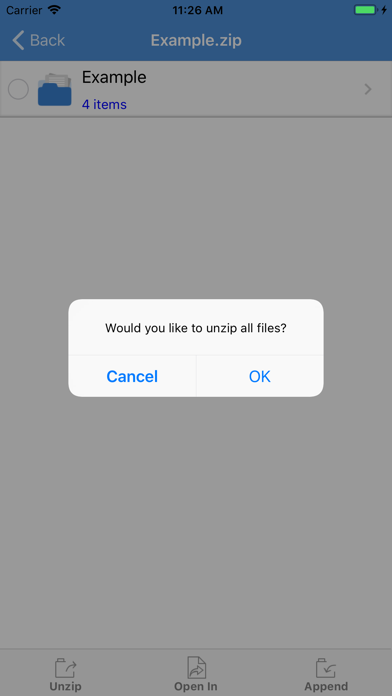
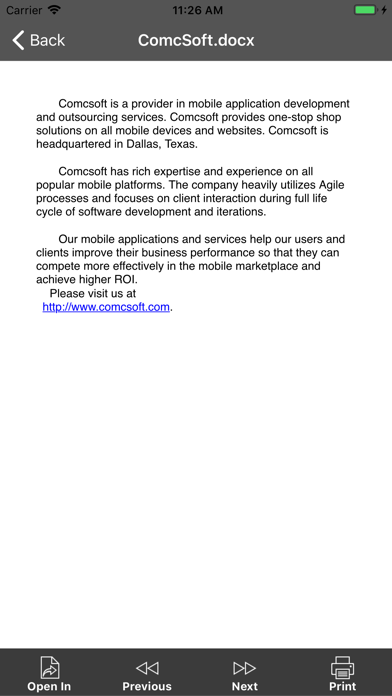
No. 1 App for ZIP/RAR file management on iPhone/iPad! Most secure and fast Zip utility for business and professional users. iZip is a ZIP file management tool on iPhone and iPad. iZip has the following features: - Unzip files from ZIP format, including password protected and AES encrypted ZIP files. - Unzip many compressed files, including: RAR, 7Z, ZIPX, TAR, GZIP, BZIP, TGZ, TBZ, ISO, DEB, CAB, JAR, RPM, CBS, and more. - Compress files into ZIP file. - Compress photos and videos from Photo Album. - Compress files with a password or AES encryption. - Open and view many document types: DOC, Excel, PPT, PDF, TXT, RTF, Pages, JPG, GIF, PNG, audios and videos. - Open files directly from iCloud, Dropbox, Box, One Drive, and Google Drive. - Upload/download files to/from Dropbox, Box, One Drive, and Google Drive. - Support Files app. Open files from iCloudDrive, other cloud drives, and third party Apps in Document Browser. Save files to iCloudDrive, other cloud drives and third party Apps. - Append files to a ZIP file. - Support multiple ways of sharing files, including: Email, Message, Airdrop, Open in another App. - Save photos to Photo Album. - Support HEIC to JPG conversion. Support different image sizes. - Print documents. - Download/upload files through iTunes. - Support Face ID and Touch ID. With its simple interfaces, iZip provides the easiest way to manage ZIP files on iPhone and iPad. If you have any questions, please visit: http://www.comcsoft.com/Portfolio/our_apps/iZip/iZip_overview.php


Cheese Mobile, Inc.
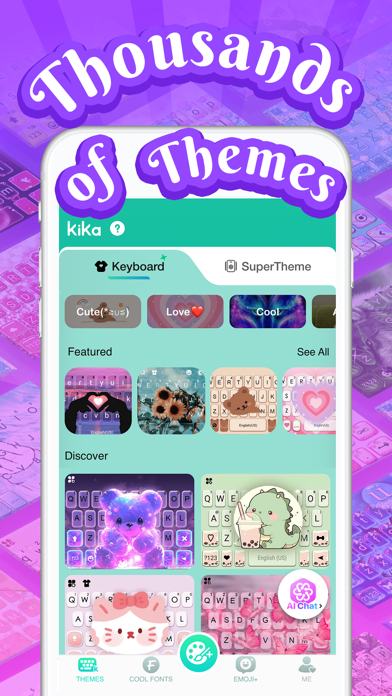
Kika Keyboard is your chance to spice up your social media presence! Want your Instagram posts and stories, Snapchat photos, and TikTok videos to come out on top? Or send funny stickers and kaomojis to your friends on iMessage easily? Download our awesome emoji and fonts keyboard for your iPhone. Works with: •Instagram •Snapchat •TikTok •Roblox •WhatsApp •iMessage •any app you’re using This app is super easy to use and is also compatible with all your social media profiles. Choose your favorite fonts from our fonts collection for your bio and captions, or add emojis and stickers to your posts, stories, and videos. These amazing features will be an incredible addition for all your social media accounts, taking it from good to extraordinary! Works with all apps you need. You can earn gems by viewing ads daily or participating in our mini games or Upgrade to Kika VIP for more awesome features: * Unlock All Themes, Wallpapers,Fonts, Stickers, Emojis, Gifs * Unlock All customize DIY's resources, exclusive AI customized keyboard background * Unlock All Symbols,Facemojis,Emoji Arts,Quotes Templates * Unlock All Sounds and Music * Unlock All Translation function * Unlock All Quick Copy and Paste * Full acess for AI Image Generator and Ask AI Kika is the Most professional keyboard * Auto-correct and Swipe input * Input engine supports AI word association to help you complete words automatically * Supports 150+ languages * Data encryption transmission is to ensure communication privacy security. Use more than 1w+ resources to create a custom keyboard * Make your own stylish keyboard wallpaper, photos with varies of AI templates as the background. * Customizable themes & photo keyboards. * Amazing cool fonts that work in ANY app. Email, iMessage, Facebook Messenger, Twitter, WhatsApp, Instagram, Snapchat, TikTok, LINE, etc… * Spice up your conversations with our stylish fonts. * New fonts and color text messages added regularly. * Cool fonts paired with text background. * A lot of funny and cool Kaomojis(>ڡ<) for you to choose from(´⊙ω⊙`). * Dozens of color keyboards background. * Tons of new symbols to decorate your Instagram & Snapchat. * Hundreds of fonts to customize your phone for FREE! Be one of the first to get it and surprise your friends with one of these amazing fonts. Full compatibility is this app’s feature. * Supports the selection of sound and music as key tones, so you can hear a wonderful sound as you type. * Chat with your friends on iMessage, add funny stickers and cute kaomojis in a easy way! How To Use Kika Keyboard * Open Settings-->General-->keyboard * Turn on ''Kika keyboard'' * Turn on ''Allow full access'' Please enable the keyboard’s full-access feature to use our funny stickers. Or you can click the "Globe” button in Messages to switch the keyboard to Kika Keyboard.We promise we’ll never collect any of your personal info. IN APP PURCHASES You can get KiKa Keyboard Plus through auto-renewing subscription and if you want to continue getting premium features, your subscription should be continued. Yearly Premium Membership offers $59.99. Monthly Premium Membership offers $19.99. Payment will be charged to your iTunes Account at confirmation of purchase. Your subscription automatically renews unless auto-renewal is turned off at least 24 hours before the end of the current subscription. Your account will be charged for a renewed subscription within 24 hours prior to the end of current subscription. You can manage your subscription and switch off the auto-renewal by accessing your account settings after purchase. You cannot cancel the current subscription during the active subscription period. Any unused part or time-span of a free trial period will be forfeited, as soon as you purchase a subscription. Term of Use: http://www.kikakeyboard.com/ios_kika_terms_of_use.html Privacy Policy: http://www.kikakeyboard.com/privacy_en_kika.html Contact: [email protected]


Karl Boghossian
Keep track of all your cryptocurrency transactions along with fiat deposits/withdrawals in one place. Need to file your taxes and include gains/losses from your crypto transactions? Ledger Manager can smartly generate those reports for you and facilitate reporting them on your tax forms! (refer to screenshots) If you've ever wanted to keep track of all your financial assets in one place, Ledger Manager helps you visualize your investments, cash balances and assets in an aggregated view with easy to digest profit/loss reports. No account linking required, you just manage a ledger of funds movements, and let the app do the rest. After making a transaction on an exchange, simply record it manually in the app and it'll sync on all your iOS devices. The "Reports" screen will display: • The total size of the your currency's holdings. • The currency's average unit price. • Along with the holding % of for that currency. • The current market price and value of your holdings. Gain/Loss Report Generation: • Generate a profit & loss report for any coin in a calendar year. • Smartly calculates for every sale the average acquisition cost and date based on either FIFO (first in first out) or LIFO (last in first out) approach. • These reports can help facilitate your tax reporting on any gain/loss for the year!* • Reports can be exported into .csv format to easily copy/paste into tax form.* Net Worth Reports: • Add your own monetary items you’d like to track. No account linking necessary! Example: Bank name, financial institution, exchange name, asset name, etc. • Items are grouped by category: Cash, Investment or Asset. • Record any monetary transactions (non crypto) into a ledger. Example: Transfer of funds from bank into an exchange. • Come back and record the current monetary value of your item. Example: Current bank account balance, current portfolio balance, asset value, etc. • Ledger Manager will automatically show you all your gains/losses across all your monetary items so far, along with any fluctuations. It will even plot your changes on a line chart. Additional features include: • No account creation needed, as long as you're logged in to your personal iCloud account, everything will get synced automatically. • Privacy is our top concern, your data is stored in your private iCloud account. • Flip the update fiat switch when adding/editing a transaction, to automatically adjust your total fiat balance. • Deleted transactions end up in a "Recently Deleted" screen, so you can restore them for up to 30 days. Or just delete them permanently. • Integrated calculator as you input values to allow arithmetical evaluation on the fly. • Support for Face/Touch ID & Passcode. • Support for Dark mode. *Reports should not be used as-is prior to consulting a tax advisor.

ipaomtk.com
ipaomtk.com | Lottery Box – Lotto Manager IPA v1.3.82 is a revolutionary tool for avid lottery players, designed to simplify the process of tracking a


Miao Wang
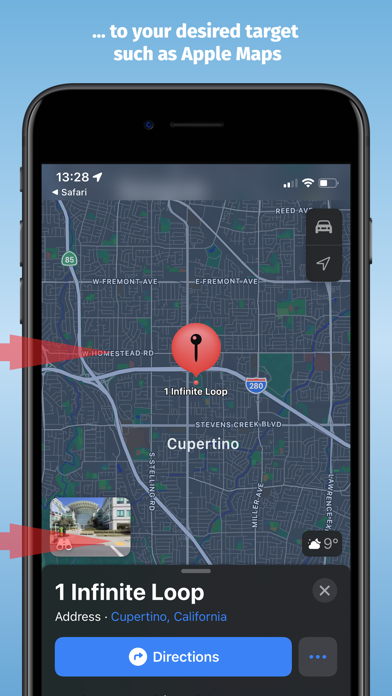
Map Redirect is a Safari Extension to replace all map links on a webpage to be opened with the map app of your choice. You can select your target to always open in Apple Maps, Google Maps, HERE WeGo Maps, Bing Maps, Waze. Map Redirect will automatically redirect you to the maps app of your choice. If you select "Ask Me" a prompt will appear to ask you where to open the link. Works on Google Search pages and any other webpage. No need to copy/paste addresses anymore. Instructions: 1. Download Map Redirect from the App Store 2. Go to Settings -> Safari -> Extensions. Enable Map Redirect as Safari Extension 3. Open Safari. Search for location. For example, type London 4. Click on Context menu (the symbol "aA"). Click on Map Redirect to give it access to the webpage you are visiting. 5. The extension needs to read and alter the web page to change the map links. If asked for access, you may select to allow it for one day or to always allow. 6. In the Map Redirect popup, you can select your target. For example: select Apple Maps 7. Map Redirect will now scan the webpage for map links and convert them to be opened in Apple Maps. 8. Click on any map link 9. Map Redirect will now take you to London in Apple Maps Note: Map links on websites can appear in various forms with different parameters. Map Redirect tries to detect and convert them as much as possible to your desired target. Therefore, Map Redirect requires permission to read and alter the web page to change the map links. If asked for access, you may select to allow it for one day or to always allow. In case Map Redirect does not work on a specific webpage, please contact us and let us know the URL to check and fix it. Thank you for contributing. *HERE WeGo deeplinking support is limited to only links with geo-coordinates *Bing maps will use Apple Maps on iPhones *Waze Deeplinking support is limited to searching from your current location to what is around you Privacy: Map Redirect does not use any trackers of any sort, nor does it keep, track, sell, rent, or share any information on you throughout your use of the app with any third parties. All processing happens locally on the webpage you visit with the extension. No data is transferred to any central server. For any questions, feel free to contact us directly.

Sebastian Boehmel
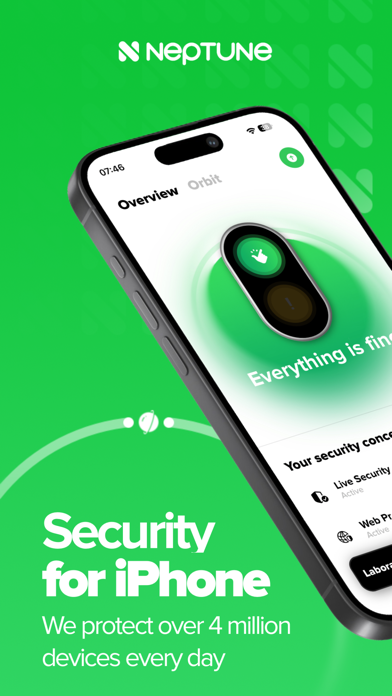
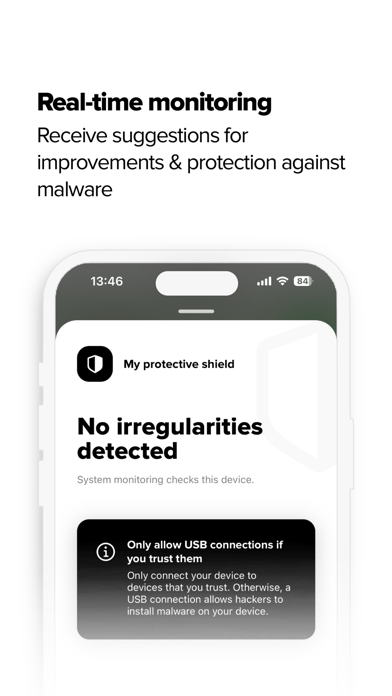
Neptune – Your Personal Security Hub for iPhone & iPad Have you clicked on a suspicious link? Or are you curious if your personal data is already circulating online? Neptune helps you analyze your device, detect security risks, and protect yourself from digital threats — easily, quickly, and reliably. With Neptune, you get powerful tools to protect your digital identity, detect scams, block tracking, and keep your iPhone or iPad at the highest level of security. Key Features at a Glance: • Data Breach Check: Find out if your email or other personal data has appeared in known data leaks. • Protection Shield Scan: Detect suspicious activities or manipulations on your device. • Web Protection (Safari): Block ads, trackers & malicious websites directly in Safari. • TrustCheck: Review the trustworthiness of online services (e.g. social media, banking, shopping). • Orbit Monitoring: Monitor the security status of multiple devices — ideal for families & teams. • Security Update Alerts: Get notified when a critical system update is required. • System & Hardware Info: View your device’s memory usage, storage, and hardware details. Start for Free – Take Full Control Download Neptune for free and find out how secure your device really is. Many features are available instantly — no subscription required. You can upgrade at any time for even more protection and control. We Value Your Feedback If you enjoy using Neptune, we’d love your review in the App Store. Share the app with your friends and family — staying secure is easier together. Terms of Use (EULA): https://www.apple.com/legal/internet-services/itunes/dev/stdeula/
Lunabee Pte. Ltd.
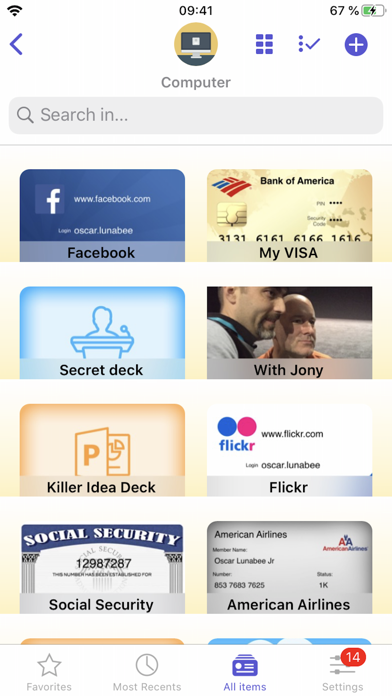
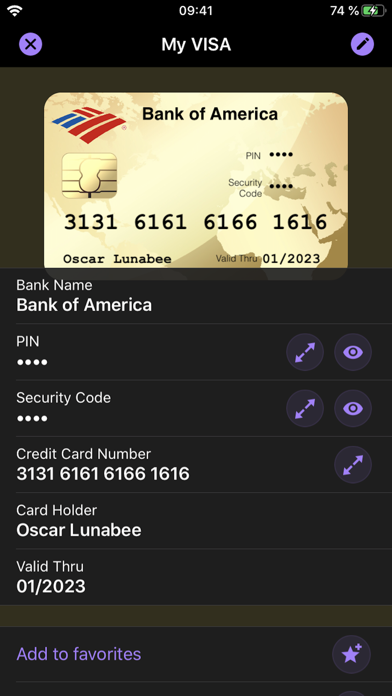
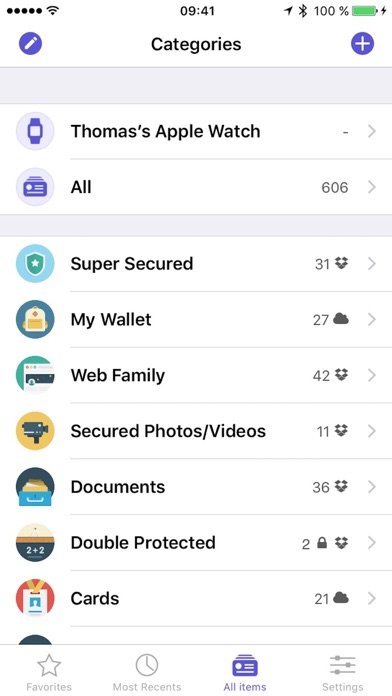
oneSafe provides advanced security for your passwords with features like Touch and Face ID, auto-lock, decoy safe, intrusion detection, self-destruct mode and double protection for your most sensitive data. NEW! oneSafe+ now supports Dark Mode, Siri shortcuts, an Apple Watch app, iOS universal (super fast) search in Spotlight, and many other iOS 13 improvements. You can even sync your secured info across various devices via iCloud Drive, CloudKit or Dropbox to have your passwords available whenever and wherever you need them. oneSafe protects your confidential information with AES-256 encryption; the highest level of encryption on mobile devices. Passwords, documents, photos, credit card numbers, bank account details, PIN codes and much more can all be locked away securely inside your safe – and at the same time be accessible whenever you need them. Plus, oneSafe adapts to your preferences allowing you to change the colors and images of your safe for maximum customization. > THEY LOVE oneSafe • Apple Editor's Choice, best new app in 80 countries! • "oneSafe has cuter graphics than its rivals" [New York Times] • "Even though oneSafe is incredibly powerful, it remains incredibly user-friendly." [iMore] • "Listed in top password managers" [Cnet] • "oneSafe is well built, robust, and easy to use" [Marco Tabini] • "If you want to protect and secure your data like Fort Knox, oneSafe is your solution." [AppDictions.com] oneSafe is ultra secure, easy to use and provides an unequaled user experience. Keep all your confidential information secure and easily accessible when you need it – with oneSafe! > SECURITY first oneSafe incorporates the strongest encryption algorithm available on mobile devices (AES-256). All your data is automatically encrypted as soon as it's stored in the app, even the synched content. oneSafe also makes your entry password unhackable by using encryption standards involving extremely complex calculations. In addition, oneSafe comes with numerous advanced security options allowing you to manage your level of security: double-protection categories, auto-lock feature, password generator, decoy safe, self-destruct option, break-in attempts monitoring and a password change reminder. > SYNC your content, the way you want • You control at all times which categories are synched and which are not. • Your info is synched via iCloud or Dropbox. Before being sent to the server it’s encrypted with AES-256 for the maximum possible level of security. • You don't want to use the cloud? Choose the manual sync option! > FEATURES that will make your life easier • Password safety analysis. • iOS universal search in Spotlight. • Large step-by-step password reader. • Integration with Withings watch, securing oneSafe based on the watch's distance from your iPhone or iPad. • Create, browse and edit your items super easily. • Adapt your safe with customizable categories to keep all your information well organized. • Use ready-made templates to quickly and easily enter your data. • Take advantage of the ultra-secure built-in browser with auto-fill feature to access websites quickly and securely. • Back up your data (via email, iTunes or Wi-Fi) to be sure you’ll always have a copy in storage. • Change the texture, icon and color for any of your items. • Flag items as 'Favorites' for quick access to your most commonly used information. • Use the ‘Search’ feature to find items quickly within your database. • Sync the contents of your safe between your devices using iCloud (iCloud Drive or CloudKit), and/or Dropbox. • Use the bullet-proof "Secure sharing" feature to share your confidential data with your family, friends or colleagues. Store in complete security: • Credit card numbers • PIN codes and entry codes • Social security and tax numbers • Bank account details • Usernames and passwords • Documents in PDF, Word, Excel and more • Private photos and videos
Jetson Creative LLC
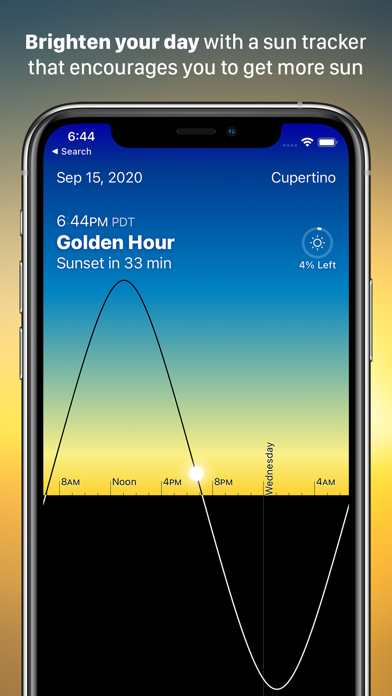
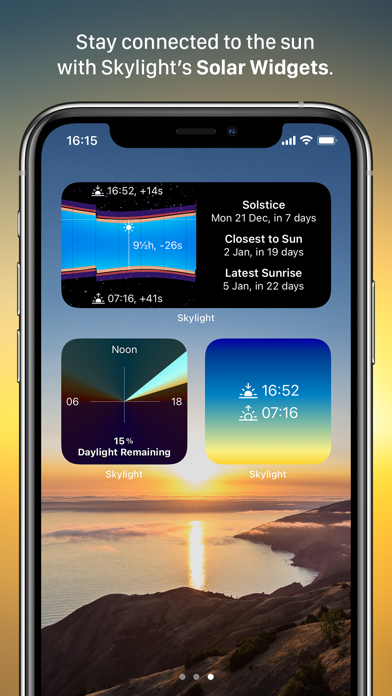
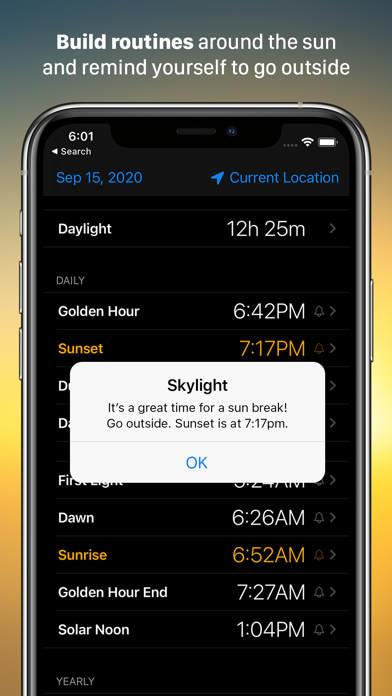
One of the easiest ways to become a happier person is to experience more sunlight every day. Skylight can help make that happen through a beautiful app experience designed for everyone. Create a routine around sunrise every morning. Remind yourself to step out at solar noon for a sun break. Take better photos by shooting during Golden Hour. Start getting outside to see the sunset more. Gain a better sense of sunlight lost and gained through the seasons and adjust your routine to make sure you get enough light. Motivate yourself through the winter months by reminding yourself that days are getting longer. The uses are endless but the goal is the same - better living through more sunlight. Skylight includes a universal app for iPad and iPhone, an Apple Watch app with complications, and three widgets. The Apple Watch complications show you how much sunlight is left in the day, or when upcoming events like Golden Hour are taking place. The complications are a beautiful addition to the watch face and offer one of the most effective ways to use the app. The Today Widget shows you the app information in a quick, glanceable form, so daylight info is always at your fingertips, either in your Today view or with a 3D Touch on the app icon. Features include: - Beautiful fluid visual display showing the position of the sun over time. - Comprehensive notifications & alarms for daily and yearly sun events. - Three different configurable widgets: Year Graph, Daylight Graph, and Gradient. - Apple Watch app and complications with daylight clock and events. - Year view, showing the entire year's daily sun events with a simple drag of your finger. - Detailed event views, describing each sun event and showing the earliest and latest. dates on which it occurs. - Date picker to see sun information from dates in the past or future. - Location picker to see sun events and graphs for anywhere on earth. - Multiple time modes, including specialized modes for photography and science. - Support for all display sizes and device orientations. - Spotlight support, so you can just type "Golden Hour" from your phone's home screen to pull up today's info. - Skylight can optionally use GPS in the background to ensure notifications are correct even if you change location. Continued use of GPS running in the background can dramatically decrease battery life. Skylight is an indie app developed by the creators of Magic Window. We strive to make beautiful software that connects people with the world. If you have any issues or questions please contact us at [email protected].
James Spencer
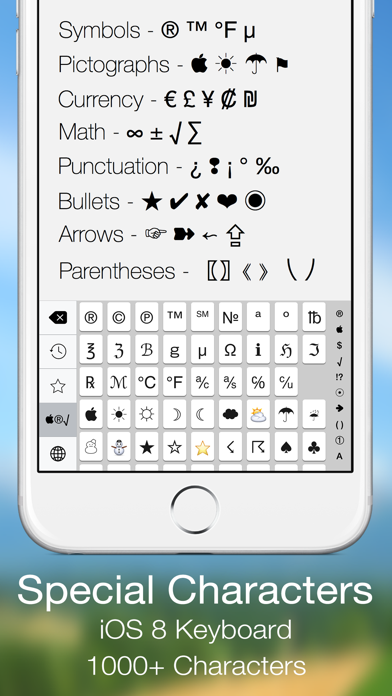
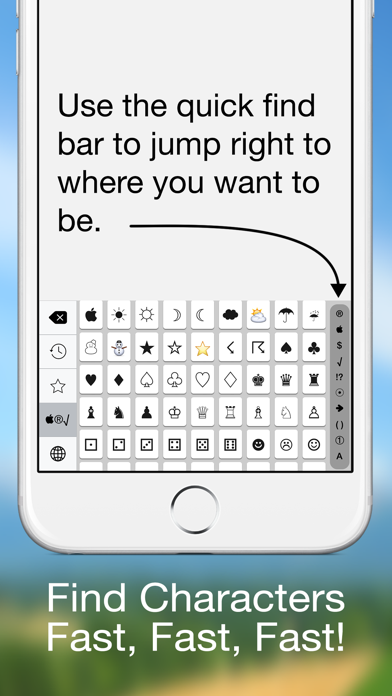
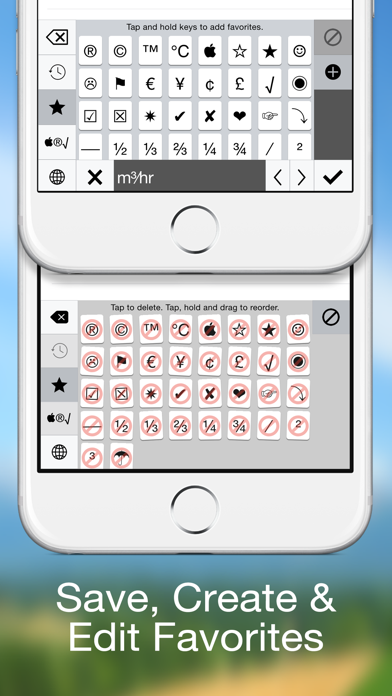
Special Characters is an iOS 8 keyboard that gives you access to all the symbols, glyphs, bullets, arrows and other special characters that you can't access from the standard iOS keyboard. Special Characters isn't a replacement keyboard but a companion that you can use to get to the characters & symbols you need when you need them. Choose from over 1000 characters separated into 10 sections. * Symbols * Pictographs * Currency Characters * Math Symbols * Punctuation * Bullets * Arrows * Parentheses * Numbers * Letter A - Z are there. * Quick Find Bar * Use the quick find bar to jump right were you want to be. * Favorites * You can also long tap on any key and store it in your favorites. Edit and sort your favorites list into what works for you. * Recently Used * Special Characters also keeps track of all your recently used characters like the Emoji keyboard. Finally, Special Characters works in both landscape and portrait. We are certain that Special Character keyboard will give your emails, texts and notes the special characters you need! So, make the leap with Jump Gap Software’s Special Characters keyboard for iOS 8.

Techet
An advanced tool for monitoring your iPhone and iPad performance. System Status provides graphical monitoring of all the device's resources such as CPU, memory, disk, battery and wifi/cell data usage. Further, it shows network-related info such as wifi/cell connection details and the routing table. Finally, System Status displays operating system details such as kernel version, memory page statistics and shows various hardware-related data. BATTERY • Graphical battery level display • Battery state monitoring (discharging, charging, full) • Estimated battery work time for different usage patterns (standby, audio and video playback, Wi-Fi and 3G browser usage, talk time) • Adjustable battery health to make the estimated work times usable for older batteries MEMORY & DISK • Real time memory usage monitoring - graphical display of wired, active, inactive, and free memory • Detailed page statistics including page ins and outs, page faults, page lookups, page purges and others • Used and free disk capacity monitoring • File statistics (number of songs, videos, podcasts, artists, genres, etc.) • Mounted file system list CELL & NETWORK • Cell and Wi-Fi network connection information • IP address of the current connection • Carrier information such as network technology used • External IP address • DNS server, default gateway • Received and sent wifi/cell data since last boot • Routing table CPU • CPU usage updated in real time • Average load over the last 1, 5, and 15 minutes OPERATING SYSTEM & HARDWARE INFORMATION • System boot time and uptime • Operating system and kernel version • Device model and user name • Detailed CPU and GPU information - model, core number, CPU and BUS frequency, L1, L2 cache sizes, and others • Hardware features of the device including display resolution, pixel density, battery voltage, battery capacity, front and rear camera resolution and many more RESOURCE GRAPHS • Possibility to record up to 3 minutes of background activity • Pinch to zoom & pan • Play/pause to see real-time or history data MORE • Real time updates of the display every time the monitored parameters change • Export by email, AirPrint, and AirDrop for most info • Light/dark theme • Copy/paste support • Detailed help • Regular updates


Tekton Technologies (P) Ltd.
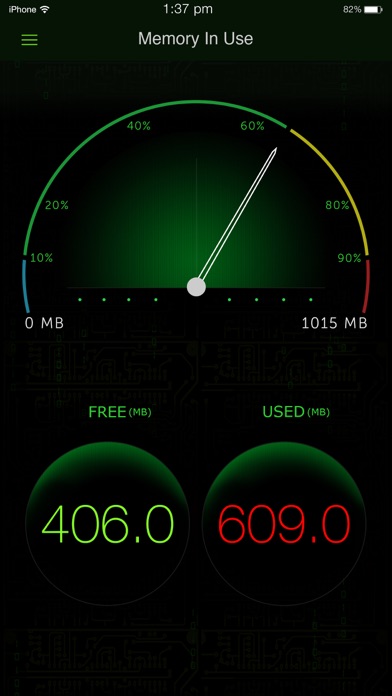
The System Activity Monitor stands out as the most inclusive health check application available on the App Store. It diligently tracks memory usage, battery performance, device details such as IP address and hardware address, provides battery tips, furnishes comprehensive system information, and indicates used space on your iOS device. Now, it comes with enhanced camera information, offering detailed insights into your iPhone camera system, covering telephoto, wide, and ultra-wide lenses. This app serves as a precise tool to monitor battery life, delivering timely tips that maximize your battery usage for an optimal and prolonged battery life. KEY FEATURES: 1. Battery tips are shown to help save battery life while using the iPhone. 2. Tap battery to see the battery capacity for your favorite apps. 3. Shows the used and free space on your iPhone/iPod. 4. Shows the IP address acquired, and hardware address of your device. 5. Displays a long list of device information, like physical specs, hardware info, and many more. These are the different views on the App. Memory view: Shows the used and free iPhone memory available as used by other apps. This is shown in an excellent speedometer animation view. Close out the other apps, and see the memory being reclaimed in this app, when the speedometer shows the free memory available increase. This has an LED indicator with blue, green, yellow and red colors indicating the amount of memory being used. Battery view: This view shows the battery available for discharge, how much time to recharge to make it full, and when it is charged to FULL, displays an indication, as "FULLY CHARGED", as opposed to quick charge. It has glow panels on the top to let you know, how much battery is available. Tap the battery on the fill, to show the detailed break up of battery availability for 3G talk time, browsing, videos, games etc. Animated battery charging with current flashes inside the battery. Space used view: This is shown as a pie-chart that presents the used and free space available on your iOS device. Info view: Now it shows a lot more device information, like system information, camera information, display, hardware and physical characteristics. It shows whether you device is connected to Wi-Fi or cellular and its IP address. ## Few of our user TESTIMONIALS ## $ Way cool This is a terrific system tracker. - Macquest $ Definitely get this App.! Love the cool dashboard. Tells you what's going on in the Apple brain in your iPad or iPhone. This App rules. - Battyguy $ Simple App ! Great tool! Helps to keep your standby time ridiculously long and device running smoothly. - Spader1969. $ I have tried many products like this one and so far I keep coming back to this one. - Markeith3000 Subscription Info Sysmon, our paid subscription product, is paid per year for annual subscriptions, per month for monthly subscriptions, and per week for weekly subscriptions. Payment will be charged to iTunes Account at confirmation of purchase. Subscription automatically renews unless auto-renew is turned off at least 24 hours before the end of the current period. Account will be charged for renewal within 24 hours prior to the end of the current period an annual subscription, monthly subscription, and weekly subscription, as the case may be. Subscriptions may be managed by the user and auto-renewal may be turned off by going to the user's Account Settings after purchase Any unused portion of a free trial period, if offered, will be forfeited when the user purchases a subscription, where applicable.” Privacy policy and terms of use https://tektontek.com/termsofuse.php STAY UPDATED - Website - https://sysmon.tektontek.com Twitter - @AppLifeStyle Facebook - facebook.com/tektontek


Free VPN Network
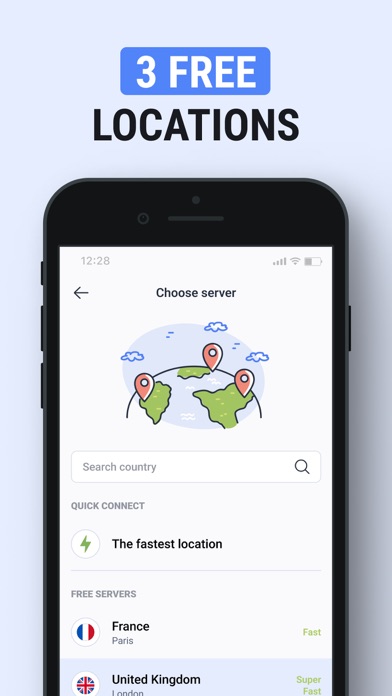
Are you looking for a free VPN for a fast and stable connection? Try TipTop VPN - your ticket to free internet access! Enjoy a fast and secure connection without limiting yourself. Free VPN proxy connection is available in 3 different locations! ▢ Fast Servers TipTop VPN provides a fast VPN proxy to allow you to enjoy smooth and uninterrupted internet surfing. No delays, just an instant connection to your favorite resources. ▢ Robust Protection Our app provides strong encryption, protecting your personal data and online privacy. Now you can use public Wi-Fi networks with confidence. ▢ Easy to Use TipTop VPN's interface is designed with user-friendliness in mind. Launch the app, click "Connect," and you're ready to surf the web safely and anonymously. ▢ Gaming TpTop VPN provides the perfect connection for gamers. Stability and low ping ensure uninterrupted gaming sessions, allowing you to enjoy virtual worlds. Play Pubg with pleasure! ▢ Anonymous Access to Adult Content Our VPN app will provide anonymity and security, enjoy adult movies without revealing your identity in complete privacy. Benefits of our VPN: - Modern encryption - Worldwide servers - No logging policy - Simple interface - Free VPN usage - No limits traffic and restrictions speed - Openvpn, IKEv2, and Wireguard protocols - No advertising VPN (virtual private network) technology creates an encrypted and secure "tunnel" between your device (like a computer, smartphone, or tablet) and a remote server, which may be in another part of the world. When you connect to a VPN, all data transmitted between your device and the server is protected by strong encryption. This means that even if someone tries to intercept this data, they won't be able to read it because of the encryption. Your traffic passes through this encrypted tunnel, making you invisible to unauthorized observers, including your ISP and intruders. Your IP address, which is normally used to identify your device on the Internet, is replaced by the IP address of the server. This allows you to remain anonymous and will enable you to change your virtual location. Note: 1. Please note that using VPN for illegal purposes is prohibited. 2. Unfortunately, the service does not work in China. Our support team is ready to help you and answer all your questions anytime: https://tiptop-vpn.com/ru/support/. Terms of Use (EULA): https://www.apple.com/legal/internet-services/itunes/dev/stdeula/

ipaomtk.com
ipaomtk.com | Toolbox for Safari IPA v1.0.13 is a versatile browser extension that enhances the functionality of Apple’s Safari web browser. This comp
Fast VPN Pro, S. DE R. L.
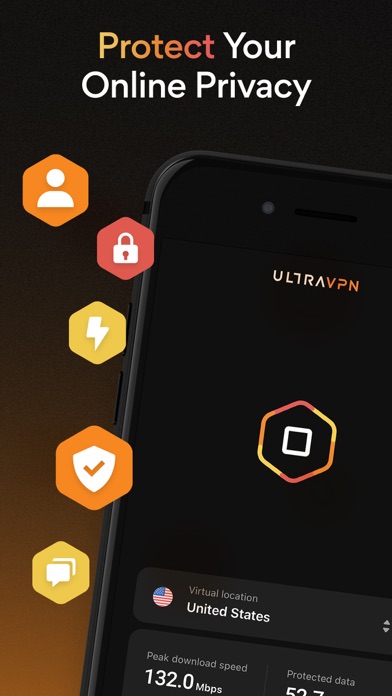
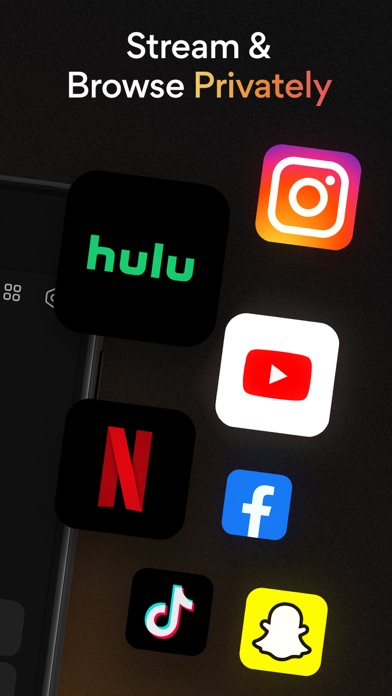
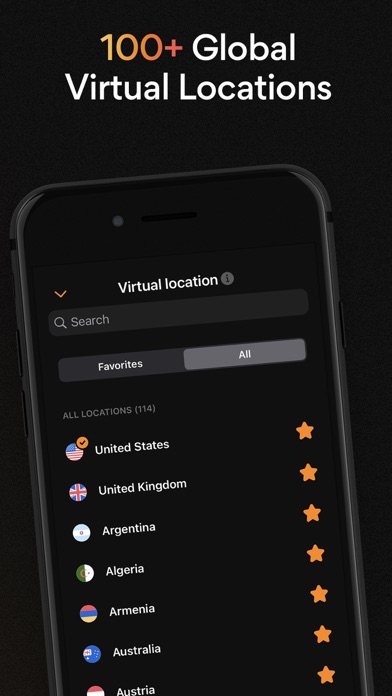
Ultra VPN gives you unlimited access to some of the fastest VPN servers all over the world. Change your location and IP address and secure your connection when connected to public WiFi hotspots! Get ultimate security with Ultra VPN, equipped with elite, military-grade encryption and backed by an explicit zero-logs policy to shield your personal information from cyber threats. Boost your security and internet protection with Ultra VPN's advanced mobile security features, ensuring safe and reliable browsing! Ultra VPN Features: • Unlimited access and fast connection to secure, premium VPN servers • 24/7 continuous device security with unlimited time, connect up to 10 devices simultaneously • One-click connect for quick access • Complete anonymity worldwide with 1800+ bare-metal VPN servers in over 125+ locations across 80+ countries • Industry-leading, military-grade security and 256-bit AES encryption from your phone to our servers • 24/7 customer support Bonus: free access to PassWatch password manager and Dark Web Scan included Try Ultra VPN for free with a no-obligation limited time trial. Monthly and annual subscription plans available. Payments are made through the App Store and subscriptions automatically renew based on your selected subscription term unless auto-renew is turned off at least 24-hours before the end of the subscription period. Once a subscription is purchased, any unused portion of a trial period will be forfeited. Terms of use: https://ultravpn.com/terms/

Mobile Apps by Krishna Technoweb
VPN-Z - Secure & Private VPN Protect your online privacy and secure your internet connection with VPN-Z. Our military-grade encryption keeps your data safe on public WiFi networks and protects your personal information from unauthorized access. PRIVACY FIRST • No-logging policy - We don't track your browsing history, IP address, or online activity • Military-grade encryption protects your data • Anonymous browsing keeps your identity private • Secure connection on public WiFi networks FAST & RELIABLE • Lightning-fast server speeds for seamless browsing • Unlimited bandwidth - no data caps or throttling • Stable connections with minimal latency • Optimized servers for best performance GLOBAL SERVER NETWORK • Access servers in multiple countries worldwide • Choose your preferred server location • Premium servers with ultra-fast speeds • Automatic server selection for optimal performance EASY TO USE • One-tap connect - start browsing securely instantly • Simple, intuitive interface • Automatic connection on app launch • Real-time connection status SECURITY FEATURES • Military-grade AES encryption • Secure DNS to prevent DNS leaks • Automatic kill switch protection • IPv6 leak protection WHY CHOOSE VPN-Z? VPN-Z is designed with your privacy in mind. Whether you're browsing at home, at work, or on public WiFi, VPN-Z encrypts your internet traffic and protects your personal data from hackers, ISPs, and prying eyes. Our strict no-logging policy means we never collect, store, or share your browsing history, connection logs, or online activity. Your privacy is our priority. PERFECT FOR :- • Securing public WiFi connections at cafes, airports, and hotels • Protecting sensitive data and personal information • Anonymous browsing without tracking • Safe online banking and shopping • Protecting your privacy from ISPs and advertisers SUBSCRIPTION INFORMATION VPN-Z offers auto-renewable subscriptions to unlock all premium features: • Payment will be charged to your iTunes Account at confirmation of purchase • Subscription automatically renews unless auto-renew is turned off at least 24 hours before the end of the current period • Your account will be charged for renewal within 24 hours prior to the end of the current period • You can manage your subscriptions and turn off auto-renewal in your Account Settings after purchase • Any unused portion of a free trial period, if offered, will be forfeited when you purchase a subscription FREE TRIAL New users may be eligible for a free trial period. After the trial period ends, your subscription will automatically renew at the regular price unless cancelled at least 24 hours before the trial ends. You can cancel anytime in your iTunes Account Settings. PRIVACY & TERMS We respect your privacy and are committed to protecting your personal data. Privacy Policy: https://krishnatechnoweb.com/vpnz/privacy Terms of Service: https://krishnatechnoweb.com/vpnz/terms SUPPORT Need help? We're here for you! Email: [email protected] Download VPN-Z today and experience true online privacy and security!

Adam Foot
Swipe and type messages on your Apple Watch using a fully functional keyboard with WristBoard. * As featured on the App Store, 9to5Mac, Cult of Mac, iMore, AppAdvice, TechRadar & iPhon.fr * Typing messages on Apple Watch can be chore - Scribble doesn't always work and Dictation isn't great in public spaces. With WristBoard, you get a fully-fledged keyboard straight on your wrist, no awkward typos necessary! By adding a full QWERTY, AZERTY or QWERTZ keyboard to your Apple Watch, you can reply to iMessages quickly and privately. Autocorrect and smart text predictions quickly ensures what you type is accurate and makes senses. WristBoard contains these great features: FULL KEYBOARD Add a full QWERTY, AZERTY or QWERTZ keyboard to your Apple Watch. Keys are easy to press and there’s support for key previews as you swipe along the keyboard. SWIPE KEYBOARD WristBoard was the first app to introduce swipe typing on Apple Watch and provides a more efficient way to type out messages on your wrist. SENDING WristBoard uses the built-in Apple Messages app on your Apple Watch to send messages to your contacts. Type out your message, tap the send button and you’ll be taken to the Messages app with your message ready to go! There's support for the Apple Mail app too so you can emails all from your wrist! SUGGESTIONS As you’re typing, you can complete words using the suggestions bar above the keys. Tap on a suggestion to replace the current typed word with the full suggestion. Great for improving speed on the small screen! Access all suggestions by tapping the ellipsis icon next to the first suggestions. AUTOCORRECT Whilst typing, if you make a mistake, WristBoard will automatically replace the incorrect word with one it thinks is correct. OTHER CHARACTERS WristBoard has full support for adding symbols, numbers and other special characters. EMOJI WristBoard supports adding an unlimited amount of emoji to a single message! Simply tap the emoji icon to get started and pick from Apple’s library, or one of your most recently used ones. THEMES Customise the look and feel of your keyboard with support for themes. MESSAGE PREVIEW Before sending your message, just tap the text field to view a full preview of your message. HAPTICS Choose to receive Haptic Feedback on actions like key presses and button actions. COMPLICATION For quick and easy access, you can add the WristBoard Complication to your Watch Face. Just tap and the keyboard will launch. CURSOR Whilst typing on the keyboard, you can see exactly where you are with the pulsing blue cursor. Use the Digital Crown to move the cursor's position. SETTINGS Customize WristBoard your way. Access the Settings menu by using the options button on the keyboard and you’ll be able to change the layout and toggle auto correct, suggestions & more. If you like this app, I’d really appreciate it if you could take the time to leave a positive review! Having issues? Please get in touch: Email: [email protected] Website: https://adamfoot.dev Please note, a supported Apple Watch is required for full app functionality. WristBoard supports sending messages via SMS & iMessage through the Messages app or email through the Mail app. Some features may require a WristBoard+ subscription which can be purchased in the app. You can cancel at anytime. Terms: https://adamfoot.dev/terms-of-use

ipaomtk.com
ipaomtk.com | Credit Cards Manager IPA MOD (Paid) iOS is a comprehensive financial tool designed to help users effectively manage multiple credit card


Balasubramanian Ramanathan
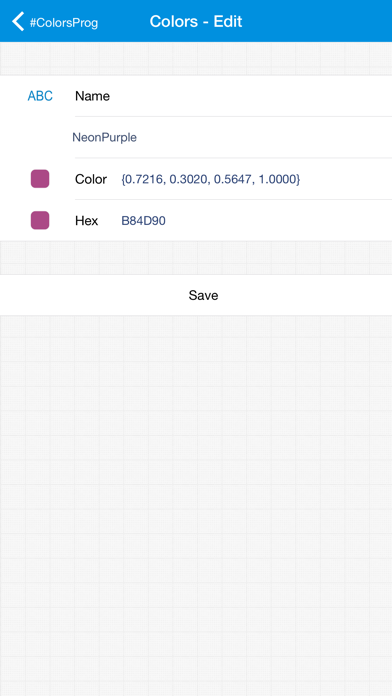
ColorsProg is a color database manager that allows you to maintain your color collection in a simple way. FEATURES • Add, Edit and Delete colors to database. • Search Colors • Define any number of databases. • Powerful Color definition tool to define colors. • View RGB, HSV and HEX value of color. • Define colors by RGB, HSV and HEX values. • Auto suggestion of color names when defining colors. • Predefined Crayon, System, xkcd, CSS, Wikipedia and Pseudo Pantone color databases. • Generate pdf, xls and csv color reports to local and iCloud. • Import from CSV files. • Use defined colors to change the theme of the application. • Backup and Restore colors. If you need any assistance/more information/feedback please contact us at [email protected]
khanhduytran0
On-device backup restoration? SideStore is recommended as you will also be getting the pairing file and setting up VPN. Status: ✅🔥

Karbin-Store
⚙️تایبەتمەندیەکانی بەرنامەکە⚙️ ڕیکلامەکان لادراون لە بەرنامەکە ✅ کڕین بێ بەرامبەر ✅ تایبەت مەندی: بەرنامەیەک کە یارمەتیت دەدات ئامێرەکەت لە فایل

Digital Melody
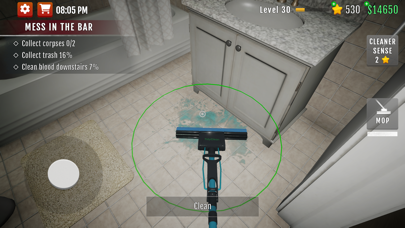
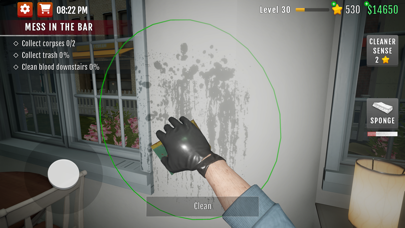
Crime Scene Cleaner 3D Mobile is an officially licensed mobile spin-off of Crime Scene Cleaner game created by President Studio and Playway S.A. Dive into the Underworld: Clean Up and Cash In! Once you’re entangled with the mob, there's no escape. But the pay is good, and all you need to do is clean up their dirty work. Tackle crime scenes, evade the police, and gear up for your next mission. When the boss calls, grab your bucket and mop – you’ll need them. Are you up for the challenge? Features: - Crime Scene Cleanup: With nerves of steel, handle the aftermath of crimes, both big and small. Armed with a unique skill set and a full array of cleaning tools, you'll clear blood, pack bodies, and remove odors, all while racing against the clock and dodging the police. - Thorough Cleaning: Your mop and sponge will get you through most tasks, but for tougher messes, break out the power washer for outdoor cleanups. When the stench is overwhelming, you’ve got more than just an odor eliminator at your disposal. - Upgrade Your Gear: Sometimes, your equipment needs an upgrade. If your lamps or flashlights aren’t bright enough, get new ones. If there’s too much blood, upgrade your power washer nozzles. Check the perks available before each mission and enhance your cleaning arsenal to make your job easier. Boost Your Earnings: Mobsters pay well, but sometimes it’s not enough. Tempting items left behind can boost your earnings. Who’s going to miss that expensive watch if the owner is already dead? Are you the villain? No, you’re just a man with the smarts and strength to shape his own destiny. Clean up, stay low, and get that cash. Get ready to clean, earn, and thrive in the thrilling world of crime scene cleanup! Crime Scene Cleaner 3D Mobile is an officially licensed mobile spin-off of Crime Scene Cleaner game created by President Studio and Playway S.A.