
Utilities
Find utility IPA listings for file management, VPNs, signing helpers, browsers, keyboard tools, backups, DNS, and system-focused apps.

powenn
An app that modifies IPA files allows you to install the same app multiple times Status: ✅🔵

Araki Tatsuzou
EhPanda allows you to browse almost every category of E-Hentai that exists. It provides valuable details and information about each series using an intuitive design modeled after the App Store. You can also participate in the ongoing conversation and leave comments, replies, or reactions! More Features include: * The ability to download via your own Hath client. * In-app torrenting to save the best ones * Advanced, customizable filters * Various settings to access optional features, modify the app icon, and more!

Avangelista

s8ngyu
First-ever system-wide icon theming tool without the need of jailbreak for iOS and watchOS(partly). Requires sandbox escape. Status: ✅🔵

niceios
Support display battery details, real-time network speed, real-time memory usage, real-time CPU frequency, device running time, etc. Status: ✅🔵

haxi0
TrollBoard, Reborned. A WebClips icon pack manager. This app works only with TrollStore, it does not support KFD or MDC. This is a remastered version of https://github.com/haxi0/TrollBoard (or known as MooBoard) aimed for stability. Status: ✅🔵

Tigi Software

Matthew Anisovich/sourcelocation
A tool that converts .deb apps to .ipa packages making them easier to install. Status: ✅🔵

ComcSoft Corporation
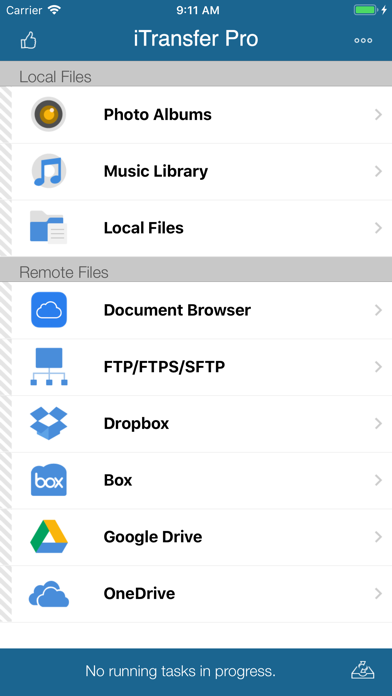
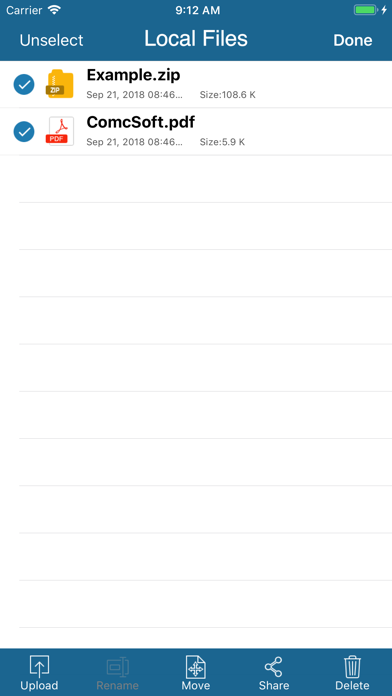
iTransfer Pro is the Pro Version of iTransfer, the No. 1 App for file transfer on iPhone/iPad. Besides all the features available on iTransfer, the Pro Version has more features, which are essential to business and professional users, including Dropbox, Box, OneDrive, and GoogleDrive access. Supported features include: 1. Download files from your iCloud Drive. Save local files to iCloud Drive. 2. Upload/download files to/from FTP/SFTP/FTPS servers, DropBox, Box, OneDrive, and GoogleDrive. 3. Support both user name/password and Private Key authentication for SFTP. Support both PPK and PEM keys. Support importing keys from/exporting keys to iCloud Drive under iTransfer/keys folder. 4. Email files. 5. Manage files, including adding a folder, searching, renaming, moving or deleting files. 6. View supported files, including: PDF, DOC, EXCEL, PPT, image files, TXT, etc. 7. Open files using other Apps through “Open in”. 8. Play photo slideshows. 9. Playback music and videos. 10. Support launching with a password. 11. Print documents. 12. Share photos on Facebook, Twitter and Weibo. With its simple interfaces, iTransfer Pro provides the easiest way to transfer files on iPhone and iPad. If you have any questions, please visit: http://www.comcsoft.com/Portfolio/our_apps/iTransfer/iTransfer_overview.php.

opa334
Nonce Setter for 15.0 - 15.1.1 (A10-A15) and 15.2-15.5b4 (A12+, not all device / version combinations supported atm), only works when installed through TrollStore 1.0.9 or newer. Status: ✅🔵
Hindsight Labs LLC
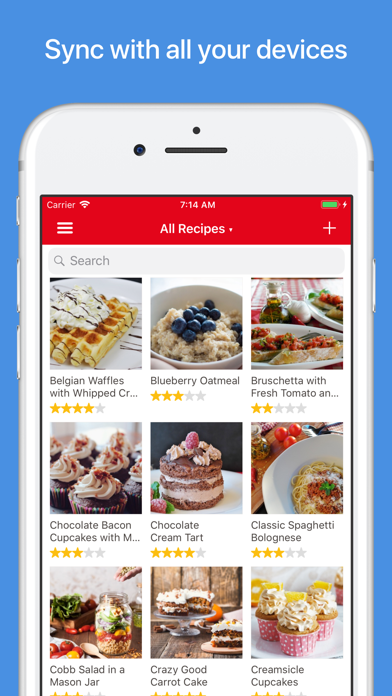
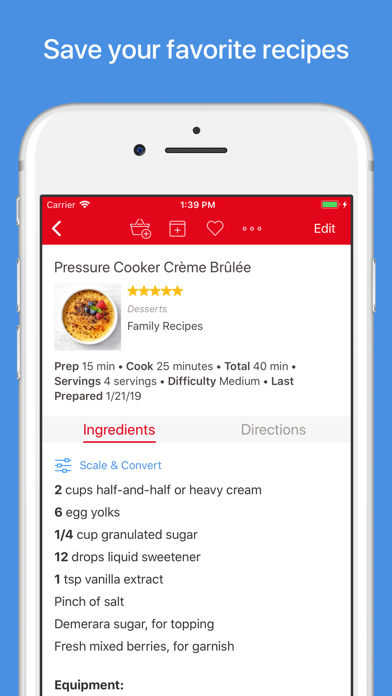
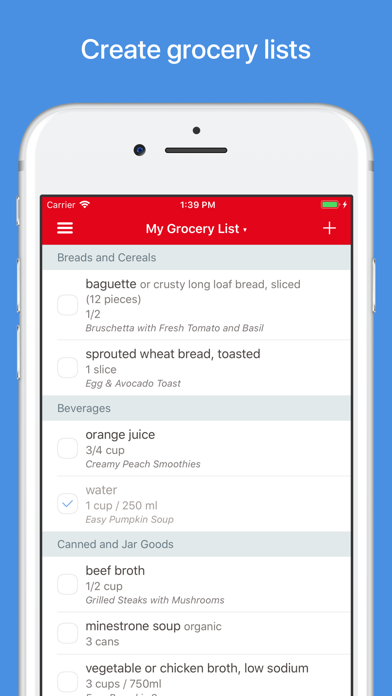
Organize your recipes. Create grocery lists. Plan your meals. Download recipes from your favorite websites. Seamlessly sync to all your devices. Features • Recipes - Download recipes from your favorite websites, or add your own. • Grocery Lists - Create smart grocery lists that automatically combine ingredients and sort them by aisle. • Pantry - Use the pantry to keep track of which ingredients you have and when they expire. • Meal Planner - Plan your meals using our daily, weekly, or monthly calendars. • Menus - Save your favorite meal plans as reusable menus. • Sync - Keep your recipes, grocery lists, and meal plans synced between all your devices. • Adjust - Scale ingredients to your desired serving size, and convert between measurements. • Cook - Keep the screen on while cooking, cross off ingredients, and highlight your current step. • Search - Organize your recipes into categories and subcategories. Search by name, ingredient, and more. • Timers - Cook times are automatically detected in your directions. Simply tap on one to start a timer. • Import - Import from existing apps such as MacGourmet, YummySoup!, MasterCook & Living Cookbook. • Export - Export your meal plans to Calendar and your grocery lists to Reminders. • Share - Share recipes via AirDrop or email. • Print - Print recipes, grocery lists, menus, and meal plans. Recipes support multiple print formats including index cards. • Extensions - Save recipes directly in Safari and view today's scheduled meals. • Bookmarklet - Download recipes from any browser straight into your Paprika Cloud Sync account. • Offline Access - All of your data is stored locally. No internet connection is required to view your recipes. What's New in 3.0 • iPhone X and iOS 11 support. • iOS app is now universal. • Multitasking support on iPad. • Add multiple, full-sized photos to each recipe. Embed photos in your directions. • Insert links to other recipes or websites in your ingredients or directions. • Format recipes using bold and italics. • Convert ingredient measurements between standard and metric. • Search for recipes across multiple categories. • Add custom aisles to your grocery list and re-arrange them in your preferred order. • Create multiple grocery lists. • Add custom ingredients to the pantry. Track quantities, purchase dates, and expiration dates. • Move items back and forth between the pantry and grocery list. • Add custom meal types to the meal planner. • Create reusable menus that span multiple days. Platforms Paprika is available on multiple platforms so you can access it on all of your devices. Please note that each version is sold separately.

Jorge Garcia Armero
Keka is a full featured file archiver, as easy as it can be. With Keka you can compress as many files as you want in a bunch of formats. You can also encrypt them to store and share securely and with privacy. Keka can also browse and extract lots of compressed files, from ZIP and 7Z to RAR archives. Whether they are encrypted or encoded in with old charsets this is not a problem for Keka. Compression formats supported: 7Z, ZIP, TAR, ZSTD, GZIP, BZIP2 and AppleArchive (AAR) Extraction formats supported: 7Z, ZIP, RAR, TAR, GZIP, BZIP2, AAR, XZ, ZSTD, ISO, LZMA, EXE, CAB, MSI, PAX, JAR, APK, APPX, XPI, IPA, CPGZ, CPIO, XIP, CPT and many more Terms of Use: https://www.keka.io/termsofuse

Kaylee Calderolla
Wipr blocks ads, popups, trackers, cookie warnings, and other nasty things that make the web slow and ugly. Websites in Safari will look clean, load fast, and stop invisibly tracking you. You’ll notice significant improvements to your battery life and data usage. Setup is a snap. The Filtr add-on extends Wipr’s blocking to all apps on your device. It acts at the network level, but unlike a VPN, it can access none of your data, and can be used in conjunction with VPNs, iCloud Private Relay, and custom DNS. Wipr’s blocklist is updated twice a week automatically, and has enhanced versions for the following languages: Bosnian, Chinese, Croatian, Czech, Danish, Dutch, Estonian, Finnish, French, German, Greek, Hebrew, Hindi, Hungarian, Icelandic, Indonesian, Italian, Japanese, Korean, Macedonian, Malay, Montenegrin, Norwegian, Polish, Romanian, Russian, Serbian, Slovak, Spanish, Thai, and Vietnamese. Wipr is a universal app: install it on all your devices (iPhone, iPad, Mac, Vision Pro) with a single purchase. It’s fully accessible with VoiceOver, Voice Control, and more. Dark, Tinted, and Clear icon variants are included. Family Sharing is supported. Because it’s developed by a single independent developer and 100% funded by its users, Wipr only answers to you: no one can pay to have their ads unblocked, and there are no “acceptable ads”. This app was made with love and patience. I hope you’ll enjoy using it as much as I enjoyed designing and building it. – Kaylee Terms & Conditions: https://kaylees.site/terms-and-conditions.html EULA: https://www.apple.com/legal/internet-services/itunes/dev/stdeula/


Free VPN LTD (Apps)
Free VPN lets you connect to VPN servers all around the world — completely free. With just one tap, enjoy a fast, secure, and anonymous internet experience. - Unlimited location options: Tokyo, Paris, London... connect wherever you want. - High-speed connection: No buffering, no waiting — just smooth browsing. - Keeps your data private and encrypted: Your safety is our priority. - Watch a few ads to unlock everything for free. - Want peace and quiet? Go ad-free with our premium version. - Whether you're at school, at a café, or abroad, - Free VPN keeps you protected — and your freedom in your pocket. And remember, you can always reach us at [email protected] Stay free with love. - Subscriptions Payment will be charged to iTunes Account at confirmation of purchase.Subscription automatically renews unless auto-renew is turned off at least 24-hours before the end of the current period.Account will be charged for renewal within 24-hours prior to the end of the current period, and identify the cost of the renewal.Subscriptions may be managed by the user and auto-renewal may be turned off by going to the user's Account Settings after purchase.Any unused portion of a free trial period, if offered, will be forfeited when the user purchases a subscription to that publication, where applicable. Privacy: https://freevpnapp.co.uk/privacy/ Terms of Use : https://freevpnapp.co.uk/terms/ Contact : [email protected] Free VPN LTD

DebianArch
Scarlet is a iOS signer that doesn't need a pc and doesnt have a app limit WARNING: Easily gets revoked, just use E-Sign Status: ✅

alfiecg24
https://web.archive.org/web/20250310010244/https://ios.cfw.guide/installing-trollstore/ TrollStore installer for iOS 14.0–15.1.1 A9+ on 15.2–16.6.1 A10 on 17.0 beta 1–4. Status: ✅🔥

Benjamin
Circlefy is compatible with iOS 17 & 18, arm64e+. Applications modified by Circlefy will not work when installed with TrollStore. Status: ✅


Turing Software, LLC
UTM lets you run Windows® 11, Ubuntu®, or macOS(*) fully virtualized with maximum performance. Run Windows® 7, Windows® XP, and other older operating system emulated with decent performance. UTM uses the popular QEMU system emulator securely in a sandboxed environment to protect your data from viruses and malware in the emulated operating system. Designed for macOS using the latest and greatest Apple technologies, UTM is built from the ground up with the Mac in mind. Features: • Run ARM64 operating systems such as Windows® for ARM and Ubuntu® ARM on your Apple Silicon Mac fully virtualized at near native speeds • Run Intel/AMD operating system such as Windows® 7, Windows® XP, Ubuntu® Linux, and more (emulated with limited performance on Apple Silicon Macs, fully virtualized on Intel Macs) • Run macOS 12 or higher in a virtualized environment(*) • Run Intel applications on Linux with Rosetta(**) • Over 30 processors can be emulated by the QEMU backend including i386, x64, ARM32, ARM64, MIPS, PPC, and RISC-V for developers and enthusiasts • Supports macOS Sandbox to protect your data from any viruses or malware infecting the emulated operating system (such as Windows®) • GUI display mode, terminal console mode, and headless mode (with support for multiple displays) • Attach USB devices to your virtual machine • Experimental: GPU accelerated OpenGL on Linux VMs • Bridged and shared networking support • Run and store VMs from external drives • Don't know how to use QEMU? Confused at all the options QEMU provides? UTM provides an easy to understand UI for creating and configuring VMs that does not require knowledge of QEMU command line arguments Current Limitations: We are working hard to provide new features. Below are some things currently missing from UTM. We hope to support at least some of these features in the future. • No direct mounting of external disks and drives, only mounting disk images is supported • No drag & drop of files and data, only copy paste of text and sharing of a single directory is supported with tools installed • No GPU acceleration for Windows® and only experimental OpenGL acceleration for Linux (most Windows® games will NOT run) • macOS virtualization only runs on Apple Silicon Macs running macOS 12 and up. macOS 12 does not support USB sharing, copy/paste, or dynamic resolution. (*) macOS virtualization is only supported on Apple Silicon Macs running macOS 12 and up. (**) Linux with Rosetta is only supported on Apple Silicon Macs running macOS 13 and up.


tappz
Introducing AI Type, your ultimate writing sidekick ready to take your writing game to the next level! Built on the incredible GPT-5 API, AI Type is the keyboard extension app that effortlessly vibes with any platform or app on your phone. With AI Type by your side, you can kiss those pesky typos, grammar slip-ups, and word-finding woes goodbye. • Grammar and Spelling Check: AI Type's got your back in seven different languages, catching those embarrassing slip-ups and grammar gaffes. • Word Wizardry: AI Type suggests snazzier word choices so you can express yourself like a pro. Never again will you have to rack your brain for the right words. • AI-Powered Message Magic: Need to dash off a quick message? Let AI Type lend a hand, based on your convo context. Say goodbye to writer's block. • Tone Changer: AI Type can even adjust the tone of your writing to match your desired style, from friendly and casual to professional and formal. • Paraphrase Like a Pro: AI Type can rework your sentences, ensuring your text is as unique as you are, and plagiarism-free, of course! AI Type isn't just a writing buddy; it's like having your personal writing coach right there on your phone! Get real-time feedback to level up your writing skills and wow your readers. AI Type is the must-have app for all you smartphone scribes. Grab it now and let your writing shine! Privacy Policy: https://www.iubenda.com/privacy-policy/27023519 Terms of Use: https://www.iubenda.com/terms-and-conditions/27023519 This app is independently developed and not affiliated, endorsed, or sponsored by OpenAI.

Smart Tool Studio
Clean Your iPhone and Free Up Storage Running out of space on your iPhone? This powerful phone cleaner helps you clean up iPhone storage, remove unnecessary files, organise your photos, videos, and contacts, and clean unwanted emails — all in one easy-to-use app. With smart analysis and clear previews, you stay in control while freeing up space and keeping your device organized. OPTIMIZE STORAGE – CLEAN UP IPHONE WITH CONFIDENCE Take control of your storage and free up space quickly: Clean up iPhone storage and remove clutter safely Identify what’s taking up space before you delete Review everything before cleanup — nothing is removed automatically Free up space and keep your iPhone running smoothly. DELETE DUPLICATE & SIMILAR PHOTOS Clear photos without manual searching: Detect and delete duplicate photos instantly Find similar photos, screenshots, burst photos, and Live Photos Smart grouping helps you choose what to keep and what to remove Clean up your photo library and keep only the best memories. EMAIL CLEANER – CLEAN YOUR INBOX FAST Clear your inbox in seconds: Find and delete spam, promos, and unread emails Remove thousands of emails with one tap. VIDEO CLEANUP & COMPRESSION – SAVE SPACE FAST Videos take up the most storage. This storage cleaner helps you manage them easily: Clean all videos or detect similar videos Compress large videos to save space with minimal quality loss Choose exactly which videos to compress Free up space without deleting your important moments. AI PHOTO ENHANCE – IMPROVE PHOTO QUALITY Make your photos look better in one tap: Enhance photos using AI technology Improve clarity and details automatically Upgrade your photos while keeping your gallery clean and organized. CONTACTS CLEANUP – REMOVE DUPLICATES EASILY Keep your address book neat and organized: Detect similar and duplicate contacts Merge or delete unwanted contacts in one tap No more cluttered contact lists. PRIVATE VAULT – PROTECT YOUR PERSONAL FILES Keep your private content safe: Hide photos and videos in a secure, PIN-protected vault Only you can access your private files Your privacy always comes first. CHARGING ANIMATIONS & CLEANING GUIDE More useful tools to enhance your experience: Enjoy stylish charging animations while powering up Learn safe and effective ways to clean up iPhone storage with built-in cleaning tips Small details that make cleanup more enjoyable. REVIEW BEFORE YOU DELETE You’re always in control: Preview files before deleting Confirm every cleanup action No accidental deletions Clean safely and confidently. CLEAN UP IPHONE, FREE UP SPACE, STAY ORGANIZED This all-in-one phone cleaner helps you: Clean up iPhone storage Clear photos and videos Organize contacts Free up space and improve performance Download now and enjoy a cleaner, more organized iPhone today. ◆ SUBSCRIPTION TERMS ◆ You can subscribe to get unlimited access to all features in Phone Cleaner. • Payment will be charged to your Apple ID at confirmation of purchase • Subscriptions automatically renew unless auto-renew is turned off at least 24 hours before the end of the current period • Your account will be charged for renewal within 24 hours prior to the end of the current period • You can manage your subscription and turn off auto-renewal at any time in your Apple ID Account Settings By using Phone Cleaner, you agree to our Privacy Policy and Terms of Use: Privacy Policy: https://adcl.mobilestudio.cc/privacy.html Terms of Use: https://adcl.mobilestudio.cc/useragreement.html
Jacks-apps
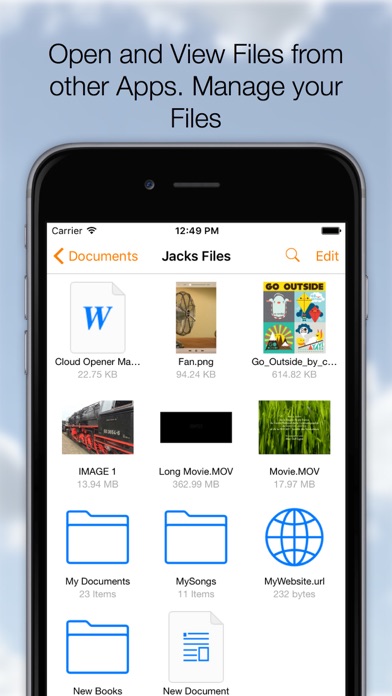
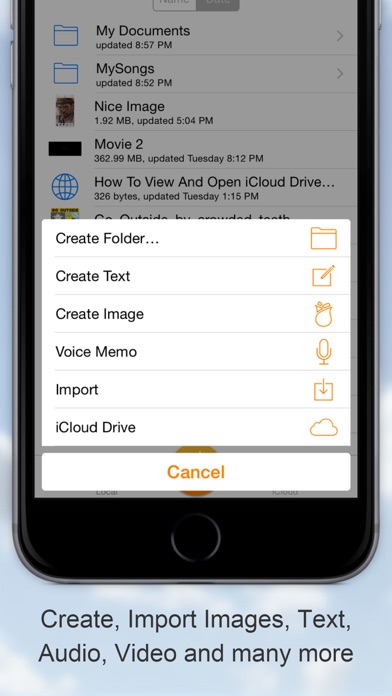
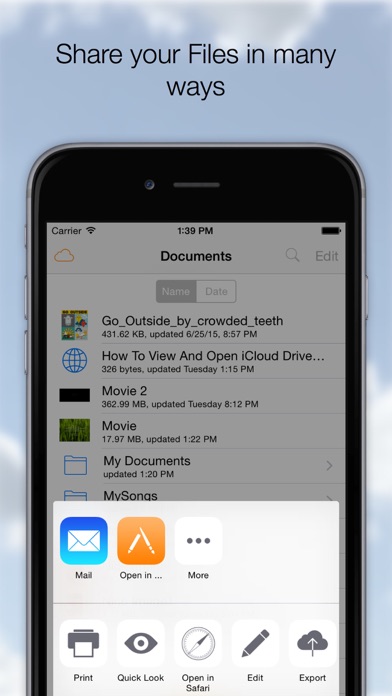
The Swiss Army knife for your files! Download, Share, Manage, Send, Open, Read, Play, Listen, View, Create, Edit, Move, Rename, Import, Export your documents, Videos, Music, Books and any other type of files on your Cloud Services. On your iPhone or iPad it all comes together, many Clouds, One App. ◆Remember Long Press is your friend. On a File to activate the Action Menu. On the Titlebar to call the Menu at any time. On the Titlebar in edit mode to Select-Deselect all documents. Cloud Opener Features: ◆ SHARE - Share iCloud Drive documents by weblink (download) - Web Server and WebDAV Server - Send to App - Message - Attach to email - Social Media Apps ◆ OPEN and VIEW - Open files from iCloud Drive and Apps supporting the iOS "Document Provider Extensions" like DropBox, OneDrive etc. - Play any kind of Video file (m4v, mkv, avi etc)** - Play Music - Advanced PDF Reader - Photos - iWork Documents - Office Documents - Text and Images - Open a Webarchive, .webloc or .url file. - WebBrowser, Save webpages as PDF or as webloc - Print And many more ◆ EDIT - Images or Photos with a powerful Image Editor. Enhance, Resize, Copy, Paste (Also from Pasteboard), Draw, Stickers, Text, Filter and many more. - Rich Text Editing. Font, Style, Size, Alignment, Color and many more. - Trim Audio Files and Save as Ringtone ◆ CREATE - New Images (jpg, png) - Rich Text documents, save as Text, Rich Text or PDF - Voice Recording - Create File From PasteBoard (Clipboard) - Folders - Zip/Unzip Archives ◆ MANAGE FILES - Create Folders - Duplicate - Rename - Delete - Move, Drag and Drop file moving - Zip - Unzip - Print - Copy - Edit Action, perform an action (email, message, send to etc.) on multiple documents ◆ IMPORT - EXPORT from many Cloud services - iCloud Drive - Google Drive - Drop Box - OneDrive - Box - Photo Library - Camera - Share Images to Instagram - Any App that support the documents provider interface Importing will make a copy of your File and stores it on your device. ◆ COPY TO Cloud Opener - Apps that support "Send To" can send Files to Cloud Opener ◆ COMPRESSION - Zip multiple Files into one archive and send anywhere - UnZip zip archives into a new folder ◆ SETTINGS Check out the Setting App for the Cloud Opener Settings - Swap Long Press Action - Show External Files - Show File Extensions - Open In: Store In iCloud - Passcode Lock with Touch ID SUpport - And many more options ◆ Store locally for Offline Usage All in your pocket! Supported File types: pdf, png, jpg, jpeg, mov, m4v, mp3, aac, txt, html, (iWork) Pages, Numbers, Keynote, webloc, url, (Office) .docx, .ppt, .xlsx. ... Support for any type of File depends on the installed Apps. **Supported Movie types: mov, mkv, avi, flv, mp3, caff, ogg, wma, m4a, m4v,mwv, 3gp, mp4, mpeg, mpg, vob
Balazs Galambosi
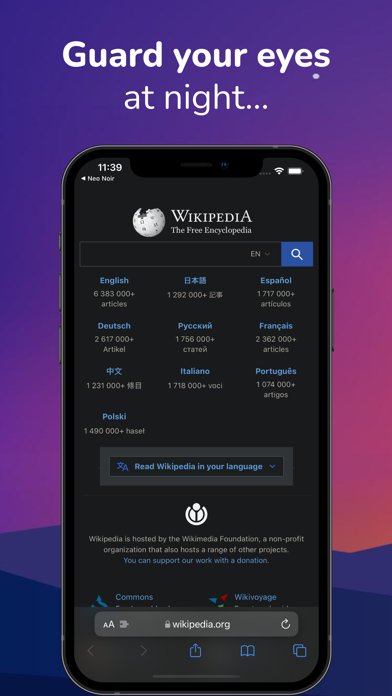
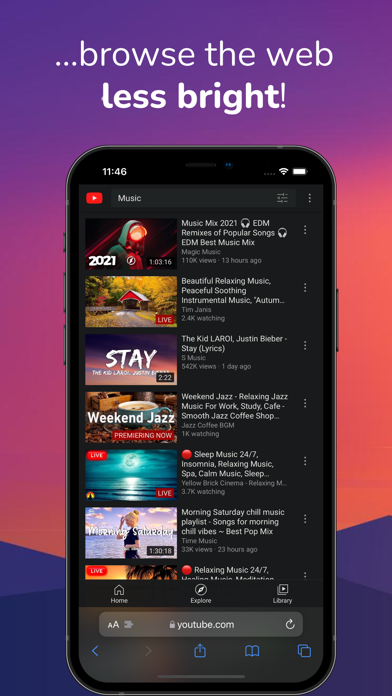
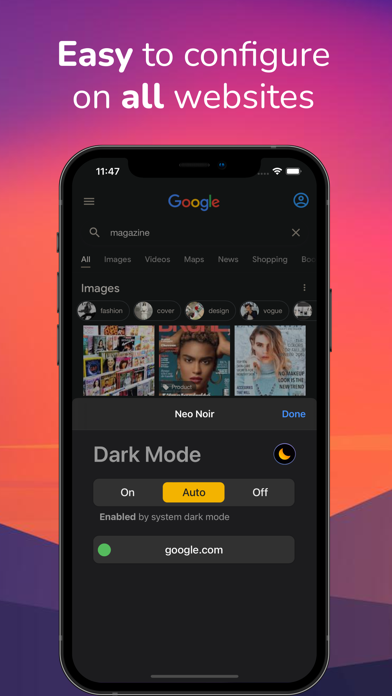
This Safari extension offers dark mode browsing in Safari. Dark Night mode adds a beautiful theme to every page you visit. It is based on the Dark Reader open source project used by over 4,000,000 users. So the look of dark mode on every website has been carefully tested. USE DARK NIGHT SAFARI EXTENSION The built-in Safari dark mode is affordable and will stay like that forever with full support for all websites for delightful night reading. YOUR PRIVACY, OUR PRIORITY The Dark Night extension was built with privacy as a no. 1 priority so it doesn't collect any data from Safari while you're browsing with calm eyes. Privacy Policy is linked on the store. CUSTOMIZE IT This extension can be disabled on a per-site basis and configured to follow the system dark mode (dark at night, light during the day). Just use the Safari extension menu to access it. -- Reports and feedback are welcome at: [email protected] -- THE FUTURE IS COLORFUL More customized themes are coming soon, get ready to color all sites to your liking! This optional extra is the only place where we might charge a small fee and your kind contribution will support the development of this project. Half of all that income is going back to the Dark Reader community project. BEAUTIFUL NIGHT BROWSING STARTS HERE You are more than welcome to keep using the app for free forever! What are you waiting for? Your eyes are the apples of your eyes! See you on the other side. (I wonder which one that is... ;)

Stratospherix Ltd
Use your iPad or iPhone to connect to your home computers, network drives and cloud storage. Easily upload/download/copy files and folders from one location to another, and browse your content using a variety of built-in viewers. *** FileBrowser remains the best option if you're looking for a file manager that supports a variety of external connections and also integrates deeply with iOS - Federico Viticci - MacStories *** *** FileBrowser's setup varies for every device, and the automatic wizards work super-well. Charlie Sorrel - Cult of Mac *** Ultra-fast browsing of your computers. Faster than Windows Explorer or Mac Finder and our users agree! GET ORGANIZED FileBrowser gives you everything you need to keep your files effortlessly organized: Move, edit, delete, rename, copy, zip and unzip. Download files from the web and paste them wherever you choose. MULTI-TABBED BROWSING Our FileBrowser suite of apps are the first file management apps to support multiple tabs. Connect to many of your locations at once and switch between them with ease. Use iPadOS split-screen mode to drag & drop between multiple windows. CONNECT TO Windows, Mac, Linux, Time Capsule, NAS drives, portable WiFi drives, SMB, Samba. Google Drive, Dropbox, Box, OneDrive, WebDAV, FTP and SFTP. Link to the same cloud storage with multiple accounts, if you have more than one Dropbox account, for example. EXTEND THE FILES APP FileBrowser allows you to access all your connections from the iOS Files app and other apps that use this as their document chooser, bringing network access to those apps. EDIT IN-PLACE No more copying of documents between apps. Launch an app to edit a network document in-place, such as Word or Pages or any of the Office and Mac suite. Changes are saved to the original document automatically. BLAZINGLY FAST Create bookmarks to your favorite locations & folders. Use a single tap to connect and browse to a favorite folder. PHOTO VIEWER Browse your photos wherever they are stored and display them on your TV or projector using AirPlay or Chromecast. Easily flick through holiday snaps or use the built-in slideshow feature. STREAM YOUR MOVIES / MUSIC Stream movie files or listen to music, both with AirPlay™ and Chromecast support. Use our built-in viewers or stream video to other apps. DOCUMENT VIEWER View Microsoft Office, Apple Pages, Numbers, KeyNote, PDF, text files, source code, HTML, and many more using the built-in viewers. ANNOTATE PDFS AND IMAGES Use the built-in annotation tools for PDFs and images, or use the iOS annotation tools to add notes, drawings or highlight text. SECURITY AND ENCRYPTION FileBrowser securely stores your passwords in the iOS keychain and uses iOS encryption features to protect your local content. Protect local files using a password, TouchID or FaceID. CONNECT ANYWHERE Connect to your Mac or PC when away from home. See our website for details: https://www.stratospherix.com/setupvpn TOO MANY FEATURES TO LIST FileBrowser has many features that we would like to tell you about. Check out our website. You'll be amazed! https://www.stratospherix.com/products/filebrowser FIRST CLASS SUPPORT User manuals and help are available at stratospherix.com/support with how-to articles and videos. You can also email us for fast, friendly support.

Stratospherix Ltd
Professional document management for iOS, with bulk rename, backup and sync tasks. Edit your documents in-place, stream your media files and connect to over 20 different network and cloud storage locations. “Maximize the potential of what you can do with files on iOS” - Cult of Mac “FileBrowser remains the best option” - MacStories Direct and secure file access to your computers, servers and other storage devices on home or company networks. Core Features - Access file servers and cloud storage - View documents and optionally store them for offline viewing - Present a video, PowerPoint or Keynote direct from the server - Copy and move between any type of storage, from single files to whole directories - Bi-directional automatic sync of network folders to your iPad/iPhone - Backup local files to a network file server or cloud storage - Integrates with other apps allowing you to edit, save and share files while on the go - Integrates with your existing infrastructure, including Active Directory - Integrates with iOS data protection, utilising hardware-based encryption to secure content - Pro photographer XMP sidecar file support for rating images - VPN on-demand support for third-party VPN clients - Supports Microsoft Distributed File System (DFS) - Requires no additional software on company servers Office App Integration - No more duplication of documents between apps - Launch an Office app to edit a network document in-place - Changes are automatically saved to the original document - Scan documents or images direct to multi page PDF - Automatic colour and perspective correction of scanned documents MDM Integration - Centralised distribution of FileBrowser configuration settings - Enforced security lockdown - Conform to corporate Mobile Security Policies - Prevent users from changing local settings - Selectively override any local configuration setting - Distribute file server connection details - Control whether offline viewing/storage is permitted - Control whether content can be shared FileBrowser Professional uses the SMB1, SMB2, and SMB3 network access protocols (also known as CIFS or Windows File Sharing) to connect to: - Macs - PCs - NAS drives - Windows File Servers (including Windows Server Clusters) Access local storage - USB Drives - SD Cards - Folders of other apps - iCloud Drive folders of other apps - iOS Photo Library You can also connect to the following cloud storage - Microsoft OneDrive - Microsoft OneDrive for Business - Microsoft SharePoint 2013 or later - Box.com - Google Drive (including Shared Team Drives) - Dropbox (including Dropbox for Business) - Backblaze B2 - Amazon S3 - Nextcloud - pCloud - Digital Ocean S3 - FileBase S3 - Google Cloud S3 - iDrive Cloud S3 - Storj S3 - Wasabi S3 - WebDAV servers - FTP/FTPS servers - SFTP servers Unlike other file manager apps, we never gather any of your data. We also don't require you to create an account or register an email address with us. For fast friendly support please email [email protected]. We are happy to receive support emails in any language, but are only able to reply in English.