
Recently updated apps
Browse recently updated IPA listings from AltStore and SideStore compatible repositories. These pages help you find fresh builds, changed repository notes, and updated download options without relying on search filters.



My Town Games LTD
My Town Home - exclusively on Apple Arcade! Play My Town Home - Family Games+ and meet your favorite dollhouse characters, explore a family house with 6+ rooms and make family stories as you like! Role play as a dad, mom or kids and have fun more than ever! Play a dollhouse game on a new level! MORE FUN THAN EVER! Experience your favorite doll game like never before in My Town Home - Family Games+ Start a journey, explore a dollhouse and create your stories! My Town Home - Family Games+ offers the ultimate experience for all players! Download the game and share your experience with others! CREATE STORIES AND EXPLORE A BIG DOLLHOUSE! - 6+ rooms to explore: Living room, kitchen, garden and more - 100+ items to interact with - Meet family members: mom, a dad & 6 kids and their pets - Role-play and create fun stories - Customize characters as you like - No competition! Your house, your rules! - Explore Dollhouse for more fun - Cook, watch TV, play with toys, adopt a pet - Amazing animations and sounds - My Town Home game will improve your Creativity and Imagination! DOLLHOUSE IS FULL OF FUN! Parents, do you remember growing up and playing fun family games with your dolls in their tiny dollhouses? How sweet was it to have a dollhouse where you can role play as a mom or dad and make your own family life stories? Download the My Town Home game and let kids play virtual family games their way! Kids can make sweet home stories and play doll games as you did in the past. CREATE YOUR STORIES Interact with everything in this dollhouse game! Explore the playhouse rooms, cook in the kitchen, watch TV or let babies nap. Play family games, visit garden and move characters as you like. Play with dolls like you would in a real-life, just now on your phone! Download the My Town Home game and have fun! MY TOWN – START NEW ADVENTURE Unique adventures await you in MY TOWN HOME dollhouse game for kids. Kids can choose different characters while playing family games - play as a mom, dad, or child. It’s up to them to choose a favorite character. Enjoy the family game adventures all day long! My Town Home Family Dollhouse game fosters kids creativity and imagination without pressure or competition. RECOMMENDED AGE GROUP For kids 4-12. My Town Family games are safe to play even when parents are not at home ABOUT MY TOWN GAMES STUDIO The My Town Games studio designs digital dollhouse-like games that promote creativity and open-ended play for your children worldwide. Loved by children and parents alike, My Town games introduce environments and experiences for hours of imaginative play. The company has offices in Israel, Spain, Romania and the Philippines. Terms of Use: https://www.my-town.com/EULA Customer Support contact: [email protected] Get privacy-related information at https://www.my-town.com/privacy-policy/.


johnhair.com
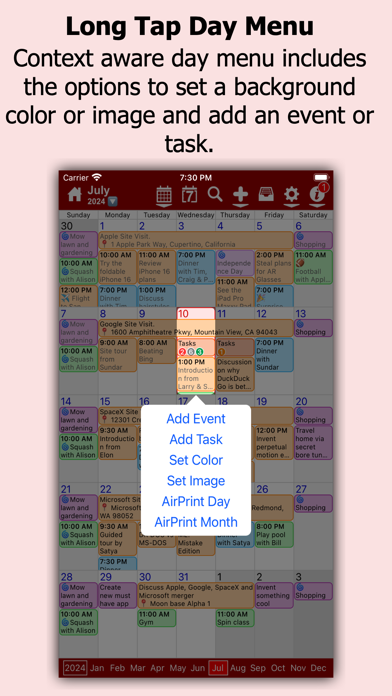
No more dots in your calendar! myCal PRO displays what you need to see, your events! myCal PRO is THE BEST replacement for the internal iDevice calendar app! myCal PRO displays the meetings and appointments that are stored on the device, including any calendars you have synced (like Google, Yahoo, Exchange etc). With myCal PRO you can add more calendars *and* set the color you want your events to be displayed in! For example: add new calendars for Work, Home, and Sports and optionally set the colors to Red, Green and Blue respectively. Simples! ● NEW: We now have Calendar Widgets! Add the myCalPRO widget to your Home Screen to see the events you have now, next and more! ● NEW: Better Facebook event support. You can now hide declined events! ● Compensation for Time Zones! ● Cut, Copy and Paste options!! ● List View!! ● Powerful scrolling week view! ● Invitee support! ● Additional contact dates can appear as events! Create beautiful calendars just like these screenshots! * Day background colors or images requires an InApp purchase. Event background colors is included, no InApp purchase required. Check out the feedback we have been getting from the AppStore reviews: "Best scheduling tool I've used so far! Great app and support. Highly recommended!" "Love this on my iphone4s, ipod4, and ipad. Perfect and easy to read. This is the PERFECT replacement for the useless calendar on the iPhone & iPod. This is what Apple should have used." "they added the Week view. I didn't know I needed it and now it's my most used view! Thanks guys" Also myCal PRO has been reviewed at thesmartphoneappreview.com, given a whopping 91% and is 'Highly recommended'! Supports iOS4.3 and above, iPhone 3GS/iPod Touch 3rd Gen and better, and all versions of the iPad! • Powerful event repeat options, any number of days weeks, months or years. Second Thursday of every 3rd Month for example! • AirPrint support! 2 finger swipe down the screen on any event view! Print in portrait or landscape, depending on the device orientation! • Support for additional contact dates! see anniversaries etc that have been added to a contact as read only annually repeating events! • Enhanced Month View that displays actual events (all day, multi day and timed) • Enhanced scrolling Week View with horizontal or vertical day layout and the option to display multiple lines for an event • Invitee support, you can now receive and acknowledge invitations, as well as send your own (iCloud and GMail calendars) • Enhanced Day View that displays much more detail including title, location, calendar name with hyperlink, reminder, birthday and repeat icons • Supports both Landscape and Portrait, with full screen options for each • Uses the internal calendar as its database, no additional syncing required. Any iCal subscriptions already created will be visible in myCal PRO Multi day events In the Month and Week Views are drawn across multiple days allowing you to see much more of the detail. We are constantly working to improve myCal PRO so feel free to drop by the support forum to post questions and suggestions! Visit www.johnhair.com for support, questions and the user guide. The myCal PRO Support Team
Shinichi Aokawa
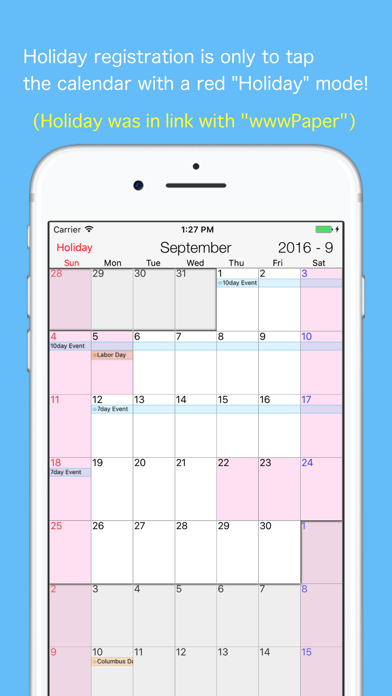
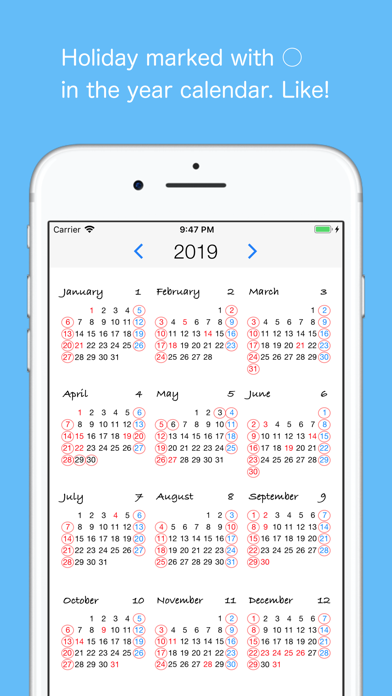
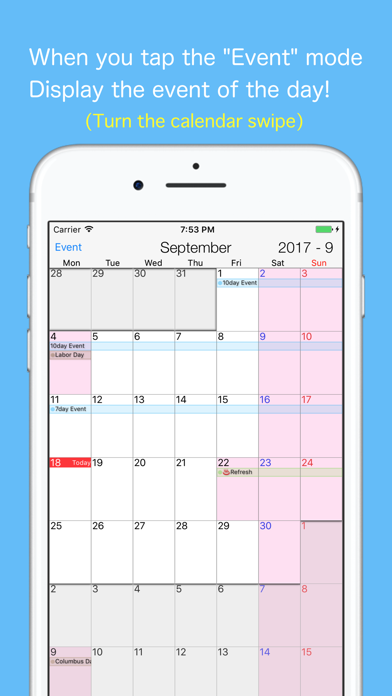
"MyHoliday" is the calendar to easily register your holiday. And a holiday is expressed on a calendar as a color. Please use along with the standard iPhone calendar. It is possible to switch the start of the week to "Sunday" or "Monday". - The calendar movement by swipe ・Up and down movement of one month ・Left and right movement of three months - Mode switching button (Event mode --- holiday mode) ・Event mode: event edit, add, copy ・Holiday mode: Holiday changed in the one-tap - Simple version of VoiceClock


Alexander Kaessner
The simplest way to light up your environment! With MyLight you get everything you need for lighting. Why should you use MyLight? • Clean and simple modern interface • Supports iPhone, iPod touch & iPad • Uses the bright screen or built in LED for lightning • Different light modes for multiple use cases like stroboscope, light graffiti and SOS • Control the LED brightness • Fullscreen mode with no interface elements • Home screen quick actions • Siri Shortcuts • Customizable app icon (via App Settings in System Preferences) • Customizable home & lock screen widgets ––––––––––––––– Light Modes using the screen: – Simple Flashlight – Color Flashlight – Light Changing Lamp – Stroboscope – Light Graffiti – S.O.S. Light Modes using the LED: – Simple Flashlight – Stroboscope – S.O.S. ––––––––––––––– HINT: Using the screen at full brightness or the LED reduces the battery charge very fast. WARNING: Using the stroboscope at a frequency of ~20Hz (or maybe other frequencies) can cause display flickering! Use the stroboscope with care. ––––––––––––––– Follow us on Twitter and Facebook: @pxlwaves

CHENGDU MIAOZHI TECHNOLOGY CO., LTD.
MyTracks is an app that helps you keep track of your location using GPS data. It's perfect for various activities like hiking, running, walking, biking, and more. This app uses advanced technology to provide precise measurements and calculations. Here's what you can do with MyTracks: - Track your route: Whether you're hiking, running, or cycling, MyTracks can record your path and show it on a map. - Save favorite locations: If there are specific places you want to remember, you can mark them as favorites in the app. - Import and export data: MyTracks allows you to import and export data in various formats such as CSV, GPX, KML, and KMZ. - Improve accuracy: You can take static GPS observations to get more accurate waypoints for your tracks. - Easy navigation: The app provides a waypoint guide on the compass, making it easy for you to navigate to specific locations. - Customizable waypoints: You can add waypoints manually or import them from your favorite locations. You can even add vectors with angle and distance. - Coordinate conversion: MyTracks allows you to convert between four different coordinate formats (Decimal, DMS, MGRS, UTM) at any time. - Additional features: The app displays glide ratio during recording, offers compass options in degrees or mils, supports MGRS Grid overlay on the map, and allows you to create routes to follow before starting your track. - Detailed records: You can view your tracks on a map and replay the route. The app provides detailed statistics about your track and displays the saved waypoints associated with each track. You can also change the color of your tracks for easier identification. Please note that using GPS continuously in the background can drain your device's battery quickly. If you have any feedback or questions, please feel free to contact us at [email protected]

Sebastian Boehmel
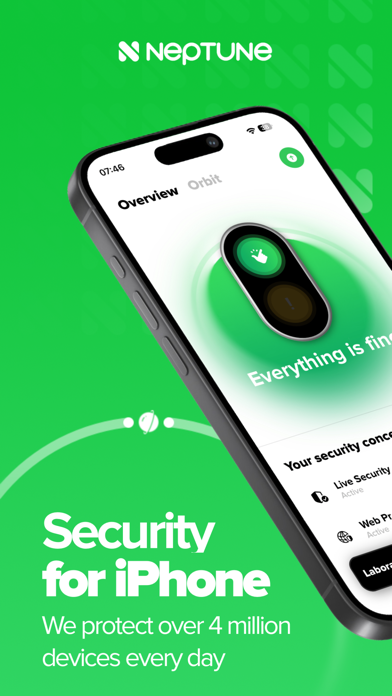
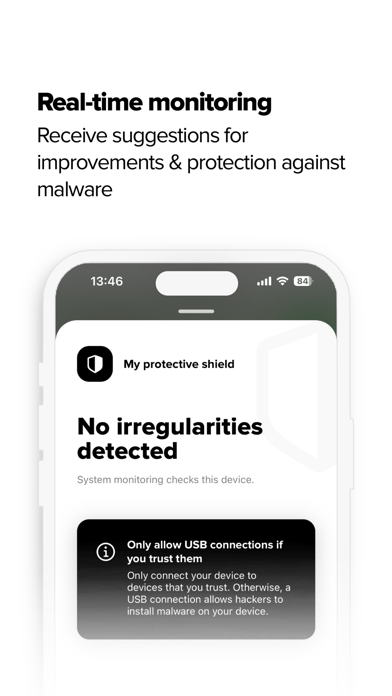
Neptune – Your Personal Security Hub for iPhone & iPad Have you clicked on a suspicious link? Or are you curious if your personal data is already circulating online? Neptune helps you analyze your device, detect security risks, and protect yourself from digital threats — easily, quickly, and reliably. With Neptune, you get powerful tools to protect your digital identity, detect scams, block tracking, and keep your iPhone or iPad at the highest level of security. Key Features at a Glance: • Data Breach Check: Find out if your email or other personal data has appeared in known data leaks. • Protection Shield Scan: Detect suspicious activities or manipulations on your device. • Web Protection (Safari): Block ads, trackers & malicious websites directly in Safari. • TrustCheck: Review the trustworthiness of online services (e.g. social media, banking, shopping). • Orbit Monitoring: Monitor the security status of multiple devices — ideal for families & teams. • Security Update Alerts: Get notified when a critical system update is required. • System & Hardware Info: View your device’s memory usage, storage, and hardware details. Start for Free – Take Full Control Download Neptune for free and find out how secure your device really is. Many features are available instantly — no subscription required. You can upgrade at any time for even more protection and control. We Value Your Feedback If you enjoy using Neptune, we’d love your review in the App Store. Share the app with your friends and family — staying secure is easier together. Terms of Use (EULA): https://www.apple.com/legal/internet-services/itunes/dev/stdeula/


Francesco Ficarelli
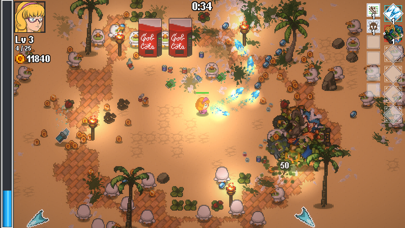
The ordinary gaming night among four friends takes a chaotic turn when they find themselves transported to a preposterous fantasy realm teeming with thousands of wacky monsters! Equip yourself with pizza frag-grenades, enchanted fidget spinners, unleash preposterous magic spells, or even fling your very own friends into the fray to repel the relentless hordes of monsters determined to obliterate you. And if that's still not enough, scavenge resources and blueprints, then harness the 'Forge of Destiny' to customize your weapons or craft the ultimate armaments of your nerdy wet dreams! Can you endure for 20 minutes of non-stop madness and make your way back to your gaming night? Nerd Survivors is a bullet-heaven action rogue-lite survivor adventure, set in the Doom & Destiny Worlds universe. This version of 'Nerd Survivors' includes all the playable characters and weapon customization options from the Forge that are not available in the free 'Nerd Survivors Lite' version.

Techet
An advanced tool for network diagnostics, LAN scanning, and problem detection. Network Analyzer can help you diagnose various problems in your wifi network setup, Internet connectivity, and also detect various issues on remote servers thanks to the wide range of tools it provides. It is equipped with a fast wifi device discovery tool, including all the LAN device's addresses and names, together with the Bonjour/DLNA services they provide. Further, Network Analyzer contains standard diagnostic tools such as ping, traceroute, port scanner, DNS lookup, whois, and Internet speed tester. Finally, it displays various useful information related to your wifi/cell connection. WIFI LAN SCANNER • Detection of all connected network devices (wifi & VPN) • IP addresses of all discovered devices • NetBIOS, mDNS (Bonjour), LLMNR, and DNS name where available • Pingability test of discovered devices • IPv6 availability and discovered IPv6 addresses • Wake on LAN (WOL) including remote WOL • Scan of custom IP ranges • Filtering and search in the discovered device list PING & TRACEROUTE • Round trip delay including IP address and hostname for every network node • Geolocation data including latitude, longitude, country, city, and time zone • AS number and network name information • Complete trace route visualization on the map • Graphical ping statistics updated in real time • Configurable ICMP/UDP probes for traceroute • Configurable ping payload size • Both IPv4 and IPv6 - selectable PORT SCANNER • Scanning the most common ports or user-specified port ranges • Detection of closed, firewalled, and open ports • Description of the known open port services • Scan of complete port range or user-editable common ports • Both IPv4 and IPv6 - selectable WHOIS • Whois of domains, IP addresses and AS numbers DNS LOOKUP • Functionality similar to nslookup or dig • Support of A, AAAA, CAA, CNAME, HINFO, MX, NS, PTR, SOA, SPF, SRV, SSHFP, TXT records • Decoding and showing DNSSEC records such as DNSKEY, CDNSKEY, RRSIG, NSEC3PARAM, NSEC, NSEC3, DS, CDS, TLSA INTERNET SPEED • Test of both download and upload speeds • Graphical speed test view • Speed test history NETWORK INFORMATION • Default gateway, external IP (v4 and v6), DNS server, HTTP proxy • Wifi network information such as SSID, BSSID, IP address, and subnet mask • Cell network information such as network type • Monitor of wifi, cell and VPN data usage (both sent and received data since the last boot) LOCAL SERVICE DISCOVERY • Bonjour service browser • UPnP/DLNA service and device browser MORE • Full IPv6 support everywhere • History of all performed tasks with the possibility to star the favorite ones • Export by email, AirPrint, and AirDrop for most tools • Light/dark theme • Copy/paste support • Detailed help • Regular updates
ipaomtk.com
ipaomtk.com | NexLink Link in Bio Creator IPA MOD (Unlocked) iOS is a versatile Bluetooth-enabled diagnostic tool for vehicles and some motorcycles. D
Nico Schroeder
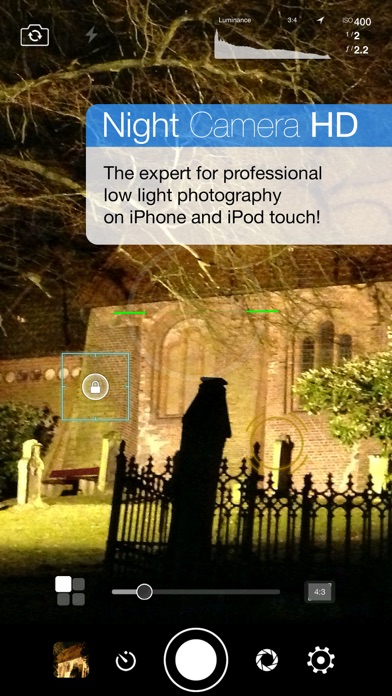
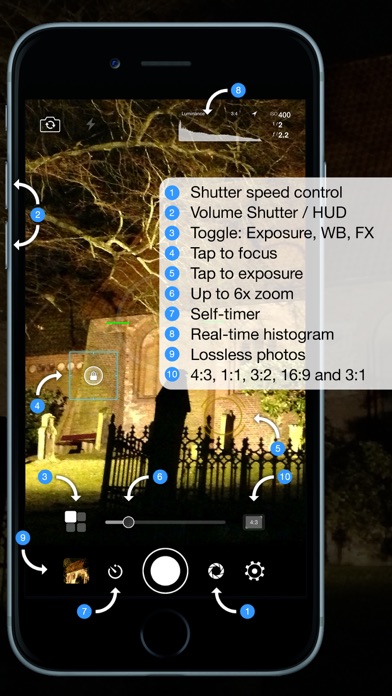
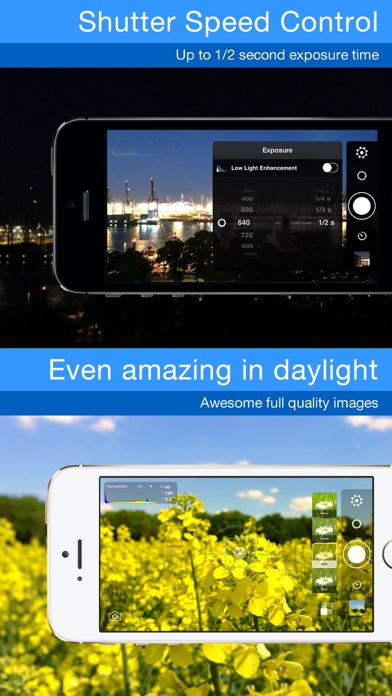
Night Camera HD - the expert for professional nighttime shots on iPhone, iPad and iPod touch. AppAdvice 4.5/5 stars review: "Night Camera HD is a tool that every inclined mobile photographer should have." Thanks to the manual setting options for light exposure up to 1 second *, separate residual light- and ISO enhancement, Night Camera HD is perfect for taking pictures in a dark, insufficiently lit environment. Even during daylight, your pictures are clearer, with less interference, due to the extended exposure times. Take high-resolution photos in PNG format without visual loss. Forget about the loss of quality experienced with other cameras apps caused by image compression artifacts. Regardless whether you take night-, scenery- or other photographs, the picture quality you are able to achieve with Night Camera HD will surprise you. You can easy tap to focus and tap to exposure at the same time. After selecting the desired setting, you can easily lock it to prevent changes despite movement. Only here you can get luminance, luminosity and RGB histograms in real time to recognize over- and underexposure in time. The self-timer, which is imperative for nighttime shots, enables you to take un-blurred pictures. With the aid of the volume buttons you can take pictures with volume up (+) and fade the HUD-elements in- and out with volume down (-). Of course you can also block the white balance separately and edit it if necessary. Standard image formats (4:3, 3:2, 1:1, 16:9 and 3:1) can be edited live. The full-screen mode is activated for narrow image formats, enabling maximum display use. This feature can also be deactivated. The histogram adapts to all image formats. The up to 6x digital live zoom can be edited in the settings to enable a greater precision level during targeted zooming. Of course diverse alignment grids (e.g. Rule of Thirds, Golden Spirals and Golden Triangle) as well as a virtual horizon are available as overlays. Various real-time color filters complete this app. The most important functions: - Shutter speed control - Up to 1 second * exposure time - Manual ISO setting - Manual focus - Residual light enhancement - Real-time luminance histogram - Real-time luminosity histogram - Real-time RGB histogram - Self-timer - Volume Up (+) Photo Capture - Volume Down (-) HUD Hide - 6x digital live zoom - Tap to focus - Tap to exposure - White balance-lock - Manual white balance - Manual exposure adjustment - Various alignment grids - Virtual horizon - Aspect ratios: 4:3, 3:2, 1:1, 16:9 and 3:1 - Full-screen mode - Eco mode - Diverse color filters in real-time - Take HD photos - Landscape and portrait mode - Supports front and back camera - Supports LED-continuous light - Supports EXIF-data - Supports sharing via Facebook, Twitter *) Only on supported devices ---------- Please note that a minimum amount of light is still required. For delayed exposure times the preview is also delayed accordingly. We recommend stabilizing the device or a steady hand for taking optimal pictures with long light exposure times. ---------- Follow @NightCameraHD on Twitter and don’t forget to tag your photographs with #NightCameraHD. "Night Camera HD" is available on Facebook as well. We are looking forward to requests, suggestions and above all, Likes. Of course an iPad Version is available as well. Just search for "Night Camera HD" in the iPad App Store. Follow us: http://twitter.com/NightCameraHD Like us: http://www.facebook.com/NightCameraHD Visit us: http://www.clidoapps.com
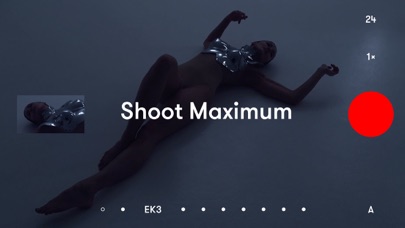
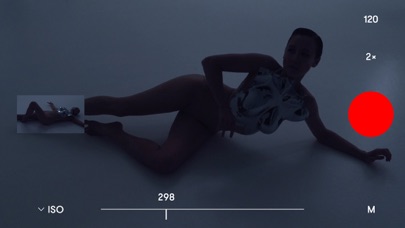
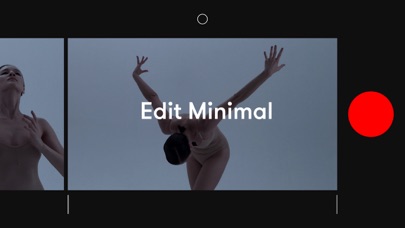
Image Mechanics
Record. It’s already a film. Press record and stay with the moment. The work disappears. The moment stays. RECORD Each moment becomes part of one film. No setup. No modes. Nothing pulling you away from what matters. LOOK Choose a look to shape the moment. See it as you record. PLAY Press play. Your film is already there. From first moment to last — one film. SHAPE Refine if you want. Or leave it as it happened. Trim, reorder, or remove moments. No panels. No timelines. Just the film. FINISH Add music if it feels right. Moments flow together as one. — THE ESSENTIALS • A simple camera • Moments join as you record • Manual controls when you want them • Choose a look as you record • Trim or reorder moments • Remove a moment with a flick • Smooth transitions and sound across your film • Add music from your library • Save to your Photos Best of 2019 — Apple Keep life as it happens.


Alfons Schmid
Own your notes — forever. Notebooks is a writing and organization app with no subscription, no lock-in, and no worries. Your documents are stored as standard files you can always access, export, or move freely. Pay once. Use for life. Use Notebooks as a personal wiki, Zettelkasten, document archive, task manager, or long-term writing space. Capture quick notes, turn them into actionable tasks, combine text fragments into chapters, organize research, or keep business documents separate from personal journals — without ever switching apps. Designed to help you stay focused and work at your own pace, Notebooks grows with your needs and is always ready to support you. WRITE AND CREATE Create beautifully formatted documents with styles, attachments, tables, checklists, and optional tables of contents. Choose from ready-made styles or design your own. Write in different ways: Formatted text (WYSIWYG) Plain text, with smart handling of lists, automatic character pairing, and a focused writing view Markdown, supporting MultiMarkdown and Discount, with syntax highlighting, dedicated keyboard keys, wiki-style links, and interactive checklists Sketch ideas or annotate images and PDFs using Apple Pencil. STORE AND ORGANIZE Notebooks stores all documents as regular files in standard formats. You always remain in control — no lock-in, no export worries, fully compatible across devices and over time. Organize your work in books and nested hierarchies without limits. Import PDFs, emails, web pages, MS Office and iWork documents, images, audio, video, and more. Use full-text search to find even the most deeply nested document. PLAN AND ACT Turn books into project lists and documents into tasks. Assign due dates and alerts, create nested projects, and track progress naturally — right where your work lives. Use simple checklists in formatted documents or Markdown for lightweight task tracking. STAY FOCUSED Link documents together to build knowledge over time. Use wiki-style links, backlinks, contexts, and smart books to keep everything connected and within reach. When you rename or move documents, links stay intact. A PLACE YOU CAN RELY ON Sync your documents between iPhone, iPad, Mac, and PC. Work on documents stored in other apps, compile selections into PDFs or eBooks, scan documents and extract text using OCR, and trust that your data stays accessible — now and in the future. With time, Notebooks often becomes the one place users rely on to keep everything that matters close at hand. WHAT USERS SAY “Notebooks is a wonderful app — sophisticated in an unassuming way. I feel more productive without spending time managing the app itself.” “You are GTD in every way that makes it efficient — and makes me efficient.”


Shivang Mishra
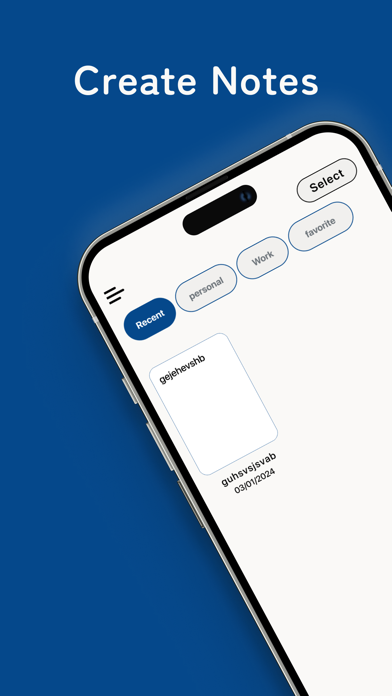
NoteNest - iNote: Simplify Your Note-Taking Experience Writing something was never easier. We bring you the simplest of apps to draft notes that is easy to use and as effective as anything. NoteNest - iNote is designed to be the most user-friendly app there is, ensuring it can be used by everyone, even the elderly. Whether you’re jotting down personal thoughts, professional ideas, or anything in between, NoteNest - iNote has got you covered. App Functionalities: Create Notes Categorization Sharing Favorites Notes Statistics Elegant UI Create Notes: Make notes at your will in a hassle-free manner. The intuitive interface allows you to jot down your thoughts quickly and efficiently. You can cut, copy, and paste notes anywhere within the app, providing seamless editing capabilities. The app also makes it incredibly easy to share notes through Airdrop and other apps, allowing you to send your notes to friends, family, or colleagues with just a few taps. Categorization: Compile notes of a single subject under one heading, such as Personal, Work, Ideas, or any other category you prefer. This helps you keep your notes organized and easy to find. You can prioritize notes based on importance, ensuring that the most crucial information is always at your fingertips. Whether you're a student organizing class notes or a professional managing work tasks, this feature keeps everything neatly arranged. Favorites: Mark any notes that you want to refer to again and again as favorites. Access these notes with a simple tap, ensuring quick retrieval of important information. This feature is especially useful for frequently referenced information, like to-do lists, shopping lists, or key reminders. Your favorite notes are always just a tap away, making your workflow smoother and more efficient. Character Count: The app provides a real-time character count, helping you to concise your notes and make them shorter when needed. This is perfect for those who need to keep track of character limits, such as students writing essays, professionals drafting messages, or anyone who values brevity in their writing. You’ll always know how much you’ve written and can adjust accordingly. Statistics: Get real-time data such as the number of characters, paragraph count, word count, and more. This feature is great for writers, bloggers, or professionals who need detailed information about their notes. Whether you're drafting a long document or just keeping track of your writing habits, the statistics feature offers valuable insights into your note-taking process. Elegant UI: NoteNest - iNote boasts an elegant and clean user interface that makes your note-taking experience not only efficient but also enjoyable. The app is designed to minimize distractions, allowing you to focus entirely on your thoughts and ideas. The sleek design is both aesthetically pleasing and functional, making note-taking a delightful experience. Why Choose NoteNest - iNote? NoteNest - iNote gives you the freedom to organize your ideas and helps you master your work, whether it is personal or professional. With its simple yet powerful features, you can mark anything as a favorite or share your notes with anyone, making it the perfect tool for students, professionals, and anyone who loves to stay organized. The app’s design is intentionally straightforward, making it accessible to users of all ages, including the elderly. Whether you're jotting down quick notes, planning a project, or writing down important information, NoteNest - iNote makes the process effortless and enjoyable. Regular updates ensure that the app remains relevant and continues to meet your note-taking needs. Download NoteNest - iNote now and start typing! Transform the way you take notes, stay organized, and enhance your productivity with the simplest and most effective note-taking app available.

Apple
Notes is the best place to jot down quick thoughts or to save longer notes filled with checklists, images, web links, scanned documents, handwritten notes, or sketches. And with iCloud, it's easy to keep all your devices in sync, so you’ll always have your notes with you. Features Powerful note-taking • Add attachments - PDFs, photos, maps, web links, and more. • Record and transcribe audio directly into a note. • Scan paper documents with the built-in document scanner. • Secure sensitive or personal data in a locked note. • Create checklists. Make a grocery list, a wish list, or a to-do list, then tap to check off items as you go. • Apply different text styles, such as heading or body, bulleted lists, highlighting, and more. • Tap next to section headers to reveal a chevron to collapse text. • Add tables to quickly organize information. • Use your finger, or Apple Pencil on a compatible iPad, to sketch right in your note or an inline PDF. Choose from a variety of brush styles and colors, and add lines and grids to a note for easier writing and drawing. • Take a Quick Note without opening the app - add Quick Note to your Control Center, swipe up from the bottom right corner with an Apple Pencil on iPad, or use Fn-Q on a keyboard. Organize and search • Search for text in notes, your handwriting, and even inside scanned documents and photos like receipts or bills. • Link from one note to another to connect ideas, content, or any information. Try typing >> for a shortcut to add links while writing in your note. • Keep your notes in folders and subfolders, or add tags to categorize them. Type or handwrite tags directly in your note - like #cooking or #expenses. • Automatically organize notes in a Smart Folder based on filters. Create rules to filter for Date Created, Checklists, Attachments, and more. Collaborate • Collaborate on entire shared folders or on specific shared notes. • Mention friends to notify them of important updates and link them directly to a shared note. • See what others added into a shared note while you were away with Activity view, a day-to-day list summary of activity from each collaborator. Notes for Apple Watch • View all of your iCloud notes right from your wrist; you can also pin notes, complete checklist items, or create new notes with dictation or Siri. Certain features are available only in select languages and regions.


APP ORIGINS STUDIO YAZILIM ANONIM SIRKETI
Nova AI is a revolutionary AI-powered personal assistant powered by GPT-4. With Nova AI, you can enjoy natural and seamless conversations with highly advanced AI technology that is designed to understand your needs and respond accordingly. How can you use NOVA AI Chatbot: - Getting the gist - Paraphrasing tool - Text proofreading - Brainstorming - Market research - Blogging - Translation - Creative ideas - Solving mathematical problems And more… Take control of your life with Nova AI's AI-powered automation, designed to streamline your daily tasks and provide quick access to the information you need. With its cutting-edge technology, Nova AI is constantly evolving to meet your needs and provide you with the best possible experience. With Nova AI, you'll have a smarter, more efficient, and highly personalized virtual companion by your side, always ready to assist you and enhance your overall experience. Try it today and experience the future! Read more about our terms and conditions here: Terms of use: https://www.apporigins.com/terms-of-use Privacy policy: https://www.apporigins.com/privacy-policy Do not enter personal information. May generate offensive or dangerous content. Nova AI is not liable for content generated. If you have any feedback, don't hesitate to reach out to us at [email protected]


Alphabit Software Inc.
Track performance of your car in real time with virtual gauges and graphs. Troubleshoot malfunctions by accessing the on board ECU. Know what is wrong with your car before taking it to the mechanic. Don't get ripped off when buying a used car. Run our diagnostics feature and get a vehicle health score. These are just some of the features OBD Connect has to offer. OBD Connect transforms your phone into an all in one performance monitoring and troubleshooting tool for your car. ** Notice - We don't recommend using knock-off adapters as it may not be compatible with the app. OBD Connect features: • Customizable gauges track up to 100 sensors in real time including fuel economy, G-force, gear display and battery voltage. • Fast polling rate allows for a smoother and more responsive gauges and graphing.* • Read and Clear trouble codes and reset MIL (service engine light). Over a thousand codes available with description, causes and symptoms. • Metric and Imperial measures. • Real-time user-defined sensor plotting. Graph as many sensors desired at the same time on interactive graph that can be scrolled, paused. • Gauge list feature can track every sensor at the same time. • CarPlay, display gauges on car head unit. • Create car profiles and customize settings. • Freeze frame support (mode 02). • Instant horsepower, mpg/kpl fuel economy, boost pressure and G force tracking. • Read Vehicle VIN number, calibration ID and more (mode 09). • Speed limit warning: Get notified when driving over speed limit. • High oil/coolant temperature warning gives you instant notification when your car is running too hot. • HUD mode for dashboard view : Heads up display for driving at night. • Emissions test readiness. • Multiple ECU support. • Shift light. • Two themes to choose from. • Landscape mode. • High value sensor gauge notification. • Enhanced PID support for specific manufacturers (mode 22). • Fuel Economy: - Instant and average fuel economy tracking for 0-5 min, 0-30 min and 0-2 hr intervals and a detailed summary. - Long term tracking with six different intervals. (1 week, 2 weeks, 4 weeks, 13 weeks, 26 and 52 weeks). - 4 different units of measure: MPG,KPL (Km/L), L/100 Km, Miles per imperial gallon. - Interactive graph of long term data that can be cropped and scrolled through. - Export fuel history to CSV file (spreadsheets). - Other statistics: Distance travelled, average speed, money spent, CO2 produced and fuel consumed. - 3 methods of calculation available. For non MAF vehicles. • Race track package: - Real time lap data, gap delay time and position in race track using high frequency GPS tracking. - Comprehensive summary of race with lap times, speed fluctuations on track and more. - Get drag racing times (0-60 mph, 0-100 mph, 1/4 mile 1/8 mile etc.) - Load and save unlimited number of tracks onto device. - Crucial racing data including real time horsepower, g-force and a detailed driving summary. Share your results with friends. - Transmission gear information and optional shifting assistant which notifies optimal moment of shifting gears. - Customizable view that toggles between speed/rpm gauge, real time track positioning and G-sensor feedback. - Record your race in HD with gauge and track overlays. (dash cam add-on required) • Dashcam: Record smooth HD video with overlaying gauges (speed,rpm, etc), time, location (GPS coordinates) and G-force sensor in four different resolutions. You can record from 90 sensors and up to 5 gauges. • Sensor logger: You can record many sensors at the same time with 5 different refresh rates. Save graph sensor data to CSV file and export to PC/MAC for further analysis. Send real time data to TCP socket (IP Address) over network. ** NOTICE** OBD Connect is compatible with WIFI adapters, OBDLink MX+, Vgate vLinker FS/MS and the following Bluetooth LE adapters: Kiwi 3/4 PLX, Veepeak BLE, Carista BT, LE LElink and VGate iCar Pro/ pro 2, vLinker FD+,MC+ adapter.

Amado Mata
Old Monterrey is a premium 2D pixel platformer inspired by northern Mexico. Run, jump, and explore handcrafted stages under a bright desert sky—where rural landscapes meet sci-fi trouble, and the iconic Cerro de la Silla watches over every level. Rescue the goats, outsmart alien invaders, and keep moving. Beat the intro stage to unlock the full game and play the levels in any order. Highlights • Premium game: no ads, no in-app purchases • Fully offline — play anywhere • Handcrafted 2D platforming levels • Rescue goats to complete each stage • Retro pixel art inspired by Mexican scenery • Open level selection after the intro • New content updates planned You can now play Old Monterrey with compatible external controllers for smoother movement, jumping, and shooting.

On Station LLC
On Station is an aviation toolbox packed with indispensable tools: - Visual crosswind calculator: Input your runway heading, reported wind direction & velocity, and see your wind components in real-time. - Multi-Timezone Clock: This is must-have tool to plan anything across multiple timezones (flights, meetings, phone calls, etc). - (NEW) Mission Command: Digital mission status tracker with server sync capability. - Checklist Builder: Create your own interactive checklist. No coding experience required. - Flight Timeline: Build and manage your flight timeline in real time. - Unit converter: Convert common units in both directions. We couldn't have made it any simpler. - ... and more. Follow us on Instagram --> https://www.instagram.com/onstationapps Note: This application is intended to be a supplemental tool only. Become familiar with it before taking it up and don't let it become a distraction. Fly the aircraft and stay safe!
Lunabee Pte. Ltd.
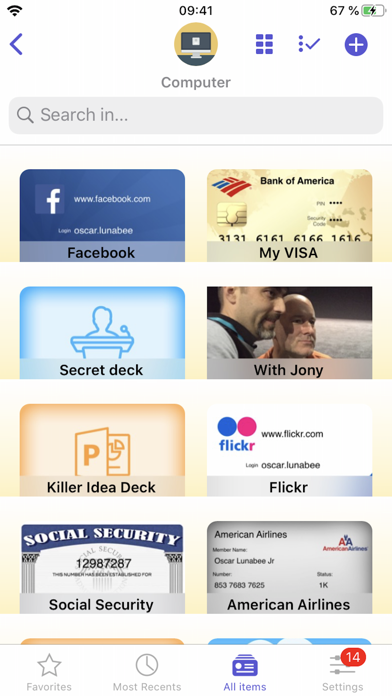
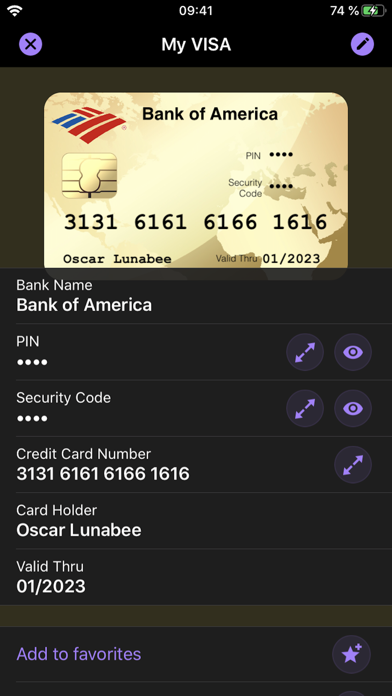
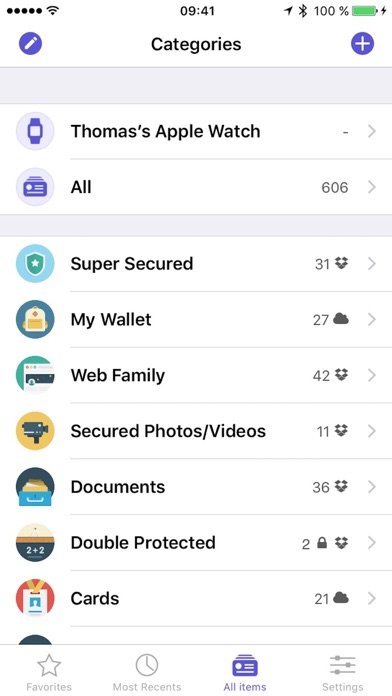
oneSafe provides advanced security for your passwords with features like Touch and Face ID, auto-lock, decoy safe, intrusion detection, self-destruct mode and double protection for your most sensitive data. NEW! oneSafe+ now supports Dark Mode, Siri shortcuts, an Apple Watch app, iOS universal (super fast) search in Spotlight, and many other iOS 13 improvements. You can even sync your secured info across various devices via iCloud Drive, CloudKit or Dropbox to have your passwords available whenever and wherever you need them. oneSafe protects your confidential information with AES-256 encryption; the highest level of encryption on mobile devices. Passwords, documents, photos, credit card numbers, bank account details, PIN codes and much more can all be locked away securely inside your safe – and at the same time be accessible whenever you need them. Plus, oneSafe adapts to your preferences allowing you to change the colors and images of your safe for maximum customization. > THEY LOVE oneSafe • Apple Editor's Choice, best new app in 80 countries! • "oneSafe has cuter graphics than its rivals" [New York Times] • "Even though oneSafe is incredibly powerful, it remains incredibly user-friendly." [iMore] • "Listed in top password managers" [Cnet] • "oneSafe is well built, robust, and easy to use" [Marco Tabini] • "If you want to protect and secure your data like Fort Knox, oneSafe is your solution." [AppDictions.com] oneSafe is ultra secure, easy to use and provides an unequaled user experience. Keep all your confidential information secure and easily accessible when you need it – with oneSafe! > SECURITY first oneSafe incorporates the strongest encryption algorithm available on mobile devices (AES-256). All your data is automatically encrypted as soon as it's stored in the app, even the synched content. oneSafe also makes your entry password unhackable by using encryption standards involving extremely complex calculations. In addition, oneSafe comes with numerous advanced security options allowing you to manage your level of security: double-protection categories, auto-lock feature, password generator, decoy safe, self-destruct option, break-in attempts monitoring and a password change reminder. > SYNC your content, the way you want • You control at all times which categories are synched and which are not. • Your info is synched via iCloud or Dropbox. Before being sent to the server it’s encrypted with AES-256 for the maximum possible level of security. • You don't want to use the cloud? Choose the manual sync option! > FEATURES that will make your life easier • Password safety analysis. • iOS universal search in Spotlight. • Large step-by-step password reader. • Integration with Withings watch, securing oneSafe based on the watch's distance from your iPhone or iPad. • Create, browse and edit your items super easily. • Adapt your safe with customizable categories to keep all your information well organized. • Use ready-made templates to quickly and easily enter your data. • Take advantage of the ultra-secure built-in browser with auto-fill feature to access websites quickly and securely. • Back up your data (via email, iTunes or Wi-Fi) to be sure you’ll always have a copy in storage. • Change the texture, icon and color for any of your items. • Flag items as 'Favorites' for quick access to your most commonly used information. • Use the ‘Search’ feature to find items quickly within your database. • Sync the contents of your safe between your devices using iCloud (iCloud Drive or CloudKit), and/or Dropbox. • Use the bullet-proof "Secure sharing" feature to share your confidential data with your family, friends or colleagues. Store in complete security: • Credit card numbers • PIN codes and entry codes • Social security and tax numbers • Bank account details • Usernames and passwords • Documents in PDF, Word, Excel and more • Private photos and videos

Alex Sieroshtan
Take back control of your photography. Optika combines a streamlined, intuitive interface with pro-grade manual tools, designed specifically to bypass the over-processed look of modern smartphones. Featuring Natural (NTR) Mode, Optika allows you to capture life as it actually looks – delivering realistic colors and textures with minimal post-processing for a truly authentic aesthetic. Total Manual Mastery - Manual Focus: Includes Focus Peaking and Loupe for razor-sharp accuracy. - Shutter Speed & ISO: Command your exposure for motion blur or low-light clarity. - White Balance: Custom presets and Kelvin adjustment for perfect tones. - True Lens Switching: Unlike the default camera app, Optika stays on the lens you choose. No more unexpected switching to the main lens in low light—just pure optical performance. - Exposure Compensation (EV): Quickly dial in your brightness on the fly. Features for Every Workflow - Advanced Formats: Shoot in JPEG, HEIC, RAW, and ProRAW. - Focus & Exposure Separation: Tap to set focus and exposure points independently. - Live Analytics: Monitor your shot with luminance and RGB Histograms. - Composition Tools: Stay level and centered with built-in grids and horizon levels. - Seamless Integration: Quick-access Lock Screen/Home Screen widgets and full Camera Control support. - Privacy First: Your data and photos stay yours. No tracking, no hidden uploads. And all of this in just ≈6MB. *Note: On non-Pro devices, Natural Mode results may vary from Pro models due to system limitations. Terms of Use: https://www.apple.com/legal/internet-services/itunes/dev/stdeula/
Bryan Hall
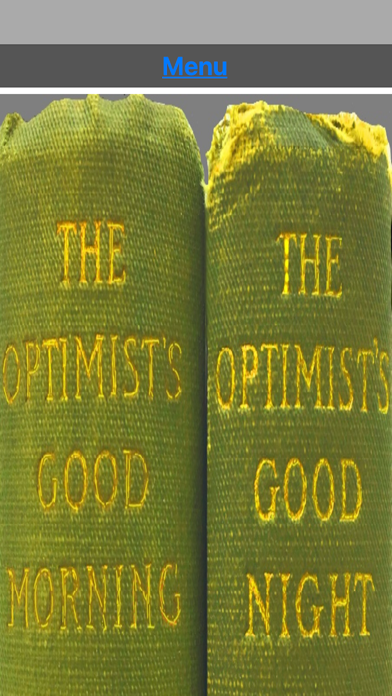
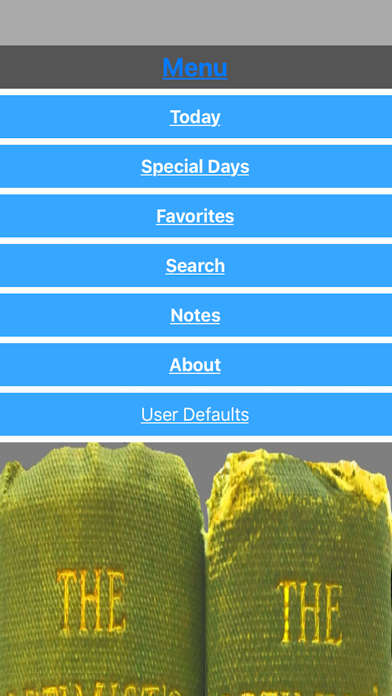
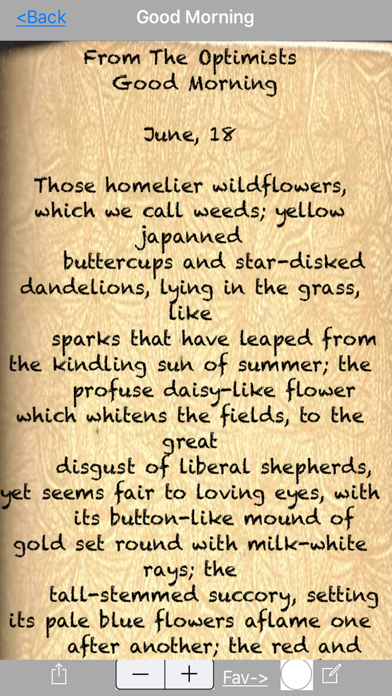
Discover a treasure trove of wisdom and inspiration with this remarkable app that brings together two beloved books from 1907 and 1910. Originally gifted to the app creator's grandmother as a young girl in the 1920s, these books have stood the test of time and continue to offer uplifting messages that resonate with people of all ages and backgrounds. With the entire contents of these two books now available in one easy-to-use app for iPhone and iPad, you can start your day on a positive note with a message of hope, inspiration, and optimism. Each day, you'll receive a carefully curated thought or quote from one of hundreds of authors, accompanied by a non-denominational prayer that reinforces the message and helps you apply it to your own life. As you use the app, you'll discover a wealth of tools and features that make it easy to customize your reading experience. You can sort and search messages by author, date, or topic, and save your favorites to come back to later. You can also easily share messages with friends and family via text, social media, and more. What's more, this app is completely free of ads and in-app purchases, so you can focus solely on the positive and inspiring messages that it offers. And if you ever have any comments, suggestions, or requests, the app creator is always happy to hear from you. So why wait? Start your journey towards a more positive, optimistic, and fulfilling life today by downloading this amazing app. You'll be amazed at how much of a difference it can make in your daily life, and in the lives of those around you.

Justin Cegnar
Simple, intuitive, powerful time-lapse and stop motion photography. Create and share stunning videos with ease. Packed full of features, OSnap! is truly the ultimate time-lapse and stop motion app. Perfect for both casual and serious photographers. ********* "...the best all-round time-lapse app out there, hands down" --epictutorials.com "Very cool" --The Daily Appster "...perhaps THE best time-lapse photography app on iOS" --redmondpie.com "Incredibly powerful....I love it!" --iPad Today "This app is packed full of features...a high recommendation" --148apps.com "...a must have for shooting Time Lapses bar none" --DSLRVideoClassRoom "The bounty of options never feels overwhelming or superfluous" --Eric Gwinn, Chicago Tribune "HIGHLY RECOMMENDED...amazing results" --ephotozine.com ********* --FEATURES--- TIME-LAPSE & STOP MOTION -Create quick and easy projects using built-in presets -Advanced options for expert photographers -Projects are ongoing; add or delete frames any time you like -More features and flexibility than any other app in its category PHOTO CAPTURE -Front/back camera, dual & triple lens support, flash/torch, exposure/focus/wb lock -Shoot portrait and landscape, 4:3, 1080p, 4K, Square and other HD resolutions (resolution support varies by device) -Pinch to zoom -Trigger photo capture with loud sounds in OSnap! 'Listening Mode' -Choose from a collection of unique, highly customizable guides to keep your photo sequences aligned and consistent -Reminders: Never forget to take a photo. Set hourly, daily, weekly or monthly reminders -Perfect for 'Daily Portrait' time-lapse projects SHARING & EXPORT -Create videos from 1-200 frames per second -Include music or other audio from your device -Videos are saved and archived and can be accessed at any time -Share to Instagram, Facebook, TikTok, iOS Photos, and many other options -TIP: Exported video resolution is always dictated by the FIRST image in the time-lapse sequence -Export+: Automatically save frames to iOS Photos, even during timed photo shoots, with an added option to bypass saving the frames to OSnap! Use OSnap! WiFi Assistant to download pics and videos from OSnap! directly to your Mac or PC; optionally, capture live photos WHILE you shoot (In-App Purchase) PLAYBACK & PREVIEW -Play and watch your projects immediately without rendering to video -Adjust the speed of your playback WHILE you watch -Choose speeds from 1-200 frames per second -Add music from your device -Record voice over (In-App Purchase) -Add a customized timestamp -Infinitely loop playback -Videos you eventually render will mimic your playback settings exactly EDITING & IMPORT -Duplicate, splice, reverse, mix and edit together pieces of your frame sequences into entirely new cinematic creations -Import pics from iOS Photos and other 3rd party sources such as Google Drive, Microsoft OneDrive, etc. (In-App Purchase) -OSnap!'s powerful editing features allow for the ultimate in creativity TIMED PHOTO CAPTURE -Set timer to capture images as fast as every 0.25 seconds or as slow as every 48 hours -Photos are saved immediately so that you will never lose data -System notifications will not interrupt timed photo sessions -Use 'Delayed Start' and 'Blackout Periods' to pause shooting during specified times & dates -Limit number of frames for each timed capture session; or take unlimited frames -Darken screen during long image capture sessions to help preserve battery life -Rapid timer settings (as fast as 0.25 seconds) allows for photo burst capabilities; capture multiple, quick photo sequences of sports and other live action events CHECK OUT VIDEOS MADE WITH OSNAP! instagram.com/osnapphotoapp x.com/osnapphotoapp facebook.com/osnapphotoapp youtube.com/user/osnapphotoapp tiktok.com/@osnapphotoapp


Pomelo Games
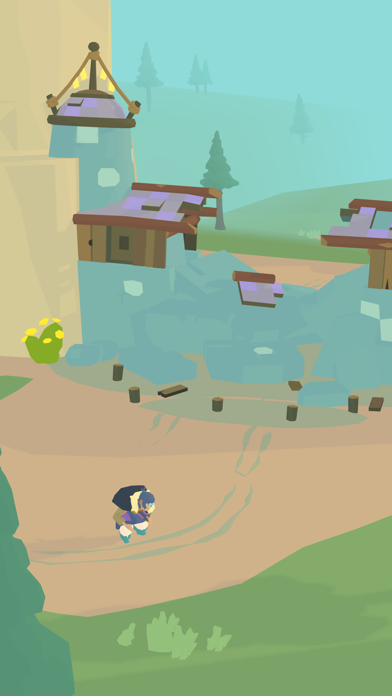
Outlanders is a charming town-builder simulation game that lets you play as the leader of a group of regular people building a town together. Some want to survive, while others want to build amazing things. It’s up to you to guide them towards their goal. Take control of the will of a town leader and balance your resources carefully to lead the town to prosperity. Every choice you make directly affects the progress of your town and has an impact on the happiness of your followers. Features: - Play through a series of distinct levels, each with its own unique flavour and set of challenges to overcome, with many more to come soon. - Engaging gameplay with no hand-holding! Carefully manage your resources and keep your followers happy or they might revolt! - Crisp and clean audio-visual style with an atmospheric touch that lingers with you after you put the game down. - Light but rich storytelling follows the tales of different town leaders in their search for a hassle-free natural lifestyle. - A wide selection of buildings to choose from, with specific functions that are vital to the success of your community. - Decree system lets you make the tough decisions, granting you a useful bonus in exchange for a small sacrifice.
Supercent, Inc.
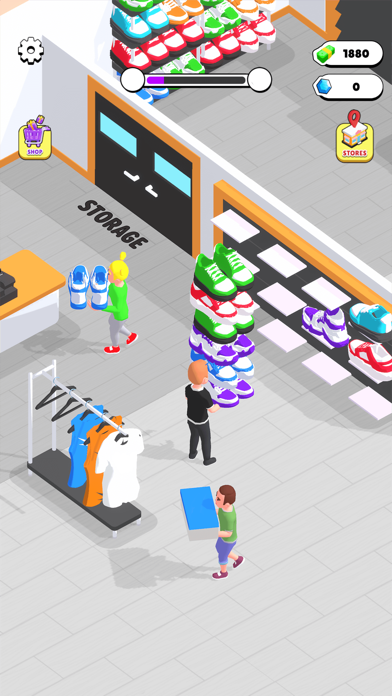
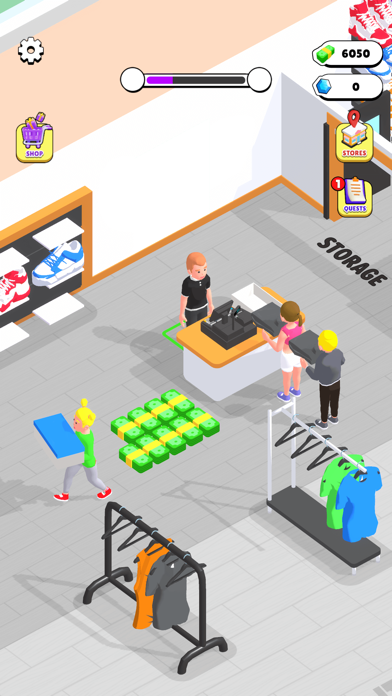
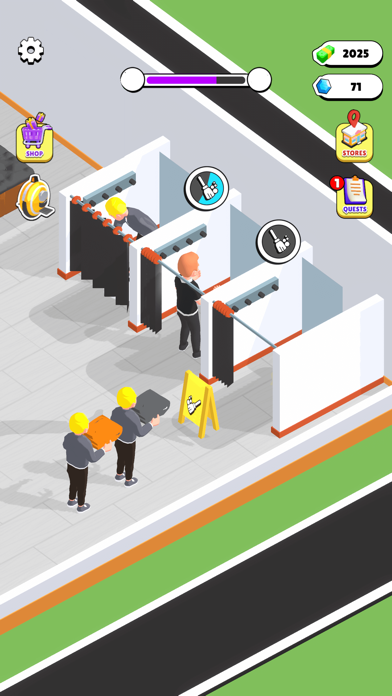
Outlets Rush: So Addictive, You'll Forget Your Shoe Size! Transform into the ultimate retail tycoon in Outlets Rush –Dive into the strategic time management gameplay and become the boss of your personalized shopping city. Play now for an immersive experience that combines tycoon mastery, idle thrills, and mega shopping excitement! ► Tap, Build, Repeat: In this idle game, simplicity is key! Tap your way to success as you build and expand your outlets from mini to mega. It's easy, it's fun, and it's all about the joy of watching your mall grow with minimal effort! ► Various Stores & Products: Explore iconic sports shops, luxury stores, and a plethora of items found in real outlets - shoes, clothes, bags, hats, underwear, and more. Each store brings a unique concept and a delightful variety of items for your customers to discover. ► Effortless Management: Become a retail tycoon without breaking a sweat! Effortlessly manage your dream mall by hiring staff and making strategic decisions. Deal with displaying goods, cleaning fitting rooms, and helping customers check out. Fear not, for you can build your own dream team and manage them efficiently, turning challenges into opportunities and making every coin count! ► Mini to Mega, Instantly: Experience the joy of instant growth as you transform mini outlets into mega shopping extravaganzas in the blink of an eye. It's the managerial journey you've been waiting for, with surprises around every corner! ------------------------------------------------------------------ Terms of Service: http://corp.supercent.io/TermsofService