
Recently updated apps
Browse recently updated IPA listings from AltStore and SideStore compatible repositories. These pages help you find fresh builds, changed repository notes, and updated download options without relying on search filters.


Impala Studios
Are you a student who uses math? Well, here's something you won't want to skip! Introducing MathNotes, the app that Makes Math Easy! MathNotes is tailored for students just like you, understanding your unique needs in and outside the classroom! Here's how MathNotes makes your math a piece of Pi ;) Effortless Note-Taking: Exponentially improve your note-taking during class! Our user-friendly interface lets you jot down equations, concepts, and insights with ease, eliminating messy pen and paper notebooks. Stay Forever Organized: Tired of searching for notes? MathNotes keeps your study life organized, allowing you to categorize and find notes effortlessly. Get Answers in less than a Snap: MathNotes features our powerful AI Math Solver that cracks tricky equations in no time. Study with Confidence: Don’t let math divide you! The AI Math Solver provides step-by-step explanations, ensuring you understand the 'how' and 'why' behind every equation. Awesome Calculator: Crunch those numbers! Our calculator floats over your notes, like a leaf in the wind, allowing you to calculate and take notes simultaneously. Study Anywhere: Whether in class or on the go, MathNotes goes where you are. Study on the fly and never miss a beat. Because math waits for no one, and neither should you! Subscribe and unlock MathNotes' full potential: More features, more convenience, and more math brilliance! It all adds up to making your math easy! Subscriptions automatically renew each month 24 hours before the end of the current period. You can turn off auto-renew at any time. Need help or have suggestions? Our support team is ready and happy to assist. Email us at [email protected]. For math-related questions, uhm, yeah, have you tried the solver? It’s available with the free trial! Terms & Conditions: https://impalastudios.com/terms Privacy Policy: https://impalastudios.com/privacy MathNotes Makes Math Easy! (C) 2000 Impala Studios.

Autonomous
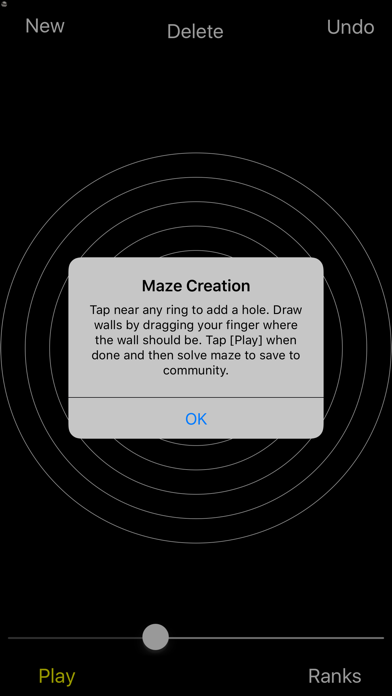
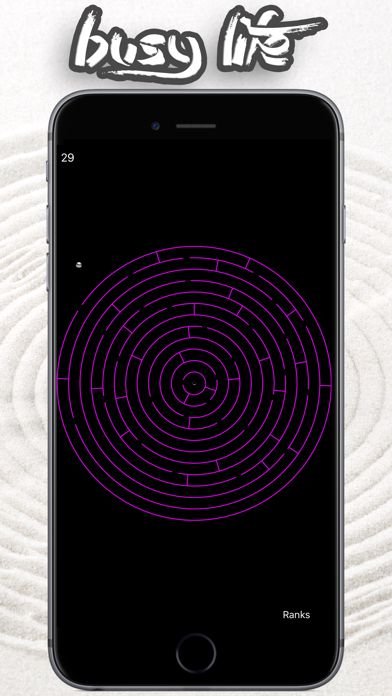
Maze Zen – Find Your Center, Find Yourself Tilt. Glide. Breathe. With every subtle shift of your device, your world slows down, and your focus sharpens. In Maze Zen, the journey is as essential as the destination—a tranquil dance between motion and stillness, where you guide a lone ball to the heart of a circular maze. Like meditation, Maze Zen invites you to silence the noise, draw inward, and awaken the present moment. Each level is a passage not just through the maze, but through your own inner landscape. The twist and turn of the labyrinth mirror the winding paths of life. The ball you guide? A reflection of your mind—restless, seeking, but destined to find its still center. “When the player finds their center, wisdom blooms.” - Autonomous Arriving at the goal, you’re greeted by words of insight from great minds—philosophers, zen masters, and sages—reminding you that truth lies in simplicity. These reflections gently guide you toward clarity and deeper understanding, encouraging you to carry that wisdom into your life beyond the game. The movements in Maze Zen are more than mechanics—they are moments of mindfulness. In the space between tilts, you reconnect with your breath. In the stillness of the center, you glimpse a spark of something profound—a quiet sense of belonging, a reminder that the answers are already within you. Why play Maze Zen? - Experience the calm of a meditative journey anytime, anywhere. - Train your mind to focus and find balance amid chaos. - Unlock profound reflections from the wisest thinkers, one maze at a time. - Evoke a sense of peace and purpose in your daily routine. In a world that rushes, Maze Zen offers pause. In a world full of distractions, it offers focus. And in a world of endless noise, it offers silence. Let go of haste. Embrace the journey. Download Maze Zen today and discover that the act of finding your center—both in the game and in life—may be the truest path toward peace. Your journey to understanding begins with a simple tilt. Will you find your way? ========================================== TIPS - TIP: On Apple Watch, Tinker with the Digital Crown to find your color mood. - TIP: On iPhone, Pinch the screen on iPhone to find your color mood. - TIP: On older Apple Watches, in Apple Watch Settings, enable Wake for 70s for best results and fiddle with the digital crown to keep playing.
David Steppenbeck
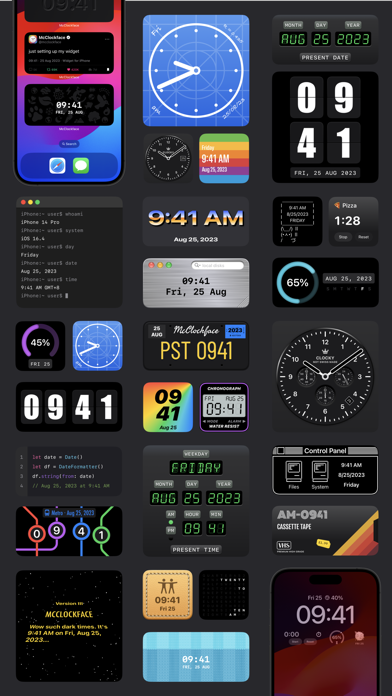
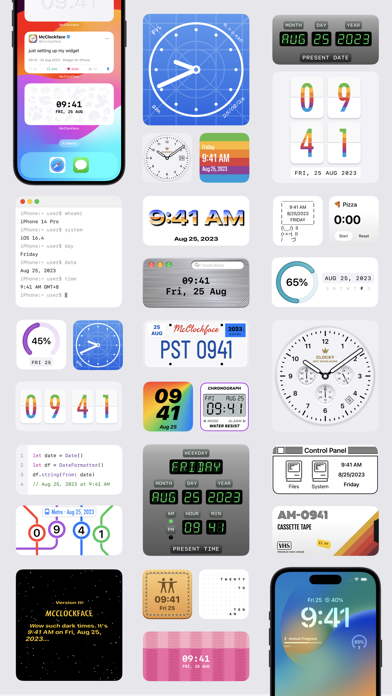
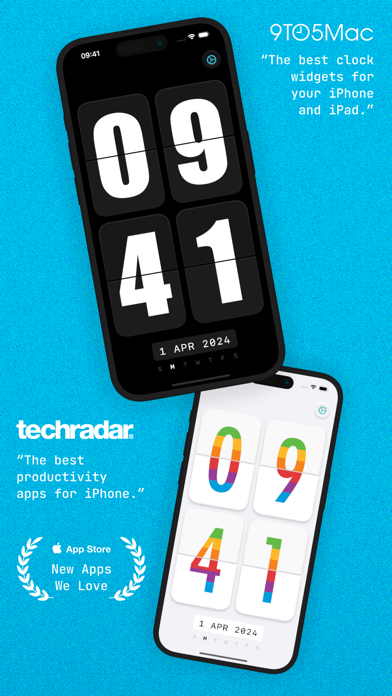
Add beautiful timepiece widgets to your Home Screen, Lock Screen, and StandBy mode with McClockface. McClockface provides a collection of playful widget designs that provide the date, time, and other chronographic info, such as day and annual progress, at a glance, with options to customize colors and time zones widget-by-widget. The in-app timepiece displays a silky-smooth retro flip clock that makes a perfect display for your nightstand or whilst charging your device. There are currently 32 exclusive widget designs available (and counting) with different sizes to discover in the system widget gallery for Home Screen, Lock Screen, and StandBy mode. --- HOME SCREEN WIDGETS The McClockface widget lineup is now stronger than ever, with numerous vibrant, colorful designs to choose from, including stitched leather, knitted socks, sticky notes, neon signs, VHS cassette tapes, scratched metal, blueprints, metro maps, license plates, bunny memes, and so much more! --- LOCK SCREEN WIDGETS Lock Screen widgets are perfect for quickly viewing info on the go. Simplified versions of some McClockface widgets are available on Lock Screen for both iPhone and iPad, including the default clock and the progress gauges. There’s also a weekday emoji widget that’s exclusive to Lock Screen. --- STANDBY MODE WIDGETS StandBy mode widgets are available on iPhone whilst charging your device. McClockface offers 20 elegant and customizable widget designs for StandBy mode. --- INTERACTIVE WIDGETS Stopwatch widgets are available for Home Screen, Lock Screen, and StandBy mode. These super handy widgets allow you to time an event without the need to open an app or even unlock your device. --- ALTERNATE APP ICONS With over 15 colorful app icons available, there’s something here to make everyone’s Home Screen shine. --- SOUNDS & HAPTICS Funny animal sounds and subtle haptic effects help bring the app to life. --- Some of the content discussed above and displayed in screenshots, specifically, all widgets, alternate app icons, custom fonts, and sound effects, require an in-app purchase. The free version of McClockface is free forever, and contains no ads: The free version gives you unlimited access to the in-app flip clock. McClockface Plus is required for the additional content mentioned above, which can be accessed by either an auto-renewing subscription or a one-time in-app purchase. --- Payment will be charged to your Apple ID account at the confirmation of purchase. The subscription automatically renews unless it is canceled at least 24 hours before the end of the current period. Your account will be charged for renewal within 24 hours before the end of the current period. You can manage and cancel your subscriptions by going to your App Store account settings after purchase. Cancellation of the current active subscription period is not allowed. --- Privacy Policy: https://sites.google.com/view/lazycatapps/home/mcclockface/privacy-policy Terms of Use: https://www.apple.com/legal/internet-services/itunes/dev/stdeula

Tech Guy
MegaGames, the ultimate collection of fun and addictive mini-games! Whether you’re a fan of fast-paced action or want to unleash your creativity, Mega

Nikolozi Meladze
Mela is a modular music-making tool that scales with your needs. Its intuitive interface lets you build custom polyphonic synthesisers, unique audio effects, and complex MIDI processors. Mela runs as a standalone app on iOS and macOS or as an AUv3 plug-in inside your favourite DAW, including Ableton Live, AUM, Cubasis, Drambo, and Logic Pro. In Mela, presets are constructed using modules arranged on lanes, where signals flowing through the lanes are processed by the modules. Audio and MIDI signals can be sent and received to and from the host or routed between lanes using internal buses. Modulator modules can target any module parameter on any lane. Lanes and modules are easily added, removed, or rearranged, allowing you to design presets as simple or complex as needed. Mela comes with 107 modules, with new ones added with every update. The following are some examples from different categories. - MIDI processors: arpeggiator, chord, Euclidean sequencer, note echo, note modifiers, scale, strummer, MIDI capture. - Synth building blocks: virtual-analog oscillator, FM operator, phaseshaping, noise, VA filter, amp envelope. - Modulators: envelope follower, envelope generator, LFO, macro control, MIDI source, random. - Audio effects: chorus, delay, distortion, flanger, phaser, dynamics processors, comb filter, EQ, stereo panner. - Visualisers: level and correlation metering, oscilloscopes, MIDI logger, notepad. Mela can be loaded in a host as an Instrument, Audio Effect, or MIDI Processor plug-in. The only difference between them is the number of audio and MIDI inputs and outputs. Otherwise, all features are identical, and presets created in one type can be opened in another. Mela includes over 200 presets that showcase different ways to combine modules and shape your unique sound. Modules are organised into collections. Collection 0 is free, letting you explore Mela’s features. Other collections can be purchased via in-app purchases. Collection 5 will continue to grow with new modules in upcoming 7.x updates. Each collection is a one-time purchase. Below is the full list of modules. Collection 0: Amp Envelope, Arpeggiator, Audio In, Audio Out, Group, LFO, Meter, MIDI Group, MIDI In, MIDI Meter, MIDI Out, MIDI-to-Poly, Notepad, Overlap Remover, Poly-to-Mono, Relative Pitch, Stereo Delay, Transposer, VA Filter, VA Oscillator, Volume. Collection 1: Balance, Chord, Chorus, Compressor, Control Change, Distortion, DS Oscillator, Envelope Follower, Envelope Generator, Flanger, Glide, Level, MIDI Logger, MIDI Source, Noise, Note Echo, Note Length, Note Range, Note Stack, Phaser, Pitch Bend, Random, Scale, Strummer, Velocity. Collection 2: Clipper, Comb Filter, DC Blocker, Degrader, EQ Band, Fixed Pitch, FM Operator, Macro, MIDI Capture, MIDI Channel, Oscilloscope, Pitch Oscilloscope, Pitch Ratio, Rectifier, Vibrato, Voice Activity, VPS Oscillator. Collection 3: All Pass, Audio-to-Mod, Band Pass, Correlation, Digital Delay, Dual Pan, Euclid, Macro Button, Mid-Side, Multiply-Add, Noise Gate, Note Chance, Note Event, Pitch Follower, Reverb, Ring Mod, Simple LFO, Stereo Pan, Stereo Tool. Collection 4: Crossover, Delay, Effect, Feedback, Gain, Gain Computer, Groove, MIDI Delay, Note Hold, Note Pulse, Note-to-Pitch, Phase Distortion, Pitch Ramp, Quantiser, Stack, Vel-to-Amp. Collection 5: CC Modulator, Frequency Shifter, Limiter, MIDI Echo, Mod Oscilloscope, Mod Steps, Slew, Unison, XY. Mela continuously evolves and expands, shaped by its long-term vision and user feedback. Feel free to get in touch about anything Mela-related. Say Hello: nikolozi.com/contact User Guide: nikolozi.com/mela/user-guide Tutorials: nikolozi.com/mela/tutorials Changelog: nikolozi.com/mela/changelog FAQ: nikolozi.com/mela/faq

Mark DiFranco
Memento is a modern take on everyday reminders. The interface is optimized to be fluid and simple, allowing you to easily keep track of what's important. You can create lists to help organize your reminders, and add time or location alerts to make sure you don't forget them. Memento can help you keep track of everything from your grocery list to your chores at home. Other Features: - Powerful notifications help you triage on the go - Force Touch shortcuts let you create a new reminder in a few taps - iMessage app lets you send reminders to friends - Widgets lets you see what's important to you at a glance - Siri support allows you to manage your reminders by talking to your favourite virtual assistant - Dark mode for use at night - Keyboard shortcuts to help you boost productivity - Automatically sync reminders via iCloud to all your devices and Apple's Reminders app - Privacy focused (no data is collected by the app) - Energy efficient (quick to launch, and won't drain your battery)


SKETCHES SRL
A truly intuitive experience. Discover the joy of creativity with Memopad, an easy to use drawing app with a great set of beautiful tools and features. Amazing for kids. Its ease of use also encourages creativity, making it an excellent tool for kids to effortlessly express their ideas through drawing. Dive into a world of creative possibilities, anytime, anywhere! Perfect for notes. Memopad is ideal for note-taking : quick, efficient, and intuitive it captures your thoughts and sketches effortlessly on the go. Amazing for kids. Its ease of use also encourages creativity, making it an excellent tool for kids to effortlessly express their ideas through drawing.Dive into a world of creative possibilities, anytime, anywhere! Features : • Highly realistic tools • Pressure support for Apple Pencil • Layers • Vibrant color set • Edit Size and opacity • iCloud Sync • Minimalist and gorgeous interface • Powerful imports and exports • Read and write PSD files • Area and fill tools • Watercolor • Text • Cutter • Ruler Subscribe to access to premium app features; subscription details are the following: - Length: monthly, yearly - Your payment will be charged to your iTunes Account as soon as you confirm your purchase - You can manage your subscriptions and turn off auto-renewal from your Account Settings after the purchase - Your subscription will renew automatically, unless you turn off auto-renew at least 24 hours before the end of the current period - The cost of renewal will be charged to your account in the 24 hours prior to the end of the current period - When canceling a subscription, your subscription will stay active until the end of the period. Auto-renewal will be disabled, but the current subscription will not be refunded - Any unused portion of a free trial period, if offered, will be forfeited when purchasing a subscription Terms of Use: https://www.apple.com/legal/internet-services/itunes/dev/stdeula/


Virtual GS
A multi-photo widget perfect to display your memories wherever you go. • add photos or drag & drop from other apps! • slideshow for multiple photos with adjustable time interval • multiple color filters for matching photos with wallpaper! • new photo filters - including poster and comic effect! • add title text with adjustable font and perspective effect • 3 photo sizes (4 on iPad) on home screen



Tepes Ovidiu
Memory Stamps is an elegant puzzle game that combines a few a proven methods to enhance visual memory and helps you relax. •How to play? You will be first presented detail-rich, themed illustrations, then after you consider you've taken all in, several illustration elements will disappear and, using your visual memory you will reassemble the illustration. •Who is this for? The game applies for both gamers and non-gamers, and acts as an excellent memory training activity; stress-free. •Challenging? Although levels can be completed at your own pace, there is a challenge mode available for the ones who want to test their memory to the limits, with a limited time to study the illustrations and with a limited number of errors to make. •Features: - 2 Game Modes: Zen mode and Challenge mode. - Switch between Light mode and Dark mode. - Soothing color palettes and relaxing lo-fi beats. - Game Center. - No ads, no in-app purchases; buy it once and enjoy it forever. - Haptic Feedback. (can turn on/off). - Optimized for all devices; - Simple controls, suitable for any age. - Play Offline, no internet connection required to play. - No violence, stress-free; play at your own pace. - Not collecting any personal data. •Developer notes: Thank you for playing “Memory Stamps”. I put a lot of love and effort into making this game. Don’t forget to review the game and share it with your friends. Use #memorystamps on social media!

Bijoy Thangaraj
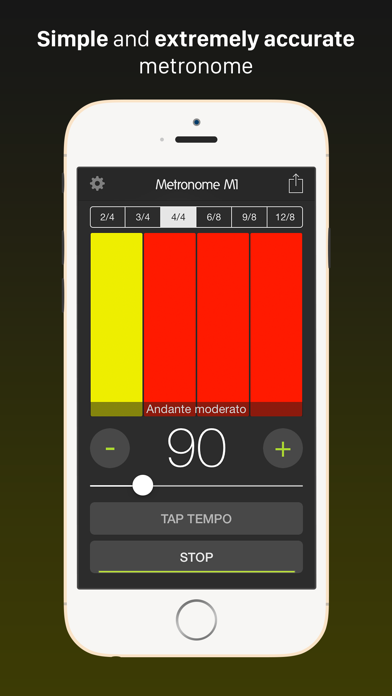
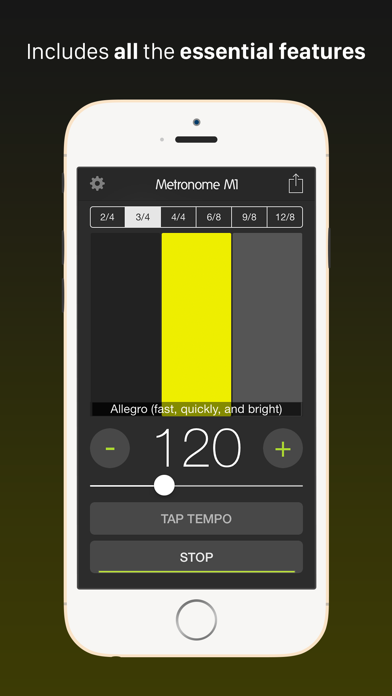
Metronome M1 supports a wide tempo range between 10-300 BPM, ranging from Grave to Prestissimo covering all popular styles including Lento, Largo, Adagio, Andante, Moderato, Allegro, Vivace and Presto. The "Tap Tempo" feature lets you quickly set your desired tempo with the ease of tapping a button. Metronome M1 supports the following common Time Signatures and more. Simple time signatures: - 2/4 (duple): Commonly used for polkas or marches. - 3/4 (triple): Used widely for waltzes, minuets, scherzi, country & western ballads, R&B. Also occasionally used in pop. - 4/4 (quadruple): Also known as common time, this is used widely in most forms of Western popular music. It is also the most common time signature in rock, blues, country, funk, and pop. Most students start practicing with this time signature. Compound time signatures: - 6/8 (duple): This compound time signature is used in double jigs, polkas, sega, salegy, tarantella, marches, barcarolles, Irish jigs, loures, and some rock music. - 9/8 (triple): Also known as compound triple time, this is used in triple jigs. - 12/8 (quadruple): Commonly used in slower blues (where it is called a shuffle) and doo-wop; also used more recently in rock music. With the latest update, you can now set any time signature you want. You also have the ability to set any of these note values for the tempo marking - Quarter note, Dotted quarter note, Half note, Dotted half note, Eighth note. You can also get haptic feedback on metronome beats. Now you no longer have to give an excuse for practicing without a metronome as you can have this app on your mobile device all the time. Make metronome your best friend and always practice with it. Moreover, practicing with metronome is proven to improve your aural skills.

VisTech.Projects LLC
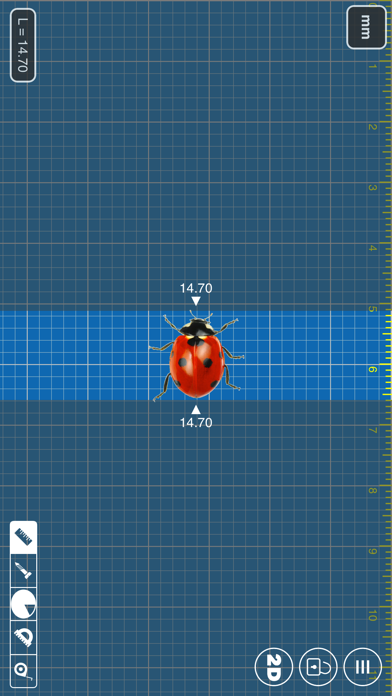
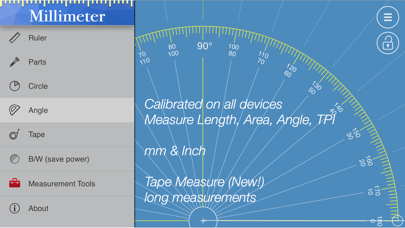
App blog: https://goo.gl/da6LdZ Millimeter Pro is an easy-to-use and helpful measurement tool for iPhone or iPad. It uses a touch screen as a ruler or tape measure to make quick measurements, split objects into equal parts, measure object ratio (W/H), measure area, estimate diameter and angles, and split circular objects into equal parts. Place an object on the screen and simply touch and move rulers to measure it. You can measure in different units: MILLIMETERS or INCHES. Features: - mm and inch units - 2D measurements: vertical and horizontal rulers - area calculation - ratio calculation (W/H) - split linear and circular objects into equal parts - shows the length and angle of each part - disable/enable touch screen (freeze feature) - diameter or radius estimation - angle measure with Protractor / Goniometer mode - Thread pitch gauge for TPI and pitch size measurements Use this app in different areas to measure small objects that fit within your phone or tablet screen: jewelry, rings, stones, gem, beads, screws, bolts, buttons, nuts, knitting needles, knitting patterns, washers, insects, mosaic tile, hooks, frame wrap angle, etc. Enjoy the app and Thank you for your interest and support! VisTech.Projects Team


AlhoGames
MiniGames is a collection of new, retro and modern games. You can play on your Apple Watch, iPhone or iPad with no Ads! It's like your own personal games arcade on the go. This collection of 28 games includes: ■ GLIDE Help the red bird fly. Use the hills to gain speed and soar high to score points. ■ CIPHER Crack the code. Guess the 4 color code from the clues you get per turn. ■ SHAPES Fun puzzle game where you drop shapes to merge them into new shapes. ■ TIC TAC TOE Classic game of noughts and crosses. Play single player or against a friend. ■ PONG Play one of the first video games ever created. This simple tennis like game is an absolute classic. ■ BRICK BREAK A fun retro falling brick game. Stack the bricks together to clear a line and score some points. ■ INVADERS Classic arcade action. Shoot all the space invaders before they get you. Hit the mothership for bonus points. ■ 2048 Enjoy the addictive 2048 game on your watch or phone. Swipe the number tiles around to join them. Join the tiles to reach 2048. ■ TUBE TWIST Guide your runner down an endless tube. Twist the tube to avoid the holes and spikes. Collect the yellow power orbs, the more you collect the longer you can speed boost. Tap your player to activate your speed boost. Hit the red jumps while boosting to get your bonus score. ■ BUBBLE Classic match 3 puzzle game. Connect the bubbles by color to clear them. ■ MISSILE How long can you survive a deadly onslaught of homing missiles? Maneuver your fighter plane to avoid the missiles and make them crash into each other. ■ HOP Jump from platform to platform to gain more height and points. Shoot the winged baddies along the way. ■ Drift Enjoy high octane drifting down a treacherous road. One false move and down you go. Try and survive as long as you can to get the top score. ■ Cong It's like pong, but in a circle. Use the digital crown to move the paddle around the circle and keep the ball in play. ■ Tower Build your Tower by stacking colourful blocks on top of each other. Place them perfectly for bonus points. ■ FLAP Guide the bird through a never ending forest by flapping your wings. ■ FROG ROAD Help the cute frogs avoid the cars and cross the road. A 3D update to the classic Frogger game. ■ BLOCK RUN Feel like going for a a run? Help the voxel guy avoid the colourful obstacles by jumping, rolling and turning around the corners. ■ MATCHTRIS A mashup of Tetris and Dr. Mario. Move the falling blocks to match 4 or more colors to clear them. Setup the blocks to fall and match for combos and extra points. ■ DRONE Pilot your drone down the never ending corridors of an Alien spaceship. ■ THRUST Strap your rocket boots on and zoom down a dark cave. Thrust combines a classic cave flyer game with elements of flappy bird. ■ SUPER JUMP We’ve taken the fun of the humble platformer game and mashed it with an endless runner. Keep your player running by jumping over holes, ditches and enemies. Collect fruit to score points and the more you score the faster you run. ■ RETRO RACER Inspired by pseudo 3d racing games like Outrun and Pole Position but with modern graphics. Enjoy the surreal, exhilarating sense of speed while you race to beat the clock. Please note this game requires a watch series 4 or newer. ■ CONTRA PANG A mashup of Contra’s shooting action and the bubble popping fun of Pang. ■ CIRCLE INVADERS A new twist to the classic Space Invaders. With a unique circular design and lots of power-ups. ■ MOON SNAKE We took the classic fruit eating snake and put him on the moon. Avoid the bombs and your own tail to survive. ■ DUAL BREAK What could be better than the classic paddle game Breakout? How about power-ups and an extra paddle to control. ■ CIRCLE BREAK It’s like Pong in a Circle meets Breakout. Keep the ball from leaving the circle and break all the obstacles to finish the stage. Features: • No ads! • Apple Watch support • Screen shake • Vibrations • Sound Effects • Music • Leaderboards
He Zhou
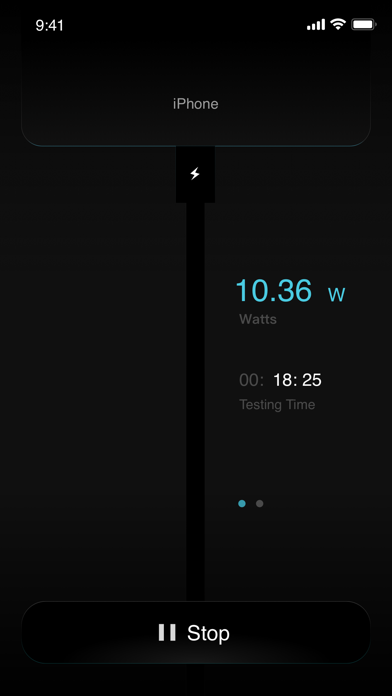
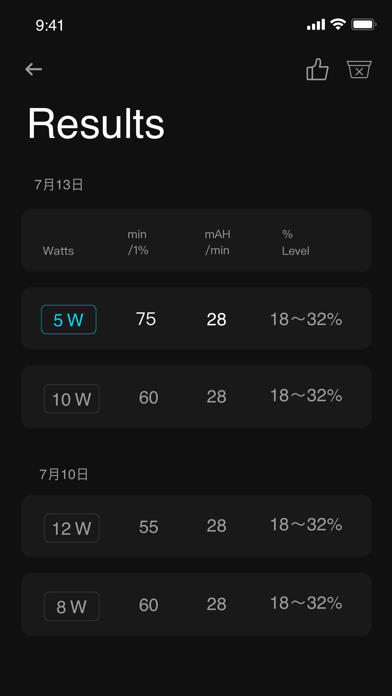
Mister Battery helps you calculate each charging detail for your device. With different chargers and charging cables, your device's charging speed varies greatly. Using the Mister Battery, we can help you find the best charging device combination! Mister Battery provides the following features: 1. Measure the maximum watts of the current charging system, the number of milliamps per minute charged. 2. Record the duration and effect of each charge to help you compare the results. 3. Calculate the speed of each charge you got. 4. Check if your device supports PD(Power Delivery) . Find your best charging device and let your battery charge up!
JixiPix Software
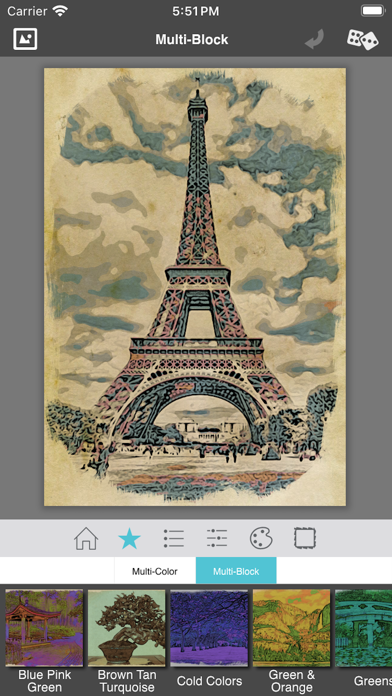
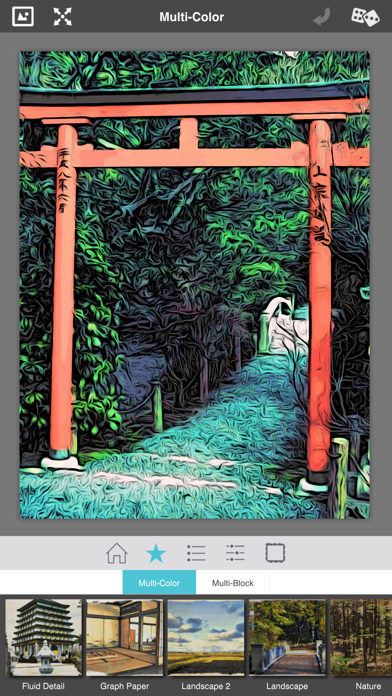
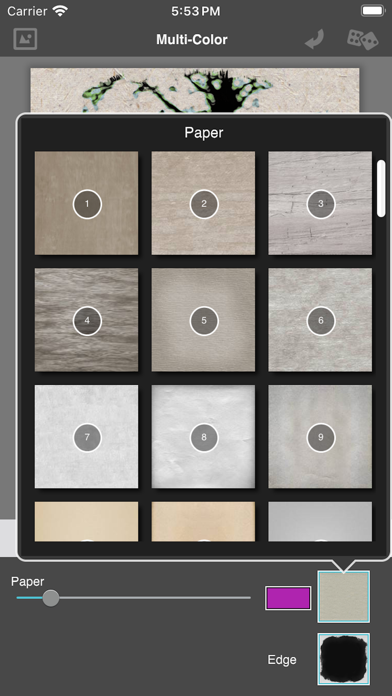
You've discovered the fascinating art of Moku Hanga, the Japanese method of wood-block printing. Breathtaking landscapes, beautiful women, and busy cityscapes can be transformed into this exotic art known for flowing hand-chiseled outlines and brushed on color. The Moku Hanga app, Moku the Japanese word for “wood” while hanga is known as “print”, allows you to create an artistic wood-block print from any picture or snapshot — no need for time consuming carving — the artists from JixiPix do all the work for you! With the power to fully customize your Moku Hanga, you can create a masterpiece artistic enough be part of printmaking history! The outlines in Moku Hanga are extremely eye catching, replicating a hand chiseled relief-art. Using sliders found on the adjust tab you can control the smoothness, width and strength of the chiseled outline to fit your composition. Presets are also available to give your project a quick start. Choose from a range of bold chisled outlines, and bright to subtle color combinations. If the preset colors chosen for your work are not to your liking, there is the option to alter your palette colors. Once the desired color is achieved complete your artwork with an artistic edge or paper. In printmaking the final image does rely on the choice of paper; whether it is kozo fibers or rice paper — this will add an artistic quaility to your print and complete your Moku Hanga. Moku Hanga Features: • Automatically create a work of art with the look of hand chiseled outlines and brushed on color, fully adjustable with simple sliders. • Adjust the outline width, strength and how smooth or fluid your chiseled outline appears. • Control the color in your artwork with saturation, strength and image color sliders. • Choose between two printing styles: "Multi-Color" or "Multi-Block". • The Multi-Color style uses all the original colors in your photo. By adjusting the "Image Color" slider you can reduce or add colors to your artwork giving it a variety of printed-styles, from a full-color block process to spot-color ones. •The Multi-Block style uses 5 blocks of color pulled from your original image then divides the colors across your artwork giving the look of carving a separate woodblock for every color. The cool thing about this style is the ability to "Randomize Colors" throughout your artwork and the ability to replace any or all of these colors, using the full-spectrum color picker. You can achieve simple to exaggerated color results using this process. • Works with Hi-Res images and saves Hi-Res for top-quality results • Gets you started fast with a variety of presets • Creates personal-favorite custom presets using the "Save Preset" menu • Has the addictive JixiPix Randomizer – so much fun! • Superior customer support and updates – we're committed to your long-term satisfaction

hideo nakamura
This alarm will wake you up with sounds and time chimes that you can't ignore. Doorbell...can you ignore it? Repeated Doorbell...can you ignore it? It will repeatedly tell you the elapsed time at one-minute intervals. It will also tell you the time on the hour and at times divisible by five. -------- It's simple to use. Just set the alarm time and close the app. When the time is up, you will be notified by voice. The alarm will continue to ring for 30 minutes if you leave it alone, so start the app to stop the alarm. The way to stop the alarm is to match the pictures. Match the pictures, top and bottom as a pair. Match all three pairs and wait 2-3 seconds. A button to stop the alarm will be displayed. Please note that the alarm will not stop if you match the same pictures in a horizontal row. You can change the difficulty of the picture matching. You can also set it to stop with one button. You can check the difficulty of the game in a test. It would be helpful if you could check the operation once before using the alarm. You can register up to eight alarm settings. It is convenient to set the times you frequently use in advance. Notes about this app: ※ Uses the voice notification function of the iPhone/iPad itself. If you do not allow notifications, the alarm function will end when the app screen is closed. This app sleeps according to the iPhone settings, so the app will essentially be unusable. ※ Sleep is disabled when the alarm stop screen is displayed. Please note that no sound will be heard if you are in silent mode or have the notification function of the iPhone/iPad suppressed. ※ If you leave the alarm on the lock screen for 30 minutes, the next alarm will not sound. In that case, please launch the app. (The next alarm will be automatically reset when the app is launched.) Don't expect music from this app. There is no music at all. The time signal of this app is not suitable for any purpose other than as an alarm. It is a powerful alarm, but it only sounds for 30 minutes. Humans sleep in 90-minute increments, with deep and light sleep alternating, and an alarm app cannot wake you up during deep sleep with sound alone. If you really want to wake up at that time, it would be helpful to use multiple alarms so that you are aware of it before the time you want to wake up. If you want to wake up 30 minutes earlier than usual, it would be helpful to go to bed 30 minutes earlier than usual. *To Apple Watch users We apologize for the inconvenience, but please select the Notifications tab from the Watch app on the iPhone home page and set it so that "T.Signal Alarm" notifications are not forwarded to your Apple Watch. If this is not set, notifications will be forwarded to your Apple Watch and the app will not work properly.
Francis Bonnin
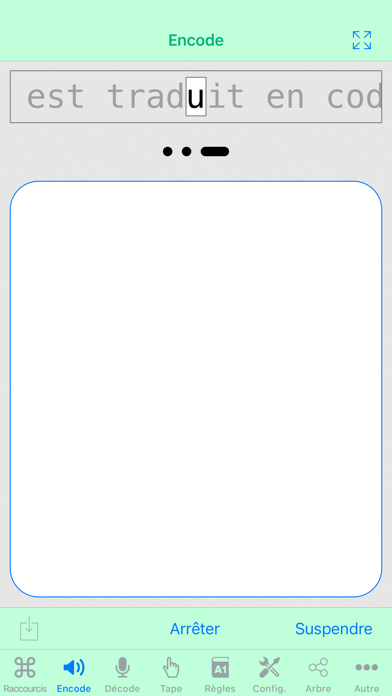
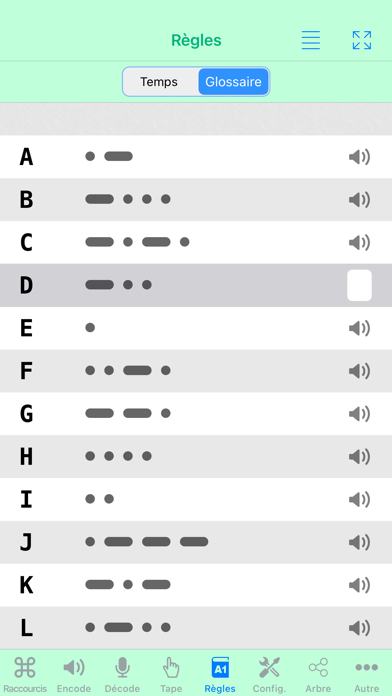
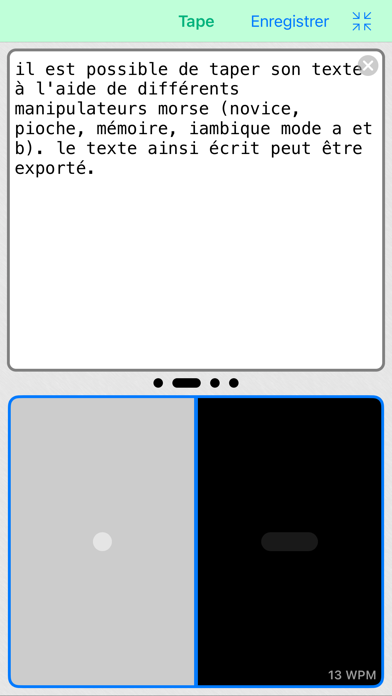
Morse-it is an easy-to-use application that lets you translate, interpret, type, learn, convert Morse code, and more. You can run it on your iPhone or iPad and it is compatible with VoiceOver. Note: By getting this app, you'll have access to several useful and fun features related to Morse code (these are the features explained in this description and visible in the screenshots). In addition, you can unlock advanced features in the app if you need them: learning and social features. More information at the end of this description. Type any text and it will be automatically encoded into a full-screen flashing effect of the corresponding Morse code. The flashlight of your device is also used. Your "SOS" messages will be seen quite far away! Some sound will also be played accordingly. In detailed mode, the encoded text will scroll during the decoding process. Tap some Morse code on the screen and the program will translate it into some text. Several input types are supported: Novice, Straight Key, Memory Paddle, Iambic Paddle (A and B), Microphone. Left and right handed modes are supported. Test and improve your skills: are you good enough to be understood? Create Morse code audio files from a given text (or variables). Use these files as you like: listen to them to train your decoding skills or use them as ringtones for your mobile phone. Create beautiful abstract wallpapers for your device (or posters to be printed) by customizing the display of the dashes and dots of the sentence you like. Exclusive feature that allows you to decode in real time the Morse code recorded by the microphone into text (note: the sound must be quite clear/loud and without much noise). Some automatic calibration is performed, allowing adaptation to speed, tone and volume changes. The full Morse alphabet (including prosigns) can also be viewed and the associated Morse code can be played. Tapped and decoded text can be edited and exported to clipboard, in-app email and SMS. A special screen allows textual conversion of Morse code and text. Exchange encrypted messages with your friends. Wikipedia and Visual Mnemonic screens to get information and mnemonics about Morse code. You can also add your own websites for in-app consultation. The whole application is highly configurable (frequency, WPM, tone type, color, Morse code, variables ...) A customizable today view widget can be added to your home screen to display the current date in Morse code. Some custom actions are available in the shortcut app, and some features of the app can be triggered using Siri. You can also become part of the Morse-it Social Club (thanks to a renewable subscription) and unlock the following Social features: Messages, Forums, QSO Bot, Poem of the Day, Quotes of the Day, Games of the Day ... and more. The following Learning features will also be unlocked (but can also be unlocked with a single one-time in-app purchase if you prefer): Koch trainer, Sending trainer, Cards trainer, CWops Academy learning method, Quiz, Macros, Dictionaries: abbreviations, QSOs, mnemonics, timing (Farnsworth) and Morse alphabet/Prosigns personalization, appearance customization ... and more. Some Morse-it features are powered by Icom, a world leader in the amateur radio market. !!! As seen on TV !!! (UK) in Most Haunted Live: Apparently you can use it to communicate with ghosts (no guarantee though :D)


Paulo Correia
With allMorseCode you can convert Text into Morse Code and vice versa. If you want to convert text to Morse code, you can enter the text either by keyboard or by speech. If you decide to use speech, you can speech in your language, or choose one of seven pre-defined languages. allMorseCode will convert any text into Morse Code and you can transmit it via sound effects or via flashlight. You can also send your Morse Code via E-mail or via Text Message. Convert Morse Code to text is very easy. Just type the code, press Space, and allMorseCode will converte your Morse Code into letters. Main features: - Convert text to Morse code - Convert Morse code to text - Speech text and then convert it to Morse code - Speech text in your language or in seven predefined languages - Transmit the Moser code by sound effect or flashlight - Choice of baud rate in words per minute (WPM) - Panic button that emits an SOS by flashlight continuously - Morse code sharing by message or email - Map with the characters and respective Morse code



志超 许
------- Support joystick control mode now! ------- ------- According to customers review, make it easy to get more coins, and less barriers on the ground. Enjoy! ------- The features of this Moto Race are: - More levels. - Small package size - Better performance. - Support retina ipad. - Easy and hard, two modes available. - Long road in hard mode. - Rotate 360 degrees to get more coins. Moto Race – Collect coins and don’t crash, complete the levels as fast as possible to achieve maximum score points. FEATURES: * Fun and challenging tracks. * Awesome physical effect, calibrate motorbike paramters thoudands of times! * Simple controls, drive by pressing on the right or left side of the screen. * Also support joystick control mode. * Performing stunts, tilt the device to control the motorbike in mid-air. * Includes 90 amazing well designed tracks, more free tracks coming with next update. * Game Center supported, you can challenge your friends. TIPS: * Collect more coins to buy advanced motorbikes, shields and VIP cards. * Choose special motorbike for different tracks. * Advance shields to pretect you when collide with the ground. * VIP card provides more time for each track. * Get more coins in garage. Follow us: http://www.facebook.com/tophotapp https://twitter.com/tophotapp More games: www.3g60.com www.tophotapp.com

Bryan Hall
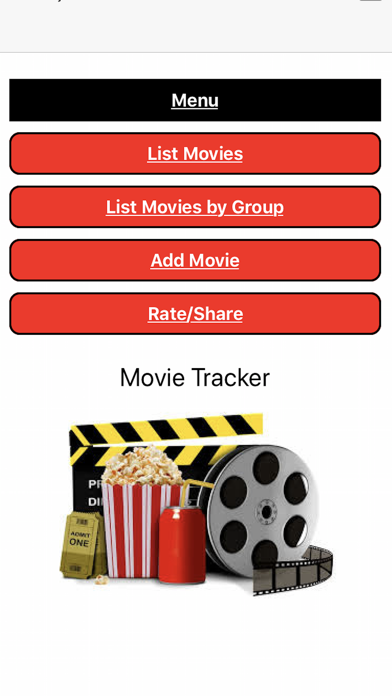
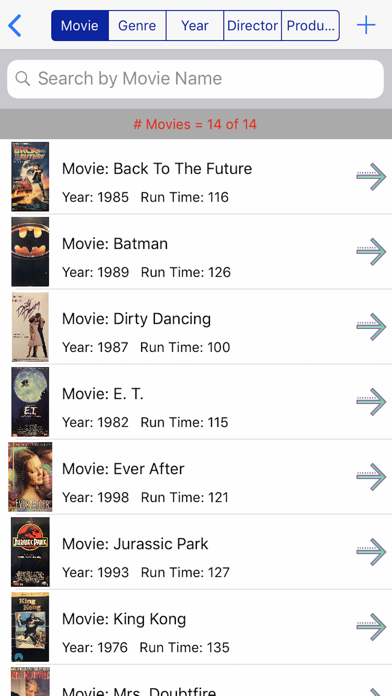
Do you have a large movie collection and struggle to keep track of which movies you own? The Movie Tracker app for iPhone and iPad is the solution you need. With our app, you can easily keep track of all your movies and sort and search them in a variety of ways. Our app allows you to sort and search your movie list by name, genre, year, director, and producer. This makes it easy to find a specific movie or filter your collection by your preferred categories. In addition to sorting and searching, our app also allows you to group your movies by genre, actor, actress, director, and producer. This makes it easier to find similar movies and explore the work of your favorite actors, actresses, and directors. Take a look at our app's screenshots to see how easy it is to keep track of your movie collection and explore your favorite genres, actors, and directors. We value your feedback and suggestions for improving our app. Please feel free to contact us via email with any comments, bug reports, or feature requests. We are committed to providing the best user experience and appreciate your input.


Thomas Gruber
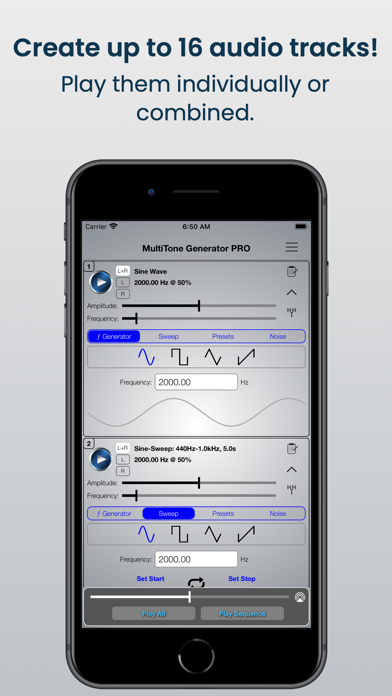
This is the all-new MultiTone Generator! An amazingly flexible and powerful frequency generator! Works with Audiobus and Audiobus Remote! CREATE up to 16 tone combinations. Play them individually or combined. PLAY TEST TONES Sine, Rectangular, Triangular and Sawtooth. PLAY FREQUENCY SWEEP TEST TONES in both directions (minimum to maximum frequency and maximum to minimum frequency). Use the SWEEP REPEAT / WOBBLE function. Play back white and pink NOISE. Fully CUSTOMIZABLE Frequency Min-Max ranges and Sweep time range. The MultiTone Generator is AMAZINGLY INTUITIVE and SIMPLE!

ipaomtk.com
ipaomtk.com | Murphy’s Laws Guessing Game is an entertaining mobile application that challenges players’ knowledge of Murphy’s Laws, those humorous ad

hasuhasu
"Hitting while listening to music." "Is that the call from another world?" [Game Starts Now—!!] Lovely girls or rhythmic music? If there’s a place for you to have them both… It must be the paradise of parkour & rhythm game — Muse Dash!! Huh?! Not your forte? It doesn’t matter! Who says you must have a strong sense of rhythm to win? Avoid is also a valid option (?) As long as you have 100% of passion, courage, and… love for lovely girls~ Rhythm and fight won’t be an issue [Gameplay] Dance to the music and beat enemies in the air and on the ground. Also, watch out for the obstacles!! What an easy, beginner-friendly rhythm game [Media Review] 可愛らしいビジュアルのキャラクターが躍動する、新感覚の2Dアクションスタイルのリズムゲーム ——IGN Japan “A bright exterior hides a surprisingly deep and engaging mash up”——POCKET GAMER Languages Supported: English 简体中文(Simplified Chinese) 繁体中文 (Traditional Chinese) 日本語(Japanese) 韩语 (Korean) Feedback: https://service.peropero.net/ Twitter:@MuseDash_EN @PeroPeroGuys



Bryan Hall
You can have fun reading all the included jokes as well as adding your own. I have added over 600 kid friendly jokes that you are sure to enjoy. You can print all the jokes from the main list, or share all the jokes with a text, email and all your social media apps that are allowed. You can view all the jokes by category by going to the List by Cateory from the main menu. Print or share them as well. You can add or remove categories by going to Category List from the main menu. Change the font for the jokes that appear in the lists or the edit screen. Import or export from one apple device to another. Send us an email if you have any comments, suggestions, bug reports or requests for this app!

MY STORY, LLC
Empower Student Storytelling in Your Classroom with My Story – School Edition My Story – School Edition is the all-in-one storytelling platform built specifically for schools. Safe, powerful, and distraction-free, it gives educators everything they need to spark creativity and improve literacy for students ages 3–11. With no ads, no in-app purchases, and no hidden costs, this premium School Edition version is designed for seamless classroom use and trusted by thousands of teachers worldwide. What’s New in 4.6.0 • Book Publishing: Students can now publish their own professionally printed books, complete with customizable back covers. A meaningful way to celebrate writing and create keepsakes for families. • AR Storytelling: Use augmented reality and millions of 3D models to bring stories into the real world. A hands-on, engaging way to connect creativity and technology. • Enhanced Image Editing Tools: One-tap background removal, cropping, filters, and unblur tools—perfect for refining student artwork and making projects shine. • International Support: Now available in Hebrew, Dutch, and Hindi, alongside English and other supported languages. Built for Teachers • Google Classroom roster syncing and Google Drive story backup • Multi-device support for shared iPads or student logins • Secure author PINs to keep student work private • Export stories as PDFs or videos to share with parents or showcase in class A Creative Toolkit for Every Age • Early Creators (3–5): Focus on drawing, stickers, and voice narration to build confidence. • Budding Writers (6–8): Add sentences and simple story structure with guided prompts. • Emerging Authors (9–11+): Dive deeper into storytelling with advanced tools and project-based learning. Engage Students with Powerful Creative Features • 900+ premium stickers, 160+ backgrounds, and My Story characters for consistent, student-friendly storytelling • 3D objects from Sketchfab for interactive, immersive story pages • Safe, kid-friendly GIFs from GIPHY and high-quality photos from Unsplash • Magic Story Guide and Magic Stories to support structured writing without stifling creativity Safe, Reliable, and Classroom-Ready • One-time purchase—no subscriptions, no upsells • Parental gate for at critical junctures of the app • Apple Pay support and international shipping for book publishing • Optimized for iPad with improved stability and performance Loved by educators around the world and winner of the Parent’s Choice Award, My Story – School Edition turns storytelling into an engaging classroom experience that builds creativity, literacy, and confidence. One app. One purchase. Unlimited classroom creativity. Terms of Use: https://www.apple.com/legal/internet-services/itunes/dev/stdeula/ Privacy Policy: https://www.mystory.co/privacy-policy