
Photo & Video
Browse photo and video IPA listings for cameras, editors, recording tools, streaming apps, and creator workflows.

ipaomtk.com
ipaomtk.com | Hj : TV Show, Dramas, MovieBox on iOS is designed for users who want convenient access to television shows, dramas, and movie content wi
玉彬 陈
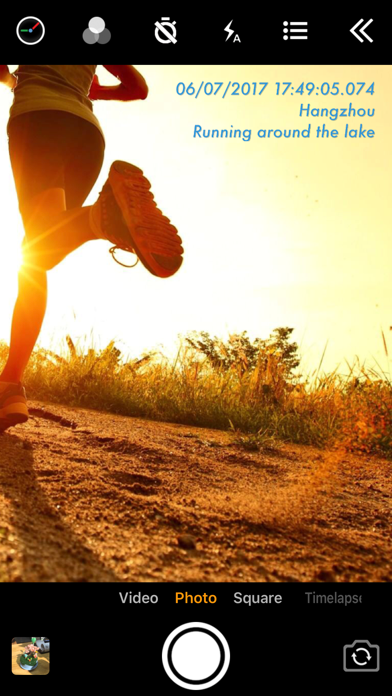
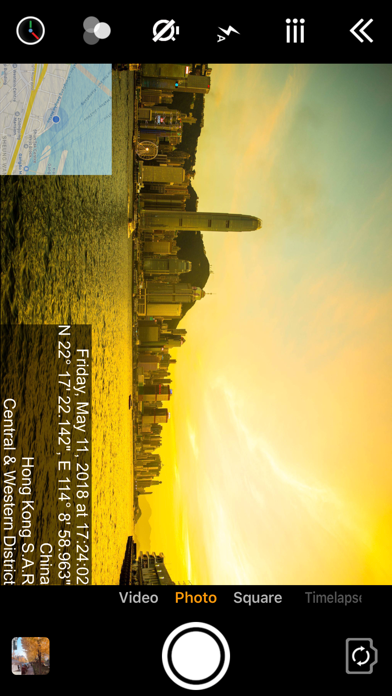
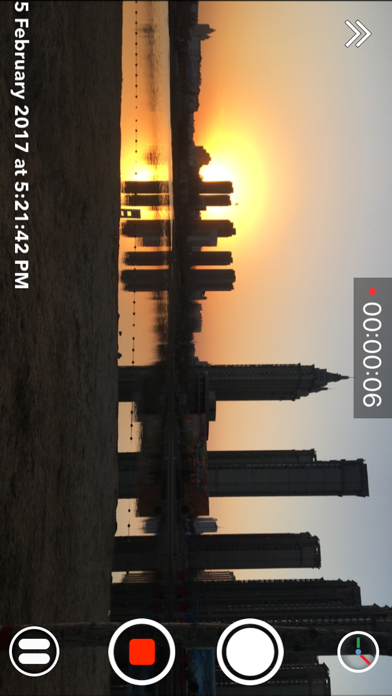
Add timestamp watermark to camera in real time. • Automatically insert current time and address when taking photo or video in real time, you can change time format or select the address around easily. Timestamp Camera is the only App that can record video with the time watermark accurate to millisecond(0.001 second). - Support 81 timestamp formats. - Support change font, font color, font size. - Support set timestamp in 6 positions: top left, top center, top right, bottom left, bottom center, bottom right. - Support auto add address and GPS. - Support input and display custom text on camera. - Support input and display tag on camera and insert to the Exif. - Support change opacity of text and text background. - Support four text margin modes: no margin, one line margin, half line margin, suitable for printing • Support display altitude and speed. • Support display map on the camera. • Support display compass on the camera. • Support import watermark logo image to display on the camera. • Support change photo resolution, support the maximum resolution supported by the camera. • Support change video resolution(540P, 720P, 1080P, 4K) and fps(30fps, 60fps). • Support record video without audio. • Support pause and continue record fragments to one video. • Support timer to take picture (3, 5, 10 seconds with count down). • Has 4 modes. "Video", "Square", "Timelapse" support record video and capture photo. "Photo" mode only support capture photo with special optimization. • All the effects are real-time and can be used when taking photo or video. • Support change effect, toggle camera when recording. • Support "Battery saver mode", the brightness of screen can be changed when turn it on. • Support show 3x3 grid. • Support import photo as a virtual camera. • Support portrait and landscape. • Support both iPad and iPhone. • Photo and Video will be saved to Camera roll. Please mail us [email protected] if you have any problem or suggestions. Thank you.


Osawa Shunsuke
This app makes it easy to create reverse-playback videos. It is also easy to attach a forward playback video after the reverse playback. In the Pro Edition, you can set the speed of the reverse playback and the speed of the forward playback separately. For example, you can start with forward playback at normal speed, and then attach a slow-motion reverse playback video.
MD Studio
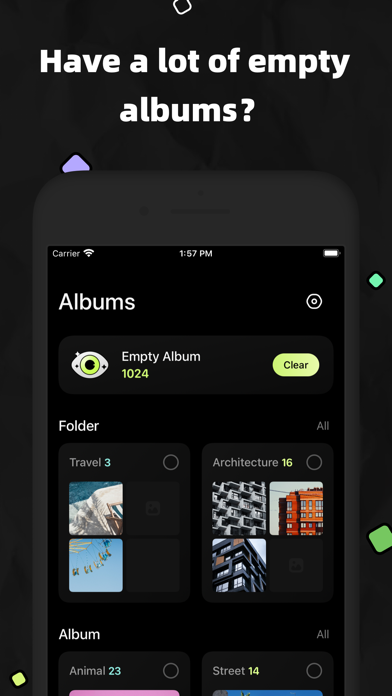
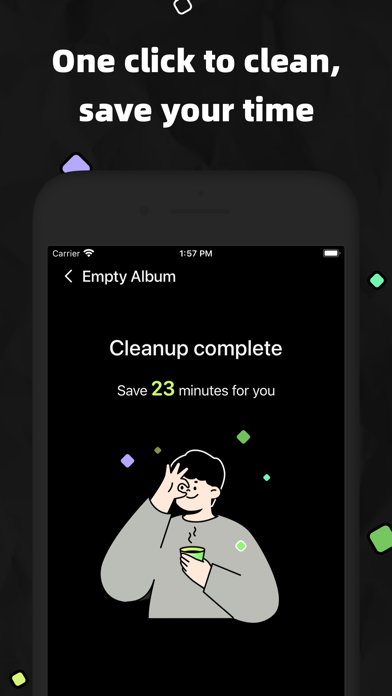
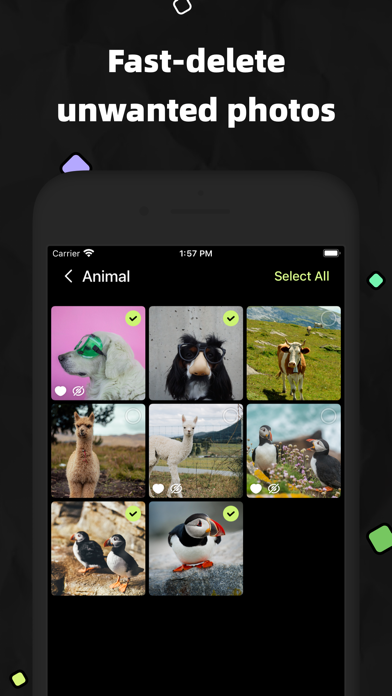
Keep your photos organized. ◎ Automatically scan empty albums and delete them with one click ◎ Manage folders, support creating, renaming, moving, and deleting ◎ Manage albums, support creating, renaming, moving photos in the album, merging multiple albums and deleting ◎ Manage photos, support favorite, hide, add and move to album ◎ Support batch operation of folders, albums and photos ◎ Easy to browse, use KK Photo to manage all your pictures

RAY INFORMATICS YAZILIM TEKNOLOJI MEDYA DANISMANLIK VE EGITIM TICARET LIMITED SIRKETI
Photo Fixer & Restore: Goru AI – The Ultimate Photo Fixer & Quality Enhancer: Unblur, Enhance, Restore, and Upscale Your Photos with a Single Tap! Transform your memories into clear, high-definition masterpieces by turning your old, blurry photos into crystal clear pictures with Photo Fixer & Restore: Goru AI – your all-in-one photo fixer, image enhancer, and quality enhancer. Whether you need to fix photo quality, unblur a faded selfie, or restore damaged family photos, our state-of-the-art AI technology delivers professional photo restoration with ease. Photo Fixer & Restore: Goru AI isn’t just a photo enhancer; it’s an advanced photo quality enhancement app that works as a true fixer to unblur and upscale photos instantly, turning low-resolution or blurry shots into sharp, clear images. Enjoy true clarity whether you’re using an AI upscale tool or an image upscaler that enhances photo quality. From old photo restore repair to fixing old photos, Photo Fixer & Restore: Goru AI offers comprehensive photorestoration by repairing scratches, blemishes, and color fade to ensure your memories are preserved in a clear picture format. With features like AI retouch, face retouch, and sharpening image capabilities, Photo Fixer & Restore: Goru AI enables you to fix the photo and perform detailed photo retouch work, delivering a flawless finish every time. Additionally, for those who love to experiment, our app also includes creative tools such as Face Swap, Remove Background, Edit Background, Image Generator (Fast and High Quality), Create Business Headshots, Create Toon Portrait, and Style Transfer—adding a fun twist to your photo enhancement experience without overshadowing our primary focus on restoration. Designed for both casual users and creative enthusiasts, Photo Fixer & Restore: Goru AI offers a user-friendly interface where a single tap transforms your image, providing options for both quick fixes and advanced enhancements. Photo Fixer & Restore: Goru AI stands apart as a comprehensive solution for anyone seeking to restore photos, fix picture quality, and convert old images into clear, high-resolution memories. Explore the full potential of your images with Photo Fixer & Restore: Goru AI—a true photo fixer, quality enhancer, and all-around image enhancer that revives every memory with exceptional clarity. At Goru AI Photo Enhancer, we're relentlessly refining our AI model to bring you continuous enhancements and innovative features. Our aim is to provide an enriching experience. Backed by advanced AI, Goru is dedicated to transforming your low-resolution photos into high-resolution masterpieces. We Value Your Feedback Your experience and feedback are paramount to us. If you have suggestions or comments to improve Goru, we’re all ears! Contact us at [email protected] and be a part of our evolving journey. Goru Pro Subscription Access all features of Goru AI with Goru Pro. Subscriptions are billed monthly or annually at the rate selected depending on the subscription plan. - Terms of use: https://www.rayinformatics.com/terms - Privacy policy: https://www.rayinformatics.com/privacy

Native
TLDW turns long YouTube videos into clear, skimmable summaries in seconds. - Summaries powered by AI tuned for YouTube context - Works from the built-in browser and the iOS Share Sheet - Choose your summary language and revisit history anytime - Clean reading experience with both core and detailed views Privacy-first: no sign-up required, and you control what you share.

ipaomtk.com
ipaomtk.com | Summarizer for YouTube: YouSum Overview on iOS Summarizer for YouTube: YouSum is an AI-powered iOS app designed to transform long YouTub

ipaomtk.com
ipaomtk.com | FGet – Video Saver on iOS FGet – Video Saver on iOS is designed for users who want more control over their video content directly on the
Alunt Apps
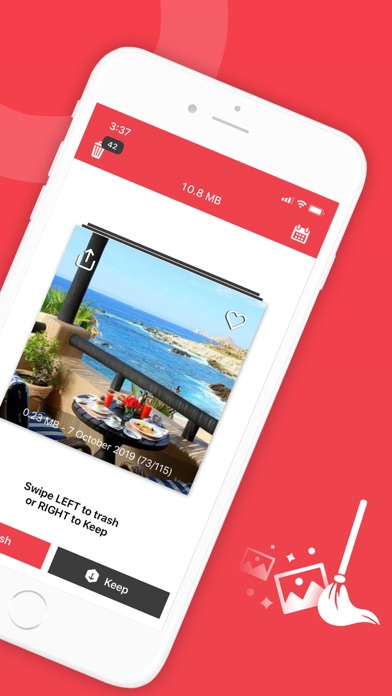
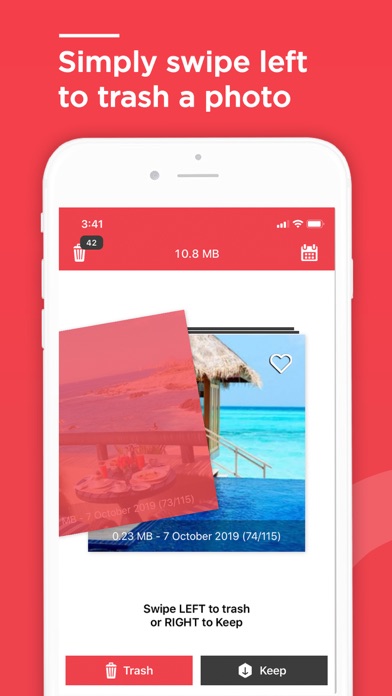
Want to clean that precious storage space on your phone? Then try Remove Master. #1 Camera Roll Manager is NOW FREE Remove Master works FAST and is very easy to use. Just swipe left to the trash and those unwanted photos are gone. Swipe to the right for the photos you want to keep. Remove Master saves you time and effort! You’ll find and delete those storage stealing duplicate or badly lit photos at record speed. Basic Features: + One application provides access to all your photos + A simple swipe does the work. Left to trash, right to keep + Quickly regain precious storage space on your phone + Remember to delete unwanted photos regularly with Remove Master's reminder feature + Delete at 5 times the speed of direct Camera roll deletion! Premium Features: + Fast Browsing! Remove Master's Navigation feature allows you to find photos by month + No Limit! Clean all the photos you want + Ad Free! No interruptions just more storage space fast + Add photos to your favorites folder With Remove Master you’ll have more storage in less time. Download today and start making room for more memories! NOTE: To claim your freed space, be sure to empty the Recently Deleted album in your Photos app For any questions and suggestions, please reach out to us at: [email protected]

Sezer Iltekin
ThunderCatch detects lightning and automatically takes photos when it strikes. Whether you're a weather fan or just want to capture lightning, open the app and let ThunderCatch do the rest. - Auto Lightning Detection: The app snaps a photo as soon as lightning is detected. - Easy to Use: Just tap to start, and ThunderCatch handles everything. - Simple Interface for Everyone: No photography skills needed, anyone can use it. Terms of use: https://www.apple.com/legal/internet-services/itunes/dev/stdeula/


Appwallet Technologies Private Limited
Splits video into small parts Video Splitter cut story maker is an amazing tool that allows you to select videos of any length and convert them into 10-30 seconds chop video-split segments that can then be easily uploaded to the WhatsApp, Facebook, Instagram and Snapchat stories! You can custom split screen video according to your desired time duration or select a number of split videos to cut clips from the long videos! With this tool you will no longer have to worry about tediously recording and uploading over and over again to create the videos you want! Ideal for content creators and film enthusiasts who need to create longer video splitter pro - cut stories on multiple platforms! WhatsApp Status:- Do you want to post long stories on whatsapp status? But whatsapp does not allow you to post more than 30 second videos. Video Splitter for WhatsApp allows you to crop a video length split of the long videos into many 30 split second videos and post status videos on the whatsapp. Yes, long story video status, no matter how long it is! Whether you record a long video from a camera or you import a long video from a gallery, video splitter for whatsapp automatically splits long story video into a series of 30 seconds short clips and allows you to directly post splice story as the whatsapp status! You don't need to use different apps to trim stories, cut - video splitter and upload them to WhatsApp. Video Splitter for Whatsapp is all in one solution to crop video length to trim cut for stories and posting the Whatsapp status video clips! Facebook Status:- Do you want to get tons of likes for your facebook posts? With video splitter pro - cut story it is just a matter of a few taps to create masterpieces, even if you are a beginner. Put together all your summer videos, your pet's cutest moments, and your memories and share with the entire world. Instagram Story:- Video Splitter for Instagram story app is useful to cut your long story video for continual story splitter easily. Cut the story easily with the video split app and save all parts in the correct sequence so you can set Instagram story easily! Video Splitter for Instagram is a perfect video story spliter and shortening long video split story & reels for social media such as Instagram. With stories cut - video splitter application you can choose the chop video-split segments you wish from video and download the part that best for you! Snapchat Story:- Do you want to create amazing clips of your unforgettable memories? Video Splitter Pro - Cut Story is an easy video cutter app to trim and video length cutter to the perfect size for the snapchat stories. Custom:- You can create a custom split screen video according to your desired time duration or select a number of split videos to cut clips from long videos. Create the custom video splitter pro - cut splice story and make twin videos that people who need to create long story videos pic splitter for trim cut for stories on the multiple platforms. You have no reason to wait anymore, download Video Cut Split today to convert long chop video-split segments immediately to get unlimited splits and full access! Terms of Use: https://www.apple.com/legal/internet-services/itunes/dev/stdeula/ Privacy Policy: http://178.128.6.196/privacypolicyiosapp.php


Osawa Shunsuke
This application automatically recognizes faces, eyes, mouths, people (whole body), and text in videos and can apply blurring. In addition to blurring, you can apply filters such as - Pixelize - Monochrome - Glitter - Camera shake - Dotting - Sepia You can also apply blur to areas outside of the recognized areas. You can also easily apply a filter to the entire video. Videos can be saved in MOV or MP4 format.


Ofir Yagil
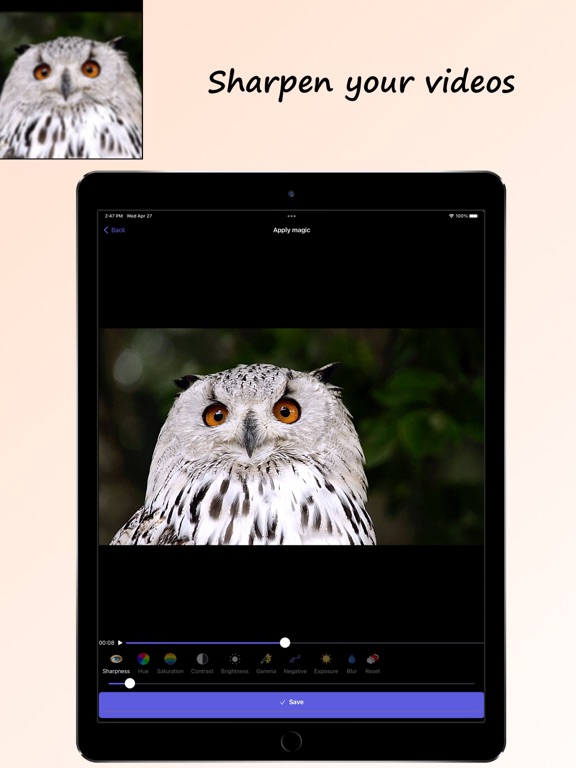
Sharpen Video is a simple yet powerful video editor for sharpening and enhancing videos. Enhance the quality of your videos by modifying parameters like sharpness, saturation, exposure, gamma, brightness, contrast and more. You can then save or share the stunning result video. ENHANCE QUALITY: * Get beautiful enhanced video results * Adjust video parameters like exposure, gamma, saturation, brightness, contrast, hue and more to get better results * Sharpen the video using two smart sharpening filters * Preserve the aspect ratio of the original photo/video. SMART SHARPENING ENGINE: * Keeps the original high quality of the photo or video and only sharpens it * Choose between two smart sharpening algorithms. Each algorithm fits different video types. * Zoom in to see the result in more detail * Fast performance * View history of all previously converted videos * Save results to Photos or Files * Share results with friends using any other social app you like * Support for rotating the video 90º, 180º, 270º * All common video formats are supported (mp4, mov, flv, and more) BOOST VOLUME: * Boost the volume of the video file up to x10 * The volume of the result file will be louder regardless to the phone's volume HOW TO USE: 1. Load a video by clicking “Open file” 2. Apply sharpen effect and adjust color parameters as you wish to enhance the video 3. Watch the result, save it to Photos/Files and share with friends * Note: Do not apply too much sharpening into the video as it may cause unwanted artifacts. Start with a small amount and then increase it as long as the result looks good. Please read our terms of service and privacy policy before using the application: * Terms of service - https://ofirapps.blogspot.com/2022/04/sharpen-video-terms-and-conditions.html * Privacy Policy - https://ofirapps.blogspot.com/2022/04/sharpen-video-privacy-policy.html
Protools LLP
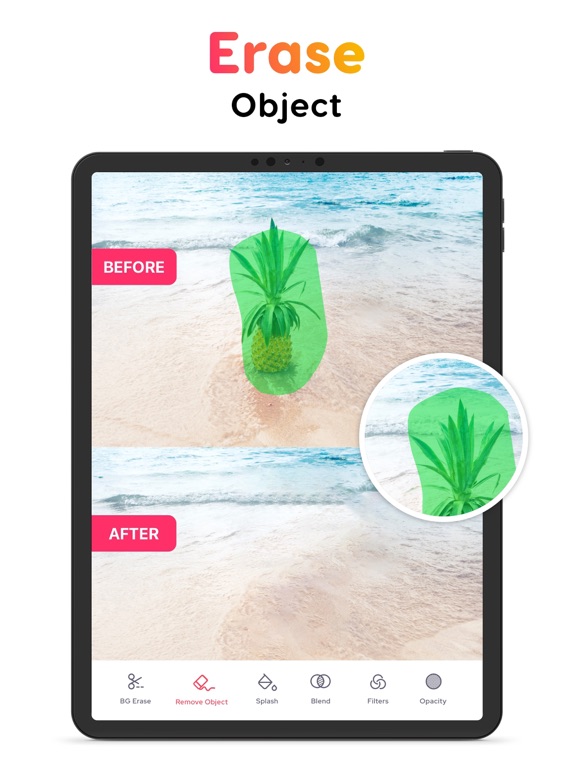
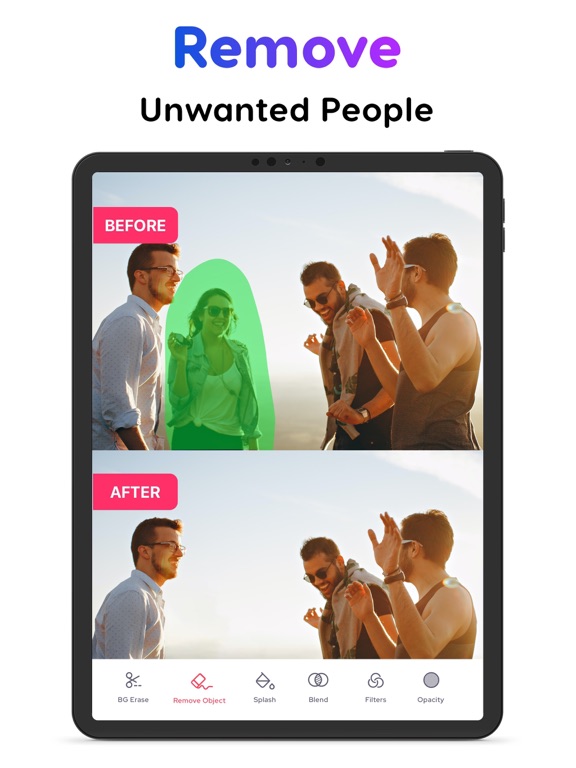
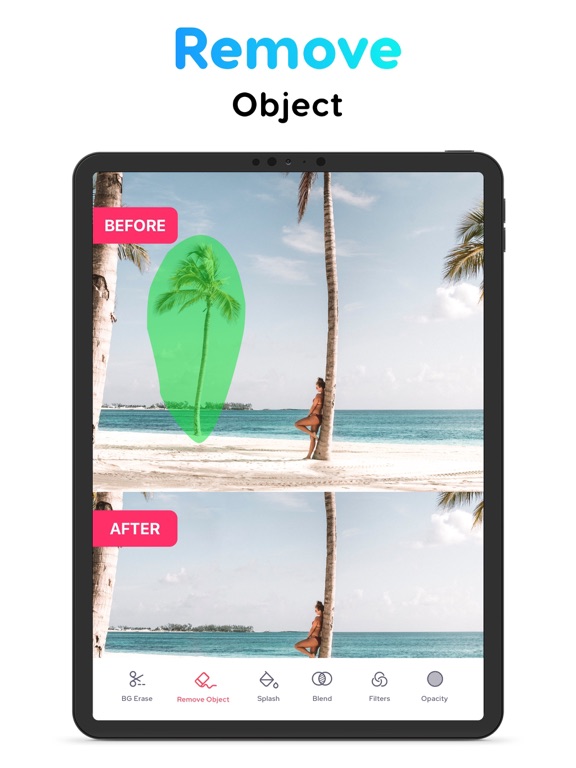
Looking for an online tool to remove the unwanted objects in the background of your pictures? With our exclusive Background Remover app, you can quickly remove the background from any of your photos while maintaining transparency. Craft your own perfect picture by removing the background and highlighting the subject and superimposing it over a new picture. The background remover tool lets you highlight the topic of your photo while creating a translucent backdrop, allowing you to place your new image in a number of different styles and locations. Place it on a colourful backdrop or add a new background to totally transform your subject's surroundings. This app is best in class since it includes automatic background area removal. Simply touch the area you want to remove, and the "Magic Wand" function will automatically remove the area of similar color. Use transparent images with other apps such as Keynote. Pages or more. Key Features: - Background eraser - Erase the backdrop of any photo and replace it with a fresh one. - Object remover - Quickly remove unwanted objects in the background of your picture. - Blur background - Blur the background of any picture of yours with just a few taps. - Splash tool - Highlight or modify particular colors in your images to produce fantastic picture splash effects. - Blend Tool - This allows you to create blends, which are a collection of intermediate items and colors between two or more chosen objects. - Professional Photo Filters - Apply our high-quality, one-of-a-kind filters to your photos to create astonishing effects. - Background opacity adjustments - Adjust the opacity of filters, layers, and effects as much as you want in the background of your picture. Mixup your cropped images to get ultimate results. You can add overlays on the photos for getting great results it will enhance your photos by adding additional art objects on your photos. SUBSCRIPTION FOR PREMIUM FEATURES: Remove Object offers 1 auto-renewing subscription options: A 3-day trial then Weekly $2.99 per Week • Subscription automatically renews unless auto-renew is turned off at least 24 hours before the end of the current period • Account will be charged for renewal within 24-hours prior to the end of the current period, and identify the cost of the renewal • Subscriptions may be managed by the user and auto-renewal may be turned off by going to the user's Account Settings after purchase • Any unused portion of a free trial period, if offered, will be forfeited when the user purchases a subscription to that publication, where applicable Privacy policy: https://bremoverapp.protool.app/bremoverapp/privacy-policy Terms: https://bremoverapp.protool.app/bremoverapp/terms-conditions Support URL https://protool.app/bgremover/
Ink River, LLC
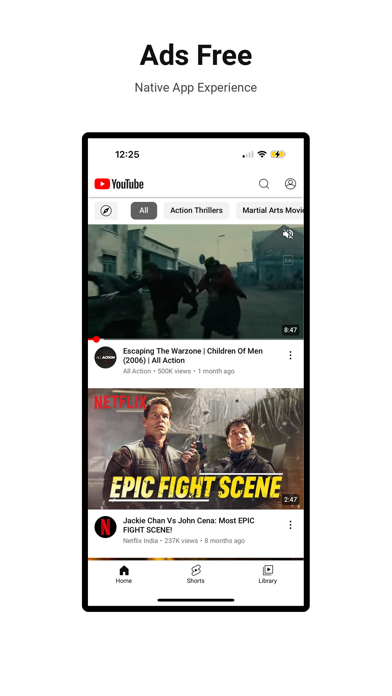
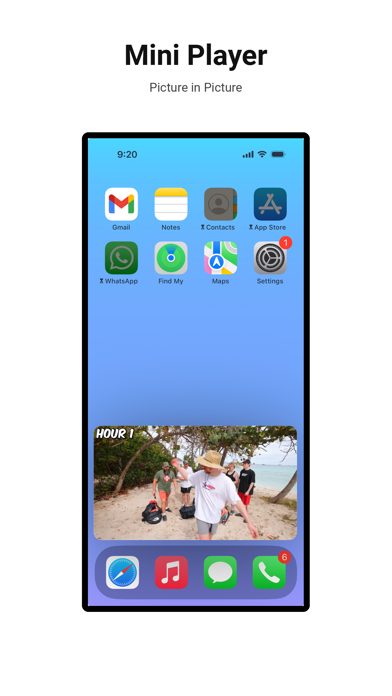
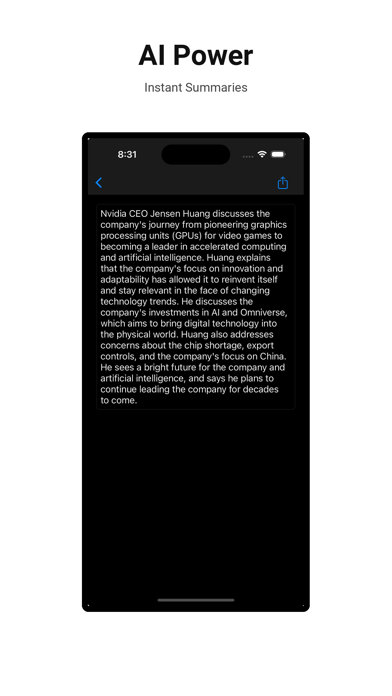
Enhance your video website watching experience with Viddle! - Ads free: Blocks video ads on every page. There are minimal skippable ads to support the app, with a maximum of 2 ads per day. - Sponsor Skip: Skips sponsor segments from appearing in your stream. - Picture-in-Picture: Easy multi-tasking. - Background play: Sound with screen off. - Bullet comment: Watch comments flow across your screen. - Play bar: Browse while watching. - AI Summary: Instant summarize video content. [Member] - Comment Translation: Translate comments to your language. [Member] - Smart Comment: Filter Negative Comments. [Member] - UI customization: Define your own experience. Option to hide shorts, display dislike count. [Member] Download Viddle now to start enjoying a more engaging and communal video experience! If you have any questions or suggestions, please contact us at [email protected] Join our Discord server at https: //discord.gg/HWDbND7yz6 Term of Use: https: //viddle.ink-river.com/tnc


Arthur Eduardo Skaetta Alvarez Desenvolvimento de Software LTDA.
Have you ever needed to create a looped video? Video Looper is a powerful tool that allows you to loop a video or a playlist of videos to play, stream or export as a video file! -- Easy to use Just select your video or videos, pick how many times you want it to loop and it's done! -- Play, Stream or Export You can play your looped video locally on your device, stream it via AirPlay to an external screen or even export it as an .MP4 file! -- Works Offline Video Looper works offline, using your device's computational power to convert the videos. Your video and audio data never leaves your device in respect to your data privacy. Video Looper is now available for all iOS devices! ----- Terms of Use: https://video-looper-f1a50.web.app/terms.html Privacy Policy: https://video-looper-f1a50.web.app/privacy.html


Any Case Solutions
Transform your phone into a powerful telescope camera and zoom tool! Achieve incredible magnification with our advanced camera zoom technology – perfect for distant objects and detailed close-ups. Use as a portable microscope, binocular, or create stunning zoom video content. Explore a true super zoom experience! Super Zoom Camera Optimized engine delivers sharp focus and incredible detail. Experience zoom in like never before! Zoomer & Dolly Zoom Effects Precise control over speed, flash, and zoom for professional results. Manual Controls Adjustable brightness, contrast, manual/follow focus & composition grid for precision. Video Stabilization Eliminate shake during recording for flawless zoom-out and high-quality videos. High-Resolution Capture Save photos & videos in stunning detail, up to 4K quality. Macro & Wide-Angle Dedicated macro zoom in camera mode for intricate details. Capture wide scenes with ease. Zoom Video Recording Record dynamic videos with smooth magnifying glass zoom in functionality. Multiple Resolutions Choose the perfect resolution for sharing or printing. Download now and turn your device into a telescopio and powerful camera! Subscription unlocks: Zoom beyond 25x Flash control Follow focus Wide-angle mode Optimized Instagram/device resolutions. Privacy Policy: https://anycasesolutions.com/privacy Terms of Use: https://anycasesolutions.com/tos


Arthur Eduardo Skaetta Alvarez Desenvolvimento de Software LTDA.
Have you ever needed to extract a frame image from a video without any loss in quality? Video to Photo allows you to select precisely an image from any video and export it in the original resolution, even for videos recorded in 4K! — Easy Interface Just select your video and slide through the frames until you find the perfect image and tap export. It’s that easy! — Export in HEIC Video to Photo allows you to export your images in HEIC format, keeping high quality while obtaining smaller file sizes — Export options Export the captured image with a tap and easily share it within other apps, share in AirDrop or save it in your camera roll. Video to Photo is now available for all iOS devices! --- Terms of Use: https://videotophoto-c29f7.web.app/Terms.html Privacy Policy: https://videotophoto-c29f7.web.app/Privacy.html


Monocraft
As the first and original duplicate cleaner, Cleansmith (formerly Photo Cleaner) is designed to reclaim your valuable storage space by identifying and removing duplicates, similar media, and large files instantly. Our advanced Compression feature further reduces the size of photos and videos with minimal quality loss, helping you save gigabytes of space without sacrificing your precious memories. ◎ Main Features 1) Smart Delete Find and remove unnecessary media with our powerful scanning options: - Auto Search Categories: Our proprietary algorithm automatically detects Duplicates, Similar Photos/Videos, Large Files, Blinking/Closed Eyes, and Low-Resolution media. Start by clearing out duplicates to free up GBs quickly. - Media Types: Clean up specific types like Screenshots, Selfies, and Bursts. - Albums: Select items from your custom albums to streamline and clear. - Sort & Filter: Cleansmith provides all kinds of sorting and filtering options (Date, File Size, Favorites, Hidden, On Device vs. iCloud), so you can find exactly what you want to delete. 2) Organize Gallery - Keep your gallery neat and clutter-free. Cleansmith helps you quickly sort unsorted photos and videos into specific albums, ensuring every memory is exactly where it belongs. - Sort your custom albums by size, name, or item count to manage your collection at a glance. 3) Photo & Video Compression - Reduce photo and video sizes with our smart compression feature. Perfect for high-storage videos and large photo collections, save up to 95% of space with minimal quality loss, freeing up valuable storage. - Compression feature also preserves the following format: GIF, Live Photo, Burst and Slomo - Shrink Live Photo: Option to remove the video component from Live Photos to convert them into still images and save space. Removing the photo component from Live Photos is also possible. 4) AI Magic Eraser - Remove unwanted people, objects, or background elements from photos with our advanced Magic Eraser, giving your photos a clean, professional look effortlessly. 5) Smart Utilities - Storage Monitor: Check storage of all your albums from the side menu - Home Widgets: Add widgets to monitor album storage - Private Album: Keep your sensitive photos and videos safely locked away in a secure folder. ◎ Privacy-First: 100% Local Cleanup You don't need an internet connection to use Cleansmith because it works 100% offline on your phone. Your privacy is our top priority. ◎ We Value Your Feedback Your experience matters to us! For questions or suggestions, reach out to us on Facebook: https://www.facebook.com/photocleaner If you liked using Cleansmith, please rate us in App Store!


Uzero Technology
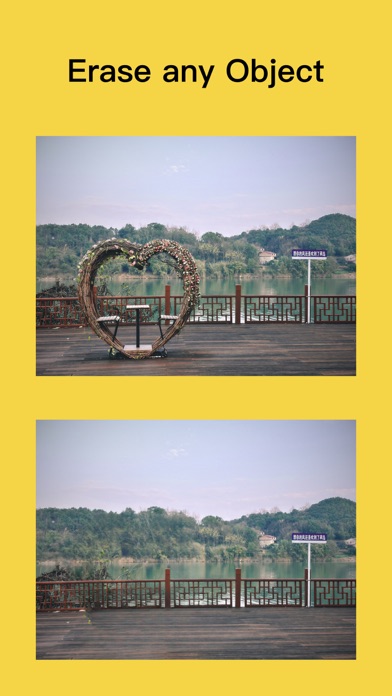
New Generation Image Erasing Technology - Powered by Advanced AI Technology Processing on iPhone Locally. Smoothly Erase any object in photos and restore seamlessly. Erasing lines, wires, noise, facial blemishes, tattoos, passersby, buildings, and more is effortlessly achieved. All processing is done locally on the phone, without uploading images to a server, ensuring your privacy is protected. Payment models for Premium subscription: • Monthly Subscription: $6.49 per month, • Yearly Subscription:$14.49 per year. • Payment will be charged to iTunes Account at confirmation of purchase. • Account will be charged for renewal within 24-hours prior to the end of the current subscription period. • Subscriptions may be managed by the user and auto-renewal may be turned off by going to the user's Account Settings after purchase. • Any unused portion of a free trial period will be forfeited when the user purchases a subscription to that publication. For Terms of Use, please visit https://uzero.cn/funforcam/erasertermofuse.html For Privacy Policy, please visit https://uzero.cn/funforcam/eraserprivacy.html

Devkrushna Infotech Private Limited
The Ultimate HD Video Player that supports all formats of high resolution videos, music, and subtitle files with smooth performance. This perfect media player offers advanced playback controls, Cast to TV, PiP, Bookmarks, Streaming, Video-to-MP3 Conversion. Enjoy smooth playback for every video and music format. Play MP4, MOV, MKV, AVI, WAV, WMV, 3GP, MPEG, MP3, AAC, FLAC, M4V, MPG... Import files from your PC, connect via cable, or transfer wirelessly with Wi-Fi sharing, then keep everything neatly organized with a simple folder manager. Sort your videos and music your way, browse files easily, and access your media anytime. Create custom playlists for your favorite videos and music. Keep everything arranged your way, so your favorites are always easy to find and ready to play. Take full control with intuitive gesture support: • Swipe to adjust volume and brightness • Two-finger tap to play or pause • Long press to 2X playback speed • Double tap to skip duration (backward and forward) • Pinch to close and adjust screen ratio • Customize playback speed & skip duration Key Features: - Cast to TV: Stream videos to your Smart TV for a bigger screen experience. - Bookmark: Mark your favorite moments and jump back anytime. - A->B Loop: Repeat any section of a video between two selected points. - Screenshot: Capture images instantly while watching videos. - Subtitle: Search online, download, and personalize them with ease. - Multi-Track Audio: Easily switch between different audio tracks and languages. - Shortcut Actions: Quickly set the player options. - Download Videos: Paste a link and download videos directly for offline viewing. - URL Streaming: Stream videos directly from online links. - AirPlay: Instantly mirror and play videos on compatible devices. - Picture-in-Picture (PiP): Watch videos in a floating window while using other apps. - Video to MP3: Convert videos into high-quality audio files. Not just a video player — enjoy your entire music library too, with seamless Background Playback. One app. Every format. Every feature. Endless entertainment - Download now and enjoy the complete media experience. Terms of Use : https://www.devkrushna.com/policy/privacypolicy.html Privacy Policy : https://www.devkrushna.com/policy/privacypolicy.html

100k31d LLC
Turn any long YouTube video into clean, digestible takeaways in seconds. How it works: — Copy or share any YouTube link → instant AI summary — Automatic clipboard detection (zero extra steps) — Minimal, distraction-free design — Summaries saved in a searchable library What you get: — Takeaways as clear bullet points — Concise overviews in under 30 seconds — Structured Deep Dives for longer, content-rich videos — 60+ languages supported — A personal knowledge vault that grows with you — Time saved, tracked automatically — Easy sharing: plain text or styled templates Also included: Bait Buster Not sure if a video is worth your time? Share it and tap Bust the Bait — Esse scans the thumbnail, title, and transcript, then tells you exactly what's inside and whether it delivers what it promised.


Leapixel
**Top 5 Reasons to Install Templix** 1. *Endless Reel Templates Collection:* Our app has the largest collection of templates that are linked to the hottest trending audios on Instagram, giving you a better chance of going viral. With so many options to choose from, you'll always have something fun to try for your next video. 2. *Create Custom Templates:* And there's more! You can create your own unique templates and save them to use again anytime. This way, you're always ready to quickly create something fresh and exciting whenever you feel inspired. 3. *Add Beat Sync Music to Video:* Make your videos better with music! Choose from the latest hits, trending tracks on Instagram, or your favorite songs from your files or iTunes. Give each video its perfect soundtrack. 4. *Weekly Updated New Reel Templates:* Don't miss out on the latest sounds and styles for your Instagram reels and TikTok. Our team ensures you're always in the loop with fresh templates added every week. Keep your content exciting and in tune with what's hot right now. 5. *Create Video in Minuts:* Experience the power of Templix app! Create amazing videos effortlessly and watch your likes and followers grow! No need to be a pro editor – just follow simple steps to get what you want. Whether you're a seasoned content creator or new to the game, Templix(Reels Maker) has all you need to up your Instagram game. So, why wait? Get Reels Templates now and start crafting incredible reels today! Subscription Service Conditions: Templix free trial and subscription includes: 500+ templates, Edit all templates, Trim Video clips, Beat-match Templates , New Templates every week, create custom templates, add music from iTunes, Trim Music. Cost: Templix Pro 14.99 USD per week and Templix Pro 39.99 USD per year with auto-renewal. LifeTime Package which cost 99.99 USD for lifetime. Payment will be charged to your Apple ID account at confirmation of purchase; Your subscription automatically renews unless auto-renew is turned off at least 24 hours before the end of the current period; Your account will be charged for renewal within 24 hours before the end of the current period; You can manage your subscription and switch off auto-renewal by accessing your Account Settings in the App Store after purchase. Privacy Policy: https://sites.google.com/view/templixprivacypolicy/home Terms of Service: https://sites.google.com/view/templixprivacypolicy/termof-use The Templix team is dedicated to enhancing your app experience. We welcome your ideas and feedback, so please feel free to reach out to us anytime at [email protected]. We're here to help!
Loyal Foundry, Inc.
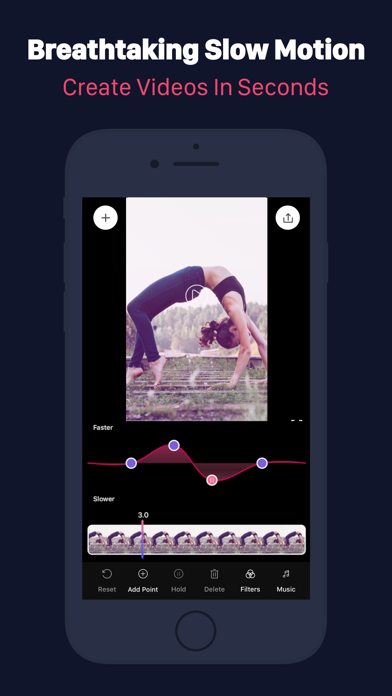
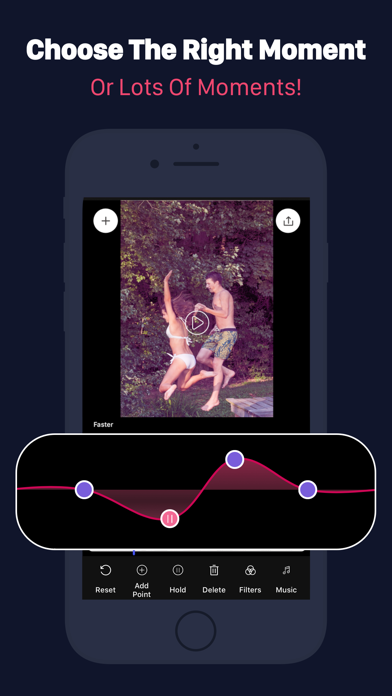
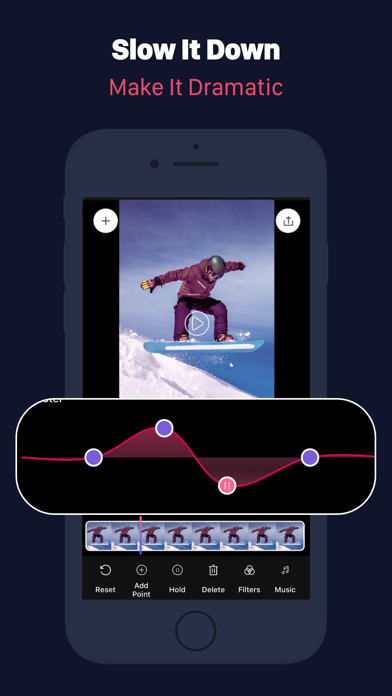
Unleash your creativity with Slow Motion Video FX Edit! Capture and customize unforgettable moments with incredible speed and effects. This app empowers you to create amazing super slow-motion videos that will stun your friends on social media. Choose a video from your library or record a new one in the app. Premium subscription features: Adjust the speed of your videos up to 240fps or slow them down by a factor of up to 12x. Highlight the most exciting parts and add freeze frames for added impact. It's time to make your videos truly captivating! Take your visuals to the next level with over 40 stunning color filters. Give each scene a unique atmosphere and make your footage pop. Enhance the experience further by adding music from your personal library, turning your videos into unforgettable creations.Once you've crafted your masterpiece, it's time to share it with the world. Share your incredible slow-motion effects directly on Instagram and let your friends and followers be amazed by your talent. Watch their jaws drop as they witness the magic you've created! Please note that pricing may vary outside the United States, and charges will be converted to your local currency. Your Slow Motion Video FX Edit subscription will automatically renew, charged to your iTunes account. To manage your subscription, you can disable auto-renewal in your iTunes account settings. For detailed terms and conditions, please visit our Terms of Use & Privacy Policy: https://www.loyal.app/privacy-policy Download Slow Motion Video FX Edit now and create breathtaking slow-motion videos that showcase your true talent. Be ready to wow the world and make your mark with Slow Motion Video FX Edit!