
Photo & Video
Browse photo and video IPA listings for cameras, editors, recording tools, streaming apps, and creator workflows.

VansonMod_2.3 x CyPwn
iOS memory editor

Vinegar_2.4.2 x CyPwn
Vinegar is a Safari extension that replaces the YouTube player with a minimal HTML video tag. It removes ads, restores picture-in-picture, and keeps v

CyPwn IPA Library
Cracked by CBZ. Provides extensive customization options similar to its jailbroken version, including toggling the recorder, biometric authentication,


PIXOCIAL TECHNOLOGY (SINGAPORE) PTE. LTD.
• AI avatar, face app, makeup tool, cartoon filter, remove BG…50+ easy-to-use editing tools for fast & powerful results. Download for free! • Selfie camera and photo editing app used by 800 million users worldwide • Get the perfect selfie with our amazing AI Auto-Beautification tool • Featured by Apple in 30+ countries BeautyPlus is here to help you take great-looking selfies or edit high quality photos using thousands of AI effects, filters, stickers, and much more! ► Unlock the Power of AI: Experience a new dimension of photo editing with BeautyPlus's AI-powered tools, including: - AI Portrait: Transform ordinary portraits into extraordinary works of art by uploading multiple pictures to create diverse and captivating styles. - AI Enhance: Revitalize your old blurry photos and videos, boosting image and video resolution through advanced AI technology. - AI Pet Portrait: Turn your beloved pets into enchanting wizards or adorable chefs, adding a touch of magic to your photos. - AI Remove BG: Effortlessly eliminate unwanted backgrounds from your photos with a single click, allowing you to seamlessly change your picture's backdrop. - AI Remover: Remove people, buildings, and other undesired objects from your photos using powerful AI and advanced image processing technologies. ► Elevate Your Selfie Game: BeautyPlus is more than just a photo editing app; it's your personal beauty and style companion. Explore an array of features to perfect your selfies: - AI Auto-Beautification: Achieve the perfect selfie effortlessly with our amazing AI tool that enhances your natural beauty. - Makeup Tools: Apply natural and stylish makeup, including lipstick, eyebrows, eyeshadow, blush, and hair dye, to elevate your look. - Height Adjustment, Slimming, and More Body Editing Tools: Customize your features with intuitive tools to enhance your overall appearance. ► Creative Editing Made Easy: Unleash your creativity with a wide range of filters, effects, stickers, and editing tools: - 400+ Filters: Choose from a diverse collection of themed filters to create unique styles effortlessly. - Templates: One-tap access to various templates for recreating trending edits. - Stickers and Text: Add thousands of unique stickers and aesthetic text templates to make your photos stylish and stunning. - Brush and Background: Draw, paint, or add background colors to level up your photos. - Collage: Create stunning collages with ease, combining multiple photos into artistic arrangements that tell your unique story. Download BeautyPlus for free now to discover cool functions, trendy effects, and fun stickers! Join millions of users who trust BeautyPlus to capture and enhance their moments. SHARE YOUR PHOTOS (AND FEEDBACK) WITH US! • Instagram: https://www.instagram.com/beautyplusapp/ • Facebook: https://www.facebook.com/BeautyPlus • Support: [email protected] BeautyPlus Premium is a subscription that provides monthly or annual auto-renewable access to all premium features (such as AI avatar, Cartoon filters, Remove BG, Reshape, Firm, etc.). Payment will be charged to your iTunes account upon confirmation of purchase. You can manage your auto-renewal options in your Apple ID account settings at any time after purchase. This subscription will auto-renew at the end of each subscription period according to the option you choose, unless canceled at least 24 hours prior to the end of your current subscription period. Any unused portion of a free trial period, if offered, will be forfeited upon purchase of a subscription, where applicable. Terms of Service: https://h5.mr.pixocial.com/agreement/beautyPlus/#agreements Privacy Policy: https://h5.mr.pixocial.com/agreement/beautyPlus/#/privacy


Chengdu Everimaging Science and Technology Co., Ltd
Fotor: Your All-in-One AI Photo Editor & Vibe Marketing Platform. Trusted by 800 million users, Fotor makes professional editing and brand growth easier than ever. Beyond your favorite AI editing tools, we’ve unveiled a performance-driven AI Vibe Marketing Platform to help you capture the perfect brand vibe and transform simple snapshots into high-conversion assets instantly. Whether for creative fun or business performance, Fotor makes it easier than ever to turn your vision into results. In the Fotor App, you can: ‒ Product Visuals: Create imagery that sells by capturing the perfect vibe. •Smart Listing: Generate complete sets of professional product images optimized for global e-commerce platforms. •Product Image Editor: Transform raw photos into studio-quality visuals instantly. •Virtual Model: Swap expensive photoshoots for AI-generated models in seconds. ‒ Growth Visuals: Scale your vibe across channels to drive performance. •UGC Avatar: Use AI-driven avatars to present your products. Sell without showing your face and give your one-person company the authority of a full production team. •Link to Video Ad: Transform a single product link into high-converting video ads instantly. Create ready-to-use marketing content tailored for various social platforms with just one click. ‒ AI Agent: Accelerate your workflow with conversational AI and voice control to generate, edit, and iterate professional visuals in seconds. ‒ Use the AI Photo Enhancer to instantly clarify blurry photos. Fix grainy, pixelated and low-resolution images Instantly. ‒ Use the Magic Eraser to quickly remove unwanted elements, such as bystanders, watermarks and buildings, while seamlessly blending with the original background. ‒ Use the Bg Remover to extract subject from your images with one click, and you can replace the background to create highly personalized photos. ‒ Use AI Retouch to achieve flawless skin. Enjoy natural and delicate skin smoothing and blemish removal to effortlessly create a refined appearance. ‒ Use AI Headshot to create PFPs and avatars for LinkedIn and other social media platforms. ‒ Turn text into stunning images! Just describe what you want, like “a magician baking bread in the kitchen,” then choose a style, and transform your ideas into reality in seconds. ‒ Use trendy 3D Cartoon and Anime AI art effects to easily transform your selfies into vibrant cartoon comics. Explore more features of Fotor and unleash your creativity. AI Tools: ‒ Instantly change hairstyles, and colors with AI Hairstyle to find your best style. ‒ Extend photo subjects and backgrounds with AI Expand to fit different sizes and achieve a balanced effect. ‒ Restore and colorize old family photos, turning them into vibrant, high-definition images. ‒ Transform line drawings into digital artworks with AI Sketch. ‒ Create masterpieces with AI art effects inspired by Van Gogh, Monet, and Picasso. Photo Editor: ‒ Use unique photo filters to set the mood and captivate. ‒ Adjust brightness, clarity, contrast, saturation, HSL, curves, hue, and grain. ‒ Auto-focus, blur backgrounds, and sharpen photo subjects. ‒ Crop images into any shape and experiment with perspectives. Fotor Pro Subscription: Choose from weekly, monthly, or yearly plans. Payment is charged to your iTunes account upon purchase confirmation. Subscriptions automatically renew unless auto-renew is turned off at least 24 hours before the current period ends. You can manage your subscription and disable auto-renewal in your iTunes Account Settings anytime after purchase. Terms of Service: https://www.fotor.com/service.html?f=iphoneapp&v=1 Privacy Policy: https://www.fotor.com/privacy.html

StreamerApp
The app for iOS and tvOS allows you to stream movies and TV shows from various sources. It supports Chromecast for streaming to FireTV and Chromecast


SNOW Corporation
B612 is the best all-in-one camera & photo/video editing app. We offer various free features and tools to make every moment more special. Meet trendy effects, filters, and stickers that are updated every day! === Main features === *Create your own filters* - Create a one-of-a-kind filter and share it with friends - No problem even if it's your first time creating a filter. Filters are easily completed with just a few touches. - Meet the creative and diverse filters of B612 creators. *Smarter CAMERA* Apply real-time filters and beauty to capture every moment as your pic of the day. - Don't miss out on daily updated AR effects and seasonal exclusive trendy filters - Smart Beauty: Get a perfect recommendation for your face shape and create your custom beauty style - AR Makeup: Create a natural look from daily to trendy makeup. You can adjust beauty and makeup to suit you. - Shoot clearly anytime, anywhere with high-resolution mode and night mode. - Capture the fun moment with the Gif Bounce feature. Create it as a gif and share it with your friends to double the fun! - From video shooting to post-editing with over 500 kinds of music. Turn your daily life into a music video. - You can use a custom sound source for music by extracting a sound source from your video. *ALL-IN-ONE PRO editing feature* Enjoy basic, professional-grade tools for free - Various Filters & Effects: From retro to emotional modern style! Create the atmosphere you want. - Advanced Color Edit: Experience precise color edit with tools such as professional curves, split tone, and HSL that brings out details. - More natural portrait edit: Complete your pic of the day with beauty effects, body edit, and hair color styling. - Edit Videos: Anyone can edit videos easily with trendy effects and various music. - Borders and Crop: Simply adjust the size and ratio and upload it to social media. - Decoration Stickers & Texts: Decorate your photos with various stickers and texts! You can also make custom stickers and use them. [B612 VIP] Your App Store account will be charged when subscribing to B612 VIP. The subscription will be renewed and charged 24 hours before the end of the current subscription period. Automatic renewal can be disabled in the App Store at any time. Currently, B612 VIP subscription is $6.99 USD per month. The amount is based on U.S. dollars and may be differ in other countries, and is subject to change without notice. B612 can be used for free without purchasing B612 VIP. - Terms of use: https://terms.snow.me/B612/TermsOfUse - Terms of Use for Paid Products and Services: https://terms.snow.me/B612/paidservice - Privacy policy: https://terms.snow.me/B612/PrivacyPolicy

Dcsyhi1998
Enables users to play their preferred videos through CarPlay. A demo illustrating video customization is accessible, with forthcoming features encompa

N/A
Movie app, same as HDO Play but also slightly updated Last updated: 01-03-2023 Status: ⚠️ ❔

Apple
Final Cut Camera puts you in the director’s chair with intuitive pro controls for your entire video production. Seamlessly start a Live Multicam session by connecting up to four devices running Final Cut Camera to preview, record, and sync your video angles in Final Cut Pro for iPad. Capture with powerful settings including shutter speed, ISO, white balance, and manual focus. Easily customize your resolution, frame rate, color space, and more. Quickly monitor your video with focus peaking and overexposure indicators. Dial in the perfect shot for your professional videos with Final Cut Camera. Capture professional footage with full manual control • Easily record in a range of resolutions, frame rates, and codecs including ProRes and Apple Log* • Capture ProRes RAW in open gate for full-frame resolution and incredible editing performance** • Set your exposure with ISO and shutter speed controls • Adjust your white balance using presets or set a custom color temperature • Pull focus to follow the action and keep subjects sharp • Enable timecode options including Time of Day, Record Run, or external timecode • Genlock multiple video sources with precise frame alignment using a compatible sync generator** • Flexibly frame your shot in portrait or landscape with the Center Stage front camera without moving your iPhone*** • Record with Spatial Audio for videos with even more immersive sound**** • Reduce shakiness and movement during capture by enabling stabilization • Lock orientation to ensure your framing is consistent regardless of device position Preview, record, and sync up to four devices with Live Multicam in Final Cut Pro for iPad • Quickly start a Live Multicam session by connecting your device to Final Cut Pro for iPad***** • Remotely preview, adjust pro controls, and initiate recording on all your connected devices right in Final Cut Pro • Instantly edit your multicam clips with preview media that is automatically synced in the Final Cut Pro browser • Save time in post with background media transfer that seamlessly replaces preview media with originals as you work Confirm videos look and sound perfect with powerful monitoring tools • Level videos with tilt and roll indicators or crosshairs for overhead shots • Preview your Apple Log video in SDR or HDR by applying the Apple Log LUT* • Enable focus peaking to ensure footage looks sharp • Properly expose videos using zebra indicators • Frame your shot with aspect ratio guides or grid overlays • Monitor available recording time and audio meters Easily review and transfer media right in the browser • Save videos to Files or record onto a connected external storage device* • Browse and review your footage directly in the Final Cut Camera browser • Quickly connect to Final Cut Pro for iPad and transfer media directly into a project • Conveniently pause and resume media transfers Upgrading to the latest iOS or iPadOS is recommended * Requires iPhone 15 Pro or later ** Requires iPhone 17 Pro *** Requires iPhone 17 or iPhone Air **** Requires iPhone 16 or later ***** Requires Final Cut Pro for iPad subscription

N/A
HDO Box clone. see original app description for more info Last updated: 07-17-2023 Status: ⚠️ ❔

AppDB
Another movie app, modded to remove ads and tracking. No need to toggle the disable tracking options Last updated: 02-09-2023 Status: ⚠️

StreamerApp
App for Streaming Movies and TV shows on iOS and tvOS. - Stream all TV shows and Movies from multiple websites without any annoying ads - Supports Ch

ipaomtk.com
ipaomtk.com | What is KinoHome IPA? KinoHome IPA is the iOS installable version of a media-focused app designed to organize and access movie and video
ipaomtk.com
ipaomtk.com | What is Analogue – Pro Camera IPA? Analogue – Pro Camera IPA is an iOS installation package that allows users to install a professional

ipaomtk.com
ipaomtk.com | What is Video Editor IPA? Video Editor IPA is an iOS installation package that allows users to install a versatile video editing applica
ipaomtk.com
ipaomtk.com | What is Pro Camera-Omnipotent Camera IPA? Pro Camera-Omnipotent Camera IPA is an iOS installation package that allows users to install a

ipaomtk.com
ipaomtk.com | What is Compress Videos & Resize Video IPA? Compress Videos & Resize Video IPA is an iOS installation package that allows users to insta
Onelight Apps CY Ltd
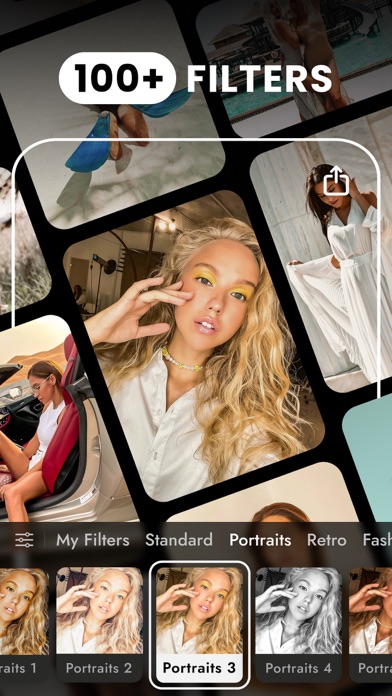
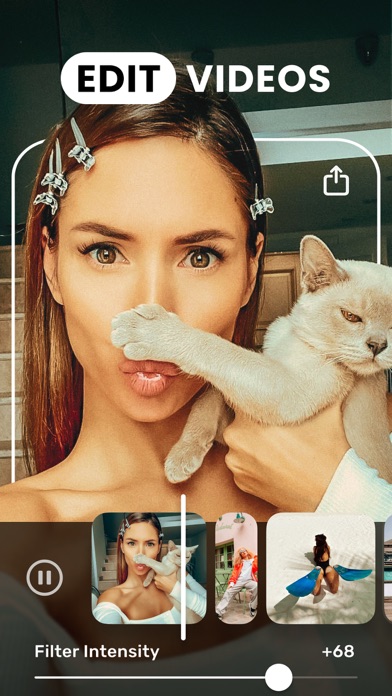
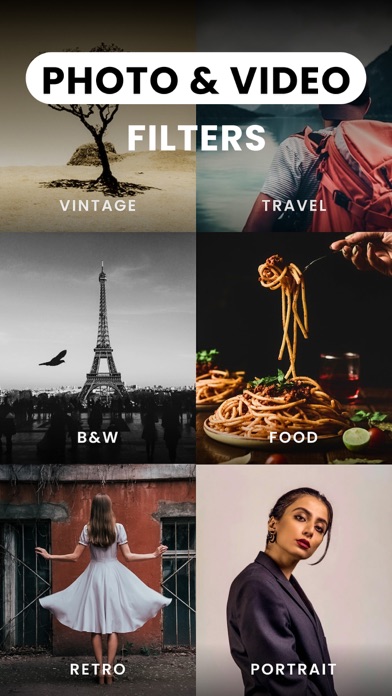
Edit your photo and video, apply trendy filters, and create unique, original content with TON! Think about making your photos and videos dynamic, rich and selling? Wanna have a fancy, cool Instagram? Have your blog and want to impress the followers with awesome and perfectly edited videos? Join us! Experienced professionals, photographers, and motion designers develop and fill this app together. Download it right now! TON is your opportunity to: - Work with the best video filters - Have a library with professional photo filters and effects on your device - Edit your photos and videos like a pro - Be always inspired - Surprise your friends. Payment will be charged to your Apple ID account at the time of purchase confirmation. Subscription renews automatically unless it is canceled and unless auto-renew is turned off at least 24 hours before the end of the current period. Your account will be charged for renewal within 24 hours prior to the end of the current period. You can manage and cancel your subscriptions by going to your account settings on the App Store after purchase. Any unused part of a free trial period, if offered, will be forfeited when the user purchases a subscription. Privacy Policy: https://onelightapps.io/privacy-policy Terms of Use: https://onelightapps.io/terms-of-use We’d love to hear your ideas and feedback! Contact us at [email protected].

ipaomtk.com
ipaomtk.com | What is Nado TV IPA? Nado TV IPA is the iOS installable version of a lightweight media player designed for streaming video content throu

Alex Fox
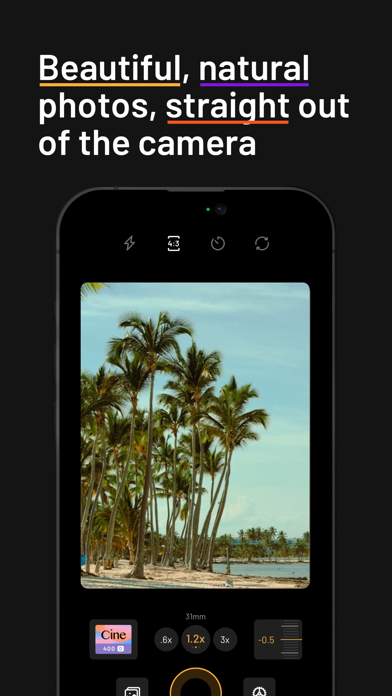
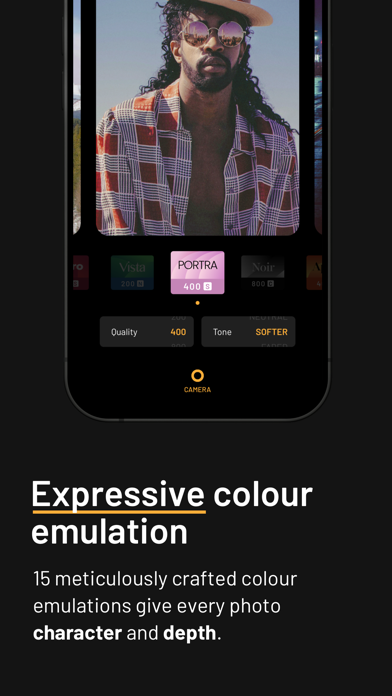
mood.camera is a point-and-shoot camera that captures natural photos full of character, straight out of your iPhone, without any editing. Instead of chasing ever-sharper and perfectly exposed images, mood.camera focuses on making photography fun and giving your photographs soul. The custom image processing pipeline gives you photos with realistic film grain, cinematic halation and a rich colour palette. mood.camera also has no live "filter" preview or editing tools within the app, encouraging you to enjoy taking photos without worrying about flipping between effects or making the perfect edit. mood.camera wasn't built to evoke nostalgia, it was built to bring character and serendipity back to the mobile photography experience. — “This Camera App Gives Your iPhone Photos Soul.” - New York Times "It’s Hard to Believe the Photos From Mood.Camera’s New Portrait Mode Were Shot on iPhone" - PetaPixel "mood.camera emulates the feeling of taking photos on camera film" - Tech Radar — TRY FOR 7 DAYS FREE Please note, mood.camera is not free. We offer a 7-day unrestricted free trial for new users, no subscription required. After your trial you can continue to use the app for free but you will be limited to the “random” emulation mode. To continue using the full version of the app after your trial period you can either purchase a lifetime membership or pay a monthly subscription. EXPRESSIVE COLOUR EMULATION Each of the 14 colour emulations have been meticulously crafted to give every photo character and a rich colour palette. FILMIC DYNAMIC RANGE Naturally compressed shadows and highlights create images with more contrast, more atmosphere, and a look that feels closer to film. REALISTIC FILM GRAIN Film grain algorithms modelled on the physical development process, add texture and physicality to your photos whilst retaining detail. CUSTOM PRESETS Add a touch of warmth to your favourite preset, or start from scratch to create an original style. NEXT LEVEL PORTRAITS Combined with mood.camera's filmic characteristics, portrait mode gives you photos with smoother object separation and convincing bokeh. (Available on iPhone 11 or newer). CINEMATIC HALATION Using the iPhone’s dynamic range gain map to accurately identify the brightest highlights, creating a realistic halation effect. (Available on iPhone 12 or newer). CUSTOM FRAMES Elevate your photos with a custom frame, automatically added when you snap a photo. LESS TWEAKING, MORE SNAPPING Mirroring the classic film camera experience, there is no live preview of your selected film, letting you focus on capturing the moment instead of flipping between filters. After each capture, the element of suspense as you reveal the processed photo is another nod to the analog experience. INTUITIVE CONTROLS FOR CREATIVITY At its core, mood.camera is designed to echo the ease of use of a point-and-shoot camera but retains some controls to inspire creativity and personal expression: - Set the default focal lengths for each lens, giving you quick access to your favourites. - An on-screen exposure dial, makes it easy to achieve different styles with under and over exposed images. - Select from multiple aspect ratios to suit the scene. - An optional grid & level indicator gives you confidence when composing. - High resolution 24MP photos on compatible devices. (Available on iPhone 14 Pro, 15 Pro & 16 Pro). - Customise the dynamic range of your camera. (Available on iPhones capable of ProRaw capture). — “Mood has filled the biggest hole in my photography life, which is spur of the moment, day to day scenes when I shouldn’t even be thinking of taking photos. Even with my “real” camera at home, Mood allows me to capture the little moments with nothing but my phone and some inspiration.“ - Cole, professional photographer. — More info: https://mood.camera Privacy Policy: https://mood.camera/privacy End User Licensee Agreement: https://www.apple.com/legal/internet-services/itunes/dev/stdeula/

Curious Creators Co.
Precious is the cutest way to track your baby milestones and see your baby's development. This app AUTOMATICALLY organizes your baby photos into adorable monthly pictures, growth slideshows, a photo calendar journal, and MUCH more — all with no work required from you. App features require a Baby Art Pro subscription (3-day free trial included). Precious uses Artificial Intelligence to find the absolute best photos of your baby and uses them to create photo stories that will melt your heart. You can watch your baby grow up with the then vs now feature, smile at a slideshow of last weekend’s activities, or effortlessly browse older baby pictures in the Photo Calendar. Every one of your baby's monthly milestones is accompanied by beautiful photo frames & collages, made for you. Have fun with your photos by exploring the hundreds of unique stickers we have available to mark the fun activities you and your baby share. You just keep taking baby photos. Let Precious handle the rest. -- Contact us: If you have questions or suggestions, please email us at [email protected] -- SUBSCRIPTION PRICING & TERMS Precious is free to download. Everyone is welcome to a free 3-day trial period of the Baby Art Pro in-app-purchase. A free trial or purchase is required to access content. - Subscribing to Baby Art Pro gives you access to our premium content and features - There are weekly, monthly, and annual subscription options, with prices as listed in your localized app store ($4.99 per week in the United States) - Payment will be charged to your iTunes Account at confirmation of your subscription - Subscription automatically renews unless auto-renew is turned off at least 24-hours before the end of the current period - Account will be charged for renewal within 24-hours prior to the end of the current period, and at the cost of the chosen package - Subscriptions may be managed by the user and auto-renewal may be turned off by going to the user's Account Settings after purchase - No cancellation of the current subscription is allowed during active subscription period - Links to Your Privacy Policy and Terms of Use at https://www.preciousapp.com/privacy-policy and https://www.preciousapp.com/terms-conditions - Any unused portion of a free trial period, if offered, will be forfeited when the user purchases a subscription to that publication - At the end of your subscription, you will be able to keep any content that your received while your subscription was active.

ipaomtk.com
ipaomtk.com | What is Video Captions: Auto Subtitles IPA? Video Captions: Auto Subtitles IPA is the iOS installation file of a video editing utility d

ipaomtk.com
ipaomtk.com | What is Screen Recorder, Video Recorder IPA? Screen Recorder, Video Recorder IPA is the iOS installation file of a utility app designed