
Photo & Video
Browse photo and video IPA listings for cameras, editors, recording tools, streaming apps, and creator workflows.


PicsArt, Inc.
Ignite your creative potential with Picsart — the all-in-one AI photo editor, AI video editor, and design studio that’s free and easy to use. From business designs to AI art, go from inspiration to creation fast. Create with an AI photo generator and AI video generator, edit with an AI image editor, remove backgrounds with Background Remover (BG remover), erase objects with Object Remover (Object Eraser), apply AI effects, filters, and retouch tools, and turn ideas into designs with templates, collages, story maker, and more. Create with new image-to-video tools, AI video avatars, AI try-on, AI avatars, Gen AI Studio, AI Playground, and Picsart Persona. MEET PICSART AURA Chat your vision into visuals. Built on Picsart’s platform and trusted by 150M+ creators, Aura is your creative partner. From prompt to design in seconds, Aura creates, edits, and refines in one conversation. It suggests prompts, generates AI photos and AI videos, remembers chats, and lets you share sessions. Aura combines AI models to create and edit AI images and videos. Use Nano Banana™ for image generation and video models like Veo™ (Veo 3), Kling, Runway, and Luma. Availability may vary. Trademarks belong to their owners. KICK-START PROJECTS WITH TEMPLATES • Use customizable templates made by professional editors. • Create logos with AI logo maker, social posts, stories, business cards, posters, and more. TRANSFORM DESIGNS WITH BACKGROUND REMOVER • Remove background for clean cutouts and product shots. • Smart Background blends seamless backdrops — a fast background changer for ads and promos. • Remove background, refine edges, and create aesthetic styles for photo editor projects. REMOVE OBJECTS WITH EASE • Object Remover / Object Eraser deletes unwanted objects. • Remove clutter and imperfections for a clean photo. GET CREATIVE WITH AI • AI Image Generator / AI photo generator: turn text into AI art, images, and GIFs. • AI video generator: create videos from text, images, or ideas in seconds. • AI Enhance instantly boosts image quality for better photo retouch. • Apply stylized AI filters and AI effects to create stunning photo effects in your photo editor workflow. • AI Replace transforms images with face swaps, hair color changes, and selfie edits. • AI Retouch perfects portraits with advanced skin, face, and detail enhancements for flawless retouch results. • AI Expand extends images beyond the frame. • AI Try-On lets you experiment with outfits and styles instantly. • AI Writer creates captions, text, and marketing copy for your content needs. • Upload selfies to generate customized AI avatar in different styles. • Explore new ideas in AI Playground and create faster with Gen AI Studio. EDIT VIDEOS LIKE A PRO • Use the easy video editor to create and edit clips with music. • Generate and edit videos with AI video tools, effects, text, and trendy filters. • Turn images into motion with image-to-video tools. • Create short-form edits that shine on any platform. • Add your best moments to a video collage. ADD YOUR FLAVOR WITH THE STICKER MAKER • Discover 60M+ stickers. • Add stickers to pictures or business promos. • Create custom stickers. TELL YOUR STORY IN TEXT • Add text with the Picsart Text Editor. • Discover hundreds of classic & trendy fonts. • Customize text styles. CREATE COLLAGE MAGIC (COLLAGE MAKER) • Create fun photo collages with your favorite photos. • Try photo grid collage or freestyle collage for mood boards and frames. DISCOVER ENDLESS INSPIRATION From solopreneurs to graphic design enthusiasts, AI art pioneers, and photo editors — share your ideas and get inspiration for your next project with Picsart Spaces. UPGRADE YOUR DESIGN EXPERIENCE Picsart Plus: premium content, templates, and extra retouch features. Picsart Pro: more AI tools, extra team seats for small businesses, and more storage space. Terms and conditions: https://picsart.com/terms-of-use/ About Ads: https://picsart.com/privacy-policy#interest-base


Squarespace, Inc.
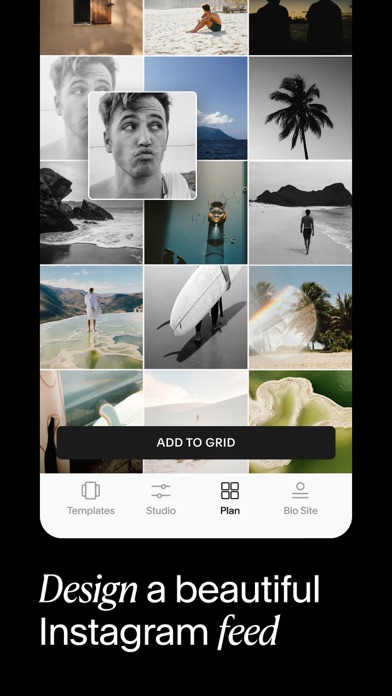
Your all-in-one toolkit to stand out on social. Whether you’re a brand, creator, or just here to have fun, Unfold gives you the tools you need to create elevated content, grow your audience, and monetize your social presence. Whatever you do, whatever you’re into—use Unfold to share your story. MAKE TREND-SETTING CONTENT Express your creativity with award-winning photo & video templates, and design tools in the Unfold Studio. - Scroll-stopping filters and effects for photo & video content - Hundreds of templates for Instagram Stories, Instagram Posts, Instagram Reels, TikTok, Snapchat, Pinterest and Facebook - Exclusive fonts and styles - Royalty-free music and audio - Professional-grade but easy-to-use editing tools - AI content editing tools (e.g. background remover) - Animated doodle brush - Custom brand assets (Unfold Pro only) MONETIZE YOUR CREATIVITY THROUGH YOUR LINK IN BIO A Bio Site is a one-page, mobile-first website for your link in bio. Make yours in minutes and create more opportunities to grow your income. - Claim your free Bio Site URL - Sell digital products like guides, tutorials and gated content - Crowdfund your next project - Collect tips through your link in bio - Connect to PayPal or Stripe for secure payments - Feature products from your online store - Capture your audience’s emails and phone numbers - Showcase your portfolio and services - Link to your other social channels - Add your music or podcast from Spotify, Apple Music and more - Stand out with on-brand templates and fonts CHOOSE YOUR UNFOLD PLAN Download the free version with fun features for everyday storytellers, or subscribe for advanced creative tools. Unfold's Free Version: Easy-to-use tools to share your story with the world. - Sample collection of templates (with watermark) - Curation of royalty-free tracks - Cool fonts and photo effects - Photo & video editing tools - Free Bio Site URL and builder Unfold+: Unlock hundreds of templates and premium editing tools. - 400+ social templates and layouts (no watermark) - Premium filters and effects like Film, VHS and Glitch - Exclusive fonts, styles and tools - 100+ royalty-free tracks - Premium video editing tools Unfold Pro: Take your social media presence to the next level with pro-level features. In addition to everything in Unfold+ - Access to Brand Kit to import your brand colors, fonts and logos POPULAR IN UNFOLD Creators are loving these features right now: - Vintage film templates for Instagram Stories and Posts - Cinematic fonts, titles and headings for TikTok and Insta Reels - Seamless Instagram carousel templates - Graphic video effects - Yearly and monthly recap video templates - Minimalist social media templates - Fisheye effect - Collage maker - Retro photo and video effects like grain and VHS - Inspiring quote templates - Aesthetic link in bio website - Animated social media templates - Before and after social templates AWARD-WINNING CREATIVE TOOLS Apple’s Best of the Year Google’s Best of the Year Fast Company’s Innovation by Design Apple’s App of the Day UNFOLD YOUR CREATIVITY TODAY Download the app to see why hundreds of thousands of creators all over the world use Unfold. Try the free version and upgrade to Unfold+ or Unfold Pro for advanced tools. Privacy Policy — https://squarespace.com/privacy Terms of Service — https://squarespace.com/terms-of-service Unfold from Squarespace — https://squarespace.com/marketing/unfold Thanks for creating with Unfold! We'd love to hear from you. Message us on Instagram at @unfold.


Lightricks Ltd.
Welcome to Facetune, where every photo hits. Your camera captures the moment. Facetune makes it unforgettable. From quick touch-ups to full transformations, we've built the tools that let you show up exactly how you want. ‿‿‿‿‿‿‿‿‿‿‿‿‿‿‿‿‿‿‿‿‿‿‿‿‿‿‿‿‿‿‿‿‿‿‿‿‿‿ Key Features: Retouch & Refine: * Smooth: Achieve a natural, flawless complexion by removing blemishes and imperfections instantly. * Reshape: Subtly enhance your features with precise, natural-looking adjustments. * Whiten: Brighten your smile and make your teeth look their best (works on sneakers too). Style & Transform: * Hairstyles: Try 20+ styles — from Sleek Bun to Butterfly Cut to Glam Blowout — without touching a single strand. * Beard & Hair: Try on Stubble, Hipster, Goatee, Long Beard, and more with editing that actually looks real. * Makeup: Apply virtual makeup for a full glam look with zero commitment. Pro-Level Editing: * Headshots: Turn any photo into a polished, professional headshot in seconds, powered by AI. * Filters & Looks: Instantly set the mood with curated filters and one-tap presets. * Remove & Vanish: Erase unwanted objects, backgrounds, or photobombers seamlessly. * Lighting: Get studio-quality light in every shot with precision lighting tools. Enhance & Polish: * Enhance: Automatically upgrade your photo's quality with a single tap. * Color Correction: Correct and elevate colors for a vibrant, polished finish. * Video Editing: All your favorite tools to perfect your reels and short-form content. ‿‿‿‿‿‿‿‿‿‿‿‿‿‿‿‿‿‿‿‿‿‿‿‿‿‿‿‿‿‿‿‿‿‿‿‿‿‿ Why Facetune? Because you deserve photos that match the vision. Whether you're a creator, a professional, or someone who just wants to look good — Facetune gets it done. No experience needed, no excuses. Download. Edit. Post. Repeat. Terms of use: https://static.lightricks.com/legal/terms-of-use.pdf Privacy policy: https://static.lightricks.com/legal/privacy-policy.pdf


SNOW Corporation
Use professional editing tools and powerful AI technology to easily and conveniently edit photos. [AI tool] ・ Enhance: Improve clarity and resolution! Create high-quality photos ・ AI skin: Perfect your skin by AI correcting blemishes ・ Smart AI cutout: Carefully separate figures, objects, and even animals ・ Remove: Easily remove unwanted parts ・ AI filter: Create your own characters in different styles ・ Hairstyle and Expression: Create a new look [Professional photo editing tools] ・ HSL, Curves, Split Tone, Selective: Precise color adjustments ・ Lux, Texture, Grain, Brilliance, Vignette: Create different moods ・ Crop, Rotate, Mirror, Flip, Perspective, Adjust resolution: Set the composition you want ・ Batch: Edit multiple photos at once ・ Patch, Clone: Naturally edit or copy a specific part [Perfect portraits] ・ Looks: Experience the magic of one-tap beauty with skin retouch, makeup, face tuner, and filters all at once ・ Erase wrinkles, AI Skin, Blemishes : Smooth skin without blemishes ・ Reshape, 3D Face, Mirror correction Individual Left-Right Adjustment, Preset, Perspective: Natural and detailed face correction ・ Style, Paint, Fine tune: Stylish makeup perfect for your face ・ Body,Length: Take perfect full-body photos! Create the body you want ・ Hair Color, Hairstyle: Transform with different hairstyles [Trendy content] ・ Filters, Effects, Relight: Create a trendy feel ・ Stickers, Text, Paint, Draw shapes: Make your photos more unique ・ Time stamp: Record your special moments ・ Template: Thousands of customizable templates [Creative Tools] ・ AI Collage: Create unique collages with different photos ・ Spot color: Highlight the color you want ・ Mosaic: Try various mosaic and blur effects ・ Cutout, Separate: Smart cropping ・ Layout: Combine photos in cool arrangements ・ Background, Pattern: Create your own unique backgrounds ・ Custom stickers, create one-of-a-kind filters [Movie feature] ・ Video mosaic: Easy mosaics with automatic figure tracking ・ Retro Clip: Create vintage videos easily ・ Video Face Edit: Retouch faces naturally in videos For inquiries about subscriptions, contact [EPIK > Profile > Settings > Contact]. - Terms of use: https://terms.snow.me/EPIK/terms - Terms of Use for Paid Products and Services: https://terms.snow.me/EPIK/paid - Privacy policy: https://terms.snow.me/EPIK/privacy


SNOW Corporation
A photo editing camera app used by over 200 million people worldwide! 『LINE Camera』 - Over 30,000 stickers and frames From decorations to face covers, the possibilities are endless. A wide variety of items is updated weekly. - Cute, sleek filters Highly customizable filters let you make your photos look just how you like them. - Make your own original stickers! Use your own illustrations, text, or photos to make your own stickers. - Use the Beauty feature to bring out the natural beauty in your photos! It’s easy as pie! Make your photos adorable at the touch of a button! - Create original collages! Make collages out of your favorite photos! - A full collection of photography aids! Use the Timer, Touch photo, Grid Display, and other photo aids to take a photo in any setting. - Easy photo sharing Share your photos on a wide variety of social media, including Facebook, Twitter, and of course LINE. - Video Recording Record videos with fun and cute stickers. - LINE Camera Premium Enjoy unlimited access to exclusive content, including premium sticker&frame. Your subscription will automatically renew within 24 hours before the end of the current period and will be charged to your account. You can disable auto-renewal anytime in your store settings. ※ Basic app features are free to use without a premium subscription. ===================================== LINE Camera uses your network in order to automatically download content including cute and lovely stickers and frames that are absolutely free. Approximately 50MB of data will be downloaded upon initial installation. Photos are uploaded only when you choose to share them to social media. - Terms of use: https://terms.snow.me/linecamera/terms - Terms of Use for Paid Products and Services: https://terms.snow.me/linecamera/paid - Privacy policy: https://terms.snow.me/linecamera/privacy

Video editor & maker app
Video Up! makes it easy, quick, and fun to create high-quality videos. Use powerful video editor tools or the new AI video editor to customize your videos with visual effects, music, transitions, and animations. Whether you're creating family memories, content for social media, or a polished promo clip, this is your go-to video editor and video maker with music. You can instantly add music to video, apply cinematic filters, or edit everything from scratch using a video template as your starting point. Create emotional reels, cinematic scenes, or simply edit videos for fun, our all-in-one video editor app is built for you. It’s also a perfect movie maker, slideshow maker, and reels maker, all in one. ◉ FEATURES: √ EDITING TOOLS - Trim, crop, cut, and transform your clips. - Add text overlays, title slides, and personalized outros. - Instantly generate captions to narrate your content. - Adjust opacity, saturation, hue, temperature, and more. - Speed up or slow down playback. - Combine clips into a single creative project. - Drag and place elements freely with the advanced video editor. - Undo or redo changes instantly. - Full customization: split, duplicate, or layer any video, image, sound, effect, or text. - Play clips in reverse for dynamic transitions. - Use Video Up! to edit videos for social media, create dynamic reels maker content, or tell stories like a pro slideshow maker. √ TEMPLATES - Start quickly with beautiful Templates or a flexible video template. - Choose intros, outros, and transitions ready for instant use. - Ideal for any movie maker or reels maker workflow. - Easily personalize fonts, colors, and layout. - Skip the hassle of manual edits — just plug and play your video template. √ VISUAL EFFECTS - Add cinematic effects, overlays, and filters. - Use the chroma key feature to change backgrounds creatively. - Build custom visuals with shape masks and motion layers. - Mix transitions to design compelling slideshow maker or reels maker videos. - Enhance scenes with color control, gradients, and visual timing. √ MUSIC & SOUND - Add music to video with 5,000+ built-in songs. - Import your own tracks or extract audio from any clip. - Use voiceovers, sound effects, or background music. - Adjust volume, speed, and sync like a pro. - Ideal for anyone who wants a smooth video maker with music experience. - Whether you're a content creator or casual user, the ability to add music to video and creatively edit videos makes Video Up! a go-to app. √ AI TEXT TO IMAGE - Turn your words into stunning visuals. - Use the AI video editor to insert AI-generated images and illustrations into your scenes. - Perfect for creating intros, themed visuals, or abstract overlays. - Just describe what you want — we create it instantly. √ UNLIMITED SHARING & SAVING - Upload and edit videos from your phone instantly. - Create polished reels maker or slideshow maker videos for social media. - Export to TikTok, Instagram, YouTube, WhatsApp, and more. - Save your final videos in high resolution to your gallery. From being your everyday video editor to your go-to slideshow maker, reels maker, or movie maker, Video Up! helps you tell your story beautifully — whether you start from scratch or with a video template. ◉ CONTACT: For app support please contact us at: [email protected] ◉ MORE INFO: Terms of use: https://video-up.app/terms-of-use Privacy policy: https://video-up.app/privacy-policy DOWNLOAD Video Up! now — your all-in-one video maker with music and creative suite to effortlessly edit videos, add music to video, and impress your audience.

DAMIEN, NATHANAEL ELLEDGE
ReFrame: Multi-Angle Recorder makes it effortless to capture landscape and portrait video at the same time, from a single recording. Hit record once and walk away with both a 16:9 horizontal video for YouTube and a 9:16 vertical video for Reels, Shorts, and TikTok. No re-recording. No duplicating shots. Just one take, two ready-to-publish videos. - ONE TAKE. TWO ASPECT RATIOS. Traditional cameras force you to choose: landscape or portrait. Content creators know the pain. You nail the perfect take, then realize you recorded in the wrong orientation. ReFrame eliminates that problem forever. Every recording automatically produces twin videos in both aspect ratios, ready to export wherever you need them. - FULL SENSOR CAPTURE Unlike apps that simply crop your footage after the fact, ReFrame utilizes your camera's full sensor to capture the maximum possible detail. Both your landscape and portrait outputs benefit from the highest quality your device can deliver. No wasted pixels, no compromised resolution. - DUAL PREVIEW MODES See both frames before you hit record: • Split View: A clean stacked layout showing your landscape and portrait frames at the same time • Picture-in-Picture: A compact PiP overlay so you can monitor both compositions while keeping one frame front and center Switch between preview layouts instantly to frame your shot exactly the way you want. - TWIN VIDEO EXPORT After recording, export both aspect ratio versions with full control over your output. Choose your preferred resolution quality and frame rate (FPS) for each export. Whether you need crisp 4K for YouTube or optimized vertical video for social media, ReFrame delivers both from a single take. - BUILT FOR CONTENT CREATORS If you create for multiple platforms, ReFrame saves you hours. Vloggers, filmmakers, social media creators: stop recording everything twice. One shoot gives you: • Horizontal video for YouTube, widescreen, and traditional platforms • Vertical video for Instagram Reels, YouTube Shorts, TikTok, and Stories Your workflow just got cut in half. - PRO CAMERA FEATURES • Multi-lens support: switch between all available lenses on your device • Front and back camera switching • Flash control for low-light recording • Configurable export quality and FPS settings • Built-in gallery to browse and manage all your recording sessions • Default camera and layout preferences in Settings • Light and dark appearance support - PRIVACY FIRST ReFrame is built with privacy at its core. All video processing happens entirely on your device. No cloud uploads. No servers. No accounts required. Your footage never leaves your phone. - SIMPLE BY DESIGN No complicated menus. No learning curve. Open the app, see both frames in the live preview, hit record, and export your twin videos. That's it. ReFrame does one thing and does it perfectly: gives you both aspect ratios from a single recording. Download ReFrame today and never choose between landscape and portrait again. Privacy Policy: https://damien-es-private-organization.gitbook.io/privacy-policy-and-terms-of-use/ Terms of Use: https://damien-es-private-organization.gitbook.io/privacy-policy-and-terms-of-use/terms-of-use


PIXOCIAL TECHNOLOGY (SINGAPORE) PTE. LTD.
Master Your Selfie Game with Airbrush – The Ultimate Photo and Video Editor! With our easy-to-use features, you can master your selfie and photo with tools designed to enhance your natural beauty while maintaining authentic charm. MASTERFUL PORTRAITS WITH A TAP • AI Retouch: Unleash the power of artificial intelligence as you elevate your portraits, fine-tuning every detail to perfection. • Blemish Removal: Say goodbye to acne and blemishes with precision editing that leaves your skin peachy and spotless. • Smooth: Soften wrinkles and balance skin tones for a youthful glow. • Highlighter: Illuminate your best features by adding texture or highlighter to make them pop. • Reshape: Sculpt your facial features effortlessly, ensuring every angle is your best angle. • Eye Enhancer: Overcome red eyes, erase dark circles, or experiment with vibrant eye colors for a captivating look. • Teeth: Flaunt a brighter smile and whiten clothing to keep your style looking immaculate. • Makeup: From eyebrows to lipstick, apply makeup with virtual tools that rival any beauty editor's kit. • Hair: Add depth to your hair, explore new hair colors, or simply darken your tresses for dramatic effect. UNLOCK YOUR CREATIVITY • Background: Blur distractions or swap backgrounds seamlessly. • Photo Cleaner: Utilize the Eraser or Stamp to remove unwanted objects and clutter from your shots. • AI-Powered Adjustments: Tweak photo temperature, saturation, and more, letting AI optimize your image balance. • Filter & Effects: Dare to be different using filters and effects that push the boundaries of creativity. • AI Repair: Enhance lower quality photos effortlessly, breathing new life into every pixel. SELFIE VIDEO PERFECTION • Face Retouch: Apply our renowned face retouching to your videos. • Object Removal: Clear up your scenes by removing distractions. • Quality Enhancement: Upgrade the clarity of your videos, making every moment crisp and memorable. HAVE FUN WITH AI • Mood Swapper: Change your expressions in seconds – when your smile says it all. • Style Explorer: See yourself in different styles, discovering portrait variations that showcase your versatility. • Pro Headshots: Generate professional headshots instantly, skipping the studio without compromising on quality. Join millions who trust Airbrush to edit their photos and selfie videos with ease, speed, and incredible results. Whether it's for a quick touch-up or a complete digital makeover, Airbrush stands out among apps like Facetune, delivering unparalleled precision and simplicity. Get ready to express yourself, capture every moment, and share your world with confidence. Download Airbrush now and start creating photos and video selfies that reflect the true beauty of your moments. DISCOVER EDITING TIPS ON SOCIAL MEDIA! - Instagram: instagram.com/AirbrushOfficial - TikTok: https://www.tiktok.com/@airbrushofficial - Facebook: facebook.com/airbrushappofficial - Twitter: twitter.com/AirbrushApp Airbrush Premium With Airbrush Premium, you get everything with unlimited access to our full suite of advanced retouching tools, cutting-edge AI tools, filters and more. Start your subscription with a free trial - limited to one per Apple account. Once the trial is over, you’ll be charged a nominal subscription fee. Your subscription will automatically renew unless auto-renew is turned off at least 24 hours before the end of the current period. If your subscription is subject to any promotional discount, the discount will expire upon the end of the current period & you’ll be charged the standard rate upon renewal. Go to your Apple account to manage your membership & to turn auto-renew off. Your Apple account will be charged when the purchase is confirmed. --- Terms of Service: https://airbrush.com/legal/terms-of-service Privacy Policy: https://airbrush.com/legal/privacy-policy
Untitled Tech, Inc.
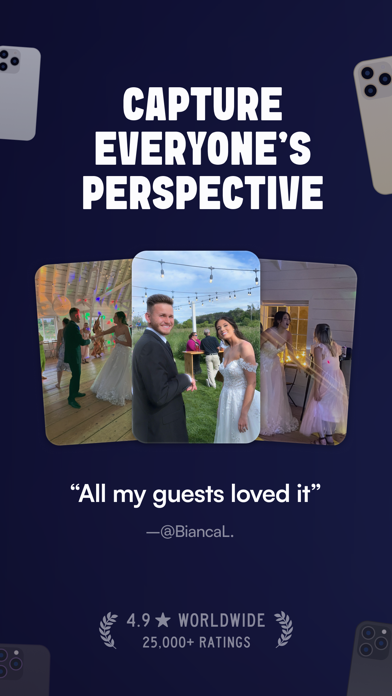
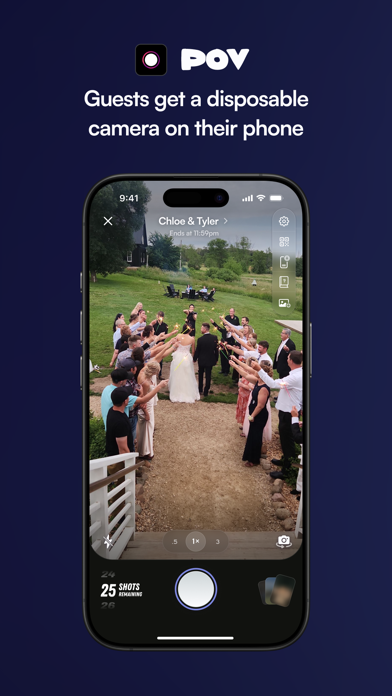
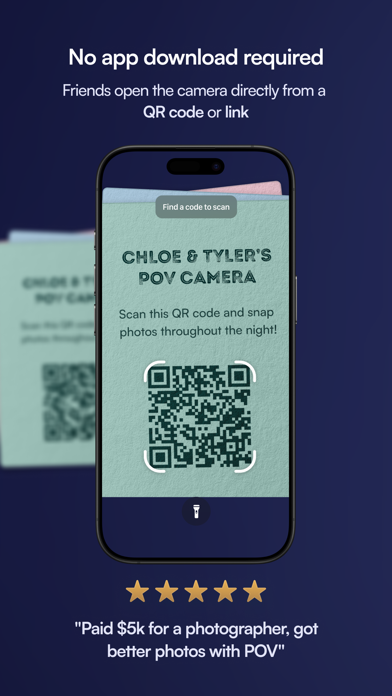
POV helps you capture the point of view of everyone at your event. Perfect for weddings, parties, nights out, and more! Like a digital disposable camera –– cap the number of photos that each of your guests can take and have the photos reveal the next day! NO DOWNLOAD REQUIRED FOR GUESTS Guests can scan a code or tap on a link and don't have to download this app to participate. CAMERA The camera is completely customizable –– you determine how many photos each of your guests can take. GALLERY The gallery can reveal during the event or you can make people wait until the next day. Great for everyone to relive the next day. CUSTOMIZABILITY You can design the screens to look and feel exactly how you want it. Stickers, text, backgrounds + more design tools at your fingertips. SHAREABILITY The app will generate a QR code and link so that friends can easily find your event. Questions or ideas? Send us all your feedback. We're happy to help!


Fadel.io OU
Perfect your timing and delivery without the need to memorize everything. Write your scripts and record yourself while the text scrolls automatically on your screen. This app simplifies your video production and speech recording process. FEATURES: • Script Writing & Recording: Write your script directly in the app and record yourself as the text smoothly scrolls on your screen. • Script Importing: Have a pre-written script? Import your scripts directly into the app. We support txt, rtf, html, and pdf formats. • Scroll Control: Let the text scroll either at a set speed, or via speech recognition. • Mirroring Options: Mirror the text horizontally or vertically. • Automatic Text Captions: Jazz up your content by adding automatic subtitles. Style them, animate them, make them uniquely yours! • Social Media Preview: Be sure your content fits just right. Preview your videos directly on Instagram and TikTok. The best way to contact us: [email protected] Our EULA can be found here: https://www.fadel.io/apps/terms.html


ImgBase, Inc.
Looking for a free video editor that’s powerful, fast, and beginner-friendly? VDIT is a mobile video editing app designed for creators who want full control over their videos, from cut editing to professional-level effects. Whether you're making Reels, Shorts, YouTube videos, or daily vlogs, VDIT helps you create, style, and export your content in high quality. No need to pay upfront—VDIT gives you powerful free tools to get started. Try our Quick Start feature and create stunning, viral videos with just one tap! As your editing skills grow, you can explore premium features at your own pace. Create faster with smart AI editing tools Even if you've never used AI tools before, VDIT helps you edit faster with smart automation. - Create fast, accurate AI Auto captions without privacy concerns. - Simply add video clips to templates, and your video is created automatically. - Instantly remove backgrounds with AI. - Auto-track moving objects to pin text, stickers, and PIP layers. - Convert text into natural voiceovers with built-in text-to-speech (TTS). - Reduce background noise in audio and video for clearer results. Add cinematic effects and stylish subtitles - Apply 160+ aesthetic filters and visual effects. - Import your own LUTs to apply custom color styles. - Add personality with subtitle templates, drawing tools, and shape overlays. - Great for daily vlogs, travel content, or aesthetic reels with emotional music and captions. Edit seamlessly across iPhone and iPad - Easily edit subtitles, music, and overlays with a touch-friendly interface. - Boost your workflow with undo/redo and iPad keyboard shortcuts. - Share your projects across devices anytime. Style your video with text, subtitles, and stickers You can easily add and customize subtitles to match your style. - Choose from 140+ subtitle and title presets. - Use handwritten fonts, animated text, and motion effects. - Automatically track and blur faces with AI Face Detection Blur. - Use motion blur, dust, and Blur Invert to create cinematic edits. Enhance your video with royalty-free music and sound effects - 400+ royalty-free background music tracks and sound effects included. - Extract audio from video, record voice, or import your own music. - Automatically adjust music to match your video’s duration. - Export audio from your video and save it in M4A, MP3, or WAV with preferred quality. Fine-tune every clip with advanced editing features - Trim, split, reverse, or control speed precisely. - Add freeze frames, cinematic pan/zoom (Ken Burns), and transitions. - Overlay videos, photos, GIFs, and Live Photos. - Create dynamic edits with keyframes, speed curves, and background blur. Export and share your videos in high quality Perfect for social media, business, and marketing, with no watermark on your exports. - Choose from SD, HD, QHD, FHD, or 4K output at 24–60 FPS. - Edit fast with preset ratios for Reels, Shorts, TikTok, and YouTube. - Save as video, GIF, or still image. - Customize codec, bitrate, HDR settings for professional results. Unlock all premium features with VDIT PRO - Enjoy full access with a monthly or annual subscription. - You can cancel anytime, and your premium features will stay active until your current billing period ends. - You can turn off auto-renewal anytime in iTunes account settings. - Your plan stays active until the end of the current billing period. Partial refunds are not available. VDIT is a video editing app that grows with you.Need help figuring out how to use AI background removal or text editing? Visit [Settings > Help] in the app or contact us at [email protected]. Turn everyday moments into unforgettable memories with VDIT. Instagram: https://www.instagram.com/vditapp Terms of Use: https://www.imgbase.me/vdit/terms/termsofuse.html

IRONTECH LIMITED
EASY-TO-USE & SMART WITH EVERY SELFIE! Stands out among the popular apps for refining photos and features hundreds of intuitive tools. Facelab knows how to hide your flaws and play up your beauty. It’s your go-to set of powerful tools for any edits! Authenticity is key. Make your features stand out and enhance selfies with ai auto-beautification. Edit selfies for professional-looking portraits with a versatile Facelab editor. Touch up photos with single-touch retouch feature effortlessly while keeping your authentic charm. Find your best hairstyle look — virtual try-ons made easy. Essential hairstyle booth apps for real-time previews, apps for airbrushing images — perfect for both beginners and experts. Our app takes the hassle out of editing. Dare, prepare, make an edit! Top-choice beard changing apps with ai technology. Apps for slimming waist, arms and belly. FACE SHAPE – Sculpt and reshape your face. – Bring out your cheekbones. – Refine your jawline. – Edit your forehead. EYES, NOSE & LIPS – Remove eyebags and dark circles. – Change your eye color. – Adjust the shape and thickness of your eyebrows. – Tweak the size and shape of your nose. – Make your lips bigger and fuller. – Whiten your teeth. BODY – Reshape any part of your body. – Slim your waist, arms and legs. – Pump up your glutes. – Add muscles. SKIN – Even out your skin tone and texture. – Remove pimples, spots, acne marks and scars. – Get rid of unwanted wrinkles and laugh lines. – Reduce oily shine and make your skin matte. MAKEUP – Foundation and contour palettes. – Eyeliners, shadows and lashes for a drop-dead gaze. – All popular lipstick shades available: red, pink, burgundy, peach, etc. – Breathe life into pale skin with blush. AI BEAUTY & AUTO LOOKS – Get full makeup with just one tap. – Dozens of styles and combinations. – From light and natural to vibrant and creative. – Male looks available. HAIR – Change your hair color. – All shades of black, brown, red and blonde. – Vibrant and bold colors. – Female and male hairstyles. – Beards and moustaches. AI REMOVAL – Erase anything: from large objects and people to pimples and spots. – Remove and replace the background of any photo. FILTERS & ADJUSTMENTS – 200+ filters for any mood. – Special skin filters. – Crop and uncrop your photos. – One-tap auto-adjustment of the whole photo. CLOTHES – Try on different outfits. – Recolor and uncolor your clothes. – Get rid of lint and fluff. Share your amazing looks with the world #facelabit ———PLEASE NOTE——— Due to the processing power and tech specs of older iPhone models, some editing experience may result in lagging and crashes. Have any questions or suggestions? Want to share your impressions? Feel free to contact us at [email protected] Get Facelab Premium! -4 subscription options: weekly (7-day free trial -> $4.99 USD/week), monthly ($7.99 USD/month), annual (7-day free trial -> $35.99 USD), one-time purchase ($69.99 USD). -Payment will be charged to iTunes Account at confirmation of purchase. -Subscription automatically renews unless auto-renew is turned off at least 24-hours before the end of the current period. -Account will be charged for renewal within 24-hours prior to the end of the current period. “Free trial” > $4.99/week, or renewal equals the initial subscription chosen and its current price unless a special price is offered. -You can cancel a free trial, manage your subscription and turn off the auto-renewal anytime through your Account Settings. This must be done 24 hours before the end of a free trial or subscription period to avoid being charged. -The guide to canceling your subscription: https://support.apple.com/en-us/HT202039 -Privacy Policy: https://irontech.mobi/facelab/ios/privacy -Terms of Use: https://irontech.mobi/facelab/ios/terms -As soon as you purchase a subscription, any unused part or time-span of a free trial period will be forfeited.

SHANTANU PTE. LTD.
Aiming at perfection in everything, Peachy is a powerful & handy pro photo editor, especially for selfie editing, portrait retouching, and natural-looking body adjustments. Everybody is an excellent photographer with this simple retouch tool, it helps you meet the best version of you, smooth skin, whiten teeth, reshape face, fix blemishes, remove wrinkles, become taller, add makeup, tattoo, muscles, filters, and more. Peachy provides lots of portrait and selfie photo editing features. Download it and give a try! RETOUCH ·Remove wrinkles and acne ·Smooth and brightened your skin ·Reduce dark circles under your eyes ·Whiten your teeth ·Add volume and darken your eyebrow RESHAPE ·Adjust body and facial proportions ·Refine a specific area of the selfie ·Enhance natural curves, add muscle definition, and refine facial features MAKEUP ·Put on a full set of trendy makeup ·Foundation and Concealer tools for skin retouch ·Contour, Blush, Eye Makeup, Lipstick, etc. Everything you need for makeup ·Change hair color with just one tap HEIGHT CORRECTION ·Elongate your legs and become taller ·Enhance your body both laterally and longitudinally AI REMOVE ·Automatic object detection ·Easily remove unwanted objects with high quality RELIGHT ·Portrait Relight to highlight your beauty ·Lighting Adjustment (brightness, radius, warmth and softness) AI TOOLS ·Al Enhance: Improve low-quality or blurry images ·Al Cartoon: Enjoy AI Art and generate avatars in various styles ·AI Touch: Effortlessly retouch photos with just one tap ·AI Adjust: Improve the tone of visual effects automatically AUTO BODY RESHAPE ·Automatically reshape your Head, Legs, Arms, Neck, Waist, Shoulders, and more ADD MUSCLES ·Add six pack abs muscles ·Add chest muscles ADD TATTOO ·Add creative tattoos to your body LIGHTING EFFECTS ·Improve lighting effects of the selfie or portrait ACCESSORIES ·Decorate your selfie or portrait with stylish accessories ADJUST ·Adjusting brightness, contrast, vignette, highlights, shadows, etc. ·Selective options for image enhancement ·Professional HSL color correction CLOTHES ·Change dress style with preset patterns or featured colors BEAUTY CAMERA ·Real time selfie camera with smooth skin and face fine-tune BASIC PHOTO EDITING TOOLS ·High-fashion vintage filters, perfect for selfie ·Auto Background Blur and Bokeh tools ·BG Effects to make your photo unique ·Remove and change background easily ·Amazing Glitch effects ·Add text on your photo Perfect your selfies or portraits in Peachy, and share with your friends online, it can be fun and inspiring! Any suggestions or feedback for Peachy (photo and selfie editor, retouch tool), please email us at [email protected]. We will get back to you as soon as possible. ------------------------------ Peachy Pro Unlimited Subscription - With an Peachy Pro Unlimited subscription, you have access to all features and paid editing options and materials. Advertisements will be removed automatically. - Peachy Pro Unlimited subscription is billed annually. In addition, a one-time payment will be offered if needed, which is not one of the subscription plan. - Payment will be charged to iTunes Account at confirmation of purchase. - Subscription automatically renews unless auto-renew is turned off at least 24-hours before the end of the current period. - Account will be charged for renewal within 24-hours prior to the end of the current period, and identify the cost of the renewal. - Subscriptions may be managed by the user and auto-renewal may be turned off by going to the user's Account Settings after purchase. - Any unused portion of a free trial period, if offered, will be forfeited when the user purchases a subscription to that publication, where applicable. -Terms of Use https://inshot.cc/terms/terms_peachy.pdf -Privacy Policy https://inshot.cc/peachy/terms/privacy_policy.pdf

iOSDecrypted
iOSDecrypted | Builds of Twitch 📀 🪧Build Version: 30.1 (261740104341617264) ⭐️TW: Tweach Cracked ➡️Repost Policy: t.me/iosdecrypted/15 🛜Plugin Patch
Aphrodite_TS x CyPwn
Asset Catalog Editor.

callrecorder x CyPwn
Call Recorder with Premium hacked

DramaFlix_1.1.0 x CyPwn
Movie app

FacebookNoAds_401.0 x CyPwn
Free & Open Source Tweak for Facebook https:// github.com/haoict/facebook-no-ads/releases. Features:- Remove Ads - Download Video (long press to downl
Christoph Gogolin
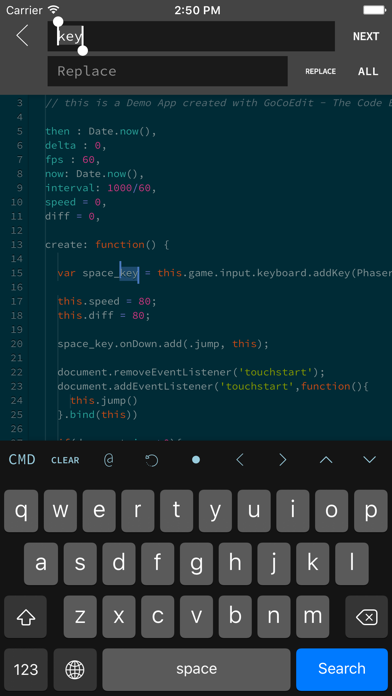
GoCodeEditor is a Code Editor optimized for fast opening and editing local and remote files (Dropbox, OneDrive, FTP, SFTP/SSH) on your iOS Device. FEATURES: ------------------------------ • Sublime like Code-Editor! • Universal App (use it on your iPad, iPhone & iPod Touch) • iPhone X (s/s Max) support • Full iPad Pro support (including smart keyboard support, shortcuts, split-screen multitasking) • iPadOS Mouse & Trackpad • NEW! Multi-caret Editing • NEW! Siri Shortcuts - create newfile / start shell / connect to shell / preview - more soon... • Drag & Drop Support - Support for Drag & Drop files from the Files App - Support for Drag & Drop files / repos and folders from Working Copy App - Support for Dragging local files from GoCoEdit to other Apps • Compatible with Apple Watch Start a ssh-shell from your wrist right now! Run your self defined scripts with one tap. • Extra keybar with swipe functions and trackball to precisely move the cursor and select text • Syntax highlighting for many coding languages like: (apache, arduino, asp/vb.net, c, c#, c++, ceylon, clojure, coffeescript, css, dart, dockerfile, elixir, erlang, fortran, go, handlebars, haskel, html, jade, java, javascript (es6 support), jsx, kotlin, latex/stex, less, lisp, livescript, lua, markdown, mathematica, nginx, objective-c, pascal, perl, php, plist, powershell, pug, puppet, python, r, rss, ruby, rust, sass, scala, shader, shell, sql, squirrel, stylus, svelte, swift, typescript, verilog, vue(js), xml, yaml) • Some comfort features: code folding, code hinting, auto indent, auto close brackets, line wrapping, smart indent, tag and bracket matching, find by regular expression, replace, replace all, symbolic/function search for many syntax modes • Quick CMD-mode (keep your hands on the On-Screen-Keyboard) - p.e. press cmd+c, cmd+v to copy and paste selected text - over 15 shortcuts supported • Different themes ( include solarized, monokai and many more ) and font-sizes • Import / export / open files from icloud drive and other file providers • Open entire folders or repositories from the Git client Working Copy or the Files App using the iOS document picker • Extendable - Custom Syntax Modes -- create your own Syntax highlighting modes now you can write own modes and use it for your own file types - Custom Themes -- create your own editor themes - Snippets -- use short fragments of text again and again ( with filed and placeholders support ) • Preview Browser with Javascript console ( in iPad version resizeable for preview iPad or iPhone layouts ) • Markdown Preview & HTML Export • Connect to your servers via SFTP, FTP, DRIVE, ONEDRIVE or DROPBOX NEW! with OneDrive 365 and OneDrive for Business support • NEW! File has changed detection ( GCE is now able to detect external file changes on local and remote files ) • Upload and Download files/folders or edit files directly on your server/dropbox/drive/onedrive without download • Very fast reconnect and recover of open files after restart • Edit your files directly on your server without download. • Integrated Shell (ssh) to perform background tasks like a Grunt, Gulp, npm or another shell job ( type direct or define scripts and run it with a single tap ) • Supporting advanced features like textselection by cursor, Splitview, Slide-Over and Drag & Drop • 3D Touch support - Show/move cursor by 3D touch the keyboard - Quick Actions (new file, start shell, connect shell to last server, show preview of last file) • External/Bluetooth keyboard support ( all iOS shot-cut keys are supported + lots of shortcuts available ) ------------------------------ If you want to support the project and increase the development speed become a patreon. ------------------------------

HdoPlay-1-0-2-JKCrack x CyPwn
Hdo Play - Movie Planner. Premium Cracked!

IMemScan_TS x CyPwn
Application memory editor.

Pixelmator2.7.3 x CyPwn
Powerful, full-featured image editor for iOS.


Tinkerworks Apps
SHOOTING MODES - Photo - Burst Mode - Slow Shutter - Portrait Mode - supported on all dual lens camera system as well as iPhone XR and iPhone SE 2020 - 3D Photo - requires dual lens camera system - Video - Time Lapse PHOTO SHUTTER RELEASE OPTIONS - Self-Timer - Anti-Shake - Screen Shutter / Big Button - Interval VIDEO FRAME RATES AND RESOLUTIONS - VGA, 720p, 1080p - 4K Ultra HD - 3264x1836 upscaled to 3840x2160 - in-app purchase - iPhone 5s / iPad Air 2 and later - 4K Ultra HD - 3840x2160 - native support on iPhone 6s / Plus and later - 4K Max - 4032x2268 - in-app purchase - iPhone 6s / Plus and later - High frame rate: * 48 / 50 / 60 fps 720p - iPhone 5 / iPad mini and later * 96 / 100 /120 fps 720p - iPhone 5s / iPad Air 2 and later * 192 / 200 / 240 fps 720p - iPhone 6 and later * 48 / 50 / 60 fps 1080p - iPhone 6 and later * 96 / 100 / 120 fps 1080p - iPhone 6s / Plus and later * 192 / 200 / 240 fps 1080p - iPhone 8 and later * 48 / 50 / 60 fps 4K - iPhone 8 and later TIME LAPSE FRAME RATES AND RESOLUTIONS - VGA, 720p, 1080p - 4K Ultra HD - 3264x1836 upscaled to 3840x2160 - in-app purchase - iPhone 5 / iPad Air 2 and later - 4K Ultra HD - 3840x2160 - native support on iPhone 6s / Plus and later - 4K Max - 4032x2268 - in-app purchase - iPhone 6s / Plus and later - High frame rate: * 48 / 50 / 60 fps 720p - all devices * 48 / 50 / 60 fps 1080p - all devices * 48 / 50 / 60 fps 4K - iPhone 5 / iPad Air 2 and later * 48 / 50 / 60 fps 4K Max - iPhone 6s / Plus and later MANUAL CONTROLS - Manual exposure, shutter speed, ISO, focus, and white balance controls - Scroll and steppers system inspired by DSLR cameras - Tap location accurate manual focus assist - True focus peaking - Zebra stripes - overexposure warning - Live shutter speed, ISO, focus, and WB values - Manual controls are supported in all photo and video modes MAIN CAMERA FEATURES - RAW (DNG) iOS 10 - iPhone 6s / iPad Pro 9.7 and later - Lossless TIFF file format support - Intelligent 3-shot HDR - AEB (Auto Exposure Bracketing) with RAW support for high contrast conditions - Live light level histogram - Adjustable aspect ratio (4:3 / 3:2 / 16:9 / 1:1) - Video pause/resume functionality - Video audio meter (Avg. / Peak signal levels) - Still photo capture during video recording - Realtime video stabilization (ON/OFF) - Video disk space indicator - Thirds grid and horizontal tiltmeter. - Date / time / location / Copyright stamp PHOTO / VIDEO EDITOR & PHOTO EDITING EXTENSION - Nondestructive editing - all edits, including cropping, are completely amendable / reversible - 60 expertly crafted filters - 17 lenses: Vignette / White Vignette / Fisheye / Tilt Shift / Macro / Tiny Planet / Wormhole / Split / Kaleidoscope I, II, III, IV, V / Ripple / Striped / Hatched / Halftone - 19 comprehensive adjustment tools - Trimming, cropping, rotating, mirroring, straightening, and perspective correction - Extremely accurate timeline with the ability to review videos frame by frame - Ability to add background music

Alexander Blach
Textastic is a comprehensive and versatile text and code editor for iPad and iPhone. It supports syntax highlighting for more than 80 programming and markup languages. Connect to SFTP, FTP, and WebDAV servers or to your Dropbox account. Use the built-in SSH terminal to work directly on your server. Features: - Syntax highlighting for more than 80 languages, including HTML, JavaScript, CSS, C++, Swift, Objective-C, Rust, XML, Markdown, PHP, Perl, Python, Ruby, Lua, YAML, JSON, SQL, shell scripts, and many more (full list available on the website) - Compatible with Sublime Text 3 and TextMate 1 syntax definitions and themes - Code completion for HTML, CSS, JavaScript, C, Objective-C, and PHP - SFTP (SSH), FTP, FTPS (FTP over SSL), WebDAV, and Dropbox clients - SSH terminal connections - Code formatter for HTML, CSS, JavaScript, and JSON - Git repositories from the Git client app Working Copy can be opened as external folders in Textastic - Emmet support - JavaScript console - iCloud Drive file synchronization - WebDAV server for easy file transfer between Textastic and your Mac or PC over Wi-Fi - Symbol list for quick navigation within a file - Full support for external keyboards, trackpads, and mice - Configurable keyboard shortcuts - Additional keys above the virtual keyboard for frequently used programming characters - Cursor navigation wheel for easy text selection - Move the cursor using swipe gestures - Split View and Slide Over multitasking on iPad - Open multiple files in tabs - Multiple windows on iPadOS - Dark Mode support - Support for common text encodings such as UTF-8, UTF-16, and ISO-8859-1 - Support for different tab widths and soft tabs (spaces instead of tabs) - Custom fonts - Find and Replace, including regular expression search - Find in multiple files - File information such as character and word counts - Local and remote web preview for HTML and Markdown files Pricing: Textastic requires a monthly or yearly subscription or a one-time purchase. Each subscription includes a 7-day free trial with full access to all features. Privacy Policy: https://www.textasticapp.com/privacy.html Terms of Use: https://www.apple.com/legal/internet-services/itunes/dev/stdeula/