
Music
Explore music and audio IPA listings for listening, streaming, podcasts, instruments, radio, and sound tools.

ipaomtk.com
ipaomtk.com | Embark on a musical odyssey with Glazba IPA MOD iOS, the groundbreaking music streaming app that is poised to transform your listening e
NCH Software
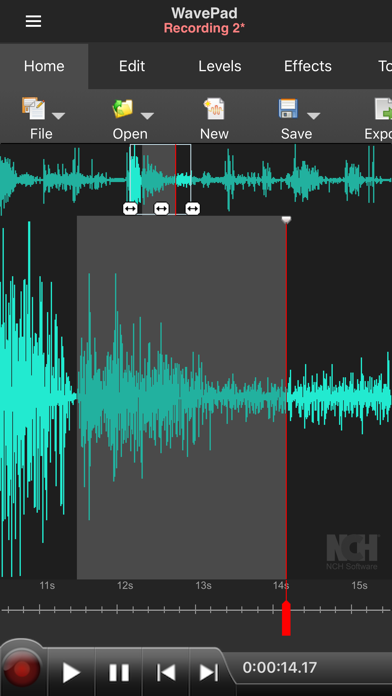
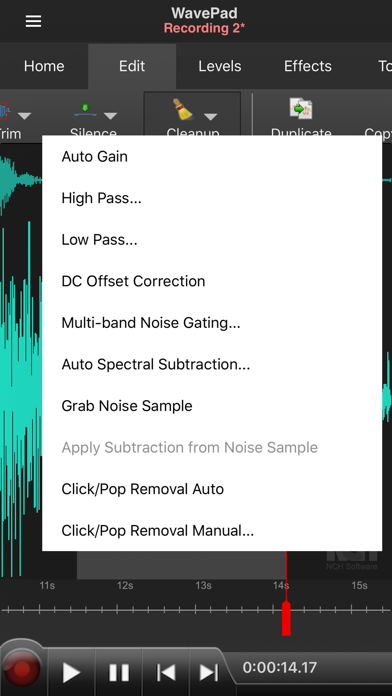
WavePad Music and Audio Editor is a full-featured professional audio and music editor. With WavePad you can edit and record music, voice, and other audio recordings. You can edit audio files with tools like cut, copy, paste. You can also add audio effects including echo, amplify, and noise reduction. WavePad Audio Editor supports a number of formats including vox, gsm, and more! Whether you are a professional or an at-home enthusiast, WavePad has all of the tools you need to edit audio files. Typical applications include ringtones, voice-overs, trim sound bits, and many more! WavePad features: • Supports a number of file formats including wave and aiff • Editing capabilities include cut, copy, paste, insert, trim and more • Effects include amplify, normalize, echo and more • Work with multiple files • Supports auto-trim and voice activated recording • Select sample rates from 8000-44100hz, 8-32 bits • Recording runs in the background and when the screen turns off • Upload to and download from your Google Drive and Dropbox account WavePad contains optional in-app purchases and subscriptions. • Subscriptions are billed monthly while purchases are one time payments (these are not subscriptions) • Your subscription will automatically renew unless auto-renew is turned off at least 24-hours before the end of the current period, • Account will be charged for renewal within 24-hours prior to the end of the current period, and cost depends on your chosen package • Payments will be charged to your iTunes Account at confirmation of purchase • Auto-renewal may be turned off by going to the user's Account Settings after purchase • Any unused portion of a free trial period, if offered, will be forfeited when the user purchases a subscription to that publication, where applicable For assistance using WavePad: http://www.nch.com.au/support/supportcontact.html?software=WavePad Terms of service: https://www.nch.com.au/general/legal.html Privacy Policy: https://www.nch.com.au/general/privacy.html

ipaomtk.com
ipaomtk.com | iPlayer Video and Media Player IPA MOD iOS, This powerful app offers a comprehensive platform for accessing and enjoying a wide range of

Genius Media Group
Genius is the world’s biggest collection of song lyrics, videos and crowdsourced musical knowledge. SEARCH 1.7 MILLION+ SONGS Find annotated lyrics for all your favorite songs, or browse what's hot on Genius. VIEW GENIUS VIDEOS Watch interviews with your favorite artists about the music you love. TAP HIGHLIGHTED LINES TO READ ANNOTATIONS Explore a world of knowledge, crowdsourced from millions of obsessed fans – the Genius community. GET THE FACTS BEHIND THE TRACKS With verified content from artists and producers. FIND LYRICS FOR THE SONGS PLAYING AROUND YOU Hold your phone up to the music, tap the soundwave button (powered by ACRCloud), and lo, the annotated lyrics appear. You can also easily navigate the lyrics for all the songs in your iTunes library. ANNOTATE THE WORLD FROM ANYWHERE You’re the genius: highlight some text, tap “Annotate,” and share your knowledge.


Andrew Smith
AudioTools from Studio Six Digital is a suite of professional-grade audio and acoustic analysis apps. Included in the price of this app is a great collection of professional tools -- SPL, RTA, FFT, Speaker Polarity Test, Generator, Audio Scope, CLF Viewer, and Recorder, and the framework to add more powerful modules as you need them. Customize AudioTools for your needs by buying any of the additional optional modules, like Smaart Tools I, SPL Graph, or Impulse Response, at any time right from your iOS device. We test every iOS device and calibrate the microphone level and frequency response for the best results. We have the ability to turn off the Apple low frequency filters, and on many devices we can measure up to 120 dB SPL. Add iTestMic, iPrecisionMic, or iAudioInterface2 for a complete professional audio and acoustic test and measurement platform. Actual reviews: “...AudioTools is a “how did I ever live without it” app”. “I think this application is the best I EVER purchased.” “I have used many thousands of dollars of complicated test equipment that doesn’t measure up to this app suite.” ***** Included in the app price ***** * SPL Meter A faithful reproduction of a classic analog SPL meter. Includes A and C weighting, and Fast and Slow ANSI decay modes. All filters meet or exceed ANSI type 1. * RTA A 1/3 and octave band Real Time Analyzer. Includes touch-GUI range control, a cursor, max/min bars, and noise curve overlays. * FFT Detailed acoustic analysis, up to 32876 points. View full detail or smooth to 1/24, 1/6, 1/3 or octave. Includes cursor, scalable graphics, and peak tracking. * Polarity Speaker polarity checker. Route the test signal to a speaker, and read the polarity of the speaker on the screen. * CLF Viewer Show loudspeaker data, including plots for impedance, axial response, sensitivity, polar response, and 6dB coverage, and a 3D color balloon plot. * Delay Finder Measures the time it takes for a pulse to return from a speaker. * Generator Generates sine waves, square waves, white and pink noise. * Line Level Tests A line level measurement function and frequency counter. * Audio Scope A dual-channel audio oscilloscope that includes auto-triggering, variable gain and sweep rate, and storage of scope images. * Recorder A mono/stereo audio recorder with WAV and compressed formats and 8k-48k sample rate. Transfer files via WIFI. * File transfer of results via wifi to PC / Mac. * Audio Calculators ***** Optional modules available for purchase from within AudioTools ***** * SoundScope VR - FFT-based audio analyzer with VR. The powerful acoustical analysis module. Includes RTA graphs to 1/48th octave and Spectrograph, and can display VR. * Transfer Function -- Requires 2-channel interface. Two-channel FFT-based measurement. Allows you to analyze sound system performance with music or pink noise as the signal source. * ETC Energy Time Curve. Plot decay of an impulse over time, and compute RT60 time. Internal or External trigger. * Impulse Response Record and analyze an impulse or sine sweep, compute octave and 1/3 octave ETC, T30, C50, C80, CT, Definition. * LARSA Fast and accurate sine-sweep measurement of loudspeakers and rooms. * SPL Pro Digital SPL meter with ANSI Slow, Fast, Peak, and Impulse mode, along with LEQ. Includes A and C weighting, and all 10 octave band filters. * SPL Graph Plot second-by-second SPL level for up to 24 hours, and optionally record the audio. Also, add the optional Octave Band Logging upgrade to elevate this tool to rival any professional logging SPL Meter. * SPL Traffic Light Monitor live sound levels SPL and Leq and see status in a simple green-yellow-red display. * STIPA Speech Intelligibility Meets the current NFPA code standards for testing evac systems and schools. * Speaker Distortion Measure THD+n of any driver. * THD+n (requires iAudioInterface) * Impedance Meter and Plot (requires iAudioInterface) * Phase Meter * Amplitude Sweep

ipaomtk.com
ipaomtk.com | Audio Noise Removal IPA MOD can be a frustrating problem that can ruin the quality of your recordings or interfere with your listening e


MIFKI PTY LTD
miRack is a polyphonic Eurorack-style modular environment. It aims to provide user experience and audio quality close to those of the real Eurorack hardware. miRack can be used to build custom synthesizers, audio and MIDI effects, control other apps and equipment, as a playground to explore and learn modular synths, and for live performances. miRack is also available on macOS, including Audio Unit and VST plugins. * Comes with more than 800 modules created by third-party developers and adapted for mobile devices by miRack team. New modules are added regularly. * Includes AUv3 plugin. Can work as an instrument, audio effect or MIDI processor. Supports parameter automation to record and automate changes of almost any virtual module control. * AUv3 hosting capabilities (in-app purchase). Incorporate any AUv3 instrument, effect or MIDI effect plugins into your patches. * Controller module (in-app purchase) allows to design AUv3 user interface for your patch. * Multi-channel audio input and output (in both standalone and AUv3 modes), with full support for Expert Sleepers audio interface modules to integrate with hardware Eurorack equipment. * MIDI input and output, including MIDI clock sync, and MIDI learn function. Automate and control your patch, or control other software and hardware instruments with powerful sequencer modules. * Ableton Link support to synchronise with other music software on the same device or over network. * iCloud support to sync patches between iOS and macOS app versions. * Visit patchstorage.com/platform/mirack for inspiration and to share your patches.

Wizdom Music LLC
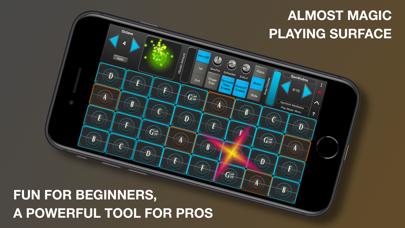
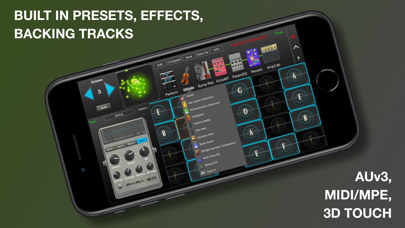
GeoShred Pro Version 7 With in-app purchases for GeoSWAM and Naada instruments on devices running iOS 13 or later. Imagine a new kind of musical instrument, an instrument that lets performers fluidly express multiple independent voices. An instrument with continuous pitch control that also helps players precisely land on the right note in any temperament. GeoShred Pro is an award-winning, deeply expressive musical instrument for multi-touch devices. Its innovative performance surface features “almost magic” pitch-rounding algorithms and is coupled to physically modeled instruments and effects. GeoShred Pro also supports AUv3, MIDI In/Out, MPE, and 3D Touch. It combines Jordan Rudess’ groundbreaking performance concepts with powerful physically modeled guitar and effects technology based on the research of Dr. Julius O. Smith III of Stanford/CCRMA. GeoShred’s expressive control surface can also be used to play external synthesizers. 300,000 artists in over 120 countries perform with GeoShred, with a strong global community that includes many musicians in India. Awards include: • 2nd Place Winner, 2022/2025 MIDI Innovation Award for Software • Gold Medal Winner, 2019 Denny Award • Winner, 2019 Guthman New Musical Instrument Award • Winner, 2017 Electronic Musician Editor’s Choice Award GeoShred Pro Version 7 Features • Send/Connect support so GeoShred for iOS/iPadOS can control GeoShred Studio for macOS • A fluid, expressive playing surface with finger vibrato, slide, and intelligent pitch rounding • Built-in physically modeled guitar • Physically modeled effects including Distortion, Wah, EQ, VCF, Flanger, Phaser, Chorus, Tremolo, Reverb, Sympathetic Resonator, Echo Looper, Multi-Tap Echo, Amp and Cabinet Modeling, Modeled Feedback for Guitar, and VCF effects • In-app purchases for 22 Naada instruments: Bansuri, Bass, Bass Clarinet, Carnatic Violin, Cello, Dizi, Duduk, Erhu, Gaohu, Guan, Nadaswaram, Pan Flute, Pipa, Rudra Veena, Sarangi, Saraswati Veena, Sarod, Shehnai, Sitar, Suona, Viola, and Zhonghu • In-app purchases for 11 GeoSWAM instruments: GeoViolin, GeoFlute, GeoTenorSax, GeoCello, GeoClarinet, GeoOboe, GeoTrumpet, GeoBassTrombone, GeoBassFlute, GeoViola, and GeoPizzBass • AUv3 plug-in support with parameter automation • iCloud preset synchronization • MIDI/MPE In/Out support • MIDI configuration presets • Customizable control surface mapping to physical MIDI controls • Diatonic keyboard mode, where every key is in the scale • Support for world scales and temperaments, including Indian ragas, Arabic scales, and Balinese scales • 3D Touch support on compatible iPhones • Backing tracks • Built-in arpeggiator • Easy preset sharing via email or iCloud The GeoSWAM and Naada instruments can be performed from the GeoShred keyboard, MPE controllers, conventional MIDI controllers, and wind controllers. Praise for the GeoShred Family of Apps “GeoShred is brilliant—it’s a real instrument.” — Eddie Jobson “A fantastic new invention which is going to revolutionize the way music is played, expressed and learned! ‘GeoShred’ is one of the foremost best musical inventions I’ve had the pleasure to experience in recent years. Definitely 5 stars out of 5! GIGANTASTIVISSIMO…..R…A…Z!!!!!” — Patrick Moraz “That’s just nuts. You’re the best guitarist without a guitar of all time.” — Joe Satriani Our Commitment We are dedicated to providing the highest level of musical instrument experience for our customers worldwide. If you enjoy GeoShred, we would greatly appreciate your positive review on the App Store. If you have any questions, we would love to hear from you at: [email protected] Minimum Requirements iOS 13 or later is required for AUv3, iCloud, and GeoSWAM and Naada instruments. * Note: Due to App Store limitations, previously purchased individual instrument in-app purchases cannot be applied toward the purchase of collection in-app purchases.

ipaomtk.com
ipaomtk.com | MyTube Music TV video player IPA has the power to uplift our spirits, transport us to different worlds, and bring people together. Wheth

Moog Music Inc.
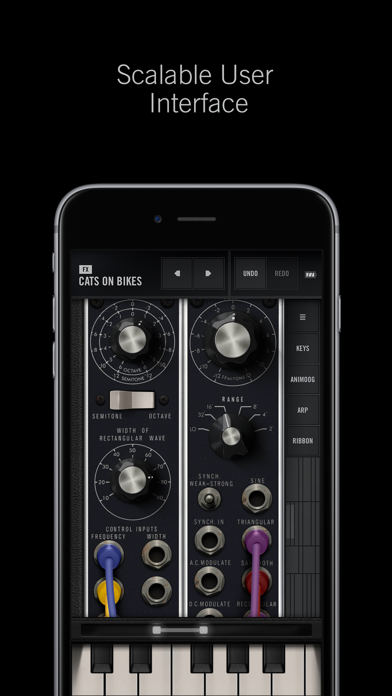
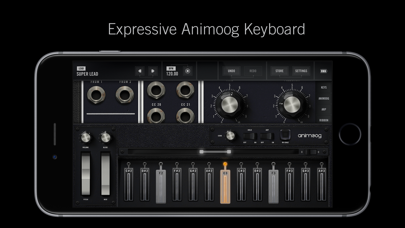
The Moog Model 15 App is the first Moog modular synthesizer and synthesis educational tool created exclusively for iPad, iPhone and iPod touch. Each facet of the Moog Model 15 modular synthesizer has been meticulously recreated in this application to ensure the power and transcendent sound quality of each module remains intact. The character, harmonic complexity and mystique of the Moog Model 15’s modules, from the legendary Moog 921–series oscillators and 904A Low Pass Filter, to the coveted 907 Fixed Filter Bank have been painstakingly preserved. In order to develop the most immersive and expressive modular interface possible, the Model 15 App has been designed utilizing Apple’s new Metal advanced graphics engine. This ensures that all zooming, panning and modular patching throughout the application feels completely natural, something that would have been impossible otherwise. The Model 15 App features both monophonic and 4-voice polyphonic operation is easily commanded via 4 seamlessly integrated controllers. Simple swipes and taps provide instant access to a traditional Moog keyboard, 1150 ribbon controller, 8-step sequencing arpeggiator and the award-winning Animoog keyboard with 22 built-in scales and polyphonic modulation capabilities. Also included are extended features which expand the capabilities of the app beyond the traditional offerings of the hardware Moog Model 15. These include total MIDI integration, assignment for external control, use as a MIDI controller, dedicated Audio Bridge and MIDI Bridge modules, looping recorder module with overdubbing, a master ping-pong delay module and a new extension cabinet that includes additional amplifiers and voltage-controlled reversible attenuators that can be used for effects like ring-modulation. Because the Model 15 App utilizes Apple’s Metal technology, only 64-bit devices are supported. Compatible devices include iPhone 5s or newer, iPod touch 6 or newer, iPad Air or newer, and the iPad Pro. The Model 15 App requires iOS version 12.4 or later to work. Additional Features • Ships with over 160 unique presets • Recreates the sound of a hardware Moog Model 15 modular synthesizer • Easily share presets and recordings with anyone • Tutorial patches to assist all experience levels • Intuitive patching and cable coloring • Support for landscape and portrait modes • Voltage-controlled stereo ping-pong delay • Expressive sequencing arpeggiator • Moog 1150 Ribbon controller • Real-time looping recorder with overdub and immediate sharing • Up to two controllers on-screen (iPad only) • Optional left-handed UI operation Supports • AUv3 Audio Unit Extensions • 3D Touch and Apple Pencil integration for after pressure • Note-per-channel MIDI controllers • Ableton Link • Inter-App Audio and Audiobus • MIDI Bridge and Audio Bridge • 7 and 14-Bit MIDI • MIDI Program Change • Bluetooth LE MIDI controllers • Typing keyboards for shortcuts and musical typing • AudioCopy, AudioPaste and AudioShare
Moog Music Inc.
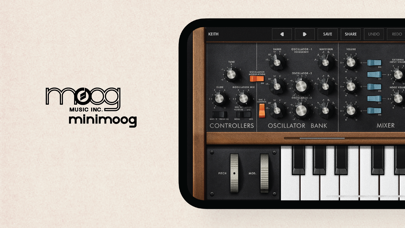
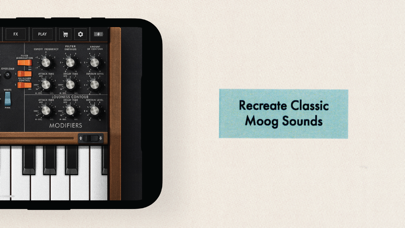
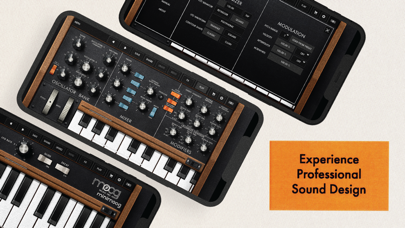
The Minimoog Model D App is a software transmutation of the world’s first portable synthesizer, the Minimoog Model D®. Anyone can jump in and play with over 160 included presets or lay fingers to the controls and begin exploring vast magical realms of creative potential for iPad, iPhone, iPod Touch and Mac. The Minimoog Model D App incorporates a number of inspiring sound creation tools and capabilities not present on its analog antecedent. New functions include the ability to play chords with up to four-note polyphony, an easy-to-use arpeggiator for rhythmic pattern creation, a real time looping recorder with unlimited overdubbing capacity, a tempo-synchronizable stereo ping pong delay module, and the Bender -- a wide-range stereo time modulation effect module. The Minimoog Model D App also supports AUv3 Audio Unit extensions, which allows multiple instances of this powerful instrument to be used simultaneously within compatible iOS apps supporting AUv3. A BRIEF HISTORY Introduced by Moog in 1970, the Minimoog Model D served as the archetype for all electronic keyboards that followed. It gave users the ability to design their own sounds, translating imagination into reality. The Minimoog’s portability, affordability and accessibility made it the go-to instrument for musicians looking to expand beyond the traditional sounds of the time. Bernie Worrell used the Minimoog Model D to establish Parliament Funkadelic’s futuristic funk sound. Kraftwerk employed the Minimoog Model D on the successful concept album Autobahn, sparking an entirely new genre. Gary Numan replaced his live band’s guitars with Minimoog Model Ds, creating the prototype for industrial music. The classic sound of the Minimoog Model D can be heard on Bob Marley’s Catch A Fire, Michael Jackson’s Thriller and Dr. Dre’s The Chronic; Detailed in the mini-doc series “A Brief History Of The Minimoog”. FEATURES • Ships with over 160 presets (hundreds more available in the Minimoog Model D App Store) • Up to 4-notes of polyphony • Easily share presets and audio recordings with friends • Arpeggiator module with note-hold and chord latch capability • Stereo ping-pong delay effect • Bender time modulation effect • Real-time looping recorder with overdub and immediate sharing • Selectable envelope shapes and triggering behavior • Effortless MIDI CC mapping • Seamlessly backup presets to iCloud • Play mode for easier panel and keyboard interaction • A new take on the classic feedback/overload path SUPPORTS • All 64-bit iOS devices • AUv3 Audio Unit Extensions (Including GarageBand) • MPE Controller Support • Ableton Link • Inter-App Audio and Audiobus • 7 and 14-Bit MIDI • MIDI Program Change Support • Bluetooth LE MIDI controllers • Share over AirDrop, Mail, or other iOS applications


Image Line Software
Create and save complete multi-track music projects on your iPad, iPhone or Mac. Record, sequence, edit, mix and render complete songs. FEATURE HIGHLIGHTS * Audio recording, track-length stem/wav import * Browse sample and presets with preview * Effects modules (see Included Content) * Full-screen MacBook and iMac Trackpad and Mouse support. * High quality synthesizers, sampler, drum kits & sliced-loop beats * Instrument modules (see Included Content) * Load projects in the FL STUDIO** FREE Plugin version of this App * MIDI controller support (class compliant). Automation support. * MIDI file import and Export (Single-track or Multi-track) * Mixer: Per-track mute, solo, effect bus, pan and volume adjustment * Piano roll. Edit notes or capture recorded performances. * Save and load WAV, MP3, AAC*, FLAC, MIDI * Share your songs via Wi-Fi or Cloud to other Mobile 3 installations * Step sequencer * User interface configurable with all screen resolutions and sizes. * Virtual piano-keyboard & Drumpads * IAA App support (In/Out), Audiobus support (In/Out) * Audio recording (external and internal sources) * Share your songs via Sync to other Mobile 3 devices / installations * Load your projects in the FL STUDIO* FREE 'Plugin' Version of this App# IN APP PURCHASES & INCLUDED CONTENT FL Studio Mobile includes in-app purchases for the DirectWave sample player. You can install your own samples and don’t need to buy content. All Instrument modules are included: Drum Sampler, DirectWave Sample Player, GMS (Groove Machine Synth), Transistor Bass, MiniSynth & SuperSaw. All Effect modules are included: Analyzer (visual), Auto Ducker, Auto-Pitch (pitch correction), Chorus, Compressor, Limiter, Distortion, Parametric Equalizer, Graphic Equalizer, Flanger, Reverb, Tuner (Guitar/Vocal/Inst), High-Pass/Low-Pass/Band-Pass/Formant (Vox) Filters, Delays, Phaser and Stereoizer. Included Drum Samples: Cymbals, Hats, Kicks, Snares, Toms, Percussion, Risers, SFX Included DirectWave Instruments: Guitars, Keyboards, Orchestral, Synth, Bass, Synth Keyboards, Synth Leads, Synth Pads, Sliced, Drums, Drum Kits and Effects. Included MiniSynth Presets: Bass, Keys, Leads, Pads, SFX, Synths Included SuperSaw Presets: Arps, Bass, Bells, SFX, Leads, Pads, Sequences, Synths WANT TO TRY BEFORE YOU BUY? Install FL STUDIO 20 for macOS / Windows and you can use the FL Studio Mobile Plugin. This is identical to the App, as a plugin inside FL Studio. Get it here: http://www.image-line.com/downloads/flstudiodownload.html MANUAL / TRAINING / VIDEOS http://support.image-line.com/redirect/flstudiomobile_help http://support.image-line.com/redirect/flstudiomobile_videos SUPPORT Please help us to help you! In the App, tap 'Help > Users & Support Forums' to register FL Studio Mobile to your Image-Line account and gain access to the forum. You can then report bugs, make feature requests and access free downloadable content: http://support.image-line.com/redirect/flmobile_forum

RAY INFORMATICS YAZILIM TEKNOLOJI MEDYA DANISMANLIK VE EGITIM TICARET LIMITED SIRKETI
Phocus is an AI-based portrait camera, depth editor, and 3D relight studio for iPhone and iPad. Capture DSLR-style portraits, shape realistic background blur, refine depth with precision, and create polished images with more control over focus, lens character, color, and mood. With Phocus, you can go beyond simple portrait blur. Edit depth-aware masks, simulate lens behavior, refine subject separation, and explore your image as a 3D scene. Whether you're creating cinematic portraits, dramatic lighting, or polished social content, Phocus gives you powerful tools in a fast and intuitive workflow. Inspired by real optical systems, Phocus lets you emulate DSLR lens behavior without external gear. Control aperture feel, blur falloff, bokeh character, focal response, and depth transitions with tools designed for creators who want more than one-tap filters. You can also inspect your edits in 3D, preview scene depth more clearly, and fine-tune relight results with a much stronger sense of spatial control. "Looking for an app that not only adds the Portrait mode effect to your photos but does a bit more? Then Phocus is the one you're looking for." — iMore "An Outstanding AI Portrait and Macro Camera for the iPhone. It has clearly established itself as the front runner in this iOS camera apps." — John DeNicola "The app is a fine example of technical and artistic craftsmanship." — iGeeksBlog "Phocus is an excellent photo and video editing app for your iPhone that lets you edit both portrait photos and videos with great attention to detail." — The Useful Tech Phocus enhances your creativity with smart tools: • New Phocus Camera for DSLR-style portrait capture • 3D Relight for All Photos: Apply depth-aware 3D lighting even to photos without native camera depth • 3D Scene Preview: Inspect lighting and depth from a more spatial, intuitive view • Improved AI Depth Model: Better depth estimation in both the editor and camera • 3D LUT color styles for cinematic camera previews • AI-powered subject detection and background blur/removal • Precision brush and eraser tools for edge refinement • Dual-layer tone editing for foreground and background • One-tap portrait effects: HDR, mono, studio, stage, color splash, grain, stylize, cartoon • Portrait matte and depth map export for external workflows • Depth Visualizer to preview and adjust depth-of-field using real-time depth data • Tap-to-Focus with enhanced precision using intelligent depth mapping Features: • Portrait Video Blur: Add realistic depth-of-field to videos • AI Subject Detection: Separate subject and background automatically • Real Bokeh Simulation: Customizable aperture shapes and light falloff • Manual Camera Controls: Adjust ISO, shutter speed, white balance, and exposure • RAW and ProRAW Support: Shoot in full resolution and maximum quality • DSLR Lens Simulation: Control focal depth, lens behavior, and bokeh intensity • Aperture & Blur Adjustment: Fine-tune background softness and focus • One-Tap Background Removal: Instantly blur or replace backgrounds • Portrait Effects Library: Apply curated filters and artistic looks • Dual-Layer Editing: Adjust lighting and tone separately for subject and background • Edge Refinement Tools: Fine control over mask boundaries • Depth Map & Portrait Matte Export: For external editing workflows • Depth Visualizer: Interactively adjust depth using combined image and depth data • Tap-to-Focus: Tap to apply precise depth-based focus on any area • Built-In Tutorials: Learn the app step by step ***Depth and depth-related features, including relight and advanced depth masking, are available on iOS 17 and later.*** Phocus AI Subscription Unlock full creative control with a Phocus AI subscription, available monthly or annually. Terms of use: https://rayinformatics.com/terms Privacy policy: https://rayinformatics.com/privacy Contact: https://rayinformatics.com/contact

ipaomtk.com
ipaomtk.com | Nero Muse IPA is an incredible mobile app that is revolutionizing the music industry. Nero Muse APK This powerful mobile app provides an

Musopia
Simple Ukulele Tuner + Ukulele Lessons Want to learn how to play and tune the ukulele? Kala Ukulele app is the fastest and easiest way to learn ukulele basics, tabs, and chords. Our “Learn to play” learning path was built to assist you in every aspect of the music learning journey. You will be playing your favourite songs in no time. Whether you are a complete beginner just starting to learn how to play ukulele songs or an advanced player, this app covers all your needs from ukulele lessons, songbook, ukulele tuner, and more! Why Kala is the #1 Ukulele App - Learn ukulele with a great selection of ukulele lessons from experts, with easy-to-play-along ukulele songs, chords, tabs, lyrics and backing tracks - Innovative color chord system where you can easily learn to play ukulele songs - Four simple ukulele chords designed to get you playing new ukulele songs without the frustration with complicated ukulele tabs and ukulele chords - Free ukulele tuner app to get your uke tuned easily and accurately in just a few minutes - Select your own ukulele type (Soprano, Concert, Tenor & Baritone) and set the tuning mode (standard, alternative or low G tuning) - 3 tuning modes and baritone tuning available - Explore baritone learning path and lessons available - Create your own multiple & auto-play playlists from thousands of hit ukulele songs so you can play anytime, anywhere - Find ukulele songs by genre and filter songs by chords - Find the recent released new songs or beginner song pack in the Play page - Starter package, Top tips, Strumming pattern & Kala Ukulele Color chords tutorials from ukulele professionals - Kala Ukulele app tracks your performance and gives you feedback, plus useful tips on how to improve your skills - Song completion report and practise summary on your ukulele learning progress - More features that help you learn ukulele lessons, tabs, chords & strumming tutorial videos, uke tuner, adjustable tempo, ukulele chords charts & a strum machine Learn Ukulele Simply Kala Ukulele app offers a free ukulele tuner and a limited selection of ukulele songs and Kala Color Ukulele Chords song selection. Upgrade to the premium subscription for full access to the interactive songbook with thousands of hit ukulele songs and more features. Download the Kala app to learn ukulele and play along with your favorite ukulele songs by following our easy-to-use ukulele chords karaoke & free uke tuner today! Do you like the Kala Ukulele app? Let us know how we can improve your Ukulele tuning & learning experience by email: [email protected] Follow Kala Ukulele on: Facebook.com/KalaBrandMusic, Twitter.com/kalabrandmusic *Not optimized for Apple Mac* *The lowest requirements for using the app are: - iPhone 6S (2015) - iPad (5th generation, 2017) - iPad mini (4th generation, 2015) - iPad Air (2nd generation, 2014) - iPad Pro (2015) - iOS 13.0 or newer OS* Important Subscription information Kala Ukulele app by Musopia offers 1-month and 1-year FULL ACCESS subscriptions that unlock unlimited access to Premium Song Catalog and their new song releases. Subscription purchases are charged to your iTunes account upon confirmation of the purchase. All subscriptions will be AUTOMATICALLY RENEWED unless auto-renew is turned off at least 24 hours prior to the end of the current subscription period. Your App Store account will be charged the renewal price, which equals the price of the original subscription, within 24 hours prior to the end of the current period. You can manage your subscriptions and turn off auto-renew by going to your Account settings after purchase. Subscriptions are non-refundable and may not be cancelled during an active subscription period. Musopia’s privacy policy can be found at https://musopia.net/privacy Musopia’s terms of use can be found at https://musopia.net/terms/
Jae Ook Jeong
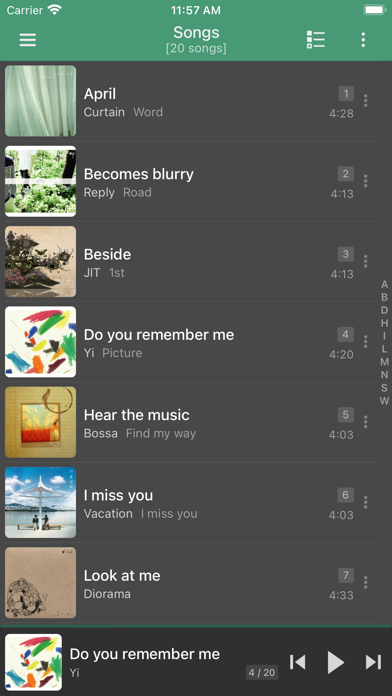
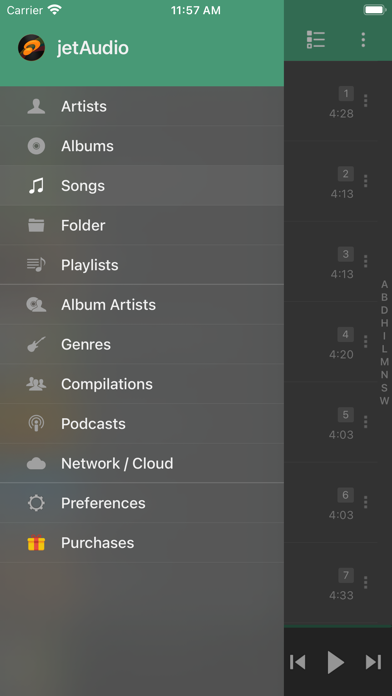
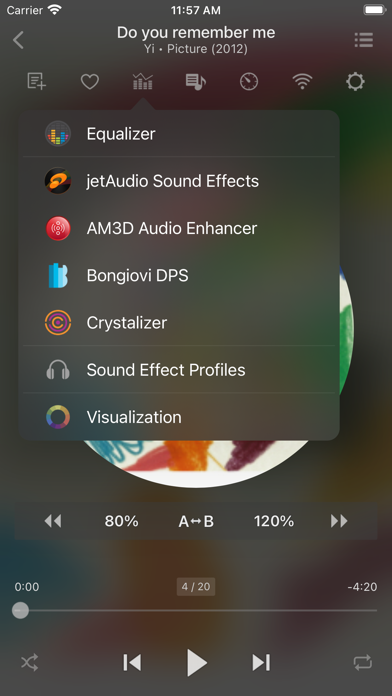
jetAudio is a music player with 10/20 bands graphic equalizer, visualization, network/cloud streaming and various sound effects. -- Sound Effects & Visualization plugins -- * Crystalizer * AM3D Audio Enhancer (http://www.am3d.com) * Bongiovi DPS (http://www.bongioviacoustics.com) * Visualizations (Sound effect & Visualization plugins will be sold separately through in-app purchase.) jetAudio is the highest rated and most downloaded media player on CNET.COM and now you can listen to same high-quality sound on your iOS devices using jetAudio. It plays almost any type of digital music files* you have (wav, mp3, ogg, flac, m4a, dsd, dsf, mpc, tta, wv, ape and more) and it provides a very high quality sound with various effects and enhancements such as Wide, Reverb, X-Bass. It comes with 16 equalizer presets that will provide a wide array of listening experience. For those who would like to customize their own sound experience, it also allows 10/20 bands graphic equalizer and other advanced playback functions including playback speed control, crossfading, AGC and much more. It can stream music from shared folders on local home network or WebDAV servers. It works with shared folders from Windows, USB drive attached to router, Network drives (NAS) or WebDAV servers. It also can stream music files in the cloud such as Google Drive, Dropbox, Box, OneDrive. Free version provides same features with Plus version except advertisements and some features. To enjoy full features of jetAudio, please purchase Plus Unlocker through In-App purchases. -- Features for Plus version only -- * 20-Bands Graphic Equalizer * Light Gray/White/Black Theme for Browser/Player * Album Art Size for Browser * Album Art Background for Player * Accent Color * No Ads -- Features for Basic/Plus version -- * Play music via Wi-Fi from shared folders on local home network (SMB) * Browse Artists/Albums/Songs/Folder/Playlists/Album Artists/Genres/Compilation category * 10-Bands Graphic Equalizer * X-Wide, Reverb, X-Bass Sound Effects * AGC (automatic gain control) to avoid volume fluctuations between tracks * Speed Control from 50% to 200% (pitch adjusted) * Pitch Shifter * Crossfading, Gap-less playback * Display Lyrics * Fade-in/Fade-out * Repeat A-B * Balance * Sleep Timer up to 24 hours * Flick up to show Now Playing * Flick left/right to play next/previous * Web Server to Transfer Files using any Web Browser (for Folder Browser) (*) FLAC, OGG, DSD, DSF, MPC, TTA, WV, APE, OPUS formats are supported in Folder Browser mode only. Use iTunes File Sharing or WiFi Transfer to copy files to jetAudio folder. (If you want to localize jetAudio for your language, please contact [email protected] for more information)


Radio Record, ZAO
Официальное приложение первой танцевальной радиостанции России - удобный интерфейс с выбором цветовой схемы; - 100+ радиоканалов; - синхронизация избранного между устройствами; - подписка на подкасты с уведомлениями о новых выпусках; - чат со студией с голосовыми сообщениями; - поиск по радиоканалам и подкастам; - выбор каналов по стилям и темам; - встроенный будильник и таймер сна; - личный кабинет; - поиск треков в популярных музыкальных сервисах; - билеты на события Рекорда без наценки. При подтверждении покупки оплата произойдет со счета, привязанного к вашему Apple ID. Подписка будет продлена автоматически в течение 24 часов до окончания текущего периода на срок, аналогичный предыдущему. Отключение автопродления на следующий период возможно не позднее, чем за 24 часа до окончания текущего периода. Неиспользованная часть бесплатного пробного периода аннулируется после приобретения подписки. Вы можете управлять подпиской или отключить автопродление в разделе "Настройки - Apple ID - Подписки". Лицензионное соглашение: https://www.radiorecord.ru/static/agreement Политика конфиденциальности: https://www.radiorecord.ru/static/policy
One Pixel Studio
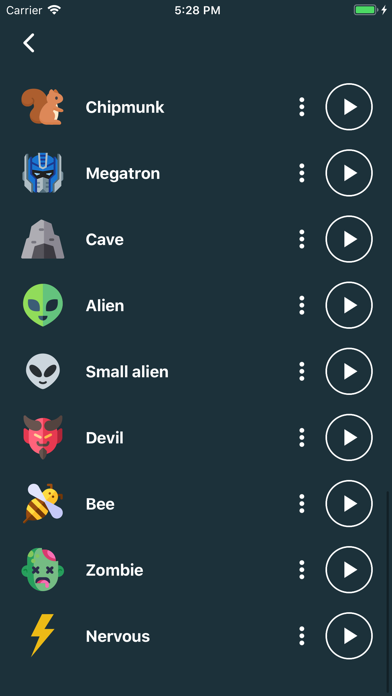
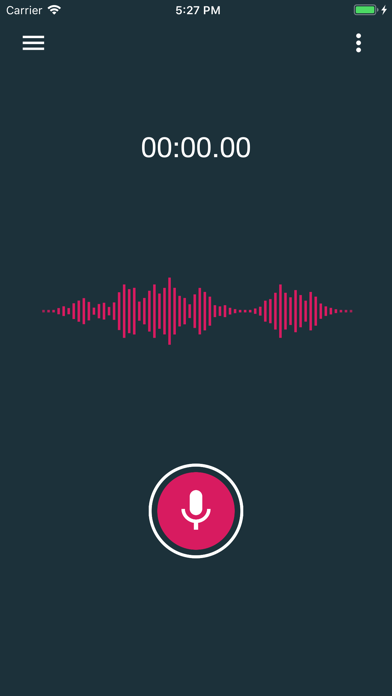
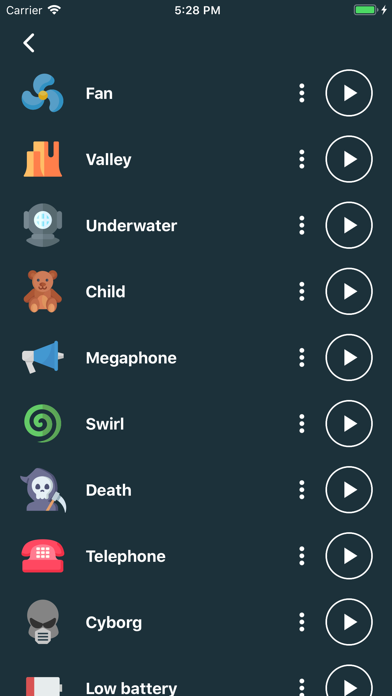
Record your voice and apply cool realistic effect via Voice Changer. The program is easy to use and can produce great sound effects and great fun! Voice is recorded in very high quality. You can also share recordings with your friends. FEATURES: • More than 25 effects: robot, alien, zombie, helium, drunk, chipmunk, death, cave, underwater, devil, telephone, swirl, fan, ... and many more! • Share recordings via different apps • Save recordings • Simple and intuitive interface • Futuristic design • Cool animations Change your voice and have fun listening to your modified voice!


Aditya Rajveer
Interact with your music and fall in love with your library all over again. ** Featured on MacStories, 9to5Mac, Cult of Mac, iDownloadBlog, iMore, and more. ** ** App of the Year 2022 - MacStories ** Marvis offers a beautiful presentation of your Music Library with loads of powerful features in a minimalistic yet highly customizable UI. • For Apple Music & iTunes Library. ‣ Supports Apple Music Search, Charts, Listen Now, Radio, and more. ‣ Non-subscribers can search & browse the Apple Music catalog and play 30s preview for all available songs. • Use Drag & Drop to add one or more items to Up Next, Play, or Shuffle. • Advanced Media Details and Artist Info. • List & Grid Layout. Multiple Grid styles to choose from, like Cover Flow. • 40+ App icon choices. • Sort and Group ‣ Sort by Recently Played/Added, Year, Rating, Play Count, and more. ‣ Group Playlists and Genres into Albums, Artists, Composers, etc. • Smart Rules: Filter, Sort, and Limit. • Last.fm support. ‣ The ability to scrobble is included with your purchase. ‣ Advanced features require an additional one-time fee. IMPORTANT: • It is required to have the Music app installed on your device to use Marvis. • Due to iOS restrictions, deleting items from your library or playlists via Marvis is not allowed. Reddit: r/MarvisApp

TIGI Software
Filza with MDC Support and No Ads! (Limited Features) A Powerful File Manager for iPhone, iPad, iPod Touch. Flat design, with best performance: • File viewers: Media player, Hex editor, Text editor, SQLite Editor, IPA Installer, DEB Installer, Web viewer, Terminal ... • SQLite Editor was design for large query, works well with over 100k+ rows in result • Execute shell scripts and applications just few tap • Cloud services: Dropbox, Box, Google Drive, WebDAV, FTP, SFTP • Supports SMB (Windows File Sharing) • Search files and folders easily • Powerful files copy/move design, just few taps • Download normal/html file with easy way: copy html link to Pasteboard, and paste it to destination folder • Manage Music library easily: import/export/delete/rename ... just do same as normal files • Explore files in list view mode or grid view mode, with thumbnail • Compress zip file, decompress zip/7z/rar/tar/tar.gz/gz ... • Install and extract DEB/IPA file, view DEB/IPA file information • Black theme and white theme, custom folder icon, file

ipaomtk.com
ipaomtk.com | eSound IPA In the era of digital music, having a reliable and user-friendly music player app is essential for any music lover. If you’re

ipaomtk.com
ipaomtk.com | Mixtube Offline Music Player IPA For iOS Gone are the days when you had to rely on an internet connection or waste precious mobile data

HappyTimes Tech Co., Ltd.
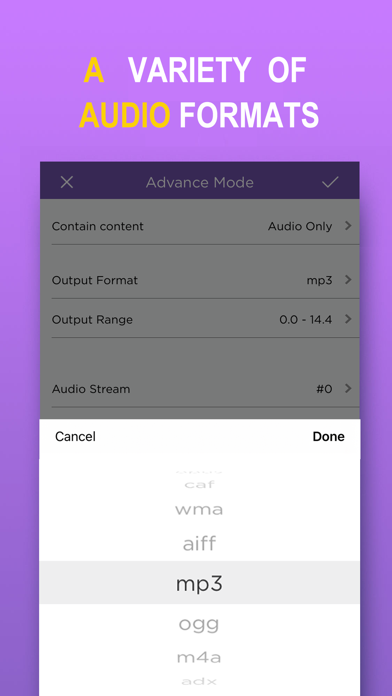
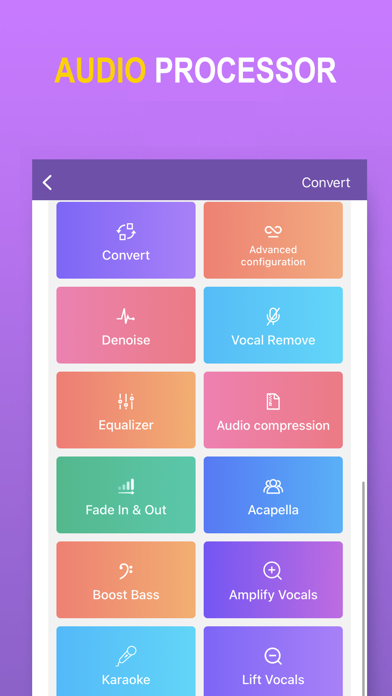
MP3 Converter converts any video to MP3 audio and saves it on your phone so you can listen to it anytime and anywhere. Features: - Convert video to MP3. - Very fast and easy to use. - Supports most video formats. - Supports most audio formats. - Widget to quickly import video or play recent audio - Multiple audio clippers and splicers - Intelligent denoising function - Audio post-processing (voice removal, equalizer, bass enhancement, automatic gain, etc.) - Quickly set ringtones - Share your mp3 files via other apps. ========================== MP3 Converter Pro Unlimited Subscription ========================== - MP3 Converter Pro Unlimited use all features for free, including more format support, unlimited timelimit, richer import and export modes, and ads are automatically removed. - MP3 Converter Pro Unlimited subscription is billed annually at the rate correspnding to the selected plan. In addition, a one-time payment will be offered if needed, which is not one of the subscription plan. - Payment will be charged to Itunes Account at confirmation of purchase. - Subscriptions automatically renews unless auto-renew is turned off at least 24 hours before the end of the current period. - Account will be charged for renewal within 24-hours prior to the end of the current period, and identify the cost of the renewal. - Subscriptions may be managed by the user and auto-renewal may be turned off by going to the user's Account Settings after purchase. - Any unused portion of a free trial period, if offered, will be forfeited when the user purchases a subscription to that publication, where applicable. - Terms of use: https://vl2d7p74tu.feishu.cn/docx/Ma7xdszymo8gpDxBJbGcV0YCnab - Privacy Policy: https://vl2d7p74tu.feishu.cn/docx/HcHHdXlnvoV6sOxKl4ccErZYnr4 Feel free to contact us: [email protected] Your problems or suggestions are important to us!

iJulioVerne
USE THIS IF YOU DO NOT LIKE THE NEW ONE OR IF ITS NOT WORKING I would highly recommend you use the new Spotify tweak as it has been updated to work o