
Music
Explore music and audio IPA listings for listening, streaming, podcasts, instruments, radio, and sound tools.


Beem Digital
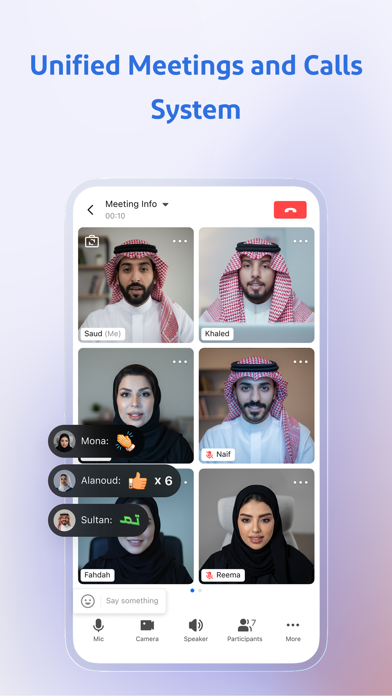
Beem - The All-in-One Enterprise Work Platform Unify your team’s messaging, meetings, documents, calendar, and tasks in one integrated and intelligent workspace. Beem is designed for organizations and teams to improve internal communication, collaboration, and productivity across distributed work environments. Main Features of Beem Built for Organizations • Scales from small teams to large enterprises with flexible roles and permissions. • Unified identity system and multilingual interface for seamless collaboration. Team Messaging • Fast and reliable communication for individuals and teams. • Real time translation for cross language collaboration. Meetings and Calls • High-quality Real-Time Communication, and screen sharing in one place. • Seamlessly transition from chat to meetings. Collaborative Docs & Cloud Drive • Create and edit documents in real time. • Secure file storage with access across devices. Work Calendar • Plan meetings, check availability, and manage schedules. • Supports multiple time zones for global teams. Task Management • Organize tasks with clear ownership and deadlines. • Link tasks to conversations for better context. Additional Features • Unified search across messages, documents, and groups. • Admin tools for managing members, roles, permissions, and access control. • Supports collaboration with approved external partners and organizations. Why Choose Beem? • All-in-one workspace for communication and productivity • Enterprise-level security and administrative control • Designed for modern teams • Consistent experience across devices
MWM
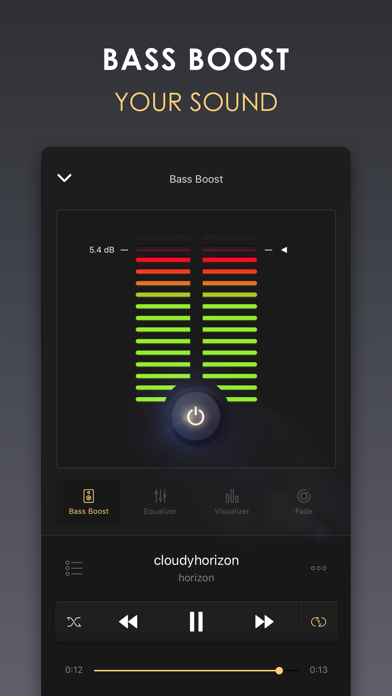
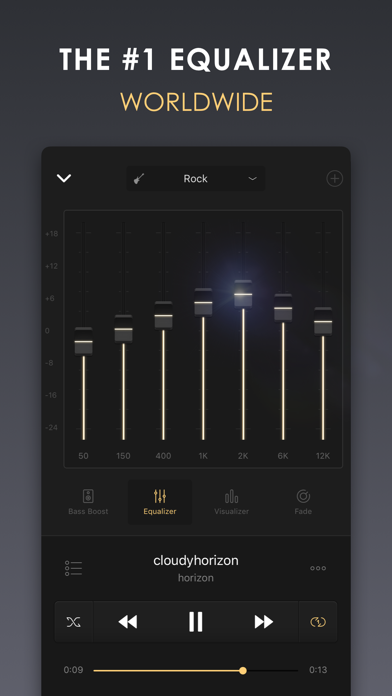
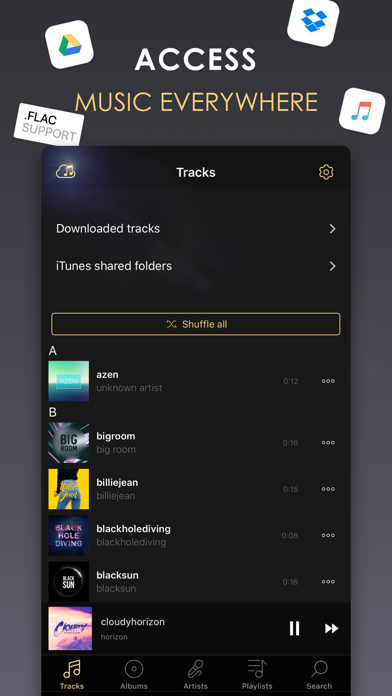
Equalizer+ is an all-in-one music player - equalizer - bass booster that offers brilliant sound quality, automatically optimized depending on the headphones used. Access your entire music library: iTunes, Google Drive, and Dropbox with offline mode - no wifi needed! Quality-focused, Equalizer+ makes it possible for you to mix, edit and customize the sound of your tracks to ensure an optimal music listening experience. Adjust songs that have too much or too little highs and lows, boost your bass to give more depth to your tracks, play your playlists like a DJ with the special DJ transitions, watch your sound pulse to the beat of the music...you control the sound! ACCESS ALL YOUR FAVORITE TRACKS - cloud storages access: Dropbox, Google Drive & iCloud - offline mode: no internet or WiFi needed - local music: all your iTunes tracks will automatically appear on Equalizer+ - import your iTunes playlists or directly create new ones on Equalizer+ - iTunes shared folder access: transfer your tracks between your computer and your device without having to synchronize with iTunes - contextual search feature: gives results sorted by songs, artists, albums, or playlists THE BEST ALL-IN-ONE MUSIC PLAYER - 7-band equalizer (from bass to high) to tailor your songs to your taste - 10 equalizer presets based on music genres (Flat, Pop, Rock, Electro, Dance, R&B, Hip hop, Jazz, Acoustic, Classical) - all major audio formats supported: mp3, FLAC... - possibility to save and edit your own custom presets - powerful bass booster: control the depth of your tracks - spectral representation of the sound: watch your sound pulse to the beat of the music thanks to awesome visualizers (Spectrum is FREE - other visualizers available in the premium version) - Airplay compatibility: dedicated view for the visualizers, watch your sound move on your tv! - Fade (DJ mode): access 6 predefined transition modes, and choose when to trigger the next track - queue system: prepare your tracklist in advance - 3-status 'repeat' function: repeat 1 song, repeat a whole playlist, no repetition - shuffle function: play your songs in random mode - music progression bar: easy navigation within your music - iPad special landscape mode - Sleep Timer: schedule the music stop, Equalizer+ will automatically stop when needed MUSIC SOURCES INFORMATION - Some tracks cannot be played for copyright reasons. It is the case for DRM-Protected tracks from the Apple Music application or some older tracks purchased on the iTunes Store with DRM protection. - Equalizer+ can not access tracks from Spotify, Deezer or other streaming services. The Pro subscription allows you to access all the present and upcoming Pro features such as the Bass Booster effect, the spectral representation catalog, the Pro DJ transition catalog. Pro subscribers can also access to unlimited playlists. ABOUT EQUALIZER+ Privacy Policy & Terms of Service: http://equalizerpl.us/terms-of-use Follow us : www.equalizerpl.us https://www.facebook.com/equalizerplus Question? Suggestion? Want to say hi? Contact our team : [email protected]

Jordan Hipwell
Music Info allows you to view information about songs in your library, including play count, skip count, release date, date added, album artist, composer, genre, year, comments, lyrics, and more.* "Apple's Music app on macOS surfaces all kinds of information about the songs you're listening to … But for reasons unknown, that isn't the case with the iOS version of Music. But as Apple likes to say, there's an app for that." —iMore Convenient ways to view info -- Open the app to see the song that’s currently playing in the Music app, and it will automatically update when the song changes -- Select a song from your library -- Look up a song using Music Recognition powered by Shazam -- Drag and drop a song from Music into the app -- Get info directly in the Music app from the share sheet — yes, this app adds the missing Get Info button! -- Add the widget to view info about the song currently playing in the Music app, and edit it to customize which song properties are visible — available for your Home Screen, iPad lock screen, CarPlay, and StandBy More features -- Reorder or hide information -- Tap and hold to copy information or artwork -- Select words in lyrics to look up, translate, copy, or share -- Play the selected song in the app -- Light and dark mode -- App Shortcuts -- Home Screen quick actions -- Menu bar, keyboard shortcuts, and multiple windows on iPad -- No ads, no tracking, no subscriptions How it works -- The Music app, like iTunes before it, saves metadata for each song you have in your library. Music Info reveals this information that otherwise isn’t accessible on iPhone and iPad. -- All songs in your library can be accessed in the Music Info app, no matter if they were added via Apple Music, purchased, matched, uploaded, or otherwise synced to your device. Songs in Apple Music that haven’t been added to your library have limited information available. -- The share sheet action is available when sharing a song in the Music app. Note that only songs that are available on Apple Music can be shared. Music Info will try to look up that song in your library which may require an internet connection. It’s possible it may not be able to find the right song, for example, if you’ve renamed it. If that is the case, you can still use the app to access its information even without an internet connection. Things to note -- Song metadata cannot be edited on iOS and iPadOS -- You do not need to be an Apple Music subscriber to use the app -- Music Info does not work with any third-party music services -- Lyrics must be added to your songs via Music or iTunes on your Mac or PC Music Info Unlimited -- View information of 15 songs for free -- Purchase the full version for unlimited access on all your devices -- One-time in-app purchase, no recurring payments *All available metadata: -- Artwork -- Title -- Artist -- Album -- Album Artist -- Composer -- Grouping -- Genre -- Year -- Track -- Disc -- Compilation -- Rating -- Explicit -- Beats per Minute -- Duration -- Start -- Stop -- Release Date -- Date Added -- Plays -- Last Played -- Skips -- Last Skipped -- Comments -- Lyrics


Inverse.AI
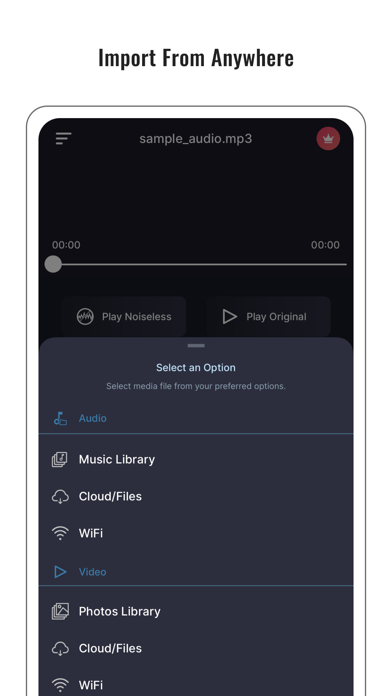
Noise Reducer is a tool for noise removal in audio files. Your recorded audio won’t be up to the mark if it’s noisy, so you need a good noise-reducer app to hear it clearly on your audio player. It’s the best noise reducer/cancellation app in the market by a great margin because it incorporates the latest Deep learning process to remove/cancel noise from an audio file. It also features a sound recorder inside it along with the noise-reducing/canceling feature. It even lets you save your reduced audio in different formats like AAC, MP3, WAV, M4A, M4B, FLAC, AC3, and OGG. It’s something a perfect noise reduction/cancellation app must include in its features. If you want to create audiobooks for free, you can use this perfect noise-free audio recorder (which you can also call ‘noise reducer pro’ - cuz’ it’s for the real pros) to create some awesome audiobooks that are not at all noisy. To wrap it up, if you want all that in one little package, this noise reducer is the perfect app for you. So, download and enjoy clear sounds free of distractions. Supported audio file formats are: M4A MP3 WAV M4B AAC FLAC AC3 OGG Supported video file formats are: MP4 MOV MKV M4V MPEG VOB 3GP 3GPP AVI FLV F4V MPG WMV MTS Supported recording formats are: ALAC ACC AIFF CAF WAV MP3 Payment will be charged to the iTunes Account at the end of your trial period if applicable, otherwise at the time of your purchase. Subscriptions automatically renew unless auto-renew is turned off at least 24 hours before the end of the current period. Accounts will be charged for renewal within 24 hours prior to the end of the current period. Subscriptions may be managed by the user and auto-renewal may be turned off by going to the user's Account Settings after purchase. Any unused portion of a free trial period, if offered, will be forfeited when the user purchases a subscription to that publication. Noise Reducer's Terms of Use at https://shorturl.at/stgXw Noise Reducer's Privacy Policy at https://shorturl.at/Wr11r

ipaomtk.com
ipaomtk.com | offline music player and browser IPA Music has become an integral part of our daily lives, with many of us relying on streaming services


Koosha Torkzade
ORG 24 – A Full Studio in Your Pocket. We turn your iPhone or iPad into a high-end music production studio and live keyboard workstation. Join over 200 million creators making real music, real fast. Make Beats. Play Live. Record Like a Pro. • Real Instruments – 1,000+ multi-sampled sounds: pianos, guitars, oud, synths, strings & more — controlled by FX, effects, and smart scripts • Global Styles & Rhythms – Arabic, Turkish, Persian, Rock, Pop, Jazz & more — with dynamic drum kits, multi-sections, and chord progressions • Pro-Grade Recording – Multi-track studio, overdubbing, effects, and MP3 export • Low-Latency Engine – Instant audio feedback for live performance & studio sessions • Quarter-Tone Tuning – Perfect for maqams, oriental scales, and microtonal music — even across two octaves • MIDI & QWERTY Keyboard Support – Connect and customize your MIDI controller or computer keyboard • Set Creator & Editor – Easily create, edit, or import sounds, rhythms, and sets using our free desktop app (sofeh.com) Perfect For: • Keyboard players seeking a professional mobile piano app • Music producers looking for a powerful GarageBand alternative • World musicians playing Arabic, Turkish, Persian, or microtonal music • Live performers and beat makers who demand ultra-low latency Trusted by Millions Join a passionate global community of musicians, producers, and live performers redefining mobile music creation. Learn more: www.sofeh.com Support: [email protected] YouTube: @sofehsunrise Facebook: facebook.com/sofehsunrise Download ORG 24 now and turn your device into a pro-level studio! Create. Perform. Inspire. Have fun. Be happy. AKA: ORG 2014, ORG 2015, ORG 2016, ORG 2017, ORG 2018, ORG 2019, ORG 2020, ORG 2021, ORG 2022, ORG 2023, ORG 2024, ORG 2025


SoundCloud Global Limited & Co KG
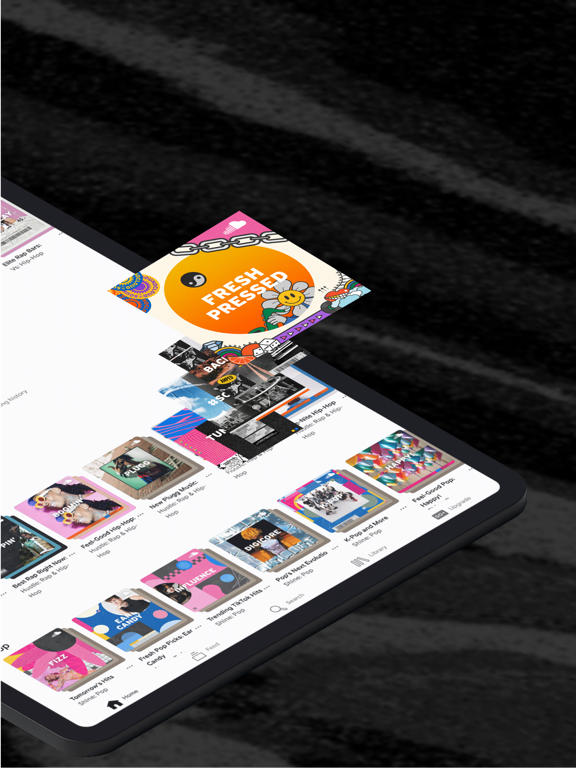
What’s next in music is first on SoundCloud. Be the first to discover, play and share your favorite tracks from emerging artists Access the world’s largest music discovery platform - That’s 300M+ tracks from 30M+ artists in 193 countries Discover new music, picked just for you - Play curated mixes and playlists based on the music you love Listen to exclusive music on SoundCloud - Hear tracks you can’t find anywhere else Find and connect with your music community - Share tracks, reach a global audience, and connect with your favorite artists and fans directly on SoundCloud Upload your own tracks - Tap into a global fanbase of millions by sharing your music Help your favorite independent artists get paid - Your fan-powered streams put money in the pockets of the artists you want to support Listen to SoundCloud for free, or subscribe to SoundCloud Go or SoundCloud Go+ for premium features. SOUNDCLOUD FREE: - Play your favorite tracks from independent and established artists, with ads SOUNDCLOUD Go: - Listen without ads - Save tracks to listen offline — anywhere, anytime SOUNDCLOUD Go+: - Unlock premium Go+ tracks - Upgrade your DJ sets with exclusive app integrations - Listen without ads - Save tracks to listen offline — anywhere, anytime - Support your favorite independent artists through Fan-Powered Royalties Need help? Get in touch: https://soundcloudcommunity.com https://help.soundcloud.com https://twitter.com/SCsupport SoundCloud is available in English, Brazilian Portuguese, Dutch, French, German, Italian, Spanish and Arabic. Privacy Policy: https://soundcloud.com/pages/privacy Terms of Use: https://soundcloud.com/terms-of-use
Luong Hoang
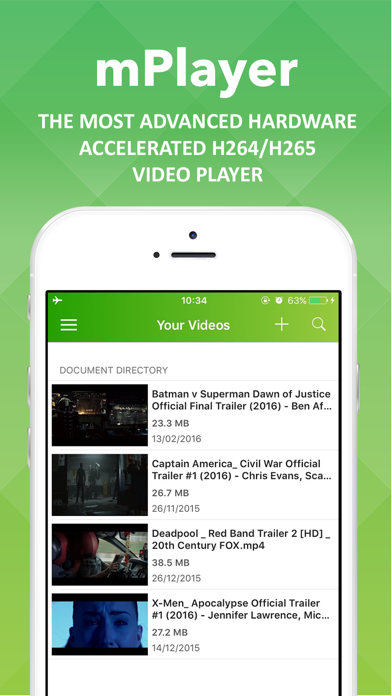
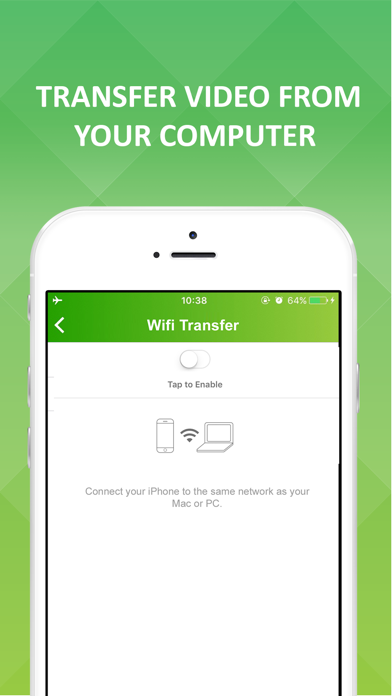
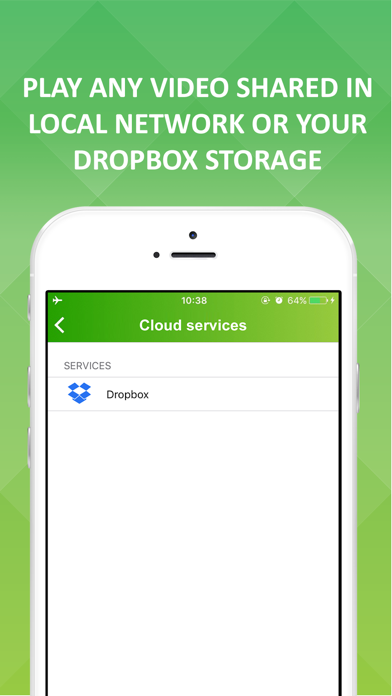
mPlayer - The most advanced video player for your smartphone - Play almost any video format without conversion needed. - Very efficient hardware acceleration engine. - Supported video codecs: MP4, H264, VP8, VP9,... - Supported audio codecs: MP3, AAC, OGG,.... - Supported file formats: MKV, TS, MPG, MP4, MOV.... - Play media file in Google Drive, DropBox, Box and OneDrive directly. - Supported subtitle format: SRT. - Download subtitle on the fly. - Quickly transfer media file via WiFi. - Play media file in network shares.


龙刚 李
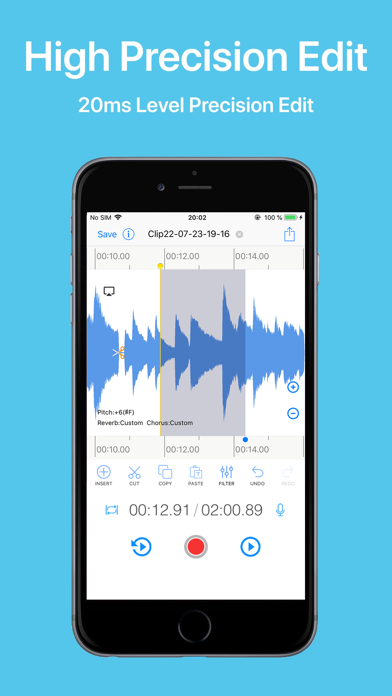
EZAudioCut is a audio record and audio editor app for iPhone, iPad and Apple Watch. With EZAudioCut you can edit and record music, voice, and other audio recordings. You can edit audio files with . You can also add audio effects like pitch, reverb, gain. You can insert the recording indefinitely, and also it can be used as a recording pen , you can easily intercept and merge audio, add sound processing, support the removal of the clip operation, heavy Do, support ultra-high precision editing audio, editing audio, support real-time pre-listening effect. HIGH PRECISION EDIT Support high-precision zoom to clip audio, cut, undo, redo at any time. VOLUME LINE ADJUST Volume line fine-tunes the volume,fade in, fadeout SUPPORTS MULTIPLE FORMATS Via of media file support import and export. (m4a,aac,mp2,mp3,wav,aif,mov,mp4 etc). A variety of sound quality export to meet different needs. UNLIMITED RECORDINGS Recording automatically after call. Record for as long as you want and as many times as you want. (No restrictions as long as you have enough available storage on your device). AUDIO ENHANCEMENT Reverb,Chorus,Gain,Harmonic exciter,Time Stretch,Pitch to Audio. NOISE REDUCTION Recurrent Neural Network Noise Reduction(Voice Noise). BLUETOOTH DEVICE SUPPORT Support AirPods and other Bluetooth headset to play and recording. SHARE Share audio or video by Email, Messages, WiFi, YouTube, Instagram, Snapchat. VIA AUDIO SOURCE SUPPORT 1. Audio from iTunes library, iCloud Driver. 2. Audio from others app. 3. Audio From web url. 4. Audio from local Video file. WATCH APP SUPPORT 1. Watch remote control iPhone to Recording. 2.Watch recording in background. 3.Support Watch Complications. RECYCLE BIN Support audio and clip recycle bin.

ipaomtk.com
ipaomtk.com | Musify Music Player IPA, As an iOS user, you’re always on the lookout for the best music player app to enhance your listening experience

ipaomtk.com
ipaomtk.com | When it comes to audio quality, O&D ايقاعات حية بجودة عالية (IPA) stands out from the rest. Each rhythm is crafted with great precisio

ipaomtk.com
ipaomtk.com | What Is Sodium Music? Sodium Music IPA is a genre of electronic music that is characterized by its deep, minimal sound and complex spend

ipaomtk.com
ipaomtk.com | Enjoy your favorite movies, TV shows and music, on the big screen. With the Streamer for Chromecast TVs IPA you can control your enterta
TwistedWave Software Ltd.
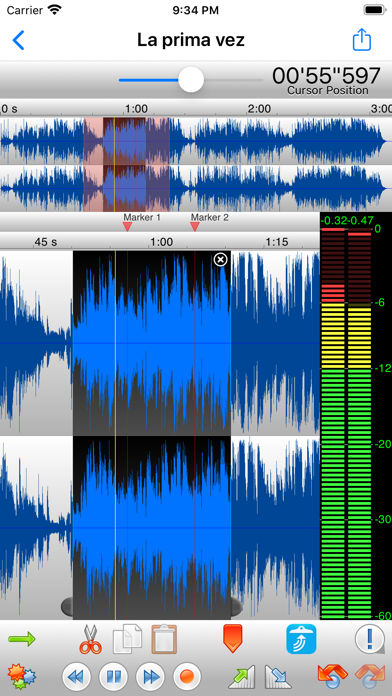
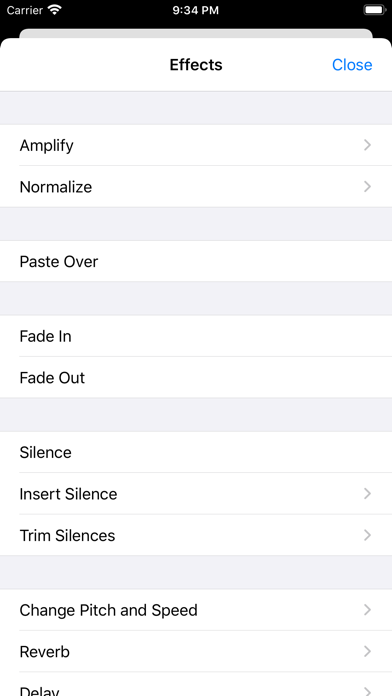
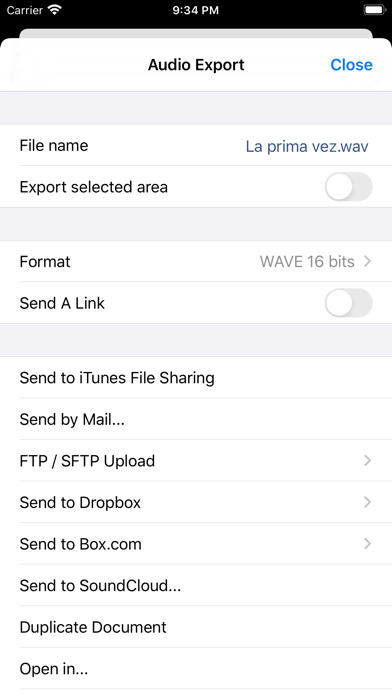
TwistedWave is a very fast and easy to use audio editor and recorder. Even when working with huge files, it will remain very fast and fluid, and will never run out of memory. UNIQUE TO TWISTEDWAVE • Very fluid, even with very large files • Unlimited undo / redo history, happens instantly RECORD AUDIO • No duration limit other than the available storage • Up to 24 bit / 96 kHz audio if your audio interface supports it • Record stereo audio with the built-in microphone (iPhone XS or more recent) • Record studio quality audio with an external microphone • Record audio from other music applications with Audiobus APPLY EFFECTS • Precision Time Stretching & Pitch Shifting technology licensed from ZTX • All the AudioUnit extensions (AUv3) available on the App Store can be used with TwistedWave • Cut, copy / paste audio around • Fade in / out • Reverb • Delay / echo • Distortion • Equalizer (parametric, or iPod EQ) • Dynamics processor, can be used as a compressor or a noise gate • Peak limiter to amplify audio without causing distortion • Amplify or normalize the audio to a given level • Filters (low-pass, high-pass, band-pass, low-shelf, high-shelf) • Convert the sampling rate (with SoX' very high quality resampler) • Reverse. Play the file backwards, mostly for fun! MANY FILE FORMATS SUPPORTED • WAV • M4A (AAC or Apple Lossless) • MP3 (Encoded with the LAME MP3 encoder for the best quality) • FLAC • AIFF • CAF MANY IMPORT OPTIONS • Import songs from the music library • Import files from the Files app • Import files from an SD card or USB drive, with the right adapter • Open files sent from other apps • Browser access, send a file to TwistedWave from a device on the same WiFi network MANY EXPORT OPTIONS • Send your files by - Email - iMessage - SoundCloud - Dropbox - AudioCopy - An FTP or SFTP account - Any app that accepts audio files • Export multiple files in a single ZIP file • Browser access to allow downloading and uploading files from/to TwistedWave • File too large? Just send a link. (30 days for free on TwistedWave's servers) BROWSER ACCESS Connect to the TwistedWave app from a web browser on another device or computer on the same WiFi network, and: • Play and download the files directly from a browser • Send files to TwistedWave by drag and dropping them in the browser


Saed Hamdan
تطبيق حفظ الفيديو وادارة الملفات هو واحد من افضل تطبيقات الايفون والايباد المجانية المتوفرة على الآب ستور التي يمكنك الاعتماد عليها فمن خلال هذا التطبيق يمكنك تحميل مقاطعك المفضلة من الفيديو الصور والملفات من الكلاود الى جهازك والاختيار من مجموعة متنوعة من الصيغ يعد تشغيل هذا التطبيق ضمن الأسهل من بين تطبيقات تحميل الفيديوهات المتوفرة لأجهزة ايفون . حيث يتيح لك التطبيق أن تقوم بتحميل وتنزيل أي ملف من خلال الضغط على زر التحميل ليتم نقل الملف الى التطبيق بكل سهولة وسرعة كما أن التطبيق لديه مدير للملفات الخاص به والمدمج معه حتى يوفر للمستخدم جميع المزايا المطلوبة لادارة ملفاته الخاصة والتعديل عليها كما يشاء . التطبيق يتيح لك تنزيل العديد من الجودات المختلفة من الفيديوهات ، فضلاً عن ان التطبيق يمنح المستخدمين خاصية تحويل الفيديو الي صوت Mp3 بكل سهولة . ويمكن للمستخدمين الاستمتاع بمشاهدة و الاستماع الى مقاطع فيديو و موسيقى و تشغيلها ايضا في الخلفية لكي تستمع لاقوى المهرجانات و الشيلات و اغاني العربية و الاجنبية و الاناشيد بكل راحة كما يمكنك البرنامج من مشاركة ونشر صورك و فيديوهاتك المحملة على تطبيق سناب شات من غير ظهور علامة فوق الفيديو انه من مكتبة الصور فبالتالي سوف يظهر الفيديو أنه تم تصويره الآن . كما ويوفر التطبيق المميزات التالية: - إمكانية فصل الموسيقى من الصوت أو الفيديو كل على حده . - ازالة الصوت البشري من أي مقطع صوتي أو مقطع فيديو . - إمكانية قفل التطبيق للخصوصية . - إمكانية وضع ملصقات (ايموجي) على الفيديو . - إمكانية الكتابة والرسم على الفيديو . - تحويل الفيديو إلى صور متحرّكة GIF . - تغيير سرعة الفيديو (تسريع / إبطاء) حسب اختيارك . - قص مقطع الفيديو للحصول على البعد المناسب . - يمكنك قص الفيديو وتقطيعه بسهولة للحصول على مدة فيديو قصيرة . - يمكنك تدوير الفيديو إلى اليسار أو اليمين أو عكس مقطع الفيديو بشكل كامل . - إزالة الصوت " كتم " من اي فيديو أو مقطع . - يسمح لك بتنزيل مقاطع فيديو عالية الجودة من وسائط جهازك المحمول ، ايكلاود (icloud ) ، دروب بوكس و جوجل درايف . - مكتبة التطبيق لحفظ وادارة الملفات توفر مميزات عديدة مثل تشغيل ملفات الفيديو كصوت في الخلفيه والاستماع الى music مفضلة لديك خارج التطبيق . -يتميز التطبيق ب ثيمات متعددة يمكن للمستخدم اختيارها من داخل البرنامج . - يتيح لك مدير الملفات بتنزيل عدة ملفات في نفس الوقت . - يتميز مشغل الموسيقى في البرنامج ب سهولة الاستخدام ووضوح أدوات تحكم الplayer - يمكن للمشتركين التواصل مع فريق الدعم الخاص بالتطبيق عبر اعدادات التطبيق . - يدعم التطبيق خاصية الicloud لتخزين الملفات . - يستطيع المستخدم ترتيب الملفات المحملة من خلال خاصية تحديد ملفاتي وترتبيها حسب الأحرف الأبجدية ، لعبت مؤخرا ، حمّلت مؤخرا . - يمكن استعادة الملفات المحذوفة من سلة المهملات في التطبيق قبل ٤٠ يوم من تاريخ حذفها . - يتميز التطبيق ب تقسيمات في واجهة التطبيق تجعل الوصول الى ما تريده أسهل من المفضل لهذا اليوم والفيديوهات التي لعبت مؤخرا وانواع موسيقى مفضلة لديك . -إمكانية إعادة مشاهدة الملفات المنزلة بدون الاتصال بالإنترنت. - يمكن من خلال التطبيق معرفة اسم الأغنية من خلال Shazam والانتقال اليها بكل سهولة . - يدعم اللغات : العربية والإنجليزية . بوجه عام فإن هذا التطبيق هو تطبيق رائع يجعل من السهل جدا الوصول الى كل الفيديوهات الموجودة على هاتفك ومشاركتها على مواقع التواصل الاجتماعي مع أصدقائك . - Payment will be charged to iTunes Account at confirmation of purchase - Subscription automatically renews unless auto-renew is turned off at least 24-hours before the end of the period - Length of subscription: one month. - Account will be charged for renewal within 24-hours prior to the end of the current period, and identify the cost of the renewal - Price of subscription: one month - 4.99 dollars. - Subscriptions may be managed by the user and auto-renewal may be turned off by going to the user’s Account Settings after purchase - No cancellation of the current subscription is allowed during active subscription period Privacy Link: https://saedhamdan.com/cloudManager/privacy.html Terms Link https://saedhamdan.com/cloudManager/terms.html

Alfhaily & Qn_
Unfortunately, AltStore can not handle two (or more) applications that have the same bundle ID (uYouPlus, CercubePlus and CercubePlus (Legacy)). I have no other choice except to modify the bundle ID of CercubePlus (Legacy). Thus, you won't be able to install CercubePlus (Legacy) directly through AltStore. You still can download the IPA like normal though. Full infomation about CercubePlus (Legacy) is available on my Github: https://github.com/qnblackcat/CercubePlus/tree/iOS-12/ Credits: Please keep the Credits if you re-up CercubePlus (Legacy)! - Alfhaily for Cercube. - Galactic-Dev for the original iSponsorBlockLegacy, @Luewii for his fork of iSponsorBlock (which works in jailed mode). - PoomSmart for YouRememberCaption, YTClassicVideoQuality, YTNoCheckLocalNetwork, YTSystemAppearance, and Return YouTube Dislike. - level3tjg for YTNoHoverCards. Known issues: - YTUHD is removed because most iOS 12 devices don't support VP9 codec (Hardware restriction). - iOS 12 doesn't have the built-in Picture in Picture mode like iOS 14+, so YouPiP must be removed as well. - Hide Cast button may not work. - YouPiP (iOS 14.0 - 14.4.2): due to Apple's fault, you may encounter the speedup-bug as described here. The bug also happens when you try to play multi-sources of sound at the same time. Enable Legacy PiP is a workaround. Note that Legacy PiP removes UHD quality and breaks the default video quality feature of uYou. Use it at your own risk!

Gryphel Project & zydeco
Features • Emulates Mac Plus, Mac II or Mac 128K • Full simulated keyboard (including all Mac keys) • Full sound output • Uses external keyboard if a

Firecore, LLC
Ignite your video content with Infuse – the beautiful way to watch almost any video format on your iPhone, iPad, Apple TV, Mac, and Vision. No need to convert files! Infuse is optimized for iOS 26, with powerful streaming options, Trakt sync, and unmatched AirPlay & subtitle support. Gorgeous interface. Precise controls. And silky-smooth playback. - PLAY MORE VIDEO TYPES A powerful video player that plays just about anything, including MP4, MKV, M4V and MOV – plus many others. Includes support for HDR, HDR10+, Dolby Vision, plus Dolby and DTS audio. - STREAM FROM OTHER DEVICES Browse and play videos stored on your Mac, PC, NAS, Wi-Fi hard drive, apps like Plex, Emby, and Jellyfin, or from cloud services like Dropbox, Google Drive, OneDrive, Box, pCloud, Yandex.Disk, MEGA, Aliyun Drive, and others – no syncing required! - AIRPLAY & GOOGLE CAST OPTIONS Stream a wide variety of videos types such as MKV, MP4, M4V, and others over AirPlay & Google Cast with full surround sound and subtitles. - TRAKT 2-WAY SYNC Connect with Trakt to sync watched history, submit ratings and post comments. - OPTIMIZED SUBTITLES POWERED BY OPENSUBTITLES Bring your own subtitles, or download them on the fly (for free) in virtually any language. ===== “Looks great, plays anything you throw at it...surprisingly powerful” - Lifehacker “The best media player for iPhone and iPad...superior to VLC.” - Cult of Mac “I can't give the UI high enough praise. It's great.” - 9to5Mac “I see no reason whatsoever to remove Infuse from my Home screen anytime soon.” - iDownloadBlog “A beautiful UI.” - Trakt co-founder “A mini Kodi!” - Infuse user ===== MORE THAN JUST A PRETTY FACE THE BASICS - Silky-smooth video player (plays full 4K w/ HDR & Dolby Vision) - Stream from a Mac, PC, NAS or Wi-Fi enabled hard drive - Connect with Plex, Emby, Jellyfin, Kodi (XBMC), WMC and other media servers - Beautiful layout with quick access to video info - Artwork and metadata added automatically - Split View & PIP - Spatial audio SUPPORTED FORMATS - Video: 33GP, AVI, AV1, ASF, BDMV, DIVX, DVDMEDIA, DVR-MS, FLV, H.264 (AVC), H.265 (HEVC), ISO/IMG, M4V, MKV, MOV, MP4, MPEG, MTS/M2TS, MXF, OGM, OGV, RMVB, TS, VC1, VIDEO_TS, VOB, VP9, WEBM, WMV, WTV - Audio: AAC, AC3/E-AC3, DOLBY TRUEHD, DTS, DTS-HD MA, FLAC, MP3, OGG, PCM, WMA - Subtitles: DVB, DVDSUB, MICRODVD, MPL2, PGS, SMI, SSA/ASS, SRT, SUB, SUP, TIMED TEXT, TXT, VOBSUB, VTT, XSUB PLAYER FEATURES - Multiple audio tracks - Chapters - Gesture controls - 8 video zoom options - Continuous playback - TV out via HDMI or VGA adapter - Deinterlacing EXTRAS - Folders - One-click subtitle downloads from OpenSubtitles - Scrobble plays to Trakt - Download videos from networked devices - Drag and drop uploads via web browser - Get extra onboard storage with SanDisk iXpand and other USB drives GET MORE WITH INFUSE PRO! - Play even more video formats - Stream video trailers for movies and TV shows - Enjoy high-resolution Dolby® and DTS® audio - Access videos stored in cloud services like Dropbox, Google Drive, Box, OneDrive, pCloud, Yandex.Disk, MEGA, Aliyun Drive, and more - Stream a wide variety of video types over AirPlay and Google Cast - Sync libraries, settings, watched history, and playback progress between devices ==== Note: DRM-protected movies & TV shows purchased from the iTunes store are not supported. Metadata and artwork provided by TMDB, which is a community maintained movie and TV show database. ==== Infuse Pro is available as a optional subscription, and includes a free trial period that begins once your purchase has been confirmed with your iTunes Account. When the trial period concludes, your subscription will start and renew automatically. Your iTunes Account will be charged for the upcoming period unless you disable auto-renew or cancel your subscription in your Account Settings at least 24-hours prior to the end of the current period. Visit firecore.com/terms-privacy for full terms and privacy policy.

Louis Anslow
Rewound turns your smartphone into your favourite MP3 player from the early 2000s. Access your whole Apple Music library with the swipe of a clickywhe

Luma Touch LLC
LumaFusion: The Ultimate Storytelling Experience for Video Editing Welcome to the App Store’s “App of the Year” for 2021 and the recipient of the Editors’ Choice Award! The gold standard for storytellers worldwide. Offering a fluid, intuitive, touch-screen editing experience. PROFESSIONAL EDITING MADE EASY • Six video/audio or graphic tracks: Create multiple layer edits with smooth handling of 4K ProRes and HDR media. • Six Additional audio tracks: Build your soundscape. • The ultimate Timeline: Fluent editing using the world’s most flexible track-based AND magnetic timeline. • Loads of transitions: Keep your story moving. • External Monitor Preview: View on a big screen. • Markers, tags and notes: Stay organized. • Voiceover: Record VO while playing your movie. LAYERED EFFECTS AND COLOR CORRECTION • Green screen, luma, and chroma keys: For creative compositing. • Lock & Load Video Stabilizer: Steady your footage. • Powerful color correction: Create your own look. • Video Waveform, vector and histogram scopes. • LUTs: Import and apply multiple .cube or .3dl LUTs. • Unlimited keyframes: Animate effects with precision. • Customizable text and effect presets: Save and share your favorite animations and looks. • Grids and Guides: Precisely align elements with Title-Safe, Action-Safe and horizon line. ADVANCED AUDIO CONTROL • Graphic EQ, Parametric EQ and Voice Isolation: Fine-tune audio. • Keyframe audio levels, panning, and EQ: Craft seamless mixes. • Stereo and Dual-mono audio support: For interviews with multiple mics on one clip. • Audio Ducking: Balance your music and dialogue. • Third-party audio plugins: Enhance your sound. CREATIVE TITLES AND MULTILAYER TEXT • Multilayer titles: Combine shapes, images, and text into your graphic. • Customizable fonts, colors, borders, and shadows: Design eye-catching titles. • Import custom fonts: Strengthen your brand. • Save and share title presets: Perfect for collaboration. PROJECT FLEXIBILITY AND MEDIA LIBRARY • Aspect ratios for all uses: From widescreen cinema to social media. • Frame rates from 18fps to 240fps: Flexibility for any workflow. • Edit from Photos, Frame.io, and directly from USB-C drives: Access your content anywhere. • Import media from cloud storage: Wherever you store it. SHARE YOUR MASTERPIECES • Control resolution, quality, and format: • Share movies to social media, local storage or cloud storage. • Edit on multiple devices: Seamlessly transfer projects. ENHANCED FEATURES (purchase individually, or get them ALL as part of the Creator Pass subscription - see below) • Speed Ramping and Enhanced Keyframing - Create speed ramps, Bézier curves, and easing with this one-of-a-kind, easy to use feature. • XML Export: Send your project to Final Cut Pro for Mac • Multicam Studio: Synchronize 6 cameras or audio and tap to switch angles CREATOR PASS SUBSCRIPTION • Get full access to Storyblocks for LumaFusion: Millions of High-quality royalty-free music, SFX, and videos, PLUS get ALL the Enhanced Features above. EXCEPTIONAL FREE SUPPORT • Online tutorials: www.youtube.com/@LumaTouch • Reference Guide: luma-touch.com/lumafusion-reference-guide • Support: luma-touch.com/support

Karbin-Store

Noodlecake Studios
In this gorgeous twist on the infinite runner, you guide an agile snowboarder down a never-ending mountain, pulling off backflips over icy chasms and grinding along rooftops in sleepy villages. Simple one-finger controls make it instantly accessible, but tackling each level’s trio of challenges requires defft reflexes. With its exquisitely rendered visuals, soothing music, and finely tuned gameplay, Alto’s Adventure is simultaneously serene and exciting.
IK Multimedia US, LLC
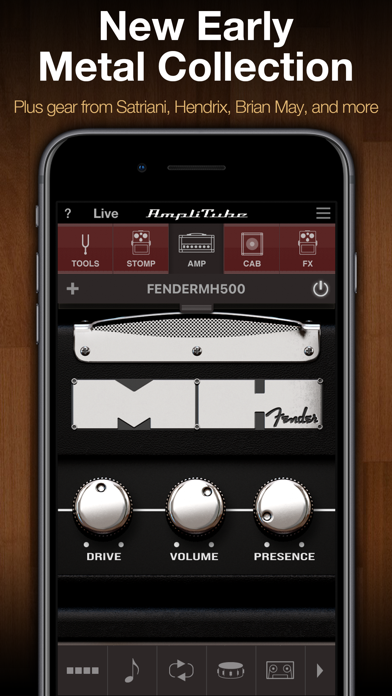
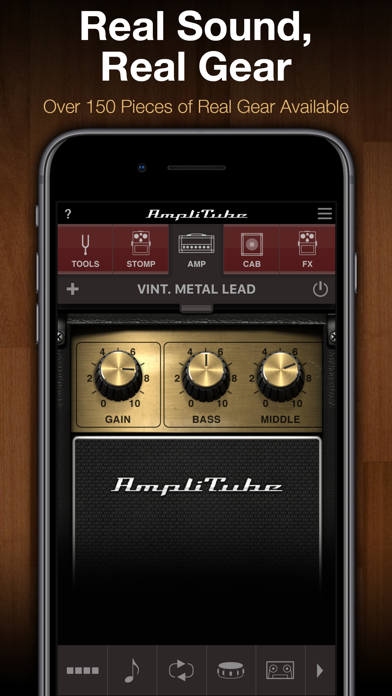
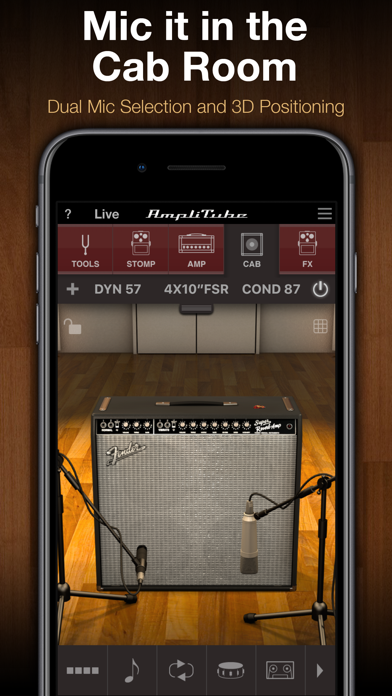
Want the ultimate mobile guitar and bass tone studio? AmpliTube gives you a massive collection of virtual gear that you can use to practice, play and record with world-class tone anytime and anywhere. Build your own guitar or bass rig with up to 6 stompbox FX, an amplifier and cabinet with mics. Plug your instrument into your iPhone with one of IK's interfaces like iRig 2 or iRig HD 2, and get ready to be blown away. AmpliTube for iPhone gives you 17 stompbox effects, 8 amplifiers, 10 speaker cabinets and 2 mics, a free Loop Drummer Rock groove pack and a 2-track recorder. You can expand this via a massive library of over 150 amps and stompboxes from top brands like Fender™, Ampeg®, Orange®, Mesa/Boogie®, and many more, or unlock the rigs of your heroes with gear from Joe Satriani, Dimebag Darrell and Brian May. Ready to hit the stage? AmpliTube’s Live Mode offers an optimized GUI for live use, with all the settings and controls you need in an easy-to-read format. Control your virtual rig just like real gear: change presets, trigger FX, loops and more all right from your feet. AmpliTube pairs with iRig Stomp I/O for a powerful all-in-one stage rig, works wirelessly with iRig Blueboard, and supports other MIDI controllers as well. AmpliTube also offers innovative ways to play, practice and record with an optional Looper, more drum track loops, a full 8-track recorder and DAW-style studio all available for in-app purchase. Whether it’s at home, in the studio or on stage, AmpliTube is the dream rig you’ve always wanted, in a device that’s always with you! AmpliTube features: • Create guitar & bass rigs with up to 6 stomps, 1 amp and 1 cab with 2 mics • Includes 17 stomps, 8 amps, 10 cabinets and 2 mics • Expandable with over 150 gear models available from Fender™, Ampeg®, Orange®, Mesa/Boogie®, Joe Satriani, Dimebag Darrell and Brian May • Live Mode shows your entire rig at a glance, with all the parameters you need on stage easily accessible • Included 2-track recorder (in-app purchase unlocks up to 8-tracks) • Studio mode for intuitive DAW-style editing (unlocked via in-app purchase) • Loop drummer module that plays in sync with the recorder • Includes speed trainer, metronome and tuner • Inter-App Audio and AudioBus support • Project sharing between versions and devices • Import and play songs as backing tracks from your Music Library or computer • Export audio via E-mail, SoundCloud or File Sharing • MIDI controllable and with built-in integration for iRig Stomp I/O, iRig Blueboard and other controllers • Low-latency for real-time playing More info: www.amplitube.com/ios Accessory info: www.ikmultimedia.com/irig

Karbin-Store
📨(مميزات التطبيق الداخليه)📨 تعديل صيغ الصوت بكل الانواع ✅ التعديل علي ملفات الصوت ✅ تقطيع وتعديل الصوت وتصديره ✅