
Music
Explore music and audio IPA listings for listening, streaming, podcasts, instruments, radio, and sound tools.

BeepStreet
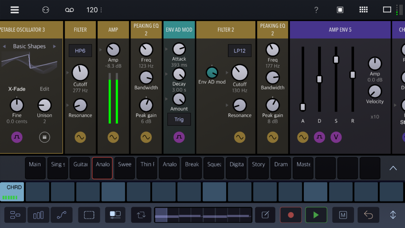
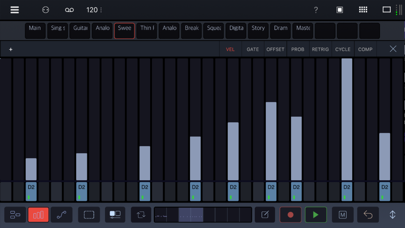
Drambo is your all-in-one sound laboratory that adapts to your workflow: build beats as a groovebox, design synths, or transform audio with effects, standalone or inside your favorite DAW. At the core of Drambo is a fresh approach to modular design that makes creating with modules easy, fun, and accessible. Connections happen automatically as you add or move modules, so there are no messy cables to slow you down. The interface adapts to your workflow, generating modulation controls when you need them, and even lets modules contain other modules for perfect organization. You’re always free to override the automatic connections, but most of the time, you can just dive in, experiment, and shape sounds without getting tangled in wires. Use a deep and innovative sequencer to compose patterns and whole tracks, for production or live performance. Go beyond simple looping sequences with parameter locking, conditional step components, parameters automation and powerful scene morphing. Drambo works equally well as a self-contained standalone app or audio unit plugin with audio and MIDI connectivity as an AUV3 instrument, audio effect and MIDI effect. "Drambo changes the face of iOS music apps." Cult of Mac You can use Drambo as • A complete music production and performance environment • Endless modular playground, that allows you to build, modify and store custom instruments and effects. For instance: build a custom synth, sample and resample, build a Theremin using a gyroscope module, or turn your table into a playable surface, by processing microphone input with physical modelling modules. Get weird or make functional instruments and tools. • MIDI sequencer, that works with hardware and AUv3 instruments (e.g. Drambo sequences other instruments in an AU host app). Moreover Drambo can generate custom MIDI CC messages or modulation signals to control modular synths via DC coupled interfaces. • AUv3 synthesizer, effect or sequencer in other DAWs. Drambo can replace a lot of audio plugins. For instance: you may use it as a chorus, phaser, reverb, filter, equalizer, complex modular delay, decimator, frequency shifter, MIDI effect or complex modulator for other synths. You may combine, modulate and sequence them in no time. Features: • Polyphonic, stereo processing and audio-rate modulation. All signals are equal. Up to 16 voices per modular instrument rack. • Unique modular concept: cable-less, drag'n'drop, color coding dynamic interface, automatic connections, and customizable compact, rack views. • Directional flow makes Drambo routing and patching straightforward. Signal flows only left to right, so there are no instant feedback routings in Drambo. Delayed feedback is possible using certain modules. • Simple and clean interface, that scales to every size and device orientation • Over 140 modules available, such as: oscillators, samplers, physical modelling modules, LFOs, envelope generators, filters, audio effects, mixers, MIDI processors, sequencers and math functions. (Includes a macro oscillator based on the famous Eurorack Plaits module, with 24 synth engines) • Custom modular racks that can be nested, with presets at the track, rack, and module level. • Clip launcher / song arrager. • 16-tracks, polyphonic sequencer with parameter locks, automation and step components. 8 dedicated step sequence editor types, piano-roll, powerful automation designer with drawing modes and cubic Bezier curves. • Audio Units hosting ( standalone app only ) • Morph groups: you can morph many parameters using a single slider. • Available as a standalone app, AUv3 instrument, effect and MIDI effect. • MIDI and Ableton Link support With Drambo, you are in charge. Create the music from your vision to reality. Visit the BeepStreet page for help and tutorials, and Patchstorage for community content.

Fabrice Mac
If you've ever wondered "What's that chord?" or if you just want to discover great new chords, FABULUS IS FOR YOU! Just select two or more notes on the interactive fretboard to get the chord name and the role of each note, or browse a list of over 100,000 chords ! NO ADVERTISING, NO PERSONAL DATA COLLECTED HOWEVER, ALL FUNCTIONS ARE AVAILABLE : Chord Identifier, Decomposer, Browser and Chord Creator. Including : - All chord types and all possible fingerings, - All inverted chords. - 20 predefined tunings (DADGAD, Open Tunings, etc.) and the possibility to add any tuning, even personal ones. - 43 scales to visualize and listen to in any tuning, even personal ones. - Capo - Key transposer - Listening to any chord (at fast and slow speeds) - Left-Handed Mode - A quiz to exercise your relative and absolute ear - The circle of fifths to explore and listen to help you compose In Express Search mode, you can now display the basic positions of the m, sus2, sus4, 5, Aug, 6, Dim7, 7, Maj7, Add9, m6, m7, mMaj7, mAdd9 and sus4 7 chords simply by scrolling through the neck. Fabulus offers over 2000 image examples for finger positioning. ***** Identifier ***** On a video a guitarist plays a chord you don't know ? You have composed a song by ear and you want to write the chord grid ? Fabulus gives you the name of the chord from the position of the fingers. ***** Decomposer ***** You're a beginner and you want to understand the chord positions to better memorize them ? For any chord in any tuning Fabulus shows you the role of each note. ***** Browser ***** You play with another guitarist and want to find different chords? Fabulus offers you more than 100,000 chords, according to the tuning, the fret level, the reversal and the capo. You will have all the possible fingerings even for your personal tunings. ***** Creator ***** You Want to break out of the routine and create your own chords ? In "Creation" mode, Fabulus shows you all the possibilities for each note of a chord to create your own chords. FABULUS : THE SIMPLE AND VISUAL TOOL TO UNDERSTAND GUITAR CHORDS ***** Simple ***** On the interactive fretboard : Place the fingering and discover the name of the chord with the role of each note. Save your chord, tag it and add it to the list of over 100,000 chords ! In the List : Just select a chord root and a chord name, then browse through all the shapes. Jump to another fret with a quick tap ! ***** Visual ***** Fabulus uses a color code and some symbols that will quickly become familiar to you. A legend can be accessed at any time by a simple long press on the "FABULUS" logo. FABULUS : THE GUITARIST'S TOOL With this simple tool in your pocket, you will progress effortlessly in understanding chords and take a big step forward in your guitar playing. Choose your language from English, French, Spanish, Italian, Portuguese, German, Russian, Japanese, Korean and Simplified Chinese. ========================================= DOWNLOAD FABULUS TODAY! ========================================= Your satisfaction is our main concern so if you have any question or comment, we are at your disposal : [email protected] More information on https://fabulus-chords.com Terms of Use (EULA): https://www.apple.com/legal/internet-services/itunes/dev/stdeula/ Privacy Policy: https://fabulus-chords.com/privacy/

flowkey GmbH
flowkey makes it fun and easy to play your favorite songs on piano – whether you’re a complete beginner or an experienced player. All songs and courses are created by professional pianists, with interactive lessons, practice tools, and instant feedback to help you learn piano the way that works for you. Choose from thousands of beautifully-arranged piano pieces covering all genres, including: Classical, Pop, Film & TV and more. With songs available in four difficulty levels, you’ll always find new pieces to play. If you’re a beginner, learn piano step by step – with courses on how to read sheet music, navigate the keyboard, and play songs with both hands. flowkey’s beginner piano lessons are easy to follow and are a great way to learn piano fundamentals. Experienced piano players can sharpen their skills with in-depth tutorials covering scales, chords and improvisation. All you need to learn piano and play your favorite songs is the flowkey app, your device (phone, tablet or laptop), and an instrument. flowkey works with acoustic pianos, digital pianos, and keyboards. ALL YOU NEED TO LEARN PIANO & KEYBOARD flowkey’s interactive learning features make piano practice easy – and give you instant feedback on your playing. Loop: Choose specific sections to practice, and replay until you’ve perfected them. Select a Hand: Practice the right and left hand notes separately. Wait Mode: Follows as you play and waits for you to hit the right notes and chords. Works with your device’s microphone – or through Bluetooth/MIDI on digital pianos and keyboards. Video: Watch a professional piano player perform the song, see the next notes highlighted on the keyboard, and see how to place your fingers. Just Play: Perform the whole piece and Just Play keeps up with the score – even if you miss a few notes. Full Sheet Music View: If you’re using a tablet, turn it to portrait mode and practice reading traditional sheet music. TRY FLOWKEY FOR FREE Subscribe to the Yearly plan and the first 7 days are free – so you can explore the full piano song library, discover all courses and lessons, and learn how to use flowkey’s practice tools to master your favorite songs faster. Not ready to subscribe? A limited selection of beginner piano lessons and classical songs is available to learn for free. CHOOSE THE SUBSCRIPTION THAT SUITS YOU flowkey Premium - Includes all learning tools and courses - Access to the whole song library – including Classical, Pop, Rock, Film & TV and more. - Use flowkey on multiple devices flowkey Classic - Includes all learning tools and courses - Access to all classical and non-copyrighted songs - Use flowkey on multiple devices flowkey Family - Includes all learning tools and courses - Separate Premium accounts for up to 5 people on multiple devices - Access to the whole song library of digital sheet music BILLING OPTIONS Monthly: Stay flexible with monthly billing. Cancel anytime. Yearly: Save by subscribing to flowkey for 12 months. Includes a 7-day trial, which can be cancelled up to 24 hours before billing starts. Subscriptions renew automatically unless cancelled at least 24 hours before the end of the current subscription period. PEOPLE LOVE FLOWKEY With over 15 million people learning with flowkey worldwide, and 213,000+ 5-star reviews from happy pianists, keyboard players and piano teachers, we know flowkey’s fun approach to learning works. Ready to try it for yourself? WE’RE HERE TO HELP If you have any questions or feedback, you can reach us via email: [email protected] Or directly in the app by tapping: Settings -> Support & Feedback. FLOWKEY FOR TEACHERS If you’re a piano teacher or music tutor who’d like to use flowkey in lessons, or to support your students’ at-home practice, get in touch with the ‘flowkey for Teachers’ team at: [email protected] Terms of Service: https://www.flowkey.com/en/terms-of-service Privacy Policy: https://www.flowkey.com/en/privacy-policy

forScore, LLC
Go paperless. Get organized. Download and play something new in seconds. With forScore for iOS, iPadOS, macOS and visionOS, your scores have never been better—it’s everything you can do with paper and so much more. As seen in Apple keynote addresses and retail stores worldwide! On your music stand or on the go, it's the complete PDF sheet music reading experience that has wowed musicians all over the world for years: CONNECT • Copy PDFs from other apps like Safari and Mail and sync them to all of your devices with iCloud • Import scores from popular cloud storage services and content providers like Musicnotes.com • Share scores and setlists with colleagues, whether or not they use forScore ORGANIZE • Add metadata to your scores for a perfectly browsable, instantly searchable library • Create smart bookmarks to manage longer files containing multiple parts or pieces • Group scores manually with Setlists to play through them from start to finish PLAY • View full pages in portrait orientation and crop them to better fit your device's screen • Turn your device sideways for bigger scrolling pages or view two pages side by side instead • Use Reflow on smaller screens to lay out systems of music end-to-end like a horizontal teleprompter REFINE • Enter annotation mode to draw, type text, or place common symbols onto the page • Separate your annotations into layers and show or hide them at any time • Open scores and setlists in multiple windows or tabs to multitask with ease SIMPLIFY • Create links and buttons to handle repeats or perform common actions with a single tap • Rearrange and duplicate pages of a score to play without jumping back and forth • Connect your Bluetooth page turner for hands-free navigation EXTEND • Access integrated utilities like our metronome, pitch pipe, tuner, and piano keyboard • Link tracks to scores to loop regions, adjust pitch, and even use them to record and play back your page turns • Connect wirelessly to nearby devices and coordinate your page turns and program changes effortlessly There's much more than those highlights, though, so be sure to visit forscore.co to learn all about forScore's incredible features and find out why so many musicians agree that forScore is simply the best! Note: forScore also offers an optional, annual auto-renewing subscription called forScore Pro that unlocks additional features and content (visit forScore.co/pro for complete details). forScore Pro is a 1-year subscription that renews automatically until canceled. Should you choose to subscribe, payment will be charged to your iTunes Account upon confirmation of purchase. Your subscription will then automatically renew unless canceled at least 24 hours before the end of the current period. You can manage your subscriptions in your iTunes Account Settings after purchase. Complete terms of service are available on our website at: forScore.co/terms-of-service
Arobas Music
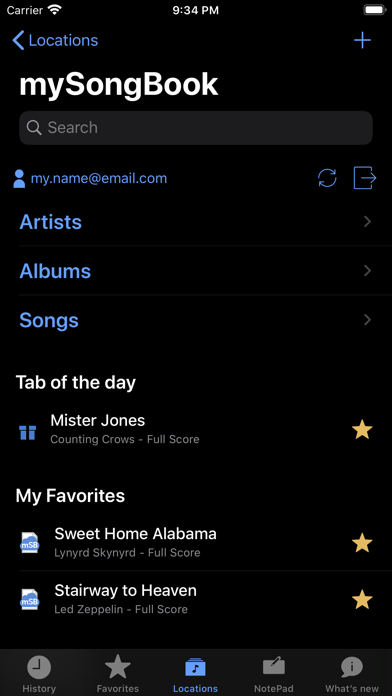
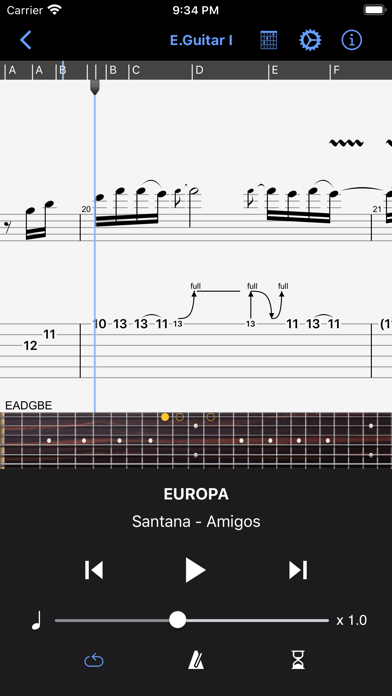
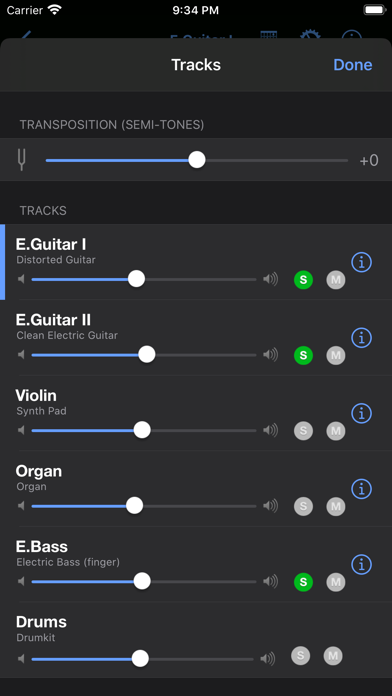
The Guitar Pro application allows all musicians to view and play sheet music and tablature created with the famous Guitar Pro tab-editing program for Windows and Mac. This mobile version is the ideal companion for you to practice your favorite songs and share them any time, anywhere! Coming up with some arpeggio, a riff, a chord sequence? You can now note and save it all on the single-track tablature NotePad. Powerful score player • Supporting GP3/4/5/6/7/8 (.gp) and PowerTab (.ptb) file formats, • Tab (with rhythmics), slash, and standard notations, • Compatible with mySongBook portal to sheet music (monthly subscription and single buying), • Switch between Dark and Light viewing modes, • Load files via WiFi and web browser, iTunes, e-mail, • Integrated sheet-music library with search, filters, and favorites, • Multitrack player with soundboard: volume / solo-mute / soundbanks, • Metronome and visual countdown, • 3 zooming levels, • Guitar or bass fretboard (for right- and left-handers), and virtual keyboard, • On-the-fly tempo changes, • On-the-fly global transposing by half-tones, • Playing any selection in loops, • Simplified navigation between sections, • E-mailing files directly from the application, • Exporting files to PDF, • Compatible with the Fretlight Wireless Guitar. NotePad tool to create a tablature • Use the NotePad to edit a single-track tablature for guitar, bass, banjo, ukulele, and mandolin, • Tablature for 4- to 8-string instruments, • 19 built-in sounds, • Customizable tuning and tempo, • Export your ideas into Guitar Pro 6 and 7 formats so as to later carry on with your composition on the Guitar Pro desktop version. ———————————————————————- The app is updated frequently, so feel free to contact our team to ask any question or give your feedback. For more info: Need help: https://support.guitar-pro.com Facebook: http://www.facebook.com/arobas.music Twitter: http://www.twitter.com/arobasmusic Instagram: https://www.instagram.com/guitarpro_official FAQ: Q: Can I create or edit sheet music with this app? A: Unlike Guitar Pro for Windows and Mac, this app does not let you change the notation in an existing Guitar Pro file, or create sheet music in standard notation. It is however possible to edit a single-track tablature with the NotePad tool and export your work into .gpx and .gp formats to finish your composition in Guitar Pro 6 or 7. Editing a drum track is not available with the NotePad tool.
Kyle Gorlick
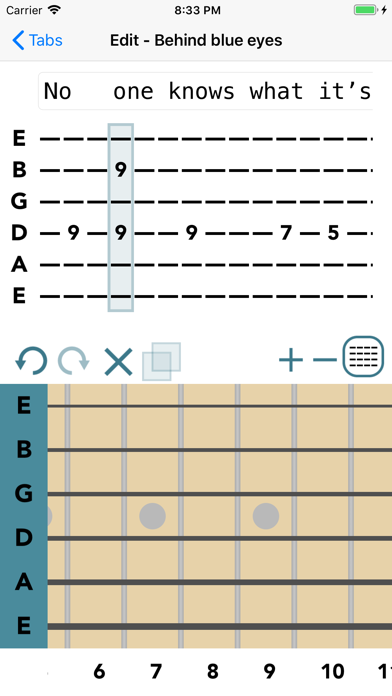
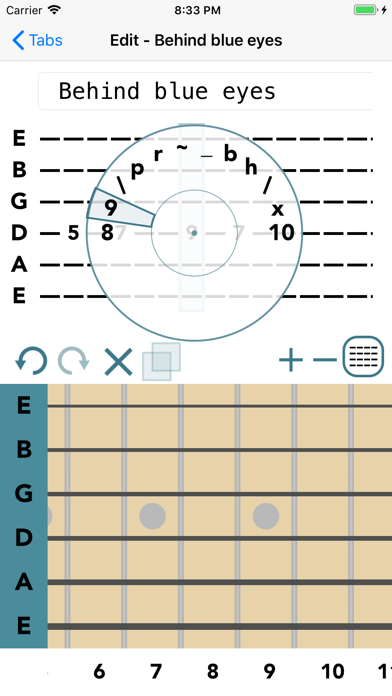
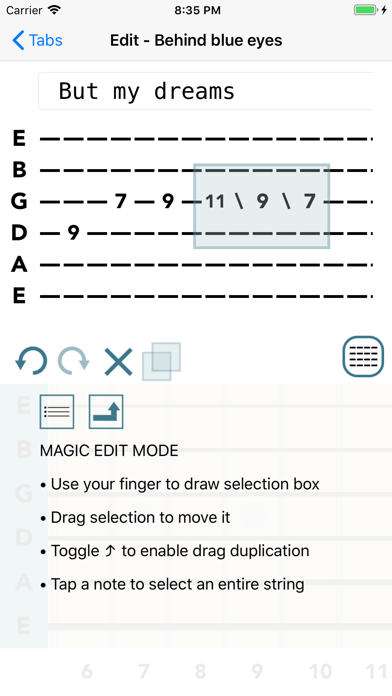
Create, edit, and share guitar tabs with ease. Here’s the Riffs & Licks: Guitar Tab Maker is a powerful yet straightforward tablature editor designed for guitarists, bassists, and other stringed-instrument players. Whether you're capturing a new riff, transcribing a song, or organizing your ideas, Guitar Tab Maker makes writing tabs fast and intuitive. Available on iPhone, iPad, and Mac with seamless syncing across your devices. FREE FEATURES • Create and edit guitar tabs in an intuitive editor • Sync your tabs automatically with iCloud • Listen back with built-in audio playback • Export tabs for sharing and backup • Support for guitar, bass, ukulele, and 7- and 8-string instruments • Available across iOS, iPadOS, and macOS PREMIUM FEATURES • Upgrade to Premium to unlock: • Unlimited tab creation • Advanced editing tools • Watermark-free exports • Backup all tabs ability • Additional organization & customization options • Future Premium enhancements as they're released ~ New User Special ~ Start with a free 7-day Premium trial. No strings attached. Whether you're sketching ideas, practicing songs, or building a personal tab library, Guitar Tab Maker helps keep your music organized and accessible wherever inspiration strikes. User Guide: https://kylegorlick.com/guitartabber/guide/ Questions, feedback, or feature requests? Email: [email protected] Your support is much appreciated. Thank you! Terms of Use: https://www.apple.com/legal/internet-services/itunes/dev/stdeula/
Akai Professional
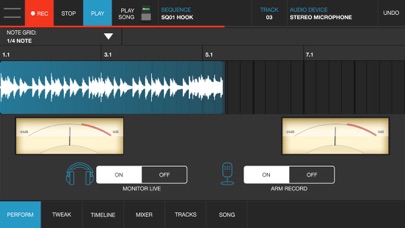
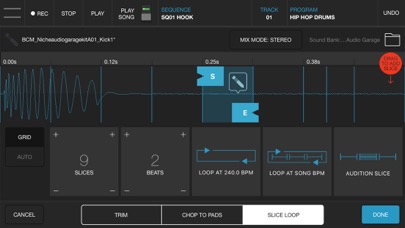
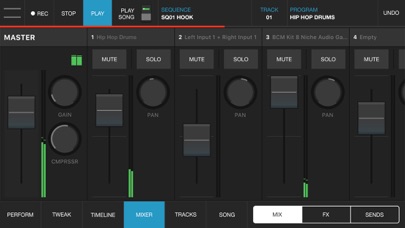
iMPC Pro 2 for iPhone fuses innovative song creation with the iconic MPC workflow. It’s a powerhouse in your pocket. Whether you’re using the powerful sampler, dropping in some vocals, or integrating an Audio Unit, you’re sure to find everything you need. AUDIO TRACKS: Within the audio tracks, you can time warp, pitch shift, and rearrange your audio clips in real time. The sophistication of real time manipulation is captured in a simple workflow and sleek interface. You can choose from multiple input sources to record, including external mic channels, hardware audio interfaces, and IAA. AUDIO UNIT TRACKS: You can now load any Audio Units instrument into an Audio Unit Track! Control your AU instrument with a classic piano keyboard interface and an iMPC interface with note variation, Flux Link, Note Repeat, 16 Levels, and more. The app also features an improvement to the workflow for song creation. Song sequencing is faster, more powerful, and more flexible, so you have complete creative control. 100% NEW SOUND KIT AND MORE: Designed exclusively for iMPC Pro 2 for iPhone, these kits cover some of the most iconic and cutting-edge beat genres available, from a range of beloved producers, all chosen from the Akai Professional vault. Each kit includes samples featuring sounds from punchy 808’s to melodic hits and stabs, designed for the best user experience possible. The app also comes with 4 additional Sound Packs for FREE (valued at $20). Grab these packs in the AudioCopy Content Store: Bryson’s Soul, Dark Swang, and Metro Bang. iMPC University students have the opportunity to earn an additional Sound Pack, The Diploma! You can use them in hundreds of AudioCopy compatible apps (including iMPC for iPhone). iMPC UNIVERSITY: Unlock producer secrets and learn how to become a full fledged song creator with this tutorial series. iMPCU unlocks one course per day and gives you the tools you need to take your music to the next level. Fun for both new and experienced users, iMPC Pro 2 for iPhone offers an expansive dive into the world of beatmaking and song editing through these courses. We’re excited for you to try it! FEATURES: Audio Tracks: - Record from built in mic, external mics, audio interfaces, instruments, etc. - Record from Inter App Audio Apps - Warp Tracks and Clips to match tempo - Access several quick editing features on Audio Clips (Pitch shift, Time Stretch, Amplify, Crop, Split, Duplicate) - Drag to arrange Audio Clips, snap them to an adjustable grid setting - Advanced waveform editing AudioUnit integration: - Audio Unit tweak mode with full keyboard support (including 2 dozen scale modes from Chromatic to Blues to Aeolian) --- - 100% New Sound Set, with 4 additional free Sound Packs - Sample sounds from Spotify - 64 Track Mixer with EQ and 4 FX sends (Reverb, Delay, Chorus/Flange, and one Inter App Audio Effect) - Chop-shop provides intuitive multi-touch editing, trimming, auditioning, splicing, splicing and processing samples - Tracks View shows an overview of all the tracks in your song - 16 Levels mode with attack, velocity, length, and tuning settings for quickly creating variations of sounds - Live Sequence queuing for real-time performance and playback - Time correct: 1/8 note - 1/32T with variable swing - MPC Note Repeat featuring 1/8 note - 1/32T timing with latch - IAA and Ableton Link support - Share beats and songs seamlessly to YouTube - 4 Mute Groups and custom-designed envelope filters for all pads - AudioCopy and AudioPaste support - Improved integration and support for iMPC Pro Packs and other Sound Packs from the AudioCopy Content Store - Expert MIDI support including expanded options, multiple maps, and more - Extensive undo/redo capabilities - New Song Arrangement workflow and integrated Song Mode makes song creation easier than ever - Drag entire Folders and Sound Packs directly to pads to load many sounds at once


Sweetapple Ltd
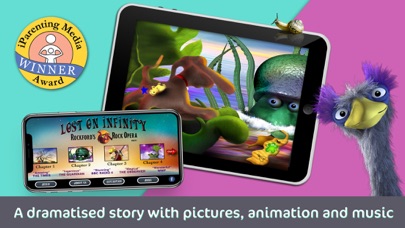
A Boy and his Dog travel to a Mystical Island of Extinct Creatures. NO Ads. NO In-App Purchases. iParenting Award WInner. A Dramatised Children's Audiobook Story like no other... Safe, thought-provoking, lovingly produced, educational entertainment for all ages. Lost on Infinity (previously known as Rockford's Rock Opera) is a dramatized audiobook story. A unique musical adventure. Hours of educational and thoughtful fun. A narrated audio story with pictures, videos, and fantastic music that's ideal for journeys, school runs, bedtimes, and for schools. Great for children and families to enjoy together. For more info and free educational materials based on the story, visit our website: RockfordsRockOpera.com NO IN-APP PURCHASES and NO ADVERTISING. iPARENTING AWARD WINNER. GREAT FOR KIDS... AND PARENTS! Some of our Reviews "This smartly-written, artistically-composed musical story has children as its target but adults as its bulls-eye. Upgrades the basic children’s storybook to the 21st century, without losing the magic." WIRED magazine "Hitchhikers Guide to the Galaxy' meets 'Jeff Wayne's War of the Worlds', 'Jungle Book' meets 'Jurassic Park' via Sgt. Pepper!" Audiobook Review "This is an amazing mix of story, songs & sound effects." The Times "Such an Ingenious story." The Guardian The Story Far away in the Sea of Tranquility is the Island of Infinity, home to the world’s lost creatures. Infinity has a secret for the world but Moog, a boy from Battersea in London, and Rockford his dog are the only ones who can deliver its message. Traveling to Infinity, Moog and Rockford are drawn into an adventure that threatens the entire human race. At its heart, Lost on Infinity (formally known as Rockford’s Rock Opera) is a tale about extinction and ecology. But it’s a hopeful story that shows that the smallest creatures, and humans, can make the biggest difference. An award-winning, psychedelic, spell-binding, thought-provoking 21st Century adventure!


Sweetapple Ltd
Previously known as Rockford's Rock Opera, just some of the hundreds of reviews for Lost on Infinity. "An amazing mix of story, songs, and sound effects!" THE TIMES “A stunning creation.” B B C RADIO “An ingenious story.” THE GUARDIAN NO ADS and NO IN-APP PURCHASES Welcome to Lost on Infinity® – STORY 2. Formally known as Rockford's Rock Opera, this is the second amazing installment of the world’s most popular enhanced audiobook, and now the planet’s most popular kid’s audiobook App. NOTE. PART ONE of LOST ON INFINITY is AVAILABLE FREE from the App Store (includes over an hour of animation, pictures, story and music.) PARTS THREE and FOUR are also available making up the whole amazing two and half hour adventure. Winner of the prestigious iParenting Media Award, in this App there are over 40 minutes of story, songs, music, pictures and videos, continuing the story of Moog, Rockford and the Cocklebur Ick and their extraordinary adventures on the Island of Infinity. A hit across the world – take a look at our reviews – if you haven’t heard Part One of the story yet, go to the App store now and download it FREE! This App is SUITABLE FOR ALL AGES (we really RECOMMENDED it for 5 – 12 YEAR OLDS – and their families – but it seems from our reviews, far younger children love the story and visuals). Created by Elaine and Matthew Sweetapple and written by comedian, Steve Punt, Rockford's Rock Opera is supported by the World Wildlife Fund (WWF). "An amazing mix of story, songs and sound effects!" THE TIMES “A stunning creation.” B B C RADIO “An ingenious story.” THE GUARDIAN Please Keep in Touch If you’re enjoying our story please do give us a review, rate the App and you can join us on FaceBook too! PLEASE NOTE. Like Part One, due to the rich audiovisual content of this App the initial download should be made while connected to WI-FI. The content will then be fully downloaded and ready for enjoyment anywhere – in the car, on the train (no annoying glitches) and on holiday (no data roaming charges!).


All the Apps LLC
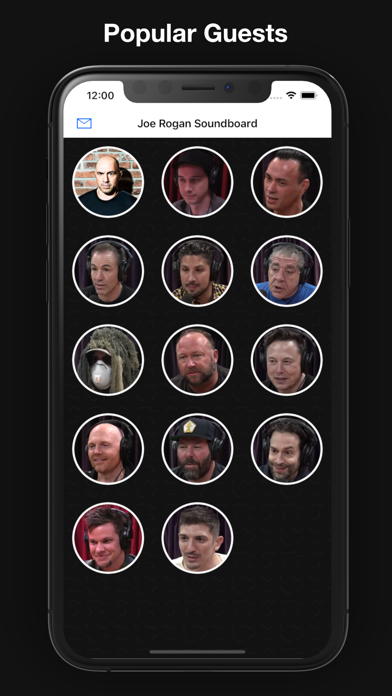
With Joe Rogan Soundboard you can play Joe's funniest, craziest, and most memeable soundbites whenever you want! Also includes soundbites from popular guests: Alex Jones Duncan Trussell Joey Diaz Theo Von Eddie Bravo Bryan Callen Jamie Brendan Schaub Looking for the perfect response to a text? Easily text soundbites to your friends by swiping left on the sound. Absolutely no ads. New sounds added frequently! ***Coming Soon*** Elon Musk Bill Burr Bert Kreischer Chris D'Elia


Ryouta Kira
### THIS IS A DEPRECATED PRODUCT. Get KQ Dixie 26 instead. ### If you bought this app recently, you can request a refund. KQ Dixie is a 6-Operator FM synthesizer that is modeled on the synthesizer which appeared on the 1980s. FM synthesizers make sounds with Frequency Modulation. FM brings rich and brilliant sounds which are impossible to create with analog one. It makes very complex waves with simple modulations. The same method is used for radios. The synthesizer gained much popularity in the 1980s. This app lets you make sounds freely with 156 voice parameters. Almost all parameters but multi-timbral, filter, and delay are compatible with DX7. Audio Unit v3 compatible. Multiple-Out is supported when you use "KQ Dixie Multi". Audiobus compatible. Inter-App Audio compatible. 32 algorithms included. You can manage the hardware DX7 when it is connected with external MIDI cables. Supports DX7 System Exclusive Messages (SysEx) and syx files. Supports Zip files. Place Zip files at the app folder instead of extracting them. Supports micro tuning. The app can load Anamark/Scala tuning files (TUN/SCL). Supports external and virtual MIDI. Supports Volca FM. You may be able to find a lot of patches on the internet. Multi-timbres and Unisons functions are there. Yamaha DX7 is a trademark of Yamaha Corporation. Volca is a trademark of Korg Inc. I have no business relations with Yamaha and Korg. If you encounter a bug, please send me your Dixie Performance file. https://www.kiraqtech.jp/blog/contact-en/ Machine translated text is included in this application and description. Terms of Use: https://www.kiraqtech.jp/termsofuse/


iceWorks, Inc.
Lagrange is an AUv3-compatible synthesizer designed to simplify sound creation by concealing complex parameter adjustments within oscillator algorithms. Rather than emphasizing precise sound design, this synthesizer prioritizes selecting the right oscillator type to quickly achieve the sound that suits your needs. For more detailed information about the product, please visit the website. The website offers detailed product descriptions, manuals and videos, as well as important notices. https://icegear.net/


Thomas Gruber
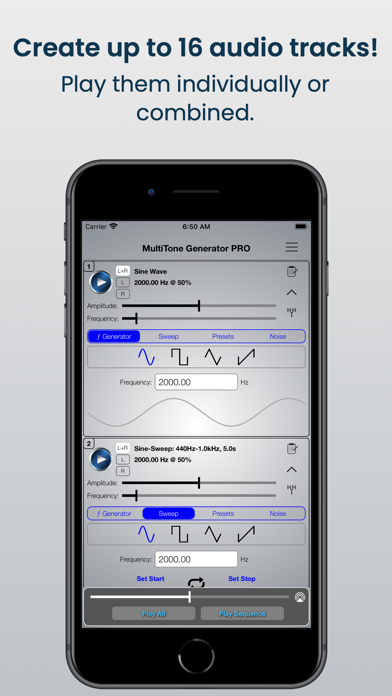
This is the all-new MultiTone Generator! An amazingly flexible and powerful frequency generator! Works with Audiobus and Audiobus Remote! CREATE up to 16 tone combinations. Play them individually or combined. PLAY TEST TONES Sine, Rectangular, Triangular and Sawtooth. PLAY FREQUENCY SWEEP TEST TONES in both directions (minimum to maximum frequency and maximum to minimum frequency). Use the SWEEP REPEAT / WOBBLE function. Play back white and pink NOISE. Fully CUSTOMIZABLE Frequency Min-Max ranges and Sweep time range. The MultiTone Generator is AMAZINGLY INTUITIVE and SIMPLE!


Overcast Radio, LLC
A powerful, simple, award-winning podcast player. Featured by the App Store as Editor's Choice and critically acclaimed by The Verge, TechCrunch, 9to5Mac, AppAdvice, and more. No big company or VC funding here — Overcast is the only major podcast app written by a single person. The Verge: “The best podcast app for the iPhone” 9to5Mac: "Overcast is the best podcast app that I’ve ever used” AppAdvice: "Our favorite podcast client" Six Colors: "My podcast player of choice" The Sweet Setup: “Overcast is our favorite” Cult of Mac: “It’s the best podcast app out there” TIME: “Overcast lives up to its lofty claims” iMore: "My personal favorite" TechCrunch: “There is no reason why you should still be using the Podcasts app over Overcast” Overcast is a modern, fully featured audio podcast app with many useful features in a simple, intuitive interface: - Smart Speed saves time without distorting the audio or sounding unnatural. - Voice Boost makes every podcast the same volume with a broadcast-quality remastering engine. - Download podcasts for playing anytime, even offline. - Search and browse for new podcasts, plus get personalized recommendations. - Create custom Playlists with smart filters and per-podcast priorities, and rearrange the list whenever you want. - Receive optional notifications when new episodes arrive. - Subscribe to a podcast, or just add an episode: try new shows without committing. - Sleep timer automatically stops playback after any time interval you set. - Apple Watch app with standalone playback and cellular streaming. - CarPlay support. And Overcast has world-class privacy, with no third-party analytics, ad services, or tracking code. Overcast is funded by ads that promote other podcasts. If you choose to purchase Overcast Premium to hide these ads, payment will be charged to your iTunes account, and your account will be charged for renewal 24 hours prior to the end of the current period. Auto-renewal may be turned off at any time by going to your settings in the iTunes Store after purchase. Privacy policy: https://overcast.fm/privacy Terms of use: https://overcast.fm/terms Proudly made in New York.
Spectre Software Inc.
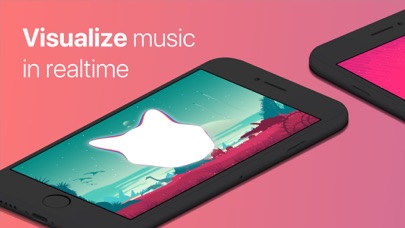
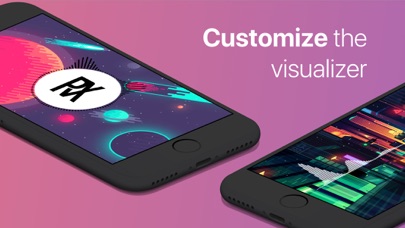
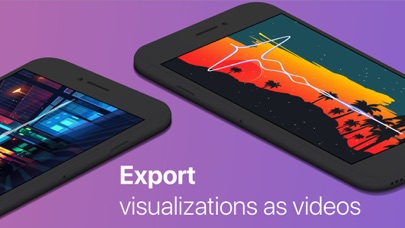
Enjoy music at a deeper level with realtime visualization! Spectra is a lightweight music & audio visualizer app that allows you to select and visualize audio in realtime, right on your phone or mac. Want to export your visualization? We have you covered. Simply click the "Create Video" button from within the app. No longer do you need expensive software to create those beautiful animations you've seen on the internet. Want to customize the background image or put a logo in the center? We made that available as well. In fact, you can customize just about all aspects of the visualizer. You can even import audio files from apps like iMessage or Mail using the share sheet. We want to keep improving the app so If you have any suggestions, be sure to leave a review and tell us what feature you're missing! The features: • Amazing, 60fps realtime visualization for any audio file or iTunes music (not Apple Music) song • Video exporting of your audio visualization (4k at 60fps) • Custom background image • Background presets • Background effects • Custom logo image • Visualizer customization • Particle customization • Video export settings • Video animation options • Presets • More to come!!! Here's how it works: The sound we hear is made up of many frequencies. The visualizer decomposes the audio input into its frequencies and displays the lower frequencies at the top/left of the audio spectrum and the higher frequencies at the bottom/right of the spectrum. This can create some cool-looking shapes that all correspond to the currently-playing audio track! Whether you're a producer that wants to see the frequency range of their song, an audiophile, or someone who wants to take a deeper look into their music, this app is definitely for you.


Oxagile LLC
Speed Tracker is the most elegant and unique combination of GPS speedometer and Trip computer in just one application. Speed Tracker is YOUR answer to the eternal questions: What is my speed? What distance have I covered? How much time did I spend from work to home? How to share my trips with friends and relatives? With lot of features built-in, Speed Tracker will help you to gather all the necessary trip statistics. Just start the application and it will let you record your speed, time, distance, heading, elevation and many more. HUD Head-up display – outstanding feature available ONLY in Speed Tracker application. Just enable HUD and put your iPhone or iPad under the windshield. Specially designed HUD interface will display the most accurate speed right on the windshield. Map your trip. Built-in GPS tracker will help you not to get lost. You can always switch to navigation mode and check your current position on the map together with the track you’ve already traveled in Satellite or Hybrid view. Trip Log You don’t remember the trip or how much time does it take to visit your friends or the distance to your office? - Trip Log will help you! Trip Log records and saves the information within the application. You can easily have the access to ALL the trips with just one click. Inside the Trip Log you can check the trip on the map, see the speed, average speed, maximum speed, distance, total time and the detailed speed graph. Don't want to get lost in all the trips you have? Just name them the way you like. Want to share your driving experience or just compare your every day trips? With Trip Computer it’s easy as A, B, C. Export all the trips in available formats (CSV, KML, GPX) or even share with your friends on Facebook, Twitter or via email. Trip Computer Track important trip statistics in real time. Average and Maximum speed, distance covered, moving and stopped time. Dashboard Display Layout Designed exclusively for iPad big screen it shows all the important trip information at a glance on a single screen and supports both portrait and landscape orientation. Full screen GPS Navigator Map mode is also available. Landscape mode allows you to mount your device horizontally on your car dashboard. If you prefer seeing things at wider angle then you find new landscape mode especially useful and practical. Scalable Speedometer Dial Speed Tracker features unique scalable speedometer dial. Select the maximum possible speed for you vehicle and watch your speed with greater precision either your are on a plain, train, car, bike, boat or bicycle Statistics All the aggregated data from the very first trip will be saved in one single place. Automatic Stop Detection Automatically identify either you are moving or standing and calculate your average speed basing on that. Generate trip report showing travel and stoppage time separately. Support for Apple Watch. Start and stop tracking and see your trip data on your wrist. NOTE: Speed Tracker is not compatible with WiFi only iPad or iPod touch. Continued use of GPS running in the background can decrease battery life. Data connection is required to see map. Make sure that you have location services enabled for the application. To enable - Settings> General> Location Services Privacy Policy: http://appannex.com/privacy-policy/ Terms of Use: https://www.apple.com/legal/internet-services/itunes/dev/stdeula/
Andrew Smith
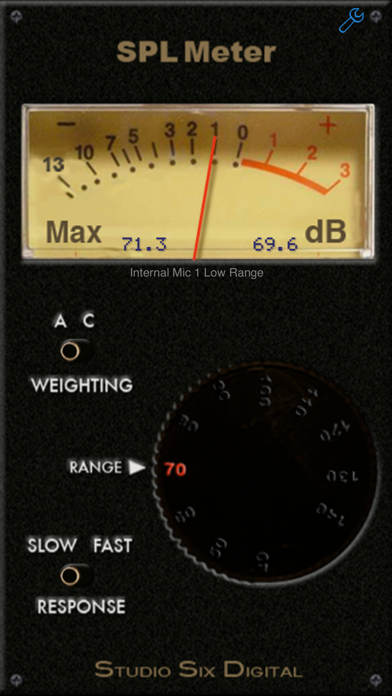
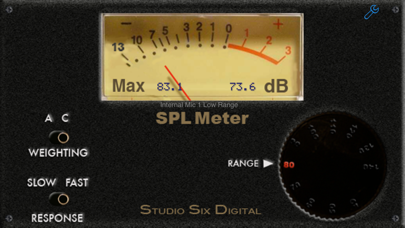
SPL Meter is a professional-grade sound level meter, also known as a decibel or dB meter, for your iPhone, iPad or iPod touch. Modeled after a traditional analog SPL meter, we have faithfully reproduced all the characteristics and qualities found in those meters, including the ballistics, ranges, filters, and decay rates. Under the hood we have advanced DSP-based algorithms that meet or exceed ANSI / IEC Type 1 standards. And starting with iOS 6, we can disable the mic filters and limiters, to get the real world performance of a hand-held SPL meter. And now, upgrade SPL Meter with iTestMic, our pro-grade test & measurement mic, made specifically for iOS devices. Using iTestMic with SPL Meter, you get a calibrated, accurate SPL Meter, that meets industry standards for Type 2 performance. See our website for more information. But don't compare us to a Radio Shack meter, ours is much more accurate! We have also included a digital LCD display, as shown in the image, to make this the best SPL meter available for iPhone or iPad. And this is something that the old analog meters never had! The screen will flip when you flip the phone over, so that you can point the iPhone mic directly at the sound source. (iPhone X does not support upside down mode) SPL Meter is a universal app -- buy once, and use on all of your iOS devices. SPL Meter is built by the same team that created the other great professional audio and acoustics apps on the store, Studio Six Digital. Built on the engine of our more expensive "SPL" app, SPL Meter's filters and decay rates meet or exceed ANSI type 1. This app is not a toy or a game. SPL Meter is the one audio app that everyone who works in audio must have on their phone! Not only have we made the best one, but we've priced it so you can't afford not to get it. *** FEATURES: FILTERS -- A and C weighting filters are provided. DECAY -- Choose ANSI Fast or Slow. RANGES -- 40dB to 120dB in 9 ranges. CALIBRATION -- Comes pre-calibrated for the typical iPhone or iPad built-in and headset mic, but you can adjust the calibration if you have a professional, calibrated meter to compare it to. Accesses our cloud-based iOS device calibration database, which we updates as new devices are released. INTERNAL / EXTERNAL MIC -- Select Internal to activate the included compensation filter, which is designed to flatten the frequency response of the built-in or headset mic. External will work with our iPhone Measurement Mic, to be released later this summer. See our website for more details. SPL Meter is bargain-priced to make it easy for anyone to check out one of our professional, accurate apps. Studio Six Digital is dedicated to making the iPhone and Touch a professional audio and acoustics test device. Check out our full line of professional-grade audio and acoustics apps: SPL, the professional digital iPhone sound level meter, SPL Graph, for recording SPL over time, RTA, a 1/3 octave real-time analyzer, FFT, for detailed acoustic analysis, ETC, the energy-time curve function, RT60, for automated octave-band decay time measurement, Speaker Pop, to test speaker polarity, and Generator, the iPhone signal generator. Also, if you are looking for more great acoustical and audio test apps, have a look at AudioTools, our premier app for audio professionals.

Alexander Zolotov
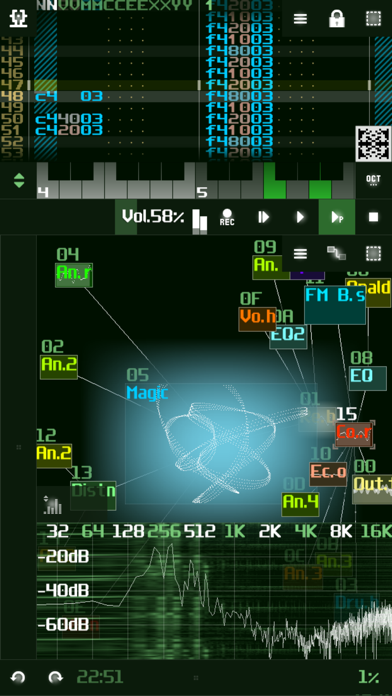
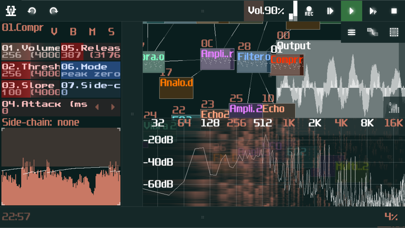
SunVox is one of the most powerful music creation tools for iOS. It is a small and fast cross-platform modular synthesizer with pattern based sequencer (tracker). [ Key features ] • Modular interface. • Powerful microtonal sequencer. • Highly optimized synth algorithms. • Support of 16/24/32bit WAV, AIFF and XI samples. • XM (FastTracker) and MOD (ProTracker, OctaMED) import. • Multitrack WAV export. • MIDI import/export. • MIDI IN/OUT. • Mic/Line recording (using the Sampler). • Audio Unit Extension (AUv3 instrument/effect), Audiobus. • Generative music features: random selection of notes, random values of controllers, probability effects. • It's possible to use SunVox engine in your own applications using the free library for developers. • It is also available for other systems (see the site). [ Brief instruction ] The main menu - button with the SunVox icon in the upper left corner of the screen. To connect one module (source) to another (destination): first touch on the source, second touch on the destination. Official SunVox homepage, user manual, video tutorials: https://warmplace.ru/soft/sunvox SunVox music: https://warmplace.ru/soft/sunvox/#music Found a bug? Have some questions? Just write me directly: [email protected] The answer comes immediately! [ Built-in synthesizers & effects ] • Generators; • DrumSynth with 120 unique synthetic drum sounds; • FM synthesizer; • Multisample instrument; • SpectraVoice (FFT-based synthesizer for warm atmospheric sounds); • Side Chain Compressor; • Distortion; • Echo & Reverb; • Equalizer & Filters; • Flanger; • Loop (for glitch effects); • Vocal Filter (for human voice simulation); • Vorbis Player; • WaveShaper; • Pitch Detector; • Pitch Shifter; • and more ... [ Jordan Rudess about this app ] Sunvox is a serious music application. I am personally running it on my iphone. In the overcrowded world of music apps, Sunvox stands out as both unique and powerful. If you are a musician and own an iphone, you owe it to yourself to try this amazing application!

HAPPY AI INC.
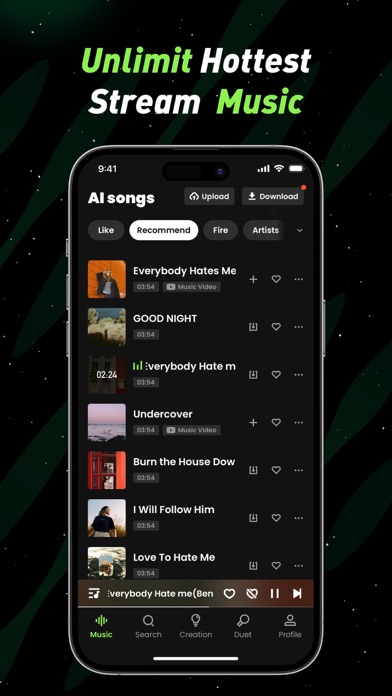
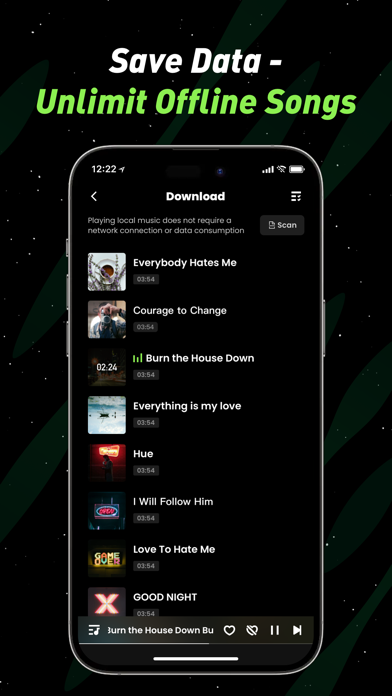
With DeepTone, you can replace the original vocals of any track with your favorite singer's voice—or even your own! Create unprecedented covers that redefine how you experience music. But that’s not all. DeepTone lets you enjoy free downloads, unlimited streaming, and offline playback without using your data. All of this works seamlessly in the background, so you can listen without interruptions while using other apps. This groundbreaking AI music platform is here to revolutionize your listening experience. Unleash your creativity and amaze the world with your unique inspiration! Features 1.Create Your AI Singer Turn your voice into your personal AI singer in just minutes. Record a 30-second sample, and within 10 minutes, you’ll have an AI voice ready to cover any song you want! 2.Extensive Voice Library Explore a vast library of voices, from contemporary pop stars to beloved cartoon characters. Imagine hearing your favorite classics sung by a modern idol or rock anthems performed by animated icons. The possibilities are endless! 3.Duet with Anyone Sing a duet with your favorite celebrity or bring voices from different eras together in harmony. Your imagination is the only limit. 4.AI-Powered Voice Replacement With just one click, DeepTone's advanced AI technology replaces the original vocals in any song while preserving the melody and rhythm. The result? A perfect fusion of new vocals and original accompaniment. 5.Share Your AI Covers Easily share your AI-created songs with friends, family, and music enthusiasts on social media. Watch your creations shine and inspire others to join the fun! 6.Unlimited Music Streaming Access an endless library of tracks and mixtapes, featuring the latest hits and trending songs. 7.Offline Listening Download entire songs and albums to enjoy offline anytime, anywhere—no Wi-Fi needed. 8.Local File IntegrationSeamlessly play your personal music files, including MP3s, WAV, M4A, AAC, and more. Ready to transform music and unleash your creativity? With DeepTone, you hold the power to make every song your own! Terms of Service:https://landing.ticktonemusic.com/terms-of-service.html Privacy Policy:https://landing.ticktonemusic.com/privacy-policy.html

ipaomtk.com
ipaomtk.com | The TODAC (Legacy) IPA v1.3.4 Free iOS is a pioneering software application designed to streamline and enhance digital audio communicati
Coda Labs Incorporated
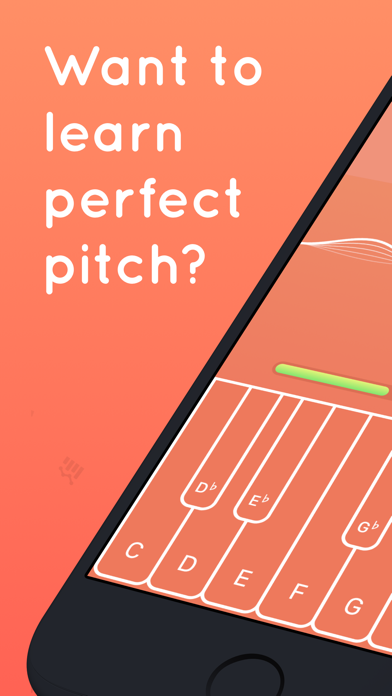
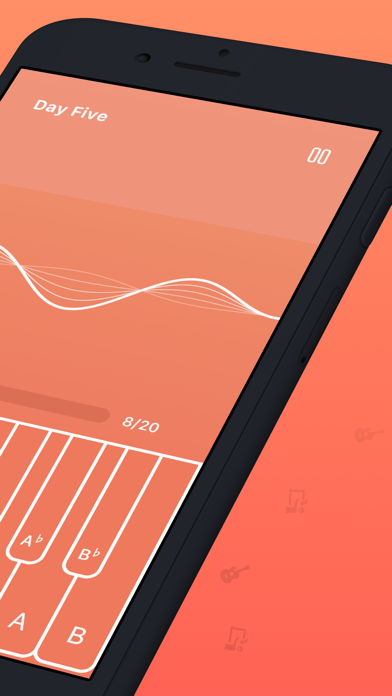
Tone is a fun and simple game to help you improve your ears and sing with perfect pitch. - Simple, intuitive interface - Choose your pitches and octaves - Difficulties ranging from easy to expert - Practice mode with reference pitch - Transpose the notes to different keys - View note names, piano keys, or use solfege - Share your score and compete with friends! - Learn to recognize musical intervals like minor 3rds and major 7ths. - Learn to recognize chord qualities like major and minor. - Visualize your progress over time with beautiful graphs. - All of your progress & data is automatically stored in iCloud, so you'll never lose it. Privacy Policy: https://codalabs.io/privacypolicy.htm Terms of Use: https://app.termly.io/document/terms-of-use-for-website/7befc033-df4c-40b8-90b1-c3ef9e4f3eac
Hexler LLC
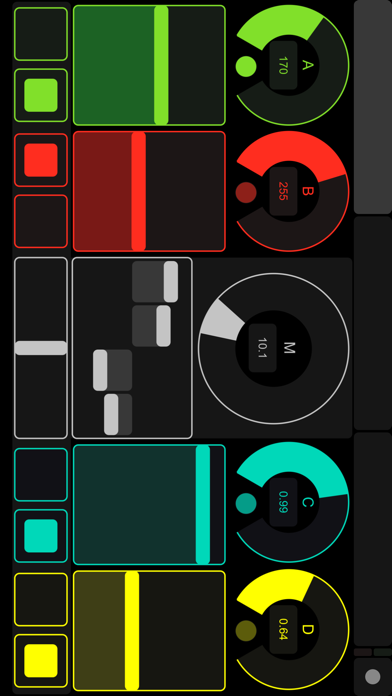
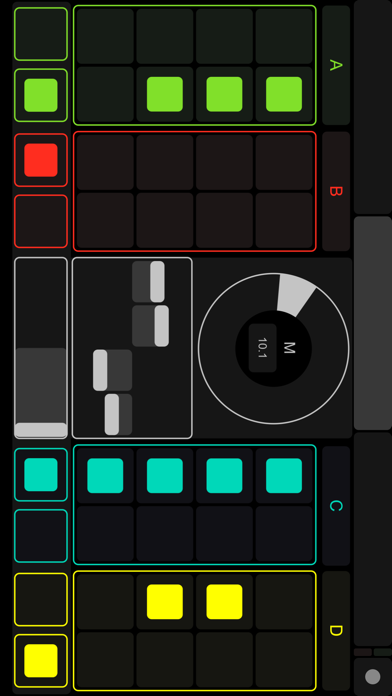
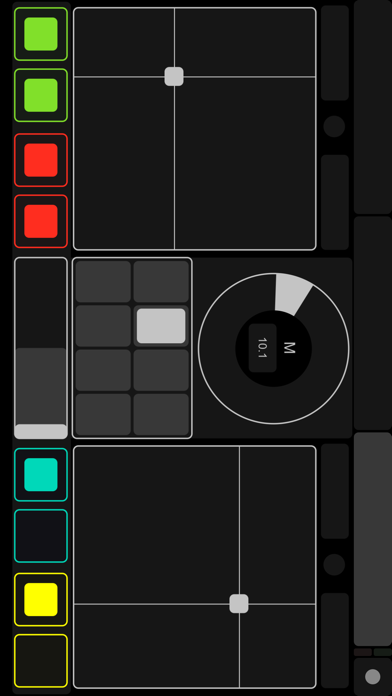
TouchOSC is a modular OSC and MIDI control surface for iPhone, iPod Touch and iPad by hexler. It supports sending and receiving Open Sound Control and MIDI messages over Wi-Fi and CoreMIDI inter-app communication and compatible hardware. The application allows to remote control and receive feedback from software and hardware that implement the OSC or MIDI protocols such as Apple Logic Pro/Express, Ableton Live, Renoise, Pure Data, Max/MSP/Jitter, Max for Live, OSCulator, VDMX, Resolume Avenue/Arena, Modul8, Plogue Bidule, NI Traktor, NI Reaktor, Quartz Composer, Supercollider, vvvv, Isadora and many others. The interface provides a number of customizable touch controls to send and receive messages: Faders / Rotary controls / Encoder controls / Push buttons / Toggle buttons / XY pads / Multi-faders / Multi-push / Multi-toggles / Multi-xy pads / LEDs / Labels / Time & battery displays Additionally the program can send Accelerometer data. The application comes with example layouts and completely custom layouts can be constructed using the free TouchOSC Editor application. Please see https://hexler.net/touchosc for more information, video demonstrations and download the free layout editor application for macOS, Windows and Linux and the free TouchOSC Bridge utility to easily control any MIDI-capable application on your computer.

Hector Ricardo Garcia Peña A
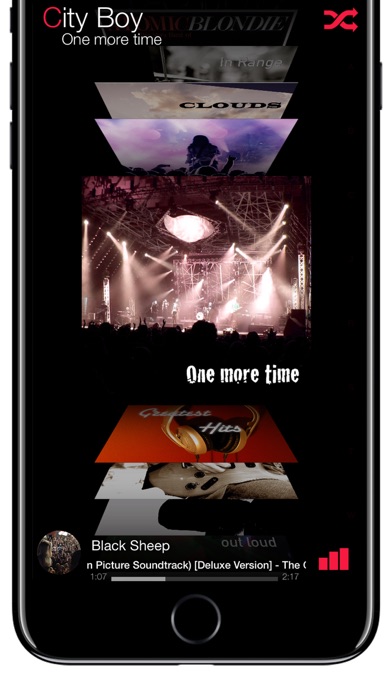
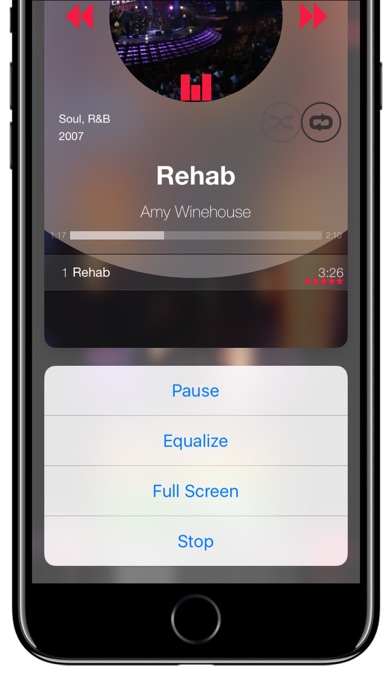
Thanks for more than 100,000 downloads! Now for Apple Watch® and is evolving. Now with handoff support. Listen to your music in the way that you've always wanted. NOTICE: This app is designed for music synced or purchased with iTunes. Apple Music tracks for offline playback are not supported for equalizing. Customize your experience with a 10 bands equalizer and use different presents or build your own settings library assignable to songs, albums, lists and even genres!. Every time you hear you music will be your own particular experience! FEATURES: Handoff - Start your music on your iPhone®/iPad® and continue on another device by bringing the album detail (playlists not supported yet). The app for Apple Watch® also handoff the Album Detail (list of songs). Search - Just pull down the user interface in the cover flow screen (like iOS 7+). Supports dynamic type. Settings - Just pull up the user interface in the cover flow screen. Sorting & Filtering - Tap on the top of the cover flow screen. Songs/Albums Queue (or play next dynamic list) Drag&drop playlist editor. Video player (for videos stored on your device). iPad Multitasking 3D Touch® 10 Bands Equalizer Equalizer Presets library Equalizer Widget Recent Albums Widget Free Stickers for iMessage® Network detection for media in the cloud. Indexes in albums & artists. Tutorials Star rating on your device and Apple Watch® NOTICE: The equalizer only works for music installed on your device without DRM (without a cloud icon).


ElevenThirteen LLC
Introducing VideoGPT, the groundbreaking app that allows you to transform your words into stunning video stories in seconds. With VideoGPT, the possibilities are limitless as you bring your ideas to using a range of captivating styles, from Cinematic to Anime and everything in between. This innovative app harnesses the power of artificial intelligence to seamlessly blend your prompts with cutting-edge technology, resulting in visually striking and immersive video narratives. Whether you're an aspiring animator, a storyteller, or simply someone looking to add a touch of magic to your videos, VideoGPT is here to revolutionize your creative process. Imagine being able to input your story and see it animated in seconds. With VideoGPT, you can effortlessly switch between different animation aesthetics to suit the mood and tone of your story, creating a truly unique and personalized experience. The app's advanced algorithms analyze your prompts and generate high-quality animations that accurately capture your creative intent. The attention to detail is remarkable, ensuring that each frame is meticulously crafted while staying true to the chosen style. From the vibrant colors and fluid movements of Anime to the polished and emotive storytelling of Pixar, VideoGPT empowers you with artistic versatility like never before. VideoGPT's intuitive interface makes it easy for anyone, regardless of their technical expertise, to navigate and use the app. The powerful AI engine running in the background takes care of the intricate animation process, allowing you to focus solely on unleashing your imagination. Step into a realm where creativity knows no bounds. VideoGPT is the ultimate tool for storytellers and animators who seek to push the boundaries of their craft. Let your ideas flourish, your characters come alive, and your stories captivate audiences in ways you've never dreamed possible. Download VideoGPT today and unlock the door to a world of limitless creativity and unparalleled visual storytelling. SUBSCRIPTIONS: - You can subscribe to a PRO account - Subscription options are 1-week and one year. - Subscription automatically renews for the same price and duration period as the original, "one month", "one-year" package unless auto-renew is turned off at least 24 hours before the end of the current period - Payment will be charged to iTunes Account at confirmation of purchase - Subscriptions may be managed by the user and auto-renewal may be turned off by going to the user's Account Settings after purchase - Any unused portion of a free trial period, if offered, will be forfeited when the user purchases a subscription to that publication, where applicable Terms of Use and Privacy Policy: https://videogpt.io/privacy