
Music
Explore music and audio IPA listings for listening, streaming, podcasts, instruments, radio, and sound tools.


Vlad Polyanskiy
Decibel turns your device into a powerful sound level meter without any extra hardware. Measure ambient noise in real time, monitor sound levels (dB), and explore frequencies with the built-in Spectrum Analyzer. Capture reliable sound and noise data wherever you are. Designed for casual users, audio enthusiasts, and sound engineers, Decibel works as a portable sound meter for quick sound checks or deeper audio analysis. Use it to easily check noise levels, test room acoustics, monitor workplace noise, or fine-tune audio equipment. Decibel has various advanced features, including saving and exporting noise measurement data, live sound level overlays for photos and videos, and exporting data to the Health app to track noise exposure over time. “The best way to meter sound levels” — AppAdvice SLEEP TRACKING AND SOUND RECOGNITION Decibel’s sleep tracking and smart sound recognition help you understand your sleep environment and nighttime noise. While sleep tracking is active, the app can detect common sleep sounds such as snoring, coughing, talking, and other household or environmental noise that may affect sleep quality. Each detected sound appears on a detailed sleep timeline, so you can see exactly when disruptions occurred and play back the related audio. This makes it easier to identify snoring patterns, sleep disturbances, and noise events that impact your rest. All sleep sound recognition and audio analysis are performed entirely on your device using advanced on-device machine learning. Recordings stay private, are processed locally, and never leave your device. KEY FEATURES - Visualize ambient sound levels and decibel (dB) readings in real time - Sync with the Health app to track and export noise exposure data - Add live sound level overlays to photos and videos - Save sound measurements with location data and custom labels - Record, store, export, and play back sound measurements - Export sound and noise data in CSV or audio formats SPECTRUM ANALYZER - Integrated Spectrum Analyzer with FFT and spectrogram modes - Multiple FFT sizes up to 16,384 points with selectable window functions - Flexible visualization modes and graph styles - Octave Band Real-Time Analyzer (RTA) for detailed frequency analysis EXTERNAL MICROPHONES AND CALIBRATION - Support for external microphones - Calibrate connected microphones directly in the app - Create and manage custom profiles for different microphones REPORTING AND EXPORT - Generate detailed noise measurement reports, including LAeq values - Batch export multiple measurements in supported formats Decibel app is not a replacement for professional devices and should be used for personal purposes only. By using this app, you acknowledge and agree that the developers and publishers are not liable for any decisions made based on the information provided by the app. SUBSCRIPTIONS Decibel offers optional subscriptions that unlock advanced tools and ongoing feature enhancements. With a subscription, you get access to an expanding set of professional Spectrum Analyzer features, advanced sound level weighting modes, and continued updates for compatibility with new devices and hardware. Subscriptions also include support for external microphones, unlimited saving and exporting of measurements, batch export tools, and audio and video exports with sound level overlays. Payment will be charged to your Apple account at confirmation of purchase. Subscriptions renew automatically unless auto-renewal is turned off at least 24 hours before the end of the current period. You can manage or disable auto-renewal at any time in your Apple ID account settings. By downloading and using the app, you agree to the following: Terms of Use: https://www.iubenda.com/terms-and-conditions/94359518 Privacy Policy: https://www.iubenda.com/privacy-policy/94359518 Disclaimer: http://dbmeterpro.com/disclaimer.html Questions or feedback? Contact us at [email protected]
Mazbox Limited
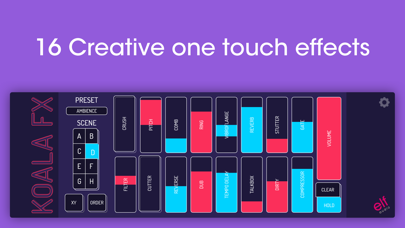
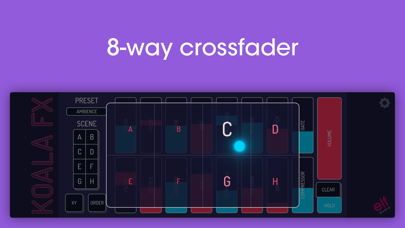
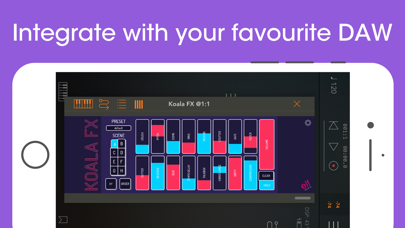
*** IMPORTANT! Koala FX is an Audio Unit Effect plugin (AUv3) which requires a compatible host or DAW to work such as Garageband, Beat Maker 3, AUM etc *** *** Koala FX is the ultimate creative effects unit. It offers 16 one-touch effects that you can play intuitively like an instrument, allowing you to effortlessly morph and twist your track into something beautiful. It includes all your favourite mix effects from Koala Sampler, but refined and souped up to allow super smooth cuts and crossfades. Apply effects to your whole mix just to add some lofi warmth or to liven things up… or use it to sculpt synth sounds to blend in with the rest. * Save up to 8 scenes per preset, so you can cut between them in time with the music * Smoothly crossfade between scenes with a giant 8-way X-Y pad. * Rearrange the order of the effects by dragging them. * A togglable hold mode allows you to keep some effects engaged, and others off when you let go of them. * Fully automatable via your host (effects, volume, scene, XY pad) * UI is fully resizable, works great in any aspect ratio CRUSH Bitcrusher with transistor distortion PITCH Frequency domain pitch shifter COMB Super short smooth interpolating delay with gallons of feedback RING Modeled diode ring modulator REVERB Efficient schroeder topology reverb STUTTER Loops a fragment of sound coming into koala fx and loops it in time with the music GATE Noise gate with hysteresis FILTER Combined low and high pass analog modeled filter CUTTER Chops the signal to the beat REVERSE Delay effect that reverses parts of your sound in time to the music DUB Vari-speed analog style tape delay TEMPO DELAY Tempo synced delay TALKBOX Formant filter based on human vocal tract VIBROFLANGE Half-vibrato, half-flanger DIRTY Analog modeled valve distortion COMPRESSOR Hard knee opto-style compressor with a bit of If you’re having any issues with Koala FX please get in touch at https://www.elf-audio.com/contact.php

Hernas OÜ
Switching music apps? Don't leave your playlists behind. Free Your Music transfers your playlists, albums, and liked songs between all major streaming services. Move from Spotify to Apple Music, Apple Music to Spotify, YouTube Music to TIDAL — any direction, in minutes. ◉ How it works: 1. Connect your current and new music service 2. Pick the playlists and albums you want to move 3. We match every song and start the transfer 4. Review the results — see exactly what moved and fix anything that didn't Your first 600 songs transfer completely free. ◉ Supported services: Spotify, Apple Music, YouTube Music, Amazon Music, TIDAL, SoundCloud, Deezer, Napster — and more coming. ◉ Key features: • Transfer playlists, albums, and your liked-songs library • Keep playlists in sync — new songs you add are copied automatically • Accurate song matching with a full transfer report • Move one playlist or your entire library in a single run • Works on iPhone, iPad, Android, Mac, Windows, and Linux — one purchase covers them all • No copy-paste, no spreadsheets, no lost songs ◉ Thinking about TuneMyMusic, Soundiiz, or SongShift? Free Your Music is the simple, reliable alternative: transfers run on your device, your library never sits on someone else's server, and you can start free. Download Free Your Music and take your playlists with you. Your music belongs to you — keep it wherever you go. Support: https://support.freeyourmusic.com TOS: https://freeyourmusic.com/terms-of-service

Karbin-Store

dvntms
Audiobus Pty Ltd
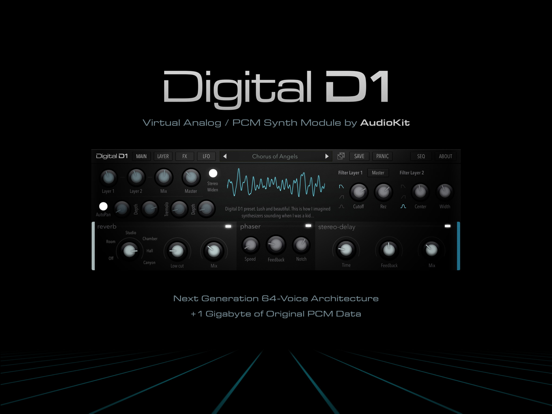
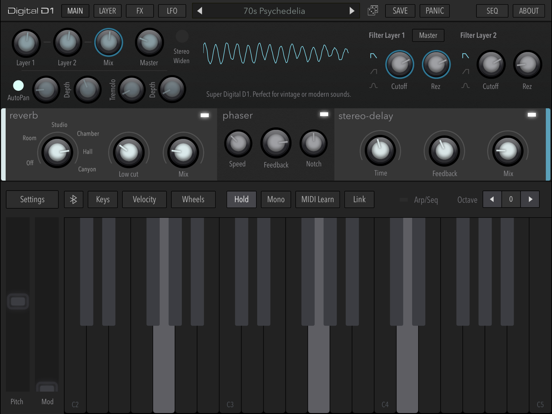
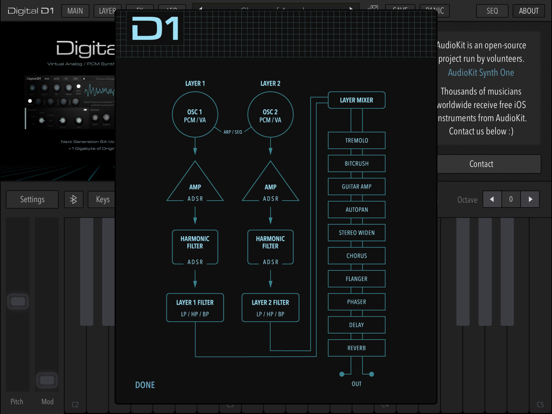
Epic 64-voice Virtual Analog / PCM iPad Synth Inspired by the Digital Synths of the 80s and 90s - ** TOP 3 iOS MUSIC APPS OF 2018 *** - Music Radar Awards (Computer Music & Future Music Magazine) - * Featured By Apple in "New Apps We Love!" ** "Fans of the D-50, JD-990, 01/W, Wavestation... Rejoice!" - Music Radar FULLY LOADED w/ 500+ presets by Brice Beasley, Matthew Fecher, Red Sky Lullaby, Jakob Haq, Dean Daughters (Electronisounds), Sound of Izrael, Brian Funk, and more DIGITAL D1 is AWESOME: - 64-voice Hybrid Digital Poly Synthesis. - Full 1+ Gigabyte of original samples recorded from analog & fm synths over 30+ years old - Stand-alone iPad Synth, plus IAA & Audiobus - Basic AUv3 Plugin support. Works best with AUM. We're working on upgrading Audio Unit support. - Space-saving Compression - The whole app is under 200mb! - Dual layers per voice. Keyboard splits. Velocity Scaling. - Vintage-style Arp/Step Sequencer that can be routed to specific layers. - 3 LFOs. Fun Routings. LFOs can modify other LFOs. - Dual Independent per-Layer filters - Plus, per-voice Harmonic key-tracked Envelope filters. "Digital D1 Sounds and plays AMAZING!" - The Sound Test Room "Rad retro synth sounds" - Cult of Mac, App of the Week "AudioKit Digital D1 is a beautiful Synthesizer app that recreates the spirit of legendary synths" - Synth Anatomy ADDITIONAL FEATURES: - FX: Glorious Reverb, Phaser, Digital Delay, Distortion, Flanger, Chorus, Crush, and more. - Perfect with a MIDI Keyboard - Ableton Link - All kinds of awesome stuff - The Sound. Oh, the sound. You won't believe it. "Digital D1 synth is pure ‘80s and ‘90s digital lushness" - Computer Music/Music Radar "Beautiful. Lush. Modern and Amazing… An Instant Classic." REQUIREMENTS: Requires newer iPads for best performance. May be slow on iPad 4. IAA is being deprecated by Apple in iOS 13. We're moving to AUv3 as well. Please replace IAA with AUv3 in your projects. GarageBand Audio Unit (AUv3): You can run one instance of D1 as an AUv3 in GarageBand. With a host like AUM, you can run 3 or more instances at once. TROUBLESHOOTING: For iPad 4 - Open the "Settings" button (to the upper left above the keyboard). Turn the buffer to 512 or above. And turn the "CPU Efficient" toggle to on. If still having trouble, try closing other music apps and/or rebooting your iPad. Thanks! - * NOMINATED: Best iOS Music Apps of 2018 ** by Computer Music & Future Music magazine. Subscribe to access to premium app features; subscription details are the following: - Length: weekly or yearly - Free trial: only on selected subscriptions - Your payment will be charged to your iTunes Account as soon as you confirm your purchase - You can manage your subscriptions and turn off auto-renewal from your Account Settings after the purchase - Your subscription will renew automatically, unless you turn off auto-renew at least 24 hours before the end of the current period - The cost of renewal will be charged to your account in the 24 hours prior to the end of the current period - When canceling a subscription, your subscription will stay active until the end of the period. Auto-renewal will be disabled, but the current subscription will not be refunded - Any unused portion of a free trial period, if offered, will be forfeited when purchasing a subscription Terms & Conditions: [https://magic-cake-e95.notion.site/AudioKit-Digital-D1-Synth-Terms-Conditions-14dcf6557a0880beb991f20561329664?pvs=4](https://www.notion.so/AudioKit-Digital-D1-Synth-Terms-Conditions-14dcf6557a0880beb991f20561329664?pvs=21) Privacy Policy: [https://magic-cake-e95.notion.site/AudioKit-Digital-D1-Synth-Privacy-Policy-14dcf6557a088042b2beee2382f5d62f?pvs=4](https://www.notion.so/AudioKit-Digital-D1-Synth-Privacy-Policy-14dcf6557a088042b2beee2382f5d62f?pvs=21) - * NOTE: This app has no official affiliation with AudioKit Pro, LLC. It was built using the free AudioKit source code.

Bryan Hall
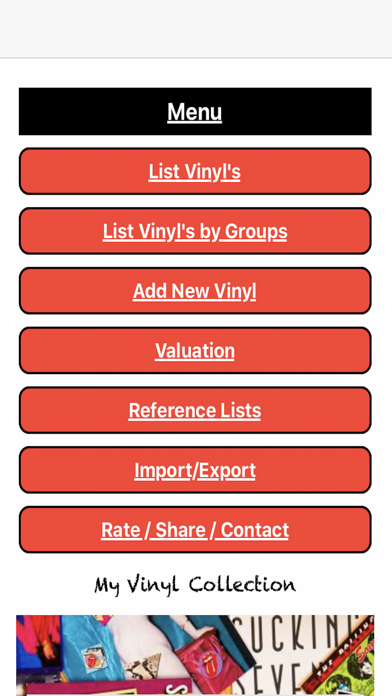
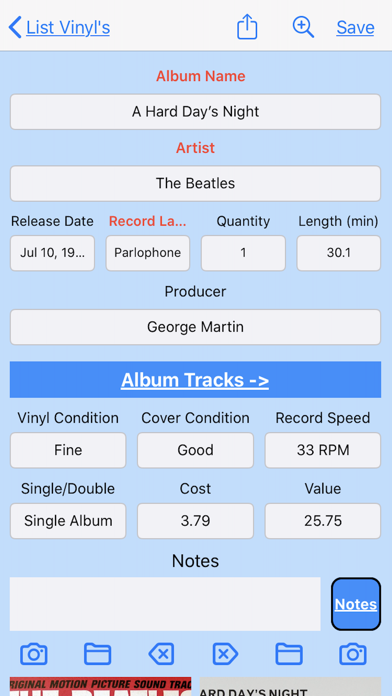
Do you love collecting vinyl records and take pride in your collection? Do you ever wonder how much your vinyl records are worth and what details you've entered for each record? If so, then My Vinyl Record Collection iPhone and iPad App is the perfect solution for you! This app allows you to keep track of every detail of your vinyl records, from the album name and date released to the record label and value. You can even group your vinyl records by artist, date released, producer, and record label, making it easy to find the records you're looking for. In addition to sorting and grouping, you can also browse the reference lists for vinyl condition and cover condition, and add or remove items as needed. And with the double-tap feature on the cover image or the zoom button on the top navigation bar, you can view the record cover images full screen and even enlarge or shrink the image with just a few finger taps. But that's not all! With the My Vinyl Record Collection app, you can keep your collection up to date and always know its worth. And, in case you want to share your collection with others, you can easily export it and share it with friends or on social media. We take pride in making this app user-friendly and hassle-free, so you won't be bothered by any ads or in-app purchases. And if you ever have any comments, suggestions, or requests, please don't hesitate to send us an email. Check out the attached screen shots to see how easy it is to navigate and use the My Vinyl Record Collection app on your iPhone or iPad.
Audiobus Pty Ltd
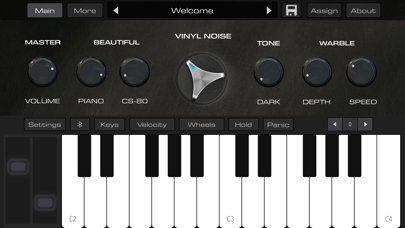
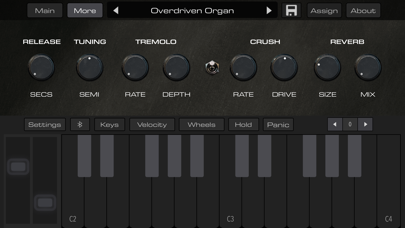
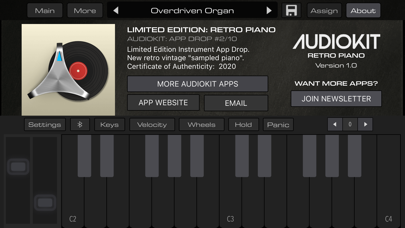
Super beautiful vintage piano. This wonderful Piano can sound Lo-Fi or modern and clean. Sounds great in a mix, or used alone. ++ You can even use it with a MIDI Keyboard or iOS host. ++ Big Piano Sound, small size! The entire app is under 70mb on most devices. Perfect for pro sound on the go! "Love the way it sounds… Vinyl noise and crush, Dope!" – Circuit Brent, 12-Bit Soul Express yourself. Create your signature retro piano sound. Simple controls allow you to create an emotional vibe for your music. Big sound, small space! 500mb of samples compressed to 50mb for space-saving expressive keys. Plus custom Vinyl noise to give it a "Sampled" sound. PLUS, we stacked the piano with a vintage synth for a perfect pairing of piano and synth pads. Creates retro feelings, vibes, and sounds. Easily make lo-fi and nostalgic sounds! FEATURES: + Includes both iPhone & iPad version for one low price! + Standalone app & AUv3 Plug-in + Vinyl Record warble speed & depth + Universal: Get both iPhone & iPad versions for life, free + Multiple velocities: Use an external MIDI piano keyboard for expressive sounds + 40+ Original Vinyl Noise samples + Crush, Distortion, and special sauce + Tremolo, Reverb, and other cool FX! + Works great as an AU plugin in GarageBand, Cubasis 3, BM3, NS2, AUM, Auria Pro, and more + Oh yeah, it sounds really, really good! This app is can be dirty, distorted, noisy and lo-fi sounding piano! Subscribe to access to premium app features; subscription details are the following: - Length: weekly or yearly - Free trial: only on selected subscriptions - Your payment will be charged to your iTunes Account as soon as you confirm your purchase - You can manage your subscriptions and turn off auto-renewal from your Account Settings after the purchase - Your subscription will renew automatically, unless you turn off auto-renew at least 24 hours before the end of the current period - The cost of renewal will be charged to your account in the 24 hours prior to the end of the current period - When canceling a subscription, your subscription will stay active until the end of the period. Auto-renewal will be disabled, but the current subscription will not be refunded - Any unused portion of a free trial period, if offered, will be forfeited when purchasing a subscription Terms & Conditions: [https://magic-cake-e95.notion.site/AudioKit-Retro-Piano-Terms-Conditions-150cf6557a0880cd9ce8d0cbf30b44e8?pvs=4](https://www.notion.so/AudioKit-Retro-Piano-Terms-Conditions-150cf6557a0880cd9ce8d0cbf30b44e8?pvs=21) Privacy Policy: [https://magic-cake-e95.notion.site/AudioKit-Retro-Piano-Privacy-Policy-150cf6557a0880b0a559e2fd23f56d4a?pvs=4](https://www.notion.so/AudioKit-Retro-Piano-Privacy-Policy-150cf6557a0880b0a559e2fd23f56d4a?pvs=21) NOTE: This app has no official affiliation with AudioKit Pro, LLC. It was built using the free AudioKit source code.
Audiobus Pty Ltd
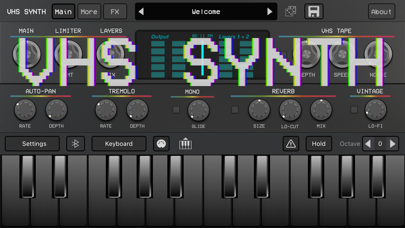
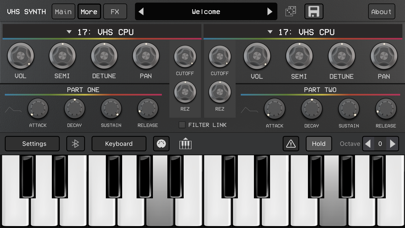
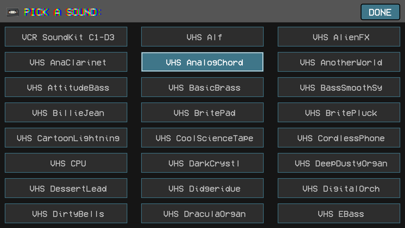
VHS Synth features synths recorded with a VCR, then resampled. Perfect for Synthwave, Hip Hop, Indie, Rock, Movie Soundtracks, Lo-Fi, Ambient, Vaporwave, Retro Pop, and more. Create instant lo-fi and cool retro vibes. Press a key. Elevate your music. Includes over 280+ Presets by Jakob haQ, Red Sky Lullaby, The GarageBand Guide, DJ Puzzle, Sound of Izrael, DJ Montra, Marc Hupkens, AnalogMatthew, JEC, Da Fingaz, Brian Funk, and more. "BEST Lo-Fi instrument I’ve ever played, seriously good sounds!" - The SoundTest Room "VHS Synth is a Retrowave dream!" - iPad Loops "Turns Your iOS Device Into An 80s Time Machine" - Synthtopia Classic Synths were recorded to VHS Tape with a VCR, then re-sampled. "VHS Synth is the ULTIMATE Retro Synth App" - The GarageBand Guide FEATURES: • Standalone app + iOS AUv3 Plugin • Over 280+ presets to inspire you • Compressed to under 140mb to save space • VCR Sound Effects (Buttons, Tape Hiss, More) • VCR FX section to customize the sounds • FREE Expansion Pack: OP-1 recorded with a VCR ++ iPhone & iPad version included for one low price Real analog feel and dirt. Vintage hardware was recorded into a VCR and then re-sampled. Subscribe to access to premium app features; subscription details are the following: - Length: weekly or yearly - Free trial: only on selected subscriptions - Your payment will be charged to your iTunes Account as soon as you confirm your purchase - You can manage your subscriptions and turn off auto-renewal from your Account Settings after the purchase - Your subscription will renew automatically, unless you turn off auto-renew at least 24 hours before the end of the current period - The cost of renewal will be charged to your account in the 24 hours prior to the end of the current period - When canceling a subscription, your subscription will stay active until the end of the period. Auto-renewal will be disabled, but the current subscription will not be refunded - Any unused portion of a free trial period, if offered, will be forfeited when purchasing a subscription Terms & Conditions: [https://magic-cake-e95.notion.site/VHS-Synth-80s-Synthwave-Terms-Conditions-150cf6557a0880aca270f4f8ccee8d3e?pvs=4](https://www.notion.so/VHS-Synth-80s-Synthwave-Terms-Conditions-150cf6557a0880aca270f4f8ccee8d3e?pvs=21) Privacy Policy: [https://magic-cake-e95.notion.site/VHS-Synth-80s-Synthwave-Privacy-Policy-150cf6557a088019bec6ccb33ae5bb09?pvs=4](https://www.notion.so/VHS-Synth-80s-Synthwave-Privacy-Policy-150cf6557a088019bec6ccb33ae5bb09?pvs=21) * NOTE: This app has no official affiliation with AudioKit Pro, LLC. It was built using the free AudioKit source code.

Limneos
This tool allows you to record audio from a call using TrollStore. Status: ✅🔵
Limneos
This tool allows you to record audio from a call using TrollStore. Status: ✅🔵

straight-tamago
A utility to disable the camera shutter sound using TS & CVE-2022-46689 Status: ✅🔵

danielyc
This is a quick and dirty Radio streaming CarPlay project to demonstrate deploying a (somewhat useful) CarPlay project utilizing TrollStore. The application generated by xcode will not contain the correct entitlements. CarPlay enabler (https://github.com/danielyc/carplay-enabler) can be used to easily add these entitlements. Status: ✅🔵


Ultimate Guitar
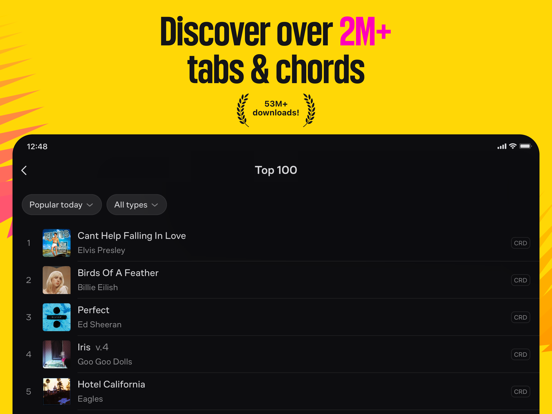
Access the world's largest catalogue of guitar, bass & ukulele chords, tabs, and lyrics. Challenge yourself to learn your favourite songs and more! You have choices galore: • Search for songs by genre, rating, your ability, tuning level • Explore UG Tab collections. Use the finder for your faves, fall in love with something new, feel the nostalgic vibes. Search by themes like House or Acoustic, or check out the latest album releases. Find collections based on your interests such as Star Wars or funky Bollywood beats. • Focus on guitar techniques, find songs personal to you in collections from professional guitarists • Anytime you feel inspired to share a song, create and upload your shot on the spot. It’s that easy! Share the best parts of your performance with your like minded community of fellow musicians. • Reach your true musical potential – learn to play with UG Courses here. Access over 2500 lessons for any skill level and instrument type from guitar, drums to piano and more. Learn different styles and techniques with guidance from professional musicians. Progress at your own speed and on any device, anytime, anywhere. • Play 29K+ popular songs in their original sound with Tonebridge Guitar Effects And it doesn’t end there Check out all these features: • Explore guitar, bass & ukulele chords, tabs, and lyrics for songs in every genre • Watch videos of songs to refresh your memory or use as backing tracks • Compile your favourite tabs in playlists from our tab collections • Create ‘Personal’ tabs to edit chords, lyrics or change tabs to suit your needs • Option to Switch to left-handed mode • Set a font style and size to match the tab • Offline access to favourite tabs - available at all times • Enjoy dark mode for a gig With a Pro account: • Use interactive tabs to play songs note by note, at your own pace • Select the chord variation that best suits you from the world's biggest library of chords • Use ‘Simplify’ to make difficult songs easier • Jam with high quality tabs - over 29,000 that include backing tracks and synchronised lyrics • Hit the right tempo with metronome • Transpose songs to get just the right tone for you • Take advantage of autoscroll during your practice sessions • Achieve the right sound with the built-in guitar tuner • Share, print, and export your fave songs Problems or feedback? We are always eager to improve your Tabs experience and strive for excellence in doing so. Let us help you in person by contacting our development team at [email protected], and we will endeavour to meet your needs. Please do not post bug reports or feature requests as an App Store review. Subscription information: • The "UG Pro + UG Courses + UG Sing" subscription gives you unlimited access to the app's premium content and features • The subscription price is $9.99/monthly, $59.99/yearly* • Payment will be charged to your iTunes Account at confirmation of purchase • Subscription automatically renews unless auto-renew is turned off at least 24-hours before the end of the current period • Your account will be charged for renewal within 24-hours prior to the end of the current period at the cost of the chosen package • Subscriptions may be managed, and auto-renewal may be turned off via ‘Account Settings’ on your device after purchase • There is no way to cancel your current subscription during its active period • Any unused portion of a free trial period, if offered, will be forfeited when the user purchases a subscription to that publication, where applicable. * Prices are equal to the value determined by ‘Apple's App Store Matrix’ as the equivalent of the subscription price in $USD. You can read our privacy policy at https://www.ultimate-guitar.com/about/privacy.htm You can read our terms of service at https://www.ultimate-guitar.com/about/tos.htm
Smule
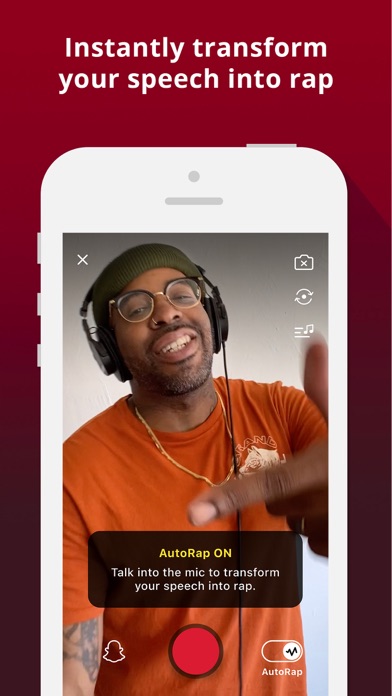
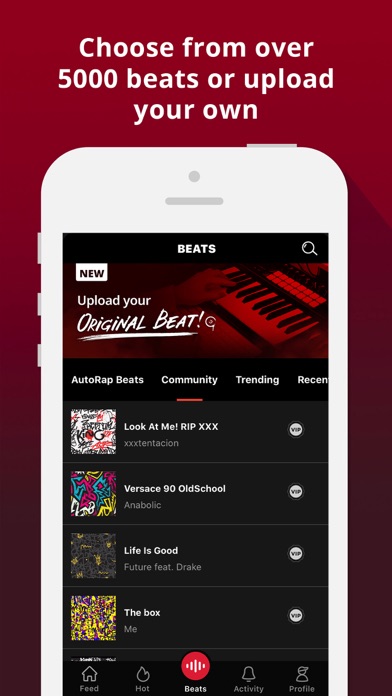
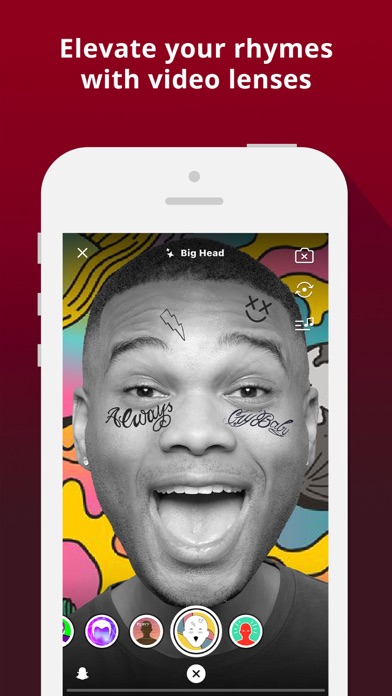
Are you ready to take your rhymes to the next level? With AutoRap you always have a platform to share your raps and rhymes. Duplicate your favorite rap album with your voice or use top beats to make something all your own. Choose from over 5000+ beats by top artists like Cardi B, Post Malone, Drake, Eminem, Dr. Dre, and more, or explore creations by other rappers and producers in the community. Share your recordings with friends, build your following, and enjoy competing with creators just like you. Create unique raps in just a few taps Create a rap track in a few easy steps. Just choose your beat and go for it – AutoRap provides high-quality audio for your recordings so you always sound smooth and polished, regardless of skill level. Try AutoRap for instant pitch-correction fun Just speak into your phone’s microphone and listen as AutoRap morphs your speech into a unique rap with pitch-correction and a beat-matching flow. Practice and improve your flow with a variety of beats Choose from a large library of instrumental beats— from all-time classics to the newest and hottest hip hop & RnB hits. Or, check out something totally unique from community-uploaded beats. We add new beats to the songbook 3 times per week so there’s always something new to try out. Meet and compete against other rappers Rapping doesn’t have to be solo. Join the AutoRap community and get inspired by other creators with the same passion. Share your raps, meet new people, and make a name for yourself with every rhyme. Take on challenges from other rappers or create your own. Once you complete a challenge, AutoRap blends the rap-offs into a single track for a direct comparison of your unique styles. Bring your own beats to create original rhymes Have an original beat of your own? Upload it to AutoRap to seamlessly lay your verses on top. You can even encourage other rappers from the community to try it out and create something with your beat. Hundreds of other producers are already on the app collaborating on new beats. Join them! Share your raps and grow your audience Rap your truth and share what matters to you. Whether you have a lot to say or don’t know where to begin, your story matters. Share your recordings on social media so your friends can see and support your rhymes. Invite others to join and try a new way to create and have fun. Features: Mobile recording studio: Easily record a rap song in minutes, regardless of skill level FREE Beats and Instrumentals: Choose from over 5000+ beats from top artists, AutoRap Originals and community producers. AutoRap voice converter: Instantly turn your words into a pitch-corrected rap song with beat-matching flow Freestyle: Practice and improve your freestyle verses and show off your rap skills Lenses: Level up your rap recordings with audio and video effects made for self-expression Share on Social: Promote your songs on Facebook, Snapchat, WhatsApp, Twitter and more Bring Beats: Upload your own beat or explore what others have created Rap Battles: Showcase your skills and compete with creators in the community Leaderboards: See top tracks from the community and grow your following through contests and challenges Community: Join thousands of other rappers and link up with inspirational creators Remix: Recreate your rap using different beats VIP SUBSCRIPTION - Subscribe to VIP to get unlimited access to ALL songs, beats, remix table, and more! - Payment charged to iTunes Account at the time of purchase - Subscription automatically renews unless auto-renew is turned off at least 24-hours before the end of the current period - The account is charged for renewal 24-hours prior to the end of the current period at the cost of the current package - No cancellation during the active subscription period - Read our privacy policy at https://www.smule.com/privacy - Read our terms of use at https://www.smule.com/termsofservice - Third-party libraries acknowledgments: https://www.smule.com/acknowledgments
Yokee Music
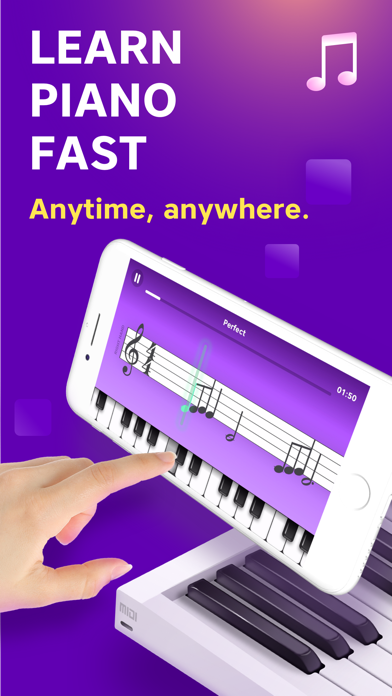
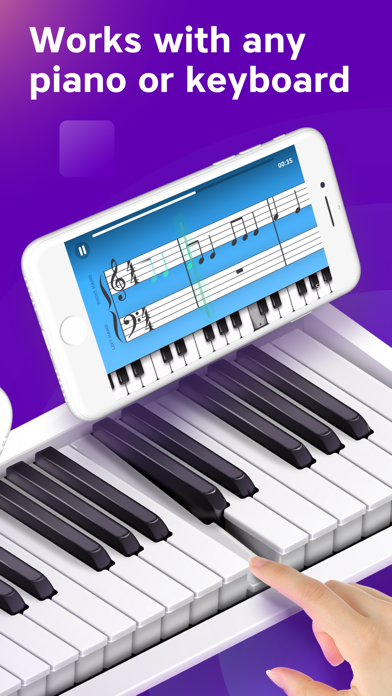
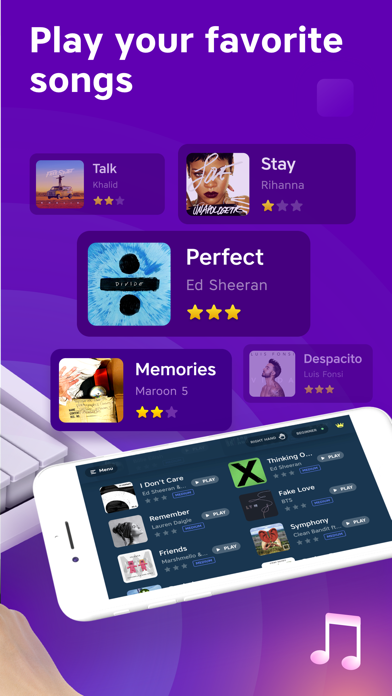
The fastest and most fun way to learn to play the piano! Piano Academy is for anyone looking to learn the piano from scratch or those who have prior knowledge and want to continue learning by practicing playing along with their favorite songs. Piano Academy offers an on-screen touch keyboard so you can start playing immediately. The app also supports MIDI connection, and it can even detect the notes you play if you have an acoustic or electronic piano. MAIN FEATURES - Watch tutorial videos introduced to you by your private instructor, teaching you theory topics like notes, the staff, chords, and much more. - The app listens to every note you play and gives you instant feedback, so you know how to improve. - Practice playing tons of great tunes by reading real sheet music. - Play fun games to train your musical hearing, hand coordination, and sense of rhythm. WHO IS IT FOR? Piano Academy is suitable for all ages, from kids to adults. We have designed and built this app from the very beginning to help transform even complete beginners into actual pianists. HOW DOES IT WORK? We will teach you how to read notes, so you'll be able to play while reading sheet music. You'll play tons of wonderful classical pieces, as well as contemporary hit songs on your own. As you progress, you'll learn to play with both hands, play chords, and much more. Theory topics are introduced to you by your private instructor with the aid of animations and walk-through videos. You will play fun games designed to train your senses, such as musical hearing, hand-coordination, and your sense of rhythm, among other skills. And the crowning glory is our staff player that shows music notes as you see in real sheet music. The notes are perfectly synced with the background music that will accompany you while playing. The app listens to every note you play and gives you instant feedback, so you know whether you hit the correct note at the right time. BOTTOM LINE, you're going to have an enriching, rewarding, and challenging experience, and you're going to love it! UNLIMITED PREMIUM SUBSCRIPTION - You can subscribe for unlimited access to all features and content offered within Piano Academy. - Watch all premium tutorials, play all premium games, and practice any of the songs, including premium songs, as much as you like from any Apple device and enjoy an ad-free experience. - Subscriptions are billed monthly or annually at the rate selected, depending on the subscription plan. - Payment will be charged to iTunes Account at confirmation of purchase - Subscription automatically renews unless auto-renew is turned off at least 24-hours before the end of the current period. - The account will be charged for renewal within 24-hours before the end of the current period and identify the renewal cost. - Subscriptions may be managed by the user, and auto-renewal may be turned off by going to the user's Account Settings after purchase. - No cancellation of the current subscription is allowed during an active subscription period. - Private Policy - https://www.pianoacademy.app/privacy-policy/ - Terms of Use - https://www.pianoacademy.app/terms-of-use/ ABOUT YOKEE Yokee Music is the creator of Yokee™, the world's #1 ranked sing-along mobile app, with over 100 million users and the creator of Piano by Yokee, the most successful piano app game available in its genre. If you're having any issues with the app, please don't hesitate to contact our support team at [email protected] Also, please join the Piano Academy community on Facebook and let us know what you think: https://www.facebook.com/groups/PianoAcademyCommunity/

leminlimez
A Jailed toolbox application for iOS 14.0-15.7.1 and 16.0-16.1.2 using CVE-2022-46689. Cowabunga MDC has reached its end of life. There will be no more updates and has been archived. Enable Notifications and set Location Services to Always to keep the app running in the background, keep the dock and folder background hidden, and prevent some sound effects from reverting. Warning: Some changes are permanent on iOS 14.0-14.8.1 Status: ❌🔥 (Discontinued)


Apple
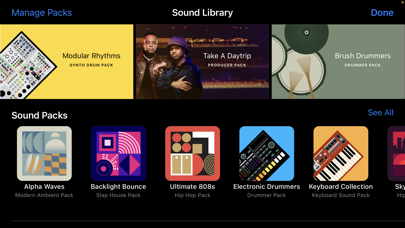
GarageBand turns your iPad, and iPhone into a collection of Touch Instruments and a full-featured recording studio — so you can make music anywhere you go. And with Live Loops, it makes it easy for anyone to have fun creating music like a DJ. Use Multi-Touch gestures to play keyboards, guitars, and create beats that make you sound like a pro — even if you’ve never played a note before. Plug in a guitar or bass and play through classic amps and stompbox effects. Use a Touch Instrument, microphone, or a guitar to instantly record a performance, with support for up to 32 tracks. Use the Sound Library to download additional free instruments, loops, and sound packs created by some of the biggest producers in the world. And then share your song with friends and family. Live Loops. Make music like a DJ • Use Multi-Touch to tap and trigger a Live Loop cell or group of cells • Get started with templates or build your own grid from scratch with Apple Loops • Create custom loops by recording directly into a cell using any Touch Instrument • Use Remix FX to perform DJ-style effects • Tap record to capture your performance Play your iPad, and iPhone, like a musical instrument • Play a variety of musical instruments on the innovative Multi-Touch keyboard • Play and record using the Alchemy Touch Instrument • Build grooves inspired by classic electronic drum machines with the Beat Sequencer • Download free instruments, loops, and sound packs for GarageBand with the Sound Library • Capture any sound and apply studio-class effects • Recreate legendary guitar or bass rigs using virtual amps and stompboxes • Record performances from third-party music apps directly into GarageBand using Audio Unit Extensions* Drummer • Add virtual session drummers to your song, who take direction and play realistic grooves • Choose from acoustic, electronic drummers and percussionists** • Each character provides their own sound and the ability to create over a million realistic grooves and fills Sound like a virtuoso with Smart Instruments • Play an entire string orchestra using Smart Strings • Perform with Chord Strips and autoplay using any keyboard instrument • Groove with a variety of Smart Basses using upright, electric, and synth sounds • Strum chords or trigger autoplay patterns on an acoustic and electric Smart Guitar Create a song anywhere you go • Record, arrange, and mix your song with up to 32 tracks using Touch Instruments, audio recordings, and loops*** • Record multiple times over any song section and choose your favorite using Multi-Take Recording • Use professional mixing effects, including Visual EQ, Bitcrusher, and Overdrive • Recording, mixing and exporting a song can be done at 24-bit audio resolution • Trim and place musical regions exactly where you want them to play • Automate the volume and record the movement of controls on Touch Instruments • Add comments or lyric ideas to your song with an integrated notepad Share your songs • Keep your songs up to date across all devices using iCloud Drive • Create custom ringtones and alerts for your iPad, or iPhone • Share your songs using email or to social media sites like SoundCloud**** • Remotely add new tracks to your Logic Pro project from your iPhone, or iPad via iCloud * Requires compatible third-party Audio Unit Extensions apps from the App Store. ** Requires free download from GarageBand Sound Library. *** Multitrack recording requires a compatible third-party audio interface. **** Sharing to some social media sites may require apps like iMovie, Clips or other third-party apps

ErkiTonlist sf
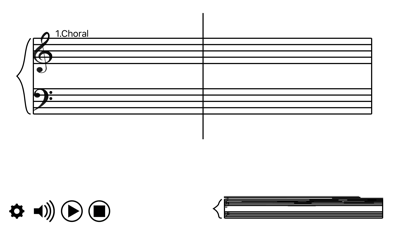
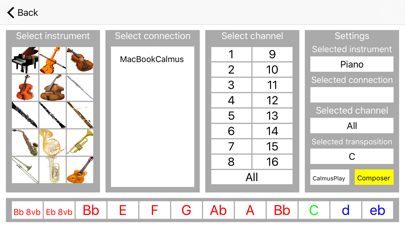
Graphical Notation is an app for music creation and graphical notation using Artificial Intelligence. The coreof Graphical Notation is the CalmusAI brain where the modern composing methods are programmed into the brain using Lisp programming language. NASA has historically used Lisp for artificial intelligence and autonomous systems, most notably in the 1990s Remote Agent project, the first AI system to control a spacecraft. CalmusNotation does not collect or use any musical material from the internet but creates new music based on the input from the user. In addition - CalmusNotation can also receive composed music from CalmusComposer and CalmusPlay - and present the music as graphical notation for live performance - in real-time. CalmusComposer composes music with Artificial Intelligence and can send the musical result to GraphicalNotations to be presented for life performance. CalmusComposer is connected to GraphicalNotation through WiFi local network - by selecting CalmusNotation in Settings. GraphicalNotation is connected to CalmusComposer, through WiFi local network - by selecting the MacOS device in the settings of GraphicalNotation. CalmusNotation needs Internet connection.
Pedro Daniel Macalupu Cumpen
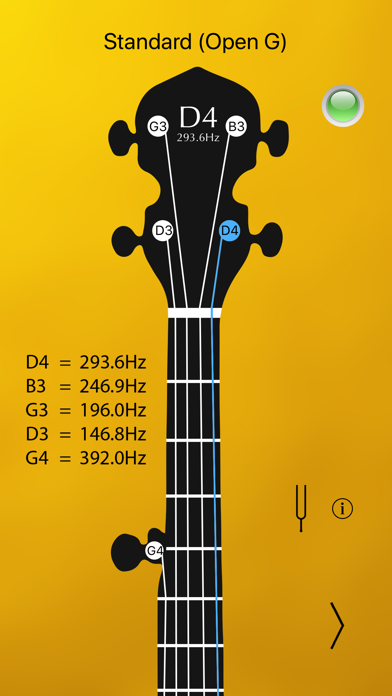
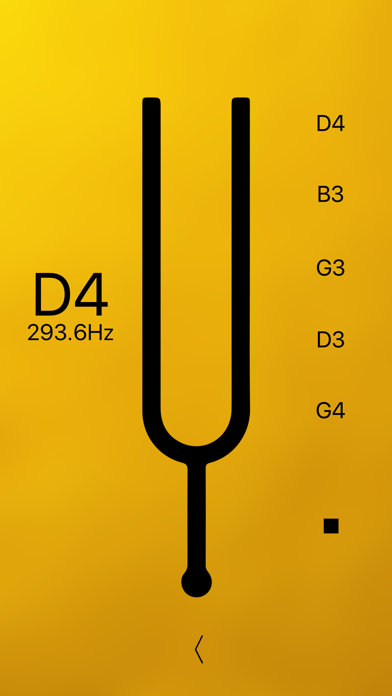
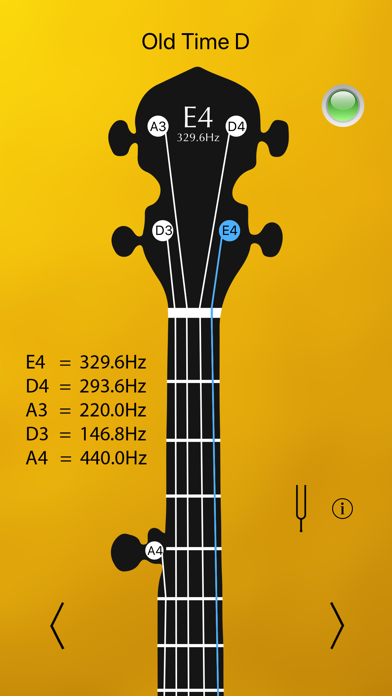
Tune your banjo with precision and ease, within seconds! Optimal for beginners, intermediate and advanced musicians! · The most accurate - displays the exact sound frequency in Hz! · Instant load and fastest tuning! - the only tuner optimized for 64 bit! · Highest responsiveness and sensitivity. · Intuitive user interface with LED tuning indicator. · Visual indicators - tuned string lights up. · Universal app - works with iPhone, iPad and iPod touch. --- Please make sure to allow microphone access to this app when prompted. Check it under Settings>Privacy>Microphone. Thank you. --- Got ideas? Questions? Please send us your feedback through our site or to [email protected]

Pedro Daniel Macalupu Cumpen
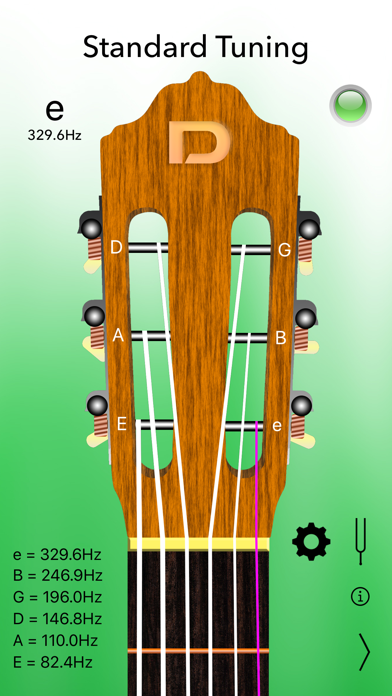
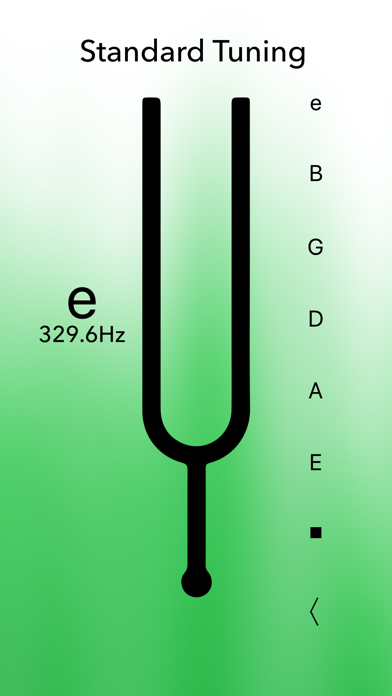
Tune your classical guitar with precision and ease, within seconds! Optimal for beginners, intermediate and advanced musicians! · The most accurate - it displays the exact sound frequency in Hz. · A4 Calibration, Tuning fork and Settings (as In-App Purchases). · Instant load and fastest tuning! - the only tuner optimized for 64 bit. · Highest responsiveness and sensitivity. · Intuitive user interface with LED tuning indicator. · Visual indicators - tuned string lights up. · Universal app - works with iPhone, iPad and iPod touch. Classical Guitar Tuner Pro brings you the following tunings: - Standard - Half Step Down - Full Step Down - Drop D - Double Drop D - Drop C - Drop B --- Please make sure to allow microphone access to this app when prompted. Check it under Settings>Privacy>Microphone. Thank you. --- Got ideas? Questions? Please send us your feedback through our site or to [email protected]
Roman Burda
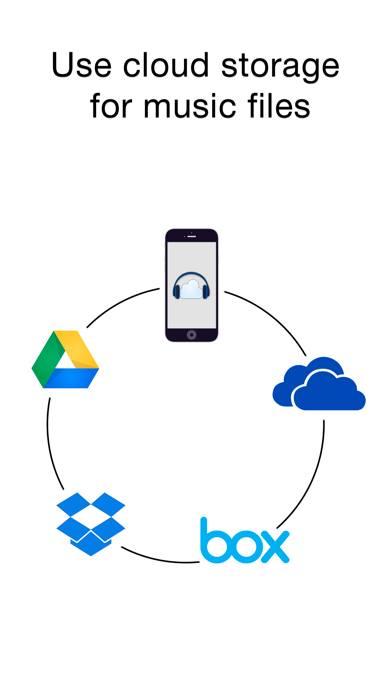
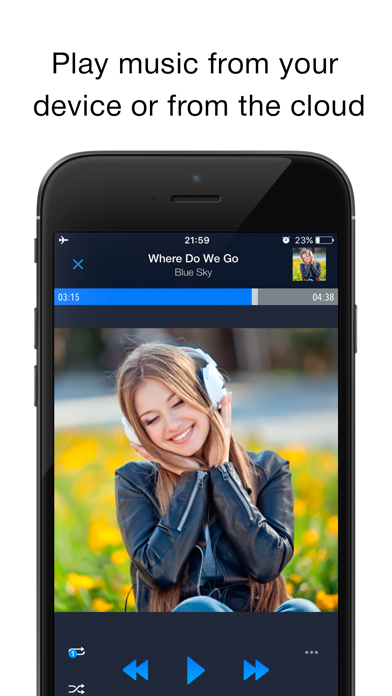
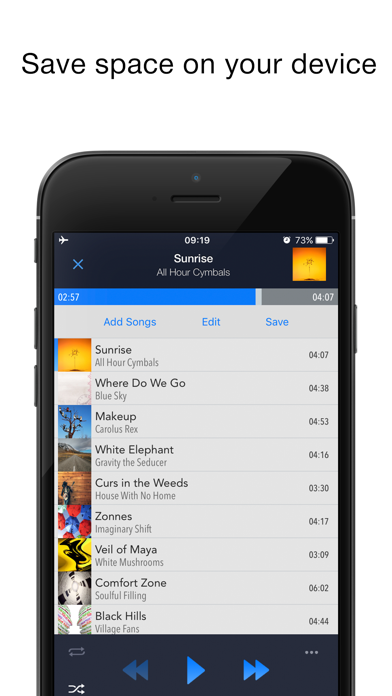
EASIEST WAY TO STREAM & ORGANIZE YOUR MUSIC Take control over your music and enhance your music listening experience with CloudBeats – cloud music player. Whether you need an offline cloud music player listener, or a music cloud player to sync all your music albums and download mp3 songs on multiple devices, CloudBeats is the only app you need. It simply allows you to create your own music streaming service. All you audiophiles and die-hard music fans finally have a simple app that will organize and play your vast music collection the way you want it. Anywhere. Anytime. It’s time to easily upload, store and access your music on the cloud seamlessly with CloudBeats. ► CLOUD MUSIC PLAYER ● Works with the popular cloud services for music streaming: Dropbox, Google Drive, OneDrive, OneDrive for Business, Box, pCloud, HiDrive. Personal clouds that support webDAV, including ownCloud and NextCloud. Network-Attached Servers (NAS) by Synology, QNAP, Western Digital (WD) and others that support webDAV protocol. These integrations make our cloud music internet song player one of the most versatile cloud music song organizers. ● Plays audio files in different formats: Our free local music player offline app allows you to play mp3, m4a, wav and lossless FLAC and ALAC audio. Meaning our music cloud player can play almost any song you have on your iPhone. ● Works online and offline: Want to enjoy cloud music with no wifi? Well our no wifi music cloud player allows you that. Simply swap between offline and cloud tabs. Also supports shuffle mode & CarPlay. ► MUSIC MANAGER & ORGANIZER ◉ Sync music libraries: The cloud music organizer app auto detects all the music on your phone and syncs all your music libraries. All songs are grouped by artist, album, genre. ◉ Create playlists: Want to organize your music and create cloud playlists? Add files and entire folders to playlists, change the order of the tracks in the Playlist section of our free music player. ◉ Organize & download music, audiobooks, podcasts: download and sync any of your music across multiple devices on the cloud with this cloud music organizer. Our intuitive song manager & song organizer will give amazing control and effectively organize your music the way you want it. It also supports audiobooks and podcast file formats so you can listen offline without wifi. ► ALL FEATURES: ・Supports most cloud services, personal clouds and servers. ・Works without internet. Download albums, playlists, folders or files onto the device for playback in offline mode ・Playlist maker. ・Sync your music library with connected network accounts. ・Supports mp3, wav and m4a, lossless FLAC & ALAC ・Advanced buffering technologies to provide smooth gapless playback ・Repeat all, repeat one and shuffle mode. Shuffle the entire library, a single folder, artist or album. ・Sleep timer to automatically stop music when the timer ends ・Playback speed control (tempo) within the 0.5x-3.0x range ・Play offline–no internet or WiFi needed ・Add music to your favorite playlist ・Carplay ・Siri and Shortcuts “Sync Multiple Devices” is an optional service to keep your Playlists and My Library database in sync between multiple devices. It can also be used to backup and restore your music data. CloudBeats account is required for this service. We offer 1-year auto-renewing subscription for $6.99 per year. The price may vary from country to country. If you choose to purchase “Sync Multiple Devices”, payment will be charged to your iTunes account. You will be charged the same price for renewal within 24-hours prior to the end of the current period. Your subscription automatically renews unless auto-renewal is turned off at least 24 hours prior to the end of the current period. Subscriptions may be managed and auto-renewal may be turned off at any time by going to the user’s Account Settings in the App Store after purchase. CloudBeats privacy policy and terms of use: https://www.cloudbeatsapp.com/privacy-policy/


Mike Clay
Cs Music Pro reimagines the classic iOS Music app—updated, enhanced and ad-free. Experience the familiar tabbed interface you loved, enhanced with powerful features and seamless Apple Music integration. Effortless control: • Intuitive organization: Browse by artists, albums, playlists and more. • Advanced customization: Powerful sort and grouping options make managing large libraries easy. • Quick filters: View new additions, recent plays, or favorited songs with just a tap. • Pin your favorites: Convenient access to the artists and albums in heavy rotation. Rediscover your music: • Dive deeper with metadata and lyrics: Explore your library in more detail. • Classic star ratings: rank and order your tracks the old-school way. Beautifully designed interface: • Dynamic player: Immerse yourself with album artwork-based colors. • iOS-native: Feels right at home alongside your stock apps, and respects accessibility settings. Cs Music Pro is perfect for those who: • Love their music collection: You've ripped your CDs, downloaded your favorites, and curated your library over the years. Cs Music Pro gives you the power to organize and enjoy it your way. • Value control and a curated library: You want more than just a basic music player. You want fine-grained control over how your music is organized, presented, and enjoyed. • Want a pure, ad-free listening experience: No interruptions, no distractions. Just you and your music. • Use the Music.app library: You use the built-in Music app to manage your music, whether you subscribe to Apple Music or not. Cs Music Pro enhances that experience with a classic interface and powerful features. (Note: Cs Music Pro requires the use of your existing Music.app library. It is not a standalone music player.) Download Cs Music Pro today and rediscover the joy of your music.
Radu Dutzan
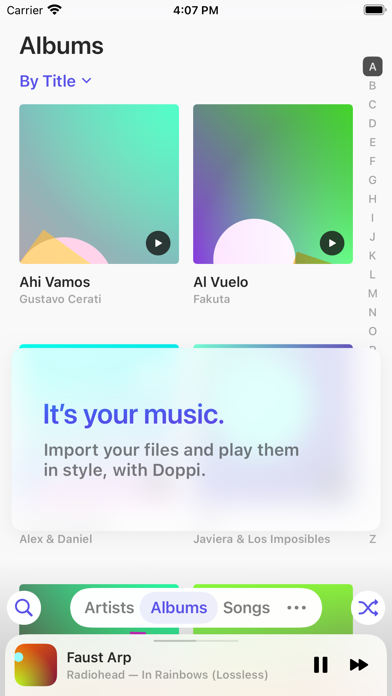
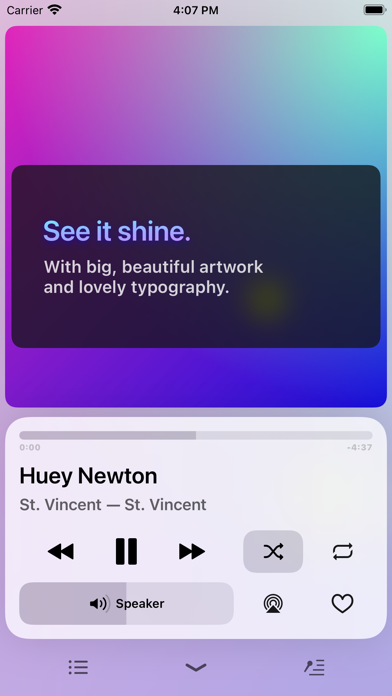
A beautiful local music file player — MP3, FLAC, WAV, and more — with an equalizer, widgets, Timed Lyrics, CarPlay support & more. Designed for iPhone and iPad. Now free for up to 80 songs. A Lovely Home for Your Music Put your high-quality music file collection in one of the nicest UIs out there. See It Shine Clutter-free interface with big, beautiful artwork and clean typography. Glide Through It Navigate with silky-smooth gestures and handy shortcuts to find things fast. Queue It Up Easily queue up songs to play next and edit the upcoming list with Up Next. Search, Fast Pull down from anywhere in your library to invoke Search, and use the Return key to select the top result. Make Playlists Create playlists and add songs with multitouch drag-and-drop. Edit Metadata Change information like title, artist, album, lyrics, artwork and more on your music files. Now Playing Widget Large artwork and playback controls (while playing), available in 3 sizes. Equalizer Enjoy your way with an 8-band 6-preset (+ Custom) equalizer, available right on the player menu. Timed Lyrics Have a sing-along! LRC-formatted timed lyrics are shown synced to the music. Get Lyrics Doppi can (try to) automatically fetch lyrics for you! Just tap Get Lyrics. Make It Your Own Choose from 6 highlight colors, 4 light and dark themes, 32 icon variations with dark mode and tinting support, reorder your library tabs, and more. Hello Tab Your most loved, most played, and most recent albums and artists, all in one place. CarPlay Drive safely and enjoy your music from the intuitive Doppi interface for CarPlay. Scrobble to Last.fm Log into your Last.fm account from Settings to start sending your Doppi plays to the service. Continue With Album Ever shuffled your music, found a song you loved, and wished you could continue the album instead? Doppi can make it happen. Completely Readable With thick fonts, support for Dynamic Type, and high contrast themes, your eyes wonʼt get in the way of your ears. Ask Siri to DJ Your assistant can play songs, albums, artists, playlists, and genres from your library — just ask it to play in Doppi. Shortcuts As you play your music, those actions will be suggested to you by the system and appear on the Shortcuts app. Just Much Nicer Doppi has been carefully designed with clean typography, pleasing contrast, and elegant motion. Enjoy your music in a joyfully clean UI. Give your music the lovely home it deserves. ———— Important: Doppi does not include any music. It's designed to play your music files, that you transfer manually to your device. It does not support playing music from any streaming service, or music that is digitally protected. In-app purchases are governed by the Apple Standard Terms of Use, available at https://www.apple.com/legal/internet-services/itunes/dev/stdeula/