
Utilities
Find utility IPA listings for file management, VPNs, signing helpers, browsers, keyboard tools, backups, DNS, and system-focused apps.

VPN Satoshi LLC
VPN Satoshi - Decentralized, Secure, Fast and Unlimited VPN on Cosmos blockchain. - More than 40 countries worldwide - Stable and secure connection - High speed without delays - Completely secure - no leaks, no vulnerabilities - Complete anonymity and security on the Internet worldwide Simple registration without providing any personal data except for your email will create a single account on all platforms. An automatic connection to the server in a matter of seconds without complicated settings. Free technical support 24/7. Ask any questions here https://vpnsatoshi.com/ru/contacts/. Discover limitless possibilities of VPN Satoshi with a convenient Premium subscription - no ads, high speed and advanced functionalities. Terms of use: https://www.apple.com/legal/internet-services/itunes/dev/stdeula/
Stronger Apps
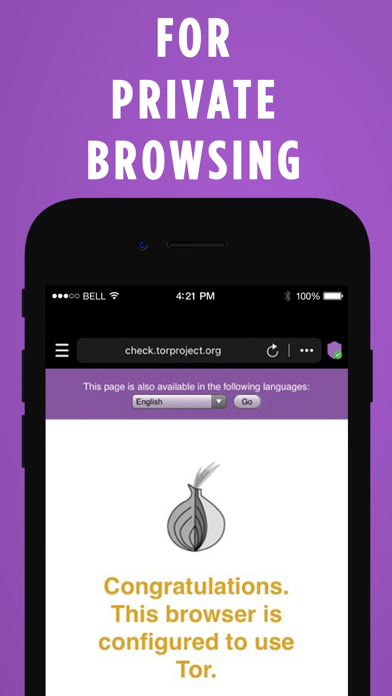
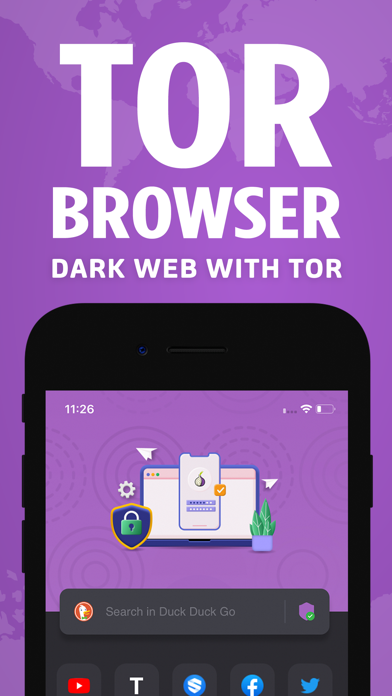
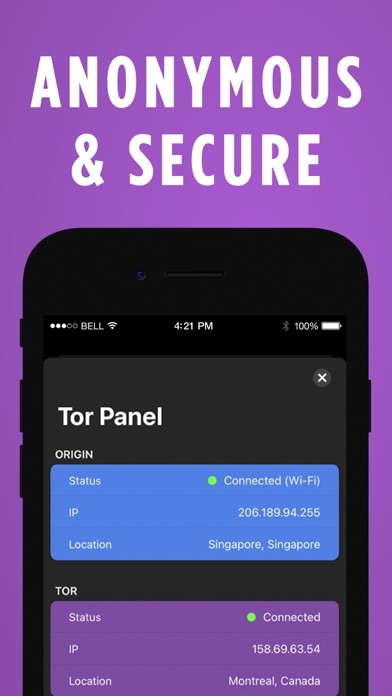
OrNET Browser is the best app featuring a high performance Deep Web browser. It is a secure web browsing app that allows users to access the deep and dark web without leaving any fingerprints. Features you get in the app - Securely Browsing the Internet. -Protection of your online activity. -Unlimited session time and high bandwidth tunneling. -Secure your traffic from unsafe wireless networks and ISPs. -Ads-Free experience.. -Regular updates of the app and new exciting features. How to Use? 1-Download and launch the application. 2-Sit back, relax and enjoy a safe internet browsing section. Note: This product is produced independently from the Tor® anonymity software and carries no guarantee from The Tor Project about quality, suitability or anything else. ====================================================== Subscription Details: Price can vary from region to region. Payment will be charged to the iTunes account within 24-hours earlier to the end of the free trial period. Note: You can cancel your subscription at any time during the trial period without any charges. Renewal Renewal: subscription automatically renews unless auto-renew is turned off at least 24-hours before the end of the current period. Payment will be charged to iTunes account within 24-hours prior to the end of the free trial period. The account will be charged for renewal within 24-hours prior to the end of the current period. To manage your subscriptions or turn off auto-renewal: Go to settings > iTunes & App Store; Tap your Apple ID at the top of the screen; Tap View Apple ID. You might need to sign in or use Touch ID; Tap Subscriptions; Tap the subscription you want to manage; Use the options to manage your subscription. No cancellation of the current subscription is allowed during the active subscription period. Any unused portion of a free trial period, will be forfeited if you purchase a subscription to that publication. Subscription Policy : https://strongerapps.com/app/privatebrowser/subscription.html Privacy Policy : https://strongerapps.com/app/privatebrowser/privacy.html Terms of Use : https://strongerapps.com/app/privatebrowser/terms.html


Aloha Mobile
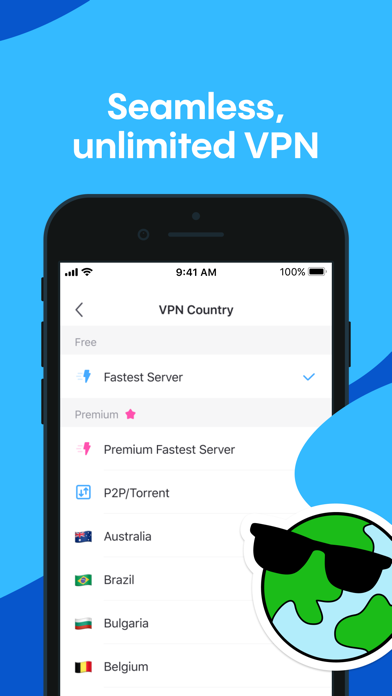
Your privacy should be the default, not a feature. Aloha Browser gives you everything you need to browse privately, block ads and trackers, and download files — in one app, with nothing extra to install. Hundreds of millions of users trust Aloha because it does what other browsers won't: it puts your privacy first by default, not as an afterthought. BLOCK ADS AUTOMATICALLY Ads slow you down and track you across the web. Aloha removes them before they load — every page is faster, cleaner, and distraction-free with no ads. No setup required. BROWSE WITH A BUILT-IN FREE VPN Protect your connection on any network with Aloha's integrated VPN. Choose from 80+ server locations worldwide, secured with 256-bit AES encryption and DNS leak protection. VPN traffic is compressed and encrypted to reduce bandwidth usage. One tap to activate — no separate app, no data caps for everyday use. DOWNLOAD VIDEOS AND FILES Save videos, music, and documents directly from any web page. Aloha's built-in downloader handles the formats other browsers can't. Play media in the background, manage files with ease, and lock sensitive downloads with biometric protection. PRIVATE BY DESIGN Aloha doesn't log your activity — ever. There's nothing to share because there's nothing stored. Combined with the VPN, automatic ad blocking, and TrafficMask, you get full-stack privacy that goes far beyond what incognito mode offers. PRIVATE AI — NO SURVEILLANCE Use AI to summarize, translate, and answer questions without your prompts being logged, profiled, or used to train models. Private by default. BUILT FOR YOUR DAILY WEB Tabbed browsing with a clean, fast interface. Sync bookmarks and tabs across devices linked to your Aloha account. Scan QR codes instantly. Explore Web3 domains and dApps with full native support. Everything works together, beautifully. ALOHA PREMIUM Upgrade for enhanced VPN country selection, device-wide VPN protection, VPN auto-start, Wi-Fi file sharing, ZIP compression support, and premium themes. Aloha Premium is available at $7.99/month or $69.99/year (USD). Prices may vary by region. Subscriptions renew automatically unless turned off at least 24 hours before the current period ends. Manage subscriptions in your Apple Account settings. Any unused free trial portion is forfeited upon purchase. Privacy policy: https://alohabrowser.com/policy.html Terms & Conditions: https://alohabrowser.com/terms.html ABOUT ALOHA We're a team dedicated to proving that privacy and a great browsing experience aren't mutually exclusive. While other browsers bolt on privacy features as add-ons, we built Aloha from the ground up to keep your data yours — verified by an independent third-party audit from Leviathan Security Group. Discover more: https://alohabrowser.com Facebook: https://facebook.com/alohavpnbrowser X: https://x.com/alohabrowser For feedback and support, please email [email protected]
DEEP FLOW SOFTWARE SERVICES
Clean up your iPhone and optimize storage in seconds. Remove duplicate photos, videos, and junk emails. Cleanup helps you clear your camera roll, merge duplicate contacts, compress videos, and organize storage — all in one app. OPTIMIZE STORAGE – FREE UP SPACE WITH ONE TAP Running low on space? Cleanup gives you powerful tools to take control: - Delete duplicate photos and videos - Remove similar screenshots and lookalike videos - Compress large files without losing quality - Clean up spam and promotional emails - Delete unused contacts and tidy up your address book - Free up storage instantly with one tap. CLEAN YOUR GALLERY FAST - DELETE DUPLICATE PHOTOS No more manual browsing. Cleanup makes it easy: - Instantly detect and delete duplicate photos - Smart grouping for similar photos, with “Best” marked - Remove large, lookalike videos - Identify and delete screenshots in bulk EMAIL CLEANER - DECLUTTER YOUR INBOX Declutter your inbox in seconds: - Highlight and remove promo, spam, and unread emails - Clear out junk with one tap CONTACTS CLEANUP Keep your contacts organized and up to date: - Merge duplicates - Remove incomplete or unused entries - View and edit from one place COMPRESS VIDEOS - SAVE SPACE, KEEP QUALITY Save storage without deleting memories: - Compress large files with minimal quality loss - Select exactly which videos to compress CHARGING ANIMATIONS Turn charging into a personal moment with vivid, customizable animations. SECRET SPACE – HIDE WHAT’S PERSONAL Hide personal content in a secure, PIN-protected vault only you can access. WIDGETS Add instant cleanup tools to your Home and Lock Screens: - Battery and storage widgets - Tap to launch cleanup features quickly REVIEW BEFORE YOU DELETE Nothing is removed without your approval. After each cleaning session, you get a final review screen to double-check your selections. No accidental deletions, no surprises — you're always in control. OFFLINE AND PRIVATE Your data stays private: - No internet connection needed - No files leave your phone - No tracking or data misuse Your privacy is fully protected — even we can’t access your photos. Payment & Subscription Terms: Choose between the following subscription options for unlimited access to all features: • Weekly Subscription • Lifetime Subscription FREE TRIAL FOR 7 DAYS - OFFERING UNLIMITED GALLERY CLEANING FOR A LIMITED TIME ***You may cancel your subscription at any time*** Cleanup’s free trial allows you unlimited access to all features for the duration of 7 days. Your account will be automatically charged for renewal, based on the annual subscription plan, within 24 hours before the end of the 7 days free trial period. You can cancel auto-renewal at any time, given that the cancellation is at least 24 hours before the end of the current period. Any unused portion of a free trial period will be forfeited when making a purchase of an auto-renewing subscription. ***Manage your subscription directly from your iPhone*** Subscriptions can be managed by the user and auto-renewal can be turned off by going to the Account Settings: - Open the Settings app. - Tap your name. - Tap Subscriptions. - Tap the subscription that you want to manage. Privacy policy: https://cleanup.photos/privacy Terms of use: https://cleanup.photos/terms
Timo Josten
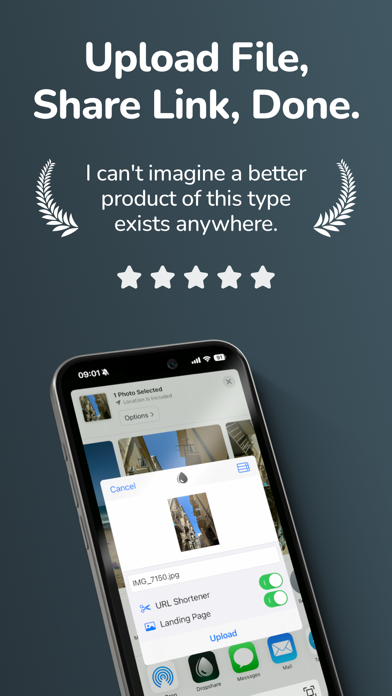
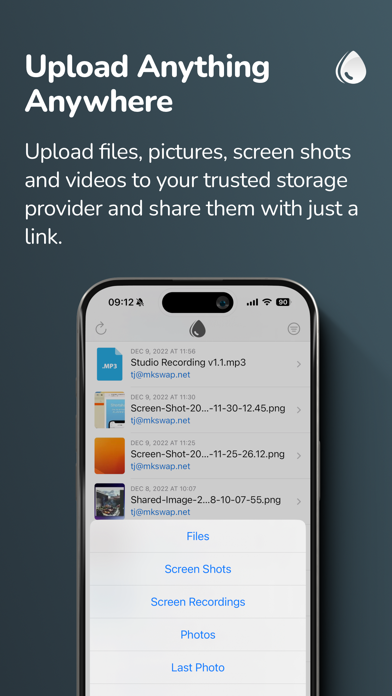
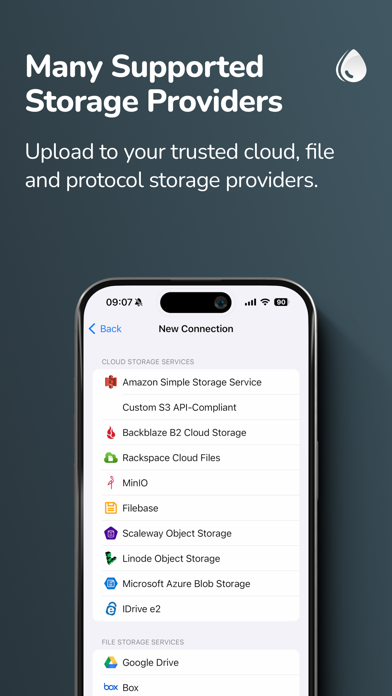
Dropshare makes it easy to upload and share files from your iPhone or iPad using storage you already trust. Upload files, photos, videos, and more, then instantly get a download link you can share anywhere. Whether you want to use your own server, S3-compatible storage, or popular cloud services, Dropshare gives you a faster and more flexible file sharing workflow on iOS. Why Dropshare: • Share files quickly via download URL • Upload from Photos, Files, or the Share Extension • Upload one file, multiple files, or ZIP archives • Sync upload history across iPhone, iPad, and Mac with iCloud • Use custom domains and supported URL shorteners • Create custom download pages matching your personal or professional identity • Supports Shortcuts for faster automation Supported storage providers include cloud, file, image, and protocol-based services such as: Cloud Storage: • Amazon S3 • S3 API-compatible services (including OpenStack Swift, Google Cloud Storage, DigitalOcean Spaces, DreamObjects, and more) • Backblaze B2 • Rackspace Cloud Files • Filebase • Scaleway Object Storage • Linode Object Storage • Microsoft Azure Blob Storage • IDrive e2 • MinIO File Storage: • Google Drive • Box • Dropbox • OneDrive • pCloud • Nextcloud • Horizon • Zoho WorkDrive • Koofr • kDrive Image Storage: • Flickr • ImgBB • Imgur • vgy.me • Lensdump Protocol Services: • SCP over SSH • FTP / FTPS • SFTP • WebDAV Dropshare also supports URL shorteners including Rebrandly, Bitly, short.io, and more. dsh.re is the built-in shortener and also supports custom domains. Technical notes: • SCP, FTP / FTPS, SFTP, and WebDAV require a working server account. Password or SSH key authentication may be required. • S3 API-compatible services such as OpenStack Swift, Google Cloud Storage, DigitalOcean Spaces, and DreamObjects are supported. See the User Guide for setup details. • Google Drive, Box, Dropbox, OneDrive, pCloud, Nextcloud, Koofr, Horizon, and kDrive require an account with the respective provider. • Amazon S3, Backblaze B2, Rackspace Cloud Files, Scaleway Object Storage, Linode Object Storage, Microsoft Azure Blob Storage, and MinIO may require a paid plan depending on the provider. End User License Agreement: https://dropshare.app/eula/

Neybox Digital Ltd.
Sleep trouble? Sleep better with Pillow, your smart sleep tracker. Pillow can analyze your sleep cycles automatically using your Apple Watch, iPhone or iPad. Use Pillow as a smart alarm clock to wake up at the lightest possible sleep stage and start your day refreshed and relaxed. Record important audio events such as snoring, sleep apnea, and sleep talking. Explore trends about your sleep and compare your sleep quality with many Apple Health metrics that affect sleep. As seen on: The New York Times, Forbes, The Guardian, BuzzFeed, The Washington Post, TechCrunch, MacStories, Daily Mail, and many more. Rated as one of the best sleep tracking apps for the Apple Watch and iPhone. Join the millions that have discovered the life-changing benefits of great sleep! TRACK YOUR SLEEP AUTOMATICALLY - Simply wear your Apple Watch during sleep. Pillow will automatically detect and analyze your sleep. - View last night's report right on your Apple Watch, along with the heart rate analysis for the night. - Switch between manual and automatic mode anytime. SLEEP CYCLE & HEART RATE ANALYSIS - Advanced sleep cycle analysis algorithm based on the latest scientific findings in sleep research. - Detailed heart rate analysis - Detailed sleep stage diagram (Awake, REM, Light Sleep, Deep Sleep) and sleep score. - Home Screen, Lock Screen Widgets and Apple Watch Complications AUDIO RECORDINGS USING MACHINE LEARNING - Snoring, sleep apnea, sleep talking and other nightly sounds. - All processing is done using on-device intelligence to ensure privacy. PERSONALISED INSIGHTS & SLEEP TIPS - Create a unique personal sleep program to reach your goals - Regularly updated sleep tips - Advanced Insights, including optimal bedtime, chronotype and more. SLEEP TRENDS - Explore your sleep history with Week, Month, Year, and All Time overviews. - Compare your sleep quality with many Apple Health categories that affect sleep. BACKUP & SYNCHRONIZE - Synchronize and backup your sleep data and audio recordings between your devices. ALARM PRESETS & NAPS - Powernap, recovery, and full-cycle nap - Customisable alarm presets MOOD & NOTES - Track your mood when you wake up - Discover how your notes affect your sleep quality SLEEP AID - Access an expanding library of Meditations, Bedtime Stories, Soundscapes and Music. - Use a track from Apple Music or iTunes as an alarm. - Siri Wind Down support PREMIUM FEATURES: - Unlimited sleep history & analysis - Advanced sleep analysis - Sleep trends & Apple Health comparison - Sleep notes - Heart rate analysis - Sound recordings - Nap modes & Customisable presets - Access to Sleep aid library - Access to all wake-up melodies - Discover: Create a personalised sleep program. - Wake-up melodies from your iTunes library or Apple Music - Data export in CSV format - Smart Wake-up Learn more at https://pillow.app SUBSCRIPTION INFORMATION Your payment will be charged to your iTunes Account as soon as you confirm your purchase. You can manage your subscriptions and turn off auto-renewal from your Account Settings after the purchase. If you start a free trial, you will be charged automatically at the end of the trial period unless you cancel 24 hours before the expiration period. Your subscription will renew automatically unless you turn off auto-renew at least 24 hours before the end of the current period. The renewal cost will be charged to your account within 24 hours before the end of the current period. When canceling a subscription, your subscription will stay active until the end of the period. Auto-renewal will be disabled, but the existing subscription will not be refunded. If offered, any unused portion of a free trial period will be forfeited when purchasing a subscription. Terms & Privacy Policy: https://pillow.app/pillow-privacy-policy-en


永刚 陈
CPU-x is a tool that can query phone hardware and system information Not the best, only better, not the most convenient, only more convenient Special feature: - Accurate CPU real-time frequency calculation, the algorithm occupies few system resources - View system hardware information, operating system information - View network and carrier support - Real-time network speed and traffic, WiFi hotspot information - See phone screen details - View camera details - Check memory and storage usage information - More features to be discovered by you The user experience is good, the interaction is simple and the functions are rich. If you want to know more about your phone, download me! If you want to know more about the details of various mobile phones, download me now! It should be noted that if you select the health widget, they will need to read the steps, distance and calories data from your "health" APP in order to display the data of the day and the current month on the widget. Finally, support iPhone17 series and iPad Air 8 model

Calisteniapp, Sociedad Limitada
Transform your body with Calisteniapp, the calisthenics app that adapts training to your level and helps you make real progress. Build strength, gain muscle, and improve your physique with programs created by professionals, routines that evolve with you, and safe progressions for exercises like pull-ups, handstands, and muscle-ups. Over 700 exercises, workouts at home or outdoors, and an intelligent system that adjusts training load based on your performance so you can keep progressing without plateaus. Start training with purpose and stop improvising. WHAT IS CALISTENIAPP? Calisteniapp is the calisthenics app that guides you step by step so you can progress safely, even if you’re starting from zero. Train wherever you want, with or without equipment, and move forward with clear progressions and workouts that evolve with you. When you start, the app recommends a program based on your level and goal (strength, muscle gain, aesthetics, weight loss, or skills). WHAT WILL YOU FIND? ► 40+ step-by-step guided training programs ► Skills & tricks: achieve your first pull-up, handstand, muscle-up, front lever, push-ups, back lever, planche, or human flag with guided tutorials ► Stats & tracking: access a workout calendar with session logs or check the muscle map to see which muscle groups you train the most ► Workout builder: create custom routines based on your goal, available time, and exercises ► EVO routines: a more flexible training method that adjusts daily load based on your performance, allowing safe progress without rigid plans ► Challenges: join 21-day training challenges to build strong habits ► Achievements to reward your progress WHO IS IT FOR? • Beginners: if you’re starting from scratch, you’ll find fully guided workouts to achieve your first progressions • Intermediate users: access advanced plans and create your own routines to organize your training calendar • Physical test preparation: Calisteniapp can help you prepare for fitness exams and physical assessments WHAT MAKES US DIFFERENT? • Complete calisthenics training for any goal: • Build strength and muscle • Lose weight • Improve your physique and body control • Learn new skills (handstand, muscle-up, front lever, etc.) • Improve mobility and flexibility • Boost endurance and cardio • Measurable results: track sessions and optimize your progress • Flexibility: train at home, in the park, or at the gym, with or without a pull-up bar • Safe calisthenics progressions, step by step • Continuous improvement: we’re a small, dedicated team improving the app every day FAQ - FREQUENTLY ASKED QUESTIONS Can I train without equipment? Yes. You can train at home using only your bodyweight. If you have a pull-up bar or access to calisthenics bars, you’ll unlock more exercise variations and goals. Is it suitable for beginners? Absolutely. The system suggests a calisthenics program based on your level, and the adaptive routines adjust training load to your abilities. How is progress tracked? You’ll have a training calendar with weekly and monthly stats, plus a muscle map showing which muscle groups you’ve worked the most. PRO SUBSCRIPTION • Calisteniapp includes free calisthenics routines to get started: 500+ individual routines available for free, with unlimited workout sessions. • With the PRO subscription, you unlock all programs, challenges, EVO routines, and advanced metrics. Terms of use: https://calisteniapp.com/terms Privacy policy: https://calisteniapp.com/privacy

Next Vision Limited
With 300,000+ coin types, 99% recognition accuracy, and an AI-powered database, CoinSnap is a companion for coin enthusiasts. Whether you're identifying a rare error coin, uncovering the value of a hidden gem, or organizing a collection of hundreds of coins, CoinSnap makes it fast, easy, and fun to explore the fascinating world of numismatics. Key Features: AI-Powered Coin Recognition Instantly identify coins from around the globe with a quick photo or upload. Coverage of over 240,000 coin types with an impressive 99% recognition accuracy. Supports high-resolution photography for precision results. Comprehensive Coin Information Receive detailed overviews, including coin name, origin, year of issue, mint count, and more. Check rarity levels and access up-to-date market prices. Explore multiple coin encyclopedias for in-depth knowledge. Professional Coin Analysis Identify rare misprinted coins with expert analysis reports. Access coin grading reports with detailed breakdowns and estimated market values. Backed by insights from professional numismatists. Smart Collection Management Create and manage your personalized coin collection effortlessly. Organize coins by series and track the total value of your collectibles. Keep your collection secure and accessible anytime. Why Choose CoinSnap? Lightning-fast and accurate coin recognition. Extensive database covering coins from every corner of the world. All-in-one solution for identification, grading, and collection management. About CoinSnap Premium -Subscription Name: CoinSnap Premium (Yearly with Trial) -Subscription Duration: 1 year (7 days trial) -Subscription Description: Unlock all Premium features. • Payment will be charged to iTunes Account at confirmation of purchase • Subscription automatically renews unless auto-renew is turned off at least 24 hours before the end of the current period • The account will be charged for renewal within 24 hours prior to the end of the current period, and identify the cost of the renewal • Any unused portion of a free trial period, if offered, will be forfeited when the user purchases a subscription to that publication, where applicable • Subscriptions may be managed by the user and auto-renewal may be turned off by going to the user's Account Settings after the purchase of the subscription. Please note that terms and conditions, as well as our privacy policy, apply. Terms of Use: https://app-service.coinidentifierai.com/static/user_agreement.html Privacy Policy: https://app-service.coinidentifierai.com/static/privacy_policy.html Contact us: [email protected]


Bickster LLC
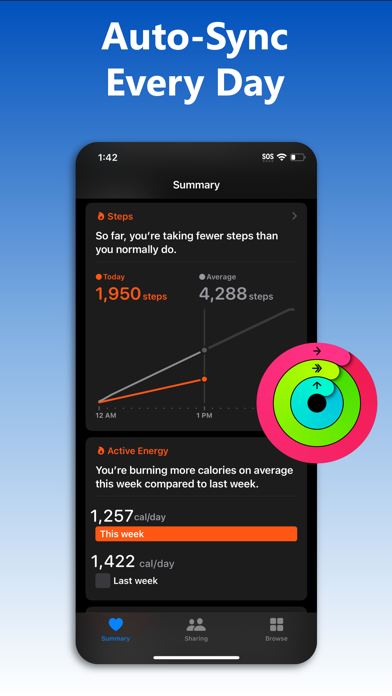
Download your entire Fitbit history and store it on your iPhone in Apple Health with myFitnessSync. Auto-sync new data in the background multiple times a day. Own your data! Works with ALL Fitbit models and the Aria scale. myFitnessSync - Fitbit to Apple Health exports up to 31 fields. You can choose which fields to sync: * Steps * Weight * Workouts - Functional Strength Training; - Traditional Strength Training; - Yoga - Cycling - Mountain Bike - Aerobics - Run - Hiking - Walk - Elliptical - Swimming * Resting Heart Rate * Walking + Running Distance * Active Energy * Resting Energy * Dietary Energy (Food Calories) * Sleep Analysis & Sleep Stages - Time In Bed - Time Asleep - REM - Deep - Light - Wake * Body Fat Percentage * Body Mass Index (BMI) * Lean Body Mass * Flights Climbed * Water / Hydration If you have any issues please contact support. We will address your questions ASAP Fitbit to Apple Health Sync exports years of data - your entire Fitbit history. We are the only app that can sync your entire Fitbit history. Our app will not overwrite any Apple Health data. Any Apple Health data you might have will not change NOTE: Fitbit restricts access to intraday heart rate data Over 10,000 5 star reviews! Our rock-solid syncing technology has synced Fitbit data to Apple Health for over 100,000 people in the last 5 years Need to sync your Apple Health app data or Apple Watch data to your Fitbit app? Try our other myFitnessSync app: Sync For Apple Health > Fitbit - http://appsto.re/us/yJr7jb.i THOUSANDS OF REVIEWS ----------------------------------- 5/5 "This app is awesome! I have an iWatch but I love the Fitbit! Finally an app that puts all my info in the iPhone health and does it correctly! Thank you" -TTWalker57 5/5 "Hard to beat software that works well!" -icanthinkofanickname 5/5 "This is the Best app to Sync Fitbit data to Health and it works perfectly. Auto sync feature works great. This is the best sync app I ever used. Best Buy!" -Karthikeyan "Very easy to use with my fitbit app and health app" "The amount of money and time that have been wasted could have been saved if I had come across this app first. Thank you!" -Mo8858 --------------------------------- Syncs with rewards programs such as Go365 We cannot respond to your questions or comments in review posts. Instead of posting questions or comments as a review please send them to [email protected] or visit our support page - http://www.bickster.zendesk.com. Thank you HOW DOES IT WORK Data is synced using 3 easy steps. After your first sync you can use One Click Sync 1. In the app, sign into Fitbit.com using your account credentials 2. Pick the fitness fields (steps, sleep, etc..) you want to sync with Apple Health 3. Click the "Sync Now" button to start syncing your Fitbit data with Apple Health To avoid seeing duplicate activity data in the Apple Health app disable fitness tracking on your iPhone. Go to Settings->Privacy->Motion & Fitness and disable Fitness Tracking Subscriptions - The app is free to sync daily steps and sleep analysis. With Pro, you can sync historical data, 31 fields, and use auto sync - Subscribers pay the fixed price for your country. Prices listed in USD - Payment will be charged to your iTunes Account upon confirmation of purchase - Subscription automatically renews unless auto-renewal is turned off at least 24 hours before the end of the current period - Your Account will be charged for renewal within 24 hours prior to the end of the current subscription period - You can manage your subscriptions and turn off auto-renewal by going to your Account Settings after purchase - When canceling a subscription, your subscription will stay active until the end of the current period Terms of Use & Privacy Policy: https://www.bickster.com/terms-privacy This product is not a Fitbit product, and Fitbit does not service or warrant the functionality of this product
翠玲 施
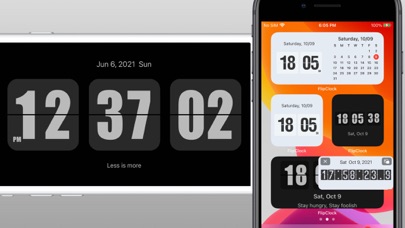
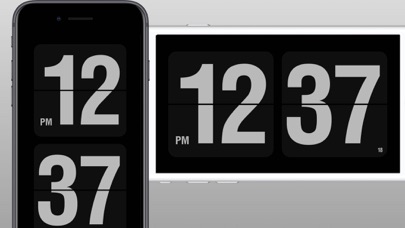
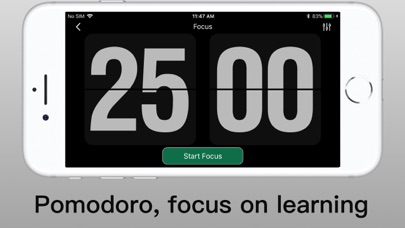
Flip Clock is a classic desktop digital clock. The desktop clock widget supports displaying seconds and a calendar. Clock can be displayed on lock screen and standby screen. - Show time in seconds on home screen , lock screen, dynamic island, standby screen, - Full screen display time and date - 12 and 24 hour modes. - Smart alarm clock, can automatically adjust the volume. - Support multiple clock themes. - Provide timer and stopwatch, countdown. - Countdown to the target time, such as New Year's Day, Christmas, etc. - The Pomodoro Technique helps you focus on work and study. - The floating clock supports the display of a stopwatch in the floating window. - Support playing background white noise. - Provide calendar and clock widget display. - Support to display personalized signature on the widgets - Hourly chime, hourly voice timekeeping. - You can set the app to automatically launch when charging, as a screensaver.


FLO HEALTH UK LIMITED
Flo is a science-backed period tracker, ovulation tracker, fertility, and pregnancy app used by over 460 million* women worldwide. Whether you’re tracking your period (regular or irregular), trying to conceive, following changes to your baby and your body during pregnancy, or navigating perimenopause symptoms, Flo is here to support you. Join 460 million users* who use Flo’s science-backed insights, created with 100+ doctors and medical experts, to better understand their menstrual cycle. Is my data safe with Flo? Your health data deserves the highest level of protection. Flo was recognized as ISO 27001/ISMS Team of the Year at the 2025 PICCASO Privacy and Security Awards, honoring our excellence in information security management and long-standing commitment to privacy-first design. - Anonymous Mode: Use the Flo period tracker without linking your name, email, or personal identifiers - Dual ISO certification: Industry-leading security standards to keep your data safe - Secret Chats: Connect with like-minded members who share tips and personal experiences Why choose Flo for period and ovulation tracking? Flo is more than a basic calendar — it’s a smart period tracker designed to help you notice patterns over time. - Log 70+ symptoms and moods to receive more personalized menstrual cycle insights - Support for irregular periods, pre-period symptoms, and cycle changes - Clear summaries you can share with your doctor - An accurate period tracker to help you plan ahead with confidence (Flo is not a method of birth control) Can Flo support my Trying To Conceive (TTC) journey? Flo offers educational features to support your journey to conceive and better understand fertility. - Fertile window and ovulation predictions based on your logged period data - BBT (basal body temperature) tracking - Daily insights to help you prepare to conceive a baby - Partner tools to support shared awareness How does Flo support my pregnancy by week? Once you conceive, switch to Flo for Pregnancy for useful checklists and structured, week-by-week guidance. - Pregnancy tracking with weekly updates as your baby develops - Visuals and diagrams to help explain pregnancy changes - Symptom tracking, reminders, and organization tools - Expert-reviewed content and community stories for peace of mind Is Flo suitable for teens and first periods? Flo provides a safe space for teens to track their first period with age-appropriate education, helping them navigate puberty confidently. Can Flo help me manage perimenopause symptoms? Track changes during perimenopause with tools designed for this life stage. - Perimenopause Score to follow symptom changes month by month - Track cycle-related changes in sleep, energy, mood, and well-being - Clear, personalized insights What do I get with Flo Premium? Unlock deeper, personalized insights and advanced tracking tools with Flo Premium. - Daily, personalized insights - Expert-led video courses on fertility, pregnancy, and birth - In-depth pregnancy features for every milestone and baby stage - Symptom Checker** that provides educational information on PCOS, endometriosis, and fibroids symptoms - Ovulation insights to support your TTC journey - 24/7 virtual Health Assistant for educational support - Flo for Partners: Share updates like menstrual cycle predictions or pregnancy progress, and always stay in control of what you share with your partner Medical disclaimer Flo does not provide medical advice, diagnosis, or treatment, and is not a method of birth control. Predictions are for informational purposes only. Always consult a qualified healthcare professional. Download Flo today and join millions using a trusted period tracker, pregnancy app, and fertility companion. *Total number of users who downloaded Flo, March 2026 **Symptom checker not available in the UK or EU Privacy Policy: https://flo.health/privacy-policy Terms of Use: https://flo.health/terms-of-service


Mindset Health Pty Ltd
Fix the miscommunication between your gut and brain. Designed for people living with IBS, functional dyspepsia (FD), GERD, bloating symptoms, and other gut–brain disorders - as well as those seeking additional support alongside IBD care - Nerva is a personalized gut–brain program that supports symptom management through daily sessions, practical tools, and structured guidance. Target the root cause Many people spend years cutting out foods in an effort to calm their gut - a difficult path that can miss what’s really driving symptoms. In disorders of gut–brain interaction (DGBIs), the root cause is gut–brain hypersensitivity. After a trigger like illness, antibiotics, or prolonged stress, the nerves in the gut can become over-reactive. Even once the gut tissue heals, the nervous system may keep the alarm turned up. Normal digestion, gas, or movement are then misread as danger - leading to pain, bloating, reflux, urgency, constipation, or diarrhea. Diets and medications can reduce symptoms temporarily, but they don’t retrain this signaling system. That’s why symptoms often return or shift over time. Lasting relief means calming the nervous system and restoring healthy gut–brain communication - where the symptoms actually start. How Nerva helps Nerva is a structured gut–brain program that helps you practice brain-gut techniques shown to support a calmer response to gut sensations. Over the program you'll learn to: - Respond differently to uncomfortable gut signals - Practice calming the gut–brain stress response - Build daily habits that support digestive comfort Tailored to you No two guts are the same. Nerva adapts your program to your symptoms, triggers, and progress - using AI to adjust the coaching and guidance as you go. The sessions, the tools you receive, and the coaching you follow are all shaped around your experience. Evidence-based Unlike most apps, Nerva is built on clinical research. In a randomized controlled trial at Monash University, Nerva helped 81% of people significantly manage their gastrointestinal symptoms. Since then, more than 300,000 people have used Nerva, and over 11,000 healthcare providers recommend it. Features of Nerva - Daily 15-minute sessions designed to retrain gut-brain miscommunication - Flare-up tools for pain, bloating, constipation, reflux and diarrhea - Long-term maintenance plan to keep symptoms under control after the program - AI personalization to tailor the program to your selected triggers and progress Who is the team behind Nerva? Nerva was built by Dr. Simone Peters, GI psychophysiologist, together with clinicians, dietitians, and researchers. Many of us live with gut conditions ourselves. Member stories “Nerva has really worked for me. I’ve been using the app for several months now, and I’ve noticed that I’m experiencing less negative instances with my stomach. I would highly recommend to anyone - absolutely worth the subscription” Disclaimer: Nerva is a self-guided program that may help people self-manage and live well with a diagnosed disorder of the gut-brain interaction. It is not a substitute for professional medical care, diagnosis, or treatment, and has not been evaluated by the FDA, TGA, MHRA, or equivalent bodies. Do not change prescribed medication or treatment without professional advice. Some content is personalized or generated by AI for educational and wellness purposes only. It is not therapy or mental health care, is not from a licensed professional, and is not monitored in real time. If you are in distress or thinking of harming yourself or others, call your local emergency number right away. Subscription and trial - Start with a 7-day free trial - If you continue, your iTunes account will be charged at the end of the trial - Subscriptions renew annually unless canceled at least 24 hours before renewal - Manage or cancel anytime in iOS Settings - Apple ID - Subscriptions


Leap Health
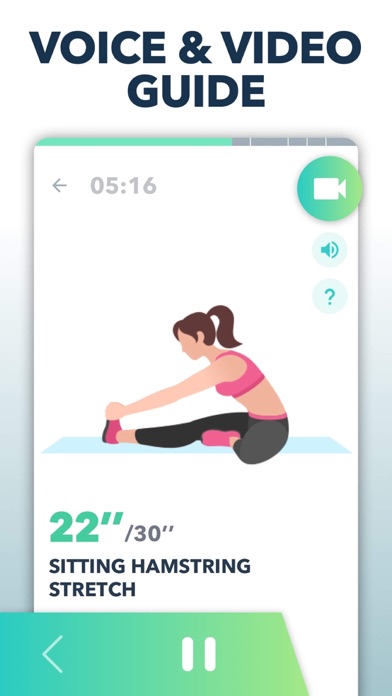
Wanna reduce muscle tension and relieve pain? Wanna enhance flexibility and range of motion? Stretching is essential to your daily life, even if you're not planning to exercise. ACSM suggest people stretch at least 2-3 times each week for a healthy life. Scientifically proven that regular stretching helps reduce muscle stiffness, release pain, improve flexibility and relieve stress. Why stretch? Avoid injury Increasing flexibility and range of motion in your joints is important for workout and running. Stretching before exercise is highly recommended because it can reduce muscle and joint tension, prevent cramps and avoid the risk of any injuries. It also helps fast recovery and reduces muscle soreness after exercise. Relieve pain Stretching is widely used in back pain treatment. Research shows stretching improves the blood circulation of muscles and joints, which can help healing and releasing pain. It's a natural but essential way to treat pain and decrease fatigue and stress. Increase flexibility Stretching maintains body flexibility. It develops and maintains mobility and muscle strength. As muscles and joints weaken as we age, stretching is also important for the elderly. Stretching Exercises Provides: Daily routines - Morning warm up exercises - Sleepy time stretching For runners - Pre-run warm up - Post-run cool down For exercise - Warm up exercise before workout - Stretching after workout For flexibility & pain relief - Upper body stretching - Lower body stretching - Full body stretching - Lower back stretching ...... Features - Stretching exercises cover all muscle groups and are suitable for all people, men, women, young and old - Create your own stretching exercises routines by replacing exercise, adjusting exercise order, etc - Voice coach with detailed animation and video demonstrations - No locked features - No equipment needed, training at home or anywhere anytime - Workout reminder helps you make stretching a daily habit - Track your calories burned - Records training progress automatically - The chart tracks your weight trends - Dynamic stretching, stretching exercises for flexibility, flexibility training, warm up exercises, stretching routines, flexibility training, Stretch for runners - On "Settings" page, turn on the "Apple Health" switch to sync the information of your height, weight, calories to Apple Health Subscription Terms and Details - Get unlimited access to all features for USD $4.99/month, USD $19.99/year. - The payment will be charged to your iTunes account at confirmation of purchase. - The subscription automatically renews unless auto-renew is turned off at least 24 hours before the end of the current period. - Subscription may be managed and auto-renewal may be turned off by going to Account Settings after purchase. - The account will be charged for renewal within 24 hours prior to the end of the current period. - Any unused portion of a free trial period will be forfeited when the user purchases a subscription to that publication. Privacy Policy: https://leap.app/privacypolicy.html Terms of Use: http://pay.mobihealthplus.com/app/stretch.html


Fluid Touch Pte. Ltd.
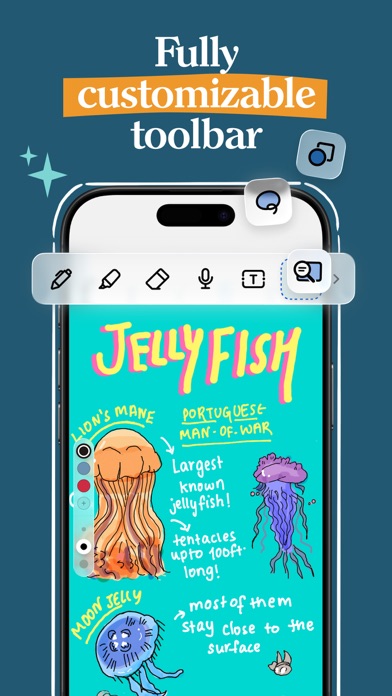
Transform your note-taking with Noteshelf! Create stunning handwritten notes, markup PDFs, and record audio, all powered by AI. Noteshelf is designed for students, teachers, and anyone who loves to take notes. Organize your thoughts and ideas like never before. Why You'll Love It - Craft beautiful handwritten notes with realistic pens and highlighters. - Personalize notebooks with custom covers and a customizable toolbar. - Choose from 200+ exclusive templates for planners, journals, and more. Write, Type, Draw, or Record - Convert handwriting to text in 65 languages. - Add fun emojis and stickers to personalize your pages. - Record audio as you take notes, perfect for lectures and meetings. - Use advanced image editing features. Paperless Organization - Organize notebooks into folders and subfolders. - Bookmark important pages and create a table of contents. - Use tags to quickly categorize and find your notes. - Create links between notebooks to connect ideas. Annotate Like a Pro - Import and annotate PDFs, DOCs, PPTs, and images. - Use the built-in document scanner to digitize physical documents. - Export and share your notes as images and PDFs. Noteshelf AI - Generate handwritten notes on any topic. - Summarize pages, translate text, and explain complex terms. Keep Your Notes Safe - Secure your notes with passwords, Face ID, or Touch ID. - Access your notes across iPad, iPhone, and Mac with iCloud sync. - Auto-backup to Google Drive, OneDrive, Dropbox, and WebDAV. Share Ideas with Presentation Mode - Project your notes via external display. - Use the Laser Pointer to highlight key points. Go Premium for unlimited notebooks, handwriting recognition, auto-backup, and 100 monthly AI credits. Download Noteshelf today and take your note-taking to the next level! Terms of Use: https://www.apple.com/legal/internet-services/itunes/dev/stdeula


BITHAUS.TECH, UNIPESSOAL LDA
Transform every journey into valuable data with GPS Speedometer - the most comprehensive speed tracking app for driving, cycling, boating, and beyond. Experience professional-grade features that keep you informed and in control. CORE FEATURES: - Real-time GPS speed tracking with precision accuracy - Comprehensive trip computer: speed, distance, altitude, heading, duration - Trip recording with route tracking - Live map view with real-time position tracking - Save and export your journeys ADVANCED CAPABILITIES: Picture in Picture Mode (PRO): - Keep your speed visible while using other apps - Resizable floating speedometer overlay - Perfect for navigation or music apps Heads-Up Display (HUD): - Project speed onto your windshield for safer driving - Mirrored display mode for reflection viewing - Keep eyes on the road while monitoring speed Road-Based Speed Limits (PRO): - Automatic speed limit detection for your current road - Real-time alerts when exceeding limits - Works worldwide with smart inference technology - Customizable warning offsets and sounds Speed Camera Alerts (PRO): - Warnings for fixed, red light, combined, and section control cameras - See cameras on the map as you drive - On-screen banner as you approach - Live average speed and progress bar inside section control zones - Pick voice announcements, alert sound, or both - Powered by the SCDB.info database - Coverage across Europe, UK, USA, Australia, and Brazil Performance Metrics: - G-Force meter tracks acceleration and braking forces - Enhanced altitude tracking with barometric sensors - Moving vs. stopped time analysis - Maximum and average speed calculations SEAMLESS INTEGRATION: - Apple Music display and playback controls - View current song without switching apps - Control your music while tracking your journey COMPLETE CUSTOMIZATION: - Choose units: KM/H, MPH, or Knots - Multiple display modes and layouts - Extensive theme selection with custom colors - Dark/Light mode support - Adjustable speedometer scale - Portrait/Landscape with orientation lock - Left or right-handed speedometer placement PRO SUBSCRIPTION UNLOCKS: - Unlimited trip saving and recording - Export routes in GPX format - Road-based speed limit detection & alerts - Speed camera alerts with voice and sound - Picture in Picture mode - Weather information with forecasts - Custom app icons - All themes and colors SUBSCRIPTION INFORMATION: - Free to download with core features always free - Optional PRO subscription for advanced features - Cancel anytime via App Store settings - Payment charged to Apple ID at confirmation - Auto-renews unless canceled 24 hours before period ends - Manage subscriptions in your App Store account settings IMPORTANT NOTES: - Requires GPS/Location Services for speed tracking - Not compatible with Wi-Fi-only iPad models - GPS accuracy varies with signal strength and environment - Best accuracy in open areas with clear sky view - Continuous GPS use impacts battery life - Never interact with device while driving - safety first! Love the app? Rate us on the App Store! Your feedback helps us improve and add new features. Terms of Use: https://speedometer.app/terms
Hangzhou Quwei Technology Co., Ltd
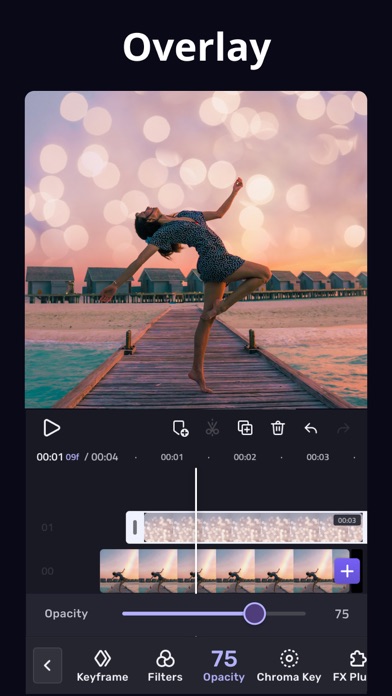
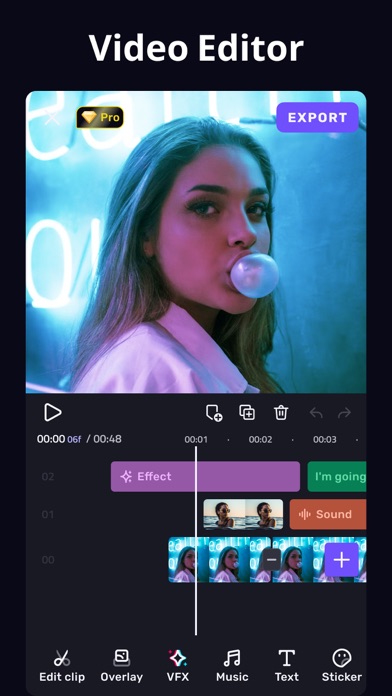
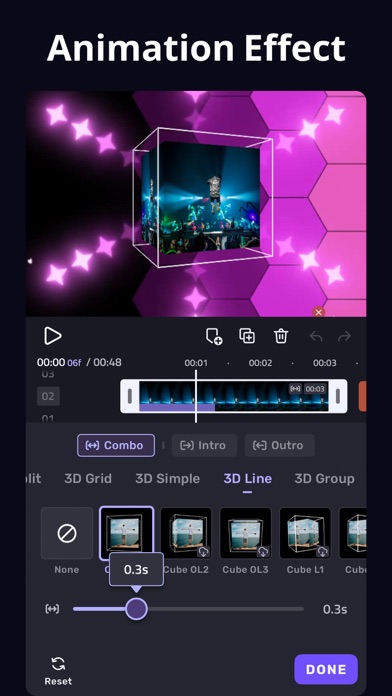
VivaCut, Professional Video Editor APP for full screen video creating. Whether you want to make artistic films or simply share memories and funny moments with friends, VivaCut is a perfect choice for you! * Powerful Video Editing App [Cool Transition] Create amazing with cinematic overlay video editor with transition effects in VivaCut [visual effects] VHS, RGB, Trippy, Glitch, GB, Grainy, Fisheye [Music Marker] Mark the track and add effects according to the music rhythm. [Audio Extraction] Aesthetic video editor with transition effects, extract music from any video * Video Editor with All Features [Multi-layer timeline] An intuitive and sleek editing interface with zoom for frame by frame precision with overlay video editor app [Video Transition] Create amazing with cinematic overlay video editor with transition effects in VivaCut [Video Adjustment] Control Brightness, contrast, saturation, hue, color temperature, vignetting and enhance video quality [Music] Add music to video free and use overlay video editor with transitions for it [Glitch Effects] Coolest video editing app with glitch effects and transitions! * Video Clip Editing [Trim and cut videos] Professional tools developed for precise Video Editing App [Splice videos] Split videos and optimize for sharing on your stories [Combine video clips] Merge clips into a stunning video with transitions effects, combine video clips into one video [Speed Control] Fast & slow motion alight your video like the best video editor with all features, only with VivaCut Video! * Advanced Tools [Picture in Picture] Combine clips together to create double exposures and eye-catching YouTube videos with transitions for free. [Collage] Add pictures to your clips and edit videos that will go viral with VivaCut! [Overlay options] Customize layers with tools such as opacity and blending [Blend videos] Mix videos to try out powerful blending modes such as Color Burn, Multiply, Screen, Soft Light, Hard Light and many more. [Animated text] A simple and fast tool for as a better multi layer video editor for youtube. [Keyframe Animation] Apply to Mask, Video Collage, Text, Stickers, Emoji, etc. Pro aesthetic video editor app. [Mask] Linear, mirror, radial, rectangle and oval, all for the scene. Full screen video editor for youtube. [Undo & Redo] Back to any step that you took! * Save and Share [Custom video resolution] Export your videos in 1080p and 4K quality. [Rename] Rename your work and mark your memory with PRO aesthetic video editor lifetime. Viva Cut is a video editor with all features you need! It is a pro video editor with music just for cool transitions, VFX, Glitch effects, cutting, trimming and splitting videos. You may also use its multi-layer timeline to create beautiful video collages for social media. VivaCut Subscription: - You can subscribe for unlimited access to all features and content offered for purchase within VivaCut. - Subscriptions are billed monthly or annually at the rate selected depending on the subscription plan. - Payments will be charged to iTunes Account at the point of purchase confirmation. Subscriptions automatically renew unless auto-renew is turned off at least 24 hours before the end of the current period. Your account will be charged for renewal within 24 hours prior to the end of the current period, and you will be charged according to your payment plan selection. Subscriptions may be managed by the user and auto-renewal may be turned off by going to the user's Account Settings after purchase. Any unused portion of a free trial period will be annulled when the user purchases a subscription to that publication. Terms of Use: https://rc.vccresource.com/web/h5template/d9777a66-f606-448d-ba2b-a521aa4b025e-language=en/dist/index.html Privacy: https://rc.vccresource.com/web/h5template/282b7828-8d0b-43fc-b4a0-95d65e5e146b-language=en/dist/index.html Acknowledgements: Music by audionautix.com and https://icons8.com/music/

iSpazio S.r.l.
Discover our ultimate Wallpapers app. Wallpapers Central is the iSpazio service entirely dedicated to personalizing your devices. This means: traditional wallpapers, animated wallpapers (LIVE Wallpapers), Depth Effect wallpapers, Spatial Scene 3D wallpapers, and lots of ringtones! From the HOME section you can browse and download every wallpaper available on the platform and add them to your FAVORITES. We’ve built a solid infrastructure that lets you FOLLOW CREATORS who share their work on Wallpapers Central. Once you start following someone, the app becomes more personal, unlocking a SECTION JUST FOR YOU where you’ll see wallpapers that best match your style. From the Home you can also access the UPLOAD feature, allowing you to submit your own wallpapers to share with users worldwide. Every upload goes through a review process to ensure only the highest-quality wallpapers make it into the FEED. You’ll also find COLLECTIONS, curated groups of wallpapers based on a theme or visual style—a perfect place to discover unique sets of similar designs. Our flagship feature is the DEPTH EFFECT WALLPAPERS, available in the DEPTH tab. We host the largest and finest collection of these special wallpapers. When applied to your Lock Screen, they seamlessly blend with the system, partially covering the clock for a stunning layered effect. We’ve also made setting RINGTONES easier than ever. Just open the dedicated section, listen to the previews, and tap Download. With a single step you’ll be taken straight into Settings, ready to use them instantly! Other features include: • Customizable user profiles with name and avatar • A powerful new search engine • One-tap sharing of your favorite wallpapers to Instagram Stories • Detailed info for each wallpaper: resolution, file size, download count • Optimized versions for Tablets and Desktop when available • Access to thousands of wallpapers through Categories • Browse the most downloaded and trending wallpapers in each category • Full multi-device iCloud sync: keep your Favorites, customizations, and resources always with you • Change the app icon anytime • A super-efficient Dark Mode using true black (#000000) • Push Notifications for new wallpapers or ringtones • A Rewards section with daily prizes The app is free for everyone, supported by ads that can be removed with a subscription. On top of that, we’ve created a system of Coins, Gems, and Keys that makes every download free for all. Simply collect Coins (always free) and use them for Depth wallpapers, ringtones, or even to unlock extra features! The dedicated Rewards section lets you earn prizes by completing missions—a fun, game-like experience built right into the app. -------- Wallpapers Central is a service by iSpazio SRL. Wallpapers Central is not affiliated with Apple. Logos, names, and screenshots may include components that are trademarks of Apple Inc. Terms of Use: https://wallpapers.ispazio.net/in-app-purchase Privacy Policy: https://wallpapers.ispazio.net/privacy-app

尉卿 褚
ByePhotos helps you easily organize your phone media files and free up valuable storage space. • Worry-free Security – Completely local processing, no internet connection required, ensuring your privacy • Smart Recognition – Automatically detects similar/duplicate photos and recommends the best options to keep • Video Compression – Reduce file sizes while preserving visual clarity, helping you save space without noticeably compromising quality • Efficient Organization – Quick classification with gestures, one-click deletion of unwanted photos • Easy Continuity – Multiple organization modes (Random, By Month, Oldest First, Newest First), real-time progress display, supports pause and resume anytime • Full Format Support – Compatible with photos, videos, Live Photos Organize a little bit every day, say goodbye to cluttered albums. No need to complete all organization work at once. ByePhotos records your progress, allowing you to easily complete the task over multiple sessions, reducing organization stress. Download ByePhotos and start cleaning up your iPhone photo library now. Rediscover precious memories while freeing up device storage space. Making organization simple and memories more precious. ByePhotos, your photo organization assistant. --- Subscription Information Subscribe to ByePhotos annually or monthly. Members get access to all features with continuous updates. Subscriptions automatically renew through iTunes. Your account will be charged 24 hours before expiration. To cancel, turn off auto-renewal in your iTunes/Apple ID settings at least 24 hours before the current period ends. Privacy Policy: https://invincible-crush-b2e.notion.site/ByePhotos-Privacy-Policy-13ddfef9d1128089a471f9be8273aaf5 Terms of Service: https://www.apple.com/legal/internet-services/itunes/dev/stdeula/

Cultured Code GmbH & Co. KG
Get things done! The award-winning Things app helps you plan your day, manage your projects, and make real progress toward your goals. Best of all, it’s easy to use. Within the hour, you’ll have everything off your mind and neatly organized—from routine tasks to your biggest life goals—and you can start focusing on what matters today. “Things offers the best combination of design and functionality of any app we tested, with nearly all the features of other power user applications and a delightful interface that never gets in the way of your work.” —Wirecutter, The New York Times KEY FEATURES • Your To-Dos Your basic building block is the almighty To-Do—each a small step toward a great accomplishment. You can add notes, tag it, schedule it, and break it down into smaller steps. • Your Projects Create a Project for any big goal, then add the to-dos to reach it. Use headings to structure your list as you outline your plan. There’s also a place to jot down your notes, and a deadline to keep you on schedule. • Your Areas Create an Area for each sphere of your life, such as Work, Family, Finance, and so on. This keeps everything neatly organized, and helps you see the big picture as you set your plans in motion. • Your Plan Everything on your schedule is neatly laid out in the Today and Upcoming lists, which show your to-dos and calendar events. Each morning, see what you planned for Today and decide what you want to do. The rest is down to you :) MORE THINGS TO LOVE As you dive deeper, you’ll find Things packed with helpful features. Here are just a few: • Reminders — set a time and Things will remind you. • Repeaters — automatically repeat to-dos on a schedule you set. • This Evening — a special place for your evening plans. • Calendar integration — see your events and to-dos together. • Tags — categorize your to-dos and quickly filter lists. • Quick Find — instantly locate to-dos, headings, or tags. • Type Travel — jump from list to list with your keyboard; just start typing! • Magic Plus — drag the + button to insert to-dos anywhere in a list. • Share extension — create to-dos with content from other apps. • Widgets — see lists on your home/lock screens. • Mail to Things — forward an email to Things; now it’s a to-do. • Markdown — structure & style your notes. • And much more! MADE FOR IPAD Things is tailored to the iPad, with excellent pro features as well. Chief among them is the outstanding support for your keyboard & trackpad. You can edit your to-dos without touching the screen, utilize plenty of shortcuts, and navigate your lists at blistering speed—just start typing! “Things has the best implementation of external keyboard support I’ve ever seen in an iPad app.” —Federico Viticci, MacStories You can also enjoy a beautiful dark mode at sunset, connect your calendars, open multiple windows, add a variety of widgets, scribble with Apple Pencil, create to-dos via Siri, import from Reminders—Things can do it all! There’s even Shortcuts integration if you want to automate your workflows. AWARD-WINNING DESIGN Made in Stuttgart, with two Apple Design Awards to its name, Things is a fine example of German engineering: designed not only to look fantastic, but to be perfectly functional as well. Every detail is thoughtfully considered, then polished to perfection. “It’s like the unicorn of productivity tools: deep enough for serious work, surprisingly easy to use, and gorgeous enough to enjoy staring at.” —Apple GET THINGS TODAY Whatever it is you want to accomplish in life, Things can help you get there. Install the app today and see what you can do! • Things is also available for Mac, iPhone, Apple Watch, and Apple Vision Pro (sold separately). • Sync is provided for free via our Things Cloud service. • A free trial is available for Mac: www.things.app If you have any questions, please get in touch. We provide professional support and will be glad to help you!

Cultured Code GmbH & Co. KG
Get things done! The award-winning Things app helps you plan your day, manage your projects, and make real progress toward your goals. Best of all, it’s easy to use. Within the hour, you’ll have everything off your mind and neatly organized—from routine tasks to your biggest life goals—and you can start focusing on what matters today. “Things offers the best combination of design and functionality of any app we tested, with nearly all the features of other power user applications and a delightful interface that never gets in the way of your work.” —Wirecutter, The New York Times KEY FEATURES • Your To-Dos Your basic building block is the almighty To-Do—each a small step toward a great accomplishment. You can add notes, tag it, schedule it, and break it down into smaller steps. • Your Projects Create a Project for any big goal, then add the to-dos to reach it. Use headings to structure your list as you outline your plan. There’s also a place to jot down your notes, and a deadline to keep you on schedule. • Your Areas Create an Area for each sphere of your life, such as Work, Family, Finance, and so on. This keeps everything neatly organized, and helps you see the big picture as you set your plans in motion. • Your Plan Everything on your schedule is neatly laid out in the Today and Upcoming lists, which show your to-dos and calendar events. Each morning, see what you planned for Today and decide what you want to do. The rest is down to you :) MORE THINGS TO LOVE As you dive deeper, you’ll find Things packed with helpful features. Here are just a few: • Reminders — set a time and Things will remind you. • Repeaters — automatically repeat to-dos on a schedule you set. • This Evening — a special place for your evening plans. • Calendar integration — see your events and to-dos together. • Tags — categorize your to-dos and quickly filter lists. • Quick Find — instantly find to-dos or switch between lists. • Magic Plus — drag the + button to insert to-dos anywhere in a list. • Share extension — create to-dos with content from other apps. • Widgets — see lists on your home/lock screens. • Mail to Things — forward an email to Things; now it’s a to-do. • Markdown — structure & style your notes. • And much more! MADE FOR IPHONE Things is tailored to the iPhone with deep system integrations as well. A great example is the Share extension, which allows you to create to-dos with content from other apps, such as a link to a website you want to get back to. You can also enjoy a beautiful dark mode at sunset, connect your calendars, add a variety of widgets, create to-dos via Siri, import from Reminders—Things can do it all! There’s even Shortcuts integration if you want to automate your workflows. MADE FOR APPLE WATCH Things comes with a great app for Apple Watch. Just raise your wrist to glance at your Today list, mark to-dos complete as you go, and dictate new ones on the fly—all synced instantly with your iPhone, iPad, and Mac. AWARD-WINNING DESIGN Made in Stuttgart, with two Apple Design Awards to its name, Things is a fine example of German engineering: designed not only to look fantastic, but to be perfectly functional as well. Every detail is thoughtfully considered, then polished to perfection. “It’s like the unicorn of productivity tools: deep enough for serious work, surprisingly easy to use, and gorgeous enough to enjoy staring at.” —Apple GET THINGS TODAY Whatever it is you want to accomplish in life, Things can help you get there. Install the app today and see what you can do! • Things is also available for Mac, iPad, and Apple Vision Pro (sold separately). • Sync is provided for free via our Things Cloud service. • A free trial is available for Mac: www.things.app If you have any questions, please get in touch. We provide professional support and will be glad to help you!


Morpholio LLC
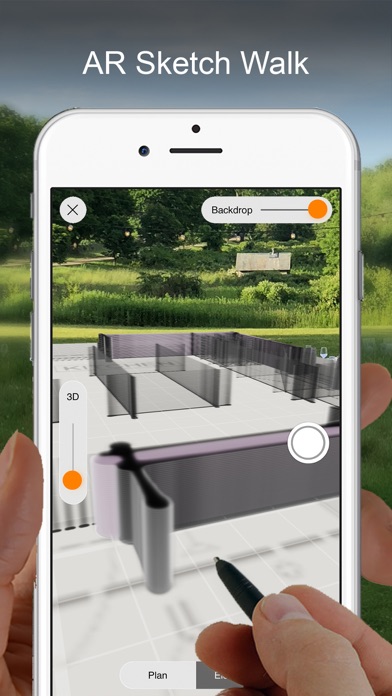
SKETCH, DESIGN, CREATE Trace is the ALL-IN-ONE design & architecture app. Awarded “Best App,” Trace is a truly unique drawing tool that allows you to easily develop ideas in layers, communicate via drawing markup, and work fluidly through ALL phases of the design process. Ideal for architects, interior designers, landscape architects, industrial designers, urban planners, lighting designers, engineers, or members of any creative culture, Trace lets you create intelligent sketches & drawings to meet all of your design needs. Draw on top of images, PDFs, maps, photos, drawing sets, 3D models, background templates, and more TO SCALE using exceptional designer tools, brushes and pens. Bring new life to your design process and transform your workflow with the ease, flexibility and the magic of digital hand sketching. ______________ THINGS YOU CAN DO: DESIGN • Develop ideas, options & concepts • Sketch buildings & objects • Layout home, office & landscape renovations MARKUP • Drawing sets & PDFs • Construction site photos • Presentations, renderings or images DRAW • Floor plans, sections & elevations to scale • Site plans & landscaping • Illustrations & presentation images WORK • Make & export drawing sets • Scale & measure drawings or images • Organize by project ______________ FREE FEATURES INCLUDE: -Up to 5 Projects -Basic Pens & Brushes -Layers -Layer Manager -Scale Pen -Paper Unbound -Export Images, PDFs or Sets -Sketch Recording -Instant Scale -Scale Ruler -Color Palette Maker PLUS SUBSCRIPTION FEATURES Also Includes -All Basic Features -Full Pens & Brushes -Up to 20 Projects -Magic Lasso -Super Ruler -Scale Triangle -Scale Protractor -Stencils -PDF Markup and Manager PRO SUBSCRIPTION FEATURES Also Includes -All Basic & Plus Features -Unlimited Projects -Folders -Perspective Tools -Maps to Scale -Smart Fill -AR Perspective Finder -AR SketchWalk -Sketch Over 3D Models -PSD Export ______________ SUBSCRIPTION INFO: One subscription gives you access to both your iPhone and iPad. Work like a PRO. Morpholio Trace subscription plans are available in the following options: •TracePlus •TracePro All payments are controlled and managed by Apple. If you are offered and activate a free trial, your Apple ID account will be charged only at the end of your free trial period for the subscription unless canceled at least one day before the end of the free trial period. Your Subscription will automatically renew and your Apple ID account will be charged unless your Subscription is cancelled at least 24-hours before the renewal date. No commitment. You can cancel your free trial as well as manage or cancel your Subscriptions at any time by going to your Apple ID account in the Apple Settings app. Privacy policy: http://www.morpholioapps.com/privacy/ Terms of use: http://www.morpholioapps.com/terms/ ______________ JOIN US: We would be thrilled to have Morpholio Trace be a part of your creative process. We hope you enjoy Trace and if there are any specific ways it could be improved for your use, please send us your feedback at https://www.morpholioapps.com/support/


Fitbod Inc.
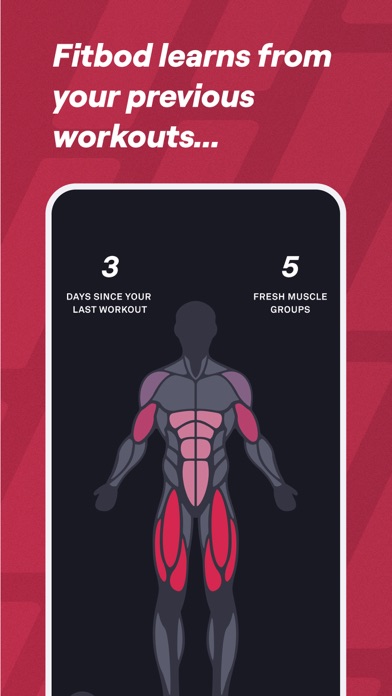
*Apple Editor’s Choice Award Winner* Build muscle, gain strength and lose weight with a customized workout plan just for you. Fitbod is the ultimate fitness platform made to help enhance your strength training and endurance through personalized AI workouts. You won’t just get stronger—you’ll do it on your terms. Get optimized weight lifting routines with a workout planner made to help you reach your fitness goals. No gym? No problem. Fitbod adapts to you with home training with no equipment needed. Each training session is custom-built for your fitness level and equipment so you can make the most of every workout. Make lasting progress with Fitbod – your own AI trainer guiding you to your strongest self Get everything from recovery and exercise tracking to AI-generated recommendations tailored to your fitness objectives. Need access to a trainer? Shoot a quick email and get all your strength training questions answered easily. Fitbod lets you save and build your own strength training & endurance routines based on your preferences. Change up sessions, choose your favorite exercises, and maximize gains with the help of our AI workouts. Monitor your progress across multiple devices with integrations that make fitness tracking easy. Build customized workouts that integrate with Apple Health. Hit your next session with Strava, Fitbit, and Apple Watch integration. Fitbod does it all. Explore over 1000 exercises and let Fitbod create a customized workout plan for you. With easy-to-follow instructions and hi-res video walkthroughs you can hit each exercise the right way. Cardio, mobility, or strength training and endurance – Fitbod was made for you. Download today and discover a better way to achieve your fitness goals. Fitbod Features AI-Generated Workouts ◆ Customized workout plan built around you and your fitness goals ◆ AI workouts maximize fitness gains by varying and balancing exercises ◆ Adaptive AI learns from your edits to its workout recommendations ◆ Non-linear periodization to optimize your workouts for sustained progress ◆ Fitness for everyone with advanced, intermediate, and beginner levels ◆ Wide variety of workout modifiers to change up single sessions ◆ Ability to save, build, or use your favorite strength training workouts ◆ Pro fitness trainers available via email for all strength training questions 1000+ Exercises ◆ Hi-res, multi-angle videos of each exercise ◆ Easy-to-understand, detailed exercise instructions with hi-res, multi-angle videos ◆ Search exercises by muscle group, equipment type or keyword ◆ Cardio, mobility, pregnancy-safe exercises and more are available ◆ Consistent updates made to optimize the exercise library Integrations ◆ Integrated with Apple Health to build customized workouts ◆ Integrated with Strava and Fitbit ◆ Available for iOS and Apple Watch After your free trial has ended, this app includes an auto-renewing subscription, which unlocks all premium workouts and features. ◆ Subscription options are either monthly or yearly. ◆ Payment will be charged to your iTunes Account at confirmation of purchase. ◆ Subscription automatically renews unless auto-renew is turned off at least 24 hours before the end of the current period ◆ Account will be charged for renewal within 24 hours of the end of the current period, and identify the cost of the renewal ◆ The account will be charged for renewal within 24 hours before the end of the current period. ◆ Any unused portion of a free trial period, if offered, will be forfeited when the user purchases a subscription to that publication. Privacy Policy: https://www.fitbod.me/privacy-policy Terms of Use: https://www.fitbod.me/terms-conditions California Privacy Rights: https://www.fitbod.me/ccpa-privacy-policy Support: http://fitbod.me/support Join the Fitbod Community: Instagram: instagram.com/fitbodapp/ Twitter: twitter.com/fitbodApp Facebook: facebook.com/fitbodapp Strava: strava.com/clubs/fitbod

pinkfroot limited
Uncover the mysteries of live air traffic in one beautiful and easy to use app. Is it a bird? Is it a plane?! If it’s the latter, Plane Finder can tell you exactly which plane it is. Plane Finder is incredibly easy to use and utterly fascinating. It enables you to see live air traffic patterns with real-time tracking of almost any plane you’re interested in, and in addition to the aircraft’s location you can see its current altitude, its speed and where it’s heading. Get live information on flights - super handy when travelling. You can even be alerted when a particular flight is heading your way, which is useful if you’re trying to catch sight of rare birds such as the Airbus A380. Switch to incredible 3D flight tracking anytime from any aircraft, airport or location on the map seamlessly to view air traffic as never before. There’s a superb augmented-reality option that enables you to point your camera at the sky and see details of the aircraft that’s overhead, and with full support for iOS’s Dark Mode it’s just as handy for night flights as it is for daytime ones. It’s all great fun, but it’s also very practical: in addition to flight tracking there’s extensive airport information, which supplements live arrival and departures with live weather reports for hundreds of airports. Enjoy Plane Finder’s leading edge design as featured in Apple’s “The Power of Dark Mode” and “See it in Dark Mode” Collections 2019. Apple’s App of The Day – Jan 2020 and Top ranking since 2009. Plane Finder is also featured in Gizmodo, CNN, GMA, BBC, Sunday Times, Mail on Sunday, CNET, Wired, GQ Magazine to name a few. Trusted by friends and families of travellers, enthusiasts, pilots, cabin crew and aviation professionals alike. Choose Plane Finder for: • Live Global Flight Tracking Quickly find and track flights live on a map and explore live status information • Switch to 3D Tracking Anytime Flip instantly to 3D from any aircraft, airport or location on the map • Live AR Mode Point your camera at a plane in the sky to instantly reveal live flight and aircraft information • Live Airport Information View real time airport arrival and departure boards plus terminal, gate, baggage and weather information • Comprehensive Technical Data Dig deeper into technical aircraft and flight data • Unlimited Custom Alerts Never miss a flight, create as many custom notifications as you like and stay informed • Unlimited Global Playback Replay interesting flights and watch fascinating air traffic patterns back to 2011 • Unlimited Filters Simplify your view with powerful filters • Custom Aircraft Labels Choose the position, color and content of aircraft labels inc. logo with text label • Leading Edge Dark Mode Adopt dark mode, a bold interface perfect for low light • Curated Map Styles Switch seamlessly between simple, detailed, hybrid and satellite maps Help and Support Plane Finder is regularly updated with innovative new features. Please email [email protected] with any questions or queries, we are happy to help. How does Plane Finder work? Plane Finder receives real time ADS-B and MLAT signals sent by aircraft to transmit their positional data to land based receivers. This technology is faster than traditional radar and is used for air traffic control and navigation. You can check our worldwide flight tracking coverage for free at www.planefinder.net Disclaimer The use of the information presented using Plane Finder is strictly limited to pursuing enthusiast activities (i.e. for entertainment purposes), which specifically exclude any activities that might endanger yourself or the lives of others. Under no circumstances will the developer of this application be held responsible for incidents resulting from the use of the data or its interpretation or its use contrary to this agreement. Privacy Policy: https://planefinder.net/legal/privacy-policy Terms of Use: https://planefinder.net/legal/terms-and-conditions