
Recently updated apps
Browse recently updated IPA listings from AltStore and SideStore compatible repositories. These pages help you find fresh builds, changed repository notes, and updated download options without relying on search filters.

军 赵
From HFL Rookie to NPFL Superstar — Start Your Football Journey Today! Live the dream of becoming a football legend. Step into the role of an 18-year-old football prodigy and begin your rise from the HFL high school league. Prove yourself in the CFL college league, then fight your way to the biggest stage in the sport — the NPFL. Train hard, build your skills, upgrade your gear, and learn the right tactics to outplay the competition. Every decision you make will shape your journey from promising rookie to all-time great. This isn’t just another numbers-based sports game. Experience a realistic football simulation where every matchup is driven by strategy, player condition, team development, and performance on the field. From grinding out crucial yards to scoring clutch touchdowns, from locking down opponents on defense to pulling off unforgettable comebacks, every game delivers the tension and excitement of real football. Features: 1. Realistic football game simulation 2. Fast progression and satisfying player growth 3. A full career path from HFL → CFL → NPFL 4. Trophies, achievements, and glory to unlock 5. Dynamic events and league action throughout your career 6. Chase Super Bowl glory and become a true superstar The road to greatness starts now. Take the field, win championships, and build your football legacy!

Tung To Dinh
Think Smarter. Search Deeper. Discover More. OneSearch: DeepSearch Finder is an advanced AI-powered search app designed to help you explore information, analyze profiles, and conduct in-depth research with clarity and confidence. Unlike traditional search engines that simply show endless links, OneSearch: DeepSearch Finder turns AI-powered searches into organized insights—helping you move from raw information to real understanding. AI Deep Search – A Smarter AI Search Engine: Deep Search is the core of OneSearch: Deep Search & AI Chat. It goes beyond simple keyword results and generic summaries. Instead of manually checking multiple sources, this app analyzes and organizes information for you by: – Conducting web searches with AI contextual understanding – Analyzing information from diverse sources – Synthesizing key insights into clear and structured summaries – Comparing perspectives and explaining complex relationships – Exploring public profiles and digital presence – Helping you review and understand available personal information Whether for academic research, professional background checks, or simple curiosity, this AI Search Engine turns information into meaningful insights. AI Chat Assistant – Your Smart Follow-Up Tool: Beyond Deep Search, OneSearch: Deep Search & AI Chat also offers a powerful AI Chat Assistant to help you engage with results and refine your thinking. With AI Chat Assistant, you can: – Ask follow-up or complex questions based on your search results – Get structured explanations and deeper overviews – Continue conversations with contextual awareness – Generate ideas and explore topics step by step OneSearch also includes extra smart tools: – AI Math Solver: Solve math problems step-by-step with clear explanations, from basic calculations to advanced topics. – Image-Based Search: Upload images to extract text, identify content, or search visually using AI analysis. – AI Voice Chat: Interact naturally using your voice for hands-free searches and questions. These tools complement Deep Search and support research, productivity, and daily problem-solving. Designed for Focus, Speed, and Trust: – Clean, intuitive interface optimized for Apple devices – Fast AI-powered searches and contextual responses – Perfect for research, profile exploration, learning, and informed decision-making OneSearch: DeepSearch Finder is an independent app using officially licensed AI technology. We respect your privacy and do not collect personal data. SUBSCRIPTION INFORMATION: • Upgrade to Premium to unlock the full power of OneSearch: • Unlimited Deep Search and AI chat • Faster response times • Ad-free experience Subscription options include weekly and yearly plans. Payment will be charged to your Apple ID account after confirmation. Subscriptions renew automatically unless canceled at least 24 hours before the current period ends. Contact & Support: If you have questions or need support, contact us at: [email protected] Privacy Policy: https://ai-smart.southpolemob.com/privacy-policy Terms of Service: https://ai-smart.southpolemob.com/terms-of-service


Xiang Dong
Features: - 13 chapters, namely Letters, Numbers, Basic Punctuations, Special Symbols, Alphabetic Wordsigns, Strong Contractions, Strong Wordsigns, Strong Groupsigns, Lower Groupsigns, Lower Wordsigns, Initial Letter Contractions, Final Letter Groupsigns and Shortform Words. - Teaches strategically Braille of all 26 letters of the English alphabet, numbers 0 - 9, 12 most frequently used punctuation marks, 8 most frequently used special symbols, 23 alphabetic word signs, 38 contractions, 12 wordsigns, 34 groupsigns and 75 short-form words. - 59 levels and 29 challenges in total teach, train and test more than 90% of the entire Unified English Braille knowledge. - Various themes to choose from including the Contrast theme (more contrast and bolder text) for visually impaired. - Absolutely no disturbing ads. - On the Explore page, you can click and see the Braille representations of all the 26 letters, numbers 0 - 9, 12 punctuation marks and 8 special symbols. - After passing all the levels and challenges in one chapter, you can get a certificate on the Certificate page. - On the Settings page, you can switch on and off button sound, key sound, button vibration, key vibration vibration on error and keyboard layout. - More learning and training materials will be added in the future updates. - Works completely offline. Please note, this app is not specially designed for people with severe visual impairment, but with feedback and suggestions from them, we are certainly working in that direction (improving talkback/voiceover experiences). ----------------------- What’s Braille? Braille is a system of touch reading and writing for visually impaired people, in which raised dots represent the letters of the alphabet, numbers, punctuation marks, special symbols and so on. It is named after its creator, Louis Braille, a Frenchman who lost his sight in his childhood and later developed a code for the French alphabet. These characters have rectangular blocks called cells which have tiny bumps called raised dots. The number and arrangement of these dots distinguish one character from another. ----------------------- What’s Braille Academy? Braille Academy is developed to help those who are curious about and interested in learning the Braille system. The two key teaching concepts are gradual introduction and focused repetition. The learning material is categorized into chapters and then levels to ensure efficient learning and training. If you are not particularly interested in Braille but in training and improving your memory in general, Braille Academy is also a useful tool. ----------------------- Levels and challenges? In short, a level focuses on introducing new characters with a small amount of repetition while a challenge trains what you’ve learnt already. In a level, you can click the INFO BUTTON (on the left) to read some TIPS and the hint button (on the right) to see the correct answer. The hints are infinite and always free. In a challenge, you can’t use the hint button anymore and you must make less than 3 mistakes to pass it. In conclusion, I wish you a lot of success and a lot of fun in learning Braille! Privacy Policy: https://dong.digital/braille/privacy Terms of Use: https://dong.digital/braille/tos

Akash Jain
Fleur is a cute and simple budget planner and tracker app. The app allows you to easily add daily expenses and income. You can also set a monthly budget, create multiple accounts and track your debt. Fleur is an all in one app that will help you manage your money. Key Features: - Minimal, elegant, and aesthetically pleasing design - Easily log expenses and income - Set a monthly budget - View insights and understand spending habits - View transaction history - Add repeating transactions - Create new categories - iCloud sync - No sign in required - Easy search and filter Read more about our Terms & Conditions and Privacy Policy here: https://fleurbudget.com/privacy_terms.html We are always there for you! - If you are facing any issues or have questions, please feel free to email us. Hope you enjoy using our app as much as we do! :)

ipaomtk.com
ipaomtk.com | What is APP or Game Name IPA? An IPA file is the installation package format used for iOS devices, allowing users to manually install ap

ipaomtk.com
ipaomtk.com | What is LADDER Strength Training Plans IPA? LADDER Strength Training Plans IPA is an iOS installation package that allows users to acces

Alex Fox
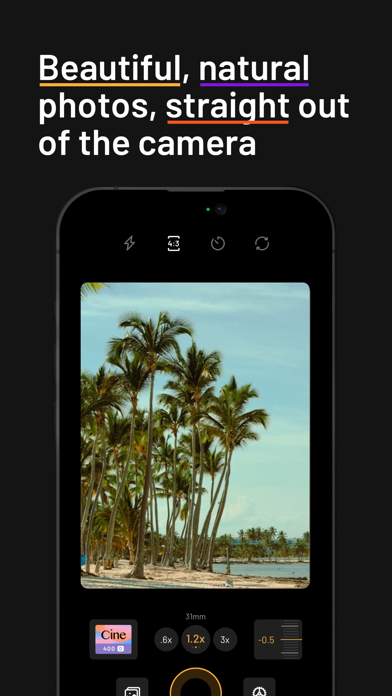
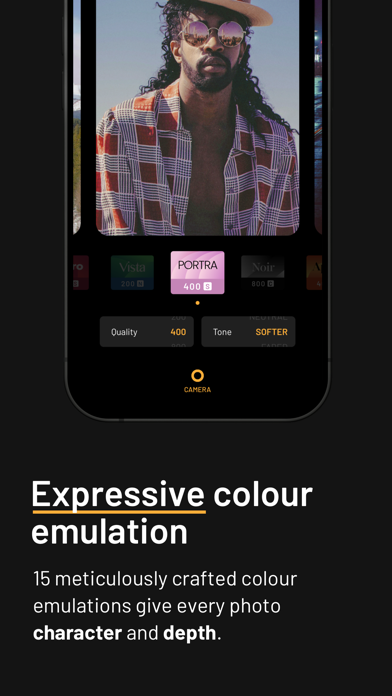
mood.camera is a point-and-shoot camera that captures natural photos full of character, straight out of your iPhone, without any editing. Instead of chasing ever-sharper and perfectly exposed images, mood.camera focuses on making photography fun and giving your photographs soul. The custom image processing pipeline gives you photos with realistic film grain, cinematic halation and a rich colour palette. mood.camera also has no live "filter" preview or editing tools within the app, encouraging you to enjoy taking photos without worrying about flipping between effects or making the perfect edit. mood.camera wasn't built to evoke nostalgia, it was built to bring character and serendipity back to the mobile photography experience. — “This Camera App Gives Your iPhone Photos Soul.” - New York Times "It’s Hard to Believe the Photos From Mood.Camera’s New Portrait Mode Were Shot on iPhone" - PetaPixel "mood.camera emulates the feeling of taking photos on camera film" - Tech Radar — TRY FOR 7 DAYS FREE Please note, mood.camera is not free. We offer a 7-day unrestricted free trial for new users, no subscription required. After your trial you can continue to use the app for free but you will be limited to the “random” emulation mode. To continue using the full version of the app after your trial period you can either purchase a lifetime membership or pay a monthly subscription. EXPRESSIVE COLOUR EMULATION Each of the 14 colour emulations have been meticulously crafted to give every photo character and a rich colour palette. FILMIC DYNAMIC RANGE Naturally compressed shadows and highlights create images with more contrast, more atmosphere, and a look that feels closer to film. REALISTIC FILM GRAIN Film grain algorithms modelled on the physical development process, add texture and physicality to your photos whilst retaining detail. CUSTOM PRESETS Add a touch of warmth to your favourite preset, or start from scratch to create an original style. NEXT LEVEL PORTRAITS Combined with mood.camera's filmic characteristics, portrait mode gives you photos with smoother object separation and convincing bokeh. (Available on iPhone 11 or newer). CINEMATIC HALATION Using the iPhone’s dynamic range gain map to accurately identify the brightest highlights, creating a realistic halation effect. (Available on iPhone 12 or newer). CUSTOM FRAMES Elevate your photos with a custom frame, automatically added when you snap a photo. LESS TWEAKING, MORE SNAPPING Mirroring the classic film camera experience, there is no live preview of your selected film, letting you focus on capturing the moment instead of flipping between filters. After each capture, the element of suspense as you reveal the processed photo is another nod to the analog experience. INTUITIVE CONTROLS FOR CREATIVITY At its core, mood.camera is designed to echo the ease of use of a point-and-shoot camera but retains some controls to inspire creativity and personal expression: - Set the default focal lengths for each lens, giving you quick access to your favourites. - An on-screen exposure dial, makes it easy to achieve different styles with under and over exposed images. - Select from multiple aspect ratios to suit the scene. - An optional grid & level indicator gives you confidence when composing. - High resolution 24MP photos on compatible devices. (Available on iPhone 14 Pro, 15 Pro & 16 Pro). - Customise the dynamic range of your camera. (Available on iPhones capable of ProRaw capture). — “Mood has filled the biggest hole in my photography life, which is spur of the moment, day to day scenes when I shouldn’t even be thinking of taking photos. Even with my “real” camera at home, Mood allows me to capture the little moments with nothing but my phone and some inspiration.“ - Cole, professional photographer. — More info: https://mood.camera Privacy Policy: https://mood.camera/privacy End User Licensee Agreement: https://www.apple.com/legal/internet-services/itunes/dev/stdeula/

ipaomtk.com
ipaomtk.com | What is Presets-Filters-Koloro IPA? Presets-Filters-Koloro IPA is an iOS installation package that allows users to install a powerful ph
Jean-Pierre Bouvet
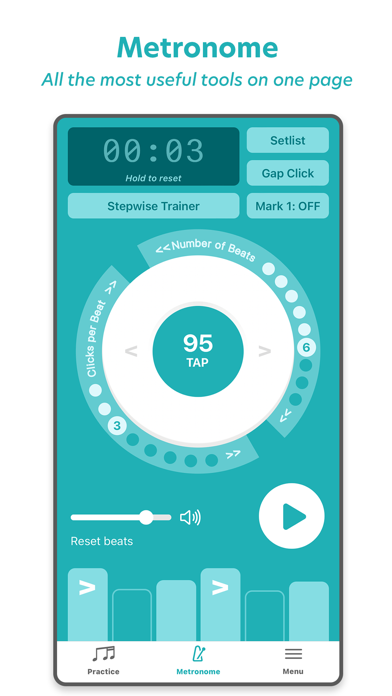
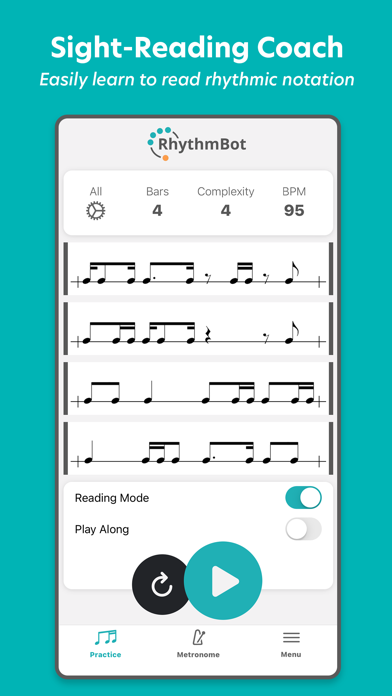
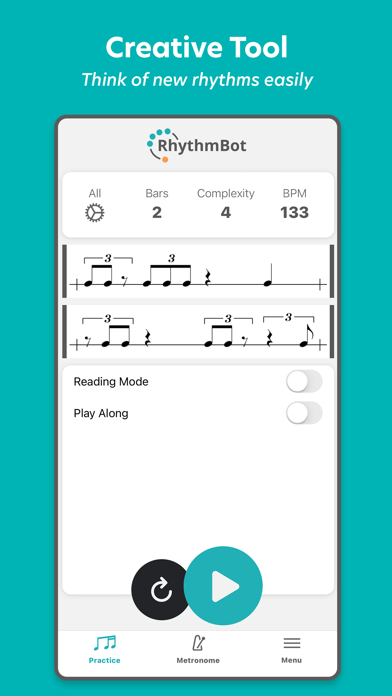
RhythmBot is your personal sight-reading coach, creative tool, and metronome. Master complex rhythms and become more creative on your instrument. RhythmBot creates infinite new rhythms according to the parameters you set, which include complexity, tempo, time signature, subdivision, playback sound, swing percentage, and more. *READING MODE: An infinite scroll of sight-reading practice at your complexity level. *PLAY ALONG MODE: RhythmBot measures your accuracy and longest streak as you tap the rhythms. - Start simple and increase complexity. - See your stats after each attempt. - Push yourself by drilling rhythms that you missed. METRONOME - Tempo control - Tap tempo - Innovative outer wheels for subdivision and signature - Practice timer - Individual click volume control - Individual click accent or rest - *Gap click - *Stepwise trainer (increase, decrease, alternate) - *Save to setlist *Upgrade to RHYTHMBOT PRO to unlock: - Sight-reading mode - Play along mode - Playback sound controls - Subdivision controls - Time signature controls - Presets - Swing percentage - “Add space” slider - Metronome setlist, gap click, and stepwise trainer

RRS, OOO
EQ3 AUv3 plug-in — comes as time-limited Demo-version for you to try. It gives you 5 minutes of Free play time. (You can reload the EQ3 AUv3 plug-in as many times as you want, thereby you get the Demo period again and again.) Unlimited version of EQ3 AUv3 plug-in comes as In-App Purchase. In the '80s it was the first to use a different approach to tonal adjustments. In conventional analog equalizers, whether they are shelving, sweepable, graphic or parametric types, various sections of the audio spectra are boosted or attenuated by adding or subtracting bandpasses. In this case, frequency shaping is achieved by summing bandpasses. Our emulation of this method is quite similar to the original and improved with additional possibilities of digital technology. Now you can hear it for yourself. There are five broad, overlapping, interacting bands: 10 (Sub), 40, 160, 650 and 2.5 кHz, along with the «rock (airy) band» control, which is an HF boost-only control. Features: • Standalone and AUv3 plug-in; • Precise port of Rack Extensions plug-in; • Modeled vintage EQ; • Boost only shelf at 2.5 kHz, 5 kHz, 10 kHz, 20 kHz and 40 kHz; • 2.5 kHz fixed boost and cut shelf; • 650 Hz fixed boost and cut bell; • 160 Hz fixed boost and cut bell; • 40 Hz fixed boost and cut bell; • SUB (10 Hz) fixed boost and cut bell; • Stereo (Mono), Mid or Side EQ modes; • Undo/Redo; • A/B comparison; • 2x/4x/8x Upsampling; • Macro controllers; • Built-in Gain Match; • Scalable GUI. When using the EQ3, remember that the bands are broad, approximately 2 octaves. They overlap one another. For example: when boosting the 10 kHz «rock band» to a +6 position on the knob, to keep the response flat through in 2.5 kHz region you should rotate the 2.5 kHz coarse knob to about a -1 position. The amount you back off the 2.5 kHz control should, of course, be set by ear. Following this kind of procedure will accomplish a more airy sound, with much more clarity. You can accomplish the same thing for the low frequency response by applying the same principles. The EQ3 will reach further into your mix than you've ever heard before with minimal phase distortion. As a result, you may need to take a little time and «play around» with the controls on the EQ3 before you can make intuitive adjustments. To use EQ3 as a plug-in, you need an AUv3-compatible host app like GarageBand, Auria, AUM, Cubasis and more — EQ3 will appear in the list of Audio Unit extensions for effect plug-ins in the host app.

RRS, OOO
EQ560 AUv3 plug-in — comes as time-limited Demo-version for you to try. It gives you 5 minutes of Free play time. (You can reload the EQ560 AUv3 plug-in as many times as you want, thereby you get the Demo period again and again.) Unlimited version of EQ560 AUv3 plug-in comes as In-App Purchase. The EQ560 based on Classic American EQ from the late '60s, the 10-band graphic equalizer features precision filtering and high headroom, ideal for signal enhancement. Features: • Standalone and AUv3 plug-in; • Precise port of Rack Extensions plug-in; • Modeled vintage EQ; • 10 bands of proprietary equalization; • Familiar graphics operation on one octave centers; • 12 dB of boost/cut per band; • «Proportional Q» narrows filter Q at extremes; • IN/OUT switch allows the user to bypass the Graphic EQ for before/after comparisons; • Stereo (Mono), Mid or Side EQ modes; • Undo/Redo; • A/B comparison; • 2x/4x/8x Upsampling; • Macro controllers; • Built-in Gain Match; • Scalable GUI. The curve shaping potential is unmatched, while unique Proportional Q design intuitively widens the filter bandwidth at lower boost/cut levels and narrows it at higher settings. The EQ560 extends the features of the original hardware and joins the flexibility of the digital world to the character of the analog processing. Allows you to choose between equalizer modes (Stereo, Mid, Side) and remove analogue saturation from the processing circuit to deliver pure digital sound. The EQ560 is handy when you need to make EQ adjustments on larger parts of the spectrum instead of a restricted area. Boosting or cutting several bands at once will radically alter the sound of a track, be it a thin, weak snare that needs low end or a dull vocal that needs to be opened up. To use EQ560 as a plug-in, you need an AUv3-compatible host app like GarageBand, Auria, AUM, Cubasis and more — EQ560 will appear in the list of Audio Unit extensions for effect plug-ins in the host app. The EQ560 is a great complement to the parametric EQ550 and EQ550b.

RRS, OOO
The Passive EQ Collection AUv3 plug-in — comes as time-limited Demo-version for you to try. It gives you 5 minutes of Free play time. (You can reload the Passive EQ Collection AUv3 plug-in as many times as you want, thereby you get the Demo period again and again.) Unlimited version of Passive EQ Collection AUv3 plug-in comes as In-App Purchase. SPECIFICATIONS: • Three classics, EQP-1A, MEQ-5 and HLF-3C, combined in one full-featured equalizer; • Standalone and AUv3 Plug-in; • Modeled vintage Equalizers; • On/Off Analog Saturation; • Undo/Redo; • A/B; • 2x/4x/8x Upsampling; • Macro controllers; • Built-in Gain Match; • Scalable GUI. The EQP-1A based on Classic Program Equalizer from the '60s, original EQ is renowned for its unique ability to boost and cut the same frequencies simultaneously, thereby creating a resonant shelf, the EQP-1A faithfully models the overbuilt transformers and complex tube amplifiers of the original hardware. Conceived and created for broadband equalization, the EQP-1A features 4 low boost/cut frequencies, 3 high-cut frequencies and 7 HF boost points, along with a bandwidth control for shaping the high boost curve. The MEQ-5 based on Classic Mid-Range Equalizer from the '70s, with two bands of midrange boost and one band of midrange dip, the MEQ-5 gets the very best out of the «power region» where guitars and vocals can make or break a mix. The MEQ-5 provides exacting control of the «power region» in program material, that frequency range from about 300 Hz to 5000 Hz in which most of the sound energy is concentrated. The ear is especially sensitive to sounds in this region. In this region, even small resonances in studio acoustics and microphone and speaker responses are very evident in their effect on the listenability of the sound. Three independent sets of controls make it possible to boost on a peak curve at 200…1000 Hz while simultaneously boosting on a peak curve at 1.5…5 kHz, while simultaneously dipping at 200…7000 Hz. The original HLF-3C hardware unit is a true passive design: there are no input/output amplifiers and it does not require any external power. As a result, there is an inherent loss of signal level when using the HLF-3C hardware. The RRS HLF-3C compensates for this inherent signal loss for simplified use in the modern era: it has unity gain upon insertion (there is no insertion loss until one or both of the cut filters is engaged). The broadband EQP-1A, the midrange MEQ-5 and the passive high/low filter HLF-3C together comprise a full range vintage EQ chain. To use Passive EQ Collection as a plug-in, you need an AUv3-compatible host app like GarageBand, Auria, AUM, Cubasis and more — Passive EQ Collection will appear in the list of Audio Unit extensions for effect plug-ins in the host app.


Toh Kar Le
As a daily Notion user, I found the Notion mobile app to be too cluttered and overly complicated for simple tasks management. It is also severely lacking in widget integration which is a crucial part of the iOS experience. I have tried Todoist and TickTick with Zapier, but they lacked support for all the features I needed, AND THERE IS A SUBSCRIPTION?! I wanted a simpler, more integrated solution. That's why I built SyncTasks. Due to popular demand, I've added the option to use SyncTasks as a standalone to-do app without syncing with Notion. This can be especially useful for quickly tracking tasks like grocery lists and other on-the-go needs. Key Features of SyncTasks: Notion Integration: Two-way sync with your Notion databases. This feature also allows you to sync databases from multiple Notion Workspaces. Apple Reminders Integration: Two-way sync with your Apple Reminders. Minimal Task List Widget: My favorite feature! Inspired by dumb phones, this minimalist widget blends seamlessly with your wallpaper to create a distraction-free interface reminiscent of a dumb phone. Your home screen will display only your tasks, with no other distractions, so you can stay focused and get as much done as possible. Stay Organized: I've decided to go back to basics and stick with the trusty folder system to help you group your tasks and stay organized. You can also quickly filter and search through your tasks to find exactly what you need. Exclusive Membership Card: I absolutely love the feeling of getting something unique for myself. So, I've added this totally unnecessary but fun feature! When you first get your card after upgrading to premium (it's a one-time purchase, by the way—because I absolutely hate subscriptions), you can drag and shake it to unlock a series of randomized colors with different gradients on the card. This means your card will be unique to you and you alone. I know it's not essential, but it's kind of exciting, right? No ads. No tracking. Transparent update: Nobody likes being tracked, and I'm no exception. I've also included a Release Notes section in the app where I'll share all the new features, major bug fixes, and improvements with you. This keeps the update process as informative and transparent as possible. I'm doing this because I genuinely want to build and grow alongside my users. If you've encountered a similar issue with the Notion mobile app and are looking for a solution, want a way to stay focused and get things done, or just simply want to hang out, install SyncTasks and join me on this journey. I'll see you on the other side!
Appostrophe AB
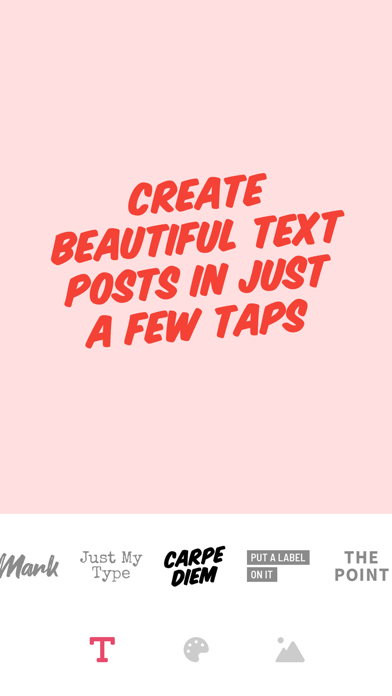
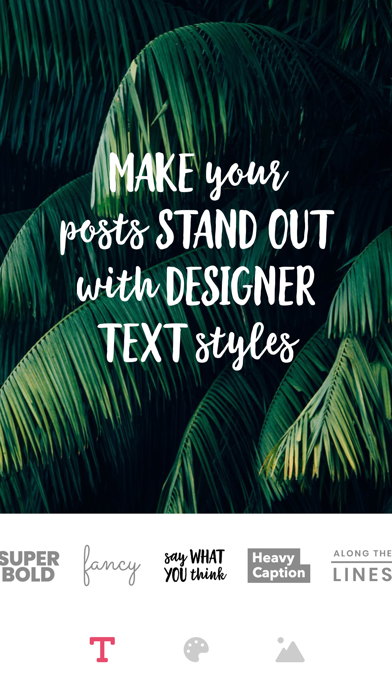
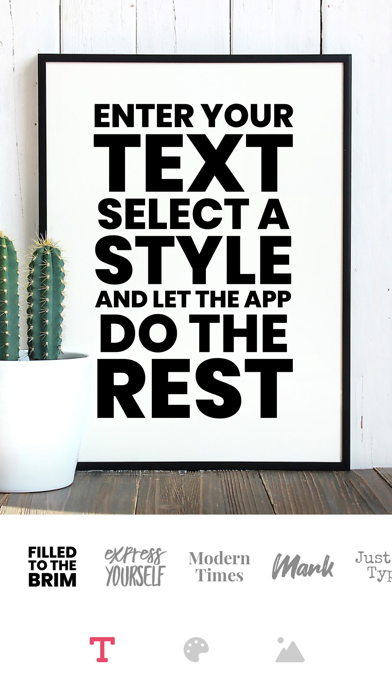
Create beautiful and professional posts, flyers, and posters with Text Art! With just a few taps, anyone can create eye-catching graphic design. Simply select a photo, enter a catchy caption, and choose between dozens of designer text styles. Every time you select a style, a new, unique design is generated just for you! Whether you are looking to spice up your social media account or create professional flyers, Text Art is all you need. And if you plan to print your artworks, you'll be happy to learn that Text Art exports in the highest possible resolution. What you'll get with Text Art: - Designer-picked fonts and layout combinations - Beautiful and unique text art generated just for you - Hundreds of colors, gradients, and textures - Million of free professional stock photos - Large database of inspirational quotes - Exporting in high resolution ----------------- While Text Art is free to use, premium access to the app (including all premium text styles) requires a paid subscription. Please see the subscriptions details below. - The subscription is automatically renewed every month or year until cancelled. - Your payment will be charged to your iTunes Account as soon as you confirm your purchase. - You can manage your subscriptions and turn off auto-renewal from your Apple ID account settings after the purchase. - Your subscription will renew automatically, unless you turn off auto-renew at least 24 hours before the end of the current period. - The cost of renewal will be charged to your account in the 24 hours prior to the end of the current period. - When canceling a subscription, your subscription will stay active until the end of the period. Auto-renewal will be disabled, but the current subscription will not be refunded. About Subscriptions - http://appostrophe.se/textart/subscriptions.html Terms of Use - http://appostrophe.se/textart/terms.html Privacy Policy - http://appostrophe.se/textart/privacy.html
Cosmic Teapot
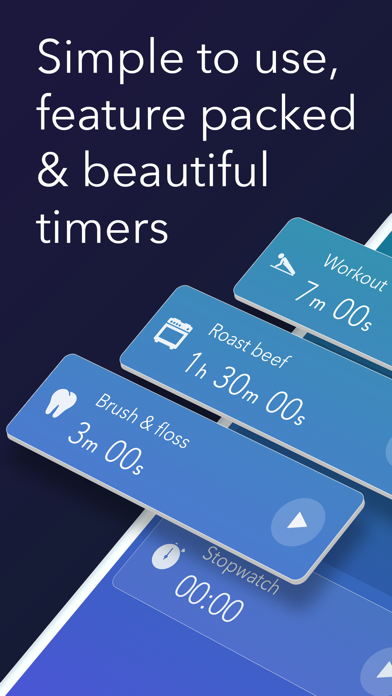
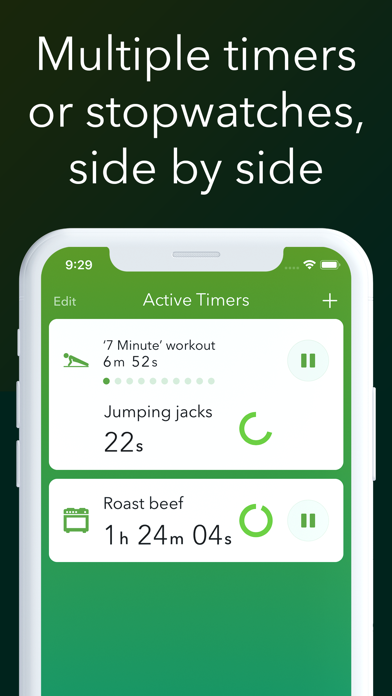
Timeglass has everything you need to time exercise, study, cooking, and your other daily routines. Timeglass gives you: ● Many timers, side by side - Create reusable timers and run them side by side. Maybe you want to do a workout while timing a roast in the oven. No problem! Timeglass has you covered. ● Multi-stepped timers - Timers can have multiple steps, where each step has its own duration. This is great for workout routines and cooking. ● Spoken timers - Want to know what's up next without looking at your phone? Timeglass will talk you through your stepped timers so you can stay focused on whatever you're doing. ● Timer widget - Start and view your timers from any widget screen, or from 3D Touching the app icon. You can even use this to see your timers while your phone is locked. ● Pre-built timers - A library of forty timers to choose from, covering fitness, home & lifestyle, productivity, relaxation, and cooking. ● Lots more awesome stuff - Like stopwatches, repeating alerts, beautiful tones & icons for your timers, plus five themes to choose from.
Mohammed Ali
**Type AI - Your Smart Keyboard Companion** Type AI is an advanced keyboard app designed to revolutionize your typing experience. Powered by AI, it helps you enhance your writing effortlessly across various tasks. Whether you're texting, composing emails, or creating documents, Type AI is your go-to tool for: - **Instant Translation**: Communicate seamlessly across languages. Translate text in real-time while typing, making global conversations a breeze. - **Text Improvement**: Refine your writing with AI-powered suggestions to enhance clarity, coherence, and style. - **Grammar Check**: Eliminate grammar mistakes with automatic corrections and suggestions. - **Spelling Check**: Ensure your spelling is flawless, no matter the complexity of the word. - **Tone Adjustment**: Adjust the tone of your text to match any context—be it professional, casual, or persuasive. - **And Much More**: With a wide range of AI-powered features, Type AI helps you generate smart, precise, and impactful text for every need. Boost your productivity and communication with Type AI, your intelligent keyboard assistant for every situation! Subscription Policy - https://docs.google.com/document/d/1effbsiVUI89gBVtmjzZtwn_ugTknFLsOK1f0d3vp_fg/edit?usp=sharing T&Cs - https://docs.google.com/document/d/184B3eAzU752dfeT-6ZwpVPN4ITynxSXIh9riP757Yxs/edit?usp=sharing Privacy Policy - https://docs.google.com/document/d/1hjlTkECdDAMuma1p573KH5JApTwWHXhEIF3kK_8s-Dc/edit?usp=sharing

ipaomtk.com
ipaomtk.com | What is Undead Slayer: Offline Premium IPA? Undead Slayer: Offline Premium IPA is the iOS installation file of a fast-paced hack-and-sla


ZipoApps
Chemistry experiments on your smartphones. You can Mix chemicals to see how they react, Burn salts to colorful flames and Heat elements to see what colors it emits There are 150 plus chemicals available to experiment with and more than 750 unique experiment simulations. Key Highlights - Adjusting the concentration and quantity of the reactants. - Regulate the temperature of the reaction. - Modify temperatures in precipitation reactions and see the effect of temperatures on solubility. - Slow down / Fast forward time. - Check the PH and PH change in a reaction, using Indicators. - Ignite flammable gases formed during reaction. Disclaimer Some reactions you will be doing in Unreal Chemist are extremely dangerous and may cause serious injury if conducted in real word. Even though most of the reactions are accurate to the real world, some reactions may be theoretical since physical verification of some reactions are not completed as of now.

Fortyfour AB
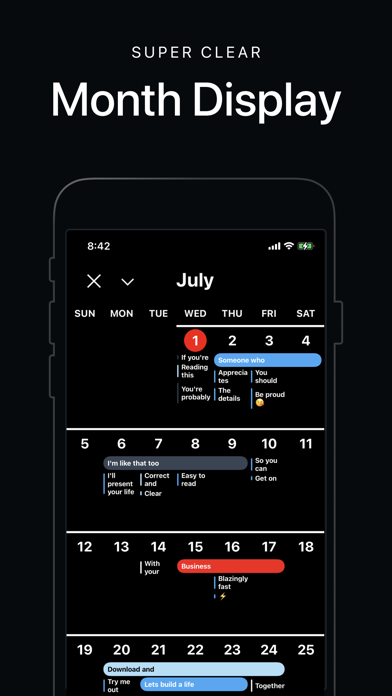
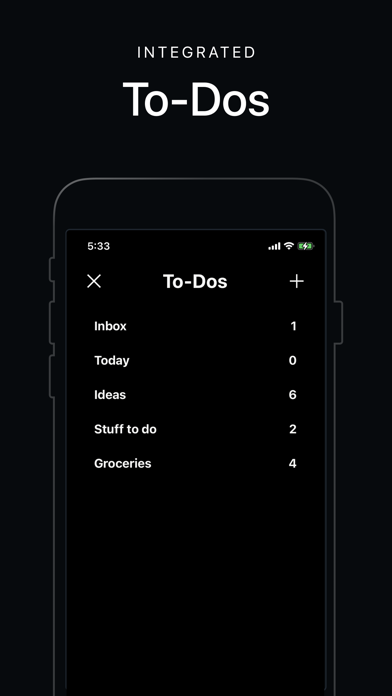
Who says calendars can't be fun? Vantage takes the mundane out of scheduling. In part because it works well and is easy to use, but also because of useful visual cues like colors, stickers, book covers and stacks. Visual cues makes understanding a long list of stuff easier, and can help you understand your daily life better. Sort of like doodles in a physical book can help you remember notes. Picked by Apple as the "App of the Day" on the App Store in 2019. Stacks Stacks are a really cool way of summarising days. It reduces clutter and visualises how much is on your plate. The higher the stack, the more things you got planned. Tap any stack to peek it’s contents. Integrated To-Dos To-dos live in little notebooks right next to the main timeline. To set a due date, just drag a to-do and drop it on a date. You also get to customise your books with a pre-set book cover, or even a photo from your camera roll. Color Tags and Stickers Visual cues makes long lists of stuff so much easier to read. Pick from a variety of funky stickers or color tags to let events either pop or feel connected. Features in summary - Natural Language Input - Custom Repeat Rules - Custom Alerts - Syncs with iOS Calendar, Google Calendar, Exchange, Facebook - Use colors, stickers and fonts as search tags, super useful! - Useful widget calendar in notification centre - Keep To-do lists in Notebooks - Drag and drop To-dos to due dates - Location through Apple or Google Maps - Inbox for event invites - Week numbers - Absolutely no ads Featured by the App Store in 'Stay on Schedule', as the 'Free App of the Week' and in 'New Apps We Love'. Pay a visit to our web or twitter if you're curious for more. http://twitter.com/vantage_by_44 http://vantageby44.com "A More Visual Way To View Your Calendar" - Lifehacker "Vantage [...] gives you the best view of everything you've got going on" - Gizmodo "It breaks the mold and offers an entirely new way to organize your life. Plus, it’s very easy on the eyes." - AppAdvice Our terms of use can be found at https://vantageby44.com/terms-of-use.

ipaomtk.com
ipaomtk.com | What is Video Captions: Auto Subtitles IPA? Video Captions: Auto Subtitles IPA is the iOS installation file of a video editing utility d


Executive Functioning
Time is a slippery thing—but with the Weel ADHD planner, it's all under control. Weel transforms your daily schedule into a clear, single image, using an intuitive 24-hour analog watchface that provides a full-circle view of your time. This unique feature is especially helpful for people with ADHD, dyscalculia, or time blindness. Even if you're neurotypical, the Weel ADHD planner offers a refreshing, visual way to manage time effectively! Whether you’re juggling tasks, working across time zones, or avoiding last-minute scrambles, Weel’s design helps everyone stay organized and on track. Key Features of Weel ADHD Planner: • Stay on top of your schedule: The 24-hour analog watchface allows you to see your entire day at a glance, helping you focus on upcoming tasks and avoid losing track of time before important events. • Plan ahead: Attach notes or checklists to events so you remember exactly what to prepare for meetings or appointments. • Factor in travel time: The Weel ADHD planner helps you account for travel between events, so you avoid scheduling conflicts and always arrive on time. • Manage time zones easily: Simplify scheduling for international meetings or travel plans without the confusion. • Customizable for your needs: Weel is highly configurable, allowing you to tailor the app to your own preferences and organize your day your way. • Widgets & Apple Watch compatibility: With customizable widgets and Apple Watch integration, Weel helps you visualize your entire day with the power of its unique 24-hour watchface. Looking for More? Try Weel+ ADHD Planner Weel+ enhances your scheduling with advanced tools for even smoother time management. Try a free 7-day trial to unlock features like additional calendars, recurring events, and more. With Weel+ ADHD planner, you can: • Add multiple calendars: Keep personal, work, and family schedules separate but accessible in one app. • Create repeating events: Set daily, weekly, or custom recurring events to never miss commitments. • Apply travel time to recurring events: Keep your schedule running smoothly throughout the day. • Get priority support: By subscribing to Weel+, you help support our team and receive priority assistance. Weel+ ADHD Planner Subscription Information: • Available in Monthly and Yearly options. • Your iTunes account will be charged at the end of your free trial if you choose to continue. • Subscriptions renew automatically unless turned off at least 24 hours before the current period ends. • Manage your subscription or turn off auto-renewal in your Account Settings on the App Store. Why Weel ADHD Planner is Different: Weel ADHD planner is more than a calendar—it's a comprehensive time-management tool designed for inclusivity. Traditional apps give a linear view of time, but Weel uses a 24-hour analog watchface to visually structure your day. This circular design makes it easier for people with ADHD or neurodivergent needs to understand and manage their time. Weel makes your schedule tangible and easy to grasp, offering a clearer picture of your responsibilities. And, while it's great for ADHD, it’s also powerful for anyone who wants a smarter way to manage their time. Perfect for Everyone: Whether you’re a professional juggling meetings, a parent managing your family’s activities, or a student balancing school and social life, Weel ADHD planner makes time management simpler. Its visual approach helps anyone manage their time better. Available on iPhone, iPad, and Apple Watch, Weel ensures you’re always connected to your schedule. Stay Organized with Weel ADHD Planner: Weel is your all-in-one solution for time management. Its 24-hour analog watchface and flexible customization make it a fresh, visual, and easy-to-use app. Upgrade to Weel+ for advanced scheduling features and support our development team. Terms of Use: https://www.apple.com/legal/internet-services/itunes/dev/stdeula/ Privacy Policy: https://weelplanner.app/privacy-policy/


Mealico LLC
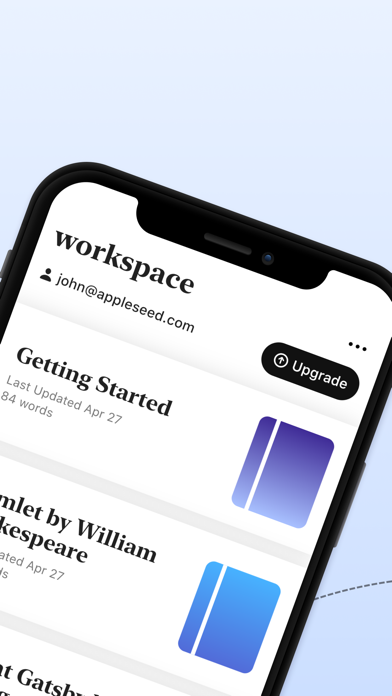
Writing Space is a powerful writing tool for students, teachers, authors, and bloggers. It is a customizable word processor with a library of user-friendly templates, stunning fonts, and rich formatting options. Writing Space is designed to help you write in a more focused way, so you can finish your writing projects faster and achieve more. Share your writing with your friends and family or publish it online. - Distraction-free writing mode, so you can focus on writing your book with minimal distractions. You can also create lists, insert links, and highlight text with ease. - A library of customizable themes to help you design your book. You can choose from a variety of professionally designed templates, or you can create your own from scratch. - A well-polished word processor packed with all of the features you need for a pleasant writing experience. - Track your progress with Writing Space's word count feature. Set a daily writing goal and know exactly how much you have left to write. - A rich set of formatting options. Change the font, size, color, style, and alignment of your text. - Publish your work online and let everyone read your stories. Writing Space supports PDF or self-publishing. - Dark mode. - Automatic backups - never lose your writing again. Sync your writing with your Google or Apple account, or sign up with just your email. - Inline notes - write your thoughts without including them in your final published copy. - Track your progress with Writing Space's word count feature. Set a daily writing goal and know exactly how much you have left to write. ----------------------------------- If you choose to purchase the Full Access subscription, payment will be charged to your iTunes account, and your account will be charged for renewal within 24-hours prior to the end of the current period. Auto-renewal may be turned off at any time by going to your settings in the iTunes Store after purchase. Current Full Access subscription price starts at $1.29 USD/week. Prices are in USD, may vary in countries other than the U.S. and are subject to change without notice. No cancellation of the current subscription is allowed during the active subscription period. If you don’t choose to purchase the subscription, you can simply continue accessing the sample content. Terms of Use: https://www.meali.co/tos.html

小波 司
+ Over ten innovative color tools: color wheel, filtering, sorting, mapping, intervals, blending, proportion, random, analysis, and more. + Single-point and multi-point color picking, batch color picking, fast color card creation, random image color roaming, and multiple image color auto-analysis methods. + Scene color cards: Predict and perceive the real-world effect of color schemes. Instantly preview how a color palette will look in real-world scenes through scene color cards. + 631 color palette: Select a main color and style, then generate a 6:3:1 color scheme. + Thematic palettes, color search, tags, color values, RGB, HSB, HEX, CMYK, LAB, and more—providing flexible color selection and conversion across multiple systems. Terms of Use : https://www.apple.com/legal/internet-services/itunes/dev/stdeula

ipaomtk.com
ipaomtk.com | What is ZipMaster – Zip RAR Extractor IPA? ZipMaster – Zip RAR Extractor IPA is the iOS installation file of a utility app designed to h