
Recently updated apps
Browse recently updated IPA listings from AltStore and SideStore compatible repositories. These pages help you find fresh builds, changed repository notes, and updated download options without relying on search filters.
Newin Inc.
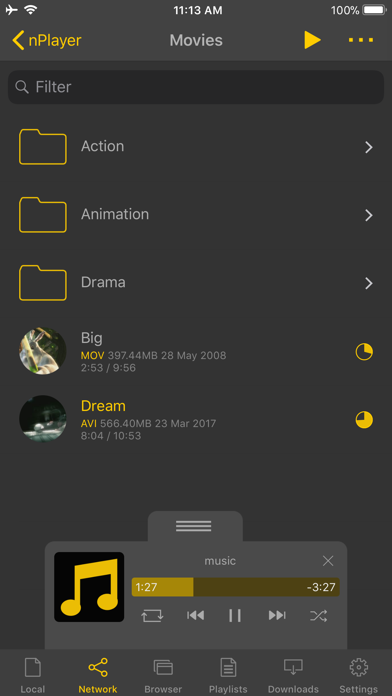
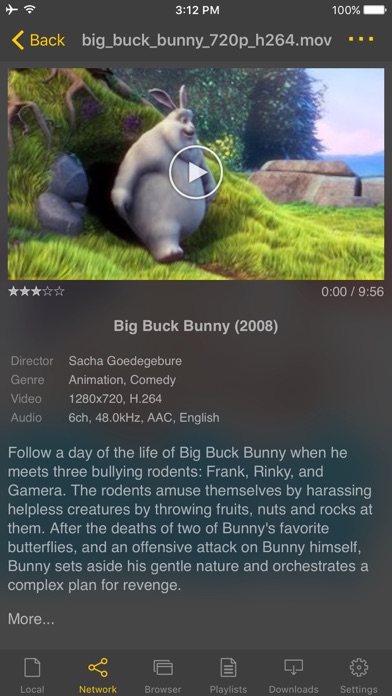
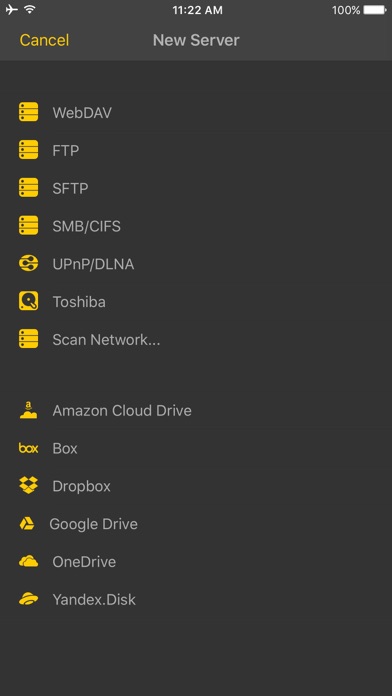
** nPlayer officially supports DTS (DTS HD ), DTS Headphone:X, Dolby (AC3, E-AC3). ** nPlayer is the universal app. You can install it in any other iOS device without additional purchase. ** nPlayer Plus officially supports Dolby Audio codec and Dolby Sound Effect. But if you don't mind using Dolby Audio codec embedded in iOS, please update your iOS to 9.3 version or later and purchase nPlayer in the lower price. - You don't need to convert video files to MP4 to play them in your mobile device. nPlayer enable you to play all kinds of video formats and codecs without file converting efforts. - You don't need to store video files in your device with limited storage space. nPlayer's powerful and various network technologies will help you to stream them from remote devices. - With your finger tip, you can adjust playback position, move to previous and next subtitle position, adjust location and font size of subtitles, control volume and brightness. - Experience nPlayer, thousands of users recommendations. * Features - Supports officially DTS audio codec (DTS HD) - Supports officially Dolby audio codec (AC3, E-AC3) - Supports Dolby Mobile Surround Sound - Supports iXpand Drive - Supports Chromecast - Supports video cast for Smart TV - Supports HDMI output - Supports video files : MP4, MOV, MKV, AVI, WMV, ASF, FLV, OGV, RMVB, TP etc. - Supports audio files : MP3, WAV, WMA, FLAC, APE etc. - Supports subtitle files : SMI, SRT, SSA, IDX, SUB, LRC, SUP, MLP2 etc. - Supports image files : JPG, PNG, BMP, GIF, TIFF etc. - Supports playlist files : CUE, M3U, PLS - Supports WebDAV, FTP, SFTP, HTTP, SMB/CIFS, NFS - Supports UPnP/DLNA (supports subtitles if DLNA server provides subtitles information.) - Supports cloud service (Box, Dropbox, OneDrive, Yandex.Disk) - Supports in-app web browser - Supports iTunes video/audio play (except for DRM contents) - Supports videos and pictures in Album - Playback speed control : 0.5x ~ 4.0x - Resume playback - AB repeat(specific section repetition) - Screen lock - Supports AV1/HEVC/H.264/MPEG4 Hardware acceleration - Supports 3D video mode - Screen flip horizontally, vertically. brightness and saturation control - Aspect ratio : Default, 1:1, 3:2, 4:3, 5:3, 16:9, 1.85:1 etc - Supports multi-track audio - Supports audio boost - Supports audio sync - Supports lyrics display - Supports Dolby, DTS HDMI Bitstream (Passthru) - Supports embedded subtitles - Supports multi-track subtitles - Supports user’s selection of subtitle files - Supports addition of optional subtitle files while playback - Supports subtitles font, color, shadow, outline customization - Supports subtitles sync - Supports external subtitle fonts - Supports SAMI(SMI) tag - Supports SSA/ASS with full styling, embedded subtitles - File management : Delete, Move, Rename, Create a folder - Playlist management : Add, Delete, Modify - Supports recently played list - Folder lock - Supports Open-in - Supports UI theme * Gesture Features - Tap : Menu - Double tap : Pop-up play - Drag horizontally : Playback position adjustment - Drag vertically on right half of the screen : Volume control - Drag vertically on left half of the screen : Brightness control - Pinch on the screen : Screen size adjustment - Drag horizontally on subtitle text : Move to previous/next subtitle text - Drag vertically on subtitle text : Subtitle position adjustment - Pinch on subtitle text : Subtitle font size adjustment - Supports finger gesture customization

ichitaso
Request. OTADisabler for TrollStore, refer to this for more informations. Last updated: 02-01-2024 Status: ✅

lotusprey
Unofficial AniList viewer, much better UI and stats than MyAniList or others on the App Store Last updated: 07-01-2024 Status: ✅
OVapi
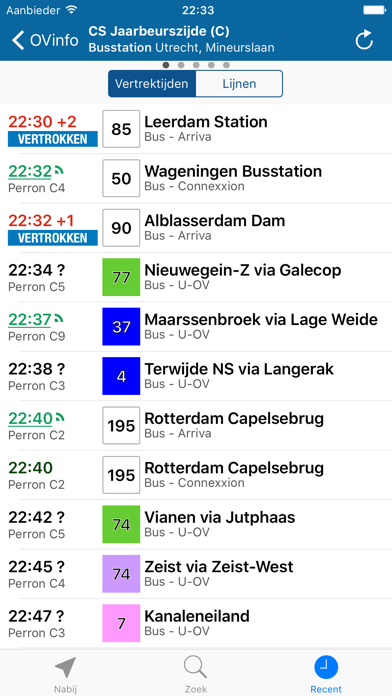
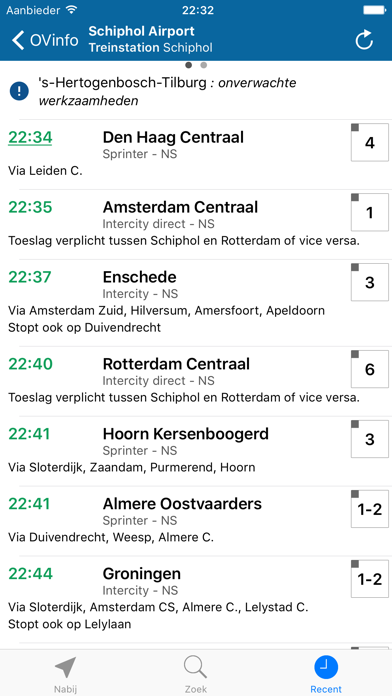
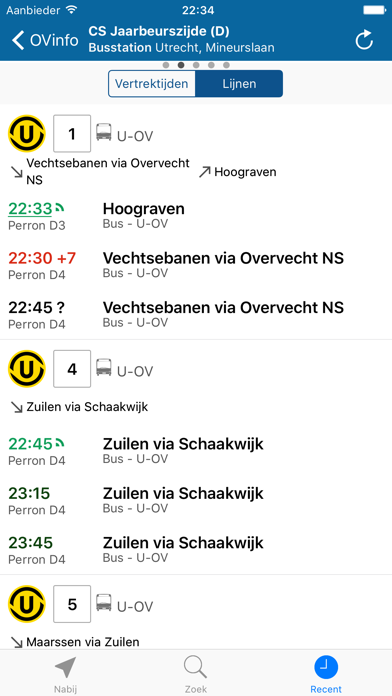
OVinfo gives you current travel information for the entire public transport system in the Netherlands. The app shows how long you have to wait before you can board, indicates where the current position of the vehicle and uses reliable information about the accessibility at stations and stops. The app was developed with special attention to accessibility: all information about barrier-free boarding is also accessible barrier-free. On both iPhone and iPad, all buttons are spoken by VoiceOver and dynamic font size has been tested with visually impaired users. OVapi B.V. has been giving up-to-date travel information for nearly 10 years and receives the data via ND-OV (National Data Public Transport) directly from all carriers in the Netherlands, including Arriva, Breng, Bravo, Connexxion, EBS, GVB, Hermes, HTM, RRReis, Overal, NS, RET, Keolis en U-OV

N/A

Produkt Studio
Improve your comic reading experience with Panels. Enjoy reading your favorite titles in a clean and delightful interface, with plenty of customization and advanced features — fully DRM-free, with first-class support for OPDS, your own library, and your own files. Key features: - Universal Compatibility: Support for most common comic types: CBR, CBZ, CB7, PDF and comic ePUB (not text eBook). Support for multiple image formats, including WebP. - Cross-Device Sync: Synchronize your reading progress across iPhone, iPad and Mac and resume reading exactly where you left off. - Full iCloud Drive support: store your entire library on iCloud and access it from different devices. - Library Organization: Effortlessly manage your comic library with intuitive tools for easy navigation, custom folder colors, logos and cover images. * Themes: support for Light and Dark modes, and many others. * Reading Presets: Choose from a multitude of reading presets or create your own, including horizontal, vertical, or panel-by-panel guided view. - Right to Left reading (manga): read any comic with Panels. * OPDS support: Stream, search and download comics from your OPDS compatible server (Komga, Kavita, Codex, Ubooquity and others). * Secure your content: Keep files locked using a password or Face ID for your collections and files. Use Incognito mode to keep your reading sessions hidden. * Live Text and Subject detection. * Experimental Features: Access experimental features like panel-by-panel navigation. Panels Store — DRM-free comics from independent creators: - Browse and buy comics directly inside Panels, no extra apps or accounts. - 100% DRM-free: every purchase is yours to keep, read offline and back up. - Creators keep 80% of revenue, so your purchases directly support the people making the comics. - Purchased issues are added to your library and sync across your devices automatically. Native support for importing files from: * iCloud Drive * Dropbox * Microsoft OneDrive - Substack * OPDS: Komga, Kavita, Codex and others * Local network shared files and folders via SMB and Embedded web server - iTunes - External drives - Airdrop - Drag&Drop from other apps Page Filters: * Reduce Noise * Increase Sharpness * Reduce Moiré * Crop Borders * Require an active subscription or a one-time purchase. • You may purchase an Auto-Renewing Subscription to unlock all the premium features while it\'s active; or a one-off purchase to unlock the current major version features forever. • Your subscription will be charged to your iTunes account at confirmation of purchase and will automatically renew (at the duration selected) unless auto-renew is turned off at least 24 hours before the end of the current period. • Current subscription may not be cancelled during the active subscription period; however, you can manage your subscription and/or turn off auto-renewal by visiting your iTunes Account Settings after purchase • Read our privacy policy and terms of use: https://panels.app/privacy / https://panels.app/terms
Faizan Durrani
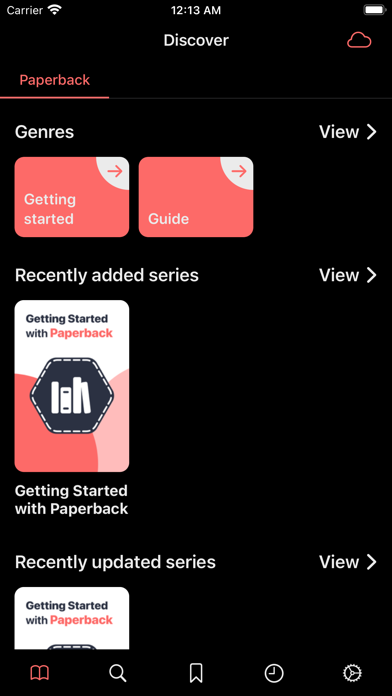
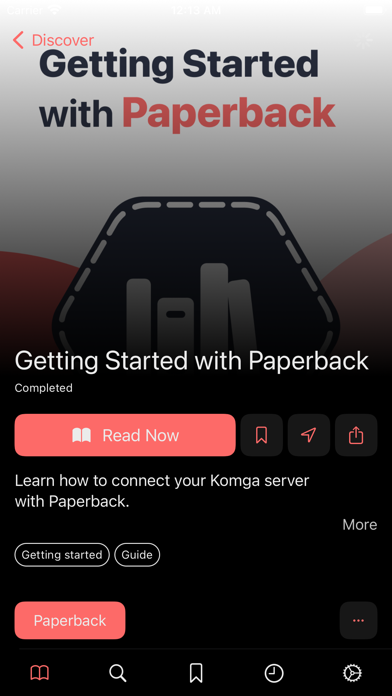
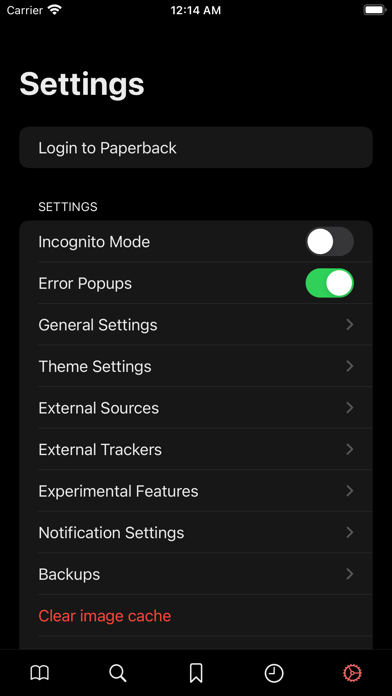
An Ad-Free Komga client for iOS. Supports an extensive scripting API using TypeScript/JavaScript to extend the app functionality.

Evernote Corporation
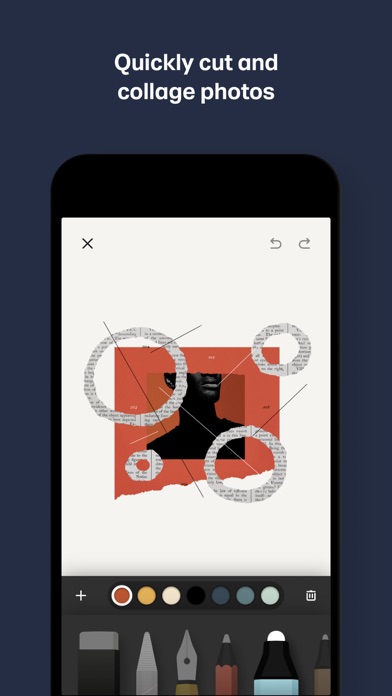
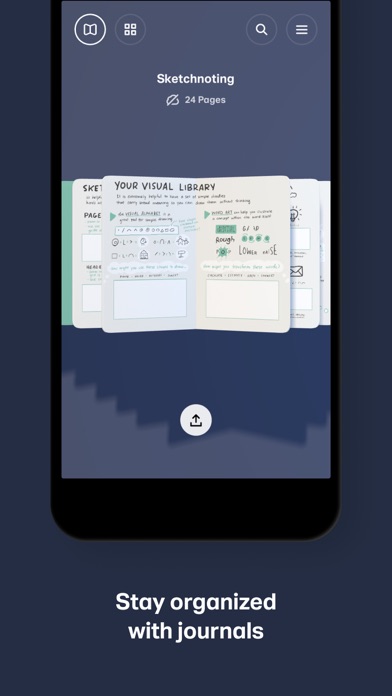
Over 30 million people set their ideas free with Paper®, the award-winning immersive sketching app. SKETCH WITH CONFIDENCE Paper’s perfectly-tuned tools make it easy to sketch, collage, paint, draw—wherever your thoughts take you. Wave goodbye to distracting menus and let natural gestures guide you, keeping you in your creative flow. GET CREATIVE (WITHOUT THE MESS) Add multiple photos to a single page and cut, stick, move, and fix without the fuss of complex layers. From mood boards to storyboards, pull in inspiration from anywhere and get your ideas moving. YOUR IDEAS, YOUR WAY Wherever and however you get your ideas, it’s never been easier to put them on Paper. Organize pages into beautiful journals and sync them across your devices, ready to pick up where you left off. CREATE LIKE A PRO Take creativity to the next level and subscribe to Paper Pro for more tools, features, and journals. Subscription is optional and you can cancel anytime. To upgrade, simply visit the Paper Pro section in your Settings menu. * Payment will be charged to your iTunes Account once you confirm the purchase. * Your subscription will automatically renew at the end of your subscription period. To opt out, you must turn off auto-renew at least 24 hours before the end of the current period. * Manage changes to your subscription in the iTunes Account Settings. * Any unused portion of a free trial will be forfeited when you purchase a Paper Pro subscription. Love Paper? Leave us a review! Thanks to your comments, reviews, and tweets we can continue to evolve Paper with you in mind. Questions? Shoot us an email at [email protected]. Terms of Service: https://paper.bywetransfer.com/terms Privacy Policy: https://paper.bywetransfer.com/privacy Patents: https://paper.bywetransfer.com/legal/patents


DIGISET LLC
PDF it All: Your All-in-One PDF Solution PDF it All is an advanced yet user-friendly tool designed for seamless PDF file editing and conversion. With this application, you can effortlessly compress large PDF files, making file sharing more convenient. Convert a variety of formats, including Word, Excel, PowerPoint, web pages, and photos into PDF with ease. Whether you need to edit a PDF by removing or rotating pages, PDF it All has you covered. Merge multiple PDFs into a single file or split a PDF into multiple files effortlessly. The best part? Our app operates solely on your device, ensuring that all your PDF tasks are performed securely without relying on external servers. Your files remain 100% secure throughout the process. Experience the convenience of multiple apps neatly bundled into one with PDF it All: + PDF Compress Reduce PDF file sizes by up to 90%, perfect for streamlined file sharing and storage efficiency. + Office to PDF Transform Word, Excel, or PowerPoint documents into PDF format within seconds. Simply select the office file, and let our app handle the rest. + Web to PDF Capture your favorite web pages offline by converting them into PDFs using our built-in browser – a seamless process in just three steps. + Photos to PDF Digitize your photos from your camera roll or snap a picture on the spot. Create PDFs from your photos in a matter of seconds. + Notes to PDF Craft your own PDFs with our rich text editor, enabling you to create complete PDF documents directly from your device. + PDF Editing Unlock powerful PDF editing capabilities with our app, allowing you to: • PDF Page Removal Easily remove one or more pages from your PDF by importing the file and selecting the pages for removal. • PDF Page Rotation Correct rotated PDFs swiftly by rotating the entire document or specific pages with ease. • Merge PDF Combine multiple PDFs into a unified document effortlessly. • Split PDF Divide a PDF into multiple files by importing, selecting the split points, and letting our app handle the rest. • Sign PDF Sign documents quickly by opening your PDF, selecting "Sign," adding your signature, and you're done. • Protect PDF Enhance security by encrypting your PDFs with password protection, ideal for safeguarding private documents. • Unlock PDFs Remove known passwords from PDFs effortlessly, enabling you to share password-free files. • PDF Share Seamlessly share your PDFs via email or any other installed app on your device. Export to Dropbox, Evernote, Google Drive, Box, SkyDrive, and more. • PDF Print Print your PDF files directly within the application, ensuring compatibility with Air Print printers. Security is our paramount concern. Rest assured, none of our tools rely on external servers, making PDF it All one of the most secure PDF tools/creators available. PDF it All is free to use and you have 2 free daily conversions/tasks per day. If you choose to purchase PDF it All Pro+ to enjoy unlimited conversions and PDF editing, payment will be charged to your iTunes account, and your account will be charged for renewal 24 hours prior to the end of the current period. Auto-renewal may be turned off at any time by going to your settings in the iTunes Store after purchase. Prices may vary from country to country. Privacy policy: https://pdfitall.app/privacy Terms of use: https://pdfitall.app/terms/ For feedback/support, contact us at [email protected]


JUPITER PALACE PTE. LTD.
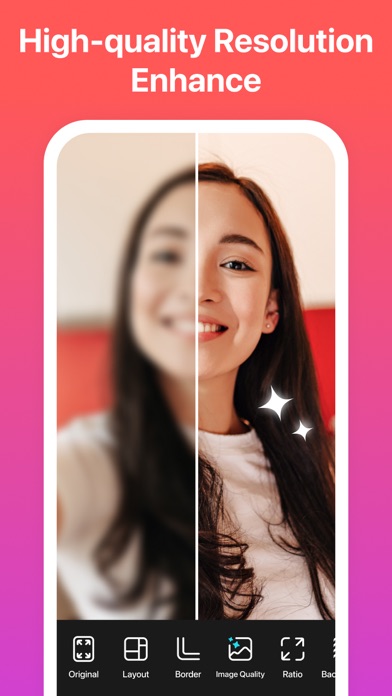
This is the best Collage App to create stunning images for social media, like Instagram, TikTok posts and stories, Facebook posts, banners and covers, YouTube thumbnails, and Pinterest collections. •Create memory collages with ease •Create amazing social media content •Grow a new business Feature Highlights Video Editor & Video Grid Maker • Combine photos and videos to make video grids, trim your video easily! • Best Instagram video and photo editor, add blurred backgrounds without cropping them or adding unexpected watermarks! •You can synchronize your video clips so that they are all aligned to the same moment in time. •Up to 9 Videos. Social-Media Marketing Tool • Watermark: Customize your own logo and Watermark, add Instagram, Facebook, WhatsApp logo easily with your name. • Ratio: Tons of popular ratios including Facebook cover, Apple Watch, A4, A3 sizes, and more which allows you slay on social media! • Text: Add any font you want and add beautiful curved texts on your photo. The most complete collage app •20000+ different collage templates. Re-mix up to 16 of your photos at a time to create fun, personalized layouts, and collages. • Design your own photo creations! Make beautiful filmstrip and cool photo stitches! • You can also personalize your own scrapbook with freestyle pic stitches! Happy scrapbooking! Powerful photo editor •Crop, rotate, resize, blur, and beautify your photos easily, you can even frame your images in Instagram's 1:1 aspect ratio! • Add stickers, text, backgrounds, graffiti, boarders, and mosaic, or adjust the brightness, contrast, saturation, and layout of your photos! • Convert a raw photo into a powerful image all in one app. You can also customize templates to suit your needs! = Contact Us = • Email: [email protected] PHOTOGRID PREMIUM PLAN Functions • Access to 20000+ Elements • Create VideoGrids up to 15 minutes long. High-quality full HD 4K VideoGrid. • Freely decide aspect ratio for your photo • Enjoy an ads-free experience • Share with friends without any watermarks Billing • Payment: - Payment will be charged to iTunes Account at confirmation of purchase. - All premium plans will be auto-renewed at the end of each period. - Cancellation must be made at least 24 hours before the end of the valid period to avoid a nonrefundable auto-renewal. - Cancellation requests made prior to the end of the period will become effective at the end of that period term. - You can manage and turn off auto-renewal in your Apple Account Settings. • Premium Plan Choices - Initiation or termination of a premium plan must be done through the iTunes App Store, which may be subject to a sales tax in your area. Note: you are responsible for checking the Terms of Service of your app store for detail and applicability of sales tax. • Refund Please be aware that refund is NOT available after purchase. Other • 2025 PhotoGrid.app reserves the right to adjust the pricing for its products and services in the future. • Terms of Use: https://media.grid.plus/doc/grid_plus_terms_of_service • Privacy Policy: https://media.grid.plus/doc/grid_plus_privacy_policy


Tech Consolidated Inc
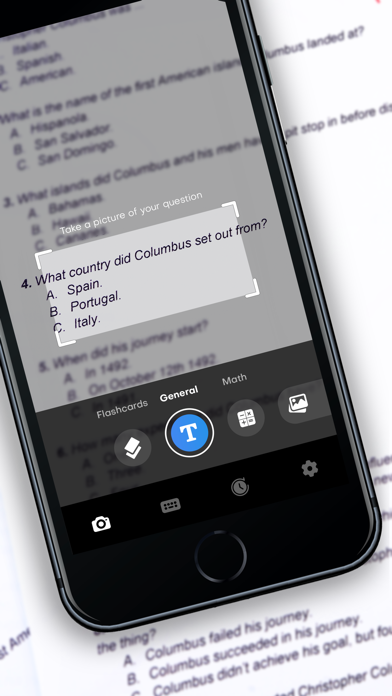
Pic Answer - AI Solver: Snap, Ask, Learn! Step into a world of effortless learning with Pic Answer - AI Solver, where each photo brings you closer to understanding. This app goes beyond traditional math solvers, offering a unique blend of AI-driven solutions and interactive chat for a variety of academic subjects. Why Choose Pic Answer? • Instant Photo Answers: Just snap a picture of your homework and watch as our AI provides accurate solutions in seconds. • All-Subject AI Chat: Whether you need help in math, science, or literature, our AI chat is ready to assist with personalized guidance. • Comprehensive Learning Made Simple: Our focus isn't just on answers, but on helping you understand the concepts behind them. • Intuitive and User-Friendly: We've designed our app to be easy and enjoyable for learners of all ages and abilities. Key Features: • AI-Powered Scanner: Simply snap a picture of the problem, and our app swiftly analyzes and resolves it with precision. • Real-Time AI Chat Assistance: Engage in interactive conversations for in-depth explanations and study tips. • Broad Subject Coverage: From complex math equations to science experiments and literary analysis, we've got you covered. Your Educational Companion: • Always Evolving: We constantly enhance our app with the latest AI advancements and user feedback. • Perfect for Everyone: Whether you're a student, teacher, or just curious, our app is tailored to fit your learning needs. The app includes optional subscriptions to unlock pro features. terms and conditions: http://techconsolidated.org/terms.html Download "Pic Answer - AI Solver" today and revolutionize the way you learn!


Cardinal Blue
PicCollage - the app that lets you create anything to celebrate everything! With PicCollage, you can turn your photos and videos into memories you want to save and share. Whether you’re looking to flex your creativity with a freestyle collage, stitch together a photo dump of your adventures, or create a quick card for a birthday. PicCollage is the perfect app for the job. Plus, you can even add videos to your collages and create video collages and slideshows that will make your friends and family say, “OMG, where’d you get that?” It's easy, fun, and completely free. Start right now and create your first collage or card! PicCollage at a glance - Create collages, cards and much more - Edit photos and videos easily - filter, cutout, retouch - Use ready-to-use layouts, grids & animated templates - Personalize with fonts, stickers and doodles - Get VIP access for unlimited creativity Try PicCollage now! Our free starter pack is full of new stickers to help you edit photos and videos, create collages and design cards instantly. CREATE COLLAGES, DESIGN CARDS AND MORE You can let your creativity run wild! Whether you want to make a freestyle collage, create a picture collection, or design a card for a birthday, PicCollage offers you the perfect solution! EDIT VIDEOS AND PHOTOS - CUT, FILTER, RETOUCH You can personalize any creations to make your photo and video fit perfectly into your collages with features like cutouts, doodles and animations, and even add videos to your collages to create stunning video collages and slideshows. Enhance your creations by adding pages and save them as a video or slideshow. USE TEMPLATES OR CREATE FREESTYLE You can use a grid, or animated template to create unique cards for any occasion. Add frames around your photos and spice up your collage with fun animations. Our new AI-powered highlight detection keeps the focus of the photo front and center. Of course, you can also design in freestyle mode. REMOVE BACKGROUNDS WITH AI With our cutout tool, you can easily remove the background from a photo to isolate people and pets! But our cutout tool isn’t just a background eraser, it also has fun designs that let you cut photos into stars, hearts, squares and more. We’re always updating this feature to give you the sharpest finish possible. CHOOSE FROM A VARIETY OF FONTS Add more fun to your collage with text! We offer a variety of fonts for you to choose from, from handwritten to formal. If you want something special, explore our curved text editor to effortlessly display your text in a rounded arc, circle, around your photos, or in other creative ways. AI-powered font pairing in our speedy suggested layouts mode will take your designs to the next level. ADD BACKGROUNDS AND STICKERS Thanks to our worldwide collaboration with famous artists and illustrators, PicCollage offers you thousands of exclusive backgrounds and stickers. Add a background to your photos and collages and embellish everything with trendy stickers! PERSONALIZE WITH DOODLES To add a personal touch to your collage, card or slideshow, you can create your own drawings and doodles. This is the perfect way to add the finishing touch to your creation. USE TEMPLATES FOR YOUR INSTAGRAM STORY Whenever you're on Insta and want to create impressive posts, try our templates. Create an Instagram story or reel and share it directly with your followers! PICCOLLAGE VIP PicCollage VIP is a subscription that offers advanced features and removes watermarks and ads. With the 7-day trial version, you can test it for free! As a VIP, you get access to thousands of stickers and backgrounds, as well as exclusive fonts and layouts. Get the PicCollage photo and video editor and let your memories shine! PicCollage(TM) and “Pic Collage” are trademarks of Cardinal Blue Software. Terms of Service: http://cardinalblue.com/tos Privacy Policy: https://cardinalblue.com/privacy Terms of Use: https://www.apple.com/legal/internet-services/itunes/dev/stdeula/

Maple Media Apps, LLC
Transform your camera roll into stunning collages with Pic Stitch—the ultimate collage maker that easily stitches photos together for iPhone & iPad. With over 400 collage layouts, 25 filter packs, more than 30 border packs and robust photo & video editing tools, Pic Stitch offers a simple design with a powerful collage editor. Create a before-and-after sequence, combine multiple photos and videos into one beautifully framed collage, or produce a photographic series with music. Then share your masterpiece with friends & family on your favorite social media networks including Facebook, Twitter and Instagram. Pic Stitch is a must-have app for anyone looking to level-up their photography game, whether you're a social media influencer, blogger, content creator, or just looking to make unique collages to share with friends. Create professional-looking collages and make your photos pop with the same powerful tools and templates used by top photographers in the industry. If you have ever wondered how social media influencers combine several images into one glamorous frame, this is the secret tool they all use to make their content a masterpiece! * One of the Top 7 photo apps & Top 100 apps of ALL TIME according to Mashable * Overview: – Explore iOS Home Screen Widget Wallpapers featuring your most recent collages – Discover recent social media Trending Layouts – Browse 375+ different layouts – Explore 25 filter packs to enhance your photos – Design with 30+ border packs & customize layouts – Works with photos and videos – 15 different photo aspect ratios optimized for sharing (i.e. 9x16 format for social stories) – Customize photo borders – Easy to use UI – Amazing photo FX filters – Pan, rotate, flip, mirror and zoom – Share to Facebook, Twitter, Instagram and more – Save to your photo album – High resolution export Photo Editing Features: – Quick Enhance: hi-definition, scenery, food, portrait, night – Filter Packs: food, style, radiant, romance, noir, soleil, toy camera, wonderland, pop art, mystic, nostalgia, subtle, tital, wanderlust, jetset, spring, summer, beach, layer pro, cabin pro, grunge, brushes, visual fx, eeeeeats – Effects: exposure, brightness, contrast, structure, warmth, saturation, fade, highlights, shadows, vignette, sharpen – Stickers: decorate your photo collage with your favorite stickers powered by Giphy – Text Editor: insert text overlays and select your choice of font styles, colors, backgrounds, shadows and more – Drawing Editor: add your own touch to each photo by selecting a drawing tool of your choice – Meme Editor: turn your photo collage into a meme with a simple template that adds text where it matters most – Watermark Editor: add your own brand logos or create custom watermarks with text, date and time stamps – Frame Editor: white, black, vertical, horizontal, banners, bars – Overlay Editor: circles, pentagons, squares, rectangles, diamonds, grid lines – Rotate & Reflect: left, right, horizontal, vertical – Portrait Editors: blemish, blur, whiten, redeye, splash, sharpen, focus – Crop Tool: 1x1, 1x2, 2x1, 4x6, 6x4, 3x4, 4x3, 5x7, 7x5, 8x10, 10x8, 9x16, 16x9 View our Terms of Service at: https://maplemedia.io/terms-of-service/ View our Privacy Policy at: https://maplemedia.io/privacy/ Your feedback helps us make the app better! If you have comments or suggestions please email us at [email protected] * Mashable Mentions * http://mashable.com/2015/12/13/best-iphone-photo-apps-of-all-time http://mashable.com/2015/12/08/100-best-iphone-apps


Christian Selig
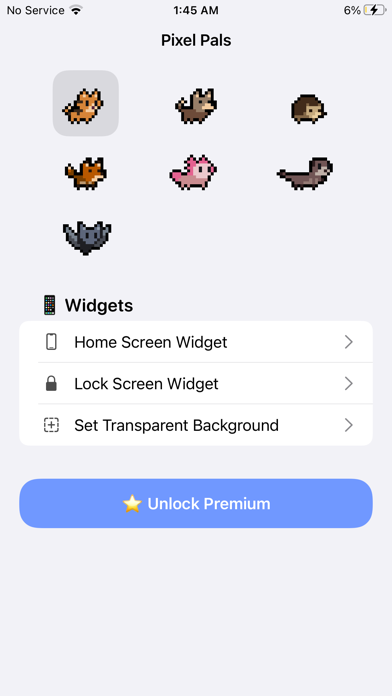
Pixel Pals is an incredible app for customizing your Home Screen and Lock Screen, as well as Live Activities, allowing you to place adorable pets called Pixel Pals that you can customize and enjoy as you swipe through your apps or unlock your phone, making each interaction just that much happier! They're beautiful pixel art renditions of animals, a nostalgic art style that's really delightful to take in. Pixel Pals includes a variety of animals for you to customize and enjoy: - Dog (named Rupert) - Cat (named Hugo) - Hedgehog (named Chortley) - Fox (named Finnegan) - Axolotl (named Mochi) - Otter (named Nugget) - Bat (named Fu-Fu) - Parrot (named Kiwi) - Tiger (named Herbert) - Platypus (named Penny) - Panda (named Poe) - Raccoon (named Oliver) - Butterfly (named Freya) - T-Rex (named Rory) - Bunny (named Thumper) - Red Panda (named Bao) - Pet Rock (named Dwayne) - Penguin (named Bubbles) You can also change any of the names! The dog and cat are included for all, and Pixel Pals Premium includes the other pals, as well as the option to pin two animals at once for supported devices. This app offers subscriptions for "Pixel Pals Premium". They're available (in United States pricing) for $1.49 monthly or $9.99 yearly. Subscriptions will automatically renew unless auto-renew is turned off at least 24 hours before the end of the current period (and charged to your iTunes account). You can turn off auto-renew/manage subscriptions in your iTunes Account Settings after purchase. Terms of Use can be found at https://pixelpals.app/terms and Privacy Policy can be found at https://pixelpals.app/privacy
涛 吴
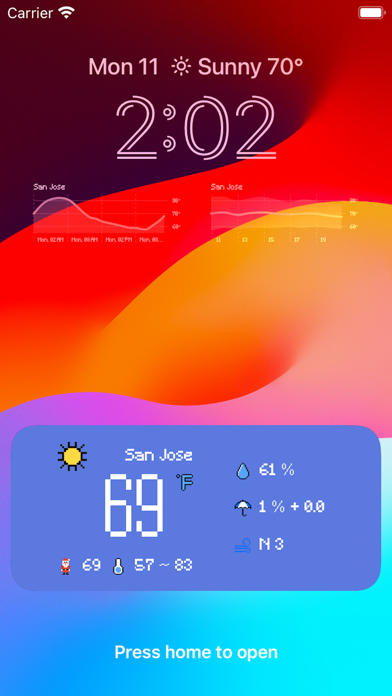
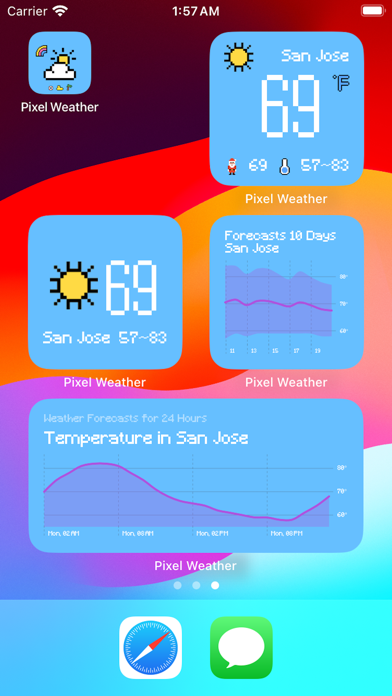
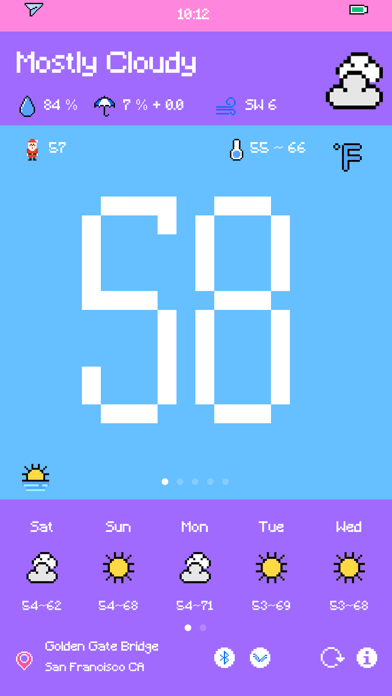
# Awards App Store - Today Recommendation, Apps Recommendation, Today is partly sunny App Store - Pixel Collection Recommendation, Top Paid No.3 & Weather Top Paid No.1 in history Product Hunt - Recommendation Alipay, Sspai, Appinn, Zuimeia, AppSo Appwall, Smzdm - Recommendation AppWall.Today - Recommendation PriceTag - Taking care in Typhoon days Digitalychee - New style weather Recommendation # Introduction Simple and cute weather forecast application with pixel style :) # Features - Display current location weather, including temperature, relative humidity, probability of precipitation, precipitation, wind direction & speed, UV index, pressure; - Display future 12 and 24 hours weather forecast; - Display future 10 days weather forecast; - Display current location pollutant, including AQI (Air Quality Index) / PM2.5 / PM10 / NO2 / SO2 / Ozone / CO; - Display and change Celsius temperature and Fahrenheit temperature; - Display current location detailed street or city information; - Support global cities and POI weather; - Support Lock Screen Widget and Home Widget; - Support iPhone, iPad, and Apple Watch; - Support Arduino Uno and Nano devices as Personal Weather Station. # Feedback Any feedback and recommendation please kindly click Email icon in info page.

AppDB
HDO Play's catalog under a slightly different UI. See app description for HDO Play Last updated: 11-10-2022 Status: ⚠️
Mike Clay
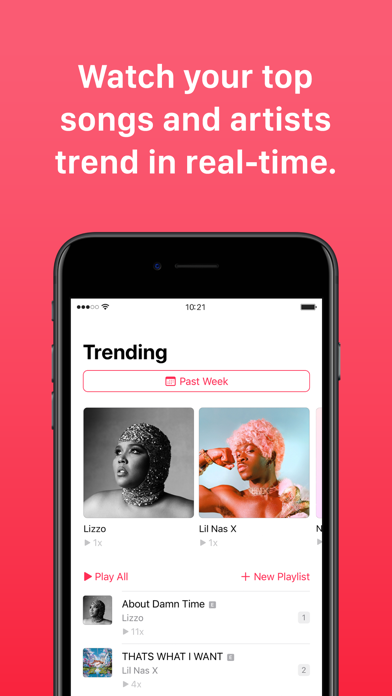
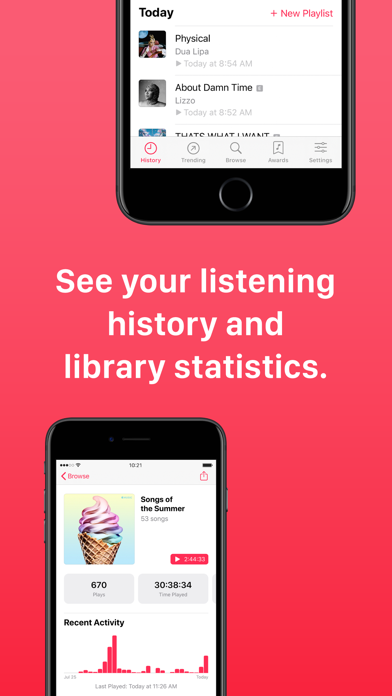
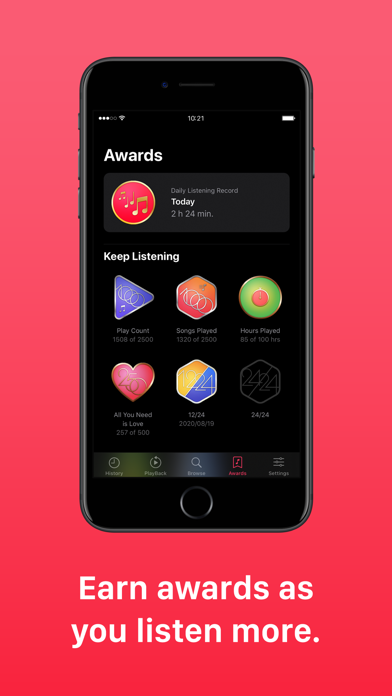
PlayTally is the ultimate music companion that takes your listening experience to the next level. REAL-TIME REPLAY Now you have the power to relive your favorite songs anytime, not just on a yearly basis. PlayTally generates lists in real-time, ensuring you're always up to date with your music trends. Choose any date range and discover your top tracks for that specific period. Plus, you can easily mark tracks like white noise and sleep sounds to keep them out of your Trends list. TRACK YOUR HISTORY Track your music history effortlessly by syncing PlayTally data across multiple devices through iCloud Music Library. you can even track additional Apple Music devices. Take a trip down memory lane and see what you were jamming to on any given day. Plus, create personalized playlists from your music history. EARN AWARDS As you dive deeper into your music journey, PlayTally rewards you with badges for your dedication and growing music collection. It's like earning activity awards for your ears! SEE YOUR STATS Explore your music collection like never before with PlayTally's advanced statistics and charts. Easily sort and browse through large libraries based on your listening habits. Gain valuable insights into your music preferences over time and share your most impressive stats with friends and followers. COMPLETELY AD-FREE. No distractions, no interruptions. PlayTally is completely ad-free and seamlessly integrates with your Apple Music. No extra accounts, signups, or subscriptions required. PRIVACY FIRST Your privacy is our priority – your data stays on your device and personal iCloud storage, and you have the option to delete it whenever you want. If you wish, you can also export and backup your data in CSV format. You're in control. TIPS FOR BEST PERFORMANCE For optimal performance, make sure PlayTally regularly scans your music library. Create a convenient automated shortcut to open PlayTally daily or weekly, ensuring your data is always up to date and accurate. NOTE: Because PlayTally tracks its own data, it cannot reconstruct playback history from before it was installed.

N/A
App Store version. App that lets you browse/add repos and download tweaks to install with your desired package manager Last updated: 11-15-2022 Status

Francois Hubert
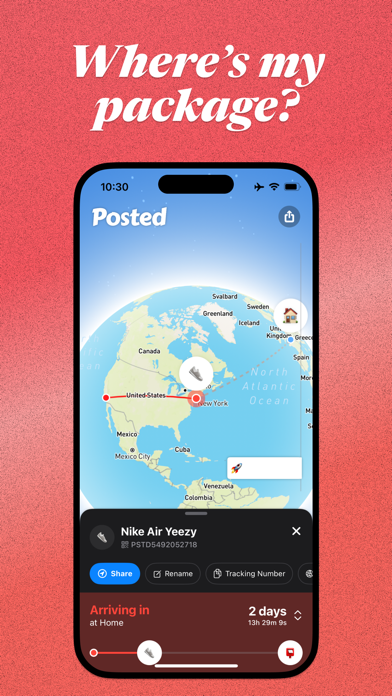
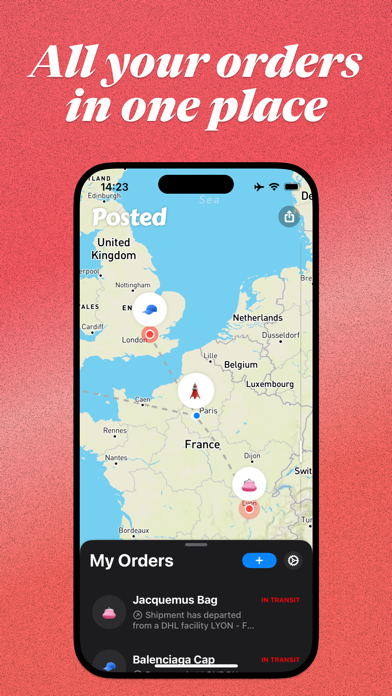
THE #1 DELIVERY EXPERIENCE ON MOBILE Never ever ask again "Where's my package?" With Posted, your orders are at your fingertips! Just open the app and enter your tracking number to follow your package(s) in real time. NO SIGN UP Just open the app and start tracking your packages immediately. TRACK YOUR ORDERS Easily track your parcels from UPS, FedEx, DHL, USPS, China Post and more! More than 1000+ connected couriers with 24/7 data monitoring. LIVE MAP A beautiful map lets you know the exact location of your package anywhere around the world and in real-time. SCROLLBAR Zoom on the map in a snap with a single finger. NOTIFICATIONS Never miss an important alert like when your parcel is crossing a country border or when it is about to be delivered. GMAIL CONNECT Import your orders automatically from Gmail. WIDGET Follow your packages from your iPhone home screen. We are pushing new updates every week, if you have any feedback please email us at [email protected] Made in Paris, with Love. Posted Terms of Use: https://posted.live/terms/
Artisan Global LLC
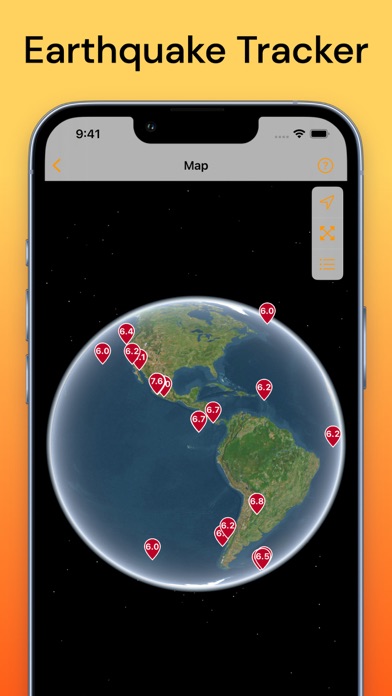
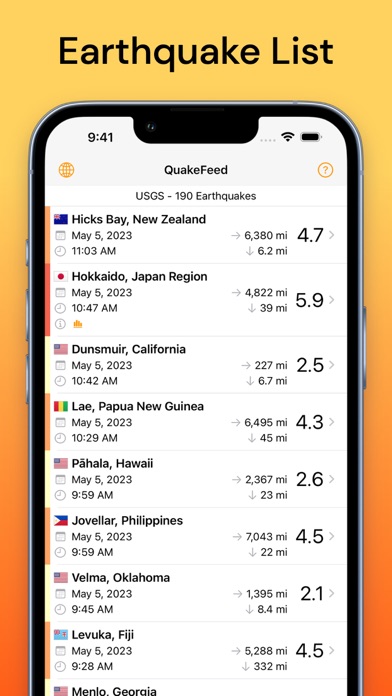
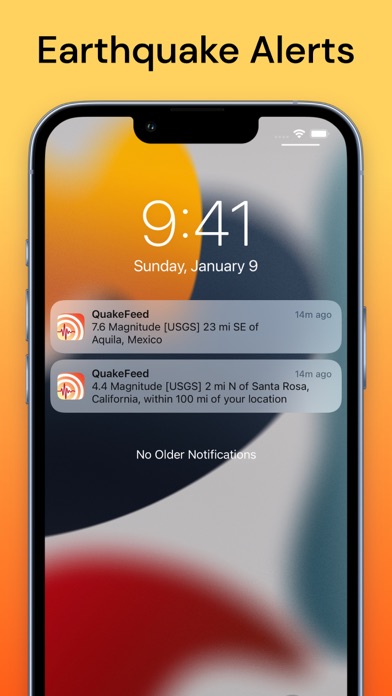
Worldwide earthquake map, alerts, and news. The most free features of any earthquake app! +Wildfires, smoke, hurricanes, volcanoes, and more. FREE VERSION INCLUDES: - Nearby earthquake alerts - Customizable regional alerts - 3D globe map - Satellite imagery and streets map - Fault lines map layer - Multiple data sources (USGS, EMSC, NRC) - Search, sort, and filter earthquakes - Links to USGS earthquake event page - Links to PAGER and aftershock forecast - Links to tsunami.gov PREMIUM SUBSCRIPTION INCLUDES: - Removes ads - Wildfires (USA & Canada) - Smoke forecast map layer - MMI Contours (shaking intensity) - Historical earthquake data to 1900 - Eight premium basemaps - Erupting volcanoes - Hurricanes WE RESPECT YOUR PRIVACY: - No ad tracking - No data sharing - Your precise location never leaves your device If you choose to purchase a QuakeFeed Premium Subscription, payment will be charged to your iTunes account at confirmation of purchase. The subscription automatically renews unless auto-renewal is turned off at least 24-hours before the end of the current period. Your account will be charged for renewal within 24-hours prior to the end of the current period, for the annual subscription price. Subscriptions may be managed and auto-renewal may be turned off by going to your iTunes Account Settings after purchase. No cancellation of the current subscription is allowed during the active subscription period. Full Privacy Policy and Subscription Terms of Service: http://www.quakefeed.com/privacy/ SUGGESTIONS? QUESTIONS? Contact us at [email protected] or visit http://quakefeed.com -- we usually respond within 24 hrs!
Cross Utility Ltd
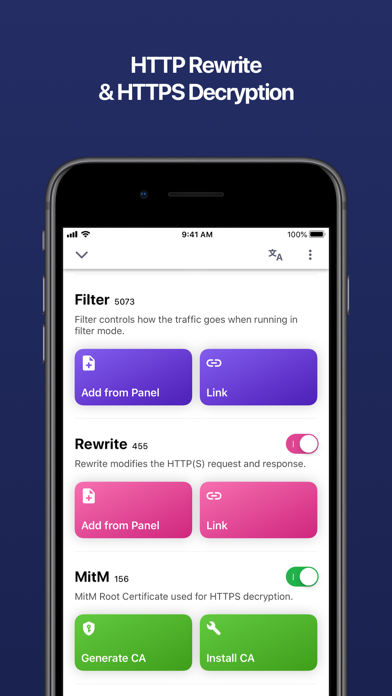
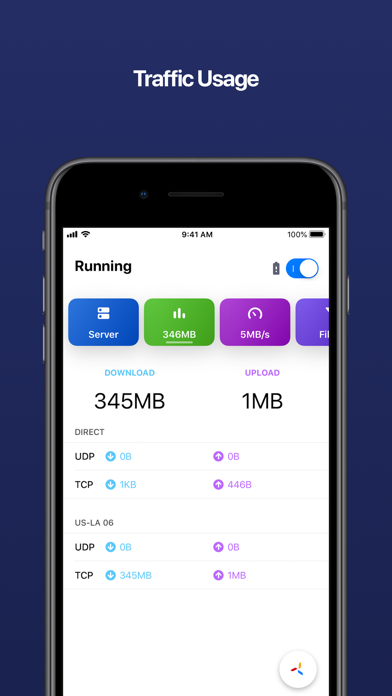
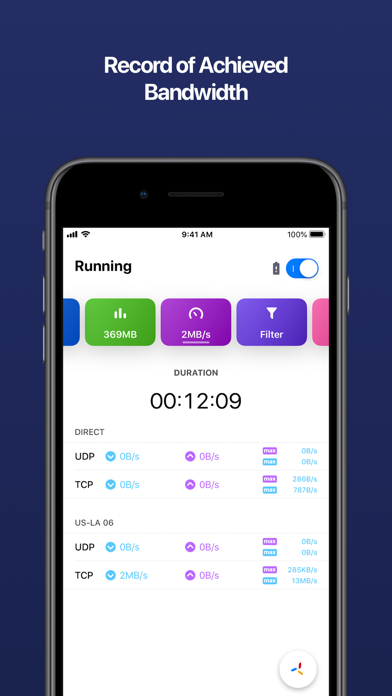
Quantumult completely rebuilt from scratch, and includes a lots of awesome new features! Quantumult X is a powerful network tool for web developers and users who need to customize their proxies. For web develpers: - HTTP activity can record the whole HTTP request and response including body(HTTP debug should be enabled). - The MitM HTTP decryption can work for the traffics from TUN interface(MitM should be enabled). - HTTP rewrite with URL 302/307 redirect or request header/body modification or response header/body modification(Rewrite should be enabled). - Customized DNS settings for specific domains(IPv4 or IPv6), only can be edited in configuration profile. For users who need to customize their proxies: - Supports shadowsocks proxy protocol. - Supports shadowsocks with obfs-tls or obfs-http plugins. - Supports shadowsocks over websocket and tls(server side should be deployed by v2ray-core). - Supports UDP relay if the server supports it. - Supports different policies for network request by using customized filters(host, host suffix, host keyword...). Privacy Policy: https://quantumult.app/x/privacy/ Contact Us: [email protected]

Silvio Rizzi
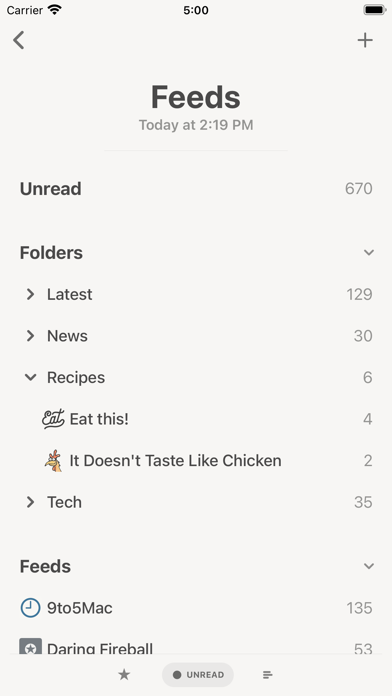
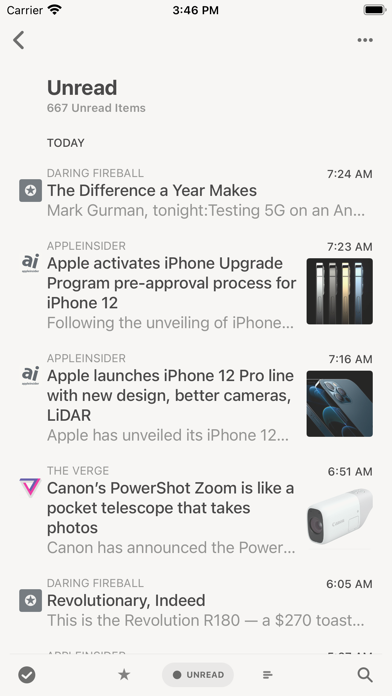
Keep control of your news reading with Reeder Classic, RSS reader and read later client in one app, now with support for iCloud syncing. FEEDS Sync all your feeds and articles with iCloud. Reeder Classic comes with a built-in RSS/Feeds service which will keep everything in sync on all your devices. Of course, this is optional. You can still just use one of the many third-party services supported by Reeder or just RSS (without sync). READ LATER This is Reeder's built-in read later service which stores all your data securely in iCloud. A sharing extension allows you to add links from outside of Reeder. BIONIC READING A higher dimension of reading. With Bionic Reading you read texts with more focus, awareness, and sustainability. Read more about Bionic Reading at bionic-reading.com. WIDGETS View most recent articles, configurable to only show items from feeds, folders, searches (for services that support searches) or tags (for read later services). MARK AS READ ON SCROLL With version 5, Reeder finally supports marking items as read while scrolling. Off by default, this can be enabled on a per-account basis. READER VIEW Enter Reader View (for feed items and read later links that support this) for a clutter-free reading experience directly in Reeder's article viewer. You can enable "Automatic Reader View" on a per-feed basis to always load items of a feed with Reader View. SUPPORTED THIRD-PARTY SERVICES Feedbin, Feedly, FeedHQ, NewsBlur, The Old Reader, Inoreader, BazQux Reader, FreshRSS, Instapaper and Pocket.


耀 阮
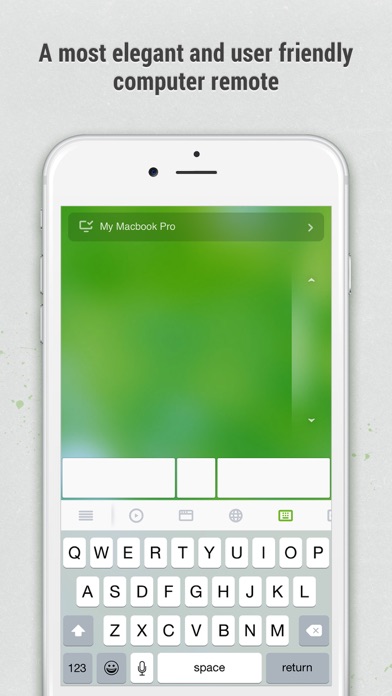
Remote Mouse™ transforms your mobile phone or tablet into an easy-to-use remote control for your computer, complete with a cross-device clipboard that enables seamless text and image transfer across platforms. It mimics the functions of a wireless mouse, keyboard, and touchpad, and also offers various specialized control panels that enhance your control over specific operations. The small features, designed for one-handed use or intuitive operations, will delight you. Featured on CNET, Mashable, and Product Hunt, Remote Mouse is recognized as one of the most sophisticated and user-friendly computer remote apps. With over 20 million users worldwide, it's a trusted choice for effortless computer control. Whether you're watching a movie online, giving a presentation, or shutting down your computer with one click, nothing can be more convenient than having a mobile phone remote at your fingertips. Mouse • Fully simulated mouse function • Gyro mouse is a feature that allows you to move the mouse cursor with a gyro sensor • Left-handed mode Keyboard • Integrated with system and third-party keyboards, supports typing in various languages • Remotely typing by voice if the soft keyboard supports speech recognition • Supports sending various shortcuts • Displays different keypads for Mac or PC Touchpad • Simulates the Apple Magic Trackpad and supports multi-touch gestures Specialty Control Panels • Media Remote: Control videos, music, and presentations across apps and sites like YouTube, Netflix, Disney+, Apple TV+, VLC, Spotify, and more, automatically adapting to what’s playing. • Web Remote: Supports Chrome, Firefox, and Opera • Application Switcher: quickly launch and switch between programs • Power Options: Supports remotely shutting down, sleeping, restarting, and logging off • Cross-device Clipboard: Allows for the transfer of text and images between your computer and mobile device Other Features • Use the physical volume buttons on the mobile device for remote control • Set a password for the connection • Customizable wallpaper Connection Method • Connect via IP address or QR code • Connect via history Operating Environment • Compatible with Windows, Mac OSX, and Linux • Works under Wi-Fi or Bluetooth To Get Started 1. Visit https://www.remotemouse.net on your computer and download the Remote Mouse computer server software. 2. Install and run the computer server software. 3. Connect your mobile device to the same Wi-Fi network or use Bluetooth to pair with your computer.

Neoncat-OG IPA Library
No description available from this source. Use App Store search to learn more about this app.