
Recently updated apps
Browse recently updated IPA listings from AltStore and SideStore compatible repositories. These pages help you find fresh builds, changed repository notes, and updated download options without relying on search filters.


Artem Iakovliev
CaptionMe - is the most simple and quickest to use captions adding tool. Only a few taps, and you already have your video with custom captions added to it. CaptionMe - allow you to customize your captions in the way you like them most. Choose fonts, colors, corner radius, background, paddings, and more. Combine captions by words count. Why are Video captions so important? Video captions display the text that's spoken in the video. Open and closed captioning, or captions, are designed for audiences who cannot hear the audio, whether through hearing loss or simply that the viewer can't play the sound. Because of this, the captions supplement the speech with additional information that's relevant or important to the story. It can include non-vocal audio and help to distinguish different speakers, for example. Closed captions can be switched on or off, while open captions can't. Social media video captions tend to be available captions to make the content as accessible as possible. With fast, accurate transcripts, CaptionMe saves time having to transcribe and upload captions manually. CaptionMe's ready-made captions can be edited, adjusted, or combined, speeding up postproduction and cutting costs. Terms of Use: http://skyhighapps.com/captionme-terms-of-use/

Easybrain Ltd
Make your own music like a pro. Create sick beats, perfect and perform unique tracks! Features: • Great variety of music styles: Hip-hop, Drum & Bass, Trap, Dubstep, House, and many others; • Unique sound packs. Get access to professional-quality audio samples created by professional musicians and DJs; • Instruments & FX. Use Drum & Piano for creative sound designs; • Sequencing. Get studio effects including Tempo Regulation and EQ; • Beat School. Try the lessons for each sound pack to improvise freely; • Quick sharing. Share your music with the world. Enjoy this powerful, yet easy-to-use tool to get the best music experience! Drum Pad Machine Premium Drum Pad Machine Premium Subscription allows you to unlock all the sound packs, get new releases, and remove ads. Choose from different subscription options. Payment will be charged to Apple ID Account at confirmation of purchase. Subscription automatically renews unless auto-renew is turned off at least 24-hours before the end of the current period. Account will be charged for renewal within 24-hours prior to the end of the current period. Subscriptions may be managed by you and auto-renewal may be turned off by going to Apple ID Account Settings. For more information please visit the link https://support.apple.com/en-us/HT202039. Unused portion of a free-trial period will be forfeited when a user decides to subscribe. EULA: https://easybrain.com/terms.html Privacy Policy: https://easybrain.com/policy.html

Ngan Tran
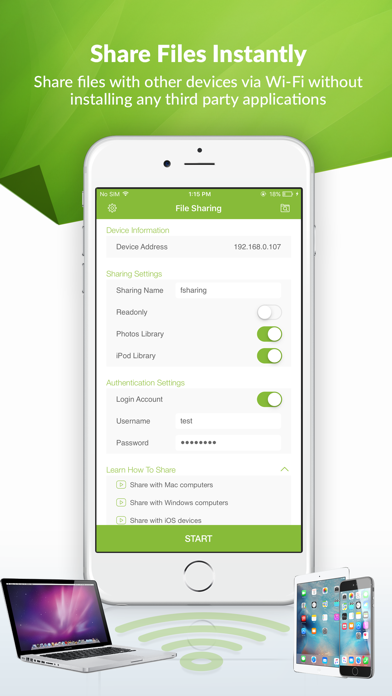
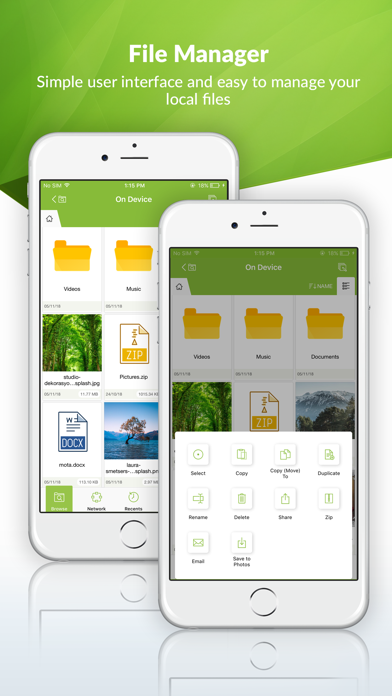
FSharing is a unique and exclusive file manager for iOS devices, It's the first app on the App Store to give you flexibilities to transfer files from iOS devices to PC, laptops and vice versa easily. It overcomes the complexities when you want to transfer files with iOS devices, It achieves this flexibility by employing the popular file transfer protocol SMB/CIFS that's is available in most popular operating systems. FSharing changes the way users normally use to transfer files with iOS devices, it removes USB cable completely, with this app installed on devices you don't need to use USB cable any more. FSharing turns your iOS devices into a Wi-Fi shared drive, make it visible and accessible from your local network. Other devices can discover and access it, transfer files is extremely fast. FSharing is a powerful file manager, a unified UI help you easily manage your files offline (on device) or online (cloud or remote drives), manage files in the same way when you access your local files, cloud drives (Dropbox, Google Drive, Microsoft OneDrive, Box) or remote drives (Windows SMB, FTP, SFTP, WebDAV). FSharing has a powerful music player and video player, they can play any music or video formats and supports streaming on any cloud servers. FSharing comes with add-ons, they provide more advanced functionalities. Each add-ons has a different role but they are deeply integrated with the app and they make FSharing more powerful. Let’s explore FSharing main features. FILE SHARING • Share files instantly with other devices via Wi-Fi or in the same hotspot • It doesn't require any third party apps installed on PC or laptops to transfer files • Share Photo Library • Share iPod Library • Share with Readonly mode that don't allow users to change files in your device • Share with Login Account that don't allow anonymous users to access your device • Sharing works in background • Automatically detect shared drives in local network ACCESS CLOUD SERVICES AND REMOTE SERVERS • Access popular remote servers FTP, SFTP, WebDAV and Windows SMB • Access popular cloud services Dropbox, Google Drive, Microsoft OneDrive, Box • Open files directly from cloud or remote servers without downloading them • Copy or move files or folders between cloud or remote servers directly • Show file thumbnails • Search for files and folders FILE MANAGER • Copy/Move/Rename/Delete files • Create ZIP files • Create and organize folders • Send emails with attachments • Export files to other apps • Copy or move files or folders to cloud services and remote servers (FTP, SFTP, WebDAV, Windows SMB) • Unzip many formats ZIP, 7Z, A, CPIO, TAR, ISO, XAR, SHAR, USTAR, RAR, CAB, JAR, RPM, GZ, BZ2, Z, XZ • Show file thumbnails • Search for files and folders • View in Grid or List modes • Sorting and Filtering MUSIC PLAYER • Play around 60 audio formats AAC, AIFF, AIF, AIFC, AU, FLAC, M4A, MP2, MP3, OGA, OGG, OPUS, TTA, WAV, WMA, WV, CAF, ADX, AC3, AMR, MMF, etc. • Play music in a playlist • Play music directly on clouds or remote servers • Play music in background • Play with shuttle and no shuttle modes VIDEO PLAYER • Play around 65 video formats MKV, FLV, VOB, OGV, GIF, AVI, MTS, M2TS, MOV, WMV, ASF, MP4, MPG, MPEG, M2V, MXF, SWF, WEBM, 3GP, 3G2, TS, etc. • Play streaming videos on cloud servers • Play back and next videos IMAGE VIEWER • View around 70 image formats AAI, ART, AVS, BMP, CIN, CUR, DDS, DCX, DIB, DPX, FAX, FITS, FTS, G3, etc. • View images directly on clouds or remote servers DOCUMENT VIEWER • View PDF files • View Office documents • View text files • View other iOS compatible files WEB BROWSER AND DOWNLOADER • Surf web easily • Download files on the Internet • Save pages to PDF, WebArchive or HTML • Bookmark favorites sites • Download files in background


Warner Bros.
Get over here and immerse yourself in the iconic and visceral action of MORTAL KOMBAT MOBILE anytime, anywhere. Kollect legendary fighters like Scorpion, Sub-Zero, Raiden, and Kitana and fight in epic 3v3 battles set in the Mortal Kombat universe. This visually stunning fighting and card collection game has multiple modes and re-introduces characters and lore from Mortal Kombat’s 30-Year fighting game legacy. Launch into the action today and prove yourself in the greatest fighting tournament in all of the realms! MASSIVE CHARACTER ROSTER The roster is stacked with over 150 Mortal Kombat fighters spanning from the arcade days to the New Era of Mortal Kombat 1. Kollect the klassic fighters from MK3, legendary kombatants from MKX and MK11, and even reimagined fighters like Shang Tsung from MK1! The roster also features mobile exclusive variants like the Kombat Cup Team, as well as notorious guest fighters like Freddy Krueger, Jason Voorhees, and the Terminator. BRUTAL 3v3 KOMBAT Assemble your own team of versatile Mortal Kombat fighters and lead them into battle to earn experience, level up your attacks, and knock out the kompetition in Faction Wars. Each fighter has a set of unique attacks, like Sindel’s Banshee Scream, and Kabal’s Dash and Hook. Strategize with different team combinations such as the MK11 team or Day of the Dead team to maximize synergies and get an advantage over your enemies. EPIC FRIENDSHIPS & BRUTALITIES Mortal Kombat brings its trademark Friendships and Brutalities to mobile! Equip your Diamond fighters with the right Gear and unleash these over-the-top and iconic moves. Hug your evil twin with Kitana’s Friendship. Feel the power of Nightwolf’s Tomahawk with his Skull Cracker Brutality! LORE-BASED TOWER EVENTS Fight to the top of single-player Tower events to unlock exclusive tower-themed Equipment and earn impressive game rewards. Battle through the tower levels and knock out Bosses like Scorpion in the Shirai Ryu Tower, Sub-Zero in the Lin Kuei Tower, and Johnny Cage in the Action Movie Tower. Claim victory and Test Your Might in the Fatal versions for an extra challenge! THE KRYPT Shang Tsung’s Krypt awaits! Choose your own path and crawl through the Krypt to find hidden treasures that lie beyond the Fog. Explore and fight through the map to earn Krypt Hearts and Konsumables to unlock featured Diamond Fighters and Equipment! MULTIPLAYER FACTION WARS Compete and fight with other players in Faction Wars, an online competitive arena mode where players duel against other player’s teams. Climb the ranks of your Faction’s leaderboard to earn seasonal prizes. WEEKLY TEAM CHALLENGES Prove yourself in epic battles and complete a series of matches to bring new Mortal Kombat warriors to your roster! Come back every week to take on different fighting Challenges and kontinue to expand and level up your game Kollection with fighters like Jade, Sub-Zero, and Goro! KOMBAT PASS SEASONS Earn a variety of rewards including Souls, Dragon Krystals, and more by completing specific game objectives. Ascend featured Gold fighters like Warlock Quan Chi and Aftershock Tremor to instantly make them stronger and unlock their ability to perform a Brutality! FEATS OF STRENGTH Unlock unique Mortal Kombat profile and victory kustomizations by completing certain character objectives! Design your War Banner to show off in Faction War fights and gain Kombat stat bonuses by unlocking certain Feats of Strength. Download this groundbreaking, free fighting game TODAY and unleash your power!

ipaomtk.com
ipaomtk.com | Story Clone IPA MOD where creativity meets convenience. In this fast-paced digital age, capturing and sharing your favorite moments has


Tabee Networking
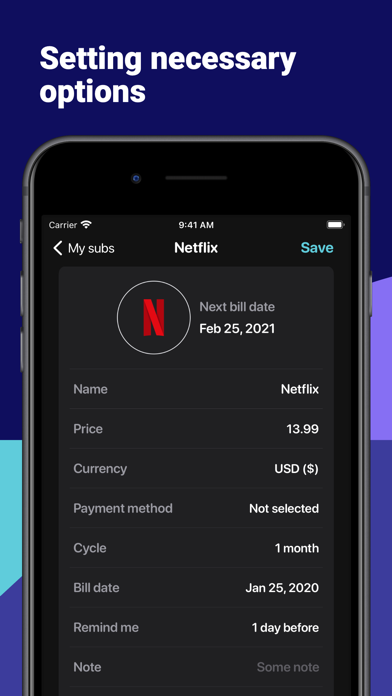
Please consider using Subsee to gather all your subscriptions and any regular payments in one app, control their costs and get notifications about the next payment. + SUBSCRIPTION TEMPLATES Hundreds of subscription templates for variety of service providers and the ability to create and customise your own. + PUSH NOTIFICATIONS ALERTS Get flexible notifications (Opt-in only) about upcoming payments, due date for subscription bills, trials and cancelation windows. + TRIALS CONTROL Subscription trial period control to remind you if you wish to cancel trial or opt-out of the contract. + CONTRACTS CONTROL Add your contracts and their notice periods so you would be able to not miss contract renewals and cancelation windows + MANUAL ADJUSTMENTS FOR REPORTS Feature to pause a subscription in the app to have an accurate financial statistics. + TOTALS AND SIMPLE REPORTS Total spend for the current month and next month, annual subscription review in the financial statistics section. + BILLS & PAYMENTS HISTORY Payment history in the detailed view + CHARTS Beautiful chart of expenses for the last 12 months + PRIVACY & SECURITY TouchID/FaceID login for the protection of your financial data + WIDGETS Display your subscriptions and expenses on your home screen as a widget. IMPORTANT: Subsee cannot start, cancel, pause, or modify a subscription for you. To start, cancel, pause, or modify a subscription you would need to contact your service provider directly. Subsee will be charged to your credit card through your iTunes account. Your subscription will automatically renew unless canceled at least 24 hours before the end of the current period. You will not be able to cancel the subscription once activated. After purchase, manage your subscriptions in App Store Account Settings. Any unused portion of a free trial period, will be forfeited when the user purchases a subscription. Terms of Use: https://subsee.app/terms.html Privacy policy: https://subsee.app/privacy.html

ipaomtk.com
ipaomtk.com | Tok Proxy Stable Servers IPA MOD can also help you bypass certain restrictions and censorship imposed by your internet service provider

HappyTimes Tech Co., Ltd.
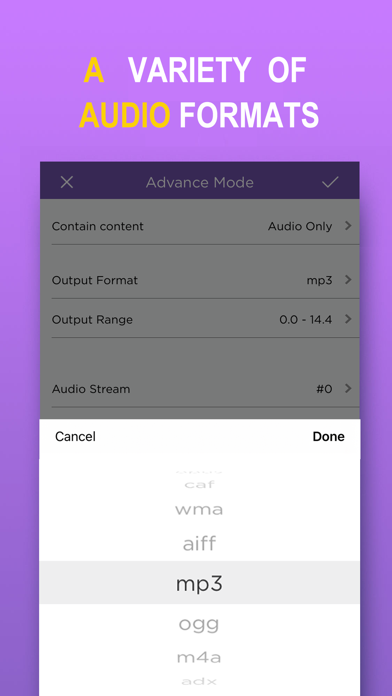
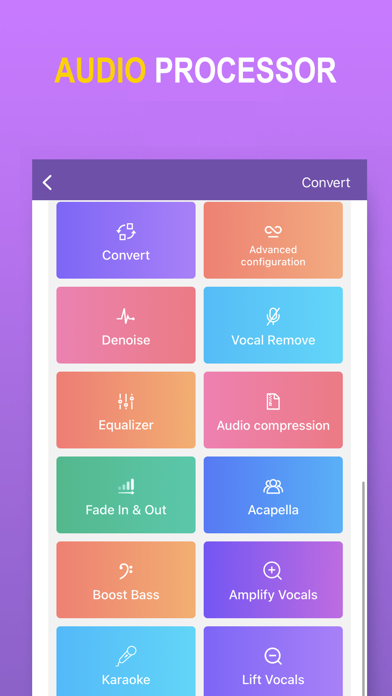
MP3 Converter converts any video to MP3 audio and saves it on your phone so you can listen to it anytime and anywhere. Features: - Convert video to MP3. - Very fast and easy to use. - Supports most video formats. - Supports most audio formats. - Widget to quickly import video or play recent audio - Multiple audio clippers and splicers - Intelligent denoising function - Audio post-processing (voice removal, equalizer, bass enhancement, automatic gain, etc.) - Quickly set ringtones - Share your mp3 files via other apps. ========================== MP3 Converter Pro Unlimited Subscription ========================== - MP3 Converter Pro Unlimited use all features for free, including more format support, unlimited timelimit, richer import and export modes, and ads are automatically removed. - MP3 Converter Pro Unlimited subscription is billed annually at the rate correspnding to the selected plan. In addition, a one-time payment will be offered if needed, which is not one of the subscription plan. - Payment will be charged to Itunes Account at confirmation of purchase. - Subscriptions automatically renews unless auto-renew is turned off at least 24 hours before the end of the current period. - Account will be charged for renewal within 24-hours prior to the end of the current period, and identify the cost of the renewal. - Subscriptions may be managed by the user and auto-renewal may be turned off by going to the user's Account Settings after purchase. - Any unused portion of a free trial period, if offered, will be forfeited when the user purchases a subscription to that publication, where applicable. - Terms of use: https://vl2d7p74tu.feishu.cn/docx/Ma7xdszymo8gpDxBJbGcV0YCnab - Privacy Policy: https://vl2d7p74tu.feishu.cn/docx/HcHHdXlnvoV6sOxKl4ccErZYnr4 Feel free to contact us: [email protected] Your problems or suggestions are important to us!
北京伊码网络科技有限公司
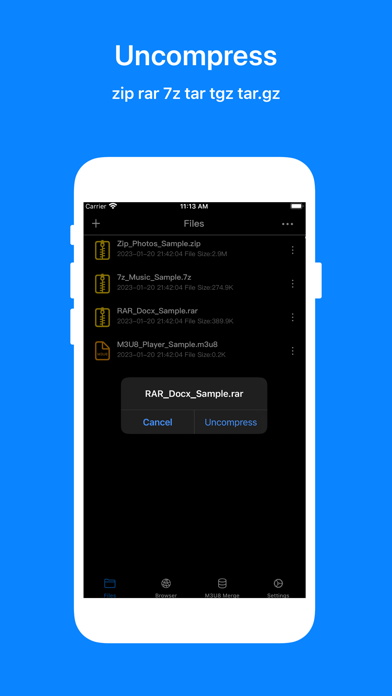
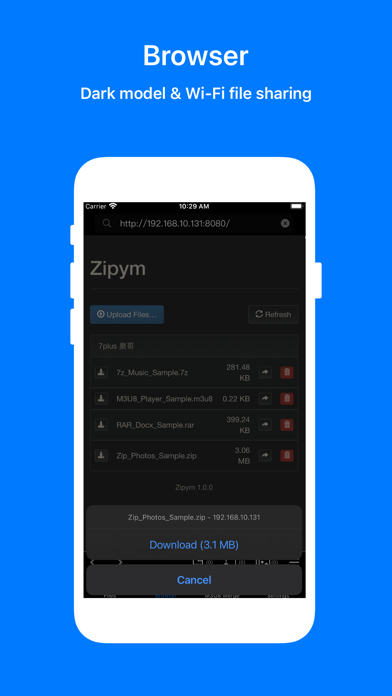
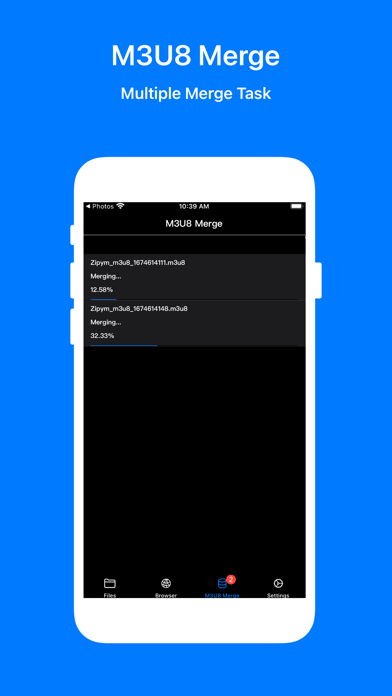
Zipym app is a quick compression program, archiver, extractor, unarchiver and even a file manager tool. Zipym also supports accessibility VoiceOver. - Uncompress • Support archive formats: RAR ,7z ,Zip ,Zipx ,Tar ,Gzip ,Bzip2 ,Tgz ,Tar.gz ,Lzh,GZ, BZ2, XZ,ISO, ARJ, BZIP, TBZ, DEB, CAB, JAR, RPM, CBS,CBZ,CBR,LZMA,MSI,NSIS and other archive formats • Support multi-part archives • Support archives protected by a password - Compress • You can password protect any file to zip or 7z • You can split a any format archive to multi-part archives - Network Shares: Play video and music • SMB • WebDAV • AList - Music player Most music formats mp3,m4a,aac,flac,ogg,wma,wav,aiff,opus, etc. - Video player • Most video formats rmvb、avi、mkv、mp4、flv、wmv、3gp、mov、vob、dvd、swf、rm、 ts, etc. • Picture in Picture for mp4 / mov videos - IPTV Support m3u and txt formats - M3U8 file player You can view / play / merge /merge and convert the m3u8 file content - Wi-Fi Sharing Transfer files from other devices(pc or other phone) over Wifi - Browser • Dark Model • View Page Source • View Video Source • View Image Source • View JavaScript Source • Images of websites • Videos of websites • M3U8 files of websites • User Scripts • Support Wi-Fi Sharing, download files of another device (pc or other phone) - Safari Web Extension: Zipym Video Helper • Picture in picture (PiP) • Full screen mode • 16 x play rate • Link Play • Send to Zipym - URL scheme • Startup Zipym:// • Open URL Zipym:// followed by link to open. • Download a zip file Zipym://download/ followed by zip link to download.

iJulioVerne
USE THIS IF YOU DO NOT LIKE THE NEW ONE OR IF ITS NOT WORKING I would highly recommend you use the new Spotify tweak as it has been updated to work o

AB INVESTMENT
Tired of “Storage Full” alerts interrupting your day? EasyCleaner offers a powerful, all-in-one solution to reclaim precious storage on your phone—no complicated menus, no tech jargon. Just quick, reliable cleanup so you can get back to what matters. Remove Duplicate & Similar Photos in Seconds We’ve all snapped that perfect shot… and then snapped it again. EasyCleaner’s advanced algorithms instantly detect duplicate and duplicates, as well as similar images, so you can swipe away the extras without missing a memory. Whether it’s burst photos, screenshots or accidental repeats, you’ll see exactly which photos are safe to remove—and which deserve to stay. Compress Large Videos to Free Up Space High-definition videos are great—but they eat up your storage fast. EasyCleaner lets you compress videos to a fraction of their original size, preserving clarity while freeing gigabytes in just a few taps. Keep the highlights, ditch the bulk, and watch your video library shrink. Reclaim Memory & Clear Cache with One Tap Over time, temporary files and cache build up—slowly eroding performance and filling up memory. Our smart cleanup engine locates hidden system cache and orphaned files, giving you the power to delete clutter that would otherwise remain buried. Say goodbye to sluggish loading and hello to a faster, smoother phone. Instantly Tidy Your Gallery Scroll through your gallery with confidence. EasyCleaner highlights the largest files, old screenshots and seldom-used media, so you can prioritize what to keep. A quick scan organizes your entire photo library by date and size, making it easier than ever to find—and remove—the items you no longer need. Deep Scan & Precise Cleanup Our patented scan technology runs a full-directory scan of your storage, pinpointing hidden caches and forgotten downloads. Review each item before you delete it, ensuring nothing important is lost. With granular control and real-time analysis, you decide exactly what stays and what goes. One-Swipe Gestures for Effortless Cleanup Cleaning up shouldn’t feel like work. EasyCleaner’s intuitive swipe gestures let you dismiss unwanted items with a flick of the thumb. Swipe left to delete a photo, swipe right to keep it. It’s the same gesture-driven simplicity you love—now optimized for clearing storage. Secure Private Files Need extra privacy? Move sensitive images and videos into a protected vault with end-to-end encryption. Only you can access your hidden folder—perfect for confidential documents, personal snapshots or any files you’d rather keep off the main gallery. Optimize Your Phone’s Performance Freeing up space isn’t just about storage—it’s about speed, too. By trimming away wasted cache and bulky media, EasyCleaner helps your phone run cooler, launch apps faster and maintain steady performance over time. Works Completely Offline Your privacy is our priority. All processing happens right on your device—no cloud uploads, no external servers, no data leaving your phone. Enjoy secure, offline cleanup whenever you need it. Why EasyCleaner? Blazing-Fast Scans: Full storage analysis in under 10 seconds. Smart Detection: AI-driven algorithms find duplicate, duplicates, and similar items reliably. Safe & Reversible: Preview every file before removal; recover anything from your Recently Deleted folder. Lightweight & Efficient: Uses minimal battery and RAM—runs beautifully on any modern iPhone. Ready to experience the smartest way to reclaim your phone’s storage? Download EasyCleaner now and take back control of your phone—no nonsense, no subscriptions, just powerful cleanup. Find Our Terms of Use : https://www.quiet.app/legal-notices Privacy Policy : https://www.quiet.app/privacy-policy


Legendary Software Labs LLC
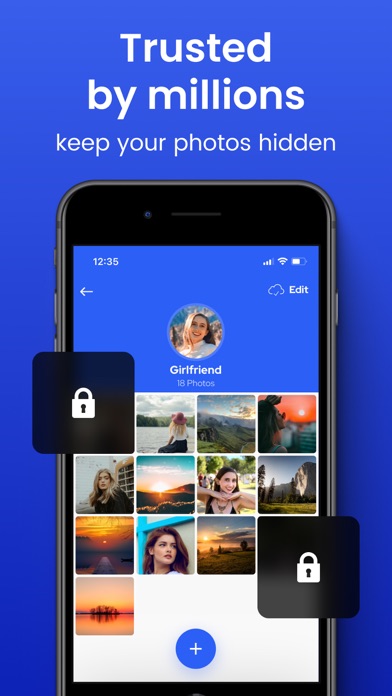
The Best and Most Private Photo and Video App for iPhone and iPad. Millions of people trust Private Photo Vault® to keep their photos hidden. Top 100 Photography App in USA, Korea, Japan, Taiwan, India, Italy, Finland, UK, South Africa, Egypt, Mexico, Malaysia, Australia, Hong Kong, France, Ireland, Germany and many more countries. Reviews for Photo Vault®: * * * * * "Wow, I have been wanting a way to hide some of my photos for a while, this is a perfect solution." * * * * * "Exactly what I'm looking for, can organize albums and even 'hide' others that I feel I need to." PROTECT YOUR "SPECIAL" PHOTOS + VIDEOS • Password Protected App Entry • Pin Lock • Pattern/Dot Lock • Password Protected Photo Albums (Keep people out of your private albums) • Break-in Report: Photo + GPS • Decoy Password + Face Down Lock PHOTO MANAGEMENT • Create Albums right in the App • Import/Export from Photo App • iTunes Syncing • Wireless Photo Transfer • Email Photos • Text Message Photos PHOTO VIEWING • Image Gallery • Slideshow • Intuitive Interface just like Photo App VIDEO SUPPORT • Import/Export from Photo App • Watch Videos PRIVATE WEB BROWSER • Browse the Internet Privately • Download Photos directly to the app CLOUD VAULT: • Encrypted Cloud Backup • Space Saver • 100% Private - Yes. Private Photo Vault employees CAN NOT view any of your photos or videos. When you enable Cloud Vault backup in the app, you are required to provide a Cloud Vault Password. Your Cloud Vault Password is never backed up to our servers and used as a secret value that only you know to encrypt/decrypt your files. This means we have NO ability to view your photos. This also means that if you forget your Cloud Vault Password, you will also not be able to view your Cloud Vault data. Please write it down. PREMIUM SUBSCRIPTION Premium will automatically renew unless auto-renew is turned off at least 24 hours before the end of the current period. Payment will be charged to your iTunes Account at confirmation of purchase. You may manage your subscription and turn off auto-renewal by going to your Account Settings after purchase. Terms: https://privatephotovault.com/terms/ Privacy Policy: https://privatephotovault.com/privacy-policy/ NOTE: The free version of the app does not backup your files to Cloud Vault. Please ensure you perform backups of your photos and videos to ensure if you lose your device, your data isn't lost.
立 林
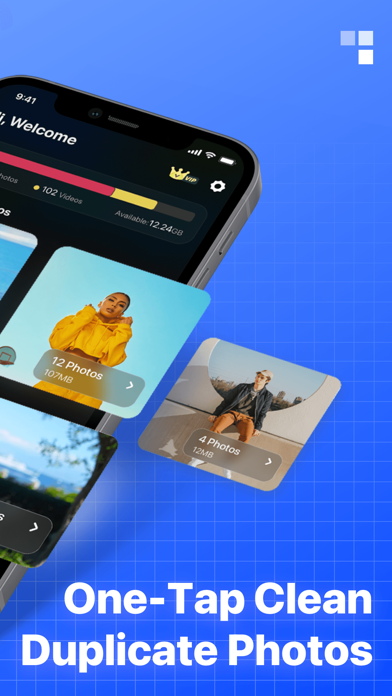
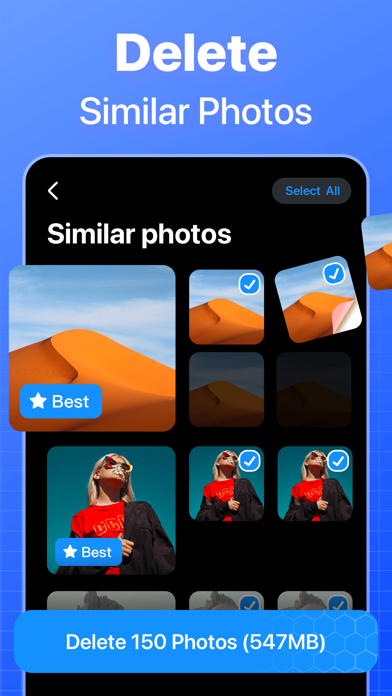
Quick Cleaner is an effective phone cleaner that helps you clean up storage space and speed up your phone. It protects your mobile device from malware like viruses and other online mobile threats, and optimizes your iPhone performance with battery management and storage organization. This is a super powerful cleaning app. Smart Cleaner & Phone Booster - Clean large files and app cache, detect large files and app cache on your phone. Delete all at once to free up more phone space. - With our professional cleaner, you can easily free up storage space and boost your phone's performance. Hide pictures and videos - We offer private photo albums to safely hide all your private pictures and videos. - Create your own personal photo album. All your secret images and videos are protected. Battery Saver & CPU Cooler - Save battery power and extend the life of running apps by hibernating - Our CPU cooler can cool your phone with one click Photo management, delete similar photos - Detect all similar photos, blurry photos and screenshots and get rid of unnecessary pictures piling up on your phone. - Display pictures in reverse chronological order, easy to find and delete, and easy to manage. - All duplicate pictures except the first one are selected by default, which can be deleted with one click, or manually checked to keep the pictures you want image repair - Image quality enhancement, professional restoration of old photos - Easily convert low-resolution pictures to high-definition pictures - Over-rated photos, repair damaged images video to audio - Easily extract video soundtrack, background music - Support a variety of video formats, extract without losing sound quality Make GIFs and wallpapers - Quickly edit original GIFs for streaming animations - Provide convenient editing tools to easily make wallpaper screensavers Photo GPS management - Enter the photo page, the system will automatically mark the photos with GPS information - Click on the photo to go to the GPS details page - Hide GPS info for detail pages and other photo pages Quick Cleaner is an easy-to-use phone cleaner that frees up storage space and boosts phone performance. You can quickly clean up your phone with a few clicks, and it is also a powerful photo album management master to help you easily manage pictures and videos and free up phone memory. About Subscription Services: - Weekly/monthly/yearly billing starts after a 3-day free trial, and the subscription automatically renews every week/month/year; - Payment will be charged to your iTunes account at confirmation of purchase; - Subscriptions will automatically renew unless auto-renew is turned off at least 24 hours before the end of the current period; - Accounts will be charged for renewal within 24 hours prior to the end of the current period with confirmation of the renewal fee; - You may manage or cancel your subscription at any time by visiting your Account Settings in the App Store after purchase; Privacy Policy: https://d10nkoc3mu17gd.cloudfront.net/privacy/VideoBox_Privacy_Policy_en.html Terms of Use: https://d10nkoc3mu17gd.cloudfront.net/privacy/VideoBox_user_agreement_en.html

RefaceAI Limited
Create AI videos with Revive's photo animator. Make your pictures move, sing, and dance with our photo animation app. Revive is an AI video maker that offers a handpicked selection of photo animations, funny filters, trendy beats, and ai video effects for your pictures. Animate photos and transform your images to video with our AI video generator. Sing like Marilyn Monroe, Queen, Rihanna, and more. AI Video Creator - Make AI videos from your pictures, turning them into animated stories - Use the AI hug generator to produce adorable AI hug videos with loved ones - Make photo dance with trendy beats - Reimagine your photos with aı effects. Turn yourself into a mermaid, warrior, make a 3D photo view and much more - Create funny video with a gender swap filter - Animate photos realistically — add wind, explosions, gestures, and fire to bring your stories into motion. Face Animation & Talking Photo - Bring voice to your stills using our aı video generator. - Make pictures sing or talk with AI face singing capabilities. - Turn your dog or cat into a talking pet. What would it say? - Revive any avatar with your own mimic and voice using lip sync - Become a meme maker with our photo animator. Share your funny videos with friends - Access a rich festive collection of animation effects: create Christmas, Halloween, and Easter content using this photo animator. - Create unique face dance edits with our AI avatar video maker, using a rich collection of effects and filters for stunning animation. AI Avatar & Headshot - Explore ai filters inspired by movies, cartoons, vacations, holidays, and different centuries—perfect for every mood and occasion - Style your content with a vintage collection of famous celebrity looks from the 20s, 60s, 80s, 90s, and 00s. - Experiment with different themes, such as futuristic cyberpunk, medieval knights, or summer beach vibes, all through our diverse selection of Ai avatar - Animate your portraits or selfies for engaging AI portraits - Transform yourself into your favourite cartoon character with anime filters, or craft a professional headshot with a dream face. Make Your Content Stand Out with Our Face App Photo Animator! Turn your images into captivating videos with our AI photo to video technology. Revive transforms any boring pictures into funny and weird clips with lip sync. Use the AI video creator to make photos sing, talk, dance. Generate engaging face dance and talking photos that truly stand out. Discover the world of AI video and filters with our innovative AI editing app that transforms your photos or cartoons into funny videos. Create animated AI dancing faces, or bring portraits to life by turning your images into vibrant, lifelike videos. Experience the seamless blend of technology and creativity as our AI works its magic to enhance your photo to video editing process, helping you craft visually stunning AI avatars and portraits that truly stand out. Create live portraits with face animations for instant effects. Edit pictures, selfies, or memes with the animation creator. Make your photos sing & face app. Get the AI Video Generator Create funny face animations with the Ai Video Generator. Try Ai filters for photos and videos! In case of any questions, issues, or collaboration requests, contact us at [email protected] Terms and Conditions: https://reviveapp.net/terms/ Privacy Policy: https://reviveapp.net/privacy-policy/

Next Vision Limited
Rock Identifier is an all-in-one stone, crystal, mineral, and gemstone identifier. Simply take or upload a photo of a rock or crystal, and the app will tell you all about it in seconds. Want to know the name of a stone you discovered in your rock hounding? Are you curious about the different properties of each stone and crystal you own? Looking to learn about rock and crystal knowledge? Don't miss this powerful stone identifier and crystal guidebook. We will satisfy all your needs! Rock & Mineral & Crystal Identifier Take a photo of any crystals or gemstones and get an instant accurate identification. This rock scanner app can recognize over 6,000 types of rocks and minerals and helps anyone who wants to identify, examine and explore the characteristics of stones. Stone & Crystal Encyclopedia In each of the identification results, the Rock Identifier app provides detailed stone/crystal information which includes: Name, Chemical Formula, Hardness, Colour Variations, and the main locations it can be found. No matter whether you are a beginner rock hound who is trying to identify the stones you discovered or an experienced crystal collector who wants to expand your geological knowledge, Rock Identifier offers the easiest and most comprehensive rock guide. Real VS Fake Gemstone This app delivers detailed and practical gemstone identification method articles, where users can learn to identify if a gemstone or crystal is real by its Color, Cleavage and Fracture, Touch, Shape, Transparency, and the like. Explore Trendy Stones Interested in the healing properties of any crystals? Want to know what gemstones to have for your specific zodiac sign? Download this rock scanner app to find out the mysterious healing power of crystals, and learn more facts about zodiac stones, birthstones, and so much more. Metal Detector Lost your key and have no idea how to find it? With the in-app Metal Detector function, Rock Identifier can help you locate your lost key by measuring the surrounding magnetic field strength. Never worry about losing metal objects again! One-on-one Consultation with Rock Expert This scanner app not only provides you with lively, professional knowledge of mineralogy and petrology but also offers an email service for one-on-one inquiry help. Unique Rock Collections Display all your stone and mineral collectibles with the Collection function; add desirable crystals and gemstones to your wishlist. The app will also automatically keep your ID record so that you can go back to find them. Rock Identifier was created to help more people explore and learn about the geological surroundings around them. Download the app today to enjoy a more pleasant stone & crystal journey and train yourself to be a rock expert! About Rock Identifier Premium: -Subscription Name: Yearly Premium -Subscription Duration:1 year(7 days trial) -Subscription Description: Users will get a 1-year Rock Identifier Premium which includes identifying rocks without limits, studying rocks with numerous info, and no watermarks or ads. • Payment will be charged to iTunes Account at confirmation of purchase • Subscription automatically renews unless auto-renew is turned off at least 24 hours before the end of the current period • The account will be charged for renewal within 24 hours prior to the end of the current period, and identify the cost of the renewal • Any unused portion of a free trial period, if offered, will be forfeited when the user purchases a subscription to that publication, where applicable • Subscriptions may be managed by the user and auto-renewal may be turned off by going to the user's Account Settings after purchase Terms of Use: https://app-service.rockidentifier.com/static/user_agreement.html Privacy Policy: https://app-service.rockidentifier.com/static/privacy_policy.html Contact us: [email protected] Find out more about Picture Rock at: https://www.rockidentifier.com/

Thirty Seven Inc.
Stitch It is the fastest way to combine multiple screenshots into one long image. Stitch vertically for chat threads and scrolling pages, or horizontally for side-by-side comparisons. Trusted since 2012 with 6,470+ ratings. KEY FEATURES - Vertical & Horizontal Stitching — Most apps only do vertical. Stitch It does both. - Batch Import — Load dozens of screenshots at once for lightning-fast workflows - Redaction Tools — Hide sensitive info with blur, pixelate, or solid color overlays - Cropping — Trim the top and bottom of your stitched image for a clean result - Multiple Export Formats — Save as PNG, JPG, or PDF - Siri Shortcuts — Automate your stitching workflow with custom shortcuts - 17 Languages — Localized interface for global users PERFECT FOR - Long iMessage or WhatsApp conversations — Preserve entire chat threads - Online receipts & confirmations — Keep full records in one image - Social media posts — Capture full Twitter/X threads, Instagram stories, TikTok comments - Web articles — Save entire scrolling pages as single images - Tutorial screenshots — Create step-by-step guides with multiple screens - Side-by-side comparisons — Stitch horizontally to compare designs, prices, or options PRIVACY FIRST Unlike other screenshot tools, Stitch It includes built-in redaction: - Blur names, addresses, phone numbers, and account details - Pixelate sensitive areas for extra privacy - Solid color overlays for complete coverage - Perfect for sharing receipts or messages without exposing personal info - All processing happens on your device — your photos never leave your phone HOW IT WORKS 1. Import multiple screenshots from your Photo Library 2. Arrange in any order with drag-and-drop 3. Crop the top and bottom to keep only what you need 4. Redact private info if needed 5. Export and share instantly FREE VS PRO Stitch It is free to use with a small watermark. Upgrade to Pro for: - Unlimited images per stitch - No watermark on final images - Ad-free experience - Support indie development INTEGRATIONS - Works with any app: iMessage, WhatsApp, Telegram, Signal, Safari, Chrome, Twitter/X, Instagram, TikTok, Reddit - Siri Shortcuts support for automation - Share extension for quick access from Photos - Export to Files, Messages, Mail, or any share-enabled app Whether you're archiving important conversations, creating tutorials, or sharing long-form content, Stitch It makes it effortless. Download Stitch It today and turn scattered screenshots into seamless stories. Privacy Policy: https://stitchitapp.com/privacy Support: [email protected]


Beem Digital
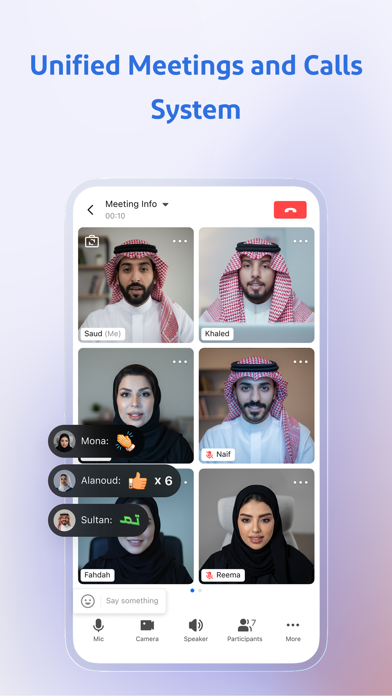
Beem - The All-in-One Enterprise Work Platform Unify your team’s messaging, meetings, documents, calendar, and tasks in one integrated and intelligent workspace. Beem is designed for organizations and teams to improve internal communication, collaboration, and productivity across distributed work environments. Main Features of Beem Built for Organizations • Scales from small teams to large enterprises with flexible roles and permissions. • Unified identity system and multilingual interface for seamless collaboration. Team Messaging • Fast and reliable communication for individuals and teams. • Real time translation for cross language collaboration. Meetings and Calls • High-quality Real-Time Communication, and screen sharing in one place. • Seamlessly transition from chat to meetings. Collaborative Docs & Cloud Drive • Create and edit documents in real time. • Secure file storage with access across devices. Work Calendar • Plan meetings, check availability, and manage schedules. • Supports multiple time zones for global teams. Task Management • Organize tasks with clear ownership and deadlines. • Link tasks to conversations for better context. Additional Features • Unified search across messages, documents, and groups. • Admin tools for managing members, roles, permissions, and access control. • Supports collaboration with approved external partners and organizations. Why Choose Beem? • All-in-one workspace for communication and productivity • Enterprise-level security and administrative control • Designed for modern teams • Consistent experience across devices

Blakzero Oy
Buffer Editor is a POWERFUL code and text editor that lets you easily develop software, view code or take notes on the go. Enjoy an editing experience that is both versatile and intuitive, and take your productivity to the next level. • Connect to GitHub, GitLab, BitBucket, Custom Git, Dropbox, iCloud, Google Drive, SFTP, SSH, and FTP servers • Git Operations for easy repository management • Git Visual Merge Tool to resolve merge conflicts. • Git Visual Branch and Commits History. • Live editing—open, edit, and save files directly to remote services • Network monitoring for remote services (FTP, SFTP, SSH) • Built-in Terminal (SSH Client) with multiple terminals in tabs. • Syntax highlighting & code autocomplete: ASP, AWK, ActionScript, Ada, Arduino, Bash, C, C++, C#, Clojure, Cobol, CSS, D, Dart, Dockerfile, Erlang, F#, Fortran, Gherkin, Go, HAML, Haskell, HTML (4 & 5), INI, Java, JavaScript, Julia, Kotlin, LaTeX, Common Lisp, Lua, Markdown, MATLAB, MQL (4 & 5), NSIS, Objective-C, Org Mode, Pascal, Perl, PHP, PowerShell, Progress, Prolog, Pug, Puppet, Python, Q/kdb+, R, reStructuredText, Ruby, Rust, Scala, Solidity, SQL, Stata, Swift, Terraform, TypeScript, TypeScript React, Verilog, VHDL, Visual Basic, Vue, x86 ASM, XML • Vim mode support • Symbol navigator / document outline • Code autocompletion, with custom snippets. • Find & replace with regular expression support • Recursive file and content search—match and jump to any file at a specific line • Find references in file and jump to any file • Bracket matching and highlighting • Line and word wrapping • Unicode support • Multiple windows, Split View, and Slide Over support • Tabs with automatic restore—quickly switch between files and terminals • Full screen mode • Extended keyboard with coding keys • Bluetooth keyboard support with shortcuts manager • Customizable fonts, font sizes, and over 300 dark and light themes • Full iOS Files integration—link external folders, open multiple files, import from any supported cloud provider • Local and Remote Preview for websites(HTML,JS,CSS) • Preview images, PDFs, movies, and documents • Send files by email • iOS "Open In" support (to and from other apps) • Touch ID / Face ID protection SUBSCRIPTION: - You can subscribe for Pro access to all app’s features. - Subscription automatically renews unless auto-renew is turned off at least 24 hours before the end of the current period. - Subscriptions may be managed by the user and auto-renewal may be turned off by going to the user's Account Settings after purchase. - Any unused portion of a free trial period, if offered, will be forfeited when the user purchases a subscription to that publication, where applicable. By using the app, you are agreeing to our Privacy Policy and Terms of Service: https://www.buffereditor.com/privacy https://www.apple.com/legal/internet-services/itunes/dev/stdeula/

Kaspre Invest
Currency Converter Plus is one of the most downloaded and top-rated currency converter apps on the market with 180+ global currencies, precious metals, and crypto. It delivers fast and accurate currency conversions with full offline functionality. Trusted by 5 Million users worldwide, Currency Converter Plus covers all global currencies, the most popular cryptocurrencies, and precious metals—all with live rates, interactive charts, and historical exchange data. STAY AHEAD OF THE MARKETS • Live Exchange Rates: Get instant access to exchange rates for all global currencies including United States Dollar (USD), Euro (EUR), British Pound Sterling (GBP), Thai Baht (THB), Turkish Lira (TRY), United Arab Emirates Dirham (AED), Australian Dollar (AUD), Pakistani Rupee (PKR), Japanese Yen (JPY), Indian Rupee (INR) and more! • Precious Metals: Track the prices of gold, silver, platinum, and palladium alongside your currencies. • Cryptocurrency Tracking: Easily monitor the value and rate history of top digital assets, including Bitcoin (BTC), Ethereum (ETH), Dogecoin (DOGE), BitShares (BTS), Dash (DASH), Long Dragon (LD), Litecoin (LTC), Nxt (NXT), Sourceless (STR), Monero (XMR), and xrp (XRP). • Historical Data Charts: Analyze market trends and review past performance with our live rates, interactive charts, and historical exchange data. THE PERFECT TRAVEL COMPANION • Full Offline Mode: Access all features and rates without an internet connection—perfect for international travel. • Built-in Calculator: Perform quick calculations for shopping, budgeting, or planning your trip. • High-Contrast Design: Ensures excellent readability, even in bright sunlight. Exclusive PLUS Function – Smart Multi-Currency Change Calculator Paying with a mix of currencies? The exclusive PLUS Function instantly calculates the exact amount to pay and the precise change you should receive—no guesswork, no mental math. Perfect for travel, it gives you total confidence when dealing with both local and foreign currencies in a single transaction. POWERFUL & CUSTOMIZABLE REFERENCE TOOL • Smart Search: Quickly find any currency you need. • Customizable Favorites: Save your most-used currency pairs for one-tap access. • Custom Rate Input: Manually set your own rates for personalized calculations or analysis. CORE FUNCTIONS • Full support for all world currencies, updated with live exchange rates • Includes 11 popular cryptocurrencies such as Bitcoin, Ethereum, and Dogecoin • Gold, silver, platinum, and palladium rates included • Works 100% offline • View and use historical rates with built-in interactive charts • Smart currency search and easily customizable favorites list • Built-in calculator – add, subtract, multiply, and divide directly • High-contrast layout for excellent visibility in bright environments • Optimized keyboard for fast, on-the-go conversions UPGRADE TO PREMIUM • Remove all ads for a focused experience. • Automatic background rate updates. • Unlimited favorites and custom rate slots. Pricing may vary by country. Subscriptions auto-renew unless turned off at least 24 hours before the end of the current period. Manage your subscription in Apple Account Settings. Support & Feedback: * LICENCE AGREEMENT * https://www.apple.com/legal/internet-services/itunes/dev/stdeula/ Got ideas or need help? Reach us anytime at [email protected]
MWM
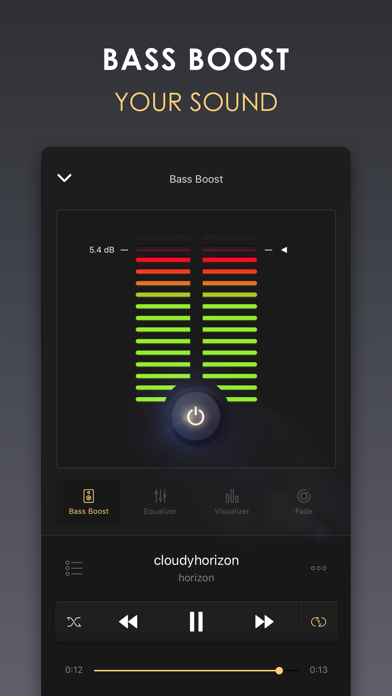
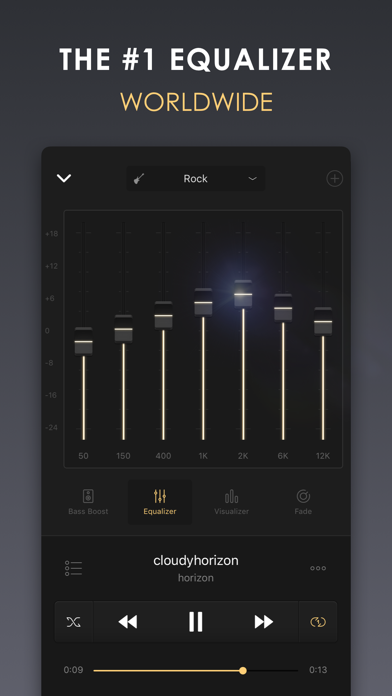
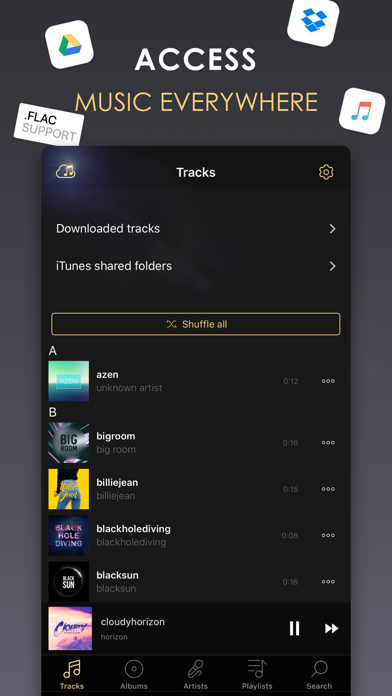
Equalizer+ is an all-in-one music player - equalizer - bass booster that offers brilliant sound quality, automatically optimized depending on the headphones used. Access your entire music library: iTunes, Google Drive, and Dropbox with offline mode - no wifi needed! Quality-focused, Equalizer+ makes it possible for you to mix, edit and customize the sound of your tracks to ensure an optimal music listening experience. Adjust songs that have too much or too little highs and lows, boost your bass to give more depth to your tracks, play your playlists like a DJ with the special DJ transitions, watch your sound pulse to the beat of the music...you control the sound! ACCESS ALL YOUR FAVORITE TRACKS - cloud storages access: Dropbox, Google Drive & iCloud - offline mode: no internet or WiFi needed - local music: all your iTunes tracks will automatically appear on Equalizer+ - import your iTunes playlists or directly create new ones on Equalizer+ - iTunes shared folder access: transfer your tracks between your computer and your device without having to synchronize with iTunes - contextual search feature: gives results sorted by songs, artists, albums, or playlists THE BEST ALL-IN-ONE MUSIC PLAYER - 7-band equalizer (from bass to high) to tailor your songs to your taste - 10 equalizer presets based on music genres (Flat, Pop, Rock, Electro, Dance, R&B, Hip hop, Jazz, Acoustic, Classical) - all major audio formats supported: mp3, FLAC... - possibility to save and edit your own custom presets - powerful bass booster: control the depth of your tracks - spectral representation of the sound: watch your sound pulse to the beat of the music thanks to awesome visualizers (Spectrum is FREE - other visualizers available in the premium version) - Airplay compatibility: dedicated view for the visualizers, watch your sound move on your tv! - Fade (DJ mode): access 6 predefined transition modes, and choose when to trigger the next track - queue system: prepare your tracklist in advance - 3-status 'repeat' function: repeat 1 song, repeat a whole playlist, no repetition - shuffle function: play your songs in random mode - music progression bar: easy navigation within your music - iPad special landscape mode - Sleep Timer: schedule the music stop, Equalizer+ will automatically stop when needed MUSIC SOURCES INFORMATION - Some tracks cannot be played for copyright reasons. It is the case for DRM-Protected tracks from the Apple Music application or some older tracks purchased on the iTunes Store with DRM protection. - Equalizer+ can not access tracks from Spotify, Deezer or other streaming services. The Pro subscription allows you to access all the present and upcoming Pro features such as the Bass Booster effect, the spectral representation catalog, the Pro DJ transition catalog. Pro subscribers can also access to unlimited playlists. ABOUT EQUALIZER+ Privacy Policy & Terms of Service: http://equalizerpl.us/terms-of-use Follow us : www.equalizerpl.us https://www.facebook.com/equalizerplus Question? Suggestion? Want to say hi? Contact our team : [email protected]

ipaomtk.com
ipaomtk.com | GifLab GIF Maker & Editor IPA is the perfect choice for gif lovers around the world. It allows users to create captivating and hilarious


亚玲 查
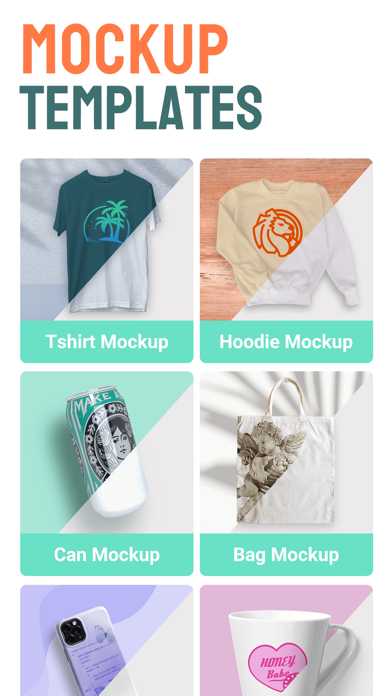
Make beautiful mockups in seconds with our ready-to-use mockup library! Easily drag & drop your design to upload, switch between color options and preview your designs on a 3D high quality product image. Bring your designs to life and post to your social media to boost online business. In our app, you can easily: - Turn your creative idea into a 3D T-shirt or any other mockup without complicated skills required. - Personalize everything: add your favorite mockups, change colors, upload image in a click, automatically save projects, and choose the right export options. - Create Logo designs easily with our logo templates and symbol stock. Various styles to choose from: Conceptual, Shapes & Lines, Cosmetic, Watercolor, etc. - Unleash your creativity with an abundant symbol stock of different categories: basics, colorful, avatar, doodle, boho, garland, makeup, rosegold, etc. •Mockup with our growing templates We provide free mockups for T-shirts, phone case, wall arts, books, boxes, bags, mugs and bottles, screen displays, etc. Templates are updated weekly and please tell us if you have any special needs. •T-shirt design maker Transform your photos into a unique T-shirt. The t shirt design app front and back helps to present your T-shirt designs super effectively. And there is no limit to how you create the most unique clothes! •Mug mockup creator Choose from tons of mug mockup styles featuring diverse models and backgrounds. Visualize your design, in a photorealistic way, with our variety of mug mockup items and templates. •Great color tool We provide a color picker and a powerful palette for you to quickly get the color you want. •Powerful searching feature Use our searching feature to quickly find the mockup you need. And more and more mockup templates will soon be on the list based on your searching requests. •Subscription option: $6.99 per month, $18.99 per year. Subscribe for unlimited access to all features and content offered for purchase within the app. Payment will be charged to iTunes Account at confirmation of purchase. Subscription automatically renews unless auto-renew is turned off at least 24-hours before the end of the current period. Account will be charged for renewal within 24-hours prior to the end of the current period, and identify the cost of the renewal. Subscriptions may be managed by the user and auto-renewal may be turned off by going to the user's Account Settings after purchase. Any unused portion of a free trial period, if offered, will be forfeited when the user purchases a subscription to that publication, where applicable. Pricing in other countries may vary and actual charges may be converted to your local currency depending on the country of residence. Privacy policy: https://www.seawardhyacinth.com/privacy.html Terms of use: https://www.seawardhyacinth.com/agreement.html Mockitup is for everyone to display realistic previews of their design works easily on mobile. Just pick a template and start editing like a pro! If you have any questions or suggestions, please feel free to contact us at [email protected]. We’ll get back to you as soon as possible.

Jordan Hipwell
Music Info allows you to view information about songs in your library, including play count, skip count, release date, date added, album artist, composer, genre, year, comments, lyrics, and more.* "Apple's Music app on macOS surfaces all kinds of information about the songs you're listening to … But for reasons unknown, that isn't the case with the iOS version of Music. But as Apple likes to say, there's an app for that." —iMore Convenient ways to view info -- Open the app to see the song that’s currently playing in the Music app, and it will automatically update when the song changes -- Select a song from your library -- Look up a song using Music Recognition powered by Shazam -- Drag and drop a song from Music into the app -- Get info directly in the Music app from the share sheet — yes, this app adds the missing Get Info button! -- Add the widget to view info about the song currently playing in the Music app, and edit it to customize which song properties are visible — available for your Home Screen, iPad lock screen, CarPlay, and StandBy More features -- Reorder or hide information -- Tap and hold to copy information or artwork -- Select words in lyrics to look up, translate, copy, or share -- Play the selected song in the app -- Light and dark mode -- App Shortcuts -- Home Screen quick actions -- Menu bar, keyboard shortcuts, and multiple windows on iPad -- No ads, no tracking, no subscriptions How it works -- The Music app, like iTunes before it, saves metadata for each song you have in your library. Music Info reveals this information that otherwise isn’t accessible on iPhone and iPad. -- All songs in your library can be accessed in the Music Info app, no matter if they were added via Apple Music, purchased, matched, uploaded, or otherwise synced to your device. Songs in Apple Music that haven’t been added to your library have limited information available. -- The share sheet action is available when sharing a song in the Music app. Note that only songs that are available on Apple Music can be shared. Music Info will try to look up that song in your library which may require an internet connection. It’s possible it may not be able to find the right song, for example, if you’ve renamed it. If that is the case, you can still use the app to access its information even without an internet connection. Things to note -- Song metadata cannot be edited on iOS and iPadOS -- You do not need to be an Apple Music subscriber to use the app -- Music Info does not work with any third-party music services -- Lyrics must be added to your songs via Music or iTunes on your Mac or PC Music Info Unlimited -- View information of 15 songs for free -- Purchase the full version for unlimited access on all your devices -- One-time in-app purchase, no recurring payments *All available metadata: -- Artwork -- Title -- Artist -- Album -- Album Artist -- Composer -- Grouping -- Genre -- Year -- Track -- Disc -- Compilation -- Rating -- Explicit -- Beats per Minute -- Duration -- Start -- Stop -- Release Date -- Date Added -- Plays -- Last Played -- Skips -- Last Skipped -- Comments -- Lyrics


Inverse.AI
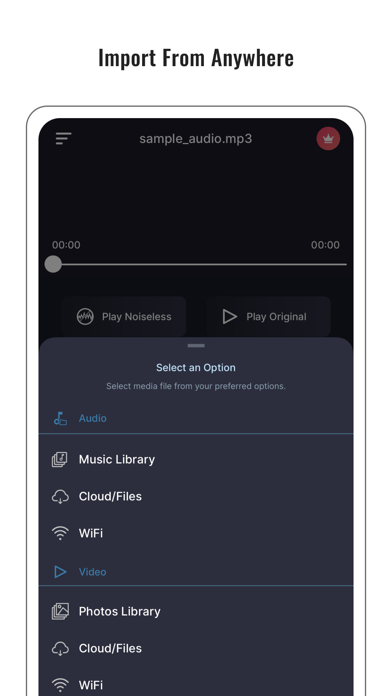
Noise Reducer is a tool for noise removal in audio files. Your recorded audio won’t be up to the mark if it’s noisy, so you need a good noise-reducer app to hear it clearly on your audio player. It’s the best noise reducer/cancellation app in the market by a great margin because it incorporates the latest Deep learning process to remove/cancel noise from an audio file. It also features a sound recorder inside it along with the noise-reducing/canceling feature. It even lets you save your reduced audio in different formats like AAC, MP3, WAV, M4A, M4B, FLAC, AC3, and OGG. It’s something a perfect noise reduction/cancellation app must include in its features. If you want to create audiobooks for free, you can use this perfect noise-free audio recorder (which you can also call ‘noise reducer pro’ - cuz’ it’s for the real pros) to create some awesome audiobooks that are not at all noisy. To wrap it up, if you want all that in one little package, this noise reducer is the perfect app for you. So, download and enjoy clear sounds free of distractions. Supported audio file formats are: M4A MP3 WAV M4B AAC FLAC AC3 OGG Supported video file formats are: MP4 MOV MKV M4V MPEG VOB 3GP 3GPP AVI FLV F4V MPG WMV MTS Supported recording formats are: ALAC ACC AIFF CAF WAV MP3 Payment will be charged to the iTunes Account at the end of your trial period if applicable, otherwise at the time of your purchase. Subscriptions automatically renew unless auto-renew is turned off at least 24 hours before the end of the current period. Accounts will be charged for renewal within 24 hours prior to the end of the current period. Subscriptions may be managed by the user and auto-renewal may be turned off by going to the user's Account Settings after purchase. Any unused portion of a free trial period, if offered, will be forfeited when the user purchases a subscription to that publication. Noise Reducer's Terms of Use at https://shorturl.at/stgXw Noise Reducer's Privacy Policy at https://shorturl.at/Wr11r