
Recently updated apps
Browse recently updated IPA listings from AltStore and SideStore compatible repositories. These pages help you find fresh builds, changed repository notes, and updated download options without relying on search filters.
Hyun-il Kim
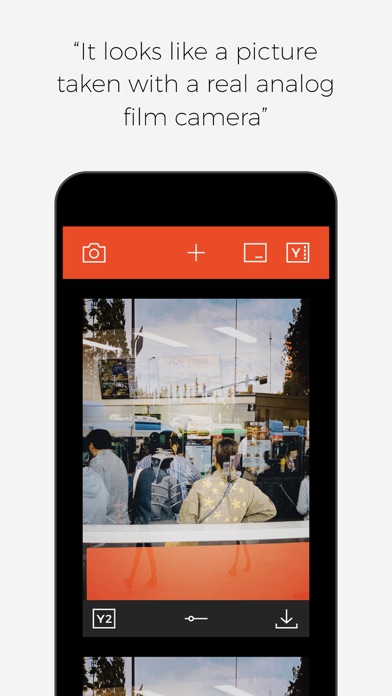
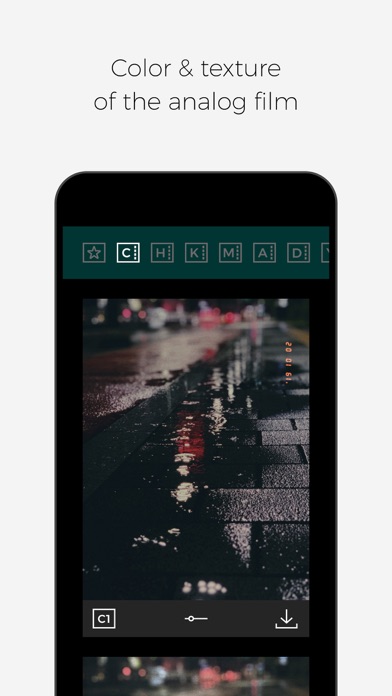
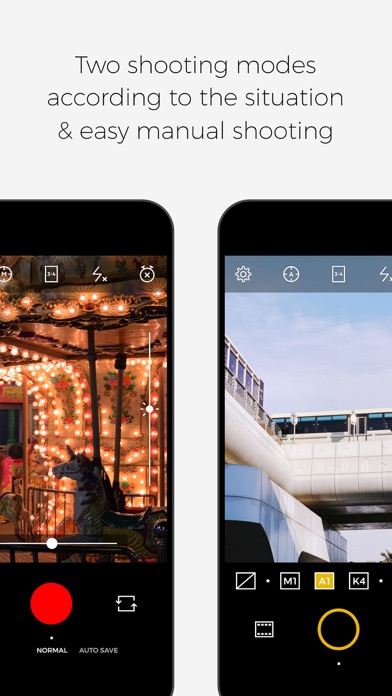
◆◆◆ Now Supports Video Recording! ◆◆◆ ■ Capture the Look of Real Analog Film Filmlike brings the rich colors, warmth, and texture of analog film to your photos. The 28 filters included across 7 filter sets combine beautifully with film effects to create deep, nostalgic images that feel just like real film photography. You can also explore new styles with our limited-time collaboration filters. ■ Choose from Three Modes to Match Any Situation - New Enjoy applying filters to photos you take or import in Normal Mode. Or focus entirely on shooting with Auto Save Mode, which automatically saves photos with real-time filters applied. And now, you can finally record videos with your favorite Filmlike filters! ■ Create an Even More Vintage Look with Filter Editing In Normal Mode, you can fine-tune the intensity of both filters and film effects after applying them. Film effects combine grain and blur to recreate the look of aged film and nostalgic photography. ■ Date Stamps and Initial Stamps Customize the date and format of your date stamp to make photos look like they were taken years ago. You can also personalize your photos with the newly added Initial Stamp feature. Both stamps are easy to configure and can be accessed directly from the filter screen. ■ Import Photos from Your Library Apply Filmlike's filters to any photo in your library. You can now import photos directly from the filter screen for a faster editing experience. ■ Additional Features * Manual Focus and Manual Exposure * 3:4 / 1:1 / 2:3 Aspect Ratios * Self Timer and Mirror Mode * Silent Mode * Favorite Filter Presets * Metadata Preservation * Classic Camera Skin Mode * Simple and Intuitive Interface ■ 7 Filter Sets, 28 Filters [C] - C1 / C2 / C3 / C4 [H] - H1 / H2 / H3 / H4 [K] - K1 / K2 / K3 / K4 [M] - M1 / M2 / M3 / M4 [A] - A1 / A2 / A3 / A4 [D] - D1 / D2 / D3 / D4 [Y] - Y1 / Y2 / Y3 / Y4 Tag your photos with #filmlike_me on Instagram! Instagram: instagram.com/filmlike_me

Halfbrick Studios
Slice fruit, don’t slice bombs – that is all you need to know to get started as a Fruit Ninja! The original hit returns to satisfy your fruit-destroying appetite, now with juicy updates. Slice for a high score, line up combos for extra points, and go crazy on the multi-slice Pomegranate! Survive the longest you can in Classic mode, go wild with special bananas in Arcade mode, or relax and practice your fruit-slicing skills in Zen mode. Collect Blades and Dojos so you can slice in style - Search Sensei's Swag and uncover hidden challenges to unlock more! Want more fun? Go head-to-head and show off your skills as the ultimate ninja against your friends with local multiplayer and cut your way to the top!


SERGEI BEZDENEZHNYKH
Create, record, import, and export GPX, KML, KMZ tracks and waypoints. The app supports offline maps, background track recording, contains no ads, and is suitable for everything from everyday trips to long journeys and expeditions. Main features: - background track recording - support for Macs with Apple Silicon - a fast and modern Mapbox-powered map engine - quick and convenient offline map downloads - support for the UTM coordinate system - route planning - an improved track recording engine with GPS noise filtering and smoothing - a step counter with access to the last three months of data: steps and distance - coordinate and elevation lookup for any point - address search - coordinate search - compass - barometer - track processing and optimization - download and keep offline maps for your travel area with no time limits - import and export of GPX, KML, KMZ tracks and waypoints using any method available on your device - speed and elevation color gradients for imported tracks when that data is available - speed and elevation color gradients for recorded tracks - recording of speed and elevation data in tracks - topographic contour lines in Outdoor mode - detailed track information: average and maximum speed, duration, route length, and number of waypoints - support for different units of measurement: kilometers, miles, meters, and feet - view one or multiple tracks in any app mode, including while recording another track - create, edit, and delete waypoints in any app mode and at any location - track recording quality settings, distance filtering, and battery-saving mode - a pointer to the selected destination waypoint with distance shown on screen - additional on-screen information: map scale, coordinates, elevation, speed, and step count - display of current track distance and travel time - multiple map styles: satellite, streets, hybrid, and dark - dark theme support - easy start and stop of track recording - multiple map orientation modes: compass heading, direction of travel, centered, and north-up - map tilt with a two-finger pinch gesture - quick access to saved tracks, waypoints, and downloaded maps - zoomable and scrollable speed and elevation charts - a link to the user guide in Settings - waypoint photos: take photos, store them, open the waypoint on the map from the photo, and share your shots - photo geotagging: coordinates and shooting data are saved in the text caption and in EXIF/GPS metadata - Terms of service: https://appsupport.store/terms/ - Privacy policy: https://appsupport.store/privacy/
Tantsissa
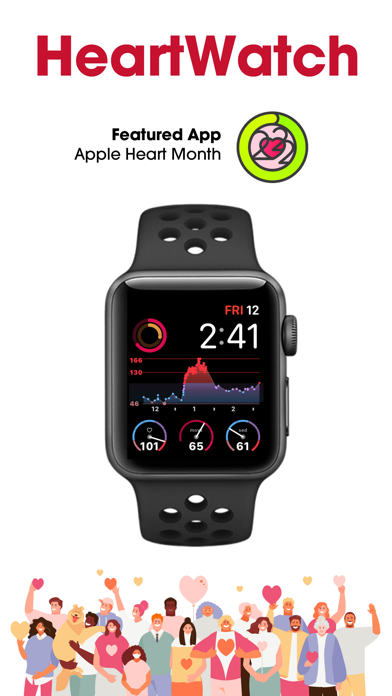
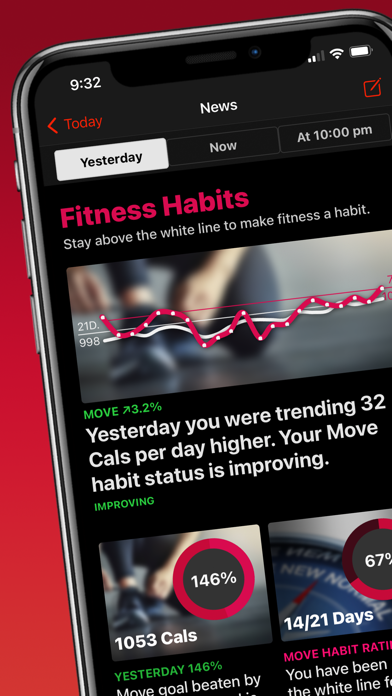
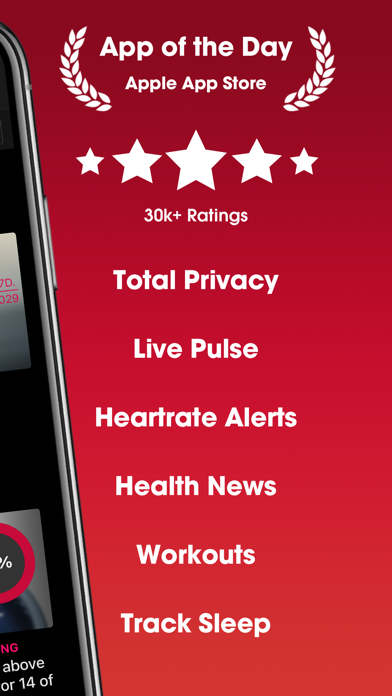
"HeartWatch is so good, you’d think Apple built the app itself." John Patrick Pullen, Time Magazine. Top 5 in Health & Fitness in 100+ countries. TOTAL PRIVACY HeartWatch has no user analytics tracking. No advertising plugins. No 3rd party code. No data upload. Ask your "free" heart app if they can say the same. ABOUT HEARTWATCH HeartWatch is the best way to get a complete picture of all the health & fitness information captured by your Apple Watch. NEWS - Explore the different News Editions to learn all about your health progress and trends. - Morning Briefing: read about your key health information to start your day - Fitness Habits: news all about your fitness trends with a dynamic fitness habit tracker WELLNESS - An intelligent view of all key heart rate metrics. Daytime, Sedentary, Sleeping, Waking & Workouts. - Detailed trend analysis including heart rate, blood pressure, HRV, blood glucose, blood oxygen (SpO2) and more. - Background heart rate alerts on Watch with context. - Note capture for individual heart rate readings. - Detailed ECG analysis ACTIVITY - Every day isn’t the same. Intelligent move, distance & steps goals based on your current habits. - Daily forecasting to help you stay on track to meet your goals. WORKOUTS - In depth analysis of heart rate, training summary, GPS maps and more. - A heart focussed workout app on the Watch with custom alerts to keep you in the right zone. - Detailed trend analysis. - Stream workout info from your Watch to your iPhone. JOURNAL & NOTES - Keep a daily journal with notes and measurements - View a detailed list with a complete overview of all notes, measurements and workouts - Input notes and measurements from your Watch or iPhone. Includes blood pressure, temperature, blood glucose, weight, waist circumference and body fat percent. GRAPHS & ANALYSIS - Over 30+ health metrics to view - Apply 7 day and 21 day trends to any metric, with the ability to overlap - View over 6 weeks up to 12 months EXPORT - Export for all health metrics & workouts. NOTHING IS MORE IMPORTANT THAN YOUR HEALTH Heart Watch is a very useful tool to get alerted about any possible health issues in a concise format that you can show your medical practitioner. INTEGRATION HeartWatch connects beautifully with the Eclipse Yourself and AutoSleep apps, our premier sleep, activity, recovery and readiness monitoring apps. HEART MONTH Featured app in the official Apple Heart Month 2022: https://www.apple.com/au/newsroom/2022/01/apple-celebrates-heart-month-with-new-resources-across-services REQUIREMENTS This app requires an iPhone that has the Health App installed. Heart readings are read from the Health Data Store which is ideally populated by your Apple Watch.
ipaomtk.com
ipaomtk.com | Human Japanese IPA Pro Unlocked MOD v3.2.1 is a revolutionary language learning app that’s transforming the way people master the Japane

Manhole, Inc.
DISCLAIMER NOTICE: HUJI CAM IS PROVIDED AS MANHOLE'S OWN PRODUCT. THIS APP IS NOT THE OFFICIAL APP OF FUJIFILM OR ANY OTHERS. MANHOLE HAS MADE EVERY EFFORT TO ENSURE NOT TO INFRINGE OTHER'S COPYRIGHTS OR TRADEMARKS. HUJI Cam makes your moments as precious as the feelings of analog film with old memories. Camera makers of every era always tried to capture the best moments and such an effort continued back in 1998 as well, whereby our memories became clearer. HUJI Cam has the effort of those days to leave precious moments as vivid and vibrant photographs. - How to run through time on SNS : #HUJI Take a picture having a feeling just like the year 1998 with HUJI Cam. - How-To Look close to Viewfinder to see things bigger while holding your iPhone in Landscape Mode. If this feature troubles you, active Viewfinder Touch Mode via Lab > Settings Icon. That way you can now make the view finder bigger or smaller by tapping. For detail, check out on our SNS which you can easily visit via the button in Settings within the app. - When HUJI Cam does not work 1. Go to Settings app of your iPhone and scroll down to find HUJI 2. Turn off Camera among the ACCESS permission list for the time being. 3. Run HUJI Cam again. Tap 'Resolve Problems' on the bottom of the Camera Access notice

Michael Stebel
Track and predict flyovers of the International Space Station, Tiangong (Chinese Space Station), and Hubble Space Telescope in stunning, real-time 3D. Immerse yourself in a photorealistic globe of Earth, showcasing orbital paths and live positions for the three largest objects in low Earth orbit—optimized for iPhone, Apple Watch, and Macs with Apple silicon. Plan up to 30 days ahead with precise, location-based pass predictions, complete with a custom 0–4 star rating system that highlights the most visible flyovers. Tap to add passes to your calendar and never miss a moment. Key Features: • Real-Time Tracking: Follow the ISS, Tiangong, and Hubble with interactive 3D visuals and high-frame-rate animations. • Flyover Ratings: Instantly spot the best viewing opportunities with our intuitive star rating system. • 3D SkyDome View: See the arc of each pass from your location with a rotatable sky overlay. • Dynamic Earth Globe: View live positions, orbits, the Earth’s axis, solar reflections, subsolar point, and day/night transitions. • Crew Info: Meet the current crew, read bios, view mission stats, and connect via X (Twitter). • Alerts & Scheduling: Get automatic reminders 1 hour and 15 minutes before passes—just tap to schedule. • Live HD Earth Video: Stream from the ISS’s Harmony node in real time. • Map Customization: Choose from multiple map marker styles and zoom options. • Ambient Music: Enhance your stargazing experience with optional background music. • Info Overlay: View current satellite position, altitude, and speed at a glance. • Companion Apple Watch App: Includes Lock Screen and Home Screen widgets for quick access. • All Settings Saved: Preferences like zoom level and map style are saved for your convenience. I created this app to bring the awe of space exploration right to your fingertips. Join me on this journey—and never miss a pass again.
Silvio Rizzi
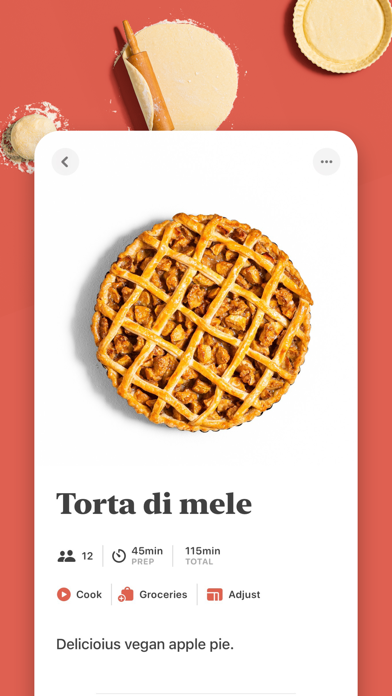
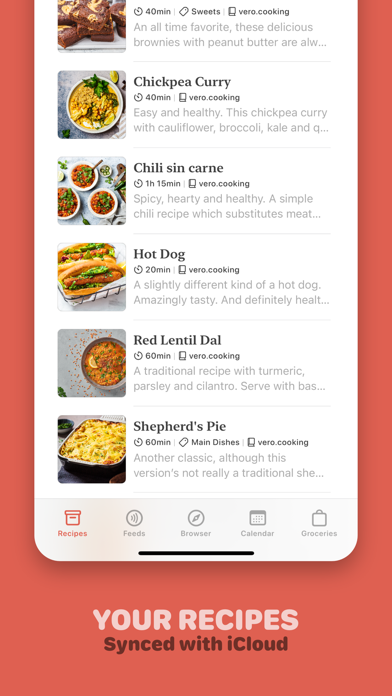
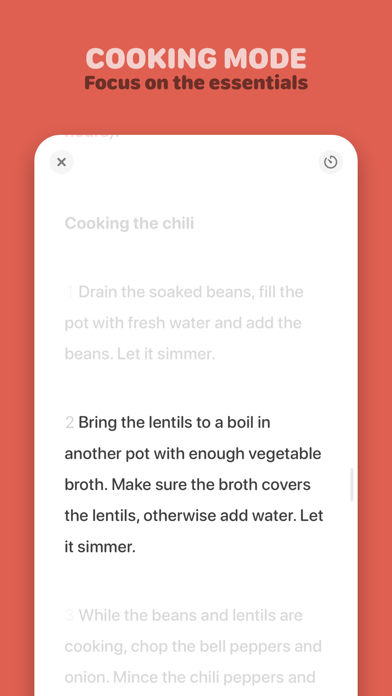
Mela is a simple, elegant and modern recipe manager that syncs with iCloud. SYNC Sync your recipes with iCloud, either privately (default) or by sharing a recipe library with other iCloud users. IN-APP BROWSER WITH LIVE PREVIEW Quickly save a recipe while browsing: If Mela detects a recipe on the currently viewed page, it will be displayed in Mela's native recipe viewer*, on the same screen on the iPad and a swipe-left away on the iPhone. Want to add or view a recipe from outside of Mela? No problem, just use Mela's sharing extension. FEEDS Subscribe to your favorite recipe blogs to view all the recipes in Mela's native recipe viewer*. COOK MODE The cook mode makes it easy to follow all steps while cooking, displayed using a larger font to make sure everything stays readable even when you're not right in front of your device. You can add multiple recipes to the cook mode, easily letting you switch between them. TIMERS No need to switch to another app for setting up a timer. When in cooking mode, Mela let's you easily create and manage timers. Timers come with support for Live Activities (iOS 16.1+). SCANNER Scan a recipe from a book: With the help of text recognition, you can just add it to your personal collection and view it in Mela's native recipe viewer, as any other recipe. GROCERIES Mela uses the Reminders.app to manage your grocery list. This has the advantage that you’re always able to access your grocery list on all your devices even if Mela is not installed on a specific device. CALENDAR Do your meal planning by using Mela's built-in calendar. It's managed by Calendar.app which also has the advantage that you're always able to access it on all your devices. There's also a widget, showing you the next planned meal from your calendar. ORGANIZING Recipes can be organized in categories, marked as “Favorite” or as “Want to Cook”. PRINTING Of course, Mela supports printing in case there’s a recipe you want to have on paper or save as PDF. Please note: If iCloud Sync is enabled (default), Mela will sync these items with iCloud: - Recipes - Browser bookmarks - Subscription list (feeds) Not synced: - Feed recipe entries - Browser history Groceries are always stored in Reminders.app Mela is free to download but will require a one-time purchase to unlock all features. * Extracting recipes only works for websites that support this, most of them do.

iBear LLC
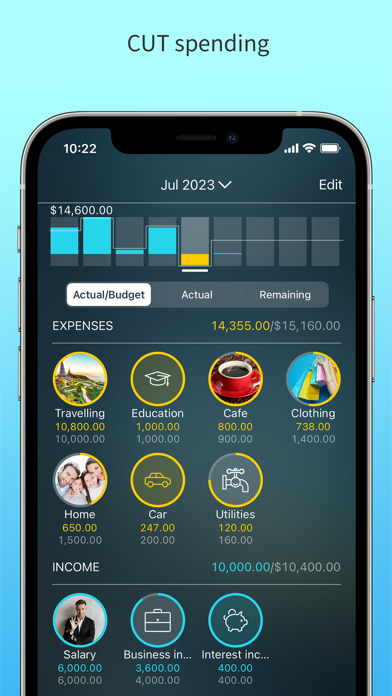
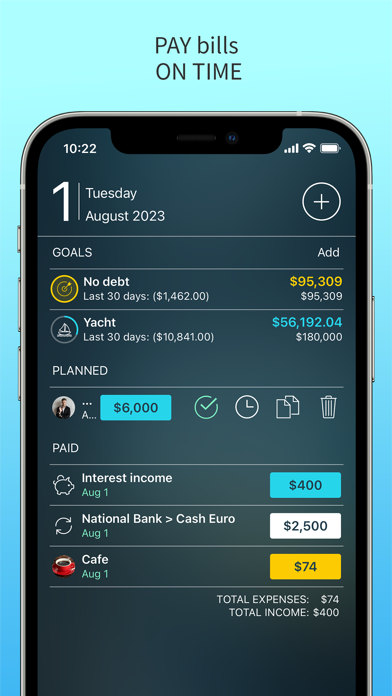
EASY BUDGET. Cut your expenses with Money Pro®! Expense tracker, budget planner & account manager - all in one app to get your finances under control. Money Pro works great for personal & family expense tracking. Easy sync and iPhone/iPad versions combined in one app. Money Pro is the next generation of the Money app (over 2 million downloads worldwide). FEATURES: Simple and Secure - widget for quick expense tracking on the go without launching the app: save your time - quick and easy expense/income entries: save even more - password & backups of your data Income and Expense Tracker - split transactions: split one payment into multiple categories, keep it all organized - search by amount, category, description, payee, cheque number, etc - recurring expenses with custom periodicity - calendar for scheduling bills and expenses for the whole year ahead - notifications & alerts for bills due - tracking expenses with family members and cross-platform syncing* (PLUS or GOLD subscription required) - multiple profiles for organized tracking of personal and family finances - attachment of receipt (or any other) photos: keep important bills captured Budget Planner - flexible structure of categories & subcategories with over 1,500 built-in icons - custom periodicity: start your budget from any date - visual indicators for budget spending - transaction list for each category: access your bills with ease - transferring the leftover of the previous budget period to the current one to limit your spending - unique icons with your photos Account Manager - easy management of an unlimited number of accounts - balance change history - additional fields for organizing your records: payee, description, check #, class (personal/business travel expenses). - import of bank statements (files: OFX, CSV) - online banking (GOLD subscription required) Insightful Analytics - eight different reports - filter customization - quick and easy date selection Augmented Reality - build three-dimensional charts right on your table with AR reports (GOLD subscription required) Goals - set your goals and achieve them - visualize your goal progress with a trend chart - four Goal types: Save money, Pay off debt, Reduce expenses, Increase income (GOLD subscription required for last three) More - calculator and currency converter - print and export to PDF, QIF, CSV formats - multiple currencies & automatic update of exchange rates - support service & user guide (https://money.pro/guide/) PLUS subscription - 1 Month of PLUS: $4.99 GOLD subscription - 1 Month of GOLD: $9.99 In all the countries (except the USA), actual charges will be converted to the local currency. Payment will be charged to iTunes Account at confirmation of purchase. Subscription automatically renews unless auto-renew is turned off at least 24-hours before the end of the current period. Account will be charged for renewal within 24-hours prior to the end of the current period, and identify the cost of the renewal. Any unused portion of a free trial period, if offered, will be forfeited when the user purchases a subscription to that publication, where applicable. Subscriptions may be managed by the user, and auto-renewal may be turned off by going to the user's Account Settings after purchase. Terms & Privacy - http://ibearsoft.com/privacy.html - http://ibearsoft.com/terms.html Money Pro is a Universal app. Pay once and use it on your iPhone, iPad, and Apple Watch. *See App Support for further details



ustwo games
** Apple Game of the Year 2014 ** ** Winner of Apple Design Award 2014 ** In Monument Valley you will manipulate impossible architecture and guide a silent princess through a stunningly beautiful world. Monument Valley is a surreal exploration through fantastical architecture and impossible geometry. Guide the silent princess Ida through mysterious monuments, uncovering hidden paths, unfolding optical illusions and outsmarting the enigmatic Crow People. Ida's Dream now available. Forgotten Shores: Eight new chapters of adventure and illusion available now as a separate purchase. Buy or download Monument Valley now and you’ll also get our fully animated iMessage sticker pack, including 5 stickers exclusive to players! Only available on iOS10 and above. ======= "This might be the most beautiful iPad game of 2014" - Wired "Brilliant design... stayed with me like a dream I didn't want to forget" 9/10 - Polygon "The most sublime hour my iPad has ever given me... and the value of such a thing is incalculable" - Kotaku "Monument Valley stuns with its serenity... each screen is a work of art" - Huffington Post "Almost impossibly gorgeous... a feast for your senses" 5/5 - Touch Arcade ======= BEAUTIFUL Inspired by minimalist 3D design, optical illusions and palaces and temples from around the world, every monument is a unique, hand-crafted world to explore. EASY TO USE Twist and drag to reshape the world and help Ida to explore. Designed to be easy for everyone to pick up, enjoy and complete. SOUND Audio reacts to your manipulation of the world to provide a surreal and beautiful soundscape. Best experienced with headphones. iCloud Synchronize your game across all your devices. ** Monument Valley is designed for iPhone 4 and above. It is NOT compatible with iPod Touch 4th Generation.
My Macros LLC
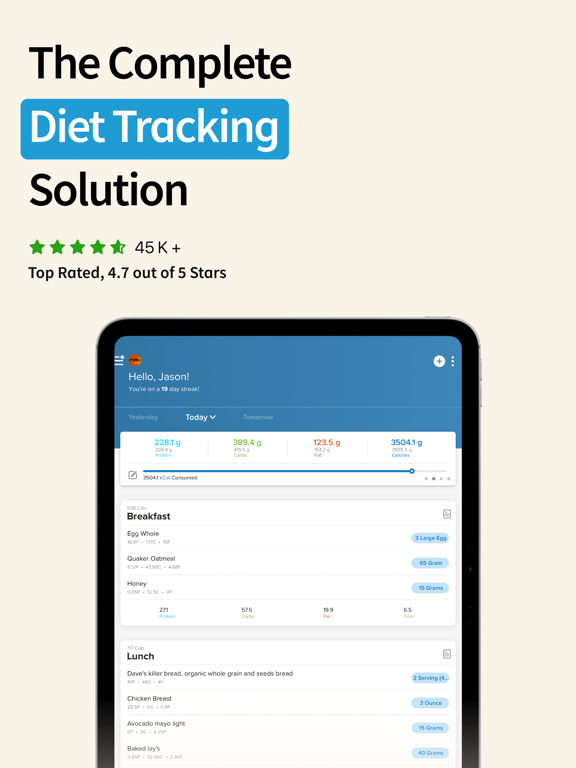
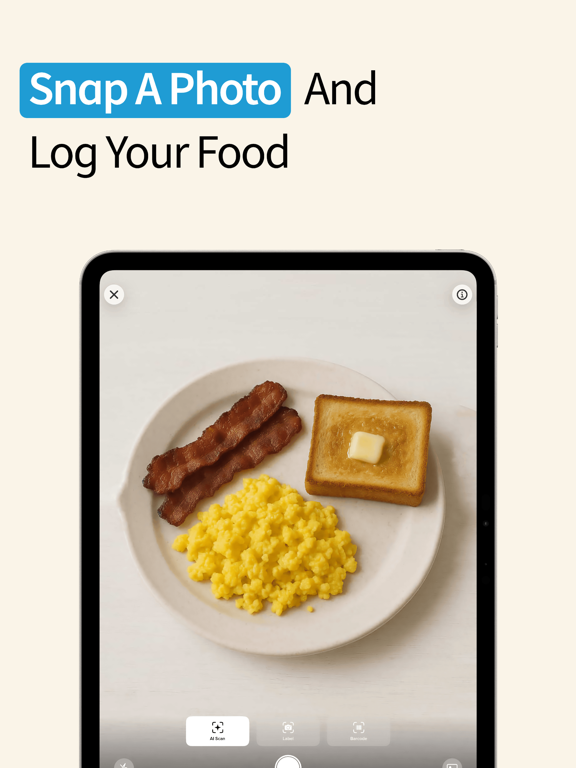
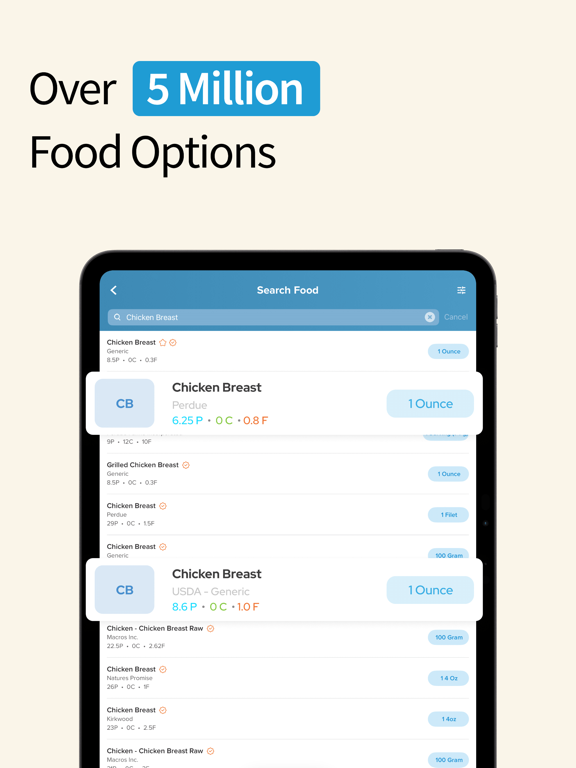
Track your meals in as little as 3 taps. Join 1,000,000+ users who've reached their goals with My Macros+ — the diet tracker built by a professional bodybuilder, for people who are serious about results. FAST, ACCURATE TRACKING Scan barcodes and nutrition labels for instant logging. Search a database of over 5 million foods. AI photo scanning is there when you need it. BUILT YOUR WAY Set your macros exactly how you want, unlimited meals with Pro, any food in any serving size. My Macros+ adapts to how you eat — not the other way around. AS FEATURE ON Good Morning America, Men's Health, AskMen, and DailyBurn. WHY MY MACROS+ Created after years of frustration with existing diet apps, My Macros+ is built around one idea: tracking should be fast enough that you actually stick with it. From first-time dieters to elite athletes, our users stay consistent because tracking takes seconds, not minutes. CUSTOMIZE EVERY DETAIL - Create unlimited macro goals with Pro — supports carb cycling, high/low days, and refeeds - Add as many meals per day as you want — no forced Breakfast/Lunch/Dinner structure - Create custom foods fast — enter them straight from the label or snap a photo. No math required - Edit any food to any serving size you want - Smart food search and categorization speed up every entry - Works offline — hundreds of thousands of preloaded foods from popular brands and restaurants, ready when you are SEE YOUR PROGRESS - Daily, meal-level, and per-food nutrition breakdowns - Beautiful weight tracking graphs - Macro calculators to set your starting numbers and adjust as you progress - Track water intake GO FURTHER TOGETHER - Track alongside your friends or coach in My Circle - Copy their custom foods, meals, and recipes straight into your own library ACROSS YOUR DEVICES - Apple Watch — log foods, check macros, and track water and bodyweight from your wrist - Home Screen Widgets — interactive widgets let you log water and track progress without opening the app - Siri & Shortcuts — track hands-free with Siri, automate meal tracking with Shortcuts - Apple Health — two-way sync for nutrition, weight, and more - Dark Mode fully supported SYNC EVERYWHERE - Your tracking goes with you — iPhone, iPad, Apple Watch, Mac and any other device were My Macros+ lives. NEED HELP HITTING YOUR GOALS? Macro Coach (optional subscription) uses our AI to set your starting macros from a short questionnaire, then intelligently adjusts them as you progress so you stay on track. GO PRO — TRACK FASTER, ANALYZE DEEPER MM+ Pro unlocks the full app — convenience features that make tracking faster, plus powerful tools to analyze your progress. - Unlimited macro goals — supports carb cycling, high/low days, and refeeds - Smart search — adapts to your tracking habits so the right foods surface faster - Advanced Macro Calculator — more inputs, more precision, ready to attack any goal - Diet Summary — an in-depth breakdown of your diet, body weight, and favorite foods across any range of time. See patterns you'd miss day-to-day. - Detailed Analysis — compare any two data points side-by-side. Calories vs. weight change. Protein vs. progress. Anything you want. Find what's actually driving your results. - Bodyweight Goals — set target weights, track trends, and stay on course - Spreadsheet Export — download all your data as CSV for analysis in Excel, Sheets, or your own tools - Notes — log context like training days, energy levels, or anything you'll want to reference later - Meal Timer — set reminders so you never miss your next meal ABOUT OPTIONAL SUBSCRIPTION Subscriptions are charged to your iTunes Account and auto-renew unless cancelled more than 24 hours before the end of the current period. Any free trial remaining is forfeited at purchase. Manage subscriptions in your Account Settings. Your account is charged within 24 hours of renewal. Terms of Service: https://getmymacros.com/TermsOfUse.html


MyNetDiary Inc.
MyNetDiary’s Diabetes Tracker app is the easiest and most comprehensive diabetes tracker app for the iPhone. MyNetDiary can help you better understand and control diabetes and pre-diabetes - along with improving your diet, losing weight, providing feedback, support, and motivation. MyNetDiary was featured in the 2017 Consumer Guide of Diabetes Forecast magazine, published by the American Diabetes Association, the world’s most trusted source of diabetes information. Designed for diabetes type 1, type 2, pre-diabetes and gestational diabetes. USER REVIEWS * This App (and website) has been a tremendous help in making lifestyle changes after being newly diagnosed as Type 2. * This is the best app for diabetics trying to recover their health - without question. * I spent a lot of time researching diabetes apps, then chose this one over a year ago and have been using it everyday since then. It has exceeded my expectations for diet management (still can't believe how much info they have on foods, food groups, and packaged foods!), lab and exercise tracking, and especially all aspects and ease of diabetes management. It gives me good personal feedback, keeps me on track, and has helped me and my physician meet my DM treatment goals. WHAT MAKES MYNETDIARY THE BEST DIABETES TRACKER * Quick and easy logging * Comprehensive blood glucose tracking. Custom pre- and post-meal target ranges. Highlights out-of-range readings. * The best food and carb tracking - with a great food database, built-in barcode scanner and quickest entry. THE DATABASE IS UPDATED DAILY. * Practical BG reminders * Optional insulin tracking * Medication tracking * Supports total carbs, net carbs, and diabetes carb count * Exercise tracking with built-in GPS Tracker, keeping track of walking, running, cycling * Tracks your water intake * A1C, LDL, HDL, BP tracking * Custom trackers - track anything - quality of sleep, symptoms, and more. * Detailed daily and weekly analysis, charts and reports. WORKS WITH SIRI • Create shortcuts checking calories, logging meals and water. • Start and stop walking, running, and cycling workouts with built-in GPS tracker. HEALTH APP INTEGRATION * Syncs BG, foods, workouts, weight, BP, and more OTHER HIGHLIGHTS * Optional meal reminders * Community supported by a Registered Dietitian MyNetDiary for Apple Watch * Check calories, BG averages, next BG check reminder * Log foods, water and weight PREMIUM RECIPES Tasty, easy, and healthy recipes using simple, wholesome ingredients and 20 minutes or less of prep time. POWERED BY MyNetDiary * Syncs to the "cloud" for backup and online tracking Note: Continued use of GPS running in the background can dramatically decrease battery life. **Subscription Terms MyNetDiary Premium subscription provides: sync with fitness trackers and body scales from FitBit, Garmin and Withings, premium recipes, special analysis, charts and reports, nutrient planning, step bonus calculation, and more. Subscription options: $8.99/month $59.99/year Payment will be charged to your iTunes account at confirmation of purchase. Subscription automatically renews unless auto-renew is turned off at least 24-hours before the end of the current period. Account will be charged for renewal within 24-hours prior to the end of the current period, and identify the cost of the renewal. Subscriptions may be managed by the user and auto-renewal may be turned off by going to the user's Account Settings after purchase. No cancellation of the current subscription is allowed during active subscription period. Privacy Policy: https://www.mynetdiary.com/privacy.html Terms of Use: https://www.mynetdiary.com/terms.html DISCLAIMER Diabetes Tracker by MyNetDiary is an educational tool, it is not a medical device, it is not a substitute for a medical device or medical care, and it does not provide diagnosis, cure, mitigation, treatment, or prevention of any disease.
Samuel Harmon
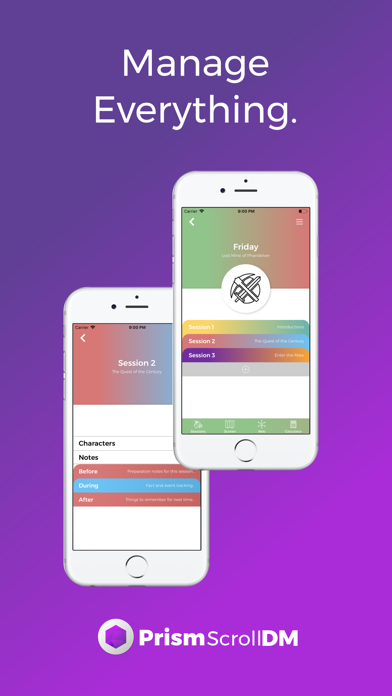
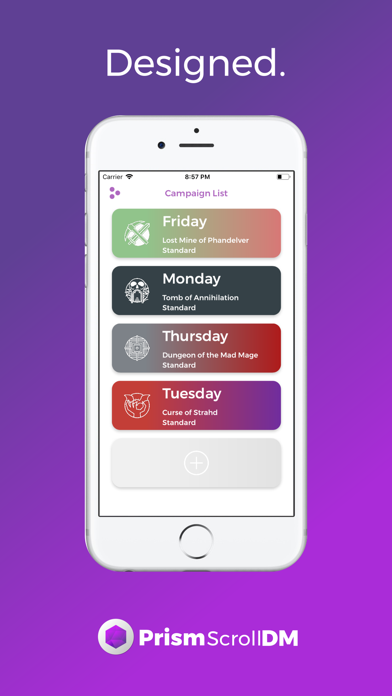
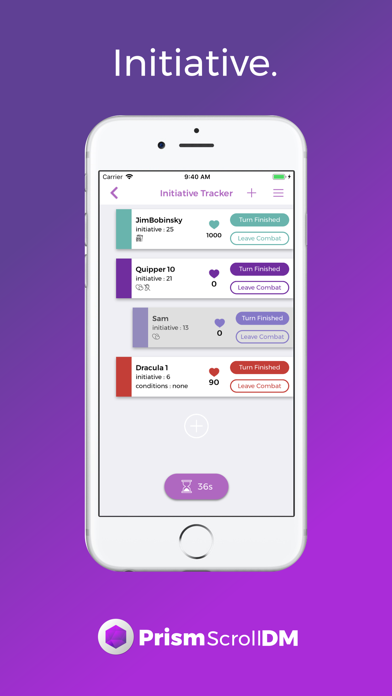
PrismScrollDM will be the one-stop shop for your storytelling needs in all your Dungeons and Dragons 5th Edition games. As the first tool, PrismScrollDM acts as your mobile, paperless, and essentially limitless DM Screen on the go! Customize the different tiles to fit your specific needs for each game you manage. With the ability to hide or show all the information, declutter your working area so that you only see the important information, but still have access to everything within a few taps if the need arises. Some of the starting options that we offer include Encounter tables, Conditions, Item Prices, and so many more of the minor rules that everyone tends to forget while playing. The PrismScrollDM Screen will smooth out your games and eliminate the struggle of trying to find that random page with that small rule that decides the crazy outcome of if your adventurers will ascend to godhood. Features 1. Customizable DM resource screen with over 75 different resources, including things like roll tables/reference tables/npc generators/and much more! 2. Scientific style roll calculator for all of your quick calculation needs 3. Campaign creator that allows you to manage your different games and tailor your tools to your specific game needs 4. A character web feature that allows you create the bigger picture of your campaign relationships, NPC's and players! 5. Spell cards for each spell from the Players Handbook, Xanathars, and Sword Coast Adventures Guide with quick roll options 6. Equipment cards for all of the standard martial/simple ranged/melee weapons, armor, and items with quick roll options for the weapons 8. Monster cards that include all the respective actions/abilities/stats/traits Let us know what you think! We would love to hear from you and we thank you in advance: 1. Our website, prismscroll.com 2. reviews, we always respond! 3. Instagram (@prismscroll) 4. twitter (@prismscroll) 5. facebook (@prismscroll)

ipaomtk.com
ipaomtk.com | Prowser IPA Unlocked All MOD iOS v2.63 the innovative application designed to revolutionize your online experience. This cutting-edge to

LightByte Co., Ltd.
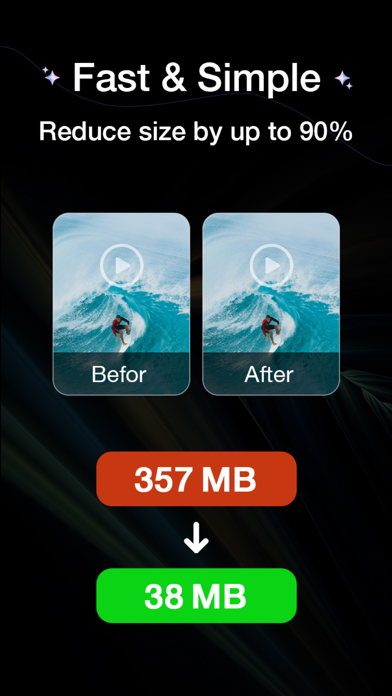
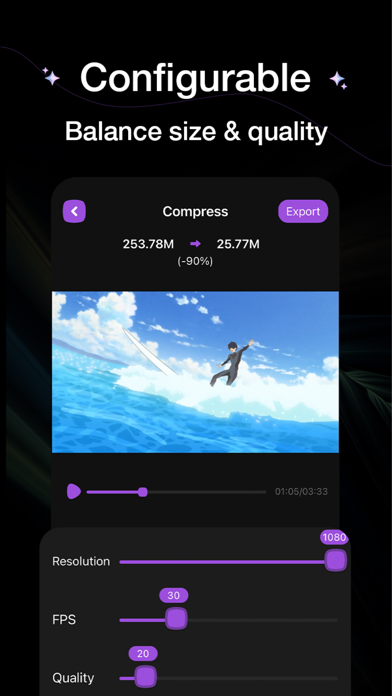
Video Compress is a batch video compressor. 100% free, no ads. Reduce video size by up to 90% while video quality remains at original quality. Fast, effective, and ad-free.elect video, choose target size, compress, only 3 steps.

Vocabulous US Inc.
Make vocabulary growth a daily habit with Word of the Day, a vocabulary-building companion created by humans, for humans. With daily words, games, and quizzes all in one app, it’s learning that actually sticks. Built in collaboration with leading language experts, our vocabulary database intelligently ranks words based on real-world usage patterns. After you take our vocabulary assessment and answer a few questions about your goals, we’ll create a personalized learning plan tailored to your needs, ensuring the words you see are ones you’ll want to use. With our unique combination of expert curation and smart design, Word of the Day transforms the simple act of growing your vocabulary into a powerful tool for self-improvement. WORD INSIGHTS - Each daily word is hand-selected by our editors and presented in a rich format with everything you need to understand and remember it. - Clear examples that show how the word lives in real sentences - Audio pronunciation so you can use the word with confidence - Thoughtful illustration to deepen your understanding and boost recall STOP SAYING COLLECTIONS Explore our Stop Saying feature to find stronger alternatives to common words and express yourself with greater precision. DAILY QUIZZES & CHALLENGES Harness the power of spaced repetition with 1-minute daily quizzes that move new vocabulary into long-term memory. Review saved words and track your progress over time. WORD GAMES Expand your vocabulary further with games designed around language and pattern recognition. - Hangman: reveal the hidden word before you lose all your hearts - Gaps: guess the hidden 5-letter word in a limited number of tries - Word Relay: link related words to form a chain. CROSSWORDS Solve themed puzzles across 15+ topics, including Entertainment, Technology, Travel, Idioms, and more. PERSONALIZED LEARNING Word of the Day adapts to your learning style and schedule. - Home Screen and Lock Screen widgets keep your daily word visible all day - Custom notifications help you build a consistent learning habit - Vocabulary quizzes help tailor the experience to your level - Save favorite words to review anytime BUILT TO KEEP YOU MOTIVATED - Small daily habits lead to real progress. - Streaks and progress tracking help you stay consistent - Daily challenges keep learning fresh - Engaging visuals and interactive features make vocabulary fun AWARD-WINNING AND TRUSTED - Over 7 million downloads worldwide - Best Mobile App Awards (August 2025) - Language expertise featured in Inc. Whether you’re preparing for exams like the SAT, GRE, IELTS, or TOEFL, working to improve your writing and speaking skills, or simply someone who loves words, Word of the Day helps you build vocabulary in a way that fits into your daily life. Read more confidently. Write with precision. Speak with clarity. Educate yourself in a small yet profound way with Word of the Day. Start your daily word habit today. Visit our website to learn more about the team and the app: https://vocabulous.us/ Please note that Word of the Day is a subscription-based app. Some features are available to Premium subscribers only. Privacy Policy: https://vocabulous.us/docs/privacy.html Terms of Use: https://vocabulous.us/docs/terms.html

Lucas Exequiel Di Tomase
Remove distracting banners and clean up website layouts with the biggest update in the app's history. A brand-new blocking system and visual overhaul allow for the inspection of network logs and the creation of custom rules to eliminate specific elements directly from the interface. These improvements ensure a seamless browsing session. This release introduces a sophisticated Safari protection engine and a unified dashboard for network oversight. These tools allow for the coordination of Encrypted DNS and Firewall settings from a single location. With automated blocklist synchronization and enriched activity logs, achieving total transparency over device connectivity is now effortless. • Advanced Safari Protection: High-performance filtering system to block web trackers and intrusive content. • Unified Network Dashboard: A single, streamlined interface to manage both DNS and Firewall settings. • Automated Catalog Updates: Real-time synchronization for remote blocklists and custom filtering manifests. • Transparent Activity Monitoring: Richer connection statistics featuring site favicons and granular event logs. • Visual Personalization: New options for app-wide themes, custom icons, and localized language settings. • Swift 6 Framework: Modernized architecture for maximum processing efficiency and memory safety. • Enhanced Inclusive Design: Expanded accessibility labels and support for additional regional variants. • Intelligent Support Flow: Redesigned help system with integrated diagnostics for faster resolution. Privacy Policy: https://github.com/lucasditomase/banner-blocker-links/blob/main/privacy-policy.md Terms of Service: https://github.com/lucasditomase/banner-blocker-links/blob/main/terms-of-service.md


Anthropic PBC
Meet Claude, your AI problem solver and thinking partner. Claude works with you to write, research, code, and tackle complex problems with depth and precision. It enhances your thinking and expands what you're capable of, right from your phone. AI WRITING ASSISTANT Turn rough thinking into polished work. Whether you're crafting social media posts, professional emails, or complex reports, Claude refines tone, structure, and clarity — iterating with you until your voice comes through. Get writing support that understands what you're trying to say, even when you're still figuring it out. AI CODING AND PROGRAMMING HELP Claude handles production-level development work. Review code, debug complex issues, and explore new languages with an AI coding assistant that explains the "why" behind every solution. Work through problems in Python, JavaScript, React, and dozens of other languages — from quick scripts to multi-step architecture. As a versatile coding assistant, Claude plans multi-step tasks, pulls in relevant context, and adapts its approach as your project evolves. Write programs through natural conversation and use Claude to identify and fix errors faster. It scales from a single function to enterprise-level development. RESEARCH AND DATA INSIGHTS Go deeper on the questions that matter. Claude searches the web, compiles findings with accurate citations, and surfaces what's actually useful. Connect Google Drive, Gmail, and Calendar to bring your own context into the conversation. Whether you're conducting business analysis, building reports, or exploring new ideas, Claude thinks through problems with you — from initial questions to breakthrough insights. VISUAL ANALYSIS Upload any photo, PDF, or screenshot for instant analysis. Claude extracts text, interprets charts and graphs, evaluates UI layouts and technical diagrams, and explains what it sees. Get thoughtful feedback on app designs and data visualizations. Generate SVG code for graphics and illustrations, right from your phone. NO TYPING NEEDED Think out loud. Use Claude as your AI voice assistant to dictate in multiple languages—perfect for brainstorming sessions or working through ideas on the go. EXPAND WHAT YOU CAN DO Take on projects outside your usual expertise. Whether you're learning something new, navigating unfamiliar territory, or need a thoughtful second opinion, Claude helps you reach beyond your comfort zone with confidence. Claude helps you: ▶ Develop and refine content with AI writing ▶ Work through meeting notes to surface key insights ▶ Build reports and marketing content iteratively ▶ Explore complex math problems with step-by-step reasoning ▶ Plan projects, structure ideas, and develop flowcharts together ▶ Translate between 100+ languages with nuance and context ▶ Analyze PDFs, screenshots, and visual content for deeper patterns ▶ Think through problems hands-free with voice dictation TRUSTED & RELIABLE Claude is designed to be reliable, accurate, and collaborative. Built by Anthropic, an AI research company dedicated to building safe and dependable AI tools. Powered by Claude Opus and Sonnet, it brings advanced reasoning, creativity, and problem-solving capabilities to your most important challenges. TRY CLAUDE FOR FREE. TRUSTED BY MILLIONS. Join millions of users working with Claude on problems that matter. Whether you're coding, writing, researching, or tackling business challenges, Claude helps you think deeper and reach further. Terms of Service: https://www.anthropic.com/legal/consumer-terms Privacy Policy: https://www.anthropic.com/legal/privacy © 2026 Anthropic, PBC
Oscar Adan
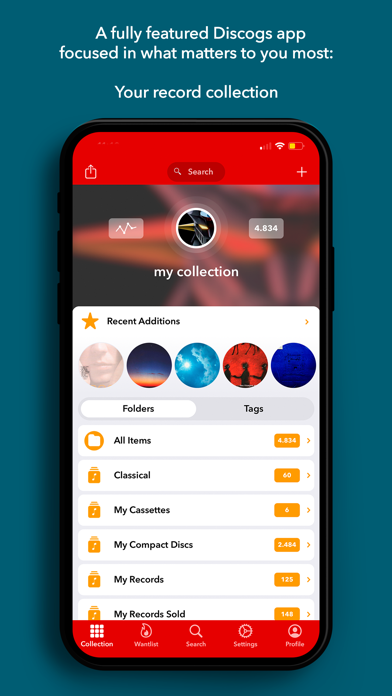
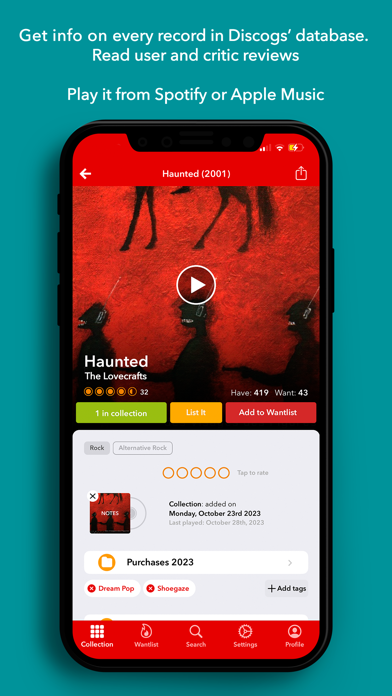
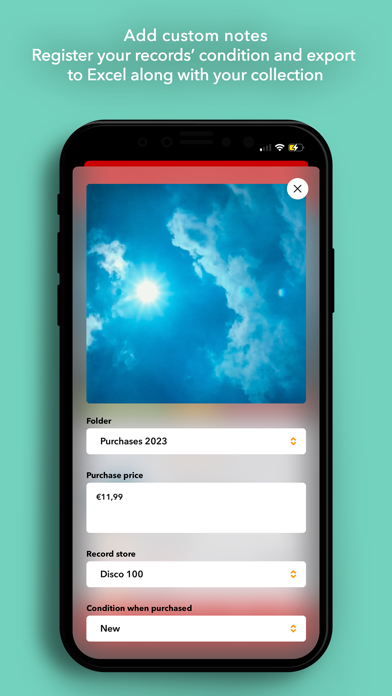
Discographic is the best and most complete vinyl collector app currently available with Apple Music, Spotify integration & Last.fm scrobbling. Wether it’s adding a disc to an existing collection, starting a new discography or checking out album details in-store, Discographic does it all. Featured in WaxTimes (http://bit.ly/1bf3Min), Fact Magazine (http://bit.ly/1GOngnz), AppSpezis (http://bit.ly/1HKO9xS), etc. DISCLAIMER: This application uses Discogs’ API but is not affiliated with, sponsored or endorsed by Discogs. ‘Discogs’ is a trademark of Zink Media, LLC. With Discographic you can: • Catalog Your Collection -Add and remove items from your Collection, move them between folders. -Use its barcode scanner to add record easily or search for them by catalog number, artist or title. -Create folders, rename or delete them. -Order your listings by artist, title, date, etc. and filter them by keywords. -Add custom notes and edit condition grades. All of your Collection custom user fields are displayed and editable, including ratings. -Calculate your Collection Value. • Add to Your Wantlist -Carry your Wantlist everywhere you go. -Add and remove items from your Wantlist on the go. -All your Collection and Wantlist will be always synced between your device and server. • Search the whole Discogs database -Search the world's largest database of physical music. Browse records, artists or labels with all the detailed information available on Discogs. -Filter your searches by category to make them more powerful. -Display full band/artist discographies. -Browse image galleries of releases, masters, artists and labels where available. -Save your search results for offline display. • Get your custom user lists always available . • List items in Discogs Marketplace with only two finger taps : -Take with you all your Inventory with all the info available. • View Marketplace Pricing -Check the marketplace for releases you want to acquire and compare prices. - All Discogs prices are saved and always available on the app, including History Sales stats. -Check to see if you already own a record before you buy. • Full offline support available -Your Collection, Wantlist, Seller Inventory and every bit of data displayed by the app is conveniently cached in order to make every record on your collection available at any time. -This includes masters, releases, artists, labels, Marketplace info, Sales History, your Collection Value Range, your custom searches, etc. -You can remove all cached files at any time if you need you free space on your device. • Data Export -You can export your Collection, Wantlist and Inventory to Excel-compatible format directly from the app, including custom notes and comments. • Last.FM Scrobbling -You can scrobble tracks or albums directly from the app (a Last.FM account is needed to use this feature). • A built-in full Apple Music/Spotify Player to listen to your records. • Customizable display -Dark mode, color schemes and display options.


Cheol Kim
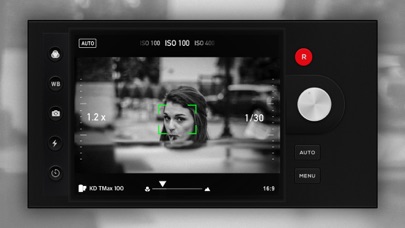
Moment becomes memory — only with Filca. Filca is an SLR-style film camera app. 35 film filters and cinematic effects bring your photos to life. @veteranUser "Without Filca, you're just collecting moments. With Filca, you're preserving memories." Master every shot with expert-level manual controls. ■ Full control over shutter speed, ISO, and white balance ■ 35mm film filters inspired by classic film stocks Filca is designed to elevate your everyday photography. Perfect for portraits, selfies, night scenes, and the subtle beauty of daily life. Apply film-grade filters for an authentic analog look. Main Features: Auto mode with 35mm film filters Manual mode (exposure & focus) Full control of shutter speed and ISO Multiple aspect ratios: 4:3, 3:2, 16:9, 1:1 Digital zoom up to 8× Manual focus control (macro ↔ landscape) 35mm film filters inspired by classic film stocks (including B&W) Film grain effect Date print effect Optical Image Stabilization Low Power Mode Selfie Mode EXIF data storage (including location) Portrait enhancements Full-resolution photos Timer and flash Grid view Pro Features: White balance adjustment Date print customization Share your photos on Instagram with #filca — we'd love to feature your work. Follow us: https://www.instagram.com/filca.app/ Terms of Use: https://han.gl/HCCwV Privacy Policy: https://han.gl/Wclkw Let Filca elevate your photography journey.
RAY INFORMATICS YAZILIM TEKNOLOJI MEDYA DANISMANLIK VE EGITIM TICARET LIMITED SIRKETI
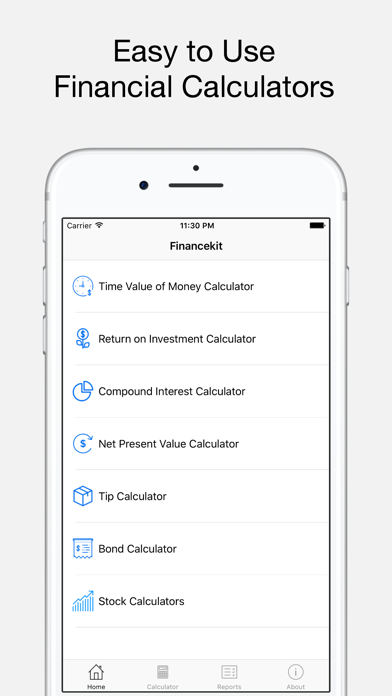
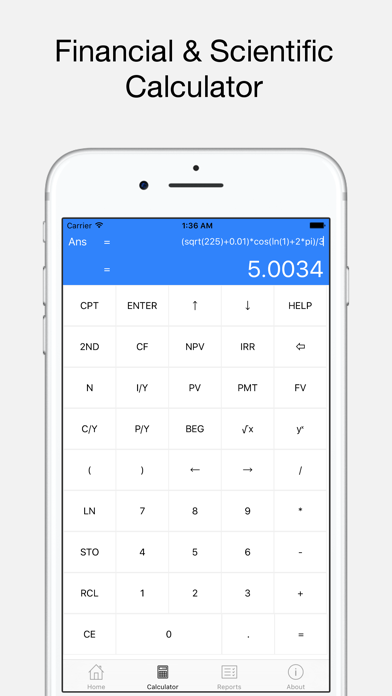
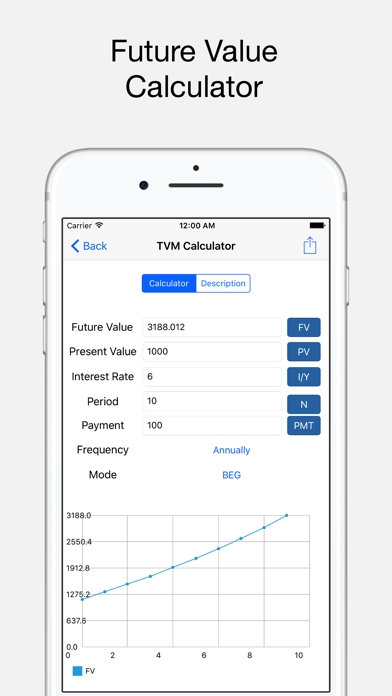
BA Financial Calculator Plus combines traditional financial calculator with modern, easy to use calculators. In addition, this app can be used as a quick reference for financial problems since each calculator has a description, formulas and examples. Key Features: - Calculators with Descriptions, Formulae and Examples. - Financial Calculator with Scientific Notation - Data Visualization - Reports Calculators: - Time Value of Money (Future Value, Present Value, Interest Rate, Period) - Net Present Value and Internal Rate of Return - Return on Investment (Gain or Loss, Roi, Annualized Roi) - Bond Valuation (Bond Price, Maculay Duration, Modified Duration, Convexity) - Capital Asset Pricing Model (Capm) - Weighted Average Cost of Capital (Wacc) - Stock Valuation (Constant Growth, Nonconstant Growth) - Expected Return and Standard Deviation - Holding Period Return (Hpr) - Black Scholes Stock Option (BSM, Call-Put for Price, Delta, Gamma, Theta, Rho) - Tip Financial Calculator: - Solving Time Value of Money Equations (TVM with FV, PV, PMT, I/Y, N) - Cash Flow Analysis (CF with NPV, IRR) - Evaluating Math Expressions (Trig, Natural Logarithm, etc.) - Storage and Recall of Numerical Values - Step-by-step instructions - Calculator History AI Explanations: - Turn your TVM, NPV, ROI, Compound Interest, Mortgage, Bond, Stock, and all other calculations into clear, human-readable insights in seconds. Runs on-device with Apple Foundation Models for speed and privacy Calculation Reports: - Saving Reports - Sending Reports as Email - Analyzing and Reorganizing Reports Ba Financial Calculator Pro Subscription Unlock full creative control with a Ba Financial Calculator Pro subscription, available annually. Terms of use: rayinformatics.com/terms Privacy policy: rayinformatics.com/privacy Contact: rayinformatics.com/contact
michael dardol
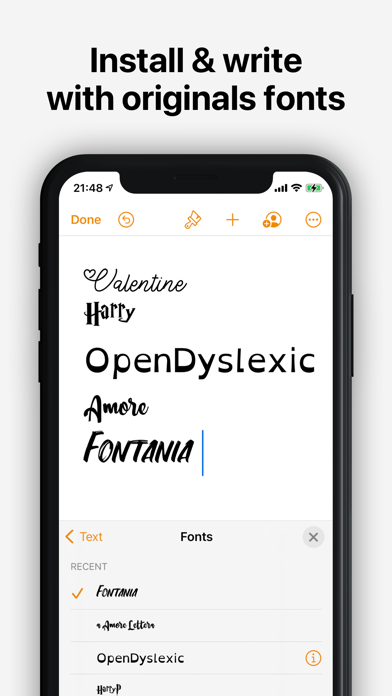
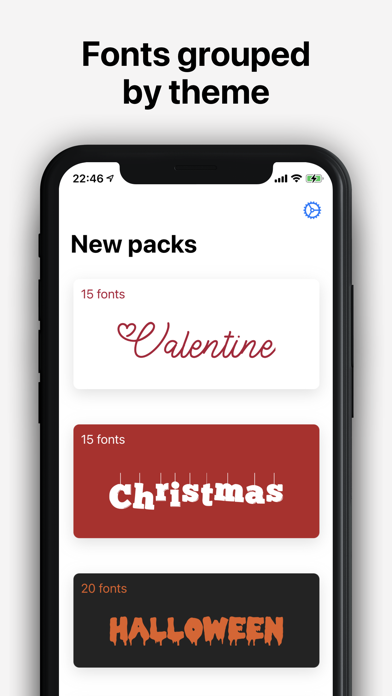
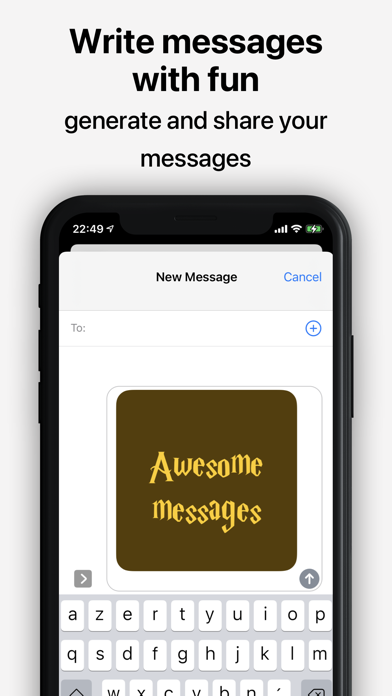
With Fontpacks, personalize your documents by installing new fonts and use them in compatible apps : - Office (Word, Excel, Powerpoint) - Keynote - Pages - Numbers - Cricut Design - Office Suite Pro - Office²HD Take advantage of our selection of specially chosen fonts grouped by theme. Here is an overview of the available packs: - OpenDyslexic : font designed for people with dyslexia - Dyslexic : other font variations for people with dyslexia and AMD - Wedding : handwritten style fonts, perfect for wedding, party or anniversary cards - Star W. : fonts on the theme of "Star Wars" - Harry P. : fonts on the theme of "Harry Potter" ... Fontpacks requires a subscription. We offer weekly, monthly and annual plans. You can try all settings with a limited preview. All plans unlock the app on Mac, iPhone and iPad. Terms of use : https://www.apple.com/legal/internet-services/itunes/dev/stdeula/ Privacy policy : https://www.michaeldardol.com/scandys/privacy


HotSchedules
HotSchedules is the industry's leading employee scheduling app because it’s the fastest and easiest way to manage your schedule and communicate with your team. Team members love it because they can swap, pick-up or release shifts with one click. Work-life balance is easily managed with automatic shift pick ups when you want more hours, and time off requests for when you don’t. Calendar sync and notifications keep your Schedules and the roster automatically updated to your phone with any manager-approved changes. Managers appreciate the 75% time savings when building schedules and one-click approvals for shift changes. The ability to monitor business performance with sales and labor snapshots from anywhere, keeps them out of the back office. And most importantly, staying connected with broadcast and one-to-one messaging makes for a happy and productive team culture. NOTE: The HotSchedules application REQUIRES a valid HotSchedules user account through your employer. Need help? Contact Customer Care 24x7x365


Shivang Mishra
Introducing Image2PDF Image2PDF is your ultimate solution for converting images to high-quality PDF files with ease. Whether you're a student, professional, or anyone needing to compile images into a single, shareable document, this app has you covered. With Image2PDF, you can quickly convert various image formats, including JPG, PNG, BMP, and more, into PDF files within seconds. Simply select your images from your device's gallery or capture new ones using the built-in camera feature. Key Features Effortlessly Convert Images to PDFs: Supports various image formats for conversion, including JPG to PDF, PNG to PDF, and more. Import images or scan files with your camera and convert them to PDFs—notes, receipts, invoices, business cards, certificates, whiteboards, ID cards, and more are all supported. Secure Your PDFs with Password Protection: Keep your documents safe by adding password protection to your PDF files, ensuring only authorized users can access them. Multiple Image Selection: Convert multiple images into a single PDF document with ease. Simply select the images you want to include, and our app will merge them into a seamless PDF file. Perfect for compiling documents, presentations, and more! Streamlined Workflow: Say goodbye to tedious one-by-one conversions. Our multiple image selection feature streamlines the process, saving you time and effort. Enhanced Productivity: Whether you're organizing photos, creating reports, or sharing documents, our app empowers you to get more done, faster. Convert batches of images to PDFs in just a few taps! Intuitive User Interface: User-friendly design makes it easy for anyone to convert images to PDFs in just a few taps. Fast and Reliable: Convert images into PDF quickly and accurately. Our app ensures high-quality conversions every time. Work Offline: Easily convert images to PDF offline without needing an internet connection. Share PDF Files: Easily send and share converted PDF files via social media, email, Bluetooth, quick share, and more. No Login Required: We respect your privacy, so you don't have to log in anywhere. Just install and you are ready to go. Use Cases Students: Compile class notes and project images into organized PDFs. Professionals: Create reports and portfolios with high-quality images. Travelers: Document and share your travel experiences in a convenient PDF format. Artists and Designers: Showcase your artwork or design projects in a professional manner. Businesses: Convert invoices, receipts, and other important documents into PDF format for easy sharing and record-keeping. Educators: Compile teaching materials, assignments, and lecture notes into accessible PDF documents. Why Choose Image2PDF? Reliability: Depend on consistent, high-quality PDF conversions every time. Security: Protect your sensitive documents with password encryption, ensuring your data is safe. Ease of Use: Enjoy a seamless and intuitive user experience designed for quick and easy conversions. Versatility: Cater to various needs, from personal use to professional applications. Image2PDF is perfect for students, professionals, artists, travelers, and more. How to Use Image2PDF Select or Capture Images: Choose images from your device’s gallery or use the built-in camera feature to capture new ones. Arrange and Customize: Arrange the images in the order you want them to appear in the PDF. Use the app’s intuitive interface to make any necessary adjustments. Convert to PDF: Tap the convert button to quickly turn your images into a high-quality PDF document. Secure and Share: Add password protection if needed, then save and share your PDF via email, social media, Bluetooth, or other sharing options. Download Image2PDF Now! Image2PDF is your go-to tool for converting images to PDFs hassle-free. Download now and experience the convenience of digital document management. Simplify your workflow, protect your documents, and create professional-quality PDFs with Image2PDF!