
Recently updated apps
Browse recently updated IPA listings from AltStore and SideStore compatible repositories. These pages help you find fresh builds, changed repository notes, and updated download options without relying on search filters.
Jetson Creative LLC
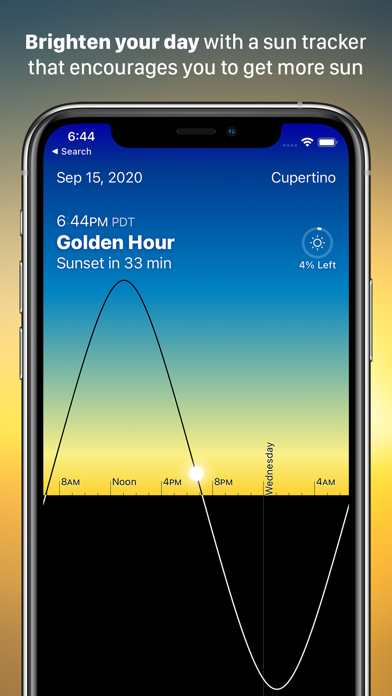
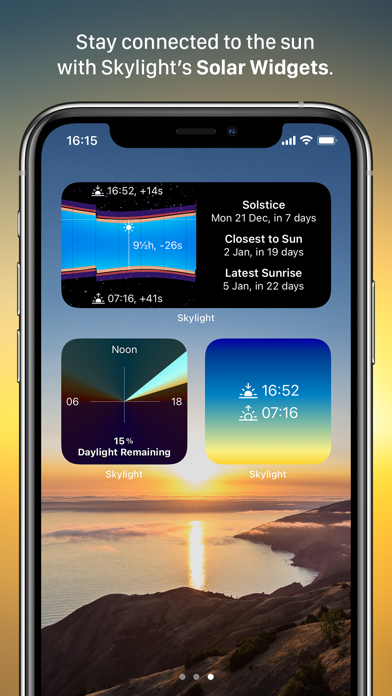
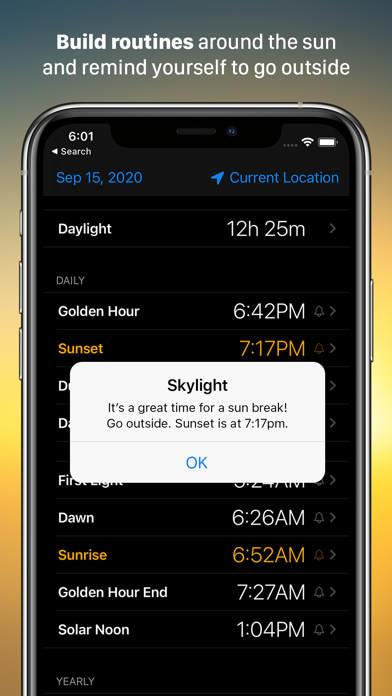
One of the easiest ways to become a happier person is to experience more sunlight every day. Skylight can help make that happen through a beautiful app experience designed for everyone. Create a routine around sunrise every morning. Remind yourself to step out at solar noon for a sun break. Take better photos by shooting during Golden Hour. Start getting outside to see the sunset more. Gain a better sense of sunlight lost and gained through the seasons and adjust your routine to make sure you get enough light. Motivate yourself through the winter months by reminding yourself that days are getting longer. The uses are endless but the goal is the same - better living through more sunlight. Skylight includes a universal app for iPad and iPhone, an Apple Watch app with complications, and three widgets. The Apple Watch complications show you how much sunlight is left in the day, or when upcoming events like Golden Hour are taking place. The complications are a beautiful addition to the watch face and offer one of the most effective ways to use the app. The Today Widget shows you the app information in a quick, glanceable form, so daylight info is always at your fingertips, either in your Today view or with a 3D Touch on the app icon. Features include: - Beautiful fluid visual display showing the position of the sun over time. - Comprehensive notifications & alarms for daily and yearly sun events. - Three different configurable widgets: Year Graph, Daylight Graph, and Gradient. - Apple Watch app and complications with daylight clock and events. - Year view, showing the entire year's daily sun events with a simple drag of your finger. - Detailed event views, describing each sun event and showing the earliest and latest. dates on which it occurs. - Date picker to see sun information from dates in the past or future. - Location picker to see sun events and graphs for anywhere on earth. - Multiple time modes, including specialized modes for photography and science. - Support for all display sizes and device orientations. - Spotlight support, so you can just type "Golden Hour" from your phone's home screen to pull up today's info. - Skylight can optionally use GPS in the background to ensure notifications are correct even if you change location. Continued use of GPS running in the background can dramatically decrease battery life. Skylight is an indie app developed by the creators of Magic Window. We strive to make beautiful software that connects people with the world. If you have any issues or questions please contact us at [email protected].


ResGuide LLC
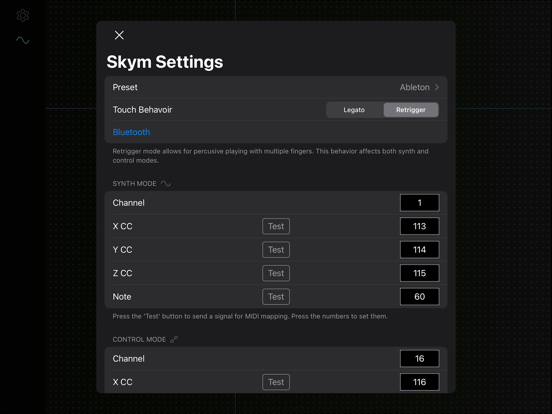
Touch control for your Ableton devices. Skym is a MIDI controller app that allows you to control 4 parameters of your Ableton devices at once. Simply download the app, and install our Ableton script on Mac, and you can connect over USB or Bluetooth to perform expressive sound design. Our free starter Ableton project has some sounds to get you up and running. Skym sends 4 parameters at once. X, Y, Speed (how fast your touch is moving), and Gate (flips on and off with touch). These parameters automatically map to macros 1, 2, 3, and 4 respectively. Combining these layers of control on synths, samplers, effects, gives you access to instant variability and interest in your sounds. Note Skym is a controller and not a sound generator, so the app does not make sound on its own. We only support connection and integration with Ableton on Mac. Mac OS must be 10.11 or later Ableton must be 11.0.0 or later

ipaomtk.com
ipaomtk.com | Skype IPA v8.131 is a versatile communication app that has revolutionized the way people connect across the globe. Developed by Microsof


Azumio Inc.
Fall asleep, stay asleep, and wake up refreshed! Sleep Time is a complete sleep tracker and smart alarm clock. Place your phone on the bed and Sleep Time analyzes your sleep cycles through the night, then wakes you during your lightest sleep within your chosen window — so you start the day rested instead of groggy. Trusted by over 35 million users, Sleep Time is an award-winning sleep app. ------------------ 5/5 “I finally understand why I wake up tired some mornings. Sleep Time showed me my sleep cycles, and the smart alarm has made my mornings so much easier — I haven’t hit snooze in weeks.” 5/5 “I’ve tried several apps that log sleep duration and stages, and the interface of Sleep Time is the best by far. It’s easy to understand and simple to use.” 5/5 “Fascinating results. It works remarkably well providing helpful information.” Featured on: TechCrunch, Mashable, Lifehacker, 148apps, eHealth, and many others. ----------------- MAIN FEATURES √ Set the alarm clock with a single gesture √ Fall asleep to soothing soundscapes and white noise √ Alarm rings even in silent mode √ Choose from 20 built-in alarm sounds √ Wake up to your favorite song from your music library √ Sleep Lab™ with light, deep, and REM sleep analysis √ Detailed daily, weekly, and monthly graphs √ Smart wake-up window for a gentler start to the day √ Full history makes night-to-night comparison easy √ Cloud backup and restore for your sleep data √ Clear, easy-to-read interface √ Apple Health integration We build Sleep Time for our users and would love your feedback. Tell us what you think so we can keep improving the app. Upgrade to Premium for unlimited soundscapes, advanced sleep insights, priority support, and an ad-free experience with an auto-renewable subscription. We offer auto-renewable subscriptions with the following terms: - Payment will be charged to your iTunes account at confirmation of purchase - Subscription automatically renews unless auto-renew is turned off at least 24 hours before the end of the current period - Subscriptions may be managed by the user and auto-renewal may be turned off by going to the user's Account Settings after purchase - No cancellation of the current subscription is allowed during active subscription period - Any unused portion of a free trial period, if offered, will be forfeited when the user purchases a subscription to that publication - Our privacy policy and terms of use: https://www.azumio.com/page/privacypolicy Sweet Dreams, Azumio Team
Cogitap Software
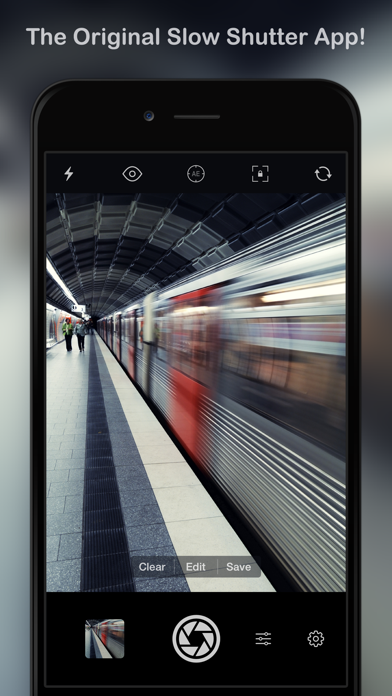
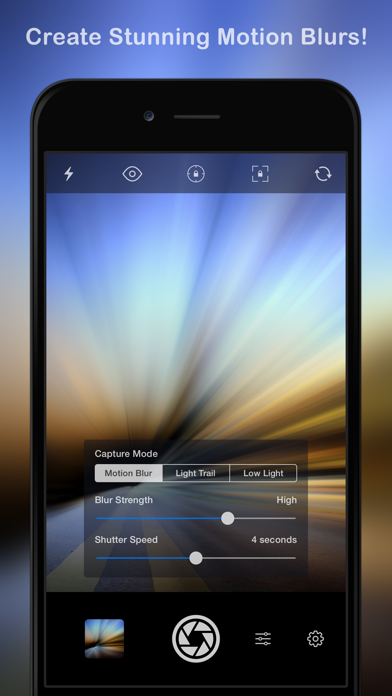
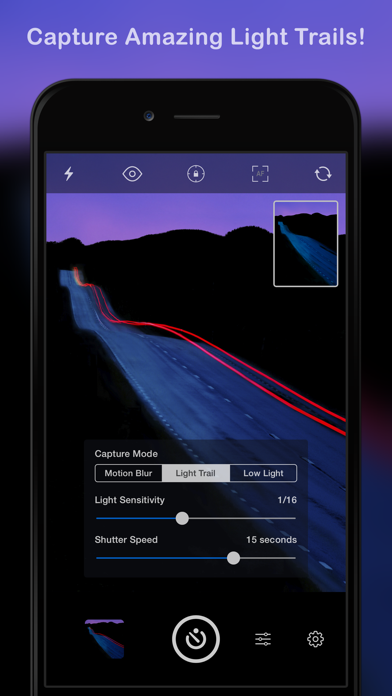
Slow Shutter Cam brings new life into your device's photo toolbox by letting you capture a variety of amazing slow shutter speed effects that you only thought you could get with a DSLR. Continue reading to learn more about this unique app! ----------------------- • Featured numerous times by Apple: - App Store Essentials: Camera & Photography - Photography for Professionals - Total Control - Extraordinary Photo Apps - Best New App ----------------------- "It’s one of those rare photography apps that creates effects that few others are capable of, and it does it easily and with better results." — Marty Yawnick, Life In LoFi ----------------------- How many times have you tried to capture artful images with your iPhone camera but were left wishing you had more features to work with? Slow Shutter Cam puts an end to mere snapshots and gives you some of the most powerful features of a DSLR camera. All this, in a package that fits in your pocket. Slow Shutter Cam offers three capture modes to capture unique images: MOTION BLUR: Equivalent to the shutter priority mode on a DSLR, the Motion Blur mode is perfect for creating ghost images, waterfall effects or suggesting movement in your photographs by adding a blur. LIGHT TRAIL: The Light Trail mode allows you to 'paint' with light, show car light trails and fireworks or capture any other moving light in a unique way. Unlike shooting with a DSLR and being tied to specific rigid settings to obtain good results, the Light Trail mode takes care of the essentials, letting your creativity soar! LOW LIGHT: In low light conditions, this capture mode allows the camera to accumulate every photon of light hitting the sensor. The longer the shutter speed, the more light it will accumulate. You can even fine-tune the result using the exposure compensation slider to achieve the exact effect you want! Highlights: • Unlimited Shutter Speed and manual ISO • Option to resume capture and create multiple exposure photos • Real time live preview - See the result in real time • Innovative 'Freeze' and ‘Blur Strength’ controls • Tap to adjust focus/exposure • Time-lapse Intervalometer • Apple Watch support and handy Self-Timer • Full resolution support on every devices • Camera Control support (iPhone 16) With Slow Shutter Cam on your iPhone you get the features of a DSLR camera with the convenience of a device that you can drop in your pocket and take with you wherever you go. Download it now and put an end to mere snapshots! Search #slowshuttercam on Instagram or visit the "Slow Shutter Cam - iPhone" group on flickr for amazing samples!



Yevhen Tretiakov
Hide distractions on websites such as YouTube, Facebook, Twitter, Instagram, Reddit, LinkedIn, Gmail and take back control of your attention! While we acknowledge the distracting and engrossing nature of these sites, completely blocking them is not always feasible due to the valuable content they offer. This Safari extension allows you to selectively hide attention-grabbing components on each site. For instance, on YouTube, you have the option to conceal recommended videos, shorts, comments, and more. Similarly, on Facebook and Instagram, you can hide the feed, reels, stories, and other elements. The same goes for each supported site. Furthermore, SocialFocus offers an array of supplementary features, including Startup Settings, Import / Export and more. Users who want to support the development of the project can additionally subscribe to the PRO version. The PRO version will give access to some additional features that are not available in the standard version, such as hotkey configuration, settings synchronization and some others. NOTE: This extension does NOT work with the apps, it works only for websites while using the Safari browser. Terms Of Use: https://socialfocus.app/tos/

we&robot pte ltd
Sogni Pocket is a creative studio for iPhone and iPad that brings images, video, and music into one powerful workspace. With the new Sogni Assistant, you can describe what you want, work from references, and turn ideas into polished results faster. Go from a single image to storyboards, ads, short videos, music-driven edits, concept pieces, and larger creative projects, on-device or on the Sogni Supernet. Create with privacy and choose the workflow that fits your project. Work on-device for local and offline creation, or use the Supernet for faster rendering and access to more models. Whether you are exploring ideas, refining visuals, shaping motion, or building content on the go, Sogni Pocket gives you speed, control, and flexibility in one app. Key Features • Sogni Assistant Describe what you want, and the assistant can help generate images, create and extend videos, write lyrics, produce music, refine results, recommend models, improve prompts, and guide multi-step projects. • On-Device or Supernet Processing Use on-device processing for local and offline creation, or use the Sogni Supernet for faster results and access to more models. Both options are private. • Image, Video, and Music Creation Create images, videos, songs, soundtracks, and larger creative projects in one app. • Reference-Based Creative Workflows Attach images, video, and audio in the conversation, nickname them, and refer to them naturally in your instructions. The assistant can analyze visuals, track multiple assets, and help turn references into polished creative work. • Text to Image Turn prompts into detailed visuals in just a few steps. • Editing and Image Mixing Make targeted edits with references and simple instructions, or combine multiple images into a new creation. Mix elements, keep characters more consistent, make local edits, and explore new lighting, mood, and style. • Change Perspective Re-render your image from a new camera angle while keeping the subject and style more consistent. • Text to Video, Image to Video, and Video to Video Create video from prompts, still images, or existing clips. • Sound to Video Create videos driven by audio. Use a reference image to define the subject and look, then add an audio track so motion, timing, and energy follow the audio. • Motion Transfer Transfer motion from a reference video to a new subject or character image. • Music and Soundtrack Creation Generate songs, instrumentals, lyrics, and soundtracks, then use them in your creative workflows and video edits. • Clip Mixer Trim, reorder, and combine clips, add audio, choose aspect ratios, and export your final video in one place. • Import from Photos, Files, or Gallery Bring in images, videos, and audio for your creative workflows. • SwipeFlow Browse new creations with a smoother, more continuous swiping experience. • Open Source Models Explore a wide range of open source image, video, and music models, including LTX-2.3, Z-Image, Flux-2, Qwen Image, Wan, GPT Image 2, Seedance 2.0 and many more. • High-Resolution Results Create images up to 2560 × 2560 and videos up to 4K. • Style Presets Use 100+ editable style presets to reach strong results faster. • Live Camera Guidance Use your camera to help guide poses and facial expressions for new creations. • PaintOver Shape and refine results using familiar painting tools. • Built for Real Creative Use Create content for presentations, social posts, invitations, design exploration, characters, worlds, moodboards, ads, and more. • Create Offline Once setup is complete, on-device processing lets you create without an internet connection. Note: For on-device processing, the app requires a one-time download of the Stable Diffusion Core ML model during setup. Minimum Requirements for On-Device Processing: iOS 17 or later iPhone 13 Pro or iPad with Apple silicon
Solebon LLC
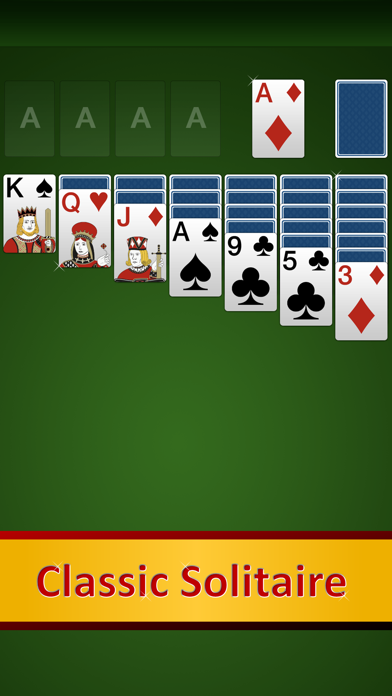
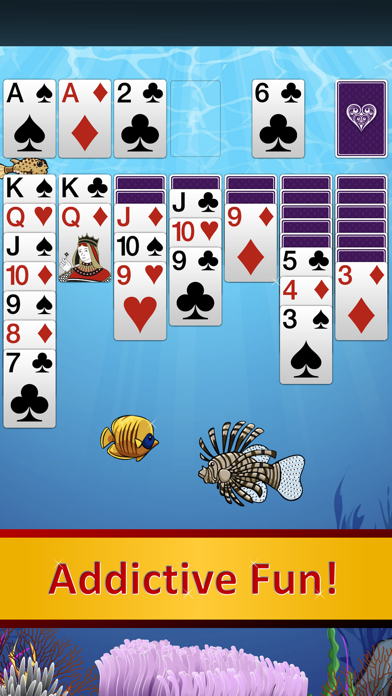
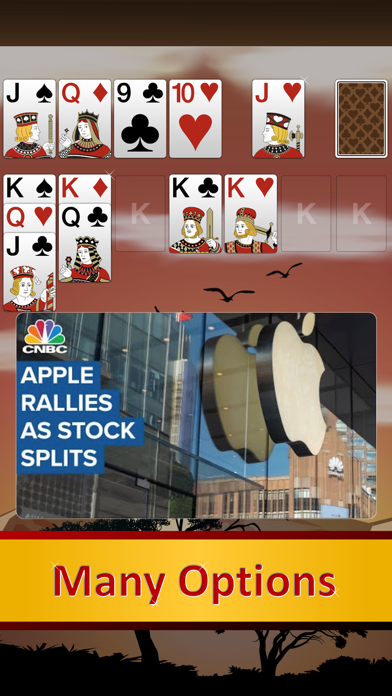
RECRUITED BY APPLE FOR THE APP STORE All your favorite games. Every deal is winnable. Beautifully designed and feature-rich. Highly rated and loved by millions. This award-winning app is available for your iPhone, iPad or iPod! CLASSIC SOLITAIRE CARD GAMES Enjoy Windows style Klondike solitaire and other classics including FreeCell and 4 versions of Spider. Try new player favorites such as Baker's Game, Demon, Pyramid, Scorpion and Yukon plus 10 original games not found anywhere else including Russian Revolver. Our leading solitaire suite delivers 50 solitaire card games wrapped in high-resolution graphics within a clean, intuitive interface developed exclusively for Apple devices. KEY FEATURES o Available on iPhone, iPad and iPod Touch o Portrait and landscape play o 40 classic games plus 10 originals o Every deal can be winnable with Winning Deals o See how to win on Winning Deals o Celebrate victories with Custom Animations o Play with friends via Match Play o Simple tap card movement o Pinch to Zoom to resize the play field window o Choose from several, easy-to-read HD card styles o Leaderboards o Detailed statistics with free backup and sync o Favorite games feature (Klondike, FreeCell, Spider, Baker's, Golf, Demon, Yukon) o Right or left handed play o Foundation Auto play o Unlimited undo o Rules for all games o Timer o Scoring o Moves tracking o Color preferences o Speed preferences o Many more best in class features managed within Settings 50 TOP SOLITAIRE GAMES Accordion, Aces Up, Agnew Sorel, Ambrose*, Askew*, Baker's Game, Baker's Game Easy, Beleaguered Castle, Blind Alleys, Bouquet, Busy Aces, Colorado, Creepy Crawly*, Demon, Doublets, Easthaven, Eight Off, Eight Off Easy, Fanny, Fanny Easy, Fortune's Favor, Four Seasons, Fourteen Out, FreeCell, FreeCell Easy, Golf, Honeybees*, Klondike Deal 1, Klondike Deal 3, La Belle Lucie, Lady of the Manor, Monte Carlo, Pas Seul, Penguin, Provisional*, Pyramid, Pyramid Easy, Russian Revolver*, Scorpion, Single Rail, Spiderette, Spiderling*, Spiderling 2 Suits*, Spiderling 4 Suits*, Thumb and Pouch, Triple Mulligan*, Vertical, Whitehead, Will o' Wisp, Yukon. (* indicates our own original games not found elsewhere) For free support and answers to frequently asked questions, head over to http://www.solebon.com/support.html. Follow us on Twitter @SolebonApp. Like us on Facebook https://www.facebook.com/SolebonApp. Play everywhere! Solebon is built in the USA. Sharpening minds at play!
Glindemann, Sennoun, Langer GbR
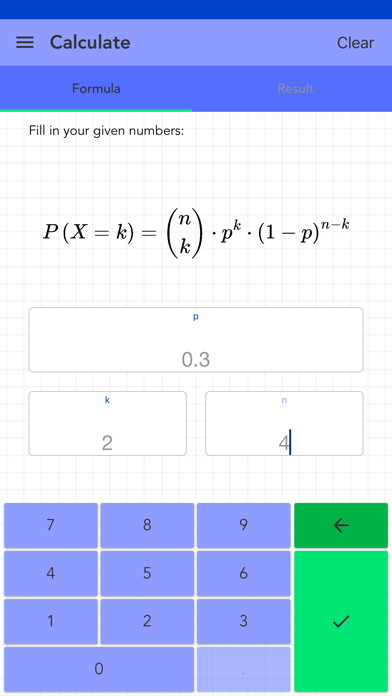
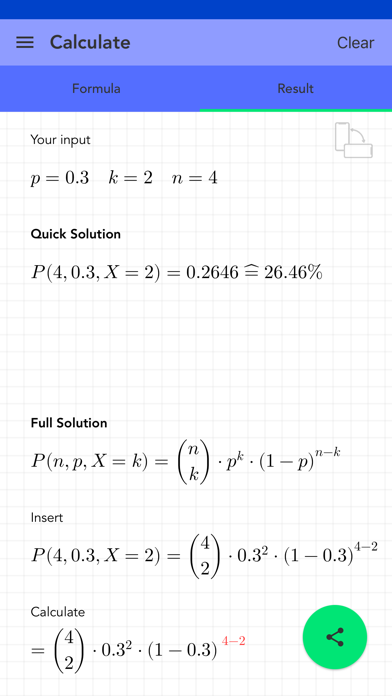
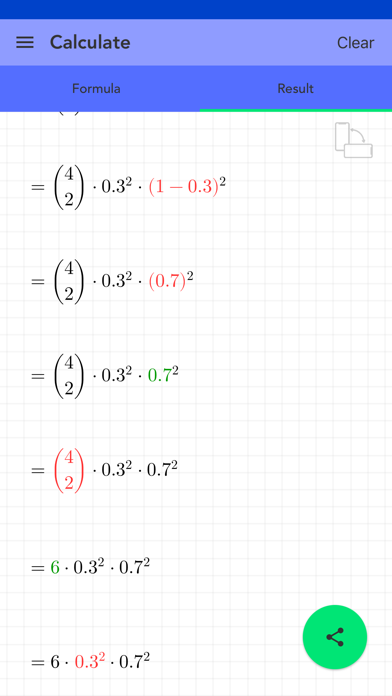
A Bernoulli process or Bernoulli chain is a series of stochastically independent Bernoulli experiments. This app calculates the result of a Bernoulli process. Therefore it needs the probability, hits and trials. And it shows the histogram of the Bernoulli process, distribution function chart and probability tree (tree chart). Depending on variable, natural numbers or decimal numbers are supported. The solution is shown step by step. All calculations are stored in the history. The final solution can be shared. [ Contents ] - Bernoulli process with the Bernoulli function - probability p, hits k and trials n must be entered - results are calculated and shown in detail - histogram, distribution function chart and probability tree - history to save the input - detailed solution - natural or decimal numbers are supported - no ads! [ Usage ] - there are fields for entering values using a special keyboard - press the check mark button at the bottom right to start the calculation - if values are missing, the corresponding field is highlighted in yellow - if the values are incorrect, the affected field will be highlighted in red - a short message explains why a value is incorrect - the entries in the history can be deleted or sorted - if you select an entry in the history, it will be automatically loaded for the calculation - the whole history can be deleted by pressing a button - solutions can be shared - p must be greater than 0 and less than 1 - k must be greater than or equal to n
Glindemann, Sennoun, Langer GbR
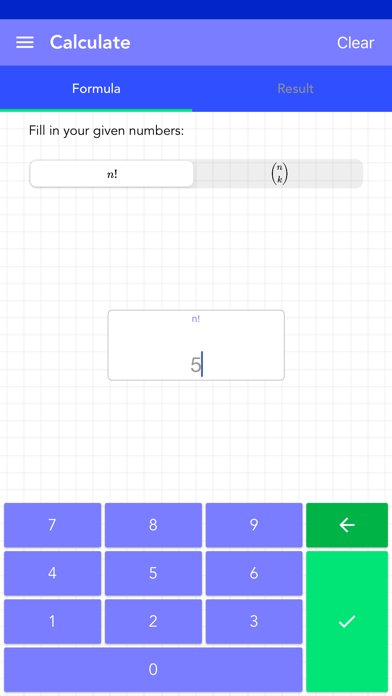
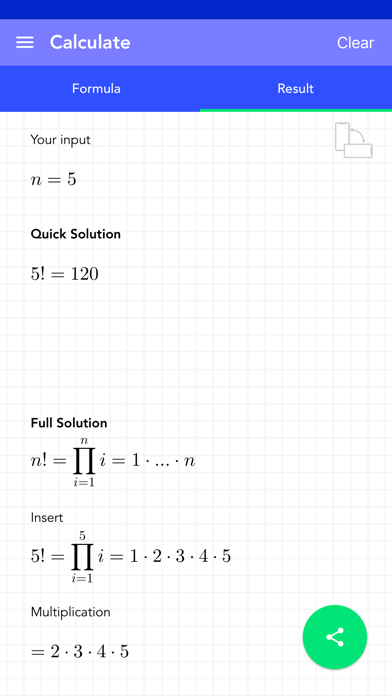
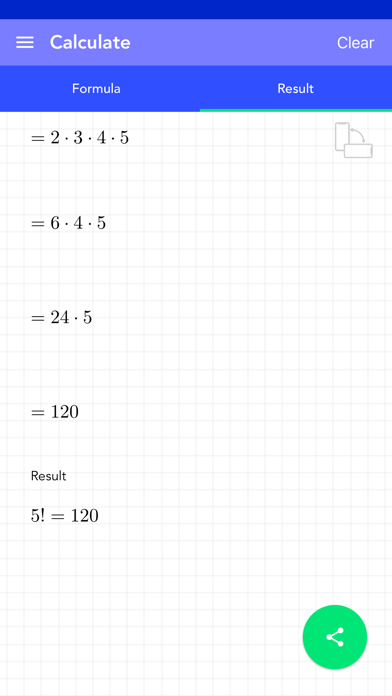
This app provides two kind of calculations. One is the calculation of the binomial coefficient. The other one is the calculation of n factorial. You have to enter n and/or k to calculate the result. Only natural numbers are supported. The solution is shown step by step. All calculations are stored in the history. The final solution can be shared. [ Contents ] - modes for binomial coefficient and n factorial - n and/or k must be entered - results are calculated and shown in detail - the formula behind factorial and every step is shown - history function to save the input - detailed solution - only natural numbers are supported - no ads! [ Usage ] - there are fields for entering values using a special keyboard - press the check mark button at the bottom right to start the calculation - if values are missing, the relevant field is highlighted in yellow - if the values are wrong, the affected field will be highlighted in red - the entries in the history can be deleted or sorted - if you select an entry in the history, it will be automatically loaded for the calculation - the whole history can be deleted by pressing a button - solutions can be shared - n must be greater than or equal k
Glindemann, Sennoun, Langer GbR
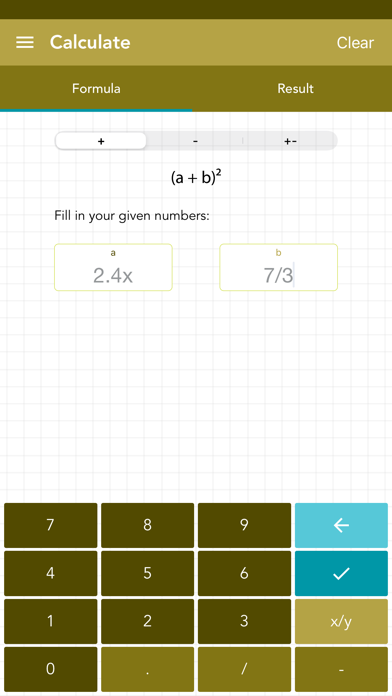
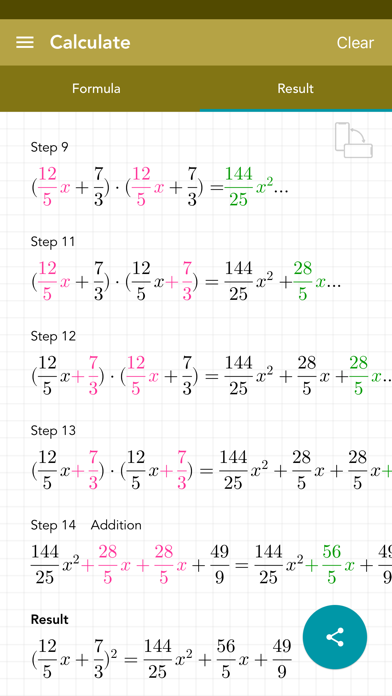
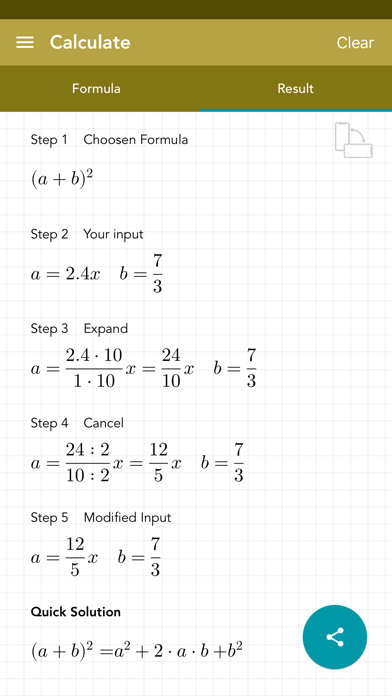
This app uses the basic binomial theorem for solving a binomial quickly and easily. For this, only two variables must be entered. All calculations are stored in the history. The final solution can be shared. [ Content ] - the variables for a and b must be entered - calculation of a binomial with the basic binomial theorem - history function that saves input - short and detailed solution - the entering of fractions and decimals is supported - constants and/or variables can be entered - no ads! [ Usage ] - there are 2 fields for entering the values using a modified keyboard - if you have entered wrong values or values miss, the text fields are highlighted in red - you can switch between the solution, input view and history by swiping and / or touching the buttons - the entries in the history can be deleted or sorted manually - if you select an entry in the history, it will be loaded automatically for the calculation - the entire history can be deleted by pressing a key
Glindemann, Sennoun, Langer GbR
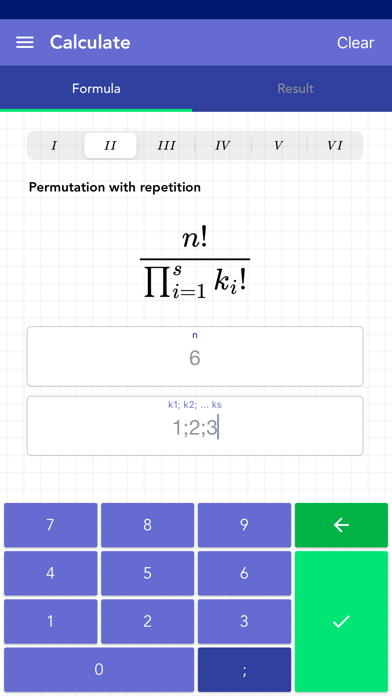
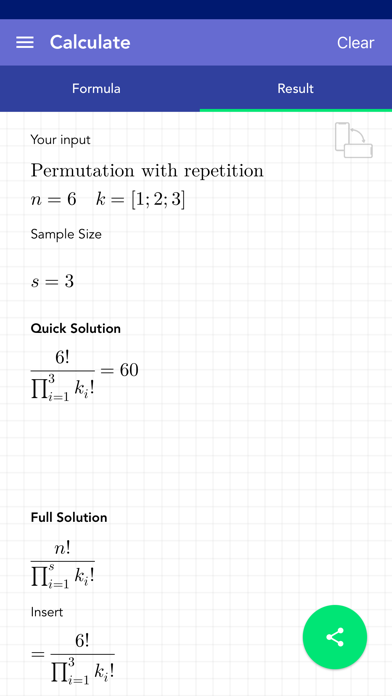
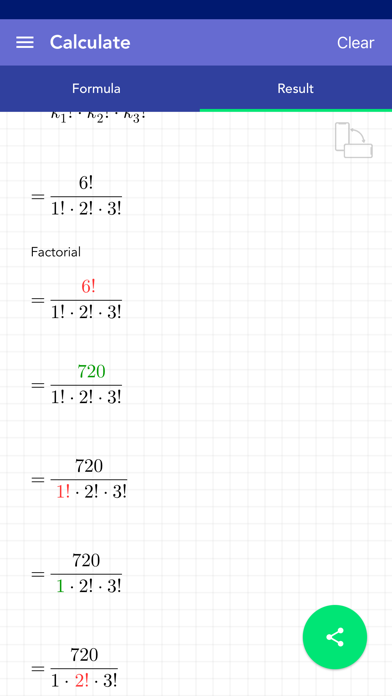
Finally there is the app that provides all 6 variations of combinatorics with step by step solutions: - permutation without repetition: Arranging elements without repetition. - permutation with repetition: Arranging elements with repetition. - combination without repetition: Selecting elements without considering the order. - combination with repetition: Selecting elements with consideration of the order. - variation without repetition: Arranging elements with fixed length without repetition. - variation with repetition: Arranging elements with fixed length with repetition. You only have to enter your values k and n. The values must be entered as natural numbers. The only exception is the k value for permutation with repitition. This requires several k values, which must be entered separated by semicolons. All calculations are stored in the history. The final solution can be shared. [ Contents ] - all 6 variations of combinatorics - results are calculated and shown in detail - history to save the input - detailed solution - natural numbers are supported - no ads! [ Usage ] - there are fields for entering values using a special keyboard - multiple k values can be entered using the semicolon key - press the check mark button at the bottom right to start the calculation - if values are missing, the corresponding field is highlighted in yellow - if the values are incorrect, the affected field will be highlighted in red - a short message explains why a value is incorrect - the entries in the history can be deleted or sorted - if you select an entry in the history, it will be automatically loaded for the calculation - the whole history can be deleted by pressing a button - solutions can be shared
Glindemann, Sennoun, Langer GbR
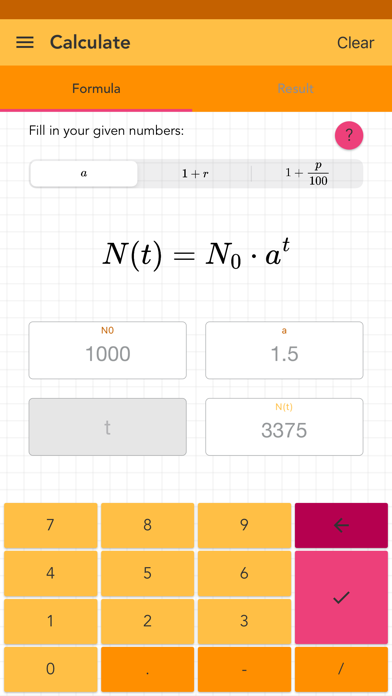
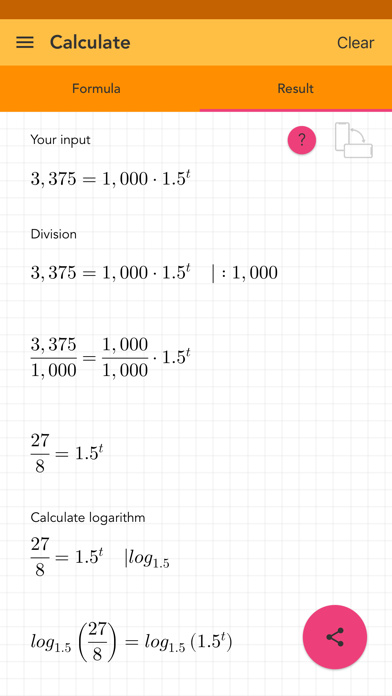
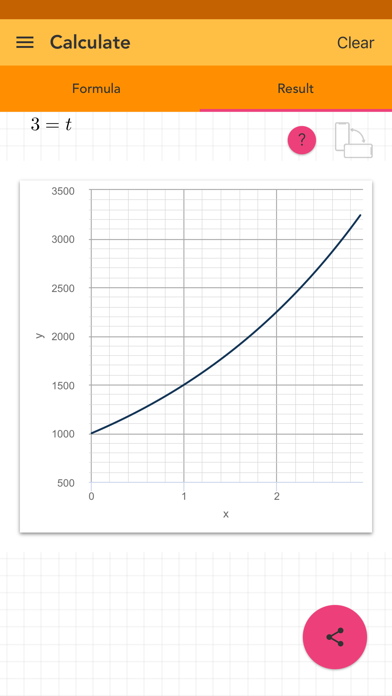
The growth function uses exponentiation to determine a value which will be achieved in the future. This app allows to enter a starting value, a resulting value, growth factor, growth rate, percentage rate and a time value. To lower the complexity the calculations of the growth factor, growth rate and the percentage rate are divided in 3 different modes. The missing value will be calculated step by step. If it growths or decays depends on the input you deliver. The app also creates a graph to give an impression of your function. An infographic shows how your input affects the growing or decaying of your starting value. Decimals, fractions and negative values are supported. The solution is shown step by step. All calculations are stored in the history. The final solution can be shared. [ Contents ] - modes for considering the growth factor, growth rate or percentage rate - the missing value will be calculated - results are calculated and shown in detail - infographic to explain the parameters - a graph of your function - history function to save the input - detailed solution - negative values, decimal numbers and fractions are supported - no ads! [ Usage ] - there are fields for entering values using a special keyboard - press the check mark button at the bottom right to start the calculation - if values are missing, the relevant field is highlighted in yellow - if the values are wrong, the affected field will be highlighted in red - the entries in the history can be deleted or sorted - if you select an entry in the history, it will be automatically loaded for the calculation - the whole history can be deleted by pressing a button - solutions can be shared - touching the question mark button displays information about the topic
Glindemann, Sennoun, Langer GbR
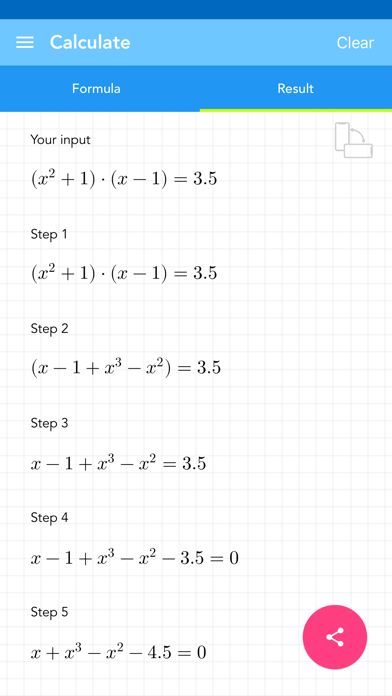
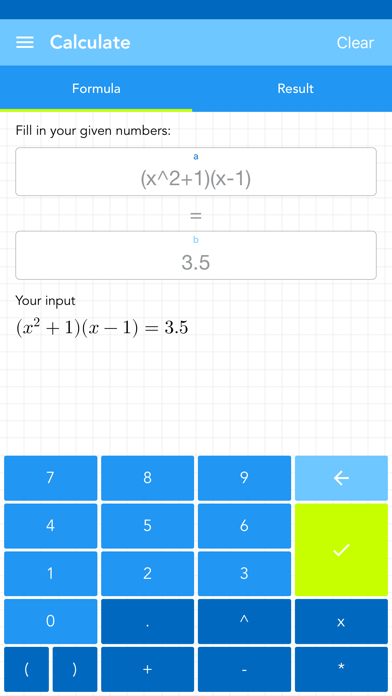
Find x of an algebraic equation in less than a second. You have both sides of an equation where you can enter your algebraic terms. After entering the algebraic terms this app shows every step how to transform your complicated equation into a very simple one. In the end a numeric algorithm solves the simplified equation and provides the solution for x. It finds x (or the zeros of a function). [ Content ] - the mathmatical terms must be entered - simplification of the equation and solving x - history function that saves input - detailed solution - the entering of decimals is supported - constants and variables can be entered - no ads! [ Usage ] - there are 2 fields for entering the mathmatical terms using a modified keyboard - if you have entered wrong values the text fields are highlighted - you can switch between the solution, input view and history by swiping and / or touching the buttons - the entries in the history can be deleted or sorted manually - if you select an entry in the history, it will be loaded automatically for the calculation - the entire history can be deleted by pressing a key
Glindemann, Sennoun, Langer GbR
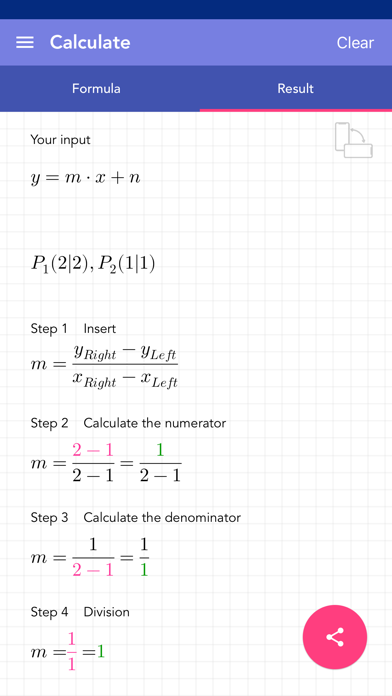
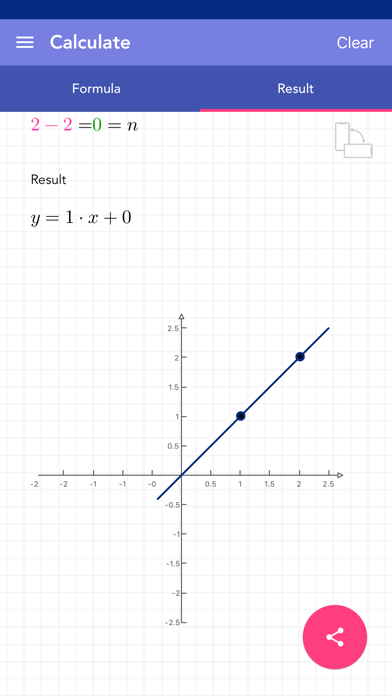
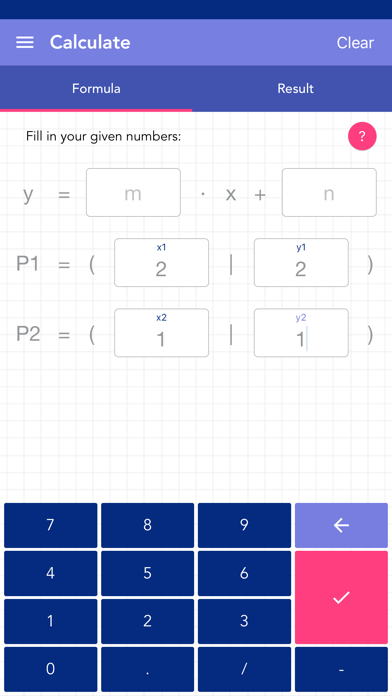
This app solves linear equations step by step and plots the result. All the performed calculations are stored in the history. Just enter m, n or two coordinate points and the equation is solved. The final solution can be shared. [ What you get ] - solving logic for different inputs like: - two points - one point and slope - one point and intersection with axis of ordinates - linear equation and x coordinate - linear equation and y coordinate - the input supports decimals and fractions - plot of the result - history function that keeps your given inputs - full solution shown in all necessary steps - no ads! [ How to use ] - there are 6 fields where you can insert any value with a modified keyboard - m for the slope - n for the intersection with the axis of ordinates - x1, y1 and x2, y2 as coordinates for the points - if you enter 3 or 4 values (depending on the calculation you need) and hit the calculate button, the app switches to the solution page - when you hit the calculate button without giving enough values, the app marks it as yellow - when you hit the calculate button with giving invalid values, the app marks it as red - you can tap and/or swipe to get to the solution or history page - the history entries can be deleted or put in order manually - if you click on one history entry, the app will load it to the inputs - you can delete all history entries by using a button


Glindemann, Sennoun, Langer GbR
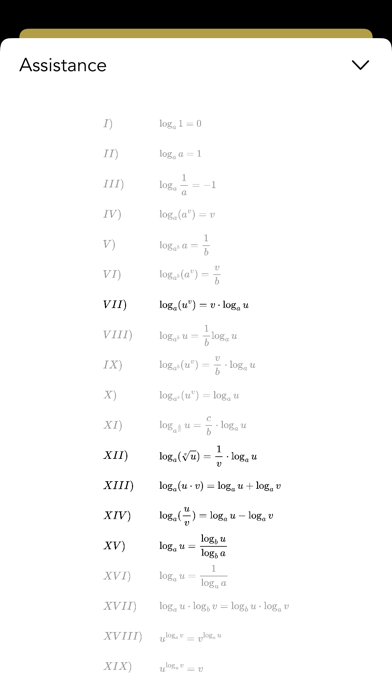
In many cases you can calculate the logarithm by transforming it and changing its shape. This app focuses on the basic operations: addition, subtraction, multiplication, division and changing the base of the logarithm. You need to enter all values and the app shows the usage of certain calculation rules of the logarithm step by step. There you see how the transformation of the logarithm may lead to an easier way of calculation but with the same results. An infographic contains all calculation rules of the logarithm. Decimals, fractions and negative values are supported. The solution is shown step by step. All calculations are stored in the history. The final solution can be shared. [ Contents ] - modes for logarithm (addition, subtraction, multiplication, division, change of base) - all logarithm values must be entered - results are calculated and shown in detail - the application of the transformations of the logarithm - full list of logarithm rules - history function to save the input - detailed solution - negative values, decimal numbers and fractions are supported - no ads! [ Usage ] - there are fields for entering values using a special keyboard - press the check mark button at the bottom right to start the calculation - if values are missing, the relevant field is highlighted in yellow - if the values are wrong, the affected field will be highlighted in red - the entries in the history can be deleted or sorted - if you select an entry in the history, it will be automatically loaded for the calculation - the whole history can be deleted by pressing a button - solutions can be shared - touching the question mark button displays information about the topic
Glindemann, Sennoun, Langer GbR
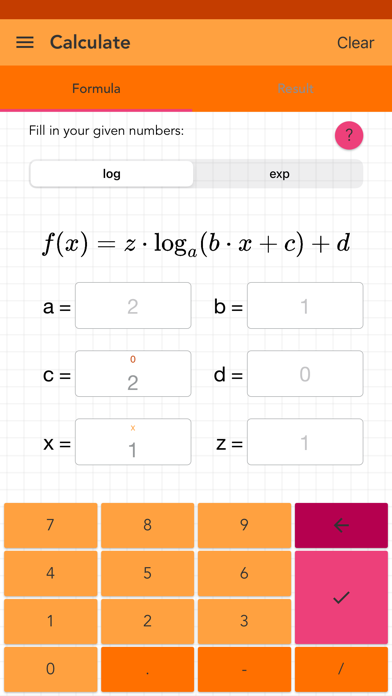
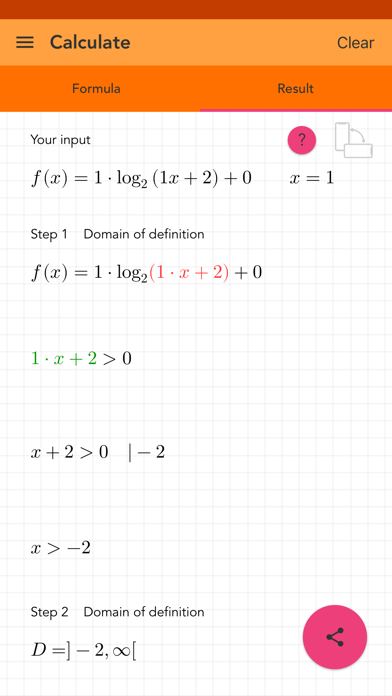
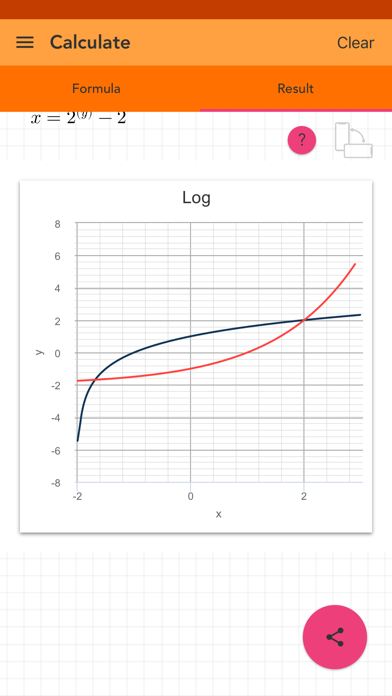
Exponential function and logarithm are inverse to each other. This app shows how to create the inverses. It also provides a short curve analyse with significant properties and a graph. Everything is shown step by step. All calculation processes are easy to follow. It is also perfect to fiddle with the logarithmic and the exponential function by changing several parameters. Changing the parameters affect the result like shifting or stretching the graph. An infographic shows the effect of each parameter. Decimals, fractions and negative values are supported. The solution is shown step by step. All calculations are stored in the history. The final solution can be shared. [ Contents ] - modes for a logarithmic and an exponential function - all inputs have default values, but can be changed - results are calculated and shown in detail - 5 parameters to change the function - 1 parameter to calculate a certain value - infographic to show the effect of the parameters - history function to save the input - detailed solution - negative values, decimal numbers and fractions are supported - no ads! [ Usage ] - there are fields for entering values using a special keyboard - press the check mark button at the bottom right to start the calculation - if values are missing, the relevant field is highlighted in yellow - if the values are wrong, the affected field will be highlighted in red - the entries in the history can be deleted or sorted - if you select an entry in the history, it will be automatically loaded for the calculation - the whole history can be deleted by pressing a button - solutions can be shared - touching the question mark button displays information about the topic
Glindemann, Sennoun, Langer GbR
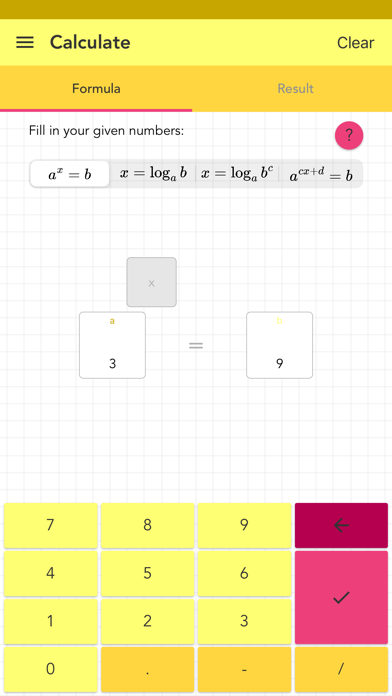
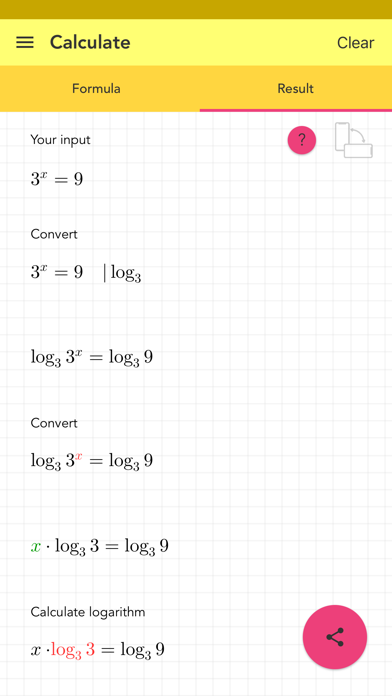
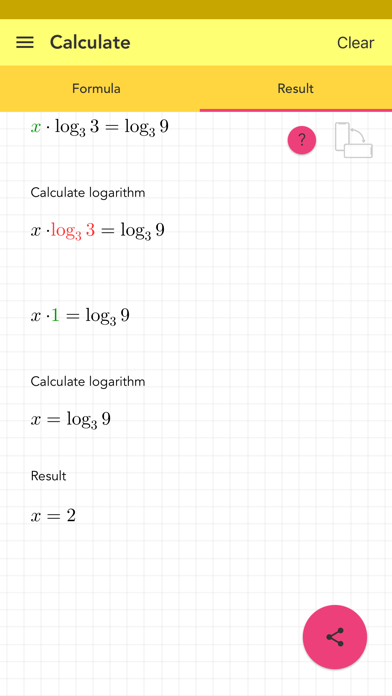
Using logarithm is a complicated task, but this app helps out! You can choose between 4 standard shapes of this topic. Then you can enter what you have to calculate what you need - base, exponent, antilogarithm, the logarithmic result, even the x-value of a term as exponent. The connection between logarithm and exponentiation is shown aswell. An infographic gives a deeper insight into some calculation rules of the logarithm. Decimals, fractions and negative values are supported. The solution is shown step by step. All calculations are stored in the history. The final solution can be shared. [ Contents ] - modes for logarithm - modes for exponentiation - exponent, base and some more values can be entered - results are calculated and shown in detail - transformations between logarithm and exponentiation are taken into account - shortened list of logarithm rules - history function to save the input - detailed solution - negative values, decimal numbers and fractions are supported - no ads! [ Usage ] - there are fields for entering values using a special keyboard - press the check mark button at the bottom right to start the calculation - if values are missing, the relevant field is highlighted in yellow - if the values are wrong, the affected field will be highlighted in red - the entries in the history can be deleted or sorted - if you select an entry in the history, it will be automatically loaded for the calculation - the whole history can be deleted by pressing a button - solutions can be shared - touching the question mark button displays information about the topic

ipaomtk.com
ipaomtk.com | SortPuz IPA MOD v3.3 is an engaging mobile puzzle game that challenges players to organize and sort various elements within a limited nu


AlhoGames
In the future interstellar wormholes are used to travel between galaxies, they are commonly know as Spaceholes. "Listen up we've just got a sweet new gig, Seems those pesky alien bugs have got into the Spaceholes again. They're blocking the way of some luxury space cruisers. All those poor rich people trying to get to a pleasure planet. Boo hoo. Well its good news for us. Gas up your ship and go squash some bugs!" Spaceholes! is a mashup of various space shooters. It has elements of Gyruss, Galaga, Tempest and Space Invaders. Features: 3D Graphics 60 FPS option Sound Effects pew pew Background space music Leaderboard

Ryan Rook
Discover financial peace of mind with Sparky - your ultimate companion for effortlessly tracking subscriptions and recurring expenses! # Visualize Your Finances at a Glance Unveil a crystal-clear overview of your subscriptions and recurring expenses with Sparky. Our sleek interface presents your financial commitments in an easily comprehensible format. Gain full control over your monthly outlays and pave the way for substantial savings. # Simplicity in Adding Subscriptions and Recurring Expenses Sparky simplifies your financial management. Just provide titles, amounts, and appearance for your subscriptions and recurring expenses, and let Sparky take care of the rest. No more hassle, no more fuss – just efficiency. # Empower Your Spending Decisions Reimagine your budgeting capabilities with Sparky. By intelligently calculating your remaining funds after covering your monthly expenses, Sparky grants you the confidence to make informed spending choices. Achieve your financial goals faster than ever. Ready to take charge of your financial journey? Download Sparky - Expense Tracker today and embrace a future of financial prosperity.

Sandratra Razafindralambo
Too busy to read? Sit back, relax, and let Speaky read documents and news from any website aloud with natural voices and adjustable speeds. Simply import a document or provide a link to your web article, and Speaky will extract the main content, detect the language, and read it to you. You can retrieve content from any website, import files from the cloud, or scan documents with your camera. Key Features: - Listen to documents and web articles - Extract text from images and have it read aloud - Choose from multiple voices across 40+ languages - Customize playback with adjustable speed and accent - Create lists and queue content for continuous listening - Clean and format text automatically with Smart Cleanup - Full support for all document types (pdf, doc, docx, txt, rtf, odt, epub) - Full support for all image types (jpg, png, gif, tiff, bmp, heic) - Enjoy Speaky in the background with complete offline access "Articles in your Speaky queue play without an internet connection, so you can breeze through a New Yorker treatise as you ride the subway or catch up on world news on your next international flight." - New York Magazine "Speaky is a handy tool that helps you multitask by listening instead of reading. Whether it’s an entertaining article on the Web or an important PDF for work, you can give your eyes a rest or just get more done with this intuitive voice reader." - AppAdvice
James Spencer
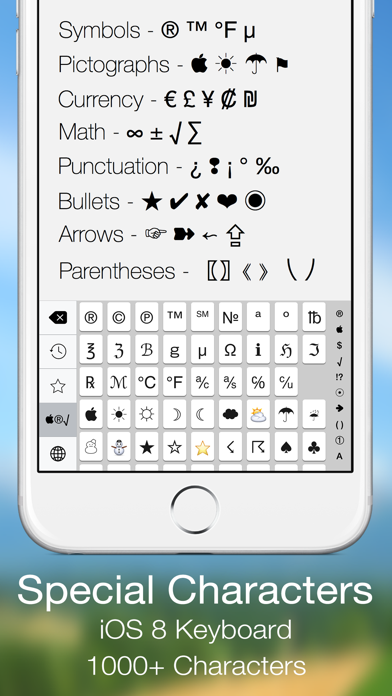
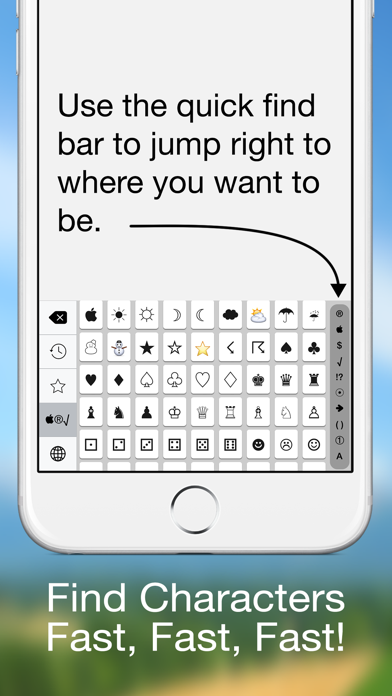
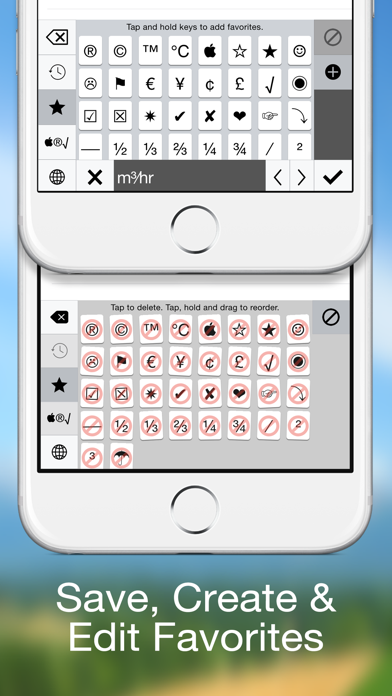
Special Characters is an iOS 8 keyboard that gives you access to all the symbols, glyphs, bullets, arrows and other special characters that you can't access from the standard iOS keyboard. Special Characters isn't a replacement keyboard but a companion that you can use to get to the characters & symbols you need when you need them. Choose from over 1000 characters separated into 10 sections. * Symbols * Pictographs * Currency Characters * Math Symbols * Punctuation * Bullets * Arrows * Parentheses * Numbers * Letter A - Z are there. * Quick Find Bar * Use the quick find bar to jump right were you want to be. * Favorites * You can also long tap on any key and store it in your favorites. Edit and sort your favorites list into what works for you. * Recently Used * Special Characters also keeps track of all your recently used characters like the Emoji keyboard. Finally, Special Characters works in both landscape and portrait. We are certain that Special Character keyboard will give your emails, texts and notes the special characters you need! So, make the leap with Jump Gap Software’s Special Characters keyboard for iOS 8.


Oxagile LLC
Speed Tracker is the most elegant and unique combination of GPS speedometer and Trip computer in just one application. Speed Tracker is YOUR answer to the eternal questions: What is my speed? What distance have I covered? How much time did I spend from work to home? How to share my trips with friends and relatives? With lot of features built-in, Speed Tracker will help you to gather all the necessary trip statistics. Just start the application and it will let you record your speed, time, distance, heading, elevation and many more. HUD Head-up display – outstanding feature available ONLY in Speed Tracker application. Just enable HUD and put your iPhone or iPad under the windshield. Specially designed HUD interface will display the most accurate speed right on the windshield. Map your trip. Built-in GPS tracker will help you not to get lost. You can always switch to navigation mode and check your current position on the map together with the track you’ve already traveled in Satellite or Hybrid view. Trip Log You don’t remember the trip or how much time does it take to visit your friends or the distance to your office? - Trip Log will help you! Trip Log records and saves the information within the application. You can easily have the access to ALL the trips with just one click. Inside the Trip Log you can check the trip on the map, see the speed, average speed, maximum speed, distance, total time and the detailed speed graph. Don't want to get lost in all the trips you have? Just name them the way you like. Want to share your driving experience or just compare your every day trips? With Trip Computer it’s easy as A, B, C. Export all the trips in available formats (CSV, KML, GPX) or even share with your friends on Facebook, Twitter or via email. Trip Computer Track important trip statistics in real time. Average and Maximum speed, distance covered, moving and stopped time. Dashboard Display Layout Designed exclusively for iPad big screen it shows all the important trip information at a glance on a single screen and supports both portrait and landscape orientation. Full screen GPS Navigator Map mode is also available. Landscape mode allows you to mount your device horizontally on your car dashboard. If you prefer seeing things at wider angle then you find new landscape mode especially useful and practical. Scalable Speedometer Dial Speed Tracker features unique scalable speedometer dial. Select the maximum possible speed for you vehicle and watch your speed with greater precision either your are on a plain, train, car, bike, boat or bicycle Statistics All the aggregated data from the very first trip will be saved in one single place. Automatic Stop Detection Automatically identify either you are moving or standing and calculate your average speed basing on that. Generate trip report showing travel and stoppage time separately. Support for Apple Watch. Start and stop tracking and see your trip data on your wrist. NOTE: Speed Tracker is not compatible with WiFi only iPad or iPod touch. Continued use of GPS running in the background can decrease battery life. Data connection is required to see map. Make sure that you have location services enabled for the application. To enable - Settings> General> Location Services Privacy Policy: http://appannex.com/privacy-policy/ Terms of Use: https://www.apple.com/legal/internet-services/itunes/dev/stdeula/