Recently updated apps
Browse recently updated IPA listings from AltStore and SideStore compatible repositories. These pages help you find fresh builds, changed repository notes, and updated download options without relying on search filters.

Glindemann, Sennoun, Langer GbR
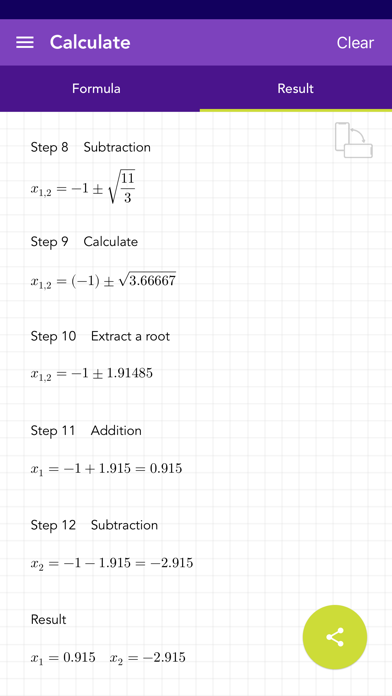
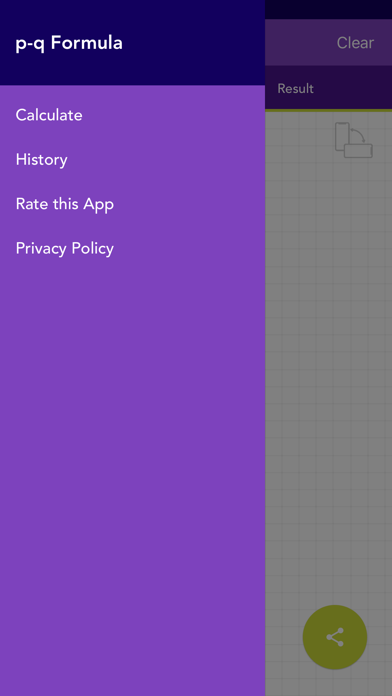
This app uses the pq formula for finding the zeros of a function quickly and easily. For this, only the values for pq must be entered. All calculations are stored in the history. The final solution can be shared. [ Content ] - the values for p and q must be entered - calculation of the zeros of a function with the pq formula - history function that saves input - complete solution - the entering of fractions is supported - no ads! [ Usage ] - there are 2 fields for entering the values using a modified keyboard - if you have not entered enough values, the text fields are highlighted in yellow - if you have entered invalid values, the corresponding text field is highlighted in red - you can switch between the solution, input view and history by swiping and / or touching the buttons - the entries in the history can be deleted or sorted manually - if you select an entry in the history, it will be loaded automatically for the calculation - the entire history can be deleted by pressing a key


Daniel Springer
Discover the power of prime numbers with Prefacto! Prefacto is your go-to app for everything related to prime numbers. Whether you're a math enthusiast, a student, or just curious, this app provides a comprehensive set of tools—all without requiring an internet connection. FEATURES: - PRIME NUMBER VERIFICATION: Instantly check if any number is prime. - PRIME RANGE LISTING: Generate a list of prime numbers within any specified range. - PRIME FACTORIZATION: Break down any number into its prime factors quickly and efficiently. - GENERATE CUSTOM RANDOM PRIME NUMBERS: Create random prime numbers with customizable digits, up to 20 digits. - SPEED TEST: Find out which phone is the fastest between your friends by racing up to 100 million. - SAVE & SHARE RESULTS: Easily save or share your findings with others. WHY PREFACTO? - OFFLINE FUNCTIONALITY: Enjoy full functionality without needing an internet connection. - LIGHTWEIGHT: Designed to be efficient and avoid taking up significant storage space on your device. - SPEED: Experience fast calculations and instant results. - MAXIMUM POWER: Check the **highest** numbers of **any** other app, thanks to advanced algorithms. Dive into the fascinating world of prime numbers with Prefacto. Download now and start exploring!


Shivang Mishra
Transform Your Printing Experience with Printizy – The Revolutionary Wireless Printer App Say goodbye to tangled wires and complex setups. With Printizy, printing is smooth, seamless, and efficient. Compatible with over 5000 AirPrint printers, Printizy ensures you can print anything, anytime, from your iOS device. Key Features: Extensive Printer Support: Print seamlessly with over 5000 AirPrint-enabled printers, ensuring broad compatibility for all your devices. Versatile Printing: Effortlessly print PDFs, photos, texts, and web pages. Enjoy crisp, high-quality results with every print. Perfect for all your document printing needs. Easy Access History: Quickly revisit and reprint your documents with our intuitive navigation feature, ensuring you never lose track of important prints. Print Anywhere: Directly print scanned documents from your iOS device to any AirPrint-enabled printer. No need for computer transfers – just select and print! Instant Photo Printing: Capture and print moments instantly with our camera-to-print functionality. Perfect for preserving memories on the go with high-quality photo prints. Fast Scanning: Scan single or multi-page documents quickly and efficiently, making it easy to digitize and print important paperwork. Customizable Printing Settings: Tailor your printing preferences easily. Choose page types, set page ranges, adjust copy numbers, and orient pages as needed for the perfect print every time. Why Choose Printizy? Effortless Connectivity: Seamless connection to your devices ensures a hassle-free printing experience. Print directly from your iPhone or iPad with ease. High-Quality Results: Expect professional-quality prints every time, preserving the clarity and detail of your documents and photos. Ideal for both personal and professional use. User-Friendly Interface: An intuitive design makes printing easy for everyone, from beginners to experts. Navigate through features effortlessly and get your prints done in no time. Convenience at Your Fingertips: Print what you need, when you need it, with the power of printing right in your hands. Perfect for home, office, or on-the-go printing. Reliable Performance: Consistent and reliable, Printizy is your go-to solution for all your printing needs. Trust in our app for seamless and dependable performance every time. Portable and Efficient: Printizy fits in your pocket, allowing you to scan and print documents wherever you are. Ideal for students, business professionals, and anyone in need of quick and reliable printing solutions. With Printizy, you get a comprehensive wireless printer app that excels in AirPrint compatibility, PDF printing, photo printing, and document scanning. Our advanced features ensure high-quality printing, easy access to print history, and customizable printing settings. Use instant photo printing and fast scanning for efficient and convenient document management. Experience the best wireless printing app with Printizy. Experience the future of printing with Printizy – where convenience meets excellence. Download Printizy today and unleash the full potential of wireless printing! Perfect for Everyone: Whether you're a student, business professional, or anyone in between, Printizy is your ideal companion for all your scanning and printing needs. Download now and enjoy the convenience of a portable scanner and printer right in your pocket!

ipaomtk.com
ipaomtk.com | ProPlayer Notes IPA MOD (Unlocked) iOS is a versatile study app designed for students, learners, and professionals to efficiently manage

Dmitrij Pavlov
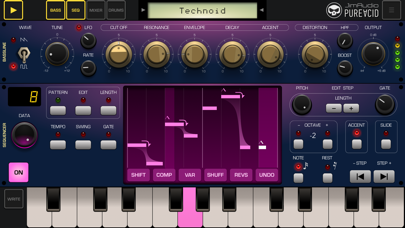
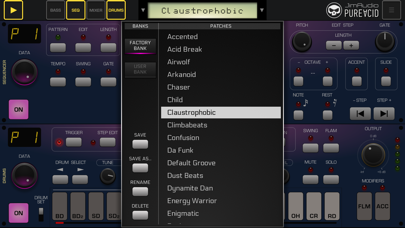
Pure Acid is a top quality bassline synthesizer and drum machine in one app! Inspired by classic hardware bassline synthesizers and rhythm machines, which changed musical world back in 80's, like the legendary TB-303 synthesizer, TR-808 / 707 / 909 rhythm boxes and their numerous replicas, Pure Acid is designed to bring back the feeling of retro analog gear in every detail in terms of sound, as well as to provide new functions previously unavailable in the original devices to make your music creation workflow fast and fun! A large number of factory preset patterns will immerse you into an exciting world of Acid House, Techno, Hardcore and Big Beat music genres, which will inspire you to create your own basslines and rhythms for your compositions! You can use Pure Acid app as a ready-to-go realtime musical instrument (groove box) in your jam sessions together with Ableton Link to synchronize it with the rest of your music gear. Its bassline editing system and randomization options will be handy to create unique groovy basslines easily. Realtime master effects with XY-pad controls can add expression to your live performance. You can also use Pure Acid with AudioBus, AUM or other IAA-supporting apps to create complex and interesting sound setups. Features: • supports AUv3, Ableton Link, AudioBus, Inter-App Audio, Core Midi, Virtual Midi In/Out, Bluetooth Midi • AudioBus state saving support • 64-bit sound engine • Midi Learn • Export to midi file • includes Multiple Output AUv3 plugin with 6 audio output busses Bassline Section: • 2 classic bassline waveforms: Saw and Pulse • classic knobs: Tune, Cutoff, Resonance, Env Mod, Decay and Accent • Distortion effect with amount, HPF and Boost knobs • filter LFO with rate and depth knobs Sequencer Section: • up to 12 bassline patterns can be stored in one preset • up to 32 steps per each bassline pattern • patterns can be chained together to create more complex patterns • pattern Tempo and Swing parameters • Gate parameter, which allows you to adjust bass note lengths • Pattern Editor allows you to copy, transpose patterns, shift notes left/right, insert or delete a note, variate (randomize all note properties expect pitch), shuffle (randomize notes order only), reverse and compose patterns using Bassline Composer function • onscreen keyboard allows you to enter bassline notes in a comfortable way. You can also record basslines in realtime. Drums Section: • 16 independent drum parts • 35 different classic drum sounds with ability to tune your own drum kit • each drum part sound has its own parameters: Tune, Decay, Attack/Snap/Color, FX A send, FX B send, Boost, Pan, Level • up to 12 drum patterns and 4 drum fill patterns per preset • 16 steps per each drum pattern, with ability to add 16 "backbeat" steps between main steps (32 steps per drum pattern in total) • patterns can be chained together to create more complex patterns • Swing and Flam features • Total Accent part with adjustable total accent value can give you ability to "highlight" specific steps in your drum pattern • new: step conditions for drum steps Mixer Section: • 2 mixer channels: Bassline and Drums • Drive effect for each channel • 2 send effect pedals: FX A and FX B • 14 send effect types • send effect can be routed to either master output, MFX or another send effect (FX A -> FX B), which allows to chain several effects one after another • MFX pedal with 22 effect types to choose from • FX A and FX B send amount knobs for each mixer channel • XY-pad on each effect pedal to control their parameters • Master Limiter effect to prevent sound clipping and more: • Unlimited number of user presets • 84 factory presets • Audio export to wav file (16, 24 or 32 bit) • Preset / Bank Share function • Selectable UI color schemes with ability to adjust colors manually • Can work either as a standalone app, or as AUv3 audio unit plugin • Designed for both iPad and iPhone
Francis Bonnin
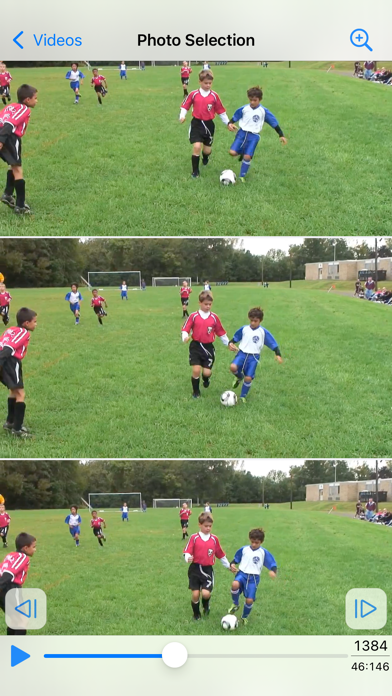
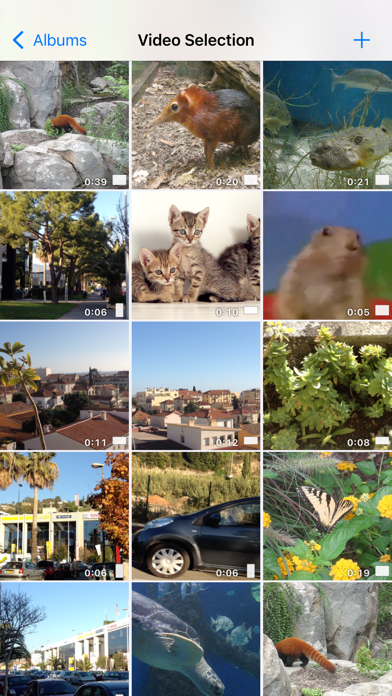
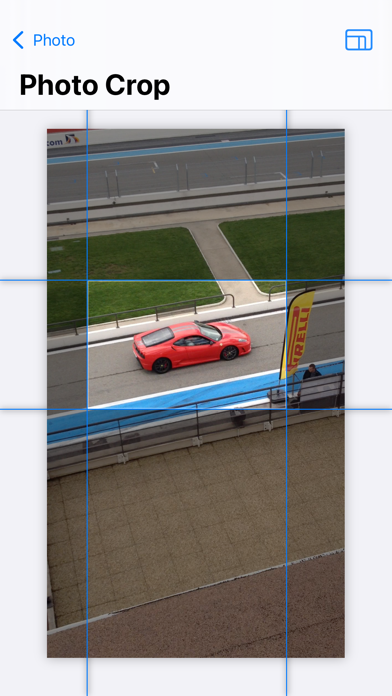
Introducing PureClip Photo – Your Ultimate Video-to-Photo Extraction Tool Unveil the stunning moments captured within your recorded videos or new clips by effortlessly extracting high-quality photos. Did you know that each video holds a trove of high-resolution snapshots, waiting to be discovered and loved? Experience the magic of reliving your videos frame by frame with this intuitive and delightful application. Unearth the hidden gems that went unnoticed in the dynamic scenes and freeze them in time forever. An easy to use application does not mean basic, and the app contains a lot of great features such as : • Select the videos from your default video folder, your favorites, your live photos, your bursts, your recent videos. • Preview the video during selection (with information like date, size, duration, GPS location). • Alternatively, use the photo extension to use the app directly in the Photo app. • Quick action icon shortcut to quickly open the most recent video. • Find the frame using a scrollable list, or navigate in the video with a fullscreen and zoomable video view. • Images are saved in a format that matches the format of the source video (or explicitly as a png, heic, jpeg file if needed). • On newer devices (and iOS17), open for example a 4K HDR video at 60 fps and create beautiful 4K HDR images with lots of photos to choose from. • Images can be saved in the Photo app, in the Files app, or exported in different ways. • GPS and date information is saved in the exported image. • Ability to batch export multiple photos at once if needed. • Ability to crop the image before export (with custom or predefined aspect ratios) • Light and dark theme support, accessibility font size support.


Bimi Boo Kids Learning Games for Toddlers FZ LLC
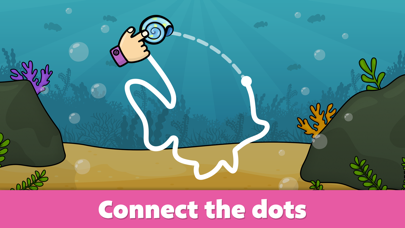
Creative and educational game for children that will help your child spend time with an electronic device effectively. Let your kid feel like a real artist and develop logic skills at the same time. The app includes coloring which is friendly to the youngest and puzzle solving tasks with educational element. Also, the app contains pictures on different topics which will entertain your child with fascinating sounds and funny characters. The following is waiting for you: - 10 topic packs with 120 puzzles; - Easy coloring for children; - Educational puzzles; - Cute animation in the end of each task. The app is designed for children of preschool age and also suitable for boys and girls 2- 5 years old. All the activities were developed with participation of experts in the field of children education and include such educational elements as developing of fine motor skills and logic. Have fun!

ipaomtk.com
ipaomtk.com | Pro Wrestling Manager 2024 IPA v2024.7.1 is the latest addition to the niche genre of wrestling management simulation games. This immers


Shivang Mishra
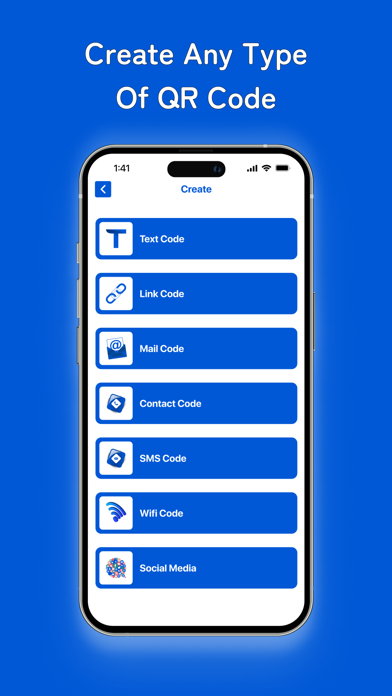
QR Code Scanner: Your All-in-One QR Code Solution Welcome to QR Code Scanner, your all-in-one QR code solution! Whether you need to scan QR codes or generate new ones, this app has you covered. With a sleek and intuitive interface, it's easy to use for both beginners and QR code enthusiasts. Transform your smartphone into a powerful QR code tool, ready to handle all your scanning and generating needs. Key Features: Scan QR Codes: Effortlessly scan QR codes using your device's camera. Simply point, scan, and instantly access the information encoded within the code. Whether it’s a URL, contact info, text message, or more, QR Code Scanner reads it all with lightning speed and accuracy. Create QR Codes: Generate custom QR codes for websites, contacts, text messages, Wi-Fi networks, and more. Tailor the content to your needs and create personalized QR codes for easy sharing and access. Favorite and Unfavorite: Mark your favorite QR codes for quick access. Easily organize and manage your favorite codes for future reference. Unfavorite codes when they are no longer needed, keeping your list relevant and up-to-date. History: Keep track of all your scanned and created QR codes in one convenient place. Easily access past scans and codes whenever you need them. The comprehensive history log ensures you never lose track of important information. Share and Save: Share scanned information or generated QR codes with friends, family, or colleagues via email, messaging apps, or social media. You can also save codes to your device for future reference, making it easy to store and organize important data. Offline Mode: Scan QR codes even when you're offline. Our app stores scan history locally, allowing you to access information without an internet connection. Perfect for use in remote areas or on the go. Security: Rest assured knowing that your scanned data is handled securely. We prioritize user privacy and data protection in every aspect of our app. Your information remains confidential and is never shared with third parties. Why Choose QR Code Scanner? User-Friendly Interface: Intuitive design makes scanning and generating QR codes a breeze. The simple and clean interface ensures a seamless user experience for all. Versatility: From basic URL links to complex data encoding, our app supports various types of QR codes. Whether you’re a business professional, student, or casual user, QR Code Scanner adapts to your needs. Accessibility: Access scanned information and created QR codes anytime, anywhere, even without internet connectivity. QR Code Scanner ensures you’re always prepared, no matter the situation. Download QR Code Scanner now and unlock the power of QR technology at your fingertips! Experience the convenience of scanning and generating QR codes like never before.

Kerem Erkan
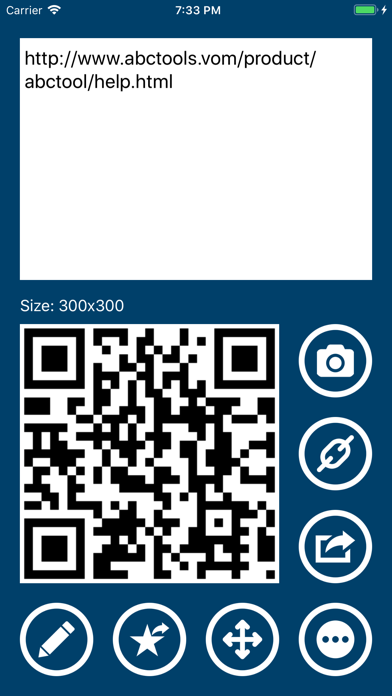
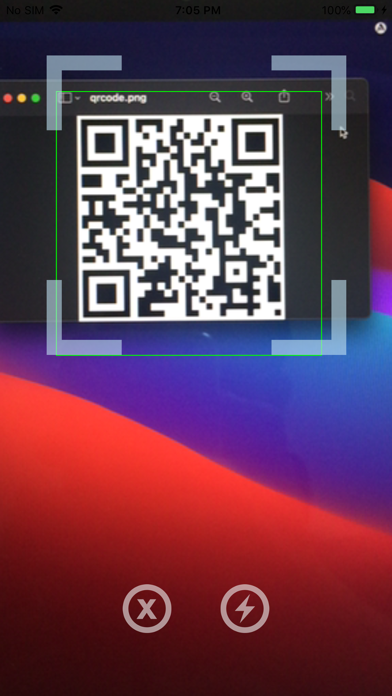
The most powerful QR Code Scanner and Generator since 2011. Qrafter has everything you need to scan, create, and design QR Codes and barcodes. Trusted by millions of users, Qrafter's extensive feature set has been refined over the years. Key Features • Full English Support: Qrafter is fully localized in English for an intuitive and comfortable user experience. • Versatile Scanning: Swiftly and accurately scan QR Codes, Micro QR Codes, Data Matrix, Aztec Codes, PDF417, and a variety of barcodes. Scan codes from your Photos app, or scan multiple codes in the same session. • Custom QR Code Design: Design unique, eye-catching QR Codes with custom colors, logos, backgrounds, and styles for your brand, business, or personal use. • Comprehensive Code Generation: Create QR Codes, barcodes, and other formats for your business, personal use, or marketing campaigns. • Unique Features: QR Code compression and QR Code encryption with password protection set Qrafter apart from the rest. • History: Easily access and manage previously scanned or generated codes with the most customizable history feature. Organize codes into folders, synchronize across devices with iCloud, or store selected information locally on your device. History can also be secured with biometric authentication like Face ID. • Advanced Parsing: Qrafter smartly parses URLs, contact information, events, location data, email and SMS sending options, Wi-Fi connection details, and more, presenting the results in a user-friendly and meaningful manner. • URL Safety Check: Reveals the destination URL for short links, helping you detect potentially malicious content. • Passkey QR Code Support: Log in faster and more safely to websites that support passkeys, using QR Codes. • Auto Wi-Fi Connection: Scan a QR Code containing Wi-Fi network credentials and connect to the network automatically without manual entry. • Inventory Scanner Mode: Transform Qrafter into a customized inventory app. With each scan, Qrafter calls a custom API endpoint in the background. You can fully customize the API endpoint URL. • Optimized for iPad: Experience a fully custom user interface for iPad, perfect for educational institutions and professional use. Qrafter's iPad user interface is designed to make the best use of the larger screen, with full multitasking support. • VoiceOver Customizations: Qrafter is fully accessible and committed to providing a seamless experience for all users. With its VoiceOver customizations, visually impaired users can easily navigate, scan, and generate codes. Supported Code Types • 2D Codes: QR Code, Micro QR Code, Data Matrix, Aztec Code, PDF417 • Barcodes: EAN-13, EAN-8, UPC-A, UPC-E, Code 39, Code 93, Code 128, Codabar, GS1 DataBar, GS1 DataBar Expanded, GS1 DataBar Limited • Postal Barcodes: RM4SCC, IMb, Japan Post, KIX End user license agreement: https://www.apple.com/legal/internet-services/itunes/dev/stdeula/
Jeonghwan Kim
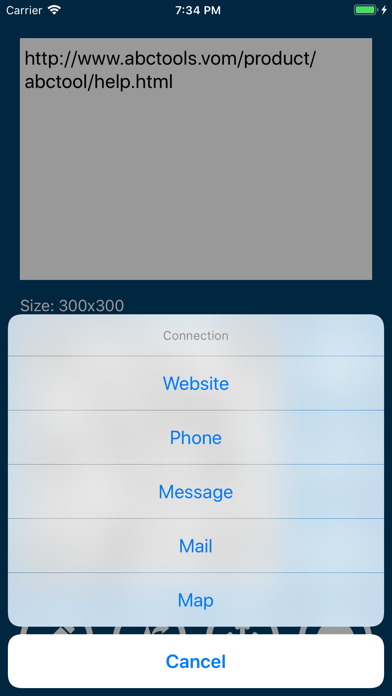
▷ You can scan QR codes faster and even create your own QR codes. QR codes have already become one of the familiar and closely related tools in our daily lives. Isn't the QR code, a square-shaped 2D code that can contain diverse and large amounts of information, truly a wonderful invention? The QROX app introduced here is a tool that allows you to quickly read QR codes, as well as easily create them. Now, create your own custom QR codes. Express text messages in QR code format, or create a QR code that guides people to your website. How about creating a letter filled with love as a QR code and sending it? More diverse features will continue to be updated. ◉ Key Features 1. Read QR codes with the camera and display the code image and content • Connect to the appropriate type for the code • Save or share the code and content • Flash function for reading even in dark places 2. Create QR codes by entering content 3. Save frequently used QR codes to Favorites 4. Connect via QR code • Website • Phone • Message • Email • Map • Wi-Fi 5. Save and Share QR codes • Favorites • Clipboard • Camera Roll • Message • Email ◉ Notice • For inquiries, please use the in-app email function.


SmashMelon LLC
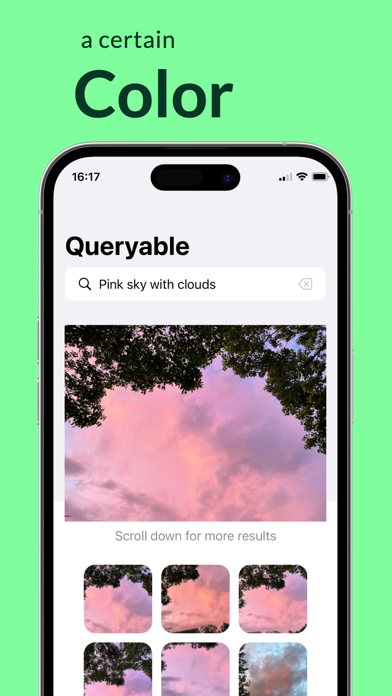
A product that has reached #1 on the front page of Hacker News and topped the paid tools chart across all European countries, while ranking #2 in the US on the same day. Queryable: An open-source, offline photo album search tool unlike anything you've ever seen. With Queryable, you can search your photos using detailed and natural descriptions such as "two people by the sea," "a blonde woman holding a glass of red wine," "a girl in red on the lawn," or even emotional moments like "We fell in love." Unlike traditional photo apps that rely on simple tags, Queryable understands complex and lengthy descriptions. It's completely open-source, works entirely offline, and requires no network connection, ensuring your photo album's privacy is fully protected. Pay once and use it forever. No network connection is needed after downloading, guaranteeing your privacy remains safeguarded. FAQ: 1. What languages does Queryable support? Queryable supports English, French, German, Spanish, and Italian, though the English version delivers significantly better results. 2. How is my photo privacy protected? Queryable works completely offline. You can even disable the app's network permissions if you have privacy concerns. 3. How do I use it? After downloading, you'll need to build an index for your photos, which takes a few minutes depending on your photo collection and device. On an iPhone 12 mini, it processes about 2,000 photos per minute, and this indexing is only required once. Once indexing is complete, you can quickly search and get results. When you add new photos to your collection, you can easily update the index. Contact: - Email: [email protected] - Twitter: @immazzystar - GitHub: https://github.com/mazzzystar/Queryable Preview page created with https://screenshots.pro/.


Base Velocity, LLC
RadarScope is an AMS-award-winning weather visualization tool that empowers meteorologists, public safety officials, storm spotters, and weather enthusiasts to view a full suite of single-site radar data and related severe weather products. Your initial purchase provides professional radar visualization in a fully native app, free from distracting and invasive practices, with optional subscription packages to add even more capabilities. Whether you’re scanning for a mesocyclone’s tell-tale hook echo, pinpointing the landfall of a hurricane’s eye wall, or identifying velocity couplet, hail spike, or debris ball signatures, RadarScope displays native radar data in its original radial format. You see what the radar sees almost as soon as the radar sees it, with automatic updates every two to ten minutes depending on the radar’s scanning strategy. Your initial app purchase includes the following: • Full suite of single-site radar products for the US, Canada, Guam, Denmark, Finland, and Germany • 6-frame radar loops • Two built-in providers for radar data • Tornado, thunderstorm, flash flood, marine, snow squall, extreme wind, tropical, and other warnings in the US • Selected severe weather warnings in Canada and Australia • NWS-generated storm tracks with hail, TVS, and mesocyclone attributes • Inspector and distance tools • Color palette options for radar data • AllisonHouse data plan integration • Spotter Network integration for storm and location reporting • mPING integration for submitting weather reports to NSSL • Bundled maps with political boundaries, water bodies, and major highways, optimized for low-bandwidth use • Support for widgets and complications • Universal app for Apple platforms, including Apple Watch and Apple TV • Family Sharing support RadarScope Pro Tier One is an optional annual subscription that adds more features for tracking severe weather: • 30-frame radar loops • Cloud-to-ground lightning strikes • Severe weather watches in the US and Canada • Special weather statements in the US and Canada • Mesoscale convective and precipitation discussions • SPC convective, tornado, hail, wind, and fire outlooks • WPC excessive rainfall outlooks in the US • Local storm reports in the US • Custom color palette support • Multi-pane display (2 on phones; 4 on larger devices) • Family Sharing support RadarScope Pro Tier Two is an optional annual or monthly subscription that transforms RadarScope into a more complete visualization tool for a larger suite of weather products, including: • Everything in Pro Tier One • 50-frame radar loops • A third provider for US radar data • NEXRAD Level II radar data for the US with a 30-year historical archive • Historical NEXRAD Level III, super-res, and non-US radar data with a 30-day archive • Historical NWS bulletins with a 19-year archive • GOES East and GOES West satellite products • NSSL’s Multi-Radar Multi-Sensor (MRMS) products • NCEP’s Real-Time Mesoscale Assimilation (RTMA) products • Surface observations • Atmospheric soundings in the US • Hail size, hail probability, and azimuthal shear contours with a 30-day archive • More detailed transportation and satellite imagery maps • Custom color palette support for GOES, MRMS, and RTMA • Server-sent events for radar and warning updates • Cross-platform subscription sharing on up to 5 devices • Family sharing support If you choose to buy a RadarScope Pro subscription, it will be charged to your App Store account. The subscription will be auto-renewed within 24 hours prior to the end of the current period at the same price you originally paid. Subscriptions may be managed and auto-renewal disabled via your App Store account settings after the purchase. Once purchased, the subscription cannot be canceled during the active subscription period. DTN is committed to safeguarding your privacy online. Our privacy policy is available for review at https://www.dtn.com/privacy-policy/ Please visit our web site for more information.

Gustav Fridell
Random is a fast, free, and simple random number generator. Just set your range, tap 'Generate,' and get your result instantly. Perfect for decision-making, raffles, lottery picks, coin flips, games, and dice rolls—any time you need a quick, random outcome. With an aesthetic and easy-to-use interface, Random gives you what you need and nothing else. No waiting, no extras—just the fastest and easiest random number generation whenever you need it. Terms of use: https://www.apple.com/legal/internet-services/itunes/dev/stdeula/


Appsmiths LLC
Rash-ID is your personal skin scanner and AI dermatology assistant designed to help you identify issues, make informed decisions, and embrace beautiful radiant skin. Our mission is to serve you with a tool that provides instant, responsible, and caring guidance. We combine advanced AI with a compassionate touch to help you understand your skin and decide your next best steps. MORE THAN A PICTURE. A SMARTER ANALYSIS. Unlike other apps that only look at a photo, our rash identifier combines what it sees in your picture with what you feel. By scanning both the photo of your skin spot and your description of your symptoms (like itchiness, duration, or pain), our analysis is significantly more reliable and human. Because how you feel matters. YOUR JOURNEY TO CLARITY: QUICK SCAN & CHAT WITH AI Dermatologist Step 1 - Quick Skin Scan: In seconds, get an initial AI analysis from our skin rash identifier. It’s the fastest way to get a first look at what might be going on. Step 2 Chat with AI Dermatologist: This is where the true magic happens. MUM, your compassionate AI Dermatologist, takes your initial results and refines them. She will ask you targeted questions, listen to your answers, and explain her reasoning—you can even see her "thoughts"! This deep, conversational analysis provides guidance with unparalleled clarity and care. Step 3 Track your Skin Health: Save scans in your secure library and watch healing progress. Keep your scans organized and updated as you come back and scan your skin again, our AI guide can even help you track recovery. IDENTIFY OVER 180+ SKIN CONCERNS Rash-ID's AI is trained on a vast dermatology database of over 180 dermatological pathologies to help identify a wide range of conditions. Whether you're dealing with a persistent eczema flare-up, a worrying mole, a sudden case of hives, a painful bug bite or bee sting, hand foot and mouth disease, a case of ringworm from sports, or stubborn acne—whatever the itch or concern, MUM is here to help you understand it. For the most comprehensive analysis and to unlock our most powerful feature—the in-depth conversational chat with your AI dermatologist assistant, MUM—we invite you to subscribe. Your subscription fuels our mission to help more people and continuously improve this service for you. CORE FEATURES TO SUPPORT YOU • Advanced AI Skin Scanner: Our core technology uses both images and symptoms to provide a superior analysis. • Chat with MUM, Your AI Dermatologist: Go beyond a static report. Chat with your personal AI guide to refine results and ask questions. • Track Moles & Skin Progress: Easily monitor skin changes over time by saving your scans—vital for tracking a mole or a chronic condition like psoriasis or eczema. • Condition & Dermatology Library: Learn about dozens of conditions with clear explanations and multiple high-quality reference images for comparison. • Secure & Private: Your scan history is for your eyes only. We process all data in compliance with HIPAA best practices. Understand that Rash-ID is not a diagnostic tool and cannot replace advice from your healthcare professional. Rash-ID instead aims to help you become more aware of possible skin conditions through self-examination. If you ever experience changes, such as irritation, itchiness, or bleeding, we urge you to obtain professional medical assistance immediately. Don't waste any more time googling that skin issue. Download Rash-ID and start your journey to healthy, radiant skin today!
Gentlemen Coders
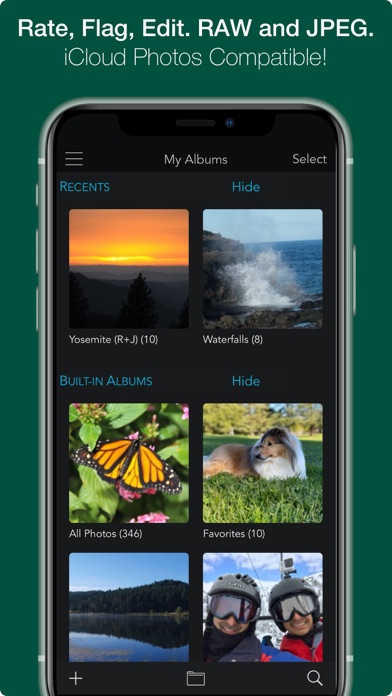
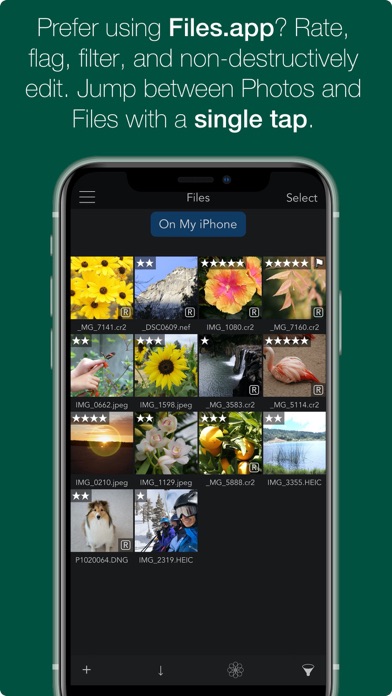
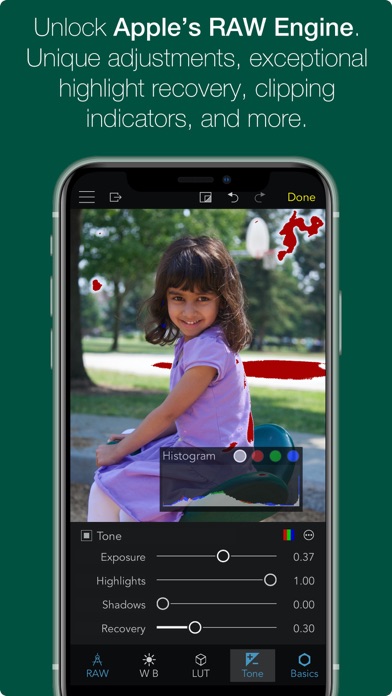
OVERVIEW — ADVANCED RAW: Unlock the power of Apple's RAW engine with easy-to-use controls. Develop images with the same outstanding RAW processing in Apple’s Aperture professional photo app. Unique adjustments let you improve your images in ways that can't be done in any other app. — ORGANIZE: RAW Power is a complete photo app to organize and manage your photo library. Fully compatible with iCloud Photo Library, so all changes are synced. Every image and every change is available to every app on your iPhone or iPad. — RATE & FILTER: Filter albums by file type, rating, flag, and edit state. Ratings and Flags sync over iCloud Photo Library! — FILES.APP: Store images in the Photos library or Files.app. Use our new Share extension to import from other apps directly into RAW Power’s Files container. Same non-destructive editing, rating, and filtering features! (iCloud syncing is not supported). — NOT JUST RAWs: RAW Power is great with JPEGs, with many tools missing from the Photos app. Plus an innovative Depth Effect for photos shot on iPhones with a dual camera system. — EDIT CROSS-PLATFORM: Edit on iOS and continue on the Mac (or vice-versa) using RAW Power 3 for macOS. — BATCH PROCESSING: Apply presets, paste adjustments, and export multiple images. Export to the photo library or to Files.app. Using iOS 16 or later? You may be interested in Nitro Photo. It includes masking, XMP support, synchronized Pan and Zoom and many other features. Search for 'Nitro Photo' on the App Store. ORGANIZATION AND DISPLAY — Zoom up to 800% for extremely precise adjustments. — Create and rename albums, delete images from albums and the library, and move images into albums. Full access to your folder hierarchy. — Display file name, exposure information, flash status, and location with a map. REAL-TIME EDITING — Full non-destructive editing. All changes stored in the iOS Photo Library and iCloud Photo Library, so you can edit on one device and continue on another, without loss of quality. Even between Mac and iOS! — Optimized for small screens. Choose which adjustments to show by default and in what order — Unparalleled highlight recovery with Boost and Recovery sliders. Real-time control of Apple's RAW engine, including Noise Reduction, Black Point, Gamut Mapping and more — Auto Enhance, Auto White Balance, Auto Levels and Auto Curves. Apply them to multiple images at once! — Apply presets, and Copy / Paste Adjustments to one image or many — Histogram with Clipping Indicators and Hot Pixels Overlay — LUTs (Look up tables) with built-in looks and film simulations. Add your own! — Crop and Straighten, Rotate and Flip, White Balance with sampler and auto — Highlights, Shadows, Vibrancy, Local Contrast and incredible Lighten and Darken sliders — Curves and Levels. Curves has Linear and Lab modes, and samplers — Depth Effect to enhance photos shot with the dual camera system — Chromatic Aberration to correct lens artifacts, Perspective, Black & White, Vignette with a controllable center point — All sliders are real-time and GPU accelerated — High-precision, deep color imaging engine — Export JPEG, PNG, and TIFFs (8- and 16-bit) to Files.app or Photos.app COMPATIBILITY — Compatible with hundreds of cameras, including iPhone RAW images. (EXTENDED SUPPORT REQUIRES iOS 14. Full List at https://www.gentlemencoders.com/extended-raw/index.html) RAW support is downloaded in the background by Apple. Your device must be on WiFi and plugged in to get updates. — Great with JPEGs, TIFFs, PNGs, and most DNGs — Video Tutorials (https://www.youtube.com/channel/UC7l78rOzFxaHG-e5AT-MGWQ) RAW POWER for MAC RAW Power is also available on the Mac App Store as a Photos Extension and standalone app with Photos Library support. Rated 4.5 stars worldwide! ABOUT GENTLEMEN CODERS Gentlemen Coders was founded by a former Senior Director of Engineering at Apple. For more information, visit www.gentlemencoders.com.
桐明 陈
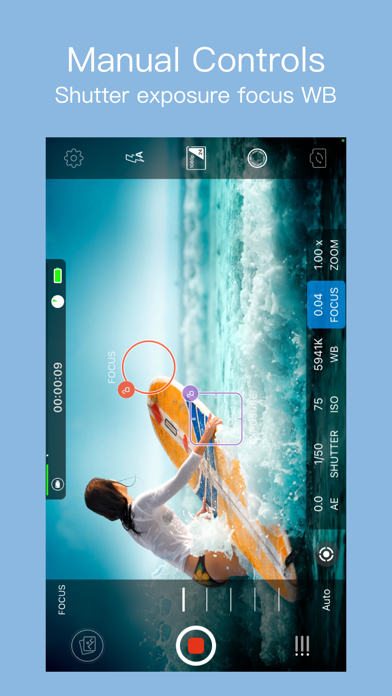
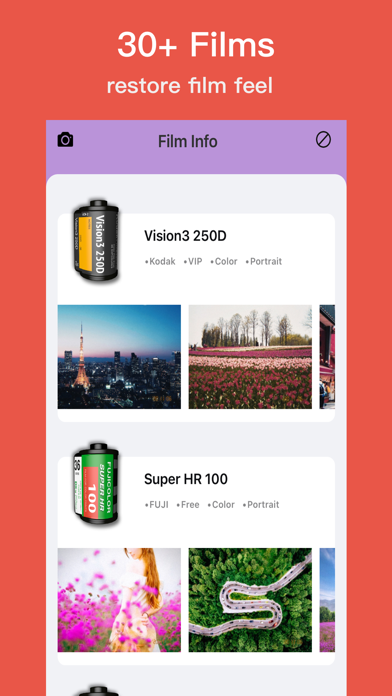
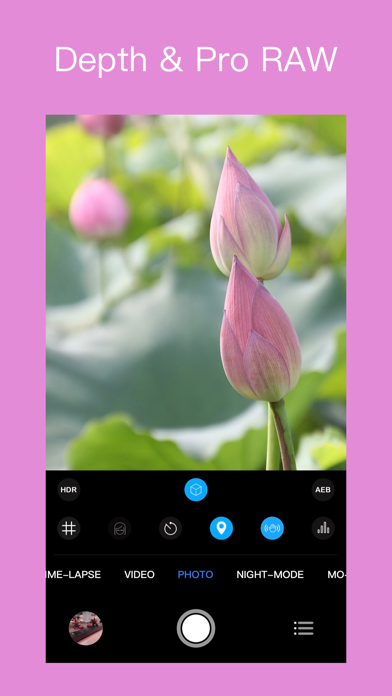
RCam Pro is a professional video recording and photo shooting application designed for iOS devices. It provides professional tools including focus peaking, false color, Histogram and support for PRORAW / RAW shooting --DNG export photos. It gives you audio metering, custom resolutions, and framerates. To build eight kinds of professional model, and its manual mode has extremely fast response speed, allowing you to control the shooting parameters freely. Support shoot log / fat video Support free switch wide camera, ultra wide camera, telephoto camera Camera eight modes: 1. Slow motion --- Support 24fps , 30fps , 48fps , 50fps , 60fps different frame rates 2. Time-lapse ---- Support 24~60 different frame rate settings, adjust the shutter interval and set the automatic shooting time 3. Video --- Support 1080P, 3k, 4K video shooting, 24~60 different frame rate settings, 5 kinds of picture quality adjustment, up to 100 Mb/s encoding rate, self-timer, beauty filter 4. Photo -- Support PRORAW, RAW, HDR, AEB ,self-timer, beauty filter , and aspect ratio (4:3 / 3:2 / 16:9 / 1:1) 5. Night mode-- Supports 1s, 2s, 4s and other slow shutter speed settings 6. Motion Blur - Easily generate personalized special effects photos such as water fog effects 7. Light painting -- support sensitivity adjustment 8. Light field - easy to take pictures first, focus, every detail is retained Camera function: • Focus peaking and expanded focus for manual focus assist • False Color exposure assist • Manual exposure and focus control - select individual focus and exposure, drag to adjust • Full Manual control: exposure, shutter speed, focus, zoom, ISO • Focus, exposure, and white balance (WB) lock • Support horizontal and vertical shooting • Support for freely settable delay photography • Anti-shake - Active video anti-shake eliminates sloshing during shooting • Support HEVC and H.264 video encoding • Support JPEG、HEIF and RAW format photos • Support RAW、HDR、AEB • Support for setting aspect ratio of photo: 1:1 / 4:3 / 3:2 / 16:9 • Support multiple resolution settings for video: 720P, 1080P, 1440P, 3k, 4k • Support Video frame rate : 24fps , 25fps , 30fps , 48fps , 50fps , 60fps • Mobile space and mobile phone battery display • Slow motion video mode, 6 playback speeds (60 fps / 50 fps / 48fps / 30fps / 25fps / 24fps) • 6x digital zoom • Volume meter (level average / peak) • Location • Snap to the grid • Support for front/rear cameras • Flash settings (Auto / On / Off) SHOOTING ASSISTANTS: - Focus peaking and Expanded focus helps for focus - False color helps for exposed Video sharing: • Copy videos to your computer using iTunes file sharing • Support for exporting videos to mobile photo albums • AirDrop contact us:[email protected]
LateNiteSoft S.L.
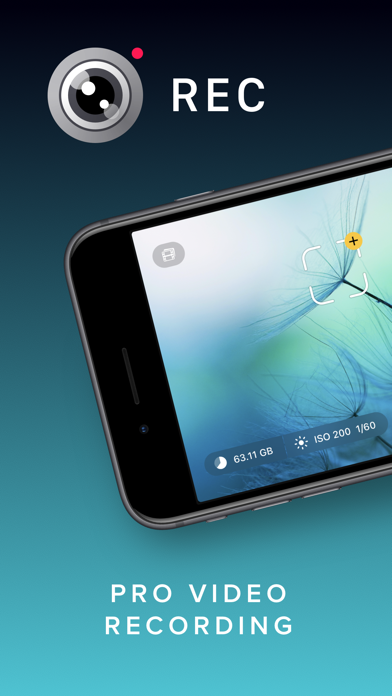
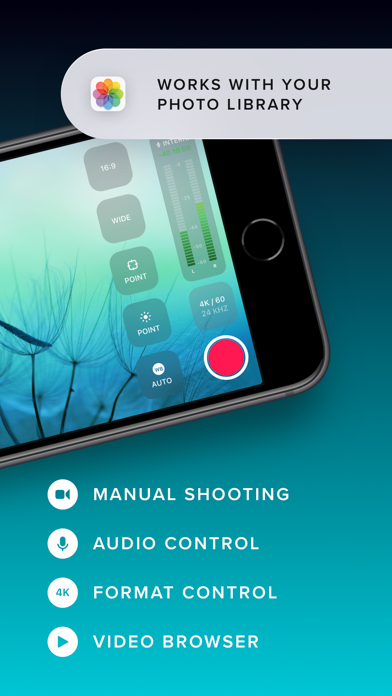
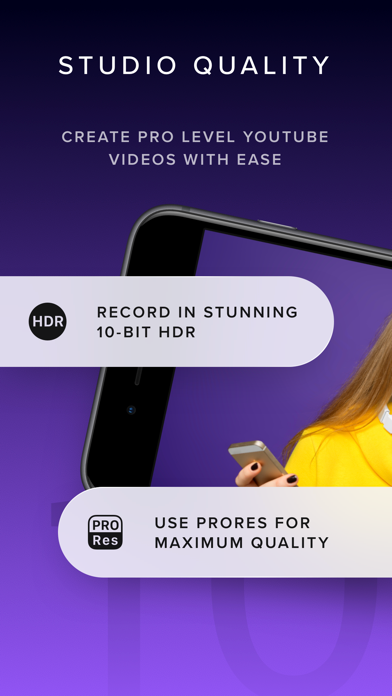
Elevate your video capturing with REC! Tailored for creators, it provides extensive video and audio options for professional-quality production effortlessly. Choose from a range of camera settings, stabilization options, resolutions, frame rates, and more to capture the perfect video every time. And with intuitive controls and an easy-to-read heads-up display, you can adjust focus, exposure, and more with just a tap. Plus, with REC's timecode feature, you can easily synchronize footage from multiple devices for seamless, multi-angle videos. Choose from "Time of Day" timecode or use Bluetooth sync with Tentacle Sync devices for precise, one-frame resolution synchronization. And with seamless management options, including preview, watch, and send directly to your photo library or favorite editing app, you can create and share professional-quality videos with ease. Here's a quick summary of REC's plethora of video options: - Camera: Front, Telephoto, Wide, Ultra-Wide (As available on your device.) - Camera Stabilization (As available by device and camera selection.) - Resolution: Open Gate, 4K, 1080p, 720p (As available by device.) - FPS: 240, 120, 60, 50, 48, 30, 29.97, 25, 24, 23.98 (As available by device and camera selection.) - Bit Rate: Normal, High, Max - Dynamic Range: 8 Bit, 10 Bit, 10 Bit HDR (As available by device and other selections.) - Format: HEVC, H.264, ProRes 422 HQ, ProRes RAW HQ (As available by device and other selections.) - Lock Exposure and White Balance when recording begins. - Apple Log and Apple Log 2 support when recording in ProRes. - External storage support for iPhone 15 to 17 Pro using USB-C, Audio Here's a quick summary of REC's extensive audio options: - Microphone: Front, Back, Bottom, External (As available on your device.) - Microphone Gain control - Microphone Polar Pattern control: Choose omni, subcardioid, cardioid or stereo pickup depending on what best fits your usage. (As available by device and microphone.) - Sample Rate: 24Khz, 44.1Khz, 48Khz - Format: AAC, PCM Lot of options! But REC gives you simplicity along with flexibility, you'll never be able to select a combination that doesn't work with your device. Captivating Controls REC's floating buttons put pro level controls at your fingertips, and keeps them out of the way while you're focusing on what's important, shooting your video! A single tap brings up any of the control menus where you can adjust the white balance, shutter speed, ISO, EV, and focus manually. Or, use our intuitive touch controls to specify precisely where in your frame focus on and expose to. Quickly swap between the Wide, Ultra-Wide, Telephoto, or Front cameras and different formats with a flick of your finger, and your selection is always available at a glance. Optionally overlay a grid, and zoom in or out to help you frame the perfect shot every time. Terrific Timecodes REC provides two Timecode methods. The first one is "Time of Day", which simply records your device's clock information alongside the video. In order for it to work, just make sure all your devices are set to the same time. For really accurate and extremely simple synchronization, REC also provides Bluetooth sync using Tentacle Sync devices. Using Tentacle Timecode, REC is able to synchronize your iPhone footage with high accuracy. You can find more about the Tentacle Sync solutions at https://tentaclesync.com. Marvelous Management REC saves all of your videos seamlessly to the built-in manager that lets you quickly and easily preview your creations. Watch your shots at different speeds, and preview them without sound if you're trying to find the right shot to share in a sensitive environment. Sending a video to your photo library or favorite editor is just a tap away. Or if you'd prefer, send videos directly to the Photo Library and enjoy its seamless integration with any app that supports video. Terms of use: https://www.apple.com/legal/internet-services/itunes/dev/stdeula/

Cheol Kim
RECO is Video Camcorder that combines digital camera and film sensitivity. - Real-time 4K video filter Apply 35mm film filter to your video - Pause function with real time effect - Take a video while listening to music Music does not stop while filming. Try filming a music video cover dance video Air pods / Bluetooth speaker ■ 4K / FULL HD Video Record ■ Pause/Re-record function while shooting ■ Real-time transition effect when pause & resume ■ PRO : Date Print On Video (Real Time) ■ 35mm film filters from Kodak, Fuji, Agfa ■ Does not stop playing music while recording ■ High Definition Video Live Filter main function : - Realtime filter video (35mm film filter) - Digital zoom 4x (up to 4x magnification) - Fuji, Kodak, Agfa 36mm film filter (black and white filter) - Self mode - EXIF data storage (including position data) - Timer and flash function - Grid mode view Terms of Use : https://han.gl/A3qyv Privacy Policy : https://han.gl/N13tv


iceWorks, Inc.
Redshrike is an AUv3-compatible synthesizer app that combines a sharp and metallic FM oscillator with a filter and resonator, excelling in producing aggressive, sharp, and dirty sounds. For more detailed information about the product, please visit the website. The website offers detailed product descriptions, manuals and videos, as well as important notices. https://icegear.net/
Supercell
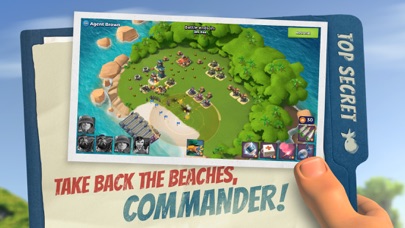
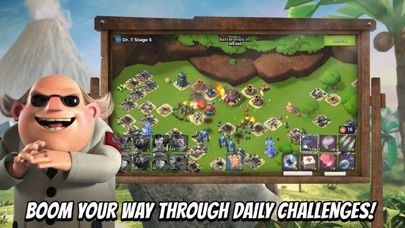
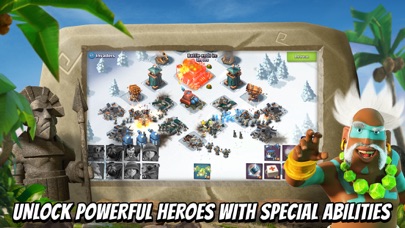
Welcome to Boom Beach: come with a plan or leave in defeat! Fight the evil Blackguard with brains and brawn in this epic strategy game. Engage in intense war and combat enemy bases to free enslaved islanders and unlock the secrets of this tropical paradise. Create a Task Force with players around the world to take on the enemy together in fierce multiplayer combat. Scout, plan, then BOOM THE BEACH in this action-packed RTS warzone! Experience the thrill of war and shooting as you engage in RTS combat. Strengthen your army and build a powerful kingdom to dominate the warzone. Utilize strategy and war skills to conquer enemy bases and emerge victorious in this multiplayer RTS war game. Strengthen your defenses and expand your kingdom as you explore the vast archipelago. Only the bravest will lead their kingdom to ultimate supremacy in Boom Beach's thrilling RTS warzone. With the support of multiplayer alliances and strategies, your kingdom will rise to greatness. Multiplayer strategies and teamwork are key to dominating the warzone and achieving ultimate victory. Boom Beach is free to download and play, however, some game items can also be purchased for real money (including random items). If you don't want to purchase game items for real money, please disable in-app purchases in your device's settings. Multiplayer Mode Battle and Raid: Play with millions of other players in multiplayer mode, raid hundreds of enemy bases for loot. Engage in epic combat and strategic war to dominate the warzone. War Battles Control Precious Resources: Battle for control of precious resources in epic war battles to upgrade your base against enemy attacks in this RTS warzone. Use your strategic skills to strengthen your defenses and army, ensuring victory in every encounter. Explore the Archipelago Discover Life Crystals: Explore a huge tropical archipelago and discover the mysterious power of the Life Crystals. These crystals can turn the tide of combat, providing unique advantages in war and strategy. Combat Blackguard Bosses Uncover Evil Plans: Face fearsome Blackguard Bosses in intense RTS war and uncover their evil plans. These epic encounters require both brains and brawn, and only the strongest army and best RTS strategies will prevail. Form a Task Force Multiplayer Co-op Missions: Join other players to form an unstoppable Task Force for multiplayer co-op missions. Collaborate in RTS war, combining your strategic and war skills to defeat the enemy and control the warzone. Use multiplayer tactics to maximize your success. Build Your Army Strategy and Strength: Utilize strategy to build a powerful army and strengthen your kingdom against enemy attacks. Your army's strength and your RTS combat tactics will determine your success in this multiplayer war game. Experience RTS Combat Shooting and Strategy: Experience the thrill of shooting and RTS combat as you engage in fierce encounters. From strategic planning to executing war maneuvers, every aspect of war is covered in this RTS warzone. Join Boom Beach now and become a master of strategy in this epic RTS war game. Build your army, engage in fierce combat, and lead your kingdom to victory in the ultimate warzone. Experience the excitement of multiplayer warfare and the thrill of shooting as you fight for supremacy. Download Boom Beach today and embark on an unforgettable war adventure! Note: A network connection is required to play Parent's guide: http://www.supercell.net/parents Privacy Policy: http://www.supercell.net/privacy-policy/ Terms of Service: http://www.supercell.net/terms-of-service/


Reeflex GmbH
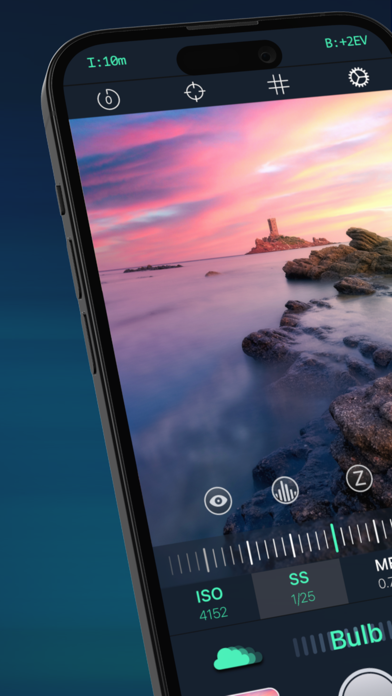
Reeflex is the most advanced photography app on the App Store built for enthusiasts, creatives, and professionals! It brings advanced DSLR-style controls to your iPhone in a clean, intuitive interface. Recognized as “App of the Day” and featured in “Apps We Love” by the App Store team, Reeflex gives you everything you need to elevate your photography in one app. — Professional Tools for Everyone — Reeflex combines classic still photography and advanced Slow Shutter modes for long exposure, together with full manual control over focus, exposure, shutter speed, ISO, and white balance. Monitor exposure with live histograms and zebra stripes. Fine-tune focus with focus peaking and focus loupe. With a simple two-finger gesture, independently place focus and exposure reticles anywhere in the scene. Shoot with Zero Shutter Lag, powered by an optimized capture pipeline that delivers one of the fastest capture experiences on the App Store. Reeflex supports HEIF, JPG, and RAW on all iPhone models, plus Apple ProRAW* and 48MP*** on compatible devices. — Slow Shutter Mode — Reeflex offers powerful long exposure tools leveraging the iPhone Smart-HDR for incredible dynamic range. Use Motion Blur or Light Trails to smooth moving water and clouds, make crowds disappear, or transform roads and night skies into flowing streaks of light. Long exposure on iPhone has never been easier. — Focus & Exposure Bracketing — Capture multiple frames across different focus points for edge-to-edge sharpness, or bracket exposures to preserve detail in highlights and shadows — ready for perfect blends and full creative control. — Burst Mode & Burst On Tap — Capture every moment with Burst Mode. Press and hold the shutter for rapid sequences with a real-time shot counter, or enable Burst on Tap for instant bursts with zero delay. Customize shot count, focus lock, and burst grouping. — Honorable Mentions — Reeflex has been recognized by the App Store team as “App of the Day” and featured in “Apps We Love". Praised within the photography community as one of the best manual camera apps available on iPhone. Reeflex has also been featured across leading photography platforms and publications, including PetaPixel, Fstoppers, Mobiography, and other specialized media. — MAIN FEATURES — • Full manual controls (ISO, shutter speed, exposure, focus, white balance) • Focus Bracketing for edge-to-edge sharpness • Exposure Bracketing for extended dynamic range • Burst Mode & Burst On Tap • Zero Shutter Lag capture • Live histograms & zebra stripes • Focus Peaking & Loupe (Magnifier) • AF/AE reticles • Camera selection • Gyroscopic tiltmeter & ext digital zoom • JPG, HEIF, TIFF, ProRAW* and RAW** formats • 12MP and 48MP capture support*** • Enhanced gallery with RAW+JPG tags and burst/bracket grouping • Advanced metadata view with GPS location • Accessibility support for color-blind users • Tutorials (in settings) — SLOW SHUTTER MODES — • Motion Blur — smooth water, flowing clouds, dynamic movement • Light Trails — transform traffic and stars into streams of light • Capture durations from 0.5 seconds up to 2 hours and Bulb (unlimited) • Live Preview — watch your image build in real time — REMARKS — *ProRAW is supported on iPhone 12 Pro and newer. **RAW format is limited to 12MP and requires iPhone 6s or newer. On iPhone 11 and earlier, RAW is not supported on the Ultra Wide camera. ***48MP is supported on the: • Main Wide camera of iPhone 14 Pro & newer • Ultra Wide camera of iPhone 16 Pro & newer • Telephoto camera of iPhone 17 Pro & newer — CONNECT — • Need help or want to share feedback? [email protected] • Tutorial: https://reeflexstore.com/pages/pro-camera-2 • FAQ: https://reeflexstore.com/pages/faq-reeflex-pro-camera • Follow @ReeflexCamera and tag #ShotWithReeflex — ADMIN — Terms of Use (EULA): https://www.apple.com/legal/internet-services/itunes/dev/stdeula/ Privacy Policy: https://reeflexstore.com/pages/privacy-policy


Reeflex GmbH
ReeXpose is the best app for long exposure photography on the App Store. Designed by professionals for professionals, ReeXpose closes the gap between your iPhone and a DSLR camera, allowing you to shoot long exposure photos in RAW. All without the need for additional ND filters! Select your capture mode, adjust your exposure, chose your capture duration and ReeXpose will do the rest. The result will be a single, 12-bit DNG file editable in your favorite editing software. Use the “motion blur” mode to make people disappear, smooth the movement of clouds, or give running water a characteristic silky appearance. Use the “light trails mode” for stunning star trails or to transform moving cars into gorgeous rivers of light. Enjoy the flexibility of full manual controls and the extended dynamic range given by RAW files. ReeXpose is brought to you by REEFLEX, the small studio behind the development of Reeflex Pro Camera and ReeHeld. — MAIN FEATURES — • RAW capabilities for long exposure*/**/*** • Motion blur & Light trails modes • Extended capture time ranging from seconds to minutes, hours, and Bulb (unlimited) • Full manual controls for ISO, shutter speed, focus, and white balance • Live preview: watch the RAW photo developing on the screen • Interims results: allows taking intermediate photos during a long capture • Parallel bracketing: allows capturing 2 photos at different selected exposures for HDR bracketing in post-production • Exposure guides like histogram and zebra stripes • Focus peaking • Apple Watch integration for remote shutter • Photo backup in the File app • Gyroscopic tiltmeter and Grid (rule of thirds) • GPS location in the photo’s metadata • Multi-Language support • Blazing fast processing & saving time (1ms) • Lock Screen Widget for quick access • Tap-to-focus (Auto-focus) — ACCESSIBILITY — • Color-blind users can tune the app to suit their needs best, customizing the UI and color coding. — IMPORTANT REMARKS — • Note #1: *The RAW format is not supported for the ultra-wide camera on devices older than the iPhone 12 series (this is a limitation given by the manufacturer - Apple) • Note #2: **As usual for long exposure, you must use a tripod and keep the phone as steady as possible. The app does NOT stabilize the images automatically. If this is what you're looking for, then please have a look at our other app (ReeHeld) • Note #3: ***Bayer RAW images, which are the standard in professional photography, necessarily require editing in post-production in order for you to obtain a properly elaborated photo. The RAW image captured differs from what you see in the live-preview when shooting, as the live preview is based on the elaborated live output which is in JPG. Hence you might notice differences in what you see on the screen when shooting vs the final DNG image (Bayer RAW). We, therefore, suggest fine-tuning your exposure by manually adjusting SS and ISO, and taking several shots in order to find the best settings for your desired shot. — GET IN TOUCH — • We'd love to hear from you! If you do have any ideas on new features or improvements, please email us at: [email protected] • Stay up to date and receive regular updates, subscribe to our newsletter: reeflexstore.com/pages/newsletter • Follow us on Facebook, Instagram, and Twitter: @ReeflexCamera • Share your photos with us! Tag #ShotWithReeXpose and join our community — TUTORIAL — • Learn tips & tricks, and get the most out of the app: https://reeflexstore.com/pages/reexpose-tutorial • Frequently Asked Questions (FAQ): https://reeflexstore.com/pages/faq-reexpose — ADMIN — Terms of Use (EULA): https://www.apple.com/legal/internet-services/itunes/dev/stdeula/ Privacy Policy: https://reeflexstore.com/pages/privacy-policy intellectual property: Each logo used in this listing belongs to their respective owners. We do not claim ownership of these logos, and all IP rights remain with the original owners.

ipaomtk.com
ipaomtk.com | Refashion AI Photo Face Swap IPA v1.1.1 is a cutting-edge mobile application that harnesses the power of artificial intelligence to tran