
Recently updated apps
Browse recently updated IPA listings from AltStore and SideStore compatible repositories. These pages help you find fresh builds, changed repository notes, and updated download options without relying on search filters.


Shivang Mishra
Enhance Your Document Scanning Experience with CamDocScanner – The Ultimate Free Scanner App! Are you looking to improve your document scanning experience with a powerful yet free scanner? Look no further! CamDocScanner is here to provide you with all the features you need, without any premium fees. This all-in-one document scanning app allows you to instantly scan, save, and share documents in PDF, JPG, Word, or TXT formats. Forget the hassle of bulky scanners—CamDocScanner offers a portable and efficient way to scan documents, whether you're at home or on the go. Key Features of CamDocScanner: Quick Document Scanning: Easily scan documents with just a tap, making it your go-to PDF scanner and document scanner. Advanced Editing Tools: Crop, apply filters, blur, rotate, draw, and more to perfect your scans. Organized Document Storage: Sort and manage your scans with folders and sub-folders for easy access. High-Quality PDF Creation: Convert your scans into high-quality PDFs, ensuring professional results every time. Versatile Sharing Options: Share your documents as JPEG, ZIP, or PDF via various platforms, including AirDrop, WhatsApp, email, and more. Convenient Folder Management: Keep your documents organized with intuitive folder and sub-folder management. Why Choose CamDocScanner? Multiple Document Scanning Options: Use your camera or import from the gallery for editing and conversion, making it an all-in-one PDF scanner. Portable and Efficient: A free scanner app that fits in your pocket, saving time and effort on document management. Accurate Scanning: Automatic edge detection for precise document scans, ensuring clear and accurate results. Offline Functionality: No internet connection required to use CamDocScanner, perfect for scanning documents anywhere, anytime. Premium Features for Free: Enjoy all premium scanning and editing features without any cost, making it the best free scanner app available. Flashlight Support: Scan documents even in low-light conditions with the built-in flashlight option. Revive Old Photos: Convert old photographs into new, sharp images with advanced editing tools. Seamless Sharing: Easily share your scans via AirDrop, WhatsApp, email, and more, ensuring your documents are always accessible. No Registration Needed: No need to sign up—simply install the app and start scanning immediately. With CamDocScanner, you get a comprehensive PDF scanner that excels in document scanning, photo scanning, and image editing. Our advanced features ensure high-quality PDF creation and accurate scanning. Use automatic edge detection for precision and flashlight support for scanning in low-light conditions. Manage your documents with organized storage and folder management, and enjoy offline functionality for scanning on the go. Share your documents effortlessly with versatile sharing options. Experience the best free scanner app without any hidden fees or subscriptions. Download CamDocScanner now and transform your phone into a high-quality document scanner. Experience the best free scanner app for creating PDF files and sharing documents, all without any hidden fees or subscriptions. Try CamDocScanner today and elevate your document scanning experience!
Harald Meyer
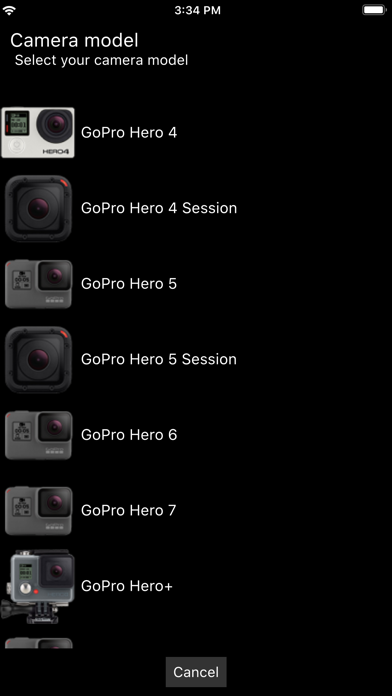
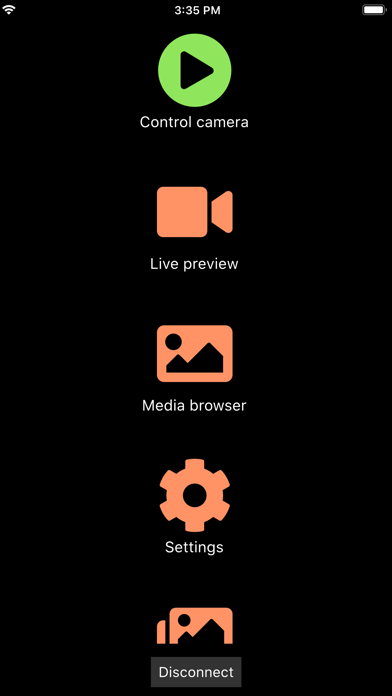
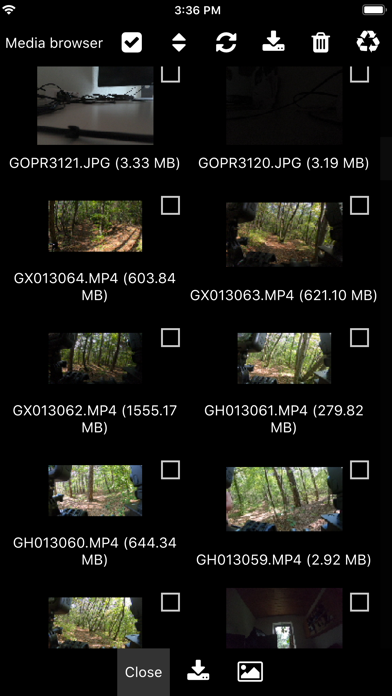
The Camera Remote for GoPro Hero cameras allows you to control GoPro cameras over Wifi. Demo video: https://youtu.be/n8Js7kFnSs8 ## ## Features ## - Supports: GoPro Hero 4, 5, 6, 7, Hero Session, Hero 5 Session cameras. - Auto connect to the camera Wifi network (no fiddling around in the iOS Wifi settings is required anymore). - Exposure series tool: Capture exposure series, e.g. for HDR, by defining night/day mode, exposure compensation, shutter time, ISO limits, and white balance for each image. - Scripting tool: Create your own scripts via a drag and drop interface (NO coding is required!). - Change camera settings (resolution, protune, frame rate, shutter time, exposure compensation, white balance, GPS, volume, audio, microphone, etc.). - Live video and audio preview. - Download media (photos, videos, RAW) over Wifi. - Manage multiple cameras (Note: it is not possible to control multiple cameras at the same time because each GoPro creates its own Wifi network!). ## ## Disclaimer ## - The app is intended for controlling 3rd party hardware GoPro Hero cameras. - The free version demonstrates the app's features. The full version can be activated with an one time in-app-purchase which activates all features. - We are not affiliate with GoPro Inc.
LateNite Apps
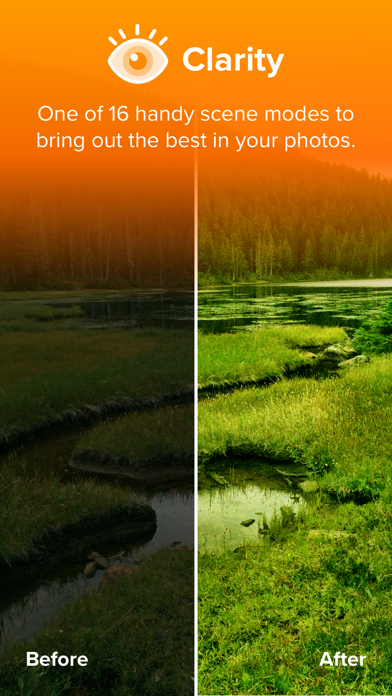
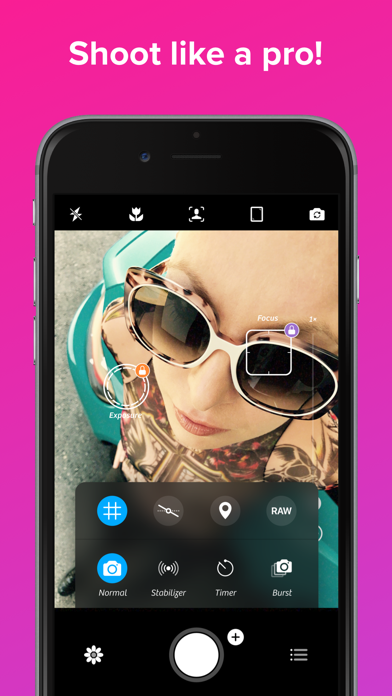
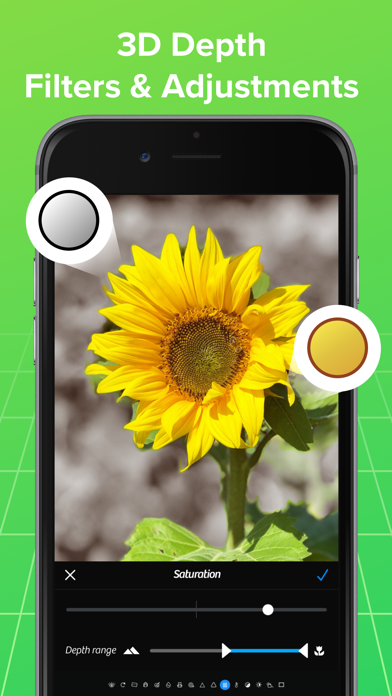
Hey you! Yeah you! Shouldn't you be looking for Photon instead? Our newest app has been rebuilt from the ground app to support the next 10 years (or 20, who knows?) of mobile photography. Check it out at http://photon.cam “The Clarity filter is iPhone photography’s secret sauce—it adds pro-camera crispness to almost any shot.” — Kevin Sintumuang, The Wall Street Journal “If the iPhone’s standard camera is like a digital point-and-shoot, the Camera+ app is like a high-quality SLR lens.” — TIME: 50 Best iPhone Apps 2011 “improves on almost every aspect of the built-in camera app” — Charlie Sorrel, Wired Winner: Best Visual Design, Best Photography App — Best App Ever Awards It’s all about one thing... great photos! Whether you’re a seasoned photographer or someone who’s barely touched a camera, Camera+ will make you love taking photos. Touch Exposure & Focus Set exposure separately from focus. You can now easily control how light or dark your shots come out. Shooting Modes Use the Stabilizer to steady your iPhone and get the sharpest photos you can. There are countless uses for the Timer including taking the highest-quailty self-portraits. Capture all the action by using Burst to take rapid streams of shots. Digital Zoom Up to 6× zoom with advanced digital processing provides you with quality that simply blows away the competition. Front Flash How many times have you wanted to take a pic of yourself in a dark room but couldn’t. Well, now you can! Horizon Level Use the Horizon Level to eliminate taking crooked shots. Clarity Clarity is one of the biggest breakthroughs to happen to image processing in a long time. Clarity analyzes your photos and makes several intelligent adjustments that magically bring out details and breathe life into dull photos. With Clarity, you’ll stop throwing out bad photos… you’ll be amazed to see what it can do to photos that you’d typically consider unusable, like shots that came out too dark. Scene Modes Most modern digital cameras all have scene modes to help you get the best photos for your particular situation. With Camera+, you get to choose from several scene modes including Food, Sunset, Night, Portrait, Beach, and many more. Effects Professional photographer, Lisa Bettany created a slew of stunningly beautiful effects. Make your photos shimmer with “HDR”… get down and dirty with “Grunge”… fill your pics with emotion and despair with “So Emo”. And this is just the tip of the iceberg… there are dozens of 1-touch effects for you to experiment with. Lightbox All the pics you take in Camera+ go in the innovative Lightbox where you can quickly and easily skim through them and get rid of bad shots. You save only the photos you’re satisfied with so that your camera roll stays neat and clean. Sharing Whether you want to show your results to your friends and family or the whole world, Camera+ has got you covered. Proudly share your photos on Facebook, Twitter, and Flickr. Or go the more personal route and email or message them from right within the app. iCloud Lightbox sync Automatically sync your Camera+ photos between all of your devices. Shoot all day on your iPhone… and then edit at night on your iPad. Crops If you didn’t line-up your shot perfectly when you took it, you can easily fix that with Camera+. And when you want to get a bit creative, we setup a bunch of popular crop sizes for you. With a single tap, you can make your pics square, 4×6, 8×10, and more. Borders With Camera+ you get several great border designs, from simple black and white borders to more gritty designs, you’ll be able to add wonderful finishing touches. Captions Have some fun with your photos by putting captions on them. It’s a great way to really personalize your favorite shots.
Natalya Petrenko
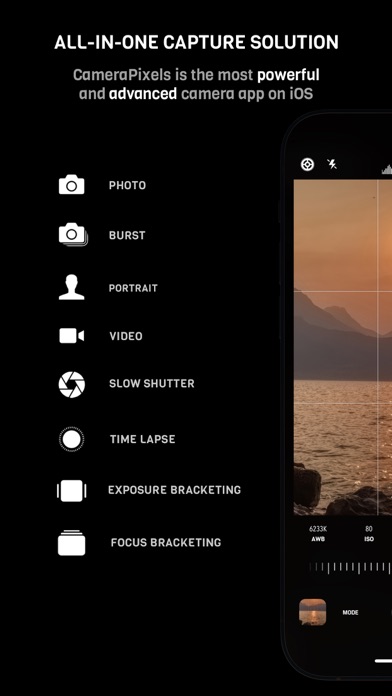
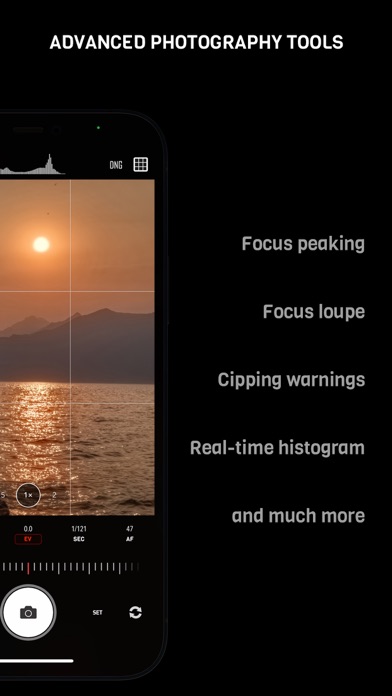
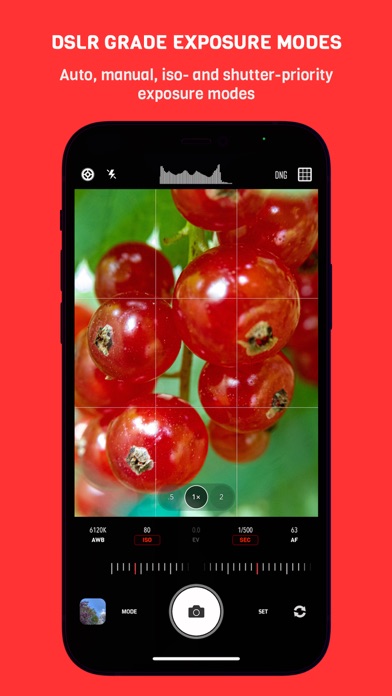
CameraPixels is a unique manual photography app. The premium tools and intuitive UI make CameraPixels the best choice for professional mobile photographers. CameraPixels participated in Berkley Eclipse Megamovie 2017 thanks to its extensive raw bracketing. All-in-one ============= CameraPixels is all-in-one capture solution, that supports multiple photo and video capture modes. Among them are Bracketing, Slow Shutter and Time-lapse modes. CameraPixels has the most advanced bracketing available on the iOS platform, which includes exposure and focus bracketing. Best for macro photography ============= With CameraPixels you can capture the best macro shots, be it a single image or a series of images, called focus bracketing, which can later be combined into one all-in-focus photo (requires external app for focus stacking). If you have an external macro lens, let CameraPixels save its name to the EXIF data for you, so later you can always remember which lens was used. Currently CameraPixels supports Olloclip™, Loupe System™ and Moment™ lenses. Best for professional HDR photography ============= CameraPixels has the most advanced exposure bracketing on iOS. With up to 15 images per bracket you can capture even the most difficult lighting situations. CameraPixels support auto-, iso and shutter-brackets, with an optional flash frame. The captured images can be used to create stunning HDR photos using your favorite professional HDR software. Intuitive UI ============= CameraPixels has a simple and efficient UI. The most important information is always in front of your eyes, and this allows you to avoid surprises like an unexpected flash fire or the wrong output photo or video format. Stop being distracted by the uncertainty of the settings, concentrate on your capture! ISO/Shutter priority modes ============= CameraPixels is among a few photography apps that support advanced exposure modes like ISO and Shutter priority. These modes are indispensable during dynamic photography when there is no time for adjusting manual exposure. Histogram and clipping warnings ============= The histogram is a great tool to estimate your exposure. It can show you if the photo has under-exposed or over-exposed areas. Clipping warnings, on the other hand, can show you exactly where those under and over-exposed areas in your photo are. Depth capture ============= On dual/triple-camera devices, CameraPixels can capture depth information alongside the colour photo. If the photo has depth information, in the preview window, two additional buttons appear (depth and portrait) that allow you to inspect the depth of the image and apply it to simulate an aperture. Presets ============= CameraPixels was designed for professional photographers that value efficiency of their workflow. The unlimited presets, including the possibility to expose them to Widget make CameraPixels the ultimate photography tool. Features overview ============= - UI optimized for manual capture - RAW and ProRAW (on supported devices) photo capture - Auto, manual and semi-automatic (ISO- and Shutter-priority) exposure modes - Photo, Burst, Portrait, Slow Shutter, Exposure Bracket, Focus Bracket, Video and Time-lapse - Clipping warnings to highlight under- and over-exposed areas in real time - Focus peaking and loupe during the manual focus adjustments - Single or series of Exposure Brackets with up to 15 images per bracket. AEB, ISO- and Shutter-brackets are available. - Single or series of Focus Brackets with up to 100 images per bracket - Adjustable photo and video resolution - Adjustable photo and video quality - Advanced photo processing (Smart HDR and Deep fusion on supported devices) - Unlimited presets with the possibility of exposing them to the widget - Advanced intervalometer - Multiple framing options


Appycron Interactive e.K.
With Canvas Max, not only can you sketch, illustrate, and design on an infinite canvas, but you also have the power to zoom infinitely. Dream big, as vast as the observable universe, or dive deep into intricate details, as minute as the cosmos’s tiniest star. Whether you’re drawing the Milky Way or the atom, Canvas Max ensures there’s always space for your next big idea. The universe is your canvas—start exploring it today! Document Editor Features: -Infinite Scroll & Zoom: Dive deep and explore without boundaries. -Precision Vector Drawing: Create crisp, flawless designs regardless of zoom level. -Eraser & Lasso Tools: Refine and perfect your artwork with precision. -Dynamic Text Integration: Not just drawings – even your text is vector-based! -Image Insertion: Seamlessly incorporate photos into your canvas. -Drawing Checkpoints: Easily bookmark and revisit specific areas. -Layered Creation: Manage multiple layers for complex designs. -Undo/Redo: Effortlessly correct mistakes with handy undo and redo buttons. -Smart Autosave: Never lose your progress with our intelligent autosave feature. Filesystem Features: -Document & Folder Management: Organize your creations with ease. -Comprehensive File Options: Copy, delete, share, and export in a snap. -Flexible Storage Solutions: Choose between iCloud and local storage options. Terms of Use: https://www.apple.com/legal/internet-services/itunes/dev/stdeula/


Oxagile LLC
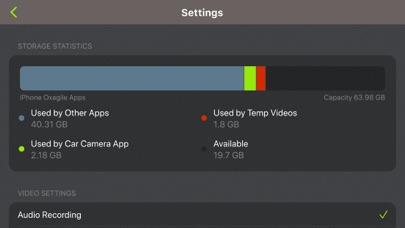
Turn your iPhone or iPod touch into a full featured Car DVR recorder at a fraction of the cost of the standalone device. Whenever you commute to work, go on a road trip or race on a race track, car camera is your ideal companion. Record HD definition videos while driving with embedded data about time, location and speed. Export recorded videos to use as an evidence in case of ticket or accident or just to share with your friends if you caught something interesting on tape. Car camera is the only app in App Store that is capable of recording high quality HD driving videos with data overlay. Features: Record videos with resolutions 640х480, 1280х720, 1920х1080, 4K and up to 60 FPS Embed data overlay into videos: current time, speed, coordinates, heading Record audio Metric and English units Continuous loop recording. Older videos are overridden by newer ones to preserve space on the device Store recorded videos within the application Video Playback within the application or with AirPlay enabled devices Export Videos to the gallery Privacy Policy: http://appannex.com/privacy-policy/ Terms of Use: https://www.apple.com/legal/internet-services/itunes/dev/stdeula/


Arnold Rauers
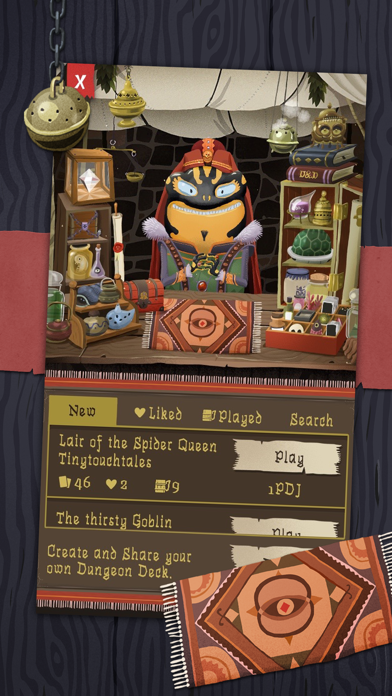
Card Crawl is a solitaire-style dungeon crawler game played with a modified deck of standard cards. Pocket Tactics – Card game of the year 2015 Pocket Tactics – Reader’s choice game of the year 2015 Pocket Tactics – Editor’s choice game of the year 2015 German Games Award – Nominee for best game design 2016 Clear the dungeon of 54 cards by using item-cards, slaying monsters and managing your limited inventory. On each run, you can use five ability-cards (mini deck building) to gain unique skills. By collecting gold, you can unlock 35 more ability-cards to access new tactics and even higher scores. Card Crawl’s four single-player game modes are enhanced by Game Center to let players compare their scores and the associated decks. A typical game lasts two or three minutes and is a perfect “one more game” experience while waiting in line or commuting. FEATURES • Solitaire-style gameplay • Four game modes (normal, constructed, daily & delve) • Dungeon deck editor for building and sharing custom dungeon decks • 35 unlockable ability-cards • Mini deck building • Game Center integration – To compare high scores and decks – To challenge your friends – To access tricky new achievements • Two to three minutes of playtime per game ACCOLADES "A brilliant distillation of the dungeon crawler, Card Crawl is well worth a look." — Pocketgamer "Card Crawl is an enjoyable, casual card game that feels a touch like Diablo-Meets-Solitaire." — 148Apps "There’s something about a solitaire card game that really does it for me, and Card Crawl is one of the best I’ve played." — Pockettactics "It's got great art, gameplay with cards that isn't like other card-based dungeon crawlers and is perfect for sitting back and relaxing while playing it." — Toucharcade "Taken purely as a variation on Solitaire, Card Crawl is clever as heck, with a standout style and simple yet rewarding gameplay." — JayIsGames "It’s a unique and interesting hybrid that plays out very well. If you love dungeon crawlers and card games like Hearthstone, then this is a no-brainer." — AppAdvice "The most intriguing thing about Card Crawl is its simplicity." — MACNN "Card Crawl is an impressively solid card game that borrows what works from other games and spins it into its own, unique, game." — Gamezebo "Card Crawl is really creative and unique game, in which strategy and luck is equally needed." — iPlayApps "Card Crawl is a very polished card game with a high addiction factor." — AppGemeinde "Card Crawl is easily suited for anybody who loves casual short game." - ModernJamming Learn More about Tinytouchtales & Card Crawl at www.cardcrawl.com

ipaomtk.com
ipaomtk.com | Mods, Cars for Assetto Corsa IPA v1.0 is a popular expansion pack for the renowned racing simulation game Assetto Corsa. This comprehens

ParkPill
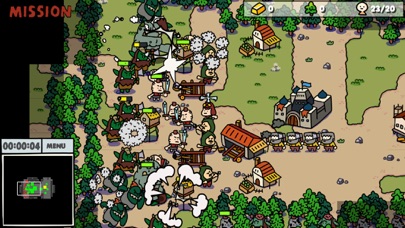
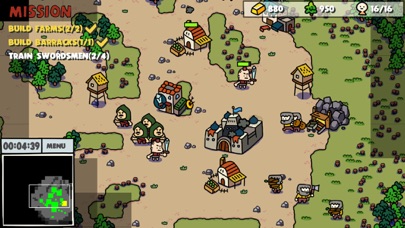
d Most adorable RTS in the world! Orcs and Humans are facing the huge battle. But wait! Someone weird is coming. Then every orc and human turns into ZOMBIES! What's happening? Come get here and save the day! This is a real-time strategy game. The most adorable RTS on mobile(Probably). How to - On start there are 4 workers on your side - Make them gather gold from mine and lumber from trees - Build a farm and barracks - Train swordsman from barracks - Make your force search the map and smash the enemies

ipaomtk.com
ipaomtk.com | Cat Sandbox IPA v1.12 is a delightful virtual pet simulation game that allows users to create and care for their own digital feline comp
TILTGames
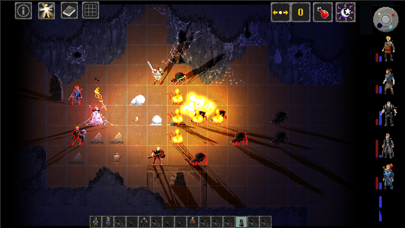
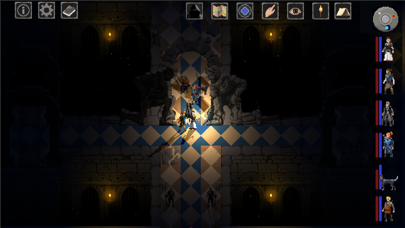
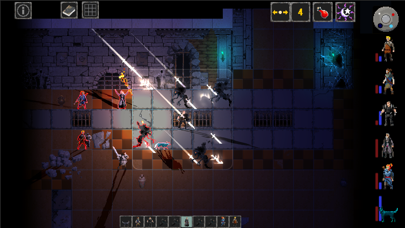
I'm a self-taught solo-dev who built this passion project over 6 years while holding down a full time job and raising a family. I dedicated myself to work 5 minutes a day no matter what, and built the game piece by piece, not really knowing where I was going or how it would all end. • Caves of Lore is a turn-based, pixel-art, fantasy CRPG that combines elements of environmental exploration and character interaction with tactical, grid-based combat. Fun and weird adventures await as you progress through a world full of monsters and humor. Hidden secrets and strange powers abound, allowing for a highly customizable party. • Vast amounts of loot and treasure constantly increase your power, while dialogue, books and lore are waiting for those who want to be drawn into the world further. • Dark themes and ancient horrors don’t keep this game from remaining upbeat and funny, with a story that unfolds in unexpected ways. Tactical combat, endless magical item combos, and a vast array of spells, abilities and traits make for great replay value. • 6 character capacity party, 65+ spells, 65+ abilities, 65+ traits, 50+ monsters, 40+ NPCs , 30+ quests, and 20+ areas to explore. Hundreds of items and tens of thousands of enchantment combinations make for all manner of powerful items.
Pedro Daniel Macalupu Cumpen
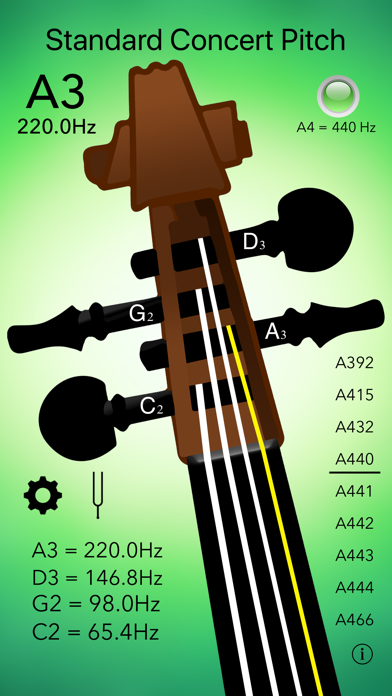
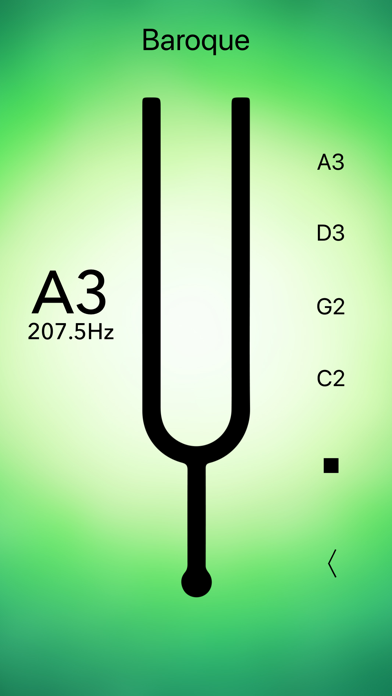
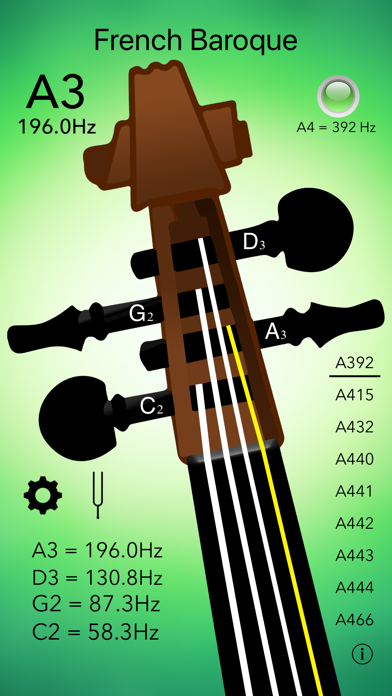
Tune your cello instantly with precision and ease! Optimal for beginners, intermediate and advanced musicians! · The most accurate - displays the exact sound frequency in Hz. · Calibration for A: 392Hz, 415Hz, 432Hz, 440Hz, 441Hz, 442Hz, 443Hz, 444Hz, 466Hz. · Instant load and fastest tuning! - Optimized for latest devices. · Highest responsiveness and sensitivity. · Intuitive user interface with LED tuning indicator. · Visual indicators - tuned string lights up. · Universal app - works with iPhone, iPad and iPod touch. · Advanced settings (A4 calibration, Mic sensitivity, Sound notifications) and Tuning fork! (as in-app purchases) What our users say: "Does what it promises - Very useful app." "This app makes tuning so easy!" "By far the greatest and most accurate cello tuning app. Play the string, read its chart and you know whether you're in tune." "Amazing! Outstanding, well spent money! "All cellists should have this app!" "It's very useful for me! Thank you!" "Excellent app" "Very convenient software. Suitable for any skill!" --- Please make sure to allow microphone access to this app when prompted. Check it under Settings>Privacy>Microphone. Thank you. --- Got ideas? Questions? Please send us your feedback through our site or to [email protected]
XK72 Limited
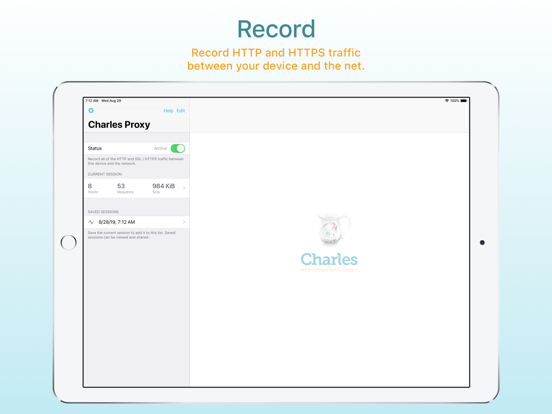
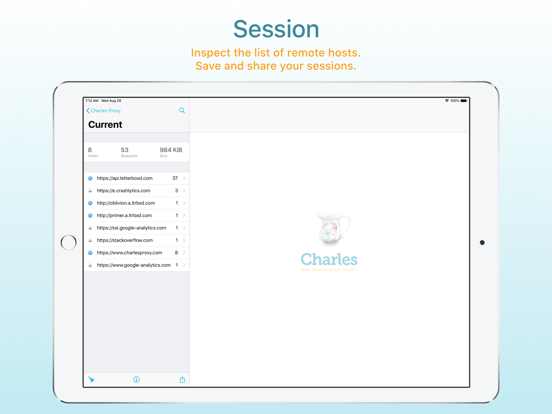
Charles Proxy for iOS lets you capture and inspect network requests and responses on your iOS device. You can view metadata, headers and bodies in the app, so you can finally debug your app’s networking issues without a computer. Charles Proxy for iOS is an from the creators of Charles Proxy for desktop. HOW IT WORKS Turn Charles on when you want to start capturing. Charles captures your network requests and responses in the background while you test your app or website. Return to Charles to inspect the requests and responses. If you also have Charles on your desktop, you can transfer recorded sessions to your desktop to explore them on the big screen. Charles creates a local VPN on your device. All of your network traffic passes through Charles on your device, and then out to the internet as usual over either WiFi or Mobile / Cellular data. There is no remote server involved, and your data always remains private to you. FEATURES * SSL Proxying to view SSL requests in plain text * View and share request and responses bodies * Syntax highlighting for text request and response bodies * Measure network performance over WiFi or Mobile / Cellular networks * Block requests to nominated hosts * DNS spoofing
THIX LLC
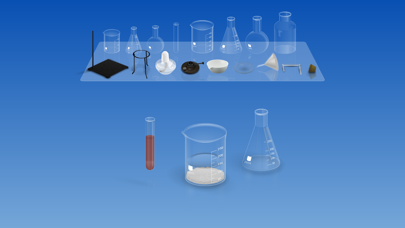
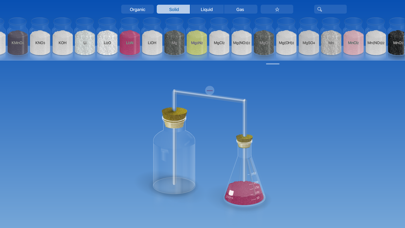
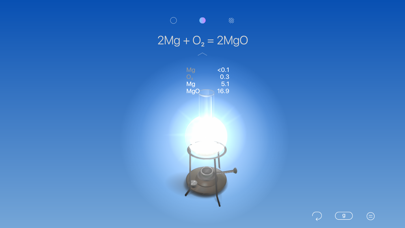
It’s your dream virtual chemistry lab. Experiment with various lab equipment, procedures, and chemicals with complete freedom—no need to buy chemicals or clean up afterwards. Perfect for testing, exploring, learning, or just playing around. INTERACTION Pour chemicals between beakers; mix them with a glass rod; exam the temperature with a thermometer; or heat chemicals with Bunsen burner as you do in the real life. LAB TOOLS The 17 essential lab apparatuses are not only intuitively easy to use, but can also satisfy all your scientific demanding. CHEMICALS 180 built-in inorganic chemical reagents. 60+ organic chemicals. Covering the materials from kids science class up to college chemistry. SAFETY Chemistry experiment is fun but sometimes not so safe. While in CHEMIST, you can experience chemistry up close without worrying about making a mess or breaking fingers. LEARNING CHEMIST calculates all chemical data in the vessel in real-time. So you can see what's going on in your beaker not only visually but also in accurate numbers. TOOLS AND SETTINGS Try 6 handy tools in your experiment with a single tap and drag. Change the lab temperature, set the air composition, or even speed up the time. Visit us: thix.co Like us: facebook.com/thixlab Follow us: twitter.com/thixlab Comments or Questions [email protected]

Bryan Hall
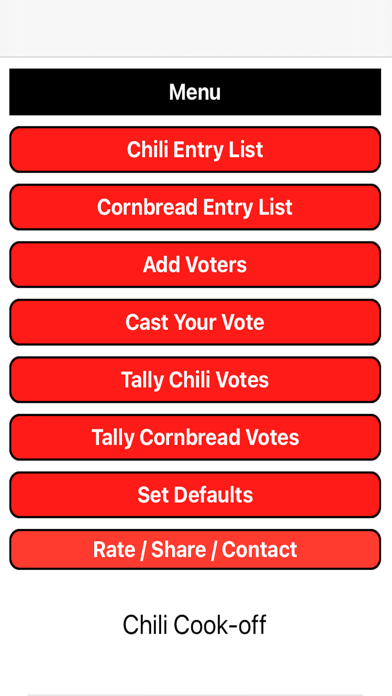
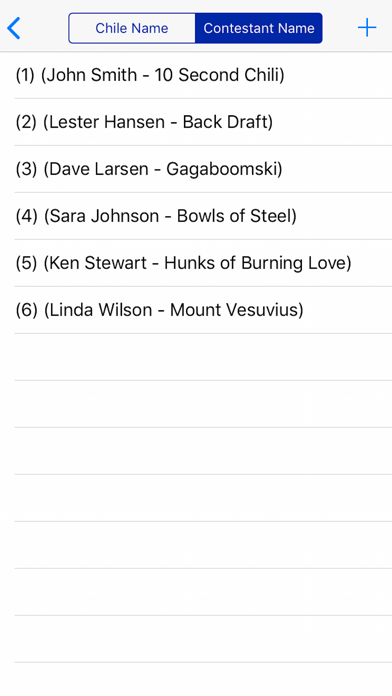
Are you planning a chili and cornbread cook-off contest? Look no further than our Chili Cook-off Scoreboard app! In the app, you can set up scoring points for 1st place, 2nd place, and 3rd place in the defaults screen. A typical score setup might be 7 points for first place, 4 points for second place, and 1 point for third place. You can also name the chili and cornbread contestants using the dozens of names provided or by adding your own. To ensure a fair contest, the app allows you to keep track of all the voters and prevents ballot stuffing. Once a voter clicks the vote button, their results are locked and can only be changed by clicking the reset button for that voter, which removes all their votes and allows them to vote again. During the event, you can enter the contestants as they arrive, and when it's time to vote, you can enter the names of the voters. After everyone has voted, simply tally up the votes and award the prizes for the best chili and cornbread. The app also allows you to share the results by clicking on the share button and sending the results via text, email, Facebook, or any other sharing app installed on your iPad or iPhone. Check out the attached screen shots from the Chili Cook-off Scoreboard app for iPhone and iPad. If you have any comments, suggestions, bug reports, or requests for this app, please send us an email. We're always happy to hear from our users!


Natalya Petrenko
Chromatica is a fusion of power and simplicity in one superior photography app. With premium tools and an intuitive UI, Chromatica is the best choice for amateur and professional mobile photographers. Intuitive UI ============= Chromatica has a simple, yet very effective UI. The most important information is always in front of your eyes, and this allows you to avoid surprises like an unexpected flash fire, timer delay or the wrong output photo format. Stop being distracted by the uncertainty of the settings, concentrate on your capture! ISO/Shutter priority modes ============= Chromatica is among a few photography apps that support advanced exposure modes like ISO and Shutter priority. These modes are indispensable during dynamic photography when there is no time for adjusting manual exposure. Histogram and clipping warnings ============= The histogram is a great tool to estimate your exposure. It can show you if the photo has under-exposed or over-exposed areas. Clipping warnings, on the other hand, can show you exactly where those under and over-exposed areas in your photo are. Object tracking ============= Tracking mode in Chromatica uses the power of vision framework. Long press on the object you want to track and let Chromatica do the rest. Depending on the object you have selected (face or generic object), the app will choose the most appropriate method to perform tracking. Visual feedback allows you to quickly detect if tracking is active. Depth capture ============= On dual-camera devices, Chromatica can capture depth information alongside the color photo. If the photo has depth information, in the preview window, two additional buttons appear (depth and portrait) that allow you to inspect the depth of the image and apply it to simulate an aperture. Features: - Intuitive user interface - Focus peaking while using manual focus - Clipping warnings highlighting over- and under-exposed areas - Full manual controls including shutter speed, ISO and white balance - ISO and shutter priority modes - Separable focus and exposure points - Digital zoom up to 10x - Live detailed luminance histogram - Supported RAW, ProRAW* HEIC or JPG formats (on enabled devices) - Optically stabilized RAW and ProRAW photos on iPhone models with OIS - Support for depth capture on dual-camera iPhones - Preview with a quick built-in EXIF and depth viewers - Object tracking mode - Adjustable simulated aperture for photos with depth information - External lens selector (Olloclip), that adding the external lens name to the lens model EXIF tag

Wemagine.ai LLP
More than 20 million photos are enhanced with Citrus every month, with overwhelmingly positive reviews from people who simply want better photos, fast, easy, and natural. Citrus 1 Tap Photo Enhancer is built to improve photo quality naturally, without complicated tools, sliders, or heavy filters. With just one tap, Citrus enhances clarity, details, color, and sharpness while staying true to the original photo. Instead of over editing, Citrus focuses on subtle, balanced improvements, so your photos look cleaner, clearer, and more natural, while preserving the emotion and authenticity of the moment. Enhance your photos for free with Citrus. *One tap to better photos* - Unblur and sharpen images - Improve overall clarity and fine details - Reduce noise and grain - Enhance selfies and portraits naturally - Non-fake, natural face enhancement - Sharpen faces, objects, and backgrounds - Upscale low-resolution photos - Improve social media photos and photo dumps - Create cleaner TikTok photo dumps and Instagram slideshows - Improve lighting and color naturally Citrus is fast, free, and built with privacy and safety in mind. It’s made for people who want better photos without learning editing tools or sacrificing realism. Many users describe Citrus as “the ultimate app” they choose to automatically improve their photos — because it works quietly in the background, without forcing heavy edits or complicated steps. What users say: “It makes my photos look 10× better.” “My photos look cleaner and higher quality instantly.” “It’s free, not pushy with payments.” “It makes my photo dumps tuff.” “It feels safe and respects my privacy.” From everyday moments to social sharing, Citrus brings out the quality you hoped the photo had — naturally and effortlessly. Whether you’re preparing a TikTok photo dump, an Instagram slideshow, or simply improving everyday photos, Citrus helps bring out the best of the original image, in one tap. Natural HD clarity. One tap. Just Citrus It. Let’s keep in touch :) Free Web version: Justcitrusit.com Instagram: https://instagram.com/justcitrusit Facebook: https://www.facebook.com/justcitrusit X: https://x.com/justcitrusit Privacy & Terms Privacy Policy: https://www.wemagine.ai/citrus-ai-privacy-policy Terms of Use: https://www.wemagine.ai/citrus-ai-terms-of-service Citrus Plus Subscription Unlock unlimited enhancements with Citrus Plus — no watermarks, no ads, and turbo- super fast processing, batch processing. Try it free for 3 days. Subscriptions renew automatically (weekly or yearly) and can be managed anytime in your App Store settings.

Pedro Daniel Macalupu Cumpen
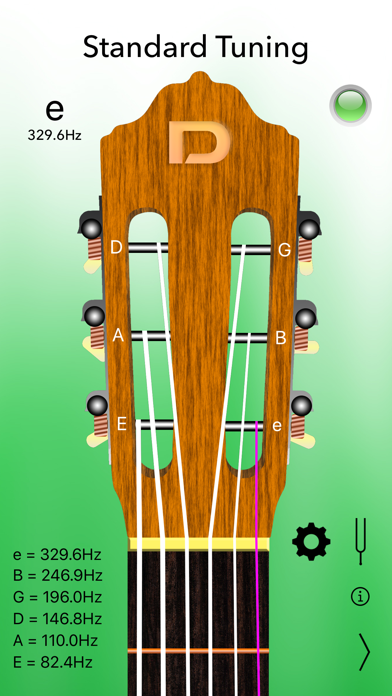
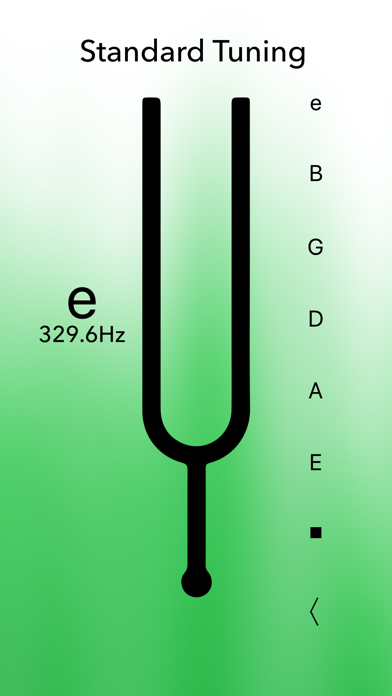
Tune your classical guitar with precision and ease, within seconds! Optimal for beginners, intermediate and advanced musicians! · The most accurate - it displays the exact sound frequency in Hz. · A4 Calibration, Tuning fork and Settings (as In-App Purchases). · Instant load and fastest tuning! - the only tuner optimized for 64 bit. · Highest responsiveness and sensitivity. · Intuitive user interface with LED tuning indicator. · Visual indicators - tuned string lights up. · Universal app - works with iPhone, iPad and iPod touch. Classical Guitar Tuner Pro brings you the following tunings: - Standard - Half Step Down - Full Step Down - Drop D - Double Drop D - Drop C - Drop B --- Please make sure to allow microphone access to this app when prompted. Check it under Settings>Privacy>Microphone. Thank you. --- Got ideas? Questions? Please send us your feedback through our site or to [email protected]

Smart Tool Studio
Clean Your iPhone and Free Up Storage Running out of space on your iPhone? This powerful phone cleaner helps you clean up iPhone storage, remove unnecessary files, organise your photos, videos, and contacts, and clean unwanted emails — all in one easy-to-use app. With smart analysis and clear previews, you stay in control while freeing up space and keeping your device organized. OPTIMIZE STORAGE – CLEAN UP IPHONE WITH CONFIDENCE Take control of your storage and free up space quickly: Clean up iPhone storage and remove clutter safely Identify what’s taking up space before you delete Review everything before cleanup — nothing is removed automatically Free up space and keep your iPhone running smoothly. DELETE DUPLICATE & SIMILAR PHOTOS Clear photos without manual searching: Detect and delete duplicate photos instantly Find similar photos, screenshots, burst photos, and Live Photos Smart grouping helps you choose what to keep and what to remove Clean up your photo library and keep only the best memories. EMAIL CLEANER – CLEAN YOUR INBOX FAST Clear your inbox in seconds: Find and delete spam, promos, and unread emails Remove thousands of emails with one tap. VIDEO CLEANUP & COMPRESSION – SAVE SPACE FAST Videos take up the most storage. This storage cleaner helps you manage them easily: Clean all videos or detect similar videos Compress large videos to save space with minimal quality loss Choose exactly which videos to compress Free up space without deleting your important moments. AI PHOTO ENHANCE – IMPROVE PHOTO QUALITY Make your photos look better in one tap: Enhance photos using AI technology Improve clarity and details automatically Upgrade your photos while keeping your gallery clean and organized. CONTACTS CLEANUP – REMOVE DUPLICATES EASILY Keep your address book neat and organized: Detect similar and duplicate contacts Merge or delete unwanted contacts in one tap No more cluttered contact lists. PRIVATE VAULT – PROTECT YOUR PERSONAL FILES Keep your private content safe: Hide photos and videos in a secure, PIN-protected vault Only you can access your private files Your privacy always comes first. CHARGING ANIMATIONS & CLEANING GUIDE More useful tools to enhance your experience: Enjoy stylish charging animations while powering up Learn safe and effective ways to clean up iPhone storage with built-in cleaning tips Small details that make cleanup more enjoyable. REVIEW BEFORE YOU DELETE You’re always in control: Preview files before deleting Confirm every cleanup action No accidental deletions Clean safely and confidently. CLEAN UP IPHONE, FREE UP SPACE, STAY ORGANIZED This all-in-one phone cleaner helps you: Clean up iPhone storage Clear photos and videos Organize contacts Free up space and improve performance Download now and enjoy a cleaner, more organized iPhone today. ◆ SUBSCRIPTION TERMS ◆ You can subscribe to get unlimited access to all features in Phone Cleaner. • Payment will be charged to your Apple ID at confirmation of purchase • Subscriptions automatically renew unless auto-renew is turned off at least 24 hours before the end of the current period • Your account will be charged for renewal within 24 hours prior to the end of the current period • You can manage your subscription and turn off auto-renewal at any time in your Apple ID Account Settings By using Phone Cleaner, you agree to our Privacy Policy and Terms of Use: Privacy Policy: https://adcl.mobilestudio.cc/privacy.html Terms of Use: https://adcl.mobilestudio.cc/useragreement.html
Jacks-apps
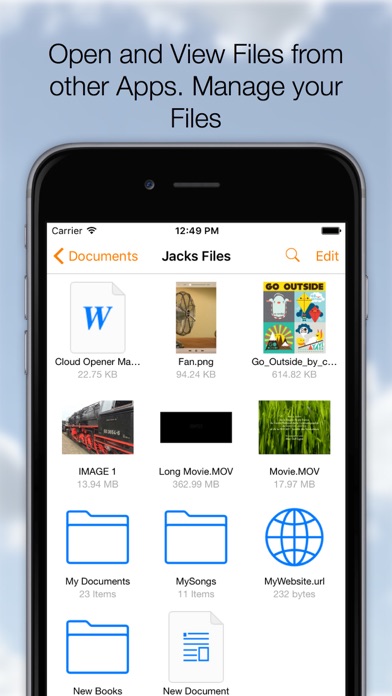
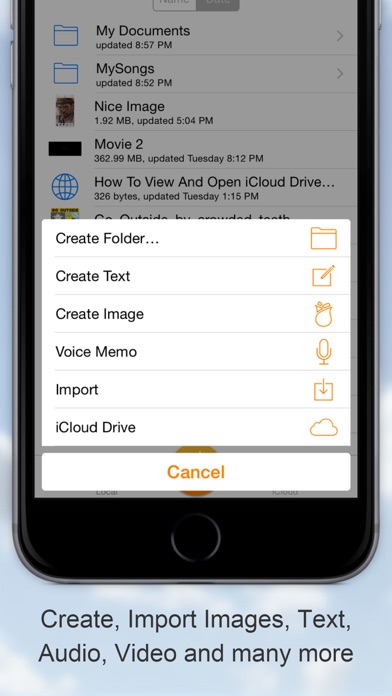
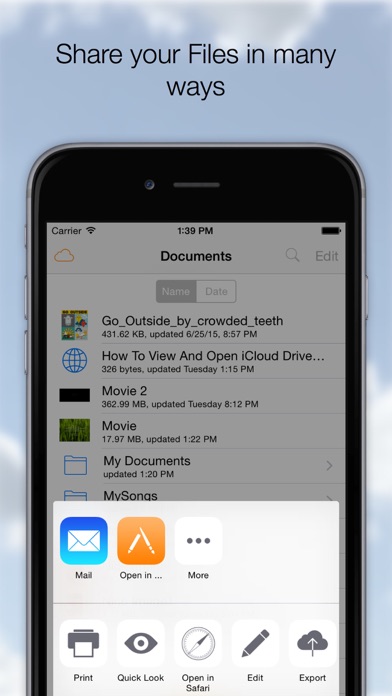
The Swiss Army knife for your files! Download, Share, Manage, Send, Open, Read, Play, Listen, View, Create, Edit, Move, Rename, Import, Export your documents, Videos, Music, Books and any other type of files on your Cloud Services. On your iPhone or iPad it all comes together, many Clouds, One App. ◆Remember Long Press is your friend. On a File to activate the Action Menu. On the Titlebar to call the Menu at any time. On the Titlebar in edit mode to Select-Deselect all documents. Cloud Opener Features: ◆ SHARE - Share iCloud Drive documents by weblink (download) - Web Server and WebDAV Server - Send to App - Message - Attach to email - Social Media Apps ◆ OPEN and VIEW - Open files from iCloud Drive and Apps supporting the iOS "Document Provider Extensions" like DropBox, OneDrive etc. - Play any kind of Video file (m4v, mkv, avi etc)** - Play Music - Advanced PDF Reader - Photos - iWork Documents - Office Documents - Text and Images - Open a Webarchive, .webloc or .url file. - WebBrowser, Save webpages as PDF or as webloc - Print And many more ◆ EDIT - Images or Photos with a powerful Image Editor. Enhance, Resize, Copy, Paste (Also from Pasteboard), Draw, Stickers, Text, Filter and many more. - Rich Text Editing. Font, Style, Size, Alignment, Color and many more. - Trim Audio Files and Save as Ringtone ◆ CREATE - New Images (jpg, png) - Rich Text documents, save as Text, Rich Text or PDF - Voice Recording - Create File From PasteBoard (Clipboard) - Folders - Zip/Unzip Archives ◆ MANAGE FILES - Create Folders - Duplicate - Rename - Delete - Move, Drag and Drop file moving - Zip - Unzip - Print - Copy - Edit Action, perform an action (email, message, send to etc.) on multiple documents ◆ IMPORT - EXPORT from many Cloud services - iCloud Drive - Google Drive - Drop Box - OneDrive - Box - Photo Library - Camera - Share Images to Instagram - Any App that support the documents provider interface Importing will make a copy of your File and stores it on your device. ◆ COPY TO Cloud Opener - Apps that support "Send To" can send Files to Cloud Opener ◆ COMPRESSION - Zip multiple Files into one archive and send anywhere - UnZip zip archives into a new folder ◆ SETTINGS Check out the Setting App for the Cloud Opener Settings - Swap Long Press Action - Show External Files - Show File Extensions - Open In: Store In iCloud - Passcode Lock with Touch ID SUpport - And many more options ◆ Store locally for Offline Usage All in your pocket! Supported File types: pdf, png, jpg, jpeg, mov, m4v, mp3, aac, txt, html, (iWork) Pages, Numbers, Keynote, webloc, url, (Office) .docx, .ppt, .xlsx. ... Support for any type of File depends on the installed Apps. **Supported Movie types: mov, mkv, avi, flv, mp3, caff, ogg, wma, m4a, m4v,mwv, 3gp, mp4, mpeg, mpg, vob
Roman Burda
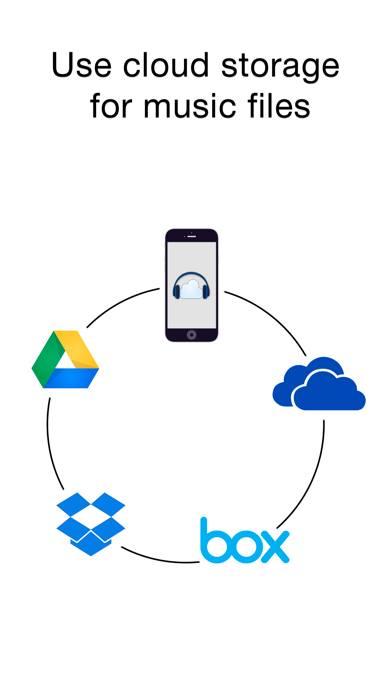
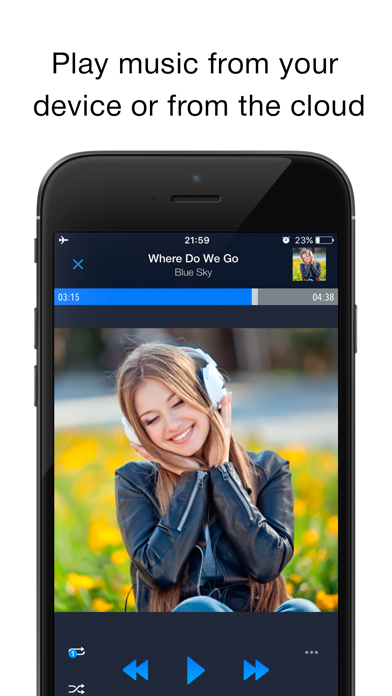
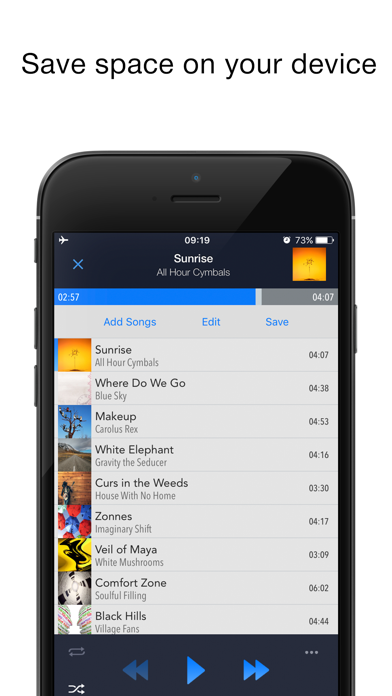
EASIEST WAY TO STREAM & ORGANIZE YOUR MUSIC Take control over your music and enhance your music listening experience with CloudBeats – cloud music player. Whether you need an offline cloud music player listener, or a music cloud player to sync all your music albums and download mp3 songs on multiple devices, CloudBeats is the only app you need. It simply allows you to create your own music streaming service. All you audiophiles and die-hard music fans finally have a simple app that will organize and play your vast music collection the way you want it. Anywhere. Anytime. It’s time to easily upload, store and access your music on the cloud seamlessly with CloudBeats. ► CLOUD MUSIC PLAYER ● Works with the popular cloud services for music streaming: Dropbox, Google Drive, OneDrive, OneDrive for Business, Box, pCloud, HiDrive. Personal clouds that support webDAV, including ownCloud and NextCloud. Network-Attached Servers (NAS) by Synology, QNAP, Western Digital (WD) and others that support webDAV protocol. These integrations make our cloud music internet song player one of the most versatile cloud music song organizers. ● Plays audio files in different formats: Our free local music player offline app allows you to play mp3, m4a, wav and lossless FLAC and ALAC audio. Meaning our music cloud player can play almost any song you have on your iPhone. ● Works online and offline: Want to enjoy cloud music with no wifi? Well our no wifi music cloud player allows you that. Simply swap between offline and cloud tabs. Also supports shuffle mode & CarPlay. ► MUSIC MANAGER & ORGANIZER ◉ Sync music libraries: The cloud music organizer app auto detects all the music on your phone and syncs all your music libraries. All songs are grouped by artist, album, genre. ◉ Create playlists: Want to organize your music and create cloud playlists? Add files and entire folders to playlists, change the order of the tracks in the Playlist section of our free music player. ◉ Organize & download music, audiobooks, podcasts: download and sync any of your music across multiple devices on the cloud with this cloud music organizer. Our intuitive song manager & song organizer will give amazing control and effectively organize your music the way you want it. It also supports audiobooks and podcast file formats so you can listen offline without wifi. ► ALL FEATURES: ・Supports most cloud services, personal clouds and servers. ・Works without internet. Download albums, playlists, folders or files onto the device for playback in offline mode ・Playlist maker. ・Sync your music library with connected network accounts. ・Supports mp3, wav and m4a, lossless FLAC & ALAC ・Advanced buffering technologies to provide smooth gapless playback ・Repeat all, repeat one and shuffle mode. Shuffle the entire library, a single folder, artist or album. ・Sleep timer to automatically stop music when the timer ends ・Playback speed control (tempo) within the 0.5x-3.0x range ・Play offline–no internet or WiFi needed ・Add music to your favorite playlist ・Carplay ・Siri and Shortcuts “Sync Multiple Devices” is an optional service to keep your Playlists and My Library database in sync between multiple devices. It can also be used to backup and restore your music data. CloudBeats account is required for this service. We offer 1-year auto-renewing subscription for $6.99 per year. The price may vary from country to country. If you choose to purchase “Sync Multiple Devices”, payment will be charged to your iTunes account. You will be charged the same price for renewal within 24-hours prior to the end of the current period. Your subscription automatically renews unless auto-renewal is turned off at least 24 hours prior to the end of the current period. Subscriptions may be managed and auto-renewal may be turned off at any time by going to the user’s Account Settings in the App Store after purchase. CloudBeats privacy policy and terms of use: https://www.cloudbeatsapp.com/privacy-policy/

CGE Digital s.r.o.
Codenames is a clever word game of deduction, teamwork, and strategy, inspired by the popular board game loved worldwide. Give one-word clues, link multiple words, and read your teammates’ minds to win before the other team does. Easy to learn, hard to master Codenames is simple to understand and instantly rewarding. Every match tests your logic, creativity, and intuition — a perfect blend of casual fun and deep thinking. Play at your own pace Turn-based matches let you play whenever you want, as much as you want. Start several games at once and return when it’s your turn — perfect for busy players. Smart fun for sharp minds If you enjoy games that make you think, this is for you. Every clue and guess matters — there’s no autoplay, no idle waiting, just pure wordplay and deduction. Why players love Codenames • Turn-based multiplayer — play with friends or online opponents. • Based on a beloved board game concept: give one-word clues, guess multiple words. • Exclusive twists and new game modes available exclusively in this version. • Choose your role — Spymaster or Operative — and master both perspectives. • One-time purchase unlocks a full experience — no freemium grind, no intrusive ads—just the pure enjoyment for the price of a cup of coffee for the dev team. Join millions of players and test how well you can get into the minds of others. Download Codenames today — the top multiplayer word game for clever thinkers.

Digital Melody
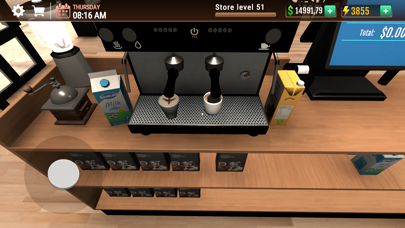
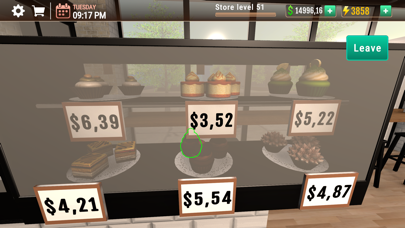
Open your own coffee shop and serve the best coffee in the world. Sell delicious cakes, desserts, croissants, muffins and ice cream. Expand your cafe, add tables, cabinets, chairs and decorate it with paintings and plants. Fulfill orders and earn money. In Coffee Shop Simulator, you will run your own café and create a place with a unique atmosphere, where everyone will want to come, relax and drink freshly ground and brewed coffee. Give people the best before the coffee gets cold. Offer increasingly better desserts, squeeze fresh fruit juice, make smoothies and prepare ice cream desserts. Sell your own products, place large orders, carry boxes and arrange goods on shelves. Your cafe can become one of the most beautiful in the world, offer people a bit of luxury, nice music and fast service. Accept card and cash payments, add cabinets, shelves, tables and refrigerators. Make lots of money. Become a tycoon by running and developing your own cafe in a 3D open world. A wonderful, realistic simulation game, a cafe and shop simulator that sells fresh, delicious products.
Yuzhou Zhu
Free to use forever, with advanced features available through a Pro subscription. Coins is the simple, smart expense tracker that makes personal finance effortless — on iPhone, iPad, and Mac. Quickly log expenses and income, stay on top of your budget, and understand exactly where your money goes. Whether you want to save more, control daily spending, or track income, Coins is the budgeting app that fits into your life in just 30 seconds a day. Key Features • Fast & Easy Expense Tracking Log expenses or income in seconds. Just enter an amount—no complicated setup. Built-in calculator makes it easy to add up receipts on the fly. • Beautiful Home Screen Widgets Stay on top of your finances at a glance with stunning widgets right on your home screen. See your budget progress and recent spending without opening the app. • Beautiful Budget Reports See your spending at a glance with clear, insightful charts. Set monthly budgets and get alerts before overspending. • Smart Transaction Suggestions Coins remembers your frequent transactions so you can add new ones with just two taps. • iOS Shortcuts Integration Automate your money tracking! Use the Shortcuts app to add expenses or income hands-free—perfect for quick logging with Siri or custom workflows. • Sync with iCloud Access your data seamlessly across iPhone, iPad, and Mac. Always private, always secure. • Native Mac App Enjoy the full Coins experience on macOS with a beautiful three-column layout, keyboard shortcuts, and desktop-optimized interactions. • Privacy First Your data stays on your device and your iCloud. Add a PIN for extra protection. Go Pro to Unlock More • Financial Forecast – Predict your future spending and income based on your history. • Multi-Currency Support – Ideal for travel and international expenses. • Receipt Scanning – Snap a photo or pick from your library and let AI auto-fill your transactions. • Repeat Transactions – Automate recurring bills and income. • Background Themes – Personalize your home screen with beautiful animated backgrounds. Coins is your simple budgeting companion—helping you save money, track spending, and stay in control of your finances with ease. Terms of Use: https://www.apple.com/legal/internet-services/itunes/dev/stdeula/