
Photo & Video
Browse photo and video IPA listings for cameras, editors, recording tools, streaming apps, and creator workflows.


X Corp.
Welcome to X (formerly known as Twitter), your trusted digital town square where conversations unfold in real time, and the world connects through breaking news, live events, podcasts, and everything in between. Whether you're passionate about sports, tech, music, or politics, X is your front-row seat to what’s happening across the globe. X isn’t just another social media app, it’s the ultimate destination for staying well informed, sharing ideas, and building communities. With X, you’re always in the loop with relevant trending topics and breaking news, delivered instantly to your screen, raw and unfiltered. What You Can Do on X: • Follow breaking news from around the world before it hits the headlines, and stay ahead of the curve with real-time updates on trending topics and viral conversations. • Post your thoughts, photos, and videos with a global community. Join millions of users in shaping public dialogue across social, cultural, and political conversations. • Discover Grok, the AI assistant powered by X’s real-time data. You can ask Grok to summarize trending news, explain videos, or give you more context about posts. • Stream live video or go live with Spaces, our audio feature that enables you to host discussions, hold interviews, or start your next live podcast. Whether you're streaming a concert, a live game, or your thoughts on a hot topic, X keeps your audience engaged. • Watch videos: from live breaking news and sports clips to podcasts and gaming sessions that last up to 3 hours long. Many of the world’s leading voices, in comedy, gaming, podcasting, and politics, all share their content on X. • Connect and chat privately with friends, followers, customers, or collaborators through Direct Messages. • Join and build communities tailored to your interests: from sports news, gaming, entertainment, crypto, entrepreneurship, tech, and more. • Subscribe to X Premium to unlock exclusive features like a blue checkmark, boosted visibility, prioritized replies, fewer ads, longer videos, and post editing. X Premium also gives you access to creator revenue sharing and the ability to offer exclusive content to subscribers. Why X? In a world of constant change, X is your real-time source to stay ahead of the curve, connect with people, and explore diverse perspectives. From breaking live news and trending memes to top podcasts and live streams from your favorite creators, X brings it all together in one powerful social experience. Privacy Policy: https://x.com/privacy Terms and Conditions: https://x.com/tos

Captions, LLC (US)
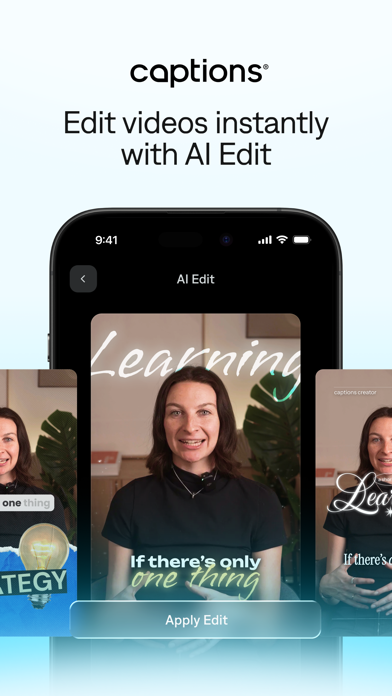
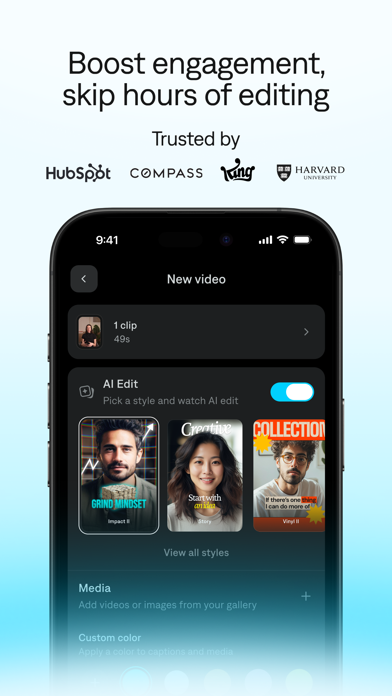
AI EDIT THAT EDITS LIKE A PROFESSIONAL VIDEO EDITOR Built by Mirage™, Captions is an AI video generator and video editor that makes it easy to go from idea to ready-to-share content, no experience needed. Get started by importing a video or generating engaging content from scratch using text to video. You can create an AI actor or upload a selfie to create a personal avatar, allowing you to produce polished footage of yourself without ever needing to record again. From there, skip the hours spent toggling and tweaking manual edits. Our AI video editor applies editorial discernment to cut scenes, overlay B-roll, and integrate sounds based on your video. Whether you polish your video with our AI edit feature or describe desired changes to our chat-based editor, Captions’ intuitive video maker makes it easy to bring your vision to life. LET AI EDIT FOR YOU - One-tap AI video editing: Transform raw footage into ready-to-post content instantly with curated effects and trending aesthetics. - Edit like you text: Just describe your vision in plain language; our chat-based editor will apply effects, transitions, B-roll, and pacing per your direction. CREATE A PERSONAL AI AVATAR - AI Twin: Turn a single selfie into a high-quality video of yourself using our AI video generator. - AI Actors: Generate talking videos with engaging AI avatars, giving you a digital on-brand spokesperson. - Adjust looks: Change outfits, add objects, and switch backgrounds to feature the same AI avatar across unlimited videos. AI-POWERED EDITING TOOLS - AI Denoise: Automatically remove background noise from talking videos. - AI Zoom: Instantly add relevant zooms to your content. - AI Scale: Quickly resize videos for whatever aspect ratio you need. - AI Hashtags: Automatically generate video captions and hashtags. - AI Teleprompter: Read directly from your script while recording in-app. - Multiple AI models: Choose from 20+ models to generate music, sounds, and visuals. CAPTIONS AND DUBBING - AI Dubbing: Dub your content into 29 languages with just a tap of a button. - AI Subtitles: Automatically generate accurate captions or subtitles in 91+ languages. You can choose specific fonts and colors too. Captions, LLC (US) Developer


DAZZ PTE. LTD.
Dazz Camera, Pro Photographer in your Pocket. We believe in keeping it simple, no need for post-editing. With just one tap, you can capture the most authentic vintage photos or videos, letting you enjoy the moment without distractions. Dazz camera is inspired by classic film cameras from the 80s. We’ve sampled real film stock to recreate the colors and textures of vintage photography. Dazz camera supports shooting in various retro film formats like 135 film, 120 film, toy cameras, slide film, half-frame cameras, instant camera, 3D film photography, disposable camera, and more. Besides film photography, Dazz camera also offers modern digital camera color profiles, including compact camera, CCD camera, and we’re constantly adding more. You can also capture videos with a retro vibe, using formats like 8mm film camera, 16mm film camera, VHS tape camera, DCR camera, movie camera, and slide projector. We’re always rolling out new cameras, so keep an eye out! When you’re capturing photos and videos, we’ve got some cool extra features and accessories for you: - Save the negative and reprocess it to achieve different exposure and color temperature. (Available on select cameras) - Double exposure effect by layering two photos. - Timer for delayed shots. - Flash. - Import your existing photos for editing. (Available on select cameras) - Adjust color temperature and tint. - Switch between preset focal lengths or adjust freely. - Tweak exposure compensation. - Adjust ISO and shutter speed. - Stabilization settings. - Composition grids. - Fisheye lens. - Starburst lens. - Color flash filters. - Prism lens. - ND filter. When you share your photos on social media, don’t forget to tag them with #dazzcam. Our team might just feature your awesome photos in our collection! Got any questions? Email us at [email protected]. Dazz Pro Subscription - Join Dazz Pro to access all cameras and accessories. - Payment will be charged to your iTunes account at confirmation of purchase. - Subscriptions will automatically renew unless auto-renew is turned off at least 24 hours before the end of the current period. - Your account will be charged for renewal, in accordance with your plan, within 24 hours prior to the end of the current period. - You can manage or turn off auto-renew in your Apple ID account settings any time after purchase. Terms of Use: http://dazz.ltd/dazz/terms_and_conditions.html Privacy policy: http://dazz.ltd/dazz/privacy_policy.html

TestFlight
A simple, powerful, and fast youtube video downloader now for iOS. Note: Beta version decrypted from TestFlight: Only compatible with iOS17 and later.

Firecore, LLC
Ignite your video content with Infuse – the beautiful way to watch almost any video format on your iPhone, iPad, Apple TV, Mac, and Vision. No need to convert files! Infuse is optimized for iOS 26, with powerful streaming options, Trakt sync, and unmatched AirPlay & subtitle support. Gorgeous interface. Precise controls. And silky-smooth playback. - PLAY MORE VIDEO TYPES A powerful video player that plays just about anything, including MP4, MKV, M4V and MOV – plus many others. Includes support for HDR, HDR10+, Dolby Vision, plus Dolby and DTS audio. - STREAM FROM OTHER DEVICES Browse and play videos stored on your Mac, PC, NAS, Wi-Fi hard drive, apps like Plex, Emby, and Jellyfin, or from cloud services like Dropbox, Google Drive, OneDrive, Box, pCloud, Yandex.Disk, MEGA, Aliyun Drive, and others – no syncing required! - AIRPLAY & GOOGLE CAST OPTIONS Stream a wide variety of videos types such as MKV, MP4, M4V, and others over AirPlay & Google Cast with full surround sound and subtitles. - TRAKT 2-WAY SYNC Connect with Trakt to sync watched history, submit ratings and post comments. - OPTIMIZED SUBTITLES POWERED BY OPENSUBTITLES Bring your own subtitles, or download them on the fly (for free) in virtually any language. ===== “Looks great, plays anything you throw at it...surprisingly powerful” - Lifehacker “The best media player for iPhone and iPad...superior to VLC.” - Cult of Mac “I can't give the UI high enough praise. It's great.” - 9to5Mac “I see no reason whatsoever to remove Infuse from my Home screen anytime soon.” - iDownloadBlog “A beautiful UI.” - Trakt co-founder “A mini Kodi!” - Infuse user ===== MORE THAN JUST A PRETTY FACE THE BASICS - Silky-smooth video player (plays full 4K w/ HDR & Dolby Vision) - Stream from a Mac, PC, NAS or Wi-Fi enabled hard drive - Connect with Plex, Emby, Jellyfin, Kodi (XBMC), WMC and other media servers - Beautiful layout with quick access to video info - Artwork and metadata added automatically - Split View & PIP - Spatial audio SUPPORTED FORMATS - Video: 33GP, AVI, AV1, ASF, BDMV, DIVX, DVDMEDIA, DVR-MS, FLV, H.264 (AVC), H.265 (HEVC), ISO/IMG, M4V, MKV, MOV, MP4, MPEG, MTS/M2TS, MXF, OGM, OGV, RMVB, TS, VC1, VIDEO_TS, VOB, VP9, WEBM, WMV, WTV - Audio: AAC, AC3/E-AC3, DOLBY TRUEHD, DTS, DTS-HD MA, FLAC, MP3, OGG, PCM, WMA - Subtitles: DVB, DVDSUB, MICRODVD, MPL2, PGS, SMI, SSA/ASS, SRT, SUB, SUP, TIMED TEXT, TXT, VOBSUB, VTT, XSUB PLAYER FEATURES - Multiple audio tracks - Chapters - Gesture controls - 8 video zoom options - Continuous playback - TV out via HDMI or VGA adapter - Deinterlacing EXTRAS - Folders - One-click subtitle downloads from OpenSubtitles - Scrobble plays to Trakt - Download videos from networked devices - Drag and drop uploads via web browser - Get extra onboard storage with SanDisk iXpand and other USB drives GET MORE WITH INFUSE PRO! - Play even more video formats - Stream video trailers for movies and TV shows - Enjoy high-resolution Dolby® and DTS® audio - Access videos stored in cloud services like Dropbox, Google Drive, Box, OneDrive, pCloud, Yandex.Disk, MEGA, Aliyun Drive, and more - Stream a wide variety of video types over AirPlay and Google Cast - Sync libraries, settings, watched history, and playback progress between devices ==== Note: DRM-protected movies & TV shows purchased from the iTunes store are not supported. Metadata and artwork provided by TMDB, which is a community maintained movie and TV show database. ==== Infuse Pro is available as a optional subscription, and includes a free trial period that begins once your purchase has been confirmed with your iTunes Account. When the trial period concludes, your subscription will start and renew automatically. Your iTunes Account will be charged for the upcoming period unless you disable auto-renew or cancel your subscription in your Account Settings at least 24-hours prior to the end of the current period. Visit firecore.com/terms-privacy for full terms and privacy policy.

SHANTANU PTE. LTD.
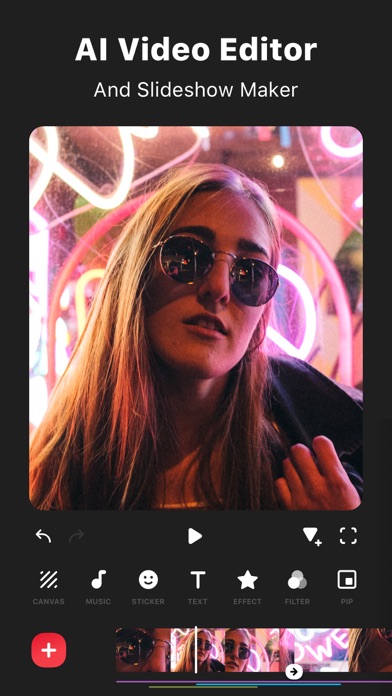
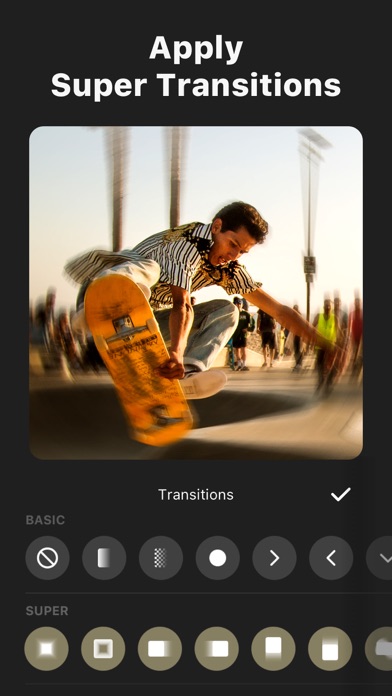
InShot: Empowering Creators with Advanced Video and Photo Editing. Unlock effortless editing with easy-to-use features and powerful AI tools, elevating your video and photo editing experience to new heights. [AI Tool] - AI Effects. Experience the magic of AI with instant presets that elevate your images and videos in just one tap. - Auto Captions. AI-powered speech-to-text tool helps you say goodbye to manual text typing and makes video editing effortless. - Auto Remove Background. Remove background of videos/photos at the touch of a button. - Smart tracking. Make stickers/text move seamlessly in sync with your tracking object motion, adding dynamic flair to your videos. - Smooth slow-mo. Experience seamless slow-motion effects for buttery smooth videos. - Auto Adjust. Instantly enhance your images and videos with one-tap. - Smart collage. Make photo collages with AI Blend effects and Screenshot Stitch with effortless caption recognition. [Video editing] - Trim/Merge clips. - Reverse videos. - Add text, emoji and InShot exclusive stickers. - Add music, sound effects & voice-overs. - Add various-styles voice effects. - Speed control. Speed up/slow down video. Add speed ramping. - Keyframe editing. Add custome keyframe animations. - Chromakey. Easily edit green screen video. - Picture-in-Picture. Create multi-layered videos. [Filters, Effects & Transitions] - Lots of cinematic filters. - Unique effects such as Glitch, Fade, Noise, Beats, Weather, Retro DV, celebrate, etc. - AI effects. Clone, stroke, auto-blur, etc. - Combine clips with super transitions. [Photo Editing] - Add text and stickers to photos, make fun story. - Add filters and adjust brightness, contrast, curves, etc. [Photo Collage] - Easy-to-use photo grid collage maker. - Create seamless collages with AI Blend. - AI subtitle detection in Captions stitch mode. - High-quality pic stitch in horizontal/vertical way. [Share] - High video output resolution. Now InShot support save in 4K, 60fps. - Share to social apps, like YouTube, Twitter, Instagram, WhatsApp, etc. [InShot Pro Unlimited Subscription] - With an InShot Pro Unlimited subscription, you have access to all features and paid editing materials including stickers, filter packages, etc. Watermark and advertisements will be removed automatically. - InShot Pro Unlimited subscription is billed monthly or annually at the rate corresponding to the selected plan. - Payment will be charged to iTunes Account at confirmation of purchase. - Subscription automatically renews unless auto-renew is turned off at least 24-hours before the end of the current period. - Account will be charged for renewal within 24-hours prior to the end of the current period, and identify the cost of the renewal. - Subscriptions may be managed by the user and auto-renewal may be turned off by going to the user's Account Settings after purchase. - Any unused portion of a free trial period, if offered, will be forfeited when the user purchases a subscription to that publication, where applicable. [Terms of Use] https://inshot.cc/terms/terms.html [Privacy Policy] https://inshot.cc/terms/privacy.html Feel free to contact us: [email protected], your feedback and suggestions are important to us! For more InShot news and tutorials, follow us on YouTube @InShot Video Editor. [Disclaimer]: InShot is not affiliated, associated, sponsored, endorsed by, or in any way officially connected with YouTube, Instagram, TikTok, Facebook, Twitter. Acknowledgements: FUGUE Music https://icons8.com/music/

Alexey Teplonogov
Lampa is a camera app for those who seek honest images and an analog look. It helps you get the most natural images without HDR or AI-driven effects and make soft, nostalgic photos and videos. The result feels balanced and film-like, ready straight from the camera without post-editing. NATURALLY PROCESSED PHOTO AND VIDEO — Minimal processing due to our own In-House Image Capture Engine. Lampa captures RAW data and processes it immediately with profiles. You get a result that can’t be achieved by editing photos taken with a standard camera. — True-to-life light depth, natural skin tones, and soft details. FILM AND DIGICAM COLOR PROFILES — Carefully tuned profiles inspired by 35mm film and compact digital cameras. Each profile is built around a specific tonal idea, from soft nostalgic tones to crisp digicam highlights and subtle halation. — Photo and video have a finished look, no editing required. VIDEO RECORDING — Video is naturally processed* and color graded with color profiles and dynamic grain. — Custom settings include up to 4K 60FPS and stabilization options. * Fully natural video processing is available on devices that support Log recording — iPhone 15/16/17 Pro IMAGE EDITING Adjust profiles and exposure after shooting. With RAW data, you can push or pull a lot of detail. RAW EXPORT Export RAW files for additional flexibility in external editors. INTUITIVE CAMERA INTERFACE Intuitive gestures and one-hand control. Quick access from the Lock Screen and Control Center. 100% PRIVATE We respect your privacy and do not collect or store your photos or any personal information. LAMPA MEMBERSHIP Membership is available as a subscription or lifetime purchase and unlocks: – Unlimited captures – Image redevelopment – RAW export – Access to all color profiles – Ongoing updates The free version includes 5 captures per day with limited functionality. For feedback: [email protected] Terms of Use: https://lampa.notion.site/Terms-of-Use-for-Lampa-Alternative-Camera-20cb2ee4a1054970b26875d0d8606cdf Privacy Policy: https://lampa.notion.site/Privacy-Policy-for-Lampa-Alternative-Camera-823d4b88775b4c5e9dc5b0faf392de1d

Xiamen Meitu Technology Co., Ltd.
Meitu is the ultimate all-in-one AI editor for mobile. From professional AI retouching to viral digicam filters and Y2K aesthetic styles, Meitu gives you every tool to create stunning content for TikTok, Instagram Reels, and beyond. THE FLASH DIGICAM FILTERS 1. Digicam Filters: Get the iconic 2000s CCD camera look with one tap. Perfect for that nostalgic vintage aesthetic and photo dump edits. 2. AI Flash Effect: Recreate the high-contrast flash photography style that's going viral across TikTok and Instagram — no extra gear needed. 3. Film Grain & Vintage Filters: Add authentic film grain, golden hour tones, and retro color grading for that Pinterest-perfect aesthetic. REIMAGINE WITH AI 1. AI Art & Avatars: Transform your selfies into stunning AI art, AI group photos, or digital avatars. 2. AI Object Removal: Effortlessly erase photobombers, unwanted clutter, or people from your photos with seamless AI blending. No trace left behind. 3. Photo Enhancer & Unblur: Instantly fix blurry photos and upscale to HD quality — restore old photos or sharpen any shot with one tap. BEAUTY RETOUCH & SELFIE EDITOR 1. Face Retouch: Smooth skin, whiten teeth, enlarge eyes, and remove blemishes — the selfie editor trusted by content creators and influencers. 2. Natural Body Shaping: Achieve flattering body edits with precise AI slimming tools. Look like your best self while keeping it real. 3. Makeup & Hairstyle: Try virtual makeup looks and beauty filters for your next GRWM post or social media drop. ALL-IN-ONE EDITING SUITE 1. Aesthetic Collage Maker: Combine memories into a trending collage using hundreds of stylish layouts, aesthetic frames, and Pinterest-worthy designs. 2. Background Remover: Cut out subjects, blur backgrounds, or swap scenes — perfect for content creation. PRO VIDEO EDITOR 1. Cinematic Vlogs: Level up your short videos for TikTok and Reels with ease. Add trending music, animated text, and aesthetic video filters. 2. Video Retouch: Apply real-time face smoothing and beauty effects to your videos for a consistent, polished influencer look. 3. Vlog & Content Creator Tools: Everything a content creator needs — transitions, beauty filters, and cinematic styles — all in one video editor. 【Meitu VIP】 Unlock the full Meitu experience with a VIP subscription. Enjoy exclusive access to premium filters, templates, stickers, AR effects, and aesthetic frames. Remove watermarks from your exports, go ad-free for uninterrupted editing, and unlock VIP-only AI features including advanced retouching tools, premium digicam styles, and exclusive beauty effects. Upgrade to VIP+ for access across both mobile and desktop. For the Terms of Use and Privacy Policy, please visit: https://pro.meitu.com/xiuxiu/agreements/gdpr.html?lang=en#en-policy Contact us: [email protected] Instagram: @meitu.app | TikTok: @meituglobal

Karbin-Store
Ticket To The Moon, Inc.
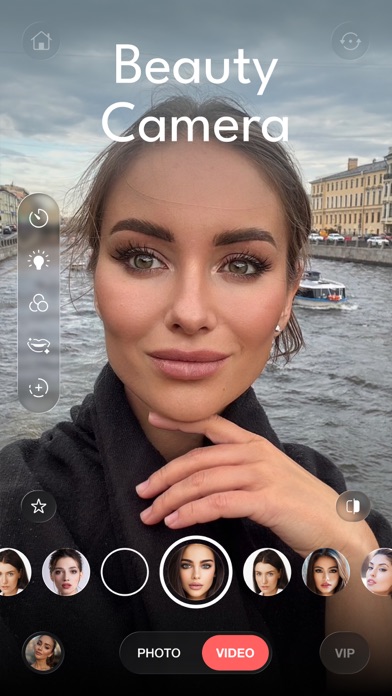
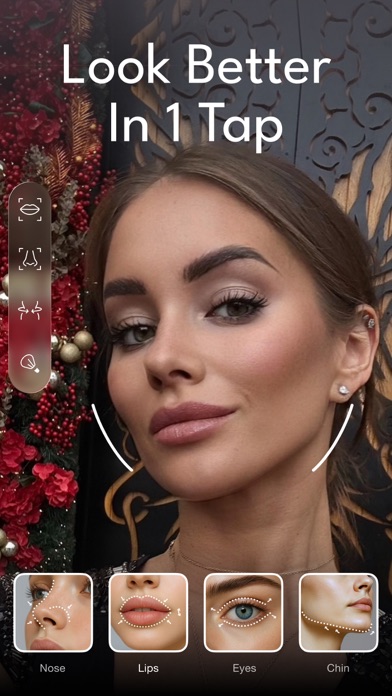
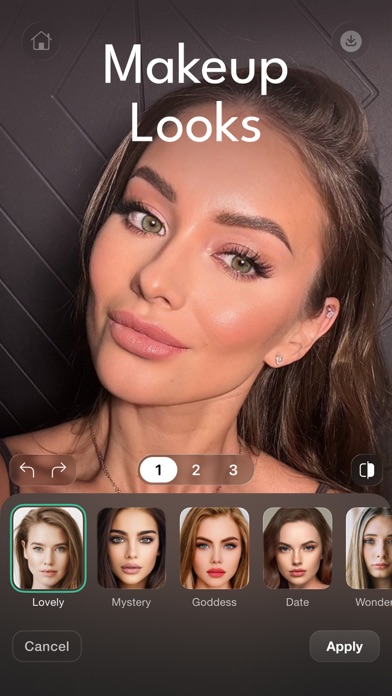
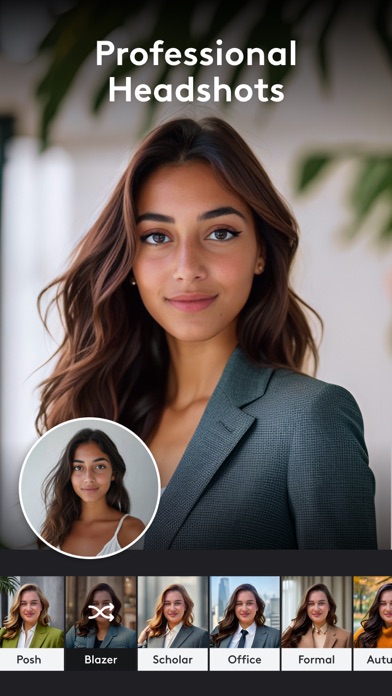
Master your look with Persona - a professional beauty camera and editor crafted for perfection. Smart AI and powerful tools deliver flawless photos and videos effortlessly, live or in edits. MAIN FEATURES: • Face Beauty Filters: Choose from dozens of filters to smooth skin, add a bright glow, or perfect your look naturally - instant with one click, for photos and videos. • Hair Upgrades: Boost volume or switch to new hairstyles fast, works on any shot. • Body Tuning: Shape your figure a bit for a sharp, real result in stills or clips. • Skin Improvement: Get a tan, fix texture, or remove shine in one tap, for any shot. • Editing Controls: Change brightness, contrast, or sharpness like a pro, for both photos and videos. • Face Refining: Improve eyes, nose, lips, or jawline easily, anytime. • Color Boost: Add bold, stylish tones to your photos or videos. • Unique Details: Add freckles, dimples, or small touches to both photos and videos. • Quick Fix: Erase spots or extras fast, no matter what you’re editing. • Exclusive AI Tools: Retake shots with better angles, generate new photo sessions from your selfies, and more. Persona offers elite beauty tools for standout results every time. Terms: https://persona.camera/terms_of_use_persona.pdf Privacy: https://persona.camera/privacy_policy_persona.pdf Download Persona now and own your style with pro-level beauty!
Lightricks Ltd.
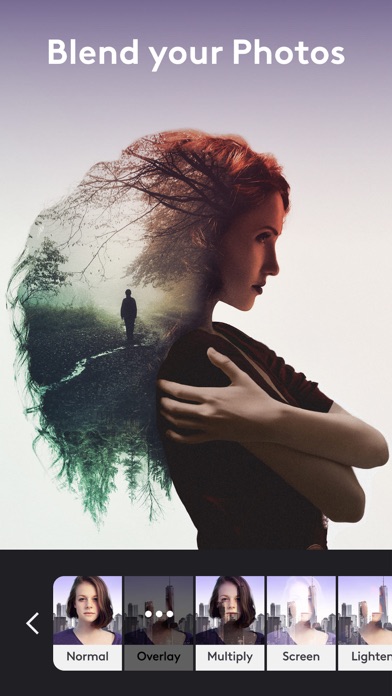
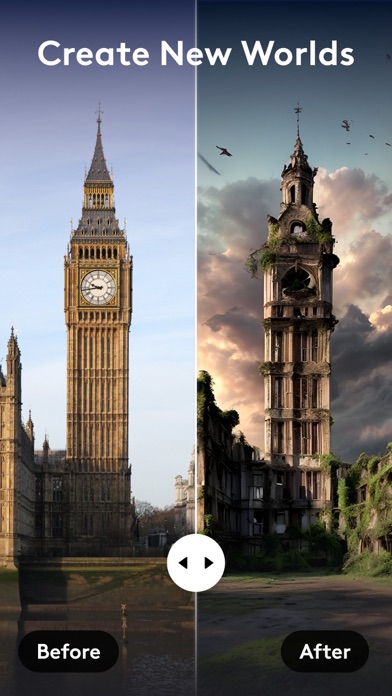
Transform your images with Photoleap, the most powerful photo editing app on the market! Whether you’re an artist, or you just simply love to edit & create, you'll be blown away by all the creative possibilities packed into this sophisticated photo editing app. Check out Photoleap's new features! * AI image generator to create the photos you dream of * First-in-class AI tools will help you create astounding digital art, just by typing the idea you’re imagining * Speed up your photo editing with a powerful AI baseline creation that you can work off of & add more photo effects to * Add motion to your photos! Create live photos with 3D effects. * New photo animator tools to edit pictures & make your photos come alive with effects and 3D edits. Use your AI art creations as the cover art for an album, a selfie background, or just to share with your friends. Go wherever your imagination takes you, & continue to edit your creations with Photoleap’s advanced photo editing tools. From layers and blending modes, to photo filters and effects, brushes, fonts, tonal adjustments, film, black and white and duo presets, with Photoleap photo editor, you’ll turn the ideas in your head into brilliant art right on your phone. Unleash your creativity and start transforming photos into works of art. Creative Combinations • Superior photo mixing. Superimpose images, create double exposures and surreal iPhone art • Sophisticated Layers! Combining photos made simple, plus the ability to re-edit each layer at any time • Photo Blending: Adjust blending modes, transparency, and transform (perspective change) images • Change the background of your photo with your fingertips Artistic Masterpieces • Use the collage maker to collage photos together to tell a story • Add text to photos, draw, or doodle on your image • Utilize cool tools to create graphic designs, street art, abstract and contemporary masterpieces • Use our one of a kind photo filters to set mood • Set the mood in any season with our sky photo editor • Create professional-looking social media posts, flyers or posters for your business • Have some fun and easily create memes that will keep you laughing • New packs designed just for you, added all the time: light leaks, filters for pictures, elements, stickers for photos, styles, backdrops, fonts, effects, and brushes. Image Correction & More • Masking built-in to nearly every tool, with smart new quick select brushes to save time • Control & adjust it all: tonality, color, grain, vignette, fade, structure, intensity and much more • Colorize images and apply beautiful gradients with duo filters • Quick blemish/object remover to get rid of defects • Easily resize and crop images while keeping aspect ratios intact • Blur photos for effect or privacy Pro Editing • RAW support • 16 bit image depth support for high quality tonal adjustments • You can set the size of your canvas • Not done editing? Photo sessions are auto-saved, simply continue later - Terms of use: https://static.lightricks.com/legal/terms-of-use.pdf - Privacy policy: https://static.lightricks.com/legal/privacy-policy.pdf


SHANTANU PTE. LTD.
Polish is your go-to photo editor for anyone who wants natural, realistic results—fast and easy. With our user-friendly features and powerful tools, you can create eye-catching photos in just a few taps. Enjoy natural-looking edits without complicated tools or an overedited look! Everyday Photo Editing • Magic AI Remove: Seamlessly erase unwanted objects, people, or background clutter in seconds. • AI Photo Enhancer: Improve clarity, sharpen details, and save your photos in high quality. • Filters: Refresh dull photos with stylish filters for every mood and aesthetic. • Adjust: Fine-tune light, color, and tone to fix dark, backlit, or low-light photos. • Change Background: Instantly refresh your background to make yourself stand out — all in one tap. Natural Portrait Retouch • Skin Retouch: Smooth skin, soften wrinkles, and brighten your complexion while keeping results natural. • Blemish Remover: Remove acne and imperfections without losing real skin texture. • Face Refine: Gently refine facial features for balanced, natural-looking portraits. • Makeup: Enhance your look with easy makeup edits that still feel like you. • Teeth & Smile: Brighten teeth and enhance your smile for a fresh, confident look. • Hair Editor: Try trendy hair colors and hairstyles to find the look that suits you best. • Body Reshape: Refine body lines naturally with subtle, realistic results. Creative Features • Collage & Layouts: Turn your favorite moments into stylish collages with layouts, stickers, and text. • AI Portrait & AI Studio: Transform your selfies into creative AI portraits and viral styles. • Fix Expression: Adjust facial expressions and try different moods in seconds. Ready to Share • Edit, enhance, and post in just a few taps. • Create share-ready photos for Instagram, TikTok, Facebook, and more with polished, eye-catching results. Why Polish? • Newbie-Friendly: No experience needed with simple tools, quick edits, and zero hassle. • Natural Results: Enhance your photos without making them look fake or overedited. • Express Yourself: Show your personal style with easy yet powerful editing tools. • Fast and Fun: Create beautiful photos for everyday moments, selfies, and social posts in less time. Terms of Use https://inshot.cc/terms/terms.pdf Privacy Policy https://inshot.cc/terms/privacy.pdf Download Polish and create natural, polished photos in just a few taps. Thanks for creating with Polish! Please feel free to let us know if you have any suggestions or problems at [email protected].


Fadel.io OU
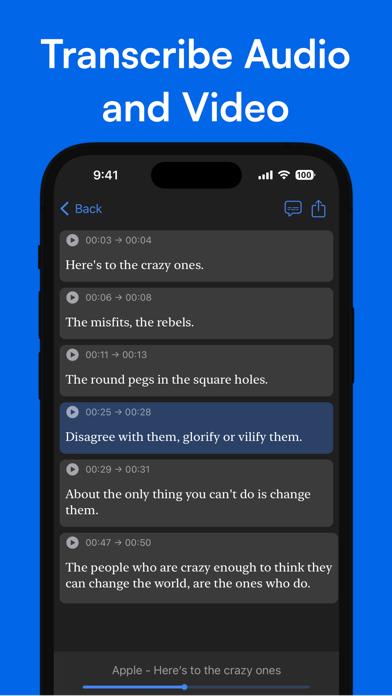
Spiik is an easy-to-use voice recording and auto-transcribing app. Record lectures, interviews, meetings, personal notes or ideas and get automatic transcriptions. Generate detailed notes, summaries, quizzes, flashcards from your recordings with our built-in AI. FEATURES: • Record, save and replay audio without limits. • Transcribe and translate in over 100 languages. • Generate structured notes, summaries, quizzes, flashcards, and more with our AI-powered note taker. • Organize your recordings into projects. • Export transcriptions with or without timestamps. The free version of Spiik provides unlimited recording and replaying. The best way to contact us: [email protected] View our EULA here: https://www.fadel.io/apps/terms.html

MWM
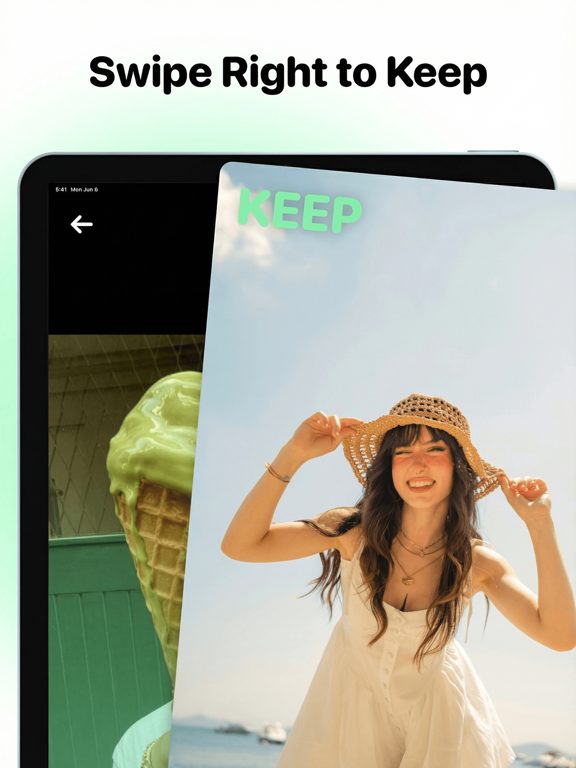
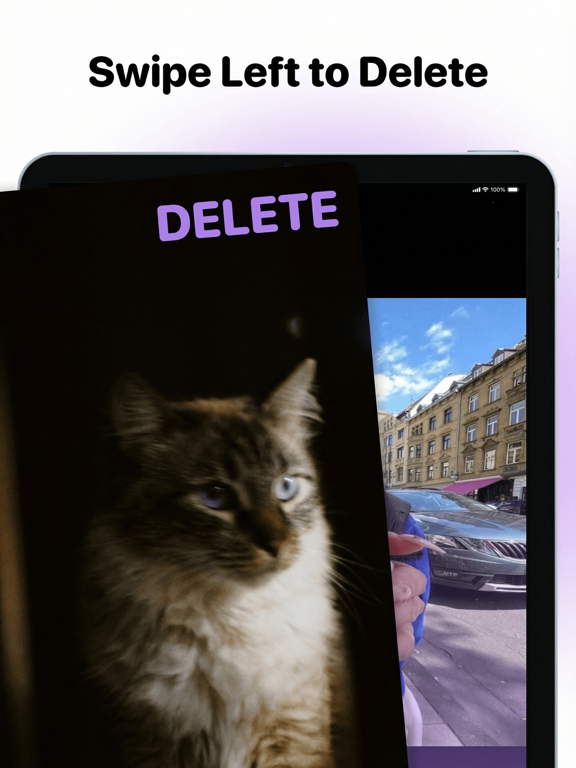
Your camera roll is a mess. Let's fix it. Reclaim your storage and rediscover your best memories with Swipewipe. We make cleaning up thousands of photos not just easy, but genuinely fun. It's the photo **declutter** tool you'll actually want to use. Finally, a simple way to manage your memories. Go month-by-month to tackle your library, relive golden moments with our "On This Day" feature, and explore your travels on a beautiful, interactive memory map. This isn't a chore-it's a trip down memory lane. Decide what to keep and what to delete with a simple swipe. Why you'll be obsessed with Swipewipe: - The Famous Swipe: Swipe right to keep, left to delete. Cleaning your photo **organizer** has never been so addictive. - Relive Your Best Days: The "On This Day" feature and home screen widget serve up daily doses of nostalgia, complete with streaks to keep you motivated. - Your Adventures, Mapped: See all the places you've been and the memories you've made on a stunning world map. - AI-Powered Enhancement: Magically improve old, blurry, or low-quality photos. Turn forgotten pictures into crisp, clear keepsakes. - Find the Clutter Fast: Easily spot and remove **similar** photos, blurry shots, and old **screenshots** that are eating up your storage. - Decide Later: Not sure about a photo? Bookmark it and come back to it anytime. No pressure. Your camera roll should be a highlight reel, not a source of stress. Free up gigabytes of space, find your favorite photos again, and finally take control of your digital memories. Ready to fall in love with your camera roll again? Download Swipewipe and start your most satisfying cleanup yet! Apple Terms of Use Agreement: https://www.apple.com/legal/internet-services/itunes/dev/stdeula/
Twitch Interactive, Inc.
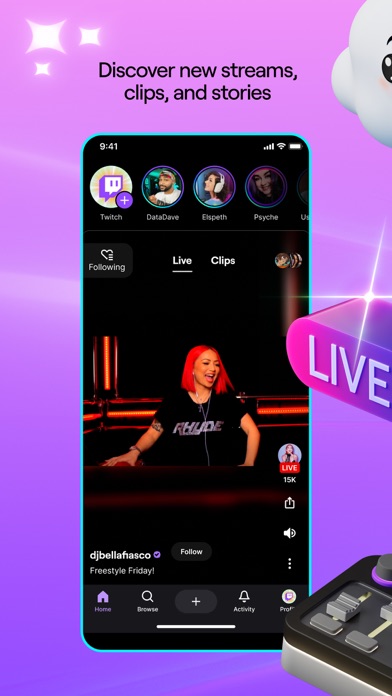
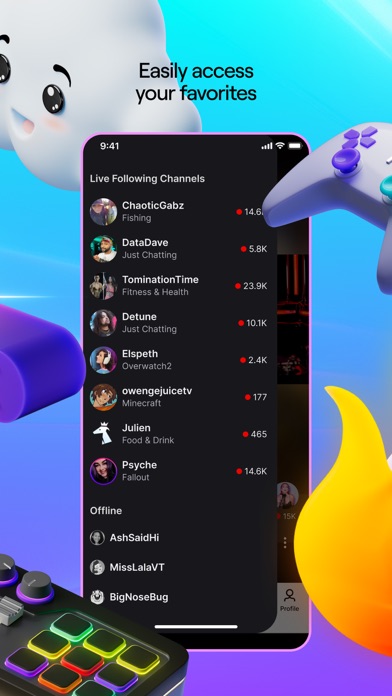
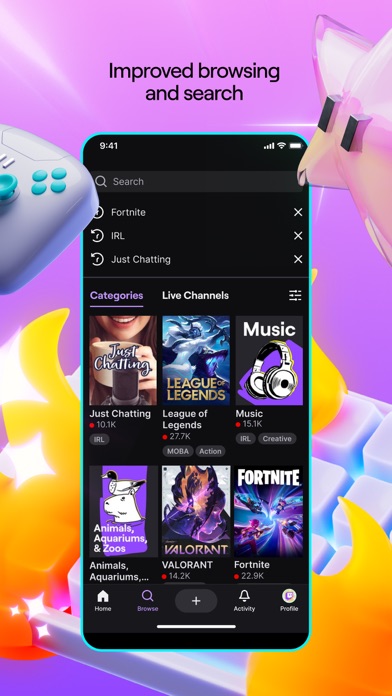
Twitch is where thousands of communities come together for our favorite streamers, for the games we love, for the lulz, for each other, for whatever. Download Twitch and join millions enjoying live games, music, sports, esports, podcasts, cooking shows, IRL streams, and whatever else crosses our community’s wonderfully absurd minds. We’ll see you in chat. Here’s a convenient list of other awesome things about Twitch: Everyone is “about” community. We actually are one: Whatever you nerd out about, you can find your people on Twitch. Give support, get support: Find new streamers and subscribe to your favorites. Plus, unlock exclusive perks for your support. Start your own channel: The Twitch app is one of the easiest ways to start streaming. Just create an account, go live directly from the app, and bring people together around whatever you’re passionate about. You never know what you’ll find: Popular games are always live, but so are music festivals, rocket launches, street tours of Tokyo, and goat yoga. Yes, really. Dark mode: Y’all love this one. Black and purple have never looked this good together. Twitch's Terms of Service are available at https://www.twitch.tv/p/legal/terms-of-service/ For feedback and assistance, please visit our Support Center: https://help.twitch.tv Please note: This app features Nielsen’s proprietary measurement software which contributes to market research, like Nielsen’s TV Ratings. Please see http://priv-policy.imrworldwide.com/priv/mobile/us/en/optout.html for more information


Lightricks Ltd.
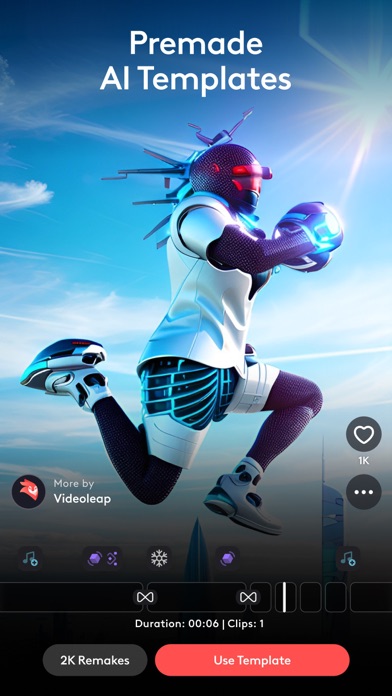
Experience seamless video creation with Videoleap by Lightricks! With an intuitive editor, premade templates, and the latest AI tools, Videoleap is your go-to video editor catering to every need, for anyone. Get access to hundreds of professional tools including video effects, filters, transitions, music and audio effects, green screen and more. Start from scratch or choose from our vast selection of ready-to-use templates for Reels, TikToks, YouTube Shorts, or wherever you like! Download Videoleap now to start creating and sharing amazing videos today. AI Video Editor: Take advantage of our full AI video editor by streamlining video creation and transforming the styles of your videos into extraordinary content. • AI Video Effects- Apply incredible AI presets to your images and videos in a tap. • Premade AI Templates-Remake 100s of mind-blowing AI templates using your own assets. • Remove objects from video with AI-Vanish unwanted elements from videos. Video Editing Tools: • Keyframe animations. • Green Screen/Chroma Key compositing. • Fit video clips to format - place clips on blank or colored canvas. • Non-destructive video editing. • Unlimited undo/redo. • Intuitive timeline with zoom for frame by frame precision. • Video speed controller- slow down for dramatic effects or speed up the action. Creative platform: • Remake trending edits with a tap from our community feed • Connect with other creators • Share your creativity and own templates with the community Video Special Effects: • Glitches, Rays, Flare, Prism, Defocus, Colorfy, Pixelate, Chromatic Aberration and more! • Text: variety of trendy fonts, emojis, shadow, colors, opacity, and blending. • Variety of unique filters to set the mood you want in a snap. Creative Cinematic Compositions: • Mix videos & images together to create double exposures and artistic looks. • Layer-based editing! Add videos, effects, text and images then reorder them however you like. • Customize layers with transformation, masking, and blending modes. • Apply seamless, cinematic transitions to your clips such as Zoom, Fade, Dissolve. • Motion tracking & keyframes- track and sync objects in footage with other elements to match their movement. Precise Video Editing & Rich Possibilities: • Clip editing: trim, split, duplicate, flip, mirror, transform. • Color correction: adjust brightness, contrast, saturation and more. • Change aspect ratio and fit clips automatically. • Customize the color of your background. • Blur backgrounds. Sound Editing: • Over 100 sound effects! • Dub audio and voice overs. • Control audio volume and apply equalizer presets. • Sync videos to the rhythm of the music. And More! • In-app stock footage, including green videos and overlays! • Helpful mini-tutorials within each feature. • Projects are auto-saved. Work on them whenever, wherever. • Preview your work with full screen. Download Videoleap now and discover the power of effortless video creation right from your iPhone! --------- - Terms of use: https://static.lightricks.com/legal/terms-of-use.pdf - Privacy policy: https://static.lightricks.com/legal/privacy-policy.pdf


Viral Vision Ltd.
VIDS combines powerful AI with thousands of ready-made templates so you can make trending content in just a few taps. Start with an AI template or style — the app instantly syncs your clips with music, effects, and transitions. Turn your clips and selfies into cinematic stories with trending music, stylish transitions, and next-gen AI effects. Create your way: – Turn photos and clips into cinematic reels in seconds with AI templates – Add animated effects and motion to people or objects – Make reels, stories, and product videos that look professional – Save time while keeping full creative control Edit like a pro: Cut, trim, merge, and sync clips to the beat. Use ready-made effects or build your own edits — VIDS makes it simple, fast, and fun. Features: – Generative AI video tools and effects – Trendy styles and one-tap templates – Full video editing toolkit – Transitions, filters, overlays, text, and music sync – Auto-edit assistant for faster creation – Clean, intuitive design — no ads or watermarks To unlock all creative tools, templates, and AI features, a subscription is required. Start with Pro to explore templates and try AI generation with starter credits — or switch to AI Max for unlimited creative sessions and extended AI resources. One-time credit packs will also be available soon. Available in: English, Russian, Portuguese (BR & PT), French, Spanish, German, Korean, Japanese, Chinese (Simplified), Italian, Ukrainian, Indonesian, Polish, Czech. Create faster. Edit smarter. VIDS — the easiest way to make your videos stand out. Read more about our terms and conditions here: https://www.vids-app.com/eula Read more about our privacy policy here: https://www.vids-app.com/privacy-policy Have questions or suggestions? Email us at [email protected] Thanks for creating with Vids! We'd love to see your feedback in the App Store!


Get the official YouTube app on iPhones and iPads. See what the world is watching -- from the hottest music videos to what’s popular in gaming, fashion, beauty, news, learning and more. Subscribe to channels you love, create content of your own, share with friends, and watch on any device. Watch and subscribe ● Browse personal recommendations on Home ● See the latest from your favorite channels in Subscriptions ● Look up videos you’ve watched, liked, and saved for later in Library Explore different topics, what’s popular, and on the rise (available in select countries) ● Stay up to date on what’s popular in music, gaming, beauty, news, learning and more ● See what’s trending on YouTube and around the world on Explore ● Learn about the coolest Creators, Gamers, and Artists on the Rise (available in select countries) Connect with the YouTube community ● Keep up with your favorites creators with Posts, Stories, Premieres, and Live streams ● Join the conversation with comments and interact with creators and other community members Create content from your mobile device ● Create or upload your own videos directly in the app ● Engage with your audience in real time with live streaming right from the app Find the experience that fits you and your family (available in select countries) ● Every family has their own approach to online video. Learn about your options: the YouTube Kids app or a new parent supervised experience on YouTube at youtube.com/myfamily Support creators you love with channel memberships (available in select countries) ● Join channels that offer paid monthly memberships and support their work ● Get access to exclusive perks from the channel & become part of their members community ● Stand out in comments and live chats with a loyalty badge next to your username Upgrade to YouTube Premium (available in select countries) ● Watch videos uninterrupted by ads, while using other apps, or when the screen is locked ● Save videos for when you really need them – like when you’re on a plane or commuting ● Get access to YouTube Music Premium as part of your benefits Note: If you subscribe via Apple, payment will be charged to App Store Account at confirmation of purchase. Subscription automatically renews unless auto-renew is turned off at least 24 hours before the end of the current period. Account will be charged for renewal within 24 hours prior to the end of the current period at the rate of the selected plan. Subscriptions and auto-renewal may be managed by going to Account Settings after purchase. YouTube paid service terms: https://www.youtube.com/t/terms_paidservice. Privacy policy: https://www.google.com/policies/privacy

Kazuya Saito
AI Gahaku turn your photo into a Renaissance portrait painting. This ai cam are used by over 10 million people around the world. Using AIGahaku’s art filters you can make your photo look as if Warhol pop art, Modigliani oil painting, Picasso, or even Rembrandt himself painted it for you! And with no picture editing or Photoshop skills needed, it’s easy to share your world. - 50+ OF STYLES: You'll find more than 300 art styles in AIGahaku art filter library. AIGahaku has the largest collection of different artistic styles to choose from. Find your favorite one! - Automatically retouches. Improves skin and brings out an atmospheric, natural portrait look. - Get instant results. It's very fast and easy to use. - BUILT FOR SOCIAL: Easily capture and share fun, high-quality photos to your favorite social network. Note for People of Color: We are so sorry that our AI has been trained mostly on portraits of people of European ethnicity. We're planning to fix this soon. AI Gahaku app works like a fully automated pro AI Portrait photo editor. It's also great for avatar generation. You can also check PortraitAI app and AI Gahaku Art website from Tokyo. AIGahaku photo editor is brought to you by AIGahaku(ai-art.tokyo). You must agree to AIGahaku privacy policy: =========================== AIGahaku PRO subscription options: =========================== AIGahaku PRO monthly - $4.99 per month Your AIGahaku PRO subscription will automatically renew 24-hours prior to the end of each term (month or year correspondingly) and your card will be charged through your iTunes account. You can turn off auto-renewal at any time in your iTunes account settings, but refunds will not be provided for any unused period of the term. ToonMe Terms of Use: https://ai-art.tokyo/en/terms/ ToonMe Privacy Policy: https://ai-art.tokyo/en/terms/

RAY INFORMATICS YAZILIM TEKNOLOJI MEDYA DANISMANLIK VE EGITIM TICARET LIMITED SIRKETI
Phocus is an AI-based portrait camera, depth editor, and 3D relight studio for iPhone and iPad. Capture DSLR-style portraits, shape realistic background blur, refine depth with precision, and create polished images with more control over focus, lens character, color, and mood. With Phocus, you can go beyond simple portrait blur. Edit depth-aware masks, simulate lens behavior, refine subject separation, and explore your image as a 3D scene. Whether you're creating cinematic portraits, dramatic lighting, or polished social content, Phocus gives you powerful tools in a fast and intuitive workflow. Inspired by real optical systems, Phocus lets you emulate DSLR lens behavior without external gear. Control aperture feel, blur falloff, bokeh character, focal response, and depth transitions with tools designed for creators who want more than one-tap filters. You can also inspect your edits in 3D, preview scene depth more clearly, and fine-tune relight results with a much stronger sense of spatial control. "Looking for an app that not only adds the Portrait mode effect to your photos but does a bit more? Then Phocus is the one you're looking for." — iMore "An Outstanding AI Portrait and Macro Camera for the iPhone. It has clearly established itself as the front runner in this iOS camera apps." — John DeNicola "The app is a fine example of technical and artistic craftsmanship." — iGeeksBlog "Phocus is an excellent photo and video editing app for your iPhone that lets you edit both portrait photos and videos with great attention to detail." — The Useful Tech Phocus enhances your creativity with smart tools: • New Phocus Camera for DSLR-style portrait capture • 3D Relight for All Photos: Apply depth-aware 3D lighting even to photos without native camera depth • 3D Scene Preview: Inspect lighting and depth from a more spatial, intuitive view • Improved AI Depth Model: Better depth estimation in both the editor and camera • 3D LUT color styles for cinematic camera previews • AI-powered subject detection and background blur/removal • Precision brush and eraser tools for edge refinement • Dual-layer tone editing for foreground and background • One-tap portrait effects: HDR, mono, studio, stage, color splash, grain, stylize, cartoon • Portrait matte and depth map export for external workflows • Depth Visualizer to preview and adjust depth-of-field using real-time depth data • Tap-to-Focus with enhanced precision using intelligent depth mapping Features: • Portrait Video Blur: Add realistic depth-of-field to videos • AI Subject Detection: Separate subject and background automatically • Real Bokeh Simulation: Customizable aperture shapes and light falloff • Manual Camera Controls: Adjust ISO, shutter speed, white balance, and exposure • RAW and ProRAW Support: Shoot in full resolution and maximum quality • DSLR Lens Simulation: Control focal depth, lens behavior, and bokeh intensity • Aperture & Blur Adjustment: Fine-tune background softness and focus • One-Tap Background Removal: Instantly blur or replace backgrounds • Portrait Effects Library: Apply curated filters and artistic looks • Dual-Layer Editing: Adjust lighting and tone separately for subject and background • Edge Refinement Tools: Fine control over mask boundaries • Depth Map & Portrait Matte Export: For external editing workflows • Depth Visualizer: Interactively adjust depth using combined image and depth data • Tap-to-Focus: Tap to apply precise depth-based focus on any area • Built-In Tutorials: Learn the app step by step ***Depth and depth-related features, including relight and advanced depth masking, are available on iOS 17 and later.*** Phocus AI Subscription Unlock full creative control with a Phocus AI subscription, available monthly or annually. Terms of use: https://rayinformatics.com/terms Privacy policy: https://rayinformatics.com/privacy Contact: https://rayinformatics.com/contact


Kazuya Saito
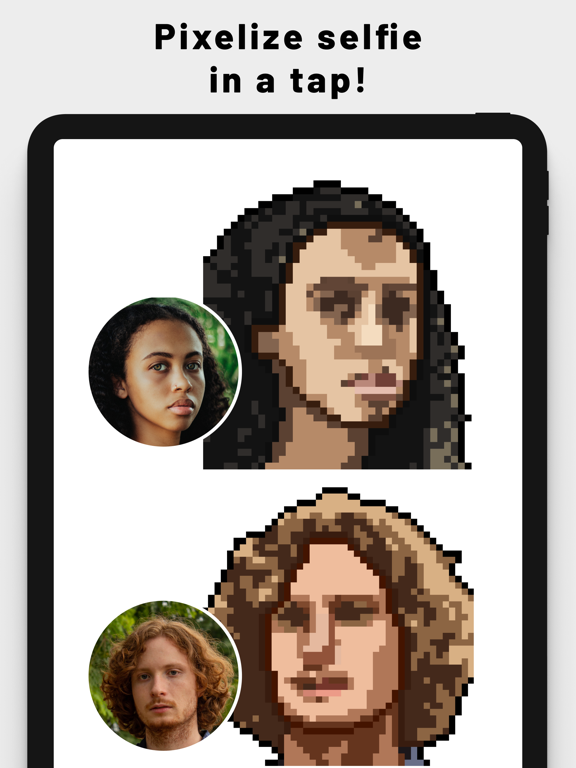
Transform your photos into stunning pixel art in seconds. PixelMe combines the power of AI with professional drawing tools, allowing you to create high-quality 8-bit art easily. Whether you want a unique profile picture, retro game assets, or just want to create digital art, PixelMe is the ultimate studio in your pocket. WHY CHOOSE PIXELME? While typical filters just lower the resolution, PixelMe offers a unique "AI + Human" workflow. AI Generation: Our advanced AI analyzes your photo and automatically creates a pixel art base. Pro-Level Refinement: Don't stop at the AI result. Use our intuitive editor to tweak pixels, adjust colors, and draw details manually. This implies you get the speed of AI with the creative control of a human artist. The result? Professional-grade pixel art without the hassle of starting from scratch. KEY FEATURES [ AI Photo to Pixel Converter ] Instantly turn selfies, portraits, and landscapes into nostalgic 8-bit style art. Perfect for creating avatars for Twitter, Instagram, Discord, and TikTok. [ Powerful Pixel Editor ] Modify the AI-generated art or draw from scratch. Easy-to-use tools: Move cursor, tap to draw/erase, and color picker. Zoom in for precision editing to achieve that perfect "dot art" look. [ Pro-Quality Results ] Create art that looks like it was hand-drawn by a professional pixel artist. Adjust resolution and detail levels to match your style. [ Share Your Masterpiece ] Export your creations in high quality. Share directly to your favorite social networks or save to your camera roll. Join thousands of users creating amazing retro art with PixelMe. Download now and start pixelating your world! =========================== PixelMe PRO subscription options: PixelMe PRO monthly - $4.99 per month Your PixelMe PRO subscription will automatically renew 24-hours prior to the end of each term (month or year correspondingly) and your card will be charged through your iTunes account. You can turn off auto-renewal at any time in your iTunes account settings, but refunds will not be provided for any unused period of the term. PixelMe Terms of Use: https://pixel-me.tokyo/en/terms/ PixelMe Privacy Policy: https://pixel-me.tokyo/en/terms/

Not Boring Software LLC
"The most fun camera app I've used in forever." — The Verge "My go-to for iPhone photography" — Washington Post "It’s so fun to use." —MKBHD Capture unique, honest, inspiring photos like the Pros in a fun, playful camera. SUPER RAW™ No AI or over-processed photos. Just natural grain, sharper images, & film-like exposures. Save Raw digital negative files (DNG) for processing in other tools like Darkroom, Lightroom, or Photoshop. Or capture using Apple's professional-level ProRaw. SKIP THE EDITS From snap to share. !Camera is the first camera app to enable professional color grading with 3D LUTs (”lookup tables”) used in high-end workflows by professional photographers to achieve realistic film simulations and unique cinematic looks. Use !Camera’s presets, add LUTs from your favorite creators, or make & import your own! New Styles and pro collaborations released every season. MAKE IT YOURS Customize every part of your camera to fit your vibe. Share colorways with others. HDR Extend your photo’s dynamic range with HDR to save additional highlight detail and color depth. LOVE THE FEEL Click. Tick. Snap. First fully-3D camera interface with dynamic lighting, sounds, & custom haptics that evokes the feel of holding a real camera. PRO CONTROL Use Auto mode for easy captures or switch to Manual for full control over exposure, shutter speed, ISO, white balance, and focus with pro-level tools like focus peaking, histogram, and zebra stripes. ONE-TAP FAST From lock screen to first snap in under 1 second. Add shortcuts to your lock screen, home screen, widgets, camera control, control settings, wherever. 100% PRIVATE We collect nothing. We store nothing. We share nothing. Plans: https://notbor.ing/plans Support: https://notbor.ing/support Terms: https://notbor.ing/terms Privacy: https://notbor.ing/privacy



Meta Platforms, Inc.
Where real people propel your curiosity. Whether you’re thrifting gear, showing reels to that group who gets it, or sharing laughs over fun images reimagined by AI, Facebook helps you make things happen like no other social network. Explore and expand your interests: * Shop Marketplace for hidden gems and take your hobbies to the next level * Personalize your Feed to see more of what you like, less of what you don’t * Ask Meta AI for information and get answers instantly * Drive into reels that reflect the things you're interested in * Search Facebook on any topic and get more interactive results Connect with people and communities: * Join groups to learn tips from real people who’ve been there, done that * Get inspired by creators, or catch up with Friends * Add new Friends to your world, but also decide how closely to keep up with them * Privately message relatable posts that only your BFF will get or that reels trend everyone’s talking about Share your world: * Use generative AI to create custom stickers and images to delight friends * Customize your profile to choose how you show up and who sees your posts * Effortlessly create reels from trending templates, or showcase your creativity with a full suite of editing tools * Capture moments on the fly with stories Some features may not be available in your country or region. Terms & Policies: https://www.facebook.com/policies_center Privacy Policy: https://www.facebook.com/privacy Learn how we're working to help keep our communities safe across Meta technologies at the Meta Safety Center: https://about.meta.com/actions/safety


Lux Optics Incorporated
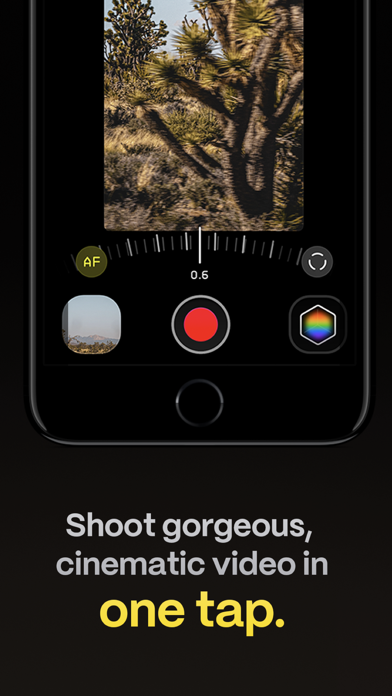
Make great video easy! Kino lets you just press record and create cinematic video with color presets created by expert filmmakers—no edit required. Plus, with “AutoMotion,” the app automatically creates that smooth "film look" you see at the movies. Shoot great video with no film school required. Are you an experienced filmmaker? Kino includes all the features you need to shoot like a Pro, such as a full manual mode, focus peaking, color waveform, audio meters, and more. If you’re experienced in color, you can import LUTs quickly and use the same powerful Instant Grade feature to output video with baked in LUTs. Regardless of your skill level, Kino adapts to your needs. Pick your experience level when setting up the app to dial things in your way or go with recommended, simple settings. The beautiful, simple interface shows only essential things, while keeping powerful features under thumb’s reach. INSTANT GRADE Kino comes packed with pro color presets by experts like Stu Maschwitz, Sandwich Video, Evan Schneider, Tyler Stalman and Kevin Ong. With one tap, you can shoot video with cinematic, film-like color by selecting a Grade preset. With Instant Grade, you don’t have to apply it later or do any editing steps: Kino just saves the processed video for you, ready to share. LEARN ALONG Getting started with video? The Kino team has a free series of lessons prepared you can dive into right away to learn filmmaking with the app. Start out with our simple recommended settings and enroll in a lesson plan to get lessons emailed to you that are easy to follow and let you unlock every feature of the app to use for making better videos. PRO TOOLS Kino’s simple interface does not mean it lacks in powerful pro tools. Start out with automatic exposure with EV adjustment and AE and WB lock, or drop into full manual mode with shutter speed, angle and ISO adjustment. Compose a shot with the grid with built in level, check exposure with the RGB waveform, and pull focus with focus peaking. Kino can store your recordings in Files instead of Photos for better and easy shot management, and even features a screen lock to prevent inadvertent taps messing up your shot. Set custom recording settings (like 4K 60FPS Apple Log ProRes422HQ on iPhone 15 Pro) or get started with presets for flexibiltiy. BEAUTIFUL INTERFACE Thoughtful touches are abound in Kino: from a screen-wide telltale ring to show you are recording, to beautiful custom typography throughout with our own bespoke fonts, Kino balances beauty and simplicity with flexibility and control for users of any skill level. AUTOMOTION Get cinematic motion like in feature films. Introducing: AutoMotion. Kino biases exposure towards a 180° shutter speed by default. If you land in this sweet spot, and available light supports it, the ‘Auto’ label turns green — showing you are in the sweet spot for great cinematic motion. Bright day out? Pop an ND filter on your iPhone and don’t worry about adjusting manual settings: Kino will take care of prioritizing shutter angle so you can just shoot and get great results. LUT FRIENDLY One of the powerful aspects of Kino is being able to download new looks from your favorite creators or your own making. Author .cube LUT files in Pixelmator Pro, Davinci Resolve, or other apps (up to 33x33) and open them in Kino with a tap. TRULY PRIVATE None of our apps gather or collect data, or analyze your videos and photos. We believe the most important thing a camera can be is private. CREATOR SPECIAL Are you a creator or filmmaker and want to get started with or love using Kino? Get in touch with us to get our ‘Creator Kit’: see the Kino website for more details. When sharing your work, tag it #shotwithkino so we can feature it online. Thanks for making it this far! Kino is made by friends — Ben Sandofsky and Sebastiaan de With, with the help of Katie-Rose Summerfield and Doug Broussard. We made this app with love and care and we hope you love it.